
Free AI Image Editor With Prompt No Restrictions

Trang Tran
November 6, 2026
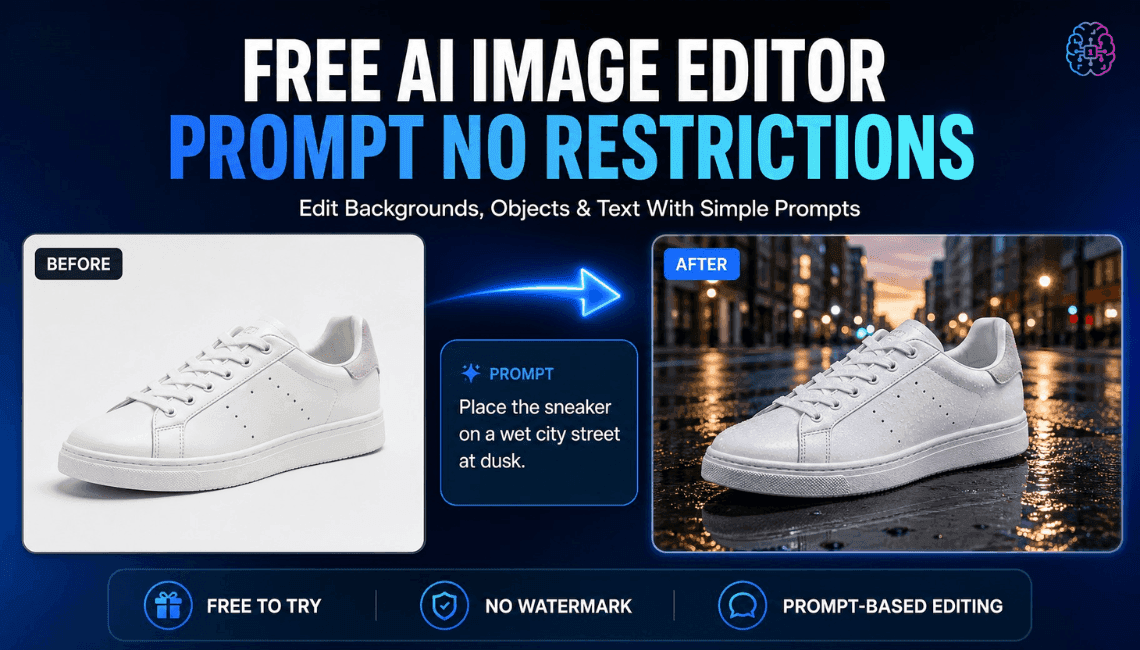
Looking for a free AI image editor with prompt no restrictions? Edit backgrounds, objects and text by typing, no watermark. Try 1min.AI’s flexible editor now.
You have a photo and a clear idea of how it should look. What you do not have is time for layers, masks and menus that only accept five preset commands. A free AI image editor with prompt no restrictions solves that. You type the change in plain English and the edit appears in seconds: a new background, a different jacket color, a stray object gone, sale text rewritten.
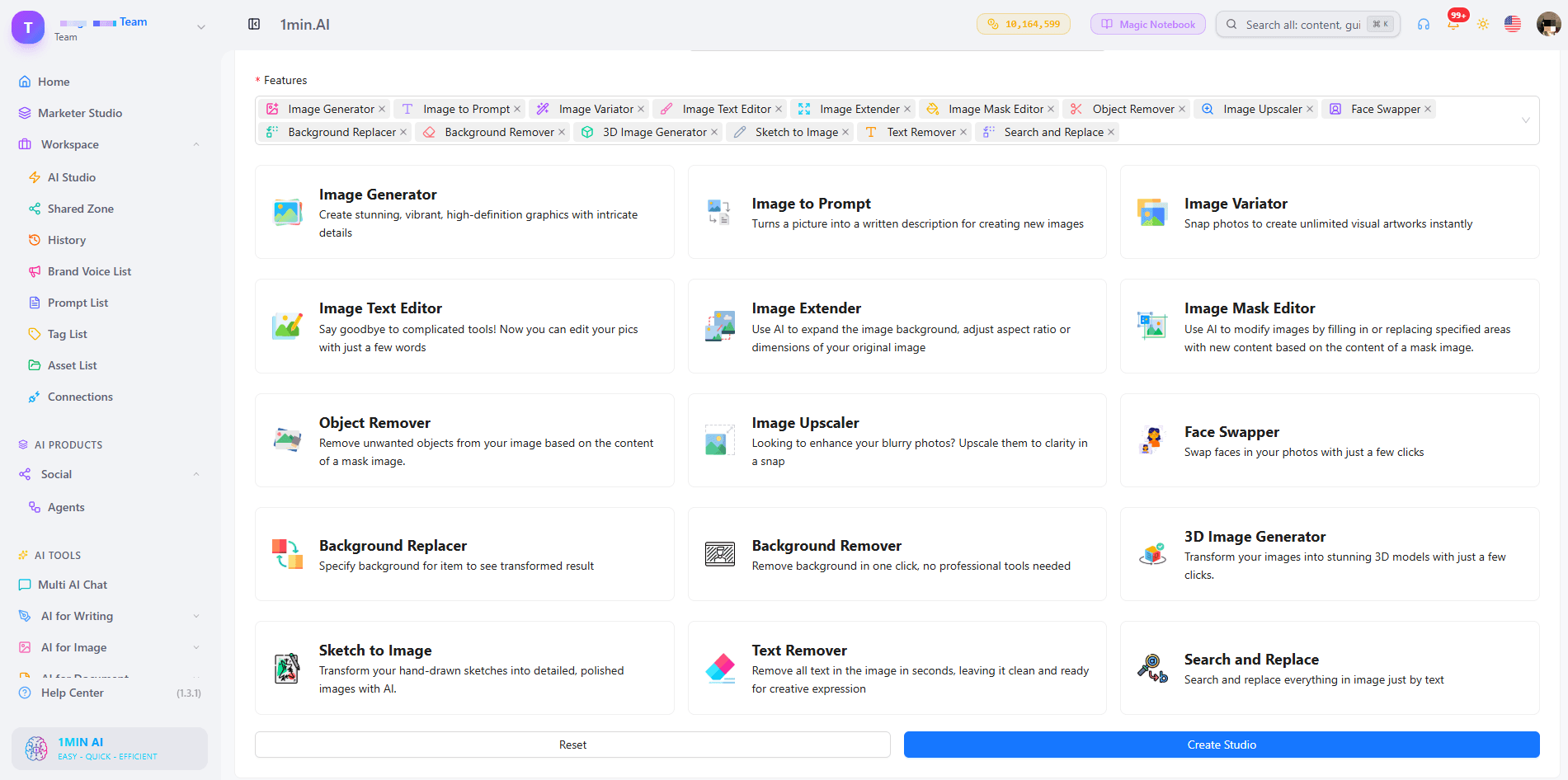
1min.AI puts these prompt-based tools in one workspace. Open an image, describe the edit and download the result with no watermark.
Quick answer: An AI image editor with prompt no restrictions lets you describe any edit in your own words instead of choosing from a locked list of actions. With 1min.AI you can replace backgrounds, swap objects, edit text inside images, repaint masked areas, expand and upscale, all from one place. Legal rules and each AI model’s safety policies still apply.
What Does “No Restrictions” Mean in an AI Image Editor?
Most people searching for an unrestricted AI image editor are not trying to break rules. They are tired of tools that get in the way. In practice, “no restrictions” usually means four things:
| What you run into | What “no restrictions” should mean |
|---|---|
| A short list of approved commands | Full-sentence prompts: object, position, result |
| One action available, the rest locked | Many edit types on the same image |
| Watermarked downloads | Clean results you can use right away |
| Registration before you can test anything | Open the tool and start editing |
A modern AI image editor reads your picture and your sentence together, works out which pixels need to change and leaves the rest alone. That is why one plain-language prompt can replace hours of manual selection.
Where the Limits Still Are
“No restrictions” describes freedom of workflow, not freedom from the law. Illegal content, content involving minors, and non-consensual or deceptive images of real people are off limits with any responsible provider. 1min.AI follows the usage policies of the AI models it offers. Inside those boundaries, you decide what to change and how to say it.
What Can You Edit With a Prompt in 1min.AI?
| Edit goal | Example prompt | 1min.AI tool |
|---|---|---|
| Swap an object or outfit | “Replace the blue jacket with a red leather jacket” | Search and Replace |
| Build a new scene | “Place the sneaker on a wet city street at dusk” | Background Replacer |
| Fix one precise area | Paint the area, then “Add a small window with a plant” | Image Mask Editor |
| Change wording in a design | “Change 20% OFF to 30% OFF” | Image Text Editor |
| Clean up clutter | “Remove the person behind the table” | Object Remover |
| Resize or sharpen | Widen the canvas, then upscale | Image Extender, Image Upscaler |
Replace Objects and Outfits With Search and Replace
Name what you want to find and what should replace it. The tool handles the selection, so you can run object search and replace edits, such as changing a sofa’s fabric or a product’s packaging color, without drawing an outline. Add “keep everything else unchanged” to protect the rest of the scene. For a deeper walkthrough, see this guide to object search and replace.
Swap Backgrounds Without Cutting Anything Out
Background Replacer removes the old scene and builds a new one from your description. Mention the place, time of day and mood, for example “sunlit studio with a soft white backdrop”. Here is a quick walkthrough:
Repaint Only the Area You Choose
The Image Mask Editor is for edits that need precision. Paint over a region, then describe what belongs there. This kind of mask-based editing keeps faces, logos and everything outside the mask untouched.
Edit Text Inside an Image
Image Text Editor lets you rewrite text that already sits inside a banner, label or screenshot. Type the new wording and the tool works to match the surrounding style. It is a fast way to update prices, dates and captions without rebuilding the design.
Start From Scratch, Then Edit
No source photo yet? Generate a base image first, then refine it with the editing tools. Creating and editing in one workspace means you never export, re-upload and start over.
How to Edit an Image With a Prompt in 3 Steps
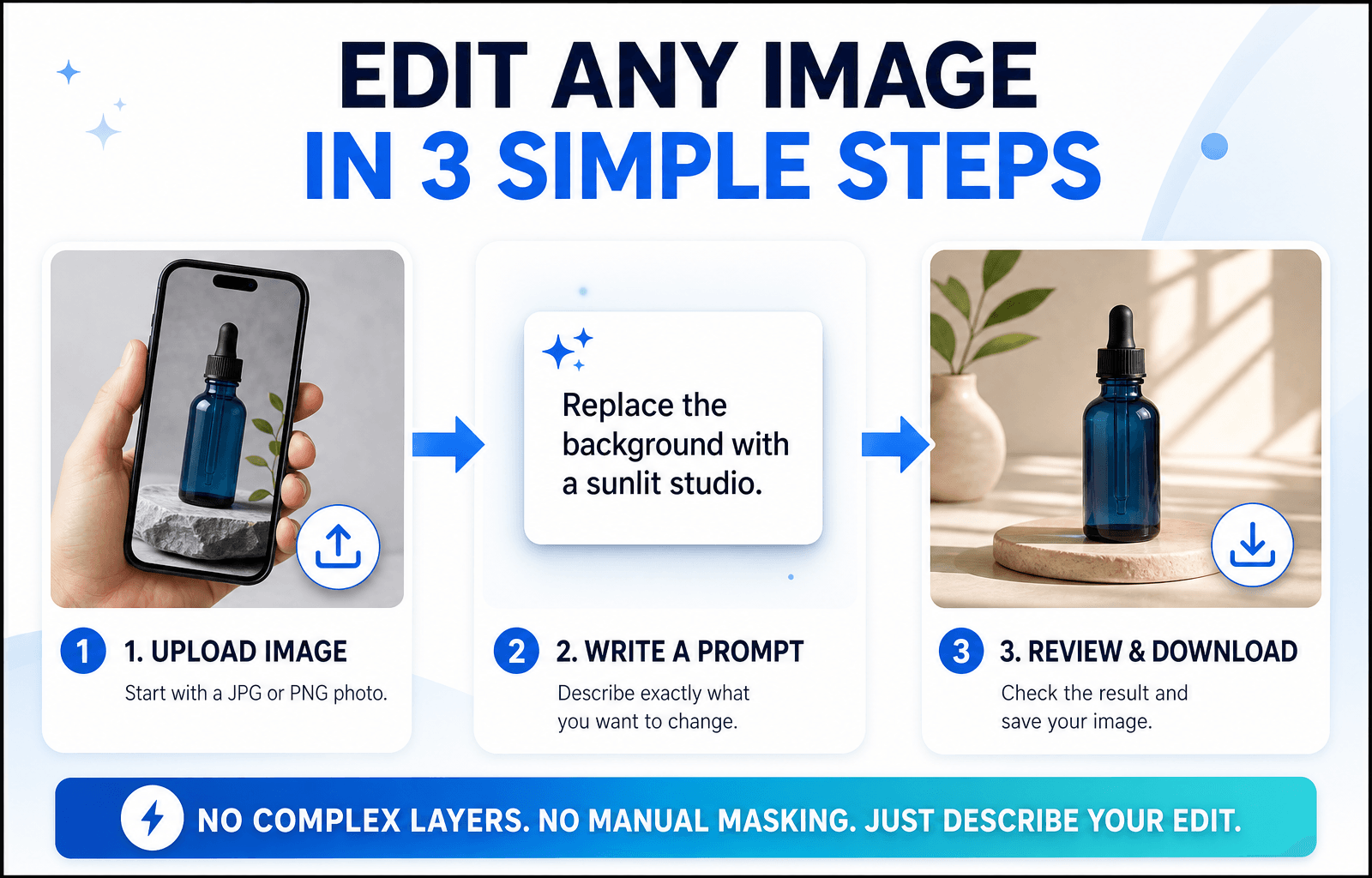
Step 1: Open the Editor and Upload Your Image
Choose the tool that matches your goal and upload a JPG or PNG. A sharp, well-lit photo with a clear subject gives the AI more to work with, so your edit looks more accurate.
Step 2: Write a Specific Prompt
Specific beats clever. Say what should change and what should stay the same.
The Prompt Formula
Object + Action + Style or Lighting + What stays unchanged
Three Prompts You Can Copy
- “Change the red jacket on the left to dark green denim. Keep the face and background unchanged.”
- “Replace the background with a sunlit studio and a soft white backdrop. Keep natural shadows under the product.”
- “Remove the cables on the desk and fill the area with the same wood texture.”
Edits usually miss because the prompt is too broad. This short video covers the most common mistakes:
Step 3: Review, Refine and Download
Zoom in and check edges, hands, text and shadows. If one detail is off, run a second prompt on that detail instead of stacking several requests in one line. Then download your image, which has no watermark. Save prompts that worked to your Prompt List so you can reuse them.
Editing People, Products or Landscapes: Which Setup Fits?
Photos of People
Describe clothing, hair color or background changes and add “keep the face unchanged”. For small fixes, use the mask tool so only the chosen area changes.
Product Photos
Swap backgrounds, remove reflections and recolor packaging while keeping labels sharp. Consistent backgrounds help a whole catalog look uniform.
Landscapes and Travel Shots
Remove crowds, adjust the sky or extend the frame to a wider format. Mention light and weather (“golden hour, clear sky”) so the edit blends naturally.
Browser Editor or Local Open-Source Model?
Open-source models run on your own computer. They offer deep control, but you manage installation, hardware and updates. A browser-based editor like 1min.AI needs none of that: open a tab, choose a tool and edit. If you want to start quickly or work across devices, the browser route is simpler. If you enjoy tuning models yourself, a local setup may suit you better.
What to Look for in the Best Free AI Image Editor With No Restrictions Online
Use this checklist for any tool you test:
- Full-sentence prompts rather than a fixed command menu
- Several edit types on the same image
- Precise control, such as masks for local changes
- Clean exports without a watermark
- Reusable prompts and assets so repeat work gets faster
- Clear policies about what the models can and cannot do
1min.AI covers each point in one workspace, with tools for text editing, object swapping, backgrounds, masks, extending and upscaling. AI Studio, Prompt List and Asset List are ready to use, and you can add a Shared Zone and History when you create an account.
You can also check how others rate the platform. 1min.AI holds SourceForge and Slashdot Top Business Software badges, is rated Excellent on Trustpilot and is listed on Capterra, Software Advice and GetApp.


FAQ
What is an AI image editor with prompt no restrictions?
It is an editor where you describe any change in your own words instead of picking from a locked list of actions. It still follows legal and model safety rules.
Is there a free AI image editor with prompt no restrictions?
Yes. You can try 1min.AI’s image editing tools free and download results without a watermark.
Does “no restrictions” mean anything goes?
No. Illegal content, content involving minors and deceptive or non-consensual images of real people are not allowed. Everything else is up to your creativity.
Which 1min.AI tool should I use to change text in an image?
Use Image Text Editor. Type the new wording and it updates the text inside the picture.
Do I need design skills?
No. If you can describe the change the way you would to a designer, you can edit with a prompt.
How do I write better edit prompts?
Name the object, state the action and add what should stay unchanged. Make one change per pass for the cleanest result.
Ready to Edit Your First Image?
Your next edit is one sentence away. Upload an image, type what you want to change and see the result in seconds.
- #Transaction
Alternatives
Discover the best alternatives to 1minAI and compare features, pricing, and use cases.
1min.AI vs OpenRouter
1min.AI vs. OpenRouter: Compare the ready-to-use AI creation product against the technical API tool. Find out if you need a zero-code creative studio or a coding infrastructure hub.
 Ngoc Hong
1minAI vs Postbeam for LinkedIn Content
Looking for a Postbeam alternative? Compare 1minAI vs Postbeam for AI LinkedIn content creation, research, image generation, scheduling, and B2B workflows.
 Tram Ta
1minAI vs Buffer for LinkedIn Content Creation
Looking for a Buffer alternative? Compare 1minAI vs Buffer for LinkedIn content creation, AI writing, image generation, scheduling, and automation.
Tram TaAI Tools
Discover the best AI tools to boost productivity, creativity, and everyday work.
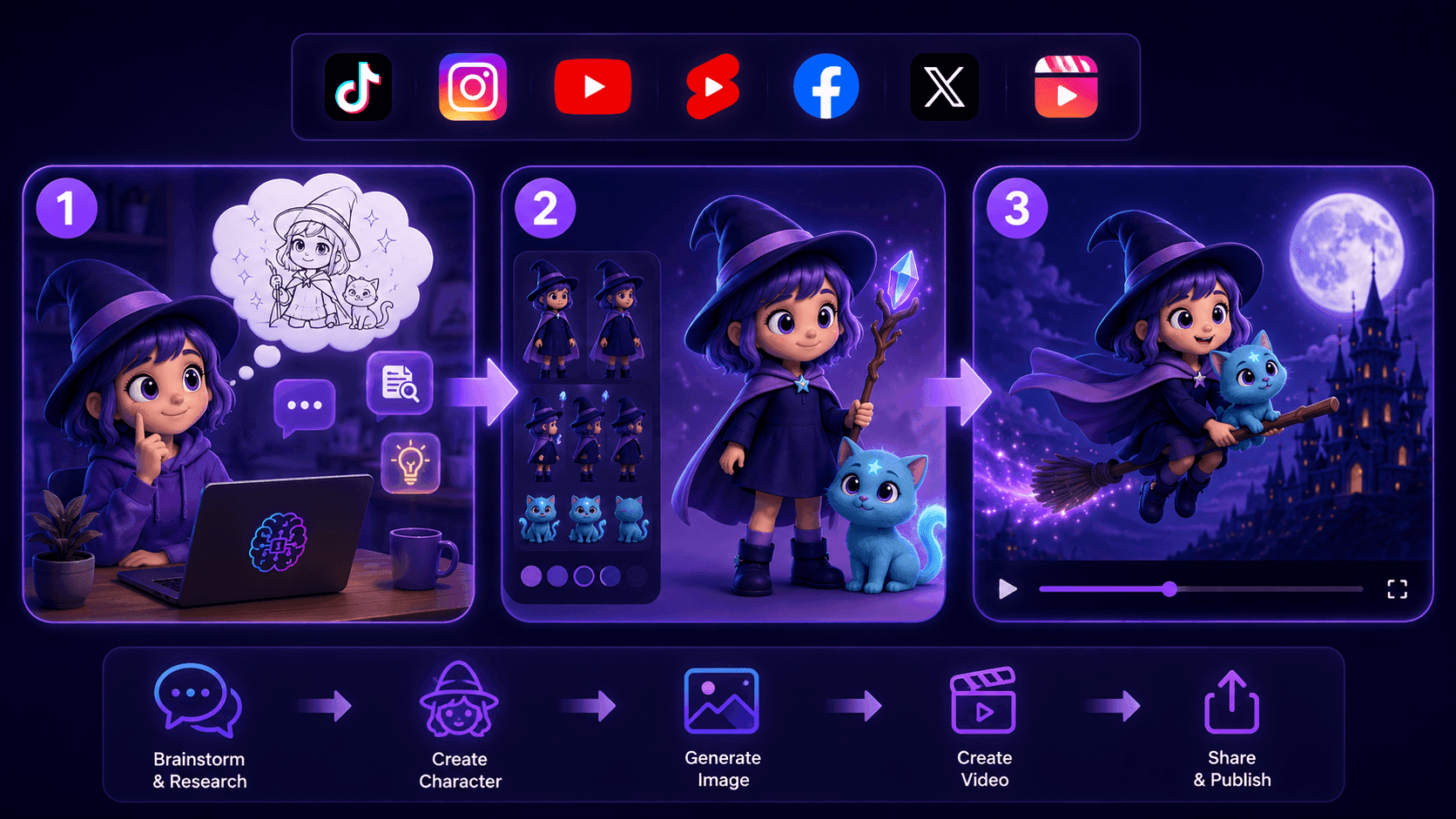
Create Consistent Cartoon Content in Just a Few Steps
Create engaging cartoon videos for TikTok and Reels with 1min.AI. Research ideas, create characters, and turn images into animated videos in 3 simple steps.
 Lien Anh Vu
One Product, 10 UGC Creatives: How AI Makes Content Testing Easier
Create more authentic UGC with an AI UGC video generator, test more creative angles and scale affiliate content without filming every version.
Lien Anh Vu
Top 4 Affordable AI Tools for Startup Founders
Discover the top 4 affordable AI tools for startup founders to validate ideas, build products, create content, and launch faster without overspending.
Tram TaAI Features
Comprehensive AI features that streamline workflows, improve efficiency, and empower teams to achieve more.
Create Consistent Cartoon Content in Just a Few Steps
Create engaging cartoon videos for TikTok and Reels with 1min.AI. Research ideas, create characters, and turn images into animated videos in 3 simple steps.
Lien Anh VuOne Product, 10 UGC Creatives: How AI Makes Content Testing Easier
Create more authentic UGC with an AI UGC video generator, test more creative angles and scale affiliate content without filming every version.
Lien Anh Vu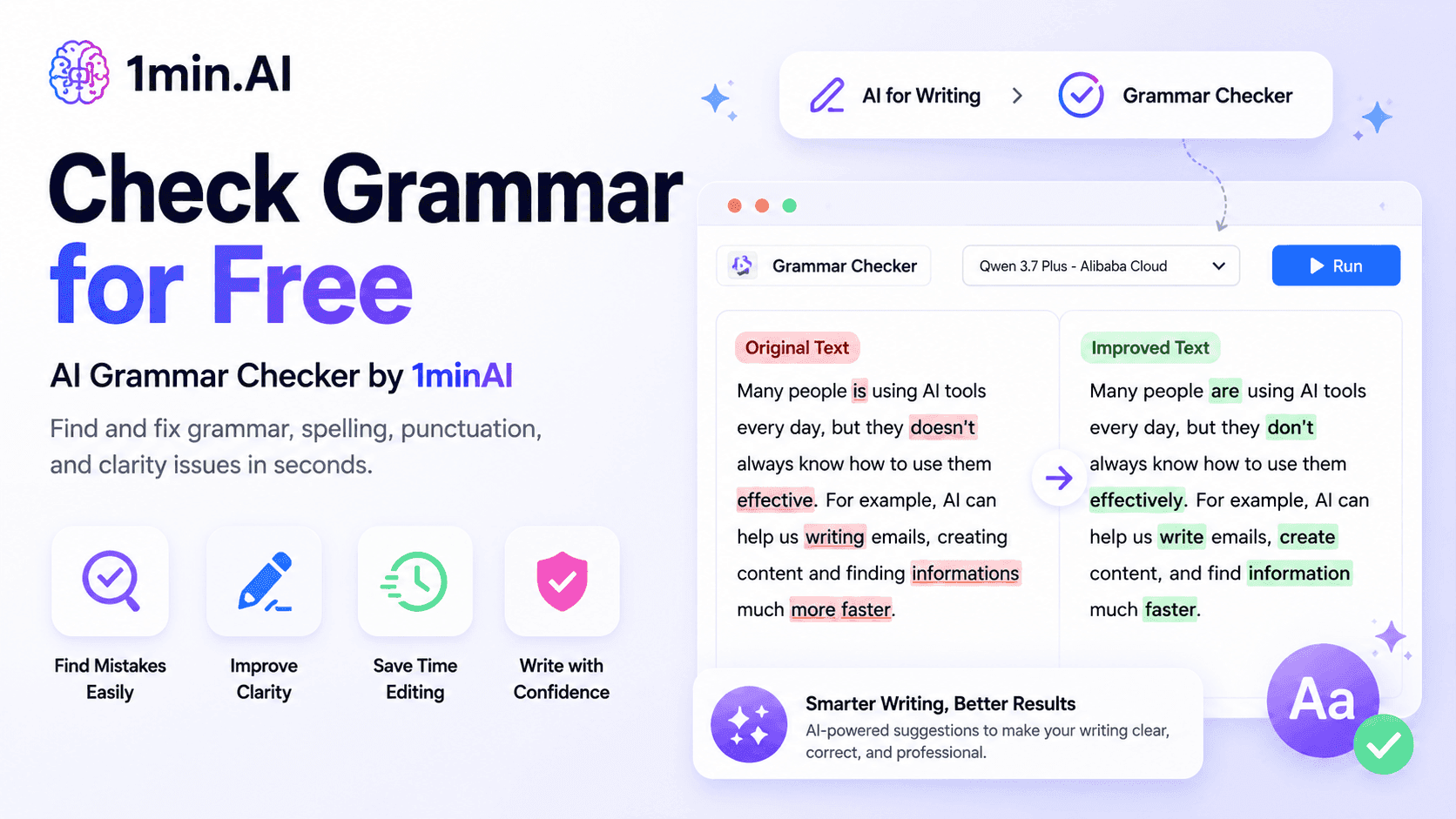
1minAI: Free AI Grammar Checker
Check grammar for free with 1minAI’s AI grammar checker. Find grammar, spelling, and writing mistakes, improve clarity, and polish your content in seconds.
Tram TaAI Use Cases
A curated collection of AI use cases for business, productivity, and industry-specific applications.
Create Consistent Cartoon Content in Just a Few Steps
Create engaging cartoon videos for TikTok and Reels with 1min.AI. Research ideas, create characters, and turn images into animated videos in 3 simple steps.
Lien Anh VuOne Product, 10 UGC Creatives: How AI Makes Content Testing Easier
Create more authentic UGC with an AI UGC video generator, test more creative angles and scale affiliate content without filming every version.
Lien Anh Vu
Best Time to Post on Instagram: A Practical Guide for Better Engagement
Discover the best time to post on Instagram, including the best days and times for different audiences, plus tips to find the ideal posting schedule for your account.
Tram TaAI Tutorials
Learn how to use AI with practical, step-by-step tutorials.

Black Friday AI Tool Deals in 2026
Discover what Black Friday AI tool deals 2026 has to offer. Find out how to secure the 1min.AI lifetime deal via AppSumo, Dealify, Stack Social, and verify on Trustpilot, Slashdot, and Software Advice.
 Hang Nguyen
Create Consistent Cartoon Content in Just a Few Steps
Create engaging cartoon videos for TikTok and Reels with 1min.AI. Research ideas, create characters, and turn images into animated videos in 3 simple steps.
Lien Anh Vu
[Seedance 2.5 New] Better AI Product Videos, Less Rework in 1min.AI
Use Seedance 2.5 image to video on 1min.AI to create more consistent AI product videos, reduce failed generations, save credits, and improve UGC workflows.
Lien Anh VuAI Guides
Learn AI faster with practical guides, real-world examples, and actionable best practices.

Safely Buy AI Tools Online: 2026 Black Friday Guide
Discover how to find and secure the best Black Friday AI deals online. Learn expert strategies to avoid scams, combat subscription fatigue, and verify software.
Hang NguyenCreate Consistent Cartoon Content in Just a Few Steps
Create engaging cartoon videos for TikTok and Reels with 1min.AI. Research ideas, create characters, and turn images into animated videos in 3 simple steps.
Lien Anh Vu[Seedance 2.5 New] Better AI Product Videos, Less Rework in 1min.AI
Use Seedance 2.5 image to video on 1min.AI to create more consistent AI product videos, reduce failed generations, save credits, and improve UGC workflows.
Lien Anh VuAI Solutions
Browse the best AI solutions for automation, coding, research, productivity, customer support, marketing, and business workflows.
Safely Buy AI Tools Online: 2026 Black Friday Guide
Discover how to find and secure the best Black Friday AI deals online. Learn expert strategies to avoid scams, combat subscription fatigue, and verify software.
Hang NguyenCreate Consistent Cartoon Content in Just a Few Steps
Create engaging cartoon videos for TikTok and Reels with 1min.AI. Research ideas, create characters, and turn images into animated videos in 3 simple steps.
Lien Anh VuOne Product, 10 UGC Creatives: How AI Makes Content Testing Easier
Create more authentic UGC with an AI UGC video generator, test more creative angles and scale affiliate content without filming every version.
Lien Anh VuAI Models
Explore the world's leading AI models in one place.
Create Consistent Cartoon Content in Just a Few Steps
Create engaging cartoon videos for TikTok and Reels with 1min.AI. Research ideas, create characters, and turn images into animated videos in 3 simple steps.
Lien Anh VuOne Product, 10 UGC Creatives: How AI Makes Content Testing Easier
Create more authentic UGC with an AI UGC video generator, test more creative angles and scale affiliate content without filming every version.
Lien Anh Vu[Seedance 2.5 New] Better AI Product Videos, Less Rework in 1min.AI
Use Seedance 2.5 image to video on 1min.AI to create more consistent AI product videos, reduce failed generations, save credits, and improve UGC workflows.
Lien Anh VuAI Comparisons
Compare AI tools, models, and platforms to find the best fit for your needs.
Kling AI Vs Veo 3: Which Model Wins?
Kling AI vs Veo 3: compare motion, native audio, pricing & free tiers to see which AI video generator wins for your project - try both on 1min.AI.
 Trang Tran
[Seedance 2.5 New] Better AI Product Videos, Less Rework in 1min.AI
Use Seedance 2.5 image to video on 1min.AI to create more consistent AI product videos, reduce failed generations, save credits, and improve UGC workflows.
Lien Anh Vu
DeepSeek V4 Pro vs Flash Comparison
Compare DeepSeek V4 Pro vs DeepSeek V4 Flash metrics. Optimize your agentic apps and improve AI fact checking on 1min.ai today.
Ngoc HongAI Integrations
Seamlessly integrate AI with the tools you already use to automate work and boost productivity.
POV: You Have 10+ Posts to Make Every Day
Learn how to build an AI content workflow that helps content creators produce 10+ social media posts a day faster with AI brainstorming, image generation, and content creation.
Lien Anh Vu
How to Use an AI Fashion Video Generator for Fashion Week 2026
Turn Fashion Week 2026 ideas into stunning fashion videos with AI. Learn how to brainstorm, create visuals, and transform images into videos with one simple workflow.
Lien Anh Vu
Stop Switching Between AI Apps: How AI Integration Transforms Employer Branding
Discover how AI integration helps HR teams streamline employer branding by combining AI writing, documents, images, video, and multiple AI models into one workspace.
Tram TaAI for Industries
Find the best AI tools and workflows for healthcare, finance, education, legal, manufacturing, retail, real estate, and more
Text To Video AI Free Without Watermark Online
Create text to video AI free without watermark online with 1min.AI. Pick top models, turn prompts into HD clips, and download clean videos fast. Try it free.
Trang TranFree AI Image Editor With Prompt No Restrictions
Looking for a free AI image editor with prompt no restrictions? Edit backgrounds, objects and text by typing, no watermark. Try 1min.AI’s flexible editor now.
Trang Tran
Claude Personal Finance Setup and Safety Guide
Claude personal finance explained: how Personal Finance in Claude works and what Claude finance can see. Plus a safe CSV method for non-US users.
Trang TranAI Agents
Discover and run AI agents to automate tasks across your work and daily life.
1minAI: Free AI Grammar Checker
Check grammar for free with 1minAI’s AI grammar checker. Find grammar, spelling, and writing mistakes, improve clarity, and polish your content in seconds.
Tram Ta
AI Agents for Facebook
Use an AI Agent for Facebook to create content, generate images, schedule posts, and publish from your documents and conversations.
Ngoc Hong
AI Agent vs AI Assistant: Which One Actually Saves Designers More Time?
Learn the difference between AI Agent vs AI Assistant and discover which solution helps designers automate repetitive work, reduce revisions, and save more time.
Lien Anh VuAI Workflows
Explore ready-to-use AI workflows for productivity, marketing, sales, support, and more.
Create Consistent Cartoon Content in Just a Few Steps
Create engaging cartoon videos for TikTok and Reels with 1min.AI. Research ideas, create characters, and turn images into animated videos in 3 simple steps.
Lien Anh VuOne Product, 10 UGC Creatives: How AI Makes Content Testing Easier
Create more authentic UGC with an AI UGC video generator, test more creative angles and scale affiliate content without filming every version.
Lien Anh VuPOV: You Have 10+ Posts to Make Every Day
Learn how to build an AI content workflow that helps content creators produce 10+ social media posts a day faster with AI brainstorming, image generation, and content creation.
Lien Anh VuNewsletter
Weekly AI Innovations with 1minAI

🔮 Weekly AI Innovations #144: LinkedIn Content Agent: Complete B2B Publishing Pipeline
Scale B2B influence with the LinkedIn Content Agent on 1min.ai. Discover an end-to-end 4-stage pipeline with zero redundant token burn and 1-click publishing.
Hang Nguyen
🔮 Weekly AI Innovations #143: Update GPT-6, GPT-6.1 & Ideogram 4.0
Access GPT-6 Sol, Luna, GPT-6.1 Sol, and Ideogram 4.0 on 1min.ai. Boost typography accuracy to 98.4% and cut reasoning latency by 45% in one platform.
Hang Nguyen
🔮 Weekly AI Innovations #142: Grok 4.7, Opus 5.5 & Sonnet 5.5 on 1min.ai
Access Grok 4.7, Claude Opus 5.5, and Sonnet 5.5 on 1min.ai. Cut subscription costs by up to 70% and process millions tokens in a single unified workspace.
Hang Nguyen