
1minAI vs EasyGen: Which Is the Best LinkedIn Content Agent?

Tram Ta
October 30, 2026
Looking for an EasyGen alternative? Compare 1minAI vs EasyGen for LinkedIn research, AI writing, personalization, visuals, and content publishing.
Creating LinkedIn content consistently takes more than writing a few paragraphs. You need to find relevant topics, understand your audience, develop ideas, write in your own voice, and keep your publishing schedule organized.
EasyGen was built to make LinkedIn post creation faster, using creator insights, trending topics, and AI writing to help users develop content. But if you're looking for an EasyGen alternative, you may want a workflow that goes beyond drafting posts.
1minAI and EasyGen approach LinkedIn content differently. EasyGen focuses on LinkedIn content creation and creator-inspired writing. 1minAI's LinkedIn Agent is designed to connect research, writing, visual content, and publishing within a broader AI workspace.
There's also an important update for new users: EasyGen's official website now says the product has been acquired and is no longer accepting new signups, while existing customers can continue to log in. In this guide, we'll compare 1minAI vs EasyGen, examine their key differences, and help you decide which LinkedIn content workflow fits your needs.
What Is EasyGen?
EasyGen is an AI-powered LinkedIn content tool created by Ruben Hassid. It was designed to help creators and professionals generate LinkedIn posts using creator research, trending topics, and personalized writing settings.
Rather than functioning as a general-purpose AI chatbot, EasyGen focuses on helping users create LinkedIn content more efficiently.
Its workflow is built around finding ideas, generating posts, refining the writing, and managing content.
EasyGen's Key Features
Based on EasyGen's publicly described product capabilities, its main features include:
Creator research and content analysis
EasyGen helps users explore successful LinkedIn creators and posts. This provides inspiration for understanding content formats and identifying ideas relevant to their niche.
Trending topic discovery
The platform has offered topic discovery across sources such as Reddit, X, and Google, helping users find subjects to discuss on LinkedIn.
AI LinkedIn post generation
Users can generate posts from their own topics, content ideas, or research. The tool focuses on creating LinkedIn-oriented drafts rather than general-purpose writing.
Writing style customization
EasyGen provides style settings intended to make generated posts sound more like the user's preferred tone. Its official site describes customization around tone, intensity, and examples.
Voice-note dictation
Users can provide ideas through voice notes and turn them into LinkedIn-ready drafts.
Content calendar and draft management
EasyGen has described a content calendar and a unified view for managing drafts and published posts. Check the current account interface for the exact scheduling and publishing capabilities available to existing customers.
EasyGen's Strengths
EasyGen's core value is its focus on LinkedIn content.
- It helps users find content inspiration from creators and trending topics.
- It is designed specifically for LinkedIn post creation.
- It offers writing-style customization.
- It can turn raw ideas or voice notes into drafts.
- It provides content organization features for managing the writing workflow.
For creators who primarily want help writing LinkedIn posts, these capabilities address a real problem: turning ideas into publishable content without starting from a blank page.
EasyGen's Limitations for New Users
The most important current limitation is product availability.
EasyGen's official website states that it has been acquired and is not accepting new signups. Existing customers can still log in.
For someone who has never used EasyGen, this means the product may not be an available starting point.
There are also broader workflow considerations:
- EasyGen is focused on LinkedIn rather than a wider range of AI tasks.
- Its main positioning centers on content generation, creator research, and writing.
- Users looking for an integrated research-to-publishing workflow should check whether the current product supports every step they need.
- Pricing and feature access should be confirmed directly, especially given the acquisition and signup status.
If you're evaluating a replacement, the key question is no longer just which tool writes a better post. It's which workflow can help you consistently research, create, review, and publish content.
What Is 1minAI's LinkedIn Content Agent?
1minAI is an AI workspace with tools for writing, research, images, documents, and other content workflows.
Its LinkedIn Agent is designed to help users move from a raw idea or source material to LinkedIn-ready content, with research, writing, visuals, and publishing connected in one workflow.
You can explore the official 1minAI LinkedIn Agent page to review its current capabilities.
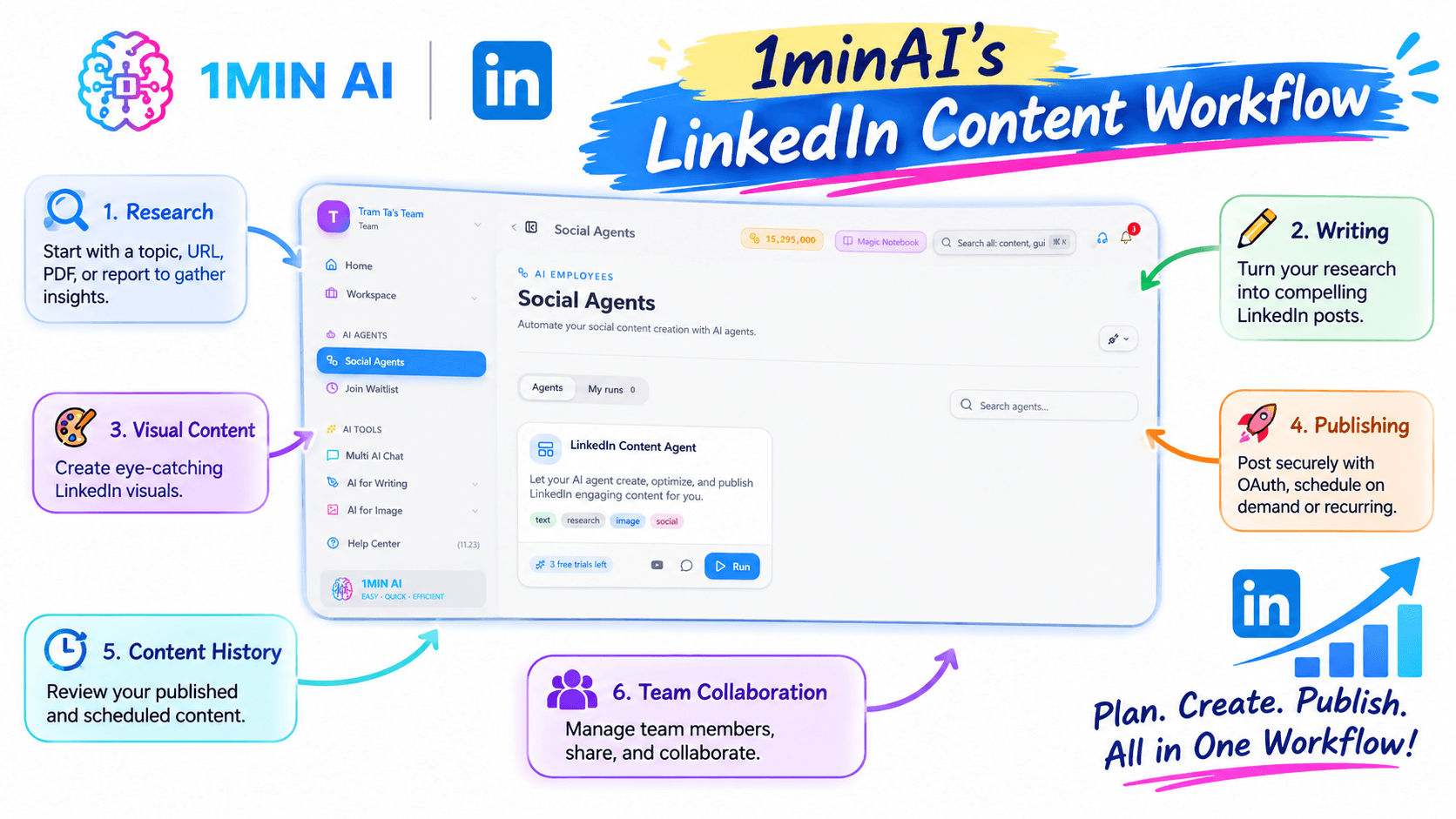
1minAI's LinkedIn Content Workflow
The LinkedIn Agent is positioned around several connected tasks:
Research
Start with a topic, URL, PDF, report, or other source material. The workflow can use research to develop more informed LinkedIn content rather than relying only on a generic prompt.
Writing
Turn the research or idea into a LinkedIn post. The workflow supports post structures, hooks, and content frameworks designed for LinkedIn.
Visual content
Create visuals that support the message of the post, including LinkedIn-sized graphics and other AI-generated image content.
Publishing
The official comparison page describes publishing through a secure OAuth connection, with on-demand and recurring scheduling options. Users should review the current connection and publishing settings before enabling automation.
Content history
The workflow includes a history of published and scheduled content, helping users review their content activity.
Team collaboration
1minAI also describes member management, sharing, and collaboration capabilities for teams. Availability and current limitations should be checked on the official product page.
The key distinction is that 1minAI's LinkedIn Agent is designed as a connected workflow, rather than only a post-generation experience.
1minAI vs EasyGen: Feature Comparison
Here's a high-level comparison based on publicly described product capabilities.
| Feature | EasyGen | 1minAI LinkedIn Agent |
|---|---|---|
| Primary focus | LinkedIn post generation and creator-inspired content | Research-to-publishing LinkedIn workflow |
| Content research | Creator search, post analysis, and trending-topic discovery | Research from links, PDFs, reports, and topics |
| AI post generation | LinkedIn-focused post drafts | LinkedIn hooks, frameworks, and post creation |
| Writing personalization | Tone, intensity, and writing-style customization | Context-driven writing from supplied research and instructions |
| Visual content | Check current product access and features | AI-generated visuals connected to the post workflow |
| Publishing | Existing customers should verify current access and publishing options | Official page describes OAuth publishing and scheduling |
| Content history | Content calendar and draft management have been described | History of published and scheduled posts |
| Team workflow | Check current product availability | Member management, sharing, and collaboration |
| Signup availability | Official site says no new signups | Explore current 1minAI access and plan options |
| Broader AI tools | LinkedIn-focused | Broader AI workspace with writing, image, document, and other tools |
The comparison is based on publicly described features, not a live hands-on test of every feature. EasyGen's acquisition and signup status make current access especially important to verify.
Why Consider 1minAI as an EasyGen Alternative?
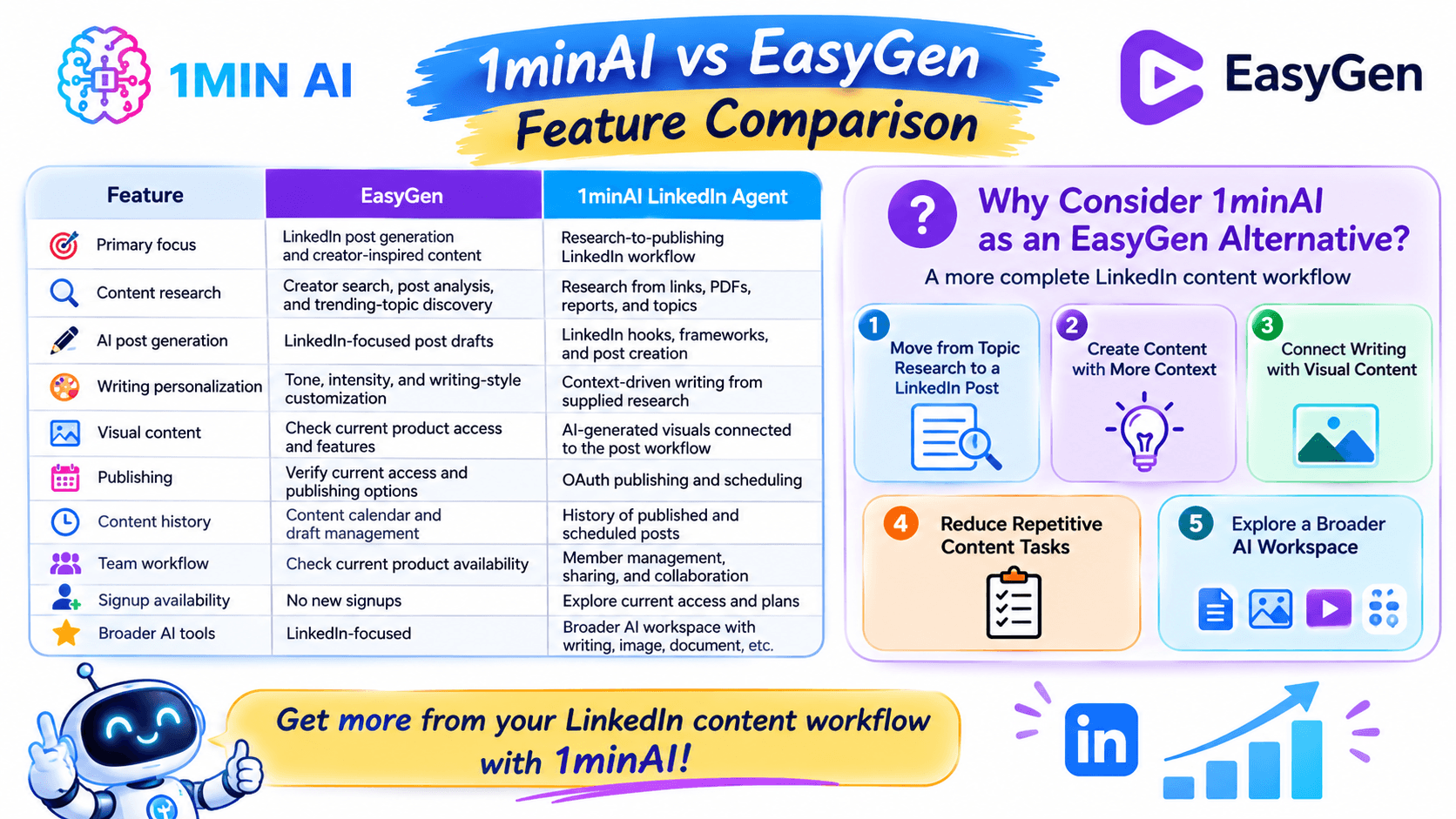
If you are searching for an EasyGen alternative, you may already know what you want from an AI LinkedIn tool: relevant ideas, writing that sounds natural, and a process that doesn't take hours every week.
1minAI is worth considering if you want to connect those needs with a broader content workflow.
1. Move from Topic Research to a LinkedIn Post
One challenge with LinkedIn content is that finding an idea and writing a useful post are two different tasks.
You might have a report, an article, a product update, or a business insight. The challenge is turning that source into a post that communicates one clear message.
With 1minAI's research-oriented workflow, you can start from source material and develop a post around its relevant findings.
For example:
- Start with a report or article.
- Identify the main insight.
- Choose the audience and content angle.
- Develop a LinkedIn hook.
- Turn the insight into a structured post.
- Review the final draft before publishing.
This approach is especially useful for founders, consultants, and marketers who want to share informed perspectives rather than generic motivational content.
2. Create Content with More Context
A good LinkedIn post should reflect the author's knowledge, audience, and purpose.
Instead of asking AI to write about a broad topic, provide relevant source material and explain what you want to communicate.
For example, a founder might provide a product update and ask the AI to turn it into a post explaining a customer problem, the solution, and the lesson learned.
The more relevant context you provide, the easier it is to create a post that reflects your actual work.
1minAI can support this research-and-writing process, while the final review remains important for checking facts, voice, and positioning.
3. Connect Writing with Visual Content
LinkedIn content doesn't always need to be text-only.
A visual can help explain a concept, highlight a key insight, or make a post easier to scan.
1minAI's LinkedIn Agent is designed to connect post creation with AI-generated visuals, so users can explore a more complete content workflow.
For example, you could create:
- A simple graphic explaining a business insight.
- A quote card highlighting a key point.
- A visual summary of a report.
- An illustration supporting a product announcement.
The goal isn't to add an image to every post. It's to create visual content when it helps communicate the message.
4. Reduce Repetitive Content Tasks
LinkedIn content creation often involves repeating the same steps:
- Find a topic.
- Research the subject.
- Draft the post.
- Edit the writing.
- Prepare a visual.
- Schedule or publish.
- Review the content history.
A connected workflow can reduce the need to manage these tasks across multiple disconnected tools.
1minAI's LinkedIn Agent is designed to bring research, writing, visuals, and publishing together. This can be useful for people who want to spend less time coordinating tools and more time developing useful content.
5. Explore a Broader AI Workspace
EasyGen is built specifically for LinkedIn content.
1minAI provides a broader set of AI capabilities, including writing, image, document, and other tools.
That distinction matters if your content workflow extends beyond LinkedIn.
For example, you might use AI to:
- Research a topic for a LinkedIn post.
- Draft the post.
- Create a supporting visual.
- Repurpose the research into a blog outline.
- Prepare a newsletter draft.
- Review or summarize source documents.
You can explore the broader 1minAI Features page to see which tools fit your workflow.
How to Automate Your LinkedIn Content Workflow with 1minAI
If your goal is to create consistent LinkedIn content without the daily scramble, start with a simple workflow.
The following example shows how a founder or marketer could turn one source into a LinkedIn post.
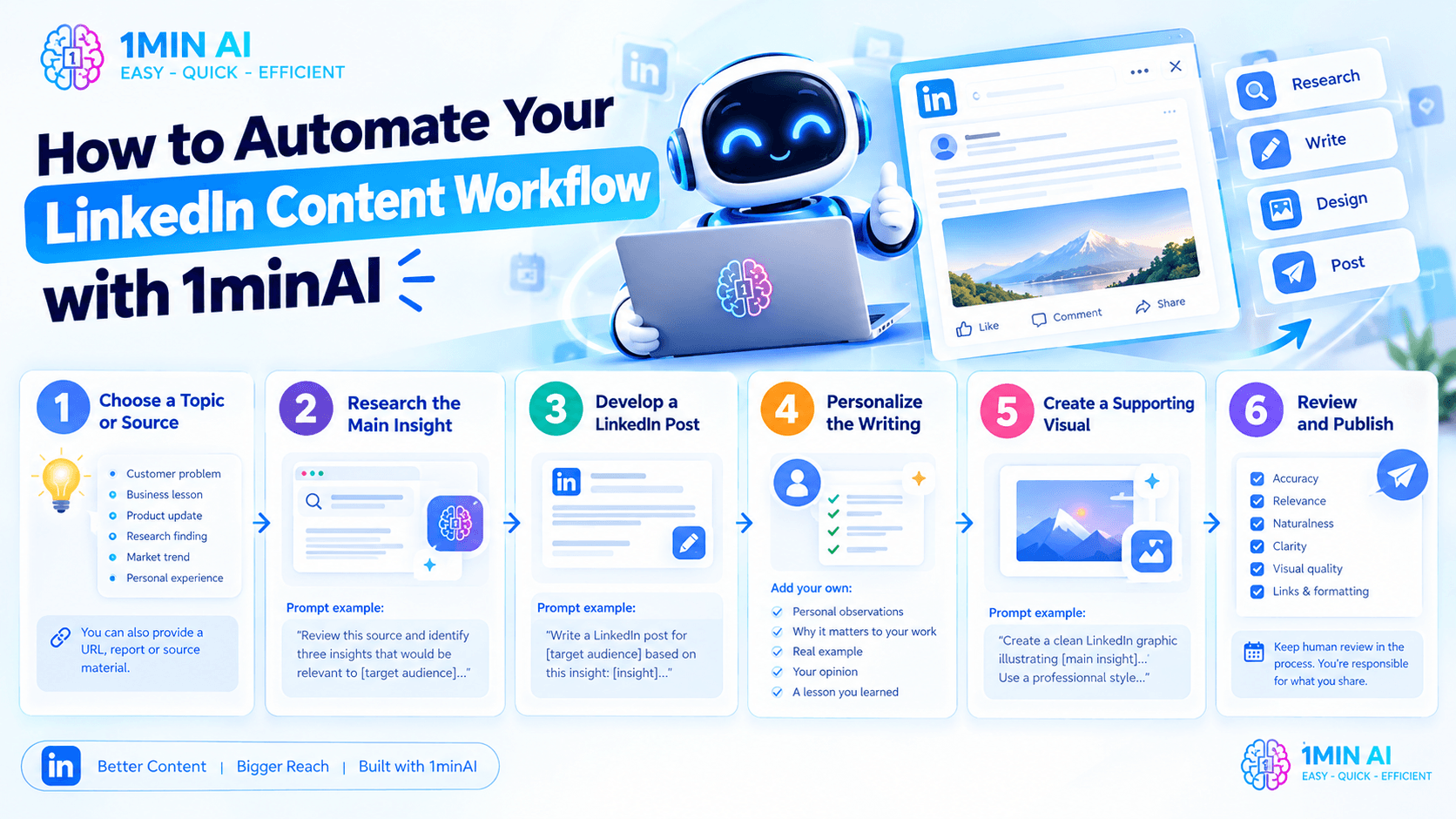
Step 1: Choose a Topic or Source
Start with a subject that matters to your audience.
It could be:
- A customer problem.
- A business lesson.
- A product update.
- A research finding.
- A market trend.
- A personal experience.
You can also provide a URL, report, or other relevant source material when your post needs factual support.
Step 2: Research the Main Insight
Ask AI to identify the most useful information from the source.
Prompt example:
"Review this source and identify three insights that would be relevant to [target audience]. For each insight, explain why it matters, what evidence supports it, and how it could become a LinkedIn post. Do not invent statistics or claims."
Choose the insight that best matches your audience and content goal.
Step 3: Develop a LinkedIn Post
Once you have an angle, turn it into a draft.
Prompt example:
"Write a LinkedIn post for [target audience] based on this insight: [insight]. Start with a clear hook, explain the problem, share the key lesson, and end with a useful takeaway. Use a natural professional tone. Avoid exaggerated claims and generic motivational language."
Review the result and make sure the post reflects your perspective.
Step 4: Personalize the Writing
AI-generated content should not replace your own experience.
Add details such as:
- What you personally observed.
- Why the topic matters to your work.
- A real example.
- Your own opinion.
- A lesson you learned.
This helps make the post more distinctive and credible.
Step 5: Create a Supporting Visual
If the post benefits from an image, use the available AI image tools to develop a visual concept.
Prompt example:
"Create a clean LinkedIn graphic illustrating [main insight]. Use a professional visual style, a simple composition, and enough whitespace for readability. Avoid adding unsupported statistics or unnecessary text."
Check that the visual communicates the same message as the post.
Step 6: Review and Publish
Before publishing, review:
- Accuracy of the information.
- Relevance to the intended audience.
- Naturalness of the writing.
- Clarity of the main takeaway.
- Visual quality.
- Links and formatting.
Then use the available publishing workflow to schedule or publish the post, if your account and connection support it.
The important principle is to keep human review in the process. AI can help research and create content, but you should remain responsible for what appears on your LinkedIn profile.
Which Tool Should You Choose?
The best choice depends on your current situation.
Choose EasyGen if:
- You are an existing customer and can still access the product.
- You primarily want LinkedIn post generation.
- Creator research and trending-topic inspiration are important to your workflow.
- You value its writing-style customization.
- Its current features meet your content needs.
However, EasyGen's official website says it is no longer accepting new signups. If you are a new user, you should consider whether another tool is a more practical starting point.
Consider 1minAI if:
- You want to explore an AI-assisted LinkedIn content workflow.
- You need research from source materials before writing.
- You want to connect post creation with visual content.
- You want to explore publishing and scheduling in the same workflow.
- You also use AI for writing, images, documents, and other business tasks.
- You want to reduce repetitive work across the content process.
For users looking for a new LinkedIn content solution, 1minAI is worth evaluating because it connects more stages of the content workflow.
Frequently Asked Questions
Is EasyGen still available?
EasyGen's official website currently says it has been acquired and is not accepting new signups. Existing customers can still log in. If you already have an account, check the official site for current access and product information.
What is the best EasyGen alternative?
The best alternative depends on your workflow.
If you want a tool focused on LinkedIn writing and creator inspiration, look for those specific features. If you want research, writing, visual content, and publishing connected in one workflow, consider evaluating 1minAI's LinkedIn Agent.
Is 1minAI an AI LinkedIn post generator?
1minAI's LinkedIn Agent includes AI-assisted LinkedIn content creation as part of a broader workflow. Its official page describes research, writing, visuals, and publishing capabilities.
Can 1minAI help me create LinkedIn content from research?
The LinkedIn Agent is designed to support research from links, PDFs, reports, and topics, then use that research in the content workflow. Review the generated post and verify any facts before publishing.
Can I schedule LinkedIn posts with 1minAI?
The official LinkedIn Agent page describes publishing through a secure OAuth connection, including on-demand and recurring schedules. Confirm the current publishing options, account requirements, and permissions in the product before using them.
Does 1minAI support more than LinkedIn?
Yes. 1minAI is a broader AI workspace with tools for writing, images, documents, and other tasks. Explore the 1minAI Features page for the current product offering.
Conclusion: 1minAI vs EasyGen
EasyGen built its value around helping creators write LinkedIn posts using creator research, trending topics, and personalized writing settings. For existing users who can still access it, those features may remain useful.
But for new users, EasyGen's current signup status is an important consideration: its official website says it is no longer accepting new registrations.
1minAI is worth considering if you want a broader LinkedIn content workflow. Its LinkedIn Agent is designed to connect research, writing, visual creation, and publishing, while the wider 1minAI workspace supports other AI-powered tasks.
Rather than spending time coordinating separate tools, you can explore a workflow that starts with an idea or source and moves toward a reviewed LinkedIn post.
Ready to explore?
- #Commerce
- #Information
Alternatives
Discover the best alternatives to 1minAI and compare features, pricing, and use cases.

1min.AI vs OpenRouter
1min.AI vs. OpenRouter: Compare the ready-to-use AI creation product against the technical API tool. Find out if you need a zero-code creative studio or a coding infrastructure hub.
 Ngoc Hong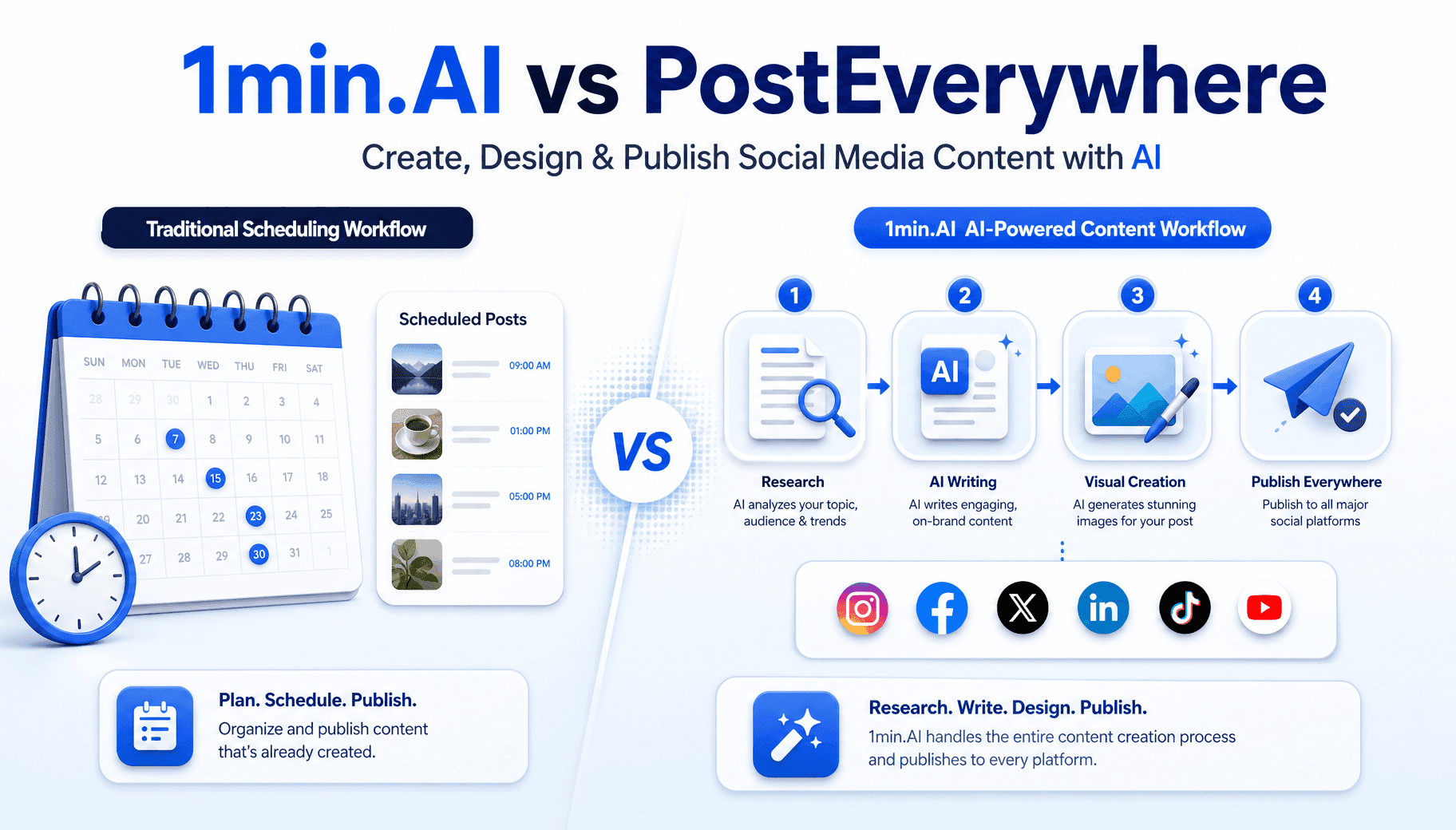
1min.AI vs PostEverywhere
Looking for a PostEverywhere alternative that also writes and designs your posts? See how 1min.AI covers research, copy, images and publishing.
 Trang Tran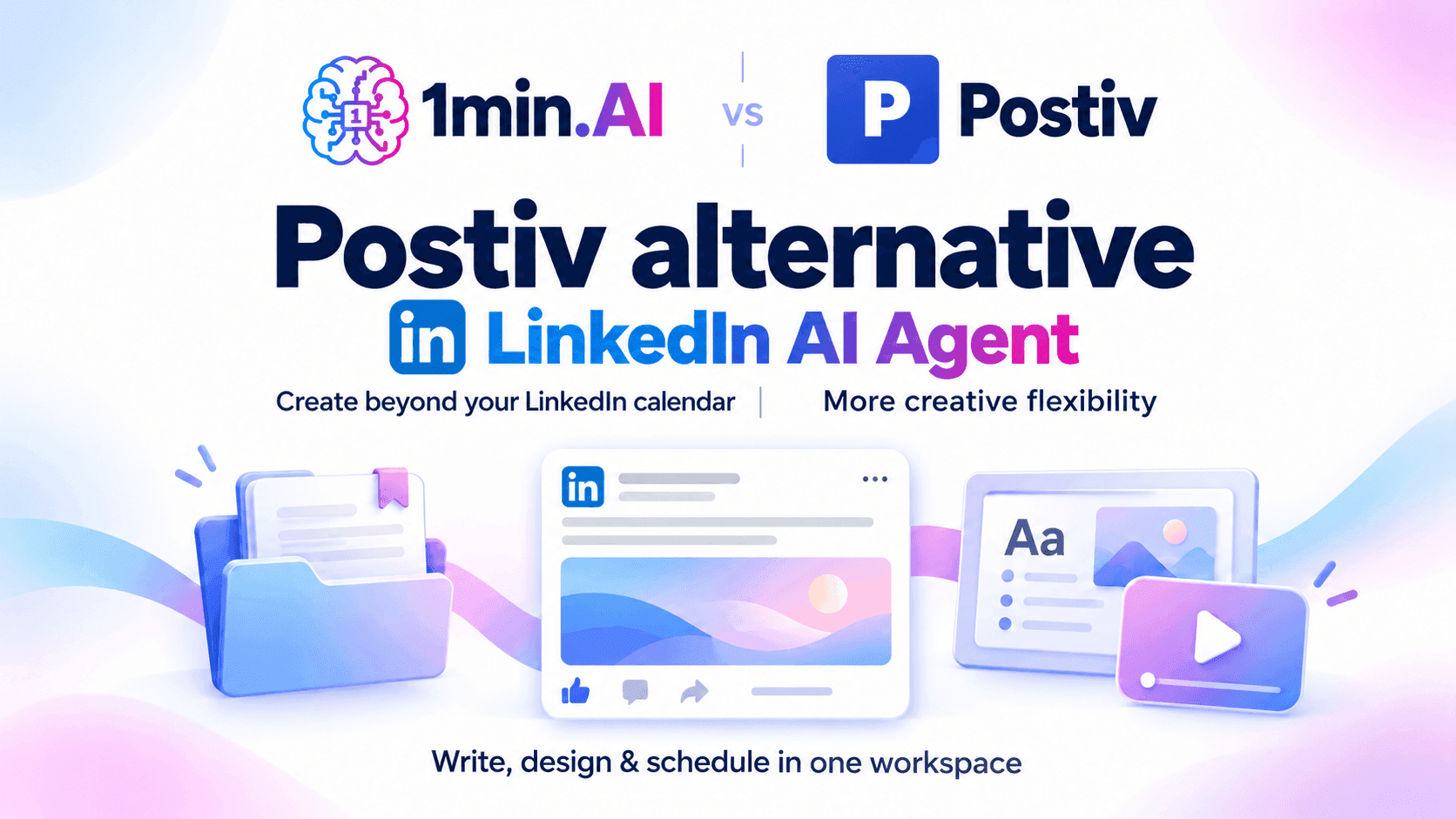
1min.AI vs Postiv
Compare 1min.AI and Postiv for LinkedIn writing, visuals, planning, pricing, and team workflows. Find the right fit for your creative workload.
Ngoc HongAI Tools
Discover the best AI tools to boost productivity, creativity, and everyday work.

Create Consistent Cartoon Content in Just a Few Steps
Create engaging cartoon videos for TikTok and Reels with 1min.AI. Research ideas, create characters, and turn images into animated videos in 3 simple steps.
 Lien Anh Vu
One Product, 10 UGC Creatives: How AI Makes Content Testing Easier
Create more authentic UGC with an AI UGC video generator, test more creative angles and scale affiliate content without filming every version.
Lien Anh Vu
Top 4 Affordable AI Tools for Startup Founders
Discover the top 4 affordable AI tools for startup founders to validate ideas, build products, create content, and launch faster without overspending.
 Tram Ta
AI Features
Comprehensive AI features that streamline workflows, improve efficiency, and empower teams to achieve more.
Create Consistent Cartoon Content in Just a Few Steps
Create engaging cartoon videos for TikTok and Reels with 1min.AI. Research ideas, create characters, and turn images into animated videos in 3 simple steps.
Lien Anh VuOne Product, 10 UGC Creatives: How AI Makes Content Testing Easier
Create more authentic UGC with an AI UGC video generator, test more creative angles and scale affiliate content without filming every version.
Lien Anh Vu
1minAI: Free AI Grammar Checker
Check grammar for free with 1minAI’s AI grammar checker. Find grammar, spelling, and writing mistakes, improve clarity, and polish your content in seconds.
Tram TaAI Use Cases
A curated collection of AI use cases for business, productivity, and industry-specific applications.
Create Consistent Cartoon Content in Just a Few Steps
Create engaging cartoon videos for TikTok and Reels with 1min.AI. Research ideas, create characters, and turn images into animated videos in 3 simple steps.
Lien Anh VuOne Product, 10 UGC Creatives: How AI Makes Content Testing Easier
Create more authentic UGC with an AI UGC video generator, test more creative angles and scale affiliate content without filming every version.
Lien Anh Vu
Best Time to Post on Instagram: A Practical Guide for Better Engagement
Discover the best time to post on Instagram, including the best days and times for different audiences, plus tips to find the ideal posting schedule for your account.
Tram TaAI Tutorials
Learn how to use AI with practical, step-by-step tutorials.

Black Friday AI Tool Deals in 2026
Discover what Black Friday AI tool deals 2026 has to offer. Find out how to secure the 1min.AI lifetime deal via AppSumo, Dealify, Stack Social, and verify on Trustpilot, Slashdot, and Software Advice.
 Hang Nguyen
Create Consistent Cartoon Content in Just a Few Steps
Create engaging cartoon videos for TikTok and Reels with 1min.AI. Research ideas, create characters, and turn images into animated videos in 3 simple steps.
Lien Anh Vu
[Seedance 2.5 New] Better AI Product Videos, Less Rework in 1min.AI
Use Seedance 2.5 image to video on 1min.AI to create more consistent AI product videos, reduce failed generations, save credits, and improve UGC workflows.
Lien Anh VuAI Guides
Learn AI faster with practical guides, real-world examples, and actionable best practices.

Safely Buy AI Tools Online: 2026 Black Friday Guide
Discover how to find and secure the best Black Friday AI deals online. Learn expert strategies to avoid scams, combat subscription fatigue, and verify software.
Hang NguyenCreate Consistent Cartoon Content in Just a Few Steps
Create engaging cartoon videos for TikTok and Reels with 1min.AI. Research ideas, create characters, and turn images into animated videos in 3 simple steps.
Lien Anh Vu[Seedance 2.5 New] Better AI Product Videos, Less Rework in 1min.AI
Use Seedance 2.5 image to video on 1min.AI to create more consistent AI product videos, reduce failed generations, save credits, and improve UGC workflows.
Lien Anh VuAI Solutions
Browse the best AI solutions for automation, coding, research, productivity, customer support, marketing, and business workflows.
Safely Buy AI Tools Online: 2026 Black Friday Guide
Discover how to find and secure the best Black Friday AI deals online. Learn expert strategies to avoid scams, combat subscription fatigue, and verify software.
Hang NguyenCreate Consistent Cartoon Content in Just a Few Steps
Create engaging cartoon videos for TikTok and Reels with 1min.AI. Research ideas, create characters, and turn images into animated videos in 3 simple steps.
Lien Anh VuOne Product, 10 UGC Creatives: How AI Makes Content Testing Easier
Create more authentic UGC with an AI UGC video generator, test more creative angles and scale affiliate content without filming every version.
Lien Anh VuAI Models
Explore the world's leading AI models in one place.
Create Consistent Cartoon Content in Just a Few Steps
Create engaging cartoon videos for TikTok and Reels with 1min.AI. Research ideas, create characters, and turn images into animated videos in 3 simple steps.
Lien Anh VuOne Product, 10 UGC Creatives: How AI Makes Content Testing Easier
Create more authentic UGC with an AI UGC video generator, test more creative angles and scale affiliate content without filming every version.
Lien Anh Vu[Seedance 2.5 New] Better AI Product Videos, Less Rework in 1min.AI
Use Seedance 2.5 image to video on 1min.AI to create more consistent AI product videos, reduce failed generations, save credits, and improve UGC workflows.
Lien Anh VuAI Comparisons
Compare AI tools, models, and platforms to find the best fit for your needs.

Kling AI Vs Veo 3: Which Model Wins?
Kling AI vs Veo 3: compare motion, native audio, pricing & free tiers to see which AI video generator wins for your project - try both on 1min.AI.
Trang Tran[Seedance 2.5 New] Better AI Product Videos, Less Rework in 1min.AI
Use Seedance 2.5 image to video on 1min.AI to create more consistent AI product videos, reduce failed generations, save credits, and improve UGC workflows.
Lien Anh Vu
DeepSeek V4 Pro vs Flash Comparison
Compare DeepSeek V4 Pro vs DeepSeek V4 Flash metrics. Optimize your agentic apps and improve AI fact checking on 1min.ai today.
Ngoc HongAI Integrations
Seamlessly integrate AI with the tools you already use to automate work and boost productivity.

POV: You Have 10+ Posts to Make Every Day
Learn how to build an AI content workflow that helps content creators produce 10+ social media posts a day faster with AI brainstorming, image generation, and content creation.
Lien Anh Vu
How to Use an AI Fashion Video Generator for Fashion Week 2026
Turn Fashion Week 2026 ideas into stunning fashion videos with AI. Learn how to brainstorm, create visuals, and transform images into videos with one simple workflow.
Lien Anh Vu
Stop Switching Between AI Apps: How AI Integration Transforms Employer Branding
Discover how AI integration helps HR teams streamline employer branding by combining AI writing, documents, images, video, and multiple AI models into one workspace.
Tram TaAI for Industries
Find the best AI tools and workflows for healthcare, finance, education, legal, manufacturing, retail, real estate, and more

Free AI Product Description Generator
Write product descriptions that sell in minutes. Use this free AI product description generator to turn details or a photo into on-brand copy. Try 1min.AI.
Trang Tran
Best Business Productivity Tools for Startups to Maximize Profits | 1minAI
Discover the best business productivity tools for startups to save time, streamline workflows, reduce repetitive tasks, and support profitable growth with AI.
Tram Ta
Best AI Tool for Content Marketing |1minAI
Looking for the best AI tool for content marketing? See how 1minAI helps marketers research, write, repurpose, create visuals, and scale content from one AI workspace.
Tram TaAI Agents
Discover and run AI agents to automate tasks across your work and daily life.
1minAI: Free AI Grammar Checker
Check grammar for free with 1minAI’s AI grammar checker. Find grammar, spelling, and writing mistakes, improve clarity, and polish your content in seconds.
Tram Ta
AI Agents for Facebook
Use an AI Agent for Facebook to create content, generate images, schedule posts, and publish from your documents and conversations.
Ngoc Hong
AI Agent vs AI Assistant: Which One Actually Saves Designers More Time?
Learn the difference between AI Agent vs AI Assistant and discover which solution helps designers automate repetitive work, reduce revisions, and save more time.
Lien Anh VuAI Workflows
Explore ready-to-use AI workflows for productivity, marketing, sales, support, and more.
Create Consistent Cartoon Content in Just a Few Steps
Create engaging cartoon videos for TikTok and Reels with 1min.AI. Research ideas, create characters, and turn images into animated videos in 3 simple steps.
Lien Anh VuOne Product, 10 UGC Creatives: How AI Makes Content Testing Easier
Create more authentic UGC with an AI UGC video generator, test more creative angles and scale affiliate content without filming every version.
Lien Anh VuPOV: You Have 10+ Posts to Make Every Day
Learn how to build an AI content workflow that helps content creators produce 10+ social media posts a day faster with AI brainstorming, image generation, and content creation.
Lien Anh VuNewsletter
Weekly AI Innovations with 1minAI

🔮 Weekly AI Innovations #143: Update GPT-6, GPT-6.1 & Ideogram 4.0
Access GPT-6 Sol, Luna, GPT-6.1 Sol, and Ideogram 4.0 on 1min.ai. Boost typography accuracy to 98.4% and cut reasoning latency by 45% in one platform.
Hang Nguyen
🔮 Weekly AI Innovations #142: Grok 4.7, Opus 5.5 & Sonnet 5.5 on 1min.ai
Access Grok 4.7, Claude Opus 5.5, and Sonnet 5.5 on 1min.ai. Cut subscription costs by up to 70% and process millions tokens in a single unified workspace.
Hang Nguyen
🔮 Weekly AI Innovations #141: Seedance 2.5 & Stable Audio 3: Next-Gen AI
Explore Seedance 2.0, 2.5, and StabilityAI's Stable Audio 3 on 1min.ai. Generate studio-grade audio and synchronized motion with next-gen generative AI.
Hang Nguyen