GPT-6.1 Sol vs GPT-6.1 Terra: Which AI Model Should You Choose?

Tram Ta
November 6, 2026
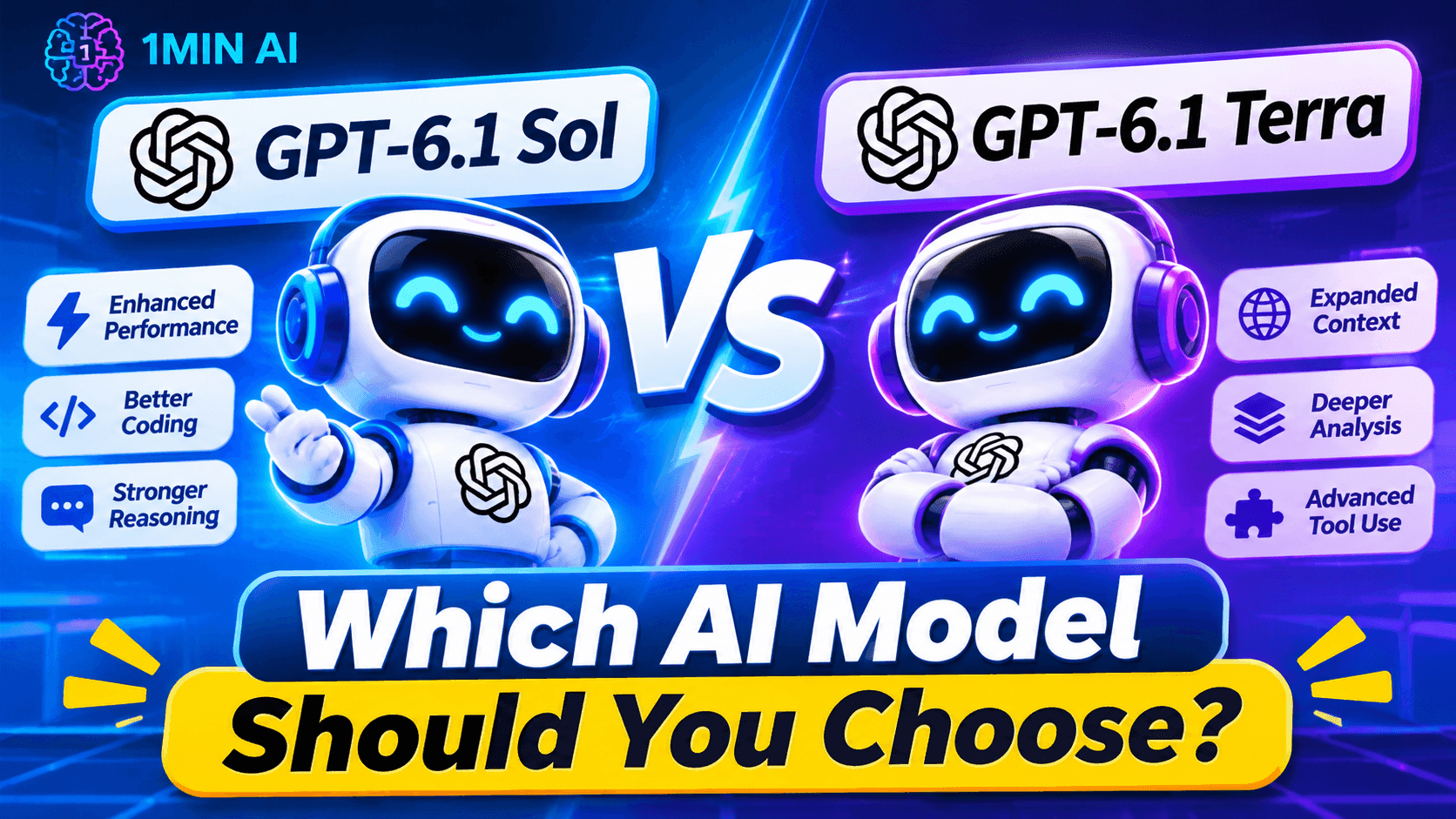
Compare GPT-6.1 Sol vs GPT-6.1 Terra by capabilities, speed, API pricing, coding, visual reasoning, and computer use. Find the right model for your workflow.
GPT-6.1 Sol is designed for complex coding, computer use, and professional work where you need strong reasoning at a lower cost than the flagship model. GPT-6.1 Terra focuses on speed and efficiency, with particular strengths in visual reasoning, precise computer use, and clear writing.
In this guide, we'll compare GPT-6.1 Sol vs GPT-6.1 Terra across features, performance, pricing, coding, and real-world use cases to help you decide which model fits your needs.
The specifications and prices above refer to OpenAI's documented API offerings. Access, available tools, and context limits may differ in ChatGPT Work, Codex, and third-party platforms.
What Is GPT-6.1 Sol?
GPT-6.1 Sol is an OpenAI model built to balance intelligence, cost, and performance on demanding tasks. It is positioned for complex coding, computer use, and professional work that may involve multiple steps or substantial context.
Rather than relying on a single short prompt, you can give Sol a detailed project brief, relevant documents, constraints, and a desired outcome. It can then help organize the work, reason through potential problems, and produce a structured deliverable.
Key strengths of GPT-6.1 Sol
- Complex coding: Analyze larger code changes, debug difficult issues, and help plan implementation.
- Professional deliverables: Turn extensive source material into reports, presentations, plans, or structured documents.
- Multi-step reasoning: Work through tasks with several requirements, dependencies, or constraints.
- Computer-use workflows: Support longer interactions with software when the necessary tools are enabled.
- Configurable reasoning: Adjust reasoning effort to suit the task and the desired balance between quality, speed, and usage.
What Is GPT-6.1 Terra?
GPT-6.1 Terra is an OpenAI model designed for fast, efficient work involving visual information, computer interfaces, and natural writing.
It is especially relevant when a task has a clearly defined objective and the model needs to interpret supplied material or interact with a supported application environment.
Key strengths of GPT-6.1 Terra
- Visual reasoning: Interpret supported images, product photos, screenshots, and technical drawings.
- Computer use: Help complete defined tasks in compatible software environments.
- Natural writing: Draft, revise, and summarize content with a clear, readable style.
- Scoped coding: Assist with targeted bug fixes, small edits, and code explanations.
- Cost efficiency: Its standard API token prices are half those of GPT-6.1 Sol.
GPT-6.1 Sol vs GPT-6.1 Terra: The Main Differences
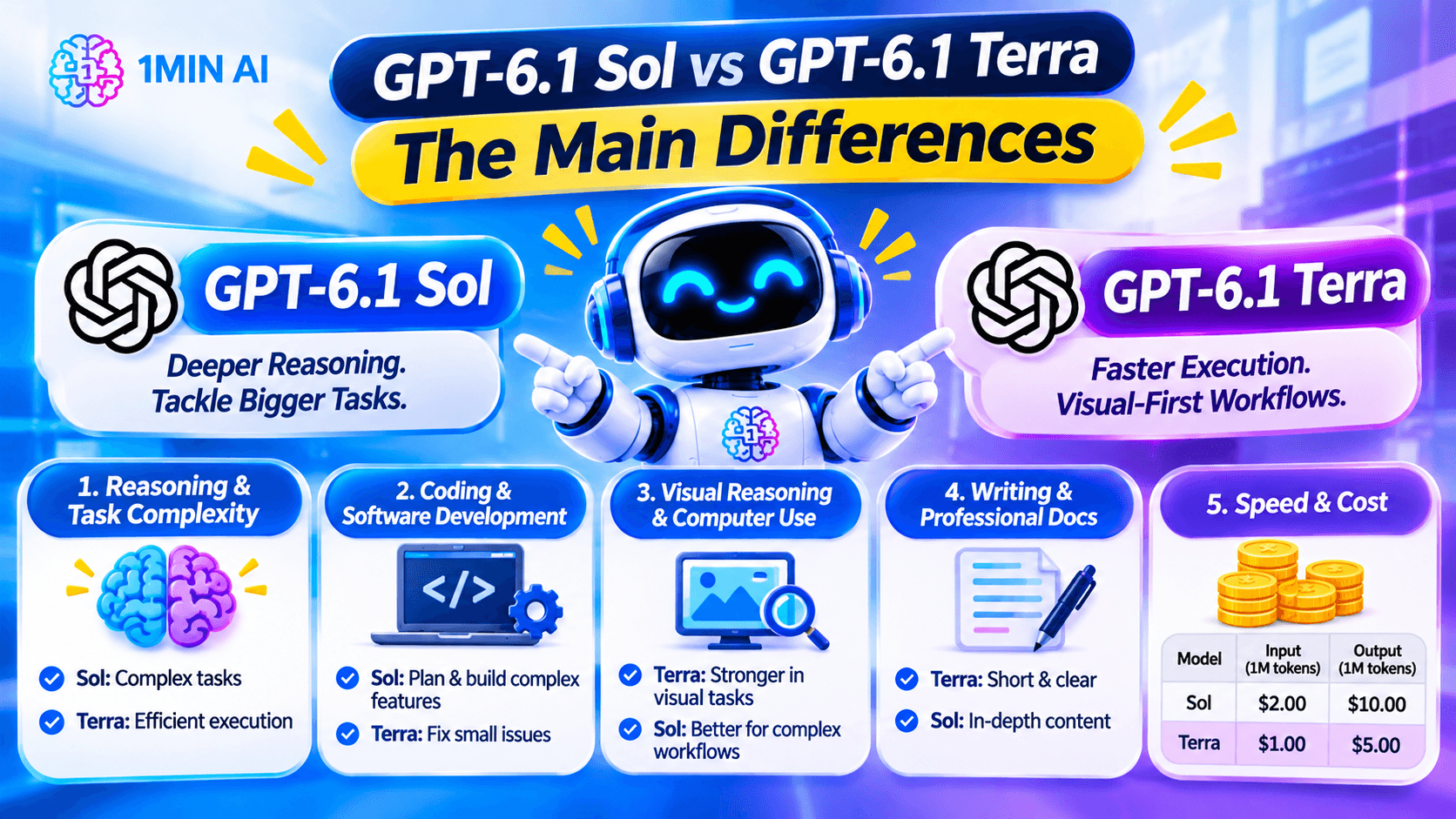
1. Reasoning and Task Complexity
The biggest difference is how OpenAI positions the two models.
GPT-6.1 Sol is intended for complex work where the model must coordinate multiple requirements, handle technical details, or produce a substantial deliverable. GPT-6.1 Terra is aimed at efficient execution of defined tasks, including visual interpretation and interface-based workflows.
For example, creating an implementation plan for a large software project may favor Sol. Extracting information from a screenshot and organizing it into a table may be a better starting point for Terra.
This is a practical distinction, not a rule that one model always wins. The actual results depend on the prompt, reasoning settings, available tools, and task complexity.
2. Coding and Software Development
If coding is your main use case, consider how much reasoning the task requires.
Choose GPT-6.1 Sol when you need to:
- Plan a significant feature across multiple files.
- Investigate a complicated bug with several possible causes.
- Review technical decisions and dependencies.
- Build a structured implementation and testing plan.
- Work through a substantial development task with multiple stages.
Try GPT-6.1 Terra when you need to:
- Explain a short function.
- Identify a likely issue in a small code snippet.
- Make a narrowly scoped code change.
- Suggest a straightforward test case.
- Fix a clearly described interface or formatting problem.
Example: if a single button is misaligned on a webpage, Terra may be sufficient. If the problem involves state management, API behavior, authentication, and several connected components, Sol is a stronger starting point.
Regardless of the model, run tests and review proposed changes in your own development environment before deploying them.
3. Visual Reasoning and Computer Use
Both models can support computer-related workflows, but Terra's positioning puts particular emphasis on visual reasoning and precise interface tasks.
For example, Terra may be a good fit for extracting fields from an invoice image, interpreting a technical drawing, or working with a clearly defined task in a supported business application.
Sol is worth considering when computer use is part of a larger project involving planning, multiple dependencies, or complex decisions.
Remember that computer-use features depend on the environment. A model's ability to interpret a screenshot does not automatically mean it can click buttons, edit files, or submit forms in every chat interface.
4. Writing and Professional Documents
Both models can assist with writing, but the right choice depends on the deliverable.
GPT-6.1 Terra is worth trying for concise summaries, clear email drafts, editing supplied material, and routine content production.
GPT-6.1 Sol is a better starting point when the writing task requires synthesizing many sources, resolving conflicting requirements, or producing a more involved professional deliverable.
For example:
- Terra: Rewrite a customer email in a friendlier tone without changing the facts.
- Sol: Synthesize a long project brief, stakeholder feedback, financial constraints, and technical dependencies into a decision document.
For editing and rewriting workflows, you can also explore 1minAI's AI content rewriter.
5. Speed and Cost
Cost is one of the clearest differences between the two models. GPT-6.1 Terra's standard API rates are half the standard token rates of GPT-6.1 Sol.
| Standard API pricing | GPT-6.1 Sol | GPT-6.1 Terra |
|---|---|---|
| Input per 1 million tokens | $2.00 | $1.00 |
| Cached input per 1 million tokens | $0.10 | $0.05 |
| Output per 1 million tokens | $10.00 | $5.00 |
These are published standard API token prices, not a guarantee of total cost for a particular task. Tool calls, reasoning-token usage, processing modes, and long-context pricing adjustments can affect the final bill.
Terra is attractive when you run many relatively focused tasks. Sol may justify the higher token cost when better performance on a complex task saves substantial review time or reduces repeated attempts.
GPT-6.1 Sol vs GPT-6.1 Terra: Which Model Is Better for Your Use Case?
| Use case | Model to try first | Why |
|---|---|---|
| Complex software engineering | GPT-6.1 Sol | Designed for demanding coding and professional work |
| Small code fixes | GPT-6.1 Terra | Efficient for well-defined changes |
| Long, multi-stage project planning | GPT-6.1 Sol | Better aligned with complex deliverables |
| Reading product photos or technical drawings | GPT-6.1 Terra | Strong emphasis on visual reasoning |
| Routine email drafting | GPT-6.1 Terra | Clear writing at a lower standard token cost |
| Synthesizing extensive project materials | GPT-6.1 Sol | Suitable for involved professional tasks |
| High-volume document extraction | GPT-6.1 Terra | Lower standard token rates can help control cost |
| Computer workflows with many dependencies | GPT-6.1 Sol | Worth testing when planning and coordination are important |
Use these recommendations as a starting point. For a critical workflow, test both models on representative examples and measure accuracy, completion time, and the amount of human correction required.
Frequently Asked Questions
Is GPT-6.1 Sol better than GPT-6.1 Terra?
Neither model is best for every task. Sol is designed for complex coding and professional work, while Terra emphasizes efficient visual reasoning, computer use, and clear writing. The better choice depends on your task and the quality of the results you need.
Is GPT-6.1 Terra cheaper than GPT-6.1 Sol?
Yes. At standard API rates, Terra costs $1 per million input tokens and $5 per million output tokens, compared with Sol at $2 per million input tokens and $10 per million output tokens. Actual task costs can vary with token usage and other charges.
Which model is better for coding?
GPT-6.1 Sol is the stronger starting point for complex software-engineering work. GPT-6.1 Terra can be useful for smaller, well-defined code fixes and explanations. Test and review all generated code before using it in production.
Can I compare both models in one place?
You can check 1minAI Multi AI Chat to see whether both models are available to your account. When both are selectable, use the same prompt and compare their responses against consistent criteria.
Final: GPT-6.1 Sol or GPT-6.1 Terra?
The choice between GPT-6.1 Sol and GPT-6.1 Terra is less about finding one universally superior model and more about matching capability to the task.
Choose GPT-6.1 Sol when your work involves complex coding, extensive reasoning, or substantial professional deliverables. Choose GPT-6.1 Terra when you need efficient visual reasoning, clear writing, targeted code assistance, or high-volume tasks at a lower standard API token cost.
If you are unsure, test both models on a real task and compare the quality of their outputs alongside the time and effort required to review them. You can start with 1minAI Multi AI Chat to explore the models currently available to your account and find the best fit for your workflow.
- #Commerce
- #Information
Alternatives
Discover the best alternatives to 1minAI and compare features, pricing, and use cases.

1min.AI vs OpenRouter
1min.AI vs. OpenRouter: Compare the ready-to-use AI creation product against the technical API tool. Find out if you need a zero-code creative studio or a coding infrastructure hub.
 Ngoc Hong
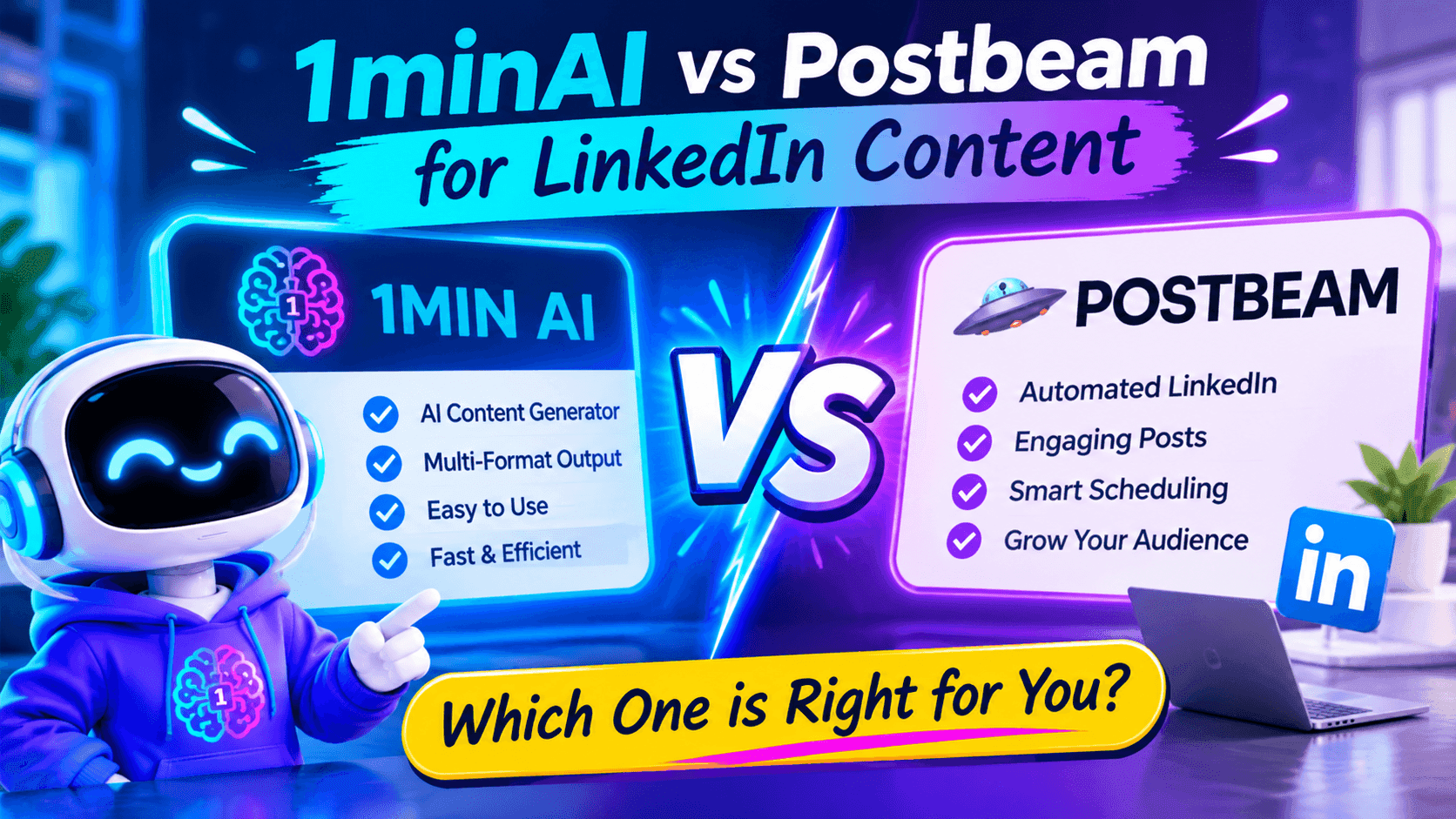
1minAI vs Postbeam for LinkedIn Content
Looking for a Postbeam alternative? Compare 1minAI vs Postbeam for AI LinkedIn content creation, research, image generation, scheduling, and B2B workflows.
 Tram Ta
1minAI vs Buffer for LinkedIn Content Creation
Looking for a Buffer alternative? Compare 1minAI vs Buffer for LinkedIn content creation, AI writing, image generation, scheduling, and automation.
Tram TaAI Tools
Discover the best AI tools to boost productivity, creativity, and everyday work.
Create Consistent Cartoon Content in Just a Few Steps
Create engaging cartoon videos for TikTok and Reels with 1min.AI. Research ideas, create characters, and turn images into animated videos in 3 simple steps.
 Lien Anh Vu
One Product, 10 UGC Creatives: How AI Makes Content Testing Easier
Create more authentic UGC with an AI UGC video generator, test more creative angles and scale affiliate content without filming every version.
Lien Anh Vu
Top 4 Affordable AI Tools for Startup Founders
Discover the top 4 affordable AI tools for startup founders to validate ideas, build products, create content, and launch faster without overspending.
Tram TaAI Features
Comprehensive AI features that streamline workflows, improve efficiency, and empower teams to achieve more.
Create Consistent Cartoon Content in Just a Few Steps
Create engaging cartoon videos for TikTok and Reels with 1min.AI. Research ideas, create characters, and turn images into animated videos in 3 simple steps.
Lien Anh VuOne Product, 10 UGC Creatives: How AI Makes Content Testing Easier
Create more authentic UGC with an AI UGC video generator, test more creative angles and scale affiliate content without filming every version.
Lien Anh Vu
1minAI: Free AI Grammar Checker
Check grammar for free with 1minAI’s AI grammar checker. Find grammar, spelling, and writing mistakes, improve clarity, and polish your content in seconds.
Tram TaAI Use Cases
A curated collection of AI use cases for business, productivity, and industry-specific applications.
Create Consistent Cartoon Content in Just a Few Steps
Create engaging cartoon videos for TikTok and Reels with 1min.AI. Research ideas, create characters, and turn images into animated videos in 3 simple steps.
Lien Anh VuOne Product, 10 UGC Creatives: How AI Makes Content Testing Easier
Create more authentic UGC with an AI UGC video generator, test more creative angles and scale affiliate content without filming every version.
Lien Anh Vu
Best Time to Post on Instagram: A Practical Guide for Better Engagement
Discover the best time to post on Instagram, including the best days and times for different audiences, plus tips to find the ideal posting schedule for your account.
Tram TaAI Tutorials
Learn how to use AI with practical, step-by-step tutorials.

Black Friday AI Tool Deals in 2026
Discover what Black Friday AI tool deals 2026 has to offer. Find out how to secure the 1min.AI lifetime deal via AppSumo, Dealify, Stack Social, and verify on Trustpilot, Slashdot, and Software Advice.
 Hang Nguyen
Create Consistent Cartoon Content in Just a Few Steps
Create engaging cartoon videos for TikTok and Reels with 1min.AI. Research ideas, create characters, and turn images into animated videos in 3 simple steps.
Lien Anh Vu
[Seedance 2.5 New] Better AI Product Videos, Less Rework in 1min.AI
Use Seedance 2.5 image to video on 1min.AI to create more consistent AI product videos, reduce failed generations, save credits, and improve UGC workflows.
Lien Anh VuAI Guides
Learn AI faster with practical guides, real-world examples, and actionable best practices.

Safely Buy AI Tools Online: 2026 Black Friday Guide
Discover how to find and secure the best Black Friday AI deals online. Learn expert strategies to avoid scams, combat subscription fatigue, and verify software.
Hang NguyenCreate Consistent Cartoon Content in Just a Few Steps
Create engaging cartoon videos for TikTok and Reels with 1min.AI. Research ideas, create characters, and turn images into animated videos in 3 simple steps.
Lien Anh Vu[Seedance 2.5 New] Better AI Product Videos, Less Rework in 1min.AI
Use Seedance 2.5 image to video on 1min.AI to create more consistent AI product videos, reduce failed generations, save credits, and improve UGC workflows.
Lien Anh VuAI Solutions
Browse the best AI solutions for automation, coding, research, productivity, customer support, marketing, and business workflows.
Safely Buy AI Tools Online: 2026 Black Friday Guide
Discover how to find and secure the best Black Friday AI deals online. Learn expert strategies to avoid scams, combat subscription fatigue, and verify software.
Hang NguyenCreate Consistent Cartoon Content in Just a Few Steps
Create engaging cartoon videos for TikTok and Reels with 1min.AI. Research ideas, create characters, and turn images into animated videos in 3 simple steps.
Lien Anh VuOne Product, 10 UGC Creatives: How AI Makes Content Testing Easier
Create more authentic UGC with an AI UGC video generator, test more creative angles and scale affiliate content without filming every version.
Lien Anh VuAI Models
Explore the world's leading AI models in one place.
Create Consistent Cartoon Content in Just a Few Steps
Create engaging cartoon videos for TikTok and Reels with 1min.AI. Research ideas, create characters, and turn images into animated videos in 3 simple steps.
Lien Anh VuOne Product, 10 UGC Creatives: How AI Makes Content Testing Easier
Create more authentic UGC with an AI UGC video generator, test more creative angles and scale affiliate content without filming every version.
Lien Anh Vu[Seedance 2.5 New] Better AI Product Videos, Less Rework in 1min.AI
Use Seedance 2.5 image to video on 1min.AI to create more consistent AI product videos, reduce failed generations, save credits, and improve UGC workflows.
Lien Anh VuAI Comparisons
Compare AI tools, models, and platforms to find the best fit for your needs.
Kling AI Vs Veo 3: Which Model Wins?
Kling AI vs Veo 3: compare motion, native audio, pricing & free tiers to see which AI video generator wins for your project - try both on 1min.AI.
 Trang Tran
[Seedance 2.5 New] Better AI Product Videos, Less Rework in 1min.AI
Use Seedance 2.5 image to video on 1min.AI to create more consistent AI product videos, reduce failed generations, save credits, and improve UGC workflows.
Lien Anh Vu
DeepSeek V4 Pro vs Flash Comparison
Compare DeepSeek V4 Pro vs DeepSeek V4 Flash metrics. Optimize your agentic apps and improve AI fact checking on 1min.ai today.
Ngoc HongAI Integrations
Seamlessly integrate AI with the tools you already use to automate work and boost productivity.
POV: You Have 10+ Posts to Make Every Day
Learn how to build an AI content workflow that helps content creators produce 10+ social media posts a day faster with AI brainstorming, image generation, and content creation.
Lien Anh Vu
How to Use an AI Fashion Video Generator for Fashion Week 2026
Turn Fashion Week 2026 ideas into stunning fashion videos with AI. Learn how to brainstorm, create visuals, and transform images into videos with one simple workflow.
Lien Anh Vu
Stop Switching Between AI Apps: How AI Integration Transforms Employer Branding
Discover how AI integration helps HR teams streamline employer branding by combining AI writing, documents, images, video, and multiple AI models into one workspace.
Tram TaAI for Industries
Find the best AI tools and workflows for healthcare, finance, education, legal, manufacturing, retail, real estate, and more
Text To Video AI Free Without Watermark Online
Create text to video AI free without watermark online with 1min.AI. Pick top models, turn prompts into HD clips, and download clean videos fast. Try it free.
Trang Tran
Free AI Image Editor With Prompt No Restrictions
Looking for a free AI image editor with prompt no restrictions? Edit backgrounds, objects and text by typing, no watermark. Try 1min.AI’s flexible editor now.
Trang Tran
Claude Personal Finance Setup and Safety Guide
Claude personal finance explained: how Personal Finance in Claude works and what Claude finance can see. Plus a safe CSV method for non-US users.
Trang TranAI Agents
Discover and run AI agents to automate tasks across your work and daily life.
1minAI: Free AI Grammar Checker
Check grammar for free with 1minAI’s AI grammar checker. Find grammar, spelling, and writing mistakes, improve clarity, and polish your content in seconds.
Tram Ta
AI Agents for Facebook
Use an AI Agent for Facebook to create content, generate images, schedule posts, and publish from your documents and conversations.
Ngoc Hong
AI Agent vs AI Assistant: Which One Actually Saves Designers More Time?
Learn the difference between AI Agent vs AI Assistant and discover which solution helps designers automate repetitive work, reduce revisions, and save more time.
Lien Anh VuAI Workflows
Explore ready-to-use AI workflows for productivity, marketing, sales, support, and more.
Create Consistent Cartoon Content in Just a Few Steps
Create engaging cartoon videos for TikTok and Reels with 1min.AI. Research ideas, create characters, and turn images into animated videos in 3 simple steps.
Lien Anh VuOne Product, 10 UGC Creatives: How AI Makes Content Testing Easier
Create more authentic UGC with an AI UGC video generator, test more creative angles and scale affiliate content without filming every version.
Lien Anh VuPOV: You Have 10+ Posts to Make Every Day
Learn how to build an AI content workflow that helps content creators produce 10+ social media posts a day faster with AI brainstorming, image generation, and content creation.
Lien Anh VuNewsletter
Weekly AI Innovations with 1minAI

🔮 Weekly AI Innovations #144: LinkedIn Content Agent: Complete B2B Publishing Pipeline
Scale B2B influence with the LinkedIn Content Agent on 1min.ai. Discover an end-to-end 4-stage pipeline with zero redundant token burn and 1-click publishing.
Hang Nguyen
🔮 Weekly AI Innovations #143: Update GPT-6, GPT-6.1 & Ideogram 4.0
Access GPT-6 Sol, Luna, GPT-6.1 Sol, and Ideogram 4.0 on 1min.ai. Boost typography accuracy to 98.4% and cut reasoning latency by 45% in one platform.
Hang Nguyen
🔮 Weekly AI Innovations #142: Grok 4.7, Opus 5.5 & Sonnet 5.5 on 1min.ai
Access Grok 4.7, Claude Opus 5.5, and Sonnet 5.5 on 1min.ai. Cut subscription costs by up to 70% and process millions tokens in a single unified workspace.
Hang Nguyen