
Free AI Video Generator From Image No Restrictions

Trang Tran
November 4, 2026
Try a free AI video generator from image with no watermark. Turn photos into videos with audio using Kling, Veo 3.1 and Seedance in 1min.AI. Start now.
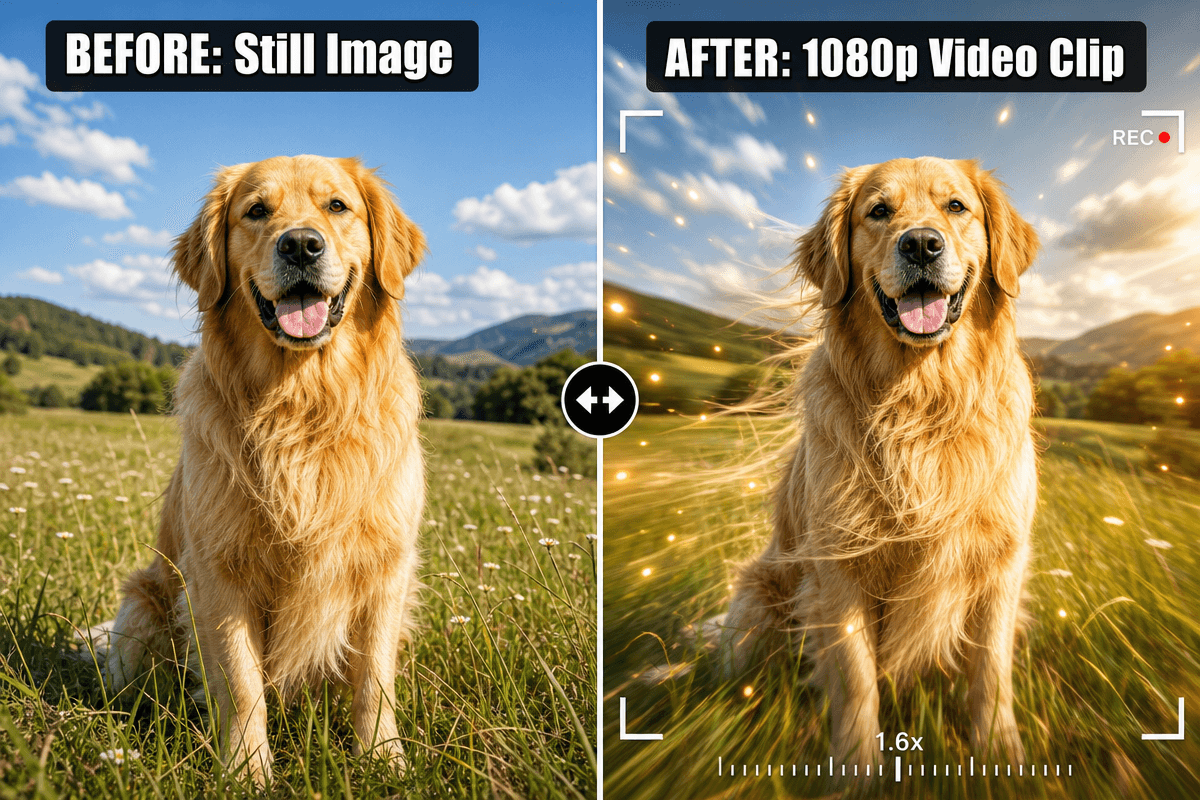
A free AI video generator from image turns a still photo into a short animated clip. You upload the image, describe the motion, and the AI builds the movement frame by frame. With 1min.AI, you can do this with leading video models such as Kling, Veo 3.1, Seedance and Wan, and your finished clip has no watermark.
Most people searching for the best free AI video generator hit the same walls: tiny 3-second clips, silent output, watermarks, and no idea which model suits their photo. This guide fixes that. You will find the exact settings, a prompt formula, and a model chooser, so your first video looks right.
Key takeaways
- Upload one image, or a start and end frame, then describe the motion.
- Pick the model by image type: portrait, product, or illustration.
- Choose audio on or off before you generate.
- Keep prompts short and specific: subject, action, camera, light.
What Is a Free AI Video Generator From Image?
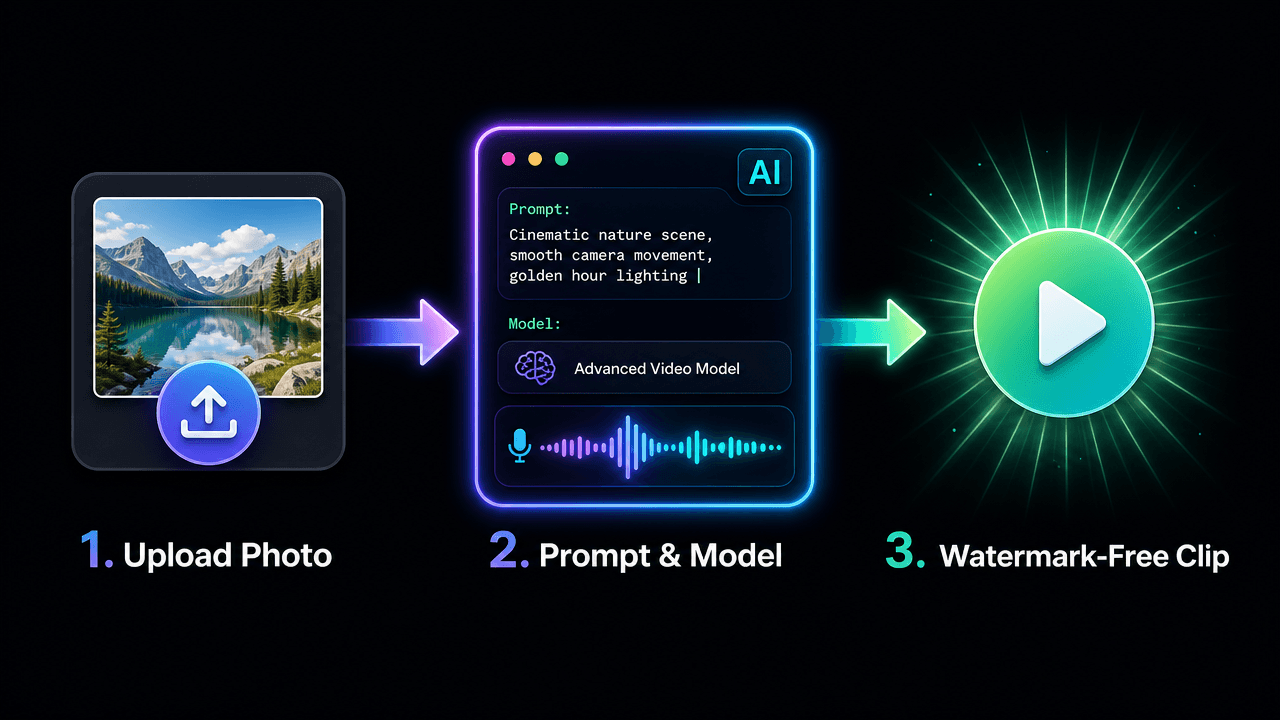
How Image to Video AI Works
The model reads your photo’s subject, depth and lighting, then predicts how things would move. Your prompt steers the result: a slow zoom, drifting mist, hair in the wind. The better your prompt describes motion, the more natural the clip.
What “No Restrictions” Really Means Here
For creators, it means freedom to choose your own style, aspect ratio, models and start and end frames, without watermarks or rigid templates. It does not mean anything goes. Use images you own or have rights to, and keep content lawful and respectful.
Why Create Your Image Videos in 1min.AI
- Many models, one workspace: Switch between Kling, Veo, Seedance and Wan without juggling tools.
- Frame control: Several models accept a start and end image, so you decide how the shot begins and ends.
- Audio options: Generate sound with the video or add your own track.
- Clean exports: Your clip has no watermark, ready for social posts, ads and websites.
You can open AI Studio and start creating straight away, with no account setup. Create an account later only if you want History and Shared Zone. Our image to video generator is built for exactly this workflow.
Which Model Should You Choose?
Start with what you are animating and whether you need sound.
| Your goal | Best-fit model | Length | Audio |
|---|---|---|---|
| Portrait or character with natural motion | Kling 2.5 or Kling 3.0 | 5 or 10 sec (2.5), 3 to 15 sec (3.0) | Kling 3.0 |
| Cinematic shot with sound | Veo 3.1 | 8 sec fixed | Yes |
| Product video with rich detail | Seedance 2.0 / 2.5 | 4 to 15 sec (2.5 up to 30) | Yes |
| Illustration, cartoon, lip sync | Wan 2.7 | 2 to 15 sec | Yes, plus custom audio |
Portraits and Characters
Kling handles faces and body motion smoothly. Use Kling 2.5 when you want a start and end frame, or Kling 3.0 for longer clips and multi-shot storytelling.
Product Photos
Seedance suits clean product movement. See it in action:
Cartoons and Illustrations
Wan 2.7 supports first-frame, first-and-last-frame and video continuation modes, which is handy for stylized art.
How to Turn an Image Into a Video: Step by Step
Prefer to watch first? Here is a quick walkthrough:
Step 1: Prepare Your Image
Use a sharp image with a clear subject. No photo yet? Create one with the AI image generator and animate it right after.
Step 2: Open Image to Video and Select a Model
Go to Image to Video in 1min.AI, choose your model, and upload your image.
Step 3: Apply the Recommended Settings
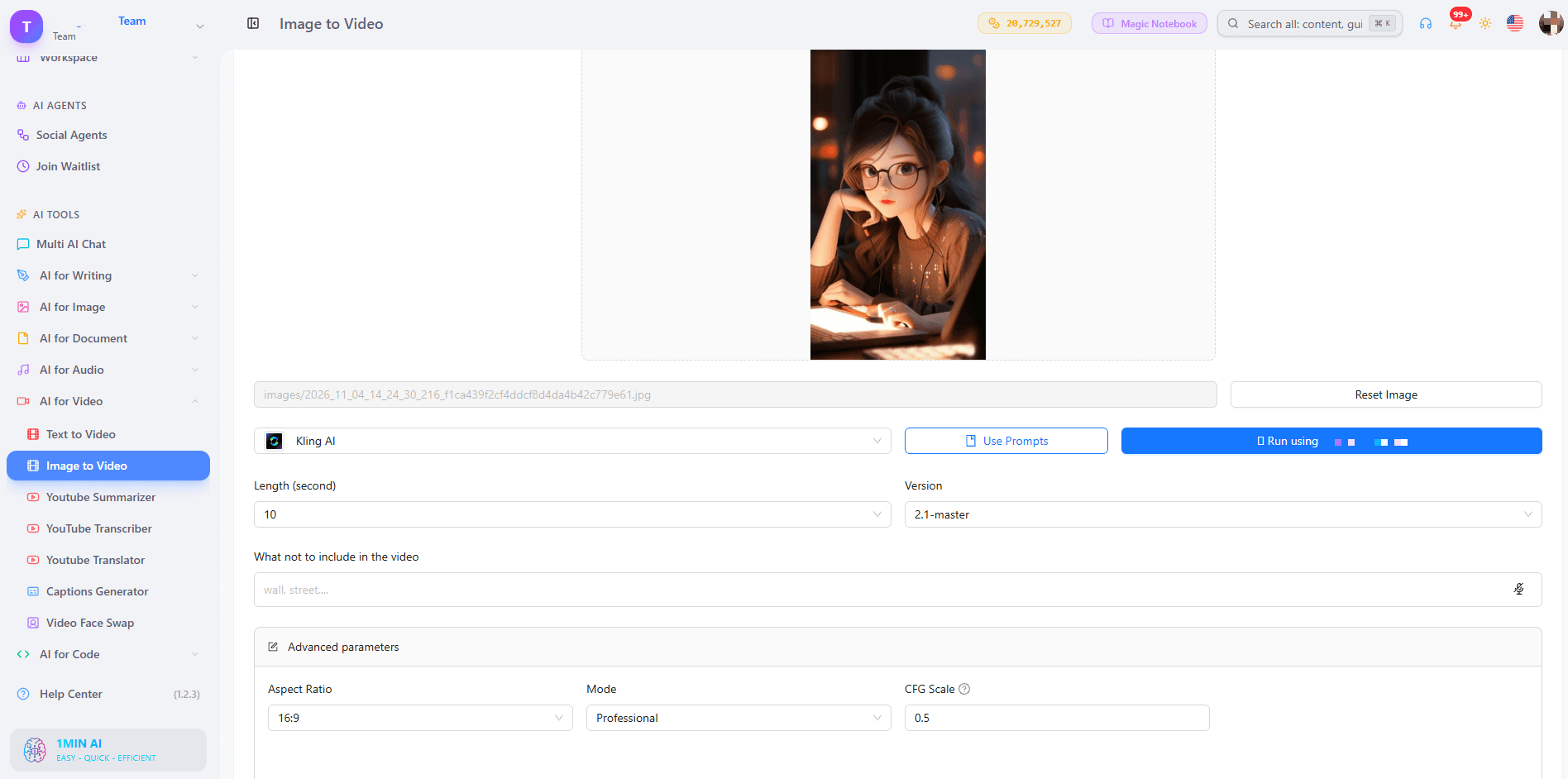
Kling 1.6 to 2.5
- Mode: Standard for quick drafts, Professional for your final version.
- CFG Scale: Keep 0.5. Raise it slightly only if the AI ignores your prompt.
- Length: 5 seconds for one simple motion, 10 seconds for a small story.
- Negative prompt: blurry, distorted face, extra fingers, warped hands, flickering, jitter, text, low resolution
- Frames: Versions before 2.5 take one image. Kling 2.5 takes a start and end frame. Use two photos of the same subject with different poses or camera positions.
Kling 3.0 and 3.0 Omni
- Length: 3 to 15 seconds.
- Generate audio: On when the scene has ambient sound or speech.
- Multi-shot: Up to 6 shots, each with its own prompt and 3 to 14 second duration. Total must stay within 15 seconds.
- Resolution (Omni): 720p to test, 1080p to finalize.
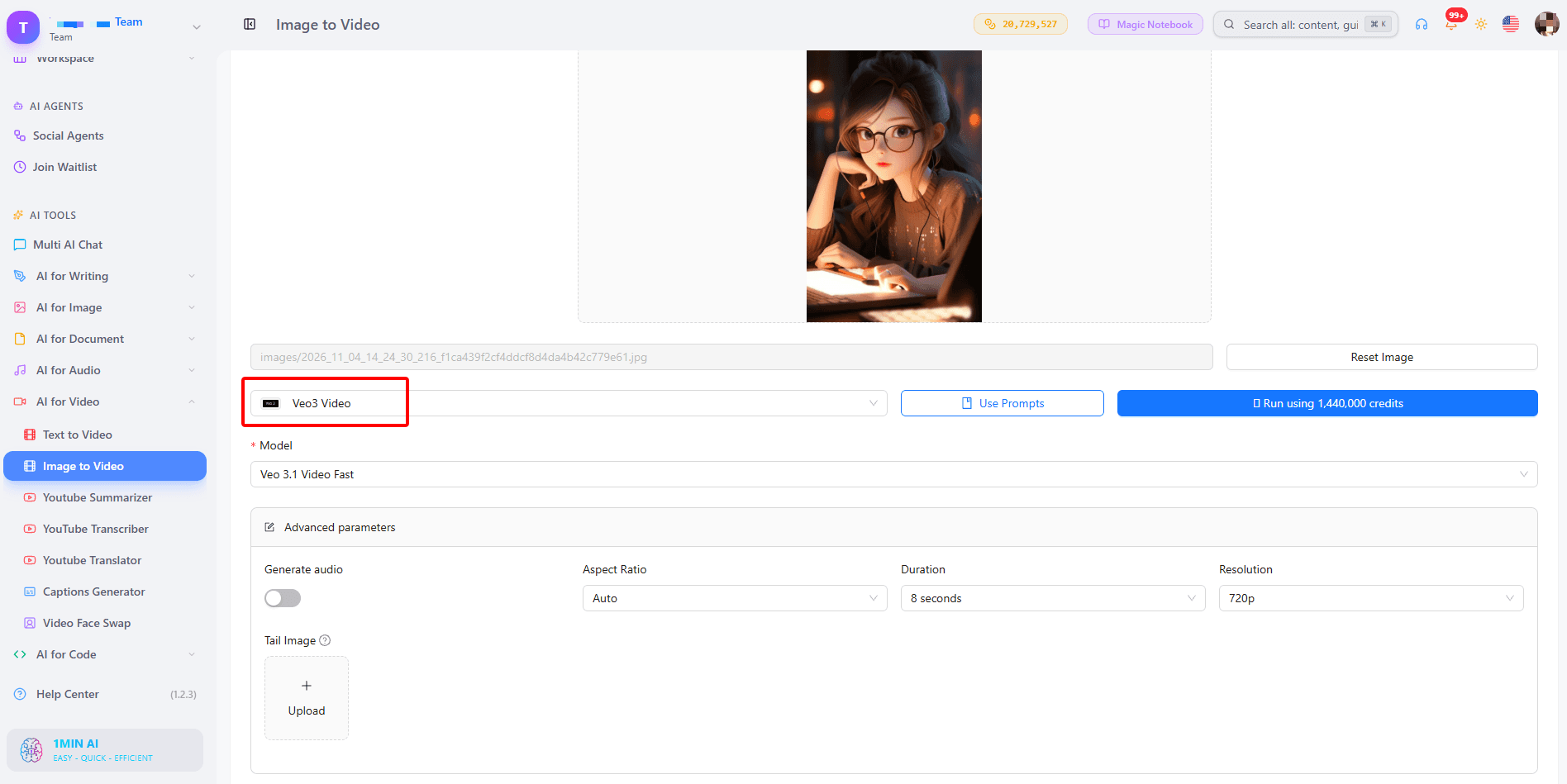
Veo 3.1 and Veo 3
- Duration: Fixed at 8 seconds.
- Resolution: 720p for tests, 1080p for the final clip.
- Aspect ratio: 9:16 for Reels and Shorts, 16:9 for YouTube, Auto to follow your image.
- Generate audio: Turn it on for scenes with sound such as waves, city noise or footsteps.
- Tail image (3.1 only): Upload the same subject and background in the pose you want at the end. Veo 3 has no tail image field. Learn more in our guide to Veo 3.1 video generation.
Seedance 2.0 and 2.5
- Frames: First frame only, or first and last frame.
- Duration: 4 to 15 seconds (up to 30 on 2.5).
- Seed: Leave empty for variety. Enter a number only when you want to reproduce a result you liked.
- Dialogue and sound effects: Turn on for videos that need voices or ambience.
Wan 2.7
- Mode: First-frame, first and last frame, or video continuation.
- Duration: 2 to 15 seconds.
- Custom audio: WAV or MP3, 2 to 30 seconds, up to 15MB. With audio, the model uses it for lip sync and timing. Without it, the model creates matching sound.
Step 4: Generate, Review and Download
Preview the result, adjust one thing at a time (prompt, mode or seed), and download your favorite version.
Do You Need Audio in Your Video?
Built-in Sound
Veo 3.1, Kling 3.0, Seedance and Wan 3.0 can generate sound together with the picture, so a stormy beach actually sounds stormy.
Your Own Audio
Wan 2.7 lets you upload a voice or music file to drive lip sync and timing. If your audio is shorter than the video, the rest stays silent, so match the lengths.
A Simple Prompt Formula That Works
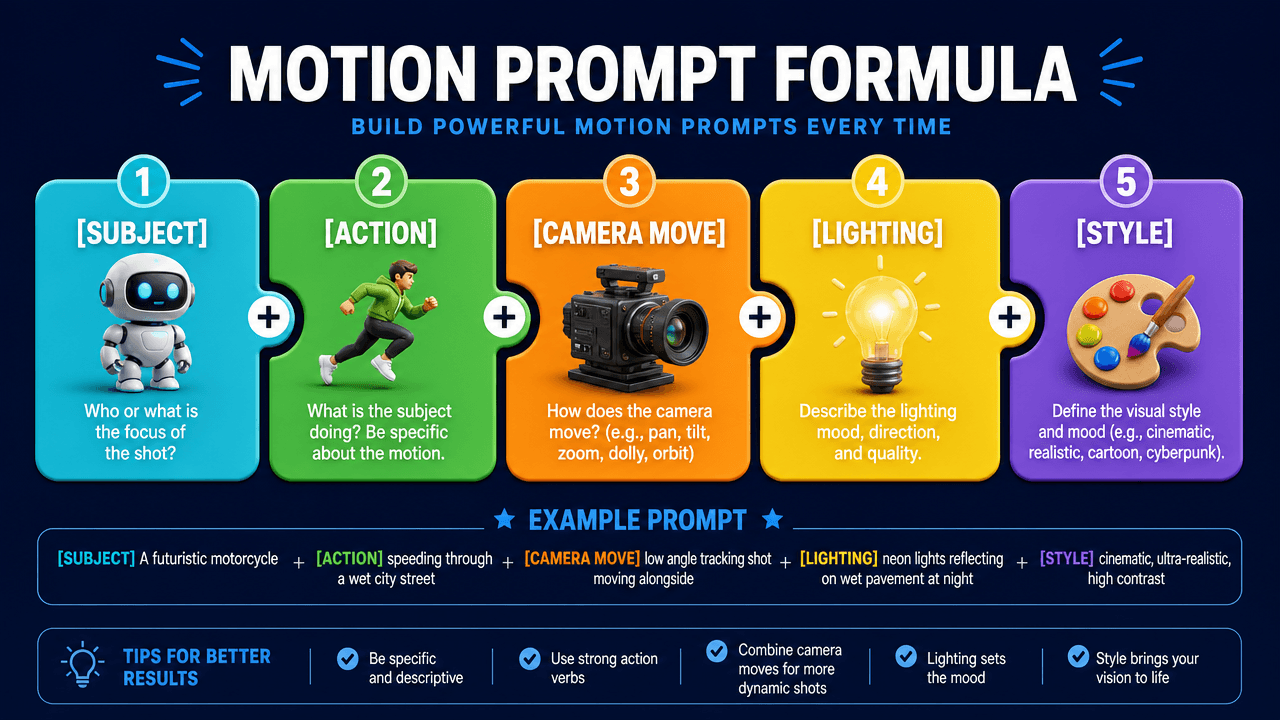
Use: Subject + action + camera move + lighting + style.
- Portrait: “A woman turns toward the camera and smiles, slow push-in, soft golden hour light, cinematic.”
- Product: “A perfume bottle rotates slowly on a marble table, light sweeps across the glass, macro shot.”
- Landscape: “Mist drifts across a calm lake at sunrise, camera stays still, gentle ripples.”
- Illustration: “The hero’s cape flutters as clouds roll past, slow pan right, painterly style.”
Avoid stacking many actions. One clear movement gives the cleanest result.
What Can You Make With It?
- Social media creators: Turn selfies and posts into Reels, Shorts and TikTok clips.
- Marketers and small businesses: Animate product photos for ads and landing pages.
- Storytellers: Bring characters and scenes to life. Create them first with the AI text to video tool when you have an idea but no image yet.
- Real estate agents: Convert listing photos into cinematic walk-through teasers.
Trusted by Creators Worldwide
1min.AI is recognized on SourceForge, Slashdot, Capterra, Software Advice and GetApp, and holds an Excellent rating on Trustpilot.
FAQs
Is there a free AI video generator from image with no watermark?
Yes. In 1min.AI you can try image to video free and download your clip without a watermark.
Can I use it without login or sign up?
You can open AI Studio and start creating without registering. History and Shared Zone need an account.
Can I generate unlimited videos?
Each model and duration uses a different amount of credits, so shorter 5 second tests let you try more ideas before you commit to a longer final clip.
Which model is best for image to video with audio?
Veo 3.1 is a strong all-round pick for cinematic scenes with sound. Kling 3.0 and Seedance also generate audio, and Wan 2.7 supports your own audio file.
How long can the video be?
It depends on the model: 5 or 10 seconds on Kling 2.5, 8 seconds on Veo 3.1, 4 to 15 seconds on Seedance 2.0, and up to 30 seconds on Seedance 2.5.
What is the best image type for good results?
Sharp, well-lit images with one clear subject animate best. Busy backgrounds and blurry faces can cause flicker.
Ready to Bring Your Image to Life?
Pick a photo, write one clear motion prompt, and let 1min.AI do the rest.
- #Transaction
Alternatives
Discover the best alternatives to 1minAI and compare features, pricing, and use cases.

1min.AI vs OpenRouter
1min.AI vs. OpenRouter: Compare the ready-to-use AI creation product against the technical API tool. Find out if you need a zero-code creative studio or a coding infrastructure hub.
 Ngoc Hong
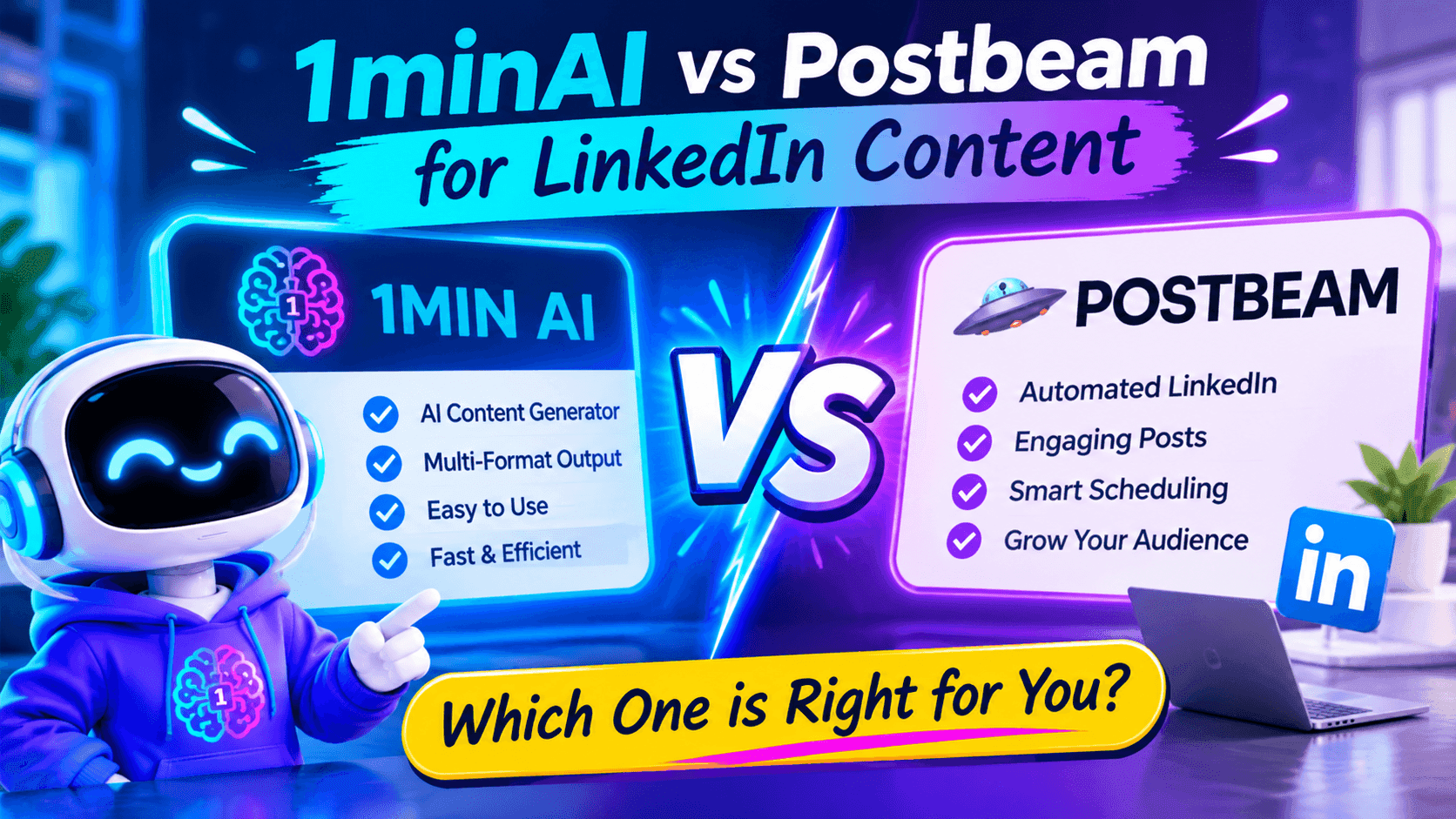
1minAI vs Postbeam for LinkedIn Content
Looking for a Postbeam alternative? Compare 1minAI vs Postbeam for AI LinkedIn content creation, research, image generation, scheduling, and B2B workflows.
 Tram Ta

1minAI vs Buffer for LinkedIn Content Creation
Looking for a Buffer alternative? Compare 1minAI vs Buffer for LinkedIn content creation, AI writing, image generation, scheduling, and automation.
Tram TaAI Tools
Discover the best AI tools to boost productivity, creativity, and everyday work.
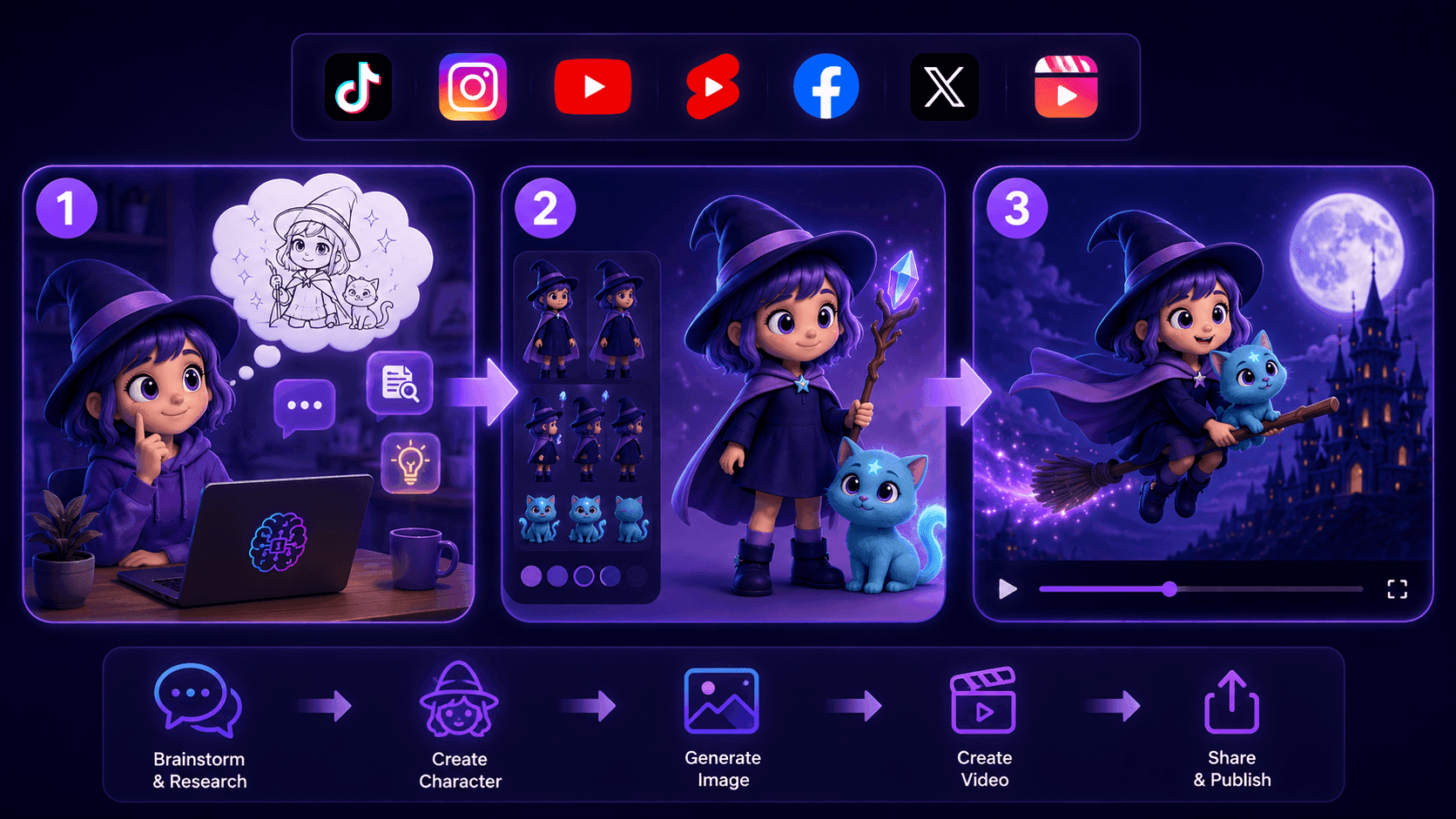
Create Consistent Cartoon Content in Just a Few Steps
Create engaging cartoon videos for TikTok and Reels with 1min.AI. Research ideas, create characters, and turn images into animated videos in 3 simple steps.
 Lien Anh Vu
One Product, 10 UGC Creatives: How AI Makes Content Testing Easier
Create more authentic UGC with an AI UGC video generator, test more creative angles and scale affiliate content without filming every version.
Lien Anh Vu
Top 4 Affordable AI Tools for Startup Founders
Discover the top 4 affordable AI tools for startup founders to validate ideas, build products, create content, and launch faster without overspending.
Tram TaAI Features
Comprehensive AI features that streamline workflows, improve efficiency, and empower teams to achieve more.
Create Consistent Cartoon Content in Just a Few Steps
Create engaging cartoon videos for TikTok and Reels with 1min.AI. Research ideas, create characters, and turn images into animated videos in 3 simple steps.
Lien Anh VuOne Product, 10 UGC Creatives: How AI Makes Content Testing Easier
Create more authentic UGC with an AI UGC video generator, test more creative angles and scale affiliate content without filming every version.
Lien Anh Vu
1minAI: Free AI Grammar Checker
Check grammar for free with 1minAI’s AI grammar checker. Find grammar, spelling, and writing mistakes, improve clarity, and polish your content in seconds.
Tram TaAI Use Cases
A curated collection of AI use cases for business, productivity, and industry-specific applications.
Create Consistent Cartoon Content in Just a Few Steps
Create engaging cartoon videos for TikTok and Reels with 1min.AI. Research ideas, create characters, and turn images into animated videos in 3 simple steps.
Lien Anh VuOne Product, 10 UGC Creatives: How AI Makes Content Testing Easier
Create more authentic UGC with an AI UGC video generator, test more creative angles and scale affiliate content without filming every version.
Lien Anh Vu
Best Time to Post on Instagram: A Practical Guide for Better Engagement
Discover the best time to post on Instagram, including the best days and times for different audiences, plus tips to find the ideal posting schedule for your account.
Tram TaAI Tutorials
Learn how to use AI with practical, step-by-step tutorials.

Black Friday AI Tool Deals in 2026
Discover what Black Friday AI tool deals 2026 has to offer. Find out how to secure the 1min.AI lifetime deal via AppSumo, Dealify, Stack Social, and verify on Trustpilot, Slashdot, and Software Advice.
 Hang Nguyen
Create Consistent Cartoon Content in Just a Few Steps
Create engaging cartoon videos for TikTok and Reels with 1min.AI. Research ideas, create characters, and turn images into animated videos in 3 simple steps.
Lien Anh Vu
[Seedance 2.5 New] Better AI Product Videos, Less Rework in 1min.AI
Use Seedance 2.5 image to video on 1min.AI to create more consistent AI product videos, reduce failed generations, save credits, and improve UGC workflows.
Lien Anh VuAI Guides
Learn AI faster with practical guides, real-world examples, and actionable best practices.

Safely Buy AI Tools Online: 2026 Black Friday Guide
Discover how to find and secure the best Black Friday AI deals online. Learn expert strategies to avoid scams, combat subscription fatigue, and verify software.
Hang NguyenCreate Consistent Cartoon Content in Just a Few Steps
Create engaging cartoon videos for TikTok and Reels with 1min.AI. Research ideas, create characters, and turn images into animated videos in 3 simple steps.
Lien Anh Vu[Seedance 2.5 New] Better AI Product Videos, Less Rework in 1min.AI
Use Seedance 2.5 image to video on 1min.AI to create more consistent AI product videos, reduce failed generations, save credits, and improve UGC workflows.
Lien Anh VuAI Solutions
Browse the best AI solutions for automation, coding, research, productivity, customer support, marketing, and business workflows.
Safely Buy AI Tools Online: 2026 Black Friday Guide
Discover how to find and secure the best Black Friday AI deals online. Learn expert strategies to avoid scams, combat subscription fatigue, and verify software.
Hang NguyenCreate Consistent Cartoon Content in Just a Few Steps
Create engaging cartoon videos for TikTok and Reels with 1min.AI. Research ideas, create characters, and turn images into animated videos in 3 simple steps.
Lien Anh VuOne Product, 10 UGC Creatives: How AI Makes Content Testing Easier
Create more authentic UGC with an AI UGC video generator, test more creative angles and scale affiliate content without filming every version.
Lien Anh VuAI Models
Explore the world's leading AI models in one place.
Create Consistent Cartoon Content in Just a Few Steps
Create engaging cartoon videos for TikTok and Reels with 1min.AI. Research ideas, create characters, and turn images into animated videos in 3 simple steps.
Lien Anh VuOne Product, 10 UGC Creatives: How AI Makes Content Testing Easier
Create more authentic UGC with an AI UGC video generator, test more creative angles and scale affiliate content without filming every version.
Lien Anh Vu[Seedance 2.5 New] Better AI Product Videos, Less Rework in 1min.AI
Use Seedance 2.5 image to video on 1min.AI to create more consistent AI product videos, reduce failed generations, save credits, and improve UGC workflows.
Lien Anh VuAI Comparisons
Compare AI tools, models, and platforms to find the best fit for your needs.
Kling AI Vs Veo 3: Which Model Wins?
Kling AI vs Veo 3: compare motion, native audio, pricing & free tiers to see which AI video generator wins for your project - try both on 1min.AI.
 Trang Tran
[Seedance 2.5 New] Better AI Product Videos, Less Rework in 1min.AI
Use Seedance 2.5 image to video on 1min.AI to create more consistent AI product videos, reduce failed generations, save credits, and improve UGC workflows.
Lien Anh Vu
DeepSeek V4 Pro vs Flash Comparison
Compare DeepSeek V4 Pro vs DeepSeek V4 Flash metrics. Optimize your agentic apps and improve AI fact checking on 1min.ai today.
Ngoc HongAI Integrations
Seamlessly integrate AI with the tools you already use to automate work and boost productivity.
POV: You Have 10+ Posts to Make Every Day
Learn how to build an AI content workflow that helps content creators produce 10+ social media posts a day faster with AI brainstorming, image generation, and content creation.
Lien Anh Vu
How to Use an AI Fashion Video Generator for Fashion Week 2026
Turn Fashion Week 2026 ideas into stunning fashion videos with AI. Learn how to brainstorm, create visuals, and transform images into videos with one simple workflow.
Lien Anh Vu
Stop Switching Between AI Apps: How AI Integration Transforms Employer Branding
Discover how AI integration helps HR teams streamline employer branding by combining AI writing, documents, images, video, and multiple AI models into one workspace.
Tram TaAI for Industries
Find the best AI tools and workflows for healthcare, finance, education, legal, manufacturing, retail, real estate, and more
Claude Startup Program: Benefits, Eligibility, and How Startups Can Build with Claude
Learn about the Claude Startup Program, including API credits, Claude Team benefits, eligibility, application steps, and AI tools startups can explore with 1minAI.
Tram Ta
TikTok Studio Analytics Tips for Better Content Performance
Learn how to use TikTok Studio Analytics to track views, watch time, and engagement. Turn your insights into better TikTok content with practical tips.
Lien Anh Vu
Text To Video AI Free Without Watermark Online
Create text to video AI free without watermark online with 1min.AI. Pick top models, turn prompts into HD clips, and download clean videos fast. Try it free.
Trang TranAI Agents
Discover and run AI agents to automate tasks across your work and daily life.
1minAI: Free AI Grammar Checker
Check grammar for free with 1minAI’s AI grammar checker. Find grammar, spelling, and writing mistakes, improve clarity, and polish your content in seconds.
Tram Ta
AI Agents for Facebook
Use an AI Agent for Facebook to create content, generate images, schedule posts, and publish from your documents and conversations.
Ngoc Hong
AI Agent vs AI Assistant: Which One Actually Saves Designers More Time?
Learn the difference between AI Agent vs AI Assistant and discover which solution helps designers automate repetitive work, reduce revisions, and save more time.
Lien Anh VuAI Workflows
Explore ready-to-use AI workflows for productivity, marketing, sales, support, and more.
Create Consistent Cartoon Content in Just a Few Steps
Create engaging cartoon videos for TikTok and Reels with 1min.AI. Research ideas, create characters, and turn images into animated videos in 3 simple steps.
Lien Anh VuOne Product, 10 UGC Creatives: How AI Makes Content Testing Easier
Create more authentic UGC with an AI UGC video generator, test more creative angles and scale affiliate content without filming every version.
Lien Anh VuPOV: You Have 10+ Posts to Make Every Day
Learn how to build an AI content workflow that helps content creators produce 10+ social media posts a day faster with AI brainstorming, image generation, and content creation.
Lien Anh VuNewsletter
Weekly AI Innovations with 1minAI

🔮 Weekly AI Innovations #144: LinkedIn Content Agent: Complete B2B Publishing Pipeline
Scale B2B influence with the LinkedIn Content Agent on 1min.ai. Discover an end-to-end 4-stage pipeline with zero redundant token burn and 1-click publishing.
Hang Nguyen
🔮 Weekly AI Innovations #143: Update GPT-6, GPT-6.1 & Ideogram 4.0
Access GPT-6 Sol, Luna, GPT-6.1 Sol, and Ideogram 4.0 on 1min.ai. Boost typography accuracy to 98.4% and cut reasoning latency by 45% in one platform.
Hang Nguyen
🔮 Weekly AI Innovations #142: Grok 4.7, Opus 5.5 & Sonnet 5.5 on 1min.ai
Access Grok 4.7, Claude Opus 5.5, and Sonnet 5.5 on 1min.ai. Cut subscription costs by up to 70% and process millions tokens in a single unified workspace.
Hang Nguyen