
1min.AI vs RedactAI: Which Is Better for LinkedIn?

Lien Anh Vu
November 3, 2026

Compare 1min.AI vs RedactAI for LinkedIn writing brand voice pricing AI models and content workflows to find the right tool for your needs.
Looking for a RedactAI alternative that can do more than write LinkedIn posts? Both RedactAI and 1min.AI help professionals create LinkedIn content, but they approach the job differently.
RedactAI specializes in LinkedIn personal branding. It learns from your profile and previous posts to generate content closer to your writing style, with tools for inspiration, scheduling, and analytics.
1min.AI focuses on the broader content workflow. Its LinkedIn Agent brings research, writing, image generation, and publishing together, while the wider platform provides multiple AI models and tools for video, audio, and documents.
The better choice depends on whether you want to strengthen your LinkedIn voice or manage more of your content production in one place.
Quick Answer
- Choose RedactAI if you mainly need personalized LinkedIn writing, content inspiration, and post recycling.
- Choose 1min.AI if you want to research topics, write posts, generate matching visuals, and publish from one AI workspace.
- For teams and agencies, RedactAI fits LinkedIn-focused ghostwriting, while 1min.AI covers a wider range of marketing content and workflows.
RedactAI vs 1min.AI at a Glance
| Feature | RedactAI | 1min.AI LinkedIn Agent |
|---|---|---|
| Main focus | LinkedIn personal branding | End-to-end AI content workflow |
| LinkedIn writing | Personalized AI posts | Research-based AI posts |
| Brand voice | Learns from profile and previous posts | Saved Brand Voice settings |
| Previous post analysis | Up to 100 posts | Not a core feature |
| Content research | LinkedIn inspiration and industry insights | Links, PDFs, reports, and topics |
| Image generation | Not a core production feature | Built into the workflow |
| Post recycling | Dedicated feature | Content reuse through AI workflows |
| Scheduling | Yes | Yes |
| LinkedIn analytics | Built-in statistics | Publishing history and workflow tracking |
| Multiple AI models | Not a primary selling point | Yes |
| Video, audio, and documents | Not the main focus | Available in the wider platform |
| Starting paid price | $11.90/month* | $6.50/month* |
Prices reflect annual billing and may change.
The biggest difference is where the workflow begins. RedactAI starts with your LinkedIn identity and writing style. 1min.AI starts with the information you want to turn into content.
How We Compared These Tools
We reviewed RedactAI's official website and pricing information alongside 1min.AI's LinkedIn Agent features and subscription plans.
Rather than comparing the number of features alone, we focused on what LinkedIn creators actually need: authentic writing, useful content ideas, efficient production, reliable publishing, and manageable costs.
We considered five areas:
- How each tool handles writing style and brand voice
- Where content ideas and supporting information come from
- Whether users can create visuals alongside posts
- How scheduling, revisions, and content reuse work
- What creators and teams receive for their subscription
The comparison is based on publicly documented features and pricing, not a controlled head-to-head writing test.
Why People Look for RedactAI Alternatives
RedactAI is a capable LinkedIn writing tool. However, its specialized approach may not suit every content workflow.
LinkedIn Writing Is Only Part of the Job
A founder might need three LinkedIn posts each week. A B2B marketing team may need those same posts alongside product visuals, customer case studies, video scripts, and campaign reports.
RedactAI handles LinkedIn writing and content management, but broader AI production is not its primary focus.
Teams creating several content formats may still need additional applications.
Entry-Level Post Limits
RedactAI Essential includes 15 generated posts per month.
That may be enough for someone publishing three times a week, but it leaves less flexibility for experimenting with different hooks, angles, and campaign ideas.
The Creator plan removes the post-generation limit, although it comes at a higher subscription price.
Visual Content May Require Another Workflow
A strong LinkedIn post sometimes needs more than text.
A product announcement may need a branded graphic. An educational post may benefit from a diagram. A research summary might be easier to understand with a visual.
RedactAI can help users develop and repurpose content, but image generation is not a central part of its advertised writing workflow.
If visuals are a regular requirement, creators should consider how much additional work happens outside their LinkedIn writing tool.
Not Every Creator Needs Profile-Based Writing
Learning from previous LinkedIn posts is useful when someone already has an established voice.
However, new businesses, product marketers, and content teams may care more about turning source materials into useful posts than recreating an individual's writing patterns.
For these users, a research-first workflow can be more relevant.
Why Choose 1min.AI as a RedactAI Alternative?
The 1min.AI LinkedIn Agent connects four stages that creators often handle across separate applications.
Gather Information → Write Content → Generate Image → Publish
Instead of researching in one tool, drafting in another, designing elsewhere, and manually transferring everything to LinkedIn, users can work through a connected process.
Step 1: Gather Information
Start with a topic, web link, PDF, report, or brand document.
The agent organizes the information into relevant concepts, supporting details, and potential content angles.
For example, a B2B SaaS marketer could use a customer research report to develop posts about onboarding mistakes, customer retention, or product adoption.
One source can support several distinct LinkedIn ideas without requiring the marketer to research each post from scratch.
Step 2: Write LinkedIn Content
The writing stage turns the gathered information into LinkedIn-ready copy.
The agent uses prompts designed for LinkedIn content, with attention to opening hooks, readable spacing, clear messages, and relevant calls to action.
Users can customize generation settings and select from supported AI models.
Saved Brand Voice settings can also guide tone and wording, although the final draft should still be reviewed for accuracy and authenticity.
This approach is useful when content needs to reflect specific research, product details, or business expertise rather than relying on generic prompts.
Step 3: Generate a Matching Image
The agent can create a supporting image based on the post's main message.
For example, a LinkedIn post about customer onboarding could include a simple visual comparing a complicated onboarding process with a more efficient one.
Because writing and image generation are connected, users do not need to create a completely separate visual prompt from scratch.
The result should still be checked for accuracy, readability, and brand consistency before publishing.
Step 4: Publish or Schedule
Once the post and image are ready, users can publish through a connected LinkedIn profile or Company Page.
The LinkedIn Agent provides options for on-demand execution, one-time scheduling, and recurring runs.
An Executed History also helps users review previous activity and avoid repeating content topics.
For a marketer handling regular LinkedIn updates, this reduces the need to transfer copy and visuals between multiple applications.
Step Caching Helps Protect Your Credits
One practical advantage of 1min.AI is Step Caching.
Suppose the research and written post look good, but the image needs improvement.
Instead of repeating the entire process, users can enable Reuse Previous Result to keep completed steps and regenerate only the part that needs changing.
The agent also offers three execution options:
- Run this step: Execute only the selected stage.
- Run up to this step: Generate content through a specific stage.
- Run from this step: Continue from a selected stage using previously saved outputs where applicable.
This makes revisions more flexible and helps avoid unnecessary credit consumption.
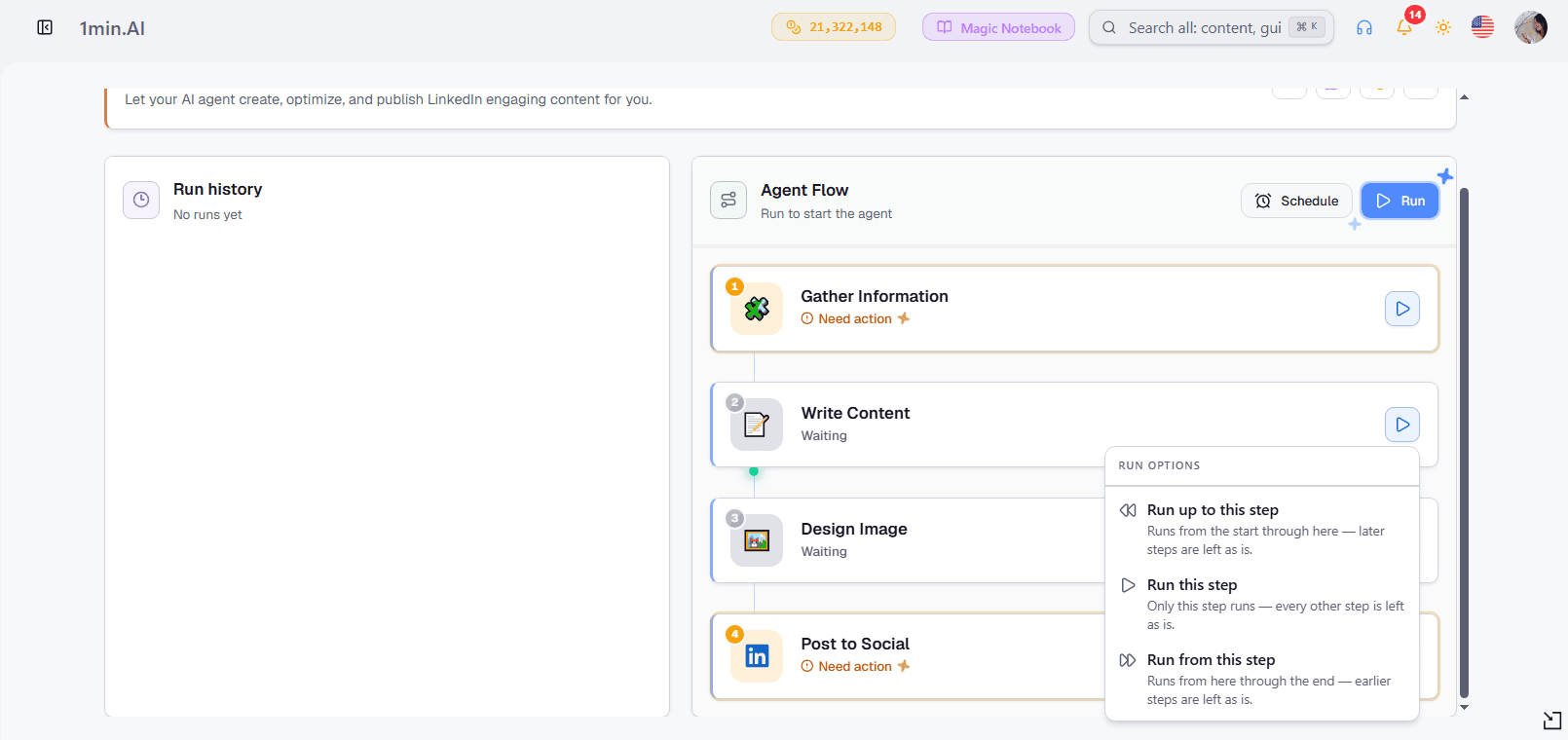
For teams testing multiple visuals or refining LinkedIn posts, the ability to reuse completed work can be more valuable than simply generating another draft.
What a Week of LinkedIn Content Looks Like
Imagine a small B2B marketing team preparing a campaign from one industry report.
The team wants three LinkedIn posts: an industry insight, a practical checklist, and a product-related takeaway.
With RedactAI, the team can develop LinkedIn ideas, personalize the writing style, prepare posts, and schedule them. Its Inspiration and recycling features are useful for keeping the content calendar active.
With 1min.AI, the team can take the report through research, generate different post angles, create matching graphics, and schedule the content using the LinkedIn Agent.
If the campaign also needs a short video, additional visuals, or supporting documents, the team can use other tools within the same 1min.AI platform.
The difference is not necessarily the quality of a single LinkedIn caption.
It is how many parts of the content production process each platform can support.
For a creator focused entirely on personal LinkedIn posts, RedactAI's specialization may be enough. For a team producing several kinds of marketing assets, 1min.AI offers more flexibility.
RedactAI vs 1min.AI Pricing and Credits
Both platforms offer paid subscriptions, but they calculate usage differently.
RedactAI focuses on LinkedIn-specific features and generation allowances. 1min.AI uses a shared credit wallet across supported AI tools.
RedactAI Pricing
RedactAI currently lists three main paid plans with annual billing.
| Plan | Price | Key Features |
|---|---|---|
| Essential | $11.90/month | 15 posts/month, one profile, scheduling, two writing styles, statistics |
| Creator | $24/month | Unlimited posts, Inspiration, post recycling, ChatWithRedactAI |
| Copywriter | $66/month | Multiple profiles, Creator features, priority support |
Essential works for someone building a basic LinkedIn posting routine.
Creator is more suitable for frequent publishers who want unlimited post generation and access to the full Inspiration and recycling features.
Copywriter targets ghostwriters and agencies managing content for multiple LinkedIn profiles.
These prices are monthly equivalents of annual subscriptions, excluding applicable taxes.
1min.AI Pricing
1min.AI offers several plans depending on individual and team needs.
| Plan | Price | Key Features |
|---|---|---|
| Free | $0 | Limited AI usage and Brand Voice features |
| Pro | $6.50/month | All AI features, 1M monthly bonus credits, unlimited Brand Voice |
| Business | $10/month | 2M monthly bonus credits, collaboration, up to 10 members |
| Enterprise | $7/member/month | 2M monthly bonus credits per member, unlimited members, priority support |
Prices shown are based on annual billing.
Unlike a LinkedIn-only subscription, 1min.AI credits can be used across supported tools for text, images, video, audio, and other AI tasks.
Unused credits can roll over according to the platform's credit policy, and additional credits can be purchased when needed.
Users can also claim free daily credits through the platform.
Which Tool Offers Better Value?
1min.AI has the lower advertised entry price: $6.50 per month for Pro versus $11.90 for RedactAI Essential, based on annual billing.
However, these subscriptions are not directly equivalent.
RedactAI Creator offers unlimited post generation, which may appeal to someone producing a high volume of text-based LinkedIn content.
1min.AI uses credits, so the amount consumed depends on the selected models and tasks.
A creator who only needs LinkedIn writing should compare the cost of producing their usual number of posts.
A marketer who also needs research, images, video, and documents should consider the cost of maintaining several separate tools.
The best value depends on the complete workflow, not just the lowest monthly price.
For current subscription details, visit RedactAI Pricing and 1min.AI Pricing.
Which Tool Fits Your LinkedIn Workflow?

Solo Creators and Founders
Choose RedactAI if LinkedIn personal branding is your main priority and you already have posts that reflect your writing style.
Its profile-based personalization and content inspiration features are particularly relevant for founders, consultants, and professionals building an individual presence.
Choose 1min.AI if you also create visuals, research industry topics, or produce content for other platforms.
B2B Marketers
Choose 1min.AI if your LinkedIn content comes from product updates, reports, case studies, or marketing campaigns.
The ability to connect research, writing, image generation, and publishing is useful when every post requires input from several sources.
RedactAI remains a relevant option for marketers primarily responsible for LinkedIn writing and personal brand content.
Ghostwriters
RedactAI is particularly well suited to LinkedIn ghostwriting.
Its ability to learn from previous posts and support multiple profiles on the Copywriter plan makes it relevant for professionals managing distinct client voices.
1min.AI may be more useful for ghostwriters who also deliver research, visuals, or additional marketing assets.
Agencies and Social Media Teams
The choice depends on the type of client work.
An agency specializing in LinkedIn thought leadership may benefit more from RedactAI's voice-personalization and profile-focused tools.
An agency creating LinkedIn posts, campaign graphics, videos, and other content formats may prefer the broader capabilities of 1min.AI.
The Business plan also provides collaboration features for teams of up to 10 members, while Enterprise supports larger groups.
How to Move From RedactAI to 1min.AI

If you are considering a RedactAI alternative, start by testing one familiar content task rather than changing your entire publishing process.
Step 1: Prepare your content source. Choose a recent blog post, report, or product update that you would normally turn into a LinkedIn post.
Step 2: Open the 1min.AI LinkedIn Agent. Add your topic or source material and select the settings relevant to your content.
Step 3: Generate your LinkedIn post. Review the writing, adjust the hook, and make sure the content reflects your actual knowledge and brand voice.
Step 4: Create a supporting visual. Generate an image where it helps communicate the idea. Use Step Caching if you need to revise one stage without repeating the others.
Step 5: Publish or schedule. Connect your LinkedIn account, review the finished post, and choose when to publish.
After testing, compare how long the process took, how many revisions were needed, and how much of the work could be completed without switching tools.
That gives you a practical way to evaluate whether 1min.AI fits your content workflow.
Frequently Asked Questions
What is the best RedactAI alternative for LinkedIn?
1min.AI is worth considering if you want more than LinkedIn writing. Its LinkedIn Agent combines research, content generation, image creation, and publishing in one workflow.
RedactAI remains a strong choice when profile-based writing style and LinkedIn personal branding are the main priorities.
Is RedactAI worth it?
RedactAI can be worthwhile for professionals who publish regularly on LinkedIn and value writing-style personalization, Inspiration, scheduling, and post recycling.
Its value depends on how much you use those LinkedIn-specific features.
Is 1min.AI cheaper than RedactAI?
1min.AI Pro starts at $6.50 per month with annual billing, while RedactAI Essential starts at $11.90.
However, 1min.AI uses credits, and RedactAI has different post-generation allowances. Compare costs based on your expected usage.
Can RedactAI learn my LinkedIn writing style?
Yes. RedactAI can analyze your LinkedIn profile and up to 100 previous posts to help generate content aligned with your established writing patterns.
Does 1min.AI generate LinkedIn images?
Yes. The LinkedIn Agent includes an image-generation stage that creates visuals based on the post's message.
Can 1min.AI schedule LinkedIn posts?
Yes. The LinkedIn Agent supports direct publishing and scheduling through connected LinkedIn accounts, including personal profiles and Company Pages.
Which tool is better for LinkedIn content automation?
RedactAI focuses on LinkedIn writing, scheduling, inspiration, analytics, and recycling.
1min.AI connects research, writing, image generation, and publishing through a multi-step workflow, with Step Caching to reuse completed outputs.
Which tool is better for LinkedIn agencies?
RedactAI is a natural fit for agencies focused on personal LinkedIn profiles and ghostwriting.
1min.AI is more suitable for teams that need LinkedIn content alongside research, visuals, video, and other AI-generated assets.
Final Verdict: RedactAI or 1min.AI?
RedactAI and 1min.AI serve different content creation priorities.
RedactAI goes deeper into LinkedIn personal branding. It is designed for people who want writing-style personalization, consistent publishing, content inspiration, and dedicated LinkedIn performance features.
1min.AI goes broader across content creation. Its LinkedIn Agent connects research, writing, visuals, and publishing, while the wider platform offers additional AI models and tools for other media formats.
If your main goal is to maintain an established personal LinkedIn voice, RedactAI may be the better fit.
If you want to turn research, ideas, and business information into LinkedIn posts and supporting content without constantly switching applications, 1min.AI is worth exploring.
Create LinkedIn content from research to publishing in one connected workflow.
- #Commercial
Alternatives
Discover the best alternatives to 1minAI and compare features, pricing, and use cases.

1min.AI vs OpenRouter
1min.AI vs. OpenRouter: Compare the ready-to-use AI creation product against the technical API tool. Find out if you need a zero-code creative studio or a coding infrastructure hub.
 Ngoc Hong
1min.AI vs RedactAI: Which Is Better for LinkedIn?
Compare 1min.AI vs RedactAI for LinkedIn writing brand voice pricing AI models and content workflows to find the right tool for your needs.
 Lien Anh Vu
1min.AI vs Scripe AI for LinkedIn Content
Compare Scripe AI vs 1min.AI on LinkedIn content creation pricing analytics AI models and workflows to find the right tool for your team.
Lien Anh VuAI Tools
Discover the best AI tools to boost productivity, creativity, and everyday work.
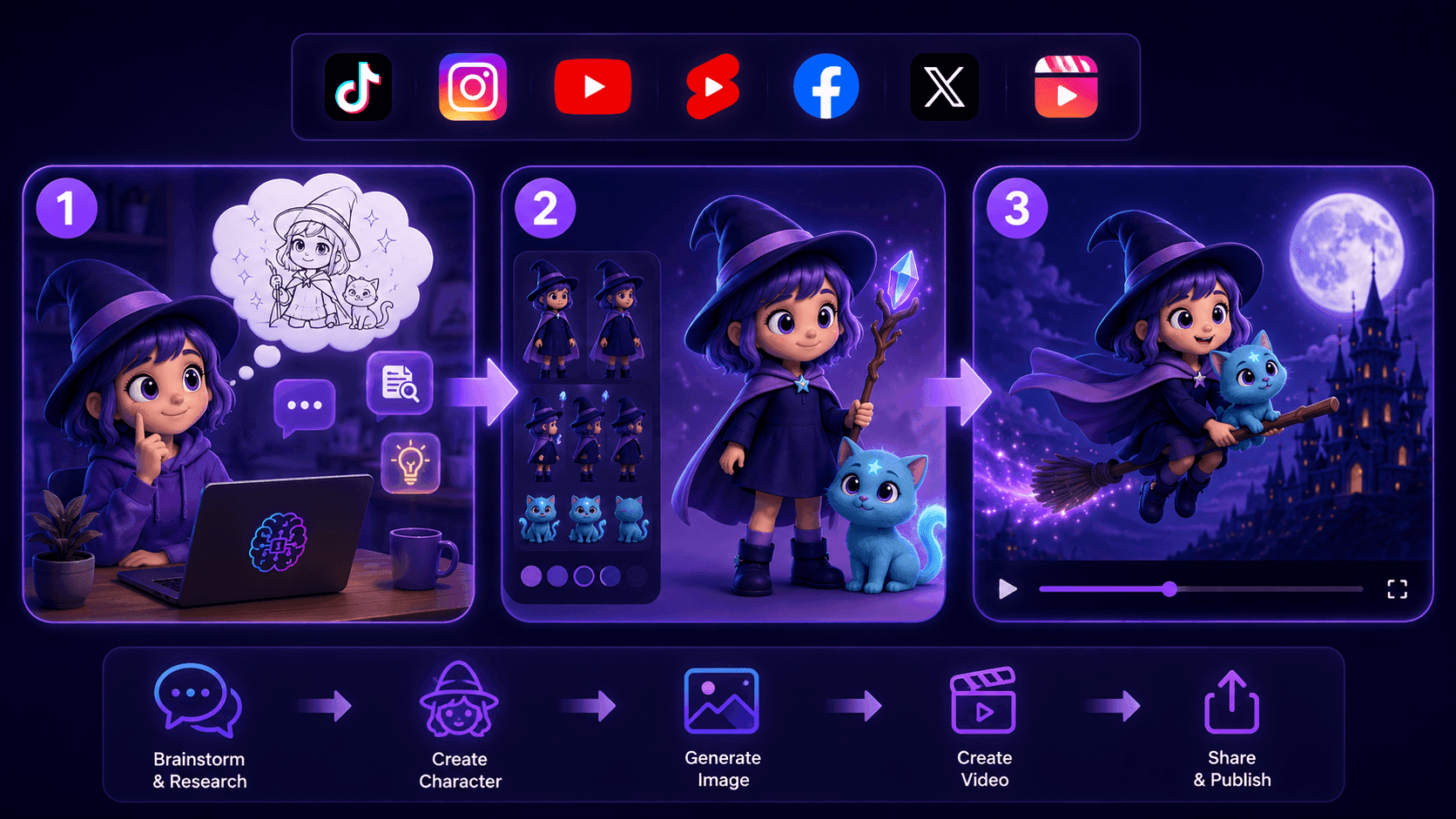
Create Consistent Cartoon Content in Just a Few Steps
Create engaging cartoon videos for TikTok and Reels with 1min.AI. Research ideas, create characters, and turn images into animated videos in 3 simple steps.
Lien Anh Vu
One Product, 10 UGC Creatives: How AI Makes Content Testing Easier
Create more authentic UGC with an AI UGC video generator, test more creative angles and scale affiliate content without filming every version.
Lien Anh Vu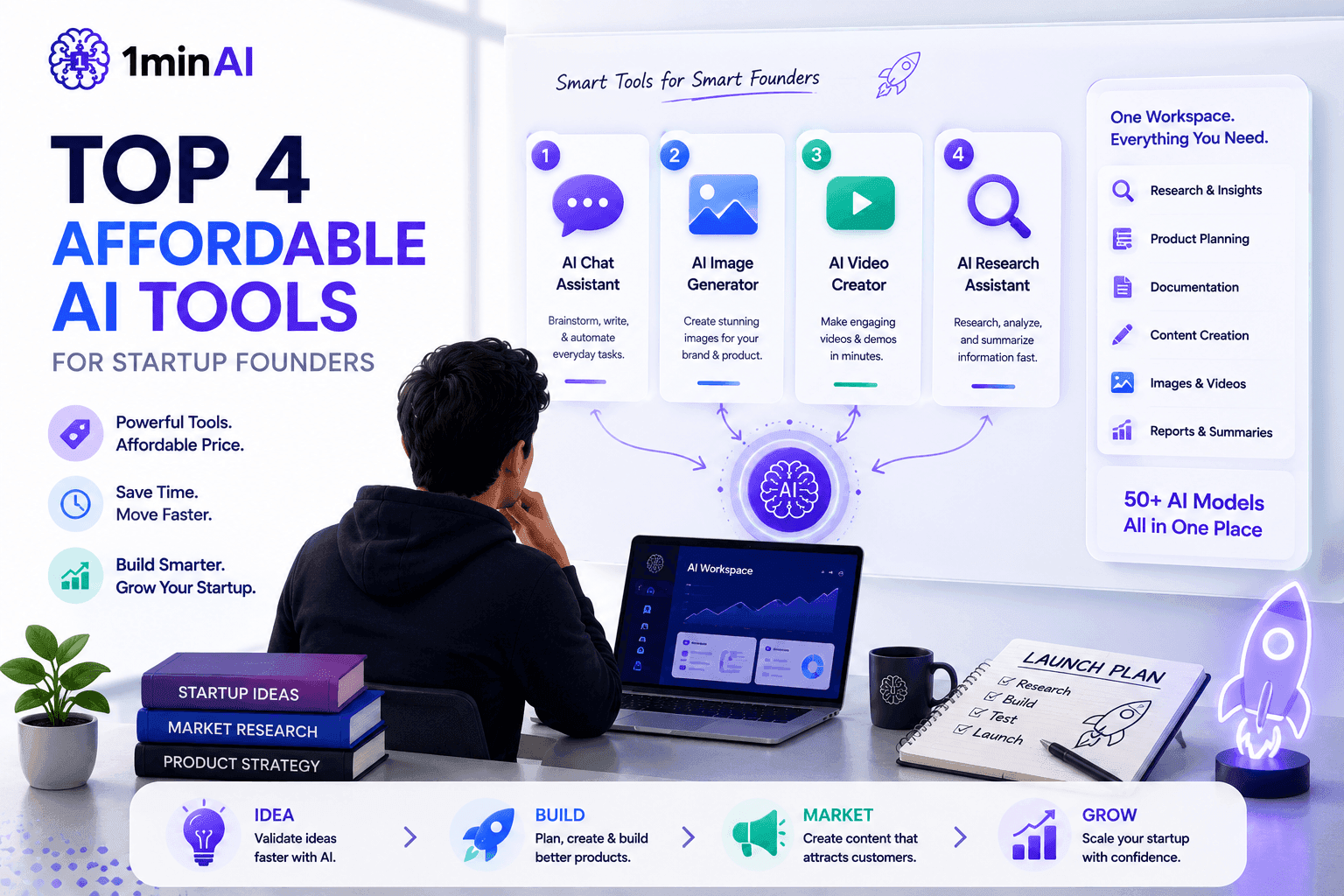
Top 4 Affordable AI Tools for Startup Founders
Discover the top 4 affordable AI tools for startup founders to validate ideas, build products, create content, and launch faster without overspending.
 Tram Ta
AI Features
Comprehensive AI features that streamline workflows, improve efficiency, and empower teams to achieve more.
Create Consistent Cartoon Content in Just a Few Steps
Create engaging cartoon videos for TikTok and Reels with 1min.AI. Research ideas, create characters, and turn images into animated videos in 3 simple steps.
Lien Anh VuOne Product, 10 UGC Creatives: How AI Makes Content Testing Easier
Create more authentic UGC with an AI UGC video generator, test more creative angles and scale affiliate content without filming every version.
Lien Anh Vu
1minAI: Free AI Grammar Checker
Check grammar for free with 1minAI’s AI grammar checker. Find grammar, spelling, and writing mistakes, improve clarity, and polish your content in seconds.
Tram TaAI Use Cases
A curated collection of AI use cases for business, productivity, and industry-specific applications.
Create Consistent Cartoon Content in Just a Few Steps
Create engaging cartoon videos for TikTok and Reels with 1min.AI. Research ideas, create characters, and turn images into animated videos in 3 simple steps.
Lien Anh VuOne Product, 10 UGC Creatives: How AI Makes Content Testing Easier
Create more authentic UGC with an AI UGC video generator, test more creative angles and scale affiliate content without filming every version.
Lien Anh Vu
Best Time to Post on Instagram: A Practical Guide for Better Engagement
Discover the best time to post on Instagram, including the best days and times for different audiences, plus tips to find the ideal posting schedule for your account.
Tram TaAI Tutorials
Learn how to use AI with practical, step-by-step tutorials.

Black Friday AI Tool Deals in 2026
Discover what Black Friday AI tool deals 2026 has to offer. Find out how to secure the 1min.AI lifetime deal via AppSumo, Dealify, Stack Social, and verify on Trustpilot, Slashdot, and Software Advice.
 Hang Nguyen
Create Consistent Cartoon Content in Just a Few Steps
Create engaging cartoon videos for TikTok and Reels with 1min.AI. Research ideas, create characters, and turn images into animated videos in 3 simple steps.
Lien Anh Vu
[Seedance 2.5 New] Better AI Product Videos, Less Rework in 1min.AI
Use Seedance 2.5 image to video on 1min.AI to create more consistent AI product videos, reduce failed generations, save credits, and improve UGC workflows.
Lien Anh VuAI Guides
Learn AI faster with practical guides, real-world examples, and actionable best practices.

Safely Buy AI Tools Online: 2026 Black Friday Guide
Discover how to find and secure the best Black Friday AI deals online. Learn expert strategies to avoid scams, combat subscription fatigue, and verify software.
Hang NguyenCreate Consistent Cartoon Content in Just a Few Steps
Create engaging cartoon videos for TikTok and Reels with 1min.AI. Research ideas, create characters, and turn images into animated videos in 3 simple steps.
Lien Anh Vu[Seedance 2.5 New] Better AI Product Videos, Less Rework in 1min.AI
Use Seedance 2.5 image to video on 1min.AI to create more consistent AI product videos, reduce failed generations, save credits, and improve UGC workflows.
Lien Anh VuAI Solutions
Browse the best AI solutions for automation, coding, research, productivity, customer support, marketing, and business workflows.
Safely Buy AI Tools Online: 2026 Black Friday Guide
Discover how to find and secure the best Black Friday AI deals online. Learn expert strategies to avoid scams, combat subscription fatigue, and verify software.
Hang NguyenCreate Consistent Cartoon Content in Just a Few Steps
Create engaging cartoon videos for TikTok and Reels with 1min.AI. Research ideas, create characters, and turn images into animated videos in 3 simple steps.
Lien Anh VuOne Product, 10 UGC Creatives: How AI Makes Content Testing Easier
Create more authentic UGC with an AI UGC video generator, test more creative angles and scale affiliate content without filming every version.
Lien Anh VuAI Models
Explore the world's leading AI models in one place.
Create Consistent Cartoon Content in Just a Few Steps
Create engaging cartoon videos for TikTok and Reels with 1min.AI. Research ideas, create characters, and turn images into animated videos in 3 simple steps.
Lien Anh VuOne Product, 10 UGC Creatives: How AI Makes Content Testing Easier
Create more authentic UGC with an AI UGC video generator, test more creative angles and scale affiliate content without filming every version.
Lien Anh Vu[Seedance 2.5 New] Better AI Product Videos, Less Rework in 1min.AI
Use Seedance 2.5 image to video on 1min.AI to create more consistent AI product videos, reduce failed generations, save credits, and improve UGC workflows.
Lien Anh VuAI Comparisons
Compare AI tools, models, and platforms to find the best fit for your needs.
Kling AI Vs Veo 3: Which Model Wins?
Kling AI vs Veo 3: compare motion, native audio, pricing & free tiers to see which AI video generator wins for your project - try both on 1min.AI.
 Trang Tran
[Seedance 2.5 New] Better AI Product Videos, Less Rework in 1min.AI
Use Seedance 2.5 image to video on 1min.AI to create more consistent AI product videos, reduce failed generations, save credits, and improve UGC workflows.
Lien Anh Vu
DeepSeek V4 Pro vs Flash Comparison
Compare DeepSeek V4 Pro vs DeepSeek V4 Flash metrics. Optimize your agentic apps and improve AI fact checking on 1min.ai today.
Ngoc HongAI Integrations
Seamlessly integrate AI with the tools you already use to automate work and boost productivity.
POV: You Have 10+ Posts to Make Every Day
Learn how to build an AI content workflow that helps content creators produce 10+ social media posts a day faster with AI brainstorming, image generation, and content creation.
Lien Anh Vu
How to Use an AI Fashion Video Generator for Fashion Week 2026
Turn Fashion Week 2026 ideas into stunning fashion videos with AI. Learn how to brainstorm, create visuals, and transform images into videos with one simple workflow.
Lien Anh Vu
Stop Switching Between AI Apps: How AI Integration Transforms Employer Branding
Discover how AI integration helps HR teams streamline employer branding by combining AI writing, documents, images, video, and multiple AI models into one workspace.
Tram TaAI for Industries
Find the best AI tools and workflows for healthcare, finance, education, legal, manufacturing, retail, real estate, and more
Text To Video AI Free Without Watermark Online
Create text to video AI free without watermark online with 1min.AI. Pick top models, turn prompts into HD clips, and download clean videos fast. Try it free.
Trang Tran
Free AI Product Description Generator
Write product descriptions that sell in minutes. Use this free AI product description generator to turn details or a photo into on-brand copy. Try 1min.AI.
Trang Tran
Best Business Productivity Tools for Startups to Maximize Profits | 1minAI
Discover the best business productivity tools for startups to save time, streamline workflows, reduce repetitive tasks, and support profitable growth with AI.
Tram TaAI Agents
Discover and run AI agents to automate tasks across your work and daily life.
1minAI: Free AI Grammar Checker
Check grammar for free with 1minAI’s AI grammar checker. Find grammar, spelling, and writing mistakes, improve clarity, and polish your content in seconds.
Tram Ta
AI Agents for Facebook
Use an AI Agent for Facebook to create content, generate images, schedule posts, and publish from your documents and conversations.
Ngoc Hong
AI Agent vs AI Assistant: Which One Actually Saves Designers More Time?
Learn the difference between AI Agent vs AI Assistant and discover which solution helps designers automate repetitive work, reduce revisions, and save more time.
Lien Anh VuAI Workflows
Explore ready-to-use AI workflows for productivity, marketing, sales, support, and more.
Create Consistent Cartoon Content in Just a Few Steps
Create engaging cartoon videos for TikTok and Reels with 1min.AI. Research ideas, create characters, and turn images into animated videos in 3 simple steps.
Lien Anh VuOne Product, 10 UGC Creatives: How AI Makes Content Testing Easier
Create more authentic UGC with an AI UGC video generator, test more creative angles and scale affiliate content without filming every version.
Lien Anh VuPOV: You Have 10+ Posts to Make Every Day
Learn how to build an AI content workflow that helps content creators produce 10+ social media posts a day faster with AI brainstorming, image generation, and content creation.
Lien Anh VuNewsletter
Weekly AI Innovations with 1minAI

🔮 Weekly AI Innovations #144: LinkedIn Content Agent: Complete B2B Publishing Pipeline
Scale B2B influence with the LinkedIn Content Agent on 1min.ai. Discover an end-to-end 4-stage pipeline with zero redundant token burn and 1-click publishing.
Hang Nguyen
🔮 Weekly AI Innovations #143: Update GPT-6, GPT-6.1 & Ideogram 4.0
Access GPT-6 Sol, Luna, GPT-6.1 Sol, and Ideogram 4.0 on 1min.ai. Boost typography accuracy to 98.4% and cut reasoning latency by 45% in one platform.
Hang Nguyen
🔮 Weekly AI Innovations #142: Grok 4.7, Opus 5.5 & Sonnet 5.5 on 1min.ai
Access Grok 4.7, Claude Opus 5.5, and Sonnet 5.5 on 1min.ai. Cut subscription costs by up to 70% and process millions tokens in a single unified workspace.
Hang Nguyen