1minai logo
  • Intro
  • Download
  • Features
  • For You
  • Pricing
  • Free Credits
  • API
  • Deals - Tips
🚀  Try 1min.AI - FREE
1minai logo

Boosting productivity with AI

1minai ai social network

Useful Links

  • 💰  Affiliate Program
  • 💌  Newsletter
  • 📚  Blog
  • 🙋  Feature Requests
  • 🌐  Contact Us

Information

  • ❓  Help Center
  • 🔒  Privacy
  • 📃  Terms
  • 🚀  About Us

Alternatives

  • 1min.AI vs Krater AI
  • 1min.AI vs IdeaAize
  • 1min AI vs Picsart
  • 1minAI vs Typli AI
  • 1minAI vs Wordvice AI
  • 1minAI vs Writecream
  • 1minAI vs Rytr
  • 1minAI vs Writer
  • 1minAI vs. Wordtune
  • 1minAI vs. Jenni AI
  • 1minAI vs. QuillBot
  • 1min.AI vs Jarvis AI
  • 1min.AI vs AnyWord
  • 1min.AI vs Gemini
  • 1min.AI vs Jasper AI
  • 1min.AI vs Chatplayground AI
  • 1minAI vs. ChatGPT
  • 1min.AI vs 1 For All AI
  • 1min.AI vs Pop AI
  • 1min.AI vs Lovart
  • 1min.AI vs Easy Peasy AI
  • 1min.AI vs Poe
  • 1min.AI vs OpenRouter
  • 1min.AI vs Remove.bg
  • 1min.AI vs Alle-AI
  • 1min.AI vs MerlinAI
  • 1minAI vs Chatgot
  • 1min.AI vs Monica
  • 1min.AI vs Straico
  • 1minAI vs. WriteSonic
  • 1min.AI vs Copy.ai
  • 1min.AI vs Simplified
  • 1min.AI vs TextCortex
  • 1min.AI vs RubiAI
  • 1min.AI vs MonicaAI

AI by Profession

  • AI for AI Trailblazer
  • AI for Small Business
  • AI for Marketer
  • AI for Content Creator
  • AI for Copywriter
  • AI for Artist
  • AI for Designer
  • AI for Photographer
  • AI for Social Media Manager
  • AI for Influencer
  • AI for Podcaster
  • AI for Blogger
  • AI for Youtuber
  • AI for Freelancer
  • AI for Solopreneur
  • AI for Software Engineer
  • AI for Teacher
  • AI for Student

AI Chat Features

  • Chat with Claude 3.5 Sonnet
  • Chat with Claude 3.5 Haiku
  • Chat with Grok 4.1 Fast
  • Chat with Qwen Plus
  • Chat with Qwen3 Max
  • Chat with Grok 3
  • Chat with Perplexity Pro
  • Chat with GPT-4.1
  • Chat with GPT-4.1 Mini
  • Chat with GPT-4.1 Nano
  • Chat with GPT-5 Mini
  • Chat with GPT-5 Nano
  • Chat with GPT-o4-mini
  • Chat with Mistral Pixtral 12B
  • Chat with Mistral Large 2
  • Chat with Mistral Small
  • Chat with Mistral Open Nemo
  • Chat with LLaMA 4 Maverick Instruct
  • Chat with GPT OSS 120B
  • Chat with GPT OSS 20B
  • Chat with LLaMA 4 Scout Instruct
  • Chat with Gemini 2.5 Pro
  • Chat with Gemini 2.5 Flash
  • Chat with Gemini 2.0 Flash Lite
  • Chat with Gemini 2.0 Flash
  • Chat with Deepseek Chat
  • Chat with Deepseek R1
  • Chat with Claude 3.7 Sonnet
  • Chat with Claude 4 Opus
  • Chat with Claude 4 Sonnet
  • Chat with GPT-5
  • Chat with xAI Grok 2
  • Chat with GPT-o3-mini
  • Chat with GPT-o1
  • Chat with Multiple AI
  • Chat with Mistral 8x7b
  • Chat with Llama 3 70b
  • Chat with Llama 3.1 405b
  • Chat with Llama 2 70b
  • Chat with Image
  • Chat with GPT-4o
  • Chat with GPT-4 Turbo
  • Chat with GPT-4
  • Chat with GPT-3.5
  • Chat with Gemini Pro 1.5
  • Chat with Gemini Pro 1.0
  • Chat with Command R
  • Chat with Claude 3 Sonnet
  • Chat with Claude 3 Opus
  • Chat with Claude 3 Haiku
  • Chat with Claude 3.5 Sonnet
  • Chat with Claude 2.1
  • Chat with Claude 1.2

AI Writing Features

  • LinkedIn Comment
  • Grammar Checker
  • Facebook Comment
  • Summarizer
  • Content Shortener
  • Rewriter
  • Paraphraser
  • Content Expander
  • Brand Voice Generator
  • Blog Article Generator
  • Keyword Research
  • Chat with PDF

AI Image Features

  • Image Variator
  • Text Remover
  • Image Upscaler
  • Image to Prompt
  • Image Object Search and Replace
  • Image Generator
  • Image Text Editor
  • Chat with Image
  • Background Replacer
  • Background Remover

AI Audio Features

  • Text to Speech
  • Speech To Text

AI Video Features

  • Text to Video
  • Image to Video

AI Solutions

  • Gemini Is Becoming Your Invisible Workspace Assistant
  • Gemini 3.1 AI on 1min.ai – Features, Benefits and Use Cases
  • Features of AI Writing with DeepSeek V3.2
  • Claude 4.6 AI Writing Tool
  • Design with Recraft V4
  • 4D Video Generation with SV4D 2.0
  • Music Generation with Lyria 3
  • Enterprise AI with Mistral Large 3
  • Image Generation with Nano Banana 2
  • Multimodal AI Agent with Kimi K2.5
  • Video Generation with Veo 3.1
  • Video Creation with Kling 1.5
  • Local AI Coding with Devstral 2
  • Audio Understanding AI with Voxtral Small
  • Voice Acting with Eleven v3
  • Image Generation & Editing with Seedream 4.5
  • Pixel Art Generation with Retro Diffusion
  • Image Generation with FLUX.2 Pro
  • Image Generation with Nano Banana Pro
  • Luma Video Generator
  • Flux Image Generator
  • Midjourney Image Generator

© 2026 All rights reserved. Made with 💌 by 1min.AI

Virtual AI Assistant for Customer Support That Businesses Should Use

T

Tram Ta

July 6, 2026

Try 1min.AI
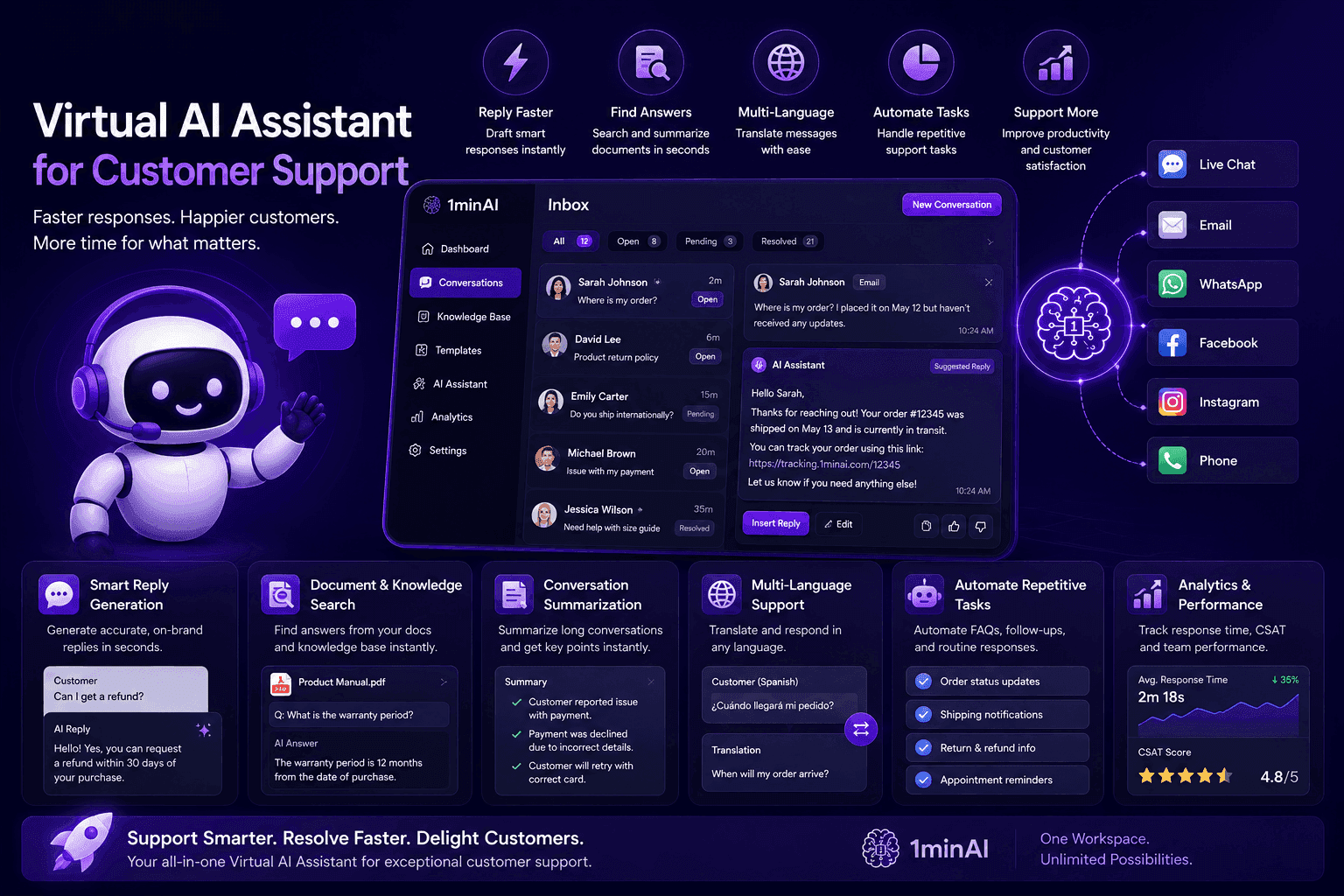
Virtual AI Assistant dashboard for customer support, showcasing features for agent productivity.

Discover how a virtual AI assistant helps businesses automate customer support, respond faster, and improve service with 1minAI.

Providing excellent customer support is becoming more challenging for SMEs. As customer expectations continue to rise, small teams are expected to respond quickly, answer accurately, and deliver consistent service across email, live chat, and social media—all while managing many other business responsibilities.

This is where a virtual AI assistant can make a real difference. Beyond answering questions, today's AI assistants can draft customer replies, summarize conversations, search documents, translate messages, and automate repetitive support tasks. By reducing manual work, businesses can improve response times without increasing headcount.

In this guide, you'll learn how a virtual AI assistant helps small businesses streamline customer support, improve team productivity, and deliver better customer experiences. You'll also discover how 1minAI brings together 50+ leading AI models to help support teams manage customer communication more efficiently from a single workspace.

Why Small Businesses Need a Virtual AI Assistant for Customer Support

Repetitive Customer Support Tasks Reduce Team Productivity

For many SMEs, customer support isn't handled by a dedicated department. Business owners, sales staff, or marketing teams often share the responsibility of answering customer questions while managing their primary roles.

As the business grows, customer inquiries become more frequent—and many of them are repetitive.

Every day, support teams spend time:

  • Answering frequently asked questions

  • Replying to order and shipping inquiries

  • Explaining products or services

  • Following up with customers via email

  • Translating messages for international customers

  • Searching documents for accurate information

Individually, these tasks may only take a few minutes. Collectively, they can consume several hours every day, leaving less time for customer relationships, sales, and business growth.

A virtual AI assistant helps businesses automate these repetitive support activities. Instead of writing every response from scratch, teams can generate professional replies, summarize conversations, retrieve information from documents, and respond to customers much faster.

For SMEs with limited staff, this means delivering better customer service without significantly increasing workload.

Slow Response Times Can Hurt Customer Experience

Today's customers expect fast, accurate, and consistent responses. When support teams are overwhelmed, response times increase, questions are missed, and service quality becomes inconsistent.

This challenge becomes even greater during busy periods such as product launches, seasonal promotions, or holiday campaigns, when customer inquiries can increase dramatically.

Without the right tools, businesses often face common challenges such as:

  • Long response times during peak hours

  • Inconsistent answers from different team members

  • Difficulty managing inquiries across multiple channels

  • Delays caused by searching documents or previous conversations

  • Limited resources to provide support outside business hours

A virtual AI assistant helps reduce these bottlenecks by assisting support teams throughout the customer service workflow. Rather than replacing human agents, AI handles repetitive work so employees can focus on more complex customer needs.

For example, a virtual AI assistant can help businesses:

  • Draft personalized customer replies in seconds

  • Summarize long email threads or chat conversations

  • Translate messages into multiple languages

  • Extract answers from product documents or knowledge bases

  • Generate FAQs and support content for common questions

By reducing manual work and improving response speed, SMEs can provide a better customer experience while allowing small teams to support more customers efficiently.

How a Virtual AI Assistant Improves Customer Support Efficiency

Respond to Customer Inquiries Faster Without Starting From Scratch

One of the biggest challenges for SMEs is keeping up with a growing number of customer inquiries while maintaining fast response times.

Many questions are repetitive, covering topics such as pricing, product features, shipping, returns, or service availability. Yet support teams often spend time rewriting the same answers across email, live chat, and social media.

A virtual AI assistant helps eliminate this repetitive work by generating professional, context-aware responses within seconds.

Instead of typing every reply manually, businesses can use AI to:

  • Draft personalized customer responses

  • Rewrite messages with a more professional or friendly tone

  • Translate replies for international customers

  • Generate FAQ responses for common inquiries

  • Adapt the same response for different communication channels

This allows support teams to respond more quickly while maintaining a consistent customer experience.

Rather than replacing human interaction, the AI assistant acts as a productivity tool that helps staff spend more time solving customer problems and less time repeating routine tasks.

Find Information Faster With AI-Powered Document Assistance

Customer support agents often need to search through product manuals, company policies, pricing documents, or internal knowledge bases before answering a question.

When information is spread across multiple files, finding the right answer can become one of the most time-consuming parts of customer support.

A virtual AI assistant simplifies this process by helping teams search, summarize, and understand documents much faster.

For example, businesses can use AI to:

  • Summarize lengthy product manuals

  • Extract key information from PDFs

  • Find answers inside policy documents

  • Review contracts or technical documentation

  • Generate customer-friendly explanations from complex information

Instead of manually scanning dozens of pages, support teams receive relevant information in seconds, allowing them to provide faster and more accurate responses.

For SMEs without a dedicated knowledge management system, this can significantly improve both productivity and service quality.

Support Customers Across Multiple Channels With One AI Workspace

Today's customers expect businesses to be available wherever they choose to communicate—whether through email, social media, messaging apps, or online chat.

Managing these conversations separately often leads to inconsistent responses, duplicated work, and slower service.

A virtual AI assistant helps businesses maintain consistency across every communication channel from one centralized workspace.

With 1minAI, support teams can:

  • Draft customer emails and follow-ups

  • Generate responses for social media messages

  • Translate customer conversations instantly

  • Summarize long discussion threads

  • Create help center articles and FAQs

  • Repurpose support answers into knowledge base content

Instead of treating every inquiry as a new task, businesses can reuse knowledge, standardize communication, and support customers more efficiently.

For SMEs handling customer service with small teams, a virtual AI assistant makes it easier to deliver faster, more consistent support while reducing the administrative workload behind every customer interaction.
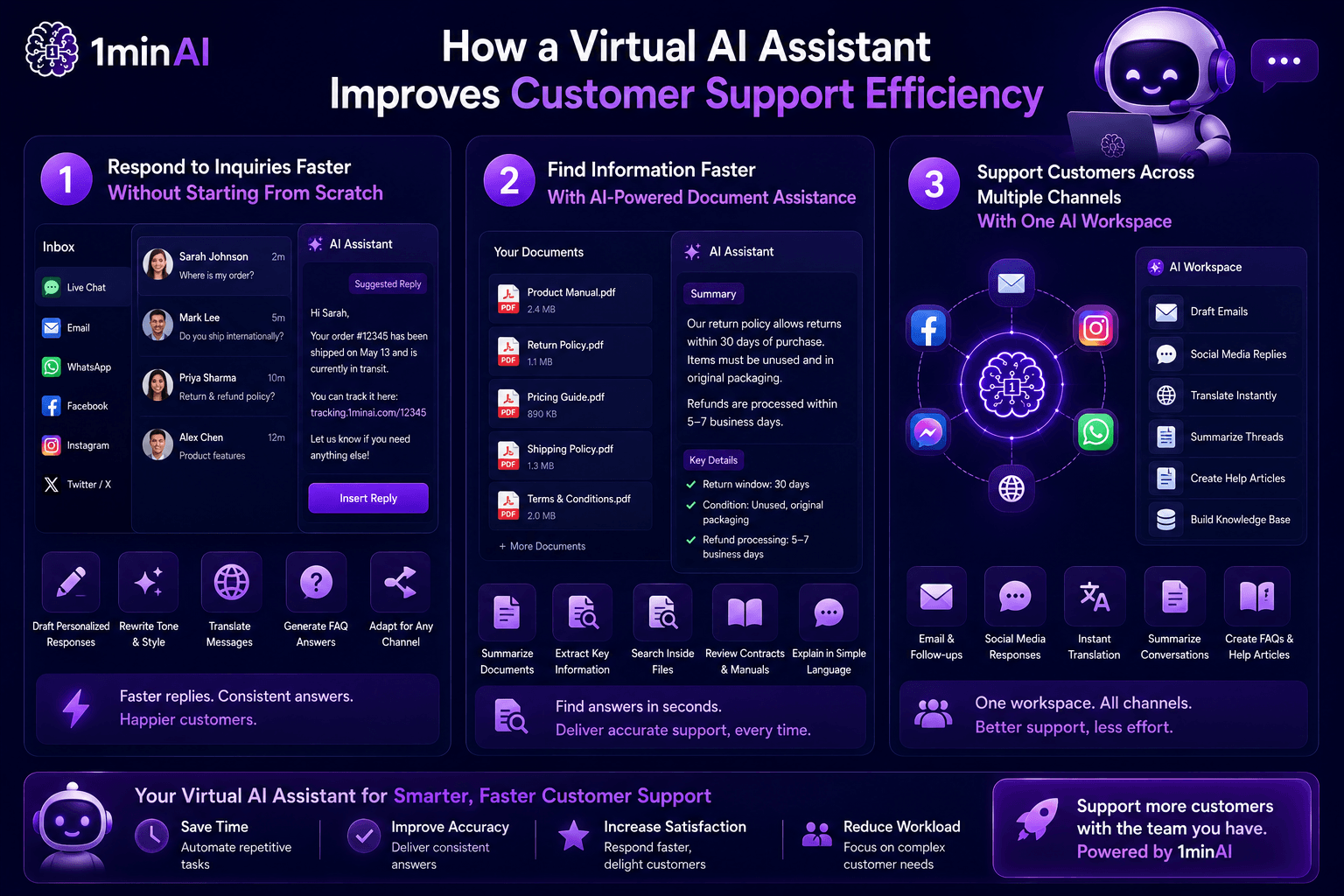
Infographic showing how a virtual AI assistant improves customer support efficiency across channels.

Why Businesses Choose 1minAI as Their Virtual AI Assistant

Handle More Customer Support Tasks From One AI Workspace

Most businesses don't struggle because they lack AI—they struggle because their work is spread across too many tools.

A support team may use one platform to draft emails, another to translate messages, another to summarize documents, and yet another to create help center content. As customer inquiries grow, switching between these tools slows response times and creates unnecessary complexity.

With 1minAI, businesses can manage customer support tasks from one centralized workspace.

Instead of relying on multiple AI platforms, support teams can:

  • Draft professional customer emails and replies

  • Translate conversations into multiple languages

  • Summarize long email threads and chat histories

  • Search product documents and knowledge bases

  • Generate FAQs and help center articles

  • Rewrite responses to match different tones or audiences

By keeping these tasks in one platform, businesses reduce platform switching and deliver faster, more consistent customer support.

Choose the Best AI Model for Every Customer Conversation

Not every customer interaction requires the same type of AI.

Some conversations need accurate product explanations, while others require empathetic communication, translation, or concise summaries. Using a single AI model for every task may not always deliver the best results.

That's why 1minAI gives businesses access to more than 50 leading AI models—including ChatGPT, Claude, Gemini, DeepSeek, and more.

This flexibility allows support teams to choose the most suitable model based on the task at hand.

For example, businesses can use different models to:

  • Draft natural and professional customer responses

  • Summarize lengthy conversations

  • Translate multilingual inquiries

  • Explain technical information in simpler language

  • Generate support documentation and FAQs

Rather than adapting every workflow to one AI model, teams can choose the AI that best fits each customer interaction.

Scale Customer Support Without Expanding Your Team

As businesses grow, customer inquiries naturally increase. Hiring additional support staff can be expensive, while expecting existing employees to handle more work often leads to slower responses and inconsistent service.

A virtual AI assistant helps businesses scale customer support by reducing the time spent on repetitive tasks.

Instead of manually writing every reply or searching for information, teams can automate much of their daily workflow and focus on situations that require human judgment.

With 1minAI, businesses can:

  • Respond to customers more quickly

  • Maintain consistent communication across channels

  • Reduce repetitive administrative work

  • Improve team productivity without adding more software

  • Support business growth without proportionally increasing support costs

For SMEs, this means providing a better customer experience while making the most of existing resources. Rather than replacing your support team, 1minAI acts as a virtual AI assistant that helps every team member work faster, smarter, and more efficiently.
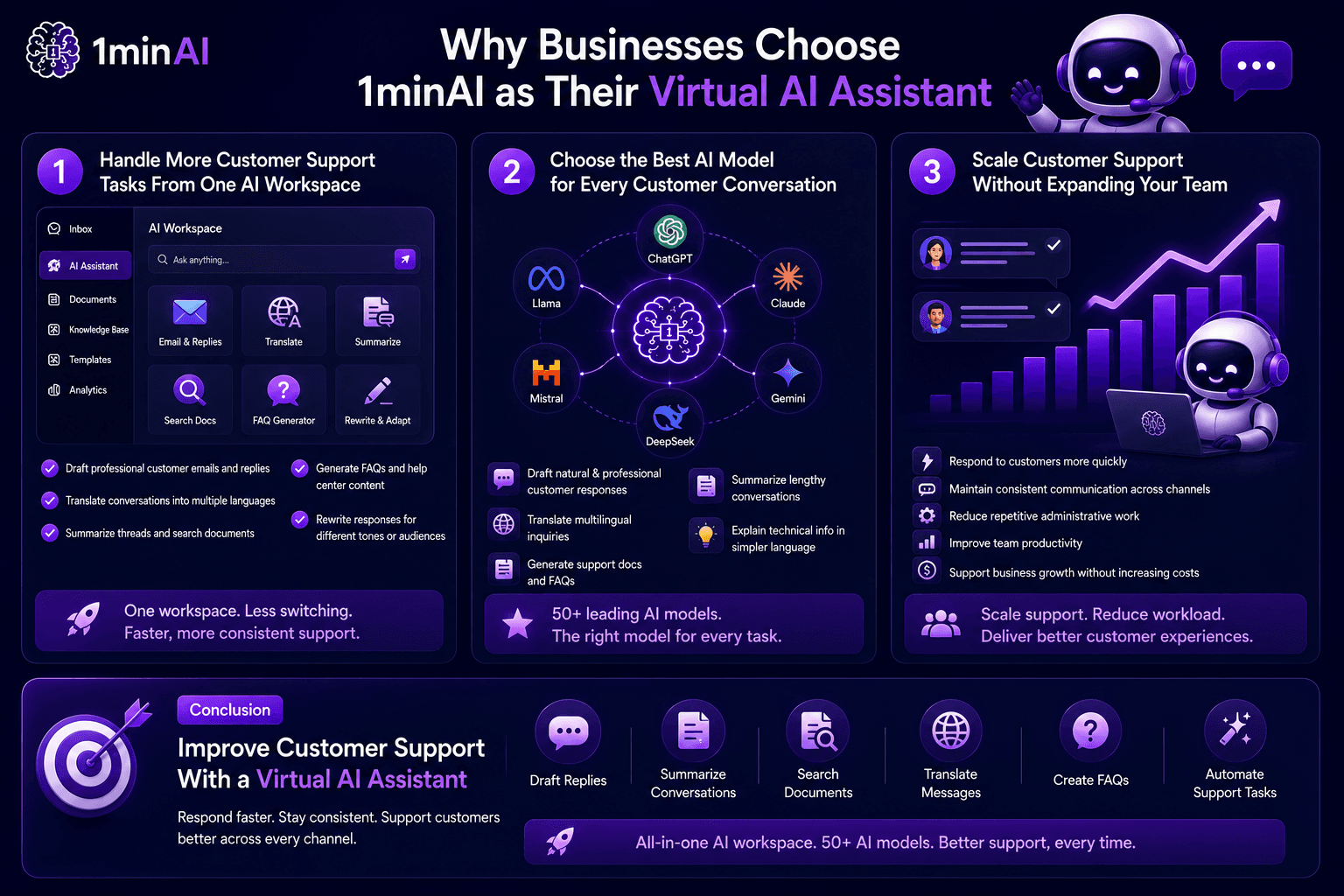
Infographic explaining why businesses choose 1minAI for virtual AI customer support solutions.

Conclusion

Improve Customer Support With a Virtual AI Assistant

Great customer support isn't just about responding quickly—it's about delivering accurate, consistent, and helpful experiences at every touchpoint. A virtual AI assistant helps businesses reduce repetitive work, respond to customers faster, and give support teams more time to handle conversations that matter most.

With 1minAI, you can draft customer replies, summarize conversations, search documents, translate messages, create FAQs, and automate everyday support tasks—all from one AI workspace powered by 50+ leading AI models.

Whether you're supporting customers through email, live chat, or social media, 1minAI helps your team work more efficiently without increasing headcount or adding more software to your tech stack.

Start Delivering Better Customer Support Today

👉 Official Website: https://1min.ai/

👉 Discover All AI Features: https://1min.ai/features

👉 View Latest Product Updates: https://1min.ai/changelog
AI Tools

Discover the best AI tools to boost productivity, creativity, and everyday work

View More

AI Features

Comprehensive AI features that streamline workflows, improve efficiency, and empower teams to achieve more

View More

AI Use Cases

A curated collection of AI use cases for business, productivity, and industry-specific applications

View More

AI Tutorials

Learn how to use AI with practical, step-by-step tutorials

View More

AI Guides

Learn AI faster with practical guides, real-world examples, and actionable best practices

View More

AI Solutions

Browse the best AI solutions for automation, coding, research, productivity, customer support, marketing, and business workflows.

View More

AI Models

Explore the world's leading AI models in one place

View More

AI Comparisons

Compare AI tools, models, and platforms to find the best fit for your needs

View More

AI for Industries

Find the best AI tools and workflows for healthcare, finance, education, legal, manufacturing, retail, real estate, and more

View More

AI Agents

Discover and run AI agents to automate tasks across your work and daily life

View More

Newsletter

Weekly AI Innovations with 1minAI

View More
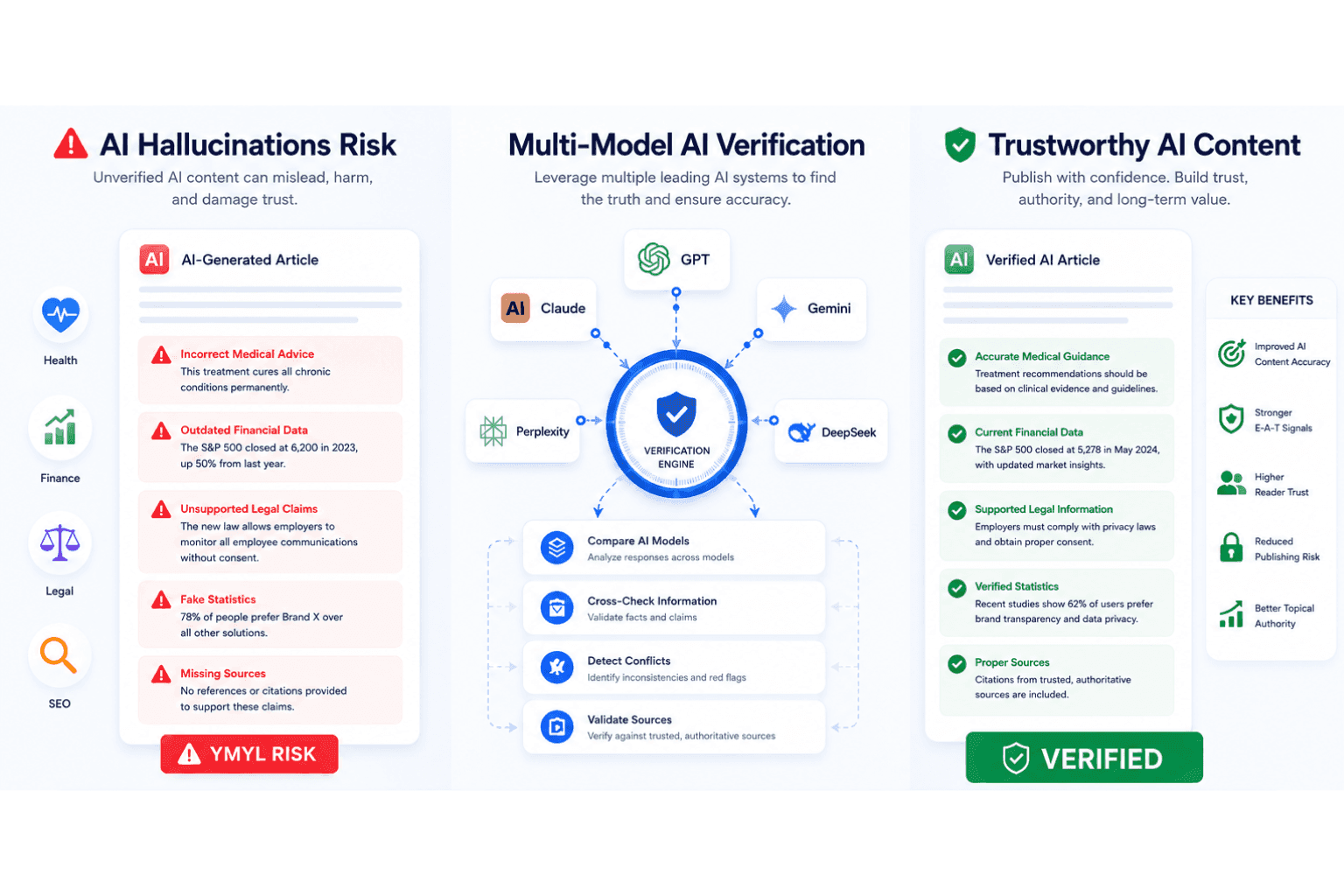
Infographic detailing AI hallucination risks, multi-model verification, and trustworthy content benefits.

AI Hallucination Checker for Accurate YMYL Content

Use an AI hallucination checker to verify AI-generated content, improve AI content accuracy, strengthen EEAT signals, and reduce YMYL publishing risks.

N
Ngoc Hong
July 6, 2026
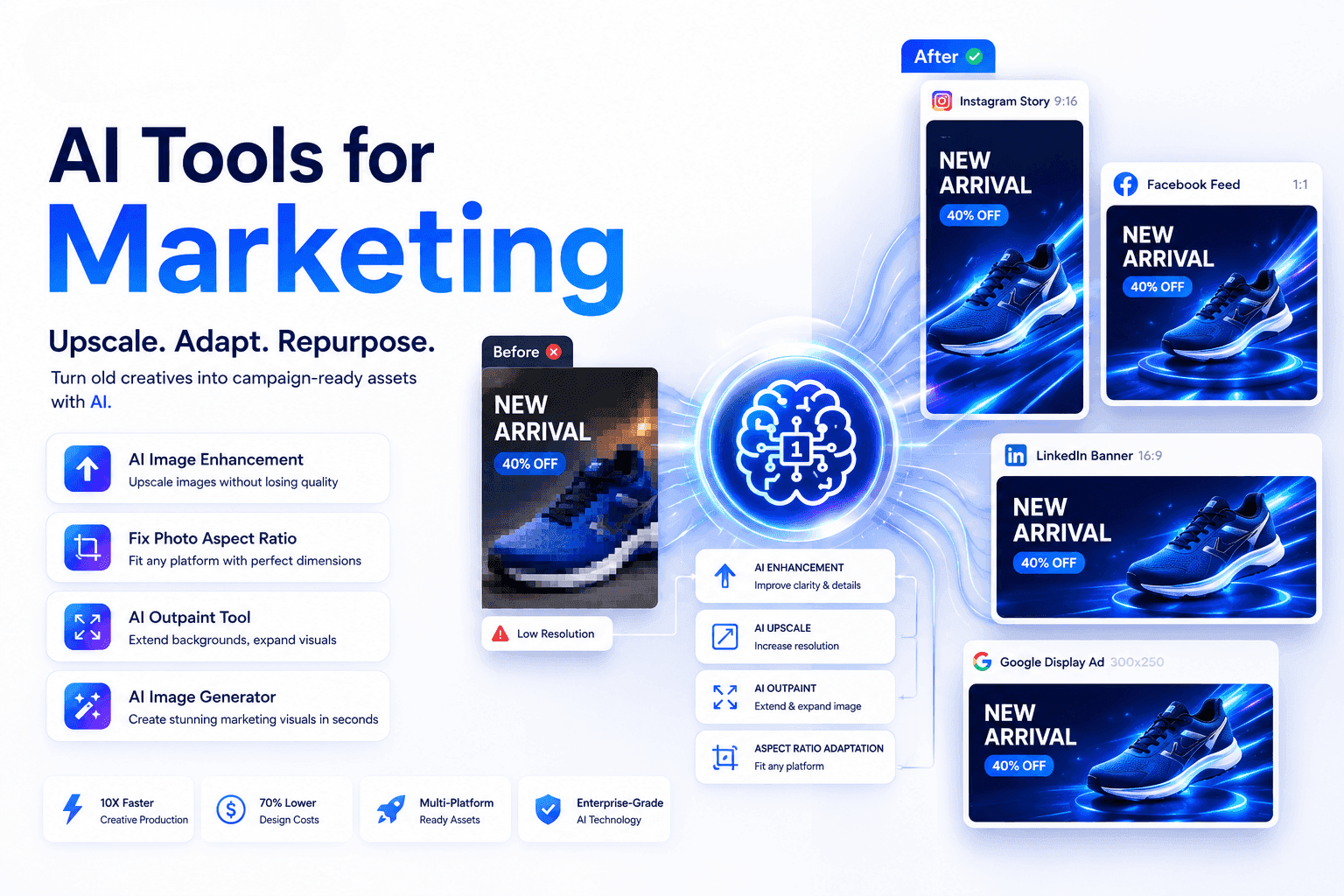
AI tools transforming marketing assets, showing shoe ad before and after for various platforms.

AI Tools for Marketing: Upscale Images and Ad Creatives

Discover how AI tools for marketing help businesses upscale images, fix aspect ratios, and turn old ad creatives into high-performing assets.

T
Tram Ta
July 6, 2026
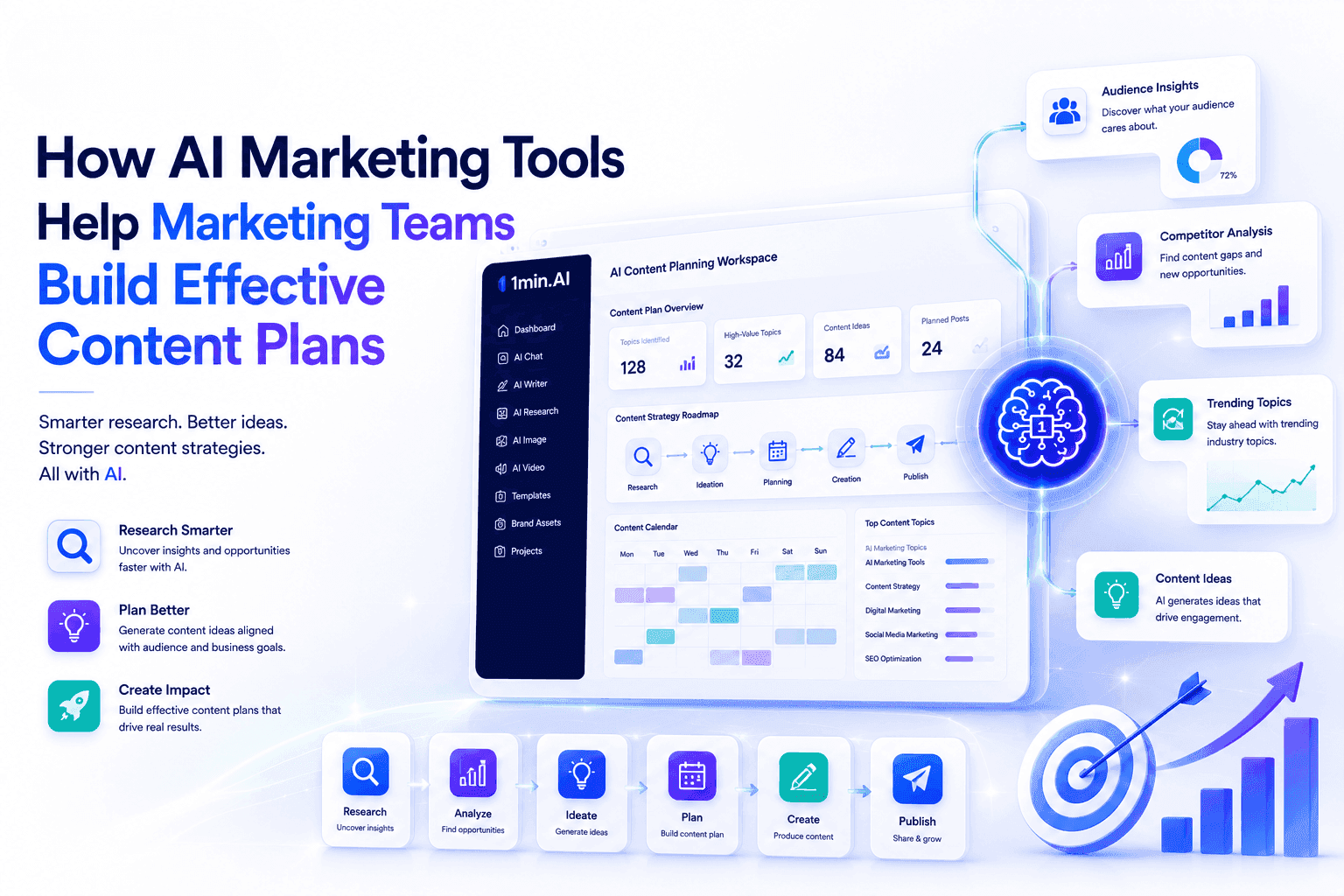
Infographic showing AI marketing tools assisting teams in building effective content plans.

AI Marketing Tools for Effective Content Planning

Discover how AI marketing tools help teams research audiences, brainstorm content ideas, and build effective content plans with 1minAI.

T
Tram Ta
July 6, 2026
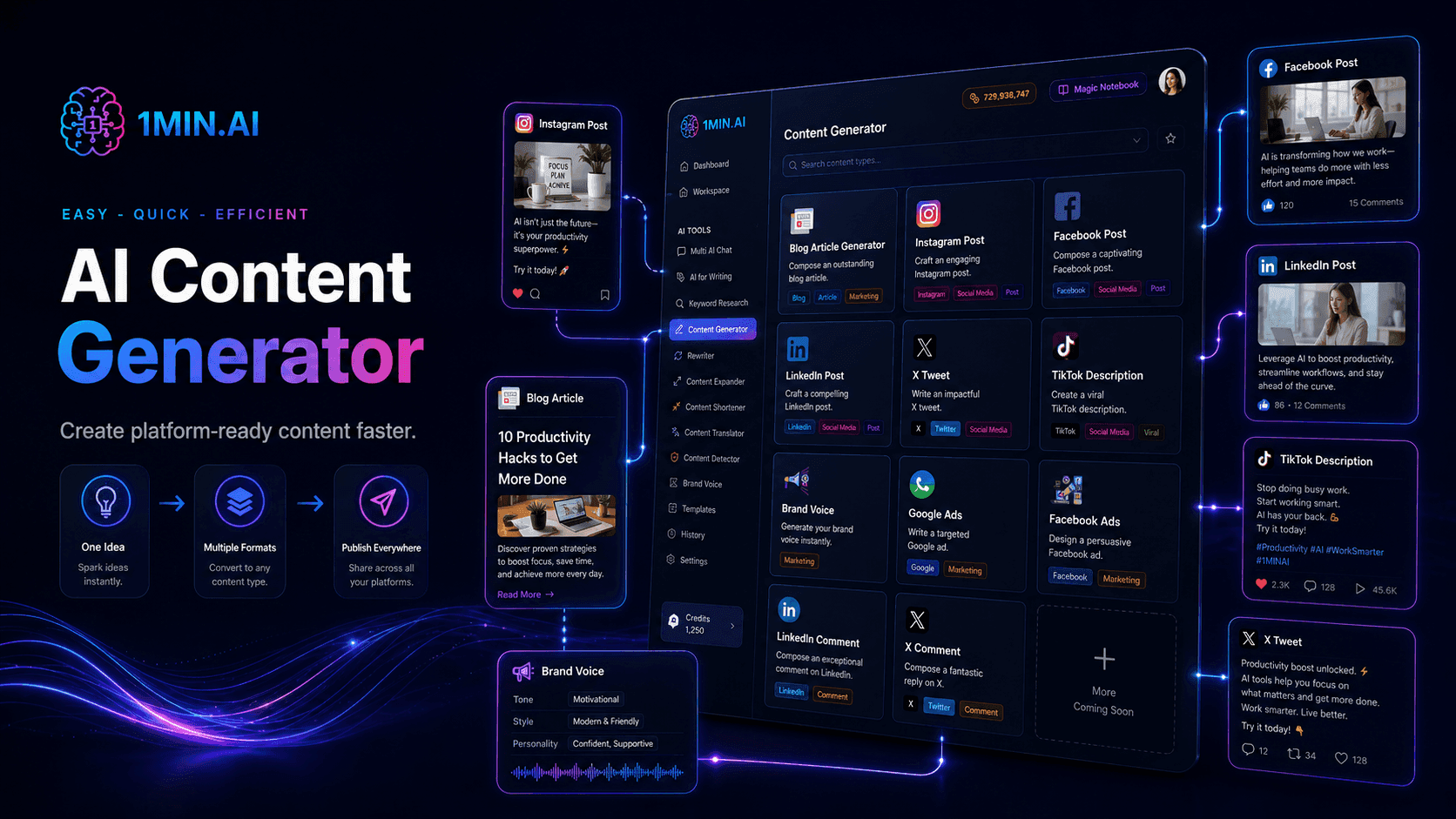
1MIN.AI AI Content Generator dashboard displaying various content creation options and tools.

Create Social Media Captions with an AI Content Generator

Create platform-ready captions with a social media content generator. Generate stronger hooks, consistent brand voice, relevant keywords, and clear CTAs for Instagram, TikTok, LinkedIn, and more.

L
Lien Anh Vu
July 7, 2026
AI text-to-video tool on laptop builds TikTok hooks, phones display social media videos.

Build Better TikTok Hooks with an AI Text-to-Video Tool

Create scroll-stopping video hooks faster with 1min.AI Text to Video. Turn text prompts into engaging short videos for TikTok, Reels, ads, and product showcases.

L
Lien Anh Vu
July 7, 2026
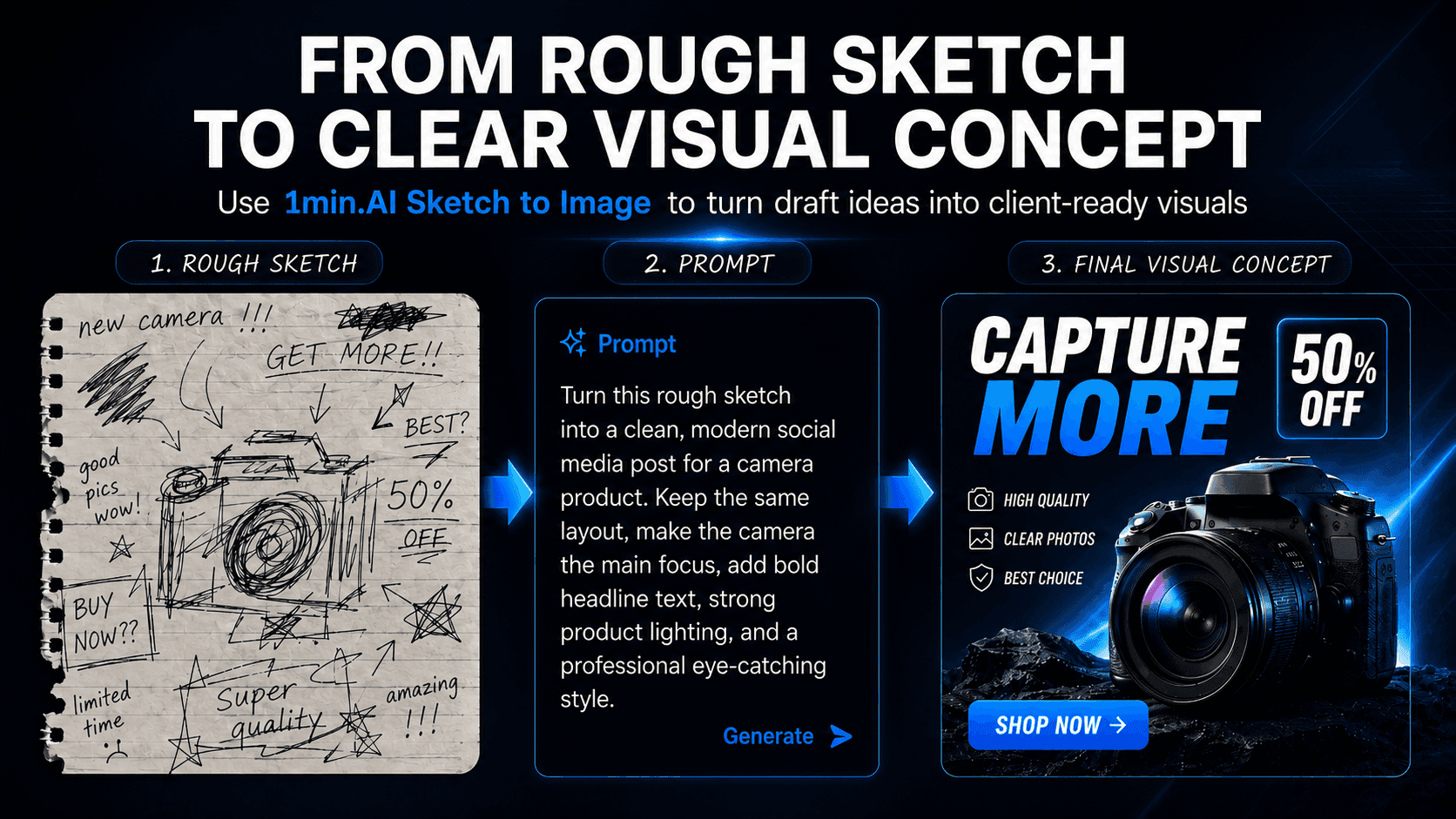
Three-step process from hand-drawn camera sketch, through AI prompt, to final digital advertisement.

Make Your Sketch Easier to Approve with 1min.AI

Help clients understand your visual ideas faster. Use 1min.AI Sketch to Image turns rough sketches into clearer concept previews before production starts.

L
Lien Anh Vu
July 7, 2026
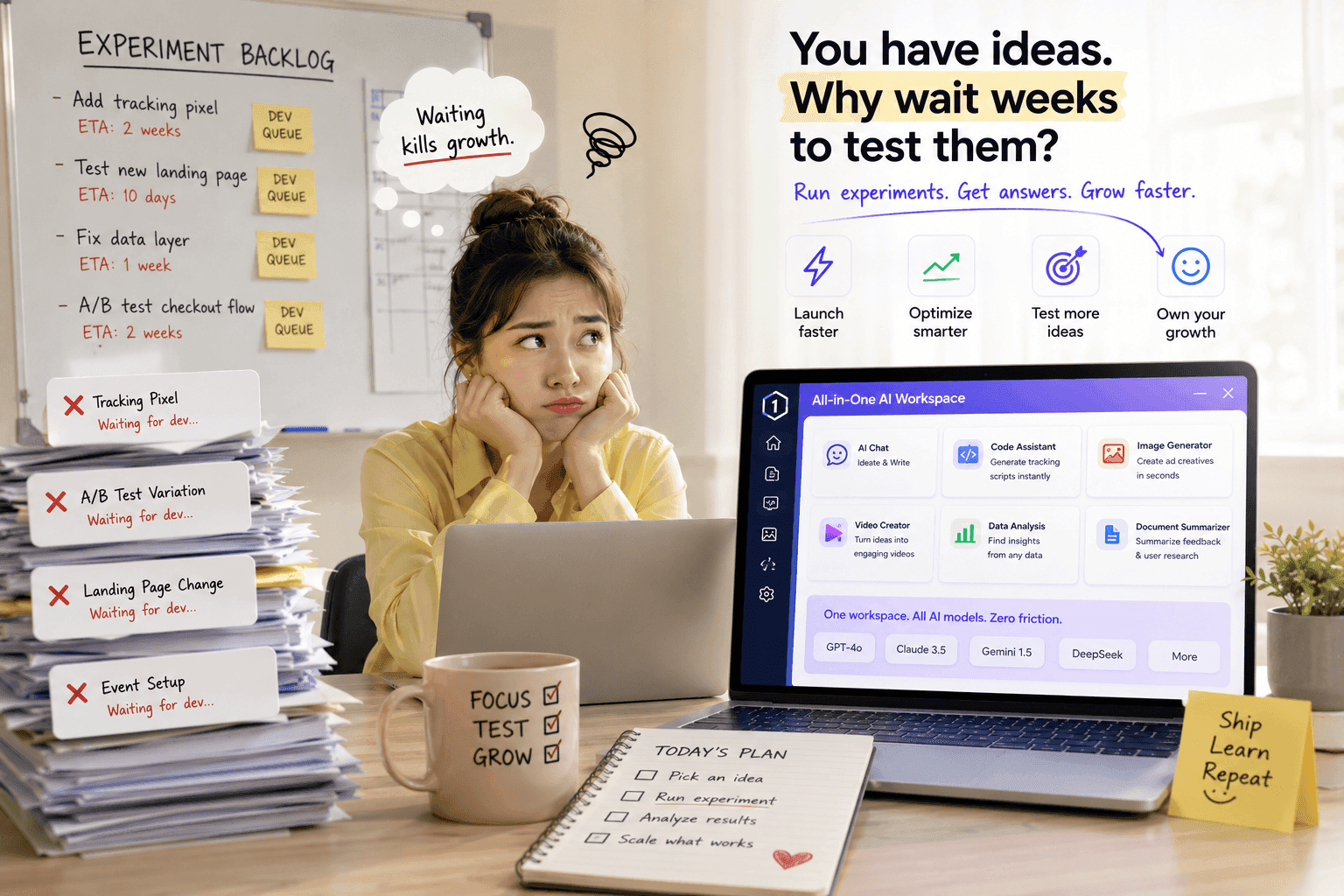
Frustrated woman at laptop surrounded by paperwork, looking at software for fast experiment testing.

Stop Waiting for Devs: Use AI for Rapid Growth Experimentation

Tired of waiting weeks for developers to deploy tracking pixels or modify landing pages? See how a unified AI platform empowers growth hackers to run rapid experiments independently.

U
Uyen Hoang
July 7, 2026
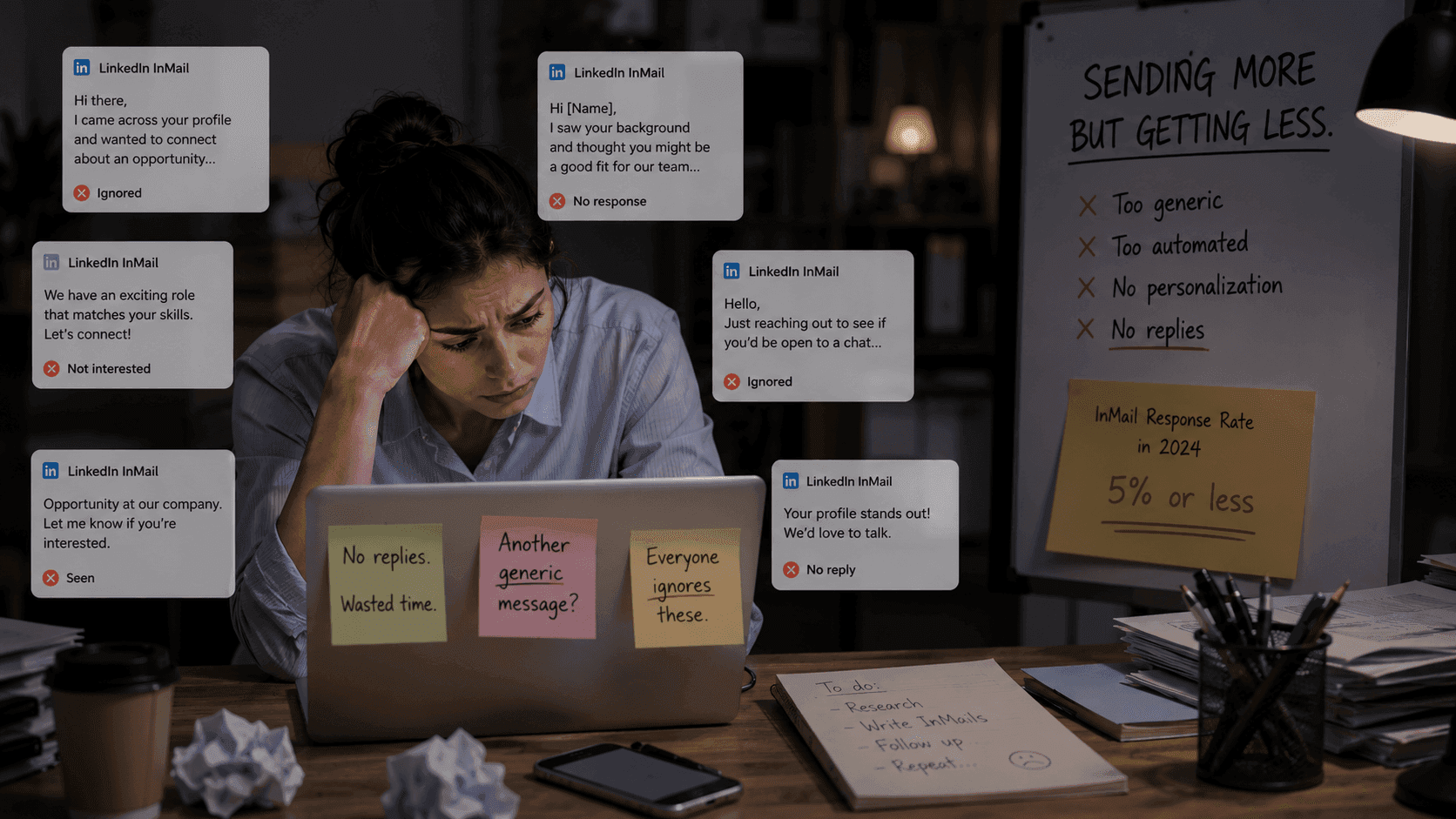
Stressed woman overwhelmed by generic LinkedIn messages on her laptop, highlighting ineffective outreach.

Stop Sending Automated Spam: How to Use Multi-Model AI to Write LinkedIn InMails Top Talents Actually Reply To

Are you looking for AI tools can do all task: research prospects, write personalized copy, optimize outbound sequences? 1minAI combines multiple AI models into one powerful platform.

U
Uyen Hoang
July 7, 2026
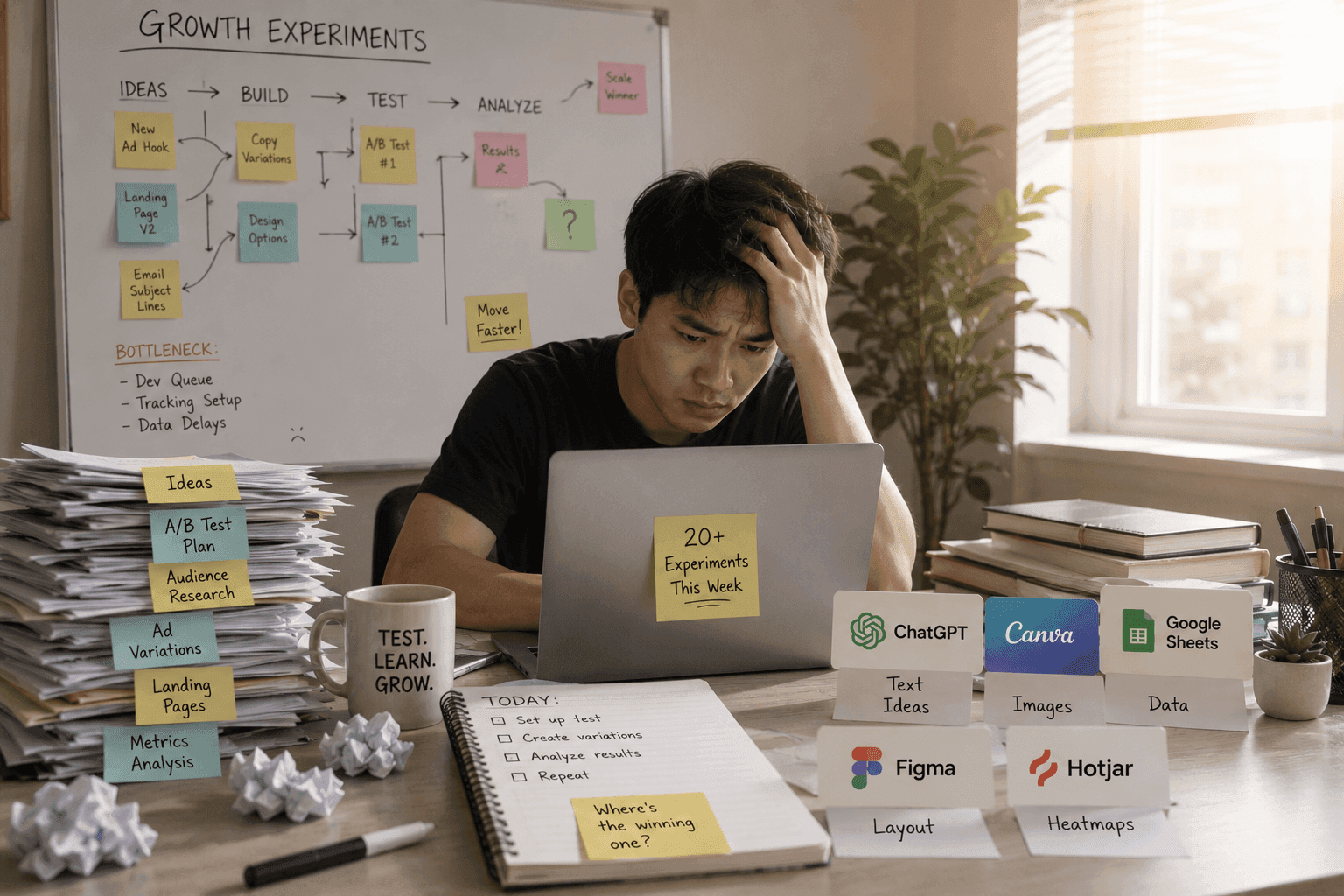
Stressed man at a desk with laptop, surrounded by numerous growth experiment documents and tools.

Scaled A/B Testing: Run 20+ Growth Experiments Without App Fatigue

Are you looking for AI tools can do all task: copy variants, image assets, and video ads? 1minAI merges multiple models to scale your A/B testing without software sprawl.

U
Uyen Hoang
July 7, 2026
1MIN.AI AI Content Generator dashboard displaying various content creation options and tools.

Create Social Media Captions with an AI Content Generator

Create platform-ready captions with a social media content generator. Generate stronger hooks, consistent brand voice, relevant keywords, and clear CTAs for Instagram, TikTok, LinkedIn, and more.

L
Lien Anh Vu
July 7, 2026
AI text-to-video tool on laptop builds TikTok hooks, phones display social media videos.

Build Better TikTok Hooks with an AI Text-to-Video Tool

Create scroll-stopping video hooks faster with 1min.AI Text to Video. Turn text prompts into engaging short videos for TikTok, Reels, ads, and product showcases.

L
Lien Anh Vu
July 7, 2026
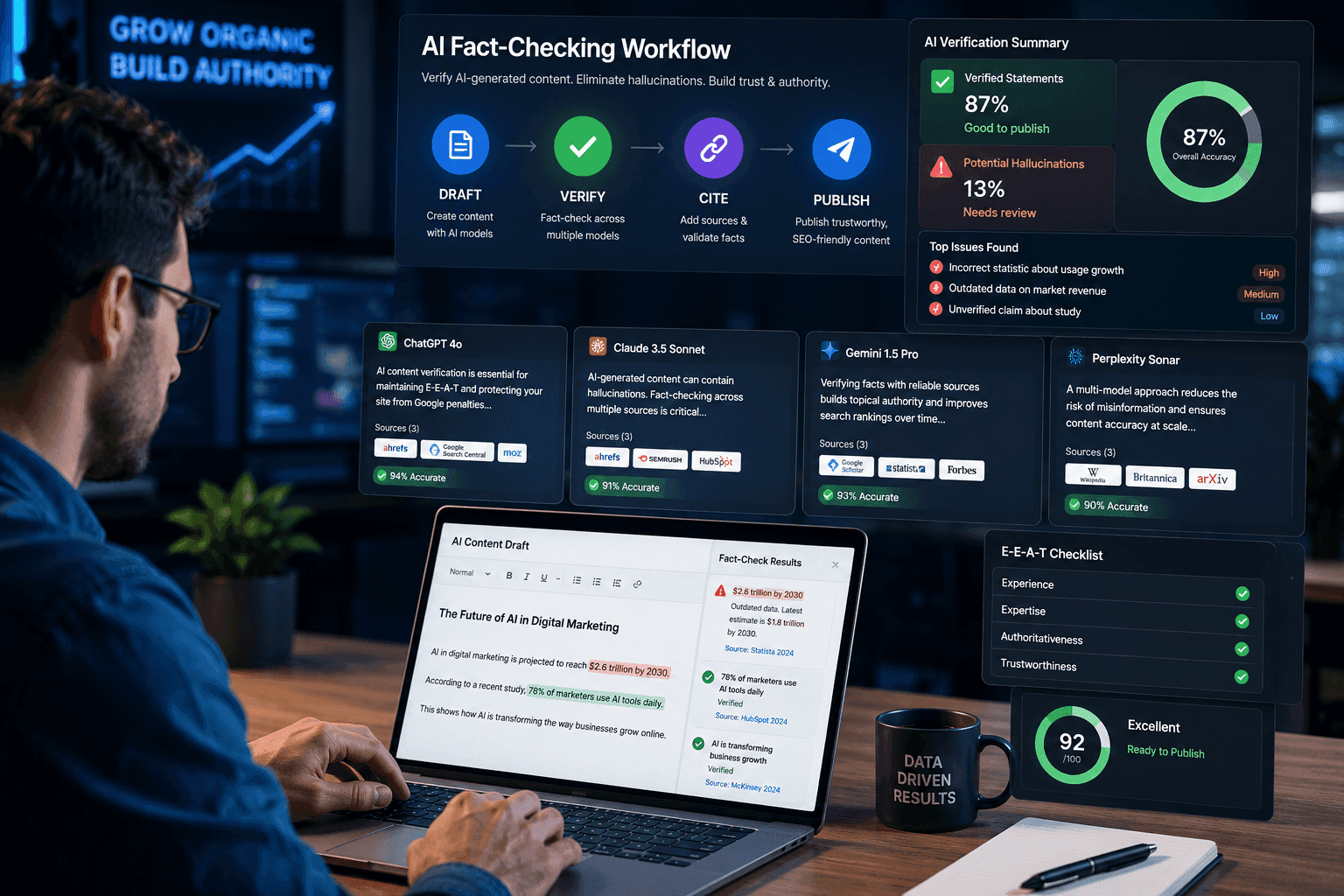
SEO specialist using a multi-model AI fact checking workflow to verify AI-generated content before publishing.

Verify AI-Generated Content with a 3-Step AI Fact-Checking Workflow

Fear AI hallucinations destroying your SEO? Learn how to verify AI-generated content using a multi-model AI fact checking tool to protect your rankings.Fear AI hallucinations destroying your SEO? Learn how to verify AI-generated content using a multi-model AI fact checking tool to protect your rankings.

N
Ngoc Hong
July 6, 2026
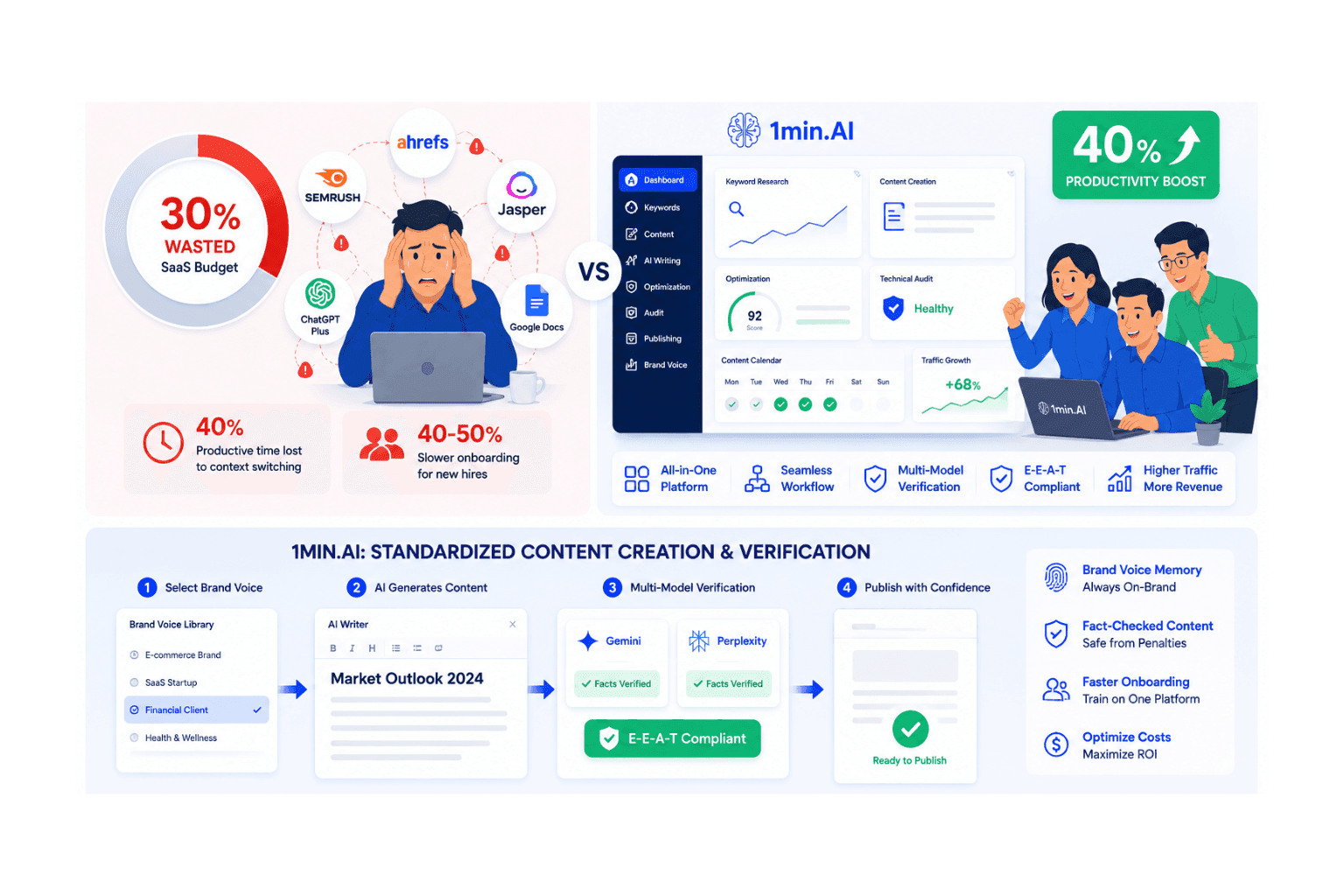
A comparison of content creation challenges versus solutions offered by 5min.AI for increased digital output.

Types of SEO: Strategies for Traffic Growth & Resource Optimization

Implementing multiple types of seo exhausting your team with fragmented tools? Optimize web content creation and onboarding with 1min.AI's unified platform.

N
Ngoc Hong
July 7, 2026
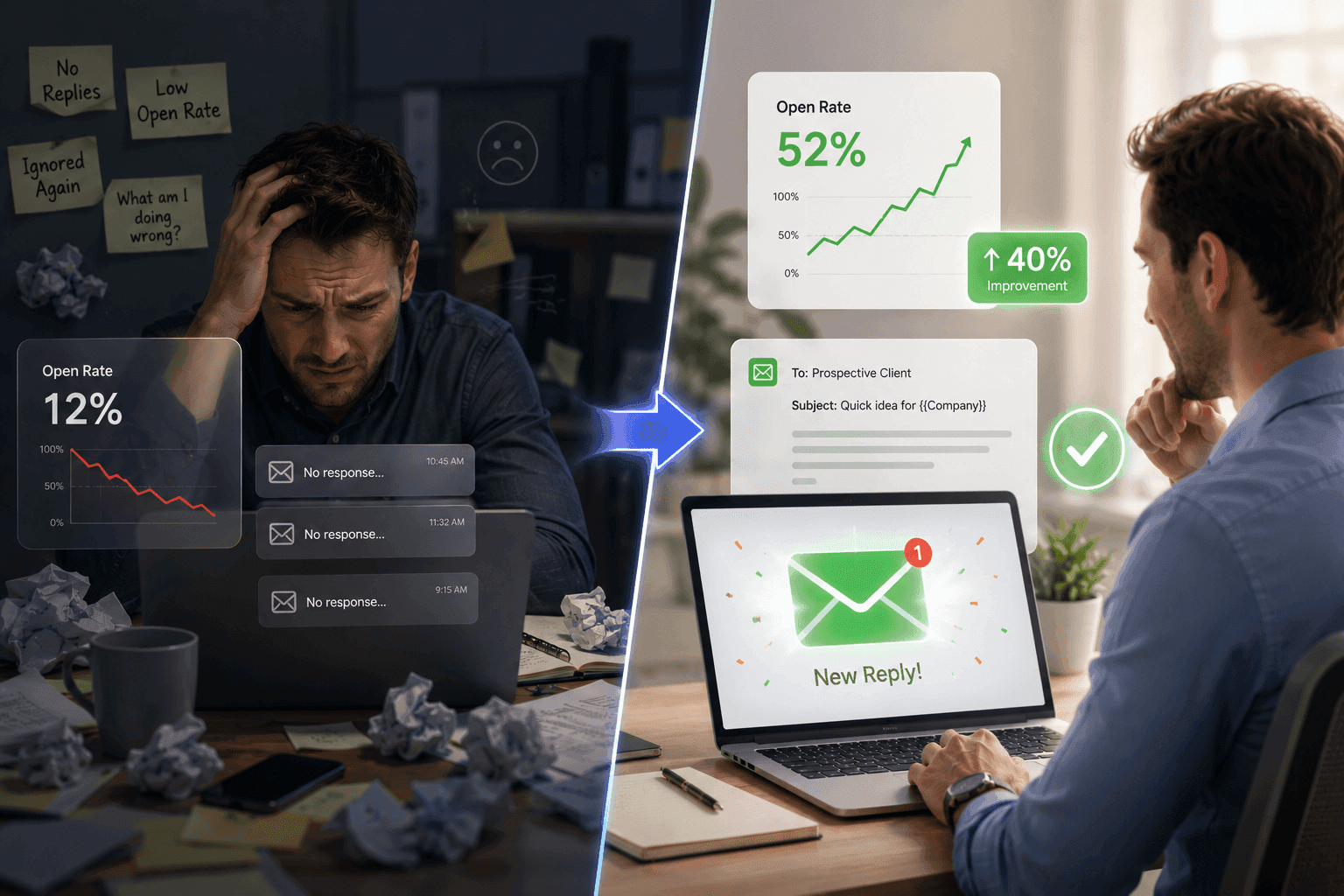
Man transforms from frustrated with low email open rates to pleased with high success.

Learning how to optimize your cold outreach email writing can increase open rates by 40%

Writing personalized cold emails eats up hours daily. See how an all-in-one multi-model AI workspace optimizes your copy, bypasses spam filters, and lifts metrics.

U
Uyen Hoang
July 7, 2026
Infographic showing a three-step AI workflow to create user-generated content videos faster.

5 UGC Hook Ideas for Affiliate Creators Who Feel Stuck

Stuck on affiliate video ideas? Discover 5 UGC hook ideas to make product videos feel more natural, less scripted, and easier to turn into short-form content with 1min.AI.

L
Lien Anh Vu
July 7, 2026
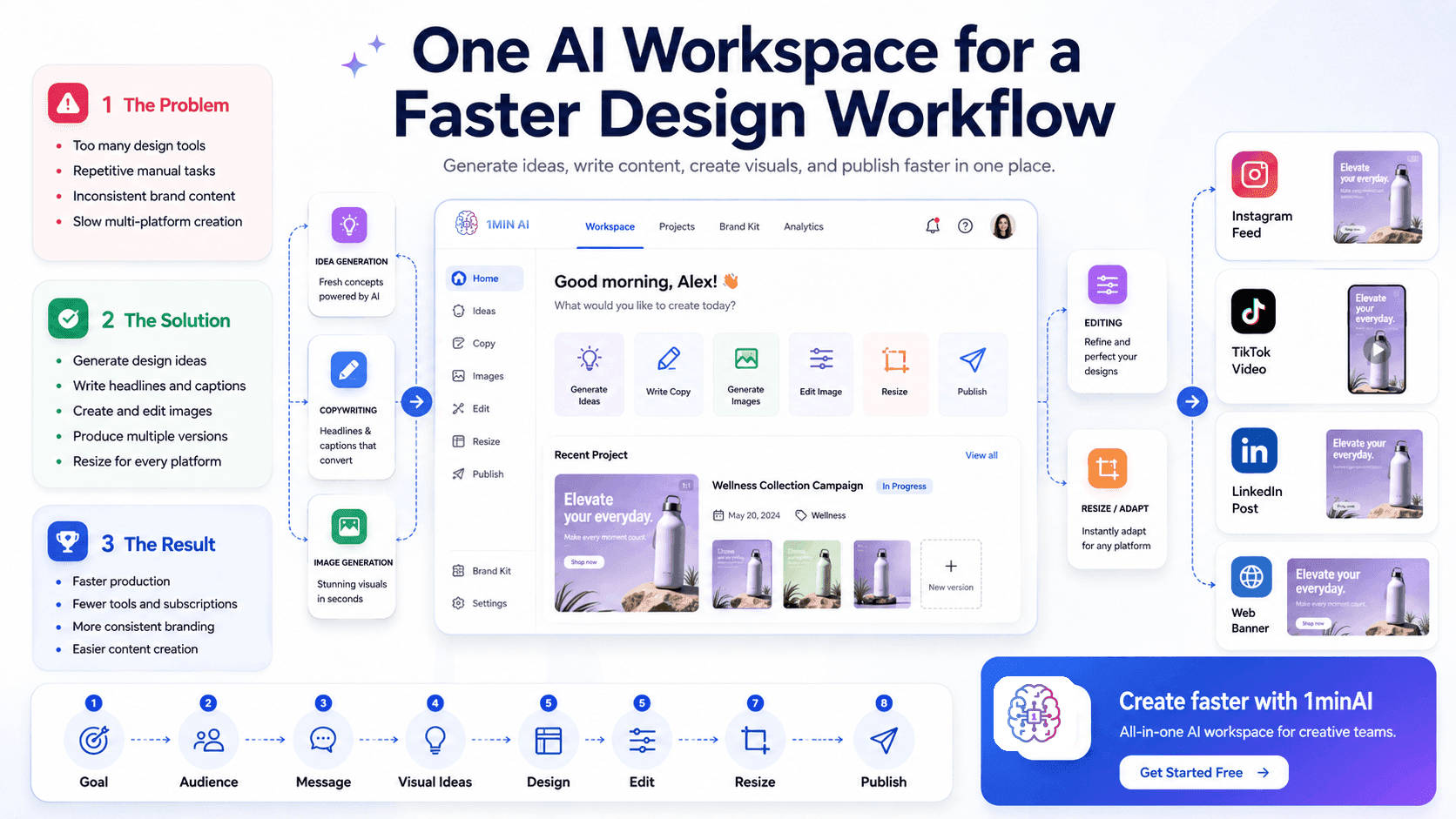
One AI Workspace for a Faster Design Workflow, illustrating design, content, and publishing tools.

One AI Workspace for a Faster Design Workflow

Discover how an AI design workspace helps you generate ideas, create visuals, write content, and manage your creative workflow faster in one place.

L
Lien Anh Vu
July 7, 2026
1MIN.AI AI Content Generator dashboard displaying various content creation options and tools.

Create Social Media Captions with an AI Content Generator

Create platform-ready captions with a social media content generator. Generate stronger hooks, consistent brand voice, relevant keywords, and clear CTAs for Instagram, TikTok, LinkedIn, and more.

L
Lien Anh Vu
July 7, 2026
Stressed woman with messy files contrasts happy woman using an organized digital workflow system.

Tired of Paying for Separate AI Tools for JDs, Screening, and Onboarding Documents? Meet the All-in-One HR Workspace

Talent acquisition leads lose hours daily to manual document drafting and resume screening. See how an all-in-one HR AI platform consolidates your tech stack.

U
Uyen Hoang
July 7, 2026
One AI Workspace for a Faster Design Workflow, illustrating design, content, and publishing tools.

One AI Workspace for a Faster Design Workflow

Discover how an AI design workspace helps you generate ideas, create visuals, write content, and manage your creative workflow faster in one place.

L
Lien Anh Vu
July 7, 2026
Stressed man at messy desk, relaxed man at clean desk with glowing solution platform.

Inside 1min.AI: One Workspace to Pick the Perfect AI Model for RFPs, Pitch Decks, and Cold Emails

Stop forcing one AI model to do all your sales work. Discover how 1min.AI lets you pick specialized reasoning models for RFPs, pitch decks, and cold emails.

U
Uyen Hoang
July 7, 2026
Gemma 4 logo with a blue geometric design, indicating availability in LM Studio.

Gemma 4 12B: A Detailed Review for Developers and AI Builders

Discover Gemma 4 12B, a multimodal AI model that runs smoothly on a 16GB laptop. The ultimate solution for AI fact checking and agentic workflow processing. Try it now on 1min.ai.

N
Ngoc Hong
July 6, 2026
Smin.AI consolidates various AI applications, offering an all-in-one solution for multiple services.

Tired of Paying for 5 Different AI Apps Every Month? Here Is the All-in-One Solution

Ditch the multi-app bills. Learn why high-performing sales teams are moving to an all-in-one AI platform to cut tool fatigue and leverage top models.

U
Uyen Hoang
July 7, 2026
Logo and text indicating a comparison between DeepSeek V4 Pro and Flash.

DeepSeek V4 Pro vs Flash Comparison

Compare DeepSeek V4 Pro vs DeepSeek V4 Flash metrics. Optimize your agentic apps and improve AI fact checking on 1min.ai today.

N
Ngoc Hong
July 7, 2026
AI property description generator displayed on a laptop, simplifying real estate listings.

Free AI Property Description Generator for Agents

Learn how a free AI property description generator turns basic details into MLS ready real estate listing copy in seconds, no writing skills needed.

T
Trang Tran
July 7, 2026
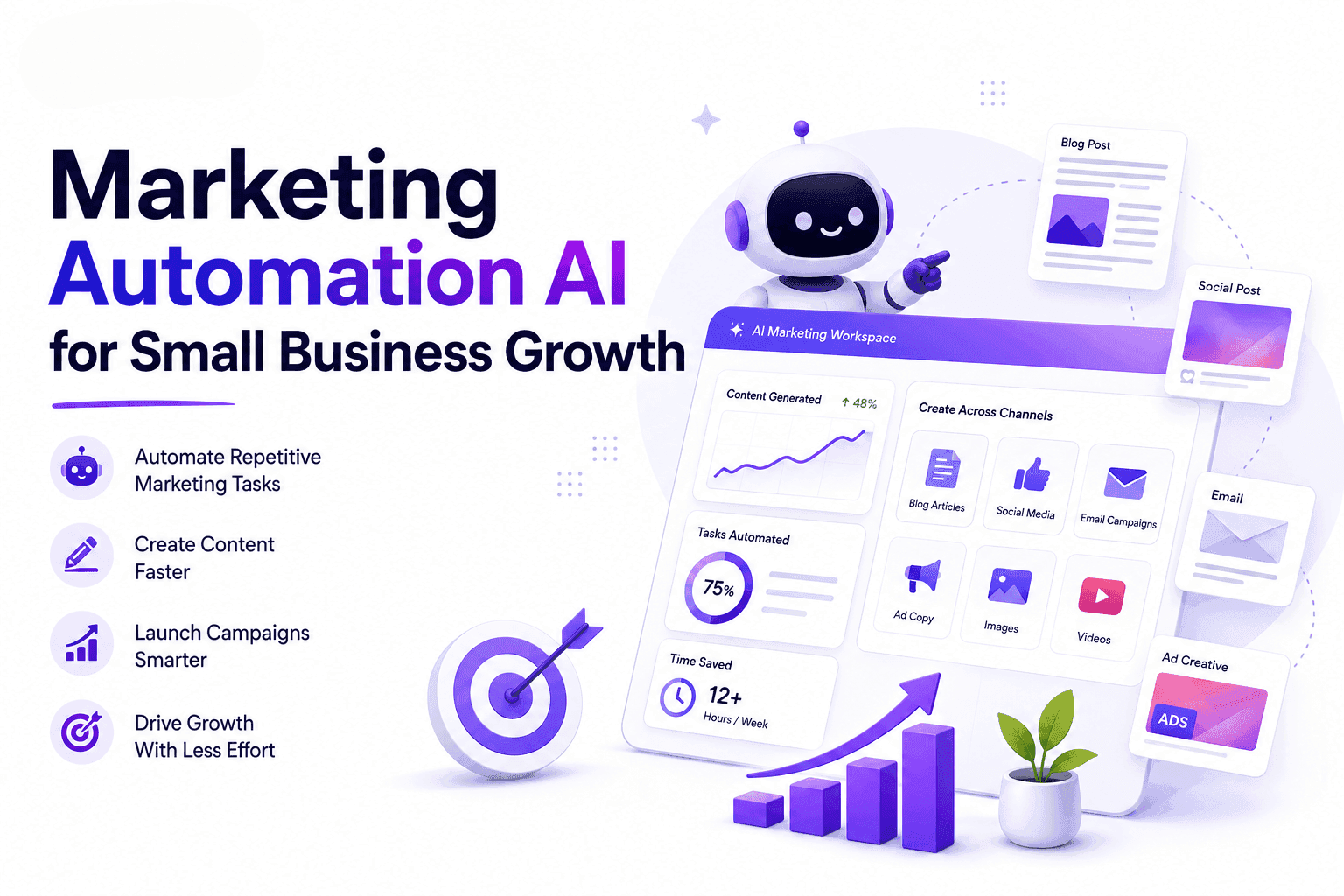
Marketing automation AI dashboard with robot, charts, and text promoting small business growth.

Marketing Automation AI for Small Business Growth

Discover how marketing automation AI helps businesses automate content creation, campaign planning, and marketing workflows with 1minAI.

T
Tram Ta
July 6, 2026
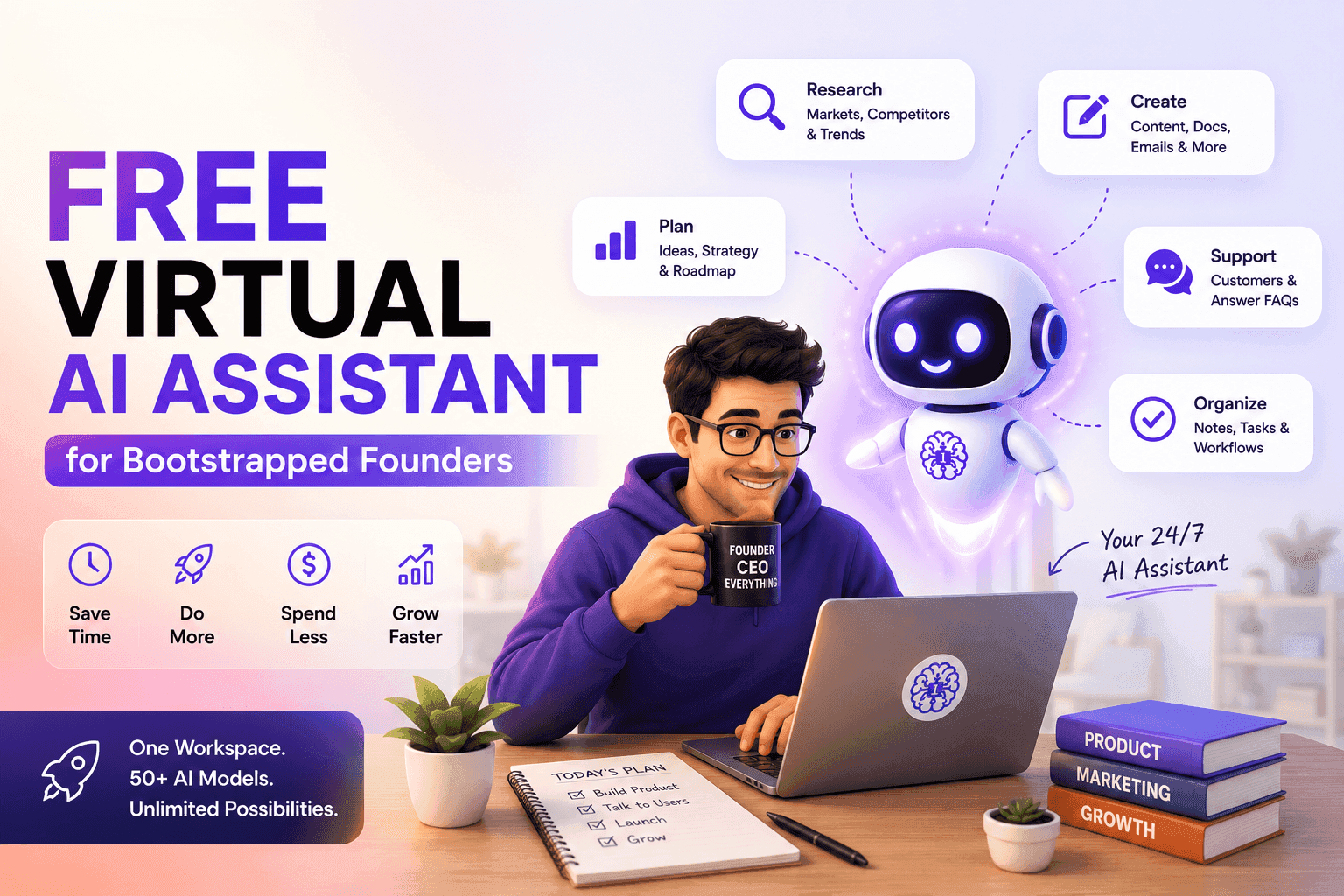
Man working on laptop with AI assistant robot promoting 1minAI for bootstrapped founders.

How Free Virtual AI Assistant Helps Bootstrapped Founders Run and Grow Their Startup

Discover how a virtual AI assistant helps bootstrapped founders manage research, documentation, marketing, customer support, and daily tasks with 1minAI.

T
Tram Ta
July 6, 2026
Top 4 affordable AI tools for start up founders

Top 4 Affordable AI Tools for Startup Founders

Discover the top 4 affordable AI tools for startup founders to validate ideas, build products, create content, and launch faster without overspending.

T
Tram Ta
July 6, 2026
1MIN AI logo, slogan, and digital interfaces with data charts and app icons.

🔮 Weekly AI Innovations #127: AI social update: WYSIWYG Editor, Quick Access Enhancement

Explore the latest 1minAI update with a new WYSIWYG Editor, AI Social statistics, Remix insights, and enhanced Quick Access for faster AI workflows.

H
Hang Nguyen
July 7, 2026
Split image displaying '1MIN AI' and 'MIDJOURNEY NIJI VERSION 6 ALPHA' with a ninja figure.

🔮 Weekly AI Innovations #17: Midjourney is Free to use, Niji 6

Midjourney's massive update: Fast Mode costs slashed, Relax Mode introduced, free daily images, and a new Niji 6 model for stunning anime creations!

H
Hang Nguyen
July 7, 2026
Left: 1MIN AI logo with slogan. Right: Spotlighted OpenAI logo above 'GPT-40' text.

🔮 Weekly AI Innovations #16: GPT-4o, Enhancement for Chat with PDF

GPT-4o is now powering the entire app, including a revamped Chat with PDF feature that uses less credits and offers enhanced performance.

H
Hang Nguyen
July 7, 2026