GPT Image 2 Free: 3 Ways to Try It and Their Limits

Ngoc Hong
November 9, 2026

Want GPT Image 2 free? Compare three ways to try it, from ChatGPT Free to 1min.AI credits, plus the real limits to check before you generate.
GPT Image 2 free access exists, but each route comes with limits that change by platform. ChatGPT Free allows image creation under usage caps, third-party sites offer daily credits, and 1min.AI offers free credits you can spend on image generation. This guide compares the three routes so you can start generating without paying first.
Short answer: Yes, you can try GPT Image 2 for free. None of the free routes is unlimited, so check the limits before you commit a project to one.
| Question | Answer |
|---|---|
| What is it? | OpenAI's image models: GPT Image 2 (April 2026) and GPT Image 2.5 Flare and Sunburst (September 2026) |
| Free routes | ChatGPT Free, third-party sites with daily credits, 1min.AI free credits |
| Best for | Marketers, bloggers and small businesses making posters, thumbnails and product images |
| Main caveat | No route is unlimited, and limits change |
How to Use GPT Image 2 Free: Three Routes Compared
Each route trades convenience against limits, so the right choice depends on how many images you need and whether you want to compare models.
| Route | Account | Free limit | Best for | Watch out for |
|---|---|---|---|---|
| ChatGPT Free | OpenAI account | Image creation has its own usage limit; no fixed number published | Occasional images with conversational prompt refinement | Limits vary, and the image model per plan is not published |
| Third-party sites | Varies by site | Daily credits set by each operator | Quick tests | Operator, terms, and whether the site truly runs GPT Image 2 |
| 1min.AI | Yes | Free credits, each image uses credits | Comparing GPT Image with other models in one workspace | Credits are finite, so check the cost per image in the app |
ChatGPT Free is the most direct official route. According to OpenAI's ChatGPT Free Tier FAQ, free users can create images, and image creation has usage limits separate from text chat. OpenAI does not publish a fixed daily number, so treat any article promising an exact count with caution. ChatGPT shows the limit notice and reset timing inside the product, which makes it the source of truth for your account.
Third-Party Free GPT Image 2 Sites
These sites are common in search results, but they are run by different companies with different rules.
Many advertise free GPT Image 2 with no sign-up, which suits quick tests. Quotas are set by each operator and change often, so check who runs the site, the daily allowance, and whether outputs may be used commercially. Treat words like "unlimited" as marketing claims, not guarantees, and never install apps or mod files that promise free access.
GPT Image 2 Free Limits to Check Before You Start
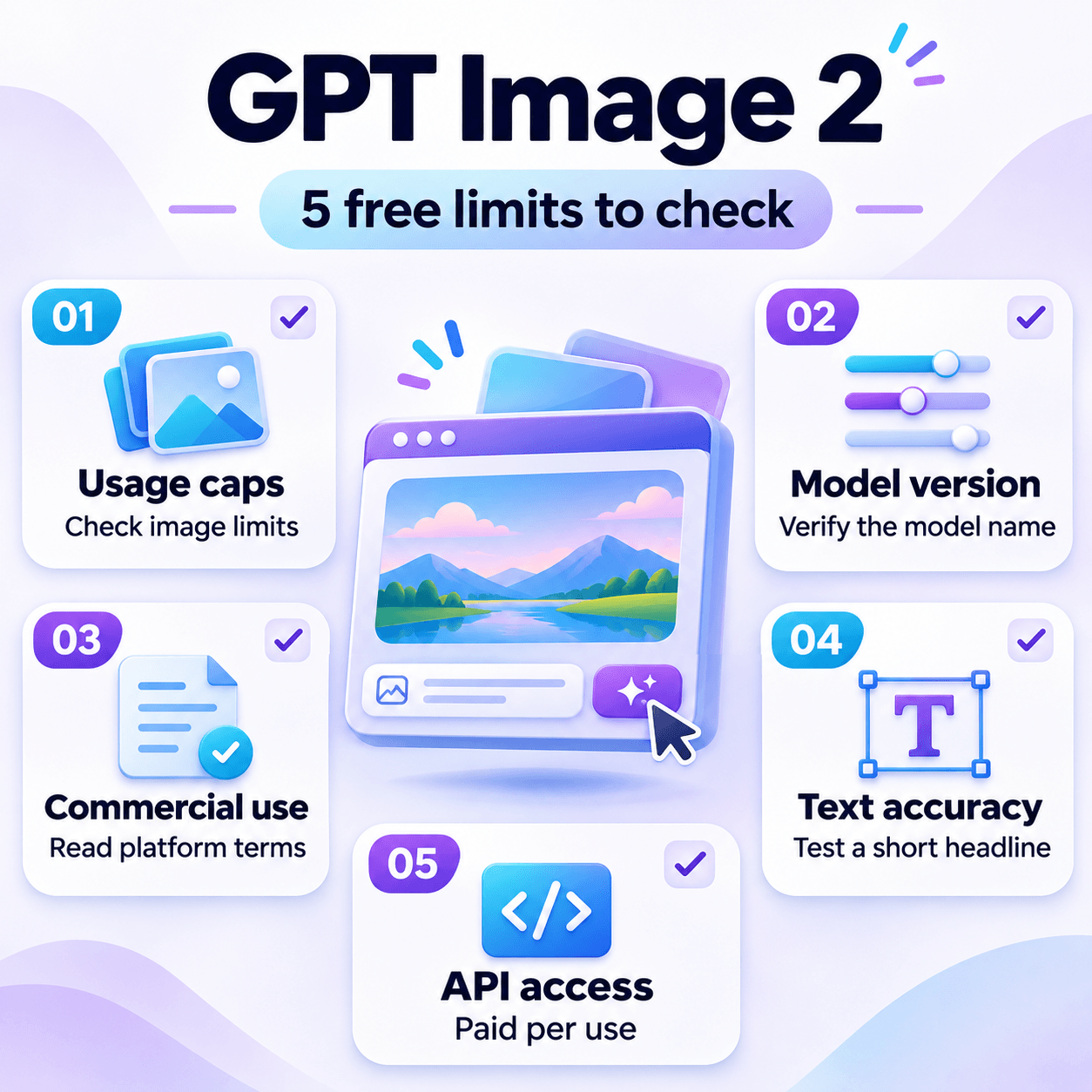
Five limits decide whether a free route fits your project.
- Usage caps: ChatGPT sets image limits separately from text chat, and third-party sites set their own.
- Model version: ChatGPT's image feature may run GPT Image 2 or the newer GPT Image 2.5 (Flare and Sunburst, released September 2026), and OpenAI does not list which image model each plan uses. Check the model name inside any tool you try.
- Commercial use: Read the terms of each platform before using images in ads, products or client work.
- Text accuracy: Test a short headline first, because readable text often decides whether an image works for posters or thumbnails.
- API access: OpenAI's API has no free tier for image generation, so developers pay per use.
Use GPT Image 2 Free With 1min.AI Credits
A multi-model workspace helps when you want GPT Image 2 next to other image models without managing separate accounts.
1min.AI brings chat, writing, image, audio and video tools into one workspace, and its free credits can be spent on image generation. GPT Image 2 is among the models supported for image generation in the 1min.AI documentation. You can run one prompt on a GPT Image model and on others, such as in our guide to free AI image generation with FLUX.2 Pro, then keep the result that fits your brief. Because each image uses credits, plan your prompt first.
How to try it:
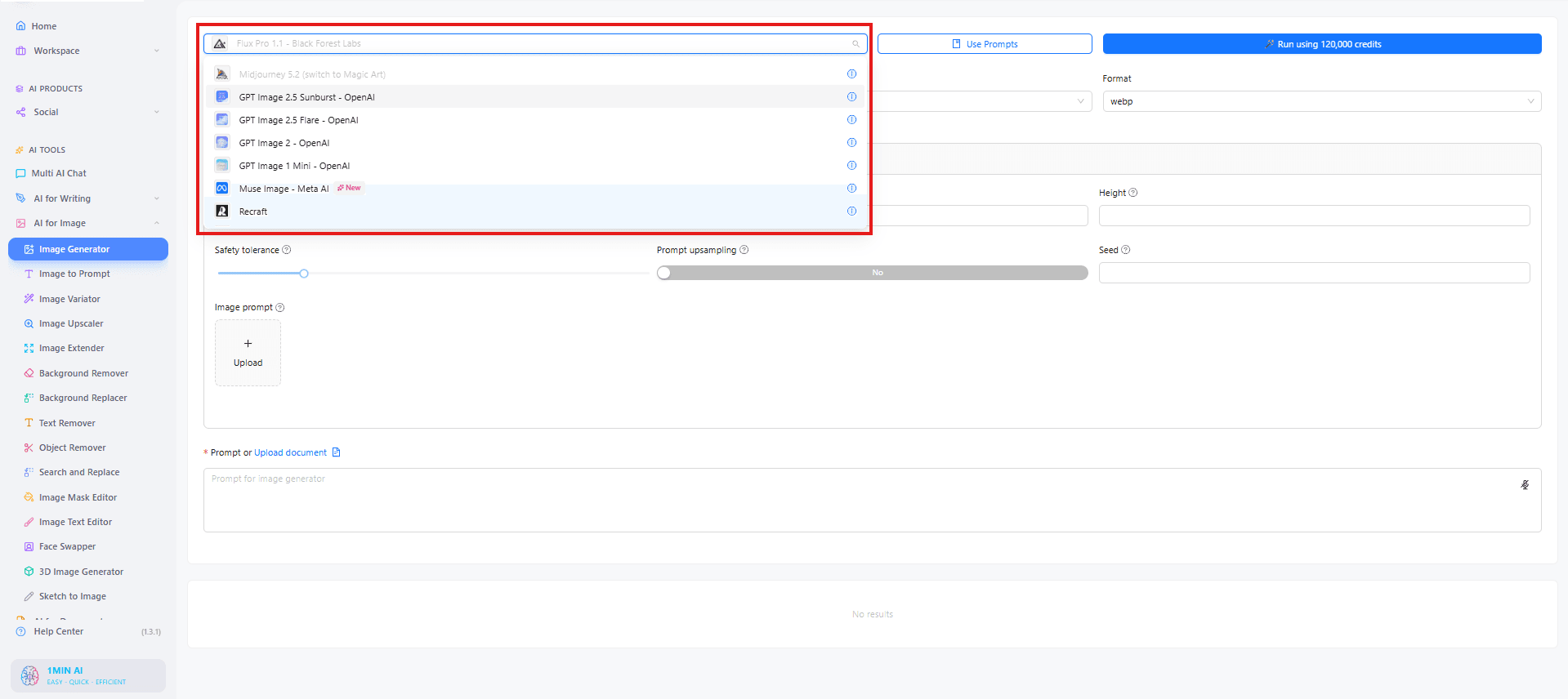
- Open the 1min.AI Image Generator and sign in.
- Choose GPT Image 2, GPT Image 2.5 Flare or GPT Image 2.5 Sunburst from the model list.
- Write a prompt covering subject, style, any text that must appear, and aspect ratio.
- Generate, then refine the prompt or rerun it on another model to compare.
GPT Image 2 vs 2.5 Flare vs 2.5 Sunburst: Prompts to Try
OpenAI's API documentation lists GPT Image 2 alongside two GPT Image 2.5 models, Flare and Sunburst. Early guides describe Flare as the speed-first option and Sunburst as the precision-first option for editing and detailed layouts. Run the same brief on each model in 1min.AI and compare the results. Each prompt below states the subject, setting, style, exact text and format, so differences come from the model and not the wording.
| Model | Positioning | Try it for | Prompt focus |
|---|---|---|---|
| GPT Image 2 | OpenAI's April 2026 image model | Text-heavy visuals | Exact wording of the text |
| GPT Image 2.5 Flare | Speed-first, everyday generation | Social posts, product shots, quick variations | A short, clear brief |
| GPT Image 2.5 Sunburst | Precision-first, editing | Detailed layouts, multi-element scenes, edits | Exact placement and constraints |
GPT Image 2.5 Flare Test: Surreal Vintage Collage
This test explores how GPT Image 2.5 Flare interprets an artistic brief, combining photographic details, paper textures and an impossible street scene.
Test prompt
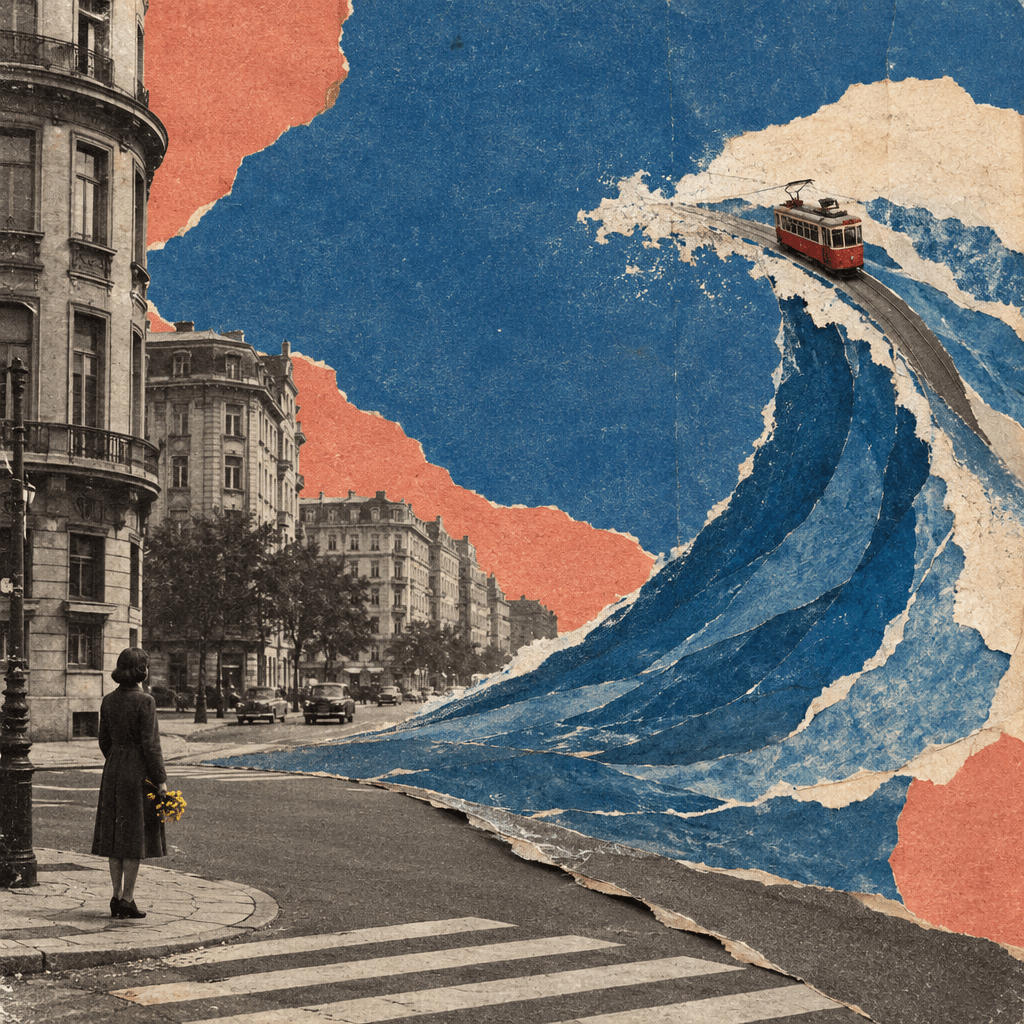
Create a surreal vintage collage artwork of a quiet city intersection where the asphalt peels upward and becomes a vast ocean wave made of layered paper. A tiny red tram travels along the curling edge of the wave, while the surrounding buildings remain still and ordinary. A lone person waits at a pedestrian crossing, holding a small bouquet of yellow flowers. Capture the strange scene with a calm, poetic mood.
Combine archival black-and-white street photography, torn colored paper, and rough hand-painted shapes. Use dusty cobalt blue, faded coral, warm cream, and charcoal, with the yellow bouquet as a small accent. Strong asymmetrical composition, unexpected scale, and generous negative space.
Visible paper fibers, scissor-cut edges, faded printing ink, subtle grain, and imperfect layer alignment. Let the surreal transformation carry the image without adding unrelated symbols. Make it feel like an original experimental magazine cover printed decades ago. Square 1:1 format. No text, logos, or watermark.
Result
GPT Image 2.5 Flare captured the requested aesthetic with distressed paper textures, torn edges and a muted blue-and-coral palette. The giant wave and small red tram create a striking contrast in scale, balanced by the figure holding yellow flowers. However, the road appears laid over the wave rather than transforming seamlessly into it. This result follows the overall artistic direction more closely than the precise transformation described in the prompt.
FAQ
Is GPT Image 2 free? Partly. ChatGPT Free allows image creation under usage limits, and some platforms offer free credits, but OpenAI's API has no free tier for image generation.
Can I use GPT Image 2 with no sign-up? Some third-party sites advertise it. Verify who operates the site and read its terms before uploading prompts or images.
What is the ChatGPT image generator limit? OpenAI does not publish a fixed number for Free users. ChatGPT shows a limit notice and reset time when you reach the cap.
What is the difference between GPT Image 2.5 Flare and Sunburst? Both are GPT Image 2.5 models listed in OpenAI's API documentation. Early guides describe Flare as the faster everyday option and Sunburst as the precision-first option for editing and detailed layouts.
Which model should I try first? Start with GPT Image 2.5 Flare for quick drafts, switch to Sunburst for detailed layouts or edits, and use GPT Image 2 as a baseline for text-heavy visuals.
Conclusion
GPT Image 2 free access works best when you match the route to the job. Use ChatGPT Free for occasional images, treat third-party sites with care, and use 1min.AI free credits when you want to compare GPT Image with other models in one workspace. Start with one prompt, run it on GPT Image 2, 2.5 Flare and 2.5 Sunburst, and keep the result that fits your brief.
Related reading: Free AI image editor with prompt, no restrictions · Free AI image generation with FLUX.2 Pro · Kling AI vs Veo 3: which model wins?
- #Commerce
Alternatives
Discover the best alternatives to 1minAI and compare features, pricing, and use cases.
1min.AI vs OpenRouter
1min.AI vs. OpenRouter: Compare the ready-to-use AI creation product against the technical API tool. Find out if you need a zero-code creative studio or a coding infrastructure hub.
 Ngoc Hong
Best Social Media Management Platforms in 2026
Discover the 8 best social media management platforms in 2026. Compare AI content creation and scheduling tools. Try AI Agents for free on 1min.AI!
 Lien Anh Vu
1minAI vs Postbeam for LinkedIn Content
Looking for a Postbeam alternative? Compare 1minAI vs Postbeam for AI LinkedIn content creation, research, image generation, scheduling, and B2B workflows.
 Tram Ta
AI Tools
Discover the best AI tools to boost productivity, creativity, and everyday work.
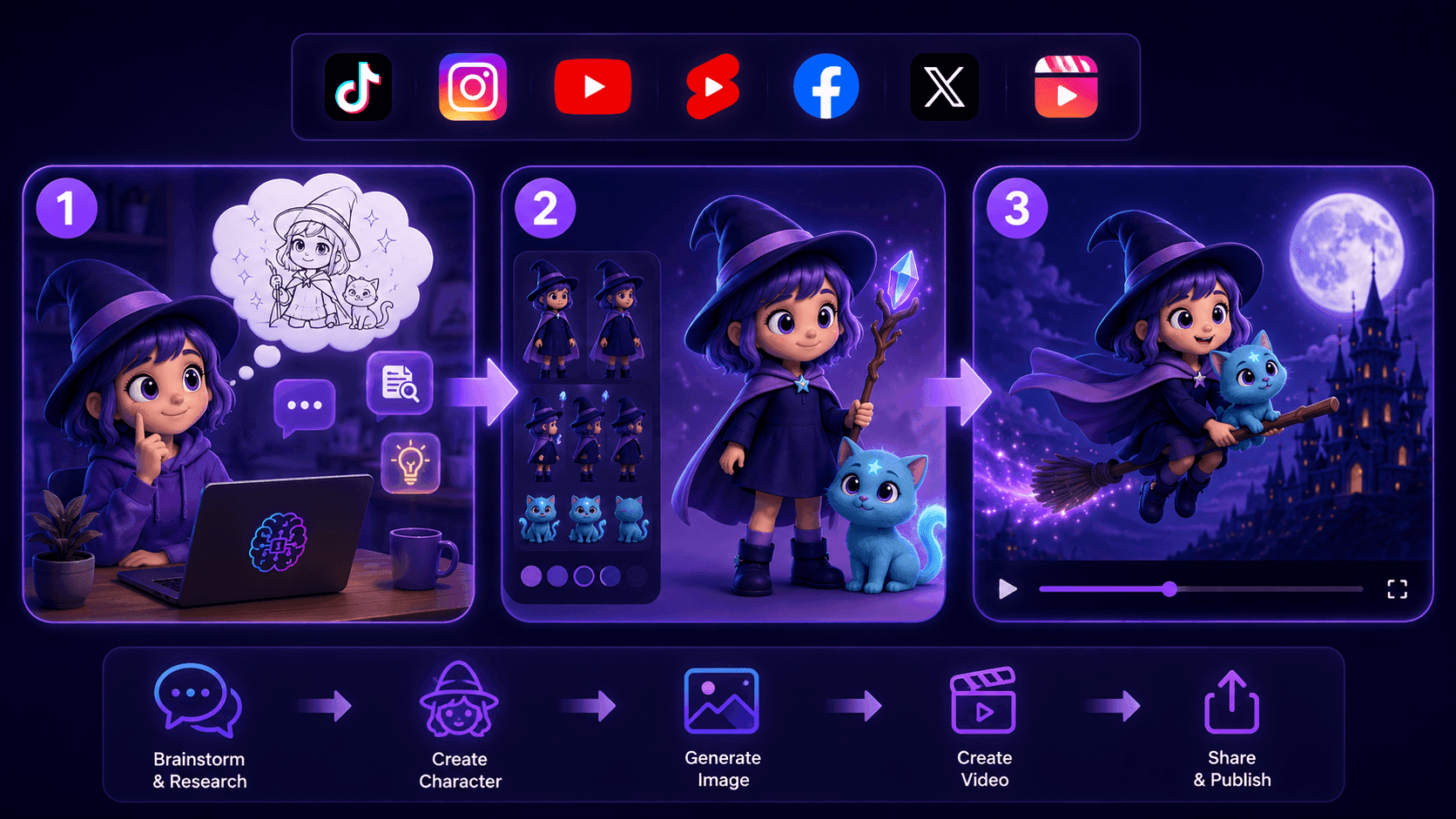
Create Consistent Cartoon Content in Just a Few Steps
Create engaging cartoon videos for TikTok and Reels with 1min.AI. Research ideas, create characters, and turn images into animated videos in 3 simple steps.
Lien Anh Vu
One Product, 10 UGC Creatives: How AI Makes Content Testing Easier
Create more authentic UGC with an AI UGC video generator, test more creative angles and scale affiliate content without filming every version.
Lien Anh Vu
Top 4 Affordable AI Tools for Startup Founders
Discover the top 4 affordable AI tools for startup founders to validate ideas, build products, create content, and launch faster without overspending.
Tram TaAI Features
Comprehensive AI features that streamline workflows, improve efficiency, and empower teams to achieve more.
Create Consistent Cartoon Content in Just a Few Steps
Create engaging cartoon videos for TikTok and Reels with 1min.AI. Research ideas, create characters, and turn images into animated videos in 3 simple steps.
Lien Anh VuOne Product, 10 UGC Creatives: How AI Makes Content Testing Easier
Create more authentic UGC with an AI UGC video generator, test more creative angles and scale affiliate content without filming every version.
Lien Anh Vu
1minAI: Free AI Grammar Checker
Check grammar for free with 1minAI’s AI grammar checker. Find grammar, spelling, and writing mistakes, improve clarity, and polish your content in seconds.
Tram TaAI Use Cases
A curated collection of AI use cases for business, productivity, and industry-specific applications.
Create Consistent Cartoon Content in Just a Few Steps
Create engaging cartoon videos for TikTok and Reels with 1min.AI. Research ideas, create characters, and turn images into animated videos in 3 simple steps.
Lien Anh VuOne Product, 10 UGC Creatives: How AI Makes Content Testing Easier
Create more authentic UGC with an AI UGC video generator, test more creative angles and scale affiliate content without filming every version.
Lien Anh Vu
Best Time to Post on Instagram: A Practical Guide for Better Engagement
Discover the best time to post on Instagram, including the best days and times for different audiences, plus tips to find the ideal posting schedule for your account.
Tram TaAI Tutorials
Learn how to use AI with practical, step-by-step tutorials.

Black Friday AI Tool Deals in 2026
Discover what Black Friday AI tool deals 2026 has to offer. Find out how to secure the 1min.AI lifetime deal via AppSumo, Dealify, Stack Social, and verify on Trustpilot, Slashdot, and Software Advice.
 Hang Nguyen
Create Consistent Cartoon Content in Just a Few Steps
Create engaging cartoon videos for TikTok and Reels with 1min.AI. Research ideas, create characters, and turn images into animated videos in 3 simple steps.
Lien Anh Vu
[Seedance 2.5 New] Better AI Product Videos, Less Rework in 1min.AI
Use Seedance 2.5 image to video on 1min.AI to create more consistent AI product videos, reduce failed generations, save credits, and improve UGC workflows.
Lien Anh VuAI Guides
Learn AI faster with practical guides, real-world examples, and actionable best practices.

Safely Buy AI Tools Online: 2026 Black Friday Guide
Discover how to find and secure the best Black Friday AI deals online. Learn expert strategies to avoid scams, combat subscription fatigue, and verify software.
Hang NguyenCreate Consistent Cartoon Content in Just a Few Steps
Create engaging cartoon videos for TikTok and Reels with 1min.AI. Research ideas, create characters, and turn images into animated videos in 3 simple steps.
Lien Anh Vu[Seedance 2.5 New] Better AI Product Videos, Less Rework in 1min.AI
Use Seedance 2.5 image to video on 1min.AI to create more consistent AI product videos, reduce failed generations, save credits, and improve UGC workflows.
Lien Anh VuAI Solutions
Browse the best AI solutions for automation, coding, research, productivity, customer support, marketing, and business workflows.
Safely Buy AI Tools Online: 2026 Black Friday Guide
Discover how to find and secure the best Black Friday AI deals online. Learn expert strategies to avoid scams, combat subscription fatigue, and verify software.
Hang NguyenCreate Consistent Cartoon Content in Just a Few Steps
Create engaging cartoon videos for TikTok and Reels with 1min.AI. Research ideas, create characters, and turn images into animated videos in 3 simple steps.
Lien Anh VuOne Product, 10 UGC Creatives: How AI Makes Content Testing Easier
Create more authentic UGC with an AI UGC video generator, test more creative angles and scale affiliate content without filming every version.
Lien Anh VuAI Models
Explore the world's leading AI models in one place.
Create Consistent Cartoon Content in Just a Few Steps
Create engaging cartoon videos for TikTok and Reels with 1min.AI. Research ideas, create characters, and turn images into animated videos in 3 simple steps.
Lien Anh VuOne Product, 10 UGC Creatives: How AI Makes Content Testing Easier
Create more authentic UGC with an AI UGC video generator, test more creative angles and scale affiliate content without filming every version.
Lien Anh Vu[Seedance 2.5 New] Better AI Product Videos, Less Rework in 1min.AI
Use Seedance 2.5 image to video on 1min.AI to create more consistent AI product videos, reduce failed generations, save credits, and improve UGC workflows.
Lien Anh VuAI Comparisons
Compare AI tools, models, and platforms to find the best fit for your needs.
Kling AI Vs Veo 3: Which Model Wins?
Kling AI vs Veo 3: compare motion, native audio, pricing & free tiers to see which AI video generator wins for your project - try both on 1min.AI.
 Trang Tran
[Seedance 2.5 New] Better AI Product Videos, Less Rework in 1min.AI
Use Seedance 2.5 image to video on 1min.AI to create more consistent AI product videos, reduce failed generations, save credits, and improve UGC workflows.
Lien Anh Vu
DeepSeek V4 Pro vs Flash Comparison
Compare DeepSeek V4 Pro vs DeepSeek V4 Flash metrics. Optimize your agentic apps and improve AI fact checking on 1min.ai today.
Ngoc HongAI Integrations
Seamlessly integrate AI with the tools you already use to automate work and boost productivity.
POV: You Have 10+ Posts to Make Every Day
Learn how to build an AI content workflow that helps content creators produce 10+ social media posts a day faster with AI brainstorming, image generation, and content creation.
Lien Anh Vu
How to Use an AI Fashion Video Generator for Fashion Week 2026
Turn Fashion Week 2026 ideas into stunning fashion videos with AI. Learn how to brainstorm, create visuals, and transform images into videos with one simple workflow.
Lien Anh Vu
Stop Switching Between AI Apps: How AI Integration Transforms Employer Branding
Discover how AI integration helps HR teams streamline employer branding by combining AI writing, documents, images, video, and multiple AI models into one workspace.
Tram TaAI for Industries
Find the best AI tools and workflows for healthcare, finance, education, legal, manufacturing, retail, real estate, and more

Voice Cloning AI Free: How to Clone Any Voice Online in Minutes
Try voice cloning AI free with 1min.AI. Upload a 5-second clip, pick an ElevenLabs model, choose from 32 languages, and turn text to speech in your own voice.
Trang Tran
Text To Video AI Free Without Watermark Online
Create text to video AI free without watermark online with 1min.AI. Pick top models, turn prompts into HD clips, and download clean videos fast. Try it free.
Trang Tran
Free AI Image Editor With Prompt No Restrictions
Looking for a free AI image editor with prompt no restrictions? Edit backgrounds, objects and text by typing, no watermark. Try 1min.AI’s flexible editor now.
Trang TranAI Agents
Discover and run AI agents to automate tasks across your work and daily life.
1minAI: Free AI Grammar Checker
Check grammar for free with 1minAI’s AI grammar checker. Find grammar, spelling, and writing mistakes, improve clarity, and polish your content in seconds.
Tram Ta
AI Agents for Facebook
Use an AI Agent for Facebook to create content, generate images, schedule posts, and publish from your documents and conversations.
Ngoc Hong
AI Agent vs AI Assistant: Which One Actually Saves Designers More Time?
Learn the difference between AI Agent vs AI Assistant and discover which solution helps designers automate repetitive work, reduce revisions, and save more time.
Lien Anh VuAI Workflows
Explore ready-to-use AI workflows for productivity, marketing, sales, support, and more.
Create Consistent Cartoon Content in Just a Few Steps
Create engaging cartoon videos for TikTok and Reels with 1min.AI. Research ideas, create characters, and turn images into animated videos in 3 simple steps.
Lien Anh VuOne Product, 10 UGC Creatives: How AI Makes Content Testing Easier
Create more authentic UGC with an AI UGC video generator, test more creative angles and scale affiliate content without filming every version.
Lien Anh VuPOV: You Have 10+ Posts to Make Every Day
Learn how to build an AI content workflow that helps content creators produce 10+ social media posts a day faster with AI brainstorming, image generation, and content creation.
Lien Anh VuNewsletter
Weekly AI Innovations with 1minAI

🔮 Weekly AI Innovations #144: LinkedIn Content Agent: Complete B2B Publishing Pipeline
Scale B2B influence with the LinkedIn Content Agent on 1min.ai. Discover an end-to-end 4-stage pipeline with zero redundant token burn and 1-click publishing.
Hang Nguyen
🔮 Weekly AI Innovations #143: Update GPT-6, GPT-6.1 & Ideogram 4.0
Access GPT-6 Sol, Luna, GPT-6.1 Sol, and Ideogram 4.0 on 1min.ai. Boost typography accuracy to 98.4% and cut reasoning latency by 45% in one platform.
Hang Nguyen
🔮 Weekly AI Innovations #142: Grok 4.7, Opus 5.5 & Sonnet 5.5 on 1min.ai
Access Grok 4.7, Claude Opus 5.5, and Sonnet 5.5 on 1min.ai. Cut subscription costs by up to 70% and process millions tokens in a single unified workspace.
Hang Nguyen