Free Gemini 4 Hydrogen on 1minAI: Features, Pricing, and What You Can Do With It

Tram Ta
November 27, 2026
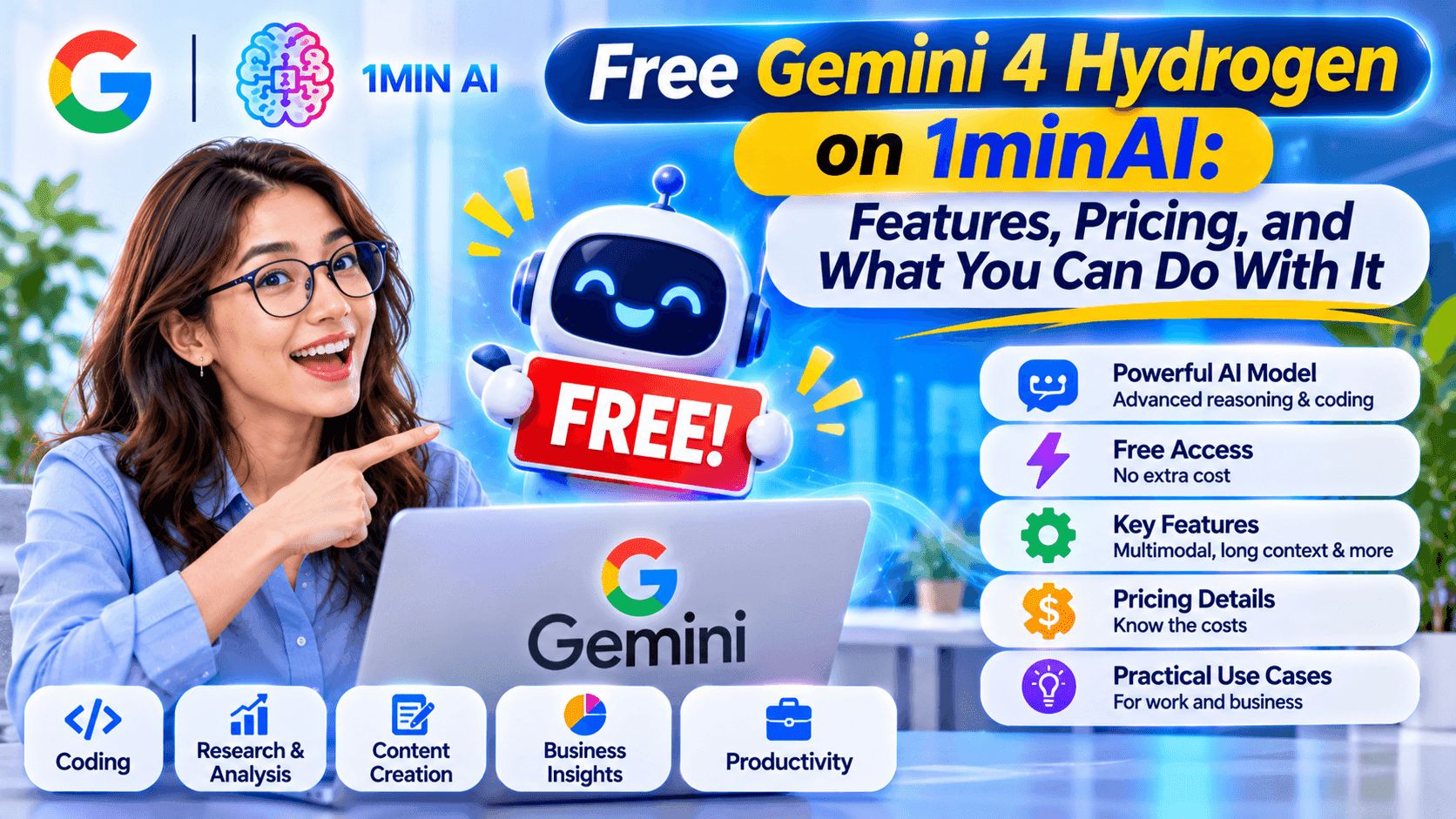
Discover Gemini 4 Hydrogen's key features, 1M-token context, coding and agentic capabilities, API pricing, and how to try it free on 1minAI.
Google's Gemini 4 family has a model for almost every level of AI work. Gemini 4 Carbon and Gemini 4 Argon target demanding reasoning tasks, while Gemini 4 Hydrogen focuses on speed, efficiency, and everyday execution.
Introduced on November 12, 2026, Gemini 4 Hydrogen is designed for developers, businesses, and everyday users who want capable AI without always needing a heavyweight model. It can help with coding, research, document analysis, multimodal understanding, and multi-step agentic workflows.
You can try Gemini 4 Hydrogen on 1minAI using free credits, then compare its answers with other available AI models in one workspace. Here's what you should know before getting started.
What Is Gemini 4 Hydrogen?
Gemini 4 Hydrogen is Google's fast and efficient AI model for everyday coding, agentic workflows, and multimodal tasks. Google describes it as a model built for rapid execution across different workflows rather than exclusively for the most difficult, long-running reasoning problems.
Hydrogen is adapted from Gemini 4 Carbon, but it has a different role in Google's model family. Carbon and Argon are positioned for more demanding, long-horizon reasoning, while Hydrogen aims to make capable AI execution faster and more accessible.
Think of it this way:
- Gemini 4 Hydrogen: A practical choice for repeated tasks, everyday coding, quick research, and agentic execution.
- Gemini 4 Neon: A model to consider when you want a different balance of intelligence, reasoning, and performance.
- Gemini 4 Argon: Designed for demanding reasoning and complex problem-solving.
- Gemini 4 Carbon: Google's frontier option for particularly challenging, long-horizon tasks.
Hydrogen isn't simply a smaller chatbot for short questions. Its capabilities include tool use, computer interaction, multimodal understanding, and support for complex workflows.
For users who regularly switch between models, this makes Hydrogen an interesting option: you can use a fast model for routine execution and reserve more specialized models for tasks that need additional reasoning.
Gemini 4 Hydrogen: Key Features You Should Know
Before trying a new AI model, it's worth understanding what it can actually do. Gemini 4 Hydrogen has several features that make it useful beyond ordinary text conversations.
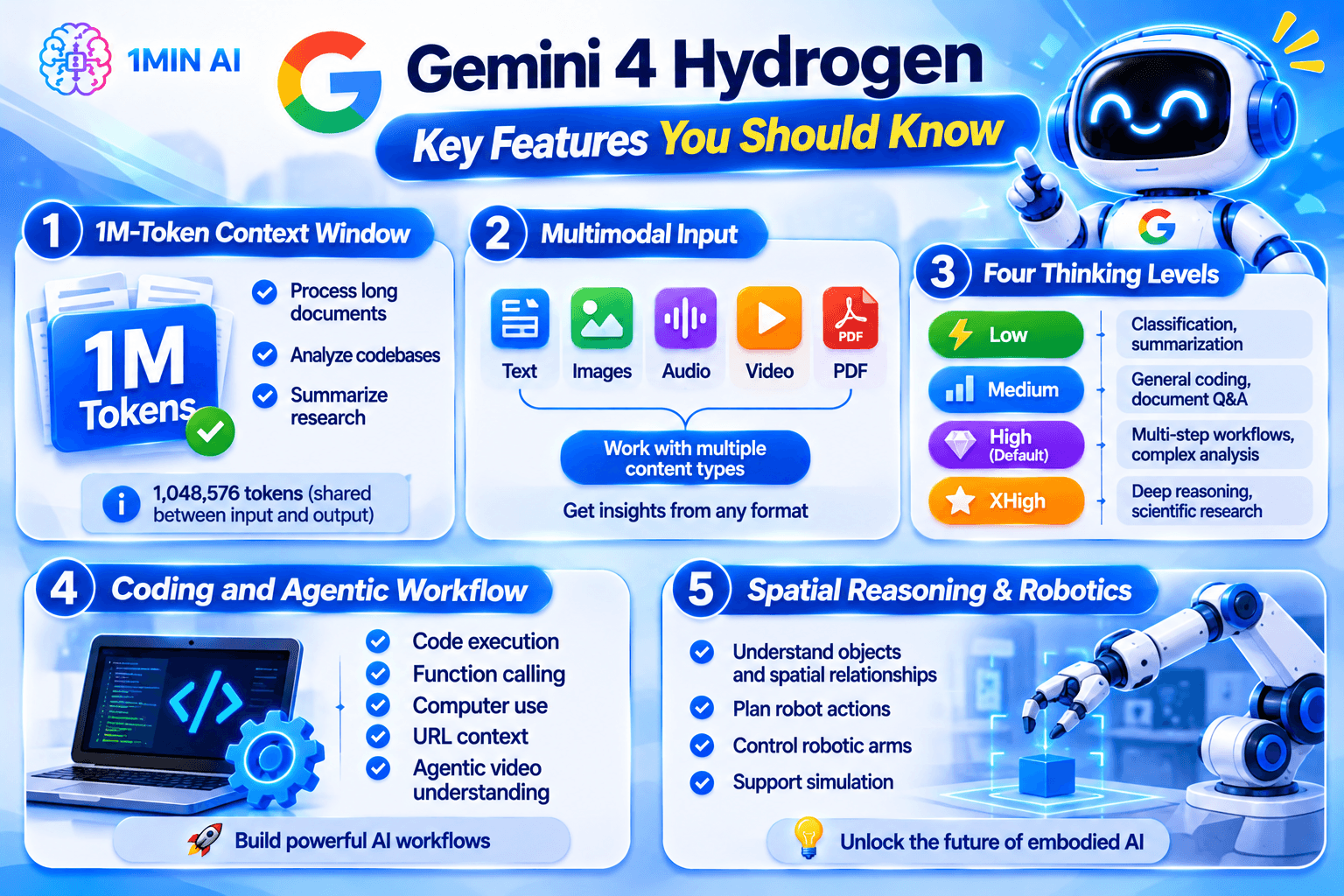
2.1. A 1 Million-Token Unified Context Window
One of Hydrogen's most notable specifications is its 1,048,576-token unified input and output limit.
This gives the model substantial room to process large amounts of information in a single workflow. For example, you can use it to analyze long documents, review extensive codebases, summarize research materials, or work with multiple pieces of reference information.
There is an important technical detail: the 1M-token limit is shared between input and output. It isn't a separate 1M-token allowance for each.
A standard synchronous generation can produce up to 65,536 output tokens. Longer generations can reach up to the remaining unified context limit through Google's long-decode functionality, which uses continuation across multiple segments.
Practical applications include:
- Reviewing lengthy business reports and identifying important findings.
- Analyzing large collections of documentation.
- Understanding complex software projects.
- Extracting information from research papers.
- Summarizing long conversations and project records.
For everyday users, the main benefit is the ability to give the model more context instead of repeatedly splitting information into small pieces.
2.2. Multimodal Input for Different Types of Content
Gemini 4 Hydrogen supports more than text-based prompts. It can accept several types of input, including:
| Input type | What you can do |
|---|---|
| Text | Ask questions, write content, analyze information, and generate code |
| Images | Interpret visual information and analyze screenshots |
| Audio | Process audio for tasks such as transcription and summarization |
| Video | Understand video content and extract relevant information |
| Review documents and answer questions about their contents |
This multimodal capability is useful when your information isn't stored in a simple text document.
For example, imagine you are preparing a product report. You could use an image of a product, supporting documents, and written instructions to help organize your analysis.
Other practical examples include:
- Uploading a chart and asking for an explanation of its key trends.
- Reviewing a screenshot of an application interface.
- Summarizing a recorded discussion.
- Extracting important information from a PDF.
- Analyzing video content for research or documentation.
Hydrogen's model capabilities support text generation as output, so don't confuse multimodal input with a model that directly generates images, audio, or video.
2.3. Four Thinking Levels for Different Tasks
Not every request needs the same amount of reasoning. Gemini 4 Hydrogen supports four thinking levels that allow developers to adjust the balance between speed and reasoning depth.
| Thinking level | Best for |
|---|---|
| Low | Classification, routing, summarization, and metadata extraction |
| Medium | General coding, document questions, and video understanding |
| High | Multi-step agentic workflows, code generation, and complex analysis |
| XHigh | Deep reasoning, scientific analysis, mathematical proofs, and complex software engineering |
High is the default thinking level in Google's API documentation.
For example, if you need to categorize hundreds of customer comments, a lower thinking level may be sufficient. If you're debugging a complicated application, a higher level may be more appropriate.
The important point is that deeper reasoning isn't automatically better for every task. It can consume more tokens and increase processing time. Choose the level according to the complexity of your work.
2.4. Coding and Agentic Workflow Support
Gemini 4 Hydrogen is particularly interesting for developers because it supports coding and agentic workflows.
An AI agent can do more than respond to a single instruction. When connected to suitable tools and an execution environment, it can work through multiple steps, use tools, inspect results, and continue toward a goal.
Hydrogen supports capabilities such as:
- Code execution.
- Function calling.
- Computer use.
- URL context.
- Agentic video understanding.
- Grounding through supported Google services and other integrations.
For example, a developer might ask an agentic workflow to inspect a codebase, identify a problem, propose a fix, execute tests, and summarize the result.
However, these capabilities depend on the surrounding application, permissions, and tools. Selecting Gemini 4 Hydrogen in a chat interface does not automatically give it access to your computer, files, or software environment.
This distinction matters: Hydrogen provides the model capabilities, while the platform and connected tools determine what the workflow can actually do.
2.5. Spatial Reasoning and Robotics Applications
One feature that makes Gemini 4 Hydrogen especially interesting is its potential in robotics and embodied AI.
Google has demonstrated how Hydrogen can interpret camera views, understand spatial relationships, plan actions, and support robot-control workflows.
For example, a robotics developer can give a model a goal in plain language and a camera view. In a properly configured robotics environment, the model can help plan the task, generate control code, and adjust actions based on what happens.
Potential applications include:
- Understanding objects and their positions in a physical environment.
- Planning robot movements.
- Supporting robotic-arm control.
- Building and testing simulation workflows.
- Connecting perception, coding, and control tasks.
These are developer-oriented applications, not features that every user can activate in a standard AI chat. Actual robot control requires compatible hardware, software, integrations, and appropriate safety checks.
Still, this capability shows that Gemini 4 Hydrogen is intended for more than writing and answering questions.
Gemini 4 Hydrogen Pricing and Availability
Another reason people are interested in Gemini 4 Hydrogen is its pricing and broad availability.
Google announced Hydrogen with API pricing that remains flat across its 1M-token context window:
| API usage | Price |
|---|---|
| Input tokens | $1.50 per 1 million tokens |
| Output tokens | $7.50 per 1 million tokens |
These are Google's published API rates, not the prices or credit requirements of every platform that provides access to the model.
Hydrogen is available across several Google products and developer services:
| Platform | Availability |
|---|---|
| Gemini app | Available through Google's model selection and automatic selection |
| Google Search | Available through supported AI-powered search experiences |
| Google AI Studio | Available for developers across tiers |
| Gemini API | Available for API-based applications |
| Gemini for business | Available through supported business products |
| Google Sheets | Available for eligible subscriptions |
| Google Antigravity | Available to paid Google AI Pro and Ultra subscribers |
Availability, usage limits, and subscription requirements can differ between products.
Can You Use Gemini 4 Hydrogen for Free?
Yes, there are ways to try Gemini 4 Hydrogen without immediately purchasing API access.
Google provides access through its consumer and developer products, subject to their respective usage rules. Free users of the Gemini app can receive Hydrogen through automatic model selection when Google determines it is appropriate for a prompt.
You can also try Gemini 4 Hydrogen through 1minAI with free credits.
This is useful if you want to test the model alongside other AI assistants instead of switching between different platforms. Your actual usage depends on the credits available in your 1minAI account and the applicable model requirements.
How to Use Gemini 4 Hydrogen Free on 1minAI
If you want to explore Gemini 4 Hydrogen without starting with a separate API integration, 1minAI provides a straightforward way to try it.
The platform brings multiple AI models into one workspace, making it easier to test different assistants with the same prompt.
Follow these steps:
Step 1: Open 1minAI
Visit 1minAI and sign in or create an account.
Check the free credits available in your account before starting a new generation.
Step 2: Open AI Chat
Go to the AI Chat interface and open the model selector.
You can explore the available models and choose the one that matches your task.
Step 3: Select Gemini 4 Hydrogen
Find Gemini 4 Hydrogen in the model list and select it.
Make sure you choose the correct model name rather than assuming another Gemini model will provide identical results.
Step 4: Enter Your Prompt
Describe what you want Hydrogen to do.
For your first test, choose a task with a clear objective and an output you can evaluate. For example, ask it to analyze a dataset, review a piece of code, or summarize a document.
Step 5: Review and Compare the Results
Read the response and check whether it meets your requirements.
You can then switch to another available model and submit the same prompt to compare the results.
This is one of the practical advantages of using 1minAI Multi AI Chat: you can explore different AI models in one workspace instead of maintaining separate conversations across multiple platforms.
Gemini 4 Hydrogen vs. Other Gemini 4 Models
Gemini 4 Hydrogen is not designed to replace every model in Google's lineup. Its value comes from offering a different balance of speed, capability, and efficiency.
Here's a practical comparison:
| Model | Main focus | Consider it for |
|---|---|---|
| Gemini 4 Hydrogen | Fast execution and efficiency | Everyday coding, agentic workflows, and repeated tasks |
| Gemini 4 Neon | Intelligence and flexible reasoning | Analysis and more demanding everyday work |
| Gemini 4 Argon | Advanced reasoning | Complex problem-solving and challenging tasks |
| Gemini 4 Carbon | Frontier-level capabilities | Difficult, long-horizon reasoning and advanced development |
Gemini 4 Hydrogen vs. Gemini 4 Carbon
Hydrogen is adapted from Carbon, but the two models have different intended roles.
Carbon is positioned for difficult tasks that require deeper reasoning, while Hydrogen is designed to execute everyday work efficiently.
For example, a software team might use Carbon to investigate a complicated architectural problem and Hydrogen to help implement routine changes, write tests, or verify smaller tasks.
Gemini 4 Hydrogen vs. Gemini 4 Argon
Both models can support demanding workflows, but Hydrogen emphasizes rapid execution.
Google reports that Hydrogen scores 51 on the Artificial Analysis Intelligence Index at its default High thinking level, compared with Argon's score of 50 in the company's announcement. Hydrogen reaches 54 at XHigh.
These figures are useful context, but benchmark scores don't guarantee that one model will be better for every task. Actual results depend on the prompt, reasoning configuration, tools, and workload.
Gemini 4 Hydrogen vs. Gemini 4 Neon
The choice between Hydrogen and Neon depends on what you need from an AI assistant.
Hydrogen is particularly attractive when speed and repeated execution matter. Neon is worth testing when you want to evaluate a different reasoning and performance profile.
Rather than choosing based only on model descriptions, give both models the same real task and compare their outputs.
You can explore more details in our Gemini 4 Neon vs. Hydrogen comparison.
Who Should Use Gemini 4 Hydrogen?
Hydrogen's combination of speed, coding support, and multimodal capabilities makes it relevant to several groups.
Developers and Software Engineers
Developers can use Hydrogen for routine coding, debugging assistance, documentation, test generation, and iterative development.
It is especially interesting when a workflow involves repeated tasks rather than one exceptionally difficult reasoning problem.
Business Owners and SMEs
Small businesses can use Hydrogen to help analyze data, organize business information, draft reports, and prepare marketing materials.
For example, a business owner could ask it to summarize sales records, identify potential trends, and turn the findings into a list of practical next steps.
Researchers and Students
Hydrogen can help organize research materials, summarize documents, explain technical concepts, and extract information from supported file formats.
As with any AI model, important academic and research claims should be checked against original sources.
Content Creators and Marketers
Content teams can use Hydrogen for brainstorming, research, content outlines, campaign planning, and performance analysis.
Its multimodal input capabilities can also help users work with visual references and other supporting materials.
Robotics and AI Developers
Developers exploring embodied AI can investigate Hydrogen's spatial reasoning and robotics capabilities through compatible Google developer environments.
This is a more specialized use case that requires suitable tools, hardware, and integrations.
Frequently Asked Questions About Gemini 4 Hydrogen
What is Gemini 4 Hydrogen?
Gemini 4 Hydrogen is Google's fast and efficient AI model, designed for everyday coding, agentic workflows, multimodal understanding, and general productivity.
Is Gemini 4 Hydrogen free?
You can access Hydrogen through Google's products under their respective usage conditions. You can also try it on 1minAI using free credits. The amount of available usage depends on your account and the applicable credit requirements.
What is the context window of Gemini 4 Hydrogen?
Hydrogen has a unified context limit of 1,048,576 tokens, covering both input and output. Standard synchronous output is limited to 65,536 tokens per segment, with longer generations supported through long-decode functionality.
Can Gemini 4 Hydrogen generate code?
Yes. It supports coding-related tasks such as writing code, explaining programming concepts, debugging assistance, and working with agentic development workflows.
Does Gemini 4 Hydrogen support images, audio, and video?
Yes. It accepts text, images, audio, and video inputs, as well as supported document formats such as PDF. Its primary generated output is text.
Conclusion: Try Gemini 4 Hydrogen on 1minAI
Gemini 4 Hydrogen is an interesting addition to Google's AI lineup because it focuses on something many users need every day: capable AI that can execute tasks quickly and efficiently.
Its 1M-token unified context window, multimodal input, configurable thinking levels, coding support, and agentic capabilities make it useful for more than basic conversations.
Whether you're a developer, business owner, researcher, or content creator, Hydrogen is worth testing against the tasks you actually perform.
You don't need to start by building an API integration. Open 1minAI, select Gemini 4 Hydrogen in AI Chat, and try it with your own prompts using free credits. You can also compare its responses with other available models in the same workspace to find the right AI assistant for each task.
For more AI capabilities, visit 1minAI Features and try the 1minAI Agent.
- #Commerce
- #Information
Alternatives
Discover the best alternatives to 1minAI and compare features, pricing, and use cases.

1min.AI vs OpenRouter
1min.AI vs. OpenRouter: Compare the ready-to-use AI creation product against the technical API tool. Find out if you need a zero-code creative studio or a coding infrastructure hub.
 Ngoc Hong
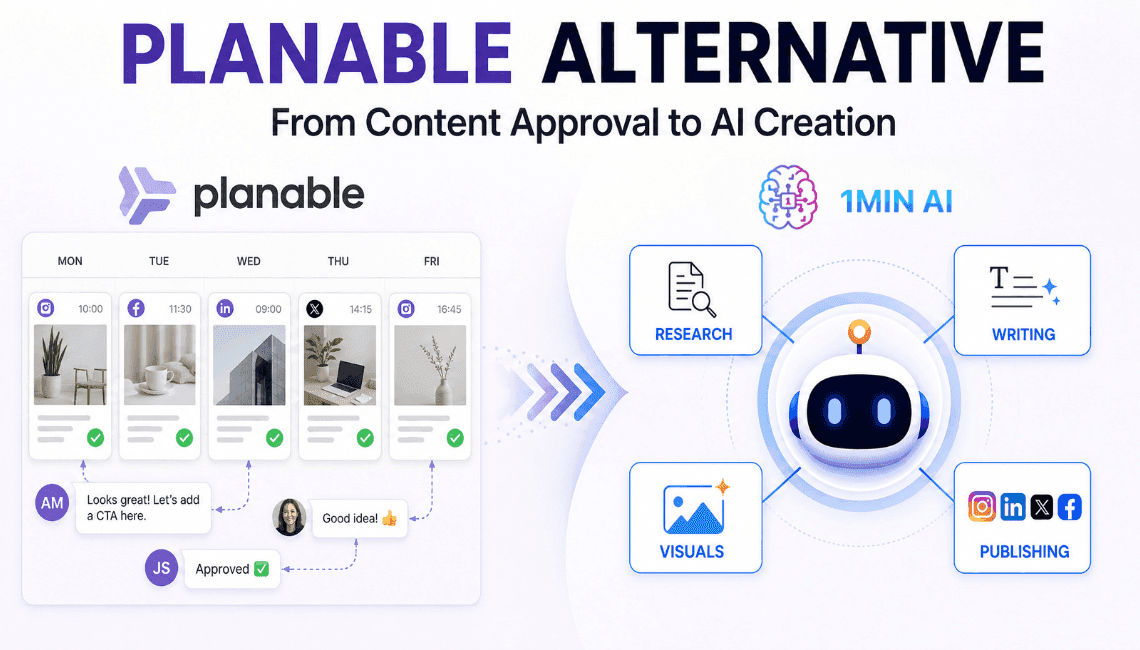
1min.AI vs Planable
Looking for a Planable alternative? See how 1min.AI Social Content Agents research, write, design and publish posts across your social channels from one credit pool.
 Trang Tran
1min.AI vs. Metricool: Which Platform Does More for Your Marketing Workflow?
Compare 1min.AI vs. Metricool across content creation, visual production, scheduling, analytics, MCP, and pricing to find the right platform for your marketing workflow.
AI Tools
Discover the best AI tools to boost productivity, creativity, and everyday work.
Top 4 Affordable AI Tools for Startup Founders
Discover the top 4 affordable AI tools for startup founders to validate ideas, build products, create content, and launch faster without overspending.
 Tram Ta
Turn “Make It Better” Into Better Content With AI
Use AI to turn vague client feedback into clear revisions, reduce unnecessary edits, and deliver better content faster.
 Lien Anh Vu
Free AI X Comment
Create funny, witty, or insightful comments for Twitter with our AI-powered Twitter Comment Generator. Boost your engagement and stand out in the crowd!
Trang TranAI Features
Comprehensive AI features that streamline workflows, improve efficiency, and empower teams to achieve more.
1minAI: Free AI Grammar Checker
Check grammar for free with 1minAI’s AI grammar checker. Find grammar, spelling, and writing mistakes, improve clarity, and polish your content in seconds.
Tram Ta
Build a Portfolio Website Faster with 1min.AI
Learn how freelance creatives can use 1min.AI to plan, write, design, and generate a professional portfolio website faster, even without strong coding skills.
Lien Anh VuFree AI X Comment
Create funny, witty, or insightful comments for Twitter with our AI-powered Twitter Comment Generator. Boost your engagement and stand out in the crowd!
Trang TranAI Use Cases
A curated collection of AI use cases for business, productivity, and industry-specific applications.
Best Time to Post on Instagram: A Practical Guide for Better Engagement
Discover the best time to post on Instagram, including the best days and times for different audiences, plus tips to find the ideal posting schedule for your account.
Tram TaTurn “Make It Better” Into Better Content With AI
Use AI to turn vague client feedback into clear revisions, reduce unnecessary edits, and deliver better content faster.
Lien Anh VuBuild a Portfolio Website Faster with 1min.AI
Learn how freelance creatives can use 1min.AI to plan, write, design, and generate a professional portfolio website faster, even without strong coding skills.
Lien Anh VuAI Tutorials
Learn how to use AI with practical, step-by-step tutorials.

Black Friday AI Tool Deals in 2026
Discover what Black Friday AI tool deals 2026 has to offer. Find out how to secure the 1min.AI lifetime deal via AppSumo, Dealify, Stack Social, and verify on Trustpilot, Slashdot, and Software Advice.
 Hang Nguyen
Viral Reels in Minutes: How to Use 1minAI’s Text-to-Speech for Satirical Voiceovers
Learn how satirical page admins use 1minAI’s Text-to-Speech feature to generate instant news anchor and dramatic voiceovers for TikToks, Shorts, and Instagram Reels.
Turn “Make It Better” Into Better Content With AI
Use AI to turn vague client feedback into clear revisions, reduce unnecessary edits, and deliver better content faster.
Lien Anh VuAI Guides
Learn AI faster with practical guides, real-world examples, and actionable best practices.

Safely Buy AI Tools Online: 2026 Black Friday Guide
Discover how to find and secure the best Black Friday AI deals online. Learn expert strategies to avoid scams, combat subscription fatigue, and verify software.
Hang Nguyen
How to start an AI business without building from scratch
Learn how to start an AI business, validate your idea, and launch faster without building costly AI infrastructure from scratch.
Ngoc Hong
ChatGPT Prompt Tone and Accuracy: How to Get Better Answers on 1minAI
Does prompt tone affect ChatGPT accuracy? Explore the latest studies, learn effective prompting techniques, and compare AI responses on 1minAI.
Tram TaAI Solutions
Browse the best AI solutions for automation, coding, research, productivity, customer support, marketing, and business workflows.
Safely Buy AI Tools Online: 2026 Black Friday Guide
Discover how to find and secure the best Black Friday AI deals online. Learn expert strategies to avoid scams, combat subscription fatigue, and verify software.
Hang Nguyen
Free AI Tattoo Generator: Custom Designs
Turn any idea into a custom tattoo design with 1min.AI's free AI tattoo generator. Describe your idea, pick a style, and download in seconds.
Trang TranTurn “Make It Better” Into Better Content With AI
Use AI to turn vague client feedback into clear revisions, reduce unnecessary edits, and deliver better content faster.
Lien Anh VuAI Models
Explore the world's leading AI models in one place.

Free AI Chat With Claude Fable 5.2 On 1min.AI
Free AI chat with Claude Fable 5.2 on 1min.AI. Compare Fable 5.2 vs Opus 5.5, see Fable 5.2 benchmarks, and start chatting in minutes.
Trang Tran
GPT-6.2 Sol: Specs, Pricing & Free Access
Explore GPT-6.2 Sol specs, pricing, and how it compares with GPT-6.1 Sol and Claude Opus 5.5, then try it free in 1min.AI Multi AI Chat.
Trang Tran
GPT 6.2 Astra: Pricing, Benchmarks & Free Access
GPT 6.2 Astra release date, pricing, Reddit feedback and Opus 5.5 comparison. See what it does best and chat with it on 1min.AI for free.
Trang TranAI Comparisons
Compare AI tools, models, and platforms to find the best fit for your needs.
Gemini 4 Neon vs Hydrogen: Specs, Price & Picks
Gemini 4 Neon vs Hydrogen, Carbon and Argon: compare price, benchmarks and use cases to pick the right model, then test them side by side on 1min.AI.
Trang Tran
Kling AI Vs Veo 3: Which Model Wins?
Kling AI vs Veo 3: compare motion, native audio, pricing & free tiers to see which AI video generator wins for your project - try both on 1min.AI.
Trang Tran
DeepSeek V4 Pro vs Flash Comparison
Compare DeepSeek V4 Pro vs DeepSeek V4 Flash metrics. Optimize your agentic apps and improve AI fact checking on 1min.ai today.
Ngoc HongAI Integrations
Seamlessly integrate AI with the tools you already use to automate work and boost productivity.

POV: You Have 10+ Posts to Make Every Day
Learn how to build an AI content workflow that helps content creators produce 10+ social media posts a day faster with AI brainstorming, image generation, and content creation.
Lien Anh Vu
Stop Switching Between AI Apps: How AI Integration Transforms Employer Branding
Discover how AI integration helps HR teams streamline employer branding by combining AI writing, documents, images, video, and multiple AI models into one workspace.
Tram Ta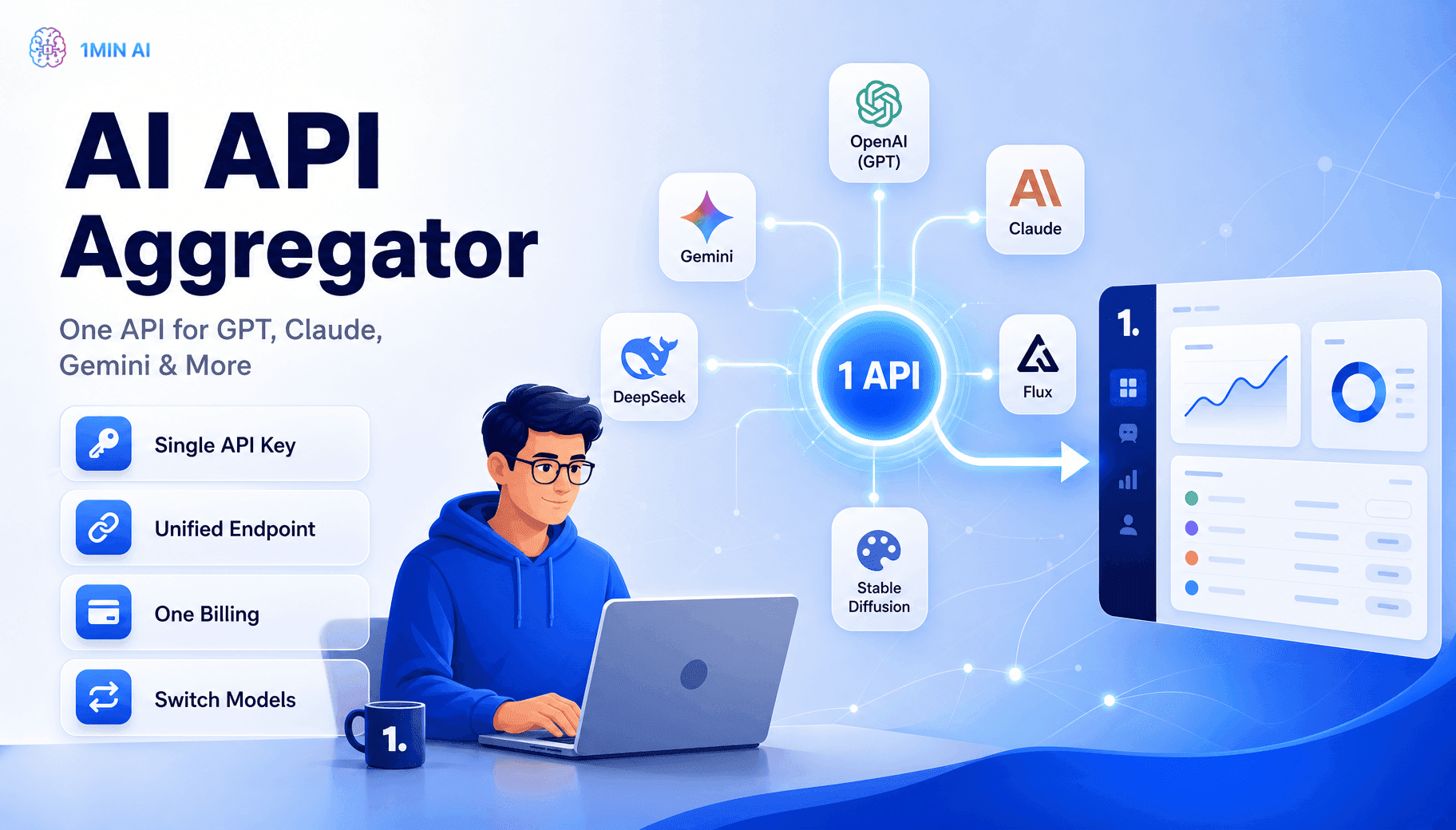
AI API Aggregator Explained For Developers
An AI API aggregator gives developers one unified API to call multiple AI models, cutting integration time and vendor lock in.
Trang TranAI for Industries
Find the best AI tools and workflows for healthcare, finance, education, legal, manufacturing, retail, real estate, and more
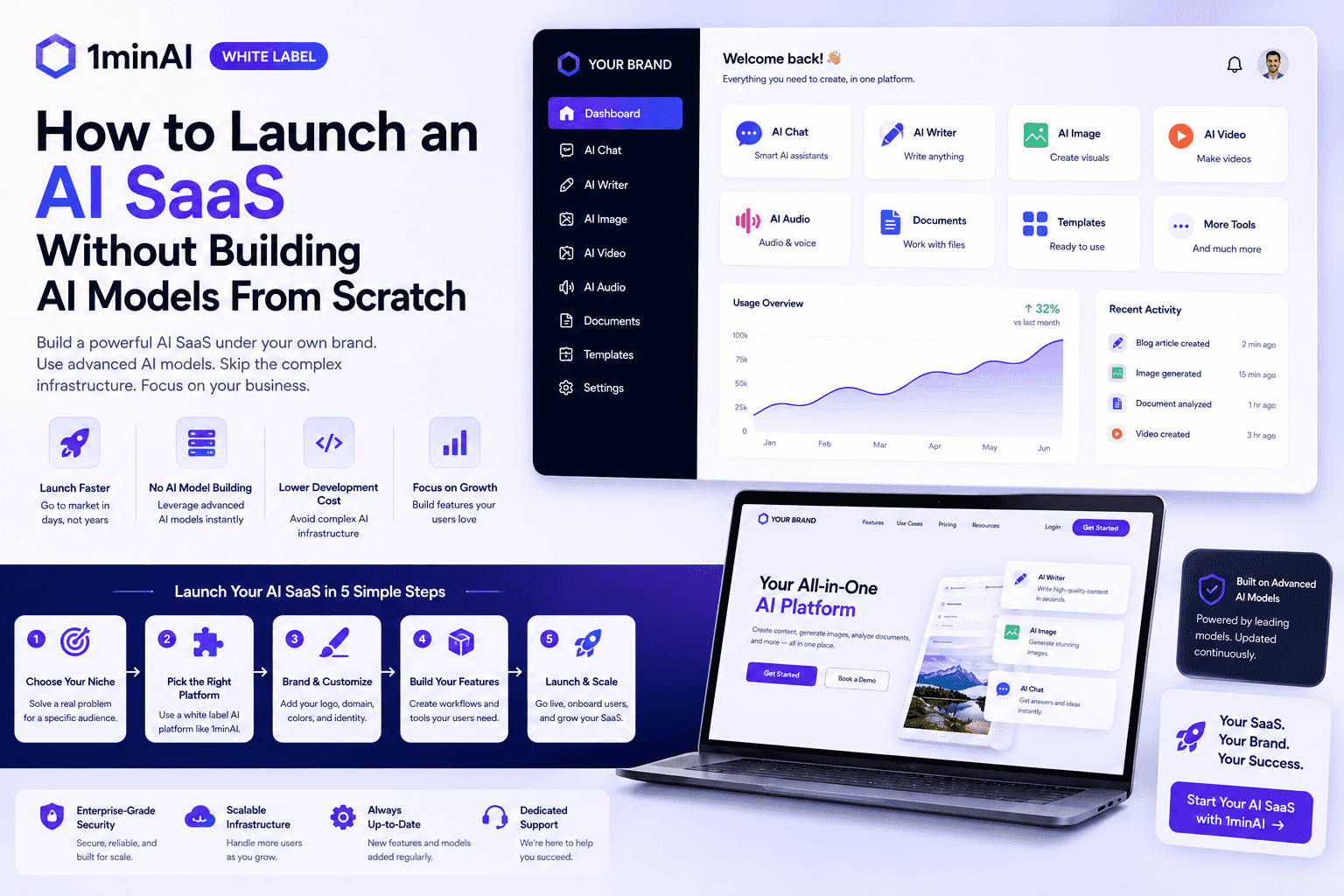
How to Launch an AI SaaS Without Building AI Models From Scratch
Learn how to launch an AI SaaS without building AI models from scratch. Explore white-label AI, product strategy, branding, pricing, and how 1minAI can help.
Tram Ta
ChatGPT Trending Photo Prompts to Copy and Paste
Explore chatgpt trending photo prompt ideas you can copy and paste. Create viral AI portraits, collages, and aesthetic photos with ease.
Trang TranTry Image To Video AI With Prompt Online Free
Try image to video AI with prompt online free, no login and no watermark. Upload a photo, type the motion you want, and get a short video in minutes.
Trang TranAI Agents
Discover and run AI agents to automate tasks across your work and daily life.
1minAI: Free AI Grammar Checker
Check grammar for free with 1minAI’s AI grammar checker. Find grammar, spelling, and writing mistakes, improve clarity, and polish your content in seconds.
Tram Ta
AI Agents for Facebook
Use an AI Agent for Facebook to create content, generate images, schedule posts, and publish from your documents and conversations.
Ngoc Hong
AI Agent vs AI Assistant: Which One Actually Saves Designers More Time?
Learn the difference between AI Agent vs AI Assistant and discover which solution helps designers automate repetitive work, reduce revisions, and save more time.
Lien Anh VuAI Workflows
Explore ready-to-use AI workflows for productivity, marketing, sales, support, and more.
POV: You Have 10+ Posts to Make Every Day
Learn how to build an AI content workflow that helps content creators produce 10+ social media posts a day faster with AI brainstorming, image generation, and content creation.
Lien Anh VuChatGPT Prompt Tone and Accuracy: How to Get Better Answers on 1minAI
Does prompt tone affect ChatGPT accuracy? Explore the latest studies, learn effective prompting techniques, and compare AI responses on 1minAI.
Tram Ta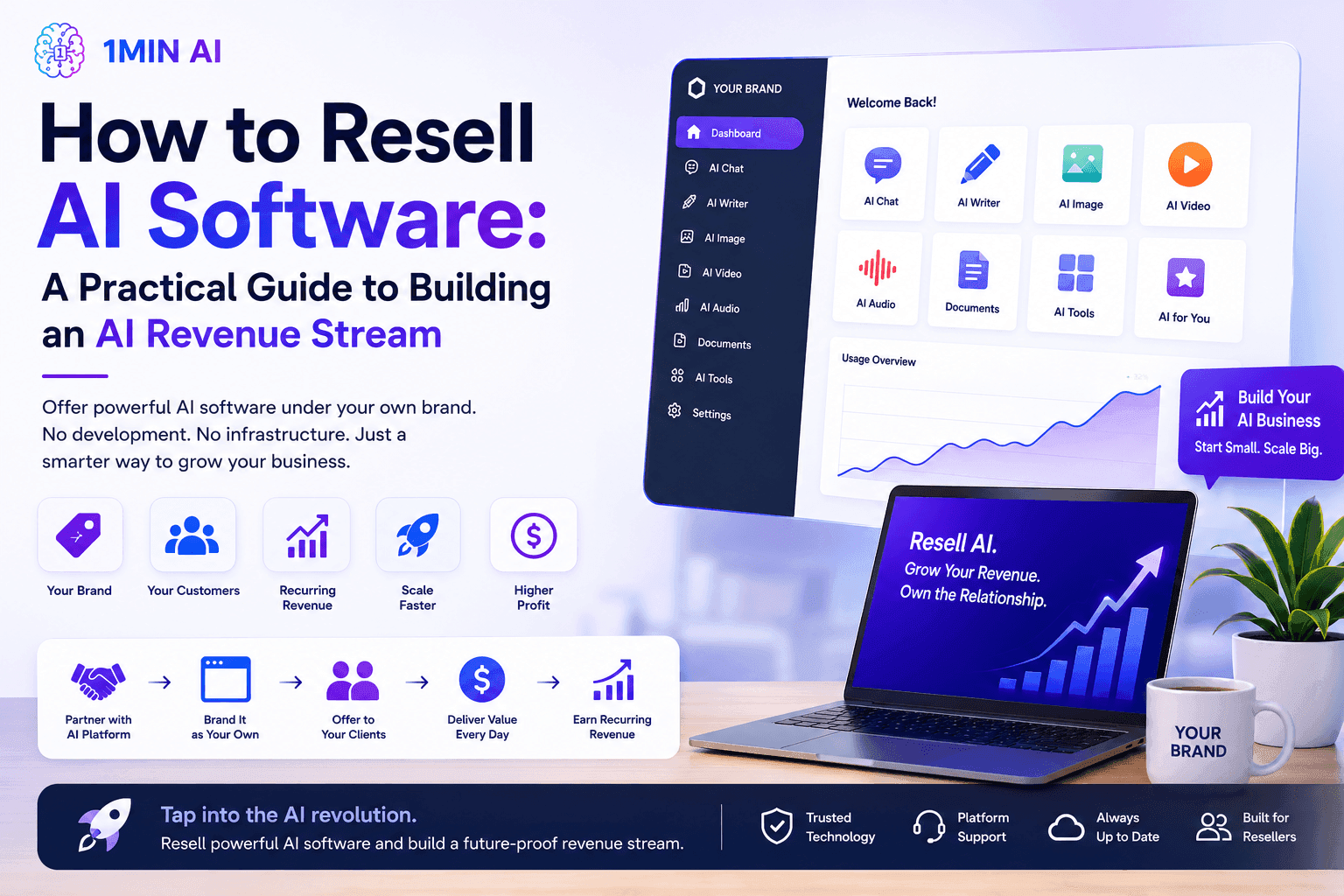
How to Resell AI Software: A Practical Guide to Building an AI Revenue Stream
Learn how to resell AI software and build a recurring AI revenue stream. Discover how white label AI platforms help agencies and entrepreneurs launch branded AI services.
Tram TaNewsletter
Weekly AI Innovations with 1minAI

🔮 Weekly AI Innovations #147: 1min.ai Drops Major Shift: AI Circle, Kimi & Wan 3.0
Explore AI Circle (formerly AI Social), Kimi K3.1 Pro’s 2M context, and Alibaba Wan 3.0 & 3.0 Prime cinematic video on 1min.ai.
Hang Nguyen
🔮 Weekly AI Innovations #146: Mistral 3.5, Qwen Image & Cohere A+ are ready on 1min.ai
Deploy Mistral Large 3, Qwen Image 3.0, and Cohere Command A+ on 1min.ai. Boost RAG accuracy and cut visual generation latency in one unified AI workspace.
Hang Nguyen
🔮 Weekly AI Innovations #145: X Content Agent & GPT 6.1 Terra on 1min.ai
Scale viral reach with the X Content Agent on 1min.ai. Discover an end-to-end 4-stage pipeline with zero token burn, plus the launch of GPT 6.1 Terra.
Hang Nguyen