ChatGPT Prompt Tone and Accuracy: How to Get Better Answers on 1minAI

Tram Ta
November 25, 2026
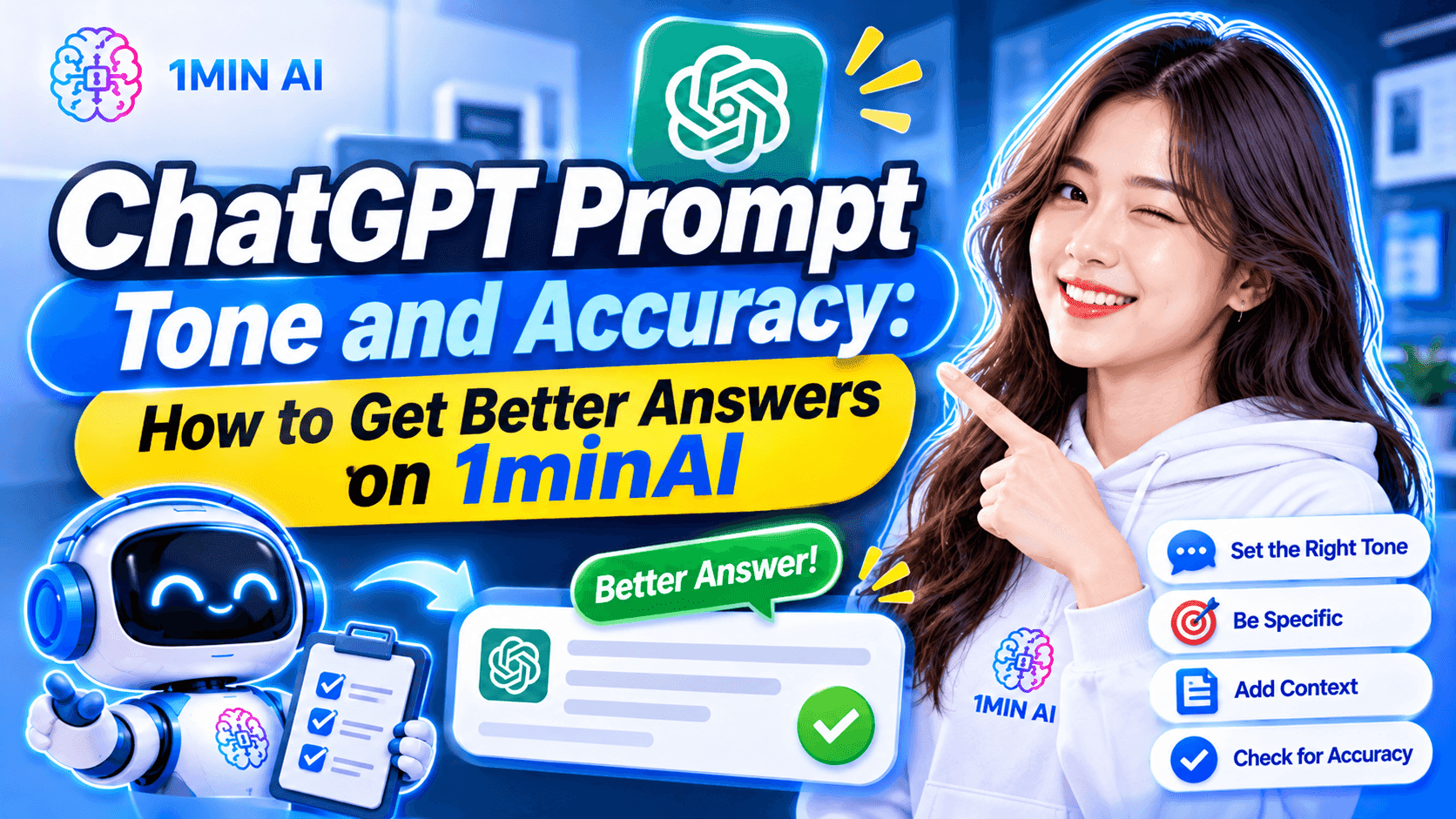
Does prompt tone affect ChatGPT accuracy? Explore the latest studies, learn effective prompting techniques, and compare AI responses on 1minAI.
Research from Pennsylvania State University has attracted attention because one experiment found that ChatGPT-4o performed slightly better on multiple-choice questions when prompts became more impolite. A follow-up study also found that changing prompt tone could significantly affect how many output tokens AI models generated.
In this guide, we'll explore what the research actually found, explain how tone can affect AI responses, and share practical prompts you can test yourself.
You'll also learn how to use ChatGPT and compare AI responses through 1minAI, a multi-model AI workspace that makes it easier to experiment with different prompting styles.
What Does the ChatGPT Prompt Tone Study Reveal?
The discussion started with a research paper titled Mind Your Tone: Investigating How Prompt Politeness Affects LLM Accuracy, written by Om Dobariya and Akhil Kumar.
Published as a 2025 preprint, the study investigated whether the politeness of a prompt could influence the accuracy of an AI model.
The researchers created 50 multiple-choice questions covering mathematics, science, and history. Each question was rewritten into five different tone variations:
- Very polite
- Polite
- Neutral
- Rude
- Very rude
This produced 250 unique prompts. The researchers tested them with ChatGPT-4o over multiple runs and compared the resulting accuracy.
The Reported Accuracy Results
The study reported the following average accuracy scores:
| Prompt tone | Average accuracy |
|---|---|
| Very polite | 80.8% |
| Polite | 81.4% |
| Neutral | 82.2% |
| Rude | 82.8% |
| Very rude | 84.8% |
The difference between the very polite and very rude conditions was four percentage points.
This finding challenged the assumption that a more polite prompt would always produce a better AI response.
However, the experiment had important limitations:
- It used a relatively small dataset of 50 base questions.
- It focused on multiple-choice accuracy rather than open-ended tasks.
- It primarily evaluated ChatGPT-4o.
- Its tone variations used specific phrases, so the results may depend on the wording itself.
The paper was a preprint, not a peer-reviewed study at the time of publication.
What does this mean for everyday ChatGPT users?
It suggests that prompt wording can influence model behavior, but it does not prove that rude prompts are generally more accurate. A four-percentage-point difference in a limited multiple-choice experiment should not be treated as a universal improvement across all AI tasks.
New Research: Prompt Tone Can Change AI Output Costs by 44.3%
The conversation became even more interesting with a follow-up paper published as a July 2026 preprint: Understanding Tone-Dependent Inference Cost in Large Language Models, by the same researchers.
This time, the researchers examined not only answer accuracy but also output-token consumption.
Their experiment used:
- 570 multiple-choice questions from an MMLU subset.
- Seven different prompt tones, ranging from sycophantic to threatening.
- Four models: ChatGPT-4o, ChatGPT-5-nano, Gemini 2.5 Flash, and Gemini 2.5 Flash Lite.
The results showed that prompt tone could change output-token consumption by as much as 44.3% across the tested conditions.
That is a much larger variation than the accuracy differences observed for some of the models.
Why Does Output Length Matter?
AI models generate responses using tokens. In many API and AI platform pricing systems, output tokens contribute to usage costs.
A prompt that encourages a long explanation can therefore consume more resources than one that requests a concise answer.
The researchers found that rude or threatening prompts expressing urgency tended to produce shorter responses, while polite or sycophantic prompts could produce longer ones.
However, the 44.3% figure was the maximum variation across the tested models and tone conditions. It was not a universal cost reduction, and it should not be attributed specifically to ChatGPT.
The study reported different patterns across models:
- ChatGPT-4o: Output-token consumption varied by approximately 23.2% across tone conditions.
- ChatGPT-5-nano: Output-token consumption varied by approximately 13.1%.
- Gemini 2.5 Flash: Output-token consumption varied by approximately 23%.
- Gemini 2.5 Flash Lite: Output-token consumption varied by as much as 44.3%.
The researchers also found that accuracy differences for the two ChatGPT models were relatively small, under 1.5% in the expanded experiment.
This suggests that tone can have a meaningful effect on response length even when accuracy changes very little.
Does This Mean You Should Be Rude to ChatGPT?
No.
A shorter response is not necessarily a better response. If you're asking ChatGPT to analyze a contract, review code, explain a scientific concept, or prepare a business report, removing useful reasoning and context could make the answer less helpful.
The better lesson is to control the output you need.
Instead of writing:
"Please, if you don't mind, could you possibly provide a very detailed explanation of this topic?"
Try:
"Explain this topic in five sections. Include the key facts, one practical example, and three important limitations. Keep the answer under 500 words."
The second prompt is direct, specific, and easier to evaluate without being disrespectful.
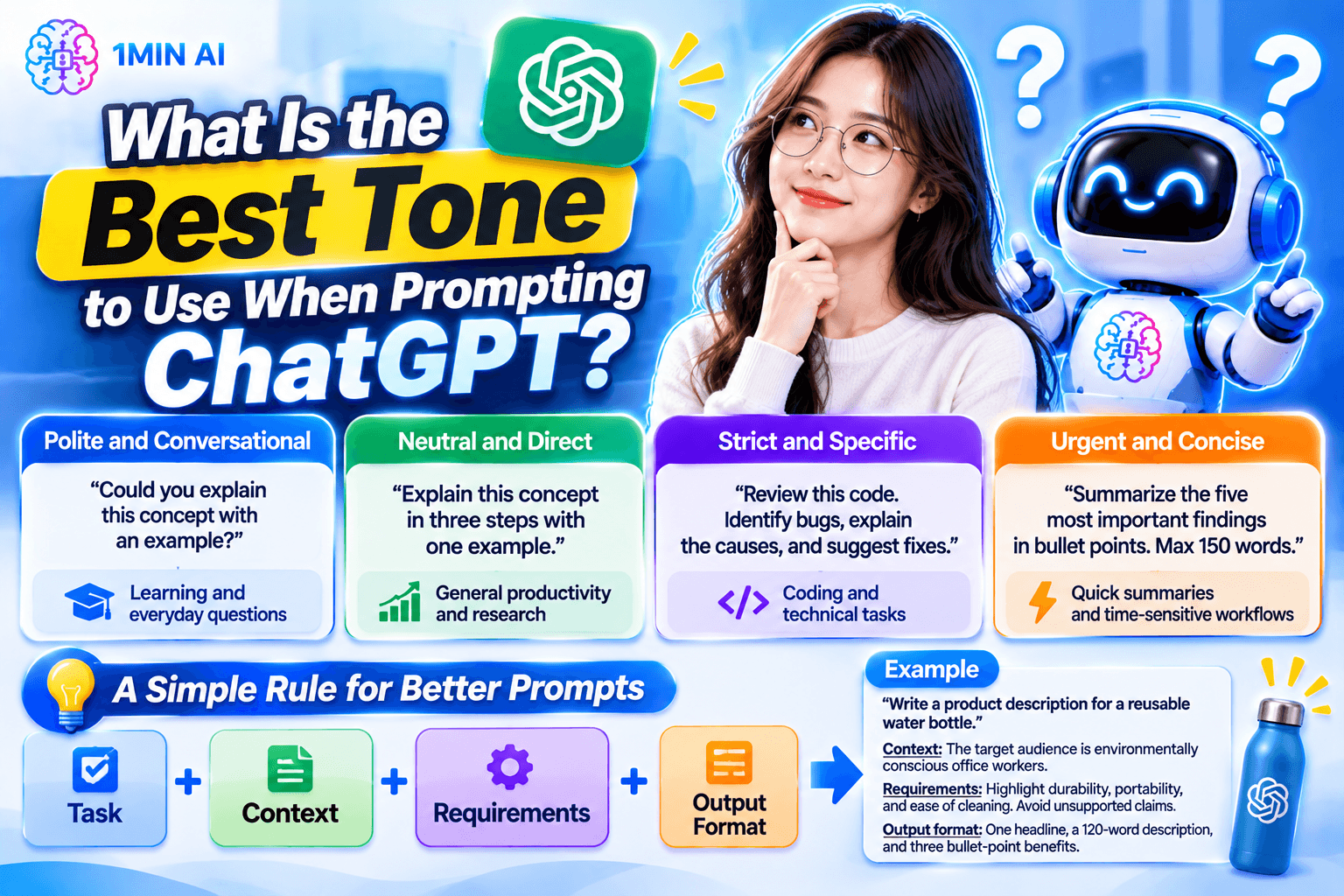
What Is the Best Tone to Use When Prompting ChatGPT?
There is no single tone that guarantees the best answer.
The research suggests that tone effects can vary by model, language, and task. Earlier cross-lingual research from Waseda University and RIKEN also found that the best politeness level differed across English, Chinese, and Japanese tasks.
For practical use, a clear, neutral, and direct tone is a good starting point.
Here are four useful prompting styles and when to use them.
| Prompting style | Example | Best use |
|---|---|---|
| Polite and conversational | "Could you explain this concept with an example?" | Learning and everyday questions |
| Neutral and direct | "Explain this concept in three steps with one example." | General productivity and research |
| Strict and specific | "Review this code. Identify bugs, explain the causes, and suggest fixes." | Coding and technical tasks |
| Urgent and concise | "Summarize the five most important findings in bullet points. Maximum 150 words." | Quick summaries and time-sensitive workflows |
Notice that the most useful styles share something important: they communicate the task clearly.
You don't need to insult ChatGPT or use aggressive language to make your expectations clear.
A Simple Rule for Better Prompts
Use this structure:
Task + Context + Requirements + Output format
For example:
"Write a product description for a reusable water bottle.
Context: The target audience is environmentally conscious office workers.
Requirements: Highlight durability, portability, and ease of cleaning. Avoid unsupported product claims.
Output format: One headline, a 120-word description, and three bullet-point benefits."
This gives ChatGPT a clear objective and enough information to produce a useful response.
Five Effective ChatGPT Prompt Examples for Daily Tasks
Now let's turn the research into something practical.
You can use the following prompts for writing, research, business, learning, and coding. Each example uses a direct but professional tone.
1. ChatGPT Prompt for Writing and Content Creation
A vague writing request often produces generic content.
Instead of asking:
"Can you write a good blog post about AI?"
Give ChatGPT a specific audience, purpose, structure, and style.
Try this prompt:
"Act as an experienced SEO content writer. Write a beginner-friendly blog article about [TOPIC].
Target audience: [AUDIENCE].
Requirements:
- Start with an engaging introduction.
- Organize the article using descriptive H2 and H3 headings.
- Include practical examples and actionable advice.
- Avoid repetitive explanations and unsupported statistics.
- Use a helpful, natural, professional tone.
Finish with a concise conclusion and five frequently asked questions."
Why it works: ChatGPT knows what to create, who the content is for, and how the final article should be organized.
2. ChatGPT Prompt for Research and Fact-Checking
Research requires more than asking AI to summarize a topic. You need to distinguish established facts from assumptions and identify information that requires verification.
Try this prompt:
"Research the topic [TOPIC] using reliable sources.
Organize your response into:
- Five key findings.
- Important supporting evidence.
- Conflicting viewpoints or limitations.
- Facts that require further verification.
- A short summary of what can reasonably be concluded.
Include source names and links when available. Do not invent citations or present uncertain information as fact."
Why it works: The prompt explicitly asks for evidence, uncertainty, and verification rather than accepting a confident-sounding answer.
For important research, always open the cited sources and check whether they support the claims.
3. ChatGPT Prompt for Business Planning
Business prompts work better when they include real constraints instead of asking for generic advice.
Try this prompt:
"Act as a business strategy consultant. Help me evaluate the following business idea.
Business idea: [DESCRIBE YOUR IDEA]
Target customers: [CUSTOMER GROUP]
Available budget: [BUDGET]
Main objective: [OBJECTIVE]
Analyze:
- Customer needs and potential demand.
- Main competitors and differentiators.
- Estimated resources required.
- Potential risks and challenges.
- Three practical steps to validate the idea.
Separate known information from assumptions. Do not invent market statistics. End with the most important questions I should answer before investing."
Why it works: It gives ChatGPT the context needed to make recommendations that are more relevant to your actual situation.
4. ChatGPT Prompt for Learning and Education
If you want to learn something unfamiliar, tell ChatGPT your current knowledge level and how you want the explanation delivered.
Try this prompt:
"Teach me [TOPIC] as a patient and structured tutor.
My current level: Beginner.
Explain the topic in this order:
- A simple definition.
- The main concepts I need to understand.
- A real-world example.
- Common mistakes beginners make.
- Three practice questions with answers.
Avoid unnecessary jargon. If you introduce a technical term, explain it in plain language."
Why it works: It creates a learning sequence instead of producing an unstructured block of information.
5. ChatGPT Prompt for Coding and Debugging
For coding, vague instructions can lead to unnecessary changes or incomplete fixes. Tell the model what the code should do and what it must not change.
Try this prompt:
"Act as a senior software developer. Review the following code.
Programming language: [LANGUAGE]
Expected behavior: [DESCRIBE WHAT THE CODE SHOULD DO]
Review requirements:
- Identify bugs and potential edge cases.
- Explain the cause of each issue.
- Suggest the smallest practical fix.
- Preserve the existing intended behavior.
- Provide a corrected code example.
- Include relevant test cases.
If information is missing, state your assumptions instead of guessing.
Code:
[PASTE CODE]"
Why it works: It gives ChatGPT a clear review objective and makes the output easier to test.
How to Improve ChatGPT Accuracy Without Using Rude Prompts
Tone is only one part of prompt quality. If you want more reliable answers, focus on the elements that directly help the model understand and complete the task.
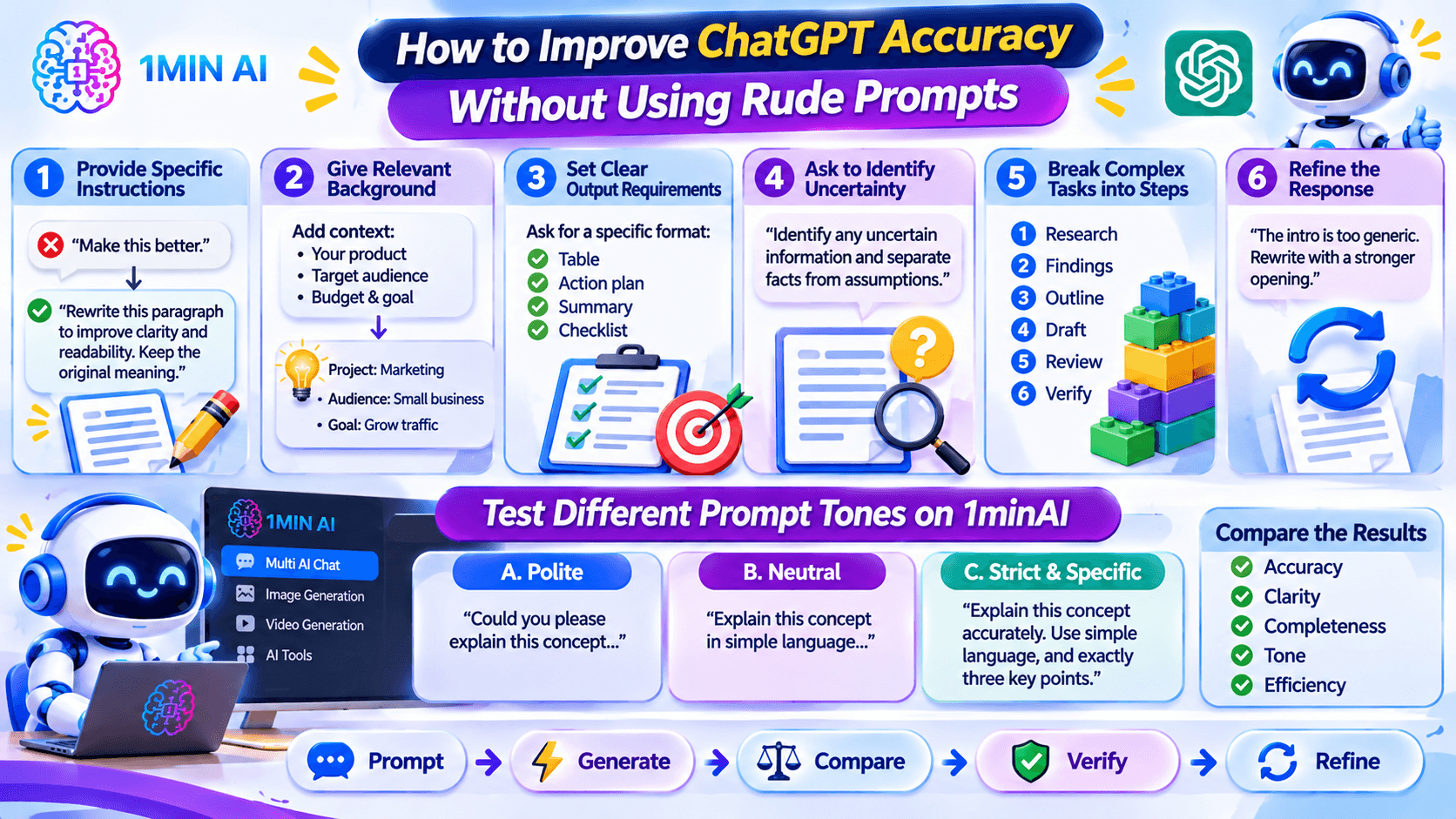
Here are six practical techniques.
1. Provide Specific Instructions
Avoid vague requests such as:
"Make this better."
Explain what better means.
For example:
"Rewrite this paragraph to improve clarity and readability. Keep the original meaning, remove repetitive phrases, and use a professional but approachable tone."
Specific instructions reduce ambiguity.
2. Give Relevant Background Information
ChatGPT cannot automatically know every detail about your project, business, or intended audience.
Include the information that affects the answer.
For example, when asking for a marketing strategy, provide your product, target customer, budget, market, and objective.
The more relevant context you provide, the more useful the recommendations can become.
3. Set Clear Output Requirements
Tell ChatGPT exactly what the final answer should look like.
You can request:
- A comparison table.
- A numbered action plan.
- A short summary.
- A step-by-step explanation.
- A checklist.
- A structured report.
This helps you receive information in a format you can actually use.
4. Ask the Model to Identify Uncertainty
Don't assume every answer is correct just because it sounds confident.
Add instructions such as:
"Identify any uncertain information. Separate verified facts from assumptions and explain what needs to be checked."
This encourages a more transparent response.
It does not guarantee that ChatGPT will identify every mistake, so verify important claims independently.
5. Break Complicated Tasks Into Smaller Steps
If you ask ChatGPT to conduct research, create a strategy, write a complete article, and evaluate the results in one prompt, it may overlook important details.
Break the task into stages:
- Research the topic.
- Identify the key findings.
- Create an outline.
- Draft the content.
- Review the draft.
- Verify important claims.
This gives you more opportunities to review and improve the result.
6. Refine the Response Instead of Starting Over
The first answer doesn't have to be the final answer.
Give ChatGPT focused feedback.
For example:
"The introduction is too generic. Rewrite it with a stronger opening, keep the same topic, and introduce the main problem within the first 100 words."
Specific feedback makes the next response easier to evaluate.
Test Different ChatGPT Prompt Tones on 1minAI
Reading about prompt tone is useful, but testing the same task with different prompts can help you understand how AI responds to your instructions.
With 1minAI Multi AI Chat, you can access multiple AI models in one workspace and compare their responses.
Instead of relying on one model or one prompt style, you can experiment with different approaches and identify which results are most useful for your task.
Step 1: Open ChatGPT on 1minAI
Visit 1minAI and open Multi AI Chat.
Choose an available GPT model from the model selector. You can also explore dedicated pages such as Chat GPT Free on 1minAI to learn more about using ChatGPT through the platform.
Step 2: Prepare One Task to Test
Choose a task that has a clear expected outcome.
For example, ask ChatGPT to explain a business concept, summarize a report, or solve a factual multiple-choice question.
Keep the task and supporting information consistent across your experiments.
Step 3: Compare Three Prompt Styles
Use the same underlying task, but change the tone and structure.
Version A — Polite
"Could you please explain the following business concept in simple language? Include one practical example and three important points."
Version B — Neutral and direct
"Explain the following business concept in simple language. Include one practical example and three important points."
Version C — Strict and specific
"Explain the following business concept accurately. Use simple language, one practical example, and exactly three important points. Avoid unnecessary details."
Compare the responses based on:
- Factual accuracy.
- Relevance to the question.
- Clarity and readability.
- Completeness.
- Output length.
- Whether the requested format was followed.
Don't assume that the strictest prompt will win. The best version is the one that produces the most useful answer for your actual task.
Step 4: Compare With Other AI Models
You can also submit the same prompt to other available models in 1minAI, such as Claude, Gemini, or DeepSeek.
This gives you another way to evaluate whether a response is model-specific or whether different models produce similar results.
For example:
| What to compare | Questions to ask |
|---|---|
| Accuracy | Are the facts correct and supported? |
| Clarity | Is the explanation easy to understand? |
| Completeness | Does it cover all the requirements? |
| Tone | Does the writing style suit the audience? |
| Efficiency | Does it provide enough detail without unnecessary length? |
If the answers differ, investigate the disagreement rather than automatically choosing the longest or most confident response.
Step 5: Refine the Best Response
Once you've compared the outputs, use the strongest answer as your starting point.
Ask the model to correct unclear sections, verify important details, or adapt the response to your intended audience.
This creates a simple workflow:
Prompt → Generate → Compare → Verify → Refine
You can explore GPT-5 on 1minAI or GPT-5 Nano on 1minAI to experiment with different GPT model options, subject to current availability and account usage limits.
Common Mistakes to Avoid When Writing ChatGPT Prompts
Even a well-designed prompt can produce disappointing results if it contains unclear instructions or unrealistic expectations.
Avoid these common mistakes:
| Mistake | Better approach |
|---|---|
| Being rude to force accuracy | Use direct, respectful instructions |
| Asking vague questions | Specify the task and expected outcome |
| Providing too little context | Include relevant background information |
| Requesting too many things at once | Break complex work into stages |
| Asking for excessive detail | Set a useful word or output limit |
| Trusting every answer | Verify important facts and calculations |
| Treating one study as universal proof | Test prompts on your own tasks and models |
One more important point: prompt engineering cannot eliminate AI hallucinations.
Even a detailed prompt may produce incorrect information. For legal, medical, financial, academic, or other high-impact decisions, use appropriate authoritative sources and qualified human review.
Conclusion: Better ChatGPT Prompts Come From Clarity, Not Rudeness
The recent research on ChatGPT prompt tone and accuracy reveals something important: even small changes in wording can influence how AI models respond.
The 2025 experiment found a modest accuracy advantage for rude prompts on a limited multiple-choice test. The 2026 follow-up found that tone could also affect output-token consumption, sometimes substantially.
But neither study proves that being rude is the best way to use ChatGPT.
For everyday work, focus on clear instructions, relevant context, specific output requirements, and careful verification. These techniques are more practical than trying to reproduce an experimental tone effect.
You can put these ideas into practice with 1minAI Multi AI Chat. Try different GPT models, compare responses with other available AI models, and refine your prompts until you find a workflow that works for your tasks.
The goal isn't to talk to AI more aggressively. It's to communicate more effectively and get answers you can actually use.
For more AI capabilities, visit 1minAI Features and try the 1minAI Agent.
- #Information
- #Navigation
Alternatives
Discover the best alternatives to 1minAI and compare features, pricing, and use cases.
1min.AI vs OpenRouter
1min.AI vs. OpenRouter: Compare the ready-to-use AI creation product against the technical API tool. Find out if you need a zero-code creative studio or a coding infrastructure hub.
 Ngoc Hong
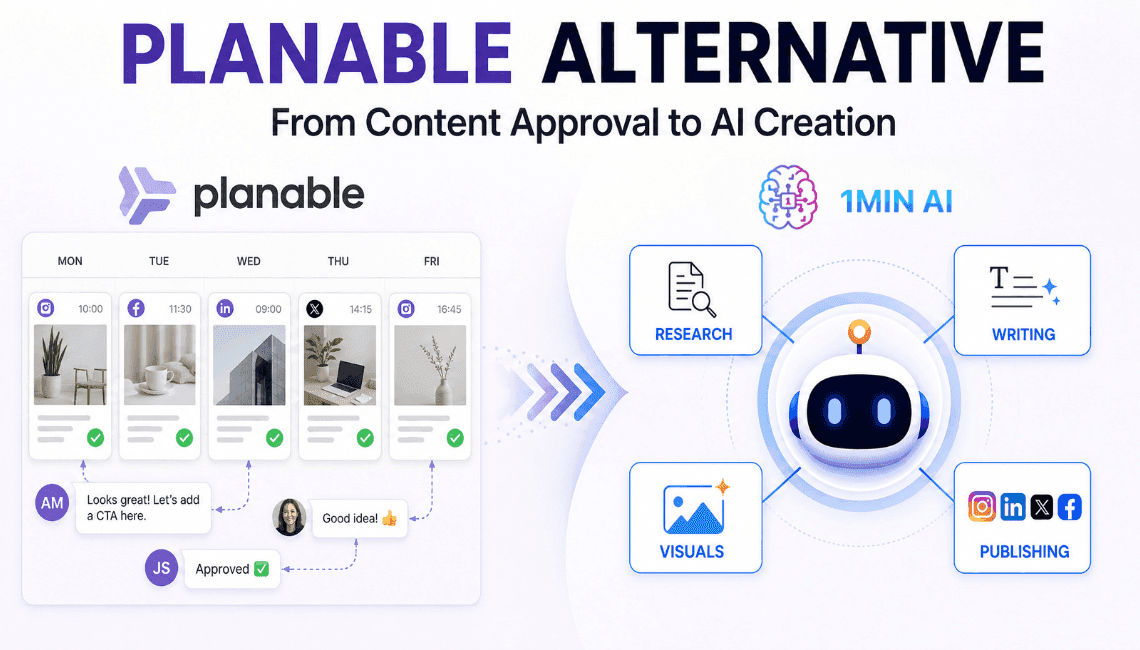
1min.AI vs Planable
Looking for a Planable alternative? See how 1min.AI Social Content Agents research, write, design and publish posts across your social channels from one credit pool.
 Trang Tran
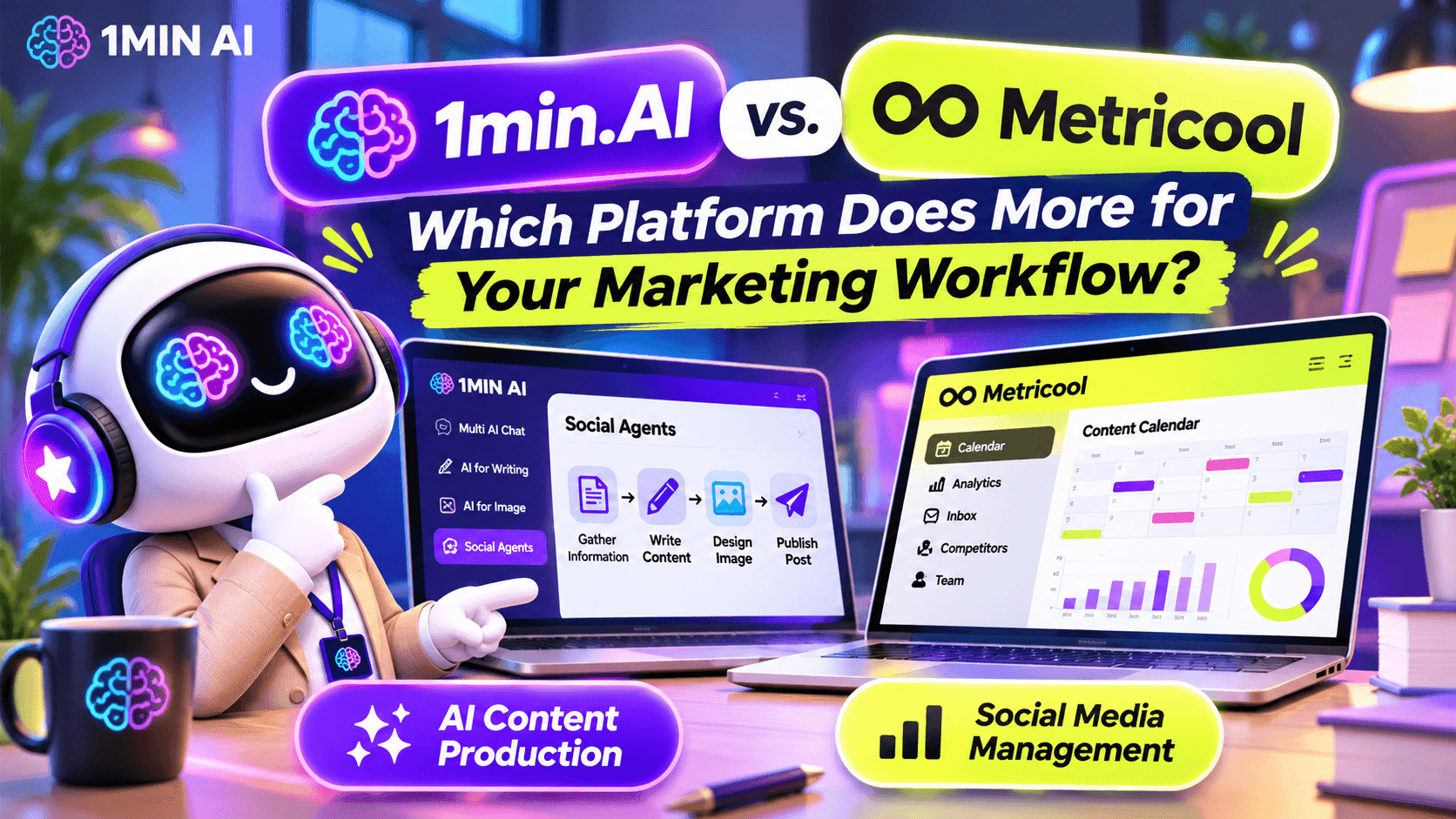
1min.AI vs. Metricool: Which Platform Does More for Your Marketing Workflow?
Compare 1min.AI vs. Metricool across content creation, visual production, scheduling, analytics, MCP, and pricing to find the right platform for your marketing workflow.
AI Tools
Discover the best AI tools to boost productivity, creativity, and everyday work.
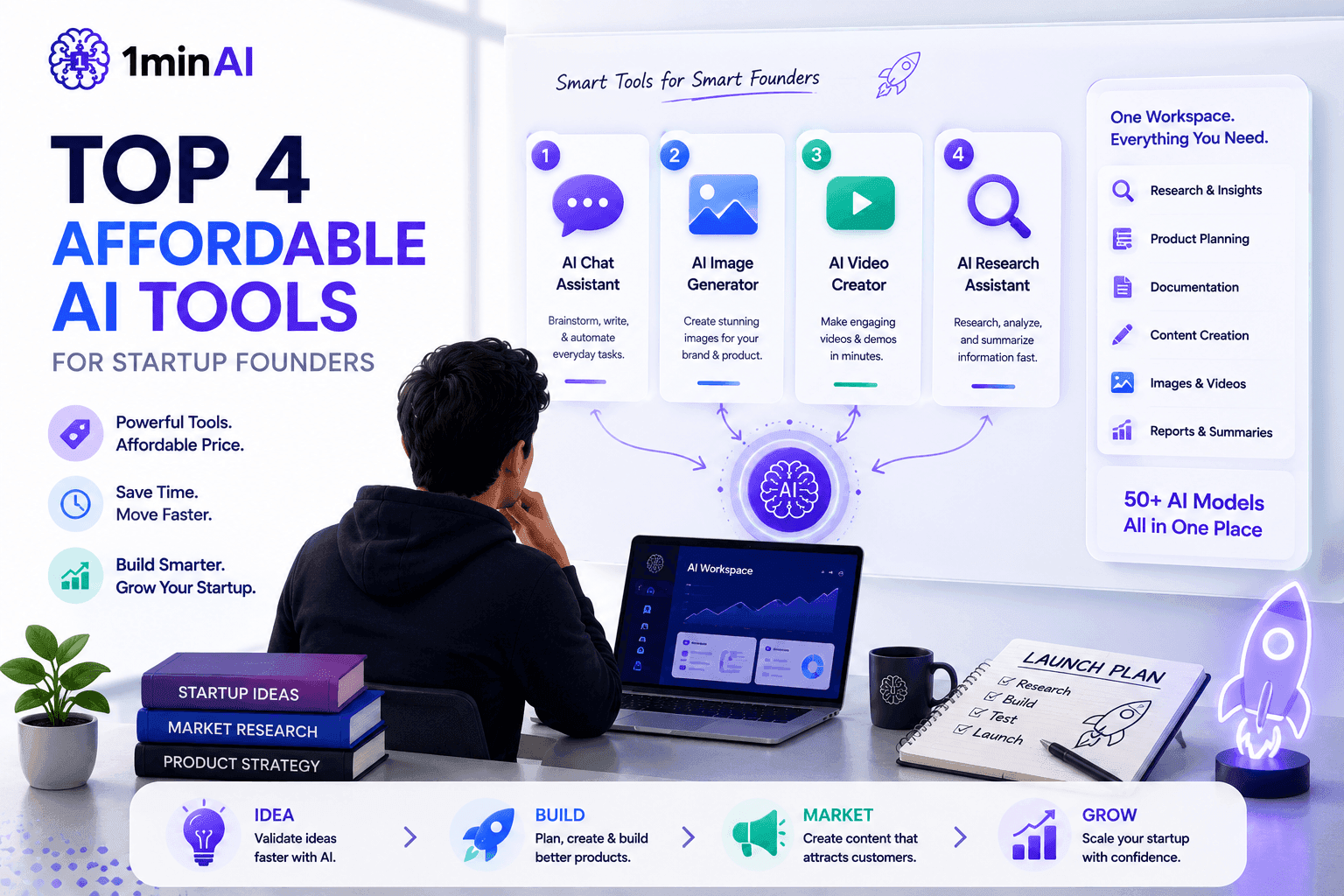
Top 4 Affordable AI Tools for Startup Founders
Discover the top 4 affordable AI tools for startup founders to validate ideas, build products, create content, and launch faster without overspending.
 Tram Ta
Turn “Make It Better” Into Better Content With AI
Use AI to turn vague client feedback into clear revisions, reduce unnecessary edits, and deliver better content faster.
 Lien Anh Vu
Free AI X Comment
Create funny, witty, or insightful comments for Twitter with our AI-powered Twitter Comment Generator. Boost your engagement and stand out in the crowd!
Trang TranAI Features
Comprehensive AI features that streamline workflows, improve efficiency, and empower teams to achieve more.
1minAI: Free AI Grammar Checker
Check grammar for free with 1minAI’s AI grammar checker. Find grammar, spelling, and writing mistakes, improve clarity, and polish your content in seconds.
Tram Ta
Build a Portfolio Website Faster with 1min.AI
Learn how freelance creatives can use 1min.AI to plan, write, design, and generate a professional portfolio website faster, even without strong coding skills.
Lien Anh VuFree AI X Comment
Create funny, witty, or insightful comments for Twitter with our AI-powered Twitter Comment Generator. Boost your engagement and stand out in the crowd!
Trang TranAI Use Cases
A curated collection of AI use cases for business, productivity, and industry-specific applications.
Best Time to Post on Instagram: A Practical Guide for Better Engagement
Discover the best time to post on Instagram, including the best days and times for different audiences, plus tips to find the ideal posting schedule for your account.
Tram TaTurn “Make It Better” Into Better Content With AI
Use AI to turn vague client feedback into clear revisions, reduce unnecessary edits, and deliver better content faster.
Lien Anh VuBuild a Portfolio Website Faster with 1min.AI
Learn how freelance creatives can use 1min.AI to plan, write, design, and generate a professional portfolio website faster, even without strong coding skills.
Lien Anh VuAI Tutorials
Learn how to use AI with practical, step-by-step tutorials.

Black Friday AI Tool Deals in 2026
Discover what Black Friday AI tool deals 2026 has to offer. Find out how to secure the 1min.AI lifetime deal via AppSumo, Dealify, Stack Social, and verify on Trustpilot, Slashdot, and Software Advice.
 Hang Nguyen
Viral Reels in Minutes: How to Use 1minAI’s Text-to-Speech for Satirical Voiceovers
Learn how satirical page admins use 1minAI’s Text-to-Speech feature to generate instant news anchor and dramatic voiceovers for TikToks, Shorts, and Instagram Reels.
Turn “Make It Better” Into Better Content With AI
Use AI to turn vague client feedback into clear revisions, reduce unnecessary edits, and deliver better content faster.
Lien Anh VuAI Guides
Learn AI faster with practical guides, real-world examples, and actionable best practices.

Safely Buy AI Tools Online: 2026 Black Friday Guide
Discover how to find and secure the best Black Friday AI deals online. Learn expert strategies to avoid scams, combat subscription fatigue, and verify software.
Hang Nguyen
How to start an AI business without building from scratch
Learn how to start an AI business, validate your idea, and launch faster without building costly AI infrastructure from scratch.
Ngoc HongChatGPT Prompt Tone and Accuracy: How to Get Better Answers on 1minAI
Does prompt tone affect ChatGPT accuracy? Explore the latest studies, learn effective prompting techniques, and compare AI responses on 1minAI.
Tram TaAI Solutions
Browse the best AI solutions for automation, coding, research, productivity, customer support, marketing, and business workflows.
Safely Buy AI Tools Online: 2026 Black Friday Guide
Discover how to find and secure the best Black Friday AI deals online. Learn expert strategies to avoid scams, combat subscription fatigue, and verify software.
Hang Nguyen
Free AI Tattoo Generator: Custom Designs
Turn any idea into a custom tattoo design with 1min.AI's free AI tattoo generator. Describe your idea, pick a style, and download in seconds.
Trang TranTurn “Make It Better” Into Better Content With AI
Use AI to turn vague client feedback into clear revisions, reduce unnecessary edits, and deliver better content faster.
Lien Anh VuAI Models
Explore the world's leading AI models in one place.
Free AI Chat With Claude Fable 5.2 On 1min.AI
Free AI chat with Claude Fable 5.2 on 1min.AI. Compare Fable 5.2 vs Opus 5.5, see Fable 5.2 benchmarks, and start chatting in minutes.
Trang Tran
GPT-6.2 Sol: Specs, Pricing & Free Access
Explore GPT-6.2 Sol specs, pricing, and how it compares with GPT-6.1 Sol and Claude Opus 5.5, then try it free in 1min.AI Multi AI Chat.
Trang Tran
GPT 6.2 Astra: Pricing, Benchmarks & Free Access
GPT 6.2 Astra release date, pricing, Reddit feedback and Opus 5.5 comparison. See what it does best and chat with it on 1min.AI for free.
Trang TranAI Comparisons
Compare AI tools, models, and platforms to find the best fit for your needs.
Gemini 4 Neon vs Hydrogen: Specs, Price & Picks
Gemini 4 Neon vs Hydrogen, Carbon and Argon: compare price, benchmarks and use cases to pick the right model, then test them side by side on 1min.AI.
Trang Tran
Kling AI Vs Veo 3: Which Model Wins?
Kling AI vs Veo 3: compare motion, native audio, pricing & free tiers to see which AI video generator wins for your project - try both on 1min.AI.
Trang Tran
DeepSeek V4 Pro vs Flash Comparison
Compare DeepSeek V4 Pro vs DeepSeek V4 Flash metrics. Optimize your agentic apps and improve AI fact checking on 1min.ai today.
Ngoc HongAI Integrations
Seamlessly integrate AI with the tools you already use to automate work and boost productivity.

POV: You Have 10+ Posts to Make Every Day
Learn how to build an AI content workflow that helps content creators produce 10+ social media posts a day faster with AI brainstorming, image generation, and content creation.
Lien Anh Vu
Stop Switching Between AI Apps: How AI Integration Transforms Employer Branding
Discover how AI integration helps HR teams streamline employer branding by combining AI writing, documents, images, video, and multiple AI models into one workspace.
Tram Ta
AI API Aggregator Explained For Developers
An AI API aggregator gives developers one unified API to call multiple AI models, cutting integration time and vendor lock in.
Trang TranAI for Industries
Find the best AI tools and workflows for healthcare, finance, education, legal, manufacturing, retail, real estate, and more
How to Launch an AI SaaS Without Building AI Models From Scratch
Learn how to launch an AI SaaS without building AI models from scratch. Explore white-label AI, product strategy, branding, pricing, and how 1minAI can help.
Tram Ta
ChatGPT Trending Photo Prompts to Copy and Paste
Explore chatgpt trending photo prompt ideas you can copy and paste. Create viral AI portraits, collages, and aesthetic photos with ease.
Trang TranTry Image To Video AI With Prompt Online Free
Try image to video AI with prompt online free, no login and no watermark. Upload a photo, type the motion you want, and get a short video in minutes.
Trang TranAI Agents
Discover and run AI agents to automate tasks across your work and daily life.
1minAI: Free AI Grammar Checker
Check grammar for free with 1minAI’s AI grammar checker. Find grammar, spelling, and writing mistakes, improve clarity, and polish your content in seconds.
Tram Ta
AI Agents for Facebook
Use an AI Agent for Facebook to create content, generate images, schedule posts, and publish from your documents and conversations.
Ngoc Hong
AI Agent vs AI Assistant: Which One Actually Saves Designers More Time?
Learn the difference between AI Agent vs AI Assistant and discover which solution helps designers automate repetitive work, reduce revisions, and save more time.
Lien Anh VuAI Workflows
Explore ready-to-use AI workflows for productivity, marketing, sales, support, and more.
POV: You Have 10+ Posts to Make Every Day
Learn how to build an AI content workflow that helps content creators produce 10+ social media posts a day faster with AI brainstorming, image generation, and content creation.
Lien Anh VuChatGPT Prompt Tone and Accuracy: How to Get Better Answers on 1minAI
Does prompt tone affect ChatGPT accuracy? Explore the latest studies, learn effective prompting techniques, and compare AI responses on 1minAI.
Tram Ta
How to Resell AI Software: A Practical Guide to Building an AI Revenue Stream
Learn how to resell AI software and build a recurring AI revenue stream. Discover how white label AI platforms help agencies and entrepreneurs launch branded AI services.
Tram TaNewsletter
Weekly AI Innovations with 1minAI

🔮 Weekly AI Innovations #147: 1min.ai Drops Major Shift: AI Circle, Kimi & Wan 3.0
Explore AI Circle (formerly AI Social), Kimi K3.1 Pro’s 2M context, and Alibaba Wan 3.0 & 3.0 Prime cinematic video on 1min.ai.
Hang Nguyen
🔮 Weekly AI Innovations #146: Mistral 3.5, Qwen Image & Cohere A+ are ready on 1min.ai
Deploy Mistral Large 3, Qwen Image 3.0, and Cohere Command A+ on 1min.ai. Boost RAG accuracy and cut visual generation latency in one unified AI workspace.
Hang Nguyen
🔮 Weekly AI Innovations #145: X Content Agent & GPT 6.1 Terra on 1min.ai
Scale viral reach with the X Content Agent on 1min.ai. Discover an end-to-end 4-stage pipeline with zero token burn, plus the launch of GPT 6.1 Terra.
Hang Nguyen