DeepSeek Super Agent: What It Is And How It Works

Trang Tran
November 3, 2026
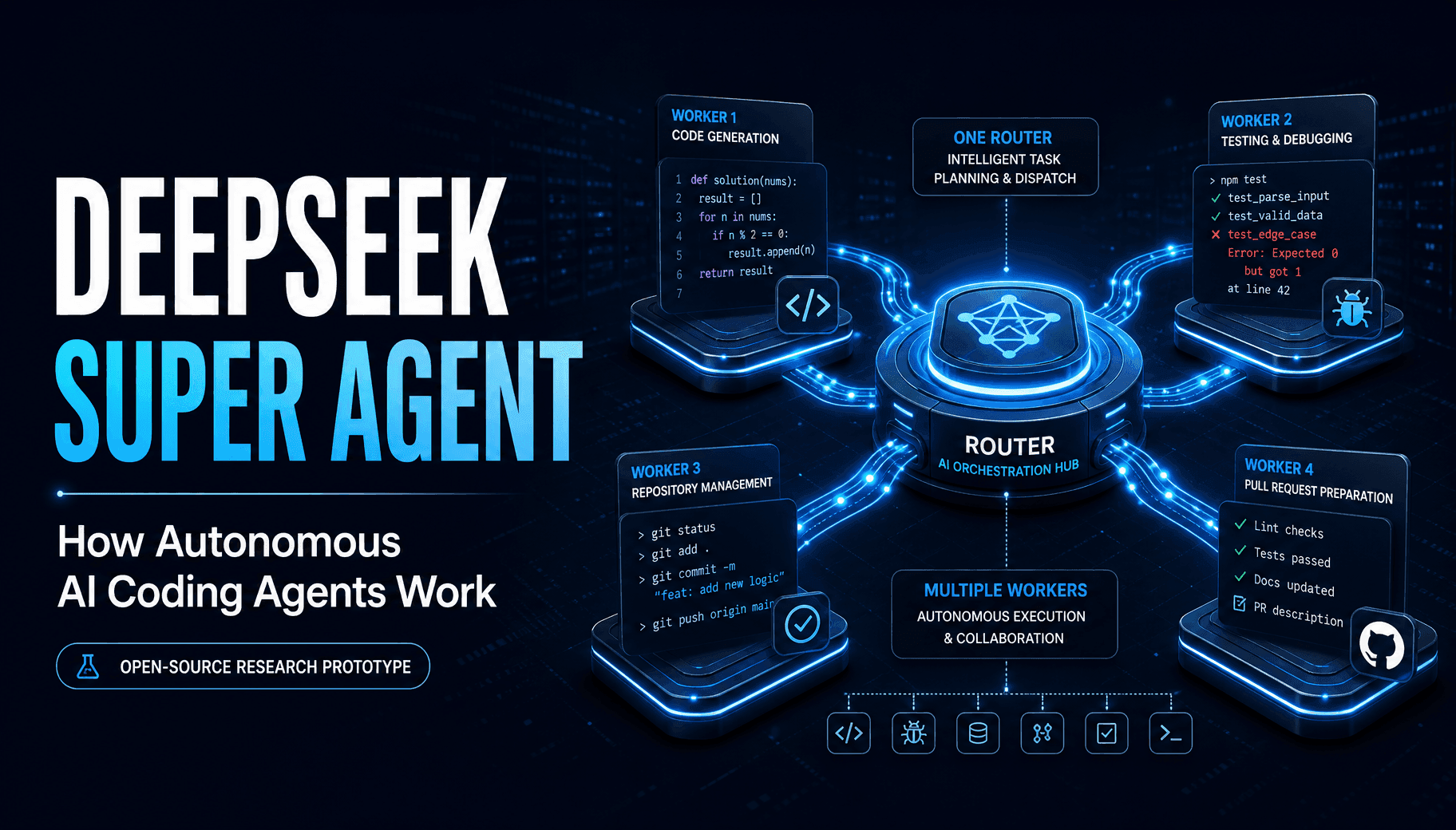
DeepSeek super agent explained: how the router-worker design, GitHub workflow and local setup work, plus what this coding tool means for developers.
The DeepSeek super agent is an experimental, open-source coding agent system from the DeepSeek Harness team. A router talks to people and hands each request to an isolated worker agent, which writes code, runs tests and opens a pull request for human review. It is a research prototype, not an official DeepSeek product.
| Question | Answer |
|---|---|
| What is it? | The dsh-superagent prototype, packaged for DeepSeek Harness |
| Who built it? | The DeepSeek Harness team |
| License | MIT |
| Scope | One GitHub repository, with optional Feishu chat |
| Status | Research code, not production-ready |
| Best for | Developers exploring autonomous multi-agent workflows |
Running one coding agent is easy. Running ten is not, because you become the person who remembers which session owns which task. The DeepSeek team says one person can follow only three to five active agent sessions. The super-agent idea is to move that coordination work into the system itself.
What Is the DeepSeek Super Agent?
A System, Not a Single Chatbot
A super agent here is a system-level design, not a new model. It listens to GitHub, decides which requests deserve action, and runs the work in separate agent sessions. Its stated goal is to take as little human attention as possible while giving as much value as possible.
What Is an AI Agent Architecture?
An AI agent architecture is the structure around a model: how it receives events, keeps context, uses tools and recovers from failures. The DeepSeek super-agent is an architecture example, not a model release.
Is the DeepSeek Super-Agent an Official Product?
No. The repository labels it a research prototype for reference only. It also says some ideas in the accompanying design article are future directions and are not implemented in the public code. Review and adapt it before using it in your own environment.
How the DeepSeek Harness Super Agent Works
The Router and Worker Model
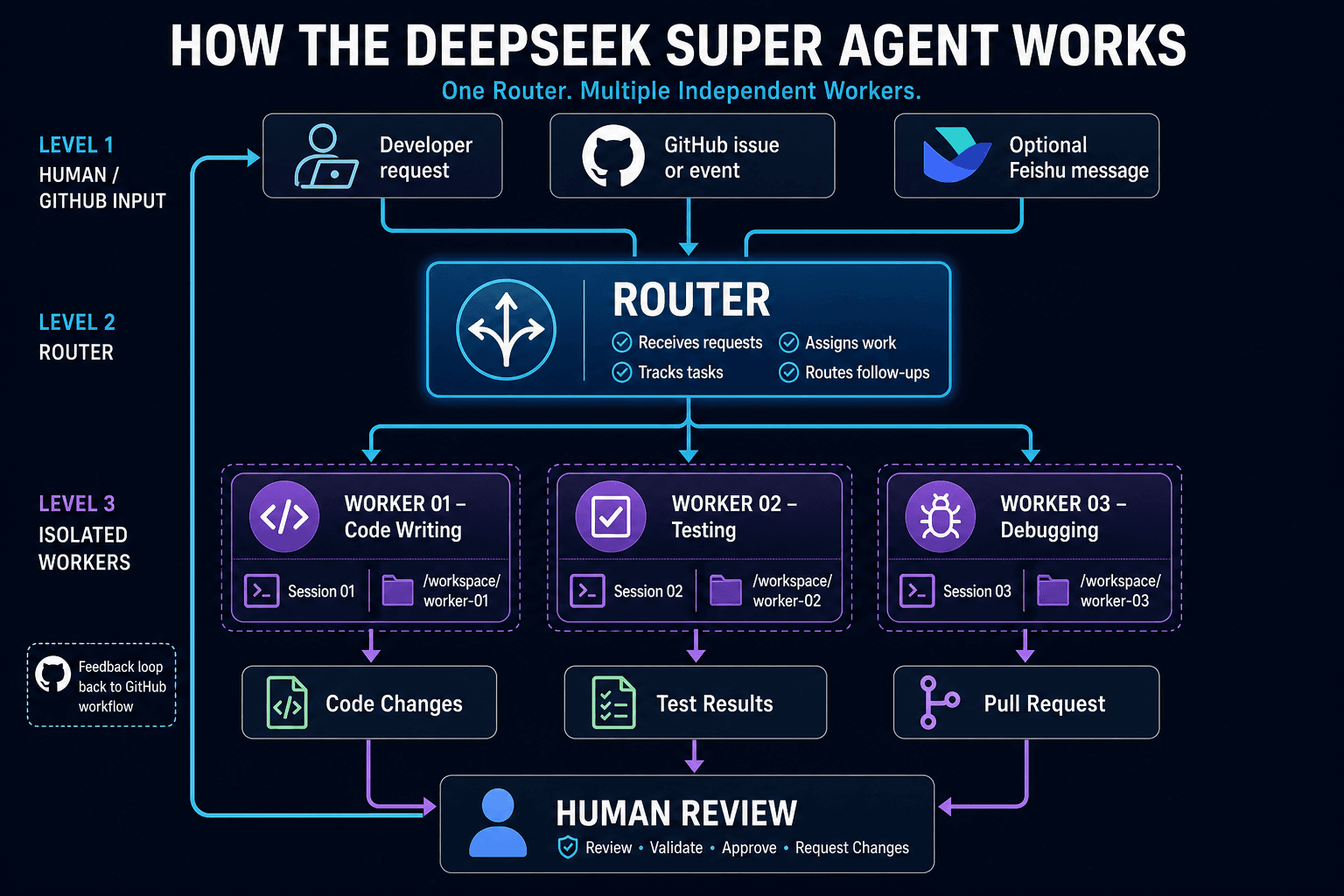
The design splits responsibilities into two layers:
- Router: talks to people, tracks tasks and dispatches work. It does not do the heavy coding itself.
- Workers: each handles one task in its own session and directory, so unrelated work does not mix.
This separation keeps a single conversation from becoming overloaded. Follow-up messages on a task can go straight to the worker already handling it.
The GitHub Workflow, Step by Step
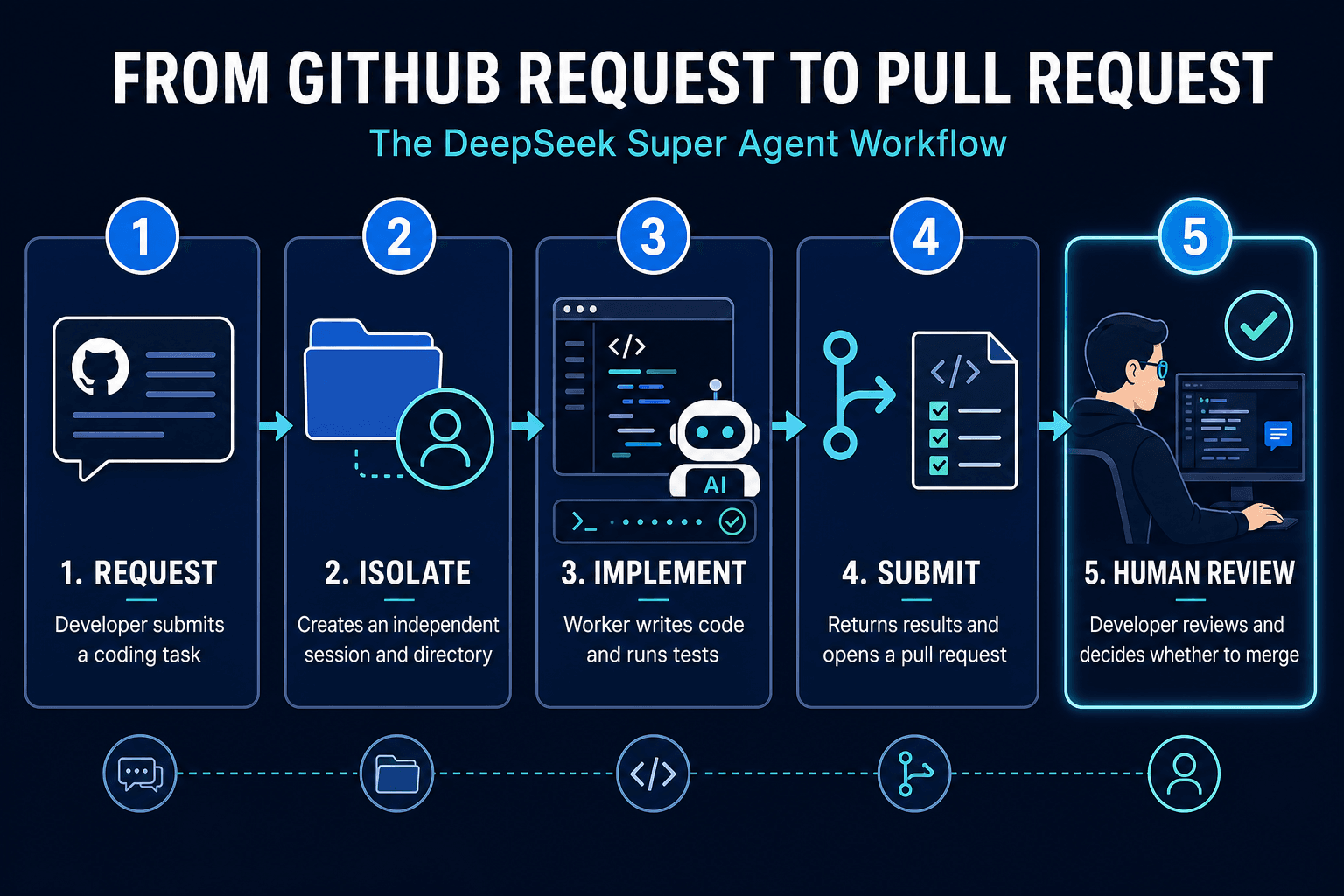
- An allowed user asks the agent for work in GitHub, or optionally in Feishu.
- The system opens a work item and creates an isolated session and directory.
- The worker reads the setup instructions, writes code and runs tests.
- It replies in the original conversation, usually with a pull request.
- A person reviews and decides whether to merge.
A web panel shows only the items that need human action.
Local Operation and Proactive Modes
The prototype runs inside your own DeepSeek Harness setup, so you choose where it runs and which repository it touches. It acts only when asked or when a rule the team wrote allows it. Proactive work starts in an observe mode that records what the agent would have accepted without starting it. Setup is guided by your own coding agent, which reads SETUP.md and asks one question at a time.
What DeepSeek’s Early Tests Show
The team ran about 300 simulated chat and CI messages per run, including roughly 20 real work requests, five runs per setup. Coding was replaced by a time-consuming tool, so the test measures scheduling, not code quality.
| Setup | Median completion | 95th percentile |
|---|---|---|
| Super-agent design | 12.4 min | 15.7 min |
| Single session, neutral prompt | 20.4 min | 29.5 min |
| Single session, delegation-first prompt | 13.8 min | 29.0 min |
The speed gain came with a trade-off: the design uses more cached tokens in exchange for faster, steadier multitasking. DeepSeek calls these results preliminary, and five runs on synthetic load are not proof for real projects.
DeepSeek Super Agent GitHub, Paper and Reddit Reactions
The GitHub Repository
The code lives in the dsh-superagent-prototype repository, with numbered documents covering philosophy, authorization, execution, deployment and architecture. Start with the README, then SETUP.md.
The Research Paper and Design Article
The team published a design article titled “Exploring Super-agent Design”. It describes the router-worker idea, event handling, background commands and a watchdog that checks whether workers are truly progressing. The prototype implements only part of it.
What Reddit Developers Are Saying
Community threads show mixed interest. Some developers like the idea that sub-agents do the real work while the main agent mainly relays information to humans. Others question how it handles context drift in long workflows, or call it a crowded space. Treat these as opinions, not evaluations.
Should You Try the DeepSeek Super Agent?
Who It Suits
It suits developers and tech leads who already use coding agents and want to study how autonomous, multi-task systems are organized. It is less suited to teams wanting a polished, supported product.
Security Caution
The deployment guide says the process runs with full access as the operator’s operating-system user. Separate directories are not a security sandbox. Use a dedicated OS account, keep the allowed-user list short, and enforce required approvals through GitHub branch protection.
Use DeepSeek Models for Coding on 1min.AI
You do not need to run the prototype to work with DeepSeek models. 1min.AI is an all-in-one AI workspace, rated Excellent on Trustpilot and recognized with SourceForge and Slashdot Top Business Software badges. Its Code Generator and agents currently integrate DeepSeek V4 Pro and DeepSeek V4.1 Flash. 1min.AI does not run the DeepSeek super agent itself. It gives you DeepSeek models for everyday coding work.
Write, Refactor and Explain Code
Use the Code Generator to draft functions, explain unfamiliar code and refactor messy modules. You can also chat with DeepSeek models to plan an approach before you write anything, or use DeepSeek R1 for reasoning-heavy tasks like algorithm design.
Debug and Translate Faster
Paste an error with its surrounding code and ask for a root cause and a fix, much like the first step a worker agent performs. This video shows the workflow:
When a project moves stacks, you can translate code between languages without rewriting by hand.
Turn Ideas into Working Apps
If you want a runnable prototype rather than a repository setup, try the AI web app generator.
Frequently Asked Questions
Is there a DeepSeek agent?
Yes. The DeepSeek Harness team released dsh-superagent as an open-source research prototype that coordinates worker agents on a GitHub repository.
What is the DeepSeek super agent used for?
It handles coding requests from GitHub, works on each in an isolated session and opens pull requests for human review.
Is the DeepSeek super agent free to use?
The code is MIT-licensed. You still need a DeepSeek Harness setup and model access to run it.
Can it run locally?
Yes, it runs inside your own DeepSeek Harness environment, but follow the deployment guide’s security advice.
How is a super agent different from a chatbot?
A chatbot answers one conversation at a time. A super agent receives events, assigns work to separate workers and reports back only when a person must act.
Conclusion
The DeepSeek super agent is best read as a blueprint for how coding agents may scale beyond one session: a thin router, isolated workers and strict rules about when to act. Study it, test it carefully, and keep humans in the review loop. For hands-on coding help today, start with DeepSeek V4 Pro or V4.1 Flash in the 1min.AI Code Generator.
- #Information
Alternatives
Discover the best alternatives to 1minAI and compare features, pricing, and use cases.

1min.AI vs OpenRouter
1min.AI vs. OpenRouter: Compare the ready-to-use AI creation product against the technical API tool. Find out if you need a zero-code creative studio or a coding infrastructure hub.
 Ngoc Hong
Meta Muse Alternatives: 6 Options for Every Workflow
Looking for Meta Muse alternatives? Compare ChatGPT, Gemini, Claude, Perplexity, OpenClaw and 1min.AI by price, availability, and privacy.
Ngoc Hong
PostEverywhere Alternative for AI Threads Content
Looking for a PostEverywhere alternative? Compare Threads AI content creation, research, scheduling, and pricing with 1min.AI. Try it for free.
 Lien Anh Vu
AI Tools
Discover the best AI tools to boost productivity, creativity, and everyday work.
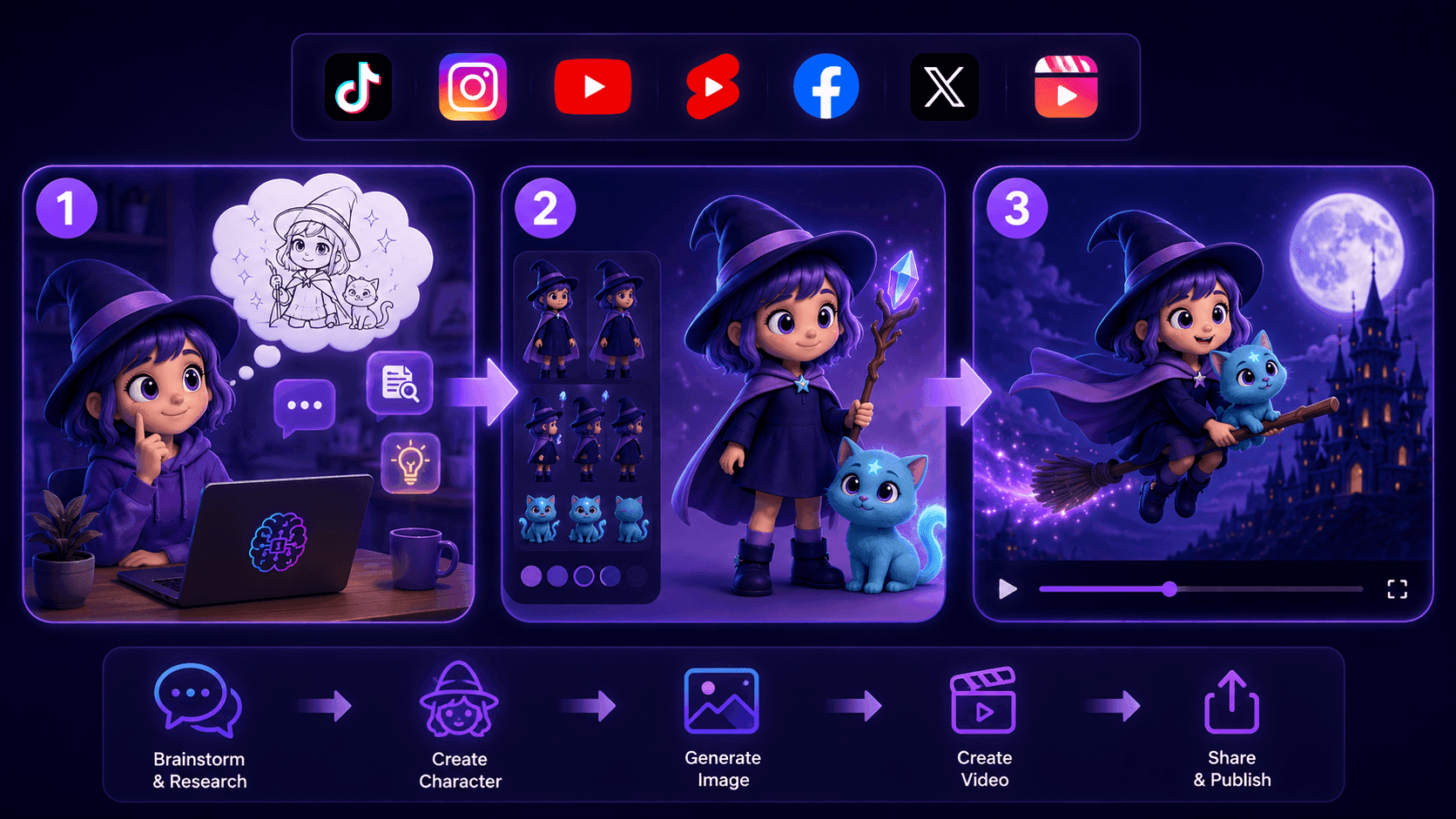
Create Consistent Cartoon Content in Just a Few Steps
Create engaging cartoon videos for TikTok and Reels with 1min.AI. Research ideas, create characters, and turn images into animated videos in 3 simple steps.
Lien Anh Vu
One Product, 10 UGC Creatives: How AI Makes Content Testing Easier
Create more authentic UGC with an AI UGC video generator, test more creative angles and scale affiliate content without filming every version.
Lien Anh Vu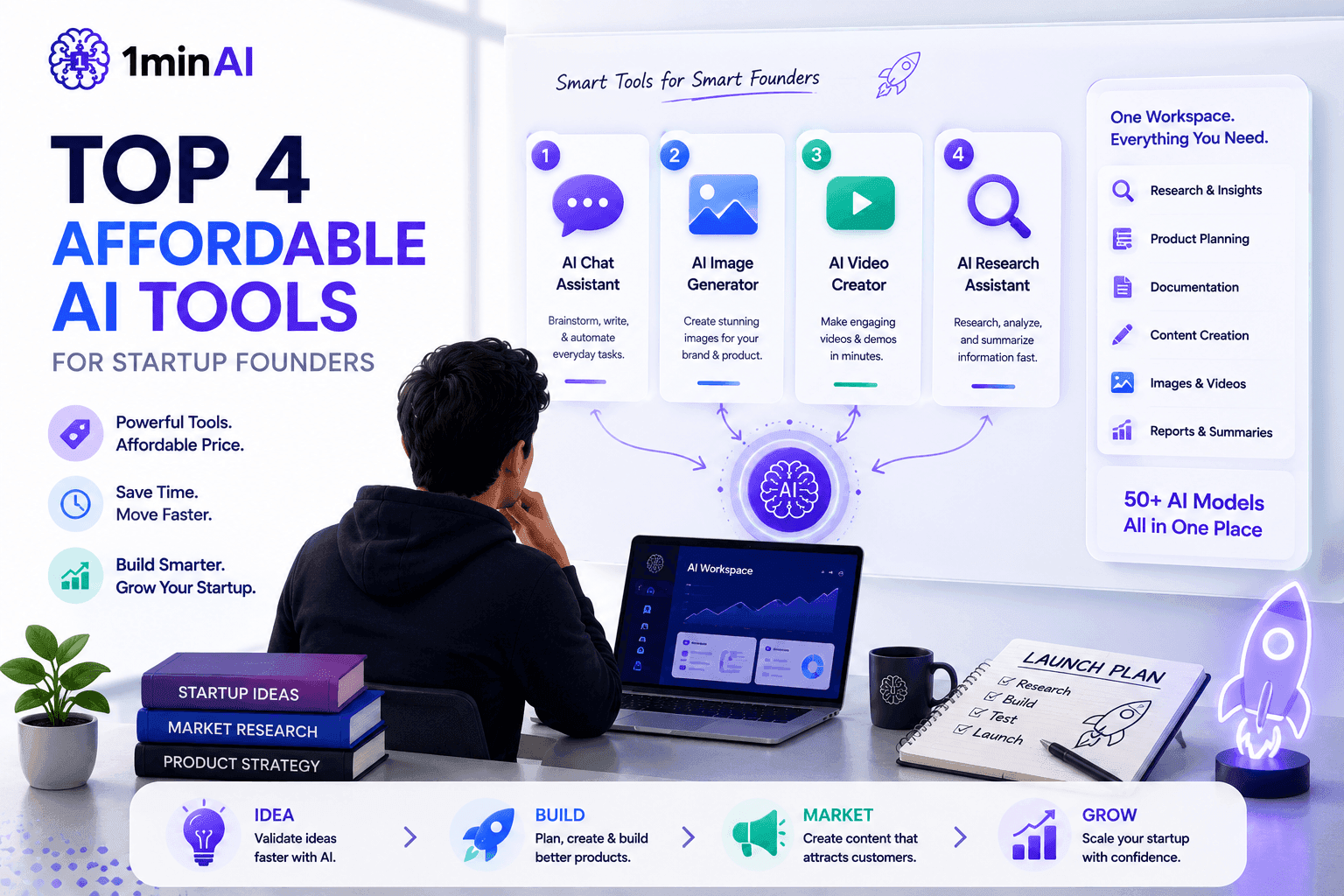
Top 4 Affordable AI Tools for Startup Founders
Discover the top 4 affordable AI tools for startup founders to validate ideas, build products, create content, and launch faster without overspending.
 Tram Ta
AI Features
Comprehensive AI features that streamline workflows, improve efficiency, and empower teams to achieve more.
Create Consistent Cartoon Content in Just a Few Steps
Create engaging cartoon videos for TikTok and Reels with 1min.AI. Research ideas, create characters, and turn images into animated videos in 3 simple steps.
Lien Anh VuOne Product, 10 UGC Creatives: How AI Makes Content Testing Easier
Create more authentic UGC with an AI UGC video generator, test more creative angles and scale affiliate content without filming every version.
Lien Anh Vu
1minAI: Free AI Grammar Checker
Check grammar for free with 1minAI’s AI grammar checker. Find grammar, spelling, and writing mistakes, improve clarity, and polish your content in seconds.
Tram TaAI Use Cases
A curated collection of AI use cases for business, productivity, and industry-specific applications.
Create Consistent Cartoon Content in Just a Few Steps
Create engaging cartoon videos for TikTok and Reels with 1min.AI. Research ideas, create characters, and turn images into animated videos in 3 simple steps.
Lien Anh VuOne Product, 10 UGC Creatives: How AI Makes Content Testing Easier
Create more authentic UGC with an AI UGC video generator, test more creative angles and scale affiliate content without filming every version.
Lien Anh Vu
Best Time to Post on Instagram: A Practical Guide for Better Engagement
Discover the best time to post on Instagram, including the best days and times for different audiences, plus tips to find the ideal posting schedule for your account.
Tram TaAI Tutorials
Learn how to use AI with practical, step-by-step tutorials.

Black Friday AI Tool Deals in 2026
Discover what Black Friday AI tool deals 2026 has to offer. Find out how to secure the 1min.AI lifetime deal via AppSumo, Dealify, Stack Social, and verify on Trustpilot, Slashdot, and Software Advice.
 Hang Nguyen
Create Consistent Cartoon Content in Just a Few Steps
Create engaging cartoon videos for TikTok and Reels with 1min.AI. Research ideas, create characters, and turn images into animated videos in 3 simple steps.
Lien Anh Vu
[Seedance 2.5 New] Better AI Product Videos, Less Rework in 1min.AI
Use Seedance 2.5 image to video on 1min.AI to create more consistent AI product videos, reduce failed generations, save credits, and improve UGC workflows.
Lien Anh VuAI Guides
Learn AI faster with practical guides, real-world examples, and actionable best practices.

Safely Buy AI Tools Online: 2026 Black Friday Guide
Discover how to find and secure the best Black Friday AI deals online. Learn expert strategies to avoid scams, combat subscription fatigue, and verify software.
Hang NguyenCreate Consistent Cartoon Content in Just a Few Steps
Create engaging cartoon videos for TikTok and Reels with 1min.AI. Research ideas, create characters, and turn images into animated videos in 3 simple steps.
Lien Anh Vu[Seedance 2.5 New] Better AI Product Videos, Less Rework in 1min.AI
Use Seedance 2.5 image to video on 1min.AI to create more consistent AI product videos, reduce failed generations, save credits, and improve UGC workflows.
Lien Anh VuAI Solutions
Browse the best AI solutions for automation, coding, research, productivity, customer support, marketing, and business workflows.
Safely Buy AI Tools Online: 2026 Black Friday Guide
Discover how to find and secure the best Black Friday AI deals online. Learn expert strategies to avoid scams, combat subscription fatigue, and verify software.
Hang NguyenCreate Consistent Cartoon Content in Just a Few Steps
Create engaging cartoon videos for TikTok and Reels with 1min.AI. Research ideas, create characters, and turn images into animated videos in 3 simple steps.
Lien Anh VuOne Product, 10 UGC Creatives: How AI Makes Content Testing Easier
Create more authentic UGC with an AI UGC video generator, test more creative angles and scale affiliate content without filming every version.
Lien Anh VuAI Models
Explore the world's leading AI models in one place.
Create Consistent Cartoon Content in Just a Few Steps
Create engaging cartoon videos for TikTok and Reels with 1min.AI. Research ideas, create characters, and turn images into animated videos in 3 simple steps.
Lien Anh VuOne Product, 10 UGC Creatives: How AI Makes Content Testing Easier
Create more authentic UGC with an AI UGC video generator, test more creative angles and scale affiliate content without filming every version.
Lien Anh Vu[Seedance 2.5 New] Better AI Product Videos, Less Rework in 1min.AI
Use Seedance 2.5 image to video on 1min.AI to create more consistent AI product videos, reduce failed generations, save credits, and improve UGC workflows.
Lien Anh VuAI Comparisons
Compare AI tools, models, and platforms to find the best fit for your needs.
Kling AI Vs Veo 3: Which Model Wins?
Kling AI vs Veo 3: compare motion, native audio, pricing & free tiers to see which AI video generator wins for your project - try both on 1min.AI.
 Trang Tran
[Seedance 2.5 New] Better AI Product Videos, Less Rework in 1min.AI
Use Seedance 2.5 image to video on 1min.AI to create more consistent AI product videos, reduce failed generations, save credits, and improve UGC workflows.
Lien Anh Vu
DeepSeek V4 Pro vs Flash Comparison
Compare DeepSeek V4 Pro vs DeepSeek V4 Flash metrics. Optimize your agentic apps and improve AI fact checking on 1min.ai today.
Ngoc HongAI Integrations
Seamlessly integrate AI with the tools you already use to automate work and boost productivity.

POV: You Have 10+ Posts to Make Every Day
Learn how to build an AI content workflow that helps content creators produce 10+ social media posts a day faster with AI brainstorming, image generation, and content creation.
Lien Anh Vu
How to Use an AI Fashion Video Generator for Fashion Week 2026
Turn Fashion Week 2026 ideas into stunning fashion videos with AI. Learn how to brainstorm, create visuals, and transform images into videos with one simple workflow.
Lien Anh Vu
Stop Switching Between AI Apps: How AI Integration Transforms Employer Branding
Discover how AI integration helps HR teams streamline employer branding by combining AI writing, documents, images, video, and multiple AI models into one workspace.
Tram TaAI for Industries
Find the best AI tools and workflows for healthcare, finance, education, legal, manufacturing, retail, real estate, and more

Voice Cloning AI Free: How to Clone Any Voice Online in Minutes
Try voice cloning AI free with 1min.AI. Upload a 5-second clip, pick an ElevenLabs model, choose from 32 languages, and turn text to speech in your own voice.
Trang Tran
Text To Video AI Free Without Watermark Online
Create text to video AI free without watermark online with 1min.AI. Pick top models, turn prompts into HD clips, and download clean videos fast. Try it free.
Trang Tran
Free AI Image Editor With Prompt No Restrictions
Looking for a free AI image editor with prompt no restrictions? Edit backgrounds, objects and text by typing, no watermark. Try 1min.AI’s flexible editor now.
Trang TranAI Agents
Discover and run AI agents to automate tasks across your work and daily life.
1minAI: Free AI Grammar Checker
Check grammar for free with 1minAI’s AI grammar checker. Find grammar, spelling, and writing mistakes, improve clarity, and polish your content in seconds.
Tram Ta
AI Agents for Facebook
Use an AI Agent for Facebook to create content, generate images, schedule posts, and publish from your documents and conversations.
Ngoc Hong
AI Agent vs AI Assistant: Which One Actually Saves Designers More Time?
Learn the difference between AI Agent vs AI Assistant and discover which solution helps designers automate repetitive work, reduce revisions, and save more time.
Lien Anh VuAI Workflows
Explore ready-to-use AI workflows for productivity, marketing, sales, support, and more.
Create Consistent Cartoon Content in Just a Few Steps
Create engaging cartoon videos for TikTok and Reels with 1min.AI. Research ideas, create characters, and turn images into animated videos in 3 simple steps.
Lien Anh VuOne Product, 10 UGC Creatives: How AI Makes Content Testing Easier
Create more authentic UGC with an AI UGC video generator, test more creative angles and scale affiliate content without filming every version.
Lien Anh VuPOV: You Have 10+ Posts to Make Every Day
Learn how to build an AI content workflow that helps content creators produce 10+ social media posts a day faster with AI brainstorming, image generation, and content creation.
Lien Anh VuNewsletter
Weekly AI Innovations with 1minAI

🔮 Weekly AI Innovations #145: X Content Agent & GPT 6.1 Terra on 1min.ai
Scale viral reach with the X Content Agent on 1min.ai. Discover an end-to-end 4-stage pipeline with zero token burn, plus the launch of GPT 6.1 Terra.
Hang Nguyen
🔮 Weekly AI Innovations #144: LinkedIn Content Agent: Complete B2B Publishing Pipeline
Scale B2B influence with the LinkedIn Content Agent on 1min.ai. Discover an end-to-end 4-stage pipeline with zero redundant token burn and 1-click publishing.
Hang Nguyen
🔮 Weekly AI Innovations #143: Update GPT-6, GPT-6.1 & Ideogram 4.0
Access GPT-6 Sol, Luna, GPT-6.1 Sol, and Ideogram 4.0 on 1min.ai. Boost typography accuracy to 98.4% and cut reasoning latency by 45% in one platform.
Hang Nguyen