
Free AI Chat With Kimi K3.1 Pro

Trang Tran
November 9, 2026

Chat with Kimi K3.1 Pro on 1min.AI. Explore the API, price, benchmark data and use cases, then try it on real tasks in one workspace.
Kimi K3.1 Pro is Moonshot AI’s newest open-weight multimodal reasoning model, built for long-horizon coding and agentic knowledge work. You can chat with it on 1min.AI today, in the same workspace you already use for writing, research, documents and code. There is no separate Moonshot account and no API key to set up. Open a chat, pick the model and give it a real task.
What Is Kimi K3.1 Pro?
Kimi K3.1 Pro (also searched as Kimi 3.1 Pro or Kimi K 3.1 Pro) is the first model in Moonshot AI’s K3.1 series. It is post-trained from Kimi K3 with substantially more reinforcement learning compute. It reasons through every request, with selectable effort up to max. Public coverage of the launch describes a mixture-of-experts design with about 2.8 trillion total parameters and roughly 104 billion active per request.
Kimi K3.1 Pro Specs at a Glance
| Feature | Details |
|---|---|
| Developer | Moonshot AI |
| Model type | Open-weight multimodal reasoning model |
| Base model | Post-trained from Kimi K3 |
| Context window | Up to 1,048,576 tokens |
| Reasoning | Always on, effort up to max |
| Best for | Long-horizon coding, 3D creation, financial research, agentic work |
| Faster variant | K3.1 Pro Highspeed, 2 to 3 times the speed (per Moonshot) |
Is Kimi K3.1 Pro Open Source?
Moonshot AI calls it an open-weight model and announced that the full weights would be released by November 4, 2026. Open weight means the trained parameters are published, which is not the same as releasing all training code and data. A model of this scale also cannot run on a regular laptop. So even if you search for a Kimi K3.1 Pro free download or GitHub repository, most people still reach the model through a hosted service. Check Moonshot’s official channels for the latest release status.
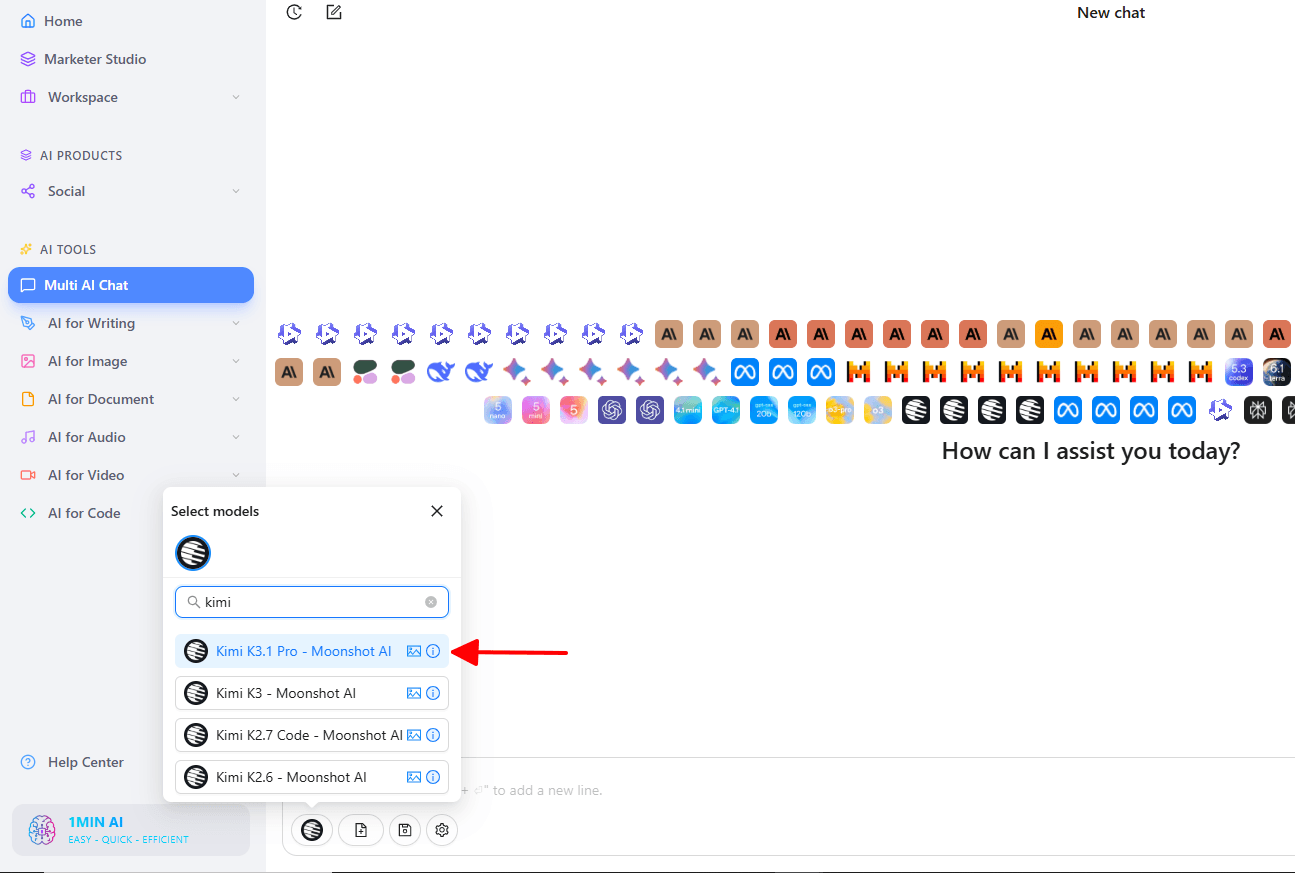
Chat With Kimi K3.1 Pro on 1min.AI
1min.AI puts Kimi K3.1 Pro next to your other AI tools, so you can move from a question to a finished draft, translation or script without switching tabs. New users can try it for free and judge the results on their own work.
Where Kimi K3.1 Pro Works Inside 1min.AI
Kimi K3.1 Pro is integrated into these 1min.AI features:
- Multi AI Chat: reason through complex questions and long conversations
- Keyword Research: build keyword clusters and content angles
- Content Generator: draft articles, posts, ads and emails
- Rewriter, Paraphraser and Grammar Checker: polish tone, clarity and accuracy
- Content Expander and Content Shortener: adjust length without losing meaning
- Content Translator and Document Translator: localize text and full files
- Summarizer: condense long reports into key points
- Presentation Generator: turn an outline into slides
- Code Generator: plan, write and debug multi-step projects
How to Start in 3 Steps
- Open 1min.AI and go to Multi AI Chat.
- Select Kimi K3.1 Pro from the model list.
- Paste a real task, such as a code review, a report or a research brief, and send it.
A short walkthrough of switching between models in one chat window is here:
Want to compare the model with its predecessor? You can also try Kimi K3 on 1min.AI in the same interface.
What Kimi K3.1 Pro Does Best
Long-Horizon Coding
Moonshot built K3.1 Pro for sustained engineering work. It plans, builds and iterates across many steps, from quick fixes in a real codebase to full-project builds. In Moonshot’s own tests it also writes Three.js scenes and scripts for Blender. On 1min.AI, Code Generator is the natural place to test this with your own repository snippets.
Financial Research and Agentic Knowledge Work
K3.1 Pro handles analysis that depends on documents, numbers and tool calling. Moonshot reports state-of-the-art results on OfficeQA Pro v2, a test of fiscal data analysis across real financial documents. It also reports a claim-level hallucination rate of 8.3% on its hard internal factual accuracy stress test, down from 23.4% for K3. That test is deliberately difficult, so the figure does not represent everyday error rates. Use Summarizer and Multi AI Chat to work through filings, reports and market notes, and always verify key figures against the source.
Long-Context Analysis
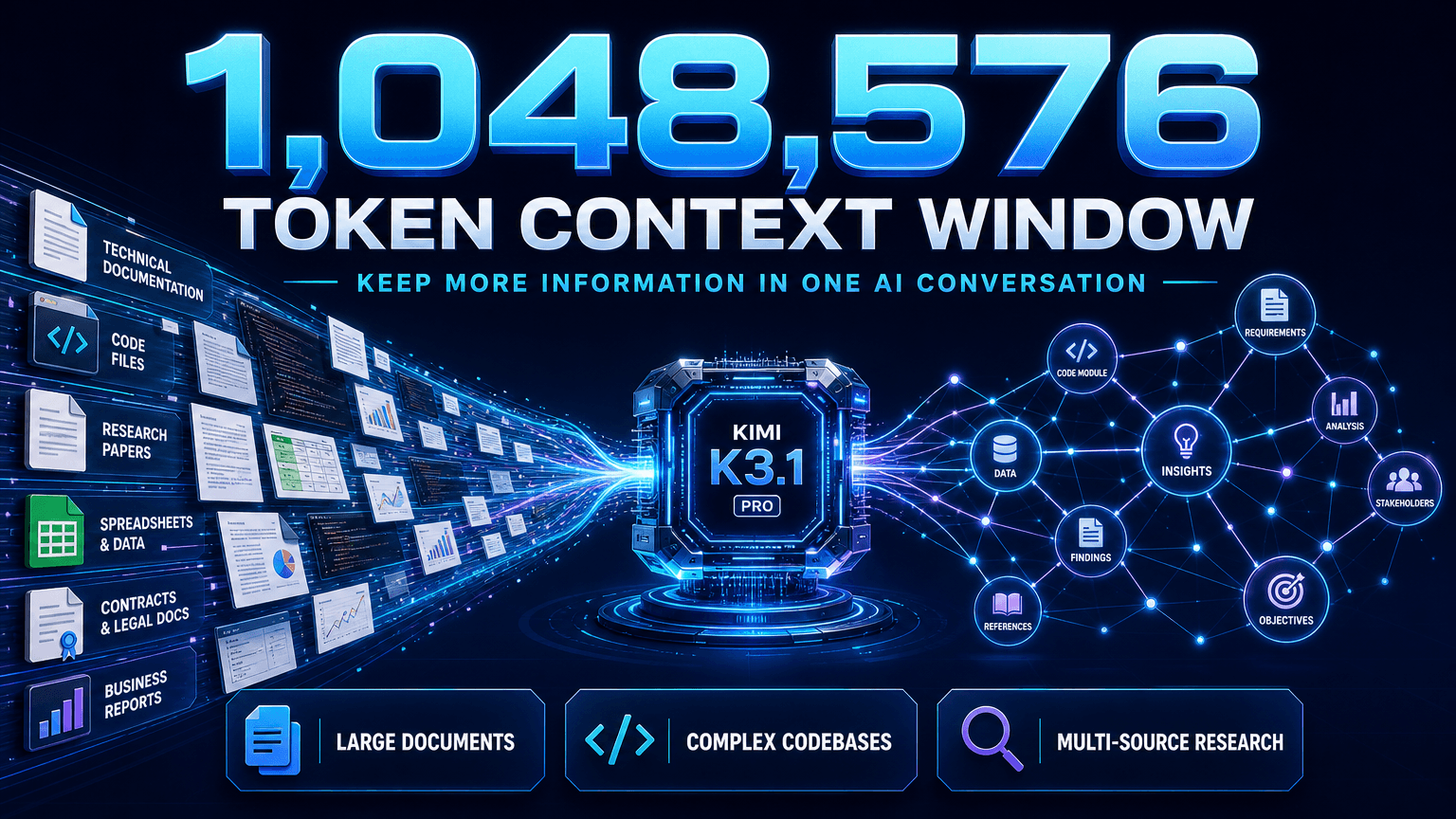
The 1,048,576-token context window lets you keep very large documents or codebases in a single conversation. This suits contract reviews, research synthesis and technical documentation, where splitting the material would lose connections between sections. For multi-file work, this video shows how 1min.AI handles several documents in one chat:
Kimi K3.1 Pro Benchmark Results
The Kimi K3.1 Pro benchmark scores below come from Moonshot’s launch blog. They are company-reported and have not all been independently verified.
| Benchmark | Kimi K3.1 Pro | Claude Opus 5.5 | GPT-6 Astra |
|---|---|---|---|
| Terminal-Bench 4.0 | 65.7 | 66.4 | 58.2 |
| BenchCAD (with tools) | 92.7 | 96.2 | 95.9 |
| OfficeQA Pro v2 | 64.4 | 62.2 | 54.4 |
| HLE-Full (with tools) | 70.0 | 67.7 | 57.2 |
| BrowseComp | 92.1 | 90.8 | 91.5 |
| GPQA-Diamond | 94.2 | 93.9 | 96.1 |
Kimi K3.1 Pro vs Opus 5.5
On the reported numbers, Kimi K3.1 Pro vs Opus 5.5 is a close contest. The two are within one point on Terminal-Bench 4.0, and K3.1 Pro leads on OfficeQA Pro v2, HLE-Full with tools and BrowseComp. Opus 5.5 leads on BenchCAD. The most useful test is your own workload, and with 1min.AI you can run the same prompt through both. Here is a closer look at Claude Opus 5.5 on 1min.AI. For another frontier option, GPT-6 Astra is available too.
Kimi K3.1 Pro API, Price and Credits
Kimi K3.1 Pro API Pricing
For developers, Moonshot offers the model through its API under the identifiers kimi-k3.1-pro and kimi-k3.1-pro-highspeed, with Zero Data Retention available. Launch coverage lists Kimi K3.1 Pro pricing at $2 per million input tokens and $10 per million output tokens. Check Moonshot’s pricing page for current rates.
Kimi K3.1 Pro Credits on 1min.AI
You do not need to manage tokens in the chat interface. 1min.AI estimates usage per page, where one page is about 500 words:
| Usage | Credits |
|---|---|
| Input | 4,002 credits per page |
| Output | 20,010 credits per page |
Moonshot’s K3.1 Pro Highspeed variant is aimed at faster, more responsive interactions. Start with standard K3.1 Pro to judge quality, then decide what your workflow needs.
Frequently Asked Questions
What is Kimi K3.1 Pro?
It is Moonshot AI’s open-weight multimodal reasoning model, post-trained from Kimi K3 for long-horizon coding and agentic knowledge work, with a context window of up to 1,048,576 tokens.
Can I chat with Kimi K3.1 Pro on 1min.AI?
Yes. Select it in Multi AI Chat, or use it inside Keyword Research, Content Generator, Rewriter, Content Expander, Content Shortener, Content Translator, Paraphraser, Summarizer, Grammar Checker, Document Translator, Presentation Generator and Code Generator.
Is Kimi K3.1 Pro open source?
Moonshot describes it as open weight and announced a weight release by November 4, 2026. That is different from publishing all training code and data.
How does Kimi K3.1 Pro compare with Opus 5.5?
Moonshot reports 65.7% on Terminal-Bench 4.0 against 66.4% for Claude Opus 5.5. K3.1 Pro leads on several agentic and finance benchmarks, while Opus 5.5 leads on others.
Can I use Kimi K3.1 Pro with documents?
Yes. Its long context suits large files, and 1min.AI’s Summarizer, Document Translator and Presentation Generator work with it.
Start Chatting With Kimi K3.1 Pro
Kimi K3.1 Pro rewards real tasks: a stubborn bug, a dense report, a multilingual draft, a deck outline. 1min.AI gives you one place to run all of them. Open a chat, send your first prompt and see what it builds.
- #Transaction
Alternatives
Discover the best alternatives to 1minAI and compare features, pricing, and use cases.

1min.AI vs OpenRouter
1min.AI vs. OpenRouter: Compare the ready-to-use AI creation product against the technical API tool. Find out if you need a zero-code creative studio or a coding infrastructure hub.
 Ngoc Hong

1min.AI vs. Metricool: Which Platform Does More for Your Marketing Workflow?
Compare 1min.AI vs. Metricool across content creation, visual production, scheduling, analytics, MCP, and pricing to find the right platform for your marketing workflow.

1min.AI vs. Hootsuite: Which Social Media Tool Fits Your Workflow?
Compare 1min.AI vs. Hootsuite to explore their AI content creation, social media publishing, analytics, pricing, and collaboration features. Find the right tool for your workflow.
AI Tools
Discover the best AI tools to boost productivity, creativity, and everyday work.

Top 4 Affordable AI Tools for Startup Founders
Discover the top 4 affordable AI tools for startup founders to validate ideas, build products, create content, and launch faster without overspending.
 Tram Ta

Turn “Make It Better” Into Better Content With AI
Use AI to turn vague client feedback into clear revisions, reduce unnecessary edits, and deliver better content faster.
 Lien Anh Vu

Free AI X Comment
Create funny, witty, or insightful comments for Twitter with our AI-powered Twitter Comment Generator. Boost your engagement and stand out in the crowd!
 Trang Tran
AI Features
Comprehensive AI features that streamline workflows, improve efficiency, and empower teams to achieve more.

1minAI: Free AI Grammar Checker
Check grammar for free with 1minAI’s AI grammar checker. Find grammar, spelling, and writing mistakes, improve clarity, and polish your content in seconds.
Tram Ta
Build a Portfolio Website Faster with 1min.AI
Learn how freelance creatives can use 1min.AI to plan, write, design, and generate a professional portfolio website faster, even without strong coding skills.
Lien Anh VuFree AI X Comment
Create funny, witty, or insightful comments for Twitter with our AI-powered Twitter Comment Generator. Boost your engagement and stand out in the crowd!
Trang TranAI Use Cases
A curated collection of AI use cases for business, productivity, and industry-specific applications.

Best Time to Post on Instagram: A Practical Guide for Better Engagement
Discover the best time to post on Instagram, including the best days and times for different audiences, plus tips to find the ideal posting schedule for your account.
Tram TaTurn “Make It Better” Into Better Content With AI
Use AI to turn vague client feedback into clear revisions, reduce unnecessary edits, and deliver better content faster.
Lien Anh VuBuild a Portfolio Website Faster with 1min.AI
Learn how freelance creatives can use 1min.AI to plan, write, design, and generate a professional portfolio website faster, even without strong coding skills.
Lien Anh VuAI Tutorials
Learn how to use AI with practical, step-by-step tutorials.

Black Friday AI Tool Deals in 2026
Discover what Black Friday AI tool deals 2026 has to offer. Find out how to secure the 1min.AI lifetime deal via AppSumo, Dealify, Stack Social, and verify on Trustpilot, Slashdot, and Software Advice.
 Hang Nguyen
Turn “Make It Better” Into Better Content With AI
Use AI to turn vague client feedback into clear revisions, reduce unnecessary edits, and deliver better content faster.
Lien Anh Vu
Viral Reels in Minutes: How to Use 1minAI’s Text-to-Speech for Satirical Voiceovers
Learn how satirical page admins use 1minAI’s Text-to-Speech feature to generate instant news anchor and dramatic voiceovers for TikToks, Shorts, and Instagram Reels.
AI Guides
Learn AI faster with practical guides, real-world examples, and actionable best practices.

Safely Buy AI Tools Online: 2026 Black Friday Guide
Discover how to find and secure the best Black Friday AI deals online. Learn expert strategies to avoid scams, combat subscription fatigue, and verify software.
Hang Nguyen
How to start an AI business without building from scratch
Learn how to start an AI business, validate your idea, and launch faster without building costly AI infrastructure from scratch.
Ngoc Hong
How to Use an AI Fashion Video Generator for Fashion Week 2026
Turn Fashion Week 2026 ideas into stunning fashion videos with AI. Learn how to brainstorm, create visuals, and transform images into videos with one simple workflow.
Lien Anh VuAI Solutions
Browse the best AI solutions for automation, coding, research, productivity, customer support, marketing, and business workflows.
Safely Buy AI Tools Online: 2026 Black Friday Guide
Discover how to find and secure the best Black Friday AI deals online. Learn expert strategies to avoid scams, combat subscription fatigue, and verify software.
Hang Nguyen
Free AI Tattoo Generator: Custom Designs
Turn any idea into a custom tattoo design with 1min.AI's free AI tattoo generator. Describe your idea, pick a style, and download in seconds.
Trang TranTurn “Make It Better” Into Better Content With AI
Use AI to turn vague client feedback into clear revisions, reduce unnecessary edits, and deliver better content faster.
Lien Anh VuAI Models
Explore the world's leading AI models in one place.

Free AI Chat With Claude Fable 5.2 On 1min.AI
Free AI chat with Claude Fable 5.2 on 1min.AI. Compare Fable 5.2 vs Opus 5.5, see Fable 5.2 benchmarks, and start chatting in minutes.
Trang Tran
GPT-6.2 Sol: Specs, Pricing & Free Access
Explore GPT-6.2 Sol specs, pricing, and how it compares with GPT-6.1 Sol and Claude Opus 5.5, then try it free in 1min.AI Multi AI Chat.
Trang Tran
GPT 6.2 Astra: Pricing, Benchmarks & Free Access
GPT 6.2 Astra release date, pricing, Reddit feedback and Opus 5.5 comparison. See what it does best and chat with it on 1min.AI for free.
Trang TranAI Comparisons
Compare AI tools, models, and platforms to find the best fit for your needs.

Gemini 4 Neon vs Hydrogen: Specs, Price & Picks
Gemini 4 Neon vs Hydrogen, Carbon and Argon: compare price, benchmarks and use cases to pick the right model, then test them side by side on 1min.AI.
Trang Tran
Kling AI Vs Veo 3: Which Model Wins?
Kling AI vs Veo 3: compare motion, native audio, pricing & free tiers to see which AI video generator wins for your project - try both on 1min.AI.
Trang Tran
DeepSeek V4 Pro vs Flash Comparison
Compare DeepSeek V4 Pro vs DeepSeek V4 Flash metrics. Optimize your agentic apps and improve AI fact checking on 1min.ai today.
Ngoc HongAI Integrations
Seamlessly integrate AI with the tools you already use to automate work and boost productivity.

POV: You Have 10+ Posts to Make Every Day
Learn how to build an AI content workflow that helps content creators produce 10+ social media posts a day faster with AI brainstorming, image generation, and content creation.
Lien Anh Vu
Stop Switching Between AI Apps: How AI Integration Transforms Employer Branding
Discover how AI integration helps HR teams streamline employer branding by combining AI writing, documents, images, video, and multiple AI models into one workspace.
Tram Ta
AI API Aggregator Explained For Developers
An AI API aggregator gives developers one unified API to call multiple AI models, cutting integration time and vendor lock in.
Trang TranAI for Industries
Find the best AI tools and workflows for healthcare, finance, education, legal, manufacturing, retail, real estate, and more
Try Image To Video AI With Prompt Online Free
Try image to video AI with prompt online free, no login and no watermark. Upload a photo, type the motion you want, and get a short video in minutes.
Trang Tran
No Photoshoot? Create AI Fashion Videos With Seedance 2.5
No photoshoot needed! Create stunning AI fashion videos with Seedance 2.5 on 1min.AI using outfit references, cinematic prompts, and surreal scenes.
Lien Anh Vu
Voice Cloning AI Free: How to Clone Any Voice Online in Minutes
Try voice cloning AI free with 1min.AI. Upload a 5-second clip, pick an ElevenLabs model, choose from 32 languages, and turn text to speech in your own voice.
Trang TranAI Agents
Discover and run AI agents to automate tasks across your work and daily life.
1minAI: Free AI Grammar Checker
Check grammar for free with 1minAI’s AI grammar checker. Find grammar, spelling, and writing mistakes, improve clarity, and polish your content in seconds.
Tram Ta
AI Agents for Facebook
Use an AI Agent for Facebook to create content, generate images, schedule posts, and publish from your documents and conversations.
Ngoc Hong
AI Agent vs AI Assistant: Which One Actually Saves Designers More Time?
Learn the difference between AI Agent vs AI Assistant and discover which solution helps designers automate repetitive work, reduce revisions, and save more time.
Lien Anh VuAI Workflows
Explore ready-to-use AI workflows for productivity, marketing, sales, support, and more.
POV: You Have 10+ Posts to Make Every Day
Learn how to build an AI content workflow that helps content creators produce 10+ social media posts a day faster with AI brainstorming, image generation, and content creation.
Lien Anh VuHow to Use an AI Fashion Video Generator for Fashion Week 2026
Turn Fashion Week 2026 ideas into stunning fashion videos with AI. Learn how to brainstorm, create visuals, and transform images into videos with one simple workflow.
Lien Anh Vu
One Product, 10 UGC Creatives: How AI Makes Content Testing Easier
Create more authentic UGC with an AI UGC video generator, test more creative angles and scale affiliate content without filming every version.
Lien Anh VuNewsletter
Weekly AI Innovations with 1minAI

🔮 Weekly AI Innovations #146: Mistral 3.5, Qwen Image & Cohere A+ are ready on 1min.ai
Deploy Mistral Large 3, Qwen Image 3.0, and Cohere Command A+ on 1min.ai. Boost RAG accuracy and cut visual generation latency in one unified AI workspace.
Hang Nguyen
🔮 Weekly AI Innovations #145: X Content Agent & GPT 6.1 Terra on 1min.ai
Scale viral reach with the X Content Agent on 1min.ai. Discover an end-to-end 4-stage pipeline with zero token burn, plus the launch of GPT 6.1 Terra.
Hang Nguyen
🔮 Weekly AI Innovations #144: LinkedIn Content Agent: Complete B2B Publishing Pipeline
Scale B2B influence with the LinkedIn Content Agent on 1min.ai. Discover an end-to-end 4-stage pipeline with zero redundant token burn and 1-click publishing.
Hang Nguyen