
Claude Duet vs Grok Bot: How to Use Claude and Grok AI Together on 1minAI

Tram Ta
November 20, 2026
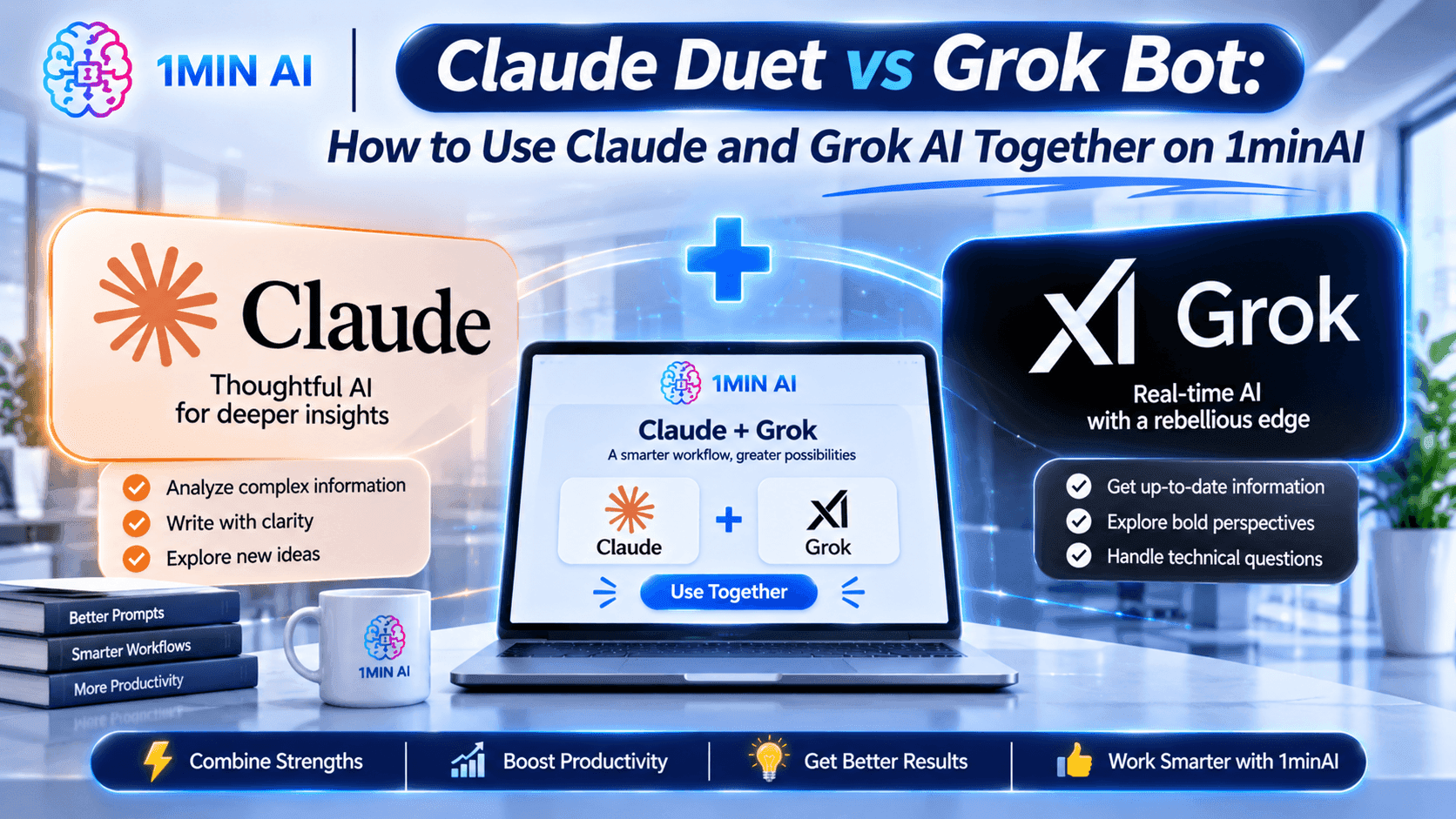
Compare Claude Duet vs Grok Bot and learn how to use Claude and Grok AI models together on 1minAI for writing, research, coding, and more.
AI assistants are evolving beyond simple chatbots. Products such as Claude Duet and Grok Bot demonstrate how AI can help users manage tasks, coordinate workflows, and complete more complex work.
But what if you don't want to commit to just one AI ecosystem?
Instead of choosing between Claude and Grok, you can explore both model families through 1minAI. Its Multi AI Chat workspace lets you access available Claude and Grok models, compare their responses, and use different AI capabilities for different tasks without constantly switching platforms.
In this guide, we'll compare Claude Duet vs Grok Bot, explain the difference between these standalone agent products and their underlying AI models, and show you how to combine Claude and Grok models in practical workflows on 1minAI.
1. What Is Claude Duet?
Claude Duet is Anthropic's proactive AI agent designed to help professionals and small business owners manage their daily work.
Unlike a traditional chatbot that waits for every instruction, Claude Duet is designed to identify tasks that need attention, prepare work in the background, and notify users when something requires their input.
Its main capabilities include:
- Proactive assistance: It can bring important tasks and updates to your attention.
- Task delegation: Users can assign work and allow Claude to continue working while they step away.
- Connected workflows: It can work with connected accounts and applications to gather information and prepare tasks.
- Background execution: Its virtual machine and browser allow it to continue working without requiring your computer to remain active.
- Human approval: Important actions, such as sending messages or making payments, require user approval.
Claude Duet is particularly interesting for people who manage multiple projects, communications, and recurring responsibilities.
However, remember that Claude Duet is a separate Anthropic product. Using Claude models through 1minAI does not automatically provide access to the standalone Claude Duet application or its background-agent features.
2. What Is Grok Bot?
Grok Bot is xAI's AI teammate system. It is designed to help individuals and teams delegate work to persistent AI agents that can interact with tools and applications.
Rather than functioning only as a conversational assistant, Grok Bot can work across connected environments and handle more involved tasks.
Its key capabilities include:
- Persistent AI teammates: Bots can retain context and work across ongoing projects.
- Tool and app interaction: They can use supported applications and services to complete tasks.
- Workflow automation: Users can teach Bots recurring routines and delegate repeatable processes.
- Team collaboration: Shared Bots can support multiple team members.
- Multi-agent coordination: Specialized Bots can work together and pass tasks or context between one another.
- Human oversight: Sensitive actions and permissions remain important parts of the workflow.
Grok Bot is useful for teams looking to delegate operational tasks, coordinate work, and build repeatable AI-assisted processes.
Like Claude Duet, Grok Bot is a standalone product. It should not be confused with the Grok language models available through 1minAI.
3. Claude Duet vs Grok Bot: What's the Difference?
Both products represent a move toward more proactive AI assistance, but their approaches are different.
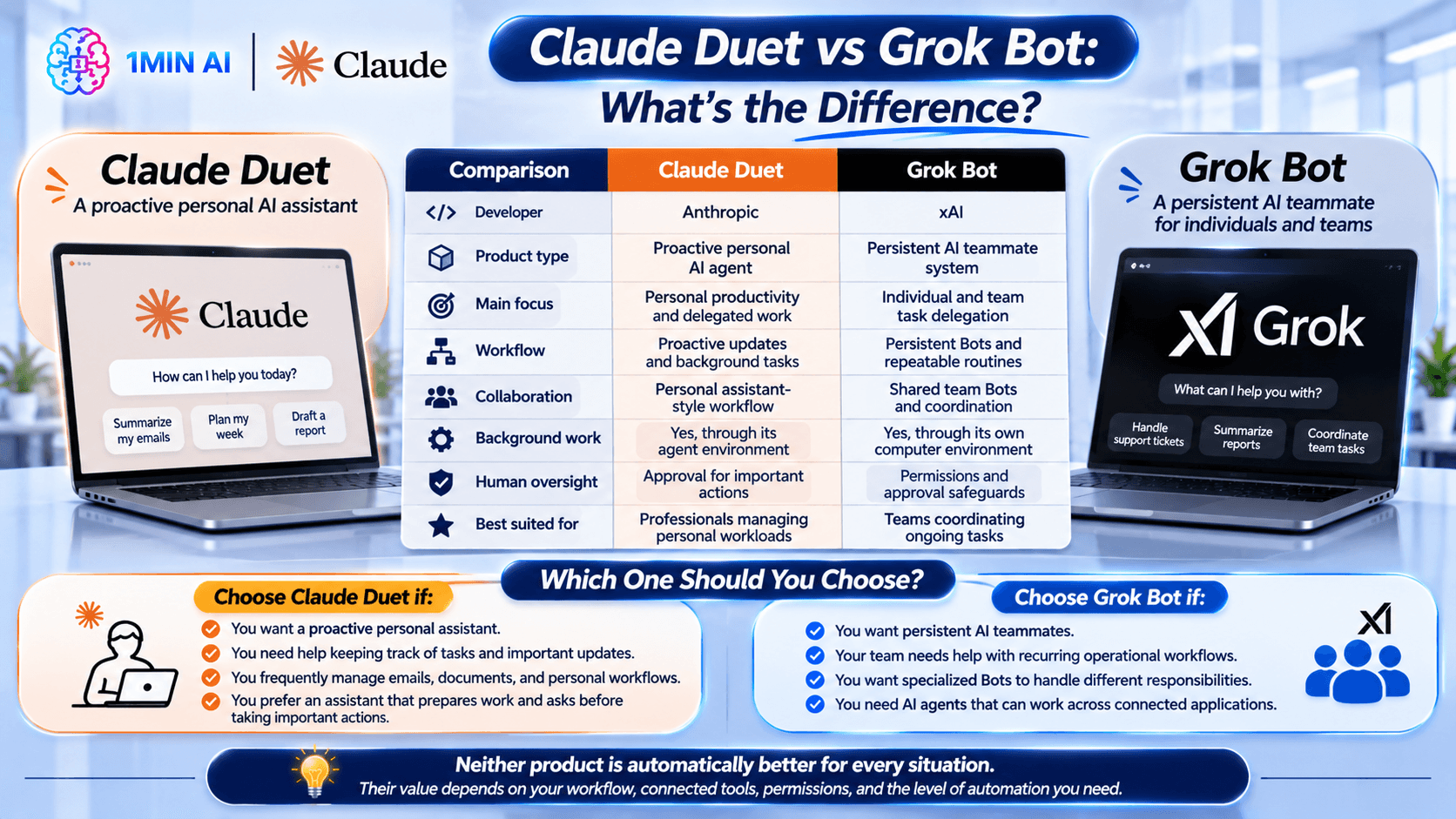
| Comparison | Claude Duet | Grok Bot |
|---|---|---|
| Developer | Anthropic | xAI |
| Product type | Proactive personal AI agent | Persistent AI teammate system |
| Main focus | Personal productivity and delegated work | Individual and team task delegation |
| Workflow | Proactive updates and background tasks | Persistent Bots and repeatable routines |
| Collaboration | Personal assistant-style workflow | Shared team Bots and coordination |
| Background work | Yes, through its agent environment | Yes, through its own computer environment |
| Human oversight | Approval for important actions | Permissions and approval safeguards |
| Best suited for | Professionals managing personal workloads | Teams coordinating ongoing tasks |
Which One Should You Choose?
The answer depends on the kind of work you want to delegate.
Choose Claude Duet if:
- You want a proactive personal assistant.
- You need help keeping track of tasks and important updates.
- You frequently manage emails, documents, and personal workflows.
- You prefer an assistant that prepares work and asks before taking important actions.
Choose Grok Bot if:
- You want persistent AI teammates.
- Your team needs help with recurring operational workflows.
- You want specialized Bots to handle different responsibilities.
- You need AI agents that can work across connected applications.
Neither product is automatically better for every situation. Their value depends on your workflow, connected tools, permissions, and the level of automation you need.
4. Why Use Claude and Grok Together on 1minAI?
Here's another way to approach the Claude Duet vs Grok Bot comparison: instead of choosing only one AI provider, explore what both model families can do for your everyday work.
1minAI brings multiple AI models into one workspace, including models from Anthropic and xAI. This means you can use available Claude and Grok models for different tasks, compare their responses, and build a workflow around their individual strengths.
Here are four practical benefits.
Access Different AI Models in One Workspace
You don't have to rely on one model for every task.
For example, 1minAI has featured models such as Claude Opus 5.5, Claude Sonnet 5.5, and Grok 4.7. The available selection may change as new models are added.
You can explore the available options and choose a model according to your task, rather than managing separate AI chat interfaces.
Compare Responses to the Same Prompt
Different models can interpret the same instruction in different ways.
By sending the same prompt to multiple models, you can compare:
- How clearly they explain an idea.
- Whether their recommendations are practical.
- How well they follow your instructions.
- Which response offers more useful details.
- What information needs additional verification.
This is especially useful for research, brainstorming, content creation, and technical problem-solving.
Combine Different Model Strengths
One model can generate an initial draft, while another can review its structure, challenge assumptions, or suggest improvements.
For example:
- Ask Claude to create a detailed business proposal.
- Ask Grok to critique the proposal and identify potential weaknesses.
- Compare the feedback.
- Refine the proposal using the most useful suggestions.
This creates a review process rather than relying on a single AI-generated answer.
Continue Working With Other AI Tools
Your workflow doesn't have to end after receiving a chat response.
You can continue using 1minAI's writing, document, and other productivity tools to refine the output. This makes it easier to move from brainstorming to a more complete deliverable in one workspace.
Explore Mix AI Models on 1minAI to learn more about combining different AI models.
5. How to Use Claude and Grok Models Together on 1minAI
You don't need to build a complicated multi-agent system to benefit from multiple AI models. You can start with a simple comparison workflow.
Step 1: Open 1minAI Multi AI Chat
Visit 1minAI and open Multi AI Chat.
This workspace allows you to explore available AI models and work with different providers from one interface.
Step 2: Choose an Available Claude Model
Select an available Claude model from the model selector.
For example, you may find Claude Opus 5.5 or Claude Sonnet 5.5, depending on the current model lineup and your plan.
Choose a model that fits your task and enter your prompt.
Step 3: Choose an Available Grok Model
Next, select an available Grok model, such as Grok 4.7 if it appears in your model selector.
You can use the same prompt to see how Grok approaches the task.
Step 4: Compare Their Responses
Review both answers instead of automatically choosing the first one.
Look for differences in:
- Accuracy and supporting evidence.
- Clarity and organization.
- Creativity and originality.
- Practical recommendations.
- Missing details or unsupported assumptions.
For factual research, verify important claims against reliable sources. A confident AI response is not necessarily a correct one.
Step 5: Refine Your Final Output
Once you have compared the responses, use the strongest ideas to create your final result.
You can ask one model to improve a draft based on the feedback from the other, or use 1minAI's writing tools to rewrite, expand, summarize, and polish the content.
The goal is not to make two models compete endlessly. It's to use their different perspectives to produce better work.
6. Five Practical Ways to Combine Claude and Grok on 1minAI
Let's look at how this workflow can help with everyday tasks.
1. Create Better Marketing Content
Marketing teams often need more than a first draft. They need fresh ideas, clear messaging, and content that speaks to the right audience.
Try this workflow:
- Ask Claude to create a blog outline or campaign draft.
- Ask Grok to review the angle and suggest alternative hooks.
- Compare their suggestions.
- Refine the final copy with 1minAI's Rewriter or Grammar Checker.
Example prompt:
"Act as a content strategist. Create a blog outline for a small business targeting first-time online shoppers. Include the search intent, audience pain points, suggested headings, and practical examples."
Then ask the second model:
"Review this outline as a critical marketing editor. Identify weak sections, missing search-intent considerations, and opportunities to make the article more useful."
This gives you both a starting point and a review perspective.
2. Improve Business Research
Business decisions often involve several assumptions. Comparing model responses can help you examine a problem from different angles.
For example, you could ask Claude to organize your research findings and ask Grok to identify risks or alternative explanations.
Example prompt:
"Analyze the following business idea for a small online store. Identify the target customers, potential demand, major competitors, operational challenges, and possible revenue streams. Separate assumptions from information that needs verification."
After receiving the responses, compare their assumptions and research suggestions before making a decision.
3. Review and Debug Code
Developers can use different models to explore alternative implementations or review potential problems.
A practical process could be:
- Ask Claude to explain an error and suggest a possible fix.
- Give Grok the same error message and relevant code.
- Compare the proposed solutions.
- Test the recommended changes in your development environment.
- Ask another model to review the final implementation.
Example prompt:
"Review this Python function. Identify potential bugs, edge cases, performance issues, and readability problems. Suggest a corrected version and explain the changes."
Always test generated code before using it in production. Comparing AI suggestions does not replace code review or testing.
4. Develop a Stronger Business Strategy
Founders and small business owners can use multiple models to brainstorm and challenge strategic decisions.
For example, ask Claude to create a growth plan and Grok to act as a critical business reviewer.
Example prompt:
"Create a 90-day growth strategy for a small SaaS business with a limited marketing budget. Include customer acquisition channels, weekly priorities, key metrics, and potential risks."
Then ask the second model:
"Challenge this strategy. Identify unrealistic assumptions, overlooked expenses, potential execution problems, and three alternative approaches."
The combined feedback can help you develop a more balanced plan.
5. Summarize and Improve Documents
Long reports, proposals, and business documents can benefit from multiple review stages.
You can use one model to summarize the key information and another to review the structure, clarity, and missing details.
Example prompt:
"Summarize this business report into an executive brief. Highlight the main findings, important numbers, decisions required, and recommended next steps. Do not invent information that is not included in the document."
Then ask the other model:
"Review this executive brief against the original report. Identify missing information, unclear conclusions, and any statements that need stronger evidence."
This approach is particularly useful when you need a concise document without losing important context.
7. Claude vs Grok: How to Choose the Right Model on 1minAI
Although both model families are available through 1minAI, you don't need to use them in exactly the same way.
The best model depends on the task, the specific model version, and the quality of the response you receive.
| Your task | Suggested approach |
|---|---|
| Long-form content drafting | Test Claude and Grok, then compare structure and tone |
| Creative brainstorming | Ask both models for different ideas |
| Business research | Compare their analysis and verify important facts |
| Coding and debugging | Compare suggested solutions and run tests |
| Document summarization | Evaluate completeness and factual consistency |
| Strategy development | Use one model to propose a plan and another to challenge it |
A useful rule is to start with one model for straightforward tasks and bring in a second model when the result needs more review, creativity, or critical thinking.
You should also consider the specific model version rather than assuming every Claude model or every Grok model behaves identically.
8. Explore More AI Models and Agent Workflows With 1minAI
Claude Duet and Grok Bot demonstrate how AI agents are becoming more capable of handling ongoing tasks. But you don't need to start with a complicated agent setup to benefit from the AI ecosystem.
With 1minAI, you can explore different AI models, compare their responses, and connect model outputs with productivity tools.
Here are some useful starting points:
- **Multi AI Chat: Explore different AI models in one chat workspace.
- **Mix AI Models: Learn how to combine model capabilities across different tasks.
- **Mix AI Models for AI Agents: Explore multi-model workflows for more flexible AI-assisted tasks.
- **Grok Bot 1.0 Explained: Understand Grok Bot's standalone capabilities and how Grok models can support everyday work on 1minAI.
Rather than subscribing to one model and using it for everything, you can explore different options and choose the approach that best fits your needs.
Frequently Asked Questions
1. Is Claude Duet available on 1minAI?
No. Claude Duet is a standalone Anthropic product. 1minAI provides access to available Claude models through its AI workspace, but this does not include the standalone Claude Duet application or all of its agent features.
2. Is Grok Bot available on 1minAI?
No. Grok Bot is a standalone xAI product. 1minAI provides access to available Grok models, which you can use for chat, writing, research, coding, and other supported tasks. These are different from the Grok Bot agent environment.
3. Can I use Claude and Grok together on 1minAI?
Yes. You can explore available Claude and Grok models through 1minAI's Multi AI Chat experience and compare their responses. The exact model options depend on the current lineup and your plan.
4. Which is better, Claude or Grok?
Neither is universally better. Their performance depends on the specific model version and task. Claude and Grok may produce different results for writing, research, coding, and reasoning. Comparing their responses on your own tasks is a practical way to decide.
Conclusion
Claude Duet vs Grok Bot is an interesting comparison because both products show how AI is moving toward more proactive and task-oriented assistance.
Claude Duet focuses on personal productivity and delegated work, while Grok Bot emphasizes persistent AI teammates and collaborative workflows.
But you don't always have to choose one AI provider for every task.
With 1minAI, you can explore available Claude and Grok models in one workspace, compare their responses, and combine their different perspectives to improve writing, research, coding, and business workflows.
Try Claude and Grok models on 1minAI and discover how multiple AI models can work together to make your everyday tasks easier.
For more AI capabilities, visit 1minAI Features and try the 1minAI Agent.
- #Information
- #Commerce
Alternatives
Discover the best alternatives to 1minAI and compare features, pricing, and use cases.

1min.AI vs OpenRouter
1min.AI vs. OpenRouter: Compare the ready-to-use AI creation product against the technical API tool. Find out if you need a zero-code creative studio or a coding infrastructure hub.
 Ngoc Hong

1min.AI vs. Metricool: Which Platform Does More for Your Marketing Workflow?
Compare 1min.AI vs. Metricool across content creation, visual production, scheduling, analytics, MCP, and pricing to find the right platform for your marketing workflow.

1min.AI vs. Hootsuite: Which Social Media Tool Fits Your Workflow?
Compare 1min.AI vs. Hootsuite to explore their AI content creation, social media publishing, analytics, pricing, and collaboration features. Find the right tool for your workflow.
AI Tools
Discover the best AI tools to boost productivity, creativity, and everyday work.

Create Consistent Cartoon Content in Just a Few Steps
Create engaging cartoon videos for TikTok and Reels with 1min.AI. Research ideas, create characters, and turn images into animated videos in 3 simple steps.
 Lien Anh Vu

One Product, 10 UGC Creatives: How AI Makes Content Testing Easier
Create more authentic UGC with an AI UGC video generator, test more creative angles and scale affiliate content without filming every version.
Lien Anh Vu
Top 4 Affordable AI Tools for Startup Founders
Discover the top 4 affordable AI tools for startup founders to validate ideas, build products, create content, and launch faster without overspending.
 Tram Ta
AI Features
Comprehensive AI features that streamline workflows, improve efficiency, and empower teams to achieve more.
Create Consistent Cartoon Content in Just a Few Steps
Create engaging cartoon videos for TikTok and Reels with 1min.AI. Research ideas, create characters, and turn images into animated videos in 3 simple steps.
Lien Anh VuOne Product, 10 UGC Creatives: How AI Makes Content Testing Easier
Create more authentic UGC with an AI UGC video generator, test more creative angles and scale affiliate content without filming every version.
Lien Anh Vu
1minAI: Free AI Grammar Checker
Check grammar for free with 1minAI’s AI grammar checker. Find grammar, spelling, and writing mistakes, improve clarity, and polish your content in seconds.
Tram TaAI Use Cases
A curated collection of AI use cases for business, productivity, and industry-specific applications.
Create Consistent Cartoon Content in Just a Few Steps
Create engaging cartoon videos for TikTok and Reels with 1min.AI. Research ideas, create characters, and turn images into animated videos in 3 simple steps.
Lien Anh VuOne Product, 10 UGC Creatives: How AI Makes Content Testing Easier
Create more authentic UGC with an AI UGC video generator, test more creative angles and scale affiliate content without filming every version.
Lien Anh Vu
Best Time to Post on Instagram: A Practical Guide for Better Engagement
Discover the best time to post on Instagram, including the best days and times for different audiences, plus tips to find the ideal posting schedule for your account.
Tram TaAI Tutorials
Learn how to use AI with practical, step-by-step tutorials.

Black Friday AI Tool Deals in 2026
Discover what Black Friday AI tool deals 2026 has to offer. Find out how to secure the 1min.AI lifetime deal via AppSumo, Dealify, Stack Social, and verify on Trustpilot, Slashdot, and Software Advice.
 Hang Nguyen
Create Consistent Cartoon Content in Just a Few Steps
Create engaging cartoon videos for TikTok and Reels with 1min.AI. Research ideas, create characters, and turn images into animated videos in 3 simple steps.
Lien Anh Vu
[Seedance 2.5 New] Better AI Product Videos, Less Rework in 1min.AI
Use Seedance 2.5 image to video on 1min.AI to create more consistent AI product videos, reduce failed generations, save credits, and improve UGC workflows.
Lien Anh VuAI Guides
Learn AI faster with practical guides, real-world examples, and actionable best practices.

Safely Buy AI Tools Online: 2026 Black Friday Guide
Discover how to find and secure the best Black Friday AI deals online. Learn expert strategies to avoid scams, combat subscription fatigue, and verify software.
Hang NguyenCreate Consistent Cartoon Content in Just a Few Steps
Create engaging cartoon videos for TikTok and Reels with 1min.AI. Research ideas, create characters, and turn images into animated videos in 3 simple steps.
Lien Anh Vu[Seedance 2.5 New] Better AI Product Videos, Less Rework in 1min.AI
Use Seedance 2.5 image to video on 1min.AI to create more consistent AI product videos, reduce failed generations, save credits, and improve UGC workflows.
Lien Anh VuAI Solutions
Browse the best AI solutions for automation, coding, research, productivity, customer support, marketing, and business workflows.
Safely Buy AI Tools Online: 2026 Black Friday Guide
Discover how to find and secure the best Black Friday AI deals online. Learn expert strategies to avoid scams, combat subscription fatigue, and verify software.
Hang NguyenCreate Consistent Cartoon Content in Just a Few Steps
Create engaging cartoon videos for TikTok and Reels with 1min.AI. Research ideas, create characters, and turn images into animated videos in 3 simple steps.
Lien Anh VuOne Product, 10 UGC Creatives: How AI Makes Content Testing Easier
Create more authentic UGC with an AI UGC video generator, test more creative angles and scale affiliate content without filming every version.
Lien Anh VuAI Models
Explore the world's leading AI models in one place.
Create Consistent Cartoon Content in Just a Few Steps
Create engaging cartoon videos for TikTok and Reels with 1min.AI. Research ideas, create characters, and turn images into animated videos in 3 simple steps.
Lien Anh VuOne Product, 10 UGC Creatives: How AI Makes Content Testing Easier
Create more authentic UGC with an AI UGC video generator, test more creative angles and scale affiliate content without filming every version.
Lien Anh Vu[Seedance 2.5 New] Better AI Product Videos, Less Rework in 1min.AI
Use Seedance 2.5 image to video on 1min.AI to create more consistent AI product videos, reduce failed generations, save credits, and improve UGC workflows.
Lien Anh VuAI Comparisons
Compare AI tools, models, and platforms to find the best fit for your needs.

Kling AI Vs Veo 3: Which Model Wins?
Kling AI vs Veo 3: compare motion, native audio, pricing & free tiers to see which AI video generator wins for your project - try both on 1min.AI.
 Trang Tran
[Seedance 2.5 New] Better AI Product Videos, Less Rework in 1min.AI
Use Seedance 2.5 image to video on 1min.AI to create more consistent AI product videos, reduce failed generations, save credits, and improve UGC workflows.
Lien Anh Vu
DeepSeek V4 Pro vs Flash Comparison
Compare DeepSeek V4 Pro vs DeepSeek V4 Flash metrics. Optimize your agentic apps and improve AI fact checking on 1min.ai today.
Ngoc HongAI Integrations
Seamlessly integrate AI with the tools you already use to automate work and boost productivity.

POV: You Have 10+ Posts to Make Every Day
Learn how to build an AI content workflow that helps content creators produce 10+ social media posts a day faster with AI brainstorming, image generation, and content creation.
Lien Anh Vu
How to Use an AI Fashion Video Generator for Fashion Week 2026
Turn Fashion Week 2026 ideas into stunning fashion videos with AI. Learn how to brainstorm, create visuals, and transform images into videos with one simple workflow.
Lien Anh Vu
Stop Switching Between AI Apps: How AI Integration Transforms Employer Branding
Discover how AI integration helps HR teams streamline employer branding by combining AI writing, documents, images, video, and multiple AI models into one workspace.
Tram TaAI for Industries
Find the best AI tools and workflows for healthcare, finance, education, legal, manufacturing, retail, real estate, and more
Try Image To Video AI With Prompt Online Free
Try image to video AI with prompt online free, no login and no watermark. Upload a photo, type the motion you want, and get a short video in minutes.
Trang Tran
No Photoshoot? Create AI Fashion Videos With Seedance 2.5
No photoshoot needed! Create stunning AI fashion videos with Seedance 2.5 on 1min.AI using outfit references, cinematic prompts, and surreal scenes.
Lien Anh Vu
Voice Cloning AI Free: How to Clone Any Voice Online in Minutes
Try voice cloning AI free with 1min.AI. Upload a 5-second clip, pick an ElevenLabs model, choose from 32 languages, and turn text to speech in your own voice.
Trang TranAI Agents
Discover and run AI agents to automate tasks across your work and daily life.
1minAI: Free AI Grammar Checker
Check grammar for free with 1minAI’s AI grammar checker. Find grammar, spelling, and writing mistakes, improve clarity, and polish your content in seconds.
Tram Ta
AI Agents for Facebook
Use an AI Agent for Facebook to create content, generate images, schedule posts, and publish from your documents and conversations.
Ngoc Hong
AI Agent vs AI Assistant: Which One Actually Saves Designers More Time?
Learn the difference between AI Agent vs AI Assistant and discover which solution helps designers automate repetitive work, reduce revisions, and save more time.
Lien Anh VuAI Workflows
Explore ready-to-use AI workflows for productivity, marketing, sales, support, and more.
Create Consistent Cartoon Content in Just a Few Steps
Create engaging cartoon videos for TikTok and Reels with 1min.AI. Research ideas, create characters, and turn images into animated videos in 3 simple steps.
Lien Anh VuOne Product, 10 UGC Creatives: How AI Makes Content Testing Easier
Create more authentic UGC with an AI UGC video generator, test more creative angles and scale affiliate content without filming every version.
Lien Anh VuPOV: You Have 10+ Posts to Make Every Day
Learn how to build an AI content workflow that helps content creators produce 10+ social media posts a day faster with AI brainstorming, image generation, and content creation.
Lien Anh VuNewsletter
Weekly AI Innovations with 1minAI

🔮 Weekly AI Innovations #146: Mistral 3.5, Qwen Image & Cohere A+ are ready on 1min.ai
Deploy Mistral Large 3, Qwen Image 3.0, and Cohere Command A+ on 1min.ai. Boost RAG accuracy and cut visual generation latency in one unified AI workspace.
Hang Nguyen
🔮 Weekly AI Innovations #145: X Content Agent & GPT 6.1 Terra on 1min.ai
Scale viral reach with the X Content Agent on 1min.ai. Discover an end-to-end 4-stage pipeline with zero token burn, plus the launch of GPT 6.1 Terra.
Hang Nguyen
🔮 Weekly AI Innovations #144: LinkedIn Content Agent: Complete B2B Publishing Pipeline
Scale B2B influence with the LinkedIn Content Agent on 1min.ai. Discover an end-to-end 4-stage pipeline with zero redundant token burn and 1-click publishing.
Hang Nguyen