
Create a Storyboard for Your Video with 1min.AI
Uyen Hoang
November 16, 2026
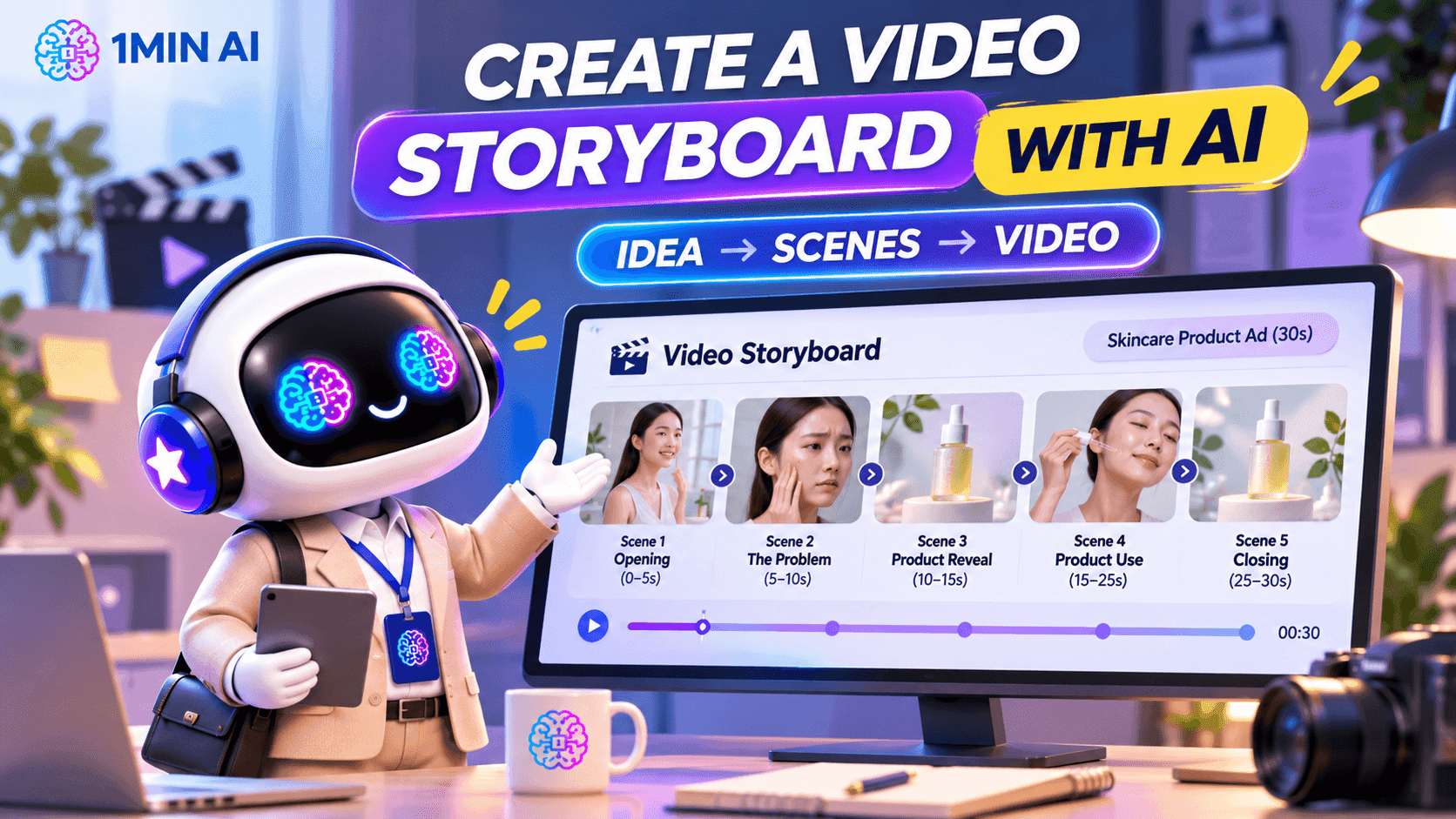
Learn how to create a video storyboard with AI. Turn your ideas into scenes, generate visual frames, and plan your next video with 1min.AI.
A good video starts long before the camera starts rolling. Whether you are creating a product advertisement, a social media video, or a short promotional clip, you need a clear idea of what each scene should show and how the story should unfold.
That is where a storyboard comes in. It helps you visualize your video shot by shot, organize the sequence of scenes, and identify what needs to be created before production begins. With AI tools, you can speed up this process by turning a simple concept into a structured scene plan and generating visual references for each shot.
In this guide, you will learn how to create a storyboard for your video using 1min.AI.
https://1min.ai/create-a-storyboard-for-your-video
What Is a Video Storyboard and Why Do You Need One?
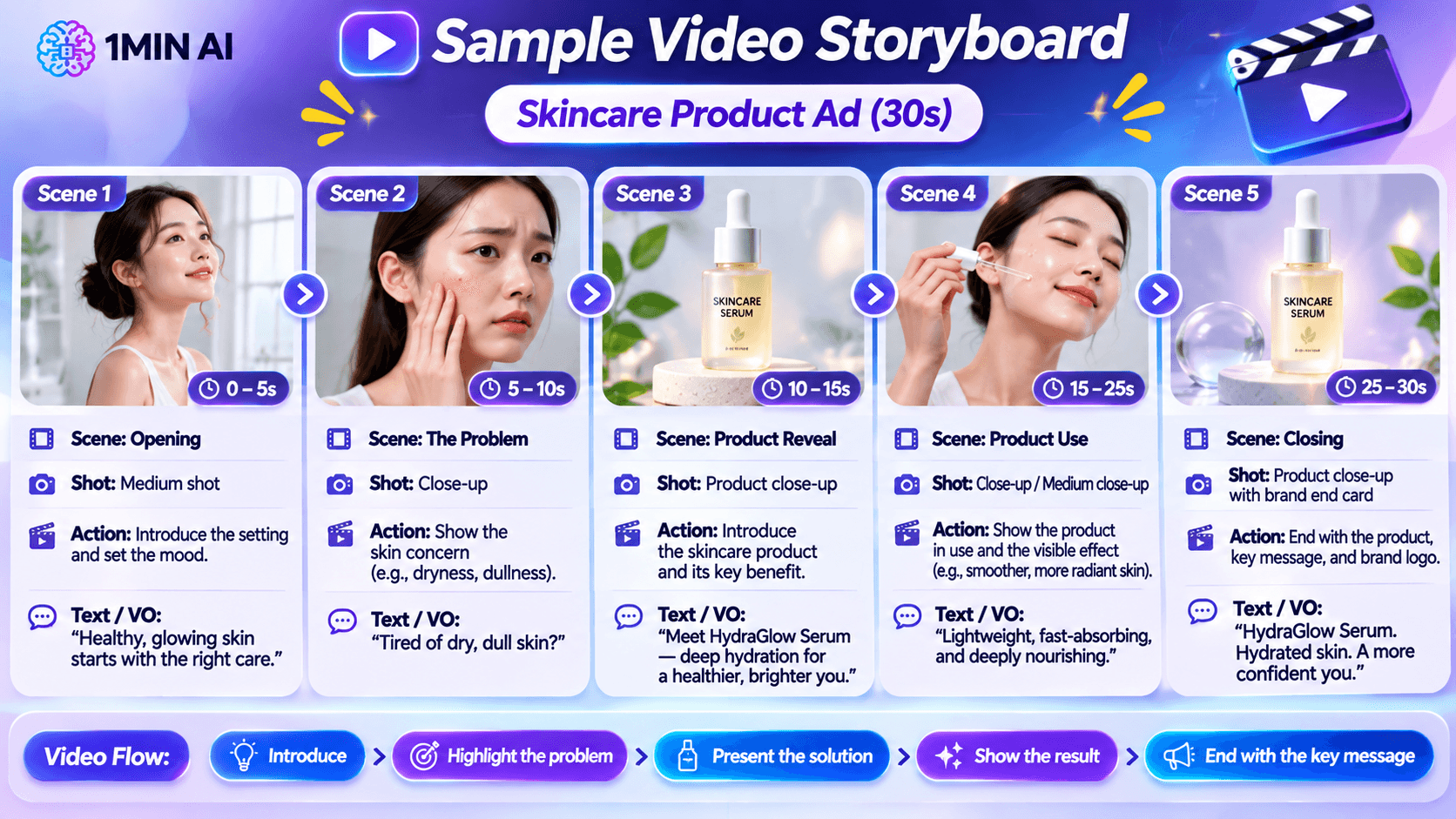
A video storyboard is a visual plan that breaks a video into individual scenes or shots. Each frame represents a key moment and usually includes a short description of the action, camera angle, dialogue, or other production details.
Think of it as a visual roadmap for your video. Instead of relying on a script or a rough idea, you can see how the scenes connect before moving into production.
A storyboard is particularly useful when you need to:
- Plan the visual sequence: Decide what viewers will see from the opening shot to the final scene.
- Maintain story consistency: Keep characters, products, locations, and visual styles consistent throughout the video.
- Communicate creative ideas: Give editors, designers, or production teams a shared visual reference.
- Reduce unnecessary revisions: Identify missing scenes or unclear transitions before generating or filming the video.
[Image 1 – Example of a video storyboard with multiple frames arranged in sequence, including scene descriptions and camera directions]
How to Create a Storyboard for Your Video with AI
You do not need to draw every frame manually. You can use AI to develop the concept, organize scenes, and generate visual references for your storyboard.
Here is a practical workflow using 1min.AI.
Step 1. Develop Your Video Concept with Multi AI Chat
Start with a clear video idea. It could be a product advertisement, a short educational video, a brand introduction, or a social media campaign.
If your concept is still rough, use Multi AI Chat to explore different creative directions. You can submit the same prompt to multiple available AI models and compare their suggestions before choosing the direction that works best.
For example, try this prompt:
I want to create a 30-second promotional video for a skincare product. The target audience is young adults aged 18–30. Suggest three creative concepts for the video, each with a different storytelling approach. Include the main message, visual direction, and suggested ending.
Compare the responses to find a concept that fits your audience and campaign objective. You can also ask the models to refine the selected idea into a more detailed video concept.
Step 2. Turn Your Concept into a Scene-by-Scene Script
Once you have selected a concept, develop it into a script. A useful script should describe what happens in each scene, what viewers hear, and how each shot contributes to the overall message.
You can use Content Generator in AI for Writing to create an initial script. Alternatively, continue working in Multi AI Chat and ask the models to organize your concept into individual scenes.
Use a prompt like this:
Turn this video concept into a 30-second video script with 5 scenes. For each scene, provide:
- Scene duration
- Visual description
- Main action
- Camera angle or movement
- Voiceover or on-screen text
- Transition to the next scene
Make sure the scenes follow a logical sequence and fit the total video duration.
Review the generated script and adjust the timing, dialogue, and visual direction. AI-generated scripts are starting points, so make sure every scene supports your intended message.
Step 3. Generate Visual Frames for Your Storyboard
Now turn the written scene descriptions into visual references. This is where AI for Image becomes useful.
Use Image Generator to create an image for each key scene. Rather than generating unrelated images, provide consistent descriptions of the characters, products, setting, lighting, and visual style.
For example, if you are creating a skincare advertisement, you might use prompts like:
| Scene | Visual direction | Example image prompt |
|---|---|---|
| 1. Opening | Introduce the setting | A young woman standing in front of a bathroom mirror in a bright, minimalist bathroom, soft morning light, cinematic commercial style |
| 2. The problem | Show the customer's concern | Close-up of the woman examining her skin in the mirror, natural expression, soft lighting, realistic skincare advertisement |
| 3. Product reveal | Introduce the product | A skincare bottle placed on a clean marble surface, elegant composition, soft reflections, premium product photography |
| 4. Product use | Show the product in action | Close-up of a hand applying skincare serum to the face, natural skin texture, clean beauty commercial aesthetic |
| 5. Closing | End with the key message | Skincare bottle centered against a soft neutral background, clean product composition with space for a promotional tagline |
Generate and review the images one scene at a time. If a frame does not match your intended direction, refine its prompt and generate another version.
You can also use Image Variator to explore alternative visual compositions while keeping the original image as a reference.
Step 4. Refine the Visual Details and Keep Scenes Consistent
A storyboard should feel like one video, not a collection of unrelated images. Before moving forward, review the frames together and check whether they share a consistent visual direction.
Pay attention to:
- Characters and products: Keep their appearance recognizable across scenes.
- Color palette: Use a consistent set of colors, lighting conditions, and visual tones.
- Composition: Make sure the subject is positioned appropriately in each frame.
- Scene progression: Check whether each image communicates the intended action and connects naturally to the next one.
If a frame needs adjustments, use relevant AI for Image tools such as Image Variator, Image Mask Editor, or Search and Replace to refine the visual elements.
Remember that image generation may produce differences between frames. Review the results carefully and regenerate or edit images when visual consistency is important.
Step 5. Turn Your Storyboard into a Video
Once your storyboard frames are ready, you can start bringing them to life.
Use Image to Video to animate selected storyboard images into short video clips. This helps you explore how a scene might look in motion before completing the full video.
For scenes that need to be created from a text description, you can also use Text to Video to generate video clips from prompts.
For example:
A cinematic close-up of a skincare serum bottle on a marble surface. The camera slowly moves toward the product while soft natural light reflects across the glass. Minimalist luxury beauty advertisement, smooth camera movement.
Generate clips for individual scenes, then review whether the motion, composition, and pacing match your storyboard. You may need to adjust prompts or generate alternative versions to get the intended result.
A Simple Video Storyboard Template
If you are planning your first video, start with a simple storyboard structure. You do not need to include every production detail at the beginning. Focus on the sequence, visual direction, and message of each scene.
| Scene | Duration | Visuals | Action | Audio / Text |
|---|---|---|---|---|
| Opening | 0–5 sec | Introduce the subject or setting | Capture attention | Opening hook |
| Problem | 5–10 sec | Show the audience's challenge | Establish the context | Problem statement |
| Solution | 10–18 sec | Introduce the product or idea | Demonstrate the solution | Key benefit |
| Demonstration | 18–25 sec | Show the product in use | Highlight the main value | Supporting message |
| Closing | 25–30 sec | Show the final visual or brand | Reinforce the message | Call to action |
This structure works well for short promotional videos, but you can adapt it to your video's length, platform, and storytelling style.
Common Mistakes to Avoid When Creating a Video Storyboard
AI can make storyboard creation faster, but the quality of the result still depends on how well you plan and review each scene.
Starting with visuals before defining the story. Generating attractive images without a clear narrative can result in disconnected scenes. Establish the video's objective and sequence before creating visual frames.
Putting too much information into one scene. Each frame should communicate one main action or idea. If a scene contains several unrelated actions, consider splitting it into smaller shots.
Ignoring continuity between frames. Differences in character appearance, product details, lighting, or setting can make the final video feel inconsistent. Use clear and repeated visual descriptions when generating images.
Treating the AI-generated storyboard as a finished production plan. Generated images are visual references, not guarantees of how the final video will look. Review camera directions, transitions, timing, and movement before production.
Turn Your Video Ideas into Visual Plans with 1min.AI
A storyboard gives your video a clearer direction before production begins. You can use Multi AI Chat to explore concepts and organize scenes, AI for Writing to develop the script, and AI for Image to generate visual references for each frame.
When the storyboard is ready, Image to Video and Text to Video can help you experiment with motion and turn selected scenes into video clips.
Instead of starting with a blank page or creating every frame manually, you can build a more organized creative workflow with 1min.AI. Start with one idea, develop the scenes, and bring your video concept closer to reality.
Alternatives
Discover the best alternatives to 1minAI and compare features, pricing, and use cases.
1min.AI vs OpenRouter
1min.AI vs. OpenRouter: Compare the ready-to-use AI creation product against the technical API tool. Find out if you need a zero-code creative studio or a coding infrastructure hub.
 Ngoc Hong
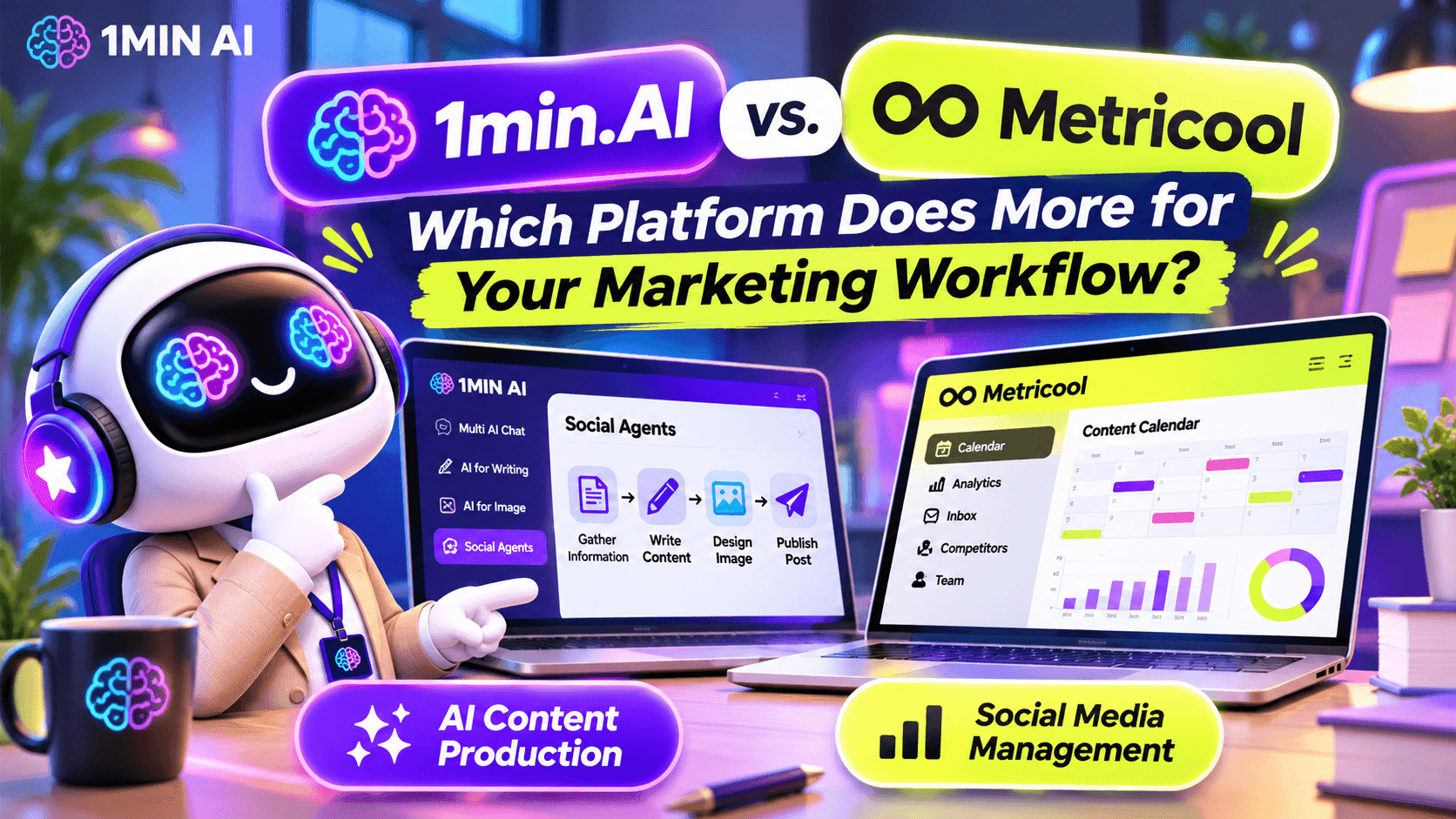
1min.AI vs. Metricool: Which Platform Does More for Your Marketing Workflow?
Compare 1min.AI vs. Metricool across content creation, visual production, scheduling, analytics, MCP, and pricing to find the right platform for your marketing workflow.
1min.AI vs. Hootsuite: Which Social Media Tool Fits Your Workflow?
Compare 1min.AI vs. Hootsuite to explore their AI content creation, social media publishing, analytics, pricing, and collaboration features. Find the right tool for your workflow.
AI Tools
Discover the best AI tools to boost productivity, creativity, and everyday work.
Top 4 Affordable AI Tools for Startup Founders
Discover the top 4 affordable AI tools for startup founders to validate ideas, build products, create content, and launch faster without overspending.
 Tram Ta
Turn “Make It Better” Into Better Content With AI
Use AI to turn vague client feedback into clear revisions, reduce unnecessary edits, and deliver better content faster.
 Lien Anh Vu
Free AI X Comment
Create funny, witty, or insightful comments for Twitter with our AI-powered Twitter Comment Generator. Boost your engagement and stand out in the crowd!
 Trang Tran
AI Features
Comprehensive AI features that streamline workflows, improve efficiency, and empower teams to achieve more.
1minAI: Free AI Grammar Checker
Check grammar for free with 1minAI’s AI grammar checker. Find grammar, spelling, and writing mistakes, improve clarity, and polish your content in seconds.
Tram Ta
Build a Portfolio Website Faster with 1min.AI
Learn how freelance creatives can use 1min.AI to plan, write, design, and generate a professional portfolio website faster, even without strong coding skills.
Lien Anh VuFree AI X Comment
Create funny, witty, or insightful comments for Twitter with our AI-powered Twitter Comment Generator. Boost your engagement and stand out in the crowd!
Trang TranAI Use Cases
A curated collection of AI use cases for business, productivity, and industry-specific applications.
Best Time to Post on Instagram: A Practical Guide for Better Engagement
Discover the best time to post on Instagram, including the best days and times for different audiences, plus tips to find the ideal posting schedule for your account.
Tram TaTurn “Make It Better” Into Better Content With AI
Use AI to turn vague client feedback into clear revisions, reduce unnecessary edits, and deliver better content faster.
Lien Anh VuBuild a Portfolio Website Faster with 1min.AI
Learn how freelance creatives can use 1min.AI to plan, write, design, and generate a professional portfolio website faster, even without strong coding skills.
Lien Anh VuAI Tutorials
Learn how to use AI with practical, step-by-step tutorials.

Black Friday AI Tool Deals in 2026
Discover what Black Friday AI tool deals 2026 has to offer. Find out how to secure the 1min.AI lifetime deal via AppSumo, Dealify, Stack Social, and verify on Trustpilot, Slashdot, and Software Advice.
 Hang Nguyen
Turn “Make It Better” Into Better Content With AI
Use AI to turn vague client feedback into clear revisions, reduce unnecessary edits, and deliver better content faster.
Lien Anh Vu
Viral Reels in Minutes: How to Use 1minAI’s Text-to-Speech for Satirical Voiceovers
Learn how satirical page admins use 1minAI’s Text-to-Speech feature to generate instant news anchor and dramatic voiceovers for TikToks, Shorts, and Instagram Reels.
AI Guides
Learn AI faster with practical guides, real-world examples, and actionable best practices.

Safely Buy AI Tools Online: 2026 Black Friday Guide
Discover how to find and secure the best Black Friday AI deals online. Learn expert strategies to avoid scams, combat subscription fatigue, and verify software.
Hang Nguyen
How to start an AI business without building from scratch
Learn how to start an AI business, validate your idea, and launch faster without building costly AI infrastructure from scratch.
Ngoc Hong
How to Use an AI Fashion Video Generator for Fashion Week 2026
Turn Fashion Week 2026 ideas into stunning fashion videos with AI. Learn how to brainstorm, create visuals, and transform images into videos with one simple workflow.
Lien Anh VuAI Solutions
Browse the best AI solutions for automation, coding, research, productivity, customer support, marketing, and business workflows.
Safely Buy AI Tools Online: 2026 Black Friday Guide
Discover how to find and secure the best Black Friday AI deals online. Learn expert strategies to avoid scams, combat subscription fatigue, and verify software.
Hang Nguyen
Free AI Tattoo Generator: Custom Designs
Turn any idea into a custom tattoo design with 1min.AI's free AI tattoo generator. Describe your idea, pick a style, and download in seconds.
Trang TranTurn “Make It Better” Into Better Content With AI
Use AI to turn vague client feedback into clear revisions, reduce unnecessary edits, and deliver better content faster.
Lien Anh VuAI Models
Explore the world's leading AI models in one place.
Free AI Chat With Claude Fable 5.2 On 1min.AI
Free AI chat with Claude Fable 5.2 on 1min.AI. Compare Fable 5.2 vs Opus 5.5, see Fable 5.2 benchmarks, and start chatting in minutes.
Trang Tran
GPT-6.2 Sol: Specs, Pricing & Free Access
Explore GPT-6.2 Sol specs, pricing, and how it compares with GPT-6.1 Sol and Claude Opus 5.5, then try it free in 1min.AI Multi AI Chat.
Trang Tran
GPT 6.2 Astra: Pricing, Benchmarks & Free Access
GPT 6.2 Astra release date, pricing, Reddit feedback and Opus 5.5 comparison. See what it does best and chat with it on 1min.AI for free.
Trang TranAI Comparisons
Compare AI tools, models, and platforms to find the best fit for your needs.
Gemini 4 Neon vs Hydrogen: Specs, Price & Picks
Gemini 4 Neon vs Hydrogen, Carbon and Argon: compare price, benchmarks and use cases to pick the right model, then test them side by side on 1min.AI.
Trang Tran
Kling AI Vs Veo 3: Which Model Wins?
Kling AI vs Veo 3: compare motion, native audio, pricing & free tiers to see which AI video generator wins for your project - try both on 1min.AI.
Trang Tran
DeepSeek V4 Pro vs Flash Comparison
Compare DeepSeek V4 Pro vs DeepSeek V4 Flash metrics. Optimize your agentic apps and improve AI fact checking on 1min.ai today.
Ngoc HongAI Integrations
Seamlessly integrate AI with the tools you already use to automate work and boost productivity.
POV: You Have 10+ Posts to Make Every Day
Learn how to build an AI content workflow that helps content creators produce 10+ social media posts a day faster with AI brainstorming, image generation, and content creation.
Lien Anh Vu
Stop Switching Between AI Apps: How AI Integration Transforms Employer Branding
Discover how AI integration helps HR teams streamline employer branding by combining AI writing, documents, images, video, and multiple AI models into one workspace.
Tram Ta
AI API Aggregator Explained For Developers
An AI API aggregator gives developers one unified API to call multiple AI models, cutting integration time and vendor lock in.
Trang TranAI for Industries
Find the best AI tools and workflows for healthcare, finance, education, legal, manufacturing, retail, real estate, and more
ChatGPT Trending Photo Prompts to Copy and Paste
Explore chatgpt trending photo prompt ideas you can copy and paste. Create viral AI portraits, collages, and aesthetic photos with ease.
Trang TranTry Image To Video AI With Prompt Online Free
Try image to video AI with prompt online free, no login and no watermark. Upload a photo, type the motion you want, and get a short video in minutes.
Trang Tran
No Photoshoot? Create AI Fashion Videos With Seedance 2.5
No photoshoot needed! Create stunning AI fashion videos with Seedance 2.5 on 1min.AI using outfit references, cinematic prompts, and surreal scenes.
Lien Anh VuAI Agents
Discover and run AI agents to automate tasks across your work and daily life.
1minAI: Free AI Grammar Checker
Check grammar for free with 1minAI’s AI grammar checker. Find grammar, spelling, and writing mistakes, improve clarity, and polish your content in seconds.
Tram Ta
AI Agents for Facebook
Use an AI Agent for Facebook to create content, generate images, schedule posts, and publish from your documents and conversations.
Ngoc Hong
AI Agent vs AI Assistant: Which One Actually Saves Designers More Time?
Learn the difference between AI Agent vs AI Assistant and discover which solution helps designers automate repetitive work, reduce revisions, and save more time.
Lien Anh VuAI Workflows
Explore ready-to-use AI workflows for productivity, marketing, sales, support, and more.
POV: You Have 10+ Posts to Make Every Day
Learn how to build an AI content workflow that helps content creators produce 10+ social media posts a day faster with AI brainstorming, image generation, and content creation.
Lien Anh VuHow to Use an AI Fashion Video Generator for Fashion Week 2026
Turn Fashion Week 2026 ideas into stunning fashion videos with AI. Learn how to brainstorm, create visuals, and transform images into videos with one simple workflow.
Lien Anh Vu
One Product, 10 UGC Creatives: How AI Makes Content Testing Easier
Create more authentic UGC with an AI UGC video generator, test more creative angles and scale affiliate content without filming every version.
Lien Anh VuNewsletter
Weekly AI Innovations with 1minAI
🔮 Weekly AI Innovations #146: Mistral 3.5, Qwen Image & Cohere A+ are ready on 1min.ai
Deploy Mistral Large 3, Qwen Image 3.0, and Cohere Command A+ on 1min.ai. Boost RAG accuracy and cut visual generation latency in one unified AI workspace.
Hang Nguyen
🔮 Weekly AI Innovations #145: X Content Agent & GPT 6.1 Terra on 1min.ai
Scale viral reach with the X Content Agent on 1min.ai. Discover an end-to-end 4-stage pipeline with zero token burn, plus the launch of GPT 6.1 Terra.
Hang Nguyen
🔮 Weekly AI Innovations #144: LinkedIn Content Agent: Complete B2B Publishing Pipeline
Scale B2B influence with the LinkedIn Content Agent on 1min.ai. Discover an end-to-end 4-stage pipeline with zero redundant token burn and 1-click publishing.
Hang Nguyen