
Latest ChatGPT Prompt Engineering for Beginners to Get Better Answers

Tram Ta
October 16, 2026
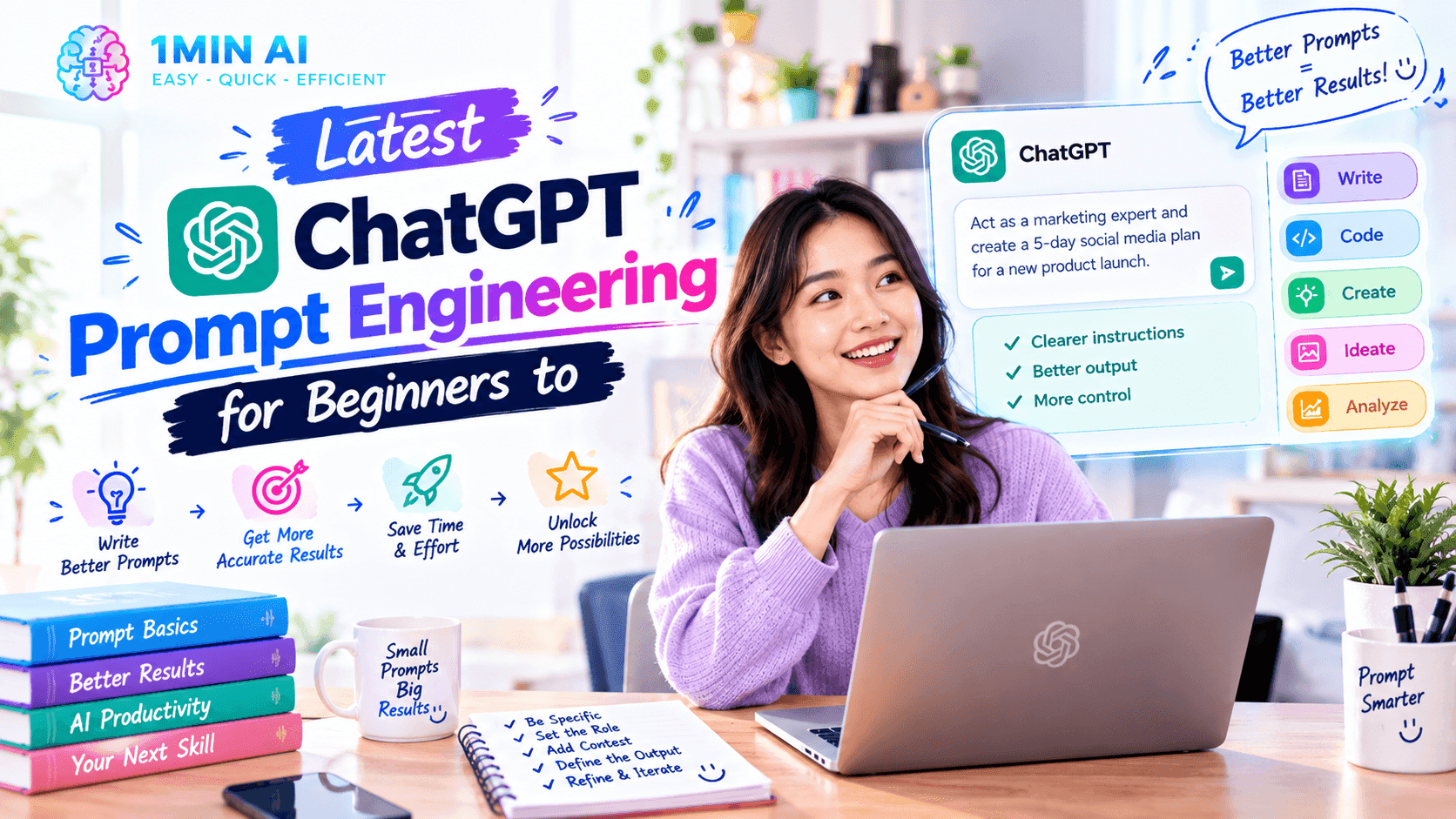
Learn ChatGPT prompt engineering for beginners with practical techniques, copy-ready prompts, and tips to get clearer, more useful AI answers.
ChatGPT prompt engineering helps beginners get more accurate, relevant, and useful AI responses by writing clearer instructions. With a few simple techniques and practical examples, you can improve your prompts for writing, research, learning, and everyday tasks.
What Is ChatGPT Prompt Engineering?
ChatGPT prompt engineering is the process of writing and refining instructions to help ChatGPT understand your goal and produce a more useful response.
A prompt can be a question, a task, a set of instructions, or a combination of these. The more clearly you explain what you need, the easier it is for the AI to generate a response that fits your purpose.
For example, compare these two prompts:
Basic prompt:
Write a marketing email.
Improved prompt:
Write a marketing email for a small online skincare store launching a new moisturizer. Target customers interested in simple skincare routines. Use a friendly, trustworthy tone, keep the email under 150 words, and include a subject line and one clear call to action. Do not invent product benefits.
The second prompt provides the task, context, audience, tone, length, and constraints. These details give ChatGPT a clearer direction.
According to OpenAI's prompt engineering best practices, effective prompting starts with clear, specific instructions and often improves through iteration.
You do not need programming skills or complicated prompt formulas to get started. You need to communicate what you want, provide relevant context, and evaluate the answer.
6 ChatGPT Prompt Engineering Techniques for Beginners
You can improve many everyday ChatGPT tasks by applying six practical techniques.
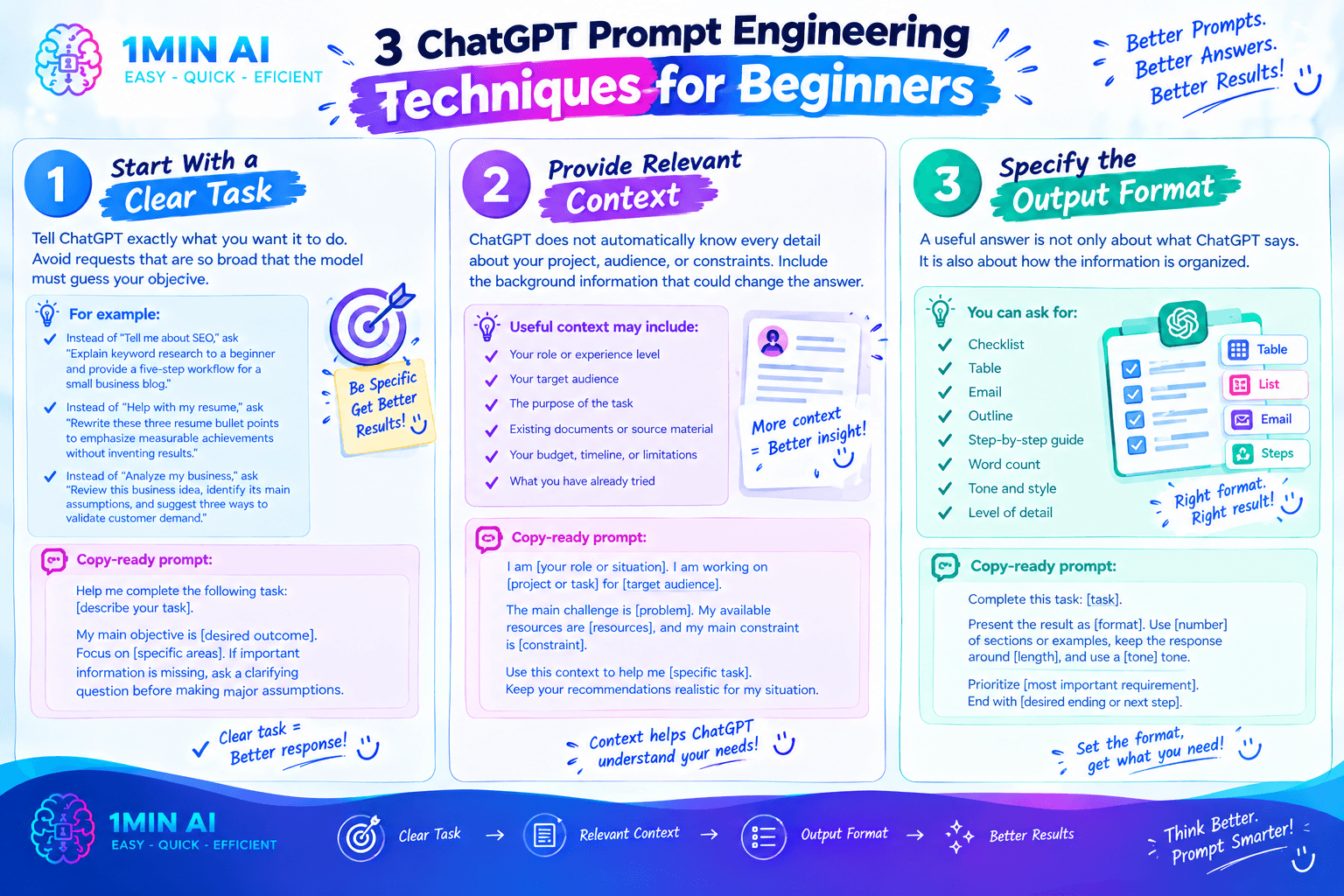
1. Start With a Clear Task
Tell ChatGPT exactly what you want it to do. Avoid requests that are so broad that the model must guess your objective.
For example:
- Instead of “Tell me about SEO,” ask “Explain keyword research to a beginner and provide a five-step workflow for a small business blog.”
- Instead of “Help with my resume,” ask “Rewrite these three resume bullet points to emphasize measurable achievements without inventing results.”
- Instead of “Analyze my business,” ask “Review this business idea, identify its main assumptions, and suggest three ways to validate customer demand.”
Copy-ready prompt:
Help me complete the following task: [describe your task].
My main objective is [desired outcome]. Focus on [specific areas]. If important information is missing, ask me a clarifying question before making major assumptions.
2. Provide Relevant Context
ChatGPT does not automatically know every detail about your project, audience, or constraints. Include the background information that could change the answer.
Useful context may include:
- Your role or experience level
- Your target audience
- The purpose of the task
- Existing documents or source material
- Your budget, timeline, or limitations
- What you have already tried
For example, a student asking for an explanation can mention their current level of knowledge. A founder asking for marketing advice can describe their product, audience, and available budget.
Copy-ready prompt:
I am [your role or situation]. I am working on [project or task] for [target audience].
The main challenge is [problem]. My available resources are [resources], and my main constraint is [constraint].
Use this context to help me [specific task]. Keep your recommendations realistic for my situation.
3. Specify the Output Format
A useful answer is not only about what ChatGPT says. It is also about how the information is organized.
If you need a checklist, table, email, outline, or step-by-step guide, say so in the prompt.
For example:
Vague request: Explain the differences between three AI models.
Improved request: Compare these three AI models in a table using the following criteria: writing, coding, research, speed, and suitability for beginners. Explain the main trade-offs in a short paragraph and identify which claims need verification.
You can specify word count, number of options, headings, tone, or the level of detail.
Copy-ready prompt:
Complete this task: [task].
Present the result as [format]. Use [number] sections or examples, keep the response around [length], and use a [tone] tone.
Prioritize [most important requirement]. End with [desired ending or next step].
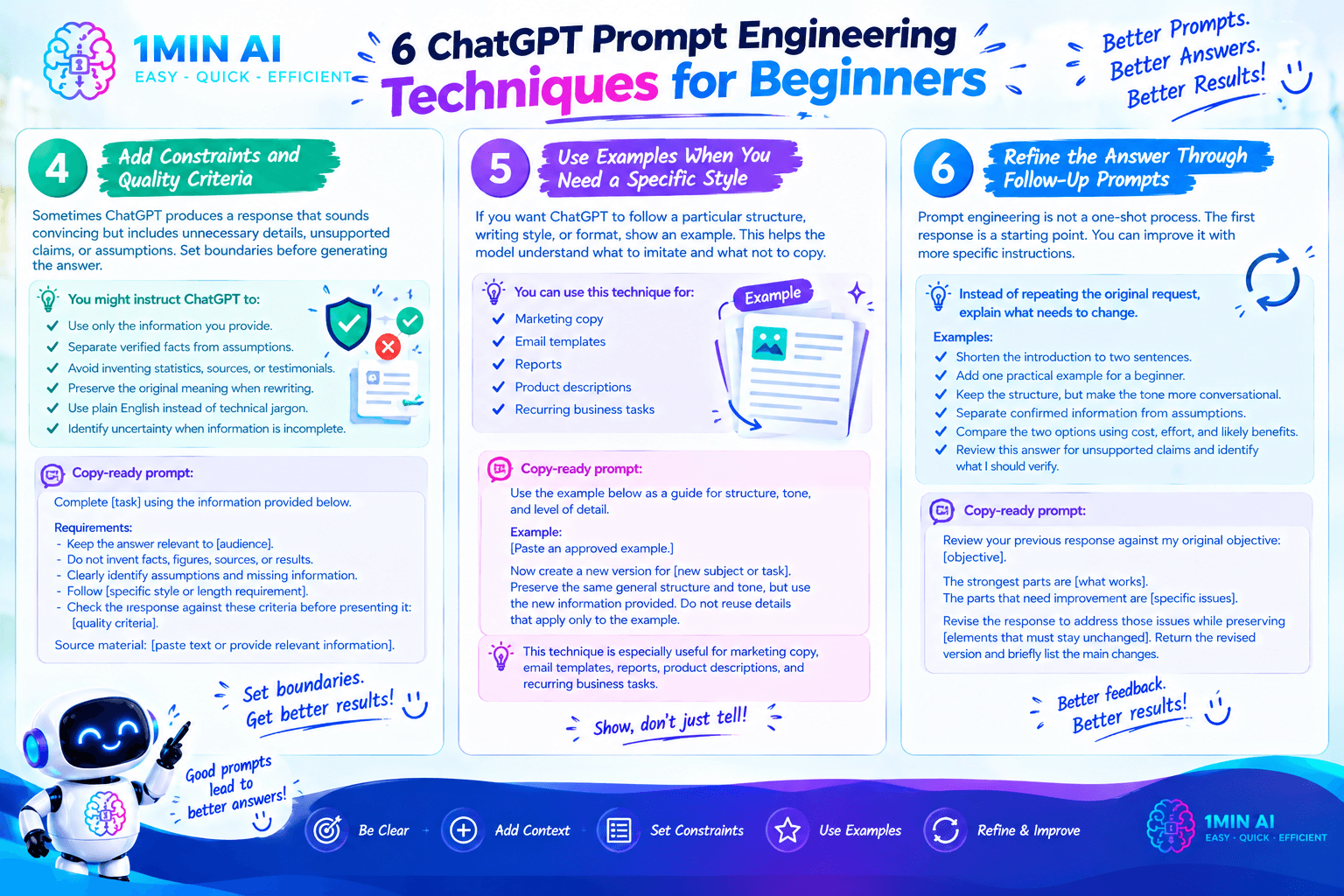
4. Add Constraints and Quality Criteria
Sometimes ChatGPT produces a response that sounds convincing but includes unnecessary details, unsupported claims, or assumptions.
Set boundaries before generating the answer.
You might instruct ChatGPT to:
- Use only the information you provide.
- Separate verified facts from assumptions.
- Avoid inventing statistics, sources, or customer testimonials.
- Preserve the original meaning when rewriting.
- Use plain English rather than technical jargon.
- Identify uncertainty when information is incomplete.
Copy-ready prompt:
Complete [task] using the information provided below.
Requirements:
- Keep the answer relevant to [audience].
- Do not invent facts, figures, sources, or results.
- Clearly identify assumptions and missing information.
- Follow [specific style or length requirement].
- Check the response against these criteria before presenting it: [quality criteria].
Source material: [paste text or provide relevant information].
These instructions cannot eliminate every error, but they make your expectations clearer and give you a better basis for reviewing the result.
5. Use Examples When You Need a Specific Style
If you want ChatGPT to follow a particular structure or writing style, show it an example.
For instance, if you need product descriptions with a consistent format, provide one approved description and ask ChatGPT to follow its structure for the next product.
Make clear what the model should imitate and what it should not copy.
Copy-ready prompt:
Use the example below as a guide for structure, tone, and level of detail.
Example:
[Paste an approved example.]
Now create a new version for [new subject or task]. Preserve the same general structure and tone, but use the new information provided. Do not reuse details that apply only to the example.
This technique is especially useful for marketing copy, email templates, reports, product descriptions, and recurring business tasks.
6. Refine the Answer Through Follow-Up Prompts
Prompt engineering is not always a one-shot process. Often, the first response provides a starting point that you can improve with more specific instructions.
Instead of repeating the original request, explain what needs to change.
For example:
- “Shorten the introduction to two sentences.”
- “Add one practical example for a beginner.”
- “Keep the structure, but make the tone more conversational.”
- “Separate confirmed information from assumptions.”
- “Compare the two options using cost, effort, and likely benefits.”
- “Review this answer for unsupported claims and identify what I should verify.”
Copy-ready prompt:
Review your previous response against my original objective: [objective].
The strongest parts are [what works]. The parts that need improvement are [specific issues].
Revise the response to address those issues while preserving [elements that must stay unchanged]. Return the revised version and briefly list the main changes.
The key is to give feedback that describes the result you want, rather than simply asking ChatGPT to “make it better.”
6 ChatGPT Prompt Examples for Everyday Tasks
Here are seven prompts beginners can adapt for work, study, and personal projects.
1. Research and Learn a New Topic
Prompt:
Explain [topic] to someone with no prior experience. Start with a simple definition, then explain the five most important concepts using everyday examples. Include common misconceptions and suggest three questions I should investigate next. Clearly flag claims that require current or independent verification.
Best for: Students, professionals learning new skills, and people researching unfamiliar subjects.
2. Write a Professional Email
Prompt:
Draft a professional email to [recipient] about [purpose]. The main message is [key information]. Use a polite, direct tone, keep it under 180 words, and include a clear next step. Do not add commitments or facts that I have not provided.
Best for: Customer communication, sales follow-ups, job applications, and workplace collaboration.
3. Create SEO Blog Content
Prompt:
Act as an SEO content writer. Create a detailed outline for an article targeting the keyword [primary keyword].
Target audience: [audience].
Search intent: [informational, commercial, or transactional].
Include a search-focused title, an introduction angle, logical H2 and H3 headings, practical examples, relevant FAQs, and opportunities for natural internal links. Avoid keyword stuffing and generic sections. Do not invent keyword-volume or ranking data.
Best for: Bloggers, marketers, content teams, and website owners.
4. Analyze a Business Idea
Prompt:
Evaluate this business idea: [describe idea].
Target customers: [audience].
Problem being solved: [problem].
Revenue model: [model].
Available budget and resources: [details].
Identify the strongest assumptions, potential customer objections, major risks, and three low-cost experiments to validate demand. Separate information I supplied from your assumptions. Do not present unverified market estimates as facts.
Best for: Startup founders, freelancers, and small-business owners.
5. Understand a Difficult Document
Prompt:
Summarize the following document for someone who needs to understand it quickly.
Include:
- A short overview.
- The five most important points.
- Important dates, figures, or requirements explicitly stated in the document.
- Actions or decisions required.
- Any ambiguities or unanswered questions.
Use plain English. Base the summary on the document and do not add unsupported information.
Document: [paste text or provide the document].
Best for: Students, researchers, managers, and professionals reviewing lengthy material.
6. Improve Existing Writing
Prompt:
Rewrite the text below to improve clarity, grammar, and flow.
Audience: [audience].
Tone: [tone].
Goal: [goal].
Preserve the original meaning and all factual details. Do not add claims, change numbers, or remove important qualifications. After rewriting, list any sentences whose meaning was unclear.
Original text: [paste text].
Best for: Reports, essays, website copy, emails, and presentations.
How to Use ChatGPT Prompt Engineering With 1minAI
Practicing prompt engineering becomes easier when you can test instructions, compare responses, and refine your approach.
1minAI provides access to AI chat options and a Multi AI Chat workflow, allowing users to explore different models and compare their responses. This can be useful when you want to see how different models interpret the same task.
Step 1: Choose an AI Chat Option
Start with the model or chat workflow that fits your task. Depending on the current options available, you can explore:
Model availability, naming, and usage limits can change, so check the current page for details.
Step 2: Submit a Structured Prompt
Use the techniques in this guide to describe your task, provide context, define the expected output, and include any important constraints.
For example, if you are drafting a marketing email, specify the product, audience, purpose, tone, length, and desired call to action.
Step 3: Compare Responses
If you want to explore different approaches, try the same prompt in more than one available model.
Review each response against consistent criteria, such as accuracy, relevance, clarity, completeness, and how much editing is required. A longer answer is not necessarily a better one, and agreement between models does not automatically establish that a claim is correct.
You can explore 1minAI Multi AI Chat or Free Multi AI Chat to learn more about this workflow.
Step 4: Refine the Best Response
Identify the strongest parts of the responses, then provide a follow-up instruction to improve the result.
For instance, ask the model to shorten the introduction, explain a difficult concept, or use a more appropriate tone. Verify important factual claims independently when accuracy matters.
Step 5: Use Relevant Conversation Context
For tasks that develop over multiple messages, context can help you continue refining an answer without repeating every instruction.
1minAI also has an AI Chat Memory feature. Review the current feature details to understand how it works and what information it retains.
Avoid sharing passwords, confidential business information, or other sensitive data unless you understand and approve the relevant data-handling arrangements.
Common ChatGPT Prompt Engineering Mistakes to Avoid
Even a detailed prompt can produce a weak answer if the task is poorly defined or the output is not reviewed.
Being too vague. “Write something about marketing” does not establish an audience, objective, or deliverable. Specify what you need and why.
Adding too many unrelated tasks. A request to research a topic, write a full article, generate social posts, analyze competitors, and create a campaign can become difficult to evaluate. Break complex work into manageable stages when necessary.
Ignoring context. An answer for a startup founder may not suit a university student or an enterprise marketing team. Include the background that affects the result.
Assuming confident answers are correct. ChatGPT can make mistakes, misinterpret a source, or provide outdated information. Verify important claims and calculations.
Giving vague feedback. “Try again” does not explain what went wrong. Identify the specific change you want.
Treating a prompt template as a guarantee. No universal formula works perfectly for every task or model. Test prompts against your actual needs and refine them as results change.
Conclusion
ChatGPT prompt engineering is less about discovering a secret formula and more about communicating clearly. Define the task, provide useful context, specify the desired output, and explain what a successful answer should include.
Start with simple prompts and improve them through specific follow-up instructions. For important work, check the result instead of relying on confidence or detail alone.
With 1minAI, you can explore GPT chat options and Multi AI Chat workflows to practice prompt writing, compare responses, and refine your approach across different tasks.
For further information, explore 1minAI Multi AI Chat.
Discover more AI features: https://1min.ai/features
Try 1minAI agent now: https://app.1min.ai/ai-agent-demo
- #Information
Alternatives
Discover the best alternatives to 1minAI and compare features, pricing, and use cases.

1min.AI vs OpenRouter
1min.AI vs. OpenRouter: Compare the ready-to-use AI creation product against the technical API tool. Find out if you need a zero-code creative studio or a coding infrastructure hub.
 Ngoc Hong
1min.AI vs Jarvis AI
Compare 1min.AI vs Jarvis AI to discover which AI platform is better for writing, research, automation, and content creation. Find the best AI assistant for your workflow.
Ngoc Hong
1min.AI vs Taskade
Compare 1min.AI vs Taskade for AI content creation, automation, agents, and creative workflows to find the right workspace.
Ngoc HongAI Tools
Discover the best AI tools to boost productivity, creativity, and everyday work.

Create Consistent Cartoon Content in Just a Few Steps
Create engaging cartoon videos for TikTok and Reels with 1min.AI. Research ideas, create characters, and turn images into animated videos in 3 simple steps.
 Lien Anh Vu
One Product, 10 UGC Creatives: How AI Makes Content Testing Easier
Create more authentic UGC with an AI UGC video generator, test more creative angles and scale affiliate content without filming every version.
Lien Anh Vu
Top 4 Affordable AI Tools for Startup Founders
Discover the top 4 affordable AI tools for startup founders to validate ideas, build products, create content, and launch faster without overspending.
 Tram Ta
AI Features
Comprehensive AI features that streamline workflows, improve efficiency, and empower teams to achieve more.
Create Consistent Cartoon Content in Just a Few Steps
Create engaging cartoon videos for TikTok and Reels with 1min.AI. Research ideas, create characters, and turn images into animated videos in 3 simple steps.
Lien Anh VuOne Product, 10 UGC Creatives: How AI Makes Content Testing Easier
Create more authentic UGC with an AI UGC video generator, test more creative angles and scale affiliate content without filming every version.
Lien Anh Vu
1minAI: Free AI Grammar Checker
Check grammar for free with 1minAI’s AI grammar checker. Find grammar, spelling, and writing mistakes, improve clarity, and polish your content in seconds.
Tram TaAI Use Cases
A curated collection of AI use cases for business, productivity, and industry-specific applications.
Create Consistent Cartoon Content in Just a Few Steps
Create engaging cartoon videos for TikTok and Reels with 1min.AI. Research ideas, create characters, and turn images into animated videos in 3 simple steps.
Lien Anh VuOne Product, 10 UGC Creatives: How AI Makes Content Testing Easier
Create more authentic UGC with an AI UGC video generator, test more creative angles and scale affiliate content without filming every version.
Lien Anh Vu
Best Time to Post on Instagram: A Practical Guide for Better Engagement
Discover the best time to post on Instagram, including the best days and times for different audiences, plus tips to find the ideal posting schedule for your account.
Tram TaAI Tutorials
Learn how to use AI with practical, step-by-step tutorials.

Black Friday AI Tool Deals in 2026
Discover what Black Friday AI tool deals 2026 has to offer. Find out how to secure the 1min.AI lifetime deal via AppSumo, Dealify, Stack Social, and verify on Trustpilot, Slashdot, and Software Advice.
 Hang Nguyen
Create Consistent Cartoon Content in Just a Few Steps
Create engaging cartoon videos for TikTok and Reels with 1min.AI. Research ideas, create characters, and turn images into animated videos in 3 simple steps.
Lien Anh Vu
[Seedance 2.5 New] Better AI Product Videos, Less Rework in 1min.AI
Use Seedance 2.5 image to video on 1min.AI to create more consistent AI product videos, reduce failed generations, save credits, and improve UGC workflows.
Lien Anh VuAI Guides
Learn AI faster with practical guides, real-world examples, and actionable best practices.

Safely Buy AI Tools Online: 2026 Black Friday Guide
Discover how to find and secure the best Black Friday AI deals online. Learn expert strategies to avoid scams, combat subscription fatigue, and verify software.
Hang NguyenCreate Consistent Cartoon Content in Just a Few Steps
Create engaging cartoon videos for TikTok and Reels with 1min.AI. Research ideas, create characters, and turn images into animated videos in 3 simple steps.
Lien Anh Vu[Seedance 2.5 New] Better AI Product Videos, Less Rework in 1min.AI
Use Seedance 2.5 image to video on 1min.AI to create more consistent AI product videos, reduce failed generations, save credits, and improve UGC workflows.
Lien Anh VuAI Solutions
Browse the best AI solutions for automation, coding, research, productivity, customer support, marketing, and business workflows.
Safely Buy AI Tools Online: 2026 Black Friday Guide
Discover how to find and secure the best Black Friday AI deals online. Learn expert strategies to avoid scams, combat subscription fatigue, and verify software.
Hang NguyenCreate Consistent Cartoon Content in Just a Few Steps
Create engaging cartoon videos for TikTok and Reels with 1min.AI. Research ideas, create characters, and turn images into animated videos in 3 simple steps.
Lien Anh VuOne Product, 10 UGC Creatives: How AI Makes Content Testing Easier
Create more authentic UGC with an AI UGC video generator, test more creative angles and scale affiliate content without filming every version.
Lien Anh VuAI Models
Explore the world's leading AI models in one place.
Create Consistent Cartoon Content in Just a Few Steps
Create engaging cartoon videos for TikTok and Reels with 1min.AI. Research ideas, create characters, and turn images into animated videos in 3 simple steps.
Lien Anh VuOne Product, 10 UGC Creatives: How AI Makes Content Testing Easier
Create more authentic UGC with an AI UGC video generator, test more creative angles and scale affiliate content without filming every version.
Lien Anh Vu[Seedance 2.5 New] Better AI Product Videos, Less Rework in 1min.AI
Use Seedance 2.5 image to video on 1min.AI to create more consistent AI product videos, reduce failed generations, save credits, and improve UGC workflows.
Lien Anh VuAI Comparisons
Compare AI tools, models, and platforms to find the best fit for your needs.

Kling AI Vs Veo 3: Which Model Wins?
Kling AI vs Veo 3: compare motion, native audio, pricing & free tiers to see which AI video generator wins for your project - try both on 1min.AI.
 Trang Tran
[Seedance 2.5 New] Better AI Product Videos, Less Rework in 1min.AI
Use Seedance 2.5 image to video on 1min.AI to create more consistent AI product videos, reduce failed generations, save credits, and improve UGC workflows.
Lien Anh Vu
DeepSeek V4 Pro vs Flash Comparison
Compare DeepSeek V4 Pro vs DeepSeek V4 Flash metrics. Optimize your agentic apps and improve AI fact checking on 1min.ai today.
Ngoc HongAI Integrations
Seamlessly integrate AI with the tools you already use to automate work and boost productivity.

POV: You Have 10+ Posts to Make Every Day
Learn how to build an AI content workflow that helps content creators produce 10+ social media posts a day faster with AI brainstorming, image generation, and content creation.
Lien Anh Vu
How to Use an AI Fashion Video Generator for Fashion Week 2026
Turn Fashion Week 2026 ideas into stunning fashion videos with AI. Learn how to brainstorm, create visuals, and transform images into videos with one simple workflow.
Lien Anh Vu
Stop Switching Between AI Apps: How AI Integration Transforms Employer Branding
Discover how AI integration helps HR teams streamline employer branding by combining AI writing, documents, images, video, and multiple AI models into one workspace.
Tram TaAI for Industries
Find the best AI tools and workflows for healthcare, finance, education, legal, manufacturing, retail, real estate, and more

Free AI Product Description Generator
Write product descriptions that sell in minutes. Use this free AI product description generator to turn details or a photo into on-brand copy. Try 1min.AI.
Trang Tran
Best Business Productivity Tools for Startups to Maximize Profits | 1minAI
Discover the best business productivity tools for startups to save time, streamline workflows, reduce repetitive tasks, and support profitable growth with AI.
Tram Ta
Best AI Tool for Content Marketing |1minAI
Looking for the best AI tool for content marketing? See how 1minAI helps marketers research, write, repurpose, create visuals, and scale content from one AI workspace.
Tram TaAI Agents
Discover and run AI agents to automate tasks across your work and daily life.
1minAI: Free AI Grammar Checker
Check grammar for free with 1minAI’s AI grammar checker. Find grammar, spelling, and writing mistakes, improve clarity, and polish your content in seconds.
Tram Ta
AI Agents for Facebook
Use an AI Agent for Facebook to create content, generate images, schedule posts, and publish from your documents and conversations.
Ngoc Hong
AI Agent vs AI Assistant: Which One Actually Saves Designers More Time?
Learn the difference between AI Agent vs AI Assistant and discover which solution helps designers automate repetitive work, reduce revisions, and save more time.
Lien Anh VuAI Workflows
Explore ready-to-use AI workflows for productivity, marketing, sales, support, and more.
Create Consistent Cartoon Content in Just a Few Steps
Create engaging cartoon videos for TikTok and Reels with 1min.AI. Research ideas, create characters, and turn images into animated videos in 3 simple steps.
Lien Anh VuOne Product, 10 UGC Creatives: How AI Makes Content Testing Easier
Create more authentic UGC with an AI UGC video generator, test more creative angles and scale affiliate content without filming every version.
Lien Anh VuPOV: You Have 10+ Posts to Make Every Day
Learn how to build an AI content workflow that helps content creators produce 10+ social media posts a day faster with AI brainstorming, image generation, and content creation.
Lien Anh VuNewsletter
Weekly AI Innovations with 1minAI

🔮 Weekly AI Innovations #141: Seedance 2.5 & Stable Audio 3: Next-Gen AI
Explore Seedance 2.0, 2.5, and StabilityAI's Stable Audio 3 on 1min.ai. Generate studio-grade audio and synchronized motion with next-gen generative AI.
Hang Nguyen
🔮 Weekly AI Innovations #140: Deepseek 4.1 Flash & Gemini Upgrades
Explore Deepseek 4.1 Flash and new Gemini models on 1min.ai. Plus, check our update on your Billing - Usage page for better clarity.
Hang Nguyen
🔮 Weekly AI Innovations #139: Dawn of the next-gen AI
Discover the immense power of GPT-6 Astra and Claude Fable 5.1. Unlock next-generation AI models on 1min.ai to solve complex tasks effortlessly.
Hang Nguyen