
AI Virtual Try-On: Try Clothes With AI

Ngoc Hong
September 29, 2026
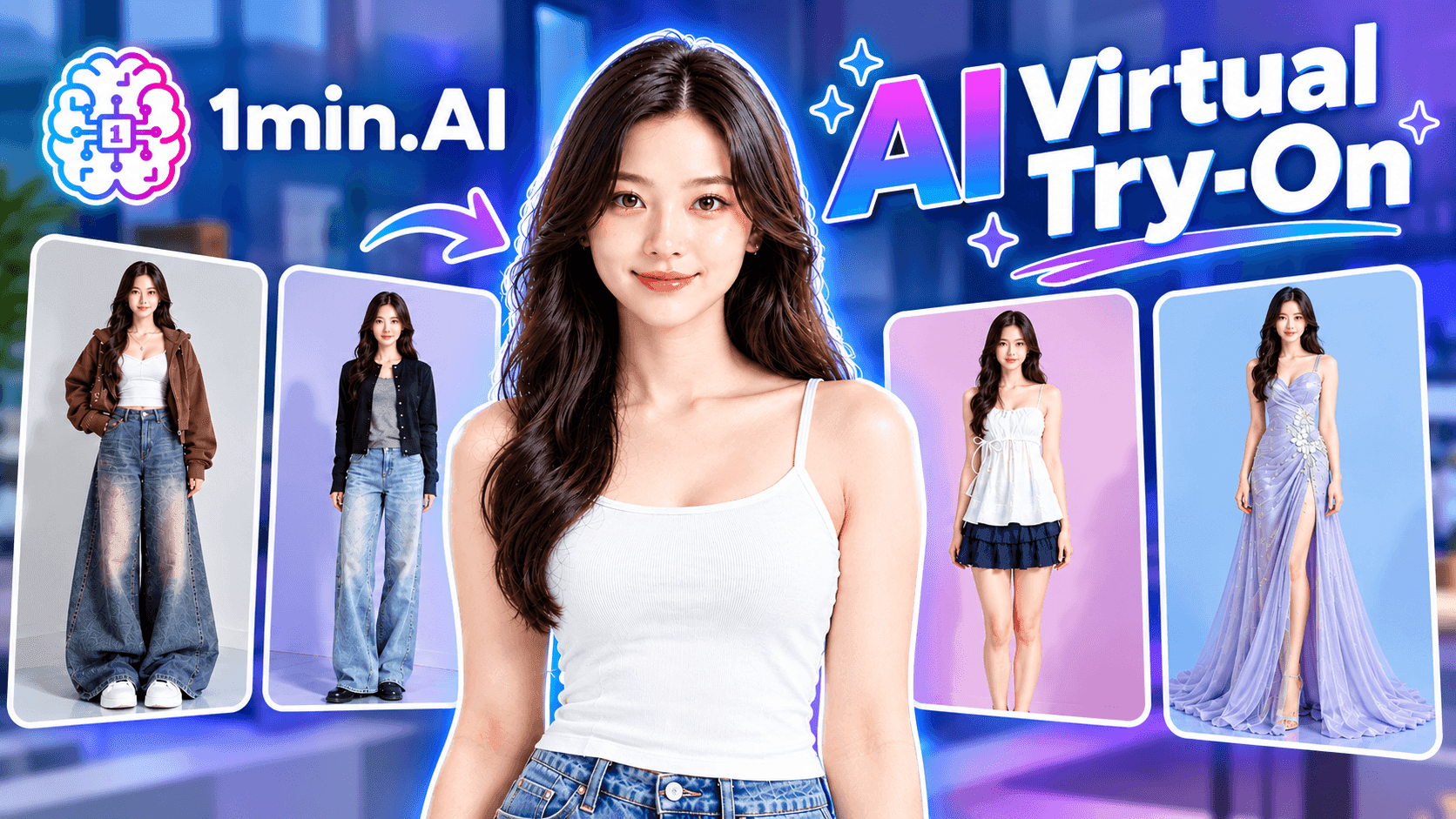
See how AI virtual try-on helps you visualize clothes before buying, and learn how to create AI fashion try-on images with 1minAI.
Shopping online is convenient, but one question still creates uncertainty: “How will this outfit look on me?”
AI virtual try-on helps solve this problem by generating a visual preview of you wearing a selected garment. Instead of imagining the result from a product photo, you can combine your own photo with a clothing image and see an AI-generated outfit concept.
This guide explains how AI clothes try-on works, what shoppers and fashion brands can use it for, and how to test the workflow yourself with 1minAI.
What Is AI Virtual Try-On?
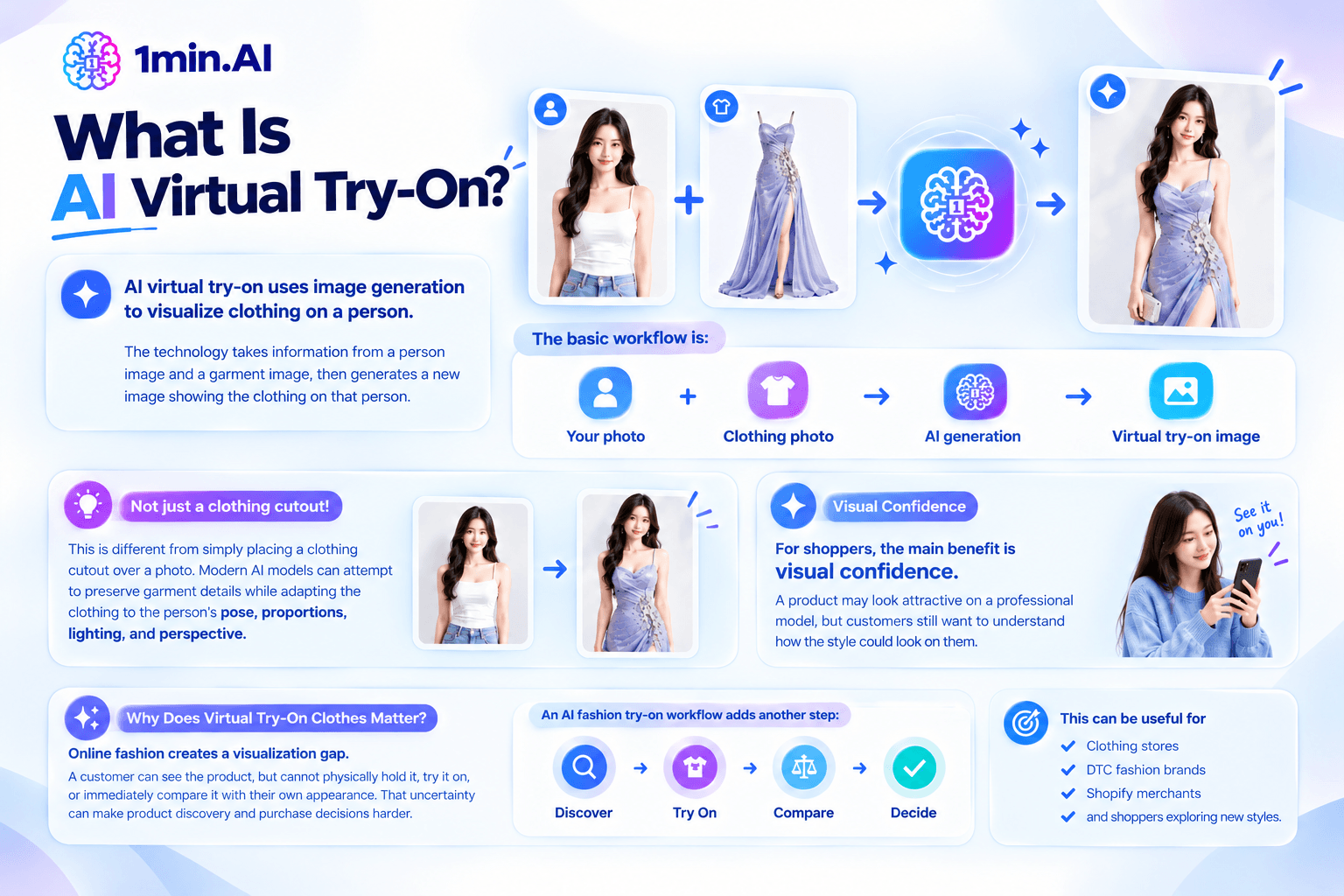
AI virtual try-on uses image generation to visualize clothing on a person. The technology takes information from a person image and a garment image, then generates a new image showing the clothing on that person.
The basic workflow is:
Your photo + Clothing photo → AI generation → Virtual try-on image
This is different from simply placing a clothing cutout over a photo. Modern AI models can attempt to preserve garment details while adapting the clothing to the person's pose, proportions, lighting, and perspective.
For shoppers, the main benefit is visual confidence. A product may look attractive on a professional model, but customers still want to understand how the style could look on them.
Google's virtual try-on experience demonstrates how generative AI can visualize apparel across different people, poses, body types, and clothing categories.
Why Does Virtual Try-On Clothes Matter?
Online fashion creates a visualization gap.
A customer can see the product, but cannot physically hold it, try it on, or immediately compare it with their own appearance. That uncertainty can make product discovery and purchase decisions harder.
An AI fashion try-on workflow adds another step:
Discover → Try On → Compare → Decide
This can be useful for clothing stores, DTC fashion brands, Shopify merchants, and shoppers exploring new styles.
How to Create AI Clothes Try-On Images With 1minAI
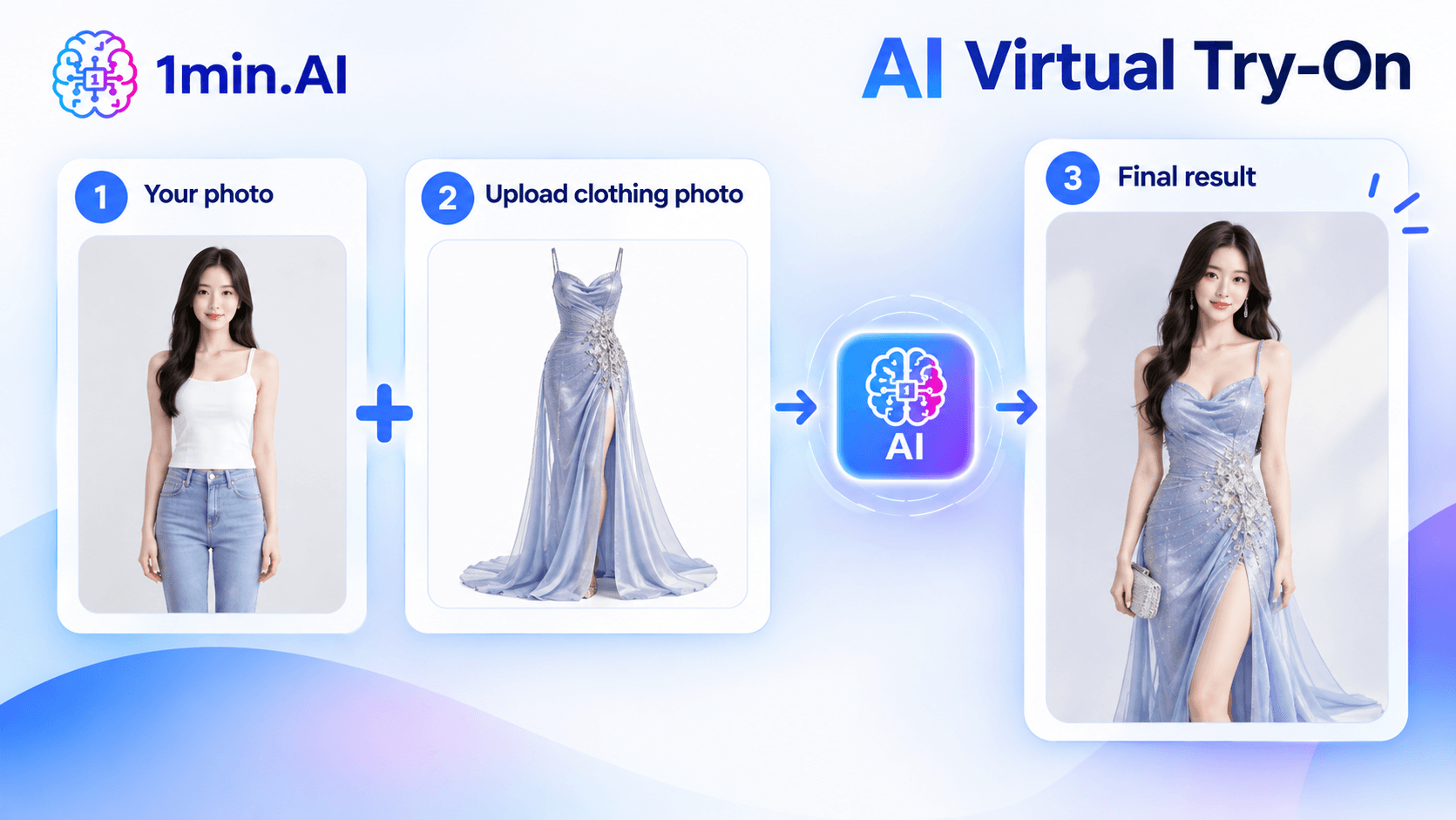
You can test an AI outfit try-on with just two images. You do not need a complicated setup or a dedicated virtual fitting-room system.
Open 1minAI and access the AI image generator.
Then prepare:
- Your body photo — preferably a clear full-body image.
- Your clothing photo — a clear image of the outfit or garment you want to try.
Upload both images and use a prompt that tells the AI exactly what to preserve.
Try This AI Virtual Try-On Prompt
Create a realistic fashion try-on image using the two reference images. Use the person from Image 1 and the clothing from Image 2. Dress the person naturally in the exact clothing shown in Image 2. Preserve the person's face, identity, body proportions, skin tone, hairstyle, and overall appearance. Preserve the clothing's original color, pattern, material, shape, length, and design details. Make the garment fit naturally with realistic fabric folds, shadows, lighting, and perspective. Do not change the person's body shape or facial features. Create a photorealistic fashion image with natural lighting and realistic fabric texture. Do not add accessories, patterns, logos, or clothing details that are not present in the reference image.
How to Get Better Results
The quality of your reference images directly affects the result.
| Input | Better choice |
|---|---|
| Body photo | Clear, full-body image |
| Lighting | Natural and even |
| Pose | Simple standing pose |
| Clothing photo | Garment clearly visible |
| Background | Clean and uncluttered |
| Prompt | Specify what must stay unchanged |
If you want to explore alternative versions after creating the first result, you can also experiment with the AI image variator.
For broader visual workflows, 1minAI also lets you create, edit, and transform images instead of stopping at one generated result.
How Fashion Brands Can Use AI Virtual Try-On
For fashion ecommerce, the value of virtual try-on goes beyond a single product image. Brands can use AI-generated fashion visuals to support product discovery, styling, and content production.
1. Improve Product Visualization
Show customers another way to imagine a garment before buying. This can complement traditional product photography and model images.
2. Create Outfit Inspiration
Combine individual garments into complete looks.
For example:
Blazer + T-shirt + Jeans + Sneakers → Complete outfit concept
This can support styling guides, social posts, seasonal campaigns, and product recommendations.
3. Create More Fashion Content
One clothing image can become multiple creative concepts.
Brands can experiment with:
- Different models
- Different poses
- Different locations
- Different styling directions
- Social-first product visuals
This gives marketing teams more visual material to test without requiring a completely new photoshoot for every concept.
4. Support Personalized Shopping
A virtual dressing room can help shoppers move from simply browsing products to imagining themselves wearing them.
That is especially relevant as ecommerce becomes more visual and AI-powered. Shopify describes virtual shopping as an increasingly connected experience involving AI, personalization, and immersive product discovery.
What AI Virtual Try-On Cannot Guarantee
AI virtual try-on is a visualization tool, not a perfect replacement for physical fitting.
A generated image may not accurately represent:
- Exact garment measurements
- Real fabric behavior
- Comfort
- Actual fit
- How clothing moves in real life
- Final color under different lighting
Therefore, shoppers should still check the product's size chart, measurements, material, and return policy before purchasing.
AI is best used to answer:
“Can I visualize this style on myself?”
rather than:
“Will this garment definitely fit me?”
This distinction is also important for fashion brands. AI-generated try-on images should complement accurate product information, not replace it.
🔒 1minAI Is Built With Privacy in Mind
Personal photos require privacy considerations. When using AI image tools, users should understand how their uploaded images and data are handled.
1minAI highlights its privacy approach with GDPR compliance and a No AI Training commitment.
Its privacy messaging states:
No AI Training
We never use your data to train AI models.
For an AI fashion try-on workflow, this matters because users may upload personal body or full-body photos rather than generic product images.
Always review the platform's privacy policy before uploading sensitive or personal images.
Try AI Virtual Try-On Yourself
AI virtual try-on turns a simple clothing image into a more personalized fashion experience.
For shoppers, it can make outfit exploration more visual. For fashion brands, it can support product visualization, styling concepts, social content, and ecommerce campaigns.
The workflow is simple:
Upload your photo → Upload the clothing → Add your prompt → Generate → Explore
With 1minAI, you can start the experiment directly in the AI Image Generator using two reference images.
Your next outfit idea could be one prompt away. 🚀
Alternatives
Discover the best alternatives to 1minAI and compare features, pricing, and use cases.

1min.AI vs OpenRouter
1min.AI vs. OpenRouter: Compare the ready-to-use AI creation product against the technical API tool. Find out if you need a zero-code creative studio or a coding infrastructure hub.
 Ngoc Hong
1min.AI vs Jarvis AI
Compare 1min.AI vs Jarvis AI to discover which AI platform is better for writing, research, automation, and content creation. Find the best AI assistant for your workflow.
Ngoc Hong
1min.AI vs Taskade
Compare 1min.AI vs Taskade for AI content creation, automation, agents, and creative workflows to find the right workspace.
Ngoc HongAI Tools
Discover the best AI tools to boost productivity, creativity, and everyday work.

Create Consistent Cartoon Content in Just a Few Steps
Create engaging cartoon videos for TikTok and Reels with 1min.AI. Research ideas, create characters, and turn images into animated videos in 3 simple steps.
 Lien Anh Vu
One Product, 10 UGC Creatives: How AI Makes Content Testing Easier
Create more authentic UGC with an AI UGC video generator, test more creative angles and scale affiliate content without filming every version.
Lien Anh Vu
Top 4 Affordable AI Tools for Startup Founders
Discover the top 4 affordable AI tools for startup founders to validate ideas, build products, create content, and launch faster without overspending.
 Tram Ta
AI Features
Comprehensive AI features that streamline workflows, improve efficiency, and empower teams to achieve more.
Create Consistent Cartoon Content in Just a Few Steps
Create engaging cartoon videos for TikTok and Reels with 1min.AI. Research ideas, create characters, and turn images into animated videos in 3 simple steps.
Lien Anh VuOne Product, 10 UGC Creatives: How AI Makes Content Testing Easier
Create more authentic UGC with an AI UGC video generator, test more creative angles and scale affiliate content without filming every version.
Lien Anh Vu
1minAI: Free AI Grammar Checker
Check grammar for free with 1minAI’s AI grammar checker. Find grammar, spelling, and writing mistakes, improve clarity, and polish your content in seconds.
Tram TaAI Use Cases
A curated collection of AI use cases for business, productivity, and industry-specific applications.
Create Consistent Cartoon Content in Just a Few Steps
Create engaging cartoon videos for TikTok and Reels with 1min.AI. Research ideas, create characters, and turn images into animated videos in 3 simple steps.
Lien Anh VuOne Product, 10 UGC Creatives: How AI Makes Content Testing Easier
Create more authentic UGC with an AI UGC video generator, test more creative angles and scale affiliate content without filming every version.
Lien Anh Vu
Best Time to Post on Instagram: A Practical Guide for Better Engagement
Discover the best time to post on Instagram, including the best days and times for different audiences, plus tips to find the ideal posting schedule for your account.
Tram TaAI Tutorials
Learn how to use AI with practical, step-by-step tutorials.

Black Friday AI Tool Deals in 2026
Discover what Black Friday AI tool deals 2026 has to offer. Find out how to secure the 1min.AI lifetime deal via AppSumo, Dealify, Stack Social, and verify on Trustpilot, Slashdot, and Software Advice.
 Hang Nguyen
Create Consistent Cartoon Content in Just a Few Steps
Create engaging cartoon videos for TikTok and Reels with 1min.AI. Research ideas, create characters, and turn images into animated videos in 3 simple steps.
Lien Anh Vu
[Seedance 2.5 New] Better AI Product Videos, Less Rework in 1min.AI
Use Seedance 2.5 image to video on 1min.AI to create more consistent AI product videos, reduce failed generations, save credits, and improve UGC workflows.
Lien Anh VuAI Guides
Learn AI faster with practical guides, real-world examples, and actionable best practices.

Safely Buy AI Tools Online: 2026 Black Friday Guide
Discover how to find and secure the best Black Friday AI deals online. Learn expert strategies to avoid scams, combat subscription fatigue, and verify software.
Hang NguyenCreate Consistent Cartoon Content in Just a Few Steps
Create engaging cartoon videos for TikTok and Reels with 1min.AI. Research ideas, create characters, and turn images into animated videos in 3 simple steps.
Lien Anh Vu[Seedance 2.5 New] Better AI Product Videos, Less Rework in 1min.AI
Use Seedance 2.5 image to video on 1min.AI to create more consistent AI product videos, reduce failed generations, save credits, and improve UGC workflows.
Lien Anh VuAI Solutions
Browse the best AI solutions for automation, coding, research, productivity, customer support, marketing, and business workflows.
Safely Buy AI Tools Online: 2026 Black Friday Guide
Discover how to find and secure the best Black Friday AI deals online. Learn expert strategies to avoid scams, combat subscription fatigue, and verify software.
Hang NguyenCreate Consistent Cartoon Content in Just a Few Steps
Create engaging cartoon videos for TikTok and Reels with 1min.AI. Research ideas, create characters, and turn images into animated videos in 3 simple steps.
Lien Anh VuOne Product, 10 UGC Creatives: How AI Makes Content Testing Easier
Create more authentic UGC with an AI UGC video generator, test more creative angles and scale affiliate content without filming every version.
Lien Anh VuAI Models
Explore the world's leading AI models in one place.
Create Consistent Cartoon Content in Just a Few Steps
Create engaging cartoon videos for TikTok and Reels with 1min.AI. Research ideas, create characters, and turn images into animated videos in 3 simple steps.
Lien Anh VuOne Product, 10 UGC Creatives: How AI Makes Content Testing Easier
Create more authentic UGC with an AI UGC video generator, test more creative angles and scale affiliate content without filming every version.
Lien Anh Vu[Seedance 2.5 New] Better AI Product Videos, Less Rework in 1min.AI
Use Seedance 2.5 image to video on 1min.AI to create more consistent AI product videos, reduce failed generations, save credits, and improve UGC workflows.
Lien Anh VuAI Comparisons
Compare AI tools, models, and platforms to find the best fit for your needs.

Kling AI Vs Veo 3: Which Model Wins?
Kling AI vs Veo 3: compare motion, native audio, pricing & free tiers to see which AI video generator wins for your project - try both on 1min.AI.
 Trang Tran
[Seedance 2.5 New] Better AI Product Videos, Less Rework in 1min.AI
Use Seedance 2.5 image to video on 1min.AI to create more consistent AI product videos, reduce failed generations, save credits, and improve UGC workflows.
Lien Anh Vu
DeepSeek V4 Pro vs Flash Comparison
Compare DeepSeek V4 Pro vs DeepSeek V4 Flash metrics. Optimize your agentic apps and improve AI fact checking on 1min.ai today.
Ngoc HongAI Integrations
Seamlessly integrate AI with the tools you already use to automate work and boost productivity.

POV: You Have 10+ Posts to Make Every Day
Learn how to build an AI content workflow that helps content creators produce 10+ social media posts a day faster with AI brainstorming, image generation, and content creation.
Lien Anh Vu
How to Use an AI Fashion Video Generator for Fashion Week 2026
Turn Fashion Week 2026 ideas into stunning fashion videos with AI. Learn how to brainstorm, create visuals, and transform images into videos with one simple workflow.
Lien Anh Vu
Stop Switching Between AI Apps: How AI Integration Transforms Employer Branding
Discover how AI integration helps HR teams streamline employer branding by combining AI writing, documents, images, video, and multiple AI models into one workspace.
Tram TaAI for Industries
Find the best AI tools and workflows for healthcare, finance, education, legal, manufacturing, retail, real estate, and more

Best Business Productivity Tools for Startups to Maximize Profits | 1minAI
Discover the best business productivity tools for startups to save time, streamline workflows, reduce repetitive tasks, and support profitable growth with AI.
Tram Ta
Best AI Tool for Content Marketing |1minAI
Looking for the best AI tool for content marketing? See how 1minAI helps marketers research, write, repurpose, create visuals, and scale content from one AI workspace.
Tram Ta
7 Low-Cost AI Business Ideas for Your Startup
Explore 7 low-cost AI business ideas you can start with a small budget, from content and video services to AI consulting, reselling, and automation.
Tram TaAI Agents
Discover and run AI agents to automate tasks across your work and daily life.
1minAI: Free AI Grammar Checker
Check grammar for free with 1minAI’s AI grammar checker. Find grammar, spelling, and writing mistakes, improve clarity, and polish your content in seconds.
Tram Ta
AI Agents for Facebook
Use an AI Agent for Facebook to create content, generate images, schedule posts, and publish from your documents and conversations.
Ngoc Hong
AI Agent vs AI Assistant: Which One Actually Saves Designers More Time?
Learn the difference between AI Agent vs AI Assistant and discover which solution helps designers automate repetitive work, reduce revisions, and save more time.
Lien Anh VuAI Workflows
Explore ready-to-use AI workflows for productivity, marketing, sales, support, and more.
Create Consistent Cartoon Content in Just a Few Steps
Create engaging cartoon videos for TikTok and Reels with 1min.AI. Research ideas, create characters, and turn images into animated videos in 3 simple steps.
Lien Anh VuOne Product, 10 UGC Creatives: How AI Makes Content Testing Easier
Create more authentic UGC with an AI UGC video generator, test more creative angles and scale affiliate content without filming every version.
Lien Anh VuPOV: You Have 10+ Posts to Make Every Day
Learn how to build an AI content workflow that helps content creators produce 10+ social media posts a day faster with AI brainstorming, image generation, and content creation.
Lien Anh VuNewsletter
Weekly AI Innovations with 1minAI

🔮 Weekly AI Innovations #141: Seedance 2.5 & Stable Audio 3: Next-Gen AI
Explore Seedance 2.0, 2.5, and StabilityAI's Stable Audio 3 on 1min.ai. Generate studio-grade audio and synchronized motion with next-gen generative AI.
Hang Nguyen
🔮 Weekly AI Innovations #140: Deepseek 4.1 Flash & Gemini Upgrades
Explore Deepseek 4.1 Flash and new Gemini models on 1min.ai. Plus, check our update on your Billing - Usage page for better clarity.
Hang Nguyen
🔮 Weekly AI Innovations #139: Dawn of the next-gen AI
Discover the immense power of GPT-6 Astra and Claude Fable 5.1. Unlock next-generation AI models on 1min.ai to solve complex tasks effortlessly.
Hang Nguyen