
How to Verify AI-Generated Content: AI Fact Checking Guide

Ngoc Hong
August 14, 2026
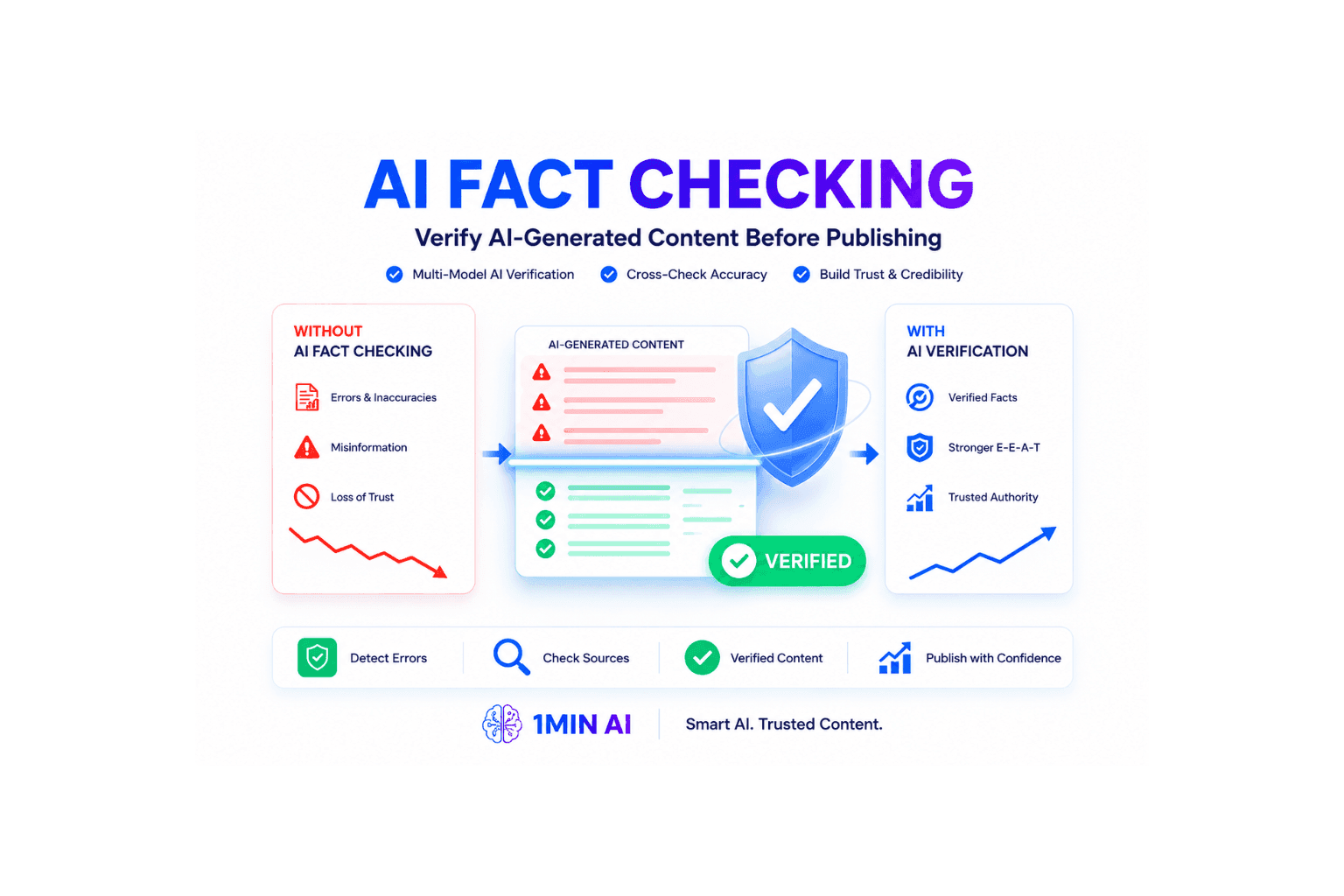
Learn how to verify AI-generated content and protect your site from Google penalties. Discover the best AI fact checking workflow to build topical authority SEO.
Learn how to verify AI-generated content with a practical AI fact checking workflow. Discover how multi-model validation can help publishers identify unsupported claims, reduce AI hallucinations, and build more trustworthy SEO content.
Creating content with AI has never been easier. A single prompt can generate product reviews, buying guides, tutorials, and niche-specific articles in seconds. However, faster content production does not automatically mean more accurate content.
AI-generated content can contain outdated statistics, incorrect dates, fabricated sources, or claims that sound convincing but cannot be verified. These problems become especially important for publishers working in competitive or specialized industries where readers expect reliable information.
For niche site owners, affiliate marketers, SaaS publishers, finance websites, and other content-driven businesses, the solution is not to stop using AI. Instead, build a repeatable AI fact checking process that separates content generation from content verification.
This guide explains how to verify AI-generated content, check ChatGPT outputs, identify potential hallucinations, and use multiple AI models to improve the reliability of your publishing workflow.
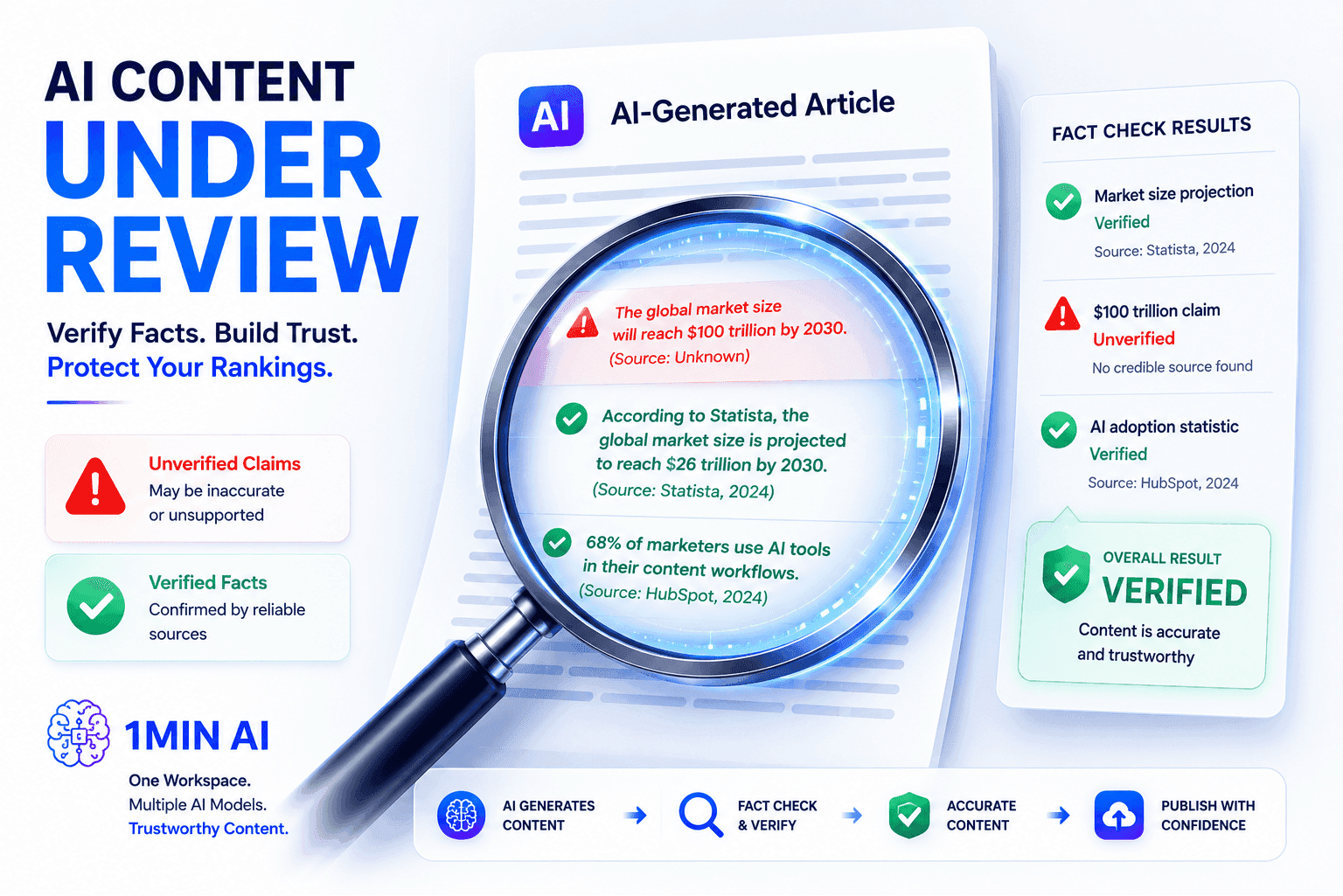
Why AI-Generated Content Needs Fact Checking
AI models are powerful at generating language, summarizing information, and connecting ideas. However, they should not automatically be treated as authoritative sources of truth.
A model can produce an answer that is grammatically correct, detailed, and highly confident while still containing inaccurate information. This is commonly referred to as an AI hallucination.
For publishers, the problem becomes more serious when inaccurate information reaches readers and search engines.
Protect reader trust
Readers expect websites to provide useful and reliable information. A single incorrect statistic may seem insignificant, but repeated inaccuracies can reduce the credibility of an entire website.
For affiliate and review sites, trust is particularly important. Readers use product specifications, comparisons, pricing information, and recommendations to make purchasing decisions. Incorrect information can damage both user confidence and business performance.
Reduce the risk of inaccurate SEO content
Publishing AI-generated articles at scale without reviewing factual claims can create quality problems. Search visibility depends on many factors, and there is no simple rule that every AI-generated article will receive a penalty. However, inaccurate, misleading, or low-quality content can create significant search and reputation risks.
This is why topical authority SEO should be built around useful and trustworthy information rather than publishing volume alone.
Scale content without sacrificing quality
Manual fact checking every sentence can become expensive when a website publishes dozens of articles each month.
A structured verification workflow helps teams focus their attention on the claims that matter most, including statistics, dates, product specifications, quotations, research findings, and industry-specific statements.
How to Verify AI-Generated Content Step by Step
A reliable AI fact checking workflow should separate writing from verification. Instead of asking one model to generate content and immediately trusting its answer, use additional models and authoritative sources to review important claims.
Step 1: Create the initial draft
Start with a capable AI model such as ChatGPT or Claude to develop the article structure, generate ideas, and create an initial draft.
At this stage, focus on the content's organization, readability, and overall argument. AI is particularly useful for brainstorming headings, explaining complex concepts, creating outlines, and turning research notes into readable paragraphs.
However, treat the first draft as a starting point rather than the final source of truth.
Step 2: Identify factual claims
Before publishing, identify statements that require verification.
Pay particular attention to:
- Statistics and percentages
- Dates and historical events
- Product specifications
- Prices and availability
- Scientific or medical claims
- Legal or financial information
- Quotes and attributed statements
- Names of organizations and people
- Research findings
- Claims about companies, products, or technologies
Not every sentence needs the same level of scrutiny. Prioritize claims that could materially affect a reader's decision or the credibility of the article.
Step 3: Use an AI hallucination checker
The next step is to use another AI model as a reviewer.
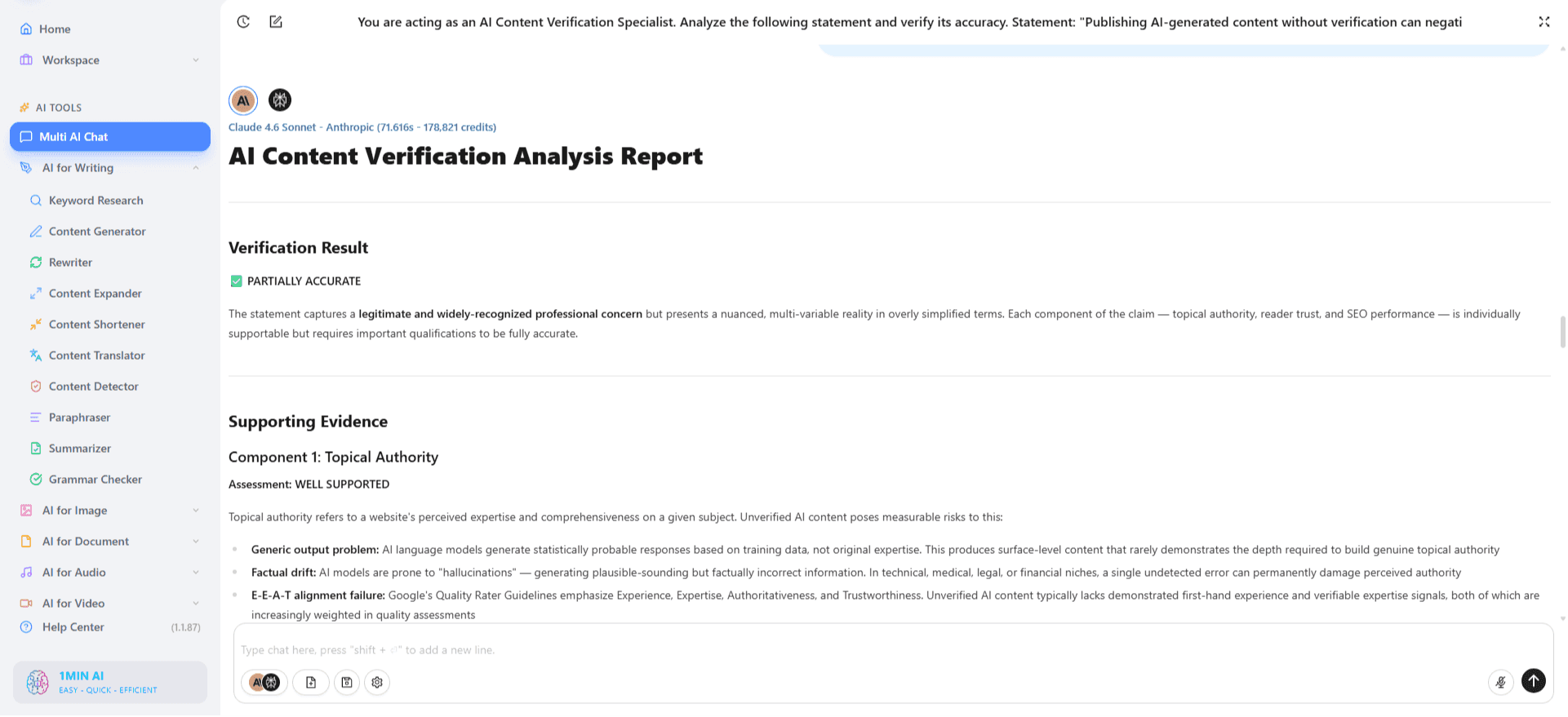
This is an important part of learning how to fact check ChatGPT. Instead of asking the same model to confirm its own answer, provide the draft to a separate model and ask it to identify questionable claims.
A useful verification prompt can ask the model to:
- Extract factual claims from the article.
- Identify claims that may be outdated or unsupported.
- Separate verifiable facts from opinions or general explanations.
- Explain which claims require external sources.
- Recommend authoritative sources for further verification.
Using different models can provide an additional perspective and help surface claims that the original model overlooked.
Step 4: Cross-check with authoritative sources
AI output should not replace primary or authoritative sources.
When a claim matters, verify it against the most relevant source available. Depending on the topic, this may include government websites, official company documentation, academic research, industry organizations, regulatory agencies, or original datasets.
For example, a product specification should ideally be checked against the manufacturer's documentation. A scientific claim should be compared with the relevant research or authoritative institution.
This step is especially important for YMYL topics, where inaccurate information can have more serious consequences.
Step 5: Correct, remove, or qualify unsupported claims
After reviewing the evidence, decide what to do with each questionable statement.
There are three practical options:
Correct it when a reliable source provides the accurate information.
Remove it when the claim cannot be verified or does not add meaningful value to the article.
Qualify it when the information depends on circumstances, changes over time, or represents an interpretation rather than an established fact.
This prevents the common mistake of keeping an impressive-sounding statement simply because it makes an article appear more authoritative.
Step 6: Add sources and perform a final human review
After the verification stage, add relevant sources where readers would benefit from additional context.
Then perform a final human review. AI can help identify potential problems, but editors should remain responsible for deciding whether a claim is sufficiently supported and appropriate for publication.
The final review should check factual accuracy, source quality, search intent, readability, and whether the article genuinely answers the reader's question.
A Practical AI Fact Checking Workflow for SEO Teams
For content teams producing articles at scale, the process can be organized into a simple workflow:
Research → Draft → Extract Claims → Cross-Check → Source → Edit → Publish
The important principle is that content generation and content verification are separate stages.
For example, a content manager could use one AI model to create an article outline and draft, another model to identify potentially inaccurate claims, and web research to validate those claims against authoritative sources.
This approach creates a review layer between AI generation and publication. It can make large-scale content production more manageable without requiring writers to manually investigate every sentence from scratch.
For SEO teams, the workflow also creates a useful editorial record. Writers can document important sources, flag uncertain claims, and make corrections before an article reaches publication.
How 1minAI Can Simplify Multi-Model Verification
Running a multi-model AI fact checking process can become inconvenient when every model requires a separate browser tab, account, or subscription.
1minAI provides a consolidated AI workspace where users can work with multiple AI models in one environment. Instead of moving between separate platforms, content teams can use different models for drafting, reviewing, researching, and synthesizing information within a more centralized workflow.
For example, a publisher can begin by generating an article structure, use another model to review potentially questionable claims, and then synthesize the findings into a revised draft.
The key advantage is not that one AI model automatically guarantees factual accuracy. Rather, using multiple models can provide different perspectives and make it easier to build a structured review process.
This is particularly useful for content teams that regularly create SEO articles, product comparisons, research summaries, and other information-heavy content.
AI Fact Checking Checklist Before Publishing
Before publishing an AI-generated article, review these questions:
- Are important statistics supported by reliable sources?
- Have dates, names, and product specifications been verified?
- Are quotations attributed to the correct person or organization?
- Have potentially outdated claims been reviewed?
- Are important claims supported by authoritative references?
- Did a second AI model review the draft for potential hallucinations?
- Have unsupported claims been removed or qualified?
- Has a human reviewed the final article?
- Does the article provide genuine value beyond simply repeating AI-generated information?
A checklist like this helps turn AI fact checking from an occasional task into a consistent part of the editorial process.
AI can dramatically accelerate content production, but speed should not replace editorial judgment. The safest approach is to treat AI-generated drafts as working material that requires verification before publication.
A practical AI fact checking workflow combines AI-assisted review, authoritative sources, and human oversight. By identifying important claims, checking them independently, correcting unsupported information, and documenting reliable sources, publishers can create content that is more useful and trustworthy.
For teams producing content at scale, a multi-model workspace can also simplify the process by bringing different AI capabilities together in one workflow.
The goal is not simply to publish more AI content. The goal is to publish better-verified content that readers can trust.
More posts

AI Fact Checking Workflow: Build Topical Authority SEO
Fear Google penalizing inaccurate AI drafts? Discover the ultimate AI fact checking workflow using an AI hallucination checker to secure topical authority SEO.
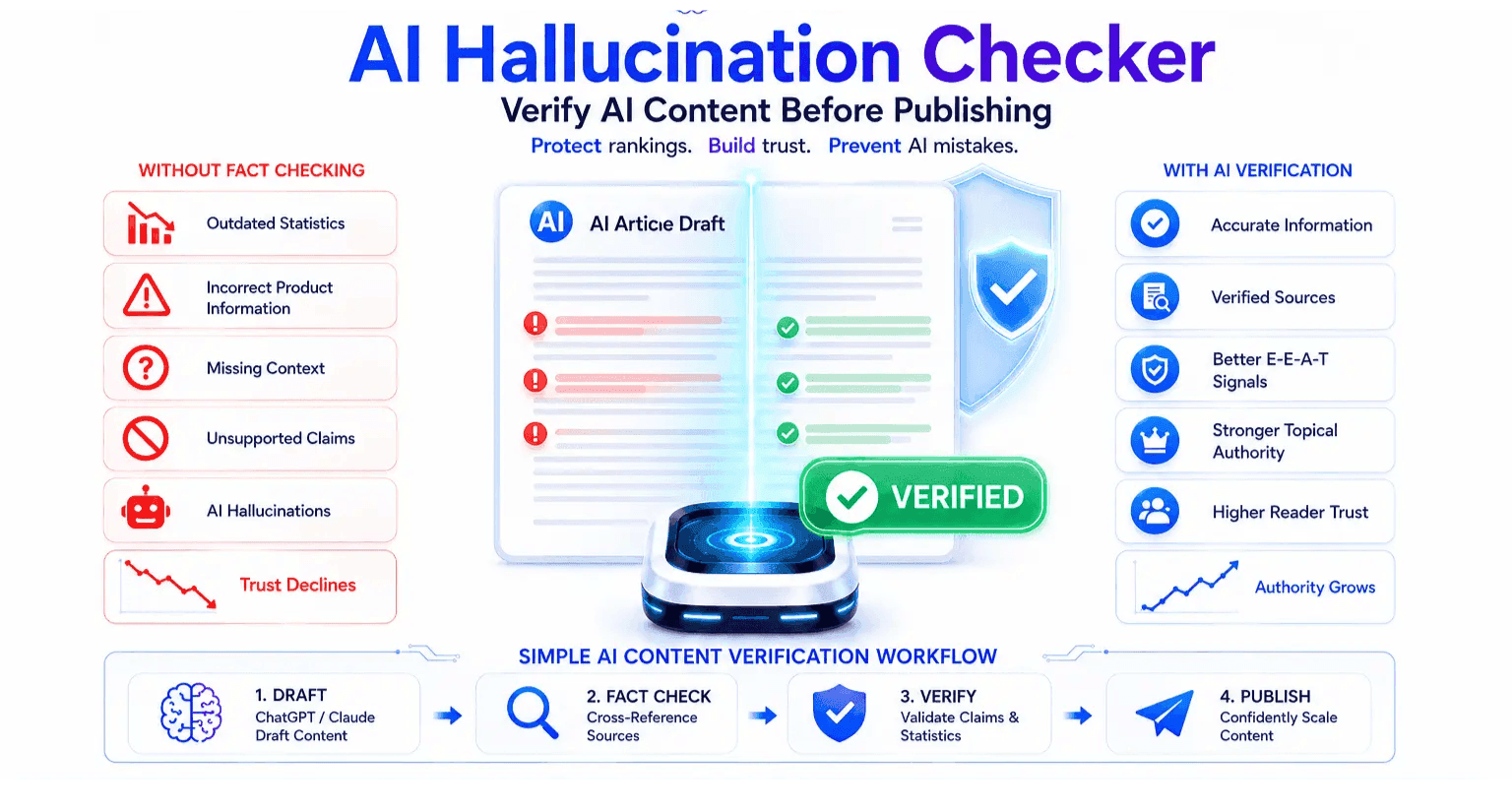
AI Hallucination Checker: Verify Content Before Publishing
Stop Google penalties! Learn how an AI hallucination checker verifies content accuracy, fact-checks ChatGPT, and builds topical authority for niche sites.
Alternatives
Discover the best alternatives to 1minAI and compare features, pricing, and use cases.

1min.AI vs OpenRouter
1min.AI vs. OpenRouter: Compare the ready-to-use AI creation product against the technical API tool. Find out if you need a zero-code creative studio or a coding infrastructure hub.
 Ngoc Hong
1min.AI vs Jarvis AI
Compare 1min.AI vs Jarvis AI to discover which AI platform is better for writing, research, automation, and content creation. Find the best AI assistant for your workflow.
Ngoc Hong
1min.AI vs Taskade
Compare 1min.AI vs Taskade for AI content creation, automation, agents, and creative workflows to find the right workspace.
Ngoc HongAI Tools
Discover the best AI tools to boost productivity, creativity, and everyday work.

Create Consistent Cartoon Content in Just a Few Steps
Create engaging cartoon videos for TikTok and Reels with 1min.AI. Research ideas, create characters, and turn images into animated videos in 3 simple steps.
 Lien Anh Vu
One Product, 10 UGC Creatives: How AI Makes Content Testing Easier
Create more authentic UGC with an AI UGC video generator, test more creative angles and scale affiliate content without filming every version.
Lien Anh Vu
Top 4 Affordable AI Tools for Startup Founders
Discover the top 4 affordable AI tools for startup founders to validate ideas, build products, create content, and launch faster without overspending.
 Tram Ta
AI Features
Comprehensive AI features that streamline workflows, improve efficiency, and empower teams to achieve more.
Create Consistent Cartoon Content in Just a Few Steps
Create engaging cartoon videos for TikTok and Reels with 1min.AI. Research ideas, create characters, and turn images into animated videos in 3 simple steps.
Lien Anh VuOne Product, 10 UGC Creatives: How AI Makes Content Testing Easier
Create more authentic UGC with an AI UGC video generator, test more creative angles and scale affiliate content without filming every version.
Lien Anh Vu
1minAI: Free AI Grammar Checker
Check grammar for free with 1minAI’s AI grammar checker. Find grammar, spelling, and writing mistakes, improve clarity, and polish your content in seconds.
Tram TaAI Use Cases
A curated collection of AI use cases for business, productivity, and industry-specific applications.
Create Consistent Cartoon Content in Just a Few Steps
Create engaging cartoon videos for TikTok and Reels with 1min.AI. Research ideas, create characters, and turn images into animated videos in 3 simple steps.
Lien Anh VuOne Product, 10 UGC Creatives: How AI Makes Content Testing Easier
Create more authentic UGC with an AI UGC video generator, test more creative angles and scale affiliate content without filming every version.
Lien Anh Vu
Best Time to Post on Instagram: A Practical Guide for Better Engagement
Discover the best time to post on Instagram, including the best days and times for different audiences, plus tips to find the ideal posting schedule for your account.
Tram TaAI Tutorials
Learn how to use AI with practical, step-by-step tutorials.

Black Friday AI Tool Deals in 2026
Discover what Black Friday AI tool deals 2026 has to offer. Find out how to secure the 1min.AI lifetime deal via AppSumo, Dealify, Stack Social, and verify on Trustpilot, Slashdot, and Software Advice.
 Hang Nguyen
Create Consistent Cartoon Content in Just a Few Steps
Create engaging cartoon videos for TikTok and Reels with 1min.AI. Research ideas, create characters, and turn images into animated videos in 3 simple steps.
Lien Anh Vu
[Seedance 2.5 New] Better AI Product Videos, Less Rework in 1min.AI
Use Seedance 2.5 image to video on 1min.AI to create more consistent AI product videos, reduce failed generations, save credits, and improve UGC workflows.
Lien Anh VuAI Guides
Learn AI faster with practical guides, real-world examples, and actionable best practices.

Safely Buy AI Tools Online: 2026 Black Friday Guide
Discover how to find and secure the best Black Friday AI deals online. Learn expert strategies to avoid scams, combat subscription fatigue, and verify software.
Hang NguyenCreate Consistent Cartoon Content in Just a Few Steps
Create engaging cartoon videos for TikTok and Reels with 1min.AI. Research ideas, create characters, and turn images into animated videos in 3 simple steps.
Lien Anh Vu[Seedance 2.5 New] Better AI Product Videos, Less Rework in 1min.AI
Use Seedance 2.5 image to video on 1min.AI to create more consistent AI product videos, reduce failed generations, save credits, and improve UGC workflows.
Lien Anh VuAI Solutions
Browse the best AI solutions for automation, coding, research, productivity, customer support, marketing, and business workflows.
Safely Buy AI Tools Online: 2026 Black Friday Guide
Discover how to find and secure the best Black Friday AI deals online. Learn expert strategies to avoid scams, combat subscription fatigue, and verify software.
Hang NguyenCreate Consistent Cartoon Content in Just a Few Steps
Create engaging cartoon videos for TikTok and Reels with 1min.AI. Research ideas, create characters, and turn images into animated videos in 3 simple steps.
Lien Anh VuOne Product, 10 UGC Creatives: How AI Makes Content Testing Easier
Create more authentic UGC with an AI UGC video generator, test more creative angles and scale affiliate content without filming every version.
Lien Anh VuAI Models
Explore the world's leading AI models in one place.
Create Consistent Cartoon Content in Just a Few Steps
Create engaging cartoon videos for TikTok and Reels with 1min.AI. Research ideas, create characters, and turn images into animated videos in 3 simple steps.
Lien Anh VuOne Product, 10 UGC Creatives: How AI Makes Content Testing Easier
Create more authentic UGC with an AI UGC video generator, test more creative angles and scale affiliate content without filming every version.
Lien Anh Vu[Seedance 2.5 New] Better AI Product Videos, Less Rework in 1min.AI
Use Seedance 2.5 image to video on 1min.AI to create more consistent AI product videos, reduce failed generations, save credits, and improve UGC workflows.
Lien Anh VuAI Comparisons
Compare AI tools, models, and platforms to find the best fit for your needs.

Kling AI Vs Veo 3: Which Model Wins?
Kling AI vs Veo 3: compare motion, native audio, pricing & free tiers to see which AI video generator wins for your project - try both on 1min.AI.
 Trang Tran
[Seedance 2.5 New] Better AI Product Videos, Less Rework in 1min.AI
Use Seedance 2.5 image to video on 1min.AI to create more consistent AI product videos, reduce failed generations, save credits, and improve UGC workflows.
Lien Anh Vu
DeepSeek V4 Pro vs Flash Comparison
Compare DeepSeek V4 Pro vs DeepSeek V4 Flash metrics. Optimize your agentic apps and improve AI fact checking on 1min.ai today.
Ngoc HongAI Integrations
Seamlessly integrate AI with the tools you already use to automate work and boost productivity.

POV: You Have 10+ Posts to Make Every Day
Learn how to build an AI content workflow that helps content creators produce 10+ social media posts a day faster with AI brainstorming, image generation, and content creation.
Lien Anh Vu
How to Use an AI Fashion Video Generator for Fashion Week 2026
Turn Fashion Week 2026 ideas into stunning fashion videos with AI. Learn how to brainstorm, create visuals, and transform images into videos with one simple workflow.
Lien Anh Vu
Stop Switching Between AI Apps: How AI Integration Transforms Employer Branding
Discover how AI integration helps HR teams streamline employer branding by combining AI writing, documents, images, video, and multiple AI models into one workspace.
Tram TaAI for Industries
Find the best AI tools and workflows for healthcare, finance, education, legal, manufacturing, retail, real estate, and more

Free AI Product Description Generator
Write product descriptions that sell in minutes. Use this free AI product description generator to turn details or a photo into on-brand copy. Try 1min.AI.
Trang Tran
Best Business Productivity Tools for Startups to Maximize Profits | 1minAI
Discover the best business productivity tools for startups to save time, streamline workflows, reduce repetitive tasks, and support profitable growth with AI.
Tram Ta
Best AI Tool for Content Marketing |1minAI
Looking for the best AI tool for content marketing? See how 1minAI helps marketers research, write, repurpose, create visuals, and scale content from one AI workspace.
Tram TaAI Agents
Discover and run AI agents to automate tasks across your work and daily life.
1minAI: Free AI Grammar Checker
Check grammar for free with 1minAI’s AI grammar checker. Find grammar, spelling, and writing mistakes, improve clarity, and polish your content in seconds.
Tram Ta
AI Agents for Facebook
Use an AI Agent for Facebook to create content, generate images, schedule posts, and publish from your documents and conversations.
Ngoc Hong
AI Agent vs AI Assistant: Which One Actually Saves Designers More Time?
Learn the difference between AI Agent vs AI Assistant and discover which solution helps designers automate repetitive work, reduce revisions, and save more time.
Lien Anh VuAI Workflows
Explore ready-to-use AI workflows for productivity, marketing, sales, support, and more.
Create Consistent Cartoon Content in Just a Few Steps
Create engaging cartoon videos for TikTok and Reels with 1min.AI. Research ideas, create characters, and turn images into animated videos in 3 simple steps.
Lien Anh VuOne Product, 10 UGC Creatives: How AI Makes Content Testing Easier
Create more authentic UGC with an AI UGC video generator, test more creative angles and scale affiliate content without filming every version.
Lien Anh VuPOV: You Have 10+ Posts to Make Every Day
Learn how to build an AI content workflow that helps content creators produce 10+ social media posts a day faster with AI brainstorming, image generation, and content creation.
Lien Anh VuNewsletter
Weekly AI Innovations with 1minAI

🔮 Weekly AI Innovations #141: Seedance 2.5 & Stable Audio 3: Next-Gen AI
Explore Seedance 2.0, 2.5, and StabilityAI's Stable Audio 3 on 1min.ai. Generate studio-grade audio and synchronized motion with next-gen generative AI.
Hang Nguyen
🔮 Weekly AI Innovations #140: Deepseek 4.1 Flash & Gemini Upgrades
Explore Deepseek 4.1 Flash and new Gemini models on 1min.ai. Plus, check our update on your Billing - Usage page for better clarity.
Hang Nguyen
🔮 Weekly AI Innovations #139: Dawn of the next-gen AI
Discover the immense power of GPT-6 Astra and Claude Fable 5.1. Unlock next-generation AI models on 1min.ai to solve complex tasks effortlessly.
Hang Nguyen