
Outstanding Tiny Desk AI Video Generator Guide

Trang Tran
November 1, 2026
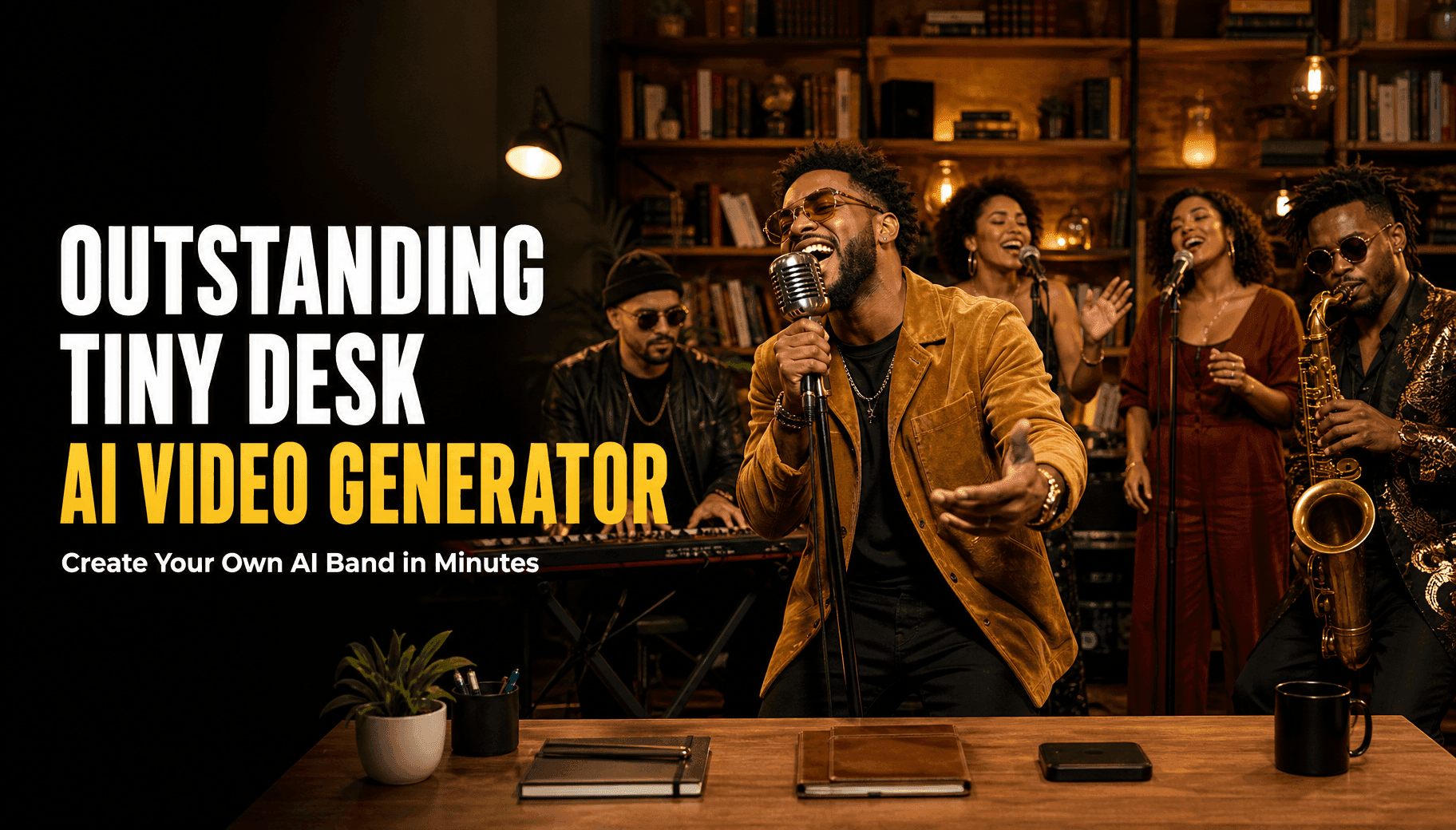
Learn how to make an Outstanding Tiny Desk AI video with 1min.AI. Get a ready template prompt, model settings, and meme ideas for your own tiny desk AI video.
To make an Outstanding Tiny Desk AI video, upload a clear portrait to an AI video generator, add a desk-concert prompt, and export a vertical clip of about 15 seconds. 1min.AI puts image generation, leading video models, and audio options in one workspace, so you can build the band and animate it without filming anything. Open the tool, upload a photo, and see your band perform. You can start without signing up.
What Is Outstanding Tiny Desk AI?
Outstanding Tiny Desk AI is a viral meme format where creators turn photos into short, fictional desk-concert videos set to “Outstanding.” The song is a funk and R&B classic from 1982 associated with The Gap Band and Charlie Wilson. The joke lands because an intimate office stage meets an unexpected cast and a lot of musical energy.
Most Outstanding Tiny Desk meme videos follow the same pattern:
- Format: vertical 9:16, about 15 seconds
- Setting: a desk, bookshelves, warm lights, a tiny stage
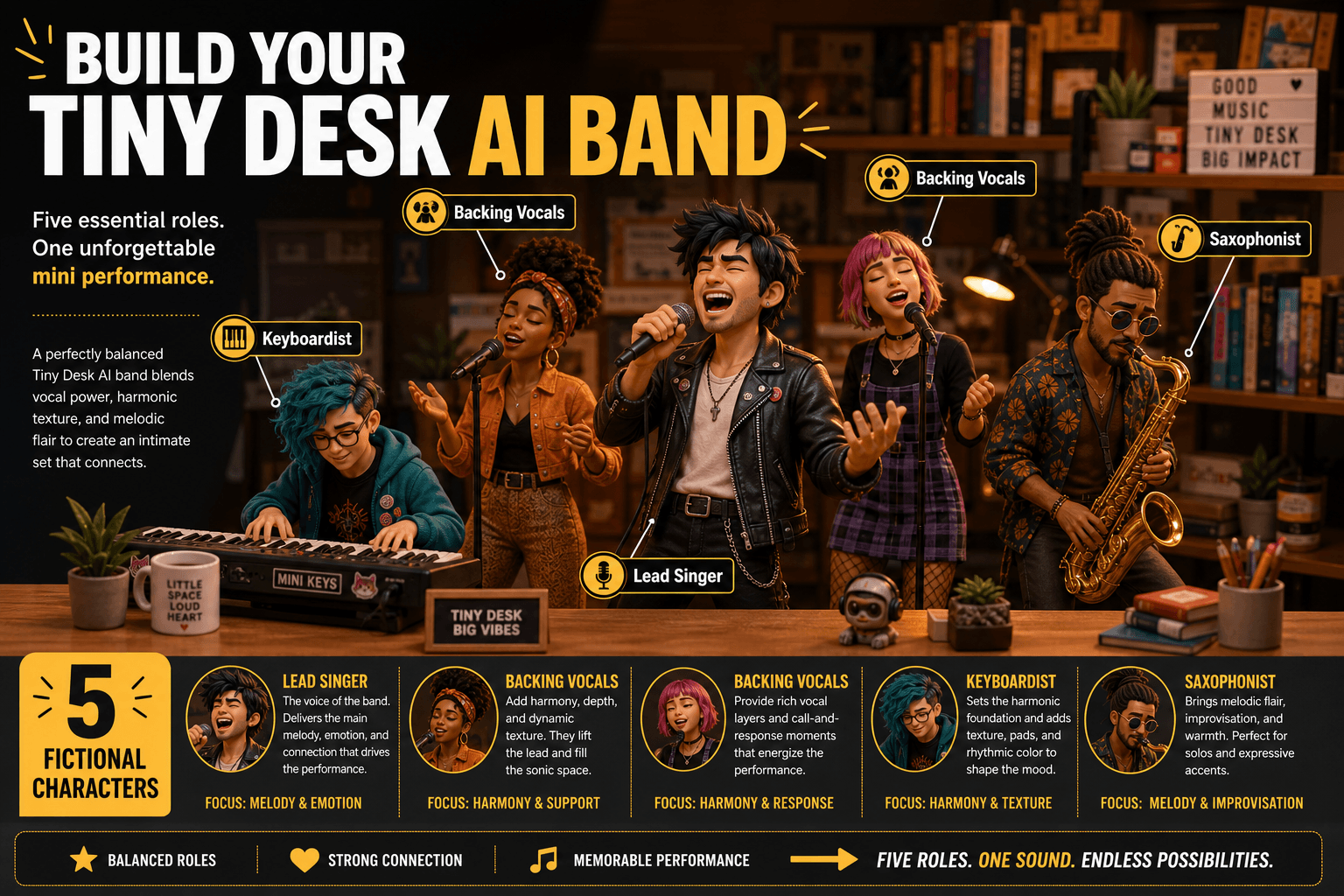
- Cast: a lead singer, two backing singers, a keyboardist, and often a saxophonist
- Platforms: TikTok, Instagram Reels, and YouTube Shorts
This is parody. It is not an official NPR Tiny Desk performance and should never be presented as one.
Why Build Your Own Tiny Desk AI Video?
Most people searching for an Outstanding Tiny Desk AI template hit the same walls:
- They do not know which tool handles a multi-person band.
- They are unsure how to write a prompt that keeps faces consistent.
- Fixed templates give them little control over the cast, length, or music.
A tiny desk AI video generator that lets you choose the model, length, and audio solves all three. In 1min.AI you create the portraits, pick the video model, and generate in one place, which makes testing different versions fast.
What You Need Before You Start
| Item | What to prepare |
|---|---|
| Lead singer photo | A sharp, front-facing portrait you own or have permission to use |
| Band members | Optional photos, or fictional portraits generated in 1min.AI |
| Scene idea | Desk, bookshelves, warm lighting, handheld microphone |
| Audio plan | Music you have the rights to use, added at the end |
How to Make an Outstanding Tiny Desk AI Video With 1min.AI
Step 1: Create the Band Portraits
A believable band starts with clear, distinct faces. For fictional musicians, use an AI character generator to create one portrait each for the lead singer, two backing singers, a keyboardist, and a saxophonist.
Tips for strong reference images:
- One clear face per image
- No sunglasses, masks, or heavy filters
- Even lighting and a simple background
Step 2: Choose a Tiny Desk AI Video Generator Model
You do not need every model. These four cover the trend:
| Model | Best for | Key settings |
|---|---|---|
| Kling 3.0 | A full 15-second clip with scene changes | 3 to 15 seconds, start and end frame, Generate audio, up to 6 shots |
| Seedance 2.5 | Keeping a whole band consistent | Up to 30 reference images, reference audio, 4 to 30 seconds |
| Wan 2.7 | Syncing your own track | 2 to 15 seconds, 9:16 supported, WAV or MP3 upload |
| Veo 3.1 | Cinematic 9:16 clips with sound | Fixed 8 seconds, 720p or 1080p, optional tail image |
Kling 3.0 is the easiest starting point for beginners. For a five-person cast with strong identity control, try Seedance 2.5 and upload your portraits as reference images. If you want to animate a single portrait, the AI image to video tool is the simplest route. To explore Veo, read this guide to free AI video generation with Veo 3.1.
Step 3: Copy the Outstanding Tiny Desk AI Template Prompt
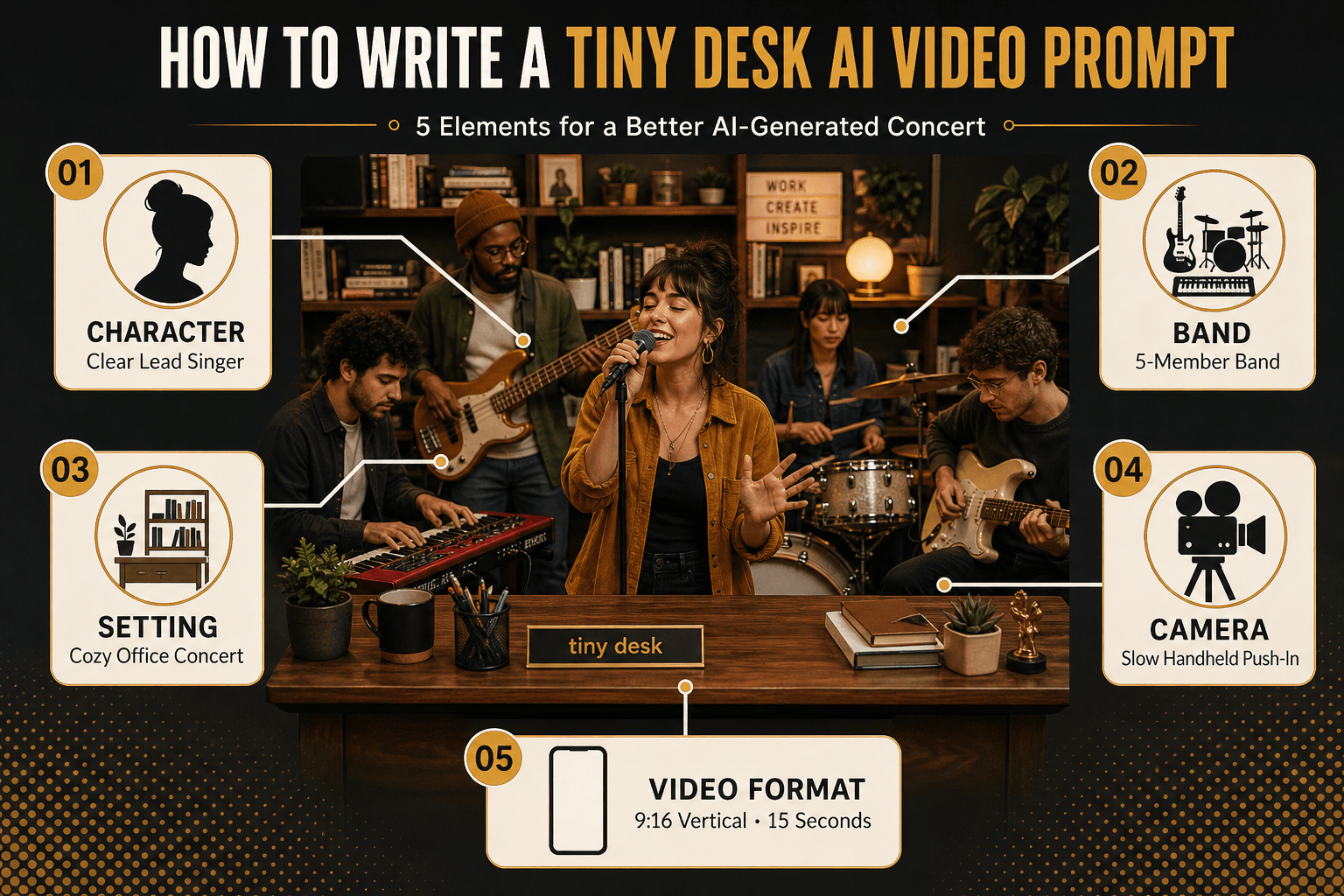
Paste this prompt and adjust the details:
“Use the uploaded portrait as the lead singer in a cozy office desk concert. The singer holds a handheld microphone and performs with joyful energy. A small band plays behind: two backing singers, a keyboardist, and a saxophonist. Wooden desk, tall bookshelves, warm amber lights, candid live-session mood, slow handheld push-in, realistic hands, consistent faces, vertical 9:16.”
In the “What not to include in the video” field, add: blurry faces, extra fingers, distorted instruments, text, logos, watermark.
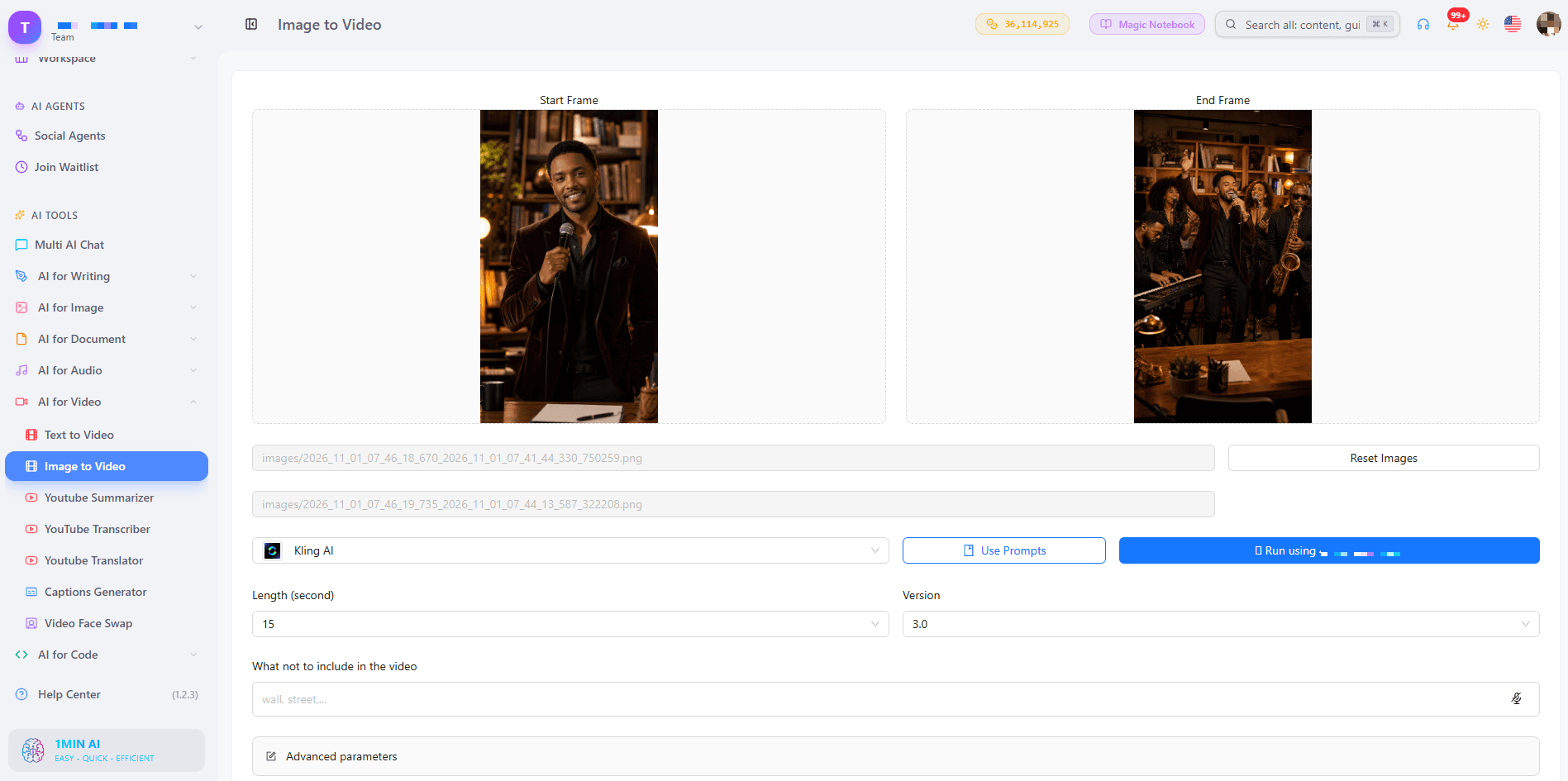
Step 4: Set Up Kling 3.0 for a 15-Second Clip
Use these settings in Image to Video:
- Upload your lead singer image as the start frame. Add an end frame for a final pose.
- Set the length to 15 seconds, or shorter for a punchier clip.
- Keep CFG Scale at the default 0.5.
- Turn on Generate audio if you want sound created with the video.
- Try Multi shots: shot 1 on the singer, shot 2 on the keyboardist, shot 3 on the full band. The total must stay within 15 seconds.
To see the workflow on screen, watch How to Create AI Videos Free Without Signing Up
Step 5: Add Sound, Captions, and Export
Check the clip for face consistency, hand and microphone movement, and framing. Then add your audio and captions. For tighter sound matching, Seedance 2.5 accepts reference audio and has a Generate Audio option. This demo shows the model in action:
Outstanding Tiny Desk AI Meme Ideas
The format works best with one clear joke:
- The solo surprise: You as the lead singer, captioned “Me after finishing one task on my to-do list.”
- The group chat band: Friends who agreed to take part, each with a role.
- The team celebration: Coworkers in a fictional desk concert for a launch or milestone.
- The pet band: Your pet as the saxophonist.
- The swapped cast: Put a new face into a finished clip with AI video face swap.
Common Problems and Quick Fixes
| Problem | Fix |
|---|---|
| Faces look generic | Use sharper, better-lit portraits |
| Two band members look alike | Generate more distinct characters |
| A face changes between shots | Simplify the cast and reduce the shot count |
| Hands or instruments look odd | Add them to the negative field and regenerate |
| The clip looks flat on a phone | Use 9:16 and keep the singer centered |
Change one input at a time so you can see which adjustment improved the result.
Outstanding Tiny Desk AI Songs and Music Rights
People often search for Outstanding Tiny Desk AI songs and the Outstanding Tiny Desk original. “Outstanding” is a copyrighted work, and the NPR concert recording is protected too. Follow these rules:
- Use music you own or have a license to use.
- Check each platform’s audio rules before posting.
- Label the video as AI-generated parody.
- Only use photos of people who agreed to appear.
- Never imply that a real person performed or endorsed your video.
Frequently Asked Questions
What is the best Outstanding Tiny Desk AI generator?
The best Outstanding Tiny Desk AI generator gives you control over cast, length, and audio. 1min.AI offers image generation and several video models, so you can build the band and animate it in one workspace.
Can I make an Outstanding Tiny Desk AI video with one photo?
Yes. Upload one clear lead singer portrait to Image to Video, paste the prompt above, and generate. Add band members later for more personalization.
Is there an Outstanding Tiny Desk AI template I can try?
Yes. The template prompt in Step 3 works in 1min.AI, and you can try it free without signing up. Copy it, upload your portrait, and generate.
How long should a Tiny Desk AI video be?
About 15 seconds suits the meme. Kling 3.0 supports up to 15 seconds, while Seedance 2.5 and Wan 2.7 offer flexible lengths.
Can I use my own music?
Yes, if you hold the rights. Wan 2.7 accepts WAV or MP3 uploads, and Seedance 2.5 accepts reference audio.
Which aspect ratio should I choose?
Choose 9:16 for TikTok, Reels, and Shorts.
Start Your Tiny Desk AI Video
An Outstanding Tiny Desk AI video comes down to three things: clear portraits, a strong prompt, and the right model. Open 1min.AI, upload a portrait, paste the template prompt, and watch your band perform in minutes.
- #Commerce
Alternatives
Discover the best alternatives to 1minAI and compare features, pricing, and use cases.

1min.AI vs OpenRouter
1min.AI vs. OpenRouter: Compare the ready-to-use AI creation product against the technical API tool. Find out if you need a zero-code creative studio or a coding infrastructure hub.
 Ngoc Hong

1min AI vs Buffer
Compare 1min.AI vs Buffer for Facebook content creation, AI writing, image generation, scheduling, pricing, and everyday marketing workflows.
Ngoc Hong
1min.AI vs ContentStudio Alternative
Compare 1min.AI vs ContentStudio for Facebook content creation, brand context, AI images, publishing, team workflows, and pricing.
Ngoc HongAI Tools
Discover the best AI tools to boost productivity, creativity, and everyday work.
Create Consistent Cartoon Content in Just a Few Steps
Create engaging cartoon videos for TikTok and Reels with 1min.AI. Research ideas, create characters, and turn images into animated videos in 3 simple steps.
 Lien Anh Vu
One Product, 10 UGC Creatives: How AI Makes Content Testing Easier
Create more authentic UGC with an AI UGC video generator, test more creative angles and scale affiliate content without filming every version.
Lien Anh Vu
Top 4 Affordable AI Tools for Startup Founders
Discover the top 4 affordable AI tools for startup founders to validate ideas, build products, create content, and launch faster without overspending.
 Tram Ta
AI Features
Comprehensive AI features that streamline workflows, improve efficiency, and empower teams to achieve more.
Create Consistent Cartoon Content in Just a Few Steps
Create engaging cartoon videos for TikTok and Reels with 1min.AI. Research ideas, create characters, and turn images into animated videos in 3 simple steps.
Lien Anh VuOne Product, 10 UGC Creatives: How AI Makes Content Testing Easier
Create more authentic UGC with an AI UGC video generator, test more creative angles and scale affiliate content without filming every version.
Lien Anh Vu
1minAI: Free AI Grammar Checker
Check grammar for free with 1minAI’s AI grammar checker. Find grammar, spelling, and writing mistakes, improve clarity, and polish your content in seconds.
Tram TaAI Use Cases
A curated collection of AI use cases for business, productivity, and industry-specific applications.
Create Consistent Cartoon Content in Just a Few Steps
Create engaging cartoon videos for TikTok and Reels with 1min.AI. Research ideas, create characters, and turn images into animated videos in 3 simple steps.
Lien Anh VuOne Product, 10 UGC Creatives: How AI Makes Content Testing Easier
Create more authentic UGC with an AI UGC video generator, test more creative angles and scale affiliate content without filming every version.
Lien Anh Vu
Best Time to Post on Instagram: A Practical Guide for Better Engagement
Discover the best time to post on Instagram, including the best days and times for different audiences, plus tips to find the ideal posting schedule for your account.
Tram TaAI Tutorials
Learn how to use AI with practical, step-by-step tutorials.

Black Friday AI Tool Deals in 2026
Discover what Black Friday AI tool deals 2026 has to offer. Find out how to secure the 1min.AI lifetime deal via AppSumo, Dealify, Stack Social, and verify on Trustpilot, Slashdot, and Software Advice.
 Hang Nguyen
Create Consistent Cartoon Content in Just a Few Steps
Create engaging cartoon videos for TikTok and Reels with 1min.AI. Research ideas, create characters, and turn images into animated videos in 3 simple steps.
Lien Anh Vu
[Seedance 2.5 New] Better AI Product Videos, Less Rework in 1min.AI
Use Seedance 2.5 image to video on 1min.AI to create more consistent AI product videos, reduce failed generations, save credits, and improve UGC workflows.
Lien Anh VuAI Guides
Learn AI faster with practical guides, real-world examples, and actionable best practices.

Safely Buy AI Tools Online: 2026 Black Friday Guide
Discover how to find and secure the best Black Friday AI deals online. Learn expert strategies to avoid scams, combat subscription fatigue, and verify software.
Hang NguyenCreate Consistent Cartoon Content in Just a Few Steps
Create engaging cartoon videos for TikTok and Reels with 1min.AI. Research ideas, create characters, and turn images into animated videos in 3 simple steps.
Lien Anh Vu[Seedance 2.5 New] Better AI Product Videos, Less Rework in 1min.AI
Use Seedance 2.5 image to video on 1min.AI to create more consistent AI product videos, reduce failed generations, save credits, and improve UGC workflows.
Lien Anh VuAI Solutions
Browse the best AI solutions for automation, coding, research, productivity, customer support, marketing, and business workflows.
Safely Buy AI Tools Online: 2026 Black Friday Guide
Discover how to find and secure the best Black Friday AI deals online. Learn expert strategies to avoid scams, combat subscription fatigue, and verify software.
Hang NguyenCreate Consistent Cartoon Content in Just a Few Steps
Create engaging cartoon videos for TikTok and Reels with 1min.AI. Research ideas, create characters, and turn images into animated videos in 3 simple steps.
Lien Anh VuOne Product, 10 UGC Creatives: How AI Makes Content Testing Easier
Create more authentic UGC with an AI UGC video generator, test more creative angles and scale affiliate content without filming every version.
Lien Anh VuAI Models
Explore the world's leading AI models in one place.
Create Consistent Cartoon Content in Just a Few Steps
Create engaging cartoon videos for TikTok and Reels with 1min.AI. Research ideas, create characters, and turn images into animated videos in 3 simple steps.
Lien Anh VuOne Product, 10 UGC Creatives: How AI Makes Content Testing Easier
Create more authentic UGC with an AI UGC video generator, test more creative angles and scale affiliate content without filming every version.
Lien Anh Vu[Seedance 2.5 New] Better AI Product Videos, Less Rework in 1min.AI
Use Seedance 2.5 image to video on 1min.AI to create more consistent AI product videos, reduce failed generations, save credits, and improve UGC workflows.
Lien Anh VuAI Comparisons
Compare AI tools, models, and platforms to find the best fit for your needs.
Kling AI Vs Veo 3: Which Model Wins?
Kling AI vs Veo 3: compare motion, native audio, pricing & free tiers to see which AI video generator wins for your project - try both on 1min.AI.
 Trang Tran
[Seedance 2.5 New] Better AI Product Videos, Less Rework in 1min.AI
Use Seedance 2.5 image to video on 1min.AI to create more consistent AI product videos, reduce failed generations, save credits, and improve UGC workflows.
Lien Anh Vu
DeepSeek V4 Pro vs Flash Comparison
Compare DeepSeek V4 Pro vs DeepSeek V4 Flash metrics. Optimize your agentic apps and improve AI fact checking on 1min.ai today.
Ngoc HongAI Integrations
Seamlessly integrate AI with the tools you already use to automate work and boost productivity.
POV: You Have 10+ Posts to Make Every Day
Learn how to build an AI content workflow that helps content creators produce 10+ social media posts a day faster with AI brainstorming, image generation, and content creation.
Lien Anh Vu
How to Use an AI Fashion Video Generator for Fashion Week 2026
Turn Fashion Week 2026 ideas into stunning fashion videos with AI. Learn how to brainstorm, create visuals, and transform images into videos with one simple workflow.
Lien Anh Vu
Stop Switching Between AI Apps: How AI Integration Transforms Employer Branding
Discover how AI integration helps HR teams streamline employer branding by combining AI writing, documents, images, video, and multiple AI models into one workspace.
Tram TaAI for Industries
Find the best AI tools and workflows for healthcare, finance, education, legal, manufacturing, retail, real estate, and more
Voice Cloning AI Free: How to Clone Any Voice Online in Minutes
Try voice cloning AI free with 1min.AI. Upload a 5-second clip, pick an ElevenLabs model, choose from 32 languages, and turn text to speech in your own voice.
Trang Tran
Text To Video AI Free Without Watermark Online
Create text to video AI free without watermark online with 1min.AI. Pick top models, turn prompts into HD clips, and download clean videos fast. Try it free.
Trang Tran
Free AI Image Editor With Prompt No Restrictions
Looking for a free AI image editor with prompt no restrictions? Edit backgrounds, objects and text by typing, no watermark. Try 1min.AI’s flexible editor now.
Trang TranAI Agents
Discover and run AI agents to automate tasks across your work and daily life.
1minAI: Free AI Grammar Checker
Check grammar for free with 1minAI’s AI grammar checker. Find grammar, spelling, and writing mistakes, improve clarity, and polish your content in seconds.
Tram Ta
AI Agents for Facebook
Use an AI Agent for Facebook to create content, generate images, schedule posts, and publish from your documents and conversations.
Ngoc Hong
AI Agent vs AI Assistant: Which One Actually Saves Designers More Time?
Learn the difference between AI Agent vs AI Assistant and discover which solution helps designers automate repetitive work, reduce revisions, and save more time.
Lien Anh VuAI Workflows
Explore ready-to-use AI workflows for productivity, marketing, sales, support, and more.
Create Consistent Cartoon Content in Just a Few Steps
Create engaging cartoon videos for TikTok and Reels with 1min.AI. Research ideas, create characters, and turn images into animated videos in 3 simple steps.
Lien Anh VuOne Product, 10 UGC Creatives: How AI Makes Content Testing Easier
Create more authentic UGC with an AI UGC video generator, test more creative angles and scale affiliate content without filming every version.
Lien Anh VuPOV: You Have 10+ Posts to Make Every Day
Learn how to build an AI content workflow that helps content creators produce 10+ social media posts a day faster with AI brainstorming, image generation, and content creation.
Lien Anh VuNewsletter
Weekly AI Innovations with 1minAI

🔮 Weekly AI Innovations #145: X Content Agent & GPT 6.1 Terra on 1min.ai
Scale viral reach with the X Content Agent on 1min.ai. Discover an end-to-end 4-stage pipeline with zero token burn, plus the launch of GPT 6.1 Terra.
Hang Nguyen
🔮 Weekly AI Innovations #144: LinkedIn Content Agent: Complete B2B Publishing Pipeline
Scale B2B influence with the LinkedIn Content Agent on 1min.ai. Discover an end-to-end 4-stage pipeline with zero redundant token burn and 1-click publishing.
Hang Nguyen
🔮 Weekly AI Innovations #143: Update GPT-6, GPT-6.1 & Ideogram 4.0
Access GPT-6 Sol, Luna, GPT-6.1 Sol, and Ideogram 4.0 on 1min.ai. Boost typography accuracy to 98.4% and cut reasoning latency by 45% in one platform.
Hang Nguyen