
HeyGen AI Video Generator Free Trial in 1min.AI

Trang Tran
November 5, 2026
Looking for a HeyGen AI video generator free trial? Try the HeyGen Video model in 1min.AI: text to video, image to video, no watermark, no sign-up.
The HeyGen AI video generator turns a text prompt, an image, or reference files into a short video with picture, dialogue, and sound in one step. You can try the HeyGen Video model free in 1min.AI, with no watermark and no sign-up, and see your first clip within minutes.
You have probably watched an AI video and wondered how long it took to make. With HeyGen Video, one prompt does the work. There is no camera, no voice-over session, and no editing timeline. You describe the scene, press generate, and review your clip.
What Is the HeyGen AI Video Generator?
The name covers two different things. Knowing which one you need saves time.
HeyGen Platform: Avatars, Video Agent, and Translation
HeyGen’s own platform is built around presenter-style video. Its core features include:
- AI avatars and digital clones: public avatars, or a custom digital twin made from a short recording.
- Video Agent: multi-scene videos from a prompt, document, or slide deck.
- Video translation: localization into 175+ languages with lip-sync and voice cloning.
- AI Studio editor: script edits, backgrounds, captions, b-roll, and camera angles.
For these features, visit HeyGen’s official website.
HeyGen Video Model: One Prompt, Full Scene With Sound
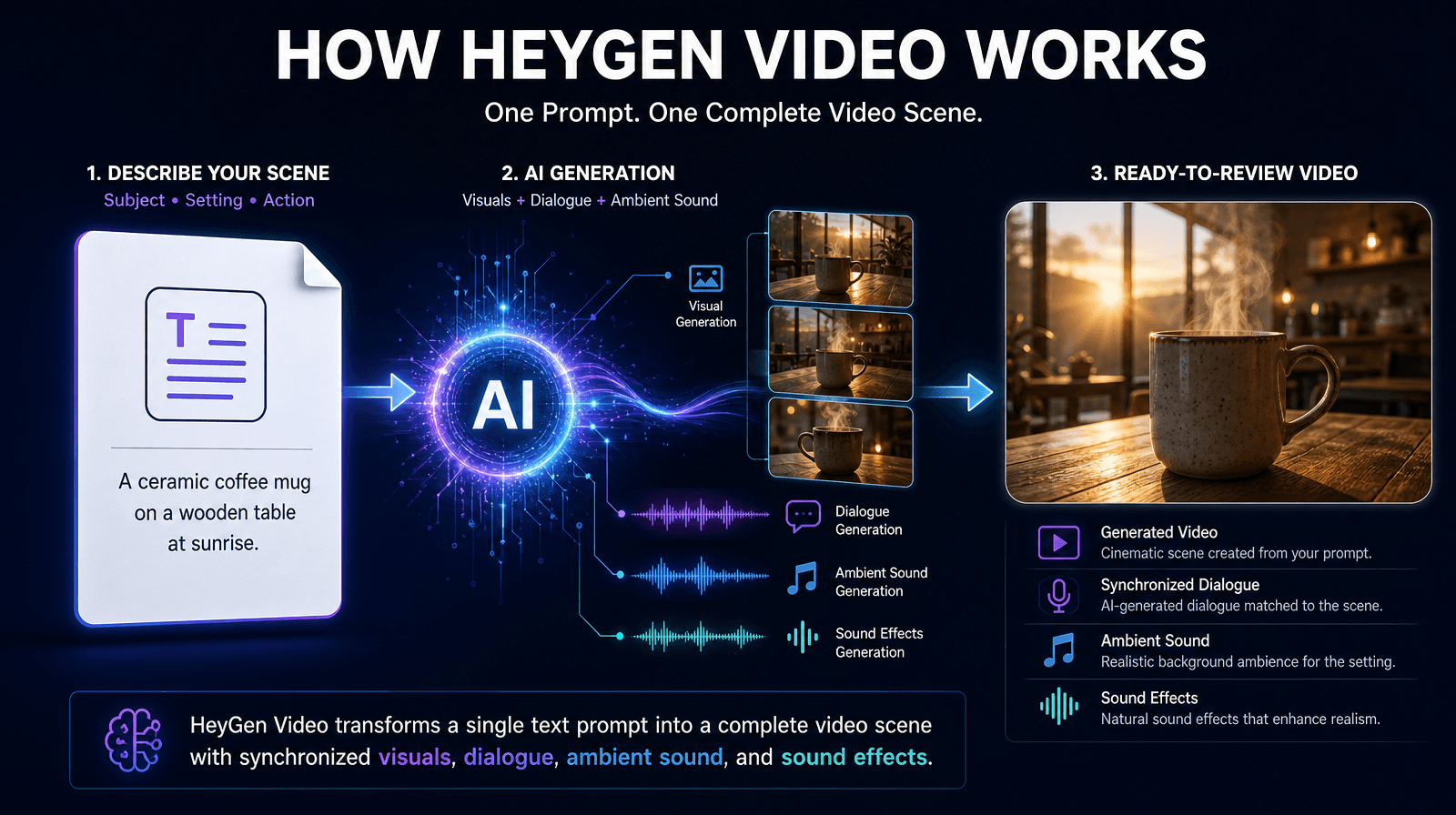
HeyGen also offers a general-purpose video model called HeyGen Video. It is built on MiniMax H3 and post-trained by HeyGen. From a single prompt, it generates a complete scene: subject, setting, lighting, and synchronized audio. You don’t need a separate voice-over, lip-sync step, or avatar setup. This is the model available in 1min.AI.
How to Start Your HeyGen AI Video Generator Free Trial in 1min.AI
If you searched for a HeyGen free trial, the quickest way to judge the model is to run a prompt yourself. Open the tool in 1min.AI and generate. You don’t need to register to begin, and your clips come out without a watermark.
HeyGen AI Video Generator Free: What You Can Test
In a single session you can try:
- Text to video from a detailed prompt
- Image to video from one photo
- Reference-based scenes with your own products, people, or places
- Built-in dialogue, ambience, and sound effects
How to Use HeyGen Video Text to Video in 1min.AI
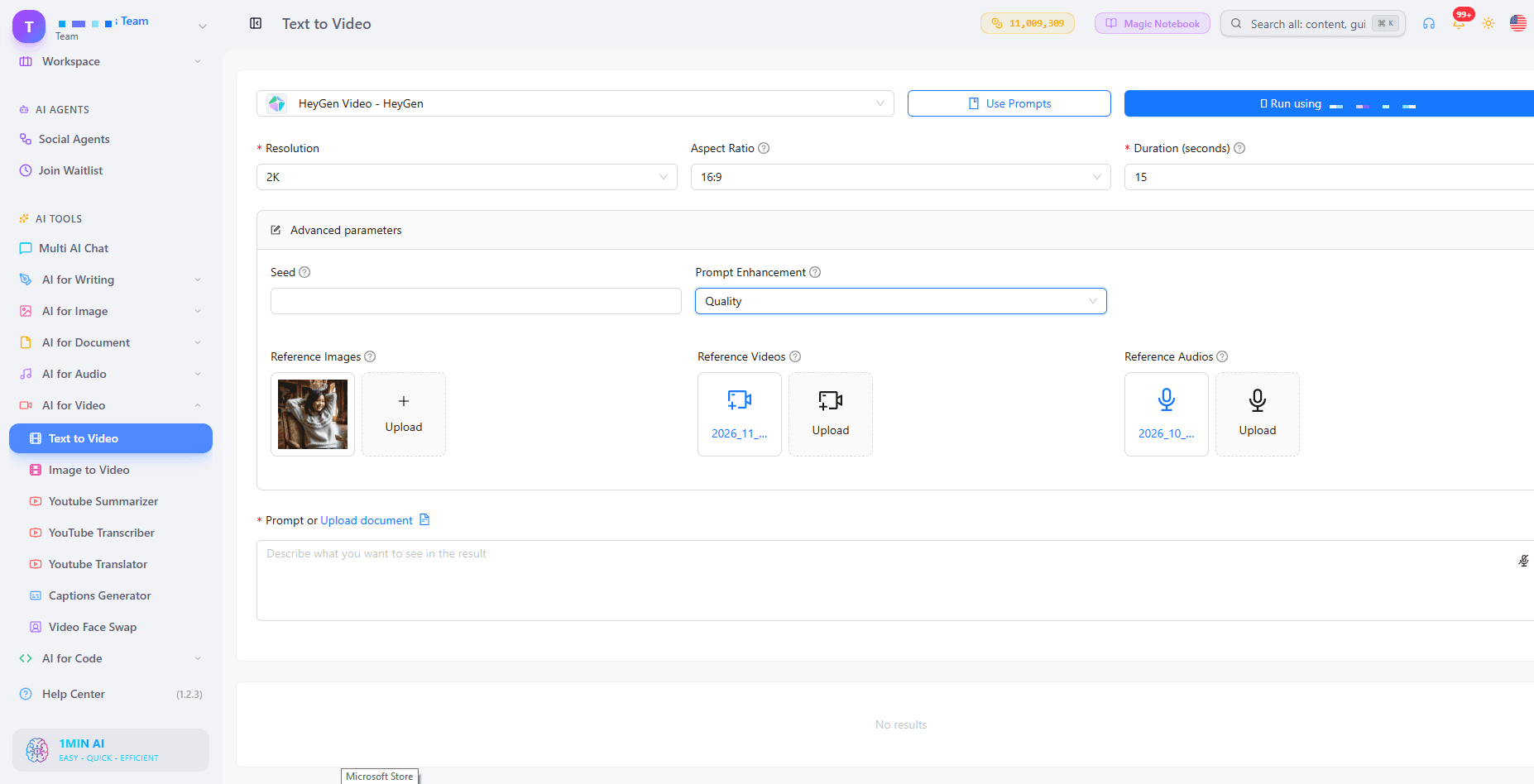
1min.AI’s AI text to video tool gives you full control over the output. Follow these steps.
Step 1: Choose Resolution and Aspect Ratio
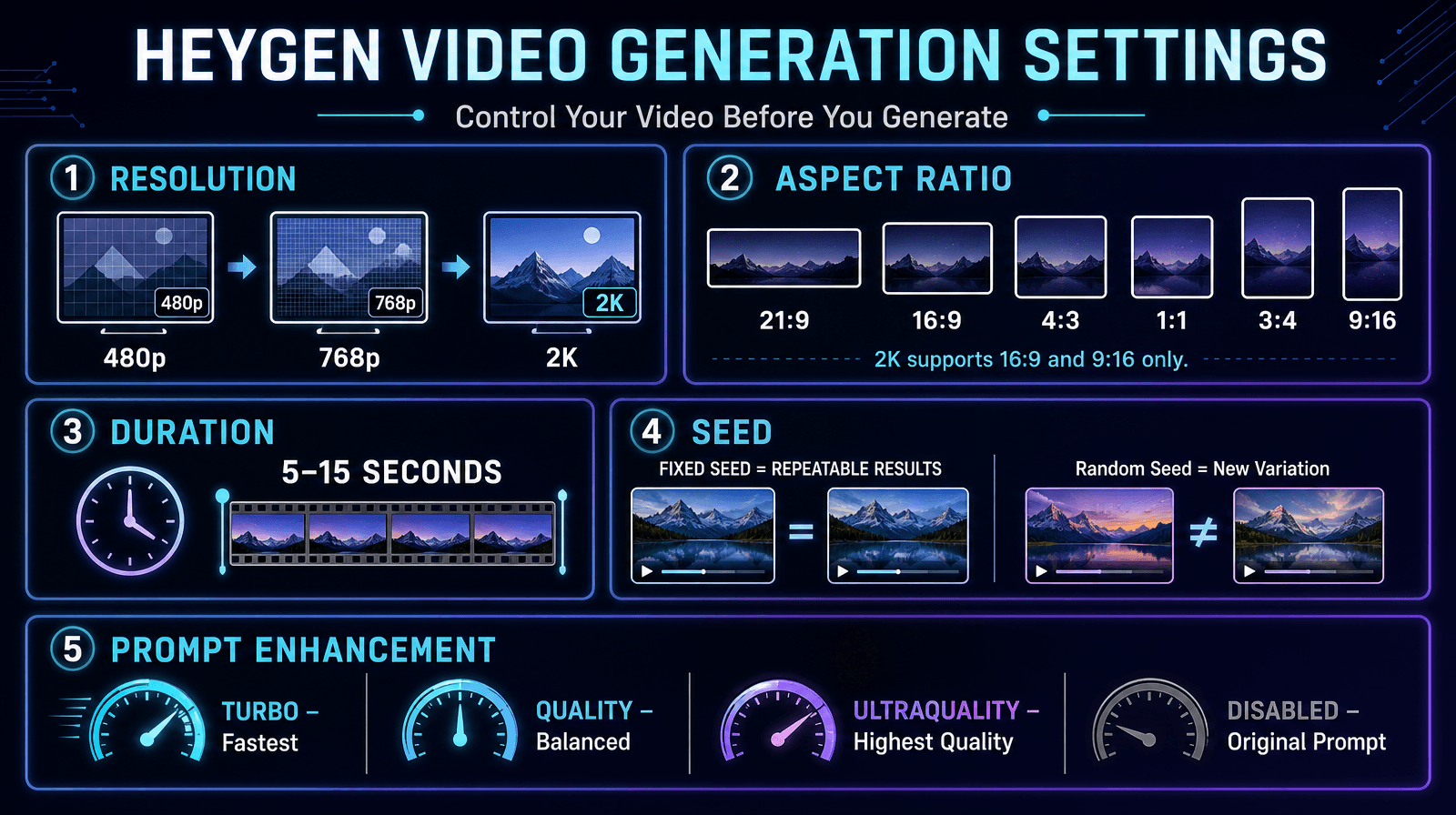
Pick 480p, 768p, or 2K. Available aspect ratios are 21:9, 16:9, 4:3, 1:1, 3:4, and 9:16. At 2K, only 16:9 and 9:16 are supported.
Step 2: Set Duration and Seed
Clips run from 5 to 15 seconds. Enter a fixed seed to reproduce a result, or leave it empty for a random one. Reusing a seed with the same prompt gives a near-identical clip, so you can change one detail at a time.
Step 3: Pick a Prompt Enhancement Mode
- Turbo: fastest.
- Quality: balances speed and detail.
- Ultraquality: best result, slowest.
- Disabled: sends your prompt exactly as written.
Step 4: Add Reference Files (Optional)
Upload up to 9 images, 3 videos, and 3 audio clips, 12 files in total. Refer to them by upload order in your prompt: <Picture 1>, <Video 1>, <Audio 1>. Images, videos, and audio are numbered separately.
Step 5: Write Your Prompt and Generate
Keep it simple: one subject, one place, one action. Name the camera, lighting, and sound you want, or ask for “no music.”
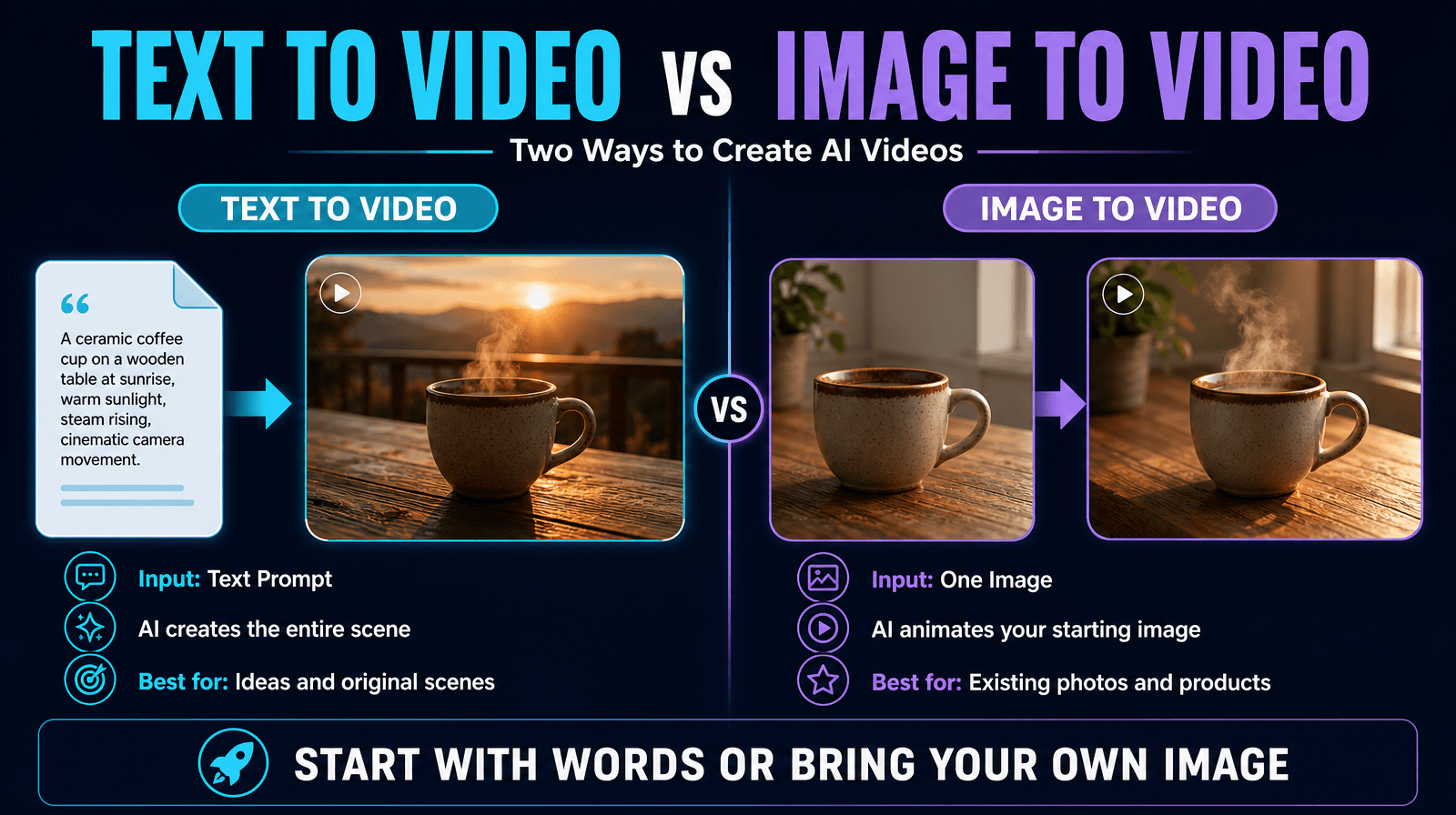
Example prompt: A ceramic coffee mug on a wooden table at sunrise, slow push-in camera, steam rising, soft morning light, quiet café ambience, no music.
How to Animate a Photo With HeyGen Image to Video
1min.AI’s AI image to video feature uses your image as the literal first frame of the clip.
- Upload one image.
- Choose a resolution and a duration between 5 and 15 seconds.
- Set a seed, or leave it empty.
- Choose a prompt enhancement mode.
- Describe the motion and sound, then generate.
Tip: Describe what changes, not what is already visible. “The camera slowly orbits the product while light shifts across the surface” works better than repeating what the photo shows.
Who Should Use the HeyGen AI Video Generator?
Marketers and Social Media Creators
Create 9:16 clips for short-form platforms and test several ad concepts in one session. A fixed seed helps you refine the idea that works.
E-commerce and Small Business Owners
Product and scene shots suit this model: one subject, one location, one action. Upload product photos as references to keep your item consistent across scenes.
Educators and Course Creators
Build short visual explainers or intro clips without filming. For narration, pair your clips with text to speech in the same workspace.
HeyGen Platform vs. HeyGen Video in 1min.AI
| Feature | HeyGen Platform | HeyGen Video in 1min.AI |
|---|---|---|
| Best for | Avatar-led presenter videos | Prompt-based scenes with sound |
| Input | Script, avatar, document, deck | Text, 1 image, or up to 12 references |
| Clip length | Long-form projects | 5 to 15 seconds |
| Audio | Voice selection and cloning | Dialogue, ambience, and effects generated with the picture |
| Translation and digital twin | Yes | Not included |
| Output control | Studio editor | Resolution, ratio, seed, enhancement |
Choose the one that matches your project. For fast, cinematic clips from a prompt, HeyGen Video in 1min.AI is a direct route.
Why Use 1min.AI for HeyGen AI Video Generation?
1min.AI is an all-in-one AI workspace where video generation sits beside writing, image, audio, and document tools. Once your clip is ready, you can:
- Add narration with AI for Audio
- Create captions with Captions Generator
- Make thumbnails and social images with AI for Image
- Keep your prompts and assets organized in Prompt List and Asset List
AI Studio, Brand Voice List, Prompt List, Tag List, and Asset List work without an account. Shared Zone and History require one.
1min.AI is recognized on SourceForge and Slashdot as top business software, is rated Excellent on Trustpilot, and is listed on Capterra, Software Advice, and GetApp.


For a visual walkthrough, watch how to create AI videos without signing up:
To explore more options, see our guide to a free AI text to video generator.
Tips for Better HeyGen AI Videos
- Keep it focused: one subject, one place, one action per clip.
- Name the style: reference a production process such as “35mm film look” or “clean studio product shot,” and limit the color palette.
- Direct the sound: describe dialogue, ambience, and effects in the prompt.
- Iterate with a seed: lock the seed, then change one variable at a time.
- Use enhancement wisely: choose Disabled when you need exact wording.
FAQ: HeyGen AI Video Generator Free Trial
Is there a HeyGen AI video generator free trial?
HeyGen’s own platform has its own free options, so check its website for current details. In 1min.AI, you can try the HeyGen Video model free, without a watermark and without signing up.
What is the HeyGen AI video generator?
It is HeyGen’s AI video tooling. The HeyGen platform focuses on avatars, Video Agent, and translation. The HeyGen Video model generates short scenes with sound from a single prompt.
Can I use the HeyGen AI video generator free with no watermark?
Yes. In 1min.AI you can generate and preview a clip with no watermark.
Can I turn an image into a video?
Yes. Image to Video accepts one image, which becomes the first frame of your clip.
How long can the videos be?
Clips run from 5 to 15 seconds at 480p, 768p, or 2K.
Does HeyGen Video include sound?
Yes. Dialogue, ambience, and sound effects are generated with the picture. You can direct them in your prompt or ask for no music.
Can I use my own products or people in a scene?
Yes. Use up to 9 reference images, 3 reference videos, and 3 reference audio clips.
Does 1min.AI include HeyGen avatars or video translation?
No. 1min.AI offers the HeyGen Video model. HeyGen’s avatars, digital twins, and translation are available on HeyGen’s own platform.
Create Your First HeyGen Video
Write one prompt, choose your ratio, and generate. In a few minutes you will know whether the HeyGen AI video generator fits your next project.
- #Transaction
Alternatives
Discover the best alternatives to 1minAI and compare features, pricing, and use cases.

1min.AI vs OpenRouter
1min.AI vs. OpenRouter: Compare the ready-to-use AI creation product against the technical API tool. Find out if you need a zero-code creative studio or a coding infrastructure hub.
 Ngoc Hong
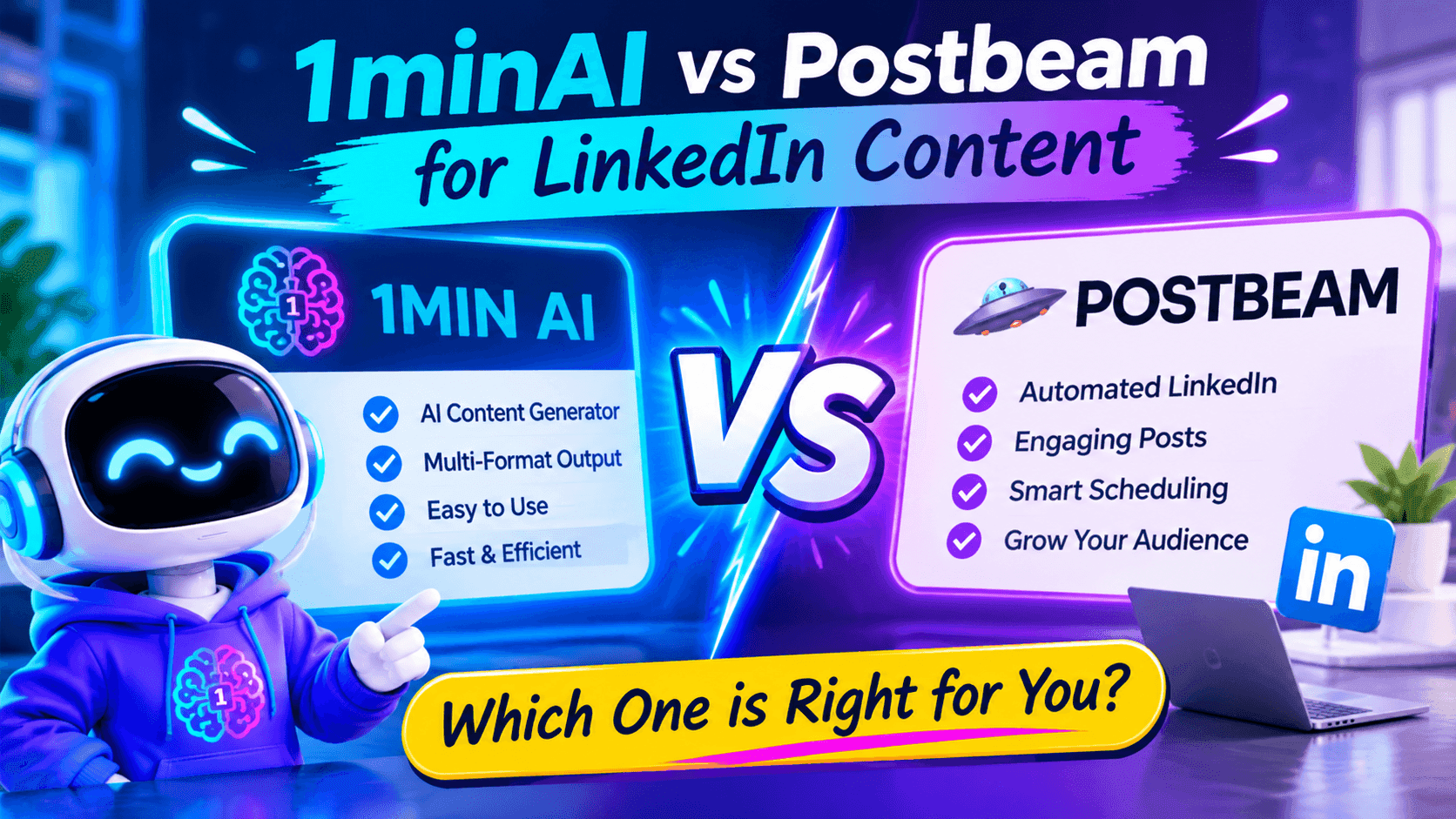
1minAI vs Postbeam for LinkedIn Content
Looking for a Postbeam alternative? Compare 1minAI vs Postbeam for AI LinkedIn content creation, research, image generation, scheduling, and B2B workflows.
 Tram Ta
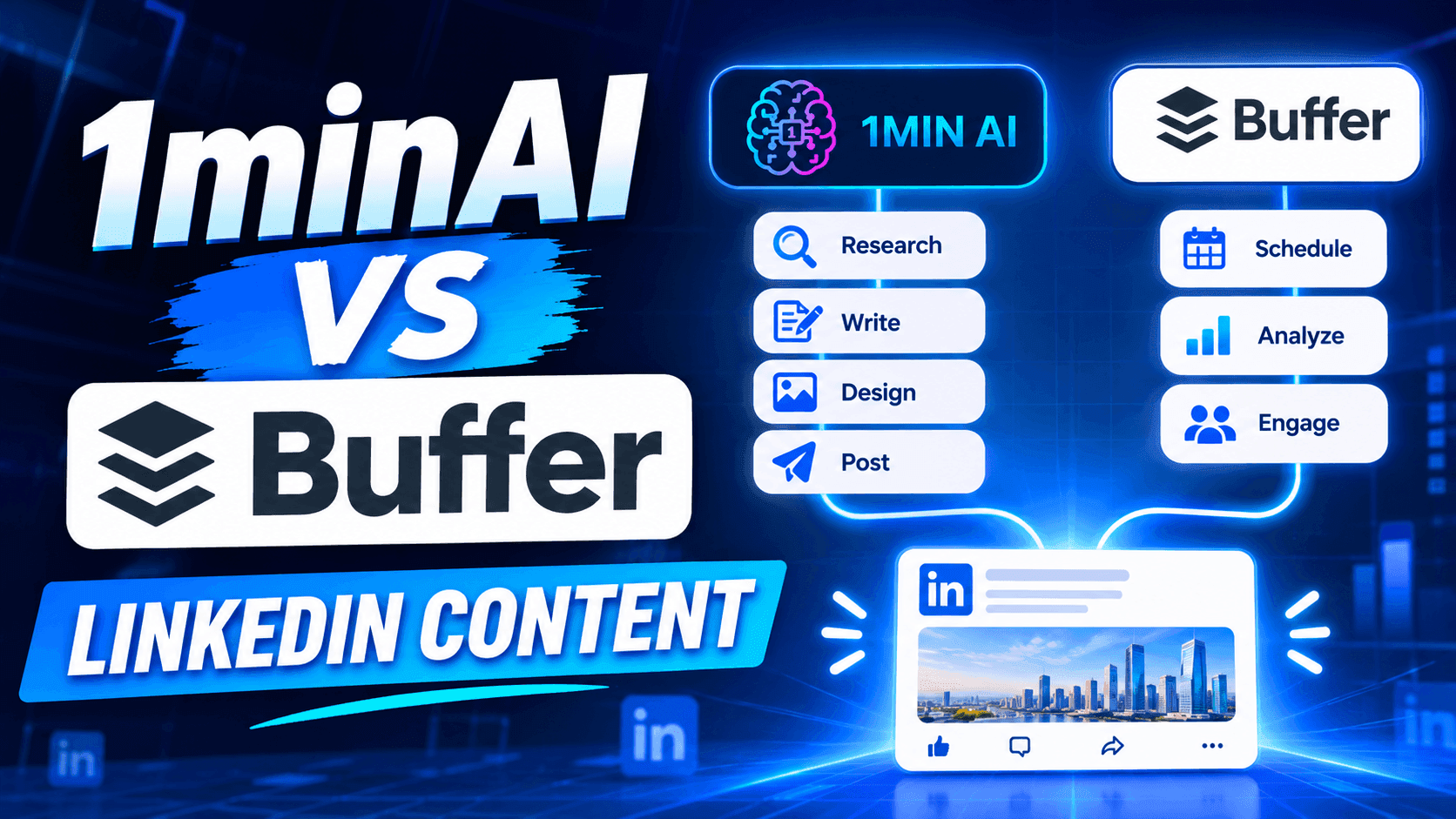
1minAI vs Buffer for LinkedIn Content Creation
Looking for a Buffer alternative? Compare 1minAI vs Buffer for LinkedIn content creation, AI writing, image generation, scheduling, and automation.
Tram TaAI Tools
Discover the best AI tools to boost productivity, creativity, and everyday work.
Create Consistent Cartoon Content in Just a Few Steps
Create engaging cartoon videos for TikTok and Reels with 1min.AI. Research ideas, create characters, and turn images into animated videos in 3 simple steps.
 Lien Anh Vu
One Product, 10 UGC Creatives: How AI Makes Content Testing Easier
Create more authentic UGC with an AI UGC video generator, test more creative angles and scale affiliate content without filming every version.
Lien Anh Vu
Top 4 Affordable AI Tools for Startup Founders
Discover the top 4 affordable AI tools for startup founders to validate ideas, build products, create content, and launch faster without overspending.
Tram TaAI Features
Comprehensive AI features that streamline workflows, improve efficiency, and empower teams to achieve more.
Create Consistent Cartoon Content in Just a Few Steps
Create engaging cartoon videos for TikTok and Reels with 1min.AI. Research ideas, create characters, and turn images into animated videos in 3 simple steps.
Lien Anh VuOne Product, 10 UGC Creatives: How AI Makes Content Testing Easier
Create more authentic UGC with an AI UGC video generator, test more creative angles and scale affiliate content without filming every version.
Lien Anh Vu
1minAI: Free AI Grammar Checker
Check grammar for free with 1minAI’s AI grammar checker. Find grammar, spelling, and writing mistakes, improve clarity, and polish your content in seconds.
Tram TaAI Use Cases
A curated collection of AI use cases for business, productivity, and industry-specific applications.
Create Consistent Cartoon Content in Just a Few Steps
Create engaging cartoon videos for TikTok and Reels with 1min.AI. Research ideas, create characters, and turn images into animated videos in 3 simple steps.
Lien Anh VuOne Product, 10 UGC Creatives: How AI Makes Content Testing Easier
Create more authentic UGC with an AI UGC video generator, test more creative angles and scale affiliate content without filming every version.
Lien Anh Vu
Best Time to Post on Instagram: A Practical Guide for Better Engagement
Discover the best time to post on Instagram, including the best days and times for different audiences, plus tips to find the ideal posting schedule for your account.
Tram TaAI Tutorials
Learn how to use AI with practical, step-by-step tutorials.

Black Friday AI Tool Deals in 2026
Discover what Black Friday AI tool deals 2026 has to offer. Find out how to secure the 1min.AI lifetime deal via AppSumo, Dealify, Stack Social, and verify on Trustpilot, Slashdot, and Software Advice.
 Hang Nguyen
Create Consistent Cartoon Content in Just a Few Steps
Create engaging cartoon videos for TikTok and Reels with 1min.AI. Research ideas, create characters, and turn images into animated videos in 3 simple steps.
Lien Anh Vu
[Seedance 2.5 New] Better AI Product Videos, Less Rework in 1min.AI
Use Seedance 2.5 image to video on 1min.AI to create more consistent AI product videos, reduce failed generations, save credits, and improve UGC workflows.
Lien Anh VuAI Guides
Learn AI faster with practical guides, real-world examples, and actionable best practices.

Safely Buy AI Tools Online: 2026 Black Friday Guide
Discover how to find and secure the best Black Friday AI deals online. Learn expert strategies to avoid scams, combat subscription fatigue, and verify software.
Hang NguyenCreate Consistent Cartoon Content in Just a Few Steps
Create engaging cartoon videos for TikTok and Reels with 1min.AI. Research ideas, create characters, and turn images into animated videos in 3 simple steps.
Lien Anh Vu[Seedance 2.5 New] Better AI Product Videos, Less Rework in 1min.AI
Use Seedance 2.5 image to video on 1min.AI to create more consistent AI product videos, reduce failed generations, save credits, and improve UGC workflows.
Lien Anh VuAI Solutions
Browse the best AI solutions for automation, coding, research, productivity, customer support, marketing, and business workflows.
Safely Buy AI Tools Online: 2026 Black Friday Guide
Discover how to find and secure the best Black Friday AI deals online. Learn expert strategies to avoid scams, combat subscription fatigue, and verify software.
Hang NguyenCreate Consistent Cartoon Content in Just a Few Steps
Create engaging cartoon videos for TikTok and Reels with 1min.AI. Research ideas, create characters, and turn images into animated videos in 3 simple steps.
Lien Anh VuOne Product, 10 UGC Creatives: How AI Makes Content Testing Easier
Create more authentic UGC with an AI UGC video generator, test more creative angles and scale affiliate content without filming every version.
Lien Anh VuAI Models
Explore the world's leading AI models in one place.
Create Consistent Cartoon Content in Just a Few Steps
Create engaging cartoon videos for TikTok and Reels with 1min.AI. Research ideas, create characters, and turn images into animated videos in 3 simple steps.
Lien Anh VuOne Product, 10 UGC Creatives: How AI Makes Content Testing Easier
Create more authentic UGC with an AI UGC video generator, test more creative angles and scale affiliate content without filming every version.
Lien Anh Vu[Seedance 2.5 New] Better AI Product Videos, Less Rework in 1min.AI
Use Seedance 2.5 image to video on 1min.AI to create more consistent AI product videos, reduce failed generations, save credits, and improve UGC workflows.
Lien Anh VuAI Comparisons
Compare AI tools, models, and platforms to find the best fit for your needs.
Kling AI Vs Veo 3: Which Model Wins?
Kling AI vs Veo 3: compare motion, native audio, pricing & free tiers to see which AI video generator wins for your project - try both on 1min.AI.
 Trang Tran
[Seedance 2.5 New] Better AI Product Videos, Less Rework in 1min.AI
Use Seedance 2.5 image to video on 1min.AI to create more consistent AI product videos, reduce failed generations, save credits, and improve UGC workflows.
Lien Anh Vu
DeepSeek V4 Pro vs Flash Comparison
Compare DeepSeek V4 Pro vs DeepSeek V4 Flash metrics. Optimize your agentic apps and improve AI fact checking on 1min.ai today.
Ngoc HongAI Integrations
Seamlessly integrate AI with the tools you already use to automate work and boost productivity.
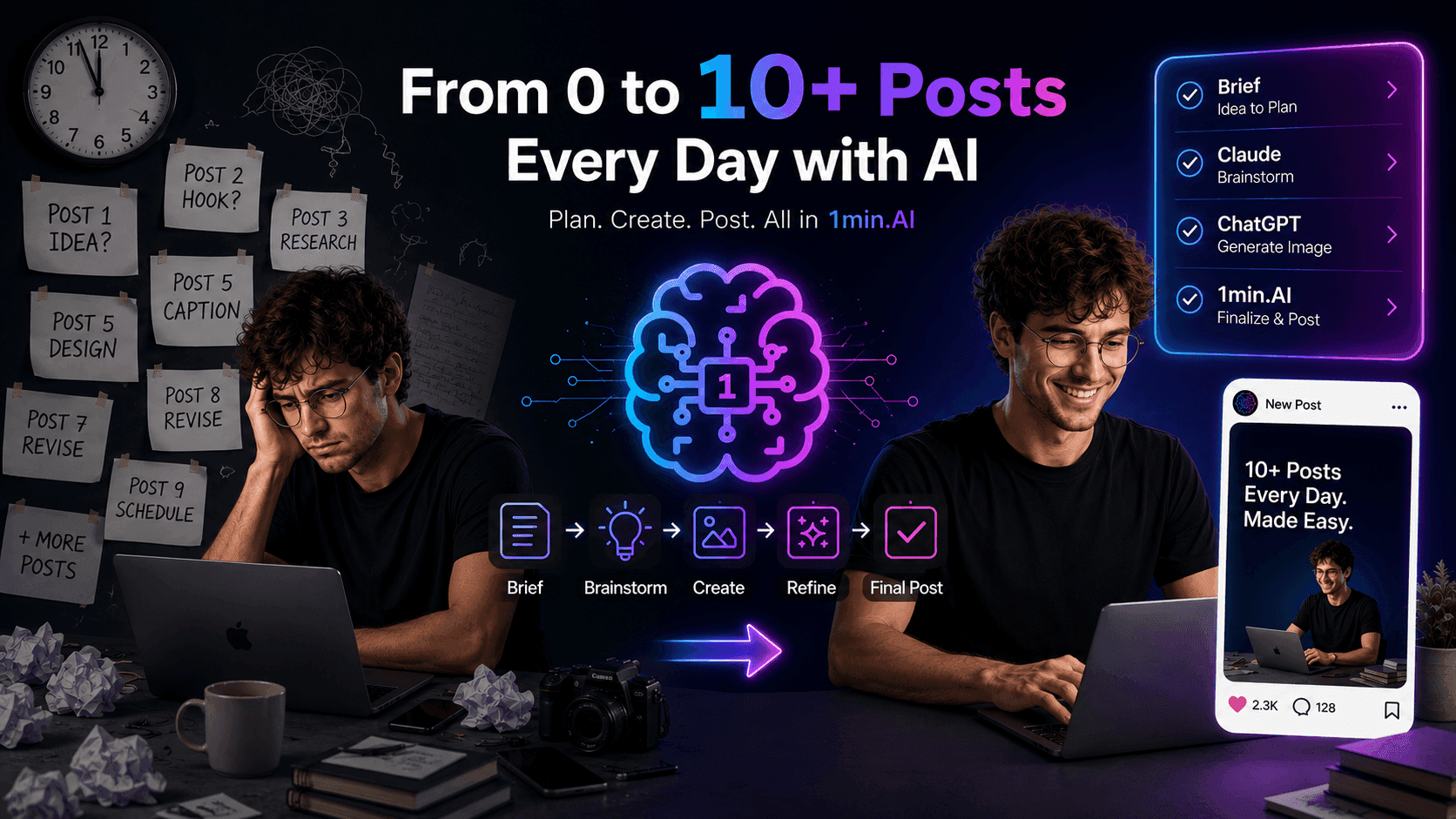
POV: You Have 10+ Posts to Make Every Day
Learn how to build an AI content workflow that helps content creators produce 10+ social media posts a day faster with AI brainstorming, image generation, and content creation.
Lien Anh Vu
How to Use an AI Fashion Video Generator for Fashion Week 2026
Turn Fashion Week 2026 ideas into stunning fashion videos with AI. Learn how to brainstorm, create visuals, and transform images into videos with one simple workflow.
Lien Anh Vu
Stop Switching Between AI Apps: How AI Integration Transforms Employer Branding
Discover how AI integration helps HR teams streamline employer branding by combining AI writing, documents, images, video, and multiple AI models into one workspace.
Tram TaAI for Industries
Find the best AI tools and workflows for healthcare, finance, education, legal, manufacturing, retail, real estate, and more

Free AI Video Generator From Image No Restrictions
Try a free AI video generator from image with no watermark. Turn photos into videos with audio using Kling, Veo 3.1 and Seedance in 1min.AI. Start now.
Trang Tran
Claude Startup Program: Benefits, Eligibility, and How Startups Can Build with Claude
Learn about the Claude Startup Program, including API credits, Claude Team benefits, eligibility, application steps, and AI tools startups can explore with 1minAI.
Tram Ta
TikTok Studio Analytics Tips for Better Content Performance
Learn how to use TikTok Studio Analytics to track views, watch time, and engagement. Turn your insights into better TikTok content with practical tips.
Lien Anh VuAI Agents
Discover and run AI agents to automate tasks across your work and daily life.
1minAI: Free AI Grammar Checker
Check grammar for free with 1minAI’s AI grammar checker. Find grammar, spelling, and writing mistakes, improve clarity, and polish your content in seconds.
Tram Ta
AI Agents for Facebook
Use an AI Agent for Facebook to create content, generate images, schedule posts, and publish from your documents and conversations.
Ngoc Hong
AI Agent vs AI Assistant: Which One Actually Saves Designers More Time?
Learn the difference between AI Agent vs AI Assistant and discover which solution helps designers automate repetitive work, reduce revisions, and save more time.
Lien Anh VuAI Workflows
Explore ready-to-use AI workflows for productivity, marketing, sales, support, and more.
Create Consistent Cartoon Content in Just a Few Steps
Create engaging cartoon videos for TikTok and Reels with 1min.AI. Research ideas, create characters, and turn images into animated videos in 3 simple steps.
Lien Anh VuOne Product, 10 UGC Creatives: How AI Makes Content Testing Easier
Create more authentic UGC with an AI UGC video generator, test more creative angles and scale affiliate content without filming every version.
Lien Anh VuPOV: You Have 10+ Posts to Make Every Day
Learn how to build an AI content workflow that helps content creators produce 10+ social media posts a day faster with AI brainstorming, image generation, and content creation.
Lien Anh VuNewsletter
Weekly AI Innovations with 1minAI

🔮 Weekly AI Innovations #144: LinkedIn Content Agent: Complete B2B Publishing Pipeline
Scale B2B influence with the LinkedIn Content Agent on 1min.ai. Discover an end-to-end 4-stage pipeline with zero redundant token burn and 1-click publishing.
Hang Nguyen
🔮 Weekly AI Innovations #143: Update GPT-6, GPT-6.1 & Ideogram 4.0
Access GPT-6 Sol, Luna, GPT-6.1 Sol, and Ideogram 4.0 on 1min.ai. Boost typography accuracy to 98.4% and cut reasoning latency by 45% in one platform.
Hang Nguyen
🔮 Weekly AI Innovations #142: Grok 4.7, Opus 5.5 & Sonnet 5.5 on 1min.ai
Access Grok 4.7, Claude Opus 5.5, and Sonnet 5.5 on 1min.ai. Cut subscription costs by up to 70% and process millions tokens in a single unified workspace.
Hang Nguyen