
1980s AI Photo Prompt Ideas Guide

Trang Tran
September 20, 2026
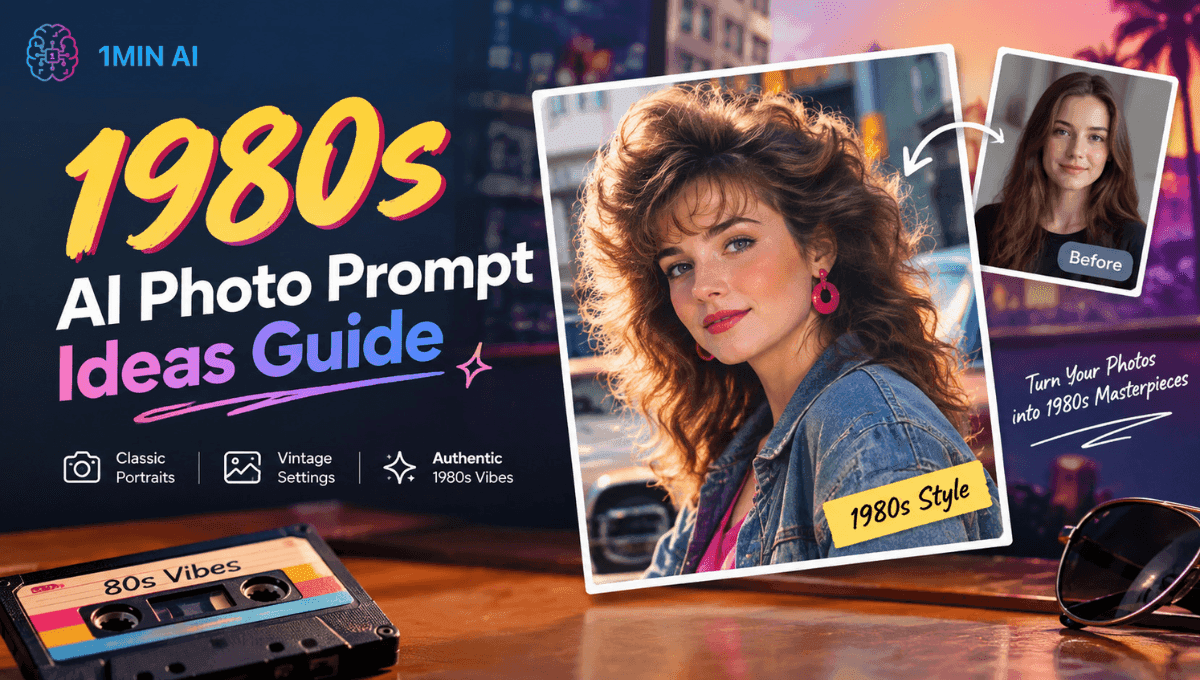
Explore 1980s AI photo prompts for realistic retro edits, plus tips to preserve identity and create 80s-style photos with 1min.AI.
A 1980s AI photo prompt tells an AI image generator how to transform a photo into a realistic 1980s-style image. The best prompts do more than say “make it look retro.” They specify the year, clothing, hairstyle, setting, lighting, camera style, film texture, and details to preserve the person's identity.
For realistic results, start with a clear photo, tell the AI to preserve recognizable facial features, add specific 1980s details, and avoid modern objects such as smartphones, LED screens, and contemporary cars.
You can use the prompts below with an AI image generator or image editing tool. With 1min.AI, you can create and edit AI images using prompts without having to manually build every visual detail from scratch.
What Is A 1980s AI Photo Prompt?
A 1980s AI photo prompt is a set of instructions used with an AI image generator to create or transform an image using visual characteristics associated with 1980s photography, fashion, environments, and analog film.
The important distinction is that a good prompt describes what made the photo look like it came from the 1980s, rather than simply adding a generic vintage effect.
For example, a weak prompt might say:
Make this photo look 80s.
A stronger prompt describes the subject, period details, photography style, and identity preservation:
Transform this photo into a realistic 1984 portrait. Preserve my recognizable facial structure, skin tone, natural expression, and key facial features as closely as possible. Give me authentic 1980s clothing and hairstyle, use warm indoor lighting and direct camera flash, and make the image look like it was captured on 35mm analog film with subtle grain, slightly faded colors, soft focus, and natural photographic imperfections. Remove modern objects and technology from the background.
The second approach gives the AI much more information to work with.
15 Best 1980s AI Photo Prompts To Try
These prompts cover portraits, fashion, everyday scenes, cinematic images, and retro social photos. Replace the subject details with your own preferences where needed.
Classic 1980s Portrait Prompts
Classic 1980s Studio Portrait
Transform my photo into a realistic 1980s studio portrait. Preserve my recognizable facial structure, skin tone, natural expression, and key facial features as closely as possible. Give me authentic 1980s hair, clothing, and styling. Use a simple studio backdrop, warm portrait lighting, subtle direct flash, 35mm analog photography, soft focus, gentle film grain, slightly faded colors, and natural printed-photo imperfections. Avoid modern clothing, digital photography, excessive sharpness, and artificial-looking skin.
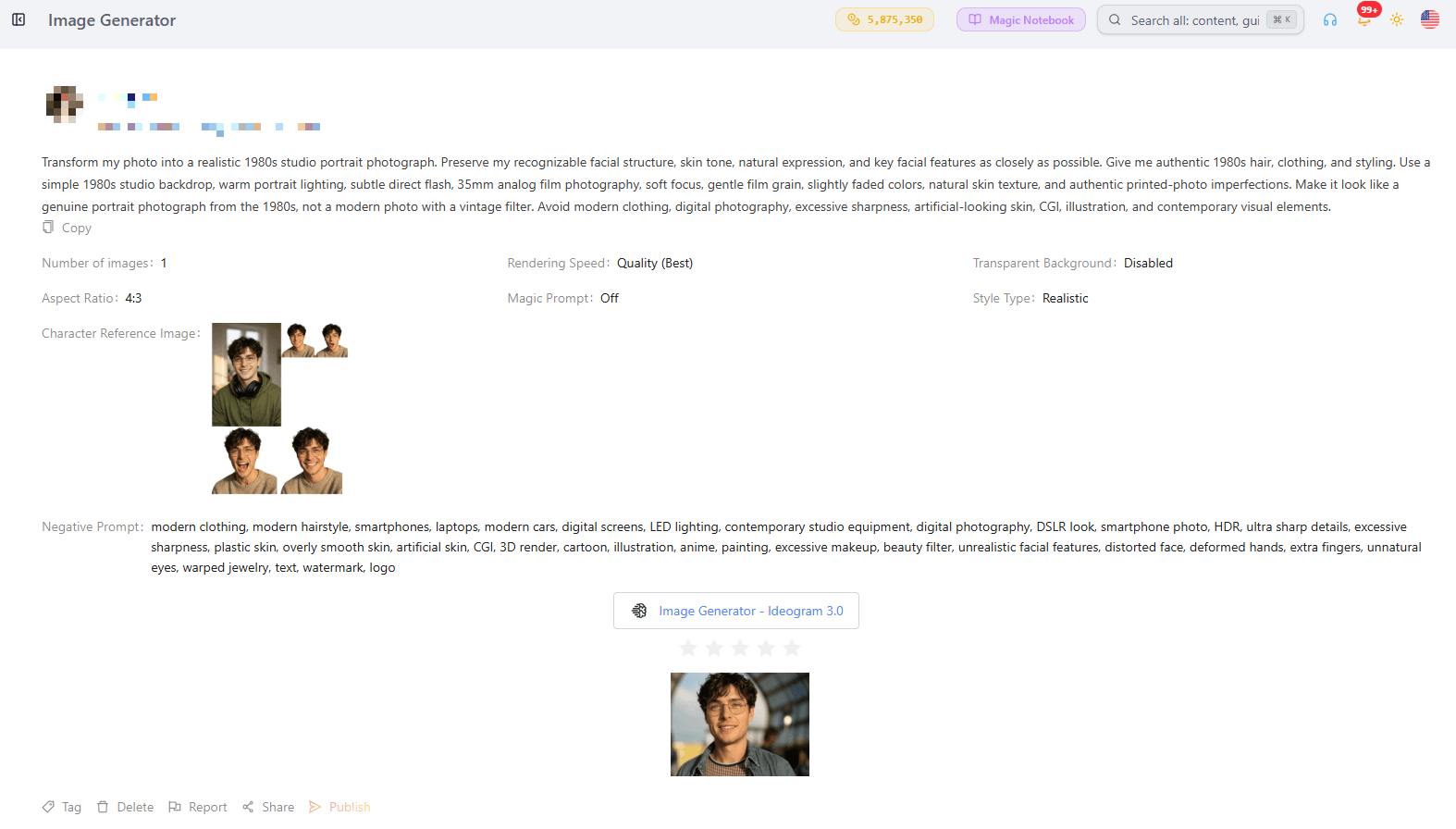
1980s Family Album Photo
Turn this photo into a realistic family album picture from 1985. Preserve everyone's recognizable facial features, natural expressions, skin tones, and identities as closely as possible. Dress everyone in authentic mid-1980s casual clothing and hairstyles. Place the group in a typical 1980s living room with period furniture and decor. Use a consumer 35mm film camera, direct flash, slightly uneven exposure, soft focus, subtle grain, faded colors, and the imperfect texture of a printed family photograph. Remove modern technology and objects.
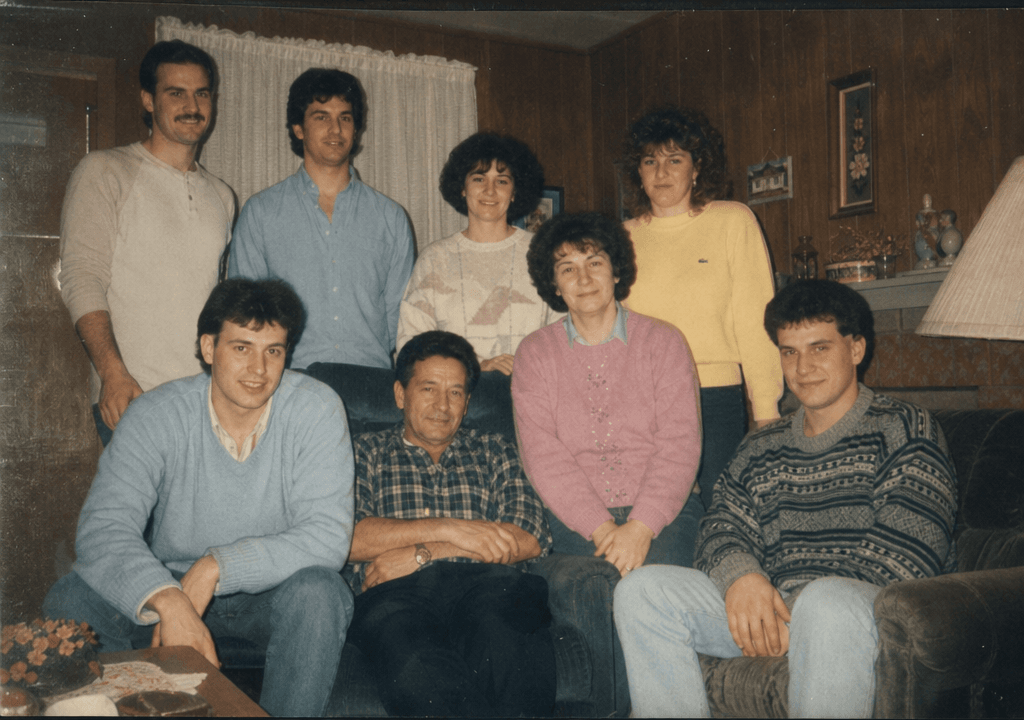
1980s Yearbook Portrait
Transform my photo into an authentic 1980s school yearbook portrait. Preserve my recognizable face, facial structure, skin tone, and natural expression as closely as possible. Give me a period-appropriate hairstyle and simple 1980s clothing. Use a neutral studio background, soft portrait lighting, subtle film grain, slightly muted colors, gentle focus falloff, and realistic 35mm film characteristics. Make it look like an actual printed yearbook photo rather than a modern portrait with a retro filter.
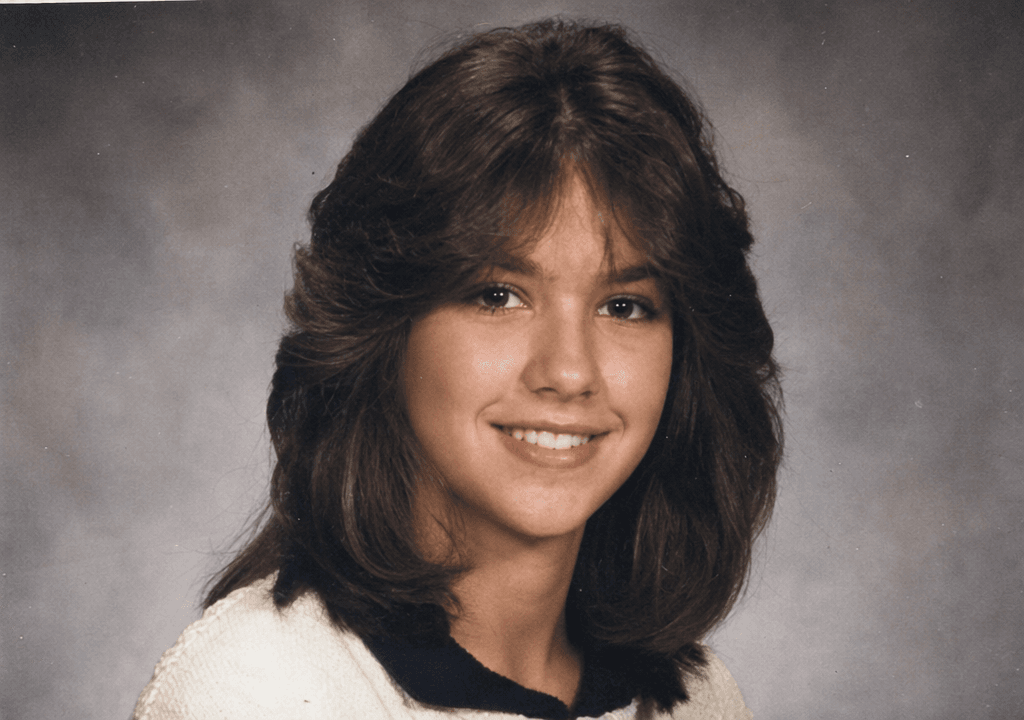
1980s Polaroid Snapshot
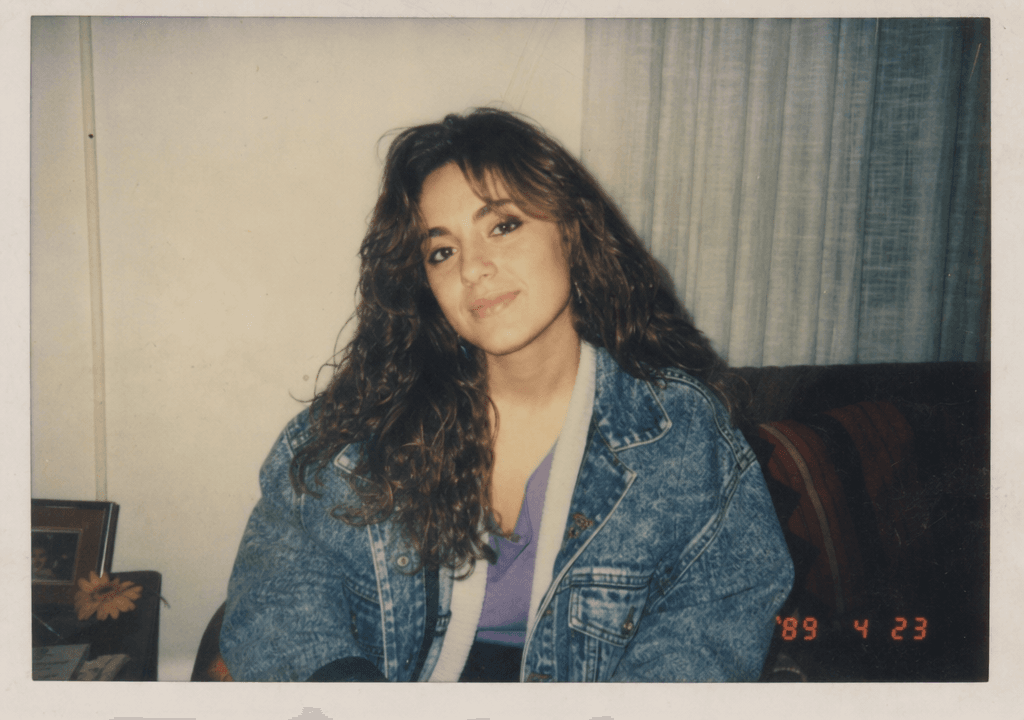
Turn this photo into a candid 1980s instant-camera snapshot. Preserve my recognizable facial identity and natural expression as closely as possible. Use authentic 1980s clothing, hairstyle, and surroundings. Create slightly imperfect exposure, soft focus, subtle color shifts, gentle flash, realistic instant-film texture, and a naturally casual composition. Avoid excessive retro effects and modern objects.
1980s Fashion And Lifestyle Prompts
1980s Denim Look
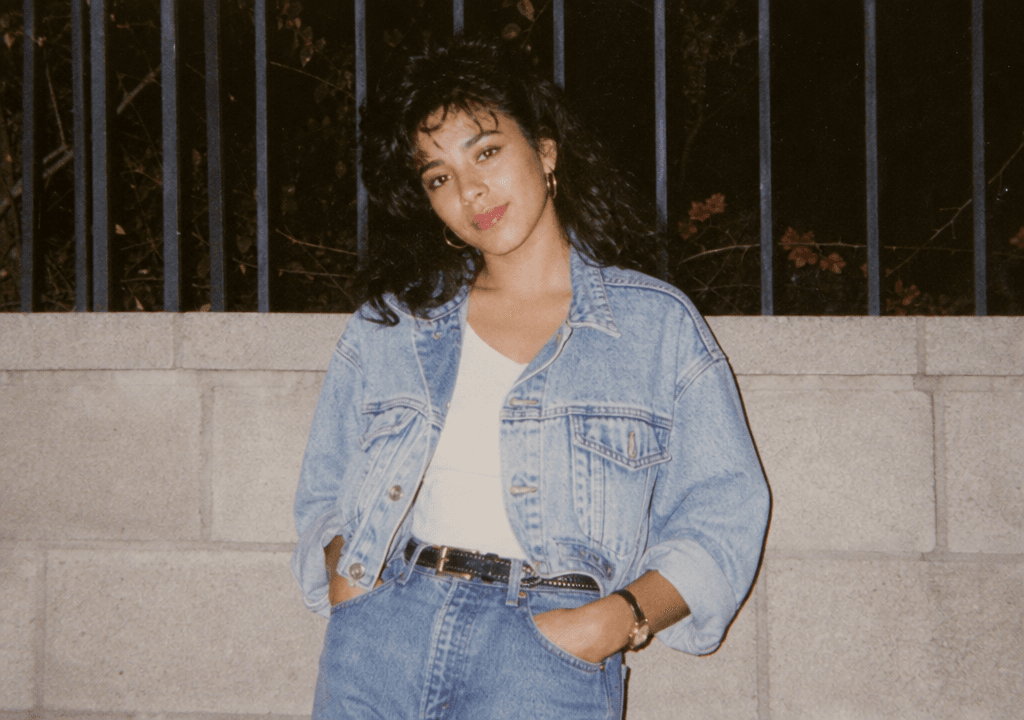
Transform my photo into a realistic 1980s fashion snapshot featuring classic denim styling. Preserve my recognizable facial structure, skin tone, expression, and identity as closely as possible. Add an authentic denim jacket, high-waisted jeans, period-appropriate hairstyle, and simple 1980s accessories. Use a casual outdoor setting, direct flash, 35mm analog film, subtle grain, slightly faded colors, and natural photographic imperfections. Avoid modern fashion and contemporary accessories.
1980s Power Suit
Turn my photo into an authentic 1980s business fashion portrait. Preserve my recognizable facial features, skin tone, natural expression, and identity as closely as possible. Dress me in a classic 1980s power suit with period-appropriate styling and hairstyle. Place me in a professional office with authentic 1980s furniture and decor. Use warm indoor lighting, 35mm film photography, subtle grain, slightly muted colors, and realistic photographic imperfections. Do not include modern technology or office equipment.
1980s Disco Photo
Transform this photo into a realistic late-1980s disco night scene. Preserve my recognizable face, facial structure, skin tone, expression, and identity as closely as possible. Give me authentic late-1980s party clothing and hairstyle. Place me inside a retro dance club with colored lights, reflective surfaces, and a lively atmosphere. Use direct flash, analog 35mm photography, subtle film grain, slight motion blur, imperfect exposure, and realistic low-light photography. Keep the effects believable rather than overly digital.
1980s Arcade Night
Turn my photo into a candid 1980s arcade photograph. Preserve my recognizable facial identity and natural expression as closely as possible. Dress me in authentic 1980s casual clothing and hairstyle. Place me inside a classic arcade filled with period-appropriate arcade cabinets and neon lighting. Use direct camera flash, 35mm analog film, subtle grain, slightly faded colors, realistic reflections, and natural imperfections. Do not include modern gaming equipment, smartphones, or contemporary displays.
Cinematic And Creative 1980s Prompts
1980s Movie Film Still
Transform my photo into a realistic cinematic film still from a fictional 1984 movie. Preserve my recognizable facial structure, skin tone, natural expression, and identity as closely as possible. Give the scene authentic 1980s clothing, hairstyle, architecture, vehicles, and props. Use practical lighting, realistic shadows, subtle lens imperfections, 35mm film characteristics, gentle grain, slightly faded colors, and cinematic composition. Avoid modern objects, digital effects, and overly polished imagery.
Retro Music Album Cover
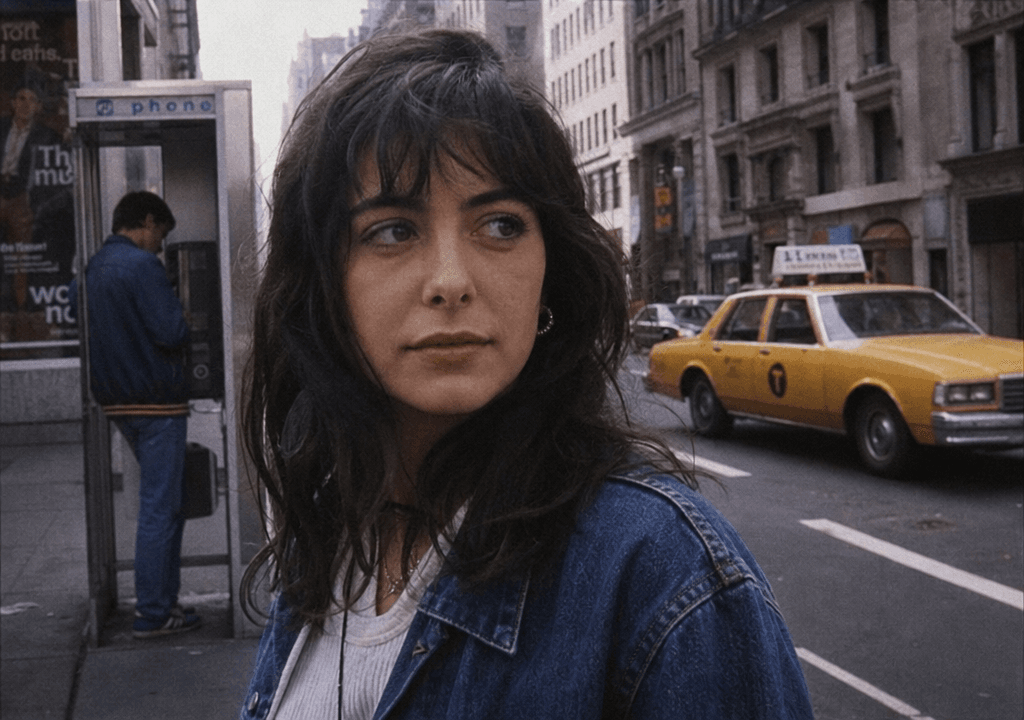
Turn my photo into a realistic 1980s music album cover portrait. Preserve my recognizable facial features and identity as closely as possible. Use authentic 1980s fashion, hairstyle, dramatic studio lighting, bold but period-appropriate styling, analog film texture, subtle grain, slightly faded colors, and realistic printed-paper imperfections. Keep the visual design inspired by real 1980s photography rather than a modern retro filter.
Vintage Magazine Editorial
Transform my photo into a high-fashion magazine editorial photograph from 1987. Preserve my recognizable facial structure, skin tone, expression, and identity as closely as possible. Use authentic late-1980s fashion, hairstyle, makeup, studio lighting, and photographic composition. Capture the image on 35mm analog film with subtle grain, soft highlights, slightly imperfect exposure, and realistic printed-photo texture. Avoid modern fashion trends and digital photography characteristics.
Everyday 1980s Photo Prompts
1980s Road Trip
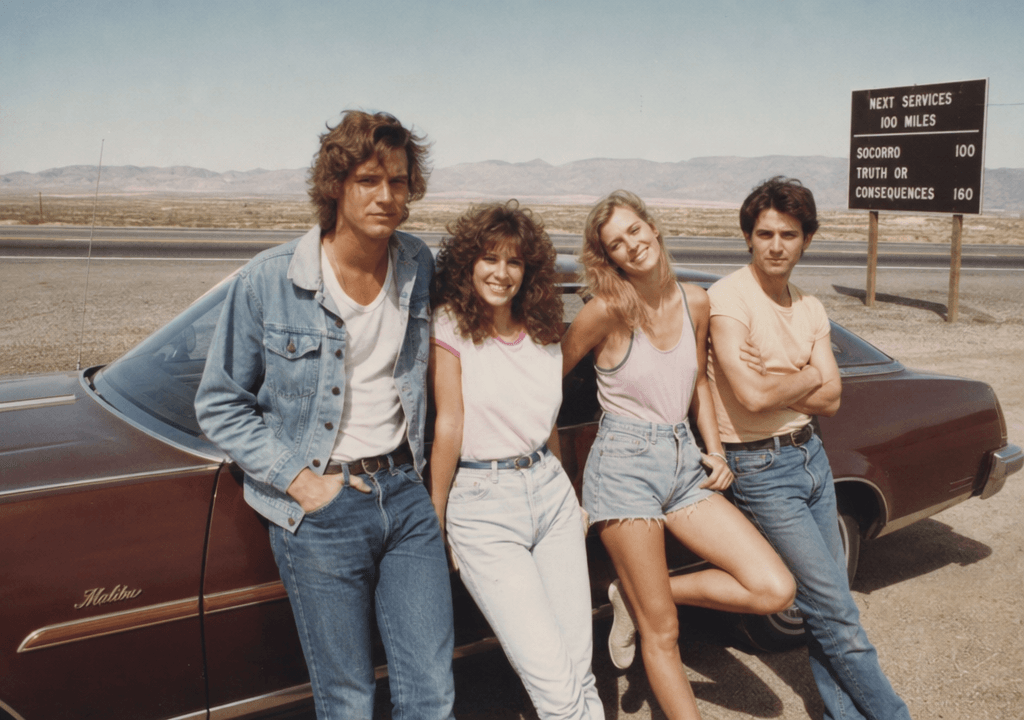
Transform this photo into a candid 1980s road-trip photograph. Preserve everyone's recognizable facial identities and natural expressions as closely as possible. Place us beside a period-appropriate car on an American highway in 1986, wearing authentic casual 1980s clothing and hairstyles. Use natural sunlight, direct flash, 35mm consumer film, subtle grain, slightly faded colors, soft focus, and realistic imperfections. Remove smartphones, modern vehicles, digital screens, and other contemporary objects.
1980s Vacation Snapshot
Turn my photo into a realistic family vacation snapshot from 1983. Preserve my recognizable face, facial structure, skin tone, natural expression, and identity as closely as possible. Use authentic 1980s vacation clothing and hairstyle, a period-appropriate travel setting, consumer 35mm film photography, direct flash, slightly faded colors, subtle grain, imperfect exposure, and the texture of a printed family photograph. Avoid modern travel accessories and technology.
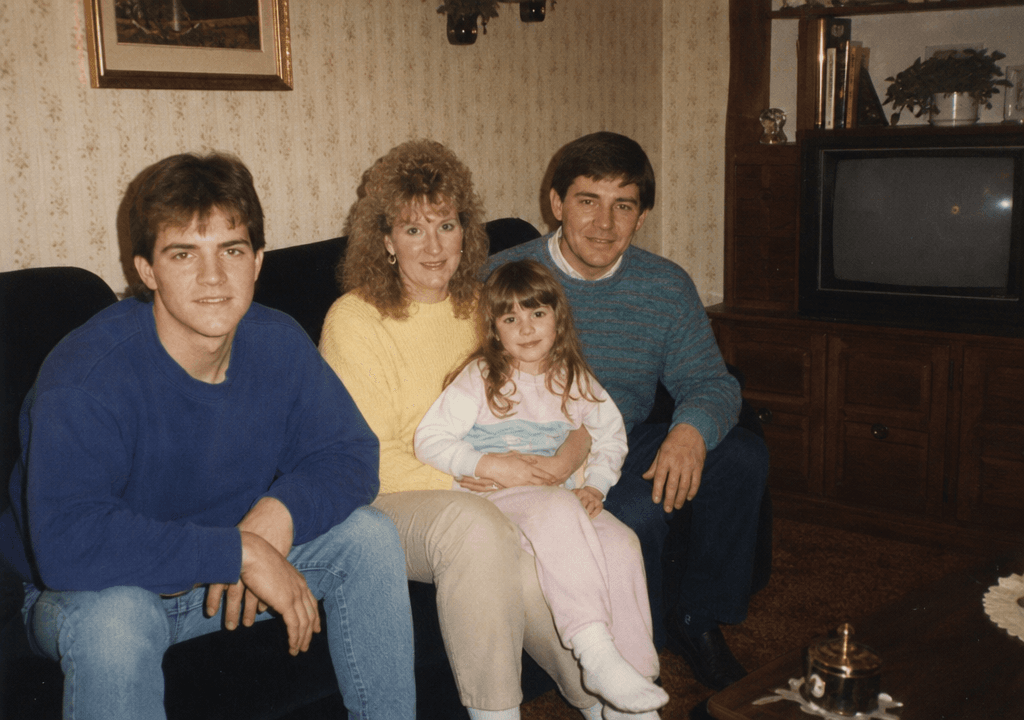
1980s Living Room Family Photo
Transform this image into a realistic family photograph taken in a 1980s living room. Preserve each person's recognizable facial identity, facial structure, skin tone, and natural expression as closely as possible. Add authentic 1980s furniture, wallpaper, clothing, hairstyles, television, and home decor. Use warm indoor lighting, direct flash, 35mm analog film, subtle grain, soft focus, slightly faded colors, and natural imperfections. Avoid modern electronics and contemporary furniture.
1980s Street Style
Transform my photo into a candid 1980s street-style photograph. Preserve my recognizable facial structure, skin tone, natural expression, and identity as closely as possible. Give me authentic 1980s street fashion and hairstyle. Place me on a realistic city street with period-appropriate storefronts, vehicles, signs, and architecture. Use natural daylight, 35mm analog photography, subtle film grain, slightly faded colors, soft focus, and realistic imperfections. Remove modern cars, smartphones, LED screens, and contemporary clothing.
How To Make A 1980s Trend Photo Prompt
Creating an effective prompt is easier when you break it into several parts.
Lock Your Identity First
If you are transforming an existing photo, identity preservation should come before the aesthetic details.
Use instructions such as:
Preserve my recognizable facial structure, skin tone, natural expression, and key facial features as closely as possible.
You can also specify which characteristics matter most, such as hairstyle, glasses, facial hair, or distinctive features.
Avoid claims such as “keep my face 100% unchanged.” AI image generators cannot guarantee perfect identity preservation. A better instruction is to tell the model to preserve the person's recognizable characteristics as closely as possible.
Describe The 1980s, Not Just “Vintage”
“Vintage” is too broad.
The 1980s had specific visual characteristics that can be described in a prompt:
- 35mm analog film
- Direct camera flash
- Subtle film grain
- Slightly faded colors
- Soft focus
- Period-specific clothing
- 1980s hairstyles
- Authentic furniture and interiors
- Older cars
- Printed photo texture
- Natural exposure imperfections
The more relevant period details you provide, the easier it is for an AI model to create a convincing result.
Add A Specific Year For More Accurate Results
The early 1980s and late 1980s did not look exactly the same.
Instead of writing:
Make it look like the 80s.
Try:
Make it look like an authentic 1983 photograph.
Or:
Create the visual style of a late-1980s photograph from 1988.
A specific year can help the model choose more appropriate clothing, hairstyles, technology, interiors, vehicles, and photography characteristics.
How To Make An Image Look 80s
A convincing 1980s image is usually created through a combination of period details and photographic characteristics, not by adding as many retro effects as possible.
Use Imperfections To Avoid The AI Look
Modern AI images can look too clean. Real photographs from the 1980s often had characteristics such as:
- Mild film grain
- Slight blur
- Uneven exposure
- Soft highlights
- Faded colors
- Small imperfections
- Flash hotspots
- Natural skin texture
- Slight color shifts
Use these details subtly.
Adding extreme VHS distortion, heavy grain, excessive scratches, or strong color effects can make the result look like a modern AI image pretending to be old.
Choose The Right 80s AI Filter Style
An 80s AI filter can create a quick retro appearance, but a filter alone may not produce a convincing period photograph.
For a stronger result, combine the visual treatment with actual 1980s details.
For example:
Authentic 1986 clothing, hairstyle, bedroom furniture, consumer electronics, direct flash, 35mm film, subtle grain, slightly faded colors.
This gives the AI both the subject context and the photographic style.
1980s AI Photo Prompt ChatGPT vs AI Image Generator
People searching for a 1980s AI photo prompt ChatGPT are often looking for help writing or refining the instructions. ChatGPT can be useful for developing a detailed prompt based on the photo, setting, year, clothing, and desired aesthetic.
An AI image generator, however, is the tool that actually creates the visual result.
A simple workflow is:
- Use an AI assistant to develop the prompt.
- Upload your photo to an image generation or editing tool.
- Apply the prompt.
- Review the result.
- Refine the prompt if necessary.
- Generate another version.
There is no single official “80s prompt for ChatGPT.” The best prompt depends on the image, the specific year, the setting, and the look you want.
How To Create A 1980s AI Photo With 1min.AI
If you want to turn an existing photo into an 1980s-style image without manually handling every editing step, 1min.AI provides AI image tools that can work with prompts.
Step 1: Start With A Clear Photo
Choose a photo where the person's face is clearly visible.
A clear source image gives the AI more useful visual information for preserving recognizable facial characteristics.
For the best results, avoid:
- Extremely blurry photos
- Faces hidden by objects
- Very dark images
- Extreme angles
- Low-resolution images
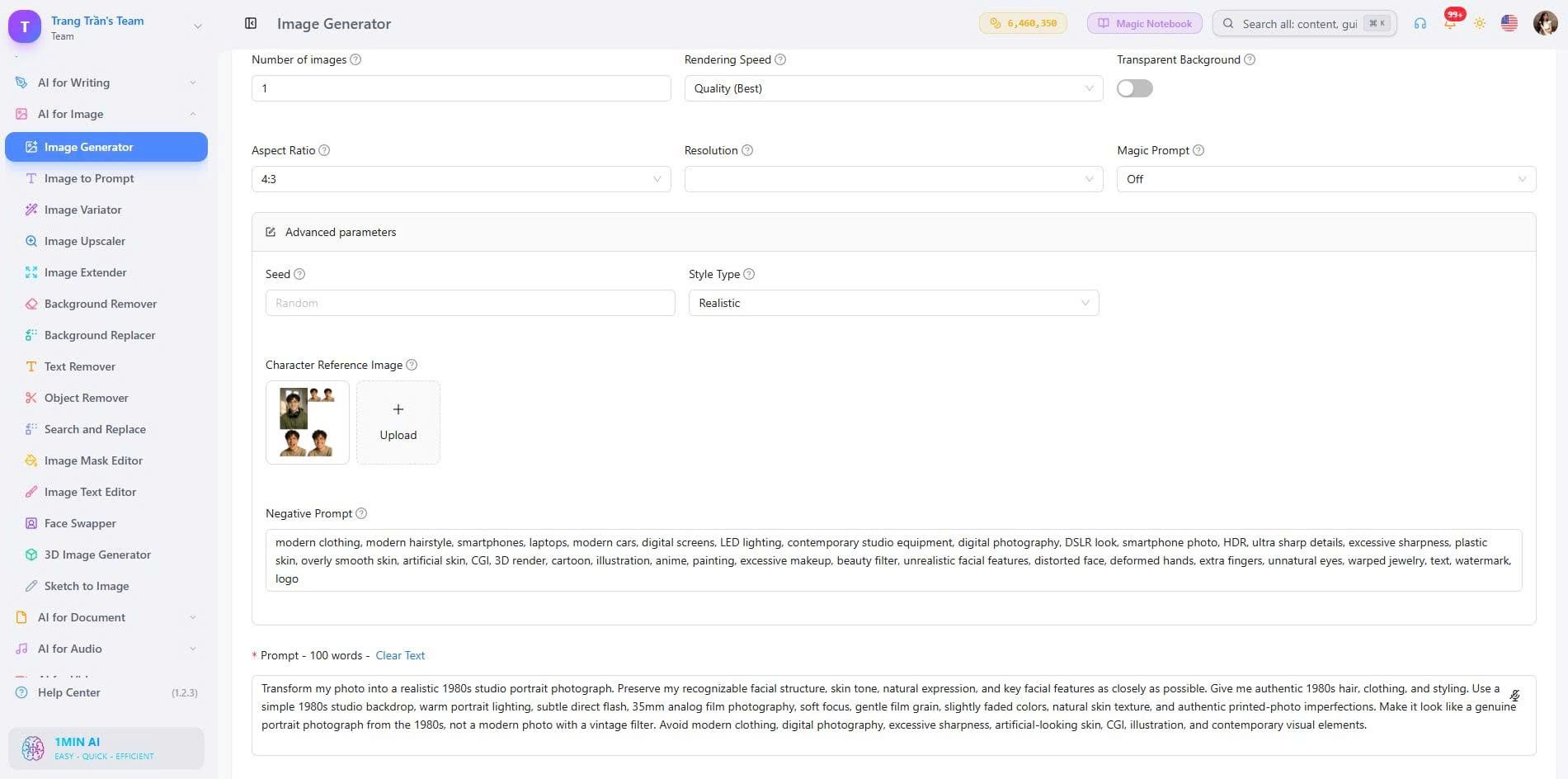
Step 2: Add Your 1980s AI Photo Prompt
Describe the desired transformation instead of simply saying “make this 80s.”
For example:
Transform this photo into an authentic 1985 family album photograph. Preserve everyone's recognizable facial structure, skin tone, natural expressions, and identities as closely as possible. Use authentic 1980s clothing, hairstyles, furniture, and home decor. Capture the scene with a consumer 35mm film camera using direct flash, subtle film grain, slightly faded colors, soft focus, and natural photographic imperfections. Remove modern technology and objects.
This gives the image model clear instructions about both what to change and what to preserve.
Step 3: Generate and Compare Results
Look at the generated image carefully instead of judging only the overall aesthetic.
Check:
- Is the face still recognizable?
- Does the clothing look period appropriate?
- Are the hairstyles believable?
- Does the background contain modern objects?
- Do hands and fingers look natural?
- Does the lighting resemble analog photography?
- Is the film effect subtle enough?
If something looks wrong, identify that specific problem and refine the prompt.
Why Your 1980s AI Photo Looks Fake
Not every retro-looking AI image looks like a real 1980s photograph. These are some of the most common problems.
Generic “Make It 80s” Prompts
The word “80s” alone does not tell the AI enough.
Without additional context, the model may combine unrelated retro elements or produce a generic interpretation of the decade.
Specify:
- Year
- Location
- Clothing
- Hairstyle
- Setting
- Lighting
- Camera style
- Film characteristics
Too Many Visual Effects
Adding every possible retro effect can make the image look artificial.
You usually do not need heavy VHS distortion, extreme grain, lens flares, neon effects, scratches, and color shifts at the same time.
Choose a few characteristics that match the type of photograph you want.
Modern Objects In The Background
A realistic-looking person can still appear obviously modern if the background contains a smartphone, contemporary car, flat-screen display, LED lighting, or modern furniture.
Include a negative instruction when necessary:
Avoid smartphones, modern cars, LED lighting, digital screens, contemporary furniture, and other objects that would not fit the specified year.
The Image Is Too Perfect
A photograph from the 1980s does not need to look damaged to look old.
Instead of adding dramatic deterioration, use subtle imperfections such as mild grain, soft focus, slightly faded colors, and imperfect exposure.
What Is The 80s Photo Trend?
The 1980s AI photo trend is a social media trend in which people use AI image generation or editing tools to transform modern photographs into images inspired by 1980s photography, fashion, hairstyles, family albums, school portraits, movies, and everyday life.
The appeal comes from making a modern photo feel as though it was captured decades earlier.
Common versions include:
- 1980s family portraits
- Retro school photos
- 1980s fashion shoots
- Vintage vacation snapshots
- Retro movie scenes
- 1980s street photography
- Old-school music and magazine aesthetics
The most convincing results focus on period-specific details rather than applying a generic “old photo” effect.
What Is The 80s Prompt For ChatGPT?
There is no single official 80s prompt for ChatGPT.
A useful general-purpose prompt is:
Transform the uploaded photo into a realistic photograph from the 1980s. Preserve the person's recognizable facial structure, skin tone, natural expression, and key facial features as closely as possible. Choose authentic clothing, hairstyle, environment, props, and photography characteristics for the specified year. Use realistic 35mm analog film, subtle grain, slightly faded colors, soft focus, direct flash where appropriate, and natural photographic imperfections. Remove modern objects, technology, clothing, vehicles, and digital photography characteristics. Keep the result realistic and photographic rather than overly stylized.
You can then customize the prompt with a year, location, outfit, or specific scene.
For example:
Make it specifically look like a casual family photograph from 1985 in an American suburban home.
Or:
Make it look like a late-1980s street-style photograph taken in New York.
Tips For Better 1980s AI Photo Results
Start With A Clear Photo
A good source image gives the AI more information about the person's face and overall appearance.
Use a photo with good visibility and avoid heavily obstructed faces.
Specify The Year Or Setting
“1980s” covers an entire decade. Adding “1982,” “1985,” or “1989” can make the visual direction more specific.
Keep Identity Instructions Consistent
If preserving the person's appearance matters, repeat the identity requirement clearly rather than giving conflicting instructions.
A useful phrase is:
Preserve my recognizable facial identity and key facial features as closely as possible.
Use Period-Specific Details
Think beyond clothing.
Consider:
- Hair
- Makeup
- Furniture
- Cars
- Cameras
- Signs
- Electronics
- Architecture
- Lighting
- Accessories
These details make the environment feel historically consistent.
Review Faces, Hands And Backgrounds
AI-generated images can introduce visual errors even when the overall image looks convincing.
Before sharing your image, check faces, hands, jewelry, text, objects, and background details carefully.
If you are editing another person's photo, make sure you have appropriate permission to use it. Avoid uploading sensitive personal documents or unnecessary private information.
1980s AI Photo Prompt Ideas For Different Styles
You can also build your own prompts using this simple formula:
Subject + Year + Setting + Clothing + Hairstyle + Lighting + Camera + Film Texture + Identity Instructions + Modern Object Removal
For example:
Transform my photo into a realistic 1987 street portrait. Preserve my recognizable facial structure, skin tone, natural expression, and identity as closely as possible. Give me authentic 1987 streetwear and hairstyle. Place me outside a period-appropriate downtown storefront with older cars and signage. Use natural afternoon light and direct flash, 35mm analog film, subtle grain, slightly faded colors, soft focus, and realistic photographic imperfections. Remove smartphones, modern cars, LED screens, and contemporary clothing.
This structure makes it easier to create new photo editing 1980s AI photo prompt variations without starting from zero every time.
Frequently Asked Questions About 1980s AI Photo Prompts
How Do I Make A 1980s Trend Photo Prompt?
Start by describing the person or photo you want to transform, then specify the year, clothing, hairstyle, environment, lighting, camera style, and film characteristics. Add an identity-preservation instruction and remove modern objects when necessary.
What Is The 80s Prompt For ChatGPT?
There is no single official 80s prompt for ChatGPT. A good prompt tells the AI exactly which 1980s characteristics you want, such as a specific year, clothing, hairstyle, setting, 35mm film, direct flash, subtle grain, and faded colors.
How Can I Make An Image Look 80s?
Use authentic 1980s details rather than relying only on an 80s AI filter. Combine period-specific clothing, hairstyles, interiors, vehicles, and props with analog photography characteristics such as subtle film grain, soft focus, direct flash, and slightly faded colors.
What Should I Avoid In A 1980s AI Photo Prompt?
Avoid vague instructions, excessive visual effects, and modern objects that contradict the specified year. Also avoid making the image unrealistically damaged with excessive scratches, grain, or distortion.
How Do I Keep My Face Recognizable In An AI 80s Photo?
Use a clear source photo and explicitly instruct the AI to preserve your recognizable facial structure, skin tone, natural expression, and key facial features as closely as possible. Avoid conflicting instructions that ask the model to completely change the person's appearance.
Can I Use A 1980s AI Photo Prompt With A Selfie?
Yes. A clear selfie can work as a source image, especially when the face is well lit and unobstructed. The AI can use the selfie as the visual reference while applying the requested clothing, hairstyle, environment, and photography style.
Can I Create 1980s Photos For Couples Or Groups?
Yes. For group photos, explicitly tell the AI to preserve each person's recognizable identity and natural expression. Also describe the relationships and positioning if they matter to the scene.
Can I Create 1980s AI Photos For Free?
The availability of free generation depends on the AI tool and its current usage limits. With 1min.AI, you can use its AI image tools to create and edit images, making it an option for trying this type of AI photo transformation without needing to build the image manually.
Final Thoughts
The best 1980s AI photo prompt is not simply a list of retro effects. It combines identity preservation, period-specific details, and realistic analog photography characteristics.
Start with a clear photo, choose a specific year, describe the setting and styling, and add subtle film imperfections. If the result looks too modern, remove contemporary objects and strengthen the period details. If it looks too artificial, reduce the effects and focus on realistic photography.
With the right prompt and an AI image generator such as 1min.AI, you can turn an ordinary photo into a convincing 1980s-inspired image and experiment with different retro styles quickly.
Ready to create your own 1980s AI photo? Try 1min.AI and turn your photo into a retro 1980s-style image with AI.
Alternatives
Discover the best alternatives to 1minAI and compare features, pricing, and use cases.

1min.AI vs OpenRouter
1min.AI vs. OpenRouter: Compare the ready-to-use AI creation product against the technical API tool. Find out if you need a zero-code creative studio or a coding infrastructure hub.
 Ngoc Hong
1min.AI vs Easy Peasy AI
Looking for an Easy Peasy AI alternative? Compare Easy Peasy AI and 1min.AI for content workflows, AI models, and professional teams.
Ngoc Hong
1min.AI vs Taskade
Compare 1min.AI vs Taskade for AI content creation, automation, agents, and creative workflows to find the right workspace.
Ngoc HongAI Tools
Discover the best AI tools to boost productivity, creativity, and everyday work.

Create Consistent Cartoon Content in Just a Few Steps
Create engaging cartoon videos for TikTok and Reels with 1min.AI. Research ideas, create characters, and turn images into animated videos in 3 simple steps.
 Lien Anh Vu
One Product, 10 UGC Creatives: How AI Makes Content Testing Easier
Create more authentic UGC with an AI UGC video generator, test more creative angles and scale affiliate content without filming every version.
Lien Anh Vu
Top 4 Affordable AI Tools for Startup Founders
Discover the top 4 affordable AI tools for startup founders to validate ideas, build products, create content, and launch faster without overspending.
 Tram Ta
AI Features
Comprehensive AI features that streamline workflows, improve efficiency, and empower teams to achieve more.
Create Consistent Cartoon Content in Just a Few Steps
Create engaging cartoon videos for TikTok and Reels with 1min.AI. Research ideas, create characters, and turn images into animated videos in 3 simple steps.
Lien Anh VuOne Product, 10 UGC Creatives: How AI Makes Content Testing Easier
Create more authentic UGC with an AI UGC video generator, test more creative angles and scale affiliate content without filming every version.
Lien Anh Vu
1minAI: Free AI Grammar Checker
Check grammar for free with 1minAI’s AI grammar checker. Find grammar, spelling, and writing mistakes, improve clarity, and polish your content in seconds.
Tram TaAI Use Cases
A curated collection of AI use cases for business, productivity, and industry-specific applications.
Create Consistent Cartoon Content in Just a Few Steps
Create engaging cartoon videos for TikTok and Reels with 1min.AI. Research ideas, create characters, and turn images into animated videos in 3 simple steps.
Lien Anh VuOne Product, 10 UGC Creatives: How AI Makes Content Testing Easier
Create more authentic UGC with an AI UGC video generator, test more creative angles and scale affiliate content without filming every version.
Lien Anh Vu
Best Time to Post on Instagram: A Practical Guide for Better Engagement
Discover the best time to post on Instagram, including the best days and times for different audiences, plus tips to find the ideal posting schedule for your account.
Tram TaAI Tutorials
Learn how to use AI with practical, step-by-step tutorials.
Create Consistent Cartoon Content in Just a Few Steps
Create engaging cartoon videos for TikTok and Reels with 1min.AI. Research ideas, create characters, and turn images into animated videos in 3 simple steps.
Lien Anh Vu
Black Friday AI Tool Deals in 2026
Discover what Black Friday AI tool deals 2026 has to offer. Find out how to secure the 1min.AI lifetime deal via AppSumo, Dealify, Stack Social, and verify on Trustpilot, Slashdot, and Software Advice.
 Hang Nguyen
[Seedance 2.5 New] Better AI Product Videos, Less Rework in 1min.AI
Use Seedance 2.5 image to video on 1min.AI to create more consistent AI product videos, reduce failed generations, save credits, and improve UGC workflows.
Lien Anh VuAI Guides
Learn AI faster with practical guides, real-world examples, and actionable best practices.
Create Consistent Cartoon Content in Just a Few Steps
Create engaging cartoon videos for TikTok and Reels with 1min.AI. Research ideas, create characters, and turn images into animated videos in 3 simple steps.
Lien Anh Vu
Safely Buy AI Tools Online: 2026 Black Friday Guide
Discover how to find and secure the best Black Friday AI deals online. Learn expert strategies to avoid scams, combat subscription fatigue, and verify software.
Hang Nguyen[Seedance 2.5 New] Better AI Product Videos, Less Rework in 1min.AI
Use Seedance 2.5 image to video on 1min.AI to create more consistent AI product videos, reduce failed generations, save credits, and improve UGC workflows.
Lien Anh VuAI Solutions
Browse the best AI solutions for automation, coding, research, productivity, customer support, marketing, and business workflows.
Create Consistent Cartoon Content in Just a Few Steps
Create engaging cartoon videos for TikTok and Reels with 1min.AI. Research ideas, create characters, and turn images into animated videos in 3 simple steps.
Lien Anh VuOne Product, 10 UGC Creatives: How AI Makes Content Testing Easier
Create more authentic UGC with an AI UGC video generator, test more creative angles and scale affiliate content without filming every version.
Lien Anh Vu
Free AI Tattoo Generator: Custom Designs
Turn any idea into a custom tattoo design with 1min.AI's free AI tattoo generator. Describe your idea, pick a style, and download in seconds.
 Trang Tran
AI Models
Explore the world's leading AI models in one place.
Create Consistent Cartoon Content in Just a Few Steps
Create engaging cartoon videos for TikTok and Reels with 1min.AI. Research ideas, create characters, and turn images into animated videos in 3 simple steps.
Lien Anh VuOne Product, 10 UGC Creatives: How AI Makes Content Testing Easier
Create more authentic UGC with an AI UGC video generator, test more creative angles and scale affiliate content without filming every version.
Lien Anh Vu[Seedance 2.5 New] Better AI Product Videos, Less Rework in 1min.AI
Use Seedance 2.5 image to video on 1min.AI to create more consistent AI product videos, reduce failed generations, save credits, and improve UGC workflows.
Lien Anh VuAI Comparisons
Compare AI tools, models, and platforms to find the best fit for your needs.

Kling AI Vs Veo 3: Which Model Wins?
Kling AI vs Veo 3: compare motion, native audio, pricing & free tiers to see which AI video generator wins for your project - try both on 1min.AI.
Trang Tran[Seedance 2.5 New] Better AI Product Videos, Less Rework in 1min.AI
Use Seedance 2.5 image to video on 1min.AI to create more consistent AI product videos, reduce failed generations, save credits, and improve UGC workflows.
Lien Anh Vu
DeepSeek V4 Pro vs Flash Comparison
Compare DeepSeek V4 Pro vs DeepSeek V4 Flash metrics. Optimize your agentic apps and improve AI fact checking on 1min.ai today.
Ngoc HongAI Integrations
Seamlessly integrate AI with the tools you already use to automate work and boost productivity.

POV: You Have 10+ Posts to Make Every Day
Learn how to build an AI content workflow that helps content creators produce 10+ social media posts a day faster with AI brainstorming, image generation, and content creation.
Lien Anh Vu
How to Use an AI Fashion Video Generator for Fashion Week 2026
Turn Fashion Week 2026 ideas into stunning fashion videos with AI. Learn how to brainstorm, create visuals, and transform images into videos with one simple workflow.
Lien Anh Vu
Stop Switching Between AI Apps: How AI Integration Transforms Employer Branding
Discover how AI integration helps HR teams streamline employer branding by combining AI writing, documents, images, video, and multiple AI models into one workspace.
Tram TaAI for Industries
Find the best AI tools and workflows for healthcare, finance, education, legal, manufacturing, retail, real estate, and more

Free AI Real Estate Video Generator
Turn listing photos into narrated property videos with AI real estate video tools. See how 1min.AI creates walkthroughs, voiceovers & captions in minutes.
Trang Tran
Free AI Virtual Staging: Furnish Any Room
Stage any real estate listing with AI virtual staging: upload a photo, pick a style, and get a photorealistic furnished room in seconds, free to try.
Trang Tran
The Problem With AI Design? It Looks Too AI
AI-generated designs can look polished but still feel artificial. Here are 5 prompt techniques designers can use to create more realistic, intentional visuals.
Lien Anh VuAI Agents
Discover and run AI agents to automate tasks across your work and daily life.
1minAI: Free AI Grammar Checker
Check grammar for free with 1minAI’s AI grammar checker. Find grammar, spelling, and writing mistakes, improve clarity, and polish your content in seconds.
Tram Ta
AI Agents for Facebook
Use an AI Agent for Facebook to create content, generate images, schedule posts, and publish from your documents and conversations.
Ngoc Hong
AI Agent vs AI Assistant: Which One Actually Saves Designers More Time?
Learn the difference between AI Agent vs AI Assistant and discover which solution helps designers automate repetitive work, reduce revisions, and save more time.
Lien Anh VuAI Workflows
Explore ready-to-use AI workflows for productivity, marketing, sales, support, and more.
Create Consistent Cartoon Content in Just a Few Steps
Create engaging cartoon videos for TikTok and Reels with 1min.AI. Research ideas, create characters, and turn images into animated videos in 3 simple steps.
Lien Anh VuOne Product, 10 UGC Creatives: How AI Makes Content Testing Easier
Create more authentic UGC with an AI UGC video generator, test more creative angles and scale affiliate content without filming every version.
Lien Anh VuPOV: You Have 10+ Posts to Make Every Day
Learn how to build an AI content workflow that helps content creators produce 10+ social media posts a day faster with AI brainstorming, image generation, and content creation.
Lien Anh VuNewsletter
Weekly AI Innovations with 1minAI

🔮 Weekly AI Innovations #138: Claude Sonnet 5, Fable 5 & Wan 2.7
Explode your creative potential with massive 1min.ai updates! Access Claude Sonnet 5, Fable 5, and Alibaba Wan 2.7 for unmatched multi-modal generation today.
Hang Nguyen
🔮 Weekly AI Innovations #137: ElevenLabs Music & AI social Profile Control
The newest 1min.ai updates deliver professional music generation and highly requested privacy tools. Dive into a seamless workflow today!
Hang Nguyen
🔮 Weekly AI Innovations #136: Grok 4.6 and Smart Data Retention
Discover the latest 1min.ai updates! Upgrade to Grok 4.6 for blazing-fast AI, and check our new Data Retention policies to secure your files today.
Hang Nguyen