
Nano Banana vs Midjourney: Better AI Editor?

Trang Tran
September 10, 2026
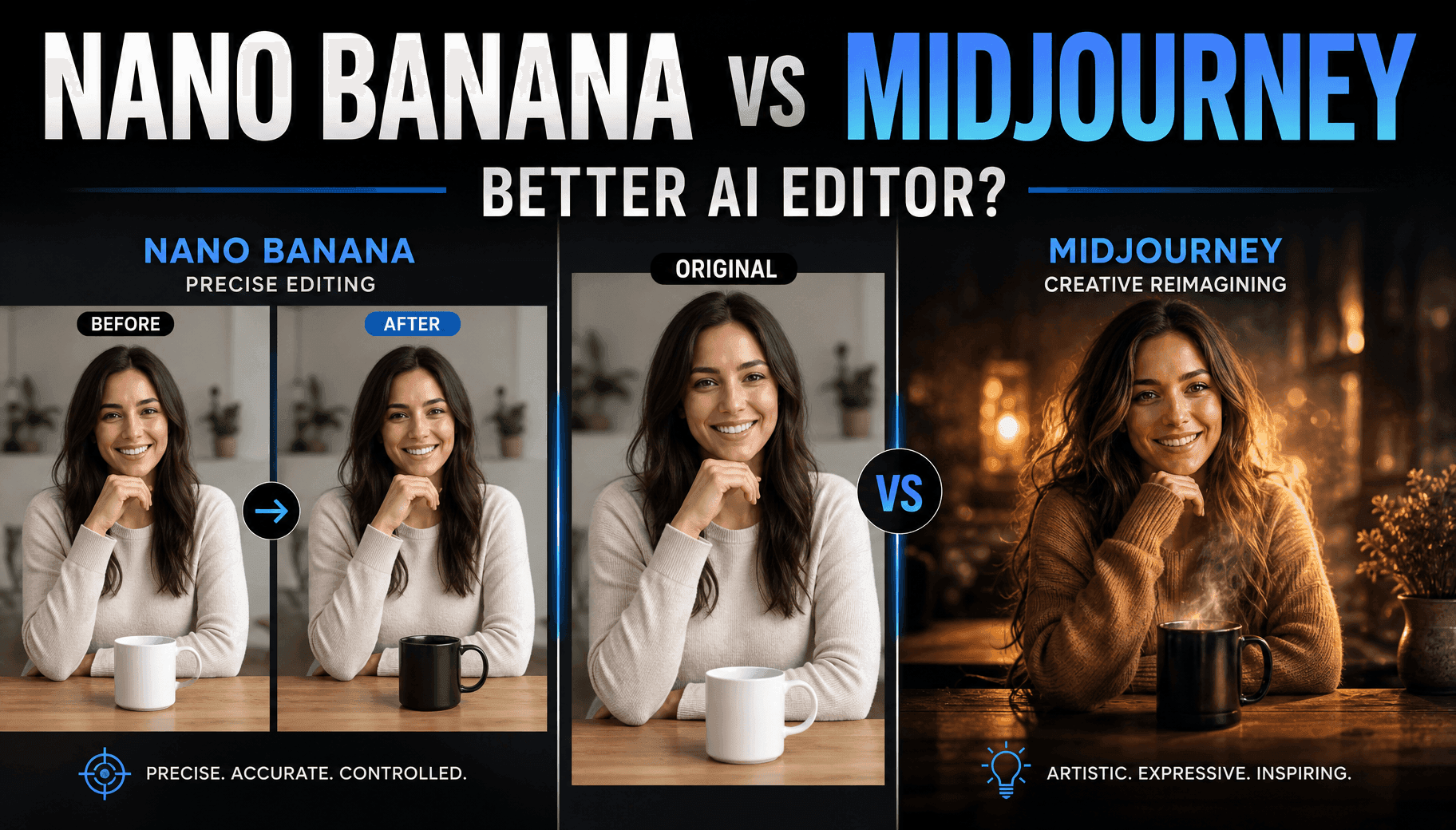
Nano Banana vs Midjourney: compare editing precision, art style, and cost, then create with both AI image models in one 1min.AI workspace.
Picking between Nano Banana and Midjourney usually comes down to one question: do you need precise, editable images, or do you need striking artistic ones? Nano Banana 2 (Google's Gemini 3.1 Flash Image Preview) is built for accurate editing, readable text, and following detailed instructions. Midjourney is built for mood, atmosphere, and artistic style. Most people who search Nano Banana vs Midjourney are not actually looking for a single winner. They are trying to figure out which tool matches the image they are trying to make right now, and whether they need to pay for both.
This guide breaks down where each model wins, where it struggles, and how to test both without juggling two subscriptions.
Nano Banana vs Midjourney At A Glance
| Factor | Nano Banana 2 | Midjourney (7.0 / 6.1 / 5.2) |
|---|---|---|
| Best for | Precise editing, text, infographics | Artistic style, mood, concept art |
| Prompt following | High, literal accuracy | Looser, more creative interpretation |
| Editing existing images | Strong, true editing tool | Limited, mostly regenerates the scene |
| Text inside images | Accurate | Weaker, improved in 7.0 |
| Output feel | Realistic, functional | Cinematic, painterly |
| Access | Gemini app, API, 1min.AI | Discord, web app, 1min.AI |
Nano Banana Vs Midjourney: Core Differences Explained
Nano Banana 2 (Gemini 3.1 Flash Image Preview): Precision Editing And Text Accuracy
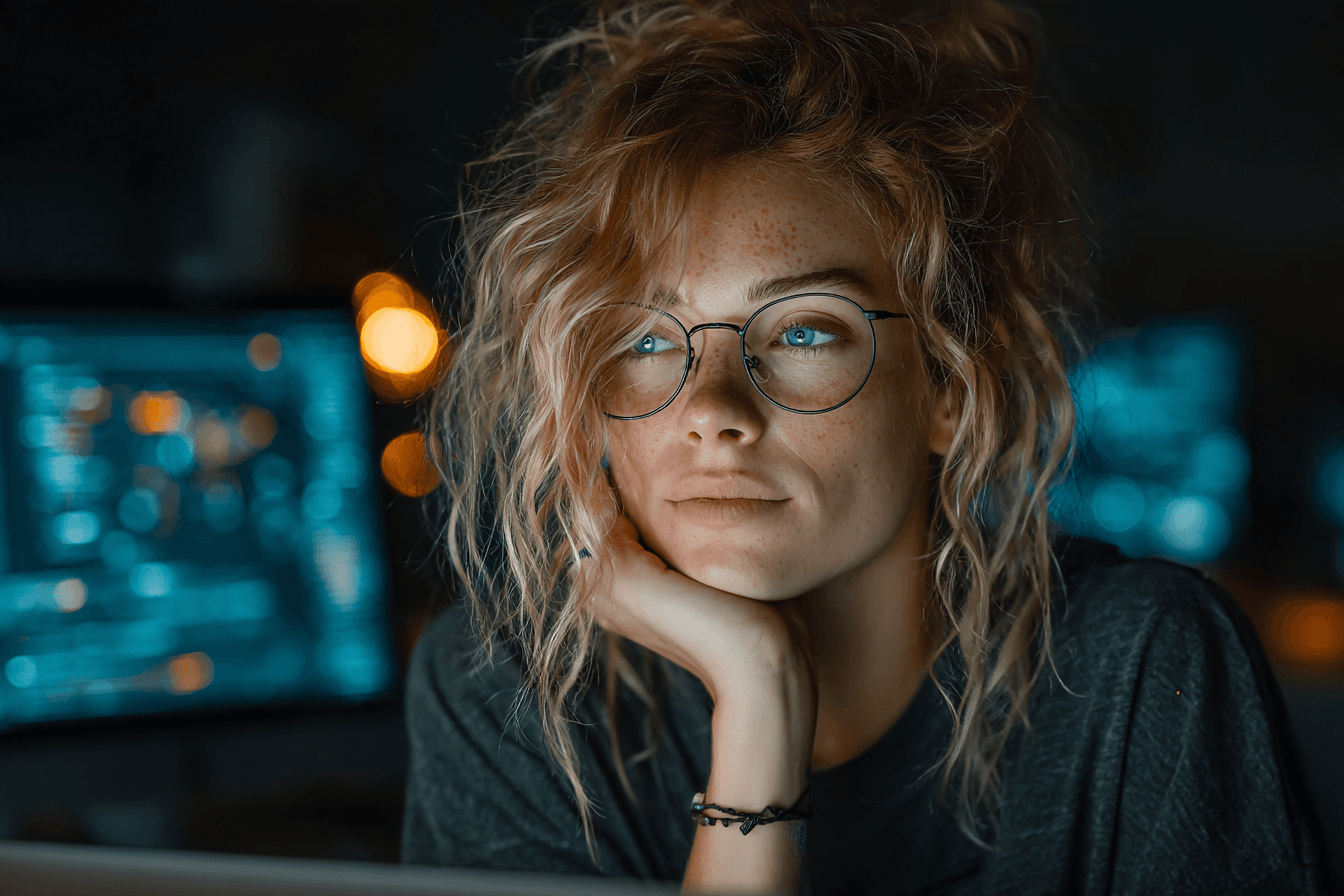
Nano Banana 2 is built on Google's Gemini architecture and includes a reasoning step before it generates an image, which is why it tends to follow multi-part prompts more literally than most image models. This matters for split-screen explainers, product mockups, character sheets, and any infographic where labels and layout have to land in the right place.
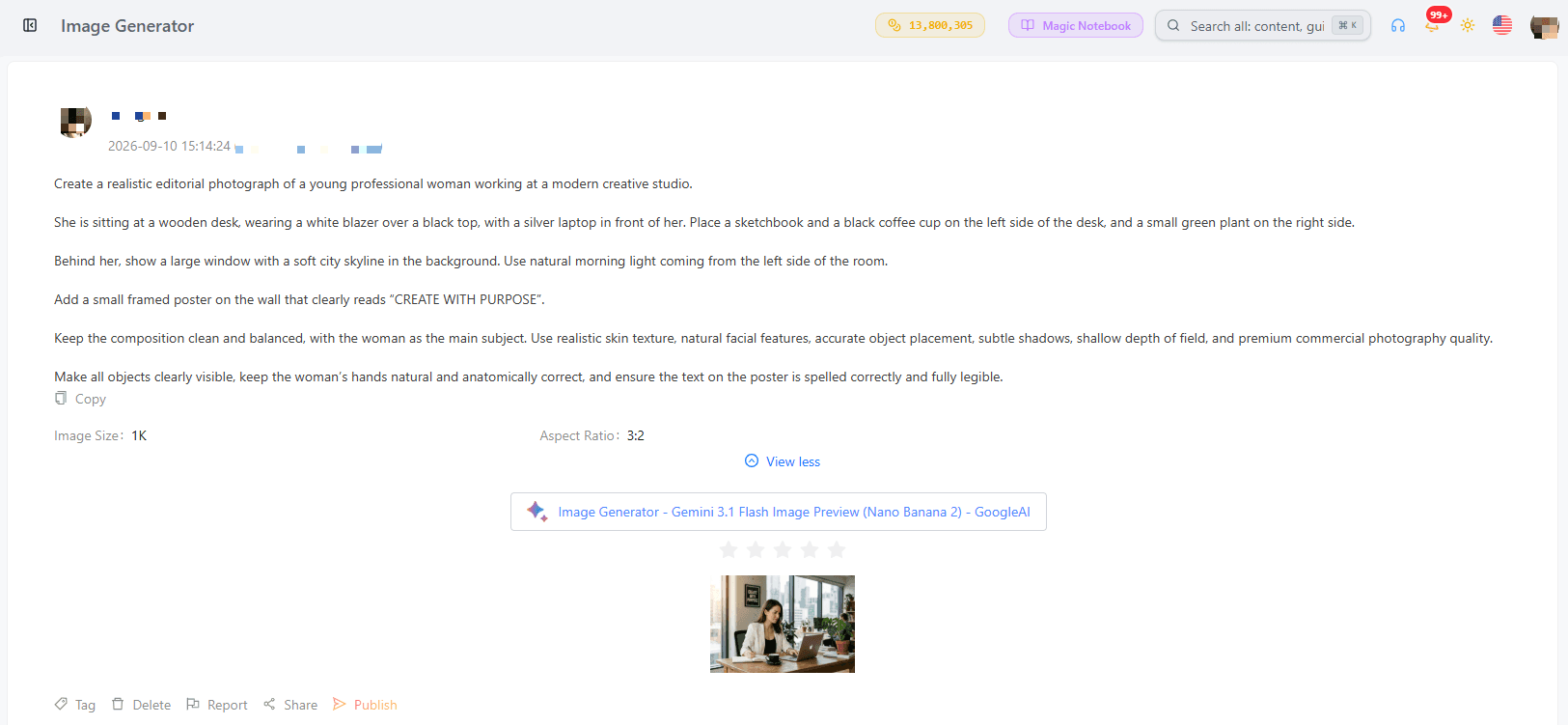
It also functions as a genuine editor: you can point it at one part of an existing image, ask it to swap or remove an element, and it preserves the rest of the composition instead of regenerating the whole scene.

Midjourney 7.0, 6.1, And 5.2: Artistic Style And Cinematic Look
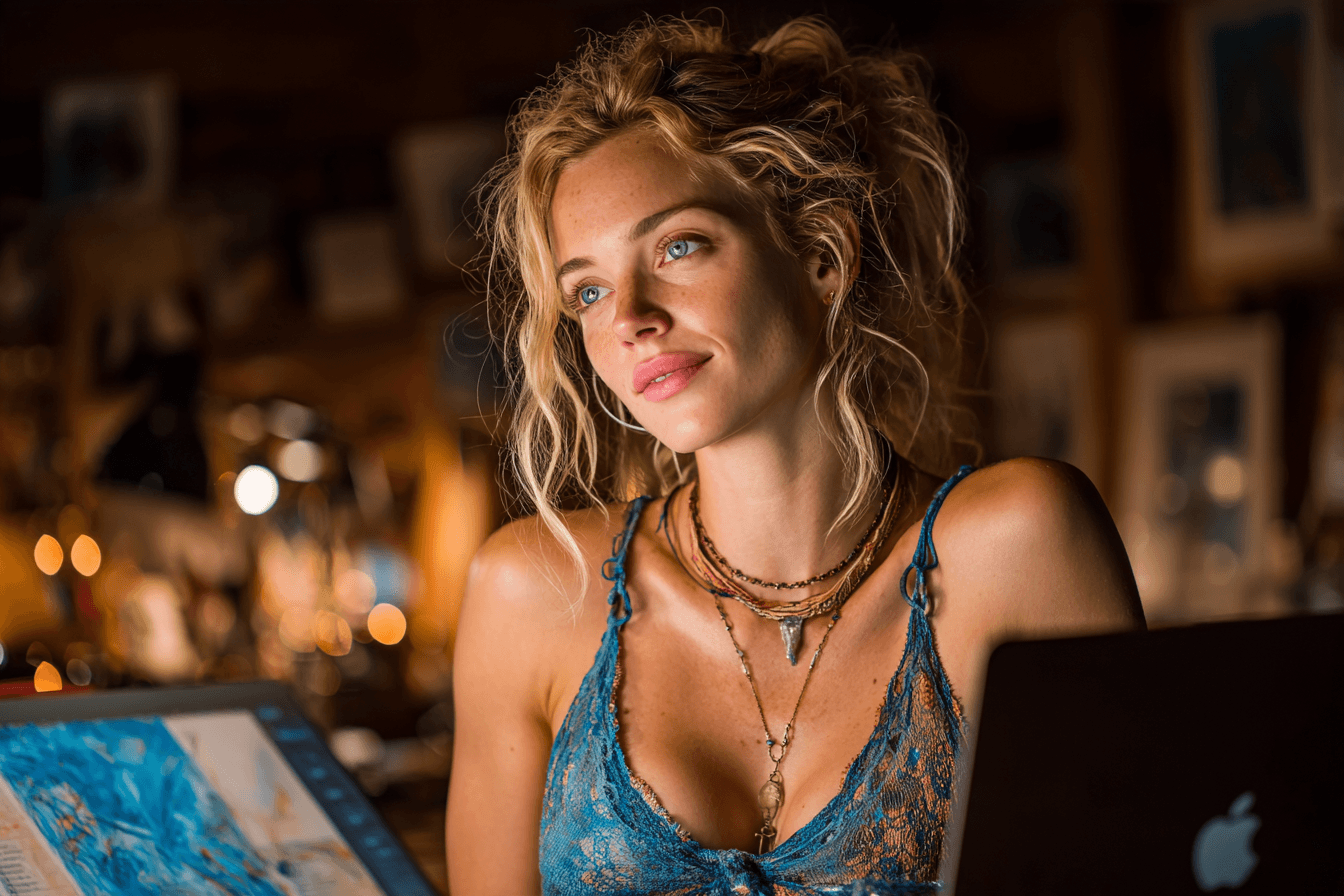
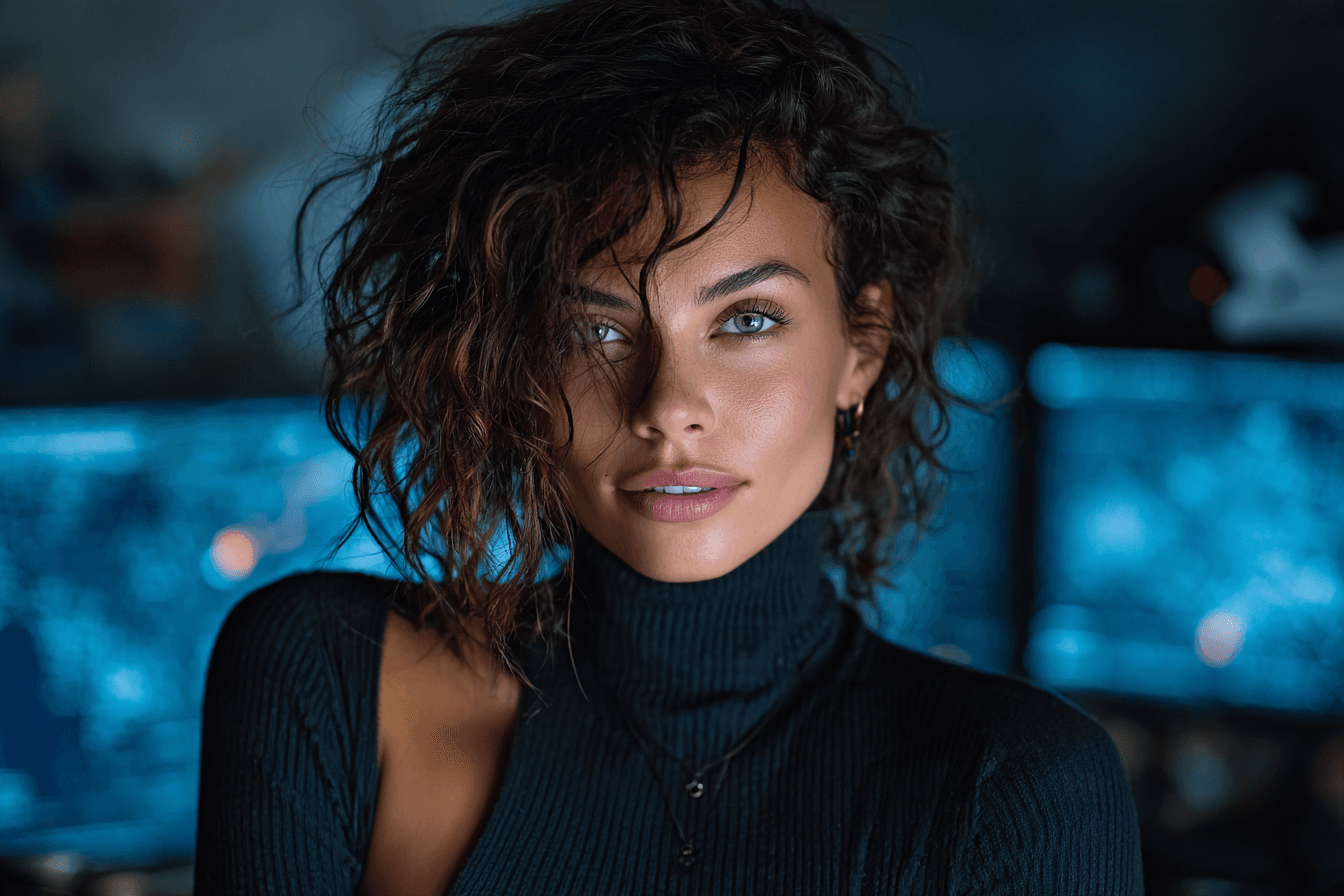
Midjourney remains the stronger choice for mood, lighting, and artistic interpretation. Its stylize parameter lets you dial creative freedom up or down, and it generates four variations per prompt, which is useful when you want options rather than one fixed answer.
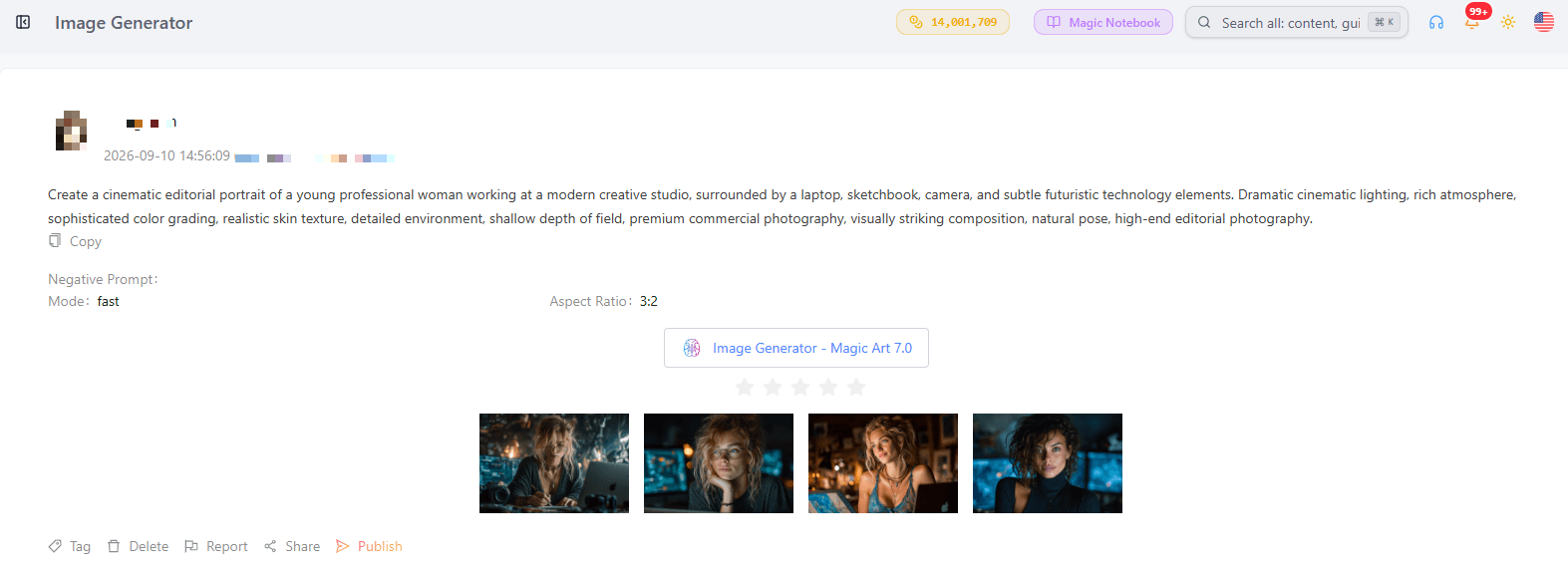
Where it struggles is literal instruction-following (multi-step prompts with specific poses or layouts), photorealistic people, and editing an existing image without losing the original details. Comparing versions, 7.0 improves text rendering and detail over 6.1 and 5.2, but even the newest version is closer to an art generator than an editor.
Which One Fits Your Project?
Choose Nano Banana 2 if you need to:
- Follow a detailed, multi-part prompt exactly as written
- Edit or modify part of an existing image without redoing it
- Add legible, accurate text inside an image
- Build an infographic, timeline, or explainer graphic
- Keep a character or product consistent across several images
Choose Midjourney if you need to:
- Generate atmospheric, cinematic, or painterly visuals
- Explore abstract or conceptual ideas with room for interpretation
- Produce multiple stylistic variations fast
- Reference specific art styles or niche artists
- Create mood boards or concept art rather than functional graphics
Nano Banana Vs Midjourney Cost: What You Actually Pay
The two tools bill differently, which is part of why comparing "cost" head-to-head is misleading. Nano Banana 2 is typically metered, priced per image or per API call through Google's platforms, so light usage can be nearly free while heavy editing workflows add up fast. Midjourney runs on flat monthly subscription tiers that cover a set amount of fast generation time regardless of how many images you produce. Neither model is simply "cheaper," it depends on your volume and whether you need editing or generation. This is also why paying for two separate subscriptions to cover both use cases often costs more than it needs to.
Nano Banana Vs Midjourney Vs ChatGPT: Where GPT Image Fits
ChatGPT's built-in image generation (GPT Image) sits closer to Nano Banana in that it follows instructions reasonably well and can edit within a conversation, but it is generally less precise at fine detail and text rendering than Nano Banana 2, and less artistically distinct than Midjourney. It is a solid default when you are already working inside ChatGPT, but it is not a specialist tool for either precision editing or artistic style the way Nano Banana and Midjourney are.
How To Test Nano Banana 2 And All Three Midjourney Versions Without Switching Tools
Instead of choosing one model and living with its limitations, 1min.AI's Image Generator gives you Nano Banana 2 (Gemini 3.1 Flash Image Preview) alongside Midjourney 7.0, 6.1, and 5.2 in the same workspace. That means you can run the same prompt through both, compare the outputs side by side, and use Nano Banana 2 to edit or clean up whatever Midjourney generates, all under one plan instead of two. If you want a deeper look at either model on its own, see how Nano Banana 2 handles free AI image generation or how Midjourney performs inside 1min.AI.
Final Verdict
There is no single winner in the Nano Banana vs Midjourney comparison, because they solve different problems. Nano Banana 2 is the stronger pick when accuracy, editing, and text matter. Midjourney is the stronger pick when mood, artistry, and stylistic range matter. The most efficient move is testing both on your actual project before committing to either subscription on its own.
Alternatives
Discover the best alternatives to 1minAI and compare features, pricing, and use cases.

1min.AI vs OpenRouter
1min.AI vs. OpenRouter: Compare the ready-to-use AI creation product against the technical API tool. Find out if you need a zero-code creative studio or a coding infrastructure hub.
 Ngoc Hong
1min.AI vs Chatplayground AI
Compare 1min.AI (Voice Cloning, Object Removal, Team Plans) vs. ChatPlayground AI (14+ Models, Teams/O365 Integration). Discover the superior platform for predictable pricing and long-term content production growth.
Ngoc Hong
1min.AI vs Krater AI
Compare 1min.AI vs Krater AI features, pricing, AI models, and workflows to find the best all-in-one AI tool for content, design, and productivity.
Ngoc HongAI Tools
Discover the best AI tools to boost productivity, creativity, and everyday work.

Top 4 Affordable AI Tools for Startup Founders
Discover the top 4 affordable AI tools for startup founders to validate ideas, build products, create content, and launch faster without overspending.
 Tram Ta
[Seedance 2.5 New] Better AI Product Videos, Less Rework in 1min.AI
Discover how AI image-to-video product consistency helps creators reduce failed generations, save AI credits, and produce more usable commercial and UGC content.
 Lien Anh Vu
Turn “Make It Better” Into Better Content With AI
Use AI to turn vague client feedback into clear revisions, reduce unnecessary edits, and deliver better content faster.
Lien Anh VuAI Features
Comprehensive AI features that streamline workflows, improve efficiency, and empower teams to achieve more.

One Product, 10 UGC Creatives: How AI Makes Content Testing Easier
Create more authentic UGC with an AI UGC video generator, test more creative angles and scale affiliate content without filming every version.
Lien Anh Vu
Create Consistent Cartoon Content in Just a Few Steps
Create cartoon videos for TikTok and Reels in 3 simple steps with 1min.AI, from researching ideas to characters and animated videos.
Lien Anh Vu
1minAI: Free AI Grammar Checker
Check grammar for free with 1minAI’s AI grammar checker. Find grammar, spelling, and writing mistakes, improve clarity, and polish your content in seconds.
Tram TaAI Use Cases
A curated collection of AI use cases for business, productivity, and industry-specific applications.
One Product, 10 UGC Creatives: How AI Makes Content Testing Easier
Create more authentic UGC with an AI UGC video generator, test more creative angles and scale affiliate content without filming every version.
Lien Anh Vu
Best Time to Post on Instagram: A Practical Guide for Better Engagement
Discover the best time to post on Instagram, including the best days and times for different audiences, plus tips to find the ideal posting schedule for your account.
Tram Ta
Build a Portfolio Website Faster with 1min.AI
Learn how freelance creatives can use 1min.AI to plan, write, design, and generate a professional portfolio website faster, even without strong coding skills.
Lien Anh VuAI Tutorials
Learn how to use AI with practical, step-by-step tutorials.

Black Friday AI Tool Deals in 2026
Discover what Black Friday AI tool deals 2026 has to offer. Find out how to secure the 1min.AI lifetime deal via AppSumo, Dealify, Stack Social, and verify on Trustpilot, Slashdot, and Software Advice.
 Hang Nguyen
Create Consistent Cartoon Content in Just a Few Steps
Create cartoon videos for TikTok and Reels in 3 simple steps with 1min.AI, from researching ideas to characters and animated videos.
Lien Anh Vu[Seedance 2.5 New] Better AI Product Videos, Less Rework in 1min.AI
Discover how AI image-to-video product consistency helps creators reduce failed generations, save AI credits, and produce more usable commercial and UGC content.
Lien Anh VuAI Guides
Learn AI faster with practical guides, real-world examples, and actionable best practices.

Safely Buy AI Tools Online: 2026 Black Friday Guide
Discover how to find and secure the best Black Friday AI deals online. Learn expert strategies to avoid scams, combat subscription fatigue, and verify software.
Hang NguyenCreate Consistent Cartoon Content in Just a Few Steps
Create cartoon videos for TikTok and Reels in 3 simple steps with 1min.AI, from researching ideas to characters and animated videos.
Lien Anh Vu[Seedance 2.5 New] Better AI Product Videos, Less Rework in 1min.AI
Discover how AI image-to-video product consistency helps creators reduce failed generations, save AI credits, and produce more usable commercial and UGC content.
Lien Anh VuAI Solutions
Browse the best AI solutions for automation, coding, research, productivity, customer support, marketing, and business workflows.
Safely Buy AI Tools Online: 2026 Black Friday Guide
Discover how to find and secure the best Black Friday AI deals online. Learn expert strategies to avoid scams, combat subscription fatigue, and verify software.
Hang Nguyen
Free AI Tattoo Generator: Custom Designs
Turn any idea into a custom tattoo design with 1min.AI's free AI tattoo generator. Describe your idea, pick a style, and download in seconds.
 Trang Tran
[Seedance 2.5 New] Better AI Product Videos, Less Rework in 1min.AI
Discover how AI image-to-video product consistency helps creators reduce failed generations, save AI credits, and produce more usable commercial and UGC content.
Lien Anh VuAI Models
Explore the world's leading AI models in one place.
One Product, 10 UGC Creatives: How AI Makes Content Testing Easier
Create more authentic UGC with an AI UGC video generator, test more creative angles and scale affiliate content without filming every version.
Lien Anh VuCreate Consistent Cartoon Content in Just a Few Steps
Create cartoon videos for TikTok and Reels in 3 simple steps with 1min.AI, from researching ideas to characters and animated videos.
Lien Anh Vu[Seedance 2.5 New] Better AI Product Videos, Less Rework in 1min.AI
Discover how AI image-to-video product consistency helps creators reduce failed generations, save AI credits, and produce more usable commercial and UGC content.
Lien Anh VuAI Comparisons
Compare AI tools, models, and platforms to find the best fit for your needs.

Kling AI Vs Veo 3: Which Model Wins?
Kling AI vs Veo 3: compare motion, native audio, pricing & free tiers to see which AI video generator wins for your project - try both on 1min.AI.
Trang Tran[Seedance 2.5 New] Better AI Product Videos, Less Rework in 1min.AI
Discover how AI image-to-video product consistency helps creators reduce failed generations, save AI credits, and produce more usable commercial and UGC content.
Lien Anh Vu
DeepSeek V4 Pro vs Flash Comparison
Compare DeepSeek V4 Pro vs DeepSeek V4 Flash metrics. Optimize your agentic apps and improve AI fact checking on 1min.ai today.
Ngoc HongAI Integrations
Seamlessly integrate AI with the tools you already use to automate work and boost productivity.

POV: You Have 10+ Posts to Make Every Day
Learn how to build an AI content workflow that helps content creators produce 10+ social media posts a day faster with AI brainstorming, image generation, and content creation.
Lien Anh Vu
How to Use an AI Fashion Video Generator for Fashion Week 2026
Turn Fashion Week 2026 ideas into stunning fashion videos with AI. Learn how to brainstorm, create visuals, and transform images into videos with one simple workflow.
Lien Anh Vu
Stop Switching Between AI Apps: How AI Integration Transforms Employer Branding
Discover how AI integration helps HR teams streamline employer branding by combining AI writing, documents, images, video, and multiple AI models into one workspace.
Tram TaAI for Industries
Find the best AI tools and workflows for healthcare, finance, education, legal, manufacturing, retail, real estate, and more

Free AI Real Estate Video Generator
Turn listing photos into narrated property videos with AI real estate video tools. See how 1min.AI creates walkthroughs, voiceovers & captions in minutes.
Trang Tran
How to Launch an AI SaaS Without Building AI Models From Scratch
Learn how to launch an AI SaaS without building AI models from scratch. Explore white-label AI, product strategy, branding, pricing, and how 1minAI can help.
Tram Ta
Free AI Tools for Photographers to Elevate Creative Work
Discover free AI tools for photographers to edit images, create visuals and videos, develop content, and streamline client workflows with 1min.AI.
Lien Anh VuAI Agents
Discover and run AI agents to automate tasks across your work and daily life.
1minAI: Free AI Grammar Checker
Check grammar for free with 1minAI’s AI grammar checker. Find grammar, spelling, and writing mistakes, improve clarity, and polish your content in seconds.
Tram Ta
AI Agent vs AI Assistant: Which One Actually Saves Designers More Time?
Learn the difference between AI Agent vs AI Assistant and discover which solution helps designers automate repetitive work, reduce revisions, and save more time.
Lien Anh Vu
Free AI Picture Generator: Create Images in Minutes With 1minAI
Create images in minutes with a free AI picture generator. Learn how to generate high-quality visuals with 1minAI using simple prompts and AI models.
Tram TaAI Workflows
Explore ready-to-use AI workflows for productivity, marketing, sales, support, and more.
Create Consistent Cartoon Content in Just a Few Steps
Create cartoon videos for TikTok and Reels in 3 simple steps with 1min.AI, from researching ideas to characters and animated videos.
Lien Anh VuPOV: You Have 10+ Posts to Make Every Day
Learn how to build an AI content workflow that helps content creators produce 10+ social media posts a day faster with AI brainstorming, image generation, and content creation.
Lien Anh VuHow to Use an AI Fashion Video Generator for Fashion Week 2026
Turn Fashion Week 2026 ideas into stunning fashion videos with AI. Learn how to brainstorm, create visuals, and transform images into videos with one simple workflow.
Lien Anh VuNewsletter
Weekly AI Innovations with 1minAI

🔮 Weekly AI Innovations #136: Grok 4.6 and Smart Data Retention
Discover the latest 1min.ai updates! Upgrade to Grok 4.6 for blazing-fast AI, and check our new Data Retention policies to secure your files today.
Hang Nguyen
🔮 Weekly AI Innovations #135: Claude Opus 5 and new AI Social Features
Experience the powerful Claude Opus 5 model, and explore new AI Social features like User Pages and Following creators.
Hang Nguyen
🔮 Weekly AI Innovations #134: Experience Free Qwen on AI Chat; The 3.7 and 3.6 Series Update
Looking for a powerful, free AI assistant? Explore the latest Qwen 3.7 and 3.6 series on 1min.ai. Enjoy high-speed, accurate AI chat at zero cost today!
Hang Nguyen