
AI Tools for Software Engineers

Ngoc Hong
August 26, 2026
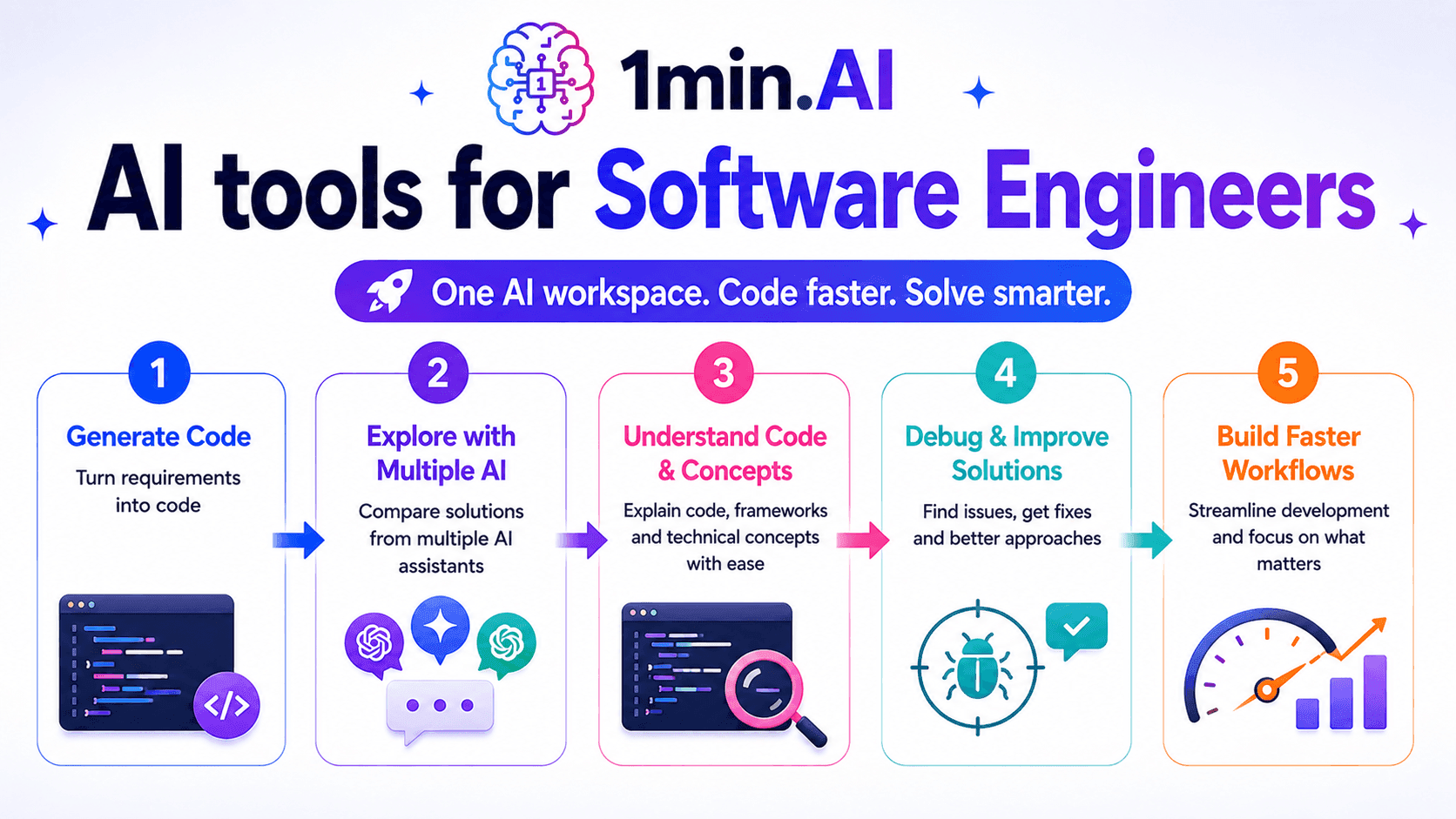
Discover AI tools for Software Engineers to generate code, debug problems, understand technical concepts, and streamline development with 1min.AI.
✨ How 1min.AI helps Software Engineers
Software Engineers spend more than just time writing code. Debugging errors, understanding unfamiliar code, researching technical solutions, and reviewing implementation approaches can take just as much effort.
The challenge is often not generating code, but moving from a problem to a reliable solution efficiently. Switching between coding assistants, documentation, search engines, and AI tools can interrupt development and make complex tasks harder to manage.
1min.AI gives Software Engineers an AI workspace for code generation, technical problem-solving, research, and AI-assisted development. Instead of relying on a single AI assistant, developers can work with multiple AI models and compare different approaches.
This workflow can be useful across the development lifecycle. Whether you are starting a new feature, debugging an existing implementation, or exploring an unfamiliar technology, AI can help reduce repetitive work and accelerate technical decision-making.
🪄 How it works
Software development involves different types of problems, so one AI response may not always be enough. 1min.AI helps Software Engineers explore coding problems from multiple perspectives before choosing an implementation.
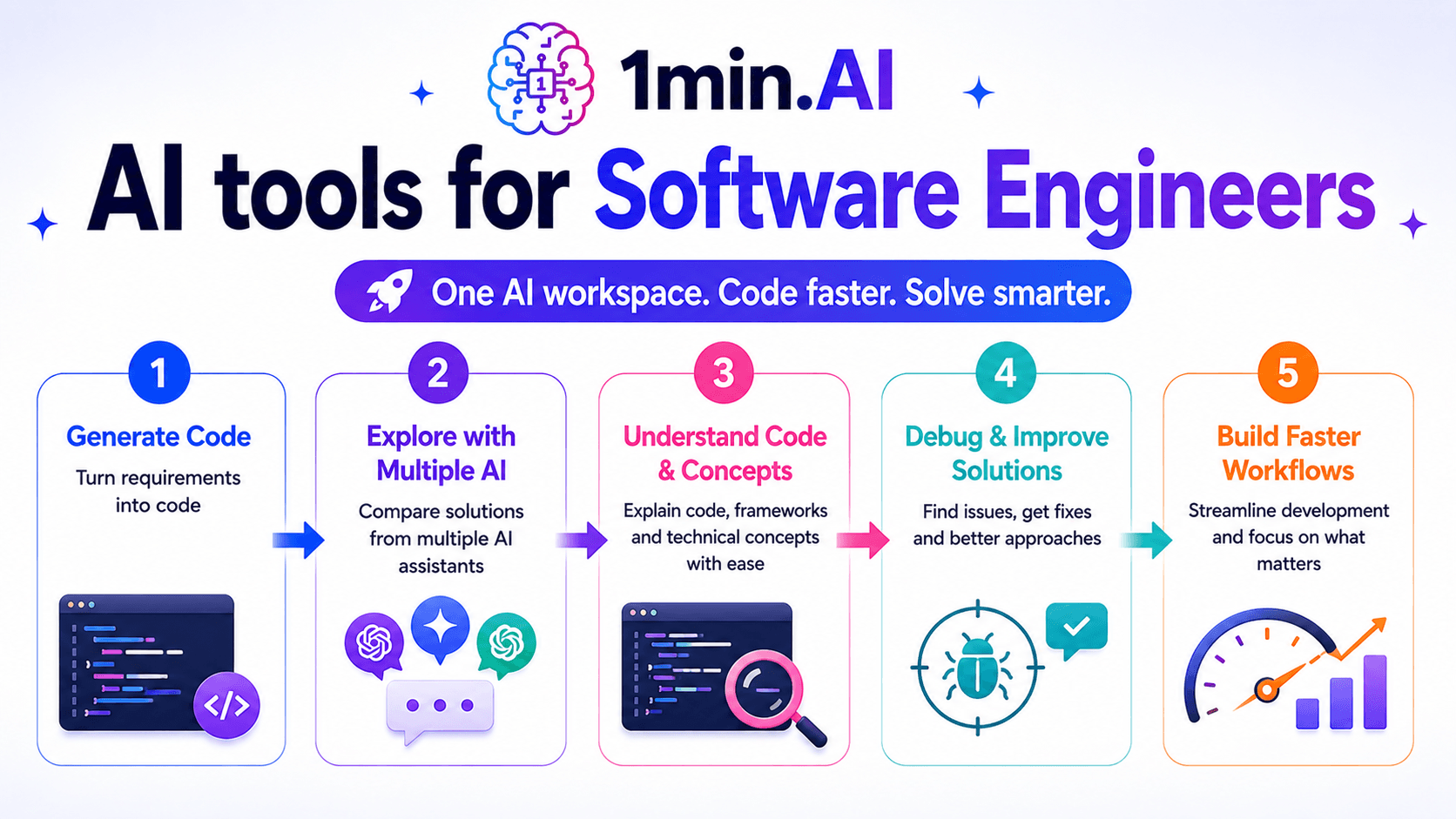
1. Generate code from requirements
Turning a technical requirement into working code can take time, especially when starting a feature from scratch. Developers first need to understand the requirements, define the approach, and then translate that plan into implementation.
Code Generator helps Software Engineers generate code from natural-language instructions. You can describe the expected behavior, specify the technology or programming language, and use the generated output as a starting point for implementation.
This can be useful for repetitive development tasks, boilerplate code, utility functions, API integrations, and early prototypes. The generated code should still be reviewed and tested before being used in production.
2. Explore problems with multiple AI assistants
Complex engineering problems often have more than one reasonable solution. Comparing different approaches can help developers identify trade-offs before committing to an implementation.
With Multi AI Chat, Software Engineers can interact with multiple AI assistants simultaneously. You can ask different models to explain an architecture, suggest an implementation, identify potential issues, or compare alternative approaches.
This makes AI useful not only as a code generator but also as a technical thinking partner during development.
3. Understand unfamiliar code and technical concepts
Software Engineers frequently work with codebases, frameworks, libraries, and APIs they did not originally create. Understanding unfamiliar implementation details can consume significant development time.
AI can help break complex code into smaller concepts and explain how different components interact. You can use Multi AI Chat to ask for explanations, request alternative implementations, or simplify technical concepts.
This can be especially helpful when joining an existing project or working with an unfamiliar technology stack.
4. Debug and improve implementation approaches
Generating code is only one part of software development. Developers also need to identify why an implementation fails and determine how to fix it without introducing new problems.
You can provide an error, code snippet, or description of unexpected behavior to Multi AI Chat and ask different AI assistants to investigate possible causes.
Comparing multiple explanations can help identify edge cases, logical problems, or alternative fixes. Developers should validate proposed solutions through testing, code review, and appropriate security checks.
5. Build a faster development workflow
Software Engineers often repeat similar tasks across projects. Creating boilerplate, explaining code, exploring implementation options, and researching technical approaches can all consume time that could otherwise go toward higher-value engineering work.
By combining Code Generator with Multi AI Chat, 1min.AI can support both implementation and technical reasoning in one workspace.
The goal is not to replace engineering judgment. It is to reduce repetitive development work so Software Engineers can spend more time designing reliable systems, solving complex problems, and improving products.
🎯 Key benefits for Software Engineers
The biggest advantage of AI for Software Engineers is faster movement from a technical problem to a tested solution. 1min.AI combines code generation and multi-model AI assistance to support different stages of development.
| Development task | Traditional workflow | 1min.AI workflow |
|---|---|---|
| Code generation | Write implementation from scratch | Code Generator |
| Technical brainstorming | Research and compare solutions manually | Multi AI Chat |
| Implementation planning | Analyze approaches independently | Multi AI Chat |
| Code explanation | Read documentation and source code manually | Multi AI Chat |
| Debugging | Search errors across multiple sources | Multi AI Chat |
| Alternative solutions | Research different implementations | Multi AI Chat |
| Boilerplate code | Build repetitive structures manually | Code Generator |
| Development research | Switch between search and AI tools | Multi AI Chat |
Write code faster
Software Engineers can spend significant time writing repetitive or predictable code. This work may be necessary, but it does not always require the same level of engineering effort as architecture or complex problem-solving.
Code Generator can accelerate the initial implementation by producing code from natural-language requirements. Developers can then review, modify, test, and integrate the output into their existing codebase.
Compare multiple technical approaches
Different AI models can produce different solutions to the same engineering problem. One approach may prioritize simplicity, while another may focus on performance, maintainability, or scalability.
Using Multi AI Chat allows Software Engineers to compare responses from multiple AI assistants. This can provide more perspectives before selecting an implementation strategy.
Reduce development friction
Context switching can interrupt the development process, especially when developers constantly move between coding tools, AI assistants, documentation, and research platforms.
1min.AI brings multiple AI capabilities into one workspace. This creates a more connected workflow for exploring technical questions, generating code, and evaluating implementation ideas.
Support different development stages
AI can be useful before, during, and after implementation. Developers can use it to explore requirements, generate initial code, investigate problems, explain unfamiliar concepts, and consider alternative solutions.
This makes AI more than a code-generation tool. It can become part of a broader development workflow that supports Software Engineers throughout the problem-solving process.
Keep engineering judgment at the center
AI-generated code should accelerate development, not replace engineering review. Generated implementations may contain bugs, security issues, incorrect assumptions, or approaches that do not fit the existing architecture.
Software Engineers should validate AI-generated code through testing, code review, security checks, and project-specific requirements. 1min.AI works best as an engineering assistant that helps developers explore, build, and iterate faster while keeping technical decisions in human hands.
Alternatives
Discover the best alternatives to 1minAI and compare features, pricing, and use cases.

1min.AI vs OpenRouter
1min.AI vs. OpenRouter: Compare the ready-to-use AI creation product against the technical API tool. Find out if you need a zero-code creative studio or a coding infrastructure hub.
 Ngoc Hong
1min.AI vs Lovart
Looking for a Lovart alternative? Compare creative workflows, pricing considerations, and practical prompts to see whether 1min.AI fits your team.
Ngoc Hong
1min.AI vs Jarvis AI
Compare 1min.AI vs Jarvis AI to discover which AI platform is better for writing, research, automation, and content creation. Find the best AI assistant for your workflow.
Ngoc HongAI Tools
Discover the best AI tools to boost productivity, creativity, and everyday work.

Create Consistent Cartoon Content in Just a Few Steps
Create engaging cartoon videos for TikTok and Reels with 1min.AI. Research ideas, create characters, and turn images into animated videos in 3 simple steps.
 Lien Anh Vu
One Product, 10 UGC Creatives: How AI Makes Content Testing Easier
Create more authentic UGC with an AI UGC video generator, test more creative angles and scale affiliate content without filming every version.
Lien Anh Vu
Top 4 Affordable AI Tools for Startup Founders
Discover the top 4 affordable AI tools for startup founders to validate ideas, build products, create content, and launch faster without overspending.
 Tram Ta
AI Features
Comprehensive AI features that streamline workflows, improve efficiency, and empower teams to achieve more.
Create Consistent Cartoon Content in Just a Few Steps
Create engaging cartoon videos for TikTok and Reels with 1min.AI. Research ideas, create characters, and turn images into animated videos in 3 simple steps.
Lien Anh VuOne Product, 10 UGC Creatives: How AI Makes Content Testing Easier
Create more authentic UGC with an AI UGC video generator, test more creative angles and scale affiliate content without filming every version.
Lien Anh Vu
1minAI: Free AI Grammar Checker
Check grammar for free with 1minAI’s AI grammar checker. Find grammar, spelling, and writing mistakes, improve clarity, and polish your content in seconds.
Tram TaAI Use Cases
A curated collection of AI use cases for business, productivity, and industry-specific applications.
Create Consistent Cartoon Content in Just a Few Steps
Create engaging cartoon videos for TikTok and Reels with 1min.AI. Research ideas, create characters, and turn images into animated videos in 3 simple steps.
Lien Anh VuOne Product, 10 UGC Creatives: How AI Makes Content Testing Easier
Create more authentic UGC with an AI UGC video generator, test more creative angles and scale affiliate content without filming every version.
Lien Anh Vu
Best Time to Post on Instagram: A Practical Guide for Better Engagement
Discover the best time to post on Instagram, including the best days and times for different audiences, plus tips to find the ideal posting schedule for your account.
Tram TaAI Tutorials
Learn how to use AI with practical, step-by-step tutorials.

Black Friday AI Tool Deals in 2026
Discover what Black Friday AI tool deals 2026 has to offer. Find out how to secure the 1min.AI lifetime deal via AppSumo, Dealify, Stack Social, and verify on Trustpilot, Slashdot, and Software Advice.
 Hang Nguyen
Create Consistent Cartoon Content in Just a Few Steps
Create engaging cartoon videos for TikTok and Reels with 1min.AI. Research ideas, create characters, and turn images into animated videos in 3 simple steps.
Lien Anh Vu
[Seedance 2.5 New] Better AI Product Videos, Less Rework in 1min.AI
Use Seedance 2.5 image to video on 1min.AI to create more consistent AI product videos, reduce failed generations, save credits, and improve UGC workflows.
Lien Anh VuAI Guides
Learn AI faster with practical guides, real-world examples, and actionable best practices.

Safely Buy AI Tools Online: 2026 Black Friday Guide
Discover how to find and secure the best Black Friday AI deals online. Learn expert strategies to avoid scams, combat subscription fatigue, and verify software.
Hang NguyenCreate Consistent Cartoon Content in Just a Few Steps
Create engaging cartoon videos for TikTok and Reels with 1min.AI. Research ideas, create characters, and turn images into animated videos in 3 simple steps.
Lien Anh Vu[Seedance 2.5 New] Better AI Product Videos, Less Rework in 1min.AI
Use Seedance 2.5 image to video on 1min.AI to create more consistent AI product videos, reduce failed generations, save credits, and improve UGC workflows.
Lien Anh VuAI Solutions
Browse the best AI solutions for automation, coding, research, productivity, customer support, marketing, and business workflows.
Safely Buy AI Tools Online: 2026 Black Friday Guide
Discover how to find and secure the best Black Friday AI deals online. Learn expert strategies to avoid scams, combat subscription fatigue, and verify software.
Hang NguyenCreate Consistent Cartoon Content in Just a Few Steps
Create engaging cartoon videos for TikTok and Reels with 1min.AI. Research ideas, create characters, and turn images into animated videos in 3 simple steps.
Lien Anh VuOne Product, 10 UGC Creatives: How AI Makes Content Testing Easier
Create more authentic UGC with an AI UGC video generator, test more creative angles and scale affiliate content without filming every version.
Lien Anh VuAI Models
Explore the world's leading AI models in one place.
Create Consistent Cartoon Content in Just a Few Steps
Create engaging cartoon videos for TikTok and Reels with 1min.AI. Research ideas, create characters, and turn images into animated videos in 3 simple steps.
Lien Anh VuOne Product, 10 UGC Creatives: How AI Makes Content Testing Easier
Create more authentic UGC with an AI UGC video generator, test more creative angles and scale affiliate content without filming every version.
Lien Anh Vu[Seedance 2.5 New] Better AI Product Videos, Less Rework in 1min.AI
Use Seedance 2.5 image to video on 1min.AI to create more consistent AI product videos, reduce failed generations, save credits, and improve UGC workflows.
Lien Anh VuAI Comparisons
Compare AI tools, models, and platforms to find the best fit for your needs.

Kling AI Vs Veo 3: Which Model Wins?
Kling AI vs Veo 3: compare motion, native audio, pricing & free tiers to see which AI video generator wins for your project - try both on 1min.AI.
 Trang Tran
[Seedance 2.5 New] Better AI Product Videos, Less Rework in 1min.AI
Use Seedance 2.5 image to video on 1min.AI to create more consistent AI product videos, reduce failed generations, save credits, and improve UGC workflows.
Lien Anh Vu
DeepSeek V4 Pro vs Flash Comparison
Compare DeepSeek V4 Pro vs DeepSeek V4 Flash metrics. Optimize your agentic apps and improve AI fact checking on 1min.ai today.
Ngoc HongAI Integrations
Seamlessly integrate AI with the tools you already use to automate work and boost productivity.

POV: You Have 10+ Posts to Make Every Day
Learn how to build an AI content workflow that helps content creators produce 10+ social media posts a day faster with AI brainstorming, image generation, and content creation.
Lien Anh Vu
How to Use an AI Fashion Video Generator for Fashion Week 2026
Turn Fashion Week 2026 ideas into stunning fashion videos with AI. Learn how to brainstorm, create visuals, and transform images into videos with one simple workflow.
Lien Anh Vu
Stop Switching Between AI Apps: How AI Integration Transforms Employer Branding
Discover how AI integration helps HR teams streamline employer branding by combining AI writing, documents, images, video, and multiple AI models into one workspace.
Tram TaAI for Industries
Find the best AI tools and workflows for healthcare, finance, education, legal, manufacturing, retail, real estate, and more

Free AI Product Description Generator
Write product descriptions that sell in minutes. Use this free AI product description generator to turn details or a photo into on-brand copy. Try 1min.AI.
Trang Tran
Best Business Productivity Tools for Startups to Maximize Profits | 1minAI
Discover the best business productivity tools for startups to save time, streamline workflows, reduce repetitive tasks, and support profitable growth with AI.
Tram Ta
Best AI Tool for Content Marketing |1minAI
Looking for the best AI tool for content marketing? See how 1minAI helps marketers research, write, repurpose, create visuals, and scale content from one AI workspace.
Tram TaAI Agents
Discover and run AI agents to automate tasks across your work and daily life.
1minAI: Free AI Grammar Checker
Check grammar for free with 1minAI’s AI grammar checker. Find grammar, spelling, and writing mistakes, improve clarity, and polish your content in seconds.
Tram Ta
AI Agents for Facebook
Use an AI Agent for Facebook to create content, generate images, schedule posts, and publish from your documents and conversations.
Ngoc Hong
AI Agent vs AI Assistant: Which One Actually Saves Designers More Time?
Learn the difference between AI Agent vs AI Assistant and discover which solution helps designers automate repetitive work, reduce revisions, and save more time.
Lien Anh VuAI Workflows
Explore ready-to-use AI workflows for productivity, marketing, sales, support, and more.
Create Consistent Cartoon Content in Just a Few Steps
Create engaging cartoon videos for TikTok and Reels with 1min.AI. Research ideas, create characters, and turn images into animated videos in 3 simple steps.
Lien Anh VuOne Product, 10 UGC Creatives: How AI Makes Content Testing Easier
Create more authentic UGC with an AI UGC video generator, test more creative angles and scale affiliate content without filming every version.
Lien Anh VuPOV: You Have 10+ Posts to Make Every Day
Learn how to build an AI content workflow that helps content creators produce 10+ social media posts a day faster with AI brainstorming, image generation, and content creation.
Lien Anh VuNewsletter
Weekly AI Innovations with 1minAI

🔮 Weekly AI Innovations #142: Grok 4.7, Opus 5.5 & Sonnet 5.5 on 1min.ai
Access Grok 4.7, Claude Opus 5.5, and Sonnet 5.5 on 1min.ai. Cut subscription costs by up to 70% and process millions tokens in a single unified workspace.
Hang Nguyen
🔮 Weekly AI Innovations #141: Seedance 2.5 & Stable Audio 3: Next-Gen AI
Explore Seedance 2.0, 2.5, and StabilityAI's Stable Audio 3 on 1min.ai. Generate studio-grade audio and synchronized motion with next-gen generative AI.
Hang Nguyen
🔮 Weekly AI Innovations #140: Deepseek 4.1 Flash & Gemini Upgrades
Explore Deepseek 4.1 Flash and new Gemini models on 1min.ai. Plus, check our update on your Billing - Usage page for better clarity.
Hang Nguyen