
Which AI Model Makes the Most Authentic UGC?

Lien Anh Vu
September 5, 2026
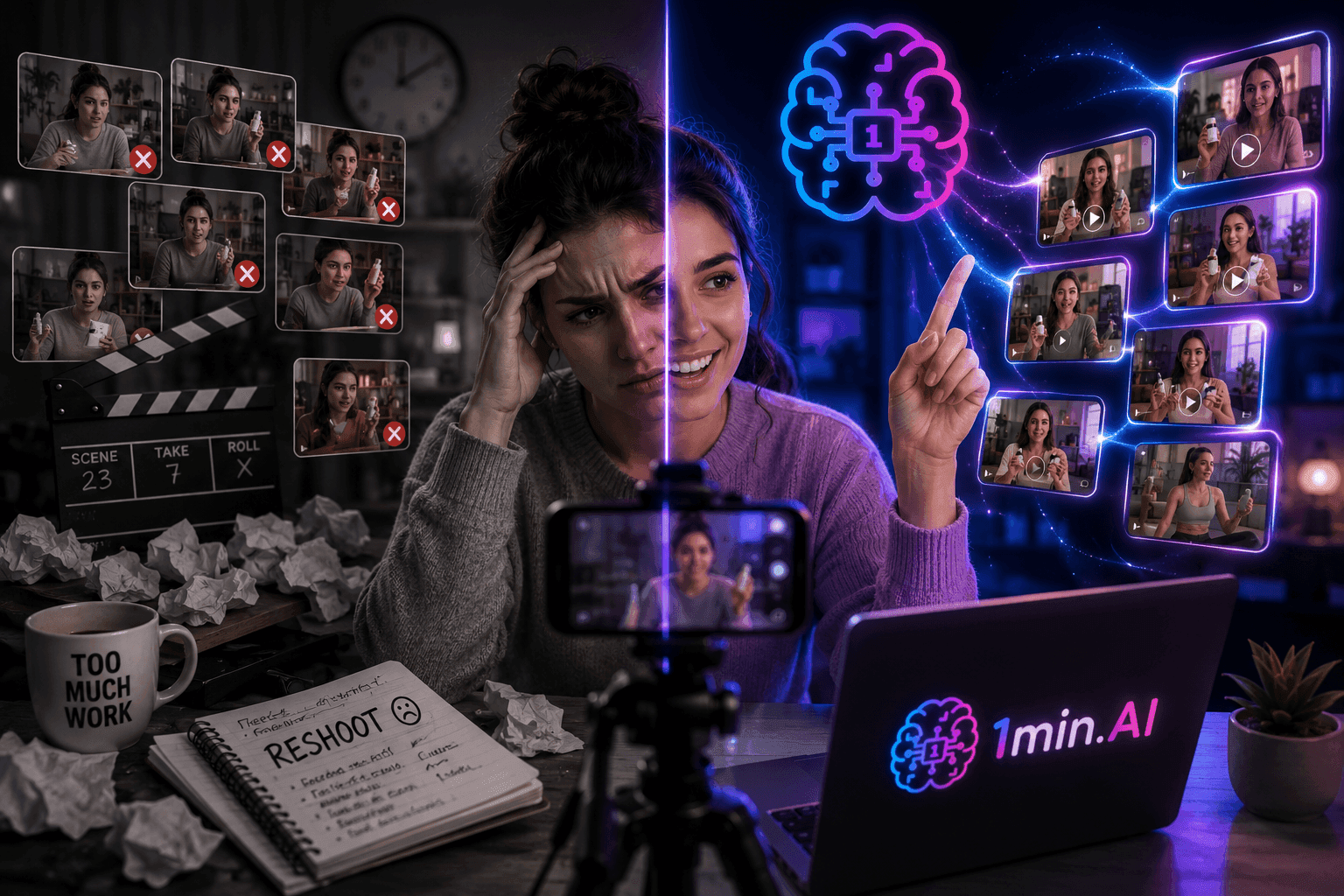
Create authentic UGC faster with an AI UGC video generator, test more creatives, and turn winning videos into more affiliate clicks.
Open by addressing the creator who keeps filming, reshooting, and rewriting scripts, only to end up with UGC that feels more like a polished advertisement than genuine creator content. Explain that while producing more videos can increase testing opportunities, repetitive production and artificial looking visuals can weaken buyer trust and make affiliate conversions harder to improve. Introduce the AI UGC video generator as a practical way to create more creative variations while keeping the workflow focused on authenticity, testing, and scalable output.
Sora vs Veo 3.1: Which One Makes More Authentic UGC?
How Sora and Veo 3.1 Differ for UGC Creation
Sora and Veo 3.1 are both capable of generating highly realistic video, but their strengths can differ depending on the type of content you want to create.
Sora 2 has been recognized for cinematic visuals, realistic motion, and convincing lifestyle scenes, which can make it useful for creator style content that relies heavily on atmosphere and natural movement. Veo 3.1, meanwhile, is particularly strong for content involving dialogue, lip synchronization, audio, and realistic commercial scenarios.
For UGC creators, however, choosing between models should not simply come down to which one produces the most impressive demo. A model that performs well for a cinematic lifestyle scene may not necessarily be the best choice for a talking creator or a product demonstration.
The more useful approach is to test the models with the same product, concept, reference image, and prompt, so you can evaluate how each model handles the exact creative you want to publish.
Why Authenticity Matters More Than Visual Quality
UGC works because it feels closer to content created by a person than content produced by a traditional advertising team. Therefore, visual quality is only one part of the equation.
A video may have perfect lighting and sharp details, but if the creator's facial expressions feel unnatural, their movements look robotic, or the product interaction does not make sense, viewers can immediately feel that something is off.
For affiliate creators, this matters even more because the goal is not simply to generate views. The content needs to create enough curiosity and trust for viewers to consider the recommendation and click through to the product.
This means creators should evaluate AI UGC based on several practical factors, including natural movement, facial expressions, product interaction, camera behavior, visual consistency, and overall creator feel.
Instead of asking which model makes the prettiest video, ask a more useful question:
Which model makes this particular piece of content feel the most believable?
How 1min.AI Helps Creators Create More Authentic UGC
The value of an all in one AI workflow is not simply that it gives creators another video generator. The bigger advantage is that creators can move through the creative process more efficiently, from developing an idea and building a visual direction to generating and testing different video outputs.
Test Different AI Video Models With the Same Creative
When creators work across multiple AI platforms, comparing models can become a production task of its own. They may need to recreate the same prompt, upload the same reference image, manage different interfaces, and move the results between different tools before they can even decide which output works best.
1min.AI can simplify this process by bringing multiple AI capabilities into one workspace, allowing creators to develop their creative direction and experiment with AI generated visuals and video without constantly rebuilding the workflow across separate platforms.
The key is to keep the creative inputs consistent.
For example, you can start with one product, create a reference image, define the creator's environment and behavior, and write one detailed video prompt. You can then use the same creative direction when testing different available AI video models.
This makes the comparison more meaningful because you are evaluating how different models interpret the same idea rather than comparing completely different videos.
Turn One Winning Concept Into More UGC Variations
Once you identify a creative direction that feels authentic, the next opportunity is to scale it.
Instead of filming another video from scratch, you can keep the successful product concept and experiment with individual creative elements. Change the opening hook, introduce another product benefit, use a different creator perspective, adjust the scene, or test a new call to action.
For example, one product could become several different UGC concepts:
- A creator sharing a problem and discovering the product as a solution
- A casual recommendation based on a personal experience
- A product demonstration focused on one specific benefit
- A lifestyle video showing how the product fits naturally into everyday use
The product remains the same, but each variation gives you another opportunity to discover what resonates with your audience.
This is where AI becomes particularly valuable for affiliate creators. Instead of using AI simply to make content faster, you can use it to increase the number of creative directions you are able to test.
How to Test Sora and Veo 3.1 for UGC in 1min.AI
The best way to determine which model works for your content is to run a simple controlled comparison.
Use the Same Product and Prompt for a Fair Comparison
Start with one product and one clear UGC concept. For example, you could create a casual product recommendation where a creator introduces something they recently discovered while filming in a realistic home environment.
Your prompt could be:
Create a natural UGC style video of a creator casually introducing [product] in a realistic home environment, using natural facial expressions, subtle hand movements, believable product interaction, handheld camera movement, and a conversational social media style. The video should feel like authentic creator content rather than a polished advertisement.
Use the same product, reference image, and core prompt when testing the available models.
This creates a more reliable comparison because the main creative variables remain consistent.
Compare Authenticity and Scale the Strongest Result
Once the videos are generated, look beyond resolution and cinematic quality.
Check whether the creator moves naturally, whether facial expressions match the context, whether the product remains visually consistent, and whether the camera movement feels natural enough for a TikTok, Instagram Reel, or YouTube Short.
You should also consider whether the video immediately feels like an advertisement. If everything looks too perfect, too staged, or disconnected from the way creators normally communicate with their audiences, the content may lose the authenticity you are trying to achieve.
After identifying the strongest result, use it as the foundation for your next round of testing. Keep the elements that work while changing one variable at a time, such as the hook, opening scene, product benefit, creator perspective, or CTA.
This creates a repeatable workflow:
One Product → One Creative Concept → Test Different Models → Compare Authenticity → Choose the Strongest Direction → Create More Variations → Test Again
The goal is not to find one AI model that wins every time. The goal is to understand which model and creative combination gives you the strongest content for a specific product and audience.
Frequently Asked Questions
What is the best AI video model for authentic UGC?
There is no single best AI video model for every UGC creative because authenticity depends on the specific scene, creator behavior, product interaction, camera movement, and storytelling style. Sora and Veo 3.1 can both produce realistic results, so testing the same concept across models is a more practical way to find the right option for your content.
How can I create multiple UGC videos from one product?
Start with one product and develop multiple hooks, storytelling angles, visual concepts, and calls to action, then use AI video generation to create different versions without filming every variation manually. This allows affiliate creators to test more creative directions while keeping the core product message consistent.
How does 1min.AI help with AI UGC video creation?
1min.AI brings AI capabilities for brainstorming, image creation, and video generation into one workspace, making it easier to move from a product idea to a complete UGC creative and test different outputs. This helps creators reduce tool switching, create more variations, and spend more time identifying content that has the potential to drive affiliate clicks.
🚀 Test different models, find what feels authentic, and turn one winning UGC concept into more affiliate creatives with 1min.AI Text to Video.
Alternatives
Discover the best alternatives to 1minAI and compare features, pricing, and use cases.

1min.AI vs OpenRouter
1min.AI vs. OpenRouter: Compare the ready-to-use AI creation product against the technical API tool. Find out if you need a zero-code creative studio or a coding infrastructure hub.
 Ngoc Hong
1min.AI vs Lovart
Looking for a Lovart alternative? Compare creative workflows, pricing considerations, and practical prompts to see whether 1min.AI fits your team.
Ngoc Hong
1min.AI vs Jarvis AI
Compare 1min.AI vs Jarvis AI to discover which AI platform is better for writing, research, automation, and content creation. Find the best AI assistant for your workflow.
Ngoc HongAI Tools
Discover the best AI tools to boost productivity, creativity, and everyday work.

Create Consistent Cartoon Content in Just a Few Steps
Create engaging cartoon videos for TikTok and Reels with 1min.AI. Research ideas, create characters, and turn images into animated videos in 3 simple steps.
 Lien Anh Vu
One Product, 10 UGC Creatives: How AI Makes Content Testing Easier
Create more authentic UGC with an AI UGC video generator, test more creative angles and scale affiliate content without filming every version.
Lien Anh Vu
Top 4 Affordable AI Tools for Startup Founders
Discover the top 4 affordable AI tools for startup founders to validate ideas, build products, create content, and launch faster without overspending.
 Tram Ta
AI Features
Comprehensive AI features that streamline workflows, improve efficiency, and empower teams to achieve more.
Create Consistent Cartoon Content in Just a Few Steps
Create engaging cartoon videos for TikTok and Reels with 1min.AI. Research ideas, create characters, and turn images into animated videos in 3 simple steps.
Lien Anh VuOne Product, 10 UGC Creatives: How AI Makes Content Testing Easier
Create more authentic UGC with an AI UGC video generator, test more creative angles and scale affiliate content without filming every version.
Lien Anh Vu
1minAI: Free AI Grammar Checker
Check grammar for free with 1minAI’s AI grammar checker. Find grammar, spelling, and writing mistakes, improve clarity, and polish your content in seconds.
Tram TaAI Use Cases
A curated collection of AI use cases for business, productivity, and industry-specific applications.
Create Consistent Cartoon Content in Just a Few Steps
Create engaging cartoon videos for TikTok and Reels with 1min.AI. Research ideas, create characters, and turn images into animated videos in 3 simple steps.
Lien Anh VuOne Product, 10 UGC Creatives: How AI Makes Content Testing Easier
Create more authentic UGC with an AI UGC video generator, test more creative angles and scale affiliate content without filming every version.
Lien Anh Vu
Best Time to Post on Instagram: A Practical Guide for Better Engagement
Discover the best time to post on Instagram, including the best days and times for different audiences, plus tips to find the ideal posting schedule for your account.
Tram TaAI Tutorials
Learn how to use AI with practical, step-by-step tutorials.

Black Friday AI Tool Deals in 2026
Discover what Black Friday AI tool deals 2026 has to offer. Find out how to secure the 1min.AI lifetime deal via AppSumo, Dealify, Stack Social, and verify on Trustpilot, Slashdot, and Software Advice.
 Hang Nguyen
Create Consistent Cartoon Content in Just a Few Steps
Create engaging cartoon videos for TikTok and Reels with 1min.AI. Research ideas, create characters, and turn images into animated videos in 3 simple steps.
Lien Anh Vu
[Seedance 2.5 New] Better AI Product Videos, Less Rework in 1min.AI
Use Seedance 2.5 image to video on 1min.AI to create more consistent AI product videos, reduce failed generations, save credits, and improve UGC workflows.
Lien Anh VuAI Guides
Learn AI faster with practical guides, real-world examples, and actionable best practices.

Safely Buy AI Tools Online: 2026 Black Friday Guide
Discover how to find and secure the best Black Friday AI deals online. Learn expert strategies to avoid scams, combat subscription fatigue, and verify software.
Hang NguyenCreate Consistent Cartoon Content in Just a Few Steps
Create engaging cartoon videos for TikTok and Reels with 1min.AI. Research ideas, create characters, and turn images into animated videos in 3 simple steps.
Lien Anh Vu[Seedance 2.5 New] Better AI Product Videos, Less Rework in 1min.AI
Use Seedance 2.5 image to video on 1min.AI to create more consistent AI product videos, reduce failed generations, save credits, and improve UGC workflows.
Lien Anh VuAI Solutions
Browse the best AI solutions for automation, coding, research, productivity, customer support, marketing, and business workflows.
Safely Buy AI Tools Online: 2026 Black Friday Guide
Discover how to find and secure the best Black Friday AI deals online. Learn expert strategies to avoid scams, combat subscription fatigue, and verify software.
Hang NguyenCreate Consistent Cartoon Content in Just a Few Steps
Create engaging cartoon videos for TikTok and Reels with 1min.AI. Research ideas, create characters, and turn images into animated videos in 3 simple steps.
Lien Anh VuOne Product, 10 UGC Creatives: How AI Makes Content Testing Easier
Create more authentic UGC with an AI UGC video generator, test more creative angles and scale affiliate content without filming every version.
Lien Anh VuAI Models
Explore the world's leading AI models in one place.
Create Consistent Cartoon Content in Just a Few Steps
Create engaging cartoon videos for TikTok and Reels with 1min.AI. Research ideas, create characters, and turn images into animated videos in 3 simple steps.
Lien Anh VuOne Product, 10 UGC Creatives: How AI Makes Content Testing Easier
Create more authentic UGC with an AI UGC video generator, test more creative angles and scale affiliate content without filming every version.
Lien Anh Vu[Seedance 2.5 New] Better AI Product Videos, Less Rework in 1min.AI
Use Seedance 2.5 image to video on 1min.AI to create more consistent AI product videos, reduce failed generations, save credits, and improve UGC workflows.
Lien Anh VuAI Comparisons
Compare AI tools, models, and platforms to find the best fit for your needs.

Kling AI Vs Veo 3: Which Model Wins?
Kling AI vs Veo 3: compare motion, native audio, pricing & free tiers to see which AI video generator wins for your project - try both on 1min.AI.
 Trang Tran
[Seedance 2.5 New] Better AI Product Videos, Less Rework in 1min.AI
Use Seedance 2.5 image to video on 1min.AI to create more consistent AI product videos, reduce failed generations, save credits, and improve UGC workflows.
Lien Anh Vu
DeepSeek V4 Pro vs Flash Comparison
Compare DeepSeek V4 Pro vs DeepSeek V4 Flash metrics. Optimize your agentic apps and improve AI fact checking on 1min.ai today.
Ngoc HongAI Integrations
Seamlessly integrate AI with the tools you already use to automate work and boost productivity.

POV: You Have 10+ Posts to Make Every Day
Learn how to build an AI content workflow that helps content creators produce 10+ social media posts a day faster with AI brainstorming, image generation, and content creation.
Lien Anh Vu
How to Use an AI Fashion Video Generator for Fashion Week 2026
Turn Fashion Week 2026 ideas into stunning fashion videos with AI. Learn how to brainstorm, create visuals, and transform images into videos with one simple workflow.
Lien Anh Vu
Stop Switching Between AI Apps: How AI Integration Transforms Employer Branding
Discover how AI integration helps HR teams streamline employer branding by combining AI writing, documents, images, video, and multiple AI models into one workspace.
Tram TaAI for Industries
Find the best AI tools and workflows for healthcare, finance, education, legal, manufacturing, retail, real estate, and more

Free AI Product Description Generator
Write product descriptions that sell in minutes. Use this free AI product description generator to turn details or a photo into on-brand copy. Try 1min.AI.
Trang Tran
Best Business Productivity Tools for Startups to Maximize Profits | 1minAI
Discover the best business productivity tools for startups to save time, streamline workflows, reduce repetitive tasks, and support profitable growth with AI.
Tram Ta
Best AI Tool for Content Marketing |1minAI
Looking for the best AI tool for content marketing? See how 1minAI helps marketers research, write, repurpose, create visuals, and scale content from one AI workspace.
Tram TaAI Agents
Discover and run AI agents to automate tasks across your work and daily life.
1minAI: Free AI Grammar Checker
Check grammar for free with 1minAI’s AI grammar checker. Find grammar, spelling, and writing mistakes, improve clarity, and polish your content in seconds.
Tram Ta
AI Agents for Facebook
Use an AI Agent for Facebook to create content, generate images, schedule posts, and publish from your documents and conversations.
Ngoc Hong
AI Agent vs AI Assistant: Which One Actually Saves Designers More Time?
Learn the difference between AI Agent vs AI Assistant and discover which solution helps designers automate repetitive work, reduce revisions, and save more time.
Lien Anh VuAI Workflows
Explore ready-to-use AI workflows for productivity, marketing, sales, support, and more.
Create Consistent Cartoon Content in Just a Few Steps
Create engaging cartoon videos for TikTok and Reels with 1min.AI. Research ideas, create characters, and turn images into animated videos in 3 simple steps.
Lien Anh VuOne Product, 10 UGC Creatives: How AI Makes Content Testing Easier
Create more authentic UGC with an AI UGC video generator, test more creative angles and scale affiliate content without filming every version.
Lien Anh VuPOV: You Have 10+ Posts to Make Every Day
Learn how to build an AI content workflow that helps content creators produce 10+ social media posts a day faster with AI brainstorming, image generation, and content creation.
Lien Anh VuNewsletter
Weekly AI Innovations with 1minAI

🔮 Weekly AI Innovations #142: Grok 4.7, Opus 5.5 & Sonnet 5.5 on 1min.ai
Access Grok 4.7, Claude Opus 5.5, and Sonnet 5.5 on 1min.ai. Cut subscription costs by up to 70% and process millions tokens in a single unified workspace.
Hang Nguyen
🔮 Weekly AI Innovations #141: Seedance 2.5 & Stable Audio 3: Next-Gen AI
Explore Seedance 2.0, 2.5, and StabilityAI's Stable Audio 3 on 1min.ai. Generate studio-grade audio and synchronized motion with next-gen generative AI.
Hang Nguyen
🔮 Weekly AI Innovations #140: Deepseek 4.1 Flash & Gemini Upgrades
Explore Deepseek 4.1 Flash and new Gemini models on 1min.ai. Plus, check our update on your Billing - Usage page for better clarity.
Hang Nguyen