
Free AI Detector and Humanizer for Your Assignments: 1minAI

Tram Ta
November 20, 2026
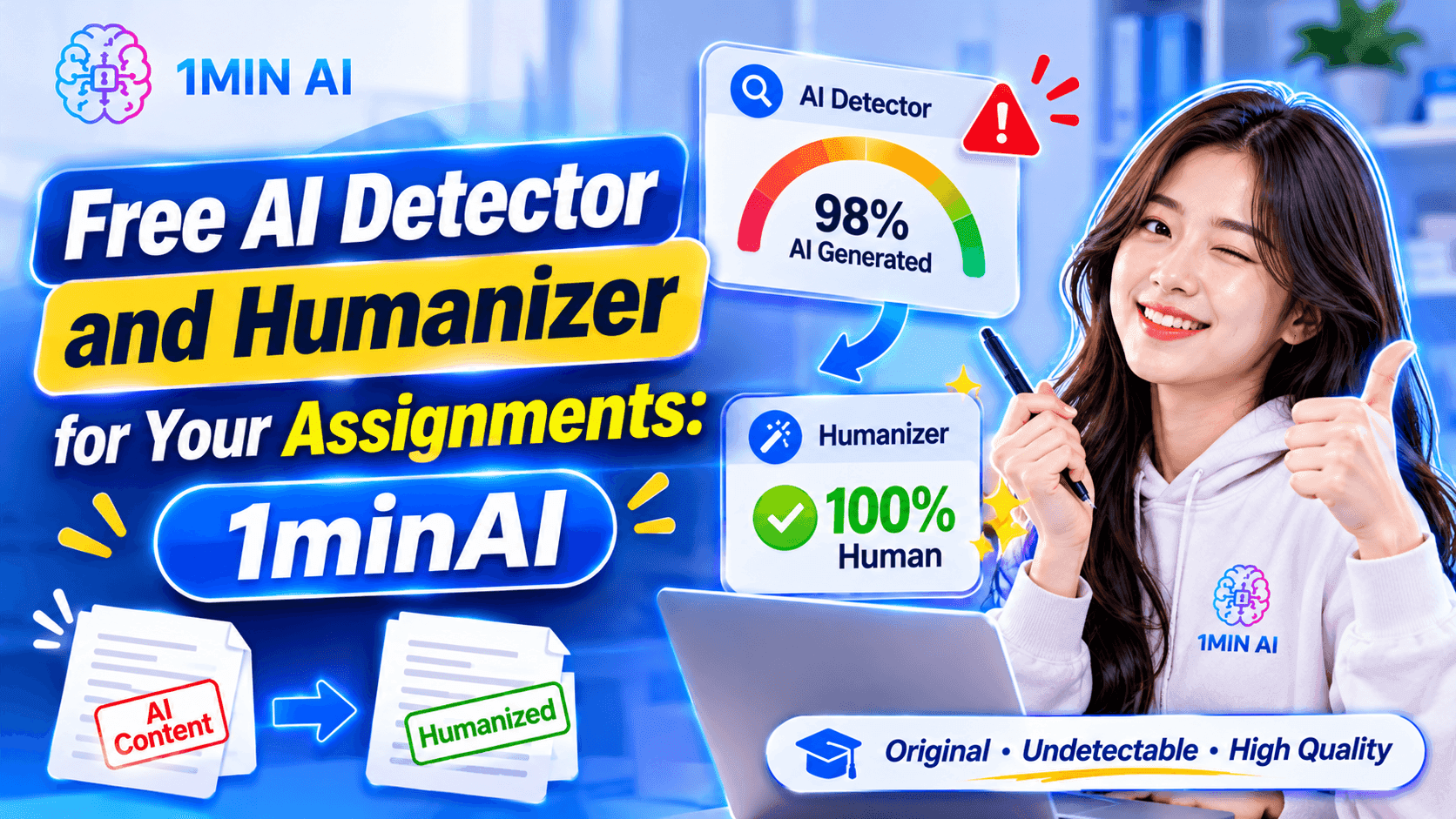
Use a free AI detector and humanizer to review assignments, improve clarity, and make your writing more natural with 1minAI. Learn a responsible workflow.
Many students search for a free AI detector and humanizer before submitting their assignments. An AI detector can help you examine whether text displays characteristics associated with AI-generated writing. A writing humanizer, meanwhile, can help improve sentence structure, clarity, tone, and readability. However, neither tool can guarantee a particular detection score or ensure that an assignment will pass every university's checks.
In this guide, you'll learn how AI detectors and humanizers work, how to review your assignments, and how to use 1minAI's free AI Content Detector, Rewriter, Content Expander, and Content Shortener in a responsible writing workflow.
What Is an AI Detector and Humanizer?
An AI detector and an AI humanizer are two different writing tools that support different stages of the writing process.
What Is an AI Detector?
An AI detector is a tool that analyzes text and estimates whether it contains patterns commonly associated with AI-generated writing.
Depending on the detection system, it may examine characteristics such as:
- Sentence structure and variation.
- Word choice and predictability.
- Repeated phrases and writing patterns.
- Linguistic characteristics associated with machine-generated text.
For students, an AI detector can provide an additional way to review a draft before submission.
For example, you may have written an essay yourself but used AI to help organize your ideas. You can analyze the draft to see whether certain sections display patterns that a detector identifies as potentially AI-generated.
However, an AI detector cannot reliably determine authorship from a score alone. Human-written text can be incorrectly flagged, while AI-generated text may not always be detected.
What Is an AI Humanizer?
An AI humanizer is a writing tool that helps make text sound more natural, clear, and personal.
It may improve writing by:
- Replacing repetitive expressions.
- Varying sentence structures.
- Simplifying overly complicated language.
- Improving transitions between ideas.
- Adjusting tone and readability.
- Preserving the original meaning while improving the wording.
For example, consider this sentence:
"Furthermore, it is important to acknowledge that artificial intelligence has a significant impact on the educational environment."
A more natural version might be:
"AI is also changing how students learn and complete their coursework."
The second sentence is more direct and easier to understand.
The purpose of humanizing your writing should be to communicate your ideas more clearly and develop a voice that reflects your own understanding—not to disguise prohibited AI use or bypass an academic integrity system.
Why Should Students Use an AI Detector and Humanizer?
Students have different writing styles, language backgrounds, and levels of academic experience. Some write concise sentences, while others prefer longer explanations. Students writing in a second language may also use grammar and rewriting tools to improve clarity.
An AI detector and humanizer can support the review process in several ways.
1. Review Your Assignment Before Submission
An AI detector can provide an additional signal about how your writing may be classified by a detection system.
If a section receives an unexpected result, review it carefully. Check whether the writing accurately represents your understanding and whether you can explain the ideas in your own words.
Do not automatically assume that a high AI score proves misconduct or that a low score proves human authorship.
2. Make Your Writing More Natural
Some academic drafts contain unnecessary formal expressions, repeated transitions, or sentences that are difficult to follow.
A humanizing workflow can help you identify and improve these problems.
For example, instead of writing:
"It can be observed that the implementation of artificial intelligence provides numerous advantages for students."
You could write:
"AI tools can offer several benefits to students."
The improved sentence communicates the same idea more directly.
3. Improve Clarity Without Changing Your Ideas
Students sometimes struggle to explain complex concepts in simple language.
A rewriting tool can suggest alternative wording, but you should always check that the revised sentence preserves the original meaning.
This is particularly important when writing about scientific concepts, legal definitions, technical terms, and research findings.
4. Develop Your Own Academic Writing Style
Your assignment should reflect your understanding, reasoning, and interpretation of the topic.
Use AI tools as editing support, but make the important decisions yourself:
- Which arguments should you include?
- What evidence supports your position?
- How do you interpret the findings?
- Which examples best explain your ideas?
- What conclusions can you defend?
The more actively you participate in the writing process, the more authentic and meaningful your final assignment becomes.
How to Use a Free AI Detector and Humanizer on 1minAI
1minAI brings several writing tools into one workspace, allowing you to review and improve text without switching between multiple websites.
For students, four particularly useful tools are:
Here's how to use them in a practical assignment-review workflow.
Step 1. Check Your Assignment With the Free AI Content Detector
Start by reviewing the text with the 1minAI Free AI Content Detector.
The tool allows you to paste text or upload a supported document for AI-content analysis.
A simple workflow looks like this:
- Open the 1minAI AI Content Detector.
- Copy your assignment text or upload a supported document.
- Start the analysis.
- Review the detection result.
- Identify sections that deserve closer attention.
<PRIVATE_PERSON> detector results should be treated as an indication, not a final judgment about who wrote the assignment.
For example, if a paragraph is flagged, ask yourself:
- Did I write this paragraph based on my own understanding?
- Can I explain the argument without reading the text?
- Are the examples and evidence relevant?
- Does the wording reflect how I normally communicate?
- Have I followed my university's AI-use rules?
If the writing is genuinely yours, keep your drafts, research notes, and version history. These can help demonstrate your writing process if questions arise.
Step 2. Improve Your Writing With AI Content Rewriter
Once you identify sentences that need improvement, you can use 1minAI AI Content Rewriter.
The Rewriter helps generate alternative wording for existing text. It can be useful when a paragraph is repetitive, unclear, too formal, or difficult to read.
For example, imagine your original sentence is:
"Due to the fact that students are increasingly using digital technologies, the educational environment is experiencing significant transformations."
You could ask the Rewriter to make it more concise and natural:
"Digital technology is changing how students learn and interact with educational resources."
Try this prompt:
"Review the following paragraph and improve its clarity, sentence flow, and readability. Keep the original meaning, preserve important academic terminology, and avoid adding unsupported information. Use clear academic English without unnecessary formal expressions."
Paste your paragraph and review the suggested version.
Student tip: Do not replace your entire assignment with rewritten text automatically. Compare the original and revised versions, keep the changes that improve your explanation, and make sure you understand every sentence.
Step 3. Expand Short or Underdeveloped Explanations
Sometimes an assignment does not need shorter sentences. It needs better explanations.
You may have a paragraph that introduces an idea but does not explain why it matters or provide enough supporting detail.
In this situation, try the 1minAI AI Content Expander.
It can help develop a short draft into a more detailed explanation by adding relevant context, examples, and transitions.
For example, your original paragraph might be:
"Renewable energy is important because it reduces dependence on fossil fuels."
This is a reasonable starting point, but it could be developed further by explaining the environmental and economic implications.
Try this prompt:
"Expand this paragraph into a more detailed academic explanation. Develop the existing argument, explain why the topic matters, and identify areas where evidence or examples would strengthen the discussion. Do not invent statistics, citations, or research findings. Keep the language clear and appropriate for a university assignment."
The result should give you ideas to evaluate and develop.
Remember that an expanded paragraph is not automatically a better paragraph. Check every additional claim against reliable sources and include appropriate citations.
Step 4. Make Overly Long Sections More Concise
The opposite problem also happens: your assignment may contain long explanations, unnecessary repetition, or sentences that communicate the same idea multiple times.
Use 1minAI AI Content Shortener to make the text more concise.
The tool can help reduce lengthy content while preserving its main message.
Try this prompt:
"Shorten the following paragraph while preserving its main argument, important evidence, and academic terminology. Remove repetitive expressions and unnecessary wording. Do not remove essential explanations or citations."
This is particularly useful when:
- You need to meet a word limit.
- Your introduction is too long.
- Several sentences repeat the same point.
- Your conclusion contains unnecessary details.
- You need to make a paragraph easier to understand.
After shortening, check that the paragraph still contains enough explanation to support your argument.
Can an AI Detector Guarantee That Your Assignment Will Pass 100%?
No. There is no reliable way to guarantee that an assignment will receive a 0% AI detection score or pass every AI detector.
AI detection systems use different models and evaluation methods. They may produce different results for the same paragraph.
Even human-written text can be incorrectly classified as AI-generated.
Turnitin itself explains that its AI writing detection may misidentify human-written, AI-generated, and AI-paraphrased text. It also advises educators not to use the AI score as the sole basis for adverse decisions against students.
The Australian Tertiary Education Quality and Standards Agency (TEQSA) similarly warns that AI detection tools have limitations, including false positives, and should be used with caution.
This means you should not treat an AI detector score as proof that you did or did not use AI.
What Should You Do If Your Own Writing Is Flagged?
If a detector flags a paragraph that you genuinely wrote:
- Keep your original draft and document history.
- Review your notes and references.
- Check whether the flagged paragraph is clear and accurately written.
- Make improvements based on genuine writing issues, not just the detector result.
- Ask your instructor about the institution's review process if you are concerned.
Do not repeatedly rewrite your work just to chase a lower score. Different tools can return different results, and excessive rewriting may make your argument less clear.
What If Your University Allows AI Assistance?
Some universities permit limited AI assistance for brainstorming, grammar correction, translation, or editing. Others have stricter requirements.
Before using an AI detector or humanizer, check:
- Whether AI-assisted editing is permitted.
- Whether you must disclose AI use.
- Whether AI-generated text can be included in assignments.
- Whether you need to cite AI-generated material.
- Whether your institution has specific rules about third-party writing tools.
When in doubt, ask your lecturer or academic advisor.
Conclusion
An AI detector and humanizer can be useful additions to a student's writing workflow, especially when you want to review your draft, improve readability, and make your explanations clearer.
However, no tool can guarantee that an assignment will pass every AI detector or receive a perfect score. The best way to prepare a strong assignment is to understand your topic, develop your own arguments, use credible sources, and follow your institution's rules for AI assistance.
With 1minAI, you can bring several writing tasks together in one workspace. Use the Free AI Content Detector to review your draft, Rewriter to improve unclear sentences, Expander to develop ideas, and Shortener to remove unnecessary wording.
Start with your own ideas, use AI as an editing assistant, and make sure the final assignment reflects what you genuinely understand.
For more AI capabilities, visit 1minAI Features and try the 1minAI Agent.
- #Commerce
Alternatives
Discover the best alternatives to 1minAI and compare features, pricing, and use cases.

1min.AI vs OpenRouter
1min.AI vs. OpenRouter: Compare the ready-to-use AI creation product against the technical API tool. Find out if you need a zero-code creative studio or a coding infrastructure hub.
 Ngoc Hong

1min.AI vs. Metricool: Which Platform Does More for Your Marketing Workflow?
Compare 1min.AI vs. Metricool across content creation, visual production, scheduling, analytics, MCP, and pricing to find the right platform for your marketing workflow.

1min.AI vs. Hootsuite: Which Social Media Tool Fits Your Workflow?
Compare 1min.AI vs. Hootsuite to explore their AI content creation, social media publishing, analytics, pricing, and collaboration features. Find the right tool for your workflow.
AI Tools
Discover the best AI tools to boost productivity, creativity, and everyday work.

Create Consistent Cartoon Content in Just a Few Steps
Create engaging cartoon videos for TikTok and Reels with 1min.AI. Research ideas, create characters, and turn images into animated videos in 3 simple steps.
 Lien Anh Vu

One Product, 10 UGC Creatives: How AI Makes Content Testing Easier
Create more authentic UGC with an AI UGC video generator, test more creative angles and scale affiliate content without filming every version.
Lien Anh Vu
Top 4 Affordable AI Tools for Startup Founders
Discover the top 4 affordable AI tools for startup founders to validate ideas, build products, create content, and launch faster without overspending.
 Tram Ta
AI Features
Comprehensive AI features that streamline workflows, improve efficiency, and empower teams to achieve more.
Create Consistent Cartoon Content in Just a Few Steps
Create engaging cartoon videos for TikTok and Reels with 1min.AI. Research ideas, create characters, and turn images into animated videos in 3 simple steps.
Lien Anh VuOne Product, 10 UGC Creatives: How AI Makes Content Testing Easier
Create more authentic UGC with an AI UGC video generator, test more creative angles and scale affiliate content without filming every version.
Lien Anh Vu
1minAI: Free AI Grammar Checker
Check grammar for free with 1minAI’s AI grammar checker. Find grammar, spelling, and writing mistakes, improve clarity, and polish your content in seconds.
Tram TaAI Use Cases
A curated collection of AI use cases for business, productivity, and industry-specific applications.
Create Consistent Cartoon Content in Just a Few Steps
Create engaging cartoon videos for TikTok and Reels with 1min.AI. Research ideas, create characters, and turn images into animated videos in 3 simple steps.
Lien Anh VuOne Product, 10 UGC Creatives: How AI Makes Content Testing Easier
Create more authentic UGC with an AI UGC video generator, test more creative angles and scale affiliate content without filming every version.
Lien Anh Vu
Best Time to Post on Instagram: A Practical Guide for Better Engagement
Discover the best time to post on Instagram, including the best days and times for different audiences, plus tips to find the ideal posting schedule for your account.
Tram TaAI Tutorials
Learn how to use AI with practical, step-by-step tutorials.

Black Friday AI Tool Deals in 2026
Discover what Black Friday AI tool deals 2026 has to offer. Find out how to secure the 1min.AI lifetime deal via AppSumo, Dealify, Stack Social, and verify on Trustpilot, Slashdot, and Software Advice.
 Hang Nguyen
Create Consistent Cartoon Content in Just a Few Steps
Create engaging cartoon videos for TikTok and Reels with 1min.AI. Research ideas, create characters, and turn images into animated videos in 3 simple steps.
Lien Anh Vu
[Seedance 2.5 New] Better AI Product Videos, Less Rework in 1min.AI
Use Seedance 2.5 image to video on 1min.AI to create more consistent AI product videos, reduce failed generations, save credits, and improve UGC workflows.
Lien Anh VuAI Guides
Learn AI faster with practical guides, real-world examples, and actionable best practices.

Safely Buy AI Tools Online: 2026 Black Friday Guide
Discover how to find and secure the best Black Friday AI deals online. Learn expert strategies to avoid scams, combat subscription fatigue, and verify software.
Hang NguyenCreate Consistent Cartoon Content in Just a Few Steps
Create engaging cartoon videos for TikTok and Reels with 1min.AI. Research ideas, create characters, and turn images into animated videos in 3 simple steps.
Lien Anh Vu[Seedance 2.5 New] Better AI Product Videos, Less Rework in 1min.AI
Use Seedance 2.5 image to video on 1min.AI to create more consistent AI product videos, reduce failed generations, save credits, and improve UGC workflows.
Lien Anh VuAI Solutions
Browse the best AI solutions for automation, coding, research, productivity, customer support, marketing, and business workflows.
Safely Buy AI Tools Online: 2026 Black Friday Guide
Discover how to find and secure the best Black Friday AI deals online. Learn expert strategies to avoid scams, combat subscription fatigue, and verify software.
Hang NguyenCreate Consistent Cartoon Content in Just a Few Steps
Create engaging cartoon videos for TikTok and Reels with 1min.AI. Research ideas, create characters, and turn images into animated videos in 3 simple steps.
Lien Anh VuOne Product, 10 UGC Creatives: How AI Makes Content Testing Easier
Create more authentic UGC with an AI UGC video generator, test more creative angles and scale affiliate content without filming every version.
Lien Anh VuAI Models
Explore the world's leading AI models in one place.
Create Consistent Cartoon Content in Just a Few Steps
Create engaging cartoon videos for TikTok and Reels with 1min.AI. Research ideas, create characters, and turn images into animated videos in 3 simple steps.
Lien Anh VuOne Product, 10 UGC Creatives: How AI Makes Content Testing Easier
Create more authentic UGC with an AI UGC video generator, test more creative angles and scale affiliate content without filming every version.
Lien Anh Vu[Seedance 2.5 New] Better AI Product Videos, Less Rework in 1min.AI
Use Seedance 2.5 image to video on 1min.AI to create more consistent AI product videos, reduce failed generations, save credits, and improve UGC workflows.
Lien Anh VuAI Comparisons
Compare AI tools, models, and platforms to find the best fit for your needs.

Kling AI Vs Veo 3: Which Model Wins?
Kling AI vs Veo 3: compare motion, native audio, pricing & free tiers to see which AI video generator wins for your project - try both on 1min.AI.
 Trang Tran
[Seedance 2.5 New] Better AI Product Videos, Less Rework in 1min.AI
Use Seedance 2.5 image to video on 1min.AI to create more consistent AI product videos, reduce failed generations, save credits, and improve UGC workflows.
Lien Anh Vu
DeepSeek V4 Pro vs Flash Comparison
Compare DeepSeek V4 Pro vs DeepSeek V4 Flash metrics. Optimize your agentic apps and improve AI fact checking on 1min.ai today.
Ngoc HongAI Integrations
Seamlessly integrate AI with the tools you already use to automate work and boost productivity.

POV: You Have 10+ Posts to Make Every Day
Learn how to build an AI content workflow that helps content creators produce 10+ social media posts a day faster with AI brainstorming, image generation, and content creation.
Lien Anh Vu
How to Use an AI Fashion Video Generator for Fashion Week 2026
Turn Fashion Week 2026 ideas into stunning fashion videos with AI. Learn how to brainstorm, create visuals, and transform images into videos with one simple workflow.
Lien Anh Vu
Stop Switching Between AI Apps: How AI Integration Transforms Employer Branding
Discover how AI integration helps HR teams streamline employer branding by combining AI writing, documents, images, video, and multiple AI models into one workspace.
Tram TaAI for Industries
Find the best AI tools and workflows for healthcare, finance, education, legal, manufacturing, retail, real estate, and more
Try Image To Video AI With Prompt Online Free
Try image to video AI with prompt online free, no login and no watermark. Upload a photo, type the motion you want, and get a short video in minutes.
Trang Tran
No Photoshoot? Create AI Fashion Videos With Seedance 2.5
No photoshoot needed! Create stunning AI fashion videos with Seedance 2.5 on 1min.AI using outfit references, cinematic prompts, and surreal scenes.
Lien Anh Vu
Voice Cloning AI Free: How to Clone Any Voice Online in Minutes
Try voice cloning AI free with 1min.AI. Upload a 5-second clip, pick an ElevenLabs model, choose from 32 languages, and turn text to speech in your own voice.
Trang TranAI Agents
Discover and run AI agents to automate tasks across your work and daily life.
1minAI: Free AI Grammar Checker
Check grammar for free with 1minAI’s AI grammar checker. Find grammar, spelling, and writing mistakes, improve clarity, and polish your content in seconds.
Tram Ta
AI Agents for Facebook
Use an AI Agent for Facebook to create content, generate images, schedule posts, and publish from your documents and conversations.
Ngoc Hong
AI Agent vs AI Assistant: Which One Actually Saves Designers More Time?
Learn the difference between AI Agent vs AI Assistant and discover which solution helps designers automate repetitive work, reduce revisions, and save more time.
Lien Anh VuAI Workflows
Explore ready-to-use AI workflows for productivity, marketing, sales, support, and more.
Create Consistent Cartoon Content in Just a Few Steps
Create engaging cartoon videos for TikTok and Reels with 1min.AI. Research ideas, create characters, and turn images into animated videos in 3 simple steps.
Lien Anh VuOne Product, 10 UGC Creatives: How AI Makes Content Testing Easier
Create more authentic UGC with an AI UGC video generator, test more creative angles and scale affiliate content without filming every version.
Lien Anh VuPOV: You Have 10+ Posts to Make Every Day
Learn how to build an AI content workflow that helps content creators produce 10+ social media posts a day faster with AI brainstorming, image generation, and content creation.
Lien Anh VuNewsletter
Weekly AI Innovations with 1minAI

🔮 Weekly AI Innovations #146: Mistral 3.5, Qwen Image & Cohere A+ are ready on 1min.ai
Deploy Mistral Large 3, Qwen Image 3.0, and Cohere Command A+ on 1min.ai. Boost RAG accuracy and cut visual generation latency in one unified AI workspace.
Hang Nguyen
🔮 Weekly AI Innovations #145: X Content Agent & GPT 6.1 Terra on 1min.ai
Scale viral reach with the X Content Agent on 1min.ai. Discover an end-to-end 4-stage pipeline with zero token burn, plus the launch of GPT 6.1 Terra.
Hang Nguyen
🔮 Weekly AI Innovations #144: LinkedIn Content Agent: Complete B2B Publishing Pipeline
Scale B2B influence with the LinkedIn Content Agent on 1min.ai. Discover an end-to-end 4-stage pipeline with zero redundant token burn and 1-click publishing.
Hang Nguyen