
7+ Ways to Use Free AI Chat for Work, Study & Everyday Tasks

Tram Ta
September 8, 2026
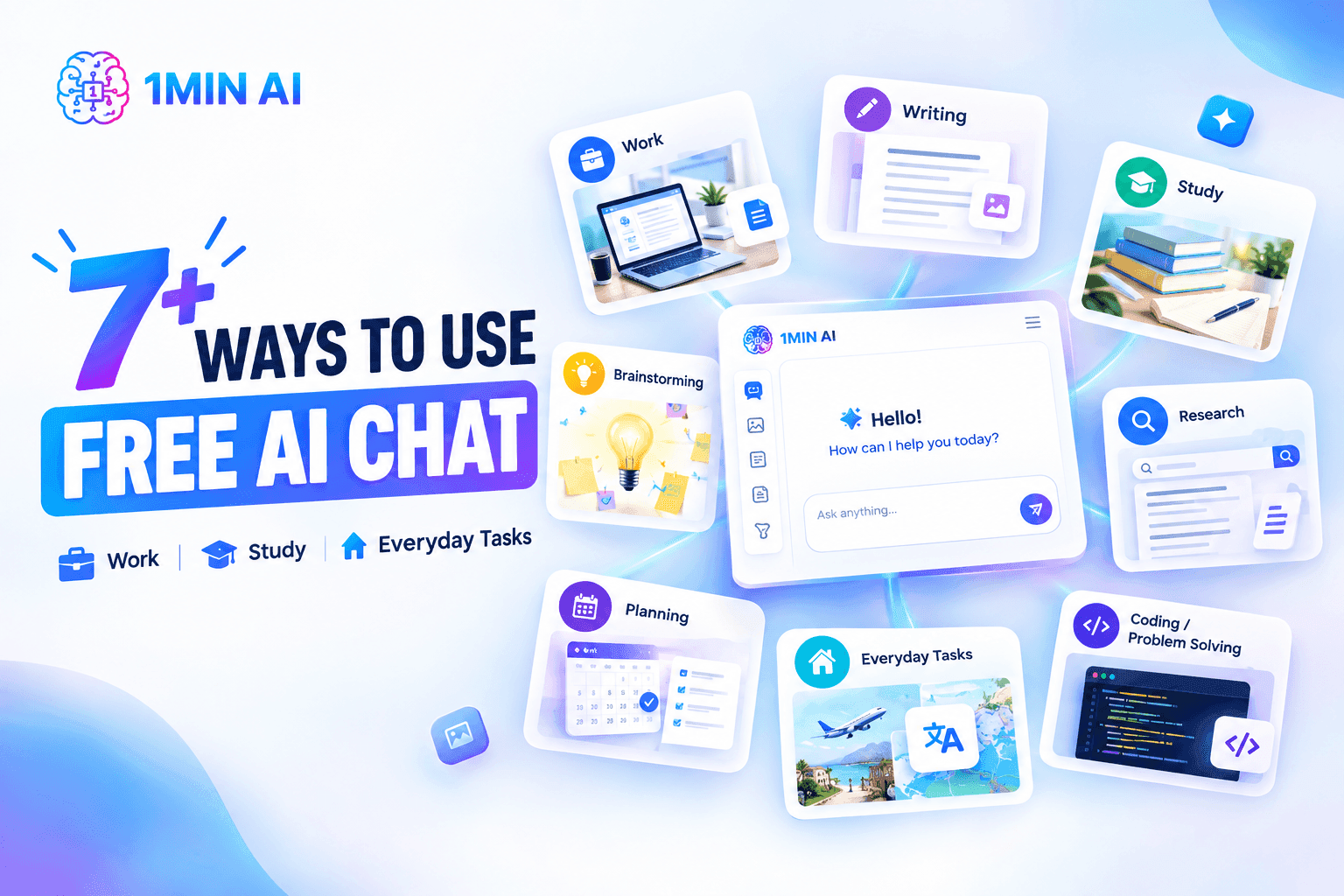
Discover 7+ ways to use free AI chat for work, study, and everyday tasks, from writing and research to brainstorming, learning, coding, and planning.
AI chat has quickly become one of the easiest ways to get help with everyday tasks. You can ask a question, brainstorm ideas, rewrite a paragraph, summarize information, practice a language, or get help understanding a difficult topic—all through a simple conversation.
The best part is that you don't need to be an AI expert to get started. A free AI chat tool can act as a writing assistant, study partner, brainstorming partner, research helper, and everyday productivity tool.
Whether you're working on a project, studying for an exam, managing your daily schedule, or simply looking for a faster way to get things done, here are 7+ practical ways to use free AI chat.
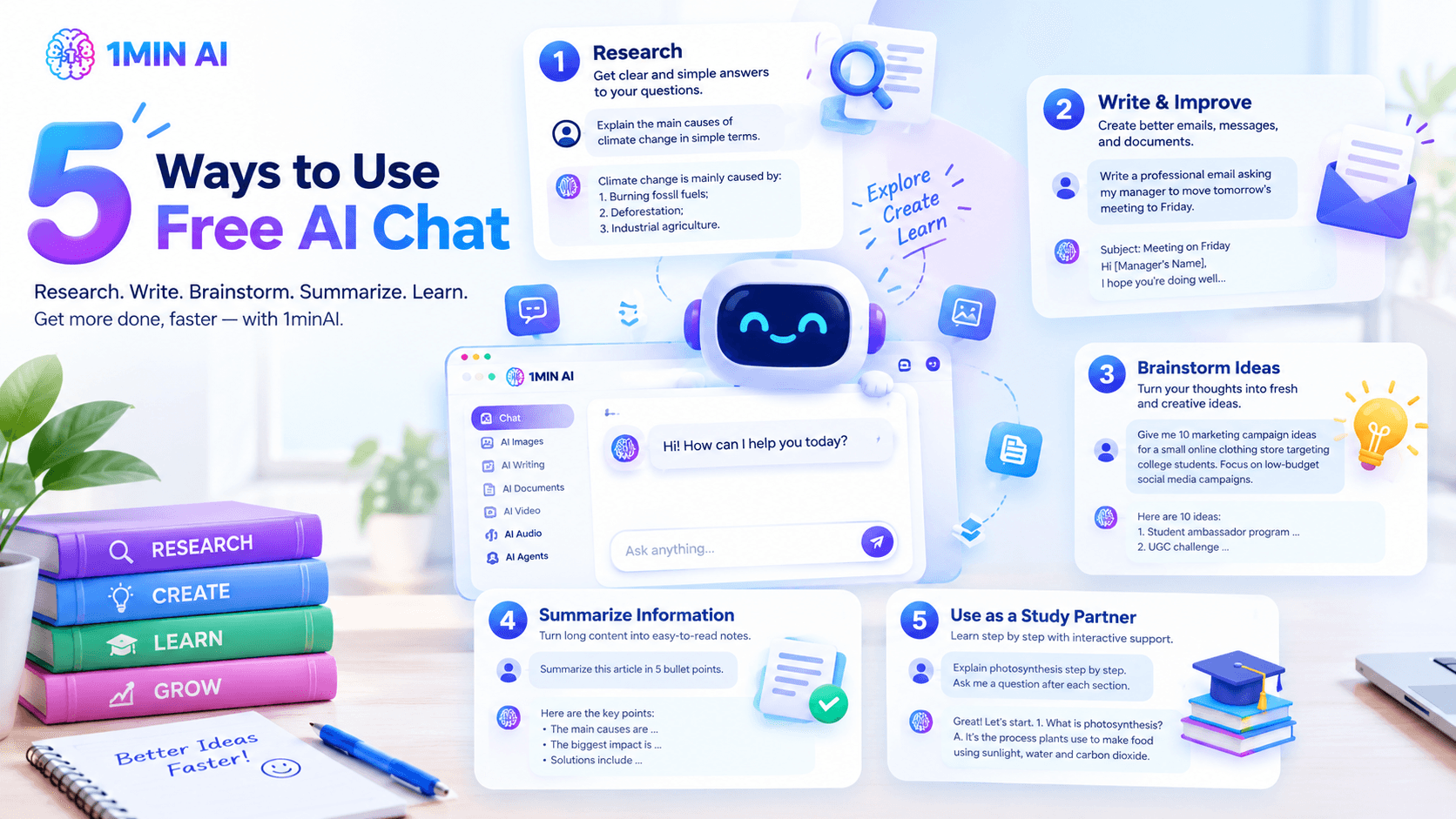
1. Research Topics and Get Quick Answers
One of the simplest ways to use free AI chat is to get help with research.
Instead of spending time figuring out how to approach a topic, you can start by asking AI to explain it in simple terms. You can then continue the conversation with follow-up questions to explore specific details.
For example, you could ask: "Explain the main causes of climate change in simple terms."
Then follow up with: "What are the three most important causes?"
Or: "Turn this explanation into notes I can use for a presentation."
This conversational approach can help you move from a broad question to a more focused understanding of the subject.
AI chat can be particularly useful during the early stages of research when you need to understand terminology, identify possible angles, organize questions, or generate ideas for further investigation.
Tip: Don't stop at your first question. Treat the AI conversation as a starting point and ask follow-up questions to clarify, compare, or organize the information.
2. Write and Improve Emails, Messages, and Documents
Writing can take longer than expected, especially when you know what you want to say but aren't sure how to phrase it.
Free AI chat can help turn rough ideas into clearer writing.
For example, you can provide a simple instruction such as: "Write a professional email asking my manager to move tomorrow's meeting to Friday."
You can then adjust the response: "Make it shorter and more friendly."
Or: "Make the tone professional but not too formal."
This is useful for:
- Professional emails
- Customer messages
- Meeting follow-ups
- Business proposals
- Internal communications
- Social media posts
- Introductions
- Thank-you messages
You can also use AI to rewrite existing text without completely changing the meaning.
For example: "Rewrite this paragraph to make it clearer and easier to understand."
The key is to provide enough context about the audience, purpose, and tone you want.
3. Brainstorm Ideas When You're Stuck
Sometimes the hardest part of a task isn't writing—it is figuring out what to write about in the first place.
Free AI chat can work as a brainstorming partner when you have a blank page.
Suppose you're planning a marketing campaign. Instead of asking: "Give me marketing ideas."
Try something more specific: "Give me 10 marketing campaign ideas for a small online clothing store targeting college students. Focus on low-budget social media campaigns."
You can then ask the AI to expand the strongest ideas, combine two concepts, or create a step-by-step plan.
This works for many situations:
- Blog topics
- Business ideas
- Marketing campaigns
- Social media content
- YouTube videos
- Presentation topics
- Product names
- Event ideas
- Creative projects
You don't have to accept the first response as the final answer. Use the conversation to refine your ideas until you find an approach that fits your goal.
4. Summarize Long Information Into Easy-to-Read Notes
Long documents, articles, reports, and study materials can be difficult to process quickly.
AI chat can help turn complicated information into shorter, more organized notes.
For example, you can ask: "Summarize this text in 5 bullet points."
For studying, you could go further: "Turn these notes into a study guide with key terms and definitions."
Or: "Explain the most important concepts from this material as if I'm a beginner."
This can be useful when you need to quickly understand the main points before deciding what deserves a deeper read.
You can also ask AI to change the format of information. A long explanation could become:
- Bullet-point notes
- A short summary
- A table
- Frequently asked questions
- Flashcards
- A presentation outline
The important thing is to use summarization as a way to organize information, not as a replacement for checking important source material.
5. Use Free AI Chat as a Study Partner
Students can use AI chat for much more than getting direct answers.
It can act as an interactive study partner.
For example, instead of asking: "What is photosynthesis?"
You could say: "Teach me photosynthesis step by step. Ask me a question after each section to check whether I understand it."
You can also ask AI to:
- Explain difficult concepts in simpler language
- Create practice questions
- Generate quizzes
- Give examples
- Compare two concepts
- Create flashcards
- Review your answers
- Help organize study notes
If you're preparing for an exam, try: "Create a 10-question quiz about World War II. Start with easy questions and gradually make them more difficult. Don't show the answers until I respond."
This turns AI chat from a simple answer generator into something closer to an interactive tutor.
6. Practice a Language and Improve Communication Skills
Learning a new language often requires regular conversation practice, but finding someone to practice with isn't always easy.
Free AI chat can provide a convenient way to practice conversations whenever you have time.
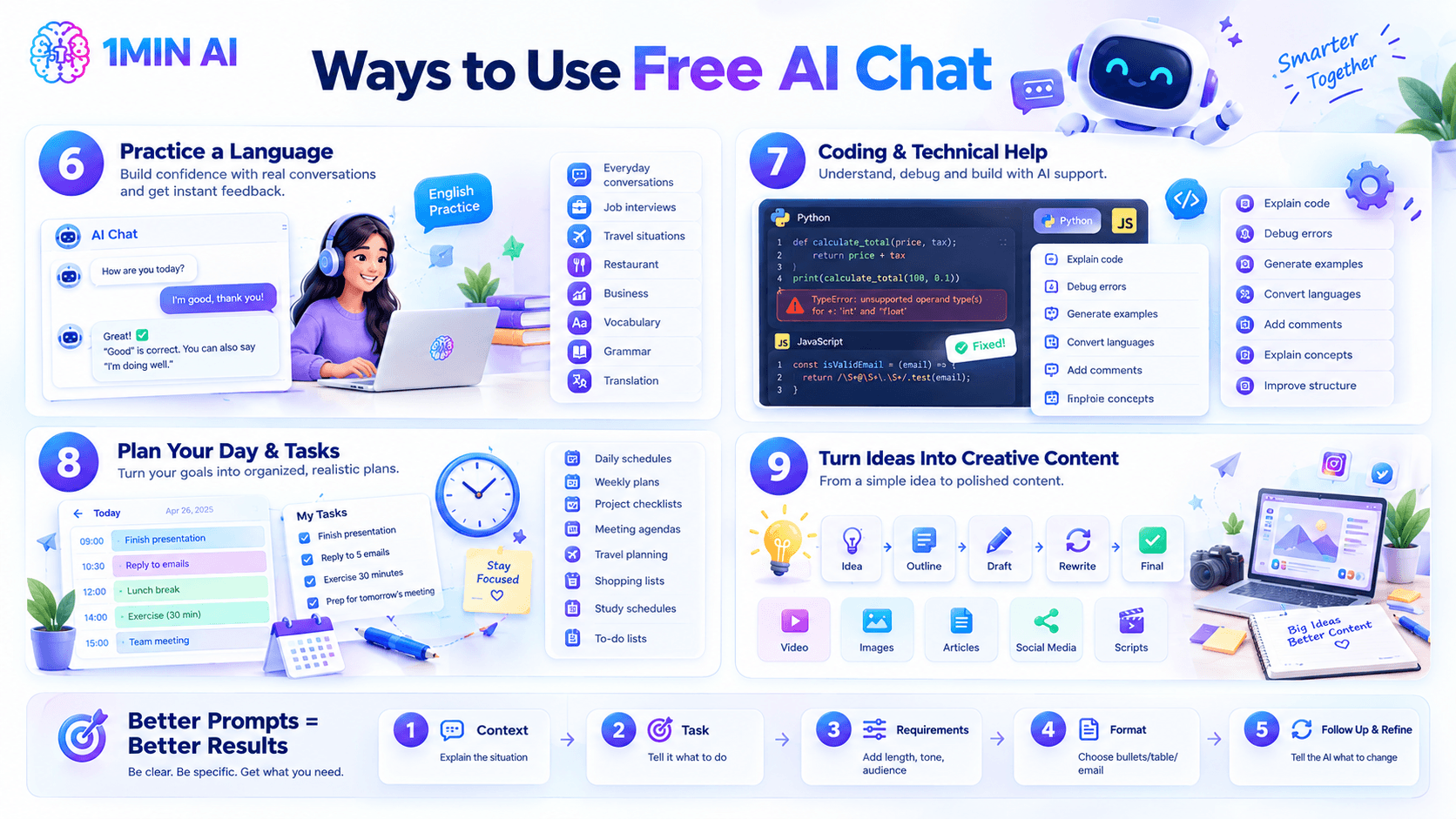
For example: "Act as my English conversation partner. Ask me one question at a time and correct my grammar after I answer."
You can customize the conversation based on your level and goals.
Try practicing:
- Everyday conversations
- Job interviews
- Travel situations
- Restaurant conversations
- Business communication
- Vocabulary
- Grammar
- Translation
You can also ask the AI to explain why a particular sentence sounds unnatural rather than simply giving you the corrected version.
This can make the learning process more interactive and help you understand recurring mistakes.
7. Get Help With Coding and Technical Problems
You don't have to be an experienced developer to use AI chat for coding.
Beginners can use it to understand programming concepts, while experienced developers can use it as a second pair of eyes when working through a technical problem.
For example: "Explain what this Python function does line by line."
Or: "Write a simple JavaScript function that checks whether an email address contains a valid format."
You can also ask AI to:
- Explain error messages
- Debug code
- Generate code examples
- Convert code between languages
- Add comments to code
- Explain programming concepts
- Suggest ways to improve code structure
When working with technical information, always test generated code and verify important details before using it in a production environment.
8. Plan Your Day, Projects, and Personal Tasks
AI chat can also help with everyday planning.
Instead of trying to organize everything yourself, describe what you need to accomplish and ask AI to turn it into a practical plan.
For example: "I have three hours tonight. I need to finish a presentation, reply to five emails, exercise for 30 minutes, and prepare for tomorrow's meeting. Create a realistic schedule."
You can make the request more specific by adding deadlines, priorities, or available time.
AI can help create:
- Daily schedules
- Weekly plans
- Project checklists
- Meeting agendas
- Travel planning outlines
- Shopping lists
- Study schedules
- Personal to-do lists
The more context you provide, the more useful the resulting plan can become.
9. Turn Rough Ideas Into Creative Content
Free AI chat can also help when you have an idea but don't know how to develop it.
A simple concept can become an outline, story, article, social media post, or video script through a series of prompts.
For example: "I want to create a short video about saving money as a college student. Give me five possible angles."
After choosing an idea, continue with: "Create a 60-second video script using this angle."
Then: "Make the opening more attention-grabbing."
This iterative approach is often more useful than asking AI to create a complete piece of content from one vague prompt.
You can use AI chat to move through the creative process:
Idea → Outline → Draft → Rewrite → Final Version
That makes it useful for creators, marketers, students, and anyone who regularly needs to communicate ideas.
How to Get Better Results From Free AI Chat
The quality of an AI response often depends on how clearly you describe what you need.
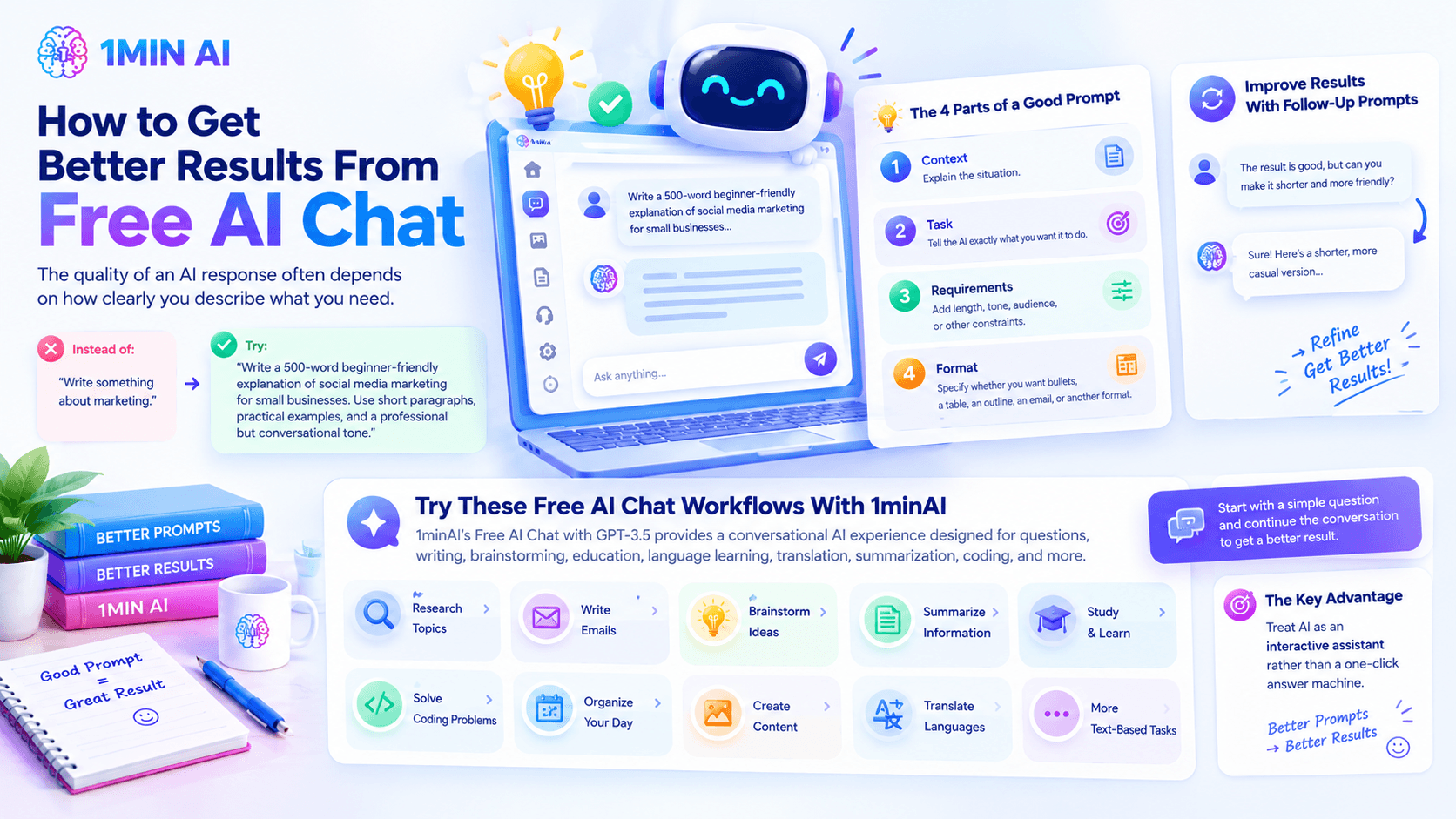
Instead of: "Write something about marketing."
Try: "Write a 500-word beginner-friendly explanation of social media marketing for small businesses. Use short paragraphs, practical examples, and a professional but conversational tone."
A useful prompt usually includes four things:
1. Context — Explain the situation.
2. Task — Tell the AI exactly what you want it to do.
3. Requirements — Add length, tone, audience, or other constraints.
4. Format — Specify whether you want bullets, a table, an outline, an email, or another format.
You can also improve results through follow-up prompts. If the first answer isn't quite right, tell the AI what needs to change instead of starting over.
Try These Free AI Chat Workflows With 1minAI
If you want to put these ideas into practice, 1minAI's Free AI Chat with GPT-3.5 provides a conversational AI experience designed for questions, writing, brainstorming, education, language learning, translation, summarization, coding, and other text-based tasks.
You can start with a simple question and continue the conversation with follow-up instructions to refine the result.
Free AI chat can be useful far beyond simple questions and answers. You can use it to research topics, write emails, brainstorm ideas, summarize information, study, practice languages, solve coding problems, organize your day, and develop creative projects.
The biggest advantage comes from treating AI as an interactive assistant rather than a one-click answer machine.
Start with a clear prompt, provide useful context, review the response, and continue the conversation when you need a better result.
For further use cases: READ HERE
Alternatives
Discover the best alternatives to 1minAI and compare features, pricing, and use cases.

1min.AI vs OpenRouter
1min.AI vs. OpenRouter: Compare the ready-to-use AI creation product against the technical API tool. Find out if you need a zero-code creative studio or a coding infrastructure hub.
 Ngoc Hong
1min.AI vs Chatplayground AI
Compare 1min.AI (Voice Cloning, Object Removal, Team Plans) vs. ChatPlayground AI (14+ Models, Teams/O365 Integration). Discover the superior platform for predictable pricing and long-term content production growth.
Ngoc Hong
1min.AI vs Krater AI
Compare 1min.AI vs Krater AI features, pricing, AI models, and workflows to find the best all-in-one AI tool for content, design, and productivity.
Ngoc HongAI Tools
Discover the best AI tools to boost productivity, creativity, and everyday work.

Top 4 Affordable AI Tools for Startup Founders
Discover the top 4 affordable AI tools for startup founders to validate ideas, build products, create content, and launch faster without overspending.
 Tram Ta
Turn “Make It Better” Into Better Content With AI
Use AI to turn vague client feedback into clear revisions, reduce unnecessary edits, and deliver better content faster.
 Lien Anh Vu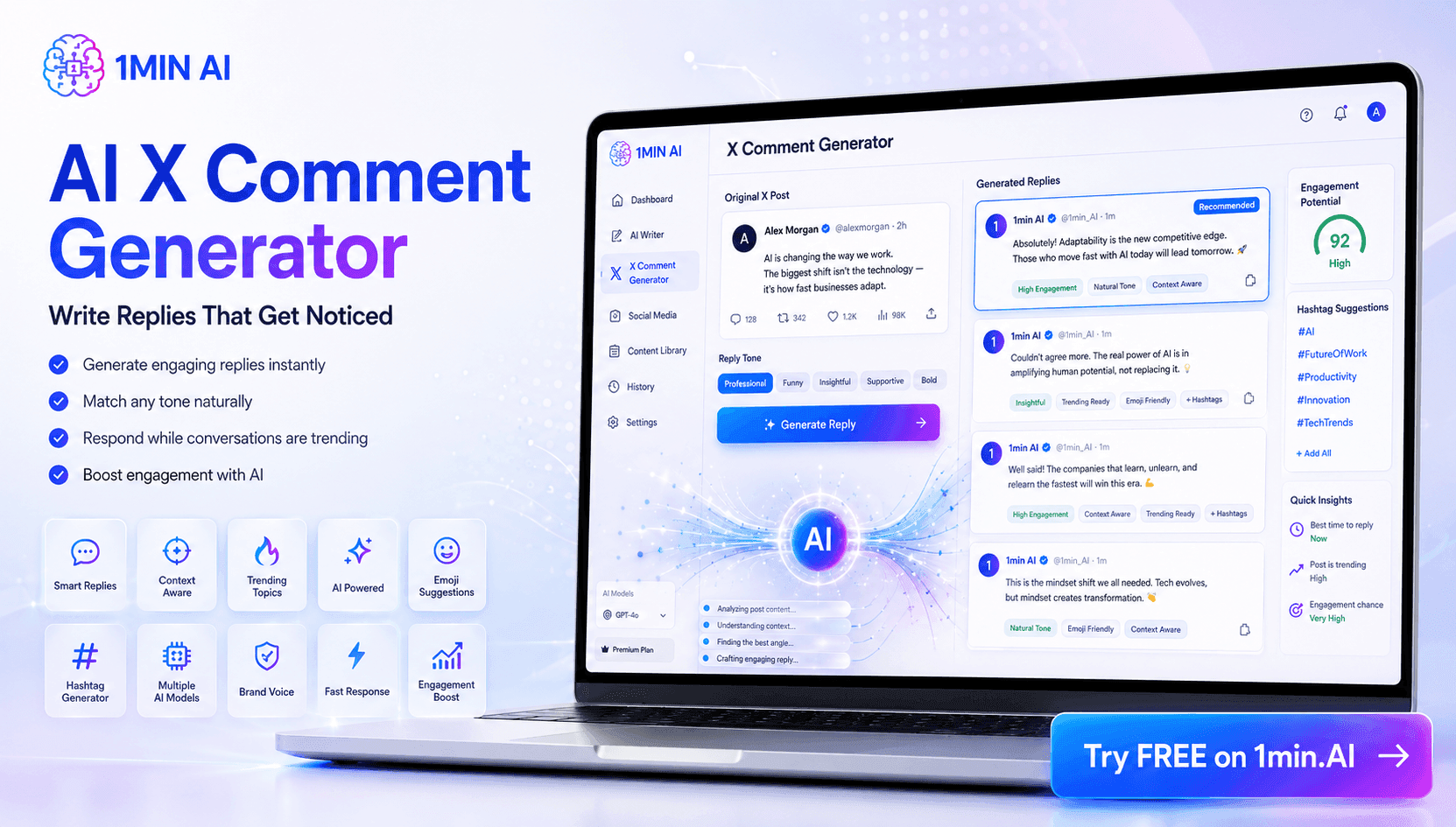
Free AI X Comment
Create funny, witty, or insightful comments for Twitter with our AI-powered Twitter Comment Generator. Boost your engagement and stand out in the crowd!
 Trang Tran
AI Features
Comprehensive AI features that streamline workflows, improve efficiency, and empower teams to achieve more.

One Product, 10 UGC Creatives: How AI Makes Content Testing Easier
Create more authentic UGC with an AI UGC video generator, test more creative angles and scale affiliate content without filming every version.
Lien Anh Vu
Create Consistent Cartoon Content in Just a Few Steps
Create cartoon videos for TikTok and Reels in 3 simple steps with 1min.AI, from researching ideas to characters and animated videos.
Lien Anh Vu
1minAI: Free AI Grammar Checker
Check grammar for free with 1minAI’s AI grammar checker. Find grammar, spelling, and writing mistakes, improve clarity, and polish your content in seconds.
Tram TaAI Use Cases
A curated collection of AI use cases for business, productivity, and industry-specific applications.
One Product, 10 UGC Creatives: How AI Makes Content Testing Easier
Create more authentic UGC with an AI UGC video generator, test more creative angles and scale affiliate content without filming every version.
Lien Anh Vu
Best Time to Post on Instagram: A Practical Guide for Better Engagement
Discover the best time to post on Instagram, including the best days and times for different audiences, plus tips to find the ideal posting schedule for your account.
Tram TaTurn “Make It Better” Into Better Content With AI
Use AI to turn vague client feedback into clear revisions, reduce unnecessary edits, and deliver better content faster.
Lien Anh VuAI Tutorials
Learn how to use AI with practical, step-by-step tutorials.

Black Friday AI Tool Deals in 2026
Discover what Black Friday AI tool deals 2026 has to offer. Find out how to secure the 1min.AI lifetime deal via AppSumo, Dealify, Stack Social, and verify on Trustpilot, Slashdot, and Software Advice.
 Hang Nguyen
Create Consistent Cartoon Content in Just a Few Steps
Create cartoon videos for TikTok and Reels in 3 simple steps with 1min.AI, from researching ideas to characters and animated videos.
Lien Anh VuTurn “Make It Better” Into Better Content With AI
Use AI to turn vague client feedback into clear revisions, reduce unnecessary edits, and deliver better content faster.
Lien Anh VuAI Guides
Learn AI faster with practical guides, real-world examples, and actionable best practices.

Safely Buy AI Tools Online: 2026 Black Friday Guide
Discover how to find and secure the best Black Friday AI deals online. Learn expert strategies to avoid scams, combat subscription fatigue, and verify software.
Hang NguyenCreate Consistent Cartoon Content in Just a Few Steps
Create cartoon videos for TikTok and Reels in 3 simple steps with 1min.AI, from researching ideas to characters and animated videos.
Lien Anh Vu
How to Use an AI Fashion Video Generator for Fashion Week 2026
Turn Fashion Week 2026 ideas into stunning fashion videos with AI. Learn how to brainstorm, create visuals, and transform images into videos with one simple workflow.
Lien Anh VuAI Solutions
Browse the best AI solutions for automation, coding, research, productivity, customer support, marketing, and business workflows.

Free AI Tattoo Generator: Custom Designs
Turn any idea into a custom tattoo design with 1min.AI's free AI tattoo generator. Describe your idea, pick a style, and download in seconds.
Trang TranSafely Buy AI Tools Online: 2026 Black Friday Guide
Discover how to find and secure the best Black Friday AI deals online. Learn expert strategies to avoid scams, combat subscription fatigue, and verify software.
Hang NguyenTurn “Make It Better” Into Better Content With AI
Use AI to turn vague client feedback into clear revisions, reduce unnecessary edits, and deliver better content faster.
Lien Anh VuAI Models
Explore the world's leading AI models in one place.
One Product, 10 UGC Creatives: How AI Makes Content Testing Easier
Create more authentic UGC with an AI UGC video generator, test more creative angles and scale affiliate content without filming every version.
Lien Anh VuCreate Consistent Cartoon Content in Just a Few Steps
Create cartoon videos for TikTok and Reels in 3 simple steps with 1min.AI, from researching ideas to characters and animated videos.
Lien Anh Vu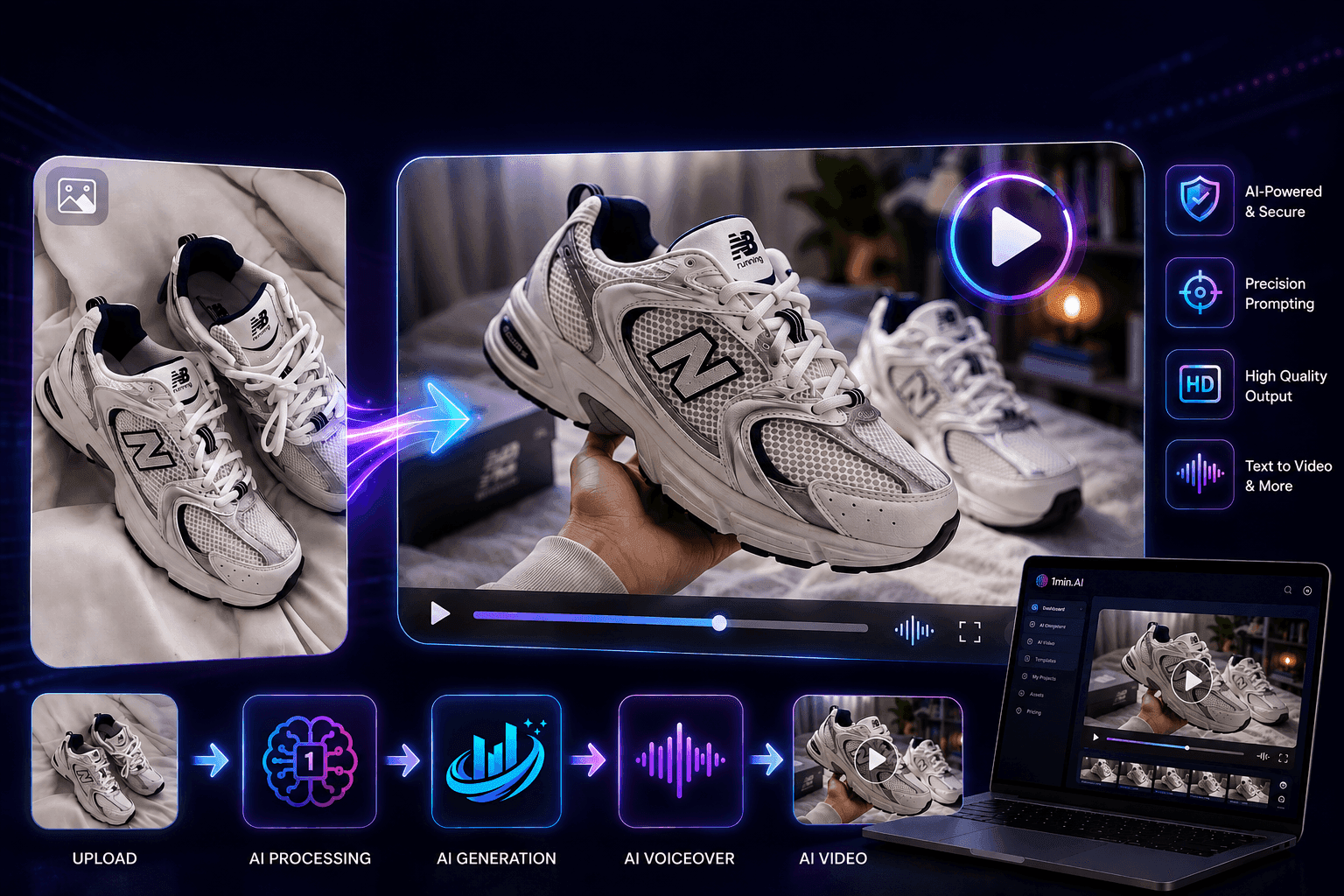
AI Image to Video Product Consistency with Seedance to Stop Warping and Scale Product Reviews
Stop warping logos with AI image to video product consistency and generate studio-grade review videos on 1min.AI today.
Lien Anh VuAI Comparisons
Compare AI tools, models, and platforms to find the best fit for your needs.

Kling AI Vs Veo 3: Which Model Wins?
Kling AI vs Veo 3: compare motion, native audio, pricing & free tiers to see which AI video generator wins for your project - try both on 1min.AI.
Trang Tran
DeepSeek V4 Pro vs Flash Comparison
Compare DeepSeek V4 Pro vs DeepSeek V4 Flash metrics. Optimize your agentic apps and improve AI fact checking on 1min.ai today.
Ngoc Hong
Top 5 Best AI Tools for Researchers and Students in 2026
Discover the best AI tools for researchers and students to summarize papers, improve academic writing, analyze PDFs, and streamline research workflows.
Tram TaAI Integrations
Seamlessly integrate AI with the tools you already use to automate work and boost productivity.

POV: You Have 10+ Posts to Make Every Day
Learn how to build an AI content workflow that helps content creators produce 10+ social media posts a day faster with AI brainstorming, image generation, and content creation.
Lien Anh VuHow to Use an AI Fashion Video Generator for Fashion Week 2026
Turn Fashion Week 2026 ideas into stunning fashion videos with AI. Learn how to brainstorm, create visuals, and transform images into videos with one simple workflow.
Lien Anh Vu
Stop Switching Between AI Apps: How AI Integration Transforms Employer Branding
Discover how AI integration helps HR teams streamline employer branding by combining AI writing, documents, images, video, and multiple AI models into one workspace.
Tram TaAI for Industries
Find the best AI tools and workflows for healthcare, finance, education, legal, manufacturing, retail, real estate, and more

Free AI Real Estate Video Generator
Turn listing photos into narrated property videos with AI real estate video tools. See how 1min.AI creates walkthroughs, voiceovers & captions in minutes.
Trang Tran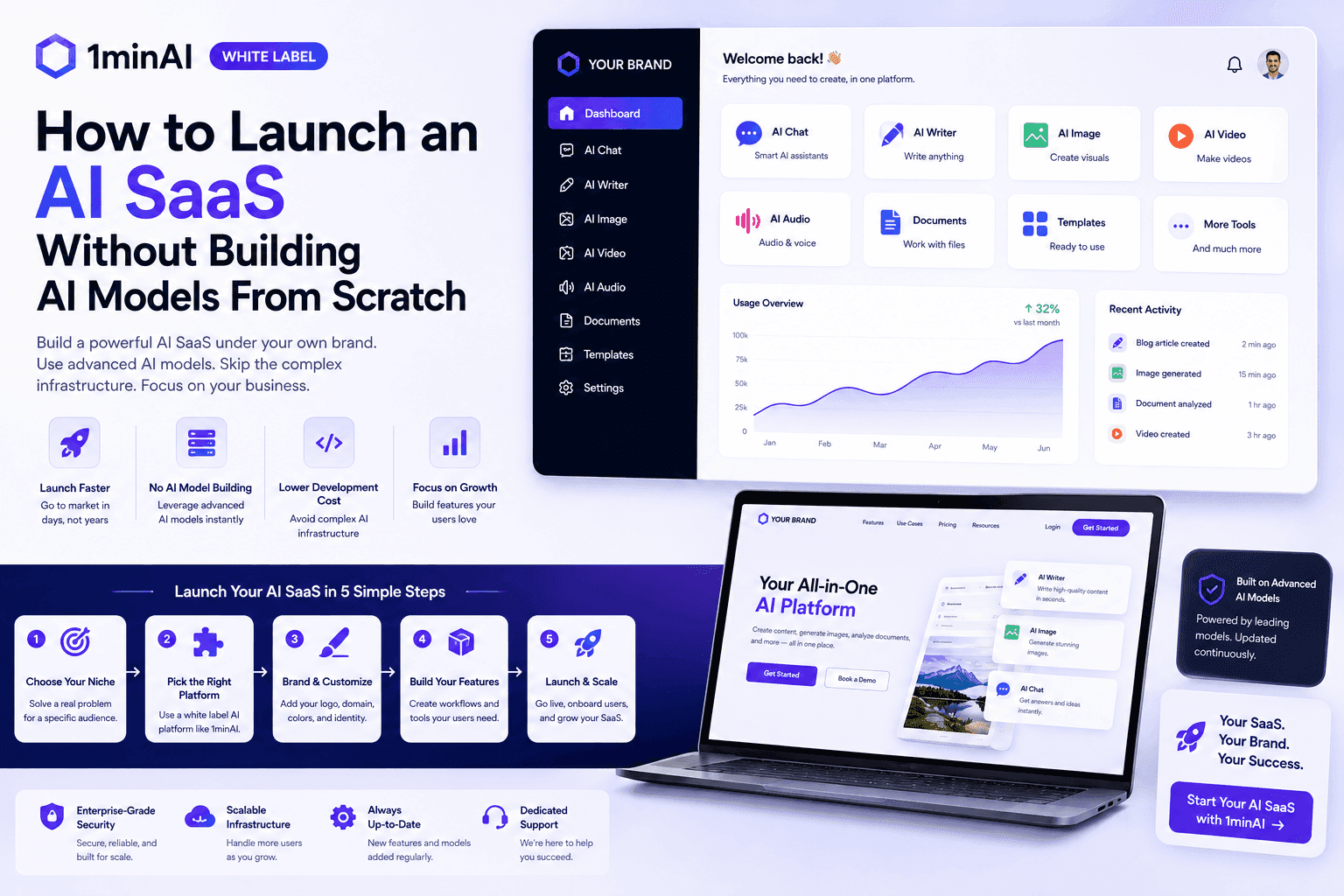
How to Launch an AI SaaS Without Building AI Models From Scratch
Learn how to launch an AI SaaS without building AI models from scratch. Explore white-label AI, product strategy, branding, pricing, and how 1minAI can help.
Tram Ta
Free AI Tools for Photographers to Elevate Creative Work
Discover free AI tools for photographers to edit images, create visuals and videos, develop content, and streamline client workflows with 1min.AI.
Lien Anh VuAI Agents
Discover and run AI agents to automate tasks across your work and daily life.
1minAI: Free AI Grammar Checker
Check grammar for free with 1minAI’s AI grammar checker. Find grammar, spelling, and writing mistakes, improve clarity, and polish your content in seconds.
Tram Ta
AI Agent vs AI Assistant: Which One Actually Saves Designers More Time?
Learn the difference between AI Agent vs AI Assistant and discover which solution helps designers automate repetitive work, reduce revisions, and save more time.
Lien Anh Vu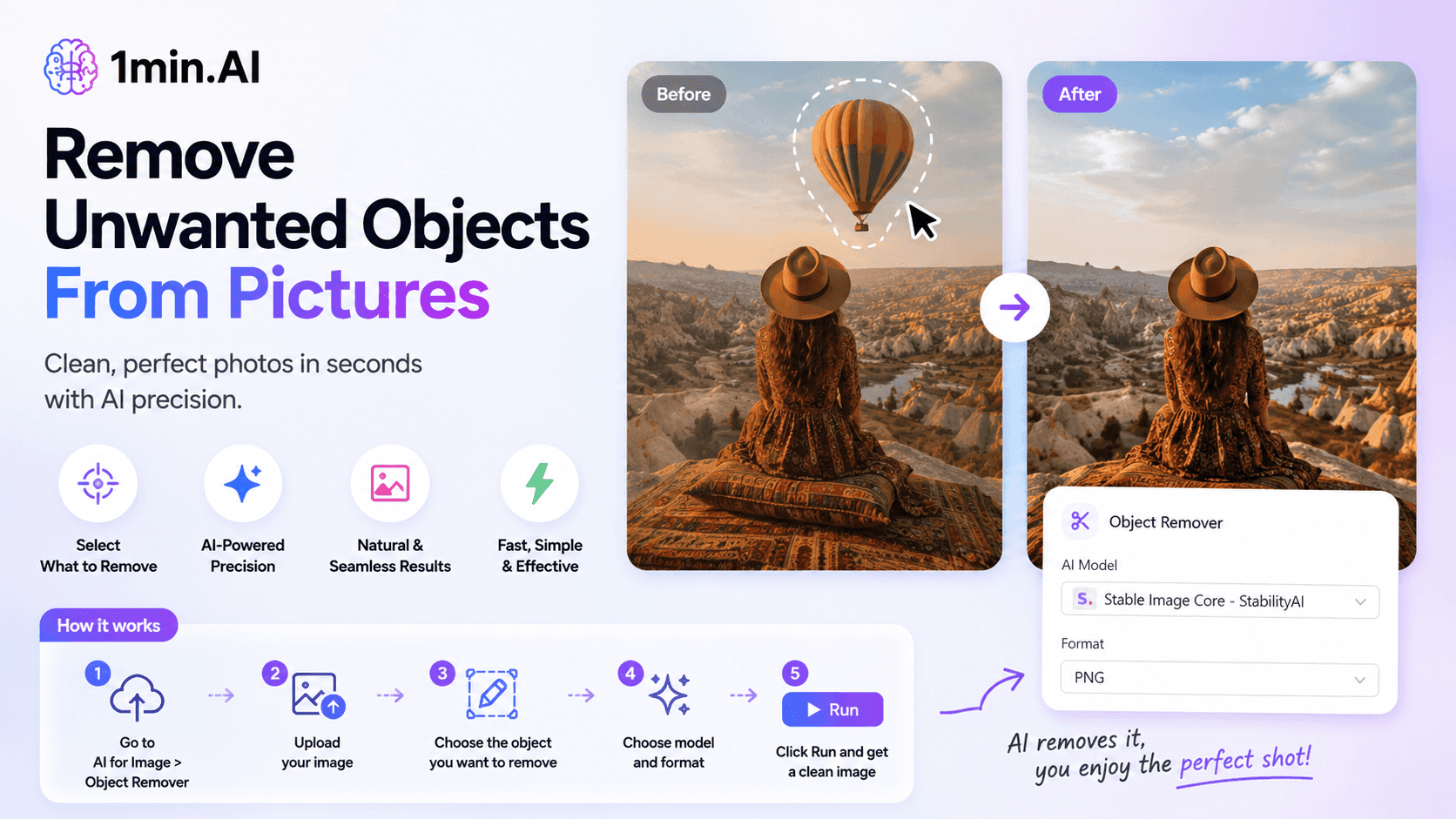
Remove Unwanted Proof From Pictures With 1minAI
Remove unwanted objects, people, or watermarks from your pictures with 1minAI’s AI Object Remover. Upload, select, and clean your image in a few clicks.
Tram TaAI Workflows
Explore ready-to-use AI workflows for productivity, marketing, sales, support, and more.
Create Consistent Cartoon Content in Just a Few Steps
Create cartoon videos for TikTok and Reels in 3 simple steps with 1min.AI, from researching ideas to characters and animated videos.
Lien Anh VuPOV: You Have 10+ Posts to Make Every Day
Learn how to build an AI content workflow that helps content creators produce 10+ social media posts a day faster with AI brainstorming, image generation, and content creation.
Lien Anh VuHow to Use an AI Fashion Video Generator for Fashion Week 2026
Turn Fashion Week 2026 ideas into stunning fashion videos with AI. Learn how to brainstorm, create visuals, and transform images into videos with one simple workflow.
Lien Anh VuNewsletter
Weekly AI Innovations with 1minAI

🔮 Weekly AI Innovations #136: Grok 4.6 and Smart Data Retention
Discover the latest 1min.ai updates! Upgrade to Grok 4.6 for blazing-fast AI, and check our new Data Retention policies to secure your files today.
Hang Nguyen
🔮 Weekly AI Innovations #135: Claude Opus 5 and new AI Social Features
Experience the powerful Claude Opus 5 model, and explore new AI Social features like User Pages and Following creators.
Hang Nguyen
🔮 Weekly AI Innovations #134: Experience Free Qwen on AI Chat; The 3.7 and 3.6 Series Update
Looking for a powerful, free AI assistant? Explore the latest Qwen 3.7 and 3.6 series on 1min.ai. Enjoy high-speed, accurate AI chat at zero cost today!
Hang Nguyen