
How to Manage Multiple Instagram Accounts With AI

Tram Ta
September 17, 2026
Learn how to manage multiple Instagram accounts with AI, including brand voices, content calendars, Reels, visuals, UGC campaigns, scheduling, and reporting.
Managing one Instagram account can already involve a long list of tasks. Managing several accounts for different businesses, clients, or brands can make the workload much more complicated.
Each account may have a different audience, visual identity, content strategy, posting schedule, and brand voice. A social media manager might need to switch between accounts dozens of times a day while keeping every piece of content accurate and on-brand.
AI can help reduce some of that repetitive work.
Instead of treating every Instagram account as a completely separate workflow, you can use AI to organize content ideas, adapt source material, create captions, develop Reels, generate visual concepts, and build repeatable publishing processes.
Here are practical ways to use AI when managing multiple Instagram accounts.
Why Managing Multiple Instagram Accounts Is Challenging
The biggest challenge isn't simply creating more posts. It's maintaining different content systems at the same time.
For example, a social media manager might handle:
- A skincare brand
- A local restaurant
- A software company
- A personal creator account
Each one needs different content.
The skincare brand may need educational tips and product content, while the restaurant needs food photography, promotions, and local engagement. The software company may focus on tutorials and product education.
Using the same content approach for every account can make posts feel generic.
AI can help by organizing these workflows around each account's specific requirements.
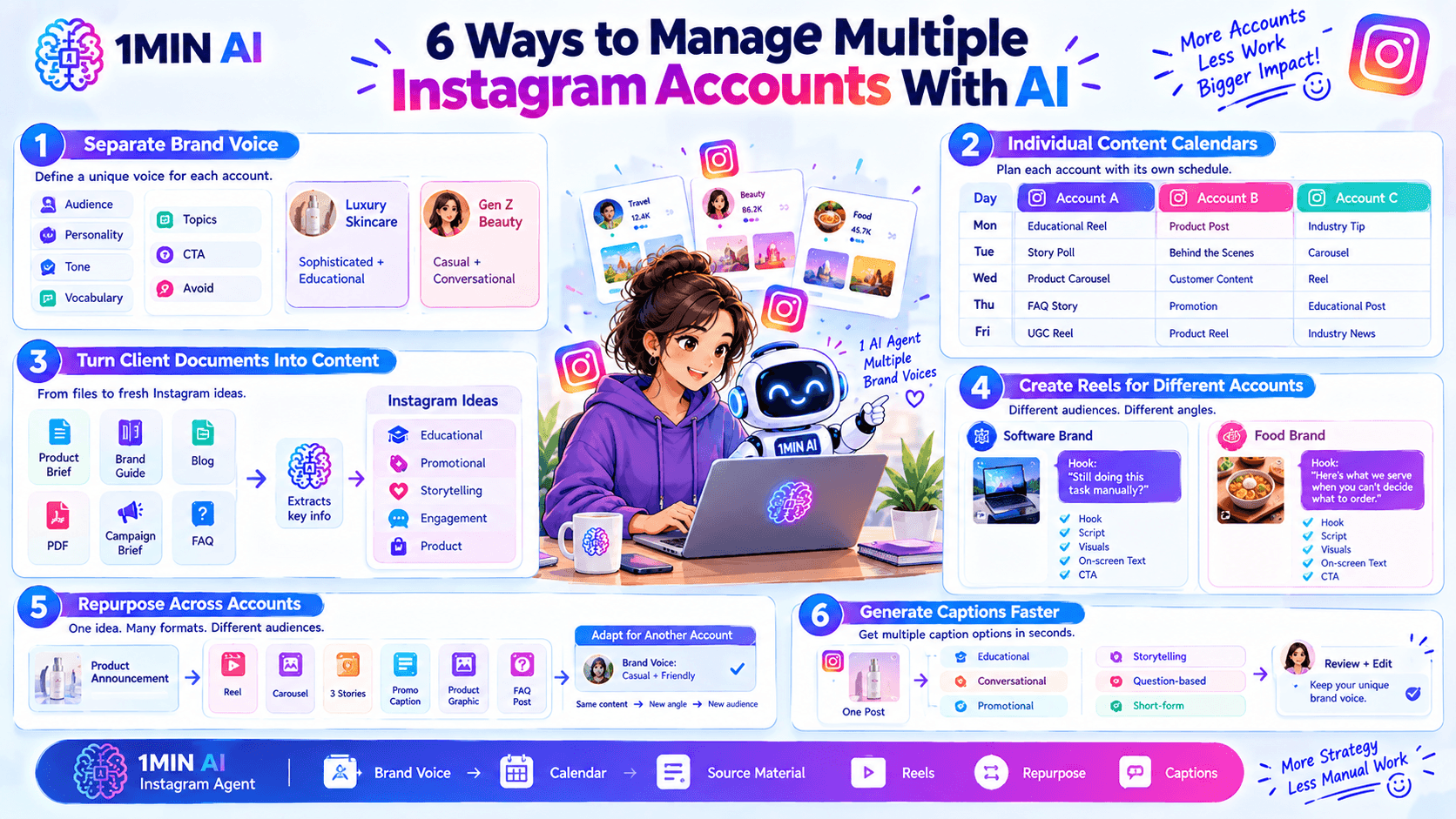
1. Create a Separate Brand Voice for Every Account
One of the first things to establish is a clear brand voice.
For each Instagram account, define:
- Target audience
- Brand personality
- Tone
- Vocabulary
- Content topics
- Words to avoid
- CTA style
- Content goals
For example, a luxury skincare account might use sophisticated and educational language, while a Gen Z-focused beauty brand could use a more casual and conversational tone.
Prompt: Create a brand voice guide for this Instagram account based on the following information. Define the tone, vocabulary, sentence style, CTA style, and words or phrases to avoid. Keep the voice consistent across captions, Reels, and Stories.
Save the resulting guidelines and use them whenever you create new content.
2. Build Individual Content Calendars
Managing multiple accounts becomes easier when each account has its own content calendar.
Instead of planning everything at once, create a weekly or monthly content plan for each brand.
A calendar might include:
| Day | Account A | Account B | Account C |
|---|---|---|---|
| Monday | Educational Reel | Product post | Industry tip |
| Tuesday | Story poll | Behind the scenes | Carousel |
| Wednesday | Product carousel | Customer content | Reel |
| Thursday | FAQ Story | Promotion | Educational post |
| Friday | UGC Reel | Product Reel | Industry news |
The exact schedule depends on each account's audience and strategy.
The goal is to make upcoming content visible so you aren't constantly deciding what to post next.
Prompt: Create a 7-day Instagram content calendar for this brand. Include the topic, format, caption angle, visual concept, and CTA. Follow the brand voice and avoid repeating recent content.
3. Turn Client Documents Into Instagram Content
Social media managers often receive information from clients in different formats.
You might receive:
- Product descriptions
- Brand guidelines
- Blog posts
- PDFs
- Campaign briefs
- Product catalogs
- Customer FAQs
- Website copy
Instead of manually reading everything and turning it into posts, AI can help extract the information that matters for social media.
Prompt: Analyze this product brief and identify 10 Instagram content opportunities. Include educational, promotional, storytelling, engagement, and product-focused ideas. Only use information supported by the source.
This is especially useful when you manage several clients and need to transform large amounts of source material into social content.
4. Create Reels for Different Accounts
Reels can require substantial planning because you need a topic, hook, script, visuals, and CTA.
AI can help you create these components while keeping each account's style different.
For example, a software brand might use:
Hook: “Still doing this task manually?”
A food brand might use:
Hook: “Here's what we serve when you can't decide what to order.”
The underlying workflow is similar, but the creative direction changes.
Prompt: Create five Instagram Reel concepts for this brand. For each one, provide a hook, 30-second script, visual direction, on-screen text, and CTA. Match the brand's target audience and tone.
5. Repurpose One Piece of Content Across Multiple Accounts
If you manage accounts for different businesses, content repurposing can save significant time.
For example, one product announcement could become:
- A Reel
- A carousel
- Three Stories
- A promotional caption
- A product graphic
- A FAQ post
You can then adapt the workflow for another account using its own source material and brand voice.
The important distinction is that repurposing doesn't mean posting identical content everywhere. Each account should receive content appropriate to its audience.
6. Generate Captions Without Starting From Scratch
Writing captions repeatedly can become one of the most repetitive parts of social media management.
AI can generate multiple caption directions from the same content.
For example:
- Educational
- Conversational
- Promotional
- Storytelling
- Question-based
- Short-form
Prompt: Write three Instagram captions for this post. Create one educational version, one conversational version, and one promotional version. Follow the brand voice and include a natural CTA.
You can then edit the best option before publishing.
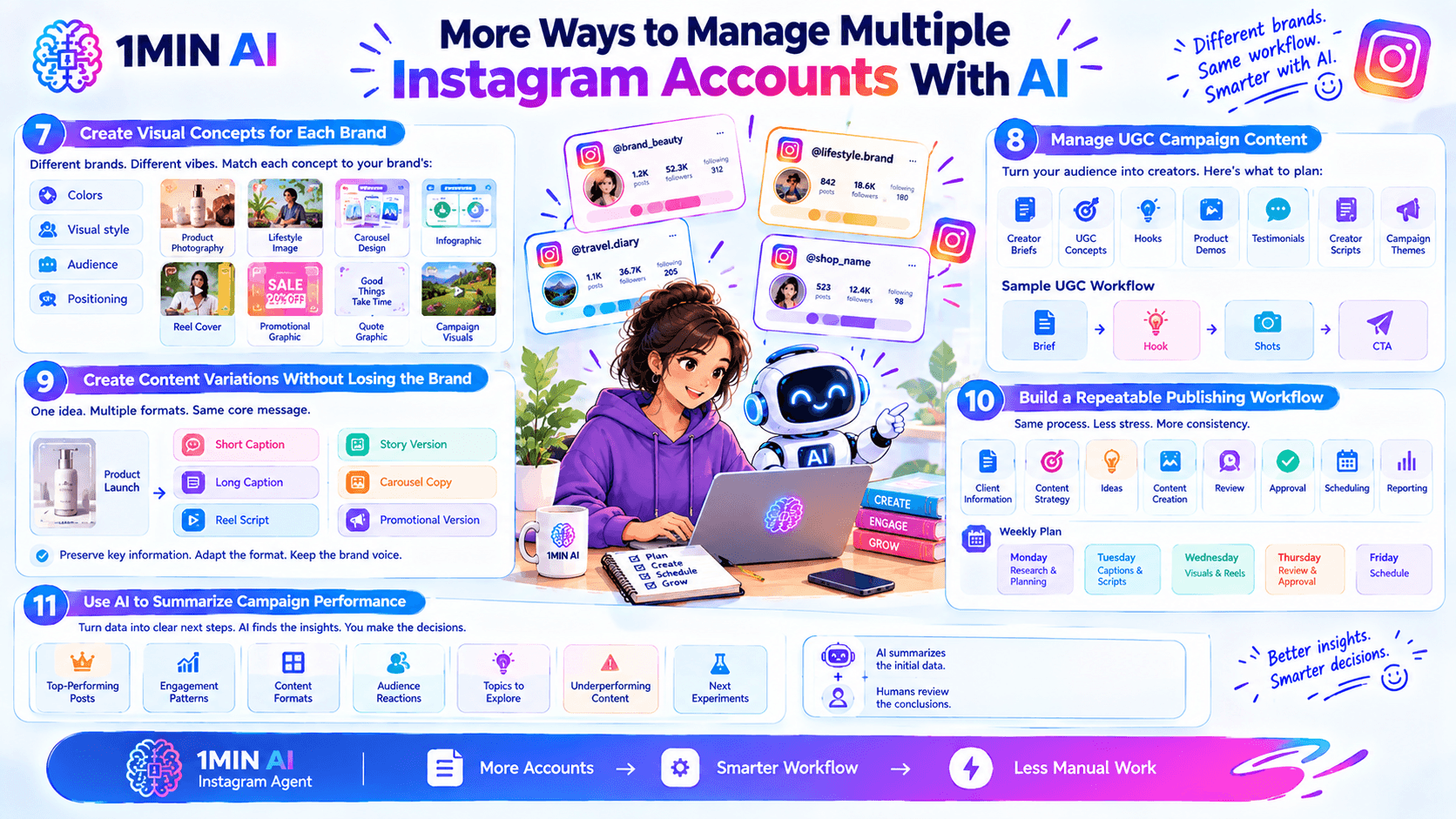
7. Create Visual Concepts for Each Brand
Different Instagram accounts usually require different visual identities.
AI can help generate ideas for:
- Product photography
- Lifestyle images
- Carousel designs
- Infographics
- Reel covers
- Promotional graphics
- Quote graphics
- Campaign visuals
Give AI the brand's visual guidelines before generating concepts.
Prompt: Create five Instagram visual concepts for this campaign. Follow this brand's colors, visual style, target audience, and product positioning. Make each concept suitable for a different Instagram post format.
This can give designers or content creators a clear starting point.
8. Manage UGC Campaign Content
User-generated content can provide valuable material for brands, but managing UGC campaigns across multiple clients can become complicated.
AI can help organize ideas for:
- Creator briefs
- UGC concepts
- Content hooks
- Product demonstrations
- Testimonials
- Creator scripts
- Campaign themes
For example, you could ask AI to create several UGC concepts for a skincare brand while ensuring the concepts match the brand's positioning.
Prompt: Create five UGC video concepts for this product. Each should include a creator scenario, opening hook, key product points, suggested shots, and CTA. Keep the concepts distinct.
9. Create Content Variations Without Losing the Brand
When you manage several accounts, you may need multiple versions of similar content.
For example, a product launch might need:
- Short caption
- Long caption
- Reel script
- Story version
- Carousel copy
- Promotional version
AI can adapt the same core information into different formats while preserving the important details.
This is useful when you have a large campaign but limited time to manually rewrite every asset.
10. Build a Repeatable Publishing Workflow
A repeatable workflow can help prevent multiple accounts from becoming overwhelming.
A basic process could look like:
Client information → Content strategy → Ideas → Content creation → Review → Approval → Scheduling → Reporting
You can create a version of this workflow for each client.
For example:
Monday: Research and planning
Tuesday: Create captions and scripts
Wednesday: Create visuals and Reels
Thursday: Review and client approval
Friday: Schedule approved content
This separates creative work from administrative tasks and makes the workload easier to manage.
11. Use AI to Summarize Campaign Performance
Content creation isn't the only area where AI can help.
After a campaign, you can provide performance information and ask AI to summarize:
- Top-performing posts
- Engagement patterns
- Content formats
- Audience reactions
- Topics worth exploring
- Underperforming content
- Potential experiments for the next campaign
Prompt: Analyze this Instagram campaign data and summarize the strongest-performing content formats, topics, and engagement patterns. Identify useful observations for the next content plan without making unsupported conclusions.
Human review is still important when interpreting performance data, but AI can make the initial analysis faster.
A Practical AI Workflow for Social Media Managers
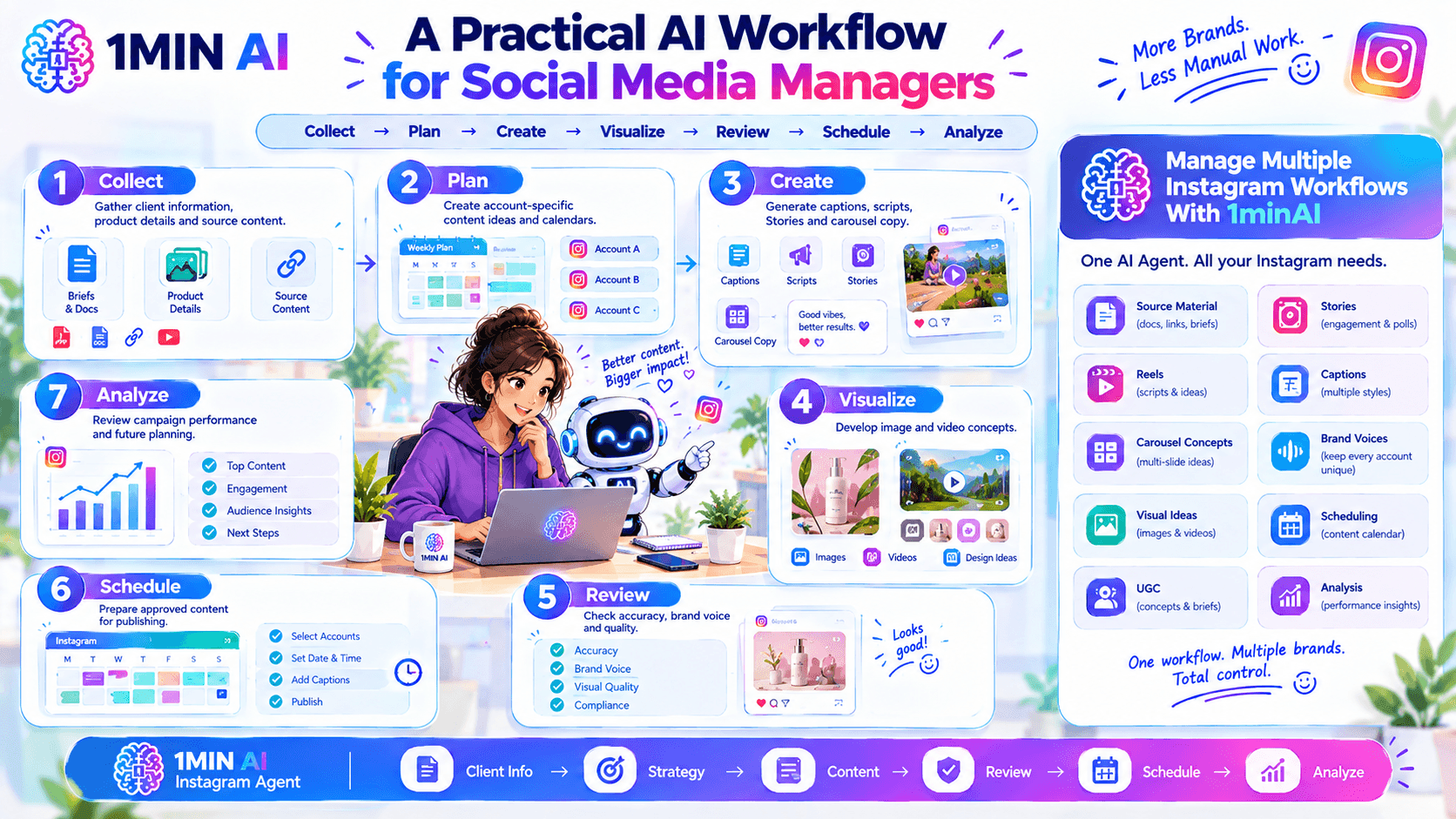
A multi-account workflow can be simplified into seven stages:
- Collect — Gather client information, product details, and source content.
- Plan — Create account-specific content ideas and calendars.
- Create — Generate captions, scripts, Stories, and carousel copy.
- Visualize — Develop image and video concepts.
- Review — Check accuracy, brand voice, and quality.
- Schedule — Prepare approved content for publishing.
- Analyze — Review campaign performance and use the insights for future planning.
The goal isn't to remove human involvement. It's to reduce repetitive work so social media managers can spend more time on strategy, creative decisions, client relationships, and optimization.
Manage Multiple Instagram Workflows With 1minAI
1minAI provides an AI Agent for Instagram designed to support different parts of the Instagram content workflow. You can work with source material, develop Reels and Stories, create carousel concepts and captions, generate visual ideas, manage UGC-related content, and maintain different brand voices.
For social media managers handling multiple brands, having these tasks within a more unified AI workflow can make it easier to move from client information to content production.
For further information, read here: AI Agent for Instagram
Alternatives
Discover the best alternatives to 1minAI and compare features, pricing, and use cases.

1min.AI vs OpenRouter
1min.AI vs. OpenRouter: Compare the ready-to-use AI creation product against the technical API tool. Find out if you need a zero-code creative studio or a coding infrastructure hub.
 Ngoc Hong
1min.AI vs Lovart
Compare 1min.AI vs Lovart across features, pricing, credits, brand tools, and use cases to find the right AI platform for your workflow.
Ngoc Hong
1min.AI vs Chatplayground AI
Compare 1min.AI (Voice Cloning, Object Removal, Team Plans) vs. ChatPlayground AI (14+ Models, Teams/O365 Integration). Discover the superior platform for predictable pricing and long-term content production growth.
Ngoc HongAI Tools
Discover the best AI tools to boost productivity, creativity, and everyday work.

Top 4 Affordable AI Tools for Startup Founders
Discover the top 4 affordable AI tools for startup founders to validate ideas, build products, create content, and launch faster without overspending.
 Tram Ta
[Seedance 2.5 New] Better AI Product Videos, Less Rework in 1min.AI
Discover how AI image-to-video product consistency helps creators reduce failed generations, save AI credits, and produce more usable commercial and UGC content.
 Lien Anh Vu
Turn “Make It Better” Into Better Content With AI
Use AI to turn vague client feedback into clear revisions, reduce unnecessary edits, and deliver better content faster.
Lien Anh VuAI Features
Comprehensive AI features that streamline workflows, improve efficiency, and empower teams to achieve more.

One Product, 10 UGC Creatives: How AI Makes Content Testing Easier
Create more authentic UGC with an AI UGC video generator, test more creative angles and scale affiliate content without filming every version.
Lien Anh Vu
Create Consistent Cartoon Content in Just a Few Steps
Create cartoon videos for TikTok and Reels in 3 simple steps with 1min.AI, from researching ideas to characters and animated videos.
Lien Anh Vu
1minAI: Free AI Grammar Checker
Check grammar for free with 1minAI’s AI grammar checker. Find grammar, spelling, and writing mistakes, improve clarity, and polish your content in seconds.
Tram TaAI Use Cases
A curated collection of AI use cases for business, productivity, and industry-specific applications.
One Product, 10 UGC Creatives: How AI Makes Content Testing Easier
Create more authentic UGC with an AI UGC video generator, test more creative angles and scale affiliate content without filming every version.
Lien Anh Vu
Best Time to Post on Instagram: A Practical Guide for Better Engagement
Discover the best time to post on Instagram, including the best days and times for different audiences, plus tips to find the ideal posting schedule for your account.
Tram Ta
Build a Portfolio Website Faster with 1min.AI
Learn how freelance creatives can use 1min.AI to plan, write, design, and generate a professional portfolio website faster, even without strong coding skills.
Lien Anh VuAI Tutorials
Learn how to use AI with practical, step-by-step tutorials.

Black Friday AI Tool Deals in 2026
Discover what Black Friday AI tool deals 2026 has to offer. Find out how to secure the 1min.AI lifetime deal via AppSumo, Dealify, Stack Social, and verify on Trustpilot, Slashdot, and Software Advice.
 Hang Nguyen
Create Consistent Cartoon Content in Just a Few Steps
Create cartoon videos for TikTok and Reels in 3 simple steps with 1min.AI, from researching ideas to characters and animated videos.
Lien Anh Vu[Seedance 2.5 New] Better AI Product Videos, Less Rework in 1min.AI
Discover how AI image-to-video product consistency helps creators reduce failed generations, save AI credits, and produce more usable commercial and UGC content.
Lien Anh VuAI Guides
Learn AI faster with practical guides, real-world examples, and actionable best practices.

Safely Buy AI Tools Online: 2026 Black Friday Guide
Discover how to find and secure the best Black Friday AI deals online. Learn expert strategies to avoid scams, combat subscription fatigue, and verify software.
Hang NguyenCreate Consistent Cartoon Content in Just a Few Steps
Create cartoon videos for TikTok and Reels in 3 simple steps with 1min.AI, from researching ideas to characters and animated videos.
Lien Anh Vu[Seedance 2.5 New] Better AI Product Videos, Less Rework in 1min.AI
Discover how AI image-to-video product consistency helps creators reduce failed generations, save AI credits, and produce more usable commercial and UGC content.
Lien Anh VuAI Solutions
Browse the best AI solutions for automation, coding, research, productivity, customer support, marketing, and business workflows.

Free AI Tattoo Generator: Custom Designs
Turn any idea into a custom tattoo design with 1min.AI's free AI tattoo generator. Describe your idea, pick a style, and download in seconds.
 Trang Tran
Safely Buy AI Tools Online: 2026 Black Friday Guide
Discover how to find and secure the best Black Friday AI deals online. Learn expert strategies to avoid scams, combat subscription fatigue, and verify software.
Hang Nguyen[Seedance 2.5 New] Better AI Product Videos, Less Rework in 1min.AI
Discover how AI image-to-video product consistency helps creators reduce failed generations, save AI credits, and produce more usable commercial and UGC content.
Lien Anh VuAI Models
Explore the world's leading AI models in one place.
One Product, 10 UGC Creatives: How AI Makes Content Testing Easier
Create more authentic UGC with an AI UGC video generator, test more creative angles and scale affiliate content without filming every version.
Lien Anh VuCreate Consistent Cartoon Content in Just a Few Steps
Create cartoon videos for TikTok and Reels in 3 simple steps with 1min.AI, from researching ideas to characters and animated videos.
Lien Anh Vu[Seedance 2.5 New] Better AI Product Videos, Less Rework in 1min.AI
Discover how AI image-to-video product consistency helps creators reduce failed generations, save AI credits, and produce more usable commercial and UGC content.
Lien Anh VuAI Comparisons
Compare AI tools, models, and platforms to find the best fit for your needs.

Kling AI Vs Veo 3: Which Model Wins?
Kling AI vs Veo 3: compare motion, native audio, pricing & free tiers to see which AI video generator wins for your project - try both on 1min.AI.
Trang Tran[Seedance 2.5 New] Better AI Product Videos, Less Rework in 1min.AI
Discover how AI image-to-video product consistency helps creators reduce failed generations, save AI credits, and produce more usable commercial and UGC content.
Lien Anh Vu
DeepSeek V4 Pro vs Flash Comparison
Compare DeepSeek V4 Pro vs DeepSeek V4 Flash metrics. Optimize your agentic apps and improve AI fact checking on 1min.ai today.
Ngoc HongAI Integrations
Seamlessly integrate AI with the tools you already use to automate work and boost productivity.

POV: You Have 10+ Posts to Make Every Day
Learn how to build an AI content workflow that helps content creators produce 10+ social media posts a day faster with AI brainstorming, image generation, and content creation.
Lien Anh Vu
How to Use an AI Fashion Video Generator for Fashion Week 2026
Turn Fashion Week 2026 ideas into stunning fashion videos with AI. Learn how to brainstorm, create visuals, and transform images into videos with one simple workflow.
Lien Anh Vu
Stop Switching Between AI Apps: How AI Integration Transforms Employer Branding
Discover how AI integration helps HR teams streamline employer branding by combining AI writing, documents, images, video, and multiple AI models into one workspace.
Tram TaAI for Industries
Find the best AI tools and workflows for healthcare, finance, education, legal, manufacturing, retail, real estate, and more

The Problem With AI Design? It Looks Too AI
AI-generated designs can look polished but still feel artificial. Here are 5 prompt techniques designers can use to create more realistic, intentional visuals.
Lien Anh Vu
Free AI Real Estate Video Generator
Turn listing photos into narrated property videos with AI real estate video tools. See how 1min.AI creates walkthroughs, voiceovers & captions in minutes.
Trang Tran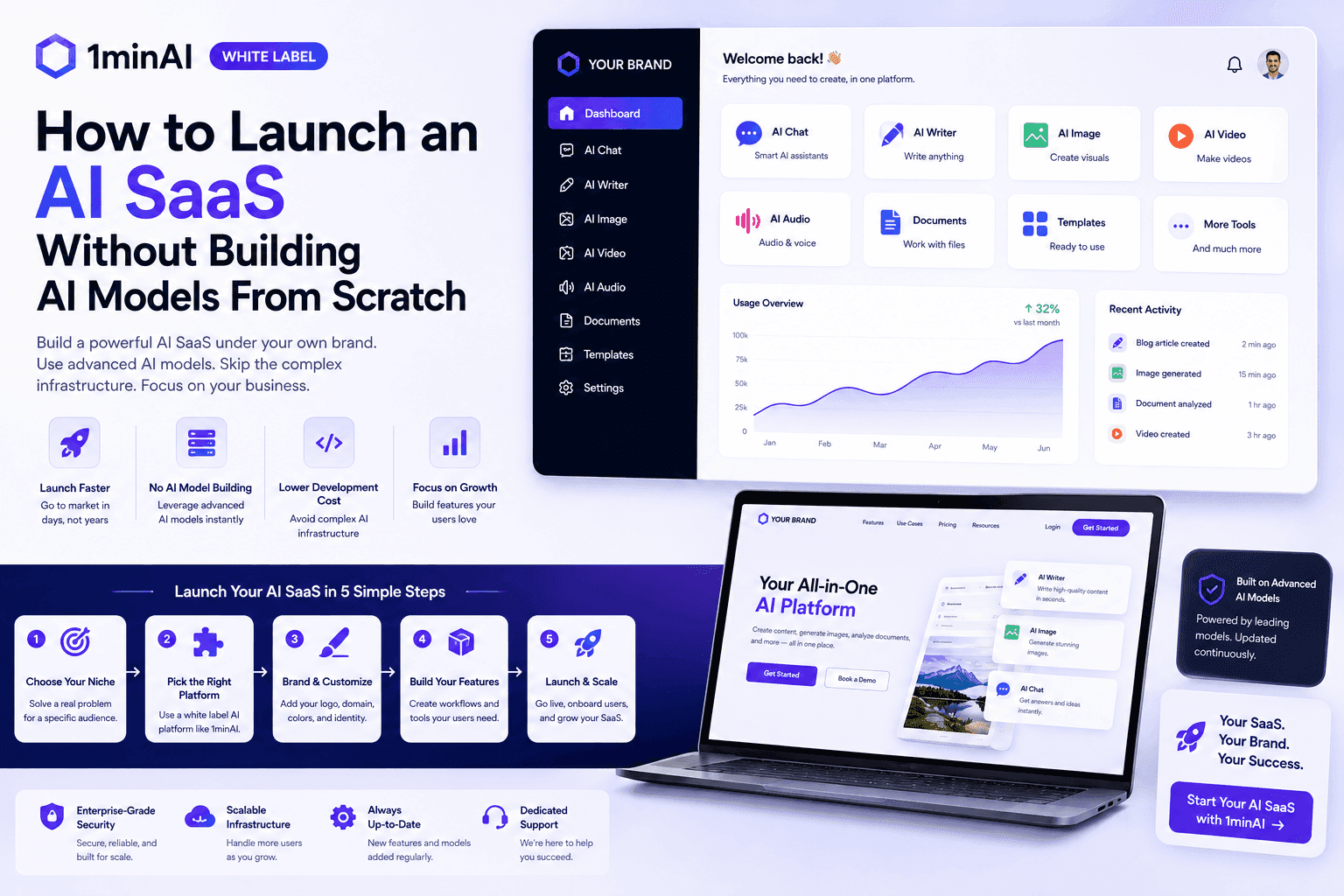
How to Launch an AI SaaS Without Building AI Models From Scratch
Learn how to launch an AI SaaS without building AI models from scratch. Explore white-label AI, product strategy, branding, pricing, and how 1minAI can help.
Tram TaAI Agents
Discover and run AI agents to automate tasks across your work and daily life.
1minAI: Free AI Grammar Checker
Check grammar for free with 1minAI’s AI grammar checker. Find grammar, spelling, and writing mistakes, improve clarity, and polish your content in seconds.
Tram Ta
AI Agents for Facebook
Use an AI Agent for Facebook to create content, generate images, schedule posts, and publish from your documents and conversations.
Ngoc Hong
AI Agent vs AI Assistant: Which One Actually Saves Designers More Time?
Learn the difference between AI Agent vs AI Assistant and discover which solution helps designers automate repetitive work, reduce revisions, and save more time.
Lien Anh VuAI Workflows
Explore ready-to-use AI workflows for productivity, marketing, sales, support, and more.
Create Consistent Cartoon Content in Just a Few Steps
Create cartoon videos for TikTok and Reels in 3 simple steps with 1min.AI, from researching ideas to characters and animated videos.
Lien Anh VuPOV: You Have 10+ Posts to Make Every Day
Learn how to build an AI content workflow that helps content creators produce 10+ social media posts a day faster with AI brainstorming, image generation, and content creation.
Lien Anh VuHow to Use an AI Fashion Video Generator for Fashion Week 2026
Turn Fashion Week 2026 ideas into stunning fashion videos with AI. Learn how to brainstorm, create visuals, and transform images into videos with one simple workflow.
Lien Anh VuNewsletter
Weekly AI Innovations with 1minAI

🔮 Weekly AI Innovations #137: ElevenLabs Music & AI social Profile Control
The newest 1min.ai updates deliver professional music generation and highly requested privacy tools. Dive into a seamless workflow today!
Hang Nguyen
🔮 Weekly AI Innovations #136: Grok 4.6 and Smart Data Retention
Discover the latest 1min.ai updates! Upgrade to Grok 4.6 for blazing-fast AI, and check our new Data Retention policies to secure your files today.
Hang Nguyen
🔮 Weekly AI Innovations #135: Claude Opus 5 and new AI Social Features
Experience the powerful Claude Opus 5 model, and explore new AI Social features like User Pages and Following creators.
Hang Nguyen