
How to Use Gemini for Content Creation: 10+ Prompts & Workflows

Tram Ta
September 14, 2026
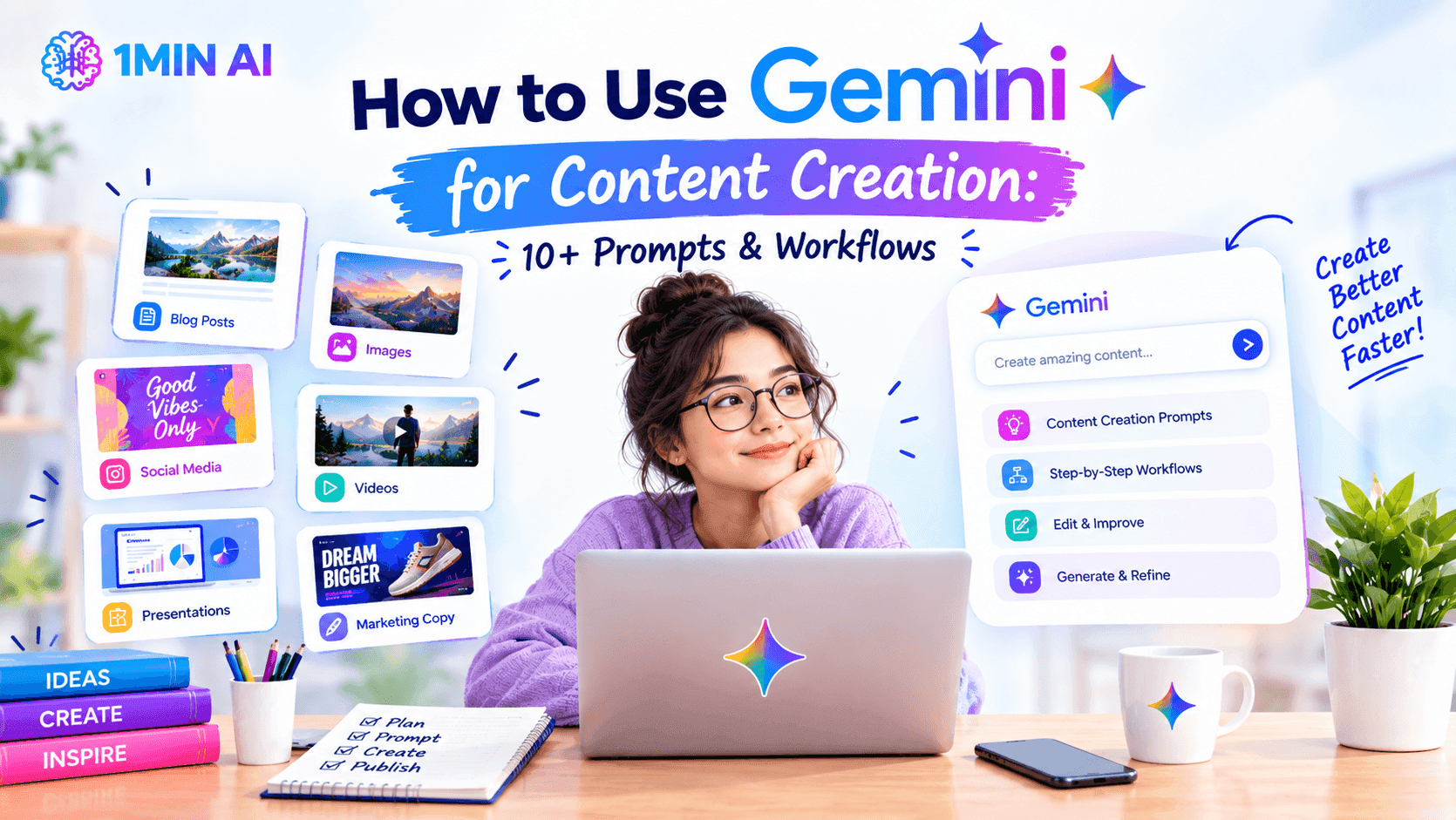
Learn how to use Gemini for content creation with 10+ practical prompts and workflows for blogs, social media, SEO, YouTube, and more.
Creating content consistently can take a lot of time. You need to find ideas, research topics, write drafts, create headlines, prepare social posts, and often repurpose the same content for different platforms.
Google Gemini can help streamline many of these steps. Instead of using it only to generate a complete article, you can use Gemini throughout the content creation process—from brainstorming the first idea to polishing the final draft.
In this guide, we'll cover 10+ practical ways to use Gemini for content creation, along with prompts you can customize for blogs, social media, YouTube, SEO, and other content formats.
10+ Ways to Use Gemini for Content Creation
1. Generate Content Ideas
When you know your niche but don't know what to publish next, Gemini can help you brainstorm ideas based on your audience and goals.
Prompt: Generate 15 content ideas about [TOPIC] for [TARGET AUDIENCE]. Focus on practical, useful topics with strong potential for engagement. For each idea, provide a title and a one-sentence description.
You can make the results more useful by specifying the platform, content format, or audience.
2. Create a Content Outline
Before writing a long article, ask Gemini to turn your topic into a structured outline.
Prompt: Create a detailed outline for a blog post titled “[TITLE].” The target audience is [AUDIENCE]. Include an introduction, main sections, supporting points, examples, and a conclusion. Keep the structure logical and avoid unnecessary repetition.
A clear outline gives you a framework to review before generating the full article.
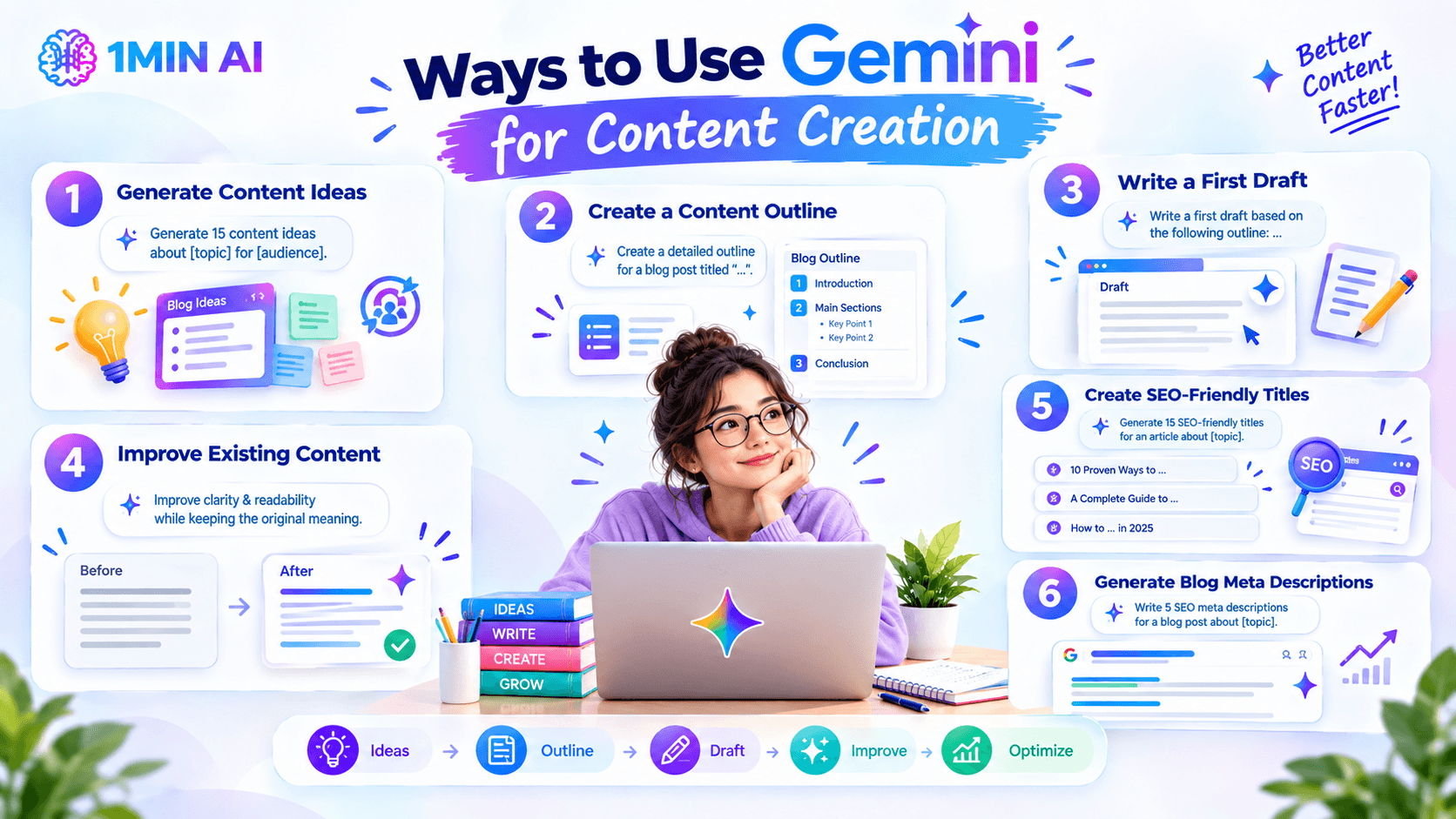
3. Write a First Draft
Gemini can help turn an approved outline into a starting draft.
Prompt: Write a first draft based on the following outline: [PASTE OUTLINE]. Write for [TARGET AUDIENCE] in a clear, natural, and engaging tone. Use short paragraphs, descriptive headings, and practical examples. Avoid generic filler and repetition.
Treat the result as a first draft, not necessarily the final version. Reviewing and editing AI-generated content is still important.
4. Improve Existing Content
You don't always need to create something from scratch. Gemini can rewrite existing content for clarity and readability.
Prompt: Improve the following text for clarity, grammar, flow, and readability while preserving the original meaning and key information. Keep the tone [PROFESSIONAL/FRIENDLY/CONVERSATIONAL] and avoid making the writing sound overly formal: [TEXT]
This can be particularly useful when you already have a rough draft but need help polishing it.
5. Create SEO-Friendly Titles
A strong headline can make a major difference in whether someone clicks on your content.
Prompt: Generate 15 SEO-friendly titles for an article about [TOPIC]. The primary keyword is “[KEYWORD].” Make the titles specific, compelling, and natural. Use different formats, including numbered lists, how-to titles, questions, and benefit-driven headlines.
You can then select your favorite options and refine them further.
6. Generate Blog Meta Descriptions
Gemini can also help create short search-result descriptions for your articles.
Prompt: Write 5 SEO meta descriptions for a blog post about [TOPIC]. The primary keyword is “[KEYWORD].” Keep each description concise, compelling, and focused on the benefit the reader will get from the article.
Always review the final version to make sure it accurately represents the actual article.
7. Create Social Media Posts From a Blog
One article can become several pieces of social content.
Prompt: Turn the following blog post into 5 social media posts for [PLATFORM]. Each post should highlight a different insight from the article, use a natural conversational tone, and encourage readers to learn more. Avoid repeating the same hook: [PASTE BLOG]
This helps you repurpose long-form content instead of starting every social post from zero.
8. Write YouTube Video Scripts
Gemini can transform a topic or article into a video script.
Prompt: Create a YouTube script about [TOPIC] for [TARGET AUDIENCE]. Start with a strong hook, explain the topic clearly, include practical examples, and finish with a concise call to action. Keep the tone [TONE] and target approximately [LENGTH] minutes.
You can also give Gemini an existing blog and ask it to adapt the content into a video rather than simply copying the article.
9. Create Content From One Topic for Multiple Platforms
Different platforms require different formats. Gemini can help adapt the same idea without manually rewriting everything.
Prompt: Turn this content idea into the following formats: a 1,000-word blog outline, a LinkedIn post, an Instagram caption, a short X post, and a 60-second video script. Keep the core message consistent while adapting the tone and format for each platform: [CONTENT IDEA]
This creates a simple one idea → multiple formats workflow.
10. Generate Hooks and Introductions
The first few lines determine whether someone keeps reading or scrolling.
Prompt: Generate 10 different hooks for a piece of content about [TOPIC]. Include curiosity-driven, problem-focused, surprising, question-based, and benefit-driven approaches. Keep each hook concise and avoid clickbait.
You can then choose the hook that best matches your audience and content style.
11. Repurpose Long-Form Content
Have an old article, report, or video transcript? Use Gemini to find new content opportunities within it.
Prompt: Analyze the following content and identify 10 smaller pieces of content I can create from it. Include ideas for social posts, short videos, email content, carousel posts, and standalone articles. For each idea, explain the main takeaway: [CONTENT]
This can help extend the lifespan of existing content without constantly creating completely new material.
12. Build a Content Calendar
Once you've generated enough ideas, Gemini can organize them into a publishing schedule.
Prompt: Create a 30-day content calendar for [BRAND/NICHE] targeting [AUDIENCE]. Publish [NUMBER] times per week across [PLATFORMS]. Include the content topic, format, suggested title, target keyword or theme, and a short description for each post.
You can then adjust the calendar based on your actual publishing capacity and content strategy.
How to Get Better Results From Gemini for Content Creation
The quality of your output depends heavily on the information you give Gemini.
Instead of saying:
Prompt: Write a blog about social media marketing.
Give it more context:
Prompt: Write a 1,200-word beginner-friendly blog about social media marketing for small ecommerce businesses. Focus on practical strategies that can be implemented with a limited budget. Use a clear, conversational tone, include examples, and organize the article with descriptive H2 headings. The primary keyword is “social media marketing for small business.”
A useful prompt usually includes:
Context + Task + Audience + Requirements + Format
You can also improve results by asking Gemini to work in stages. For example:
Idea → Outline → Draft → Review → Rewrite → Repurpose
This gives you more control than asking an AI model to produce an entire content strategy and final article in one prompt.
Create Content With Gemini and Other AI Models in 1minAI
Gemini can be useful for brainstorming, writing, research, and content repurposing, but different AI models can produce different results for the same task. 1minAI brings multiple AI models together in one workspace, allowing you to choose the model that fits your content workflow and compare different responses without constantly switching between platforms.
You can use Gemini for one part of your workflow, then test another model for brainstorming, writing, research, or refinement—all within the same workspace.
For further information, read here: Grok vs Gemini: Which AI Is Better?
Alternatives
Discover the best alternatives to 1minAI and compare features, pricing, and use cases.

1min.AI vs OpenRouter
1min.AI vs. OpenRouter: Compare the ready-to-use AI creation product against the technical API tool. Find out if you need a zero-code creative studio or a coding infrastructure hub.
 Ngoc Hong
1min.AI vs Chatplayground AI
Compare 1min.AI (Voice Cloning, Object Removal, Team Plans) vs. ChatPlayground AI (14+ Models, Teams/O365 Integration). Discover the superior platform for predictable pricing and long-term content production growth.
Ngoc Hong
1min.AI vs Krater AI
Compare 1min.AI vs Krater AI features, pricing, AI models, and workflows to find the best all-in-one AI tool for content, design, and productivity.
Ngoc HongAI Tools
Discover the best AI tools to boost productivity, creativity, and everyday work.

Top 4 Affordable AI Tools for Startup Founders
Discover the top 4 affordable AI tools for startup founders to validate ideas, build products, create content, and launch faster without overspending.
 Tram Ta
[Seedance 2.5 New] Better AI Product Videos, Less Rework in 1min.AI
Discover how AI image-to-video product consistency helps creators reduce failed generations, save AI credits, and produce more usable commercial and UGC content.
 Lien Anh Vu
Turn “Make It Better” Into Better Content With AI
Use AI to turn vague client feedback into clear revisions, reduce unnecessary edits, and deliver better content faster.
Lien Anh VuAI Features
Comprehensive AI features that streamline workflows, improve efficiency, and empower teams to achieve more.

One Product, 10 UGC Creatives: How AI Makes Content Testing Easier
Create more authentic UGC with an AI UGC video generator, test more creative angles and scale affiliate content without filming every version.
Lien Anh Vu
Create Consistent Cartoon Content in Just a Few Steps
Create cartoon videos for TikTok and Reels in 3 simple steps with 1min.AI, from researching ideas to characters and animated videos.
Lien Anh Vu
1minAI: Free AI Grammar Checker
Check grammar for free with 1minAI’s AI grammar checker. Find grammar, spelling, and writing mistakes, improve clarity, and polish your content in seconds.
Tram TaAI Use Cases
A curated collection of AI use cases for business, productivity, and industry-specific applications.
One Product, 10 UGC Creatives: How AI Makes Content Testing Easier
Create more authentic UGC with an AI UGC video generator, test more creative angles and scale affiliate content without filming every version.
Lien Anh Vu
Best Time to Post on Instagram: A Practical Guide for Better Engagement
Discover the best time to post on Instagram, including the best days and times for different audiences, plus tips to find the ideal posting schedule for your account.
Tram Ta
Build a Portfolio Website Faster with 1min.AI
Learn how freelance creatives can use 1min.AI to plan, write, design, and generate a professional portfolio website faster, even without strong coding skills.
Lien Anh VuAI Tutorials
Learn how to use AI with practical, step-by-step tutorials.

Black Friday AI Tool Deals in 2026
Discover what Black Friday AI tool deals 2026 has to offer. Find out how to secure the 1min.AI lifetime deal via AppSumo, Dealify, Stack Social, and verify on Trustpilot, Slashdot, and Software Advice.
 Hang Nguyen
Create Consistent Cartoon Content in Just a Few Steps
Create cartoon videos for TikTok and Reels in 3 simple steps with 1min.AI, from researching ideas to characters and animated videos.
Lien Anh Vu[Seedance 2.5 New] Better AI Product Videos, Less Rework in 1min.AI
Discover how AI image-to-video product consistency helps creators reduce failed generations, save AI credits, and produce more usable commercial and UGC content.
Lien Anh VuAI Guides
Learn AI faster with practical guides, real-world examples, and actionable best practices.

Safely Buy AI Tools Online: 2026 Black Friday Guide
Discover how to find and secure the best Black Friday AI deals online. Learn expert strategies to avoid scams, combat subscription fatigue, and verify software.
Hang NguyenCreate Consistent Cartoon Content in Just a Few Steps
Create cartoon videos for TikTok and Reels in 3 simple steps with 1min.AI, from researching ideas to characters and animated videos.
Lien Anh Vu[Seedance 2.5 New] Better AI Product Videos, Less Rework in 1min.AI
Discover how AI image-to-video product consistency helps creators reduce failed generations, save AI credits, and produce more usable commercial and UGC content.
Lien Anh VuAI Solutions
Browse the best AI solutions for automation, coding, research, productivity, customer support, marketing, and business workflows.

Free AI Tattoo Generator: Custom Designs
Turn any idea into a custom tattoo design with 1min.AI's free AI tattoo generator. Describe your idea, pick a style, and download in seconds.
 Trang Tran
Safely Buy AI Tools Online: 2026 Black Friday Guide
Discover how to find and secure the best Black Friday AI deals online. Learn expert strategies to avoid scams, combat subscription fatigue, and verify software.
Hang Nguyen[Seedance 2.5 New] Better AI Product Videos, Less Rework in 1min.AI
Discover how AI image-to-video product consistency helps creators reduce failed generations, save AI credits, and produce more usable commercial and UGC content.
Lien Anh VuAI Models
Explore the world's leading AI models in one place.
One Product, 10 UGC Creatives: How AI Makes Content Testing Easier
Create more authentic UGC with an AI UGC video generator, test more creative angles and scale affiliate content without filming every version.
Lien Anh VuCreate Consistent Cartoon Content in Just a Few Steps
Create cartoon videos for TikTok and Reels in 3 simple steps with 1min.AI, from researching ideas to characters and animated videos.
Lien Anh Vu[Seedance 2.5 New] Better AI Product Videos, Less Rework in 1min.AI
Discover how AI image-to-video product consistency helps creators reduce failed generations, save AI credits, and produce more usable commercial and UGC content.
Lien Anh VuAI Comparisons
Compare AI tools, models, and platforms to find the best fit for your needs.

Kling AI Vs Veo 3: Which Model Wins?
Kling AI vs Veo 3: compare motion, native audio, pricing & free tiers to see which AI video generator wins for your project - try both on 1min.AI.
Trang Tran[Seedance 2.5 New] Better AI Product Videos, Less Rework in 1min.AI
Discover how AI image-to-video product consistency helps creators reduce failed generations, save AI credits, and produce more usable commercial and UGC content.
Lien Anh Vu
DeepSeek V4 Pro vs Flash Comparison
Compare DeepSeek V4 Pro vs DeepSeek V4 Flash metrics. Optimize your agentic apps and improve AI fact checking on 1min.ai today.
Ngoc HongAI Integrations
Seamlessly integrate AI with the tools you already use to automate work and boost productivity.

POV: You Have 10+ Posts to Make Every Day
Learn how to build an AI content workflow that helps content creators produce 10+ social media posts a day faster with AI brainstorming, image generation, and content creation.
Lien Anh Vu
How to Use an AI Fashion Video Generator for Fashion Week 2026
Turn Fashion Week 2026 ideas into stunning fashion videos with AI. Learn how to brainstorm, create visuals, and transform images into videos with one simple workflow.
Lien Anh Vu
Stop Switching Between AI Apps: How AI Integration Transforms Employer Branding
Discover how AI integration helps HR teams streamline employer branding by combining AI writing, documents, images, video, and multiple AI models into one workspace.
Tram TaAI for Industries
Find the best AI tools and workflows for healthcare, finance, education, legal, manufacturing, retail, real estate, and more

Free AI Real Estate Video Generator
Turn listing photos into narrated property videos with AI real estate video tools. See how 1min.AI creates walkthroughs, voiceovers & captions in minutes.
Trang Tran
How to Launch an AI SaaS Without Building AI Models From Scratch
Learn how to launch an AI SaaS without building AI models from scratch. Explore white-label AI, product strategy, branding, pricing, and how 1minAI can help.
Tram Ta
Free AI Tools for Photographers to Elevate Creative Work
Discover free AI tools for photographers to edit images, create visuals and videos, develop content, and streamline client workflows with 1min.AI.
Lien Anh VuAI Agents
Discover and run AI agents to automate tasks across your work and daily life.
1minAI: Free AI Grammar Checker
Check grammar for free with 1minAI’s AI grammar checker. Find grammar, spelling, and writing mistakes, improve clarity, and polish your content in seconds.
Tram Ta
AI Agents for Facebook
Use an AI Agent for Facebook to create content, generate images, schedule posts, and publish from your documents and conversations.
Ngoc Hong
AI Agent vs AI Assistant: Which One Actually Saves Designers More Time?
Learn the difference between AI Agent vs AI Assistant and discover which solution helps designers automate repetitive work, reduce revisions, and save more time.
Lien Anh VuAI Workflows
Explore ready-to-use AI workflows for productivity, marketing, sales, support, and more.
Create Consistent Cartoon Content in Just a Few Steps
Create cartoon videos for TikTok and Reels in 3 simple steps with 1min.AI, from researching ideas to characters and animated videos.
Lien Anh VuPOV: You Have 10+ Posts to Make Every Day
Learn how to build an AI content workflow that helps content creators produce 10+ social media posts a day faster with AI brainstorming, image generation, and content creation.
Lien Anh VuHow to Use an AI Fashion Video Generator for Fashion Week 2026
Turn Fashion Week 2026 ideas into stunning fashion videos with AI. Learn how to brainstorm, create visuals, and transform images into videos with one simple workflow.
Lien Anh VuNewsletter
Weekly AI Innovations with 1minAI

🔮 Weekly AI Innovations #136: Grok 4.6 and Smart Data Retention
Discover the latest 1min.ai updates! Upgrade to Grok 4.6 for blazing-fast AI, and check our new Data Retention policies to secure your files today.
Hang Nguyen
🔮 Weekly AI Innovations #135: Claude Opus 5 and new AI Social Features
Experience the powerful Claude Opus 5 model, and explore new AI Social features like User Pages and Following creators.
Hang Nguyen
🔮 Weekly AI Innovations #134: Experience Free Qwen on AI Chat; The 3.7 and 3.6 Series Update
Looking for a powerful, free AI assistant? Explore the latest Qwen 3.7 and 3.6 series on 1min.ai. Enjoy high-speed, accurate AI chat at zero cost today!
Hang Nguyen