
How to Turn 2D Images into 3D with AI

Lien Anh Vu
September 21, 2026
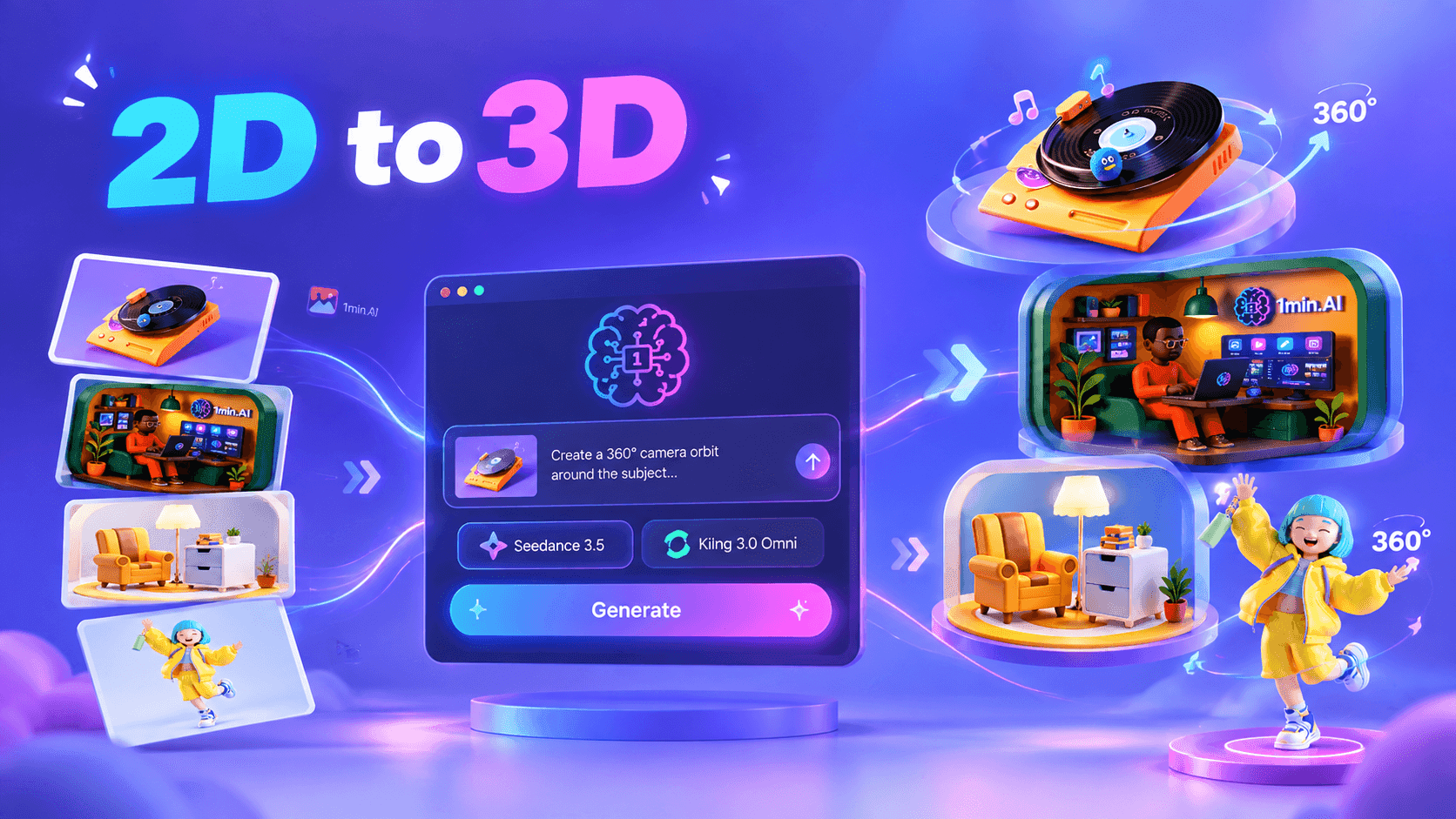
Learn how 2D to 3D AI can transform existing designs into dynamic 360° visuals with 1min.AI using advanced image to video models.
A flat image can look finished, yet for today’s fast moving visual content landscape, creators increasingly need to make that same asset feel more dynamic, dimensional, and reusable across different formats. Instead of rebuilding a character, product, illustration, or design from scratch whenever you need a new visual, 2D to 3D AI offers a faster approach by using your existing image as the starting point and introducing depth, perspective, and camera movement through AI generated video.
This workflow is particularly relevant for creators producing TikTok and Instagram Reels, because a single static design can become a continuous 360° visual that feels more immersive while requiring far less manual production. With 1min.AI, you can upload your existing image directly into Image to Video, then use models such as Seedance 3.5 or Kling 3.0 Omni to guide the camera around your subject and create a more dimensional presentation. 1min.AI has integrated Kling 3.0 and 3.0 Omni into its workspace, while Kling officially supports Image to Video generation with reference images and detailed motion instructions.
What Is 2D to 3D AI and Why Is It Becoming Popular?
The idea behind 2D to 3D AI is simple: rather than treating a flat image as the final output, you use AI to create a stronger sense of space, depth, and movement around the existing visual.
From Static Images to More Dimensional Experiences
Traditional 2D design gives viewers a single fixed perspective, while AI video generation can introduce camera movement that makes the subject feel as though it exists within a three dimensional environment.
This does not necessarily mean creating a traditional 3D model that can be edited inside professional modeling software. Instead, the creator can use an existing image as a visual reference and generate a moving sequence in which the camera changes its relationship with the subject.
For example, a product image can become a rotating product showcase, a character illustration can become a dimensional character reveal, and a creative object can become a cinematic visual element for a short form video.
Why Image to Video Makes This Workflow More Accessible
Image to Video is particularly useful because the creator already has the visual foundation. Rather than describing every visual detail through text, the uploaded image provides the model with a concrete reference, while the prompt can focus primarily on movement, camera direction, atmosphere, and visual behavior.
Kling 3.0 officially supports Image to Video as well as reference based generation, with its 3.0 Omni model designed to understand combinations of images, video, elements, and text while maintaining stronger consistency across the generated sequence.
Why Turn 2D Designs Into Dynamic 360° Visuals?
The biggest opportunity is not simply making a design look more impressive, because adding perspective and movement can also change how many ways that same asset can be used.
Create More Content From Assets You Already Have
A creator may spend hours designing one strong visual, only to use it once as a static post or thumbnail, even though the underlying asset could support several additional pieces of content.
By transforming that image into a 360° visual, the creator can create new material for product showcases, character introductions, visual hooks, transitions, portfolio presentations, and social media content without rebuilding the original concept.
The workflow therefore changes the role of an existing asset, because instead of being the final design, it becomes the starting point for additional creative output.
Add Depth and Perspective Without Rebuilding the Design
A continuous camera orbit can reveal the subject from different perspectives, allowing viewers to experience the visual in a way that a single flat frame cannot provide.
For designers, this can be especially useful when presenting products, objects, characters, or illustrations where shape and visual detail are important. Instead of producing separate images for every angle, a single moving sequence can communicate the idea through continuous camera movement.
Reduce Creative Friction
When creators need to move from design into animation, they can easily end up with a fragmented process involving multiple applications, exports, imports, revisions, and technical adjustments.
Using Image to Video directly in 1min.AI allows the existing visual to remain at the center of the workflow, while AI handles the transition from a static image into a moving sequence. This can reduce unnecessary production steps and make experimentation easier, especially for creators who need to maintain a high publishing frequency.
How to Create a 360° Visual From Your 2D Image in 1min.AI
The workflow is straightforward because you are not starting from a blank canvas. Instead, you begin with the design you already have, upload it into Image to Video, select your model, and use a motion prompt to define how the camera should move.
Step 1: Upload Your Existing Image Into Image to Video
Choose an image with a clear subject, such as a product, character, object, illustration, or design element, and upload it to the Image to Video feature in 1min.AI.
From there, you can select Seedance 3.5 or Kling 3.0 Omni, depending on the model you want to use in your workflow. Kling 3.0 Omni supports image-based generation and can interpret uploaded visual references together with text instructions, making it suitable for workflows where the original visual needs to remain central to the generated sequence.
Step 2: Describe the 360° Camera Movement
Once the image is uploaded, the prompt should focus on the movement you want rather than unnecessarily rewriting the entire design.
Example Prompt
Create a smooth continuous 360° camera orbit around the subject, gradually revealing the front, right side, back, and left side with realistic depth and natural perspective. Keep the original subject consistent throughout the entire video, preserving its shape, proportions, colors, materials, textures, and every visible design detail. The camera moves steadily around the subject while the subject remains stable. No added objects, no removed objects, no deformation, no morphing, no duplicated details, and no sudden transitions.
This structure works because the image provides the visual reference, while the prompt establishes the camera behavior and the consistency requirements.
Step 3: Turn the Result Into Short-Form Content
Once the video is generated, you can bring the 360° visual into your wider content workflow, where the same asset can become a product reveal, an opening hook, a character showcase, a transition, or a visual sequence for TikTok and Instagram Reels.
The result can also be edited together with text, music, voiceover, or additional scenes when the visual needs to become part of a longer piece of content.
More importantly, this workflow allows you to experiment with the same design in new ways, because the creative starting point remains the asset you already created.
https://www.instagram.com/reel/Ddiwr3xJ2uF/?utm_source=ig_web_copy_link&stkn=MzRlODBiNWFlZA==
FAQ
Is 2D to 3D AI the Same as Creating a Traditional 3D Model?
Not necessarily, because a traditional 3D workflow typically focuses on constructing a model that can be manipulated within a three-dimensional environment, whereas this workflow focuses on transforming a 2D reference into a dynamic visual using Image to Video.
What Types of Designs Work Well?
Characters, products, illustrations, objects, and other clearly defined visual elements can all serve as useful starting points, particularly when the subject is visually distinct and easy for the model to interpret.
Can I Create a Full 360° Rotation From One Image?
You can instruct the video model to create a continuous camera orbit around the reference, although the level of visual consistency will depend on the source image, the complexity of the subject, the model, and the movement prompt.
Why Use 1min.AI for This Workflow?
The main advantage is workflow continuity, because you can bring your existing image directly into an Image to Video workflow and use advanced video models within the same creative workspace rather than treating every stage of production as a separate application. 1min.AI currently integrates Kling 3.0 and 3.0 Omni into its workspace, giving creators access to image-based video generation with advanced motion and prompt control.
🚀 Turn the designs you already created into dynamic 360° visuals in 1min.AI, so you can explore more creative possibilities without rebuilding your workflow from scratch.
Alternatives
Discover the best alternatives to 1minAI and compare features, pricing, and use cases.

1min.AI vs OpenRouter
1min.AI vs. OpenRouter: Compare the ready-to-use AI creation product against the technical API tool. Find out if you need a zero-code creative studio or a coding infrastructure hub.
 Ngoc Hong
1min.AI vs Taskade
Compare 1min.AI vs Taskade for AI content creation, automation, agents, and creative workflows to find the right workspace.
Ngoc Hong
1min.AI vs Lovart
Compare 1min.AI vs Lovart across features, pricing, credits, brand tools, and use cases to find the right AI platform for your workflow.
Ngoc HongAI Tools
Discover the best AI tools to boost productivity, creativity, and everyday work.

Top 4 Affordable AI Tools for Startup Founders
Discover the top 4 affordable AI tools for startup founders to validate ideas, build products, create content, and launch faster without overspending.
 Tram Ta
[Seedance 2.5 New] Better AI Product Videos, Less Rework in 1min.AI
Discover how AI image-to-video product consistency helps creators reduce failed generations, save AI credits, and produce more usable commercial and UGC content.
 Lien Anh Vu
Turn “Make It Better” Into Better Content With AI
Use AI to turn vague client feedback into clear revisions, reduce unnecessary edits, and deliver better content faster.
Lien Anh VuAI Features
Comprehensive AI features that streamline workflows, improve efficiency, and empower teams to achieve more.

One Product, 10 UGC Creatives: How AI Makes Content Testing Easier
Create more authentic UGC with an AI UGC video generator, test more creative angles and scale affiliate content without filming every version.
Lien Anh Vu
Create Consistent Cartoon Content in Just a Few Steps
Create cartoon videos for TikTok and Reels in 3 simple steps with 1min.AI, from researching ideas to characters and animated videos.
Lien Anh Vu
1minAI: Free AI Grammar Checker
Check grammar for free with 1minAI’s AI grammar checker. Find grammar, spelling, and writing mistakes, improve clarity, and polish your content in seconds.
Tram TaAI Use Cases
A curated collection of AI use cases for business, productivity, and industry-specific applications.
One Product, 10 UGC Creatives: How AI Makes Content Testing Easier
Create more authentic UGC with an AI UGC video generator, test more creative angles and scale affiliate content without filming every version.
Lien Anh Vu
Best Time to Post on Instagram: A Practical Guide for Better Engagement
Discover the best time to post on Instagram, including the best days and times for different audiences, plus tips to find the ideal posting schedule for your account.
Tram Ta
Build a Portfolio Website Faster with 1min.AI
Learn how freelance creatives can use 1min.AI to plan, write, design, and generate a professional portfolio website faster, even without strong coding skills.
Lien Anh VuAI Tutorials
Learn how to use AI with practical, step-by-step tutorials.

Black Friday AI Tool Deals in 2026
Discover what Black Friday AI tool deals 2026 has to offer. Find out how to secure the 1min.AI lifetime deal via AppSumo, Dealify, Stack Social, and verify on Trustpilot, Slashdot, and Software Advice.
 Hang Nguyen
Create Consistent Cartoon Content in Just a Few Steps
Create cartoon videos for TikTok and Reels in 3 simple steps with 1min.AI, from researching ideas to characters and animated videos.
Lien Anh Vu[Seedance 2.5 New] Better AI Product Videos, Less Rework in 1min.AI
Discover how AI image-to-video product consistency helps creators reduce failed generations, save AI credits, and produce more usable commercial and UGC content.
Lien Anh VuAI Guides
Learn AI faster with practical guides, real-world examples, and actionable best practices.

Safely Buy AI Tools Online: 2026 Black Friday Guide
Discover how to find and secure the best Black Friday AI deals online. Learn expert strategies to avoid scams, combat subscription fatigue, and verify software.
Hang NguyenCreate Consistent Cartoon Content in Just a Few Steps
Create cartoon videos for TikTok and Reels in 3 simple steps with 1min.AI, from researching ideas to characters and animated videos.
Lien Anh Vu[Seedance 2.5 New] Better AI Product Videos, Less Rework in 1min.AI
Discover how AI image-to-video product consistency helps creators reduce failed generations, save AI credits, and produce more usable commercial and UGC content.
Lien Anh VuAI Solutions
Browse the best AI solutions for automation, coding, research, productivity, customer support, marketing, and business workflows.

Free AI Tattoo Generator: Custom Designs
Turn any idea into a custom tattoo design with 1min.AI's free AI tattoo generator. Describe your idea, pick a style, and download in seconds.
 Trang Tran
Safely Buy AI Tools Online: 2026 Black Friday Guide
Discover how to find and secure the best Black Friday AI deals online. Learn expert strategies to avoid scams, combat subscription fatigue, and verify software.
Hang Nguyen[Seedance 2.5 New] Better AI Product Videos, Less Rework in 1min.AI
Discover how AI image-to-video product consistency helps creators reduce failed generations, save AI credits, and produce more usable commercial and UGC content.
Lien Anh VuAI Models
Explore the world's leading AI models in one place.
One Product, 10 UGC Creatives: How AI Makes Content Testing Easier
Create more authentic UGC with an AI UGC video generator, test more creative angles and scale affiliate content without filming every version.
Lien Anh VuCreate Consistent Cartoon Content in Just a Few Steps
Create cartoon videos for TikTok and Reels in 3 simple steps with 1min.AI, from researching ideas to characters and animated videos.
Lien Anh Vu[Seedance 2.5 New] Better AI Product Videos, Less Rework in 1min.AI
Discover how AI image-to-video product consistency helps creators reduce failed generations, save AI credits, and produce more usable commercial and UGC content.
Lien Anh VuAI Comparisons
Compare AI tools, models, and platforms to find the best fit for your needs.

Kling AI Vs Veo 3: Which Model Wins?
Kling AI vs Veo 3: compare motion, native audio, pricing & free tiers to see which AI video generator wins for your project - try both on 1min.AI.
Trang Tran[Seedance 2.5 New] Better AI Product Videos, Less Rework in 1min.AI
Discover how AI image-to-video product consistency helps creators reduce failed generations, save AI credits, and produce more usable commercial and UGC content.
Lien Anh Vu
DeepSeek V4 Pro vs Flash Comparison
Compare DeepSeek V4 Pro vs DeepSeek V4 Flash metrics. Optimize your agentic apps and improve AI fact checking on 1min.ai today.
Ngoc HongAI Integrations
Seamlessly integrate AI with the tools you already use to automate work and boost productivity.

POV: You Have 10+ Posts to Make Every Day
Learn how to build an AI content workflow that helps content creators produce 10+ social media posts a day faster with AI brainstorming, image generation, and content creation.
Lien Anh Vu
How to Use an AI Fashion Video Generator for Fashion Week 2026
Turn Fashion Week 2026 ideas into stunning fashion videos with AI. Learn how to brainstorm, create visuals, and transform images into videos with one simple workflow.
Lien Anh Vu
Stop Switching Between AI Apps: How AI Integration Transforms Employer Branding
Discover how AI integration helps HR teams streamline employer branding by combining AI writing, documents, images, video, and multiple AI models into one workspace.
Tram TaAI for Industries
Find the best AI tools and workflows for healthcare, finance, education, legal, manufacturing, retail, real estate, and more

Free AI Real Estate Video Generator
Turn listing photos into narrated property videos with AI real estate video tools. See how 1min.AI creates walkthroughs, voiceovers & captions in minutes.
Trang Tran
Free AI Virtual Staging: Furnish Any Room
Stage any real estate listing with AI virtual staging: upload a photo, pick a style, and get a photorealistic furnished room in seconds, free to try.
Trang Tran
The Problem With AI Design? It Looks Too AI
AI-generated designs can look polished but still feel artificial. Here are 5 prompt techniques designers can use to create more realistic, intentional visuals.
Lien Anh VuAI Agents
Discover and run AI agents to automate tasks across your work and daily life.
1minAI: Free AI Grammar Checker
Check grammar for free with 1minAI’s AI grammar checker. Find grammar, spelling, and writing mistakes, improve clarity, and polish your content in seconds.
Tram Ta
AI Agents for Facebook
Use an AI Agent for Facebook to create content, generate images, schedule posts, and publish from your documents and conversations.
Ngoc Hong
AI Agent vs AI Assistant: Which One Actually Saves Designers More Time?
Learn the difference between AI Agent vs AI Assistant and discover which solution helps designers automate repetitive work, reduce revisions, and save more time.
Lien Anh VuAI Workflows
Explore ready-to-use AI workflows for productivity, marketing, sales, support, and more.
Create Consistent Cartoon Content in Just a Few Steps
Create cartoon videos for TikTok and Reels in 3 simple steps with 1min.AI, from researching ideas to characters and animated videos.
Lien Anh VuPOV: You Have 10+ Posts to Make Every Day
Learn how to build an AI content workflow that helps content creators produce 10+ social media posts a day faster with AI brainstorming, image generation, and content creation.
Lien Anh VuHow to Use an AI Fashion Video Generator for Fashion Week 2026
Turn Fashion Week 2026 ideas into stunning fashion videos with AI. Learn how to brainstorm, create visuals, and transform images into videos with one simple workflow.
Lien Anh VuNewsletter
Weekly AI Innovations with 1minAI

🔮 Weekly AI Innovations #137: ElevenLabs Music & AI social Profile Control
The newest 1min.ai updates deliver professional music generation and highly requested privacy tools. Dive into a seamless workflow today!
Hang Nguyen
🔮 Weekly AI Innovations #136: Grok 4.6 and Smart Data Retention
Discover the latest 1min.ai updates! Upgrade to Grok 4.6 for blazing-fast AI, and check our new Data Retention policies to secure your files today.
Hang Nguyen
🔮 Weekly AI Innovations #135: Claude Opus 5 and new AI Social Features
Experience the powerful Claude Opus 5 model, and explore new AI Social features like User Pages and Following creators.
Hang Nguyen