
AI for YouTubers: A Workflow From Idea to Upload

Ngoc Hong
October 21, 2026

Explore AI for YouTubers with a practical workflow for ideas, research, scripts, thumbnails, voiceovers, captions, and upload preparation in 1min.AI.
AI for YouTubers: A Workflow From Idea to Upload
AI for YouTubers can support the work around your next upload: exploring ideas, organizing research, drafting scripts, creating visuals, and preparing captions. The practical starting point is a repeatable workflow that carries your approved decisions from one task to the next.
For solo creators and small teams managing channels with 10K–500K subscribers, this guide connects those tasks using 1min.AI. You choose each tool, review its output, and move approved material forward while keeping your filming, editing, and publishing decisions in your hands.
What can AI do for YouTubers?
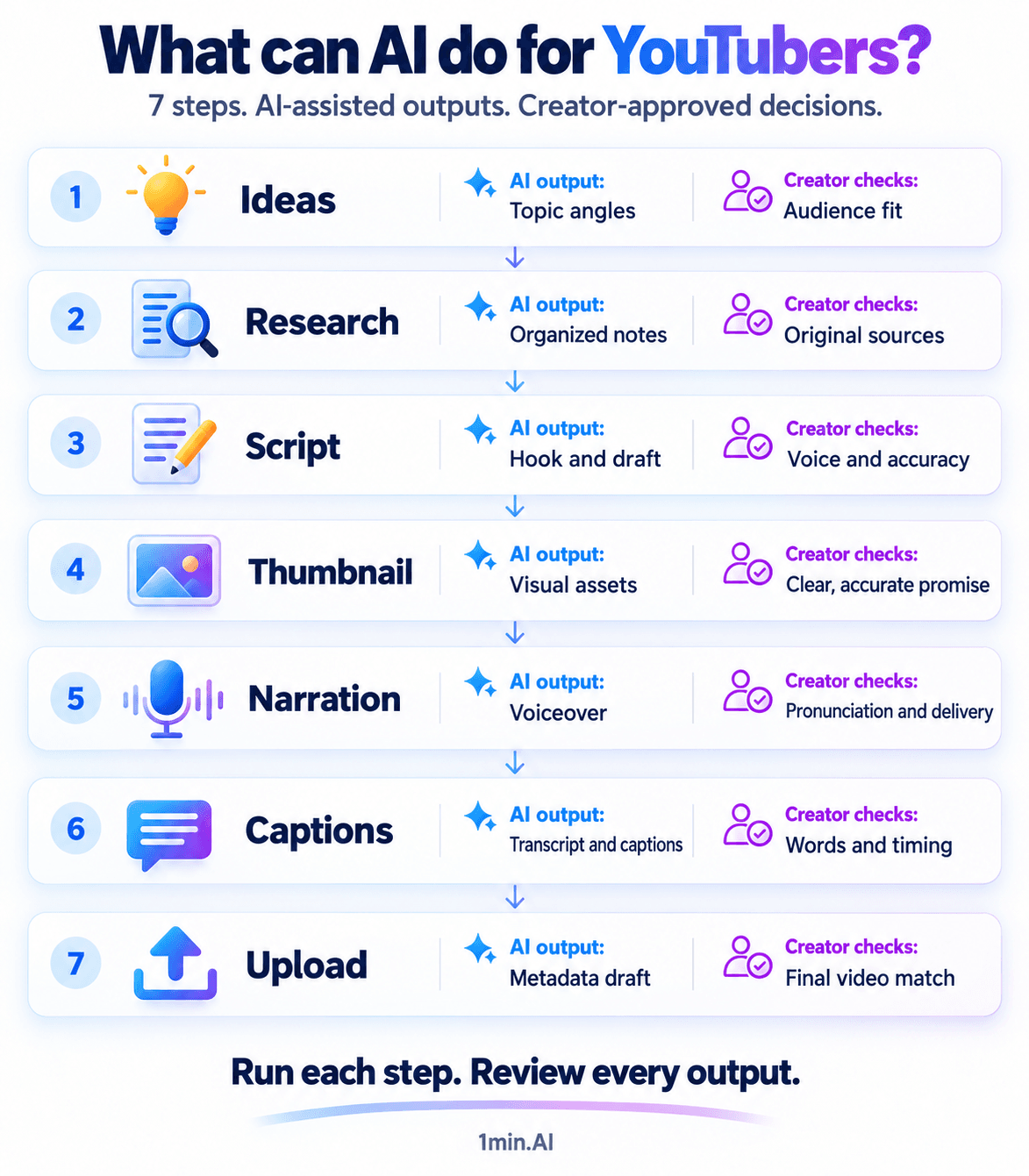
AI can help develop ideas, organize supplied research, draft scripts, generate visual assets, produce narration, and transcribe audio. For an established channel, the value comes from turning those outputs into material you can use. The table below shows where AI contributes and what you should check before moving forward.
| Stage | AI-assisted output | Your review |
|---|---|---|
| Ideas | Possible topics and angles | Audience relevance |
| Research | Organized notes and questions | Sources and factual accuracy |
| Script | Hook, outline, and draft | Voice, examples, and pacing |
| Thumbnail | Visual concepts and assets | Clarity and promise |
| Production | Optional voiceover | Pronunciation and delivery |
| Editing | Transcript and captions | Timing and accuracy |
| Upload | Titles, description, chapter draft | Match with the final video |
Build your YouTube AI workflow, step by step
Start with a brief covering your audience, tone, sources, and video promise. For example, use “Three mistakes people make when buying their first camera” throughout this workflow. Keep the approved brief beside each output so the script, thumbnail, and upload copy describe the same video.
1. Turn audience questions into video ideas
Bring viewer comments, frequently asked questions, and observations from your channel into Multi AI Chat. Ask for distinct angles, including the viewer problem, the promised takeaway, and the experience you could contribute. Select ideas against your audience knowledge and YouTube data before committing to production.
Using these viewer questions, suggest five video angles for my audience. Explain the problem each solves. Flag assumptions that need validation.
2. Organize research before drafting
Provide relevant source excerpts and notes, then ask AI to organize them into claims, supporting evidence, and unanswered questions. Open the original sources yourself to verify context and accuracy. Agreement between models is not independent confirmation; unresolved claims should stay out of the filming script until you can support them.
3. Draft a script that sounds like your channel
Supply the approved research and a sample of your writing. Generate a hook and outline first, then draft section by section. Read the result aloud, replace generic advice with your own examples, and remove anything that delays the promised answer. Comparing model outputs can help you choose a useful structure or phrasing.
Draft an outline using only my research. Match the supplied writing sample. Mark missing evidence instead of inventing details, statistics, or personal experiences.
4. Develop the thumbnail alongside the script
Ask Multi AI Chat to suggest visual concepts based on the video’s central promise. Use Image Generator to create supporting assets from your selected concept. Finish the layout and text in your design tool, then inspect it at a small viewing size. The image should communicate what the finished video actually delivers.
5. Prepare narration and record your video
For narrated sections, generate audio from your approved script with Text to Speech. Listen for pronunciation, emphasis, and awkward transitions before adding it to your edit. For on-camera videos, use the script as a recording guide and adjust sentences that feel unnatural when spoken. Complete filming and assembly in your usual production tools.
6. Create captions from the final audio
Once your edit is stable, process the audio with Speech to Text. Review names, technical terms, punctuation, and timing before importing the transcript or supported subtitle file into your editor. A correct transcript also becomes reusable input for upload copy and follow-up content, keeping those drafts aligned with what you actually said.
7. Prepare your upload and follow-up content
Give Multi AI Chat the final transcript and request title options, a description, and chapter suggestions. Verify chapter timestamps against the finished edit; a transcript without timing cannot establish accurate chapter positions. Review the package in YouTube Studio, then upload manually. You can also draft social posts or a blog outline from the approved transcript.
Use 1min.AI in your production workflow
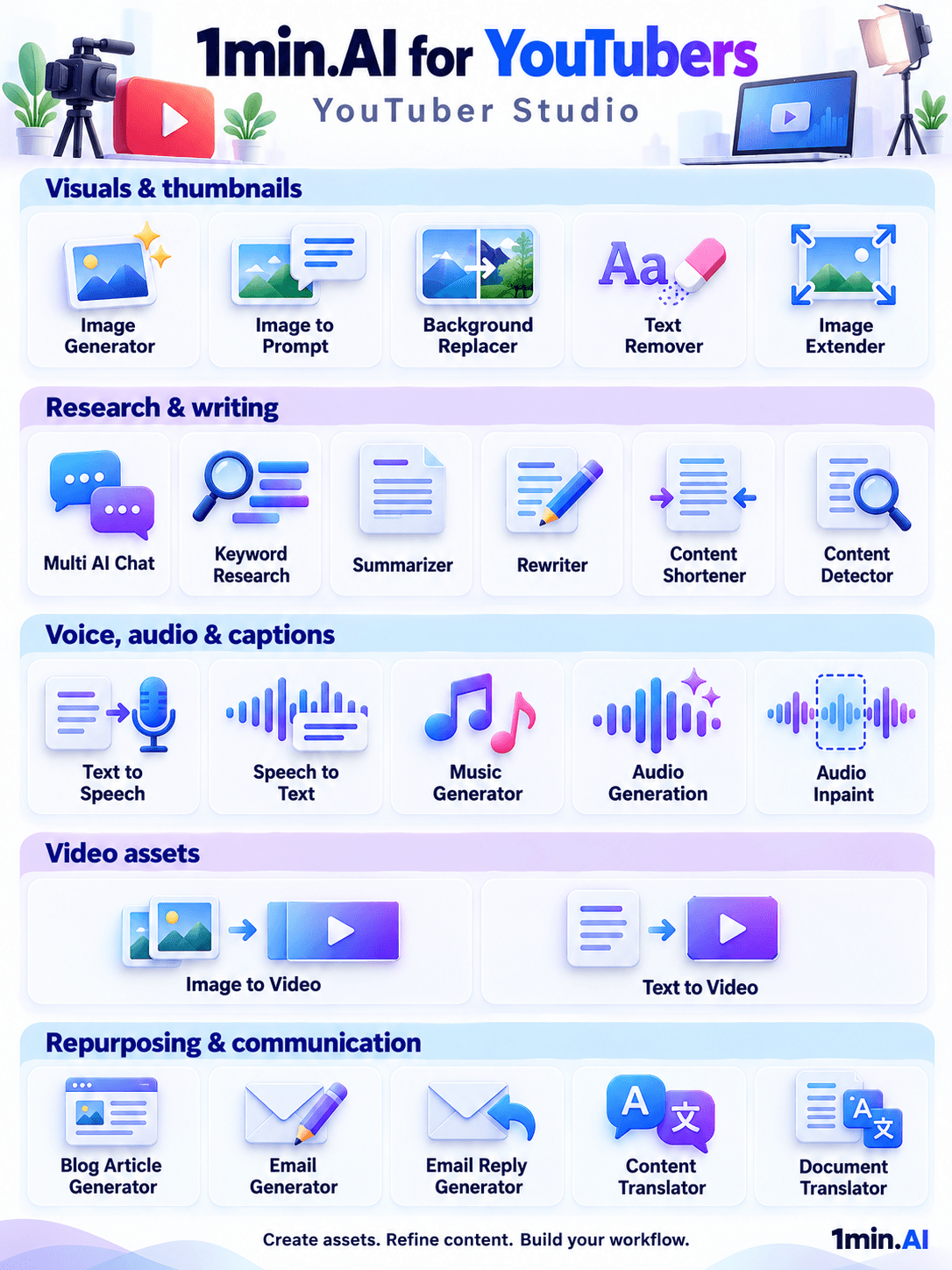
Use Multi AI Chat for ideas and drafts, Image Generator for visual assets, Text to Speech for narration, and Speech to Text for transcripts. You select each feature and transfer approved outputs between tasks. Keep your usual editor for assembly and YouTube Studio for publishing and channel performance review.
Start with one upcoming video in the 1min.AI workspace. Bring your channel brief, choose the stage that needs support, and carry only approved outputs into the next step.
FAQ
These questions clarify what this workflow supports and where your involvement remains necessary.
Can I use AI for my YouTube channel?
YouTube supports responsible use of AI tools and requires disclosure for certain generated or meaningfully altered content, including realistic synthetic scenes. Its examples distinguish production assistance, such as script drafting, from content requiring disclosure. Check the current YouTube disclosure guidance for your specific video.
Can AI automate the entire YouTube workflow?
This 1min.AI workflow is semi-manual: you choose inputs, review outputs, assemble the video, and publish it. Each stage needs your approval.
Which AI task should YouTubers start with?
Choose a repeated bottleneck, such as outlining or transcription. Test one video and assess the corrections needed before expanding your workflow.
- #Information
Alternatives
Discover the best alternatives to 1minAI and compare features, pricing, and use cases.

1min.AI vs OpenRouter
1min.AI vs. OpenRouter: Compare the ready-to-use AI creation product against the technical API tool. Find out if you need a zero-code creative studio or a coding infrastructure hub.
 Ngoc Hong
1min.AI vs Lovart
Looking for a Lovart alternative? Compare creative workflows, pricing considerations, and practical prompts to see whether 1min.AI fits your team.
Ngoc Hong
1min.AI vs Jarvis AI
Compare 1min.AI vs Jarvis AI to discover which AI platform is better for writing, research, automation, and content creation. Find the best AI assistant for your workflow.
Ngoc HongAI Tools
Discover the best AI tools to boost productivity, creativity, and everyday work.

Create Consistent Cartoon Content in Just a Few Steps
Create engaging cartoon videos for TikTok and Reels with 1min.AI. Research ideas, create characters, and turn images into animated videos in 3 simple steps.
 Lien Anh Vu
One Product, 10 UGC Creatives: How AI Makes Content Testing Easier
Create more authentic UGC with an AI UGC video generator, test more creative angles and scale affiliate content without filming every version.
Lien Anh Vu
Top 4 Affordable AI Tools for Startup Founders
Discover the top 4 affordable AI tools for startup founders to validate ideas, build products, create content, and launch faster without overspending.
 Tram Ta
AI Features
Comprehensive AI features that streamline workflows, improve efficiency, and empower teams to achieve more.
Create Consistent Cartoon Content in Just a Few Steps
Create engaging cartoon videos for TikTok and Reels with 1min.AI. Research ideas, create characters, and turn images into animated videos in 3 simple steps.
Lien Anh VuOne Product, 10 UGC Creatives: How AI Makes Content Testing Easier
Create more authentic UGC with an AI UGC video generator, test more creative angles and scale affiliate content without filming every version.
Lien Anh Vu
1minAI: Free AI Grammar Checker
Check grammar for free with 1minAI’s AI grammar checker. Find grammar, spelling, and writing mistakes, improve clarity, and polish your content in seconds.
Tram TaAI Use Cases
A curated collection of AI use cases for business, productivity, and industry-specific applications.
Create Consistent Cartoon Content in Just a Few Steps
Create engaging cartoon videos for TikTok and Reels with 1min.AI. Research ideas, create characters, and turn images into animated videos in 3 simple steps.
Lien Anh VuOne Product, 10 UGC Creatives: How AI Makes Content Testing Easier
Create more authentic UGC with an AI UGC video generator, test more creative angles and scale affiliate content without filming every version.
Lien Anh Vu
Best Time to Post on Instagram: A Practical Guide for Better Engagement
Discover the best time to post on Instagram, including the best days and times for different audiences, plus tips to find the ideal posting schedule for your account.
Tram TaAI Tutorials
Learn how to use AI with practical, step-by-step tutorials.

Black Friday AI Tool Deals in 2026
Discover what Black Friday AI tool deals 2026 has to offer. Find out how to secure the 1min.AI lifetime deal via AppSumo, Dealify, Stack Social, and verify on Trustpilot, Slashdot, and Software Advice.
 Hang Nguyen
Create Consistent Cartoon Content in Just a Few Steps
Create engaging cartoon videos for TikTok and Reels with 1min.AI. Research ideas, create characters, and turn images into animated videos in 3 simple steps.
Lien Anh Vu
[Seedance 2.5 New] Better AI Product Videos, Less Rework in 1min.AI
Use Seedance 2.5 image to video on 1min.AI to create more consistent AI product videos, reduce failed generations, save credits, and improve UGC workflows.
Lien Anh VuAI Guides
Learn AI faster with practical guides, real-world examples, and actionable best practices.

Safely Buy AI Tools Online: 2026 Black Friday Guide
Discover how to find and secure the best Black Friday AI deals online. Learn expert strategies to avoid scams, combat subscription fatigue, and verify software.
Hang NguyenCreate Consistent Cartoon Content in Just a Few Steps
Create engaging cartoon videos for TikTok and Reels with 1min.AI. Research ideas, create characters, and turn images into animated videos in 3 simple steps.
Lien Anh Vu[Seedance 2.5 New] Better AI Product Videos, Less Rework in 1min.AI
Use Seedance 2.5 image to video on 1min.AI to create more consistent AI product videos, reduce failed generations, save credits, and improve UGC workflows.
Lien Anh VuAI Solutions
Browse the best AI solutions for automation, coding, research, productivity, customer support, marketing, and business workflows.
Safely Buy AI Tools Online: 2026 Black Friday Guide
Discover how to find and secure the best Black Friday AI deals online. Learn expert strategies to avoid scams, combat subscription fatigue, and verify software.
Hang NguyenCreate Consistent Cartoon Content in Just a Few Steps
Create engaging cartoon videos for TikTok and Reels with 1min.AI. Research ideas, create characters, and turn images into animated videos in 3 simple steps.
Lien Anh VuOne Product, 10 UGC Creatives: How AI Makes Content Testing Easier
Create more authentic UGC with an AI UGC video generator, test more creative angles and scale affiliate content without filming every version.
Lien Anh VuAI Models
Explore the world's leading AI models in one place.
Create Consistent Cartoon Content in Just a Few Steps
Create engaging cartoon videos for TikTok and Reels with 1min.AI. Research ideas, create characters, and turn images into animated videos in 3 simple steps.
Lien Anh VuOne Product, 10 UGC Creatives: How AI Makes Content Testing Easier
Create more authentic UGC with an AI UGC video generator, test more creative angles and scale affiliate content without filming every version.
Lien Anh Vu[Seedance 2.5 New] Better AI Product Videos, Less Rework in 1min.AI
Use Seedance 2.5 image to video on 1min.AI to create more consistent AI product videos, reduce failed generations, save credits, and improve UGC workflows.
Lien Anh VuAI Comparisons
Compare AI tools, models, and platforms to find the best fit for your needs.

Kling AI Vs Veo 3: Which Model Wins?
Kling AI vs Veo 3: compare motion, native audio, pricing & free tiers to see which AI video generator wins for your project - try both on 1min.AI.
 Trang Tran
[Seedance 2.5 New] Better AI Product Videos, Less Rework in 1min.AI
Use Seedance 2.5 image to video on 1min.AI to create more consistent AI product videos, reduce failed generations, save credits, and improve UGC workflows.
Lien Anh Vu
DeepSeek V4 Pro vs Flash Comparison
Compare DeepSeek V4 Pro vs DeepSeek V4 Flash metrics. Optimize your agentic apps and improve AI fact checking on 1min.ai today.
Ngoc HongAI Integrations
Seamlessly integrate AI with the tools you already use to automate work and boost productivity.

POV: You Have 10+ Posts to Make Every Day
Learn how to build an AI content workflow that helps content creators produce 10+ social media posts a day faster with AI brainstorming, image generation, and content creation.
Lien Anh Vu
How to Use an AI Fashion Video Generator for Fashion Week 2026
Turn Fashion Week 2026 ideas into stunning fashion videos with AI. Learn how to brainstorm, create visuals, and transform images into videos with one simple workflow.
Lien Anh Vu
Stop Switching Between AI Apps: How AI Integration Transforms Employer Branding
Discover how AI integration helps HR teams streamline employer branding by combining AI writing, documents, images, video, and multiple AI models into one workspace.
Tram TaAI for Industries
Find the best AI tools and workflows for healthcare, finance, education, legal, manufacturing, retail, real estate, and more

Free AI Product Description Generator
Write product descriptions that sell in minutes. Use this free AI product description generator to turn details or a photo into on-brand copy. Try 1min.AI.
Trang Tran
Best Business Productivity Tools for Startups to Maximize Profits | 1minAI
Discover the best business productivity tools for startups to save time, streamline workflows, reduce repetitive tasks, and support profitable growth with AI.
Tram Ta
Best AI Tool for Content Marketing |1minAI
Looking for the best AI tool for content marketing? See how 1minAI helps marketers research, write, repurpose, create visuals, and scale content from one AI workspace.
Tram TaAI Agents
Discover and run AI agents to automate tasks across your work and daily life.
1minAI: Free AI Grammar Checker
Check grammar for free with 1minAI’s AI grammar checker. Find grammar, spelling, and writing mistakes, improve clarity, and polish your content in seconds.
Tram Ta
AI Agents for Facebook
Use an AI Agent for Facebook to create content, generate images, schedule posts, and publish from your documents and conversations.
Ngoc Hong
AI Agent vs AI Assistant: Which One Actually Saves Designers More Time?
Learn the difference between AI Agent vs AI Assistant and discover which solution helps designers automate repetitive work, reduce revisions, and save more time.
Lien Anh VuAI Workflows
Explore ready-to-use AI workflows for productivity, marketing, sales, support, and more.
Create Consistent Cartoon Content in Just a Few Steps
Create engaging cartoon videos for TikTok and Reels with 1min.AI. Research ideas, create characters, and turn images into animated videos in 3 simple steps.
Lien Anh VuOne Product, 10 UGC Creatives: How AI Makes Content Testing Easier
Create more authentic UGC with an AI UGC video generator, test more creative angles and scale affiliate content without filming every version.
Lien Anh VuPOV: You Have 10+ Posts to Make Every Day
Learn how to build an AI content workflow that helps content creators produce 10+ social media posts a day faster with AI brainstorming, image generation, and content creation.
Lien Anh VuNewsletter
Weekly AI Innovations with 1minAI

🔮 Weekly AI Innovations #142: Grok 4.7, Opus 5.5 & Sonnet 5.5 on 1min.ai
Access Grok 4.7, Claude Opus 5.5, and Sonnet 5.5 on 1min.ai. Cut subscription costs by up to 70% and process millions tokens in a single unified workspace.
Hang Nguyen
🔮 Weekly AI Innovations #141: Seedance 2.5 & Stable Audio 3: Next-Gen AI
Explore Seedance 2.0, 2.5, and StabilityAI's Stable Audio 3 on 1min.ai. Generate studio-grade audio and synchronized motion with next-gen generative AI.
Hang Nguyen
🔮 Weekly AI Innovations #140: Deepseek 4.1 Flash & Gemini Upgrades
Explore Deepseek 4.1 Flash and new Gemini models on 1min.ai. Plus, check our update on your Billing - Usage page for better clarity.
Hang Nguyen