
Seedance 2.5 vs Veo 3 vs Kling AI: Which Is Best for UGC?

Lien Anh Vu
September 23, 2026
Compare Veo 3, Kling AI, and Seedance 2.5 for UGC and see how they handle realistic creators, product demos, dialogue, consistency, and lifestyle content.
For affiliate creators, marketers, and UGC professionals, choosing an AI video model is no longer only about generating realistic footage. Commercial video also needs consistent products, believable characters, controlled camera movement, natural audio, clear storytelling, and enough creative flexibility to produce multiple variations. That is why Veo 3, Kling AI 3.0 Omni, and Seedance 2.5 are worth comparing based on what each model is designed to handle rather than looking for one universal winner.
For creators working on commercial content, there is another practical consideration. You do not necessarily need to manage three separate AI video platforms to experiment with these models. 1min.AI brings multiple AI models into one platform, allowing creators to access and test different approaches within a single workspace. In this guide, we compare the three models from a technology and commercial-content perspective, explain where each one can fit into a UGC workflow, and show how to use Veo 3, Kling AI, and Seedance 2.5 in 1min.AI.
Why Use Veo 3, Kling AI, and Seedance 2.5 in 1min.AI?
AI video models are evolving quickly, and different models can approach the same creative brief in very different ways. Instead of committing to a single model for every campaign, creators can benefit from having access to several models and choosing the one that matches the content they are producing.
Access Multiple AI Video Models in One Platform
High converting ad campaigns rarely rely on a single creative direction. Scaling an e-commerce or affiliate product usually requires testing multiple narrative formats across different funnel stages. For instance, a single skincare campaign often needs several distinct video assets to find the winning ad angle.
- A casual selfie style product review designed for organic TikTok feeds
- A dialogue driven creator testimonial with clean lip sync and native audio
- A polished commercial b roll sequence highlighting texture and packaging details
- A multi shot lifestyle routine showing the product applied throughout the day
- Multiple hook variations to run high volume split tests across paid social channels
Each AI model approaches visual rendering, motion cadence, and physical interactions differently. 1min.AI eliminates the hassle of building isolated pipelines for every tool by centralizing Google Veo 3, Kling AI 3.0 Omni, and Seedance 2.5 on a single dashboard. Creators can assign the right model to the right shot type instantly, accelerating multi angle ad production without fragmenting their creative workflow.
Compare Models Without Changing Your Workflow
Instead of subscribing to and switching between separate AI video platforms, 1min.AI lets creators access multiple AI models from a single platform. With one subscription, you can use Veo 3, Kling AI, and Seedance 2.5 within the same workspace, making it easier to explore different approaches without managing multiple accounts, subscriptions, or workflows.
1min.AI also offers several ways for active users to earn additional credits, helping creators get more value from the platform beyond their initial subscription.
Ways to earn free credits include:
- Daily rewards: Active users can receive around 15,000 credits per day, or up to approximately 450,000 credits per month.
- Share your creations: Publish and share AI-generated content through AI Social to earn additional credits.
- Get your content remixed: Earn bonus credits when other users use your prompts or remix your posts.
- Submit feedback: Participate in feature reviews and feedback programs to receive additional credits.
This makes 1min.AI more than a place to access individual AI video models. It gives creators a way to experiment with multiple models while managing their AI production from one platform.
Note: The exact number of credits and eligibility for rewards may vary depending on the current 1min.AI program terms.
Comparing Veo 3, Kling AI 3.0 Omni, and Seedance 2.5 in Practice on 1min.AI
Generic model benchmarks can provide useful context, but they do not fully reflect how an AI video model performs in a real commercial content workflow. For marketers, UGC creators, and performance teams, practical value often comes down to the controls available during generation, the types of references a model can use, the level of shot control, and how much audio production is handled within the generation process.
On 1min.AI, Veo 3, Kling AI 3.0 Omni, and Seedance 2.5 offer different combinations of these controls. Rather than treating one model as universally better, it is more useful to understand how each model handles inputs, motion, sequencing, audio, and output settings and what those differences mean for commercial video production.
Seedance 2.5: Rich Reference Inputs for Product and Creative Control
Seedance 2.5 stands out on 1min.AI for the range of reference materials that can be incorporated into a generation. Creators can use reference images, reference videos, and reference audio, giving the model more contextual information than a text-only prompt. This is particularly useful when a video needs to preserve details from existing creative assets. For example, a creator can provide a product image to establish the visual subject, a reference video to communicate movement or visual direction, and reference audio to provide additional audiovisual context.
Within 1min.AI, Seedance 2.5 also supports multiple aspect ratios and 480p or 720p output options, with audio generation available as part of the workflow. For commercial and affiliate content, this makes Seedance 2.5 relevant when reference fidelity and audiovisual consistency matter. It can be useful for product showcases, lifestyle scenes, branded visuals, and other concepts where the creator already has several assets to work from.
Kling AI: Shot-Level Control for Structured Storytelling
Kling AI 3.0 Omni takes a different approach by giving creators more control over how a video is structured across individual shots. On 1min.AI, creators can access the 3.0 Omni version and generate videos from 3 to 10 seconds in 9:16, 16:9, or 1:1 formats, with 720p and 1080p resolution options.
Its most important production control is multi-shot generation. Instead of describing an entire sequence in one prompt, creators can define prompts for individual shots and adjust the duration of each shot. Kling also supports image-to-video generation using both a first frame and a last frame, giving creators additional control over how a sequence begins and ends. This matters for commercial storytelling because the output does not have to be treated as a single isolated clip. Creators can plan individual visual beats, control their timing, and guide transitions between scenes.
For UGC and performance content, this makes Kling AI 3.0 Omni particularly relevant to character-led stories, multi-scene concepts, product narratives, and videos where the sequence of events matters as much as the individual frame.
Veo 3: Fast Iteration with Audio and Exclusion Controls
Veo 3 focuses on a more streamlined generation workflow. On 1min.AI, creators can select Veo 3.1 Video Fast, with 8-second generation, Auto, 16:9, and 9:16 aspect-ratio options, and 720p or 1080p output. Veo 3 also supports image-to-video generation with an image input and a last-frame image. Another useful control is the “What not to include in the video” field, which allows creators to specify elements they want to avoid in the generated result.
Audio can also be generated directly with the video. This allows creators to develop short-form concepts with both visuals and sound within the same generation workflow, rather than treating audio as an entirely separate production step. For UGC and performance marketing, these controls are especially useful during rapid creative iteration. An advertiser may want to test several hooks, product introductions, visual variations, or short creator-style concepts without rebuilding the entire production process each time.
Veo 3 is also the fastest of the three models in the 1min.AI workflow based on the generation speed observed on the platform, followed by Seedance 2.5 and Kling AI.
Technical Control Matrix on 1min.AI
| Production Capability | Seedance 2.5 | Kling AI | Veo 3 |
|---|---|---|---|
| Image-to-video | ✔ | ✔ | ✔ |
| Reference image | ✔ | ✔ (Image to Video) | ✔ (Image to Video) |
| Reference video | ✔ | ||
| Reference audio | ✔ | ✔ | |
| First-frame / last-frame control | ✔ | ✔ | ✔ |
| Multi-shot generation | ✔ | ||
| Shot-level duration control | ✔ | ||
| Audio generation | ✔ | ✔ | |
| Aspect ratios | Multiple options | 9:16, 16:9, 1:1 | Auto, 16:9, 9:16 |
| Output resolution | 480p, 720p | 720p, 1080p | 720p, 1080p |
| Clip duration | Configuration dependent | 3–10 seconds | 8 seconds |
| “What not to include” control | ✔ | ||
| Generation speed in 1min.AI | Fast | Slower than the other two | Fastest |
What Each Model Brings to Commercial Content
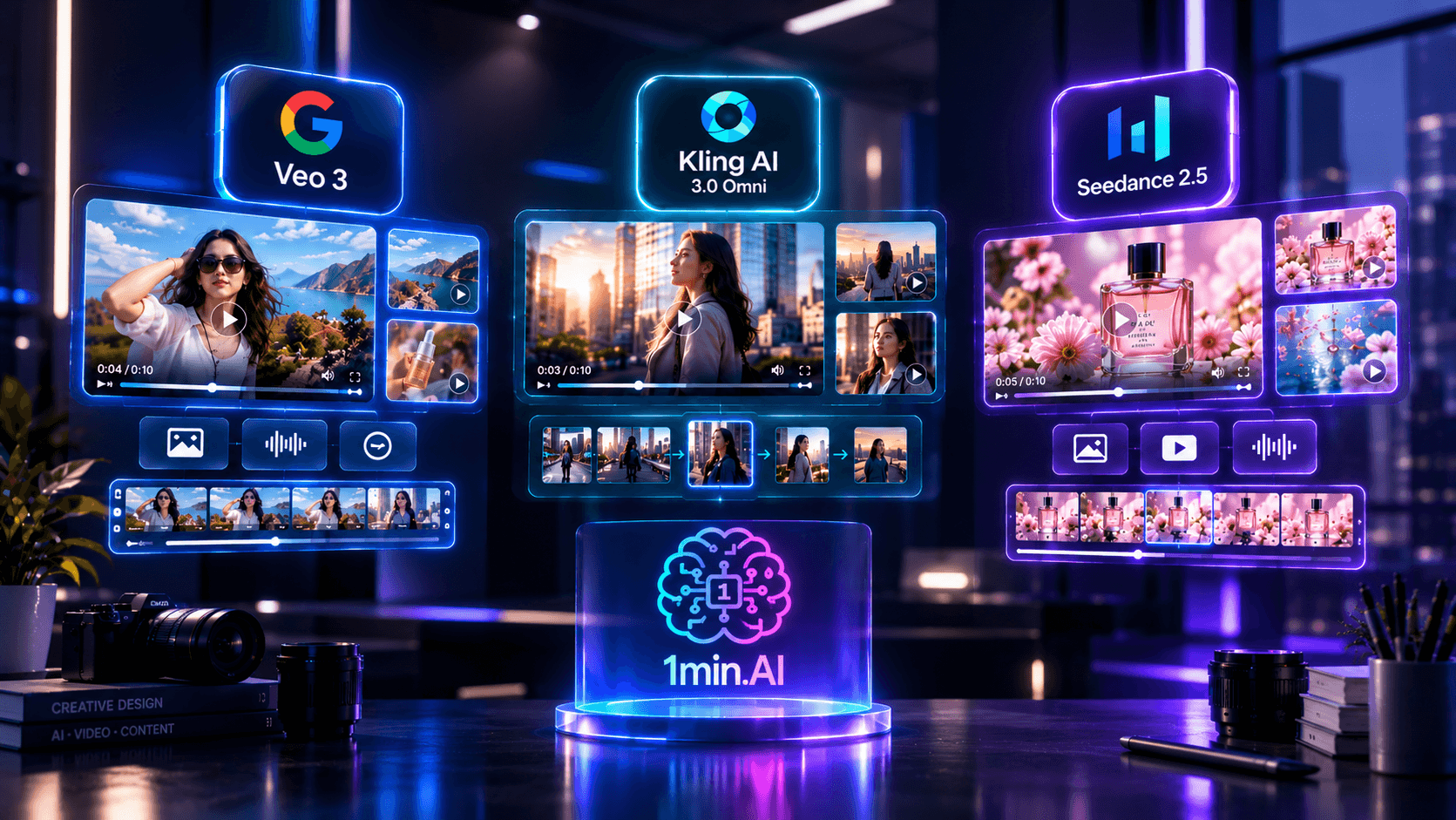
Google Veo 3 High Velocity Hook Testing and Rapid Prototyping
Veo 3 serves as an elite prototyping engine for agile paid media teams. In direct response advertising, the opening three seconds decide whether a viewer converts or swipes away. Winning campaigns demand continuous iteration across dozens of unique hooks, creator personas, and dynamic visual angles.
Operating through punchy 8 second renders, native audio generation, and precise negative exclusion filtering, Veo 3 turns concept exploration into a streamlined operation. A growth marketer can upload a static product photo, apply negative commands to strip away digital artifacts, and render a high impact UGC hook complete with natural ambient sound in minutes. This speed allows performance teams to test volume without committing heavy production resources to unproven concepts.
Kling AI 3.0 Omni Multi Scene Storytelling and Character Continuity
Kling AI 3.0 Omni acts as an autonomous virtual film crew for complex narrative frameworks. Direct response formats such as classic problem solution breakdowns, multi step unboxings, and character driven founder stories fail when scenes appear disconnected or when the protagonist changes appearance between takes.
By granting shot level directorial authority, Kling allows creators to choreograph multi angle storyboards under a single generation cycle. Editors set specific durations for individual beats and pin start and finish frames, ensuring the model transitions smoothly between an initial customer frustration, product unboxing, and the final emotional payoff. This structural control makes Kling AI 3.0 Omni indispensable for branded episodic content and cinematic affiliate narratives.
Seedance 2.5 Multi Modal Asset Ingestion and High Fidelity Brand Anchoring
Seedance 2.5 functions as an advanced synthesis engine for asset heavy e commerce campaigns. When marketing physical consumer packaged goods, luxury items, or tech hardware, AI hallucinations ruin brand equity. A product cannot change its colorway, shrink its packaging, or distort its typography from scene to scene.
Seedance eliminates this unpredictability through multi modal grounding. Instead of leaving outcomes to textual chance, teams anchor the generation with multiple reference images, b roll movement clips, and distinct audio tracks simultaneously. The model mirrors the exact tactile texture of the product, matches the choreography of reference footage, and blends source audio flawlessly into the scene. For social commerce teams on TikTok Shop and Amazon, Seedance provides the consistency required to produce credible, conversion ready product showcases.
Strategic Selection Matrix by Commercial Objective
| Commercial Video Objective | Optimal Engine | Primary Production Driver |
|---|---|---|
| Rapid UGC concept testing | Google Veo 3 | Industry leading rendering speed, native audio, and proactive artifact exclusion |
| Direct response hook split testing | Google Veo 3 | Crisp 8 second format built for rapid iterations across paid social channels |
| Multi scene problem solution ads | Kling AI 3.0 Omni | Native multi shot timeline control with custom shot duration parameters |
| Character lead affiliate storylines | Kling AI 3.0 Omni | First and final frame pinning ensures identity persistence across scenes |
| Physical product showcases | Seedance 2.5 | Deep multi modal referencing locks down packaging details and brand aesthetics |
| Dynamic lifestyle b roll integration | Seedance 2.5 | Direct injection of video and audio references to mimic real world motion |
| Complex brand asset animations | Seedance 2.5 | Multi sensory grounding minimizes visual hallucinations on tangible goods |
Modern digital advertising relies on testing complementary formats rather than picking a single winner. Google Veo 3 tests the hooks, Kling AI 3.0 Omni directs the story, and Seedance 2.5 anchors the product. By unifying all three powerhouses under 1min.AI, growth marketers eliminate operational silos. Creators can seamlessly transition between rapid prototyping, multi shot storytelling, and asset anchored rendering on a single canvas, unlocking true creative velocity at scale.
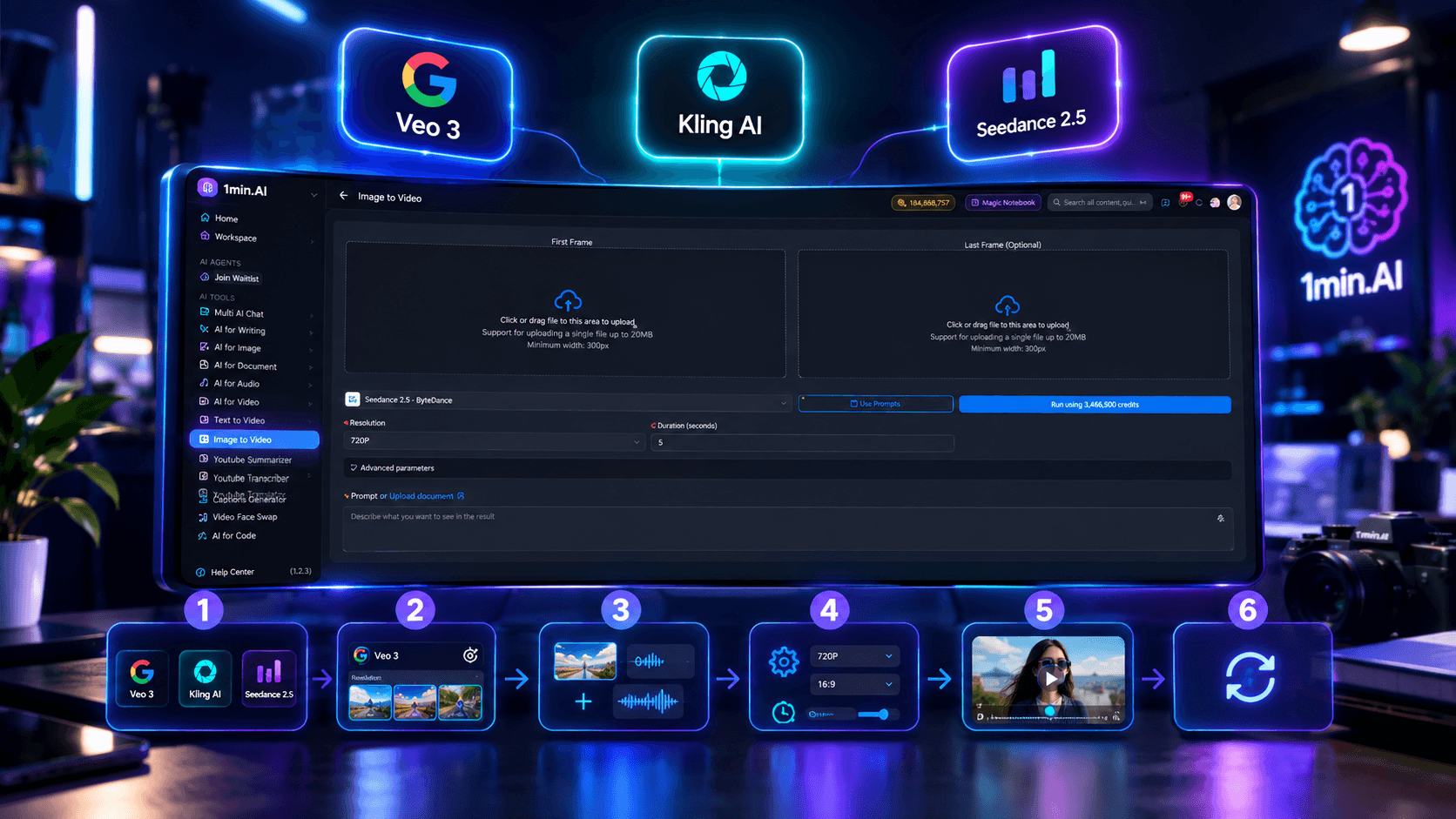
How to Use Veo 3, Kling AI 3.0 Omni, and Seedance 2.5 in 1min.AI
One of the main advantages of using Veo 3, Kling AI 3.0 Omni, and Seedance 2.5 in 1min.AI is the ability to access multiple AI video models from a single platform. Instead of switching between different tools, creators can choose the model that best matches the requirements of each UGC or commercial video and adjust the available generation controls within the same workflow.
Step 1: Open the AI Video Generator in 1min.AI
Log in to your 1min.AI account and open the Video Generator or Text to Video. From the generation interface, select Veo 3, Kling AI, or Seedance 2.5 based on the type of video you want to create. You can use the same platform to experiment with different models without moving your creative assets between separate AI video tools.
Step 2: Choose the Right Model for Your Video
Start by identifying what your video needs most. Veo 3 is a practical starting point for short UGC concepts, hooks, product introductions, and rapid creative testing. Kling AI is more suitable when the concept depends on multiple shots, specific shot durations, or structured storytelling. Seedance 2.5 is useful when the creative relies on multiple reference assets, including images, videos, or audio.
Step 3: Add Your Prompt and Reference Assets
Write a clear prompt describing the subject, action, setting, camera movement, and desired visual direction. Then add reference assets according to the model you selected. With Seedance 2.5, you can provide reference images, videos, and audio to give the generation more creative context. Kling AI supports image-to-video generation with first-frame and last-frame inputs, while Veo 3 supports image-to-video generation with image and last-frame inputs. Veo 3 also provides a “What not to include in the video” field, allowing you to specify unwanted elements directly in the generation request.
Step 4: Configure the Video Settings
Adjust the available settings before generating your video. For Seedance 2.5, you can select the available aspect ratio, choose 480p or 720p output, and enable audio generation when needed. Kling AI 3.0 Omi offers 3–10 second clips, 9:16, 16:9, and 1:1 aspect ratios, 720p or 1080p resolution, and multi-shot controls that allow you to define prompts and durations for individual shots. Veo 3.1 Video Fast offers 8-second generation, Auto, 16:9, and 9:16 aspect ratios, 720p or 1080p resolution, image-to-video controls, last-frame input, audio generation, and the “What not to include in the video” field.
Step 5: Generate and Evaluate the Result
Generate the video and review it against your original creative brief. For commercial and UGC content, look beyond basic visual quality. Check whether the product is represented accurately, whether the movement and framing match the concept, whether the sequence feels natural, and whether the audio supports the intended message. If the video is designed for performance marketing, pay particular attention to the opening hook and whether the first few seconds communicate the product or idea clearly.
Step 6: Refine or Test Another Model
If the result does not match your creative direction, refine the prompt, adjust the available settings, or test the same concept with another AI video model in 1min.AI. For example, you might use Veo 3 to generate several quick UGC variations, Kling AI to develop a more structured multi-shot version, and Seedance 2.5 to incorporate additional product or audiovisual references. This approach allows creators to compare different generation methods while keeping the production workflow within the same platform.
Choosing a Starting Point
| Your Content Goal | Model to Consider |
|---|---|
| Fast UGC concept testing | Veo 3 |
| Testing multiple hooks and creative variations | Veo 3 |
| Multi-shot commercial storytelling | Kling AI |
| Shot-by-shot creative control | Kling AI |
| Product content based on multiple references | Seedance 2.5 |
| Image, video, and audio reference workflows | Seedance 2.5 |
With all three models available in 1min.AI, creators can adapt their AI video generation workflow to the requirements of each project instead of relying on a single model for every type of commercial content. Choose the model, provide the right creative inputs, configure the available controls, generate the video, and iterate based on the result.
Measure More Than Visual Quality
Visual quality is only one part of evaluating an AI-generated commercial video. For UGC creators, marketers, and performance teams, the more useful question is whether the generated video supports the intended marketing objective. When comparing Veo 3, Kling AI 3.0 Omni, and Seedance 2.5, evaluate each output against the same commercial criteria rather than judging the models only by how realistic the footage looks.
| Evaluation Criteria | What to Check |
|---|---|
| Hook strength | Does the opening capture attention quickly enough for short-form platforms? |
| Product accuracy | Does the product maintain the intended appearance, shape, packaging, and key details? |
| Visual consistency | Are characters, products, environments, and key visual elements consistent throughout the video? |
| Motion quality | Do movement, camera motion, and transitions look natural and intentional? |
| Audio and dialogue | Is generated speech, sound, or background audio clear and appropriate for the concept? |
| Message clarity | Can viewers understand the product benefit or main message without additional explanation? |
| Platform fit | Does the output match the required aspect ratio, duration, and resolution for the target platform? |
| Iteration speed | How quickly can you generate, review, and refine multiple creative variations? |
| Creative flexibility | Does the model provide the references, shot controls, or generation options needed for the concept? |
For example, a visually impressive video may still require additional work if the product details are inaccurate, the opening lacks a clear hook, or the generated audio does not support the message. Conversely, a simpler-looking output may be more useful if it communicates the product clearly and can be adapted quickly into several creative variations.
When testing the three models in 1min.AI, keeping the prompt, reference assets, and evaluation criteria consistent makes the comparison more meaningful. You can then assess not only visual output but also how efficiently each model supports your actual commercial production requirements.
Frequently Asked Questions
Which AI video model should you use for UGC-style ads?
It depends on the type of UGC you want to create. Veo 3 is relevant for fast UGC concepts, product introductions, and creative testing, while Kling AI 3.0 Omni provides more control for multi-shot content and structured storytelling. Seedance 2.5 is particularly useful when your concept depends on multiple reference assets, including images, videos, and audio. Rather than choosing a model based only on overall visual quality, match its available controls to the requirements of your UGC concept.
What is the difference between Veo 3, Kling AI 3.0 Omni, and Seedance 2.5?
The main differences come from how each model handles references, shots, audio, and generation controls. Veo 3 supports audio generation, image-to-video, last-frame images, and a “What not to include in the video” option. Kling AI 3.0 Omni provides multi-shot generation with individual prompts and duration controls for each shot. Seedance 2.5 supports reference images, videos, and audio, making it relevant for workflows built around existing creative assets.
Which AI video model should you use for product-focused commercial content?
Consider the production requirements of the product video. Seedance 2.5 can be useful when you need to incorporate multiple reference assets into the generation process. Kling AI 3.0 Omni is relevant when the product needs to appear across multiple shots or scenes with more structured control. Veo 3 can be considered for short product-focused concepts, UGC-style demonstrations, and rapid creative variations.
Can you use Veo 3, Kling AI 3.0 Omni, and Seedance 2.5 in the same platform?
Yes. 1min.AI provides access to all three models within its AI video generation workflow, so creators can test different generation approaches without switching between separate platforms. You can use the same commercial concept, adjust the prompt or reference assets when necessary, and compare how each model handles the production requirements.
Does a more advanced AI video model always produce better commercial content?
Not necessarily. A model with more generation controls may not be the most suitable option for every creative task. A short UGC ad may benefit more from fast iteration and audio generation, while a multi-scene campaign may require shot-level control or multiple reference inputs. Testing the same concept across Veo 3, Kling AI 3.0 Omni, and Seedance 2.5 can help you determine which combination of model capabilities, creative control, and workflow efficiency fits your specific commercial use case.
🚀 Create, compare, and test Veo 3, Kling AI, and Seedance 2.5 in 1min.AI to find the AI video approach that works best for your UGC and affiliate content.
Alternatives
Discover the best alternatives to 1minAI and compare features, pricing, and use cases.

1min.AI vs OpenRouter
1min.AI vs. OpenRouter: Compare the ready-to-use AI creation product against the technical API tool. Find out if you need a zero-code creative studio or a coding infrastructure hub.
 Ngoc Hong
1min.AI vs Easy Peasy AI
Looking for an Easy Peasy AI alternative? Compare Easy Peasy AI and 1min.AI for content workflows, AI models, and professional teams.
Ngoc Hong
1min.AI vs Taskade
Compare 1min.AI vs Taskade for AI content creation, automation, agents, and creative workflows to find the right workspace.
Ngoc HongAI Tools
Discover the best AI tools to boost productivity, creativity, and everyday work.

Create Consistent Cartoon Content in Just a Few Steps
Create engaging cartoon videos for TikTok and Reels with 1min.AI. Research ideas, create characters, and turn images into animated videos in 3 simple steps.
 Lien Anh Vu
One Product, 10 UGC Creatives: How AI Makes Content Testing Easier
Create more authentic UGC with an AI UGC video generator, test more creative angles and scale affiliate content without filming every version.
Lien Anh Vu
Top 4 Affordable AI Tools for Startup Founders
Discover the top 4 affordable AI tools for startup founders to validate ideas, build products, create content, and launch faster without overspending.
 Tram Ta
AI Features
Comprehensive AI features that streamline workflows, improve efficiency, and empower teams to achieve more.
Create Consistent Cartoon Content in Just a Few Steps
Create engaging cartoon videos for TikTok and Reels with 1min.AI. Research ideas, create characters, and turn images into animated videos in 3 simple steps.
Lien Anh VuOne Product, 10 UGC Creatives: How AI Makes Content Testing Easier
Create more authentic UGC with an AI UGC video generator, test more creative angles and scale affiliate content without filming every version.
Lien Anh Vu
1minAI: Free AI Grammar Checker
Check grammar for free with 1minAI’s AI grammar checker. Find grammar, spelling, and writing mistakes, improve clarity, and polish your content in seconds.
Tram TaAI Use Cases
A curated collection of AI use cases for business, productivity, and industry-specific applications.
Create Consistent Cartoon Content in Just a Few Steps
Create engaging cartoon videos for TikTok and Reels with 1min.AI. Research ideas, create characters, and turn images into animated videos in 3 simple steps.
Lien Anh VuOne Product, 10 UGC Creatives: How AI Makes Content Testing Easier
Create more authentic UGC with an AI UGC video generator, test more creative angles and scale affiliate content without filming every version.
Lien Anh Vu
Best Time to Post on Instagram: A Practical Guide for Better Engagement
Discover the best time to post on Instagram, including the best days and times for different audiences, plus tips to find the ideal posting schedule for your account.
Tram TaAI Tutorials
Learn how to use AI with practical, step-by-step tutorials.
Create Consistent Cartoon Content in Just a Few Steps
Create engaging cartoon videos for TikTok and Reels with 1min.AI. Research ideas, create characters, and turn images into animated videos in 3 simple steps.
Lien Anh Vu
Black Friday AI Tool Deals in 2026
Discover what Black Friday AI tool deals 2026 has to offer. Find out how to secure the 1min.AI lifetime deal via AppSumo, Dealify, Stack Social, and verify on Trustpilot, Slashdot, and Software Advice.
 Hang Nguyen
[Seedance 2.5 New] Better AI Product Videos, Less Rework in 1min.AI
Discover how AI image-to-video product consistency helps creators reduce failed generations, save AI credits, and produce more usable commercial and UGC content.
Lien Anh VuAI Guides
Learn AI faster with practical guides, real-world examples, and actionable best practices.
Create Consistent Cartoon Content in Just a Few Steps
Create engaging cartoon videos for TikTok and Reels with 1min.AI. Research ideas, create characters, and turn images into animated videos in 3 simple steps.
Lien Anh Vu
Safely Buy AI Tools Online: 2026 Black Friday Guide
Discover how to find and secure the best Black Friday AI deals online. Learn expert strategies to avoid scams, combat subscription fatigue, and verify software.
Hang Nguyen[Seedance 2.5 New] Better AI Product Videos, Less Rework in 1min.AI
Discover how AI image-to-video product consistency helps creators reduce failed generations, save AI credits, and produce more usable commercial and UGC content.
Lien Anh VuAI Solutions
Browse the best AI solutions for automation, coding, research, productivity, customer support, marketing, and business workflows.
Create Consistent Cartoon Content in Just a Few Steps
Create engaging cartoon videos for TikTok and Reels with 1min.AI. Research ideas, create characters, and turn images into animated videos in 3 simple steps.
Lien Anh VuOne Product, 10 UGC Creatives: How AI Makes Content Testing Easier
Create more authentic UGC with an AI UGC video generator, test more creative angles and scale affiliate content without filming every version.
Lien Anh Vu
Free AI Tattoo Generator: Custom Designs
Turn any idea into a custom tattoo design with 1min.AI's free AI tattoo generator. Describe your idea, pick a style, and download in seconds.
 Trang Tran
AI Models
Explore the world's leading AI models in one place.
Create Consistent Cartoon Content in Just a Few Steps
Create engaging cartoon videos for TikTok and Reels with 1min.AI. Research ideas, create characters, and turn images into animated videos in 3 simple steps.
Lien Anh VuOne Product, 10 UGC Creatives: How AI Makes Content Testing Easier
Create more authentic UGC with an AI UGC video generator, test more creative angles and scale affiliate content without filming every version.
Lien Anh Vu[Seedance 2.5 New] Better AI Product Videos, Less Rework in 1min.AI
Discover how AI image-to-video product consistency helps creators reduce failed generations, save AI credits, and produce more usable commercial and UGC content.
Lien Anh VuAI Comparisons
Compare AI tools, models, and platforms to find the best fit for your needs.

Kling AI Vs Veo 3: Which Model Wins?
Kling AI vs Veo 3: compare motion, native audio, pricing & free tiers to see which AI video generator wins for your project - try both on 1min.AI.
Trang Tran[Seedance 2.5 New] Better AI Product Videos, Less Rework in 1min.AI
Discover how AI image-to-video product consistency helps creators reduce failed generations, save AI credits, and produce more usable commercial and UGC content.
Lien Anh Vu
DeepSeek V4 Pro vs Flash Comparison
Compare DeepSeek V4 Pro vs DeepSeek V4 Flash metrics. Optimize your agentic apps and improve AI fact checking on 1min.ai today.
Ngoc HongAI Integrations
Seamlessly integrate AI with the tools you already use to automate work and boost productivity.

POV: You Have 10+ Posts to Make Every Day
Learn how to build an AI content workflow that helps content creators produce 10+ social media posts a day faster with AI brainstorming, image generation, and content creation.
Lien Anh Vu
How to Use an AI Fashion Video Generator for Fashion Week 2026
Turn Fashion Week 2026 ideas into stunning fashion videos with AI. Learn how to brainstorm, create visuals, and transform images into videos with one simple workflow.
Lien Anh Vu
Stop Switching Between AI Apps: How AI Integration Transforms Employer Branding
Discover how AI integration helps HR teams streamline employer branding by combining AI writing, documents, images, video, and multiple AI models into one workspace.
Tram TaAI for Industries
Find the best AI tools and workflows for healthcare, finance, education, legal, manufacturing, retail, real estate, and more

Free AI Real Estate Video Generator
Turn listing photos into narrated property videos with AI real estate video tools. See how 1min.AI creates walkthroughs, voiceovers & captions in minutes.
Trang Tran
Free AI Virtual Staging: Furnish Any Room
Stage any real estate listing with AI virtual staging: upload a photo, pick a style, and get a photorealistic furnished room in seconds, free to try.
Trang Tran
The Problem With AI Design? It Looks Too AI
AI-generated designs can look polished but still feel artificial. Here are 5 prompt techniques designers can use to create more realistic, intentional visuals.
Lien Anh VuAI Agents
Discover and run AI agents to automate tasks across your work and daily life.
1minAI: Free AI Grammar Checker
Check grammar for free with 1minAI’s AI grammar checker. Find grammar, spelling, and writing mistakes, improve clarity, and polish your content in seconds.
Tram Ta
AI Agents for Facebook
Use an AI Agent for Facebook to create content, generate images, schedule posts, and publish from your documents and conversations.
Ngoc Hong
AI Agent vs AI Assistant: Which One Actually Saves Designers More Time?
Learn the difference between AI Agent vs AI Assistant and discover which solution helps designers automate repetitive work, reduce revisions, and save more time.
Lien Anh VuAI Workflows
Explore ready-to-use AI workflows for productivity, marketing, sales, support, and more.
Create Consistent Cartoon Content in Just a Few Steps
Create engaging cartoon videos for TikTok and Reels with 1min.AI. Research ideas, create characters, and turn images into animated videos in 3 simple steps.
Lien Anh VuOne Product, 10 UGC Creatives: How AI Makes Content Testing Easier
Create more authentic UGC with an AI UGC video generator, test more creative angles and scale affiliate content without filming every version.
Lien Anh VuPOV: You Have 10+ Posts to Make Every Day
Learn how to build an AI content workflow that helps content creators produce 10+ social media posts a day faster with AI brainstorming, image generation, and content creation.
Lien Anh VuNewsletter
Weekly AI Innovations with 1minAI

🔮 Weekly AI Innovations #138: Claude Sonnet 5, Fable 5 & Wan 2.7
Explode your creative potential with massive 1min.ai updates! Access Claude Sonnet 5, Fable 5, and Alibaba Wan 2.7 for unmatched multi-modal generation today.
Hang Nguyen
🔮 Weekly AI Innovations #137: ElevenLabs Music & AI social Profile Control
The newest 1min.ai updates deliver professional music generation and highly requested privacy tools. Dive into a seamless workflow today!
Hang Nguyen
🔮 Weekly AI Innovations #136: Grok 4.6 and Smart Data Retention
Discover the latest 1min.ai updates! Upgrade to Grok 4.6 for blazing-fast AI, and check our new Data Retention policies to secure your files today.
Hang Nguyen