
GPT AI Models: GPT vs Claude — Which AI Model Should You Use?

Tram Ta
September 29, 2026
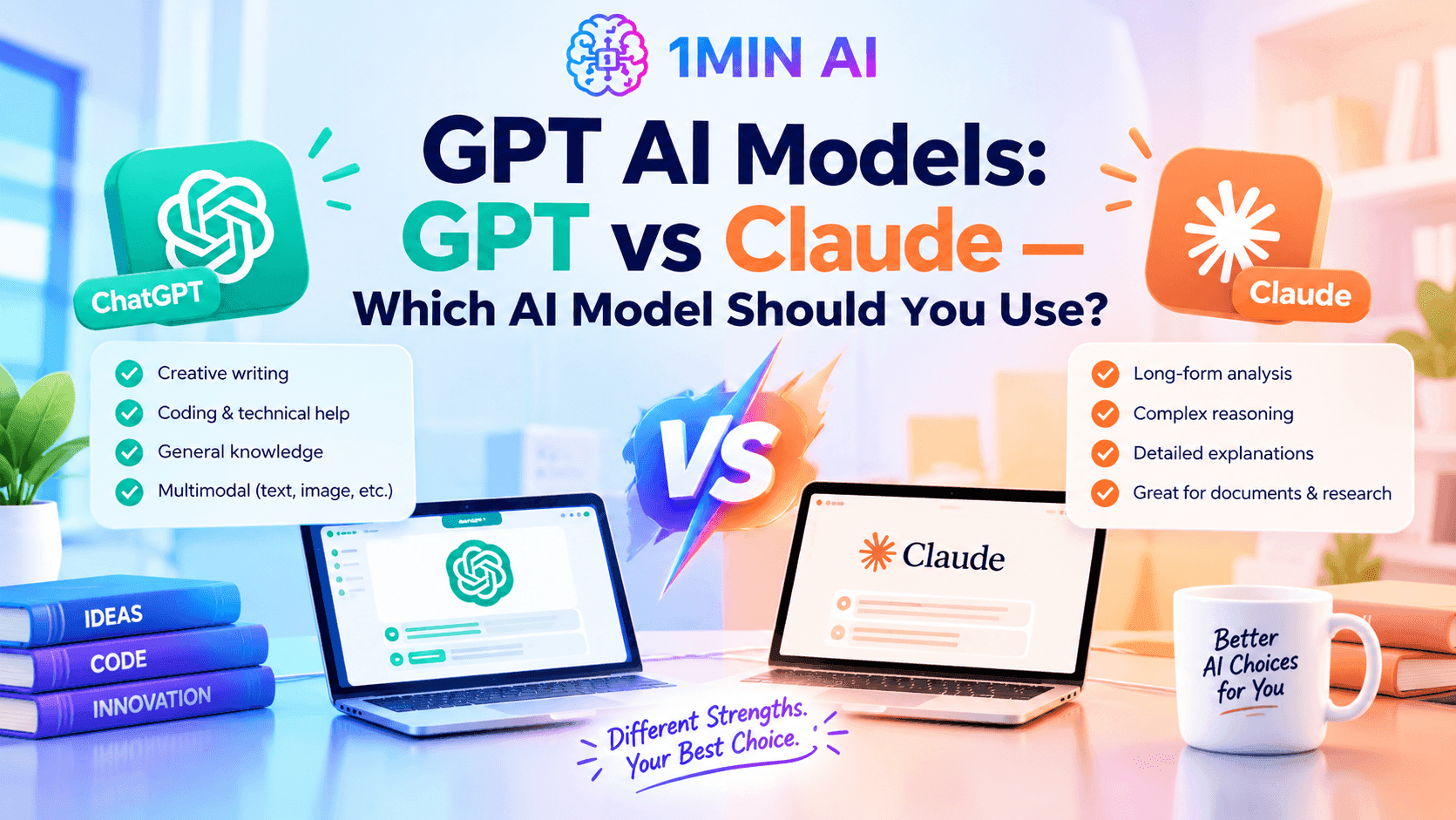
Explore GPT AI models and compare GPT vs Claude for writing, coding, research, business, and everyday AI tasks. See how to use both with 1minAI.
GPT has become one of the most familiar terms in generative AI. From writing and coding to research, business planning, and content creation, GPT AI models are now used across a wide range of everyday and professional workflows.
But GPT is no longer just one model. OpenAI now offers multiple GPT models designed for different combinations of reasoning, speed, cost, coding, and professional work. At the same time, Anthropic's Claude family has developed into another major option for users who want AI assistance with writing, coding, long-context work, agents, and knowledge tasks.
That leads to a practical question: GPT vs Claude — which should you use? The answer depends on the task. Instead of treating one model as the winner for everything, it is more useful to understand what GPT AI models and Claude models are designed to do, then test them on your actual workflow.
What Is GPT?
GPT stands for Generative Pre-trained Transformer and refers to a family of generative AI models developed by OpenAI.
If you want to understand the terminology in more detail, see what GPT stands for.
In practical terms, GPT models can understand instructions and context and generate responses such as text, code, summaries, analysis, plans, and other forms of content. OpenAI describes its GPT models as systems designed to understand context, generate content, and reason across text, images, and other inputs.
The important point for users is that GPT is a model family, not a single chatbot.
Different GPT models can be optimized for different requirements. OpenAI's current model catalog, for example, includes GPT-6 Astra for demanding end-to-end work, GPT-6 Sol for complex coding and agentic workflows, and GPT-6 Luna for more focused, high-volume workloads.
This means that when someone says, “I use GPT,” there can be an important question behind the statement:
Which GPT model are you using, and what are you using it for?
What can GPT AI models do?
Depending on the specific model and product, GPT can help with:
- Writing and editing
- Coding and debugging
- Research and summarization
- Brainstorming
- Business planning
- Marketing content
- Data and document analysis
- Translation
- Structured outputs
- Multimodal tasks
- Agentic workflows
This flexibility is one reason GPT has become a general-purpose AI model family rather than a tool limited to one type of task.
GPT AI Models: What Are the Main Options?
One of the most important things to understand about GPT is that the model family contains different options.
OpenAI's current model documentation lists GPT-6 Astra, GPT-6 Sol, and GPT-6 Luna as its flagship models, with differences in reasoning capability, cost, and intended workload.
GPT-6 Astra
GPT-6 Astra is positioned by OpenAI as its flagship model for the hardest end-to-end work.
OpenAI describes it as a model for complex reasoning and coding, with capabilities covering areas such as computer use, browsing, software engineering, science, and professional work.
This type of model is relevant when the task requires more than simple text generation.
For example:
- Planning a complex software project
- Working through a difficult research problem
- Handling multi-step professional workflows
- Analyzing large amounts of context
- Combining reasoning with tools
GPT-6 Sol
GPT-6 Sol is positioned around complex coding and agentic workflows while offering a different balance of capability and cost from Astra.
It can be useful when your workflow involves:
- Software development
- Technical analysis
- Multi-step reasoning
- AI agents
- Structured problem solving
GPT-6 Luna
GPT-6 Luna is positioned as a more efficient option for focused, high-volume workloads.
This distinction matters for businesses and developers because the most capable model is not automatically the most appropriate model for every request.
For a simple, repeated task, speed and cost may matter more than maximum reasoning capability.
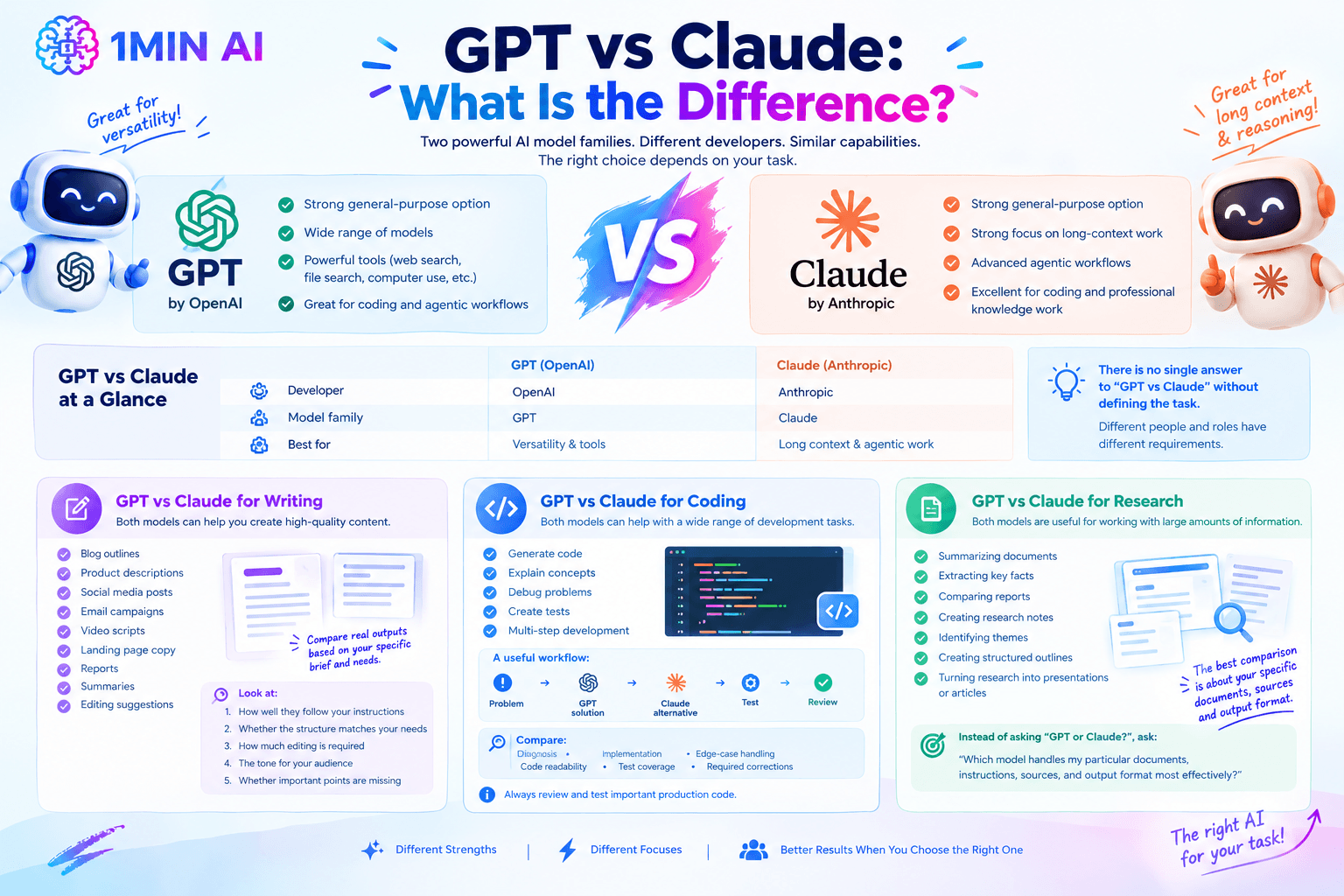
GPT vs Claude: What Is the Difference?
GPT and Claude are two different AI model families developed by two different companies.
GPT is developed by OpenAI, while Claude is developed by Anthropic.
Both families can perform many overlapping tasks, including writing, coding, analysis, research, and other knowledge-work workflows.
However, their model lineups and product capabilities evolve quickly, so a comparison should focus on the specific versions being evaluated rather than making permanent claims about an entire model family.
Anthropic's current Claude lineup includes models such as Claude Sonnet 5.5 and Claude Opus 5. Anthropic describes its recent Sonnet models around agentic work, coding, tool use, and everyday professional tasks, while its Opus line targets more demanding reasoning and professional workflows.
GPT vs Claude at a glance
| Factor | GPT | Claude |
|---|---|---|
| Developer | OpenAI | Anthropic |
| Model family | GPT | Claude |
| Writing | Strong general-purpose option | Strong general-purpose option |
| Coding | Strong option across GPT models | Strong option across Claude models |
| Reasoning | Varies by GPT model | Varies by Claude model |
| Long-context work | Depends on model | Strong focus in recent Claude models |
| Agentic workflows | Available across current GPT ecosystem | Strong focus in recent Claude models |
| Best approach | Match the model to the task | Match the model to the task |
The table highlights an important point: there is no single answer to “GPT vs Claude” without defining the task.
A marketing writer, software developer, researcher, and business analyst may have different requirements.
GPT vs Claude for Writing
For writing tasks, both GPT and Claude can be useful.
You can use either model to create:
- Blog outlines
- Product descriptions
- Social media posts
- Email campaigns
- Video scripts
- Landing page copy
- Reports
- Summaries
- Editing suggestions
The difference often becomes more noticeable when you provide a specific brief.
For example, ask both models:
Prompt: Write a 1,000-word blog post for freelance designers explaining how AI can help them manage client projects. Use a practical tone, avoid exaggerated claims, include five actionable workflows, and finish with a short checklist.
Instead of asking which model is theoretically better, compare the actual outputs.
Look at:
- How well each model follows the instructions.
- Whether the structure matches your requirements.
- How much editing is required.
- Whether the tone matches your audience.
- Whether important points are missing.
This makes GPT vs Claude a practical experiment rather than an abstract comparison.
GPT vs Claude for Coding
Coding is another area where both GPT and Claude can be useful.
GPT models can help developers generate code, explain technical concepts, debug problems, create tests, and work through multi-step software-development tasks. OpenAI's current GPT lineup explicitly includes models designed for complex coding and agentic workflows.
Claude also has a strong focus on coding and agentic development. Anthropic describes recent Claude models as capable of working on coding, computer use, tool use, and longer-running tasks.
A useful workflow is therefore:
Problem → GPT solution → Claude alternative → Test → Review
For example, give both models the same bug report and relevant code.
Then compare:
- The proposed diagnosis
- The implementation
- Edge-case handling
- Code readability
- Test coverage
- Required corrections
For important production code, the output should still be reviewed and tested by a developer.
GPT vs Claude for Research and Long Documents
Both GPT and Claude can also be useful when working with large amounts of information.
Typical tasks include:
- Summarizing documents
- Extracting key facts
- Comparing reports
- Creating research notes
- Identifying themes
- Creating structured outlines
- Turning research into presentations or articles
Recent Claude models have placed significant emphasis on long-context reasoning and professional knowledge work. For example, Anthropic says Claude Sonnet 4.6 features a 1M-token context window in beta, while newer Claude releases continue to emphasize agentic and knowledge-work capabilities.
Current GPT models also support large context windows and tools such as web search, file search, and computer use, depending on the model and API environment.
For research, therefore, the best comparison is often not “GPT or Claude?” but:
Which model handles my particular documents, instructions, sources, and output format most effectively?
Should You Choose GPT or Claude?
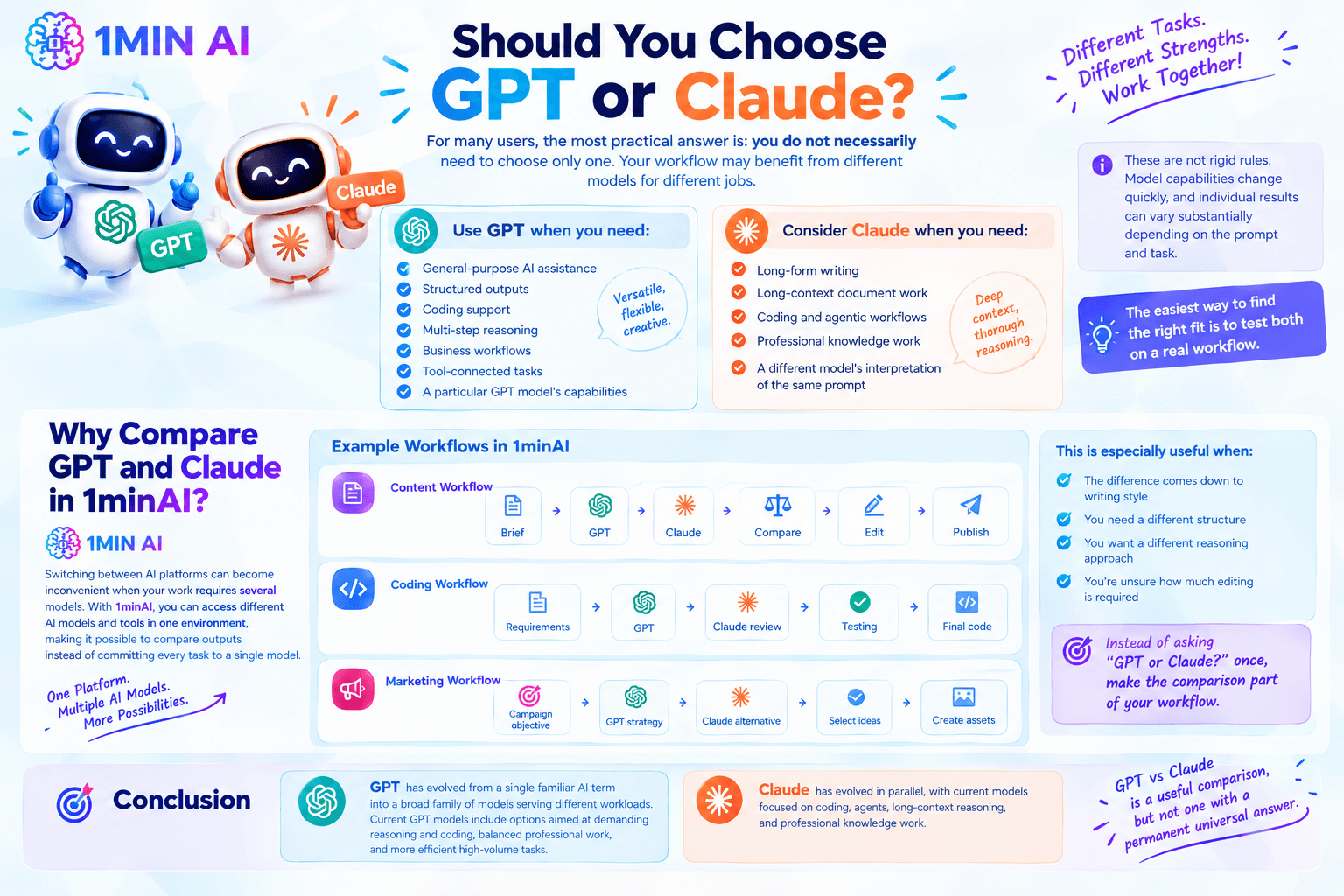
For many users, the most practical answer is: you do not necessarily need to choose only one.
Your workflow may benefit from different models for different jobs.
For example:
Use GPT when you need:
- General-purpose AI assistance
- Structured outputs
- Coding support
- Multi-step reasoning
- Business workflows
- Tool-connected tasks
- A particular GPT model's capabilities
Consider Claude when you need:
- Long-form writing
- Long-context document work
- Coding and agentic workflows
- Professional knowledge work
- A different model's interpretation of the same prompt
These are not rigid rules. Model capabilities change quickly, and individual results can vary substantially depending on the prompt and task.
The easiest way to find the right fit is to test both on a real workflow.
Why Compare GPT and Claude in 1minAI?
Switching between AI platforms can become inconvenient when your work requires several models.
You may have one account for GPT, another for Claude, another tool for image generation, and additional software for video or research.
A multi-model AI workspace can simplify that workflow.
With 1minAI, users can access different AI models and tools in one environment, making it possible to compare outputs instead of committing every task to a single model.
For example, a content workflow could look like:
Brief → GPT → Claude → Compare → Edit → Publish
A coding workflow could be:
Requirements → GPT → Claude review → Testing → Final code
A marketing workflow could be:
Campaign objective → GPT strategy → Claude alternative → Select ideas → Create assets
This is particularly useful when the difference between two AI responses comes down to writing style, structure, reasoning approach, or how much editing the final output requires.
Instead of asking “GPT or Claude?” once and making a permanent decision, you can make the comparison part of your workflow.
Conclusion
GPT has evolved from a single familiar AI term into a broad family of models serving different workloads.
Current GPT models include options aimed at demanding reasoning and coding, balanced professional work, and more efficient high-volume tasks.
Claude has evolved in parallel, with current models focused on coding, agents, long-context reasoning, and professional knowledge work.
That makes GPT vs Claude a useful comparison, but not one with a permanent universal answer.
The better approach is to match the model to the job.
If you regularly use several AI models, 1minAI can make that process more convenient by bringing different AI models and workflows into one workspace. You can experiment with GPT and Claude, compare their responses, and choose the output that best fits your specific task.
For further information, explore what GPT stands for
Discover more AI features: https://1min.ai/features
Try 1minAI agent now: https://app.1min.ai/ai-agent-demo
Alternatives
Discover the best alternatives to 1minAI and compare features, pricing, and use cases.

1min.AI vs OpenRouter
1min.AI vs. OpenRouter: Compare the ready-to-use AI creation product against the technical API tool. Find out if you need a zero-code creative studio or a coding infrastructure hub.
 Ngoc Hong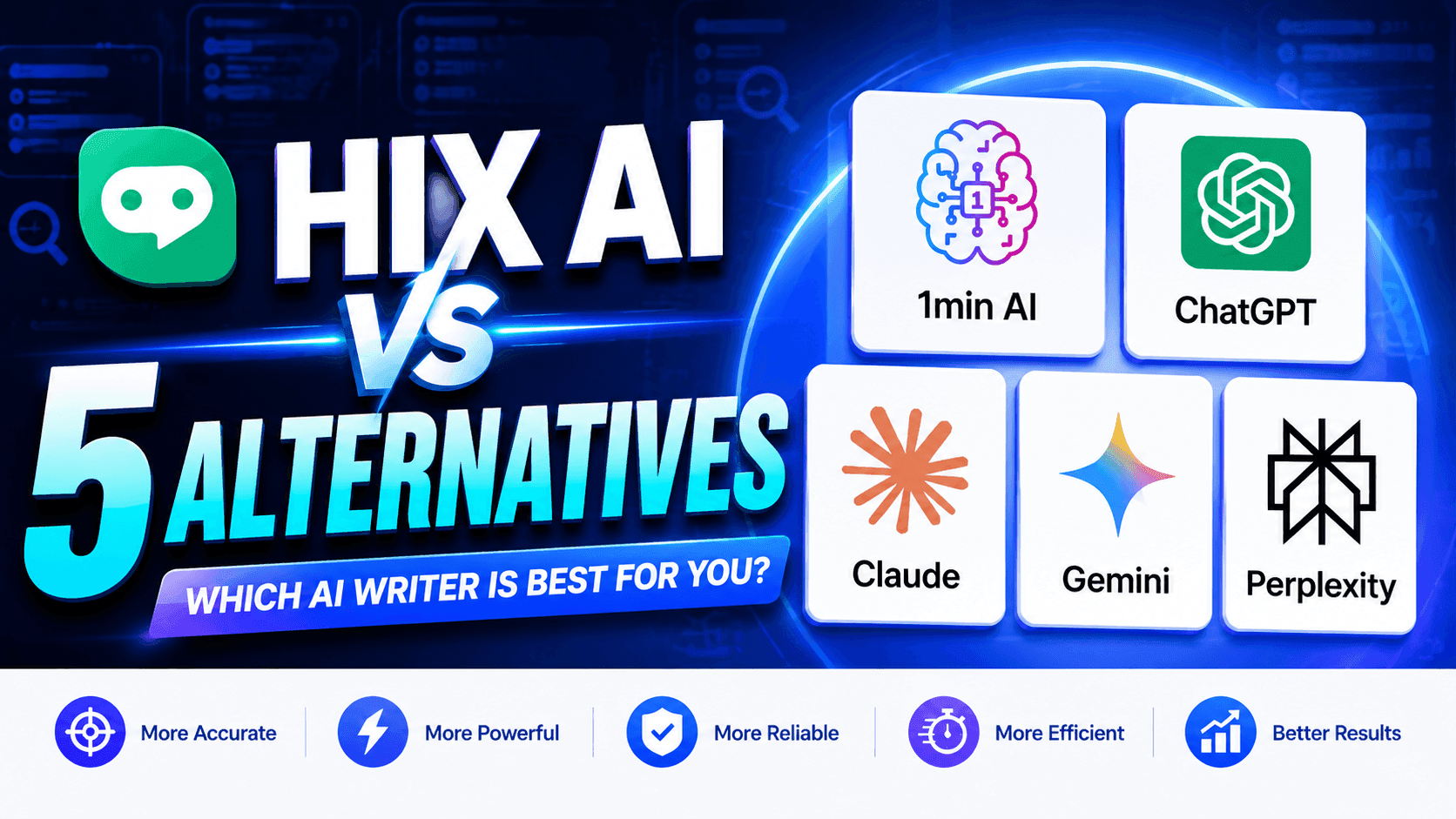
1minAI vs Hix AI
Compare 5 HIX AI alternatives for AI chat, research, writing, images, video, pricing, and flexible AI workflows.
Ngoc Hong
1min.AI vs Easy Peasy AI
Looking for an Easy Peasy AI alternative? Compare Easy Peasy AI and 1min.AI for content workflows, AI models, and professional teams.
Ngoc HongAI Tools
Discover the best AI tools to boost productivity, creativity, and everyday work.

Create Consistent Cartoon Content in Just a Few Steps
Create engaging cartoon videos for TikTok and Reels with 1min.AI. Research ideas, create characters, and turn images into animated videos in 3 simple steps.
 Lien Anh Vu
One Product, 10 UGC Creatives: How AI Makes Content Testing Easier
Create more authentic UGC with an AI UGC video generator, test more creative angles and scale affiliate content without filming every version.
Lien Anh Vu
Top 4 Affordable AI Tools for Startup Founders
Discover the top 4 affordable AI tools for startup founders to validate ideas, build products, create content, and launch faster without overspending.
 Tram Ta
AI Features
Comprehensive AI features that streamline workflows, improve efficiency, and empower teams to achieve more.
Create Consistent Cartoon Content in Just a Few Steps
Create engaging cartoon videos for TikTok and Reels with 1min.AI. Research ideas, create characters, and turn images into animated videos in 3 simple steps.
Lien Anh VuOne Product, 10 UGC Creatives: How AI Makes Content Testing Easier
Create more authentic UGC with an AI UGC video generator, test more creative angles and scale affiliate content without filming every version.
Lien Anh Vu
1minAI: Free AI Grammar Checker
Check grammar for free with 1minAI’s AI grammar checker. Find grammar, spelling, and writing mistakes, improve clarity, and polish your content in seconds.
Tram TaAI Use Cases
A curated collection of AI use cases for business, productivity, and industry-specific applications.
Create Consistent Cartoon Content in Just a Few Steps
Create engaging cartoon videos for TikTok and Reels with 1min.AI. Research ideas, create characters, and turn images into animated videos in 3 simple steps.
Lien Anh VuOne Product, 10 UGC Creatives: How AI Makes Content Testing Easier
Create more authentic UGC with an AI UGC video generator, test more creative angles and scale affiliate content without filming every version.
Lien Anh Vu
Best Time to Post on Instagram: A Practical Guide for Better Engagement
Discover the best time to post on Instagram, including the best days and times for different audiences, plus tips to find the ideal posting schedule for your account.
Tram TaAI Tutorials
Learn how to use AI with practical, step-by-step tutorials.
Create Consistent Cartoon Content in Just a Few Steps
Create engaging cartoon videos for TikTok and Reels with 1min.AI. Research ideas, create characters, and turn images into animated videos in 3 simple steps.
Lien Anh Vu
Black Friday AI Tool Deals in 2026
Discover what Black Friday AI tool deals 2026 has to offer. Find out how to secure the 1min.AI lifetime deal via AppSumo, Dealify, Stack Social, and verify on Trustpilot, Slashdot, and Software Advice.
 Hang Nguyen
[Seedance 2.5 New] Better AI Product Videos, Less Rework in 1min.AI
Use Seedance 2.5 image to video on 1min.AI to create more consistent AI product videos, reduce failed generations, save credits, and improve UGC workflows.
Lien Anh VuAI Guides
Learn AI faster with practical guides, real-world examples, and actionable best practices.
Create Consistent Cartoon Content in Just a Few Steps
Create engaging cartoon videos for TikTok and Reels with 1min.AI. Research ideas, create characters, and turn images into animated videos in 3 simple steps.
Lien Anh Vu
Safely Buy AI Tools Online: 2026 Black Friday Guide
Discover how to find and secure the best Black Friday AI deals online. Learn expert strategies to avoid scams, combat subscription fatigue, and verify software.
Hang Nguyen[Seedance 2.5 New] Better AI Product Videos, Less Rework in 1min.AI
Use Seedance 2.5 image to video on 1min.AI to create more consistent AI product videos, reduce failed generations, save credits, and improve UGC workflows.
Lien Anh VuAI Solutions
Browse the best AI solutions for automation, coding, research, productivity, customer support, marketing, and business workflows.
Create Consistent Cartoon Content in Just a Few Steps
Create engaging cartoon videos for TikTok and Reels with 1min.AI. Research ideas, create characters, and turn images into animated videos in 3 simple steps.
Lien Anh VuOne Product, 10 UGC Creatives: How AI Makes Content Testing Easier
Create more authentic UGC with an AI UGC video generator, test more creative angles and scale affiliate content without filming every version.
Lien Anh Vu
Free AI Tattoo Generator: Custom Designs
Turn any idea into a custom tattoo design with 1min.AI's free AI tattoo generator. Describe your idea, pick a style, and download in seconds.
 Trang Tran
AI Models
Explore the world's leading AI models in one place.
Create Consistent Cartoon Content in Just a Few Steps
Create engaging cartoon videos for TikTok and Reels with 1min.AI. Research ideas, create characters, and turn images into animated videos in 3 simple steps.
Lien Anh VuOne Product, 10 UGC Creatives: How AI Makes Content Testing Easier
Create more authentic UGC with an AI UGC video generator, test more creative angles and scale affiliate content without filming every version.
Lien Anh Vu[Seedance 2.5 New] Better AI Product Videos, Less Rework in 1min.AI
Use Seedance 2.5 image to video on 1min.AI to create more consistent AI product videos, reduce failed generations, save credits, and improve UGC workflows.
Lien Anh VuAI Comparisons
Compare AI tools, models, and platforms to find the best fit for your needs.

Kling AI Vs Veo 3: Which Model Wins?
Kling AI vs Veo 3: compare motion, native audio, pricing & free tiers to see which AI video generator wins for your project - try both on 1min.AI.
Trang Tran[Seedance 2.5 New] Better AI Product Videos, Less Rework in 1min.AI
Use Seedance 2.5 image to video on 1min.AI to create more consistent AI product videos, reduce failed generations, save credits, and improve UGC workflows.
Lien Anh Vu
DeepSeek V4 Pro vs Flash Comparison
Compare DeepSeek V4 Pro vs DeepSeek V4 Flash metrics. Optimize your agentic apps and improve AI fact checking on 1min.ai today.
Ngoc HongAI Integrations
Seamlessly integrate AI with the tools you already use to automate work and boost productivity.

POV: You Have 10+ Posts to Make Every Day
Learn how to build an AI content workflow that helps content creators produce 10+ social media posts a day faster with AI brainstorming, image generation, and content creation.
Lien Anh Vu
How to Use an AI Fashion Video Generator for Fashion Week 2026
Turn Fashion Week 2026 ideas into stunning fashion videos with AI. Learn how to brainstorm, create visuals, and transform images into videos with one simple workflow.
Lien Anh Vu
Stop Switching Between AI Apps: How AI Integration Transforms Employer Branding
Discover how AI integration helps HR teams streamline employer branding by combining AI writing, documents, images, video, and multiple AI models into one workspace.
Tram TaAI for Industries
Find the best AI tools and workflows for healthcare, finance, education, legal, manufacturing, retail, real estate, and more

Free Property Management Email Templates
Free property management email templates for tenants and owners: rent reminders, renewals, maintenance updates. Copy, customize, and send in minutes.
Trang Tran
Free AI Virtual Staging: Furnish Any Room
Stage any real estate listing with AI virtual staging: upload a photo, pick a style, and get a photorealistic furnished room in seconds, free to try.
Trang Tran
Free AI Real Estate Video Generator
Turn listing photos into narrated property videos with AI real estate video tools. See how 1min.AI creates walkthroughs, voiceovers & captions in minutes.
Trang TranAI Agents
Discover and run AI agents to automate tasks across your work and daily life.
1minAI: Free AI Grammar Checker
Check grammar for free with 1minAI’s AI grammar checker. Find grammar, spelling, and writing mistakes, improve clarity, and polish your content in seconds.
Tram Ta
AI Agents for Facebook
Use an AI Agent for Facebook to create content, generate images, schedule posts, and publish from your documents and conversations.
Ngoc Hong
AI Agent vs AI Assistant: Which One Actually Saves Designers More Time?
Learn the difference between AI Agent vs AI Assistant and discover which solution helps designers automate repetitive work, reduce revisions, and save more time.
Lien Anh VuAI Workflows
Explore ready-to-use AI workflows for productivity, marketing, sales, support, and more.
Create Consistent Cartoon Content in Just a Few Steps
Create engaging cartoon videos for TikTok and Reels with 1min.AI. Research ideas, create characters, and turn images into animated videos in 3 simple steps.
Lien Anh VuOne Product, 10 UGC Creatives: How AI Makes Content Testing Easier
Create more authentic UGC with an AI UGC video generator, test more creative angles and scale affiliate content without filming every version.
Lien Anh VuPOV: You Have 10+ Posts to Make Every Day
Learn how to build an AI content workflow that helps content creators produce 10+ social media posts a day faster with AI brainstorming, image generation, and content creation.
Lien Anh VuNewsletter
Weekly AI Innovations with 1minAI

🔮 Weekly AI Innovations #139: Dawn of the next-gen AI
Discover the immense power of GPT-6 Astra and Claude Fable 5.1. Unlock next-generation AI models on 1min.ai to solve complex tasks effortlessly.
Hang Nguyen
🔮 Weekly AI Innovations #138: Claude Sonnet 5, Fable 5 & Wan 2.7
Explode your creative potential with massive 1min.ai updates! Access Claude Sonnet 5, Fable 5, and Alibaba Wan 2.7 for unmatched multi-modal generation today.
Hang Nguyen
🔮 Weekly AI Innovations #137: ElevenLabs Music & AI social Profile Control
The newest 1min.ai updates deliver professional music generation and highly requested privacy tools. Dive into a seamless workflow today!
Hang Nguyen