1min AI vs Picsart
Ngoc Hong
July 10, 2026
Compare 1min AI vs Picsart for AI image generation, editing, pricing, features, and real-world results. Find the best AI design tool for your needs.
1minAI vs Picsart: Which AI Image Tool Wins?
AI image editing has changed the way creators, marketers, and businesses produce visual content. Instead of spending hours manually removing objects, enhancing images, or creating new designs, users can now complete complex tasks within seconds using AI.
However, choosing between multiple AI tools can be challenging. In this detailed 1minAI vs Picsart comparison, we analyze features, pricing, editing performance, and real-world use cases to help you decide which platform fits your workflow better.
1minAI vs Picsart: Different Approaches to AI Creativity
Both 1minAI and Picsart use artificial intelligence to simplify creative work, but they solve different problems.
1minAI focuses on providing access to multiple advanced AI models through one platform. It is designed for users who need powerful AI generation, precise image manipulation, and flexible creative control.
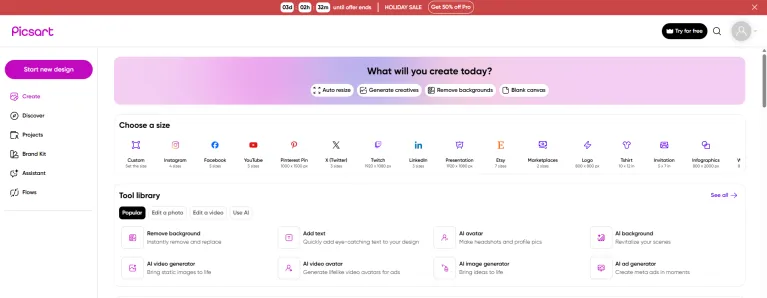
Picsart focuses on being an all-in-one creative studio. It combines photo editing, video creation, templates, branding tools, and social media features for everyday creators.
The right choice depends on whether you need advanced AI-powered editing capabilities or a complete content creation ecosystem.
1minAI Features: Built for Advanced AI Image Workflows
1minAI is designed for creators who want more control over AI-generated and edited images. Instead of relying on a single AI engine, it combines multiple AI models to handle different creative tasks.
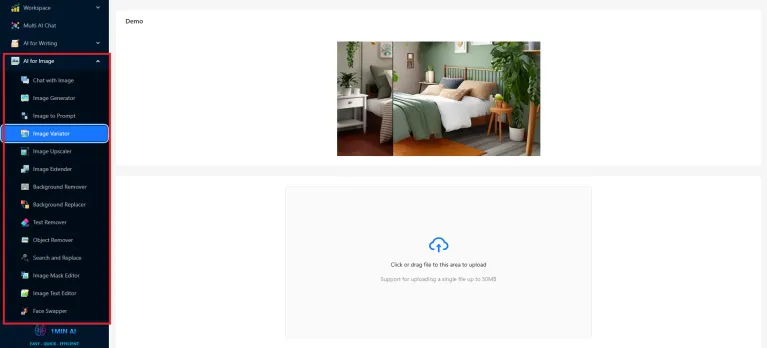
Key 1minAI Image Features
| Feature | Benefit |
|---|---|
| AI Image Generator | Create original visuals from text prompts |
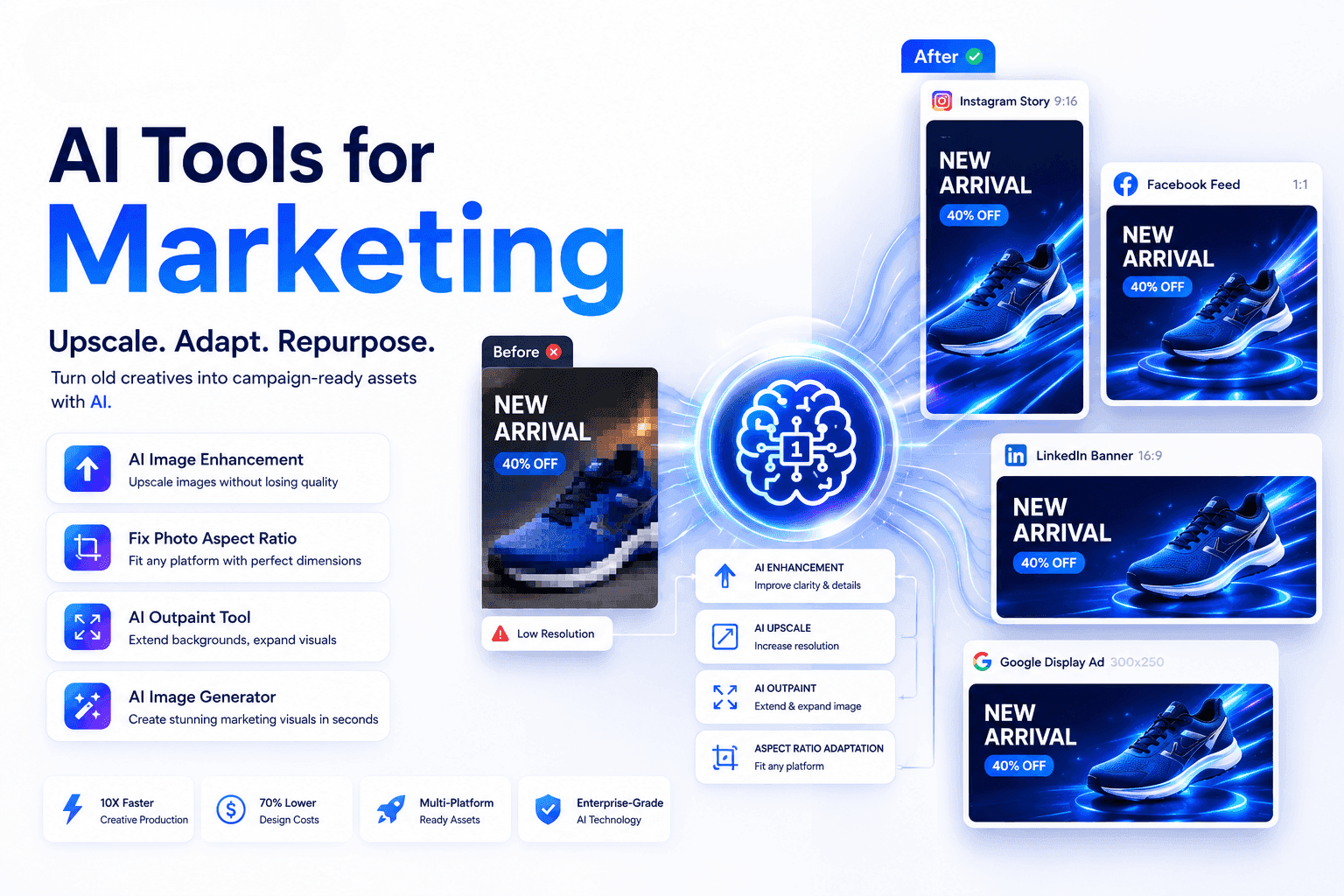
| Image Upscaler | Improve image resolution and details |
| Background Remover | Remove backgrounds automatically |
| Background Replacer | Change environments instantly |
| Image Variator | Generate creative variations |
| Object Remover | Delete unwanted elements naturally |
| Search and Replace | Modify specific objects inside images |
| Image Extender | Expand images with realistic AI-generated areas |
| Image to Prompt | Extract prompts from existing images |
For designers, photographers, and marketers, these tools reduce repetitive editing tasks while maintaining creative flexibility.
Picsart Features: A Complete Creative Platform
Picsart has built a strong reputation among social media creators and casual designers. Its biggest advantage is offering many creative tools inside one familiar interface.
Main Picsart Capabilities
| Category | Features |
|---|---|
| Photo Editing | Filters, effects, retouching, templates |
| AI Design | AI backgrounds, AI styles, image generation |
| Video Creation | AI video tools, editing features |
| Branding | Logos, templates, brand kits |
| Social Content | Resize tools and ready-made designs |
Picsart works especially well for users who create Instagram posts, advertisements, marketing materials, and short-form videos.
1minAI vs Picsart Pricing Comparison
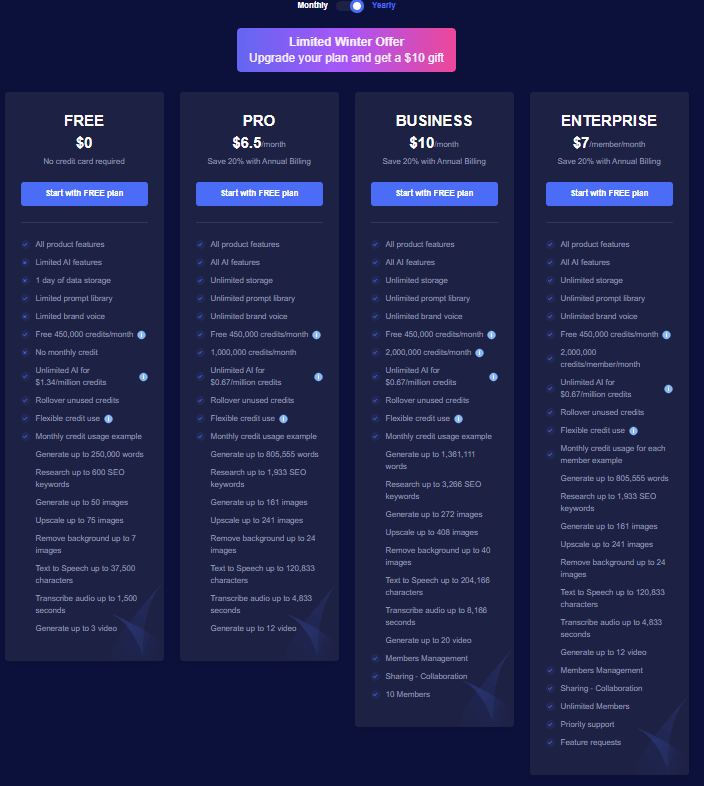
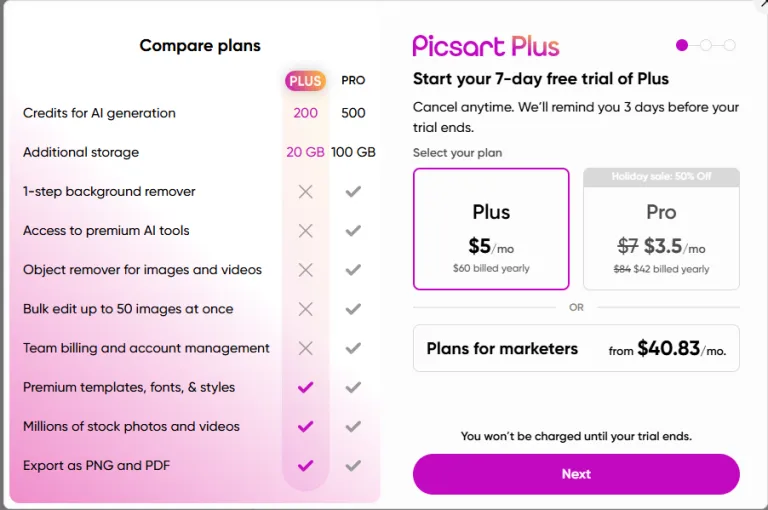
Pricing is an important factor when selecting an AI creative tool. Both platforms provide free options, but their paid plans target different types of users.
| Platform | Free Plan | Paid Plans | Best For |
|---|---|---|---|
| 1minAI | Free credits available | Pro, Business, Enterprise | AI-focused creators and professionals |
| Picsart | Free tools and trial options | Plus, Pro, Business plans | Social media and design users |
1minAI provides more flexibility for users who want to experiment with multiple AI capabilities without subscribing to many separate AI services.
Picsart offers value for users who prefer a complete creative workspace with editing, templates, and branding features.
Real-World Test: 1minAI vs Picsart AI Editing Performance
Feature lists do not always show the real quality of an AI tool. Practical testing reveals how accurately each platform handles complex editing tasks.
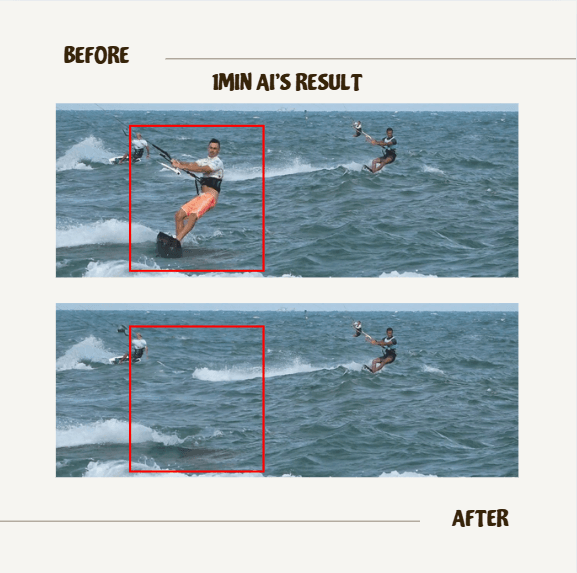
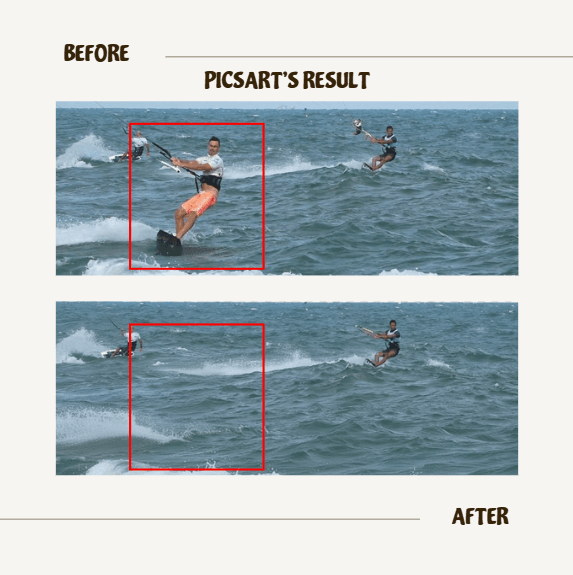
Test 1: AI Object Removal
Challenge: Remove a person from a busy beach image while keeping the water texture realistic.
Results
1minAI: The AI reconstructed the missing area naturally. Waves, lighting, and surrounding details remained consistent.
Picsart: The object removal worked successfully and produced a clean result. However, complex backgrounds may require additional adjustments.
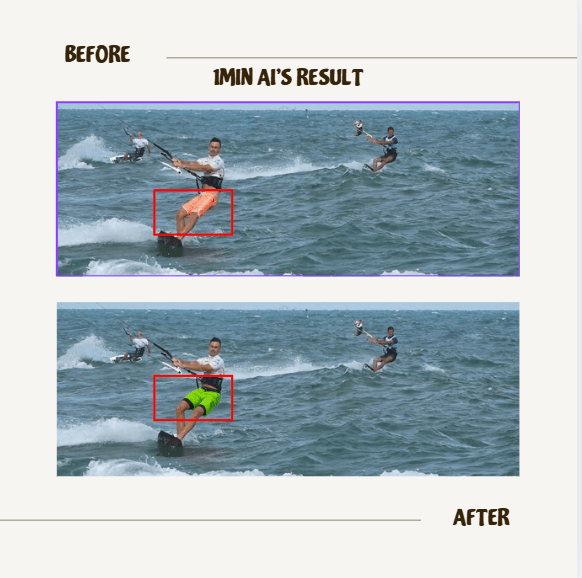
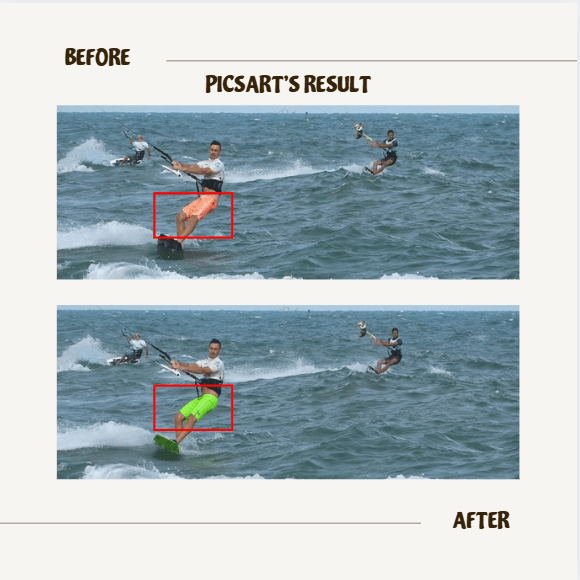
Test 2: AI Color Replacement
Challenge: Change clothing color while preserving shadows, texture, and lighting.
Results
Both platforms performed strongly. They identified the target area accurately and maintained realistic details.
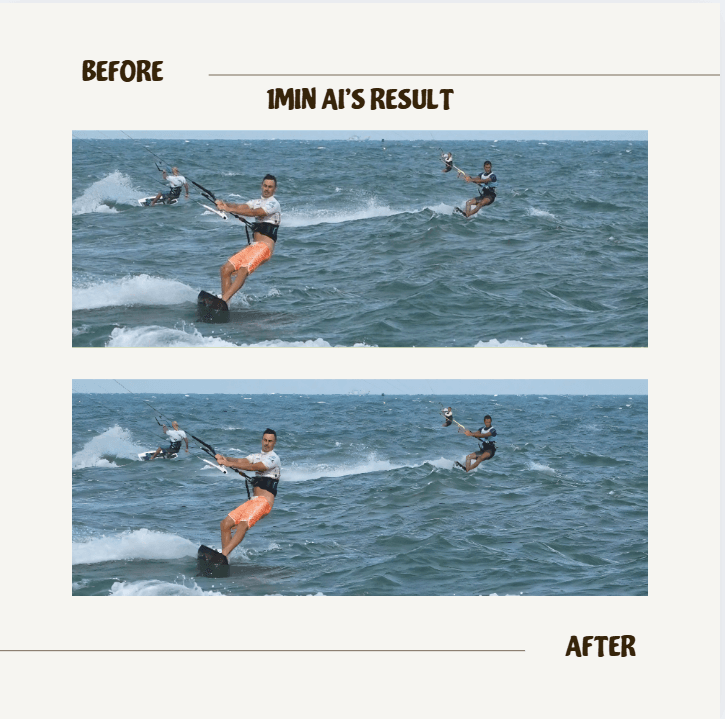
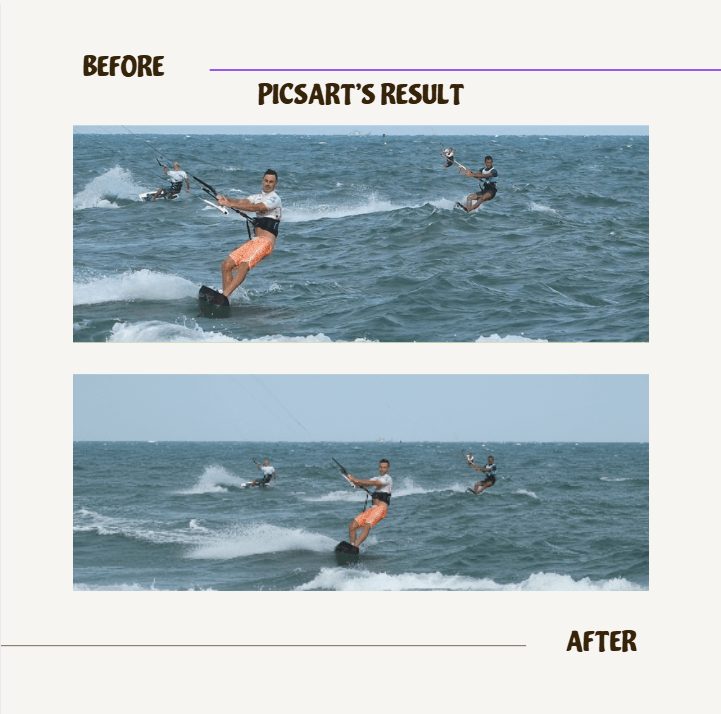
Test 3: AI Image Extension
Challenge: Expand an image by adding new sky and foreground areas without changing the original subject.
Results
1minAI produced a seamless extension with consistent lighting and natural environmental details.
Picsart successfully expanded the image but showed slight distortion in some areas.
Which AI Image Tool Should You Choose?
The best choice depends on your creative goals, workflow, and required level of control.
Choose 1minAI If You Need:
- Advanced AI image generation
- Multiple AI models in one platform
- Professional image manipulation
- AI upscaling and restoration
- Object replacement and removal
- More technical creative control
1minAI is ideal for designers, photographers, marketers, freelancers, and businesses that rely heavily on AI-generated visuals.
Choose Picsart If You Need:
- Fast social media designs
- Templates and ready-made assets
- Video editing features
- Branding tools
- Beginner-friendly workflows
Picsart is a strong option for content creators, influencers, and small businesses producing daily marketing content.