
10+ Best AI Chat Prompts to Get Better Answers From GPT-3.5

Tram Ta
September 8, 2026
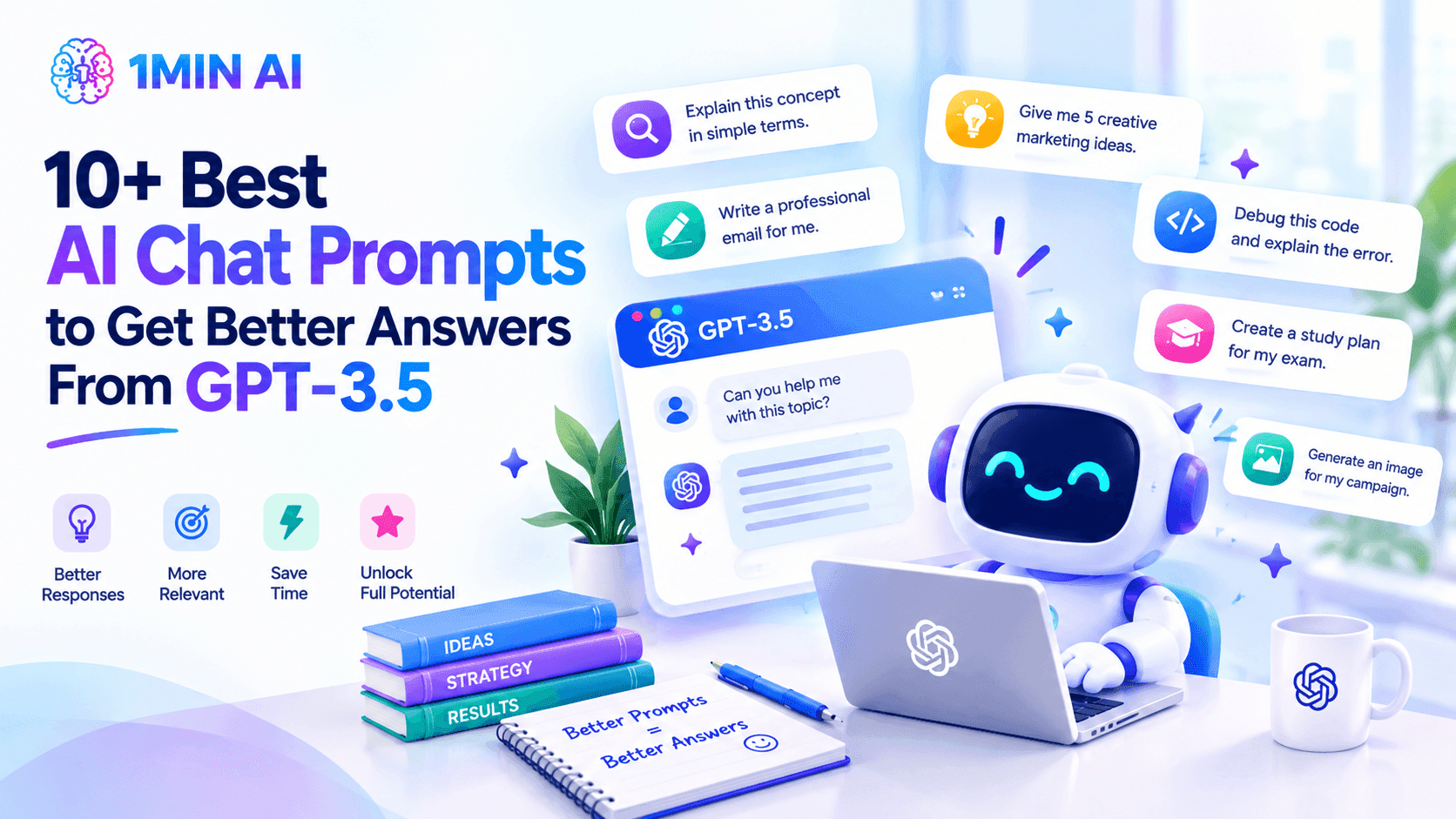
Discover 10+ best AI chat prompts for GPT-3.5 to improve writing, research, studying, brainstorming, coding, translation, and everyday tasks.
Getting better results from an AI chatbot isn't just about choosing the right model. The way you write your prompt can make a big difference in the quality of the response.
A short and vague request may give you a generic answer. On the other hand, a well-written prompt gives AI more context about what you need, who the response is for, and how you want the information presented.
Whether you're using AI chat for work, study, writing, research, brainstorming, coding, or everyday tasks, the right prompt can help you get more useful answers with less back-and-forth.
In this guide, we'll share 10+ of the best AI chat prompts for GPT-3.5, along with practical examples you can copy, customize, and use in your own AI conversations.
What Makes a Good AI Chat Prompt?
Before looking at specific prompts, it's important to understand what makes one prompt more effective than another.
Compare these two requests:
Basic prompt: Write an email.
Better prompt: Write a professional but friendly email to a client explaining that a project deadline needs to move from Friday to Monday. Keep it under 150 words and end with a clear call to action.
The second prompt gives GPT-3.5 much more useful information. It explains the situation, the task, the audience, the desired tone, the length, and the expected result.
A good AI chat prompt can include:
- Context: What is the situation?
- Task: What do you want the AI to do?
- Audience: Who will read or use the response?
- Tone: Should it be professional, friendly, casual, persuasive, or academic?
- Format: Do you want bullets, a table, an email, an outline, or paragraphs?
- Requirements: Are there specific rules, limits, or details the AI should follow?
You don't need to include every element in every prompt. Simply provide the information that is relevant to the task.
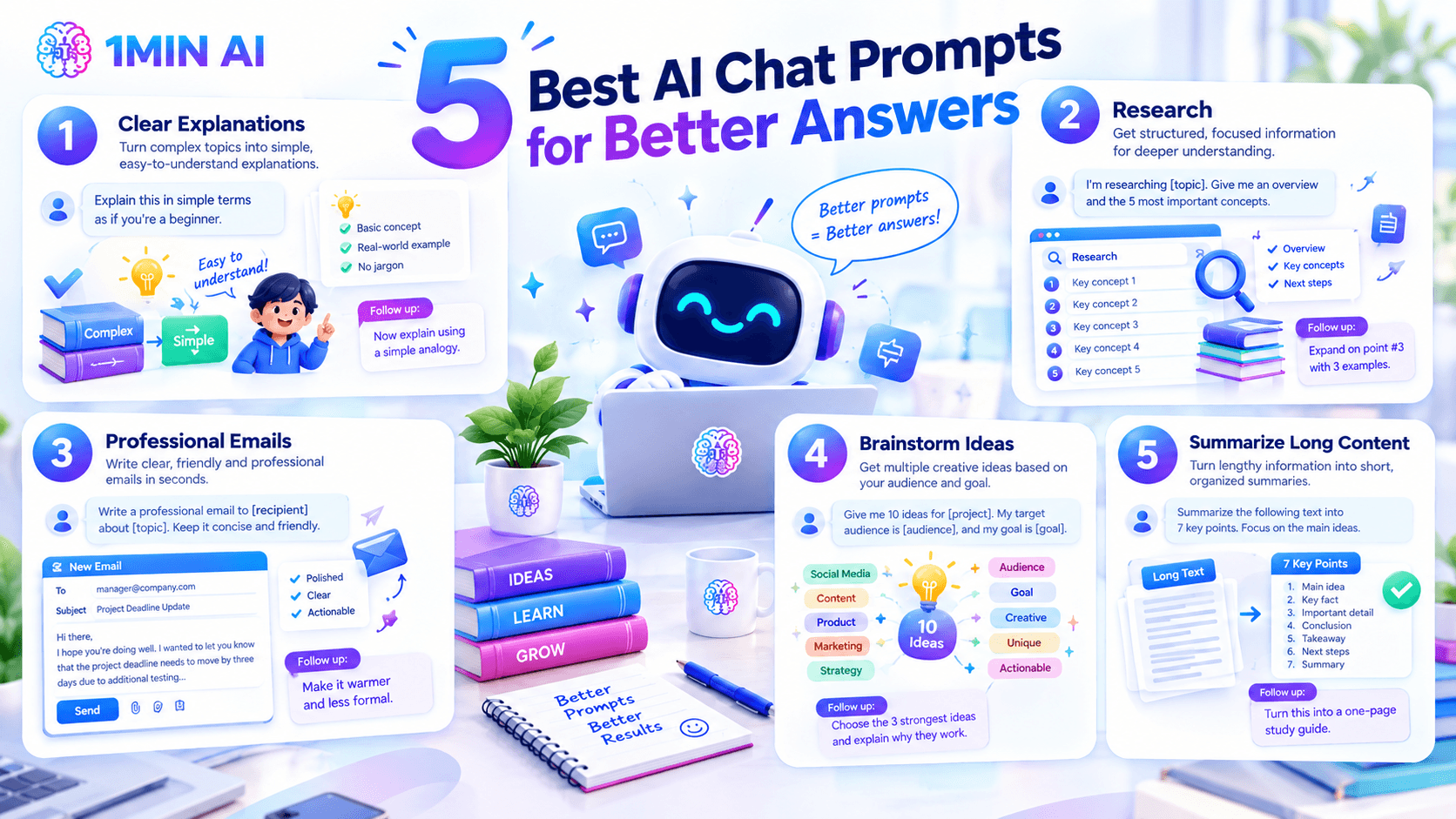
1. AI Chat Prompt for Clear Explanations
One of the easiest ways to use GPT-3.5 is to explain something you don't understand.
Instead of asking a broad question such as "What is machine learning?", give the AI information about your knowledge level and how you want the explanation structured.
Prompt: Explain [topic] in simple terms as if you're teaching a beginner. Start with the basic concept, then give a simple real-world example. Avoid unnecessary technical jargon.
This prompt works well for technical concepts, business terms, scientific topics, historical events, financial concepts, and new technologies.
You can also continue the conversation with a follow-up prompt such as:
Prompt: Now explain the same concept using a simple analogy.
This gives you another way to understand the topic without starting a new conversation.
2. AI Chat Prompt for Research
AI chat can be useful when you're beginning research and need help understanding a topic or organizing your questions.
Rather than asking GPT-3.5 to simply "tell me about" a subject, give it a clear research objective.
Prompt: I'm researching [topic]. Give me an overview of the subject and identify the 5 most important concepts I should understand first. Organize the answer with headings and short explanations.
Once you have the overview, you can continue with:
Prompt: Expand on point #3 and give me three practical examples.
You can also ask:
Prompt: What questions should I investigate next if I want to understand this topic more deeply?
This creates a more structured research workflow and helps you move from a broad topic toward specific areas of interest.
For academic, professional, medical, legal, financial, or other high-stakes research, always verify important information using reliable and authoritative sources.
3. AI Chat Prompt for Writing Professional Emails
Writing an email from scratch can take more time than expected, especially when you need to find the right balance between being professional and sounding natural.
GPT-3.5 can help you turn a simple situation into a polished email.
Prompt: Write a professional email to [recipient] about [topic]. The goal is to [goal]. Keep it concise, friendly, and professional. Make it approximately 120 words and include a clear next step.
For example, you could ask GPT-3.5 to write an email explaining that a project deadline needs to move by three days because additional testing is required.
After generating the first version, refine it with another prompt:
Prompt: Make the email sound warmer and less formal while keeping the main message unchanged.
This approach can help with client emails, meeting follow-ups, business communication, customer messages, and internal workplace communication.
4. AI Chat Prompt for Brainstorming Ideas
When you're staring at a blank page, getting started can be the hardest part.
AI chat can act as a brainstorming partner by generating multiple possibilities based on your audience and objective.
Prompt: Give me 10 ideas for [project/topic]. My target audience is [audience], and my main goal is [goal]. Make each idea different and include a one-sentence explanation of why it could work.
For example:
Prompt: Give me 10 blog ideas for a small online fitness business targeting busy professionals. Focus on practical topics that help readers save time.
Once you have the ideas, don't stop there. Ask GPT-3.5 to evaluate them:
Prompt: Choose the three strongest ideas and explain which audience problem each one solves.
This makes brainstorming more focused and helps you move from a long list of possibilities to a smaller set of useful ideas.
5. AI Chat Prompt for Summarizing Long Content
Long articles, reports, research materials, and notes can be difficult to process quickly.
If you provide the relevant text, GPT-3.5 can help turn it into shorter, more organized information.
Prompt: Summarize the following text into 7 key points. Focus on the main ideas, important facts, and conclusions. Remove repetition and keep each point concise.
You can also change the output based on what you need.
For example:
Prompt: Turn this content into a one-page study guide with key concepts, definitions, and important takeaways.
Or:
Prompt: Summarize this report for a busy manager who only has two minutes to read it. Focus on the most important findings and recommended actions.
This makes AI chat useful for quickly organizing large amounts of information into a format that is easier to review.
6. AI Chat Prompt for Studying
Students can use GPT-3.5 as an interactive study partner instead of simply asking for answers.
The key is to tell the AI how you want to learn.
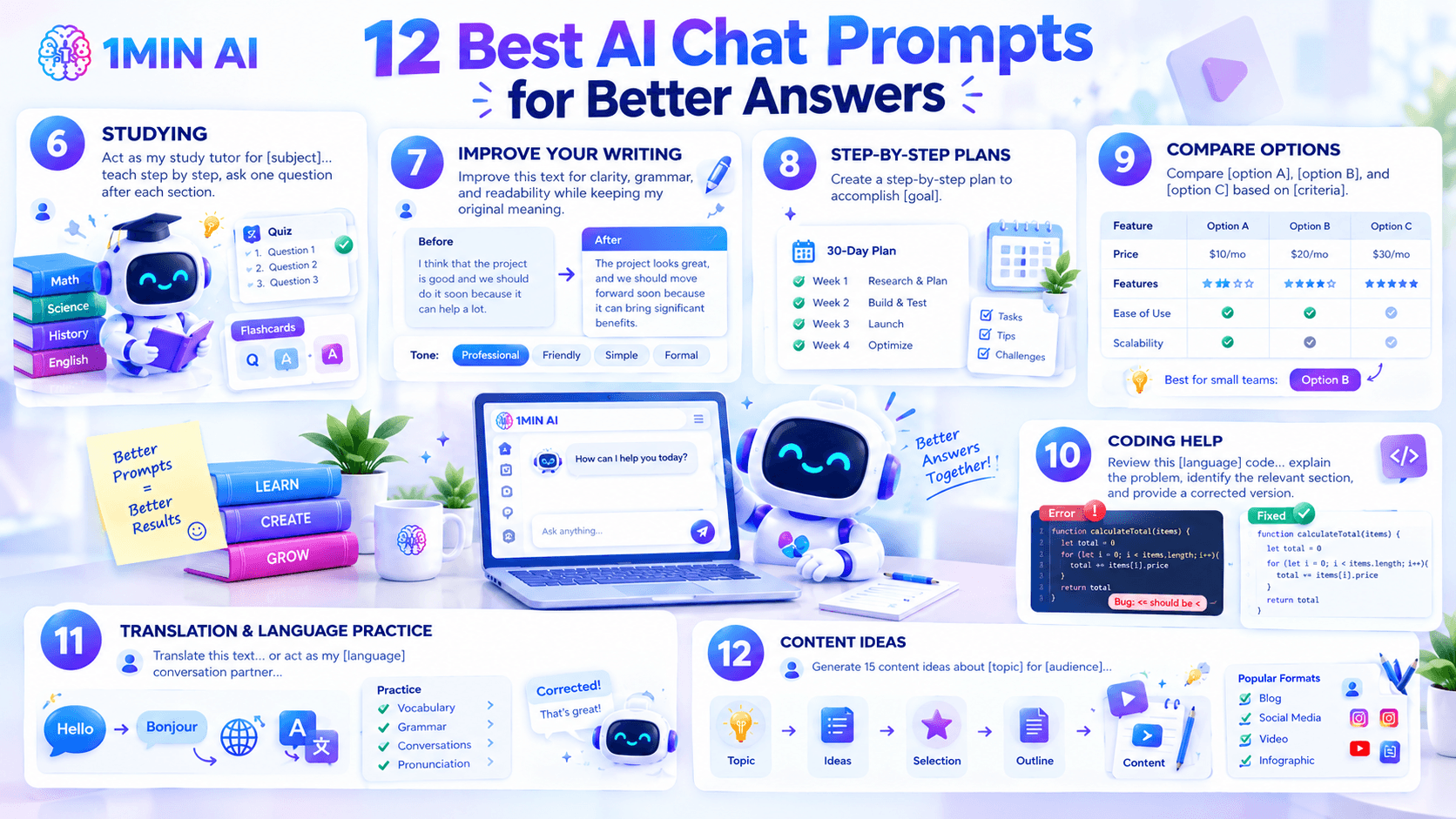
Prompt: Act as my study tutor for [subject]. Teach me the topic step by step using simple explanations and examples. After each section, ask me one question to check my understanding. Don't give me the answer until I respond.
This approach encourages active learning and gives you an opportunity to test your understanding as you go.
You can also use GPT-3.5 to create practice materials.
Prompt: Create a 10-question quiz about [topic]. Start with easy questions and gradually increase the difficulty. Don't show the answers until I finish.
Or:
Prompt: Turn these notes into 20 flashcards using a question-and-answer format.
These prompts can make studying more interactive and help you identify areas where you need additional practice.
7. AI Chat Prompt for Improving Your Writing
You don't always need AI to write something from scratch. Sometimes you already have the content but want to make it clearer and easier to read.
Prompt: Improve the following text for clarity, grammar, and readability while keeping my original meaning. Make the writing natural and concise. Don't add new information.
You can make the request more specific depending on your audience.
For example:
Prompt: Rewrite this paragraph for a professional business audience.
Or:
Prompt: Make this explanation easier for a beginner to understand without removing the important information.
This can be useful for blog posts, reports, essays, emails, business documents, presentations, and social media content.
8. AI Chat Prompt for Creating a Step-by-Step Plan
Some tasks feel difficult simply because they contain too many steps.
GPT-3.5 can help break a large goal into smaller, more manageable actions.
Prompt: Create a step-by-step plan to accomplish [goal]. Break the process into manageable tasks and organize them in the order I should complete them. Include practical tips and potential challenges for each major step.
For example:
Prompt: Create a 30-day plan for launching a small online store. Break it into weekly goals and daily actions.
You can then add your personal constraints:
Prompt: I only have one hour per day to work on this. Adjust the plan to fit my available time.
Adding constraints helps make the result more realistic and actionable.
9. AI Chat Prompt for Comparing Options
When you're choosing between several options, AI chat can help organize the information so you can see the differences more clearly.
Prompt: Compare [option A], [option B], and [option C]. Evaluate them based on [criteria]. Present the comparison in a table, then explain the main advantages and disadvantages of each option.
For example, you could compare different software tools based on price, features, ease of use, and scalability.
You can then ask:
Prompt: Based on these criteria, which option would be most suitable for a small team with a limited budget? Explain your reasoning.
This type of prompt is especially useful when you have several criteria that need to be considered at the same time.
For important decisions, however, use AI as a decision-support tool and verify the underlying information yourself.
10. AI Chat Prompt for Coding Help
GPT-3.5 can also help you understand programming concepts, review code, and troubleshoot technical problems.
The more information you provide, the easier it is for the AI to understand what you're trying to accomplish.
Prompt: Review the following [language] code. Explain what is causing the problem, identify the relevant section, and provide a corrected version. Then briefly explain what you changed.
You can also use:
Prompt: Explain this code line by line as if I'm a beginner.
Or:
Prompt: Suggest three ways to make this code easier to maintain and explain the advantages and disadvantages of each approach.
When using AI-generated code, test the output carefully and review it before using it in important or production applications.
11. AI Chat Prompt for Translation and Language Practice
AI chat can be useful for both translation and language learning.
For translation, you can provide the source and target languages along with instructions about tone and natural phrasing.
Prompt: Translate the following text from [language] to [language]. Preserve the original meaning and make the translation sound natural to a native speaker. Explain any phrases that don't have a direct translation.
For language practice, try turning GPT-3.5 into a conversation partner.
Prompt: Act as my [language] conversation partner. Ask me one question at a time. Correct my grammar after each answer and briefly explain my mistakes.
You can adjust the difficulty by adding:
Prompt: Use beginner-level vocabulary and short sentences.
This can make AI chat useful for practicing everyday conversations, vocabulary, grammar, travel situations, job interviews, and business communication.
12. AI Chat Prompt for Creating Content Ideas
If you regularly create content, GPT-3.5 can help you develop multiple ideas from a single topic.
Prompt: Generate 15 content ideas about [topic] for [audience]. Include a mix of educational, practical, comparison, listicle, and problem-solving topics. Give each idea a suggested title and a one-sentence description.
Once you have the list, you can continue refining it:
Prompt: Select the five ideas with the strongest potential for attracting beginners.
Then turn one idea into a more detailed plan:
Prompt: Turn idea #3 into a detailed article outline with an introduction, H2 sections, examples, and a conclusion.
This creates a useful workflow from topic → ideas → selection → outline → content.
Try These AI Chat Prompts With 1minAI
You can use these prompts with 1minAI's Free AI Chat with GPT-3.5 to experiment with different workflows for writing, research, brainstorming, studying, translation, summarization, coding, and everyday questions.
Start with one of the prompts above, review the response, and then use follow-up instructions to improve it.
A simple workflow is:
Prompt → Review → Follow Up → Refine → Final Result
If you want to compare answers from different AI models, 1minAI Multi AI Chat can also be useful. Instead of relying on a single response, you can send one prompt to multiple AI models and compare their answers side by side.
The 10+ prompts in this guide give you a starting point for common tasks including research, writing, studying, brainstorming, summarization, planning, coding, translation, and content creation.
Once you understand the basic structure of a good prompt, you can create your own variations for almost any task. And remember: your first prompt doesn't have to be perfect. Review the response, provide additional context, and ask GPT-3.5 to refine it.
For further use cases: READ HERE
Alternatives
Discover the best alternatives to 1minAI and compare features, pricing, and use cases.

1min.AI vs OpenRouter
1min.AI vs. OpenRouter: Compare the ready-to-use AI creation product against the technical API tool. Find out if you need a zero-code creative studio or a coding infrastructure hub.
 Ngoc Hong
1min.AI vs Easy Peasy AI
Looking for an Easy Peasy AI alternative? Compare Easy Peasy AI and 1min.AI for content workflows, AI models, and professional teams.
Ngoc Hong
1min.AI vs Taskade
Compare 1min.AI vs Taskade for AI content creation, automation, agents, and creative workflows to find the right workspace.
Ngoc HongAI Tools
Discover the best AI tools to boost productivity, creativity, and everyday work.

Create Consistent Cartoon Content in Just a Few Steps
Create engaging cartoon videos for TikTok and Reels with 1min.AI. Research ideas, create characters, and turn images into animated videos in 3 simple steps.
 Lien Anh Vu
One Product, 10 UGC Creatives: How AI Makes Content Testing Easier
Create more authentic UGC with an AI UGC video generator, test more creative angles and scale affiliate content without filming every version.
Lien Anh Vu
Top 4 Affordable AI Tools for Startup Founders
Discover the top 4 affordable AI tools for startup founders to validate ideas, build products, create content, and launch faster without overspending.
 Tram Ta
AI Features
Comprehensive AI features that streamline workflows, improve efficiency, and empower teams to achieve more.
Create Consistent Cartoon Content in Just a Few Steps
Create engaging cartoon videos for TikTok and Reels with 1min.AI. Research ideas, create characters, and turn images into animated videos in 3 simple steps.
Lien Anh VuOne Product, 10 UGC Creatives: How AI Makes Content Testing Easier
Create more authentic UGC with an AI UGC video generator, test more creative angles and scale affiliate content without filming every version.
Lien Anh Vu
1minAI: Free AI Grammar Checker
Check grammar for free with 1minAI’s AI grammar checker. Find grammar, spelling, and writing mistakes, improve clarity, and polish your content in seconds.
Tram TaAI Use Cases
A curated collection of AI use cases for business, productivity, and industry-specific applications.
Create Consistent Cartoon Content in Just a Few Steps
Create engaging cartoon videos for TikTok and Reels with 1min.AI. Research ideas, create characters, and turn images into animated videos in 3 simple steps.
Lien Anh VuOne Product, 10 UGC Creatives: How AI Makes Content Testing Easier
Create more authentic UGC with an AI UGC video generator, test more creative angles and scale affiliate content without filming every version.
Lien Anh Vu
Best Time to Post on Instagram: A Practical Guide for Better Engagement
Discover the best time to post on Instagram, including the best days and times for different audiences, plus tips to find the ideal posting schedule for your account.
Tram TaAI Tutorials
Learn how to use AI with practical, step-by-step tutorials.
Create Consistent Cartoon Content in Just a Few Steps
Create engaging cartoon videos for TikTok and Reels with 1min.AI. Research ideas, create characters, and turn images into animated videos in 3 simple steps.
Lien Anh Vu
Black Friday AI Tool Deals in 2026
Discover what Black Friday AI tool deals 2026 has to offer. Find out how to secure the 1min.AI lifetime deal via AppSumo, Dealify, Stack Social, and verify on Trustpilot, Slashdot, and Software Advice.
 Hang Nguyen
[Seedance 2.5 New] Better AI Product Videos, Less Rework in 1min.AI
Discover how AI image-to-video product consistency helps creators reduce failed generations, save AI credits, and produce more usable commercial and UGC content.
Lien Anh VuAI Guides
Learn AI faster with practical guides, real-world examples, and actionable best practices.
Create Consistent Cartoon Content in Just a Few Steps
Create engaging cartoon videos for TikTok and Reels with 1min.AI. Research ideas, create characters, and turn images into animated videos in 3 simple steps.
Lien Anh Vu
Safely Buy AI Tools Online: 2026 Black Friday Guide
Discover how to find and secure the best Black Friday AI deals online. Learn expert strategies to avoid scams, combat subscription fatigue, and verify software.
Hang Nguyen[Seedance 2.5 New] Better AI Product Videos, Less Rework in 1min.AI
Discover how AI image-to-video product consistency helps creators reduce failed generations, save AI credits, and produce more usable commercial and UGC content.
Lien Anh VuAI Solutions
Browse the best AI solutions for automation, coding, research, productivity, customer support, marketing, and business workflows.
Create Consistent Cartoon Content in Just a Few Steps
Create engaging cartoon videos for TikTok and Reels with 1min.AI. Research ideas, create characters, and turn images into animated videos in 3 simple steps.
Lien Anh VuOne Product, 10 UGC Creatives: How AI Makes Content Testing Easier
Create more authentic UGC with an AI UGC video generator, test more creative angles and scale affiliate content without filming every version.
Lien Anh Vu
Free AI Tattoo Generator: Custom Designs
Turn any idea into a custom tattoo design with 1min.AI's free AI tattoo generator. Describe your idea, pick a style, and download in seconds.
 Trang Tran
AI Models
Explore the world's leading AI models in one place.
Create Consistent Cartoon Content in Just a Few Steps
Create engaging cartoon videos for TikTok and Reels with 1min.AI. Research ideas, create characters, and turn images into animated videos in 3 simple steps.
Lien Anh VuOne Product, 10 UGC Creatives: How AI Makes Content Testing Easier
Create more authentic UGC with an AI UGC video generator, test more creative angles and scale affiliate content without filming every version.
Lien Anh Vu[Seedance 2.5 New] Better AI Product Videos, Less Rework in 1min.AI
Discover how AI image-to-video product consistency helps creators reduce failed generations, save AI credits, and produce more usable commercial and UGC content.
Lien Anh VuAI Comparisons
Compare AI tools, models, and platforms to find the best fit for your needs.

Kling AI Vs Veo 3: Which Model Wins?
Kling AI vs Veo 3: compare motion, native audio, pricing & free tiers to see which AI video generator wins for your project - try both on 1min.AI.
Trang Tran[Seedance 2.5 New] Better AI Product Videos, Less Rework in 1min.AI
Discover how AI image-to-video product consistency helps creators reduce failed generations, save AI credits, and produce more usable commercial and UGC content.
Lien Anh Vu
DeepSeek V4 Pro vs Flash Comparison
Compare DeepSeek V4 Pro vs DeepSeek V4 Flash metrics. Optimize your agentic apps and improve AI fact checking on 1min.ai today.
Ngoc HongAI Integrations
Seamlessly integrate AI with the tools you already use to automate work and boost productivity.

POV: You Have 10+ Posts to Make Every Day
Learn how to build an AI content workflow that helps content creators produce 10+ social media posts a day faster with AI brainstorming, image generation, and content creation.
Lien Anh Vu
How to Use an AI Fashion Video Generator for Fashion Week 2026
Turn Fashion Week 2026 ideas into stunning fashion videos with AI. Learn how to brainstorm, create visuals, and transform images into videos with one simple workflow.
Lien Anh Vu
Stop Switching Between AI Apps: How AI Integration Transforms Employer Branding
Discover how AI integration helps HR teams streamline employer branding by combining AI writing, documents, images, video, and multiple AI models into one workspace.
Tram TaAI for Industries
Find the best AI tools and workflows for healthcare, finance, education, legal, manufacturing, retail, real estate, and more

Free AI Real Estate Video Generator
Turn listing photos into narrated property videos with AI real estate video tools. See how 1min.AI creates walkthroughs, voiceovers & captions in minutes.
Trang Tran
Free AI Virtual Staging: Furnish Any Room
Stage any real estate listing with AI virtual staging: upload a photo, pick a style, and get a photorealistic furnished room in seconds, free to try.
Trang Tran
The Problem With AI Design? It Looks Too AI
AI-generated designs can look polished but still feel artificial. Here are 5 prompt techniques designers can use to create more realistic, intentional visuals.
Lien Anh VuAI Agents
Discover and run AI agents to automate tasks across your work and daily life.
1minAI: Free AI Grammar Checker
Check grammar for free with 1minAI’s AI grammar checker. Find grammar, spelling, and writing mistakes, improve clarity, and polish your content in seconds.
Tram Ta
AI Agents for Facebook
Use an AI Agent for Facebook to create content, generate images, schedule posts, and publish from your documents and conversations.
Ngoc Hong
AI Agent vs AI Assistant: Which One Actually Saves Designers More Time?
Learn the difference between AI Agent vs AI Assistant and discover which solution helps designers automate repetitive work, reduce revisions, and save more time.
Lien Anh VuAI Workflows
Explore ready-to-use AI workflows for productivity, marketing, sales, support, and more.
Create Consistent Cartoon Content in Just a Few Steps
Create engaging cartoon videos for TikTok and Reels with 1min.AI. Research ideas, create characters, and turn images into animated videos in 3 simple steps.
Lien Anh VuOne Product, 10 UGC Creatives: How AI Makes Content Testing Easier
Create more authentic UGC with an AI UGC video generator, test more creative angles and scale affiliate content without filming every version.
Lien Anh VuPOV: You Have 10+ Posts to Make Every Day
Learn how to build an AI content workflow that helps content creators produce 10+ social media posts a day faster with AI brainstorming, image generation, and content creation.
Lien Anh VuNewsletter
Weekly AI Innovations with 1minAI

🔮 Weekly AI Innovations #138: Claude Sonnet 5, Fable 5 & Wan 2.7
Explode your creative potential with massive 1min.ai updates! Access Claude Sonnet 5, Fable 5, and Alibaba Wan 2.7 for unmatched multi-modal generation today.
Hang Nguyen
🔮 Weekly AI Innovations #137: ElevenLabs Music & AI social Profile Control
The newest 1min.ai updates deliver professional music generation and highly requested privacy tools. Dive into a seamless workflow today!
Hang Nguyen
🔮 Weekly AI Innovations #136: Grok 4.6 and Smart Data Retention
Discover the latest 1min.ai updates! Upgrade to Grok 4.6 for blazing-fast AI, and check our new Data Retention policies to secure your files today.
Hang Nguyen