
Kling AI Prompt and Negative Prompt Tips for Content Creators

Lien Anh Vu
September 25, 2026
Learn how content creators can write better Kling AI prompts and negative prompts on 1min.AI for TikTok, Reels, Shorts and UGC with fewer failed generations.
AI video tools can help content creators turn an idea into a visual concept much faster than a traditional filming workflow. However, generating a video quickly does not necessarily mean generating a video that is ready for TikTok, Instagram Reels, YouTube Shorts or a sponsored campaign. A clip may look impressive at first glance but still contain awkward movement, distorted hands, inconsistent facial features, an unstable product or a visual style that feels far more artificial than the creator intended.
This is why prompt writing matters. A good Kling AI prompt does more than describe what should appear on screen. It gives the model clearer direction about the creator, the action, the camera, the movement, the environment and the type of content being produced. When negative prompting is available, creators can also define the visual problems that would make the final result difficult to use.
For creators working with Kling AI on 1min.AI, better prompting can also improve production efficiency. A clearer prompt can reduce the number of failed generations, which means fewer credits spent on outputs that cannot be published and less time waiting for another attempt.
The objective is not to write the longest possible prompt. The objective is to make every instruction useful.
Why Kling AI Prompts Matter for Content Creators
Creators do not generate videos just to see what AI can make. Every clip usually has a job to do. It may need to hook someone in the first three seconds, make a product feel natural inside a lifestyle scene, support a sponsored post or give a Reel enough visual energy to keep people watching.
That is why vague prompts often create disappointing results. A request such as “woman promoting skincare” leaves almost every important creative decision open. Kling AI still has to decide where the woman is, what she does, how she holds the product, where the camera sits and whether the scene should feel like casual UGC or a polished beauty campaign.
A stronger prompt closes those gaps. Instead of asking for a generic skincare scene, you can describe a creator sitting beside a bedroom window, casually picking up the bottle, keeping the front label visible and moving it toward a handheld smartphone camera in soft daylight. The idea has not become more complicated. It has simply become clearer.
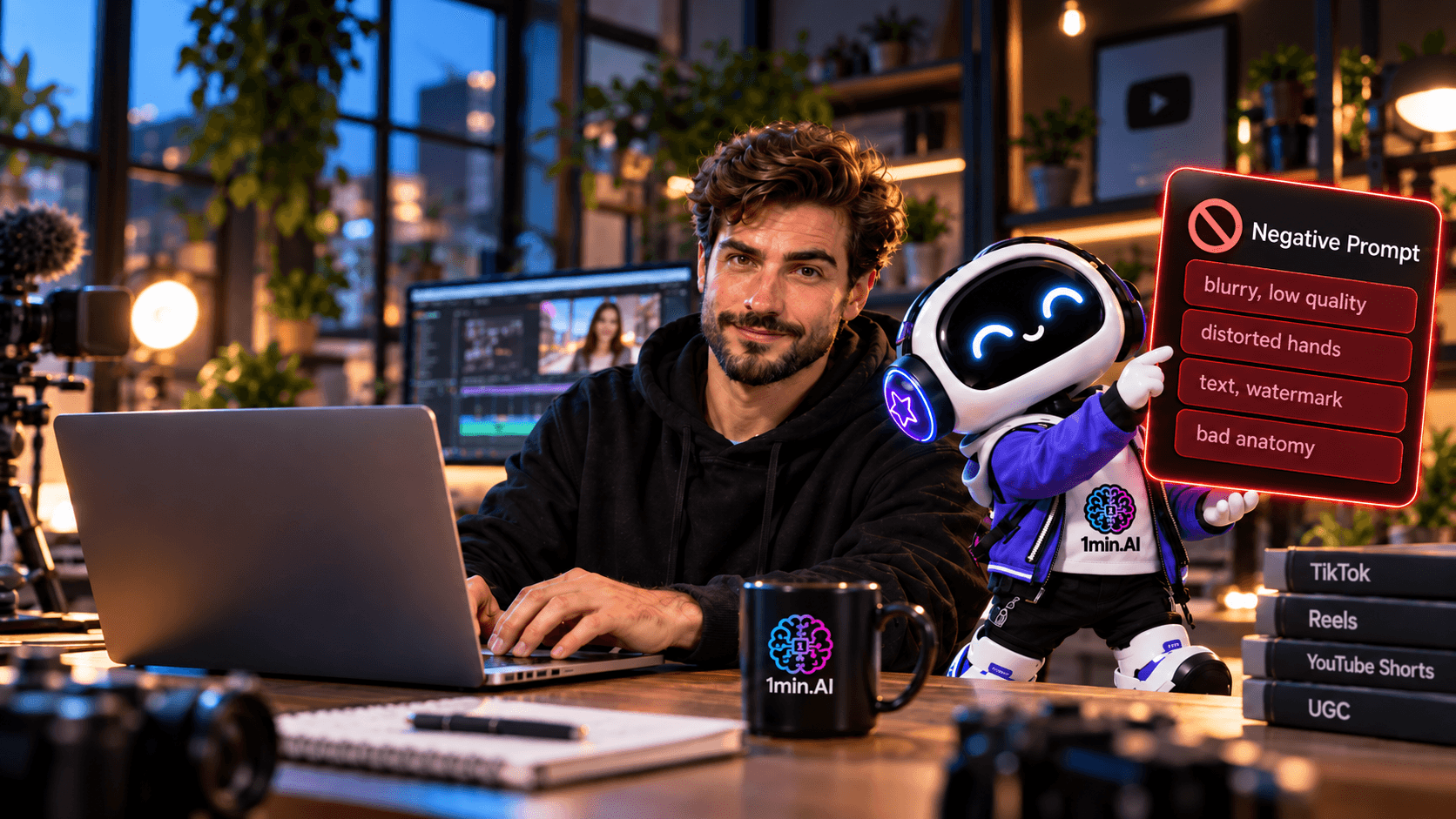
Clear Prompts Reduce Guesswork
A useful prompt gives the model priorities. It tells Kling AI who matters, what should happen and how the audience should experience the shot.
This is especially important in short form content because there is very little time for complicated storytelling. If one five second clip asks for three actions, two camera movements and several visual styles at once, the model has more opportunities to misunderstand what matters.
A stronger approach is to give each clip one clear purpose and let every instruction support that purpose.
Better Prompts Can Reduce Rework
One failed generation may not feel like a big problem. Several failed generations for the same five second clip quickly become one.
The first result may have good lighting but awkward hands. The second fixes the hands but changes the product. The third keeps the product stable but suddenly looks like a glossy commercial instead of natural UGC.
Every attempt costs more than credits. It also costs waiting time, review time and creative attention.
A clearer workflow looks like this
Clearer prompt → fewer failed generations → fewer retries → less credit waste → less waiting → more usable content
For a creator publishing regularly, that difference matters. The goal is not to generate as many videos as possible. It is to increase the percentage of videos that are actually worth editing and posting.
Match the Prompt to the Platform
A TikTok product recommendation should not automatically look like a beauty campaign. An Instagram Reel does not always need the same camera language as casual UGC. A sponsored video may need more polish, while an affiliate clip can benefit from a much more familiar smartphone look.
This is why adding words such as cinematic, premium or dramatic to every prompt can work against you.
If the goal is authentic creator content, phrases such as natural daylight, casual smartphone framing, subtle handheld movement and realistic body language may be far more useful.
Keep Only the Details That Matter
Prompt writing becomes easier when every detail has a reason to be there.
You usually need to define the subject, action, interaction, camera, movement, environment and content style. You do not need to describe every object in the room unless it affects the scene.
That makes the prompt easier for Kling AI to interpret and much easier for you to revise later.
How to Build a Better Kling AI Prompt
A strong prompt does not need a complicated formula. It just needs enough structure to prevent important decisions from being left to chance.
A practical creator focused framework is
Subject + Action + Interaction + Camera + Motion + Environment + Content Style
This same structure can be adapted for beauty, fashion, food, fitness, travel, tech and lifestyle content.
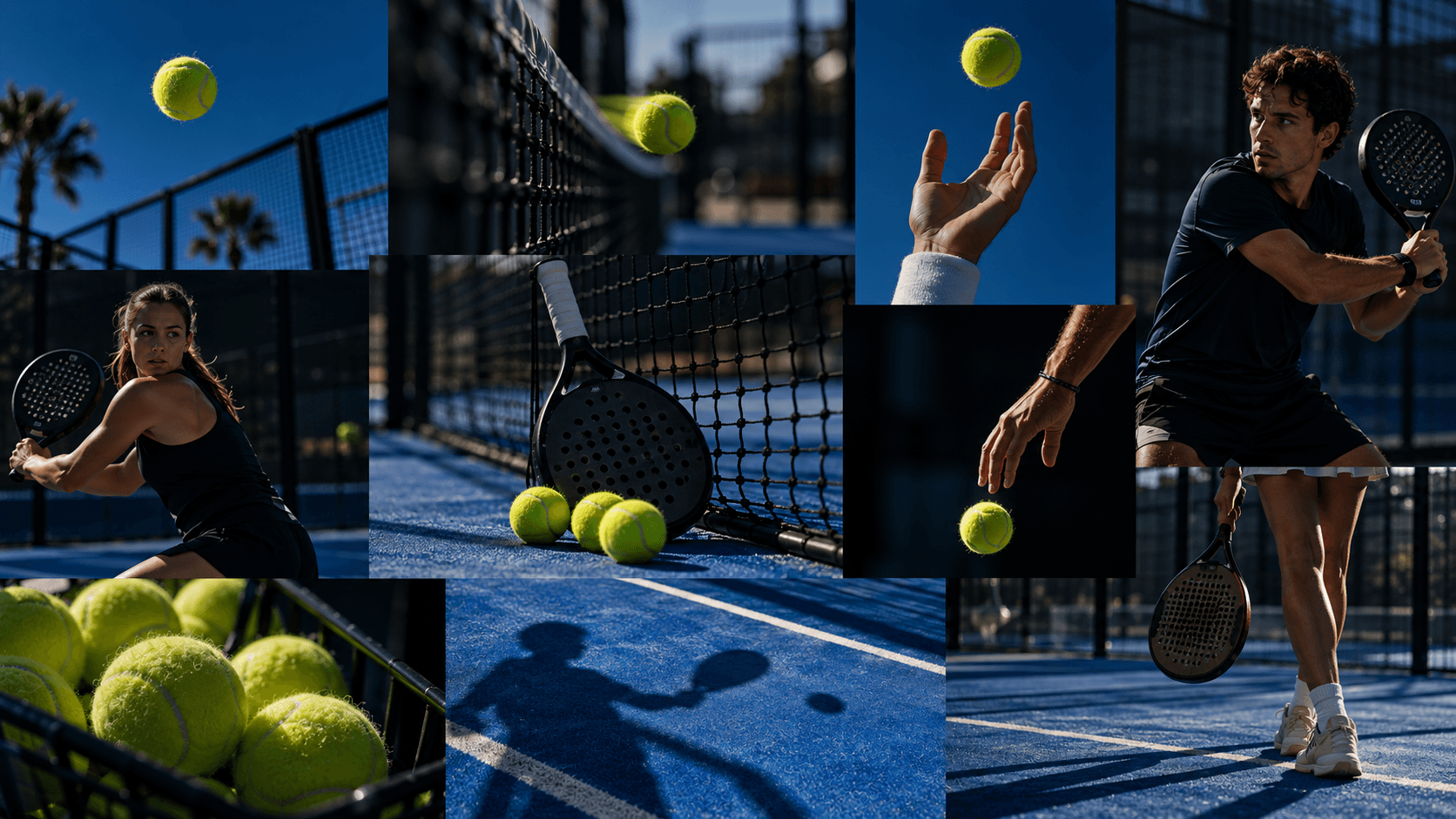
Start With the Main Subject
First decide what the viewer should notice immediately.
It may be a beauty creator sitting at a vanity, a fitness creator beside a gym bench, a fashion influencer standing in front of a mirror or a food creator working in a home kitchen.
You do not need to describe every physical feature. Include the details that affect the visual idea and leave out the ones that do not.
Keep Character Details Useful
If the outfit matters to the campaign, describe it. If the hairstyle affects the look, include it. If neither changes the idea, there is little reason to overload the prompt with those details.
The subject description should anchor the scene, not dominate the entire prompt.
Give the Creator One Clear Action
Movement is where video prompting becomes much more demanding than image prompting.
“The creator uses the product” is not a useful action because it still leaves the physical movement undefined. “She picks up the skincare bottle, turns the front label toward the camera and holds it steadily” gives Kling AI something much more concrete to follow.
The same principle applies to every niche. A fashion creator may adjust one sleeve in front of a mirror. A fitness creator may pick up a bottle before sitting on a bench. A food creator may lift one finished dish toward the camera.
Simple actions are often easier to control.
Do Not Force an Entire Ad Into One Clip
A short generation does not need to contain the whole campaign.
If the creator has to pick up the product, open it, use it, walk to another location and react to it all within a few seconds, you are asking the model to maintain several relationships at once.
Generate those moments separately and edit them together. You often gain both better consistency and more flexibility.
Describe Product Interaction Precisely
If a product appears in the video, explain how it interacts with the person.
Instead of saying “show the bottle,” tell Kling AI that the creator picks it up with one hand, keeps the front label facing the camera and holds it steadily at chest level.
That small amount of precision can make a major difference because it defines the relationship between the hand, the object and the camera.
Give the Camera a Job
Camera instructions should describe what the viewer experiences.
Handheld smartphone framing feels different from a static close up. A subtle push in feels different from side tracking. Eye level framing creates a different relationship with the viewer than a low angle commercial shot.
For creator content, useful directions include handheld smartphone framing, selfie style framing, eye level camera, static close up and subtle camera push in.
Choose the Camera That Fits the Content
A premium sponsored Reel may benefit from smooth controlled movement. Casual UGC may feel more convincing with slight handheld motion.
The most impressive camera move is not always the best one. The right camera is the one that makes the content feel believable.
How to Use Kling AI Negative Prompts More Effectively
A positive prompt explains what you want. A negative prompt helps reduce the things that would ruin the clip when that option is available in your generation workflow.
For creators, that usually means focusing on practical failures rather than building a huge list of random negative words.
If the scene relies heavily on hands, target hand problems. If it is a product review, focus on packaging, shape and interaction. If the goal is natural UGC, focus on artificial skin, excessive lighting and overly polished composition.
Negative Prompts for Faces and Hands
Faces and hands are unforgiving in creator content because viewers notice them immediately.
Useful negative terms can include distorted face, inconsistent facial features, extra fingers, fused fingers, deformed hands and unnatural hand movement.
These become especially important when the creator appears close to the camera or holds a product.
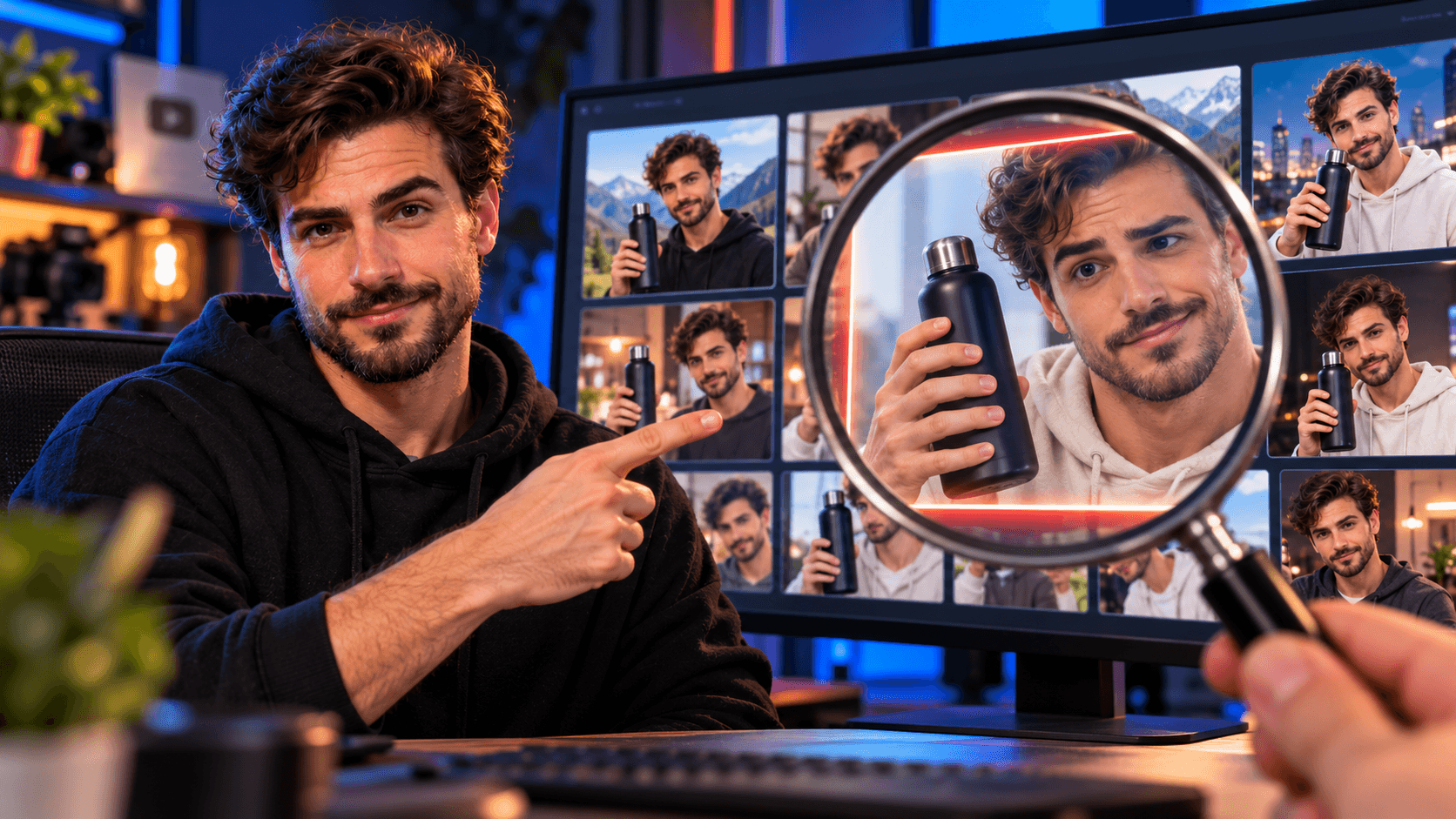
Example Negative Prompt for Creator Content
distorted face, inconsistent facial features, extra fingers, deformed hands, unnatural body movement, artificial skin texture
The purpose is not to describe every possible AI error. It is to remove the ones most likely to make the video unusable.
Negative Prompts for Product Content
A strong looking creator video can still fail if the product changes during the shot.
Packaging can distort, labels can lose readability and proportions can shift while the creator moves the object.
Useful negative terms may include warped product, distorted packaging, changing product shape, unreadable label, incorrect logo, floating objects and unrealistic product interaction.
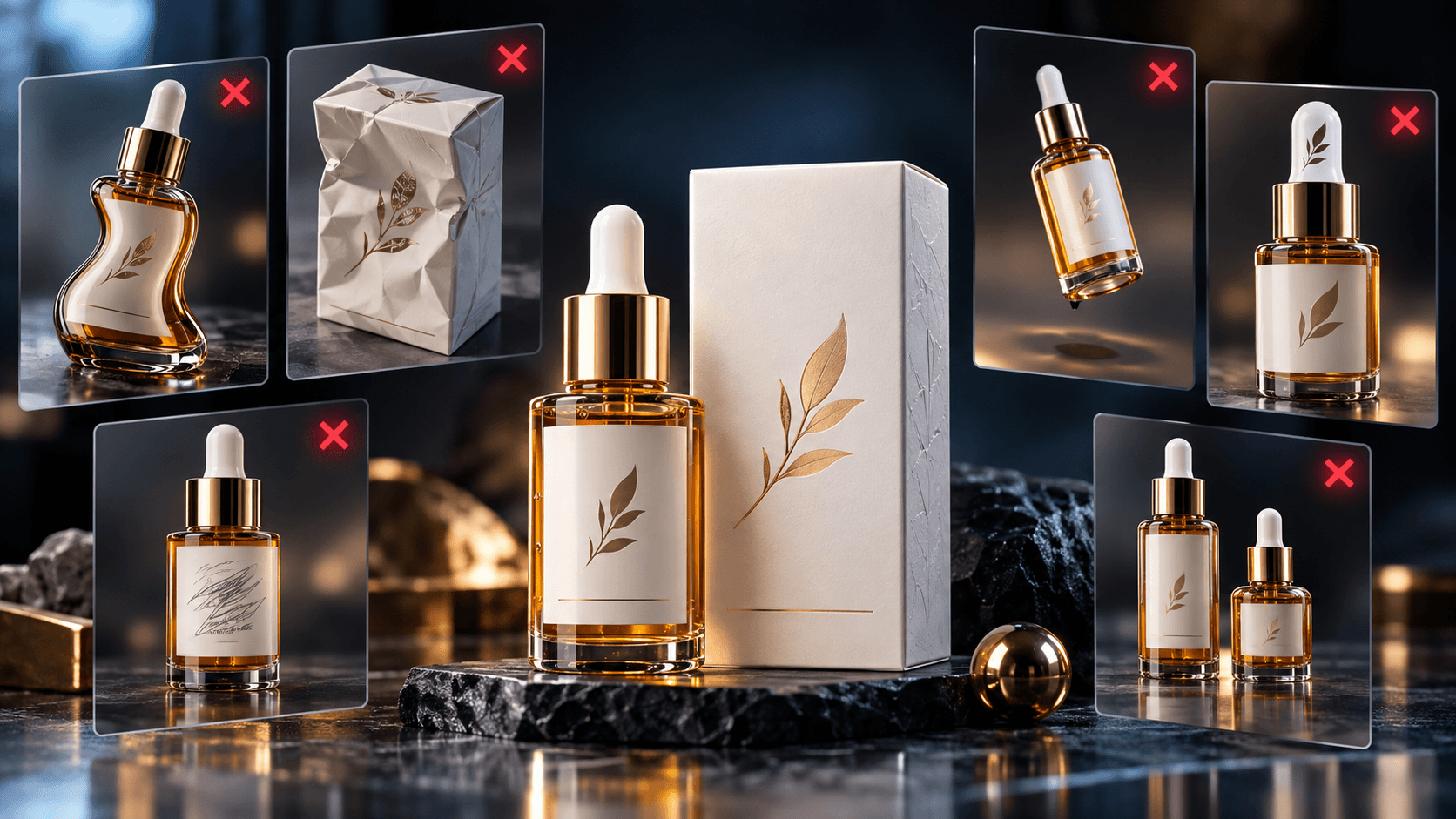
Example Negative Prompt for UGC Product Videos
warped product, distorted packaging, unreadable text, unnatural hand interaction, floating objects, changing product proportions
Keep the list connected to the actual commercial value of the clip.
Negative Prompts for More Natural UGC
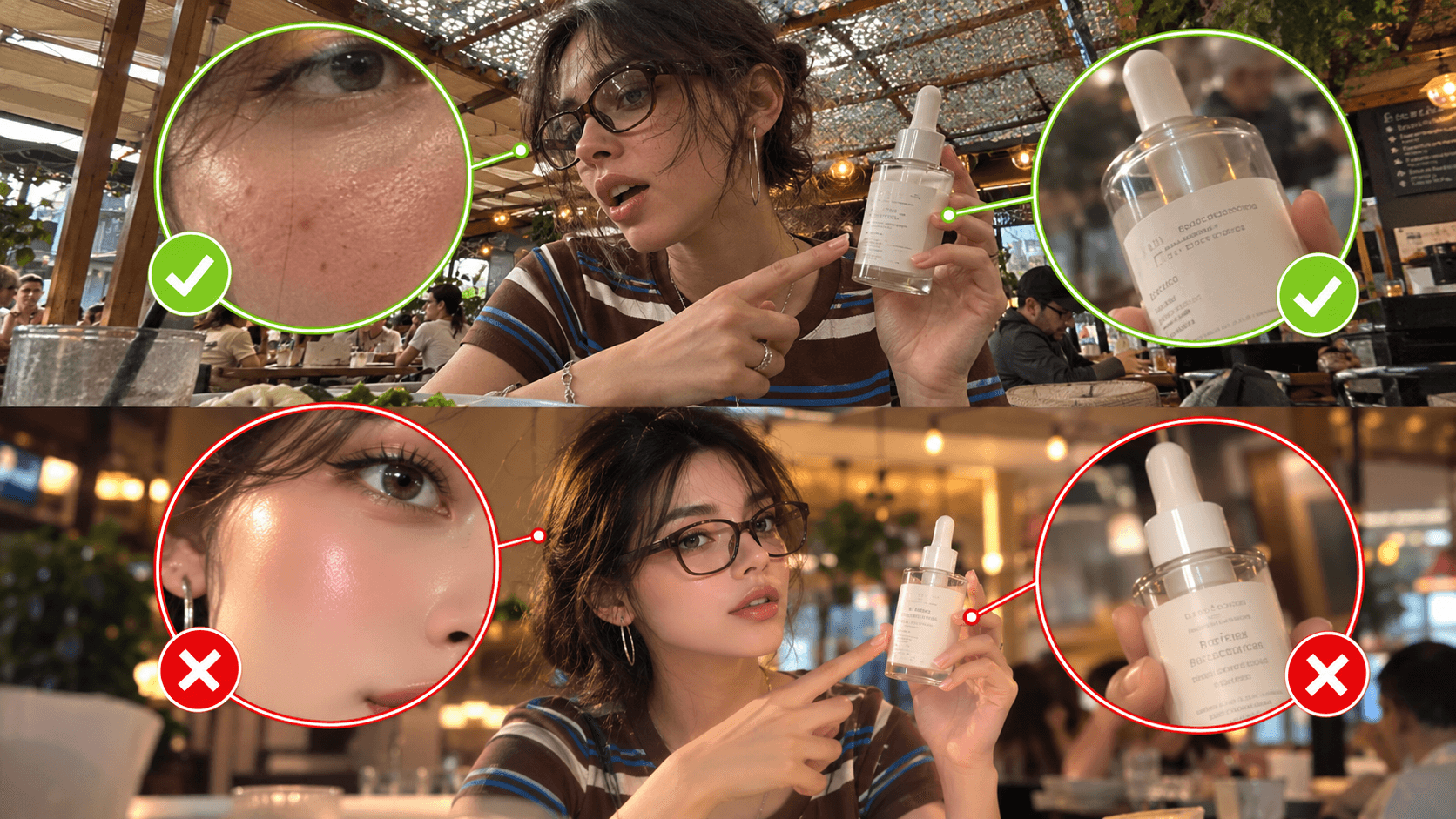
One of the fastest ways to make creator content feel artificial is to make everything too perfect.
Overprocessed skin, aggressive glow, dramatic lighting and unrealistically smooth camera movement can make a simple recommendation look like an AI advertisement.
Useful terms may include plastic skin, excessive glow, artificial lighting, exaggerated cinematic effects, unnatural movement and overly perfect composition.
The positive prompt should also define what you want instead, such as natural daylight, realistic skin texture and subtle handheld framing.
Kling AI Prompt Examples for Content Creators
The easiest way to improve prompting is to look at scenes creators actually produce.
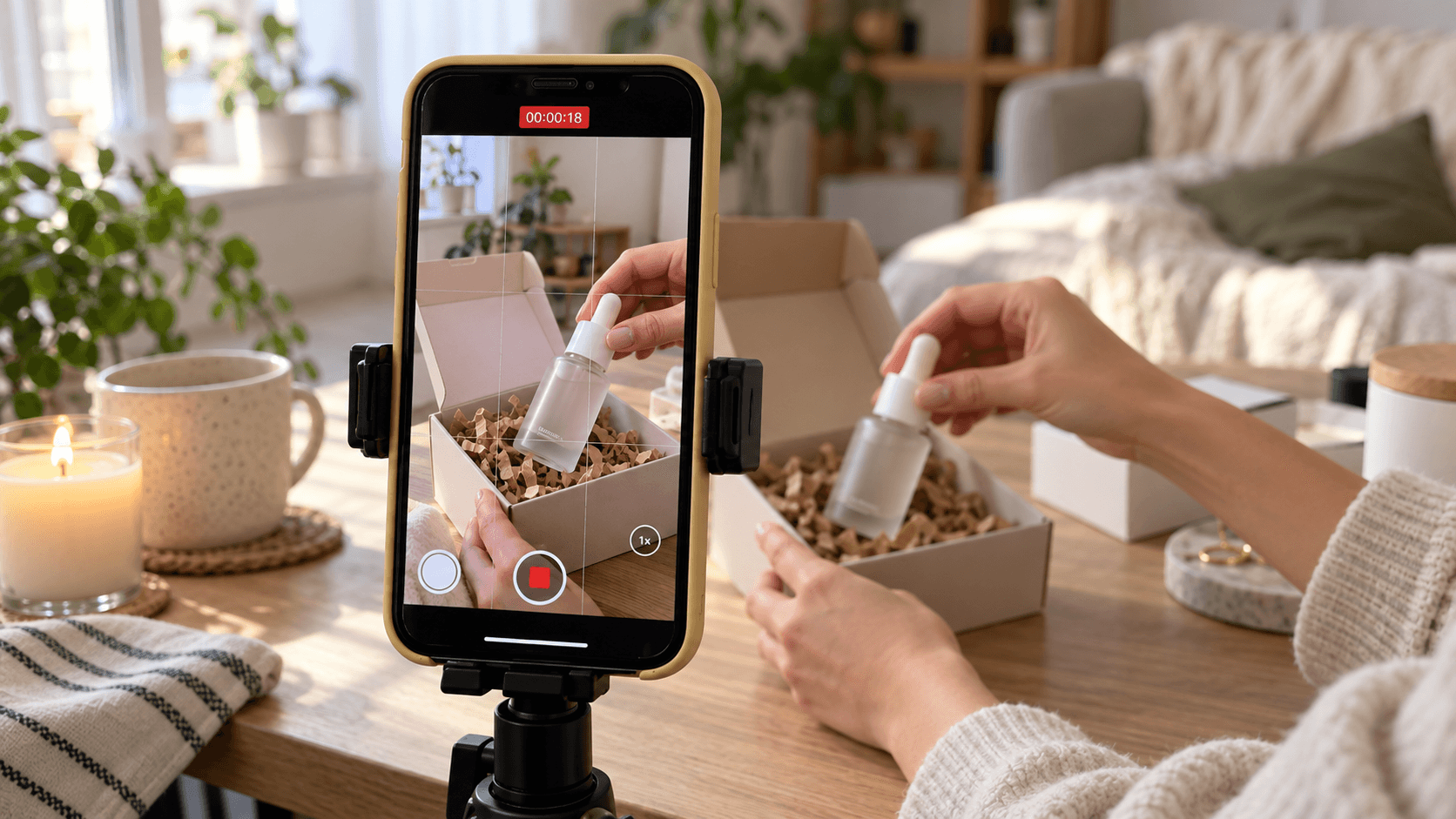
TikTok UGC Product Review
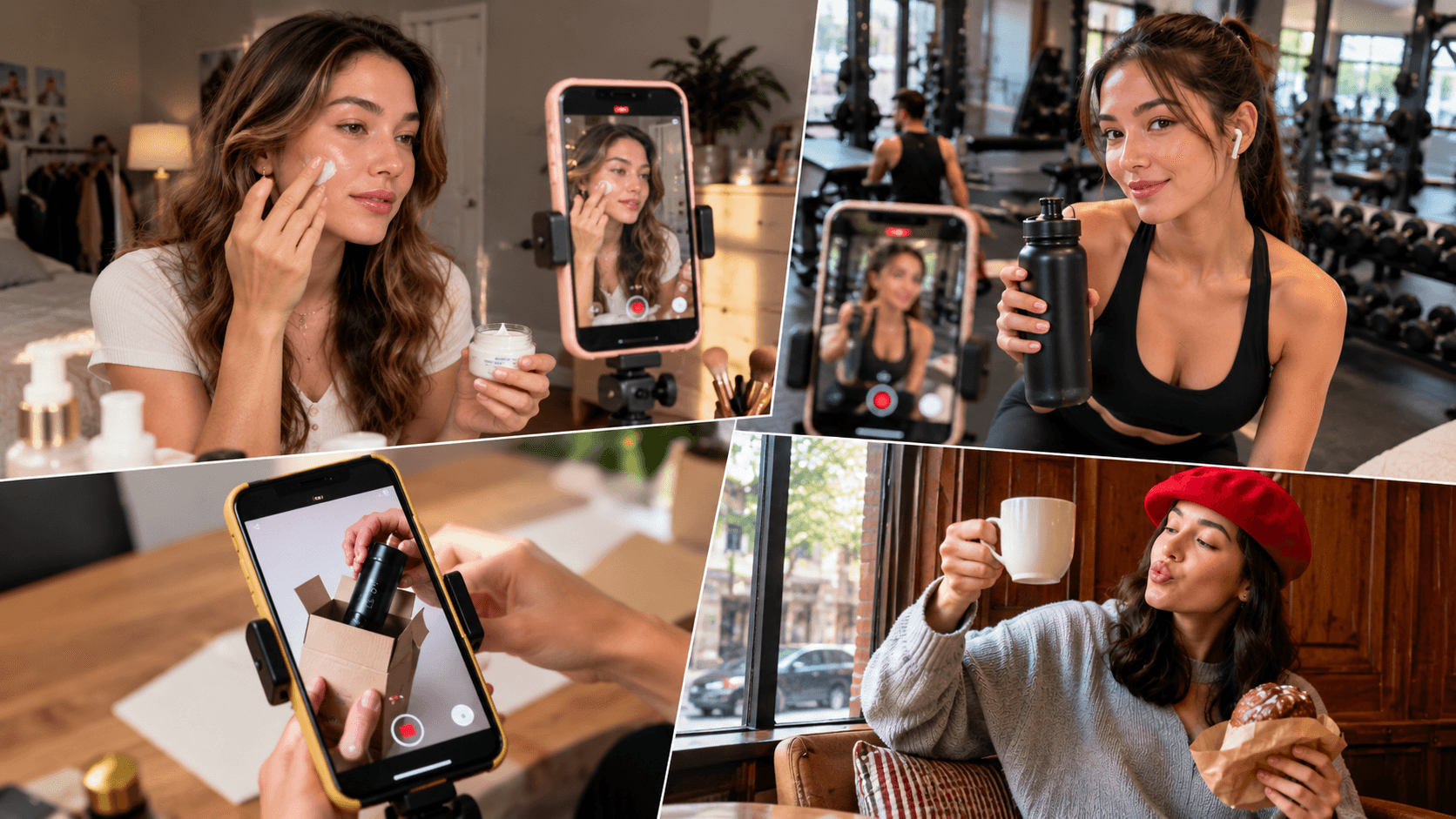
A female lifestyle creator sits at a small table near a bright apartment window. She naturally picks up a skincare bottle with one hand, turns the front label toward the smartphone camera and gives a small genuine smile. Handheld smartphone framing with subtle natural movement, soft daylight, realistic hand motion, casual home environment and authentic TikTok UGC style.
This works because it gives the scene one simple action and establishes the camera, environment and tone without trying to turn the clip into a full commercial.
Suggested Negative Prompt
distorted hands, extra fingers, warped product, unreadable label, artificial skin texture, unnatural motion
Instagram Reels Fashion Content
A fashion creator stands in front of a full length mirror in a modern bedroom and slowly adjusts the sleeve of her blazer before turning slightly toward the camera. Natural body movement, gentle smartphone framing, soft afternoon window light, realistic fabric texture and clean Instagram Reels lifestyle style.
The movement is restrained enough to keep the outfit as the visual focus.
Suggested Negative Prompt
distorted body proportions, unnatural fabric movement, warped hands, duplicated objects, artificial lighting
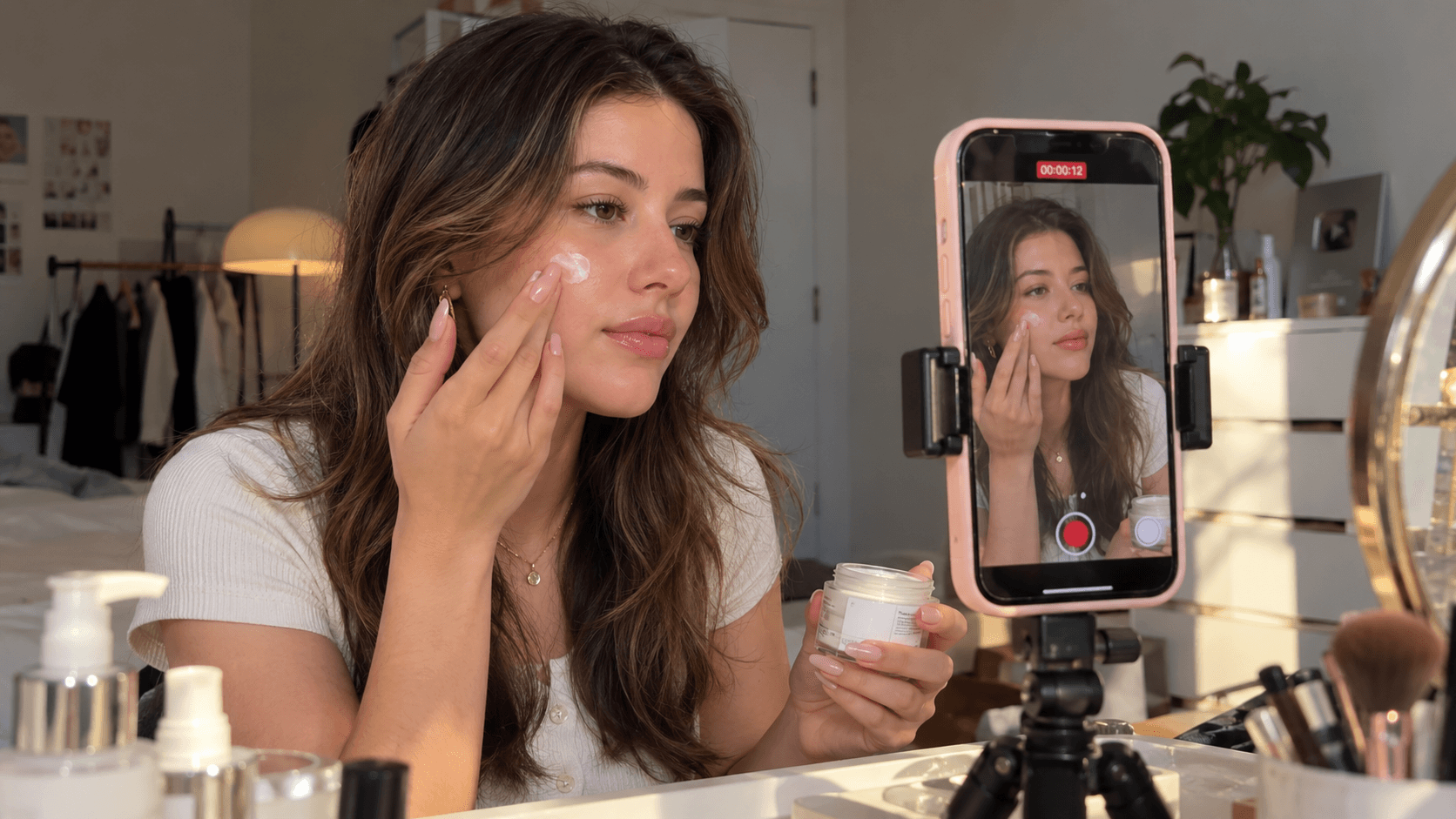
Beauty Creator Content
A beauty creator sits at her vanity and gently applies a small amount of skincare product to her cheek before looking toward the camera with a relaxed expression. Close smartphone framing, slow natural hand movement, soft window light, realistic skin texture and casual beauty creator style.
The action remains simple so the model has fewer moving relationships to maintain.
Suggested Negative Prompt
plastic skin, distorted face, extra fingers, unnatural hand movement, excessive glow, warped product
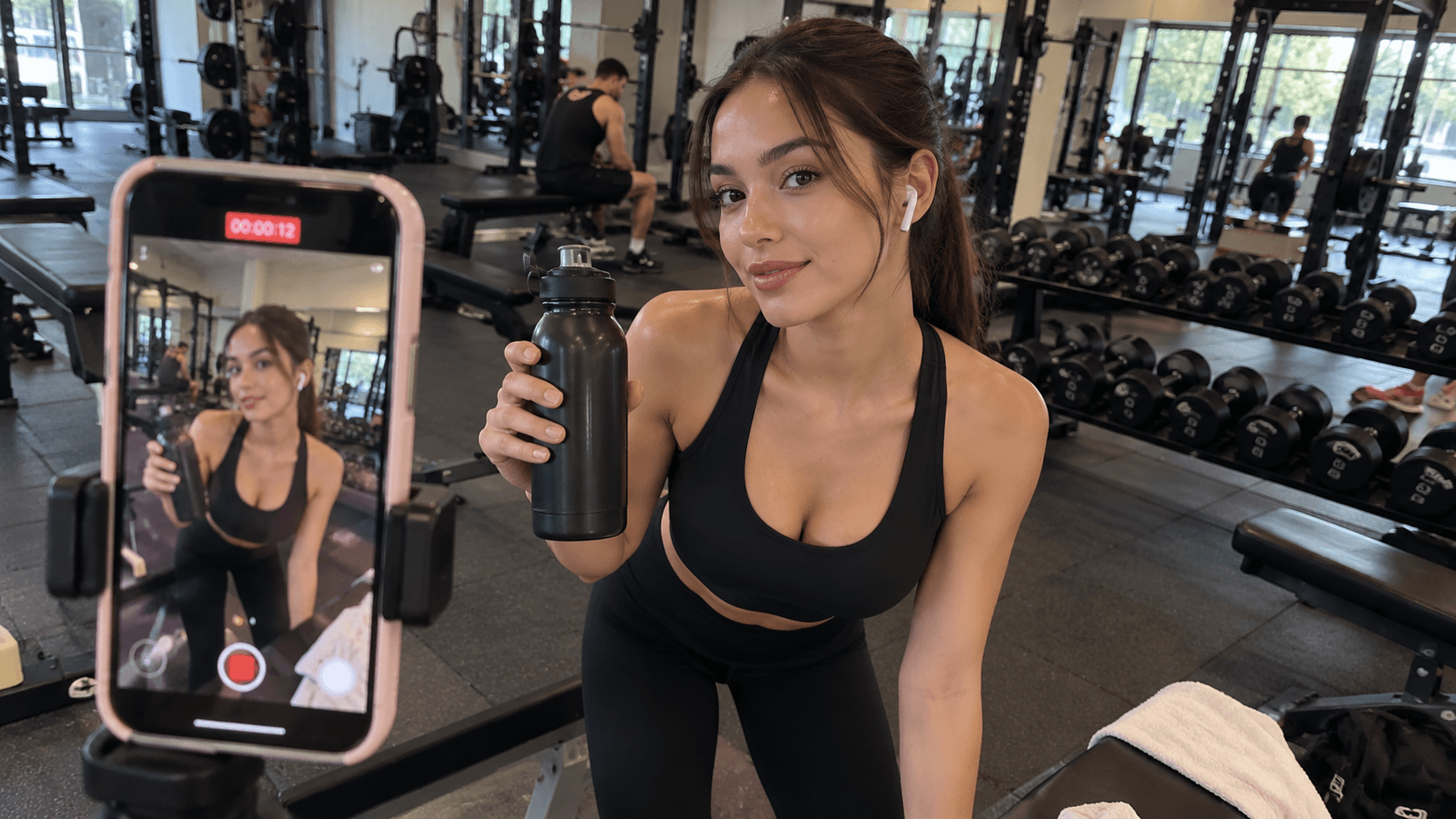
Fitness Creator Content
A fitness creator stands beside a gym bench and picks up a water bottle before looking toward the camera with a confident natural expression. Eye level camera, subtle handheld movement, realistic gym lighting, natural body movement and authentic fitness creator style.
The same structure can be reused for sports products, gym introductions and fitness lifestyle content.
Suggested Negative Prompt
distorted body proportions, unnatural muscles, warped hands, floating objects, unrealistic movement
How to Use Kling AI Prompts on 1min.AI
Once the prompt is ready, the workflow becomes just as important as the wording itself.
1min.AI can bring several parts of that process together. You can write the prompt yourself or optionally use Multi AI Chat to help structure it, then move into Kling AI to generate the video and refine the parts that still need work. The current article already frames Multi AI Chat as an optional prompt support step rather than a requirement, which is the right direction for the workflow.
Step 1 Decide What the Clip Needs to Do
Start with the content goal, not the prompt.
Is this a TikTok hook, beauty demonstration, affiliate product review, fashion Reel, lifestyle moment or sponsored scene?
Once that is clear, deciding the action, camera and style becomes much easier.
Step 2 Write the Prompt Yourself or Use Multi AI Chat
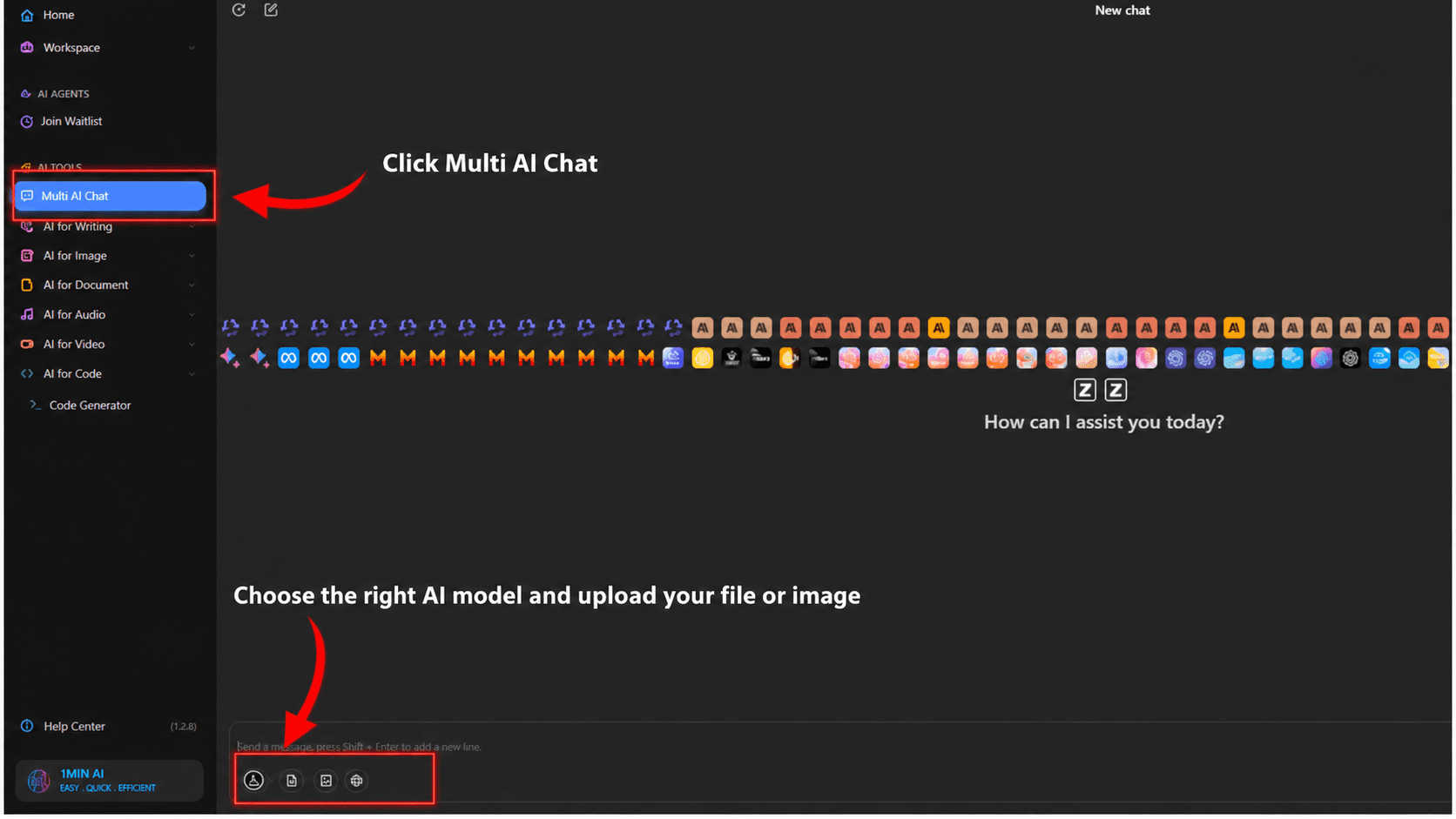
If you already know exactly what you want, write the Kling AI prompt directly.
If the idea is still messy, you can optionally use Multi AI Chat on 1min.AI to turn that idea into a more structured prompt.
The important part is to give the AI enough context. Do not simply write
Write a Kling AI prompt for a product video
Instead, explain what you are trying to make. Include the platform, content goal, subject, action, product interaction, camera, movement, environment, style and important problems to avoid.
Also state which AI model you are using in Multi AI Chat.
For example
I am using Claude in Multi AI Chat on 1min.AI. Help me write a Kling AI prompt for a TikTok UGC skincare video. The creator sits beside a bedroom window, picks up the skincare bottle and keeps the front label facing the camera. Use natural handheld smartphone framing, slow realistic hand movement, soft daylight and casual UGC style. Avoid distorted hands, warped products, artificial skin and unnatural motion.
You can also ask the AI to structure the final prompt around
Subject + Action + Interaction + Camera + Motion + Environment + Content Style
Ask for Both Parts When You Need Them
If negative prompting is part of your workflow, ask the model to return a positive prompt and a focused negative prompt separately.
For example
Create one Kling AI positive prompt and one focused negative prompt. Keep the action simple and make the result feel like natural TikTok UGC rather than a polished commercial.
This keeps the workflow clean and makes both prompts easier to use.
Step 3 Generate With Kling AI on 1min.AI
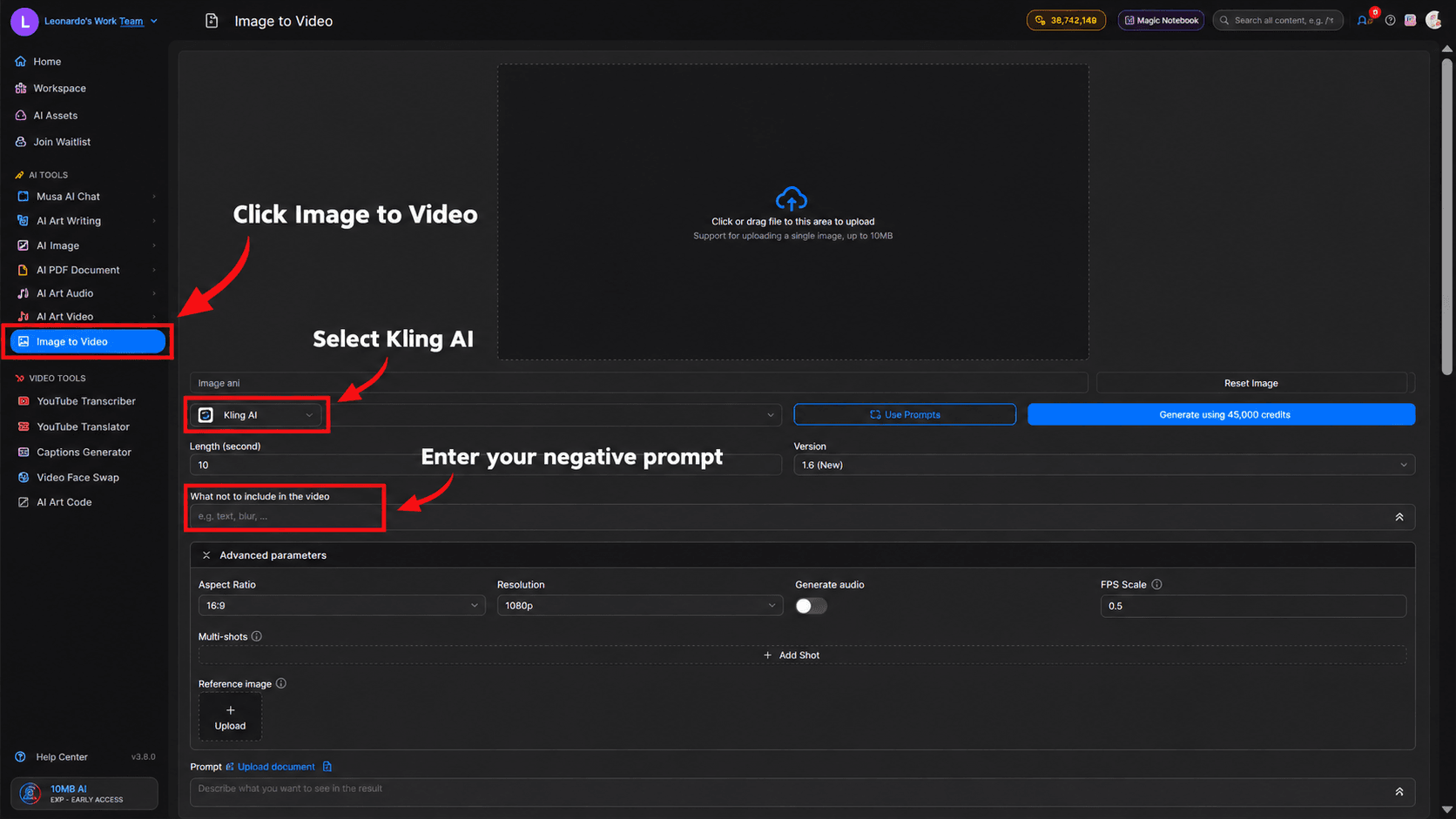
Once the prompt is ready, move into Kling AI on 1min.AI and test the core idea.
Avoid changing several things before you know whether the basic scene works. The first generation should answer one question.
Does this prompt produce the type of scene you actually wanted?
Step 4 Review the Whole Video
Do not approve an AI video based on the first frame.
Watch what happens to the face, hands, product, body movement, camera, background and final frame as the scene develops.
If the product changes shape halfway through the clip, that matters. If a tiny background object moves but nobody would notice, another generation may not be necessary.
Judge the output according to whether it is usable, not whether every pixel remains perfect.
Step 5 Fix the Problem Instead of Starting Over
When the result is close, keep the parts that already work.
If the hands are the problem, simplify the interaction. If the camera feels too polished, rewrite the camera instruction. If the video looks too cinematic, reduce the lighting and movement language.
If you used Multi AI Chat earlier, you can also take the problem back into the conversation.
For example
The hand movement looks unnatural. Keep everything else the same and rewrite only the interaction and motion instructions.
This is a much more efficient loop than rewriting the entire prompt after every imperfect output.
Common Kling AI Prompt Mistakes Content Creators Make
Most prompting mistakes come from one of two extremes. The creator either gives Kling AI too little information or tries to control everything at once.
Writing Prompts That Are Too Vague
“Woman holding skincare” gives the model almost no creative direction.
A stronger version establishes the creator, environment, action, camera and lighting while keeping the idea simple.
Adding Too Many Actions
Trying to fit an entire ad into one short generation usually creates unnecessary complexity.
Break large ideas into smaller clips and let editing handle the sequence.
Using Creative Words Without Visual Direction
Words such as viral, professional, premium and cinematic sound impressive but often do not tell the model what should physically happen.
Translate abstract ideas into visual instructions whenever possible.
Making Every Video Too Cinematic
Creator content does not need to look expensive to feel effective.
In UGC, overly dramatic lighting and perfect camera movement can actually make the content feel less authentic.
Writing Long Prompts Without Clear Priorities
Length is not the problem. Lack of hierarchy is.
If every sentence sounds equally important, Kling AI has no obvious indication of which visual decisions matter most.
The strongest prompts keep the main subject, action and camera behaviour easy to identify.
Tips to Make Kling AI Videos Feel More Natural
Natural creator content usually comes from reducing unnecessary polish rather than adding more effects.
Keep the Action Simple
One convincing movement is better than five awkward ones.
Use Familiar Environments
Bedrooms, kitchens, cafes, gyms and home offices naturally fit the visual language of creator content.
Use Natural Camera Behaviour
Subtle handheld movement and eye level framing can make a scene feel much closer to something recorded with a phone.
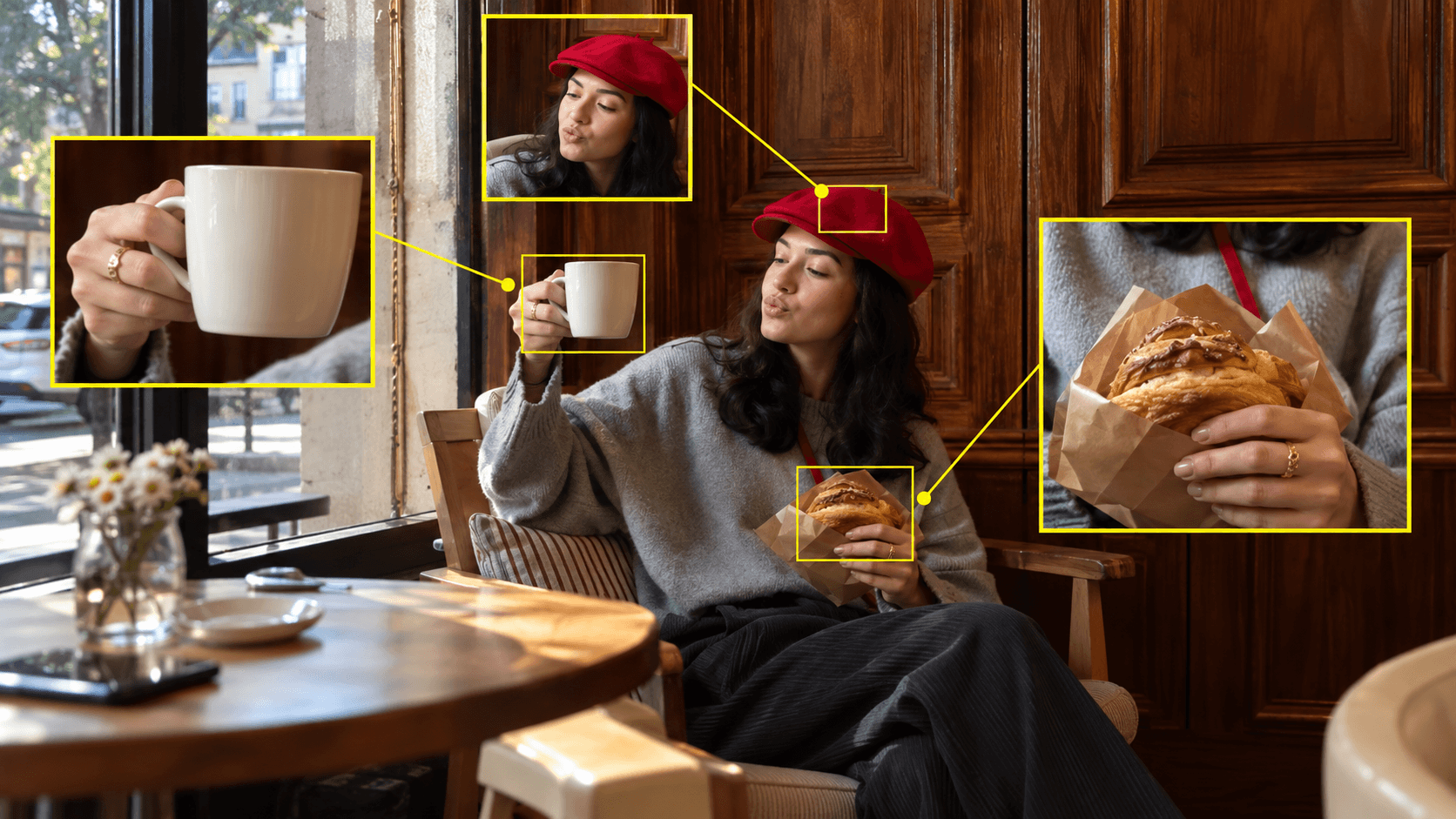
Add Small Human Reactions
A slight smile or short glance toward the camera can add personality without making the performance feel exaggerated.
Keep Product Interaction Physically Simple
If the goal is only to show the product, a slow pickup and steady hold may be far more reliable than several complex hand movements in one short clip.
Frequently Asked Questions About Kling AI Prompts and Negative Prompts
What Makes a Good Kling AI Prompt for Content Creators
A strong prompt clearly communicates the subject, action, interaction, camera, motion, environment and content style while keeping the main visual idea easy to understand.
How Long Should a Kling AI Prompt Be
There is no perfect word count. A prompt is long enough when the model has the information required to understand the scene and short enough that the main instructions remain obvious.
Can I Use Multi AI Chat on 1min.AI to Help Write Kling AI Prompts
Yes. It can be useful when you have the concept but need help turning it into a structured prompt. Explain the creative brief clearly and state which AI model you are using so the task is explicit.
Do I Need Multi AI Chat Before Using Kling AI
No. It is an optional support tool. If you already know how to write the Kling AI prompt, you can move directly to generation.
Should Content Creators Always Use a Negative Prompt
No. Use negative prompting when the workflow supports it and when there are specific errors you need to reduce. Focused negative prompts are more useful than long generic lists.
How Can I Reduce Failed Kling AI Generations
Keep the concept focused, describe the important movement clearly and review the exact reason an output failed before changing the prompt. Fixing one problem at a time usually creates a more efficient generation loop.
🚀 Try Kling AI on 1min.AI now and turn better prompts into more natural, usable TikTok, Reels, Shorts and UGC videos with fewer failed generations.
Alternatives
Discover the best alternatives to 1minAI and compare features, pricing, and use cases.

1min.AI vs OpenRouter
1min.AI vs. OpenRouter: Compare the ready-to-use AI creation product against the technical API tool. Find out if you need a zero-code creative studio or a coding infrastructure hub.
 Ngoc Hong
1min.AI vs Easy Peasy AI
Looking for an Easy Peasy AI alternative? Compare Easy Peasy AI and 1min.AI for content workflows, AI models, and professional teams.
Ngoc Hong
1min.AI vs Taskade
Compare 1min.AI vs Taskade for AI content creation, automation, agents, and creative workflows to find the right workspace.
Ngoc HongAI Tools
Discover the best AI tools to boost productivity, creativity, and everyday work.

Create Consistent Cartoon Content in Just a Few Steps
Create engaging cartoon videos for TikTok and Reels with 1min.AI. Research ideas, create characters, and turn images into animated videos in 3 simple steps.
 Lien Anh Vu
One Product, 10 UGC Creatives: How AI Makes Content Testing Easier
Create more authentic UGC with an AI UGC video generator, test more creative angles and scale affiliate content without filming every version.
Lien Anh Vu
Top 4 Affordable AI Tools for Startup Founders
Discover the top 4 affordable AI tools for startup founders to validate ideas, build products, create content, and launch faster without overspending.
 Tram Ta
AI Features
Comprehensive AI features that streamline workflows, improve efficiency, and empower teams to achieve more.
Create Consistent Cartoon Content in Just a Few Steps
Create engaging cartoon videos for TikTok and Reels with 1min.AI. Research ideas, create characters, and turn images into animated videos in 3 simple steps.
Lien Anh VuOne Product, 10 UGC Creatives: How AI Makes Content Testing Easier
Create more authentic UGC with an AI UGC video generator, test more creative angles and scale affiliate content without filming every version.
Lien Anh Vu
1minAI: Free AI Grammar Checker
Check grammar for free with 1minAI’s AI grammar checker. Find grammar, spelling, and writing mistakes, improve clarity, and polish your content in seconds.
Tram TaAI Use Cases
A curated collection of AI use cases for business, productivity, and industry-specific applications.
Create Consistent Cartoon Content in Just a Few Steps
Create engaging cartoon videos for TikTok and Reels with 1min.AI. Research ideas, create characters, and turn images into animated videos in 3 simple steps.
Lien Anh VuOne Product, 10 UGC Creatives: How AI Makes Content Testing Easier
Create more authentic UGC with an AI UGC video generator, test more creative angles and scale affiliate content without filming every version.
Lien Anh Vu
Best Time to Post on Instagram: A Practical Guide for Better Engagement
Discover the best time to post on Instagram, including the best days and times for different audiences, plus tips to find the ideal posting schedule for your account.
Tram TaAI Tutorials
Learn how to use AI with practical, step-by-step tutorials.
Create Consistent Cartoon Content in Just a Few Steps
Create engaging cartoon videos for TikTok and Reels with 1min.AI. Research ideas, create characters, and turn images into animated videos in 3 simple steps.
Lien Anh Vu
Black Friday AI Tool Deals in 2026
Discover what Black Friday AI tool deals 2026 has to offer. Find out how to secure the 1min.AI lifetime deal via AppSumo, Dealify, Stack Social, and verify on Trustpilot, Slashdot, and Software Advice.
 Hang Nguyen
[Seedance 2.5 New] Better AI Product Videos, Less Rework in 1min.AI
Use Seedance 2.5 image to video on 1min.AI to create more consistent AI product videos, reduce failed generations, save credits, and improve UGC workflows.
Lien Anh VuAI Guides
Learn AI faster with practical guides, real-world examples, and actionable best practices.
Create Consistent Cartoon Content in Just a Few Steps
Create engaging cartoon videos for TikTok and Reels with 1min.AI. Research ideas, create characters, and turn images into animated videos in 3 simple steps.
Lien Anh Vu
Safely Buy AI Tools Online: 2026 Black Friday Guide
Discover how to find and secure the best Black Friday AI deals online. Learn expert strategies to avoid scams, combat subscription fatigue, and verify software.
Hang Nguyen[Seedance 2.5 New] Better AI Product Videos, Less Rework in 1min.AI
Use Seedance 2.5 image to video on 1min.AI to create more consistent AI product videos, reduce failed generations, save credits, and improve UGC workflows.
Lien Anh VuAI Solutions
Browse the best AI solutions for automation, coding, research, productivity, customer support, marketing, and business workflows.
Create Consistent Cartoon Content in Just a Few Steps
Create engaging cartoon videos for TikTok and Reels with 1min.AI. Research ideas, create characters, and turn images into animated videos in 3 simple steps.
Lien Anh VuOne Product, 10 UGC Creatives: How AI Makes Content Testing Easier
Create more authentic UGC with an AI UGC video generator, test more creative angles and scale affiliate content without filming every version.
Lien Anh Vu
Free AI Tattoo Generator: Custom Designs
Turn any idea into a custom tattoo design with 1min.AI's free AI tattoo generator. Describe your idea, pick a style, and download in seconds.
 Trang Tran
AI Models
Explore the world's leading AI models in one place.
Create Consistent Cartoon Content in Just a Few Steps
Create engaging cartoon videos for TikTok and Reels with 1min.AI. Research ideas, create characters, and turn images into animated videos in 3 simple steps.
Lien Anh VuOne Product, 10 UGC Creatives: How AI Makes Content Testing Easier
Create more authentic UGC with an AI UGC video generator, test more creative angles and scale affiliate content without filming every version.
Lien Anh Vu[Seedance 2.5 New] Better AI Product Videos, Less Rework in 1min.AI
Use Seedance 2.5 image to video on 1min.AI to create more consistent AI product videos, reduce failed generations, save credits, and improve UGC workflows.
Lien Anh VuAI Comparisons
Compare AI tools, models, and platforms to find the best fit for your needs.

Kling AI Vs Veo 3: Which Model Wins?
Kling AI vs Veo 3: compare motion, native audio, pricing & free tiers to see which AI video generator wins for your project - try both on 1min.AI.
Trang Tran[Seedance 2.5 New] Better AI Product Videos, Less Rework in 1min.AI
Use Seedance 2.5 image to video on 1min.AI to create more consistent AI product videos, reduce failed generations, save credits, and improve UGC workflows.
Lien Anh Vu
DeepSeek V4 Pro vs Flash Comparison
Compare DeepSeek V4 Pro vs DeepSeek V4 Flash metrics. Optimize your agentic apps and improve AI fact checking on 1min.ai today.
Ngoc HongAI Integrations
Seamlessly integrate AI with the tools you already use to automate work and boost productivity.

POV: You Have 10+ Posts to Make Every Day
Learn how to build an AI content workflow that helps content creators produce 10+ social media posts a day faster with AI brainstorming, image generation, and content creation.
Lien Anh Vu
How to Use an AI Fashion Video Generator for Fashion Week 2026
Turn Fashion Week 2026 ideas into stunning fashion videos with AI. Learn how to brainstorm, create visuals, and transform images into videos with one simple workflow.
Lien Anh Vu
Stop Switching Between AI Apps: How AI Integration Transforms Employer Branding
Discover how AI integration helps HR teams streamline employer branding by combining AI writing, documents, images, video, and multiple AI models into one workspace.
Tram TaAI for Industries
Find the best AI tools and workflows for healthcare, finance, education, legal, manufacturing, retail, real estate, and more

Free AI Real Estate Video Generator
Turn listing photos into narrated property videos with AI real estate video tools. See how 1min.AI creates walkthroughs, voiceovers & captions in minutes.
Trang Tran
Free AI Virtual Staging: Furnish Any Room
Stage any real estate listing with AI virtual staging: upload a photo, pick a style, and get a photorealistic furnished room in seconds, free to try.
Trang Tran
The Problem With AI Design? It Looks Too AI
AI-generated designs can look polished but still feel artificial. Here are 5 prompt techniques designers can use to create more realistic, intentional visuals.
Lien Anh VuAI Agents
Discover and run AI agents to automate tasks across your work and daily life.
1minAI: Free AI Grammar Checker
Check grammar for free with 1minAI’s AI grammar checker. Find grammar, spelling, and writing mistakes, improve clarity, and polish your content in seconds.
Tram Ta
AI Agents for Facebook
Use an AI Agent for Facebook to create content, generate images, schedule posts, and publish from your documents and conversations.
Ngoc Hong
AI Agent vs AI Assistant: Which One Actually Saves Designers More Time?
Learn the difference between AI Agent vs AI Assistant and discover which solution helps designers automate repetitive work, reduce revisions, and save more time.
Lien Anh VuAI Workflows
Explore ready-to-use AI workflows for productivity, marketing, sales, support, and more.
Create Consistent Cartoon Content in Just a Few Steps
Create engaging cartoon videos for TikTok and Reels with 1min.AI. Research ideas, create characters, and turn images into animated videos in 3 simple steps.
Lien Anh VuOne Product, 10 UGC Creatives: How AI Makes Content Testing Easier
Create more authentic UGC with an AI UGC video generator, test more creative angles and scale affiliate content without filming every version.
Lien Anh VuPOV: You Have 10+ Posts to Make Every Day
Learn how to build an AI content workflow that helps content creators produce 10+ social media posts a day faster with AI brainstorming, image generation, and content creation.
Lien Anh VuNewsletter
Weekly AI Innovations with 1minAI

🔮 Weekly AI Innovations #138: Claude Sonnet 5, Fable 5 & Wan 2.7
Explode your creative potential with massive 1min.ai updates! Access Claude Sonnet 5, Fable 5, and Alibaba Wan 2.7 for unmatched multi-modal generation today.
Hang Nguyen
🔮 Weekly AI Innovations #137: ElevenLabs Music & AI social Profile Control
The newest 1min.ai updates deliver professional music generation and highly requested privacy tools. Dive into a seamless workflow today!
Hang Nguyen
🔮 Weekly AI Innovations #136: Grok 4.6 and Smart Data Retention
Discover the latest 1min.ai updates! Upgrade to Grok 4.6 for blazing-fast AI, and check our new Data Retention policies to secure your files today.
Hang Nguyen