
How Real Estate Agents Can Use AI for Lead Follow-Up: 7+ Workflows & Email Templates

Tram Ta
September 30, 2026
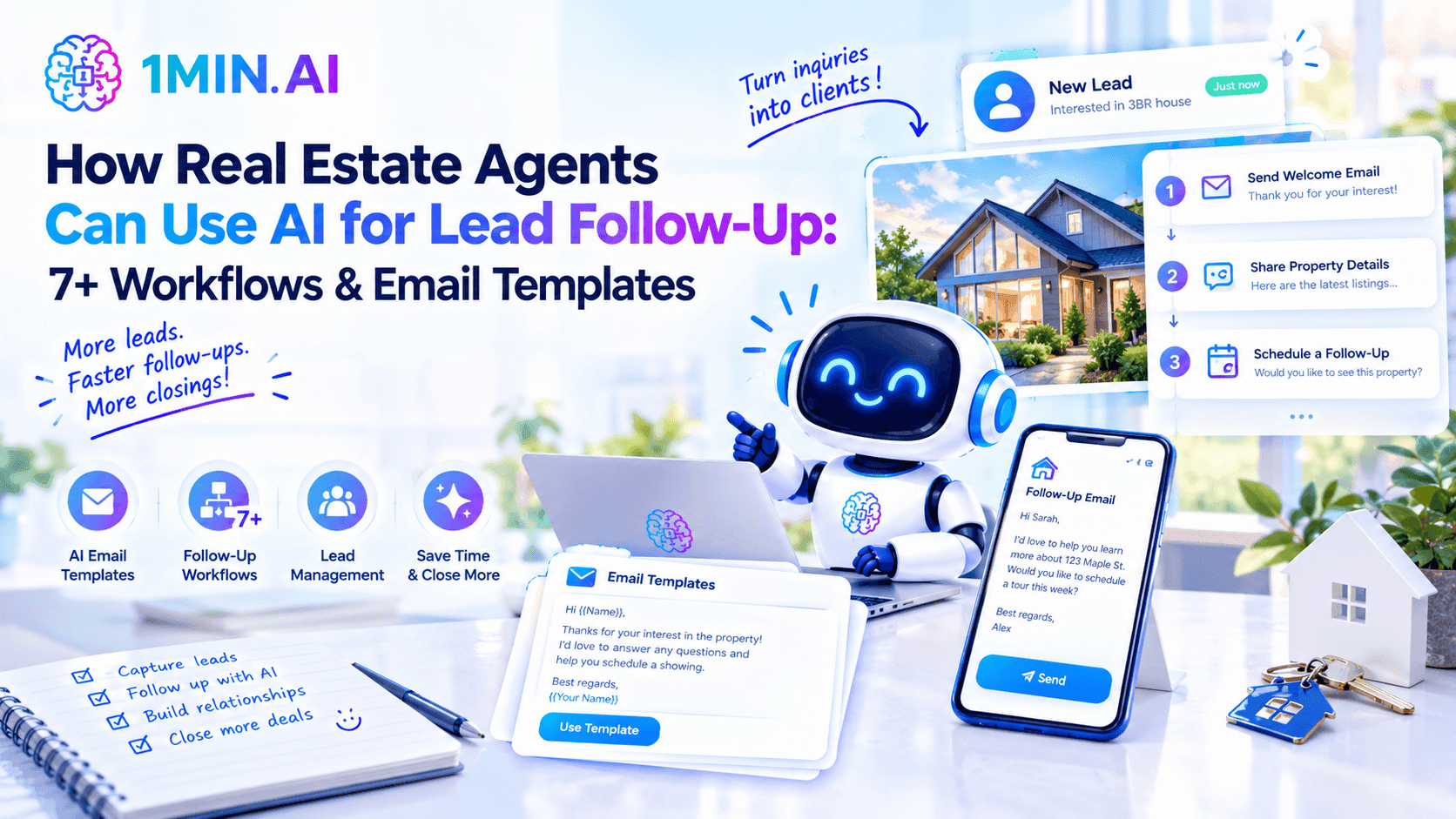
Learn how real estate agents can use AI for lead follow-up with 7+ practical workflows and email templates for new inquiries, showings, cold leads, sellers, and re-engagement.
For real estate agents, getting a lead is only the beginning. A buyer may inquire about a property, attend a showing, or download a listing guide without being ready to make a decision immediately.
The challenge is staying in touch without sending generic “just checking in” emails.
AI can help agents turn lead information, property details, and previous conversations into personalized follow-up emails faster. Instead of writing every message from scratch, agents can use AI to create the right message for each stage of the relationship while keeping the final communication personal.
In this guide, we'll cover 7+ AI lead follow-up workflows and email templates for real estate agents, from new inquiries and post-showing follow-ups to seller leads and long-term re-engagement.
Why AI Can Help With Real Estate Lead Follow-Up
Real estate follow-up works best when every message has context. A lead who just asked about a listing needs a different email from someone who toured a property three weeks ago.
AI can help agents:
- Turn CRM notes into personalized emails
- Create follow-ups for different lead stages
- Generate subject-line variations
- Summarize previous conversations
- Adapt messages for buyers and sellers
- Create shorter or friendlier versions
- Build longer-term nurture sequences
- Repurpose property information into useful content
The important distinction is that AI should assist with drafting and organization, not invent details about a client or send messages without review. Current real-estate AI guidance similarly emphasizes using verified lead context, checking consent, and reviewing messages before sending.
A simple workflow looks like:
Lead information → AI draft → Personalization → Agent review → Send → Follow up
7+ AI Lead Follow-Up Workflows for Real Estate Agents
1. Respond to a New Buyer Inquiry
A new online inquiry is often the first opportunity to start a real conversation. Instead of sending a generic introduction, use the information the lead already provided.
AI Prompt:
Prompt: Write a short, friendly follow-up email to a new real estate lead who inquired about [PROPERTY/AREA]. The lead is interested in [PROPERTY TYPE], with an approximate budget of [BUDGET] and timeline of [TIMELINE]. Mention [SPECIFIC DETAIL FROM INQUIRY] and ask one simple question that encourages a reply. Keep the email conversational and under 120 words.
Email Template:
Subject: Your interest in [Property/Area]
Hi [First Name],
Thanks for reaching out about [Property/Area]. I saw that you're looking for [specific requirement], and I'd be happy to help narrow down some options.
Are you mainly focused on [Area], or would you consider nearby neighborhoods as well?
Best,
[Agent Name]
The goal of the first email isn't to overwhelm the lead with information. It's to show that you paid attention and make replying easy. Real-estate marketing guidance also recommends referencing the specific property or search criteria rather than relying on generic greetings.
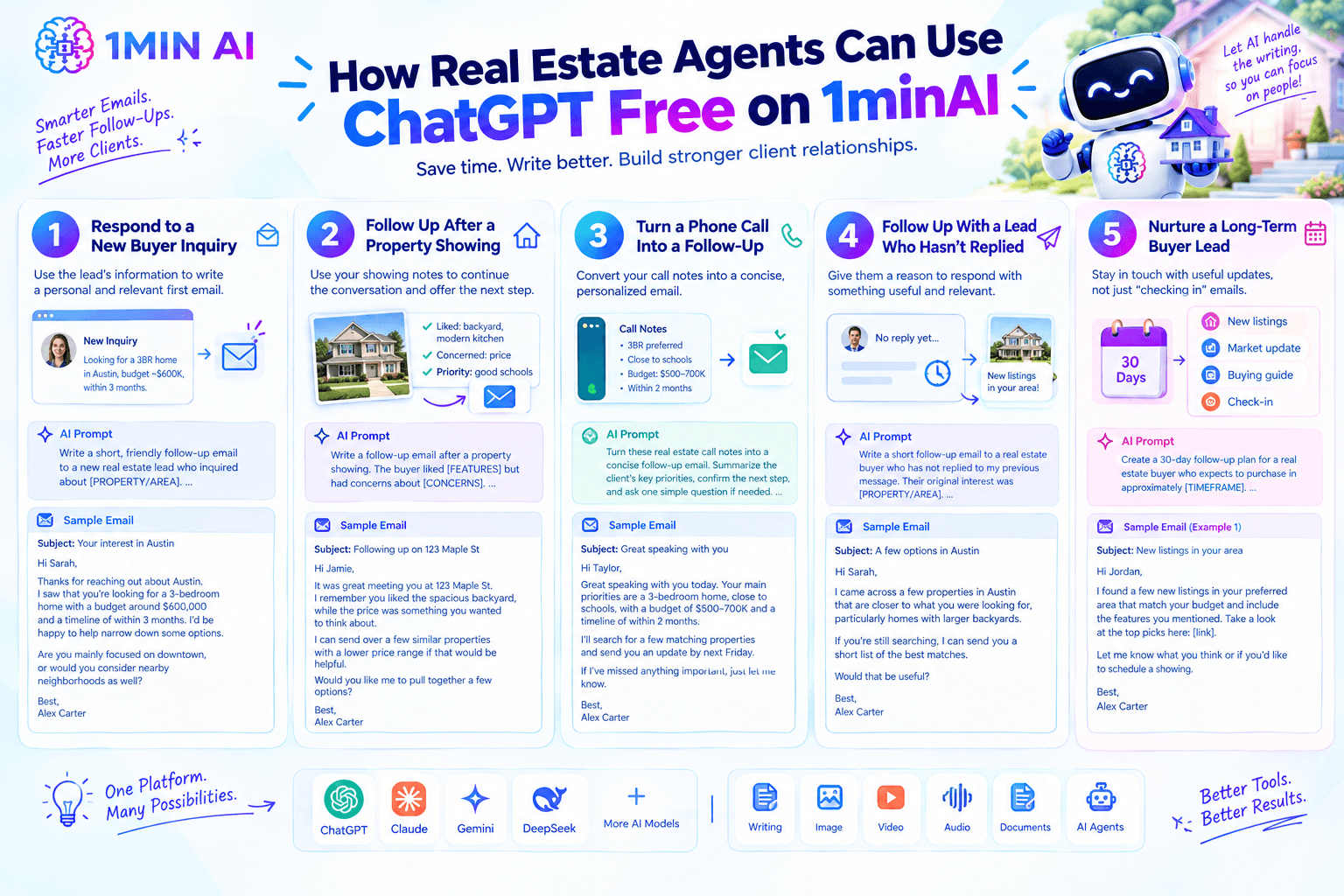
2. Follow Up After a Property Showing
After a showing, the agent already has useful context: what the buyer liked, what they disliked, and what questions they asked.
Give those notes to AI instead of starting from a blank page.
AI Prompt:
Prompt: Write a follow-up email after a property showing. The buyer liked [FEATURES] but had concerns about [CONCERNS]. Their priorities are [PRIORITIES]. Thank them for their time, acknowledge their concerns, and offer one relevant next step. Do not pressure them to make a decision.
Email Template:
Subject: Following up on [Property Address]
Hi [First Name],
It was great meeting you at [Property Address]. I remember you liked [FEATURE], while [CONCERN] was something you wanted to think about.
I can send over a few similar properties with [DESIRED FEATURE] if that would be helpful.
Would you like me to pull together a few options?
Best,
[Agent Name]
This makes the email feel like a continuation of the conversation rather than a generic follow-up.
3. Turn a Phone Call Into a Personalized Follow-Up
Agents often have valuable information sitting in CRM notes after calls. AI can turn those notes into a concise recap and next-step email.
AI Prompt:
Prompt: Turn these real estate call notes into a concise follow-up email. Summarize the client's key priorities, confirm the next step, and ask one simple question if needed. Do not add information that isn't in the notes. Keep the tone warm and professional.
[PASTE CALL NOTES]
Email Template:
Subject: Great speaking with you
Hi [First Name],
Great speaking with you today. Based on our conversation, your main priorities are [PRIORITIES], with [TIMELINE] in mind.
I'll [NEXT STEP] and send you an update by [DATE].
If I've missed anything important, just let me know.
Best,
[Agent Name]
This workflow is particularly useful for agents handling many conversations each week because it reduces the repetitive writing that happens after every call.
4. Follow Up With a Lead Who Hasn't Replied
Silence doesn't necessarily mean the lead isn't interested. The next message should give them a reason to respond rather than simply asking for an update.
AI Prompt:
Prompt: Write a short follow-up email to a real estate buyer who has not replied to my previous message. Their original interest was [PROPERTY/AREA]. Give them one useful reason to respond, such as a relevant listing, market update, or alternative property. Avoid “just checking in” and keep the CTA simple.
Email Template:
Subject: A few options in [Area]
Hi [First Name],
I came across a few properties in [Area] that are closer to what you were looking for, particularly [RELEVANT FEATURE].
If you're still searching, I can send you a short list of the best matches.
Would that be useful?
Best,
[Agent Name]
A useful follow-up gives the lead something new rather than simply reminding them that you haven't received a response.
5. Nurture a Long-Term Buyer Lead
Some buyers aren't ready to purchase for weeks or months. AI can help agents create a light-touch nurture sequence that keeps the relationship active without overwhelming the lead.
AI Prompt:
Prompt: Create a 30-day follow-up plan for a real estate buyer who expects to purchase in approximately [TIMEFRAME]. Their preferred area is [AREA], budget is [BUDGET], and priorities are [PRIORITIES]. Suggest 4 useful touchpoints and draft a short email for each. Each message should provide new value rather than simply asking whether they're ready to buy.
Possible touchpoints include:
- A relevant property
- A neighborhood update
- A market insight
- A useful buying resource
- A check-in when their expected timeline approaches
The objective is staying relevant, not sending as many emails as possible.
6. Follow Up With a Seller Lead
AI can also help agents create personalized follow-ups for homeowners considering selling.
AI Prompt:
Prompt: Write a professional follow-up email for a homeowner who contacted me about selling their property in [AREA]. They are currently concerned about [CONCERN]. Explain how I can help with [SERVICE/VALUE] and suggest a low-pressure next step. Avoid making claims about the property's value unless verified information is provided.
Email Template:
Subject: Selling your home in [Area]
Hi [First Name],
Thanks again for reaching out about selling your home in [Area].
You mentioned that [CONCERN] is one of the main things you're considering. I can help you understand the current market, potential positioning, and what the selling process could look like before you decide on your next step.
Would you be open to a quick conversation this week?
Best,
[Agent Name]
This can be adapted for valuation inquiries, seller consultations, expired leads, and homeowners who aren't ready to list immediately.
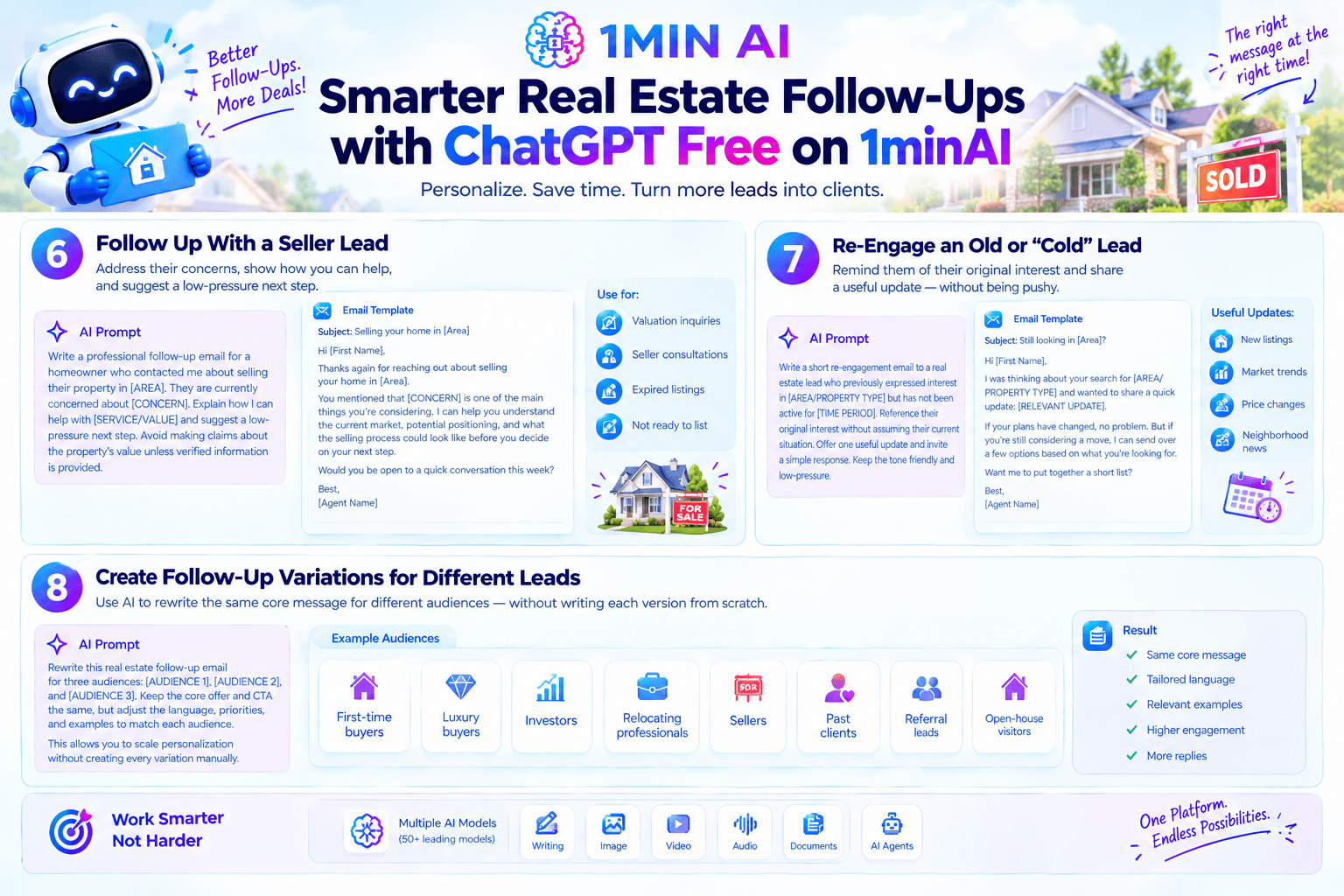
7. Re-Engage an Old or “Cold” Lead
Old leads can become relevant again when their circumstances change. Instead of sending the same promotional message to everyone, use AI to create different re-engagement angles.
AI Prompt:
Prompt: Write a short re-engagement email to a real estate lead who previously expressed interest in [AREA/PROPERTY TYPE] but has not been active for [TIME PERIOD]. Reference their original interest without assuming their current situation. Offer one useful update and invite a simple response. Keep the tone friendly and low-pressure.
Email Template:
Subject: Still looking in [Area]?
Hi [First Name],
I was thinking about your search for [AREA/PROPERTY TYPE] and wanted to share a quick update: [RELEVANT UPDATE].
If your plans have changed, no problem. But if you're still considering a move, I can send over a few options based on what you're looking for.
Want me to put together a short list?
Best,
[Agent Name]
8. Create Follow-Up Variations for Different Leads
Once you have a strong follow-up, AI can create variations without making every email identical.
For example, you can ask AI to rewrite the same core message for:
- First-time buyers
- Luxury buyers
- Investors
- Relocating professionals
- Sellers
- Past clients
- Referral leads
- Open-house visitors
AI Prompt:
Prompt: Rewrite this real estate follow-up email for three audiences: [AUDIENCE 1], [AUDIENCE 2], and [AUDIENCE 3]. Keep the core offer and CTA the same, but adjust the language, priorities, and examples to match each audience. Keep each version concise and natural.
This allows agents to scale personalization without creating every variation manually.
A Simple AI Workflow for Real Estate Lead Follow-Up
You don't need a complicated AI system to start.
Step 1: Collect the context
Before prompting AI, gather the information you actually know:
- Lead source
- Property or area
- Buyer/seller status
- Budget or price range, if provided
- Timeline
- Preferences
- Previous conversation
- Last interaction
- Next logical step
Step 2: Ask AI to draft
Give AI the context and specify the goal of the email.
Step 3: Personalize the draft
Add details that make the message sound like it came from you. Remove anything generic or unnecessary.
Step 4: Verify everything
Check names, addresses, property information, dates, pricing, availability, and claims before sending.
Step 5: Keep the CTA simple
Each email should ideally have one obvious next step: reply, schedule a call, view a property, request listings, or confirm a preference. Realtor.com similarly recommends specific, low-friction calls to action instead of vague “let me know if you have questions” endings.
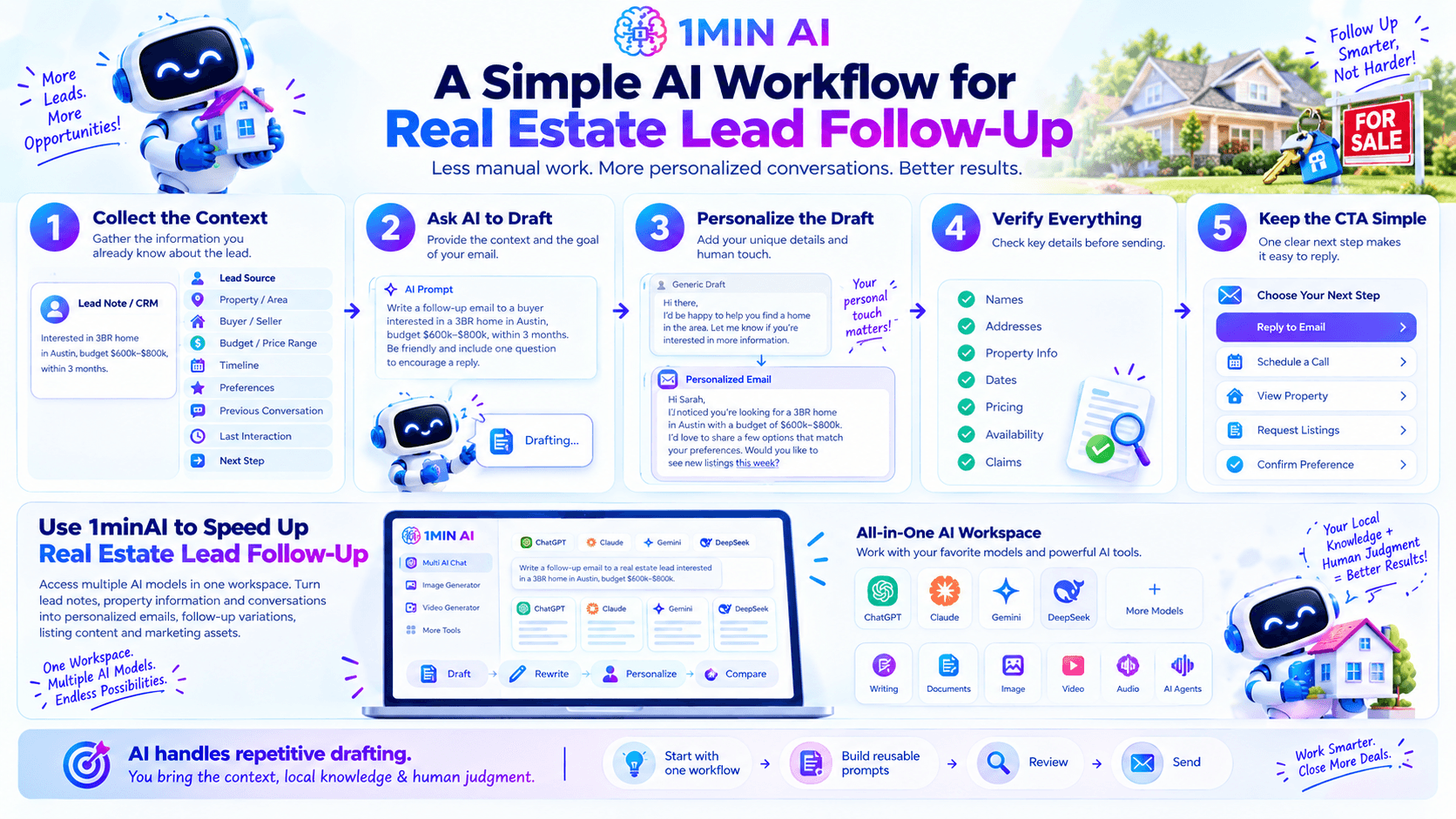
Use 1minAI to Speed Up Real Estate Lead Follow-Up
1minAI gives real estate agents access to multiple AI models in one workspace, making it easier to turn lead notes, property information, and conversations into personalized emails, follow-up variations, listing content, and marketing assets.
Instead of switching between separate AI tools, agents can use 1minAI to draft, rewrite, personalize, and compare different versions of their messaging. You can use the model that best fits the task while keeping your workflow in one place.
The key is simple: let AI handle repetitive drafting while you provide the local knowledge, client context, and human judgment that make real estate communication effective.
AI doesn't replace the relationship-building side of real estate. It helps agents stay consistent when there are dozens of leads, properties, calls, and follow-ups competing for attention.
Start with one workflow—such as new-lead responses or post-showing follow-ups—then build reusable prompts for other stages. With the right context and human review, AI can help you respond faster while making each message more relevant.
Discover more AI features: https://1min.ai/features
Try 1minAI agent now: https://app.1min.ai/ai-agent-demo
Alternatives
Discover the best alternatives to 1minAI and compare features, pricing, and use cases.

1min.AI vs OpenRouter
1min.AI vs. OpenRouter: Compare the ready-to-use AI creation product against the technical API tool. Find out if you need a zero-code creative studio or a coding infrastructure hub.
 Ngoc Hong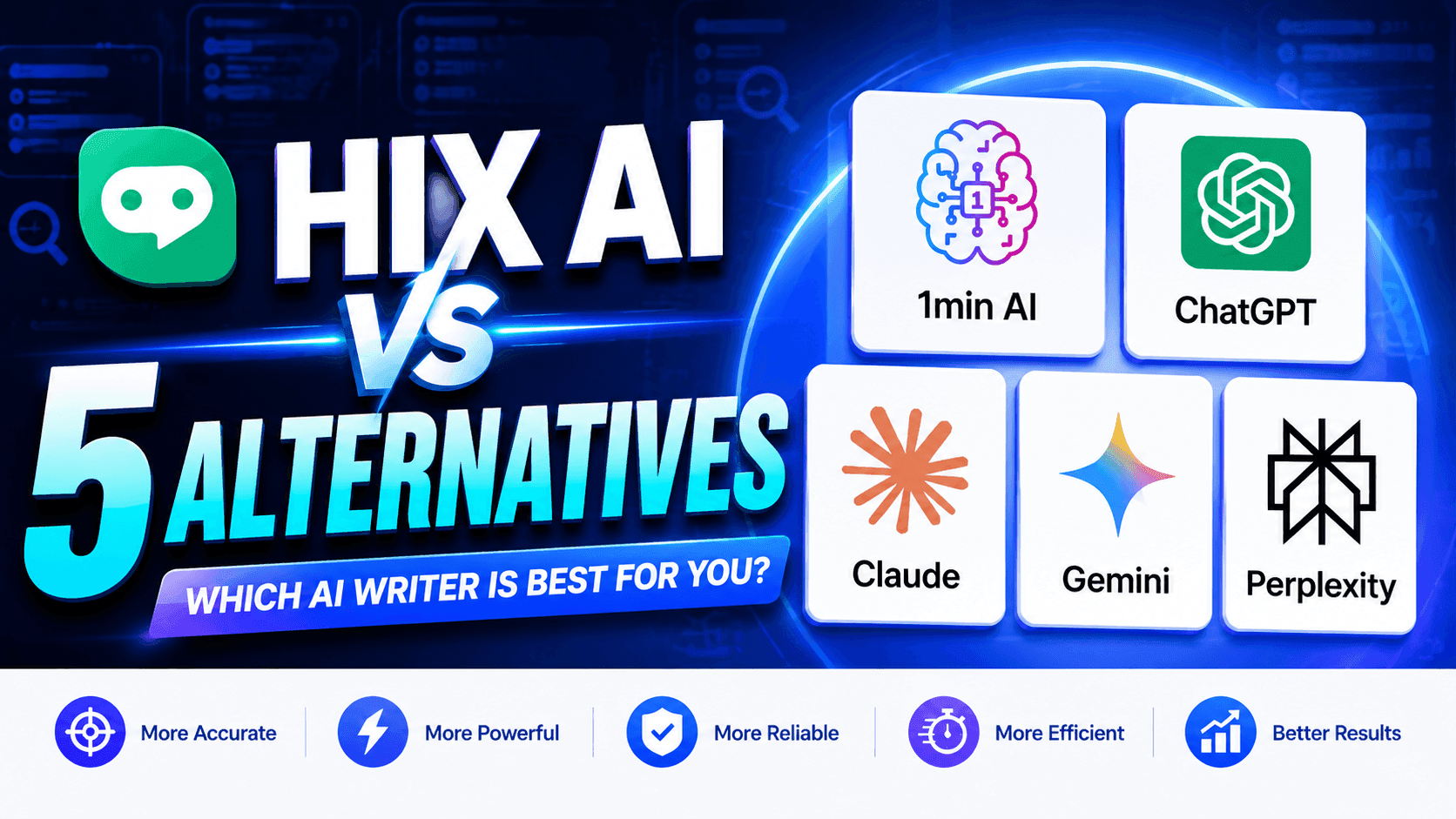
1minAI vs Hix AI
Compare 5 HIX AI alternatives for AI chat, research, writing, images, video, pricing, and flexible AI workflows.
Ngoc Hong
1min.AI vs Easy Peasy AI
Looking for an Easy Peasy AI alternative? Compare Easy Peasy AI and 1min.AI for content workflows, AI models, and professional teams.
Ngoc HongAI Tools
Discover the best AI tools to boost productivity, creativity, and everyday work.

Create Consistent Cartoon Content in Just a Few Steps
Create engaging cartoon videos for TikTok and Reels with 1min.AI. Research ideas, create characters, and turn images into animated videos in 3 simple steps.
 Lien Anh Vu
One Product, 10 UGC Creatives: How AI Makes Content Testing Easier
Create more authentic UGC with an AI UGC video generator, test more creative angles and scale affiliate content without filming every version.
Lien Anh Vu
Top 4 Affordable AI Tools for Startup Founders
Discover the top 4 affordable AI tools for startup founders to validate ideas, build products, create content, and launch faster without overspending.
 Tram Ta
AI Features
Comprehensive AI features that streamline workflows, improve efficiency, and empower teams to achieve more.
Create Consistent Cartoon Content in Just a Few Steps
Create engaging cartoon videos for TikTok and Reels with 1min.AI. Research ideas, create characters, and turn images into animated videos in 3 simple steps.
Lien Anh VuOne Product, 10 UGC Creatives: How AI Makes Content Testing Easier
Create more authentic UGC with an AI UGC video generator, test more creative angles and scale affiliate content without filming every version.
Lien Anh Vu
1minAI: Free AI Grammar Checker
Check grammar for free with 1minAI’s AI grammar checker. Find grammar, spelling, and writing mistakes, improve clarity, and polish your content in seconds.
Tram TaAI Use Cases
A curated collection of AI use cases for business, productivity, and industry-specific applications.
Create Consistent Cartoon Content in Just a Few Steps
Create engaging cartoon videos for TikTok and Reels with 1min.AI. Research ideas, create characters, and turn images into animated videos in 3 simple steps.
Lien Anh VuOne Product, 10 UGC Creatives: How AI Makes Content Testing Easier
Create more authentic UGC with an AI UGC video generator, test more creative angles and scale affiliate content without filming every version.
Lien Anh Vu
Best Time to Post on Instagram: A Practical Guide for Better Engagement
Discover the best time to post on Instagram, including the best days and times for different audiences, plus tips to find the ideal posting schedule for your account.
Tram TaAI Tutorials
Learn how to use AI with practical, step-by-step tutorials.
Create Consistent Cartoon Content in Just a Few Steps
Create engaging cartoon videos for TikTok and Reels with 1min.AI. Research ideas, create characters, and turn images into animated videos in 3 simple steps.
Lien Anh Vu
Black Friday AI Tool Deals in 2026
Discover what Black Friday AI tool deals 2026 has to offer. Find out how to secure the 1min.AI lifetime deal via AppSumo, Dealify, Stack Social, and verify on Trustpilot, Slashdot, and Software Advice.
 Hang Nguyen
[Seedance 2.5 New] Better AI Product Videos, Less Rework in 1min.AI
Use Seedance 2.5 image to video on 1min.AI to create more consistent AI product videos, reduce failed generations, save credits, and improve UGC workflows.
Lien Anh VuAI Guides
Learn AI faster with practical guides, real-world examples, and actionable best practices.
Create Consistent Cartoon Content in Just a Few Steps
Create engaging cartoon videos for TikTok and Reels with 1min.AI. Research ideas, create characters, and turn images into animated videos in 3 simple steps.
Lien Anh Vu
Safely Buy AI Tools Online: 2026 Black Friday Guide
Discover how to find and secure the best Black Friday AI deals online. Learn expert strategies to avoid scams, combat subscription fatigue, and verify software.
Hang Nguyen[Seedance 2.5 New] Better AI Product Videos, Less Rework in 1min.AI
Use Seedance 2.5 image to video on 1min.AI to create more consistent AI product videos, reduce failed generations, save credits, and improve UGC workflows.
Lien Anh VuAI Solutions
Browse the best AI solutions for automation, coding, research, productivity, customer support, marketing, and business workflows.
Create Consistent Cartoon Content in Just a Few Steps
Create engaging cartoon videos for TikTok and Reels with 1min.AI. Research ideas, create characters, and turn images into animated videos in 3 simple steps.
Lien Anh VuOne Product, 10 UGC Creatives: How AI Makes Content Testing Easier
Create more authentic UGC with an AI UGC video generator, test more creative angles and scale affiliate content without filming every version.
Lien Anh Vu
Free AI Tattoo Generator: Custom Designs
Turn any idea into a custom tattoo design with 1min.AI's free AI tattoo generator. Describe your idea, pick a style, and download in seconds.
 Trang Tran
AI Models
Explore the world's leading AI models in one place.
Create Consistent Cartoon Content in Just a Few Steps
Create engaging cartoon videos for TikTok and Reels with 1min.AI. Research ideas, create characters, and turn images into animated videos in 3 simple steps.
Lien Anh VuOne Product, 10 UGC Creatives: How AI Makes Content Testing Easier
Create more authentic UGC with an AI UGC video generator, test more creative angles and scale affiliate content without filming every version.
Lien Anh Vu[Seedance 2.5 New] Better AI Product Videos, Less Rework in 1min.AI
Use Seedance 2.5 image to video on 1min.AI to create more consistent AI product videos, reduce failed generations, save credits, and improve UGC workflows.
Lien Anh VuAI Comparisons
Compare AI tools, models, and platforms to find the best fit for your needs.

Kling AI Vs Veo 3: Which Model Wins?
Kling AI vs Veo 3: compare motion, native audio, pricing & free tiers to see which AI video generator wins for your project - try both on 1min.AI.
Trang Tran[Seedance 2.5 New] Better AI Product Videos, Less Rework in 1min.AI
Use Seedance 2.5 image to video on 1min.AI to create more consistent AI product videos, reduce failed generations, save credits, and improve UGC workflows.
Lien Anh Vu
DeepSeek V4 Pro vs Flash Comparison
Compare DeepSeek V4 Pro vs DeepSeek V4 Flash metrics. Optimize your agentic apps and improve AI fact checking on 1min.ai today.
Ngoc HongAI Integrations
Seamlessly integrate AI with the tools you already use to automate work and boost productivity.

POV: You Have 10+ Posts to Make Every Day
Learn how to build an AI content workflow that helps content creators produce 10+ social media posts a day faster with AI brainstorming, image generation, and content creation.
Lien Anh Vu
How to Use an AI Fashion Video Generator for Fashion Week 2026
Turn Fashion Week 2026 ideas into stunning fashion videos with AI. Learn how to brainstorm, create visuals, and transform images into videos with one simple workflow.
Lien Anh Vu
Stop Switching Between AI Apps: How AI Integration Transforms Employer Branding
Discover how AI integration helps HR teams streamline employer branding by combining AI writing, documents, images, video, and multiple AI models into one workspace.
Tram TaAI for Industries
Find the best AI tools and workflows for healthcare, finance, education, legal, manufacturing, retail, real estate, and more

Free AI Image Generator For Ecommerce
Turn phone photos into studio, white-background, and lifestyle product images. Try the best AI image generator for ecommerce online free with 1min.AI.
Trang Tran
Free Property Management Email Templates
Free property management email templates for tenants and owners: rent reminders, renewals, maintenance updates. Copy, customize, and send in minutes.
Trang Tran
Free AI Virtual Staging: Furnish Any Room
Stage any real estate listing with AI virtual staging: upload a photo, pick a style, and get a photorealistic furnished room in seconds, free to try.
Trang TranAI Agents
Discover and run AI agents to automate tasks across your work and daily life.
1minAI: Free AI Grammar Checker
Check grammar for free with 1minAI’s AI grammar checker. Find grammar, spelling, and writing mistakes, improve clarity, and polish your content in seconds.
Tram Ta
AI Agents for Facebook
Use an AI Agent for Facebook to create content, generate images, schedule posts, and publish from your documents and conversations.
Ngoc Hong
AI Agent vs AI Assistant: Which One Actually Saves Designers More Time?
Learn the difference between AI Agent vs AI Assistant and discover which solution helps designers automate repetitive work, reduce revisions, and save more time.
Lien Anh VuAI Workflows
Explore ready-to-use AI workflows for productivity, marketing, sales, support, and more.
Create Consistent Cartoon Content in Just a Few Steps
Create engaging cartoon videos for TikTok and Reels with 1min.AI. Research ideas, create characters, and turn images into animated videos in 3 simple steps.
Lien Anh VuOne Product, 10 UGC Creatives: How AI Makes Content Testing Easier
Create more authentic UGC with an AI UGC video generator, test more creative angles and scale affiliate content without filming every version.
Lien Anh VuPOV: You Have 10+ Posts to Make Every Day
Learn how to build an AI content workflow that helps content creators produce 10+ social media posts a day faster with AI brainstorming, image generation, and content creation.
Lien Anh VuNewsletter
Weekly AI Innovations with 1minAI

🔮 Weekly AI Innovations #139: Dawn of the next-gen AI
Discover the immense power of GPT-6 Astra and Claude Fable 5.1. Unlock next-generation AI models on 1min.ai to solve complex tasks effortlessly.
Hang Nguyen
🔮 Weekly AI Innovations #138: Claude Sonnet 5, Fable 5 & Wan 2.7
Explode your creative potential with massive 1min.ai updates! Access Claude Sonnet 5, Fable 5, and Alibaba Wan 2.7 for unmatched multi-modal generation today.
Hang Nguyen
🔮 Weekly AI Innovations #137: ElevenLabs Music & AI social Profile Control
The newest 1min.ai updates deliver professional music generation and highly requested privacy tools. Dive into a seamless workflow today!
Hang Nguyen