
How 1minAI Agent Can Monitor Industry Trends and Turn Them Into Social Posts

Tram Ta
August 12, 2026
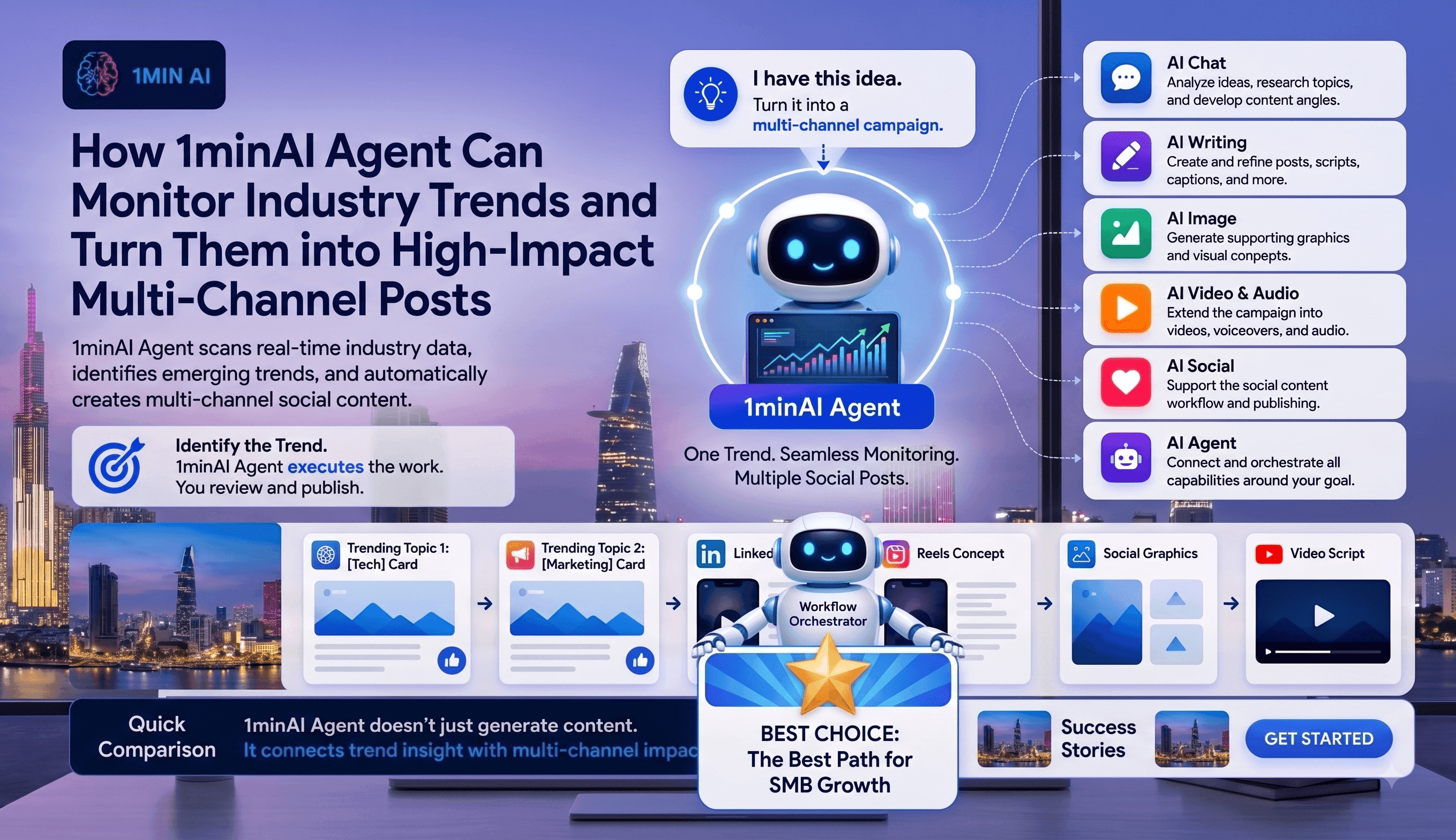
Discover how AI agents can track industry trends, research news, generate social content, and streamline publishing with 1minAI Agent.
For marketers and content creators, staying relevant means knowing what is happening before the conversation moves on. But monitoring industry news, identifying trends, researching the story, creating content, and publishing across multiple channels can quickly become a full-time job.
An AI agent can connect these steps into one workflow. With 1minAI Agent, marketers can move from tracking topics and researching the latest information to generating social content and preparing it for publication—with less manual work in between.
Why Social Media Trends Are Difficult to Keep Up With
Social media moves faster than most content workflows can handle.
A relevant industry story can emerge in the morning, become a major conversation by afternoon, and lose attention within days. For marketers and content creators, this creates constant pressure to monitor what's happening while still producing high-quality content.
A typical trend-monitoring process may involve:
- Searching news and industry websites
- Checking multiple sources
- Identifying topics worth covering
- Researching the background
- Finding a unique content angle
- Writing posts for different platforms
- Creating supporting visuals
- Publishing or scheduling the content
The challenge isn't simply finding trends. It's turning those trends into useful content quickly enough to matter.
The Problem With Manual Trend Monitoring
Consider a marketer following developments in AI.
They may need to check several websites, newsletters, social platforms, and industry publications every day. After finding an interesting story, they still have to decide whether it is relevant to their audience and how their brand should respond.
Then comes the production work.
One article may need to become a LinkedIn post, a Facebook update, a short-form video script, and a visual asset. Each step adds another tool, another prompt, and another opportunity for the workflow to slow down.
This creates a gap between:
“Something important happened.”
and
“We have useful content ready to publish.”
AI Agents Can Connect the Missing Steps
This is where AI agents offer a different approach.
Instead of using AI only to complete an individual task, an agent can help coordinate a sequence of related tasks:
Track topics → Research → Identify trends → Develop an angle → Generate content → Create assets → Publish
The marketer still controls the strategy and final message. But repetitive work between discovering a trend and distributing the content can be handled as part of a connected workflow.
That makes AI agents particularly useful for teams that need to stay current without spending their entire day monitoring and producing social content.
How 1minAI Agent Turns a Trend Into Ready-to-Publish Social Content
The biggest advantage of an AI agent is not that it can write a social media post. It's that you can give it a content goal and let it work through the steps required to reach that goal.
For a marketer or content creator, the workflow can start with something as simple as:
“Monitor the latest developments in AI agents, find the most relevant trends for B2B marketers, and turn them into social content for LinkedIn, Facebook, and TikTok.”
From there, 1minAI Agent can break the objective into a series of connected tasks.
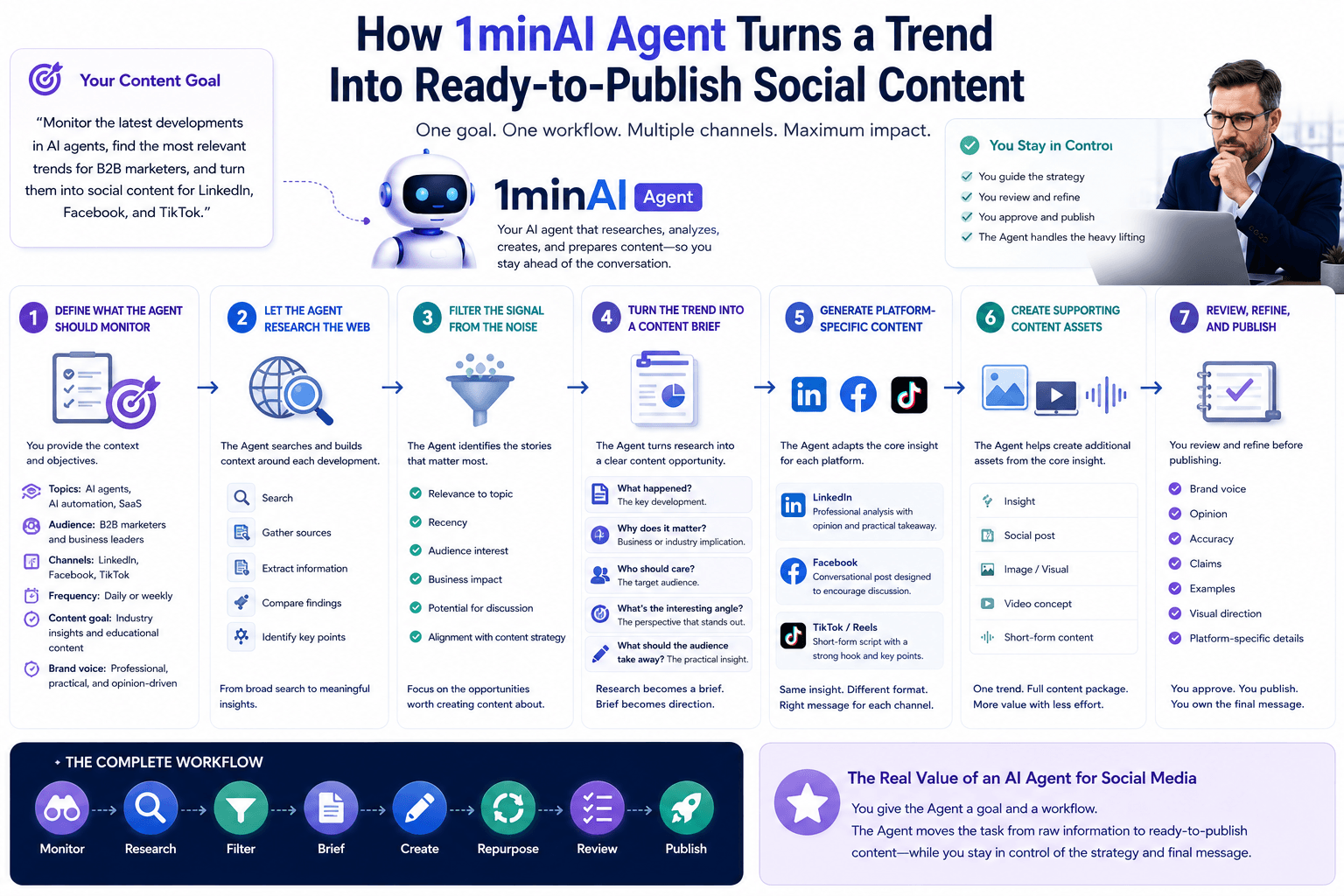
1. Define What the Agent Should Monitor
The user first provides the Agent with the context it needs.
For example:
- Topics: AI agents, AI automation, SaaS
- Audience: B2B marketers and business leaders
- Channels: LinkedIn, Facebook, TikTok
- Frequency: Daily or weekly
- Content goal: Industry insights and educational content
- Brand voice: Professional, practical, and opinion-driven
The more specific the instructions, the more useful the resulting workflow becomes.
The user doesn't need to manually search for individual articles. They are defining what they want the Agent to accomplish.
2. Let the Agent Research the Web
The Agent then searches for relevant and recent information around the selected topics.
Instead of simply collecting headlines, the workflow can be used to build context around each development:
Search → Gather sources → Extract information → Compare findings → Identify key points
For example, if "AI agents" is the monitored topic, the Agent may encounter several new product announcements, research developments, or industry discussions.
Rather than treating every result as equally important, the next step is to determine which developments are actually relevant to the user's audience.
3. Let the Agent Filter the Signal From the Noise
This is one of the most useful parts of an agent-based workflow.
The internet produces far more information than a content team can realistically process.
The Agent can help narrow the research into potential content opportunities based on:
- Relevance to the selected topic
- Recency
- Audience interest
- Business impact
- Potential for discussion
- Connection to the user's content strategy
For example, ten new AI-related stories may appear in a day, but only two or three may be worth turning into content.
The Agent helps surface those opportunities so the user can spend less time searching and more time deciding.
4. Turn the Trend Into a Content Brief
Once a promising trend is identified, the Agent can turn the research into a usable content brief.
A brief might include:
What happened?
The key development.
Why does it matter?
The business or industry implication.
Who should care?
The target audience.
What's the interesting angle?
The perspective that makes the content more than a news summary.
What should the audience take away?
The practical insight.
This step is important because it separates research from content creation.
The Agent isn't immediately turning every article into a generic social post. It first develops the information into a clearer content opportunity.
5. Generate Platform-Specific Content
Once the core insight is ready, the Agent can turn it into content for different channels.
For example, one trend could become:
A professional analysis with an opinion and practical takeaway.
A more conversational post designed to encourage discussion.
TikTok / Reels
A short-form script built around a strong hook and a few key points.
The same research is reused, but the content is adapted to the format and audience of each channel.
This is much more efficient than asking a marketer to manually rewrite the same idea three or four times.
6. Create the Supporting Content Assets
The workflow doesn't have to stop with text.
Depending on the campaign, the Agent can help move the content into additional formats:
Insight → Social post → Image → Video concept → Short-form content
For marketers managing high publishing volumes, this means a single trend can become a complete content package rather than one isolated post.
7. Review, Refine, and Publish
Automation works best when the marketer remains in control of the final message.
Before publishing, the user can review the Agent's work and refine:
- Brand voice
- Opinion
- Accuracy
- Claims
- Examples
- Visual direction
- Platform-specific details
The Agent handles the repetitive execution. The marketer makes the final editorial decision.
The complete workflow becomes:
Monitor → Research → Filter → Brief → Create → Repurpose → Review → Publish
That's the real value of using an AI agent for social media.
Instead of giving AI a series of disconnected prompts, the user gives the Agent a goal and a workflow. The Agent then helps move the task from raw information to ready-to-publish content while keeping the marketer in control of the strategy and final message.
Why 1minAI Agent Is Built for Trend-Driven Content Workflows
For marketers and content creators, the value of an AI agent depends on how well it can connect the different steps of real content production.
1minAI brings those capabilities together so users can move from research to ready-to-publish content without constantly switching between disconnected AI tools.
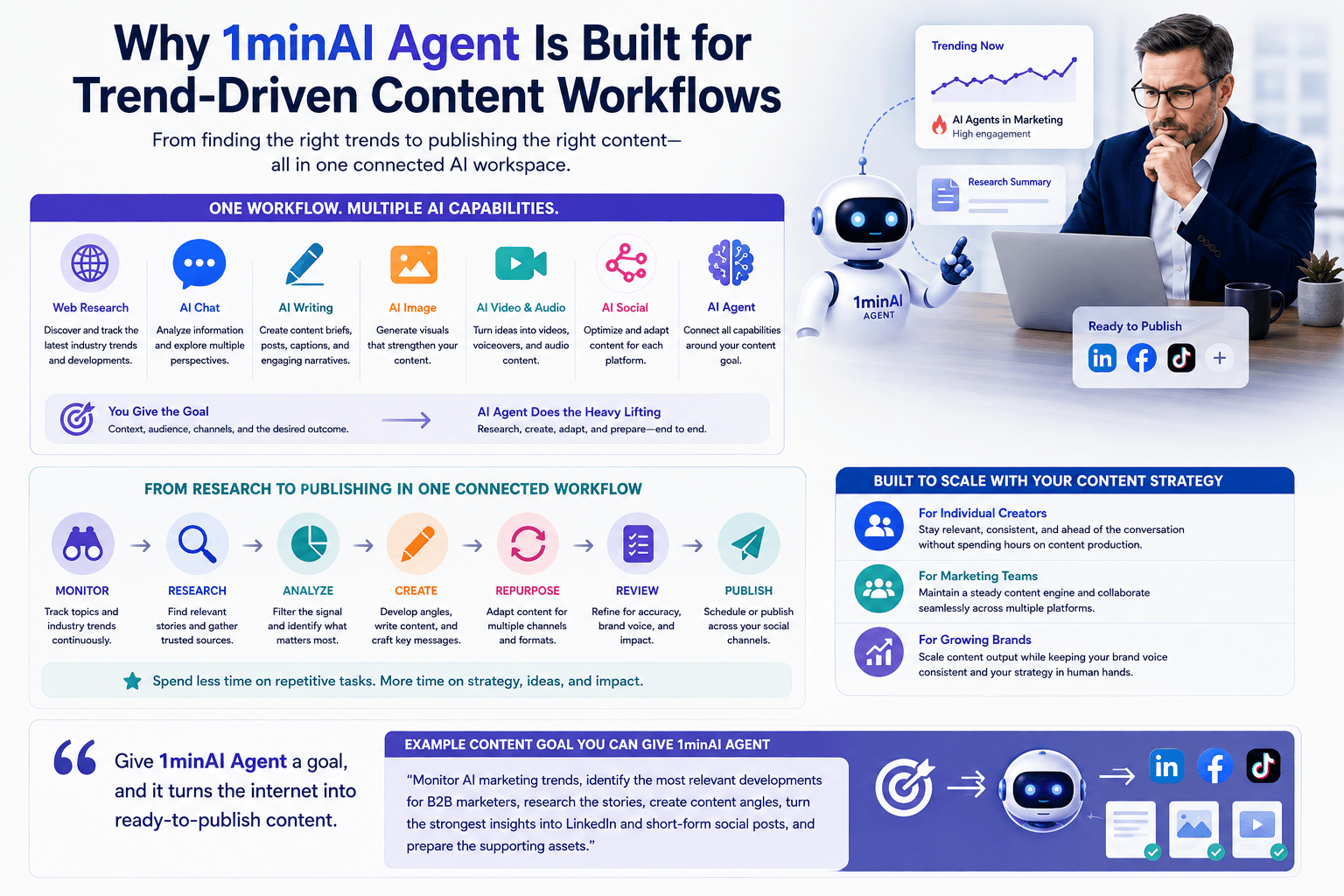
One Workflow Across Multiple AI Capabilities
A trend-driven content workflow can combine:
- Web research to discover current industry developments
- AI Chat to analyze information and explore different perspectives
- AI Writing to develop social posts and content briefs
- AI Image to create supporting visuals
- AI Video and Audio to expand ideas into multimedia formats
- AI Social to support social content workflows
- AI Agent to connect these capabilities around a larger objective
Instead of manually coordinating each task, users can give the Agent a goal and provide the context, audience, channels, and desired outcome.
For example:
“Monitor AI marketing trends, identify the most relevant developments for B2B marketers, research the stories, create content angles, turn the strongest insights into LinkedIn and short-form social posts, and prepare the supporting assets.”
The Agent can then help move that objective through the different stages of the workflow.
From Research to Publishing in One Connected Workflow
The broader 1minAI workflow can be summarized as:
Monitor → Research → Analyze → Create → Repurpose → Review → Publish
This is particularly useful for marketers who need to maintain a consistent publishing schedule but don't want to spend their day performing repetitive content operations.
Instead of using AI as a collection of isolated tools, 1minAI gives marketers a way to approach AI as an end-to-end content workflow.
Built to Scale With Your Content Strategy
Whether you're an individual creator managing your own channels or a marketing team producing content across multiple platforms, the same principle applies:
Give the Agent more of the execution while keeping strategic control with the human team.
That means marketers can spend less time searching, copying, rewriting, and formatting—and more time developing the ideas and perspectives that make their content worth following.
Conclusion: Turn Industry Trends Into Content With 1minAI Agent
The challenge of social media isn't simply creating more content.
It's knowing what matters, responding quickly, and turning useful information into content your audience actually wants to consume.
An AI agent can connect the workflow that makes this possible:
Track relevant topics → Research current information → Identify meaningful trends → Develop content angles → Generate multi-channel content → Create supporting assets → Review and publish
With 1minAI Agent, marketers and content creators can move beyond asking AI to perform individual tasks and start delegating complete content workflows.
The marketer remains responsible for the strategy, expertise, and final voice.
The Agent helps handle the work in between.
Find the trend. Develop the insight. Let 1minAI Agent help turn it into content. 👉 Official Website: https://1min.ai/
👉 Discover All AI Features: https://1min.ai/features
👉 Try 1minAI agent now: https://app.1min.ai/ai-agent-demo
Alternatives
Discover the best alternatives to 1minAI and compare features, pricing, and use cases.

1min.AI vs OpenRouter
1min.AI vs. OpenRouter: Compare the ready-to-use AI creation product against the technical API tool. Find out if you need a zero-code creative studio or a coding infrastructure hub.
 Ngoc Hong
1min.AI vs Krater AI
Compare 1min.AI vs Krater AI features, pricing, AI models, and workflows to find the best all-in-one AI tool for content, design, and productivity.
Ngoc Hong
1min.AI vs Chatplayground AI
Compare 1min.AI (Voice Cloning, Object Removal, Team Plans) vs. ChatPlayground AI (14+ Models, Teams/O365 Integration). Discover the superior platform for predictable pricing and long-term content production growth.
Ngoc HongAI Tools
Discover the best AI tools to boost productivity, creativity, and everyday work.
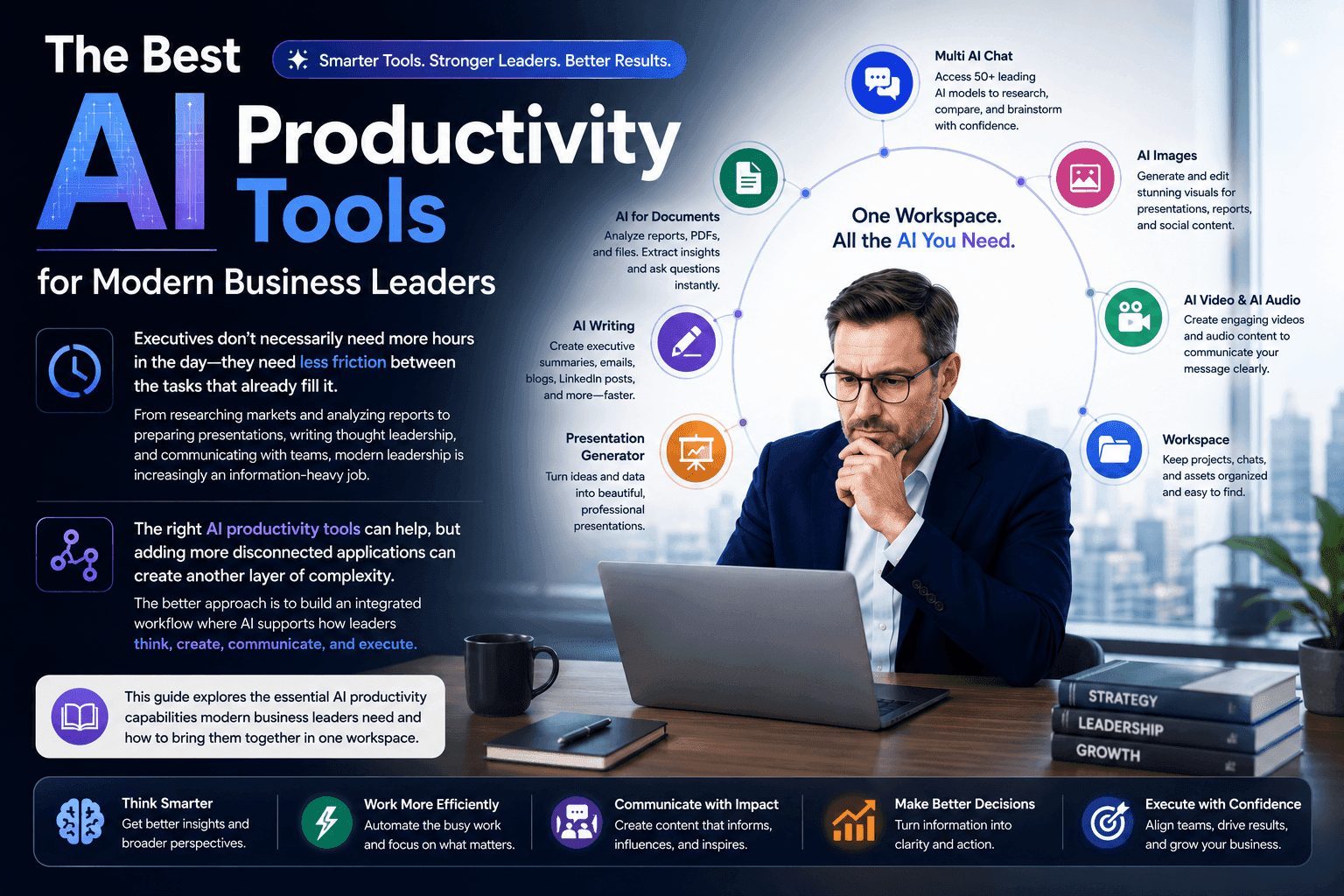
The Best AI Productivity Tools for Modern Business Leaders
Discover the best AI productivity tools for business leaders to research, write, analyze, present, and streamline daily workflows with 1minAI.
 Tram Ta
Turn “Make It Better” Into Better Content With AI
Use AI to turn vague client feedback into clear revisions, reduce unnecessary edits, and deliver better content faster.
 Lien Anh Vu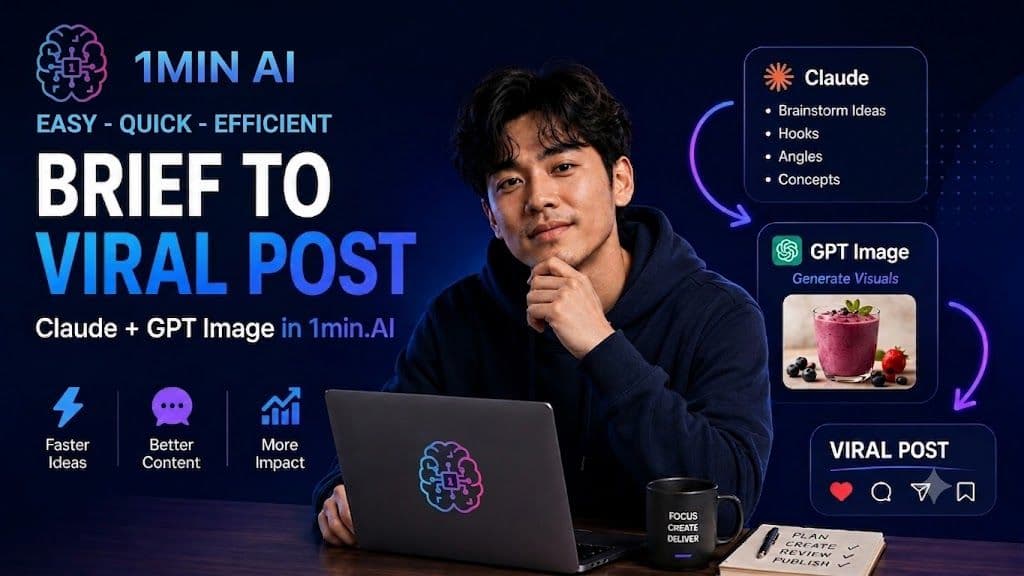
AI Content Workflow for Freelancers From Brief to Viral Post in 1min.AI
Discover a simple AI content workflow for freelancers. Use Claude for brainstorming and ChatGPT image generation to turn a client brief into a polished social media post faster.
Lien Anh VuAI Features
Comprehensive AI features that streamline workflows, improve efficiency, and empower teams to achieve more.
Free AI Image Generator
Generate unique and creative images with our powerful AI image generator. From AI art to stable diffusion, explore endless possibilities. Try our AI photo generator and create stunning AI pictures.
Tram TaAI Content Workflow for Freelancers From Brief to Viral Post in 1min.AI
Discover a simple AI content workflow for freelancers. Use Claude for brainstorming and ChatGPT image generation to turn a client brief into a polished social media post faster.
Lien Anh Vu
Free AI Brand Voice Generator
Create a unique and consistent brand voice with our powerful AI Brand Voice Generator. Get started today and craft messaging that resonates with your audience.
 Trang Tran
AI Use Cases
A curated collection of AI use cases for business, productivity, and industry-specific applications.
Turn “Make It Better” Into Better Content With AI
Use AI to turn vague client feedback into clear revisions, reduce unnecessary edits, and deliver better content faster.
Lien Anh Vu
Why Buy AI During Black Friday? The ROI Explained
Wondering why buy AI during Black Friday? Explore the incredible return on investment, tax benefits, and long-term cost savings of purchasing AI software in Q4.
 Hang Nguyen
The Race for AI Software Discounts
Discover the ultimate workflow to quickly snag the best Black Friday AI deals. Maximize your savings on lifetime deals and annual AI software subscriptions.
Hang NguyenAI Tutorials
Learn how to use AI with practical, step-by-step tutorials.
Turn “Make It Better” Into Better Content With AI
Use AI to turn vague client feedback into clear revisions, reduce unnecessary edits, and deliver better content faster.
Lien Anh Vu
Find the Best Deals for Black Friday This Year
Wondering where to find the best deals for Black Friday? Explore our comprehensive guide to top deal aggregators, and insider strategies to maximize savings.
Hang Nguyen
Black Friday AI Tool Deals in 2026
Discover what Black Friday AI tool deals 2026 has to offer. Find out how to secure the 1min.AI lifetime deal via AppSumo, Dealify, Stack Social, and verify on Trustpilot, Slashdot, and Software Advice.
Hang NguyenAI Guides
Learn AI faster with practical guides, real-world examples, and actionable best practices.
AI Content Workflow for Freelancers From Brief to Viral Post in 1min.AI
Discover a simple AI content workflow for freelancers. Use Claude for brainstorming and ChatGPT image generation to turn a client brief into a polished social media post faster.
Lien Anh Vu
Expect the Ultimate Black Friday Sale on 1min.AI
Wondering the Black Friday sale on 1min.AI? Discover the exact dates, best deals, and how to maximize your savings on this top-tier AI platform.
Hang Nguyen
Cyber Monday AI Deals: Last Chance Software Discounts of the Year
Unlock peak productivity with the best Cyber Monday AI deals. Find massive discounts on content generators, video AI, and enterprise software solutions.
Hang NguyenAI Solutions
Browse the best AI solutions for automation, coding, research, productivity, customer support, marketing, and business workflows.
Free AI Content Repurposing Tool
Turn one piece of content into dozens of posts. See how 1min.AI's free AI content repurposing tool automates blogs, clips, and captions in minutes.
Trang TranTurn “Make It Better” Into Better Content With AI
Use AI to turn vague client feedback into clear revisions, reduce unnecessary edits, and deliver better content faster.
Lien Anh Vu
Free AI Executive Summary Generator Tool
Skip the blank page. Turn any report or data into a clear summary in seconds with 1min.AI's free AI executive summary generator built for analysts.
Trang TranAI Models
Explore the world's leading AI models in one place.
Free AI Chat with xAI - Grok 4
Chat with Grok 4 for advanced reasoning, real-time web search, coding, visual understanding, and complex problem-solving inside 1minAI.
 Uyen Hoang
Free AI Chat with xAI - Grok 3 Mini
Chat with Grok 3 Mini for fast AI reasoning, mathematics, coding, logic, and structured problem-solving inside 1minAI.
Uyen Hoang
Free AI Chat with Qwen3.5 9B
Chat with Qwen3.5 9B for multimodal AI assistance, advanced reasoning, coding, image and video understanding, and long-context analysis inside 1minAI.
Uyen HoangAI Comparisons
Compare AI tools, models, and platforms to find the best fit for your needs.
Black Friday vs. Cyber Monday: Why Black Friday is the Main Event
Black Friday or Cyber Monday, which has better deals? Discover why Black Friday is the main event and how to catch Cyber Monday last-chance flash sales.
Hang Nguyen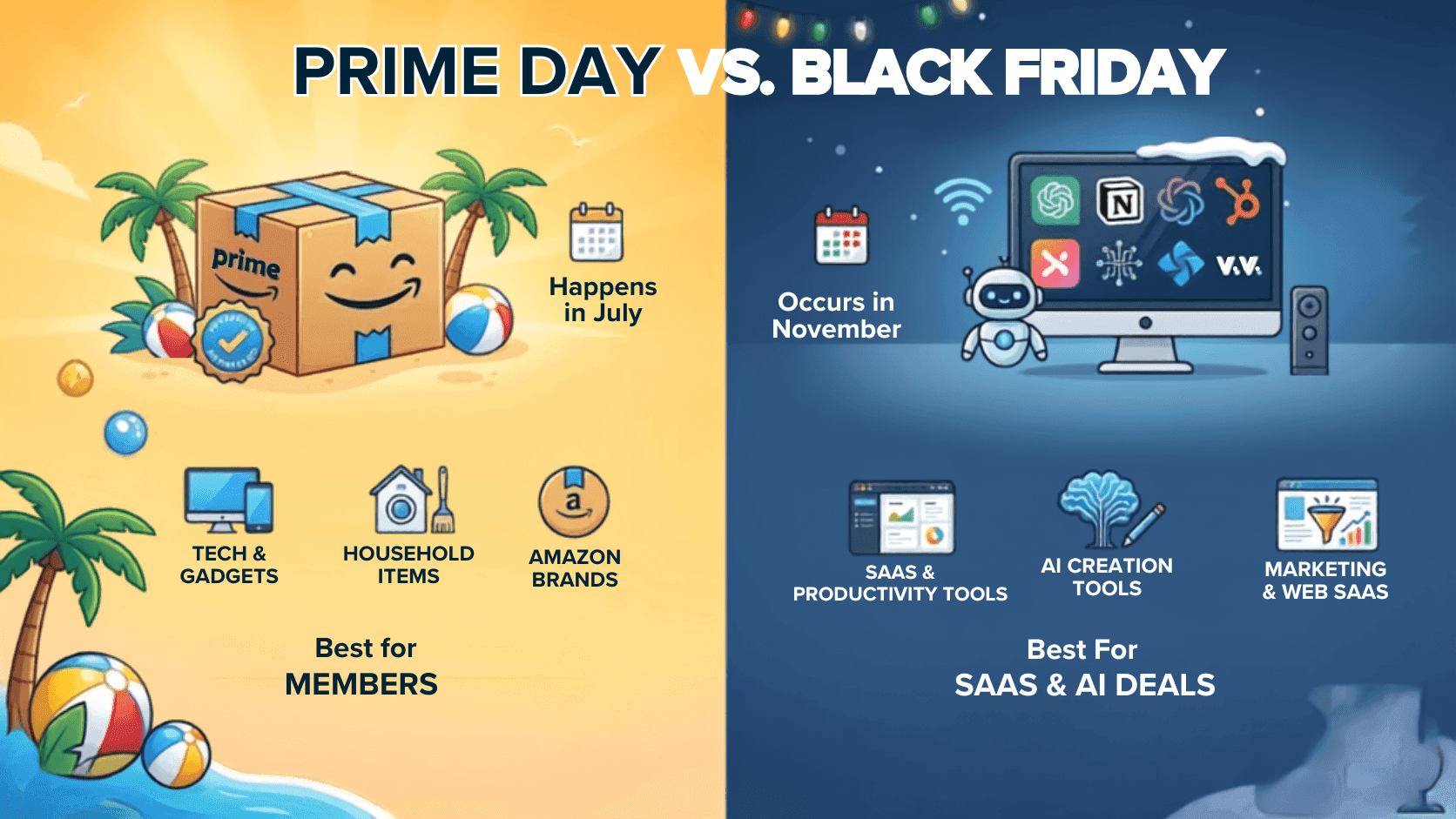
Are Black Friday Deals Better Than Prime Day?
Are Black Friday deals better than Prime Day? We compare average discounts, tech deals, SaaS offers, and shopping strategies to help you decide when to buy.
Hang Nguyen
Midjourney vs Ideogram: Which AI Should You Choose?
Compare Midjourney vs Ideogram to find the best AI image generator for your needs. Explore image quality, typography, features, and real-world use cases.
Trang TranAI Integrations
Seamlessly integrate AI with the tools you already use to automate work and boost productivity.
AI Content Workflow for Freelancers From Brief to Viral Post in 1min.AI
Discover a simple AI content workflow for freelancers. Use Claude for brainstorming and ChatGPT image generation to turn a client brief into a polished social media post faster.
Lien Anh Vu
How Solo Founders Can Use AI Integration to Run a Business Like a Team
Learn how AI integration helps solo founders handle research, content, creative work, documents, and business tasks from one AI workspace.
Tram Ta
How AI Integration Helps Solo Founders Run an Entire Business Without Hiring a Large Team
Discover how AI integration helps solo founders streamline marketing, sales, customer support, and operations with one AI workspace instead of multiple AI tools.
Tram TaAI for Industries
Find the best AI tools and workflows for healthcare, finance, education, legal, manufacturing, retail, real estate, and more
Best AI Tool for Real Estate Property Managers Use Today
Looking for the best AI tool for real estate? See how property managers use AI to write listings, edit photos, and create marketing videos in minutes.
Trang Tran
Best Free AI Tools for Dropshipping You Can Use Now
Free AI tools for Shopify dropshipping that write listings, generate images, and translate content in seconds, so you launch faster without extra spend.
Trang Tran
Free AI Shopify Photo Editor for Cross Border Sellers
Tired of low quality supplier photos? This free AI Shopify photo editor removes backgrounds and edits images before you list on Shopify or Amazon.
Trang TranAI Agents
Discover and run AI agents to automate tasks across your work and daily life.
How Executives Can Build a Personal Brand on Autopilot With AI Agent
Learn how executives can use 1minAI Agent to research trends, build content strategies, manage editorial calendars, and scale personal branding.
Tram TaHow 1minAI Agent Can Monitor Industry Trends and Turn Them Into Social Posts
Discover how AI agents can track industry trends, research news, generate social content, and streamline publishing with 1minAI Agent.
Tram Ta
From LinkedIn Idea to Multi-Channel Campaign: Automate Your Content Workflow With AI Agent
Turn one LinkedIn idea into a multi-channel campaign with 1minAI Agent. Create posts, videos, visuals, and social content from one connected workflow.
Tram TaAI Workflows
Explore ready-to-use AI workflows for productivity, marketing, sales, support, and more.
AI Content Workflow for Freelancers From Brief to Viral Post in 1min.AI
Discover a simple AI content workflow for freelancers. Use Claude for brainstorming and ChatGPT image generation to turn a client brief into a polished social media post faster.
Lien Anh Vu
AI Productivity Paradox: How to Simplify Your AI Workflow
Learn how the AI productivity paradox slows your workflow and discover how a multi-model AI workspace helps you work faster with fewer tools.
Ngoc Hong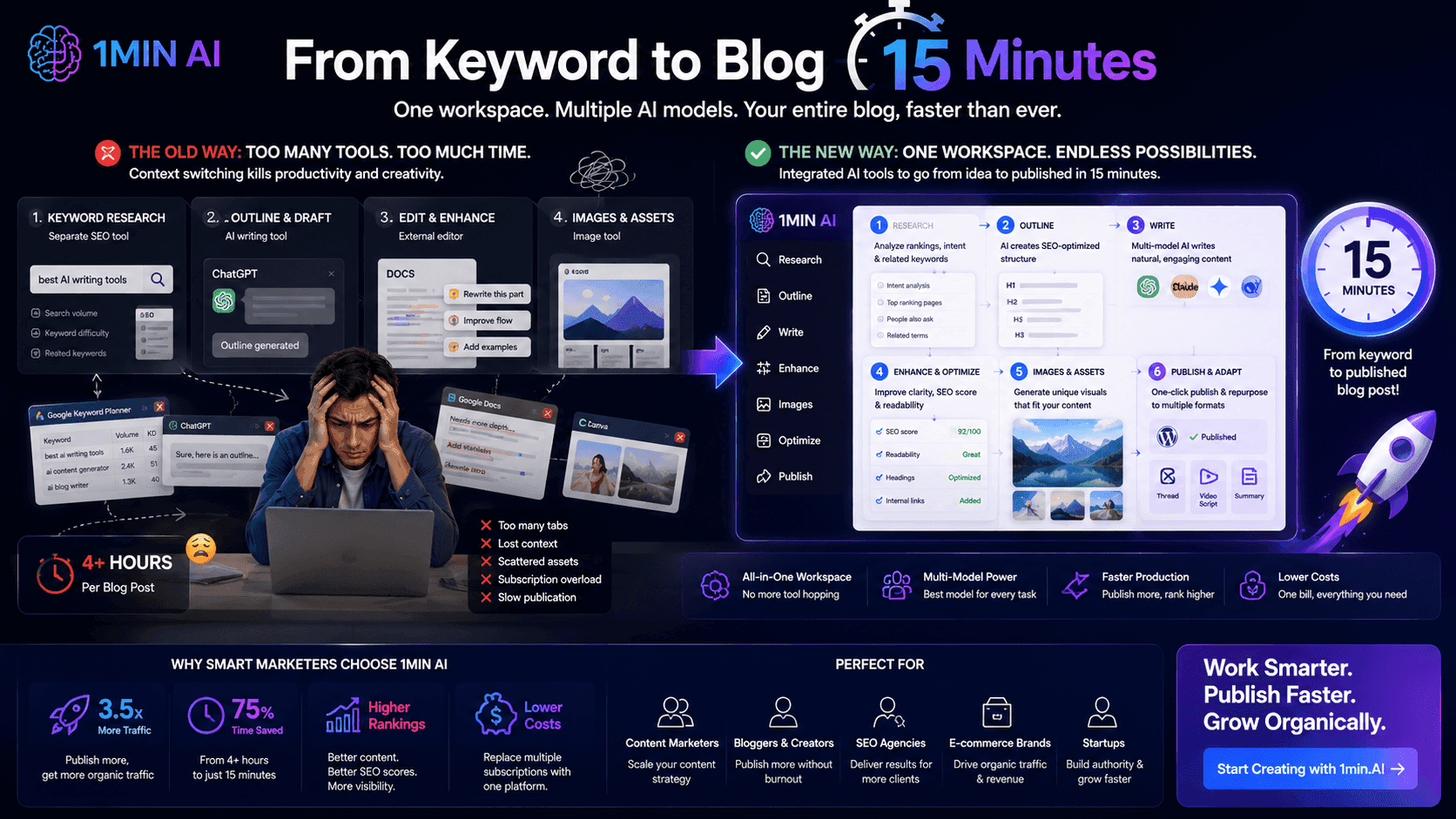
From Keyword to Blog in 15 Minutes
Stop wasting hours jumping between keyword research tools, text generators, and image apps. Learn how an integrated multi-model workspace slashes blog production time down to 15 minutes.
Uyen HoangNewsletter
Weekly AI Innovations with 1minAI
🔮 Weekly AI Innovations #132: DeepSeek V4 & xAI's Grok 4.3, 4.5
Explore DeepSeek V4's open-source efficiency and xAI's Grok 4.3 & 4.5 for advanced reasoning and ultra-fast coding in 2026.
Hang Nguyen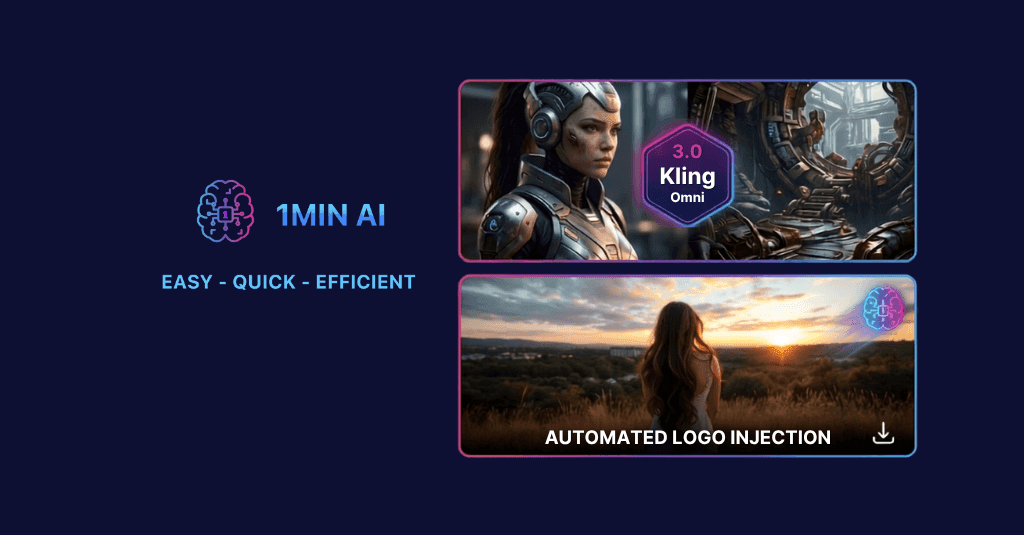
🔮 Weekly AI Innovations #131: Kling 3.0 & Automated Logo Injection
Upgrade your workflow with 1min.AI’s Kling 3.0 & 3.0 Omni video models and AI Social’s new Logo Injection feature.
Hang Nguyen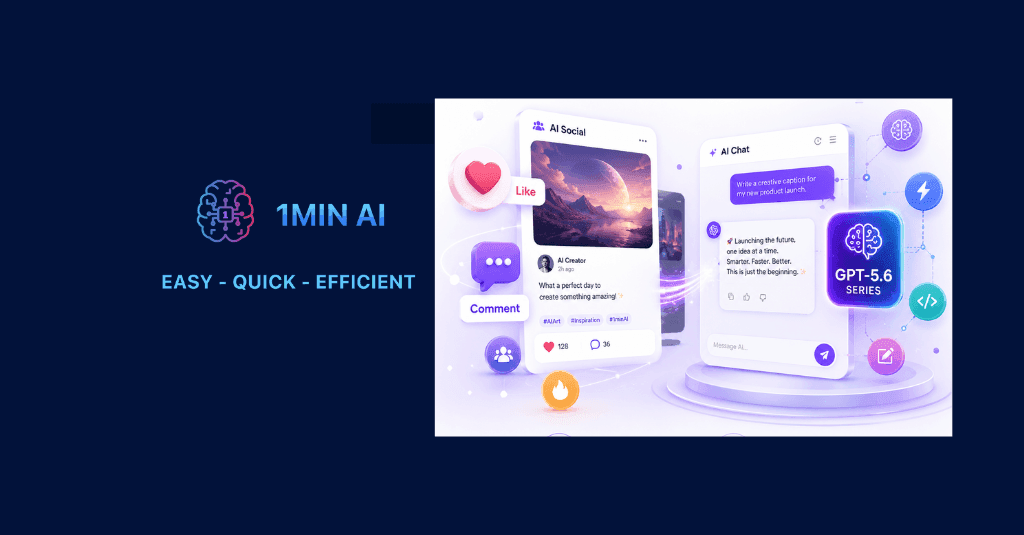
🔮 Weekly AI Innovations #130: 1minAI: Upgraded GPT 5.6 and AI Social
1minAI update the GPT-5.6 series and social media likes and comments.
Hang Nguyen