Email Marketing for Restaurants: 5+ Prompts and Workflows You Must Try

Tram Ta
2026년 11월 20일
Learn email marketing for restaurants with 6 practical AI prompts, campaign workflows, and tips to attract diners, promote menus, and build loyalty.
Running a restaurant means balancing food quality, customer service, staffing, and daily operations. Marketing often competes for the same limited time. You might need to promote a new menu, fill empty tables on weekdays, announce a seasonal event, or encourage customers to visit again—without spending hours writing emails.
That's where email marketing can help. Restaurants can use email to share menu updates, promote special offers, reward loyal customers, and stay connected with diners between visits. The key is to send relevant messages with a clear reason for customers to take action.
AI tools can make this process easier by helping restaurant owners brainstorm campaign ideas, write promotional emails, and plan follow-up sequences.
In this guide, you'll discover six copy-ready AI prompts and practical workflows for restaurant email marketing, along with a simple way to plan and create campaigns using 1minAI.
Why Does Email Marketing Matter for Restaurants?
Restaurant email marketing involves sending relevant, permission-based emails to customers and subscribers to encourage visits, reservations, online orders, and repeat business.
Unlike social media posts, which compete for attention in a feed, email gives restaurants a direct communication channel with people who have chosen to receive updates.
Restaurants can use email marketing to:
- Promote new menu items: Introduce seasonal dishes, chef specials, or limited-time menus.
- Encourage repeat visits: Give customers a reason to return after their first meal.
- Fill quieter periods: Promote weekday lunch specials, early dining offers, or events.
- Build customer loyalty: Share exclusive previews, loyalty rewards, and birthday offers.
- Increase catering and event bookings: Reach subscribers who may be interested in private dining or group events.
However, sending the same discount to everyone isn't always effective. A first-time visitor, a regular customer, and someone who hasn't visited in several months may need different messages. Segmenting your audience helps make each campaign more relevant.
6 AI Prompts for Restaurant Email Marketing
The following prompts cover different stages of the customer journey. Replace the details in brackets with your restaurant's information before using them in an AI chat or writing tool.
1. Create a Welcome Email for New Customers
Goal: Introduce your restaurant and encourage subscribers to make their first or next visit.
A welcome email is often the first direct interaction a new subscriber has with your restaurant. Use it to communicate your personality, highlight what makes your food special, and explain what subscribers can expect.
Copy-ready prompt:
Act as an experienced restaurant email marketing copywriter.
Restaurant name: [Restaurant name]
Cuisine: [Cuisine type]
Location: [City or neighborhood]
Target audience: [Families, office workers, local residents, food lovers, etc.]
Restaurant highlights: [Signature dishes, atmosphere, ingredients, or service]
Write a welcoming email for new subscribers. Include three subject line options, preview text, a friendly introduction, two or three restaurant highlights, and one clear call to action to view the menu or make a reservation.
Keep the email warm, concise, and appetizing. Avoid exaggerated claims, invented reviews, and unverified offers.
Workflow: Generate the draft → verify the restaurant details → add a food photo → insert the menu or reservation link → test before sending.
2. Promote a New Menu or Seasonal Dish
Goal: Generate interest in a new dish and encourage customers to visit.
Menu launches are natural opportunities for email campaigns. Instead of simply announcing that a dish is available, explain what makes it appealing and give readers a clear next step.
Copy-ready prompt:
Act as a restaurant marketing specialist.
Restaurant: [Restaurant name]
New menu item: [Dish name]
Ingredients and flavor profile: [Verified details]
Available from: [Start date]
Target audience: [Relevant customer segment]
Write a promotional email introducing this new dish. Provide five subject lines, preview text, a short description that makes the dish appealing, and a CTA encouraging readers to visit or view the menu.
Use sensory language without inventing ingredients, health benefits, awards, or customer reactions. Keep the message focused on the new dish.
Workflow: Gather accurate dish information → generate several email angles → choose the strongest subject line → add a high-quality food image → link to the updated menu.
Tip: If you have several menu items to promote, give each campaign one main focus rather than cramming the entire menu into one email.
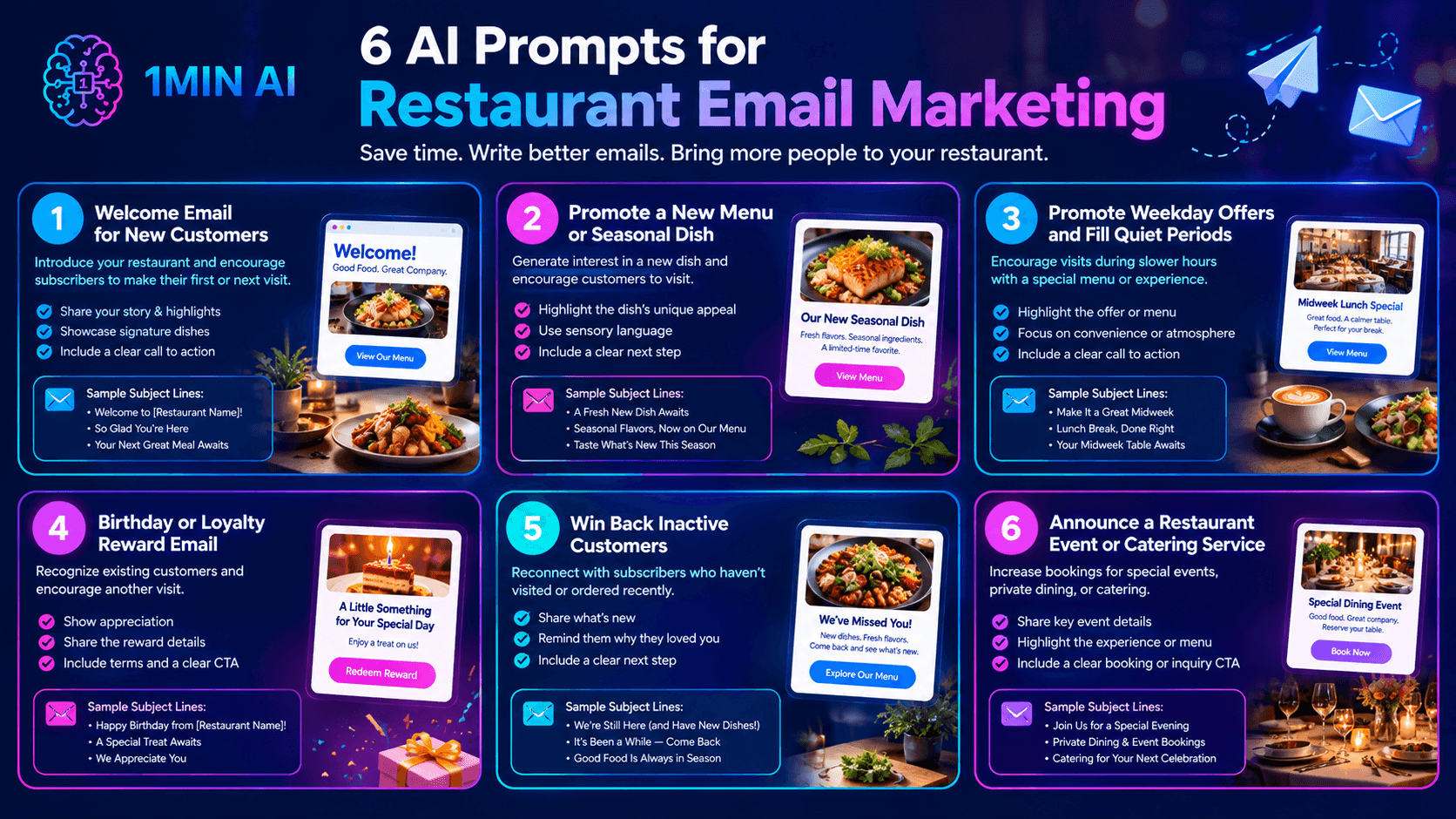
3. Promote Weekday Offers and Fill Quiet Periods
Goal: Encourage visits during slower business hours without relying on constant discounts.
Restaurants often experience different demand levels throughout the week. A targeted email can promote a weekday lunch menu, an early dinner special, or a midweek dining event.
Copy-ready prompt:
Act as a restaurant growth marketer.
Restaurant type: [Cafe, casual restaurant, fine dining, etc.]
Quiet period: [Monday lunch, Tuesday evening, or another period]
Offer: [Verified promotion or special menu]
Target audience: [Local workers, nearby residents, families, etc.]
Campaign objective: Increase visits during the selected period.
Create an email campaign that gives customers a clear reason to visit during this quieter period. Include five subject lines, preview text, concise body copy, and one CTA.
Make the offer and any restrictions clear. If no discount is provided, focus on menu highlights, convenience, atmosphere, or a special experience. Do not invent prices or availability.
Workflow: Identify the quiet period → select an appropriate offer or experience → target a relevant subscriber segment → send with enough time for customers to plan → track reservations, redemptions, or orders.
This approach can help you test which messages encourage customers to visit without automatically reducing prices.
4. Create a Birthday or Loyalty Reward Email
Goal: Recognize existing customers and encourage another visit.
Loyalty emails can make customers feel appreciated, particularly when they receive a relevant reward or an early look at something new.
Copy-ready prompt:
Act as a customer retention specialist for a restaurant.
Restaurant name: [Restaurant name]
Customer segment: [Loyalty members or subscribers celebrating a birthday]
Reward: [Confirmed reward, if available]
Validity: [Applicable dates and terms]
Brand voice: [Friendly, playful, premium, or casual]
Write a personalized email celebrating the customer's milestone. Include three subject lines, preview text, a short appreciation message, the reward details, any necessary terms, and a CTA to redeem the offer or make a reservation.
Keep the tone genuine. Do not assume the customer's age, invent purchase history, or promise a reward that has not been approved.
Workflow: Define the eligible customer group → confirm the reward and conditions → generate the email → personalize only with appropriate customer data → verify redemption instructions.
You can also adapt this prompt for loyalty milestones, membership anniversaries, or exclusive previews of new menu items.
5. Win Back Inactive Customers
Goal: Reconnect with subscribers who haven't visited or ordered recently.
Some customers may simply need a reminder that your restaurant is still there. A win-back email can highlight what's new, share a relevant menu update, or provide a genuine reason to return.
Copy-ready prompt:
Act as a restaurant customer retention marketer.
Restaurant: [Restaurant name]
Customer segment: Subscribers who have not visited or ordered in [Time period]
Recent updates: [New dishes, menu changes, events, or other verified updates]
Optional offer: [Approved offer, or none]
Create a friendly re-engagement email that encourages inactive customers to consider visiting again. Include four subject lines, preview text, concise body copy, and one CTA to view the menu, explore recent updates, or make a reservation.
Avoid guilt-based messaging, false urgency, and unsupported claims. Make any offer conditions clear.
Workflow: Define an inactivity period → identify eligible subscribers → choose a relevant message → send a focused campaign → measure return visits, bookings, or direct orders where tracking is available.
Don't repeatedly email people who remain inactive. Respect unsubscribe requests and review whether continued marketing is appropriate.
6. Announce a Restaurant Event or Catering Service
Goal: Increase bookings for special events, private dining, or catering.
Events such as tasting nights, live music, holiday dinners, and private gatherings can give customers a specific reason to book. Catering emails can also help restaurants reach customers planning business lunches or celebrations.
Copy-ready prompt:
Act as a restaurant event marketing copywriter.
Restaurant: [Restaurant name]
Event or service: [Event name, private dining, or catering]
Date and location: [Confirmed details]
Audience: [Local residents, families, office managers, event planners, etc.]
Key details: [Menu, capacity, booking deadline, price, or other confirmed information]
Write a promotional email with five subject lines, preview text, a concise description of the event or service, essential booking information, and one CTA to reserve a place or request a quote.
Make the message inviting and easy to scan. Do not invent availability, capacity, pricing, or event details.
Workflow: Confirm event details → choose the intended audience → generate the email → add relevant images → link directly to the booking or inquiry page → schedule a reminder if appropriate.
How to Build a Restaurant Email Marketing Flow
Individual emails can support short-term promotions, but a repeatable campaign flow helps you communicate consistently throughout the customer journey.
Here is a simple example for a restaurant that wants to turn new subscribers into returning customers.
| Timing | Purpose | |
|---|---|---|
| Immediately after signup | Welcome email | Introduce the restaurant and set expectations |
| 2–3 days later | Menu highlights | Introduce signature dishes or dining experiences |
| Around one week later | Visit invitation | Encourage a reservation or order |
| Before a seasonal event | Event announcement | Promote a relevant dining experience |
| After a suitable period of inactivity | Win-back email | Encourage an appropriate return visit |
Treat this as a starting point, not a fixed schedule. Adjust timing to your customer journey, business type, and actual engagement data. Avoid sending every email to every subscriber regardless of their behavior.
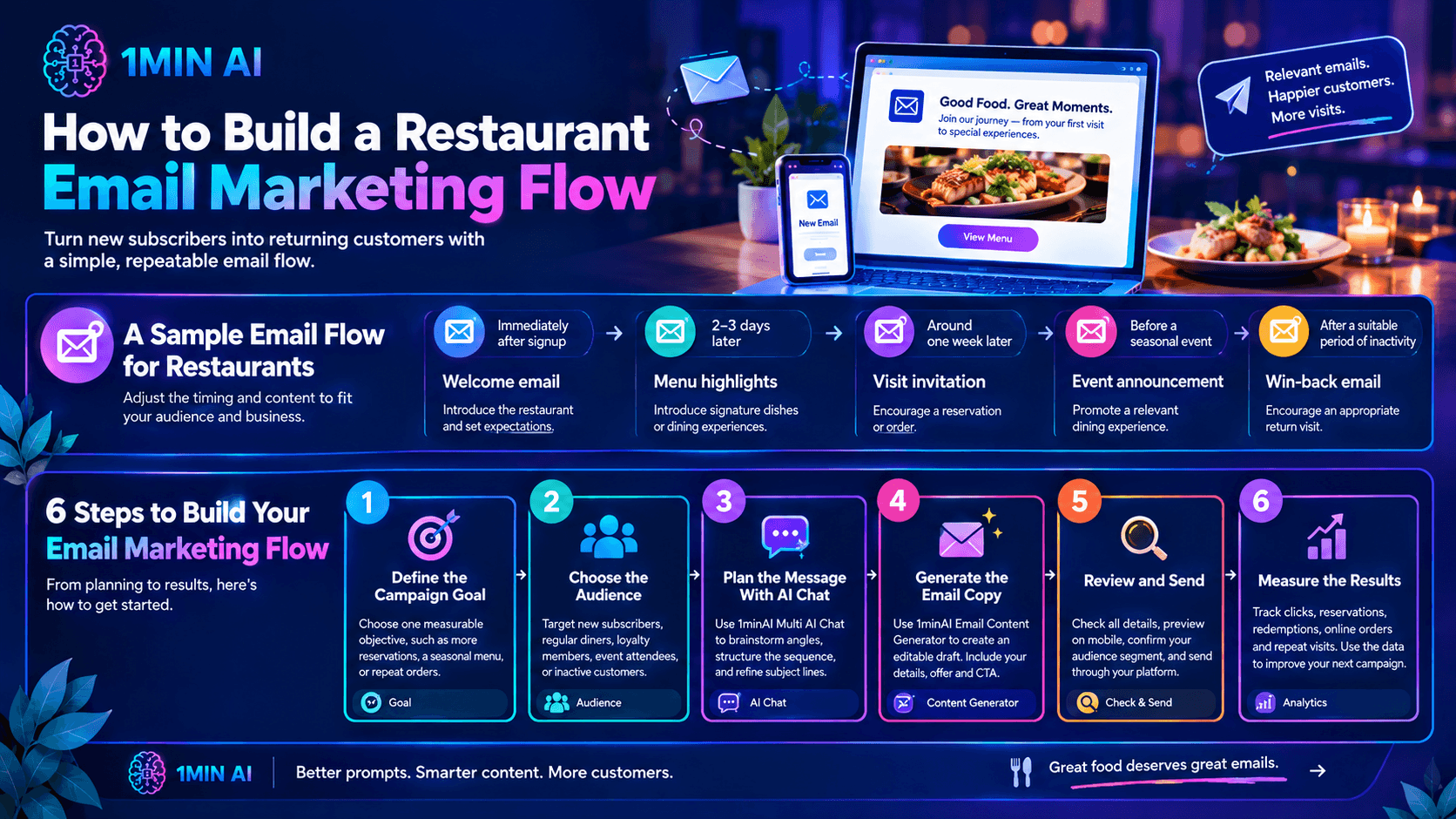
Step 1: Define the Campaign Goal
Choose one measurable objective, such as increasing weekday reservations, introducing a seasonal menu, or encouraging repeat orders.
Step 2: Choose the Audience
Decide who should receive the email. You might target new subscribers, regular diners, loyalty members, event attendees, or inactive customers.
Step 3: Plan the Message With AI Chat
Use AI chat to brainstorm campaign angles, structure the email sequence, and develop subject lines. You can explore 1minAI Multi AI Chat to compare different AI perspectives and refine the campaign plan.
Step 4: Generate the Email Copy
Once the plan is ready, use the 1minAI Email Content Generator to turn your instructions into an editable draft. Provide the restaurant details, audience, offer, tone, and CTA.
Step 5: Review and Send
Verify every menu detail, price, date, offer condition, and link. Preview the email on mobile, confirm the recipient segment, and send it through your email marketing platform.
Step 6: Measure the Results
Track relevant outcomes such as clicks, reservations, offer redemptions, online orders, and repeat visits. Use the results to refine your next campaign.
For a more detailed workflow, see How to Build Email Marketing Campaigns With 1minAI.
How 1minAI Helps Restaurants Create Email Campaigns
Restaurant owners may know what they want to promote but struggle to find the time to plan and write each email. 1minAI can help organize the creative work into a repeatable process.
- Brainstorm campaign ideas: Use AI Email Marketing Prompts to explore angles for different email types.
- Compare AI-generated drafts: Use 1minAI Multi AI Chat to explore different approaches to a subject line, offer, or campaign message.
- Generate email copy: Use the Email Content Generator to create a first draft from your campaign brief.
- Expand your marketing workflow: Explore Free AI Marketing Tools to Get 100 Users for additional marketing ideas and workflows.
- Explore solutions for small businesses: If you're developing a broader service or marketing solution for small businesses, see 1minAI White Label AI for Small Businesses.
The practical workflow is simple: plan with AI chat → generate email copy → review and refine → send through your email platform → measure results.
AI helps with planning and drafting, but it does not automatically manage your restaurant's subscriber consent, send campaigns, synchronize customer records, or guarantee more reservations. Those steps depend on your email platform, integrations, and marketing process.
Conclusion
Email marketing can help restaurants promote new dishes, encourage repeat visits, build loyalty, and attract customers to special events. The best campaigns start with a clear objective, a relevant audience, and a message that gives customers a genuine reason to act.
With the six prompts and workflow in this guide, you can start planning restaurant email campaigns without writing every message from scratch. Use AI chat to develop your ideas, generate drafts with 1minAI, and refine each email using real campaign results.
Start with one campaign—perhaps a welcome email or a new-menu announcement—then improve your process as you learn what your customers respond to.
For further information, explore AI Email Marketing Prompts.
Discover more AI features: https://1min.ai/features
Try 1minAI agent now: https://app.1min.ai/ai-agent-demo
- #Commerce
- #Information
대안
1minAI의 최고의 대안을 찾아보고 기능, 가격 및 사용 사례를 비교하세요.

1min.AI 대 OpenRouter
1min.AI 대 OpenRouter: 즉시 사용 가능한 AI 생성 제품과 기술적인 API 도구를 비교합니다. 코드 없는 크리에이티브 스튜디오가 필요한지, 아니면 코딩 인프라 허브가 필요한지 알아보세요.
 Ngoc Hong

1min AI vs Buffer
Compare 1min.AI vs Buffer for Facebook content creation, AI writing, image generation, scheduling, pricing, and everyday marketing workflows.
Ngoc Hong
1min.AI vs. Hootsuite: Which Social Media Tool Fits Your Workflow?
Compare 1min.AI vs. Hootsuite to explore their AI content creation, social media publishing, analytics, pricing, and collaboration features. Find the right tool for your workflow.
AI 도구
생산성, 창의성 및 일상 업무를 향상시키는 최고의 AI 도구를 찾아보세요.
스타트업 창업자를 위한 합리적인 AI 도구 4가지
스타트업 창업자가 아이디어를 검증하고, 제품을 만들고, 콘텐츠를 제작하고, 과도한 지출 없이 더 빠르게 출시할 수 있도록 돕는 합리적인 AI 도구 4가지를 소개합니다.
 Tram Ta
관점: 매일 10개 이상의 게시물을 만들어야 한다면
콘텐츠 크리에이터가 AI 브레인스토밍, 이미지 생성, 콘텐츠 제작을 활용해 하루 10개 이상의 소셜 미디어 게시물을 더 빠르게 만드는 AI 콘텐츠 워크플로를 구축하는 방법을 알아보세요.
 Lien Anh Vu
“더 좋게 만들어줘”를 AI로 더 나은 콘텐츠로 바꾸기
AI를 사용해 모호한 클라이언트 피드백을 명확한 수정안으로 바꾸고, 불필요한 수정 횟수를 줄이며, 더 나은 콘텐츠를 더 빠르게 전달하세요.
Lien Anh VuAI 기능
워크플로우를 간소화하고 효율성을 개선하며 팀이 더 많은 것을 달성할 수 있도록 지원하는 포괄적인 AI 기능.
1minAI: 무료 AI 문법 검사기
1minAI의 AI 문법 검사기로 무료로 문법을 확인하세요. 문법, 맞춤법, 글쓰기 오류를 찾고, 명확성을 높이며, 몇 초 만에 콘텐츠를 다듬을 수 있습니다.
Tram Ta
1min.AI로 포트폴리오 웹사이트를 더 빠르게 구축하세요
프리랜서 크리에이터가 1min.AI를 사용하여 강력한 코딩 기술 없이도 전문 포트폴리오 웹사이트를 더 빠르게 계획, 작성, 디자인하고 생성하는 방법을 알아보세요.
Lien Anh Vu
무료 AI X 댓글
AI 기반의 트위터 댓글 생성기로 트위터에 대한 재미있고, 재치 있고, 통찰력 있는 댓글을 만드세요. 참여도를 높이고 사람들 속에서 돋보이세요!
AI 활용 사례
비즈니스, 생산성 및 산업별 응용 프로그램을 위한 AI 활용 사례 모음.
인스타그램에 게시하기 가장 좋은 시간: 더 나은 참여를 위한 실용 가이드
인스타그램에 게시하기 가장 좋은 시간을 알아보세요. 다양한 аудитория를 위한 최적의 요일과 시간, 그리고 계정에 맞는 이상적인 게시 일정을 찾는 팁까지 담았습니다.
Tram Ta1min.AI로 포트폴리오 웹사이트를 더 빠르게 구축하세요
프리랜서 크리에이터가 1min.AI를 사용하여 강력한 코딩 기술 없이도 전문 포트폴리오 웹사이트를 더 빠르게 계획, 작성, 디자인하고 생성하는 방법을 알아보세요.
Lien Anh Vu“더 좋게 만들어줘”를 AI로 더 나은 콘텐츠로 바꾸기
AI를 사용해 모호한 클라이언트 피드백을 명확한 수정안으로 바꾸고, 불필요한 수정 횟수를 줄이며, 더 나은 콘텐츠를 더 빠르게 전달하세요.
Lien Anh VuAI 튜토리얼
실용적인 단계별 튜토리얼을 통해 AI 사용법을 배우세요.
2026 블랙프라이데이 AI 도구 특가
2026 블랙프라이데이 AI 도구 특가에서 어떤 혜택을 만날 수 있는지 알아보세요. AppSumo, Dealify, Stack Social을 통해 1min.AI 평생 이용권을 확보하는 방법과 Trustpilot, Slashdot, Software Advice에서 검증하는 방법까지 확인하세요.
 Hang Nguyen
1minAI 얼굴 바꾸기로 $0에 패션위크를 경험하세요
1minAI 얼굴 바꾸기로 $0에 패션위크를 경험하세요. 사진을 업로드하고 패션위크 영상을 선택해 나만의 AI 패션 순간을 만들어보세요.
Ngoc Hong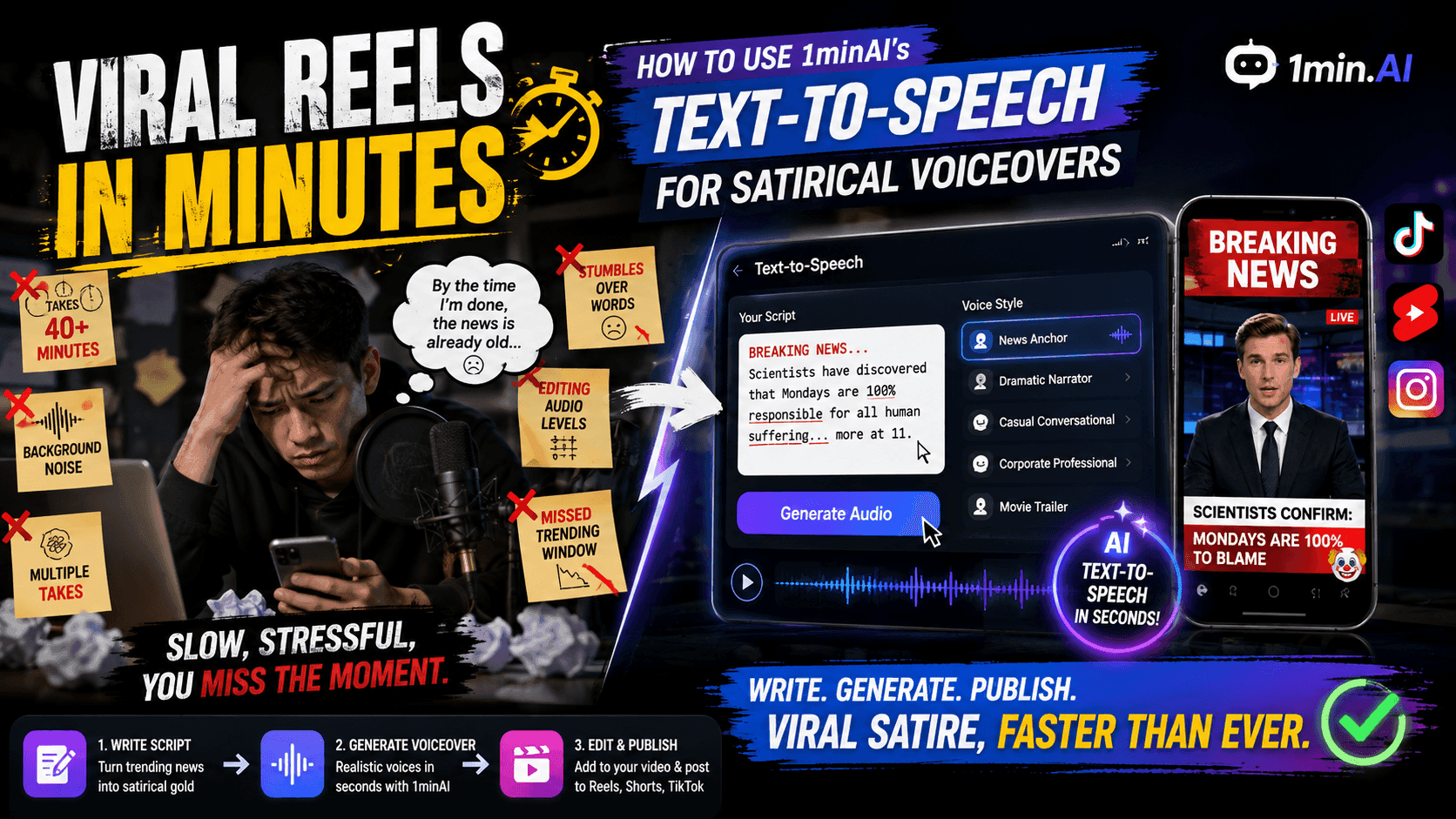
몇 분 만에 바이럴 릴 만들기: 풍자 보이스오버를 위한 1minAI의 텍스트 음성 변환 사용법
풍자 페이지 관리자들이 1minAI의 텍스트 음성 변환 기능으로 틱톡, 쇼츠, 인스타그램 릴용 뉴스 앵커 및 드라마틱 보이스오버를 즉시 만드는 방법을 알아보세요.
AI 가이드
실용적인 가이드, 실제 사례, 실행 가능한 모범 사례를 통해 AI를 더 빠르게 배우세요.

AI 도구를 안전하게 온라인에서 구매하는 방법: 2026 블랙 프라이데이 가이드
온라인에서 최고의 블랙 프라이데이 AI 딜을 찾고 확보하는 방법을 알아보세요. 사기를 피하고, 구독 피로를 줄이며, 소프트웨어를 검증하는 전문가 전략을 배워보세요.
Hang Nguyen스타트업 창업자를 위한 합리적인 AI 도구 4가지
스타트업 창업자가 아이디어를 검증하고, 제품을 만들고, 콘텐츠를 제작하고, 과도한 지출 없이 더 빠르게 출시할 수 있도록 돕는 합리적인 AI 도구 4가지를 소개합니다.
Tram Ta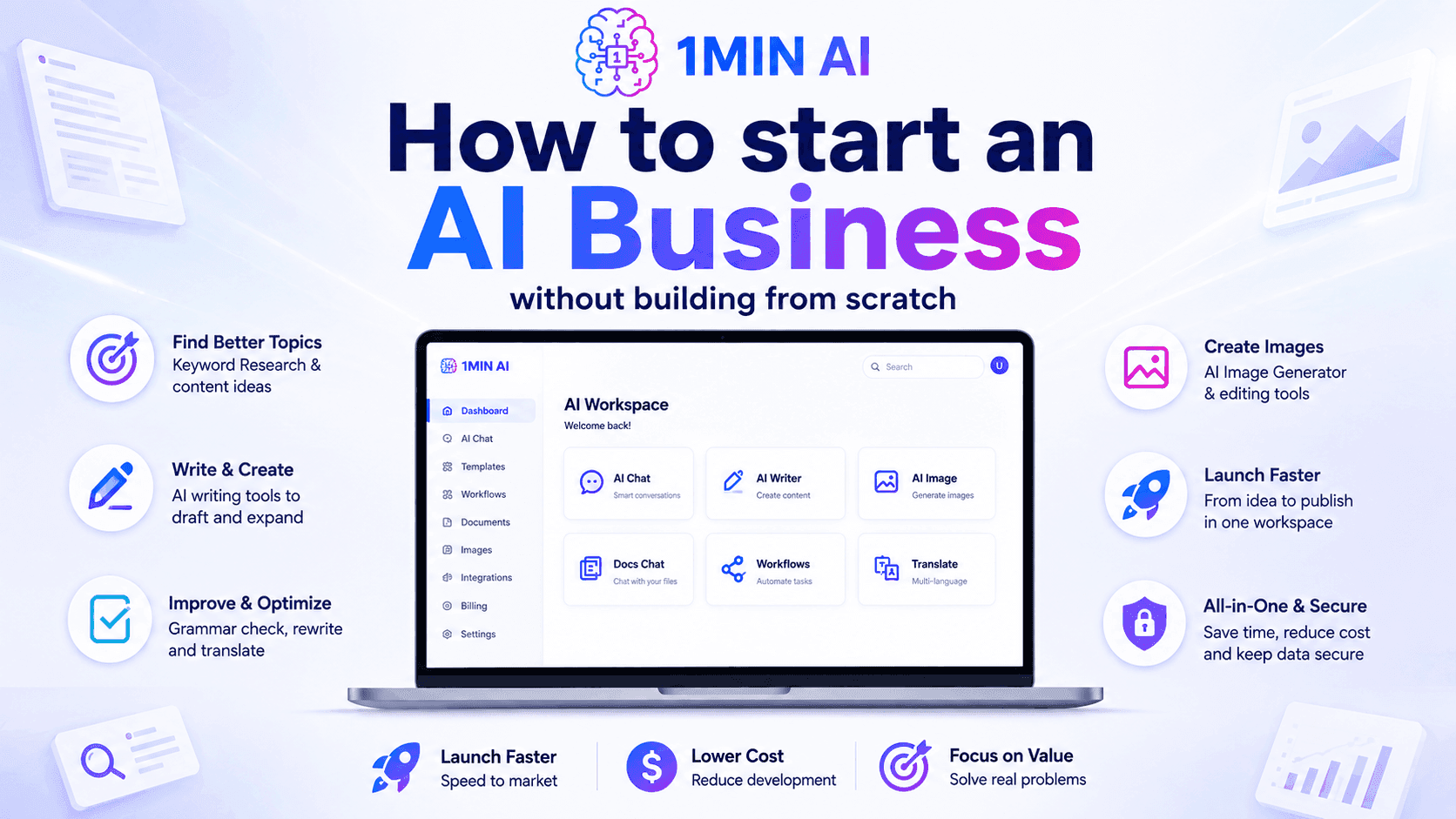
처음부터 만들지 않고 AI 비즈니스를 시작하는 방법
AI 비즈니스를 시작하는 방법, 아이디어를 검증하는 법, 그리고 값비싼 AI 인프라를 처음부터 구축하지 않고 더 빠르게 출시하는 방법을 알아보세요.
Ngoc HongAI 솔루션
자동화, 코딩, 연구, 생산성, 고객 지원, 마케팅 및 비즈니스 워크플로우를 위한 최고의 AI 솔루션을 찾아보세요.
무료 AI 타투 생성기: 맞춤 디자인
1min.AI의 무료 AI 타투 생성기로 어떤 아이디어든 맞춤 타투 디자인으로 바꿔보세요. 아이디어를 설명하고 스타일을 고른 뒤 몇 초 만에 다운로드하세요.
 Trang Tran
AI 도구를 안전하게 온라인에서 구매하는 방법: 2026 블랙 프라이데이 가이드
온라인에서 최고의 블랙 프라이데이 AI 딜을 찾고 확보하는 방법을 알아보세요. 사기를 피하고, 구독 피로를 줄이며, 소프트웨어를 검증하는 전문가 전략을 배워보세요.
Hang Nguyen스타트업 창업자를 위한 합리적인 AI 도구 4가지
스타트업 창업자가 아이디어를 검증하고, 제품을 만들고, 콘텐츠를 제작하고, 과도한 지출 없이 더 빠르게 출시할 수 있도록 돕는 합리적인 AI 도구 4가지를 소개합니다.
Tram TaAI 모델
세계 최고의 AI 모델을 한 곳에서 탐색하세요.

Free AI Chat With Claude Fable 5.2 On 1min.AI
Free AI chat with Claude Fable 5.2 on 1min.AI. Compare Fable 5.2 vs Opus 5.5, see Fable 5.2 benchmarks, and start chatting in minutes.
Trang Tran
GPT-6.2 Sol: Specs, Pricing & Free Access
Explore GPT-6.2 Sol specs, pricing, and how it compares with GPT-6.1 Sol and Claude Opus 5.5, then try it free in 1min.AI Multi AI Chat.
Trang Tran
GPT 6.2 Astra: Pricing, Benchmarks & Free Access
GPT 6.2 Astra release date, pricing, Reddit feedback and Opus 5.5 comparison. See what it does best and chat with it on 1min.AI for free.
Trang TranAI 비교
필요에 가장 적합한 AI 도구, 모델 및 플랫폼을 비교해보세요.
Gemini 4 Neon vs Hydrogen: Specs, Price & Picks
Gemini 4 Neon vs Hydrogen, Carbon and Argon: compare price, benchmarks and use cases to pick the right model, then test them side by side on 1min.AI.
Trang Tran
Kling AI vs Veo 3: 어떤 모델이 승자일까?
Kling AI와 Veo 3를 모션, 네이티브 오디오, 가격, 무료 요금제로 비교해 어떤 AI 비디오 생성기가 프로젝트에 더 적합한지 확인하고, 1min.AI에서 둘 다 체험해보세요.
Trang Tran
DeepSeek V4 Pro vs Flash 비교
DeepSeek V4 Pro와 DeepSeek V4 Flash의 메트릭을 비교해보세요. 1min.ai에서 오늘 에이전트 앱을 최적화하고 AI 사실 확인을 개선하세요.
AI 통합
이미 사용하는 도구에 AI를 원활하게 통합하여 작업을 자동화하고 생산성을 높이세요.
관점: 매일 10개 이상의 게시물을 만들어야 한다면
콘텐츠 크리에이터가 AI 브레인스토밍, 이미지 생성, 콘텐츠 제작을 활용해 하루 10개 이상의 소셜 미디어 게시물을 더 빠르게 만드는 AI 콘텐츠 워크플로를 구축하는 방법을 알아보세요.
Lien Anh Vu
AI 앱 간 전환 중단: AI 통합이 고용주 브랜딩을 혁신하는 방법
AI 통합이 AI 글쓰기, 문서, 이미지, 비디오 및 여러 AI 모델을 하나의 작업 공간으로 결합하여 HR 팀이 고용주 브랜딩을 간소화하는 방법을 알아보세요.
Tram Ta
개발자를 위한 AI API Aggregator 설명
AI API Aggregator는 개발자에게 여러 AI 모델을 호출할 수 있는 통합 API를 제공하여 통합 시간과 벤더 종속을 줄여줍니다.
Trang Tran산업용 AI
의료, 금융, 교육, 법률, 제조, 소매, 부동산 등 다양한 산업을 위한 최고의 AI 도구와 워크플로를 찾아보세요.
Voice Cloning AI Free: How to Clone Any Voice Online in Minutes
Try voice cloning AI free with 1min.AI. Upload a 5-second clip, pick an ElevenLabs model, choose from 32 languages, and turn text to speech in your own voice.
Trang Tran
Claude Personal Finance Setup and Safety Guide
Claude personal finance explained: how Personal Finance in Claude works and what Claude finance can see. Plus a safe CSV method for non-US users.
Trang Tran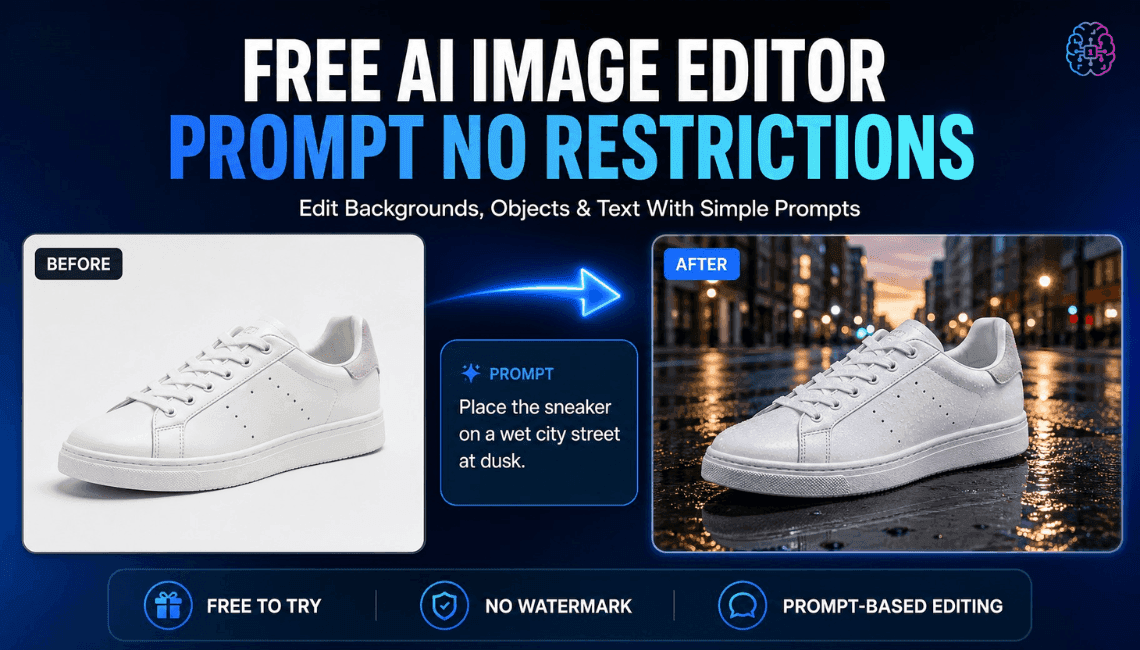
Free AI Image Editor With Prompt No Restrictions
Looking for a free AI image editor with prompt no restrictions? Edit backgrounds, objects and text by typing, no watermark. Try 1min.AI’s flexible editor now.
Trang TranAI 에이전트
AI 에이전트를 발견하고 실행하여 업무와 일상 생활의 작업을 자동화하세요.
1minAI: 무료 AI 문법 검사기
1minAI의 AI 문법 검사기로 무료로 문법을 확인하세요. 문법, 맞춤법, 글쓰기 오류를 찾고, 명확성을 높이며, 몇 초 만에 콘텐츠를 다듬을 수 있습니다.
Tram Ta
Facebook용 AI 에이전트
Facebook용 AI 에이전트를 사용해 문서와 대화에서 콘텐츠를 만들고, 이미지를 생성하고, 게시물을 예약하고, 게시하세요.
Ngoc Hong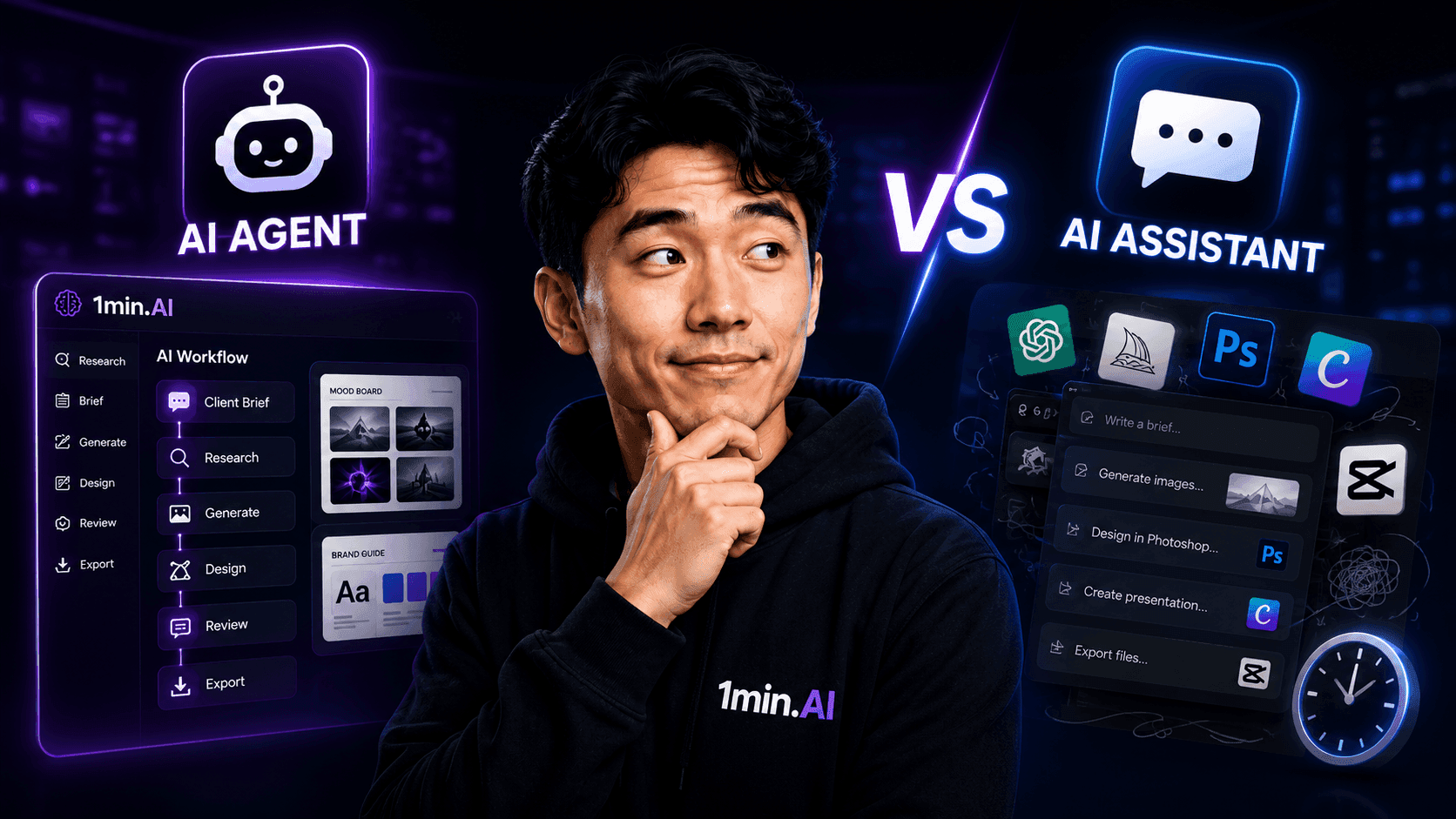
AI 에이전트 vs AI 어시스턴트: 디자이너의 시간을 더 많이 아껴주는 건 무엇일까?
AI 에이전트와 AI 어시스턴트의 차이를 알아보고, 디자이너가 반복 작업을 자동화하고 수정 횟수를 줄이며 더 많은 시간을 절약하는 데 어떤 솔루션이 도움이 되는지 확인해 보세요.
Lien Anh VuAI 워크플로우
생산성, 마케팅, 영업, 지원 등을 위한 즉시 사용 가능한 AI 워크플로우를 탐색하세요.
관점: 매일 10개 이상의 게시물을 만들어야 한다면
콘텐츠 크리에이터가 AI 브레인스토밍, 이미지 생성, 콘텐츠 제작을 활용해 하루 10개 이상의 소셜 미디어 게시물을 더 빠르게 만드는 AI 콘텐츠 워크플로를 구축하는 방법을 알아보세요.
Lien Anh Vu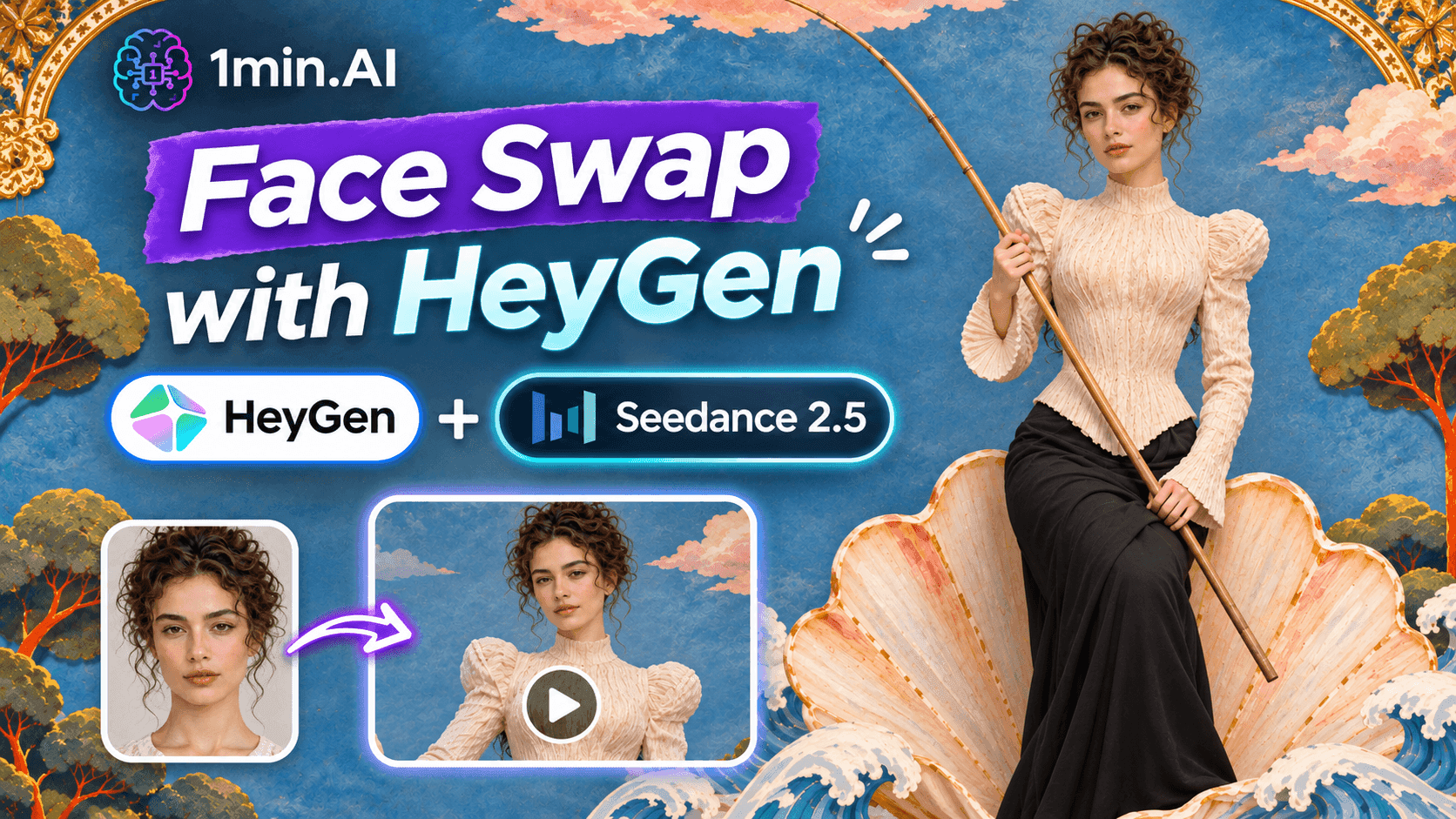
AI Fashion Video Generator With Seedance 2.5 and HeyGen
Learn how to create AI fashion videos with Seedance 2.5 and HeyGen. Turn outfit photos into cinematic videos featuring your own face with 1min.AI.
Lien Anh Vu
Is Seedance 2.5 the Best AI Video Generator of 2026?
Is Seedance 2.5 the best AI video generator in 2026? Explore its features, compare it with Kling and Veo, and learn how to create AI videos on 1min.AI.
Lien Anh Vu뉴스레터
1minAI와 함께하는 주간 AI 혁신
🔮 Weekly AI Innovations #145: X Content Agent & GPT 6.1 Terra on 1min.ai
Scale viral reach with the X Content Agent on 1min.ai. Discover an end-to-end 4-stage pipeline with zero token burn, plus the launch of GPT 6.1 Terra.
Hang Nguyen
🔮 Weekly AI Innovations #144: LinkedIn Content Agent: Complete B2B Publishing Pipeline
Scale B2B influence with the LinkedIn Content Agent on 1min.ai. Discover an end-to-end 4-stage pipeline with zero redundant token burn and 1-click publishing.
Hang Nguyen
🔮 Weekly AI Innovations #146: Mistral 3.5, Qwen Image & Cohere A+ are ready on 1min.ai
Deploy Mistral Large 3, Qwen Image 3.0, and Cohere Command A+ on 1min.ai. Boost RAG accuracy and cut visual generation latency in one unified AI workspace.
Hang Nguyen