
How Successful Startup Founders Create a Professional LinkedIn Profile with 1minAI's Content Agent

Tram Ta
2026년 11월 20일
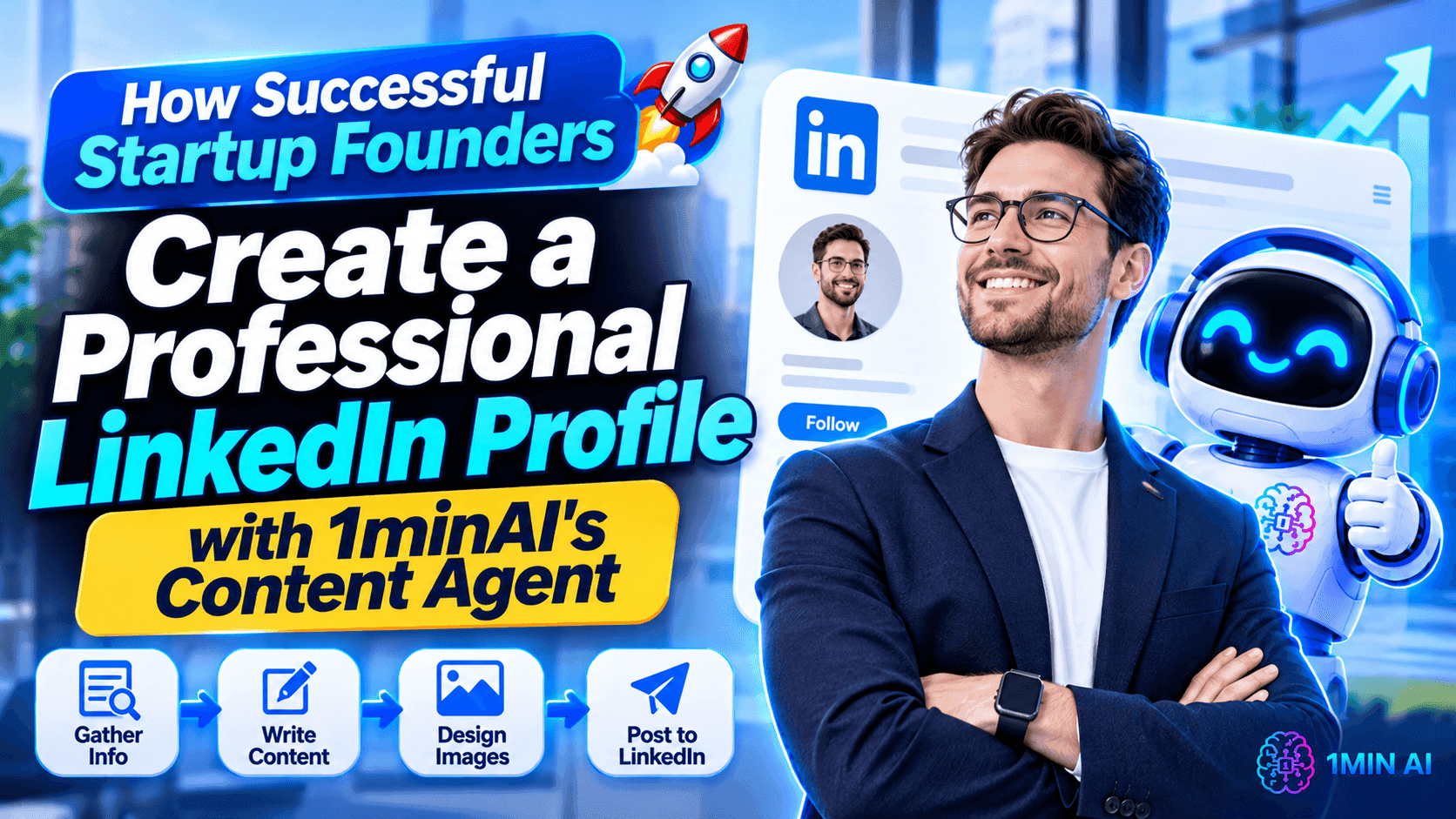
Learn how to create a professional LinkedIn profile as a startup founder. Optimize your headline, About section, and experience, then build your personal brand with 1minAI's LinkedIn Content Agent.
For startup founders, LinkedIn is more than an online resume. It is a place to build professional credibility, share business insights, connect with potential customers, and attract partners, investors, and talent.
But creating a professional LinkedIn profile takes more than adding your job title and uploading a photo. You need to communicate what you do, who you help, what makes your experience valuable, and why people should connect with you.
And once your profile is ready, you need to keep it active with useful content.
This guide explains how to create a LinkedIn profile step by step, with practical examples for startup founders and small business owners. You'll also learn how to use 1minAI's LinkedIn Content Agent to research topics, create posts and visuals, and build a more consistent LinkedIn presence.
1. Why Startup Founders Need a Professional LinkedIn Profile
When someone discovers your startup, they may look up the founder before deciding whether to connect, book a meeting, or learn more about the company.
Your LinkedIn profile can help answer several important questions:
- Who are you?
- What does your business do?
- Who do you serve?
- What experience or expertise do you bring?
- What problems can you help solve?
- How can someone contact or connect with you?
A complete profile makes it easier for people to understand your professional identity.
For startup founders, a strong profile can support several business goals.
Build Trust with Potential Customers
People often want to know who is behind a company before purchasing a product or service.
Your profile gives potential customers an opportunity to understand your background, expertise, and approach to solving problems.
Attract Business Opportunities
A well-positioned profile can help you connect with potential partners, investors, suppliers, and other founders.
When your headline and About section clearly communicate your work, relevant people can better understand why they should reach out.
Build a Recognizable Personal Brand
Your startup has a brand, but your personal reputation matters too.
By sharing lessons, experiences, industry insights, and practical advice, you can gradually establish a recognizable professional voice.
Support Your Startup's Visibility
When your profile communicates your company's mission and expertise, it can create a natural connection between your personal brand and your business.
The key is to make your profile informative and credible—not turn every section into a sales pitch.
How 1minAI's LinkedIn Content Agent Helps Startup Founders Build a Personal Brand
1minAI's LinkedIn Content Agent is designed to connect several content-production steps in one workflow.
Instead of using separate tools for research, writing, image creation, and publishing, founders can work through a connected process:
Gather Information → Write Content → Design Image → Post to Social
The goal is to help you turn business knowledge and ideas into LinkedIn-ready content while reducing repetitive preparation work.
1. Gather Information from Your Business Knowledge
Strong personal-brand content should reflect what you actually know and do.
The LinkedIn Content Agent can start with a topic or relevant business information. You can also use saved Assets containing details about your company, product, or service.
For example, a startup founder could prepare information about:
- The company's mission and positioning.
- Products and services.
- Target customers.
- Common customer problems.
- Product updates.
- Industry expertise.
- Lessons from running the business.
This context gives the content workflow a more useful starting point than a generic request such as "Write a LinkedIn post about entrepreneurship."
2. Generate LinkedIn Posts with AI
After gathering information, move to the writing stage.
You can configure the available writing settings and AI model options to generate content for your intended audience.
For a founder, useful content formats include:
- Personal stories about building a startup.
- Lessons learned from business challenges.
- Industry insights and commentary.
- Product updates.
- Customer problem and solution posts.
- Practical advice for other entrepreneurs.
- Educational posts related to your expertise.
The important part is to give the Agent a clear topic and relevant context.
You should also add your own experience, opinions, and examples before publishing. AI can help structure your ideas, but your perspective is what makes the content personal.
3. Create Supporting Images for LinkedIn Posts
Visuals can help communicate a business idea, explain a concept, or highlight an important takeaway.
The 1minAI LinkedIn Content Agent includes a Design Image stage, allowing you to generate supporting visuals as part of the content workflow.
For example:
- A founder sharing a business lesson could use a simple quote graphic.
- A SaaS founder announcing a feature could create a product-related visual.
- A consultant explaining a framework could use an infographic.
- A startup sharing market insights could create a visual summary.
Choose visuals that support the message rather than adding images just for decoration.
4. Connect Your LinkedIn Account and Configure Publishing
Once the post and visual are ready, you can move to the publishing stage.
The LinkedIn Content Agent supports connecting a LinkedIn destination and configuring publishing options, including manual and scheduled workflows.
You can use this to organize a more consistent publishing routine.
For example, a founder might prepare several posts in advance and schedule them around their weekly business activities.
Always review generated content before it goes live. Check the facts, wording, image, and publishing destination.
5. Reuse Business Information to Keep Your Messaging Consistent
Founders often repeat the same explanations about their products, customers, and business goals.
Saved Assets can help make that information reusable across content workflows.
Instead of repeatedly explaining your company from scratch, you can select relevant business information as context for new posts.
This is useful when creating content around different themes while maintaining consistent positioning.
You can explore the 1minAI LinkedIn Content Agent to learn more about the workflow.
How to Create LinkedIn Content with 1minAI: A Practical Founder Workflow
Let's imagine you are the founder of a B2B SaaS startup.
You want to build your personal brand by sharing practical insights about business automation, but you don't have time to write a new post every morning.
Here is one way to organize the process with 1minAI.
Step 1: Prepare Your Founder and Company Information
Start by organizing information about your professional background and business.
Include:
- Your role and expertise.
- Your startup's mission.
- Your target audience.
- The problems your product solves.
- Your key product features.
- Your preferred communication style.
Use relevant saved Assets where appropriate so the Agent can work from consistent business context.
Step 2: Choose a Topic Your Audience Cares About
Avoid choosing topics only because they are popular.
Start with questions your customers or professional network genuinely care about.
For a B2B SaaS founder, possible topics include:
- Why small businesses struggle with repetitive work.
- How automation changes daily operations.
- Common mistakes when choosing business software.
- Lessons from launching a new product.
- How founders can prioritize product development.
Choose one clear idea for each post.
Step 3: Research the Main Insight
If your topic involves industry trends, statistics, or external information, provide relevant source material.
Ask the AI workflow to identify the key insight and organize the information before drafting.
This helps you create posts that communicate something specific rather than relying on generic statements.
Step 4: Generate a LinkedIn Post
Move to the writing stage and configure the available settings.
You can use a prompt like this as a starting point:
Example prompt:
"Create a LinkedIn post for a B2B SaaS founder about the importance of automating repetitive business tasks.
Target audience: Startup founders and SME owners.
Main message: Small teams should spend less time on repetitive administrative work and more time solving customer problems.
Structure:
- Start with a strong, relatable hook.
- Explain the business problem.
- Share three practical insights.
- Include one actionable takeaway.
- End with a question that encourages meaningful discussion.
Tone: Professional, conversational, and practical. Avoid exaggerated claims, generic motivational language, and unnecessary jargon."
Review the generated draft and add a personal observation or example from your own experience.
Step 5: Generate a Supporting Visual
Move to the image-generation stage.
For the automation topic, you might create a simple visual showing:
"Manual repetitive tasks → Automated workflow → More time for customer-focused work"
Keep the design consistent with your professional brand.
Step 6: Review and Schedule Your Content
Before publishing, check that:
- The post reflects your actual experience or business knowledge.
- The information is accurate.
- The opening communicates one clear idea.
- The visual supports the message.
- The tone matches your professional identity.
- The content is appropriate for your LinkedIn audience.
Then connect your LinkedIn account and configure the publishing option that fits your schedule.
Start with a manageable frequency. Consistency and usefulness matter more than publishing every day without a clear purpose.
How Successful Startup Founders Should Plan Their LinkedIn Content
A professional profile becomes more valuable when the content you publish reinforces the same positioning.
Instead of posting random updates, create a few recurring content pillars.
Here is an example of a weekly plan for a startup founder:
| Day | Content pillar | Example topic |
|---|---|---|
| Monday | Founder insights | One lesson from building a startup |
| Tuesday | Industry knowledge | A common challenge in your industry |
| Wednesday | Educational content | A practical tip for your target customers |
| Thursday | Product and business updates | A new feature or customer problem you are solving |
| Friday | Personal perspective | A mistake, experiment, or lesson from the week |
You don't have to follow this schedule exactly. Adjust it based on your audience, available time, and the quality of ideas you can contribute.
The 1minAI LinkedIn Content Agent can support the preparation of these posts by connecting information gathering, writing, image generation, and publishing.
For founders comparing different content tools, these related guides may also help:
- 1minAI vs Buffer for LinkedIn Content Creation: Explore the difference between a social media scheduling platform and an AI-powered content workflow.
- 1minAI vs EasyGen: Best LinkedIn Content Agent?: Compare LinkedIn-focused content creation approaches.
- 1minAI vs SocialPilot: Best AI Social Media Agent?: Understand how AI-assisted content creation differs from broader social media management.
Conclusion
Learning how to create a LinkedIn profile is an important step for startup founders who want to build credibility, grow their professional network, and make their businesses more visible.
Start with the fundamentals: a professional photo, a clear headline, a compelling About section, relevant experience, and useful work samples.
But don't stop once your profile looks complete. Build a content strategy that helps people understand your expertise and the problems your business solves.
With 1minAI's LinkedIn Content Agent, you can connect information gathering, post writing, image generation, and publishing in one workflow. This gives busy founders a practical way to organize LinkedIn content creation without treating every post as a separate project.
Build a professional profile, share what you know, and let your LinkedIn presence grow alongside your startup.
- #Commerce
대안
1minAI의 최고의 대안을 찾아보고 기능, 가격 및 사용 사례를 비교하세요.

1min.AI 대 OpenRouter
1min.AI 대 OpenRouter: 즉시 사용 가능한 AI 생성 제품과 기술적인 API 도구를 비교합니다. 코드 없는 크리에이티브 스튜디오가 필요한지, 아니면 코딩 인프라 허브가 필요한지 알아보세요.
 Ngoc Hong

1min AI vs Buffer
Compare 1min.AI vs Buffer for Facebook content creation, AI writing, image generation, scheduling, pricing, and everyday marketing workflows.
Ngoc Hong
1min.AI vs. Hootsuite: Which Social Media Tool Fits Your Workflow?
Compare 1min.AI vs. Hootsuite to explore their AI content creation, social media publishing, analytics, pricing, and collaboration features. Find the right tool for your workflow.
AI 도구
생산성, 창의성 및 일상 업무를 향상시키는 최고의 AI 도구를 찾아보세요.

하나의 제품, 10개의 UGC 크리에이티브: AI가 콘텐츠 테스트를 더 쉽게 만드는 방법
AI UGC 비디오 생성기로 더 진정성 있는 UGC를 만들고, 더 다양한 크리에이티브 각도를 테스트하며, 모든 버전을 직접 촬영하지 않고도 제휴 콘텐츠를 확장하세요.
 Lien Anh Vu

단 몇 단계로 일관된 만화 콘텐츠 만들기
1min.AI로 아이디어 조사부터 캐릭터와 애니메이션 영상까지, 3단계로 TikTok과 Reels용 만화 영상을 만들어보세요.
Lien Anh Vu
스타트업 창업자를 위한 합리적인 AI 도구 4가지
스타트업 창업자가 아이디어를 검증하고, 제품을 만들고, 콘텐츠를 제작하고, 과도한 지출 없이 더 빠르게 출시할 수 있도록 돕는 합리적인 AI 도구 4가지를 소개합니다.
 Tram Ta
AI 기능
워크플로우를 간소화하고 효율성을 개선하며 팀이 더 많은 것을 달성할 수 있도록 지원하는 포괄적인 AI 기능.
하나의 제품, 10개의 UGC 크리에이티브: AI가 콘텐츠 테스트를 더 쉽게 만드는 방법
AI UGC 비디오 생성기로 더 진정성 있는 UGC를 만들고, 더 다양한 크리에이티브 각도를 테스트하며, 모든 버전을 직접 촬영하지 않고도 제휴 콘텐츠를 확장하세요.
Lien Anh Vu단 몇 단계로 일관된 만화 콘텐츠 만들기
1min.AI로 아이디어 조사부터 캐릭터와 애니메이션 영상까지, 3단계로 TikTok과 Reels용 만화 영상을 만들어보세요.
Lien Anh Vu
1minAI: 무료 AI 문법 검사기
1minAI의 AI 문법 검사기로 무료로 문법을 확인하세요. 문법, 맞춤법, 글쓰기 오류를 찾고, 명확성을 높이며, 몇 초 만에 콘텐츠를 다듬을 수 있습니다.
Tram TaAI 활용 사례
비즈니스, 생산성 및 산업별 응용 프로그램을 위한 AI 활용 사례 모음.
하나의 제품, 10개의 UGC 크리에이티브: AI가 콘텐츠 테스트를 더 쉽게 만드는 방법
AI UGC 비디오 생성기로 더 진정성 있는 UGC를 만들고, 더 다양한 크리에이티브 각도를 테스트하며, 모든 버전을 직접 촬영하지 않고도 제휴 콘텐츠를 확장하세요.
Lien Anh Vu단 몇 단계로 일관된 만화 콘텐츠 만들기
1min.AI로 아이디어 조사부터 캐릭터와 애니메이션 영상까지, 3단계로 TikTok과 Reels용 만화 영상을 만들어보세요.
Lien Anh Vu
인스타그램에 게시하기 가장 좋은 시간: 더 나은 참여를 위한 실용 가이드
인스타그램에 게시하기 가장 좋은 시간을 알아보세요. 다양한 аудитория를 위한 최적의 요일과 시간, 그리고 계정에 맞는 이상적인 게시 일정을 찾는 팁까지 담았습니다.
Tram TaAI 튜토리얼
실용적인 단계별 튜토리얼을 통해 AI 사용법을 배우세요.
단 몇 단계로 일관된 만화 콘텐츠 만들기
1min.AI로 아이디어 조사부터 캐릭터와 애니메이션 영상까지, 3단계로 TikTok과 Reels용 만화 영상을 만들어보세요.
Lien Anh Vu
2026 블랙프라이데이 AI 도구 특가
2026 블랙프라이데이 AI 도구 특가에서 어떤 혜택을 만날 수 있는지 알아보세요. AppSumo, Dealify, Stack Social을 통해 1min.AI 평생 이용권을 확보하는 방법과 Trustpilot, Slashdot, Software Advice에서 검증하는 방법까지 확인하세요.
 Hang Nguyen

Seedance로 제품 일관성을 유지하는 AI 이미지-to-비디오로 왜곡을 막고 제품 리뷰를 масштаб화
AI 이미지-to-비디오 제품 일관성으로 로고 왜곡을 막고, 오늘 1min.AI에서 스튜디오급 리뷰 영상을 생성하세요.
Lien Anh VuAI 가이드
실용적인 가이드, 실제 사례, 실행 가능한 모범 사례를 통해 AI를 더 빠르게 배우세요.
단 몇 단계로 일관된 만화 콘텐츠 만들기
1min.AI로 아이디어 조사부터 캐릭터와 애니메이션 영상까지, 3단계로 TikTok과 Reels용 만화 영상을 만들어보세요.
Lien Anh Vu
AI 도구를 안전하게 온라인에서 구매하는 방법: 2026 블랙 프라이데이 가이드
온라인에서 최고의 블랙 프라이데이 AI 딜을 찾고 확보하는 방법을 알아보세요. 사기를 피하고, 구독 피로를 줄이며, 소프트웨어를 검증하는 전문가 전략을 배워보세요.
Hang Nguyen스타트업 창업자를 위한 합리적인 AI 도구 4가지
스타트업 창업자가 아이디어를 검증하고, 제품을 만들고, 콘텐츠를 제작하고, 과도한 지출 없이 더 빠르게 출시할 수 있도록 돕는 합리적인 AI 도구 4가지를 소개합니다.
Tram TaAI 솔루션
자동화, 코딩, 연구, 생산성, 고객 지원, 마케팅 및 비즈니스 워크플로우를 위한 최고의 AI 솔루션을 찾아보세요.
하나의 제품, 10개의 UGC 크리에이티브: AI가 콘텐츠 테스트를 더 쉽게 만드는 방법
AI UGC 비디오 생성기로 더 진정성 있는 UGC를 만들고, 더 다양한 크리에이티브 각도를 테스트하며, 모든 버전을 직접 촬영하지 않고도 제휴 콘텐츠를 확장하세요.
Lien Anh Vu단 몇 단계로 일관된 만화 콘텐츠 만들기
1min.AI로 아이디어 조사부터 캐릭터와 애니메이션 영상까지, 3단계로 TikTok과 Reels용 만화 영상을 만들어보세요.
Lien Anh Vu
무료 AI 타투 생성기: 맞춤 디자인
1min.AI의 무료 AI 타투 생성기로 어떤 아이디어든 맞춤 타투 디자인으로 바꿔보세요. 아이디어를 설명하고 스타일을 고른 뒤 몇 초 만에 다운로드하세요.
 Trang Tran
AI 모델
세계 최고의 AI 모델을 한 곳에서 탐색하세요.
하나의 제품, 10개의 UGC 크리에이티브: AI가 콘텐츠 테스트를 더 쉽게 만드는 방법
AI UGC 비디오 생성기로 더 진정성 있는 UGC를 만들고, 더 다양한 크리에이티브 각도를 테스트하며, 모든 버전을 직접 촬영하지 않고도 제휴 콘텐츠를 확장하세요.
Lien Anh Vu단 몇 단계로 일관된 만화 콘텐츠 만들기
1min.AI로 아이디어 조사부터 캐릭터와 애니메이션 영상까지, 3단계로 TikTok과 Reels용 만화 영상을 만들어보세요.
Lien Anh VuSeedance로 제품 일관성을 유지하는 AI 이미지-to-비디오로 왜곡을 막고 제품 리뷰를 масштаб화
AI 이미지-to-비디오 제품 일관성으로 로고 왜곡을 막고, 오늘 1min.AI에서 스튜디오급 리뷰 영상을 생성하세요.
Lien Anh VuAI 비교
필요에 가장 적합한 AI 도구, 모델 및 플랫폼을 비교해보세요.

Kling AI vs Veo 3: 어떤 모델이 승자일까?
Kling AI와 Veo 3를 모션, 네이티브 오디오, 가격, 무료 요금제로 비교해 어떤 AI 비디오 생성기가 프로젝트에 더 적합한지 확인하고, 1min.AI에서 둘 다 체험해보세요.
Trang TranSeedance로 제품 일관성을 유지하는 AI 이미지-to-비디오로 왜곡을 막고 제품 리뷰를 масштаб화
AI 이미지-to-비디오 제품 일관성으로 로고 왜곡을 막고, 오늘 1min.AI에서 스튜디오급 리뷰 영상을 생성하세요.
Lien Anh Vu
DeepSeek V4 Pro vs Flash 비교
DeepSeek V4 Pro와 DeepSeek V4 Flash의 메트릭을 비교해보세요. 1min.ai에서 오늘 에이전트 앱을 최적화하고 AI 사실 확인을 개선하세요.
AI 통합
이미 사용하는 도구에 AI를 원활하게 통합하여 작업을 자동화하고 생산성을 높이세요.

패션 위크 2026을 위한 AI 패션 비디오 생성기 사용법
AI로 패션 위크 2026 아이디어를 멋진 패션 비디오로 만들어 보세요. 하나의 간단한 워크플로로 브레인스토밍하고, 비주얼을 만들고, 이미지를 영상으로 전환하는 방법을 알아보세요.
Lien Anh Vu
관점: 매일 10개 이상의 게시물을 만들어야 한다면
콘텐츠 크리에이터가 AI 브레인스토밍, 이미지 생성, 콘텐츠 제작을 활용해 하루 10개 이상의 소셜 미디어 게시물을 더 빠르게 만드는 AI 콘텐츠 워크플로를 구축하는 방법을 알아보세요.
Lien Anh Vu
AI 앱 간 전환 중단: AI 통합이 고용주 브랜딩을 혁신하는 방법
AI 통합이 AI 글쓰기, 문서, 이미지, 비디오 및 여러 AI 모델을 하나의 작업 공간으로 결합하여 HR 팀이 고용주 브랜딩을 간소화하는 방법을 알아보세요.
Tram Ta산업용 AI
의료, 금융, 교육, 법률, 제조, 소매, 부동산 등 다양한 산업을 위한 최고의 AI 도구와 워크플로를 찾아보세요.

Voice Cloning AI Free: How to Clone Any Voice Online in Minutes
Try voice cloning AI free with 1min.AI. Upload a 5-second clip, pick an ElevenLabs model, choose from 32 languages, and turn text to speech in your own voice.
Trang Tran
Claude Personal Finance Setup and Safety Guide
Claude personal finance explained: how Personal Finance in Claude works and what Claude finance can see. Plus a safe CSV method for non-US users.
Trang Tran
Free AI Image Editor With Prompt No Restrictions
Looking for a free AI image editor with prompt no restrictions? Edit backgrounds, objects and text by typing, no watermark. Try 1min.AI’s flexible editor now.
Trang TranAI 에이전트
AI 에이전트를 발견하고 실행하여 업무와 일상 생활의 작업을 자동화하세요.
1minAI: 무료 AI 문법 검사기
1minAI의 AI 문법 검사기로 무료로 문법을 확인하세요. 문법, 맞춤법, 글쓰기 오류를 찾고, 명확성을 높이며, 몇 초 만에 콘텐츠를 다듬을 수 있습니다.
Tram Ta
Facebook용 AI 에이전트
Facebook용 AI 에이전트를 사용해 문서와 대화에서 콘텐츠를 만들고, 이미지를 생성하고, 게시물을 예약하고, 게시하세요.
Ngoc Hong
AI 에이전트 vs AI 어시스턴트: 디자이너의 시간을 더 많이 아껴주는 건 무엇일까?
AI 에이전트와 AI 어시스턴트의 차이를 알아보고, 디자이너가 반복 작업을 자동화하고 수정 횟수를 줄이며 더 많은 시간을 절약하는 데 어떤 솔루션이 도움이 되는지 확인해 보세요.
Lien Anh VuAI 워크플로우
생산성, 마케팅, 영업, 지원 등을 위한 즉시 사용 가능한 AI 워크플로우를 탐색하세요.
하나의 제품, 10개의 UGC 크리에이티브: AI가 콘텐츠 테스트를 더 쉽게 만드는 방법
AI UGC 비디오 생성기로 더 진정성 있는 UGC를 만들고, 더 다양한 크리에이티브 각도를 테스트하며, 모든 버전을 직접 촬영하지 않고도 제휴 콘텐츠를 확장하세요.
Lien Anh Vu단 몇 단계로 일관된 만화 콘텐츠 만들기
1min.AI로 아이디어 조사부터 캐릭터와 애니메이션 영상까지, 3단계로 TikTok과 Reels용 만화 영상을 만들어보세요.
Lien Anh Vu패션 위크 2026을 위한 AI 패션 비디오 생성기 사용법
AI로 패션 위크 2026 아이디어를 멋진 패션 비디오로 만들어 보세요. 하나의 간단한 워크플로로 브레인스토밍하고, 비주얼을 만들고, 이미지를 영상으로 전환하는 방법을 알아보세요.
Lien Anh Vu뉴스레터
1minAI와 함께하는 주간 AI 혁신

🔮 Weekly AI Innovations #145: X Content Agent & GPT 6.1 Terra on 1min.ai
Scale viral reach with the X Content Agent on 1min.ai. Discover an end-to-end 4-stage pipeline with zero token burn, plus the launch of GPT 6.1 Terra.
Hang Nguyen
🔮 Weekly AI Innovations #144: LinkedIn Content Agent: Complete B2B Publishing Pipeline
Scale B2B influence with the LinkedIn Content Agent on 1min.ai. Discover an end-to-end 4-stage pipeline with zero redundant token burn and 1-click publishing.
Hang Nguyen
🔮 Weekly AI Innovations #146: Mistral 3.5, Qwen Image & Cohere A+ are ready on 1min.ai
Deploy Mistral Large 3, Qwen Image 3.0, and Cohere Command A+ on 1min.ai. Boost RAG accuracy and cut visual generation latency in one unified AI workspace.
Hang Nguyen