
Best Social Media Management Platforms in 2026

Lien Anh Vu
2026 m. lapkričio 20 d.

Discover the 8 best social media management platforms in 2026. Compare AI content creation and scheduling tools. Try AI Agents for free on 1min.AI!
Creating content consistently is one of the biggest challenges for social media creators. Between researching trends, writing captions, producing videos, and scheduling posts, managing multiple platforms can quickly become overwhelming.
The right social media management platforms can simplify this process. Some specialize in scheduling and analytics, while others use AI to help creators turn ideas into captions, images, videos, and ready-to-publish content.
In this guide, we compare eight social media management tools in 2026, including 1min.AI, Buffer, Vista Social, Postiz, Blotato, SocialBee, FeedHive, and Ocoya. You'll discover which tools fit different creative workflows, what they cost, and how to choose one for your content goals.
Quick Answer: If content creation is your biggest challenge, 1min.AI is worth exploring for its multi-model AI workspace and creative tools. If your priority is dedicated social media scheduling, Buffer, Postiz, and other publishing-focused platforms offer more established scheduling infrastructure.
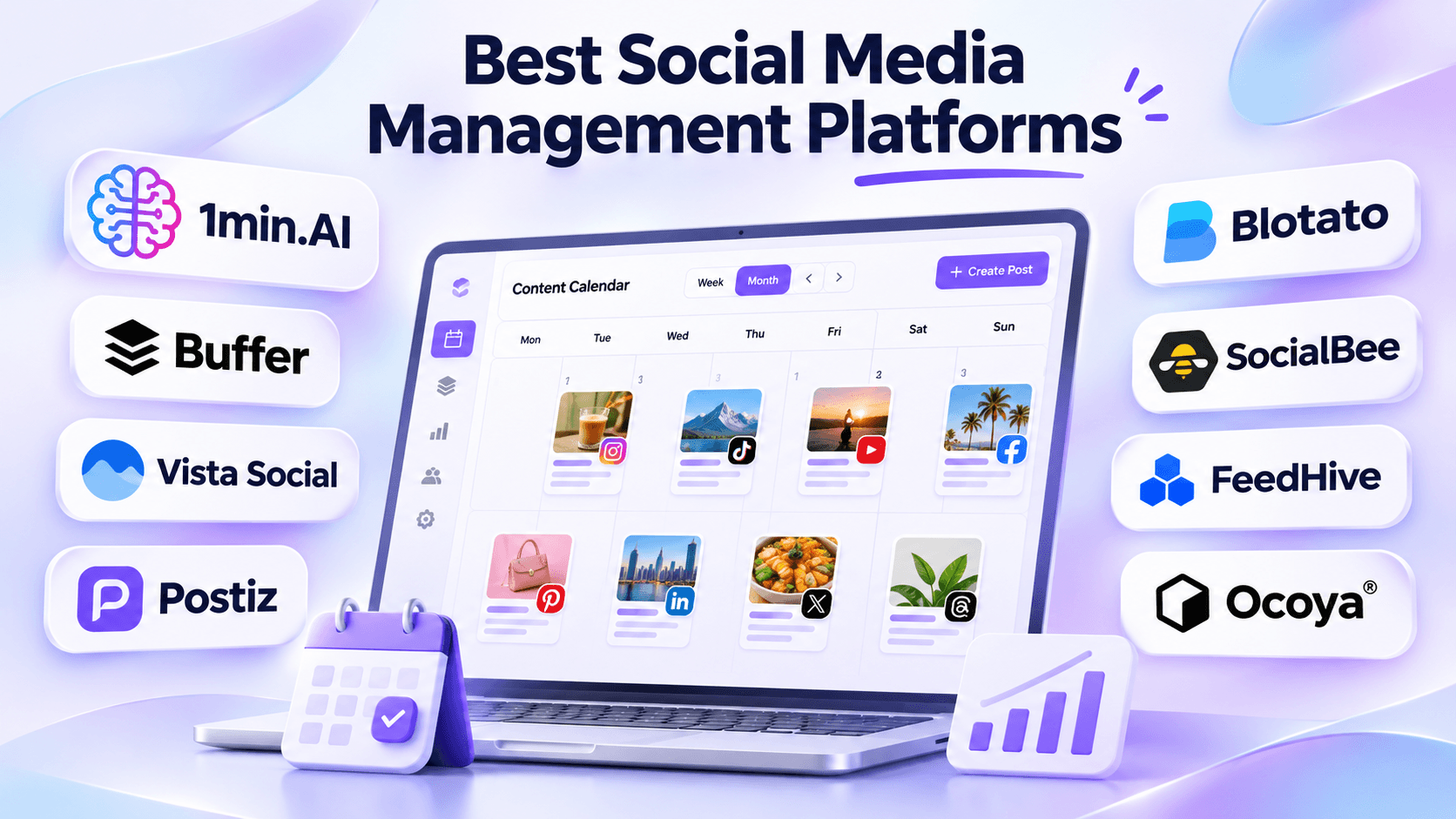
- Placement: Immediately after the introduction.
- Visual: A creator working with a unified content workflow. Show eight recognizable tool logos in a clean comparison layout, with 1min.AI prominently but naturally positioned.
- Alt text: Best social media management platforms for creators in 2026.
What Are Social Media Management Platforms?
Social media management platforms are tools that help individuals and businesses organize, schedule, publish, and manage content across social networks.
Traditional platforms focus on content calendars, post scheduling, account management, and analytics. AI-powered platforms extend these capabilities with content ideation, caption writing, image generation, automation, and AI agents.
For short-form content creators, the challenge is broader than publishing at the right time. A single Instagram Reel may require trend research, a compelling hook, a video script, visual assets, editing, and a caption before it can be scheduled.
That's why choosing a platform should start with identifying your biggest workflow bottleneck.
8 Best Social Media Management Tools at a Glance
| Tool | Best For | Starting Price |
|---|---|---|
| 1min.AI | AI content creation and multi-model creative workflows | Free; Pro from $6.50/month with annual billing |
| Buffer | Simple social media scheduling | Free; Essentials from $5/channel/month billed annually |
| Vista Social | Advanced social media management and analytics | $99/month |
| Postiz | AI-agent-powered scheduling and publishing | $29/month |
| Blotato | AI content repurposing and social publishing | $29/month |
| SocialBee | Content organization and evergreen scheduling | $29/month |
| FeedHive | AI-assisted scheduling and workflow automation | From $15/month billed annually |
| Ocoya | AI-powered social media campaigns | $29/month |
Pricing is based on public information reviewed in November 2026. Prices, AI allowances, supported channels, and billing conditions may change. The products have different functionality and are not identical substitutes.
Each platform addresses a slightly different stage of the social media workflow. Let's explore their strengths and limitations.
1. 1min.AI: Best for AI Content Creation and Creative Workflows
1min.AI is an all-in-one AI workspace designed to help users work with multiple AI models and creative tools from one place.
For social media creators, its main advantage is supporting the content production process, including brainstorming, writing, image generation, video creation, and content repurposing.
Instead of beginning with an empty publishing calendar, creators can start with an idea, existing document, or campaign brief and develop the creative assets needed for their next post.
Key Features
Multi AI Chat
Access different AI models within one workspace to brainstorm topics, develop campaign concepts, write captions, and refine scripts.
AI Image Generation
Create visual concepts, promotional images, thumbnails, and social media graphics using available AI image models.
AI Video Creation
Experiment with AI video tools to develop short-form visual content for platforms such as TikTok, Instagram Reels, and YouTube Shorts.
AI Content Repurposing
Transform existing information into new creative formats, including video hooks, carousel concepts, captions, and scripts.
AI Agents
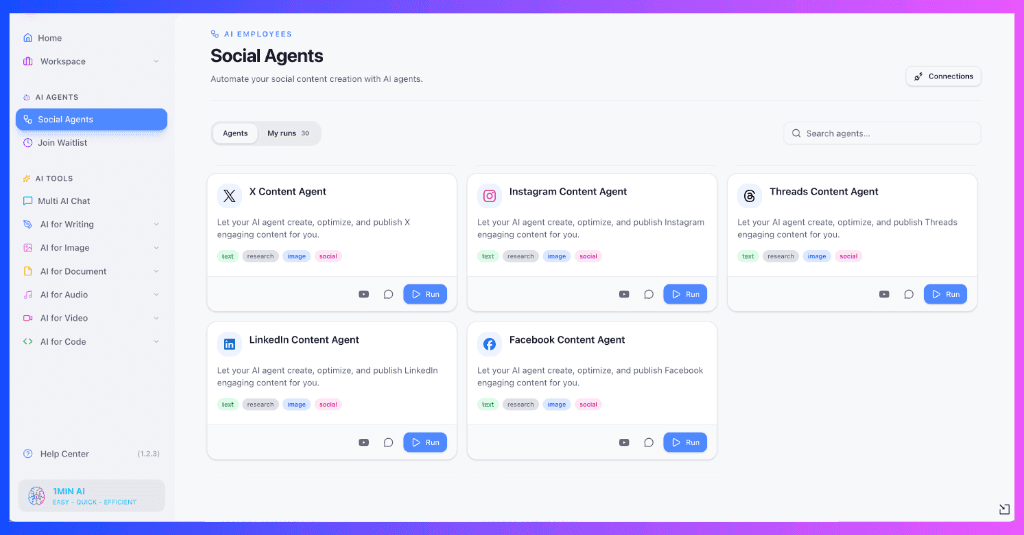
1min.AI also provides social media agent workflows. Its AI Agent for Instagram describes using files and conversation context to generate Instagram content, prepare schedules, and support publishing.
Specific direct-publishing capabilities depend on the available integrations, account configuration, and supported content formats.
Why Creators May Prefer 1min.AI
Most social media tools help you schedule content after it's created. But what if an AI Agent could help you handle the creative work before publishing?
With 1min.AI Social Media AI Agents, creators can turn campaign briefs, documents, and ideas into social media content through connected workflows. Depending on the supported Agent, these workflows can help with research, captions, visual creation, content planning, and publishing preparation.
Instead of switching between multiple AI tools, creators can access different AI capabilities within one workspace.
Try Social Media AI Agents on 1min.AI
Explore AI Agents designed for Instagram, Facebook, LinkedIn, X, and Threads. Start with a campaign idea or existing content, and see how an Agent can help you develop platform-ready posts.
Why try 1min.AI?
- AI-assisted content planning and creation.
- Multiple AI models and creative tools.
- Image and video generation capabilities.
- Social media workflows tailored to different platforms.
- A free starting option to explore supported AI features.
Explore Social Media AI Agents
Pricing
1min.AI offers a Free plan with limited AI features and paid plans for additional access.
- Free: $0
- Pro: From $6.50/month with annual billing.
- Business: From $10/month with annual billing.
Agent availability and usage limits may vary. Check the official pricing page for current details.
Pros and Cons
Pros
- Multiple AI models in one workspace.
- AI writing, image generation, and video creation.
- Useful for short-form content development.
- Supports creative work beyond social media.
- Free starting plan.
- Shared AI credit wallet.
Cons
- Not a direct replacement for every advanced social media management feature.
- AI generation consumes credits.
- Dedicated analytics, social inbox, and publishing coverage should be checked for each supported agent.
Best For: Solo content creators, influencers, freelance social media creators, and small teams whose main challenge is producing creative content consistently.
- Placement: After the 1min.AI feature section.
- Visual: Real product screenshots showing Multi AI Chat, image generation, and a short-form content workflow.
- Alt text:1min.AI workspace for generating social media captions, images, and video content.
Start Creating Content With 1min.AI
2. Buffer: Best for Simple Social Media Scheduling
Buffer is a social media management platform known for its straightforward publishing workflow.
It helps creators plan content, organize ideas, schedule posts, and monitor performance across supported social platforms.
For creators who already have finished content and need a dependable way to publish consistently, Buffer is a practical option.
Key Features
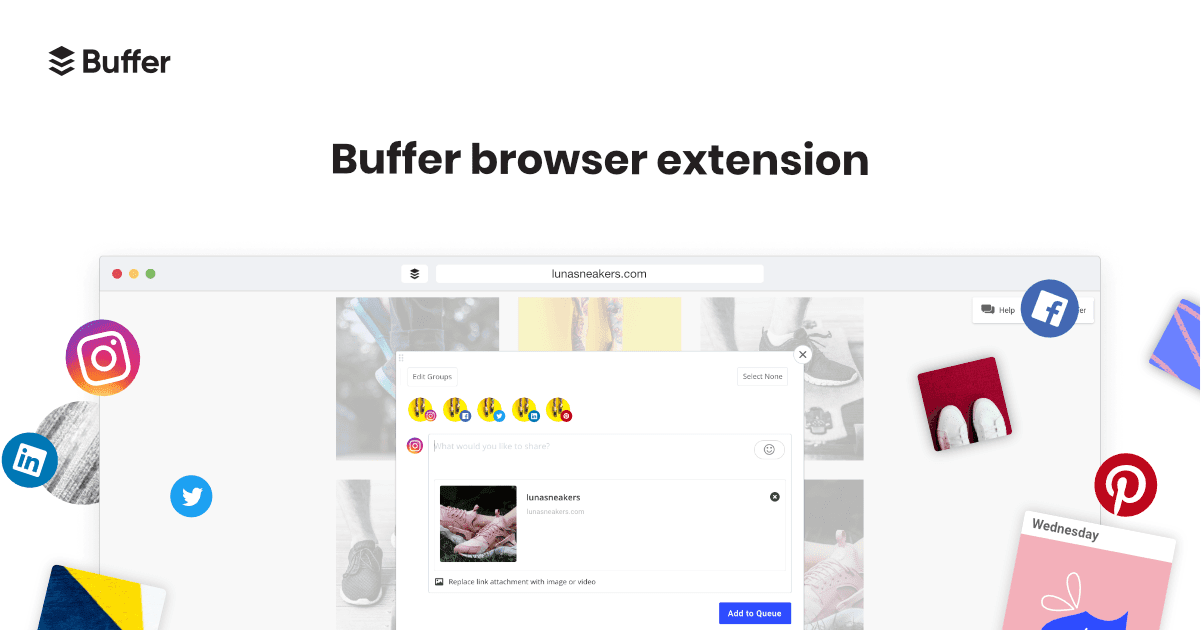
- Visual content calendar and scheduling queues.
- Multi-platform publishing.
- AI Assistant for writing and rewriting posts.
- Content ideas workspace.
- Social media analytics.
- Community engagement tools.
- API and AI agent integrations.
Buffer's AI Assistant helps users generate content ideas, rewrite captions, and adjust writing styles.
However, Buffer primarily focuses on organizing and publishing social content rather than offering a general-purpose multi-model workspace for image and video generation.
Pricing
Buffer offers a permanent Free plan supporting up to three channels, with a limit of 10 queued posts per channel.
Its Essentials plan starts at $5 per channel per month with annual billing. Pricing increases as more social channels are added.
Pros and Cons
Pros
- Simple interface.
- Permanent Free plan.
- Visual scheduling tools.
- AI writing assistance.
- Broad platform integrations.
Cons
- Paid pricing depends on the number of channels.
- Advanced collaboration requires higher plans.
- Limited native AI multimedia creation compared with dedicated AI creative platforms.
Best For: Creators who prioritize affordable scheduling and simple content management.
3. Vista Social: Best for Analytics and Social Media Management
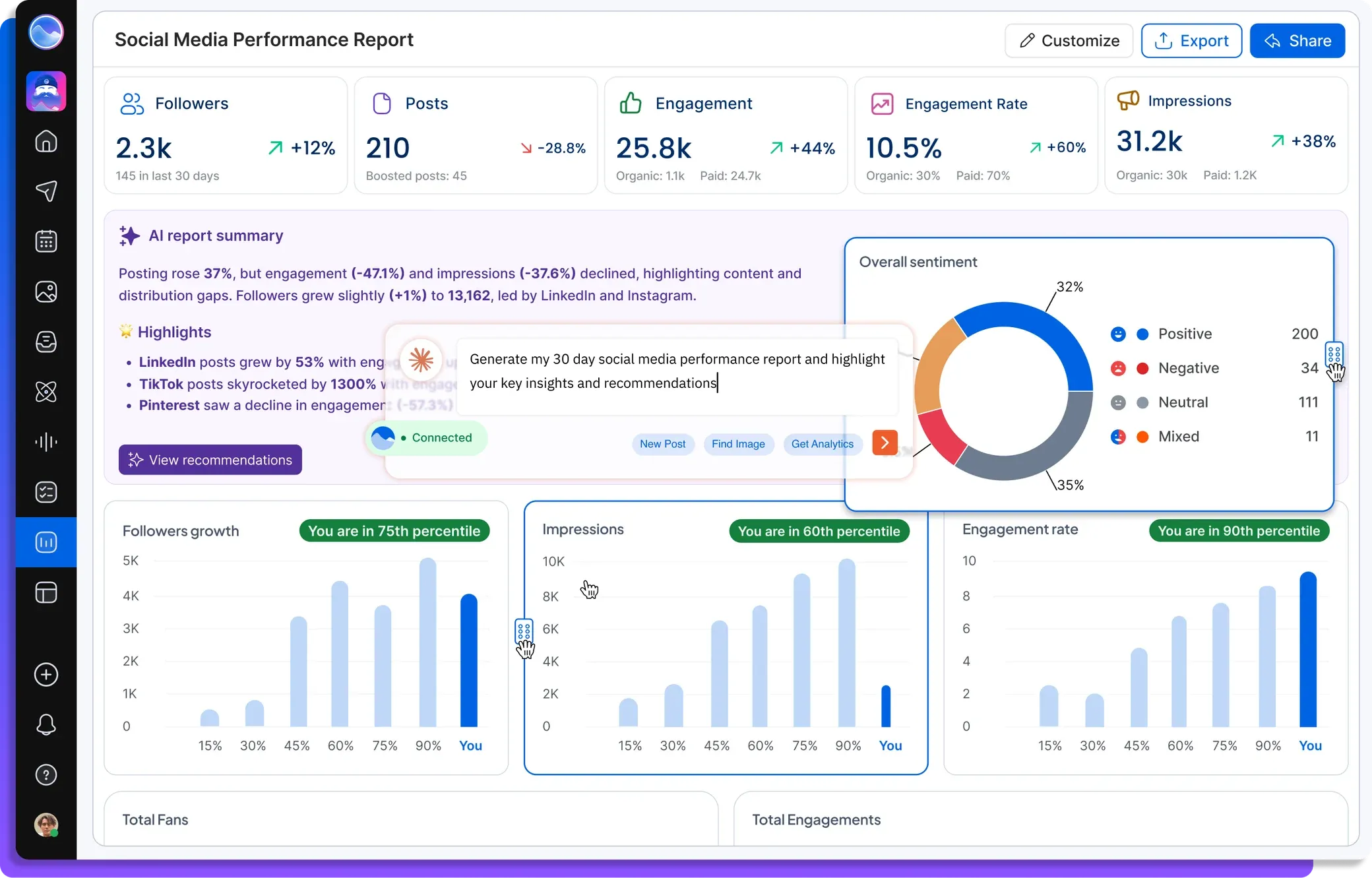
Vista Social is a comprehensive social media management platform for creators, marketing teams, brands, and agencies.
It combines publishing, analytics, engagement management, social listening, and AI-powered automation.
Its Ask Vista assistant can help users create posts, analyze connected account data, manage social interactions, and prepare reports.
Key Features
- Social media publishing and scheduling.
- Ask Vista AI assistant.
- Automated AI agents on eligible plans.
- Social inbox and engagement tools.
- Detailed analytics and reporting.
- Social listening.
- Team approvals and collaboration.
One of Vista Social's strengths is its ability to use real account information to support social media decisions.
This makes it useful for teams managing existing audiences and measuring campaign performance.
Pricing
Vista Social offers:
- Professional: $99/month
- Advanced: $199/month
- Scale: $449/month
A 14-day free trial is available without a credit card.
Pros and Cons
Pros
- Extensive social media management features.
- Detailed reporting and analytics.
- AI-assisted content planning.
- Centralized social inbox.
- Team and agency capabilities.
Cons
- Higher starting price than many creator-focused tools.
- Scheduled AI agents require Advanced or higher.
- AI credit limits may affect recurring automation.
- Extensive features can be unnecessary for creators focused primarily on production.
Best For: Social media managers, agencies, and established teams that need scheduling, reporting, and engagement tools in one platform.
4. Postiz: Best for AI Agent Scheduling and Publishing
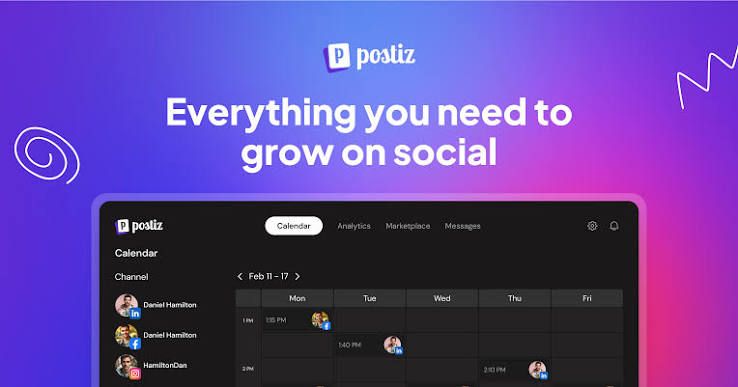
Postiz is an AI-powered social media scheduling platform with a strong focus on automation and AI agent integrations.
It helps users create, schedule, and publish content across multiple platforms, while providing APIs and integrations for automated workflows.
Key Features
- Cross-platform post scheduling.
- Built-in AI Copilot and Smart Agent.
- AI-assisted caption generation.
- AI image and video generation on eligible plans.
- Video clipping and repurposing.
- MCP, API, and CLI integrations.
- Analytics and content calendars.
Postiz is especially interesting for users who want external AI agents to interact with their publishing workflow.
It also offers an open-source self-hosted option for users who prefer greater technical control.
Pricing
Postiz offers:
- Standard: $29/month
- Team: $39/month
- Pro: $49/month
- Ultimate: $99/month
A seven-day free trial is available.
Pros and Cons
Pros
- Dedicated social media scheduling.
- Agent integrations.
- Multiple publishing destinations.
- API and MCP access.
- Open-source option.
Cons
- Some advanced automation requires external setup.
- AI image generation is not included in the Standard plan's monthly image allowance.
- Self-hosting requires technical knowledge.
Best For: Creators, marketers, and automation-focused users who want to connect AI agents with social media publishing.
5. Blotato: Best for AI Content Repurposing
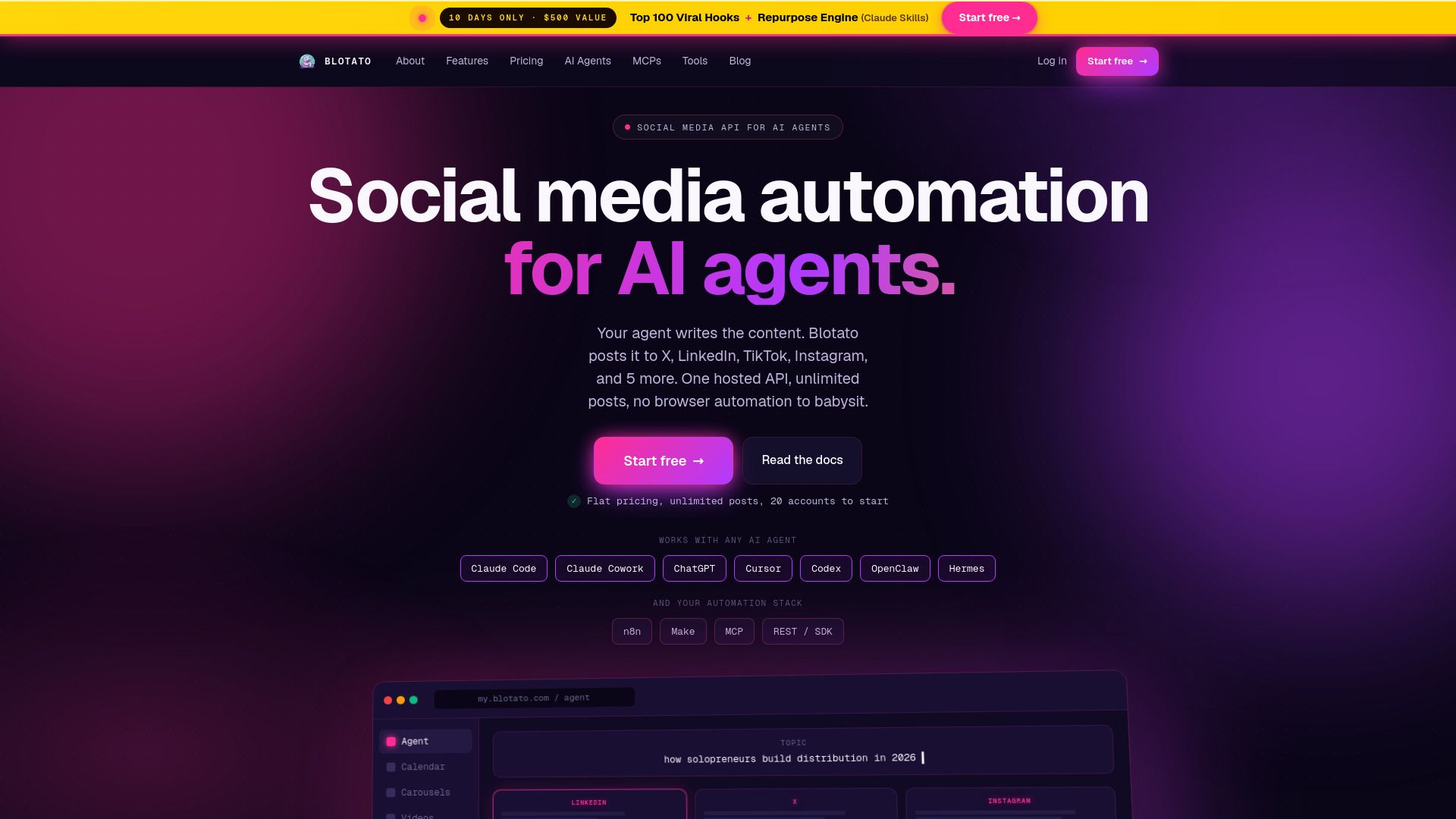
Blotato combines AI content creation, repurposing, scheduling, and social media publishing.
It is particularly relevant for creators who want to transform existing materials into multiple social media posts.
For example, a YouTube video, blog article, or document can become social content adapted for different platforms.
Key Features
- AI-assisted social content generation.
- Source-based content repurposing.
- AI image and video generation.
- Brand Kit personalization.
- Social media scheduling.
- Cross-platform publishing.
- API and MCP integrations.
- Supported comment and DM automation.
Blotato is one of the closer competitors to 1min.AI in creative workflows because both platforms support transforming source material into new content assets.
Blotato places additional emphasis on publishing infrastructure and automated distribution.
Pricing
Blotato offers:
- Starter: $29/month
- Creator: $97/month
- Agency: $499/month
It provides a seven-day trial, although API access is not included during the trial.
Pros and Cons
Pros
- Strong content repurposing features.
- AI writing and multimedia generation.
- Integrated publishing tools.
- Brand personalization.
- Agent and automation integrations.
Cons
- API access is excluded from the free trial.
- Advanced automation can involve additional configuration.
- Frequent image and video generation requires managing credits.
Best For: Creators and small businesses repurposing existing content across multiple social networks.
6. SocialBee: Best for Organized Content Scheduling
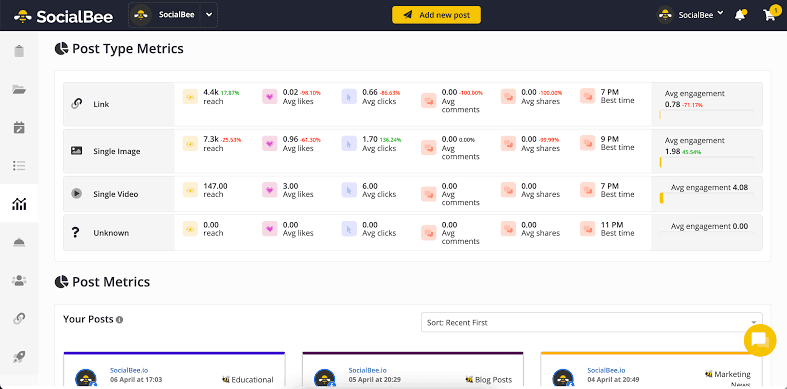
SocialBee is a social media management platform that emphasizes content organization and consistent publishing.
Its category-based scheduling system helps creators organize different post types and maintain a balanced content calendar.
Key Features
- Content categories and queues.
- AI-assisted post and caption generation.
- AI Copilot for content strategy.
- Evergreen content recycling.
- Multi-platform publishing.
- Analytics and reporting.
- Content approvals.
- Social inbox.
For example, creators can organize their content into educational, promotional, storytelling, and community-focused categories.
SocialBee then helps manage when those categories appear in the posting schedule.
Pricing
SocialBee offers:
- Bootstrap: $29/month
- Accelerate: $49/month
- Pro: $99/month
A 14-day free trial is available without a credit card.
Pros and Cons
Pros
- Useful content organization system.
- Evergreen scheduling.
- AI-assisted content generation.
- Multi-platform support.
- Suitable for recurring content plans.
Cons
- Initial category setup requires planning.
- Advanced reporting and approvals are plan-dependent.
- Creative multimedia production is not its central differentiator.
Best For: Creators and small businesses that publish recurring content across different categories.
7. FeedHive: Best for AI Scheduling and Workflow Automation
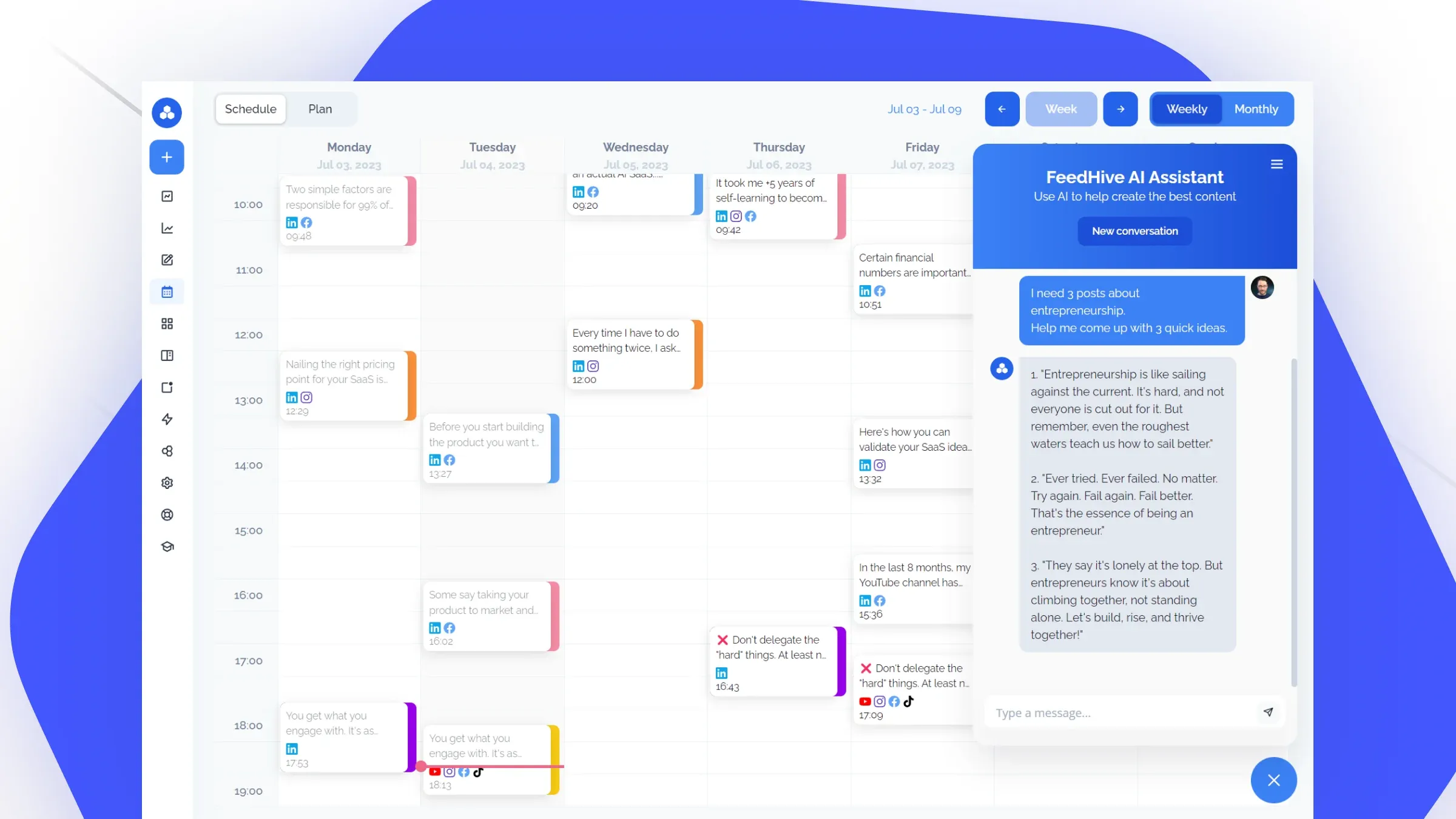
FeedHive is an AI-powered social media management platform combining publishing, content planning, and workflow automation.
Its features are designed to help creators and businesses maintain consistent posting schedules while reducing repetitive tasks.
Key Features
- AI writing assistant.
- AI-assisted image generation.
- Smart scheduling.
- Visual content calendar.
- Post recycling.
- Workflow automation.
- Performance prediction.
- Social media analytics.
- API and AI agent integrations.
FeedHive is especially useful when creators want reusable scheduling workflows and automation rules.
Pricing
Its publicly advertised annual-billing equivalents include:
- Creator: $15/month
- Brand: $22/month
- Business: $69/month
- Agency: $239/month
The Creator plan includes four social accounts and limits on scheduling, AI credits, and automation runs.
Pros and Cons
Pros
- AI-assisted planning and scheduling.
- Automation capabilities.
- Post recycling.
- Performance prediction.
- Multiple supported platforms.
Cons
- Scheduling and automation limits vary by plan.
- AI usage allowances require monitoring.
- Complex automation may involve additional setup.
Best For: Creators and small teams that want structured automation and scheduling workflows.
8. Ocoya: Best for AI Social Media Campaign Creation
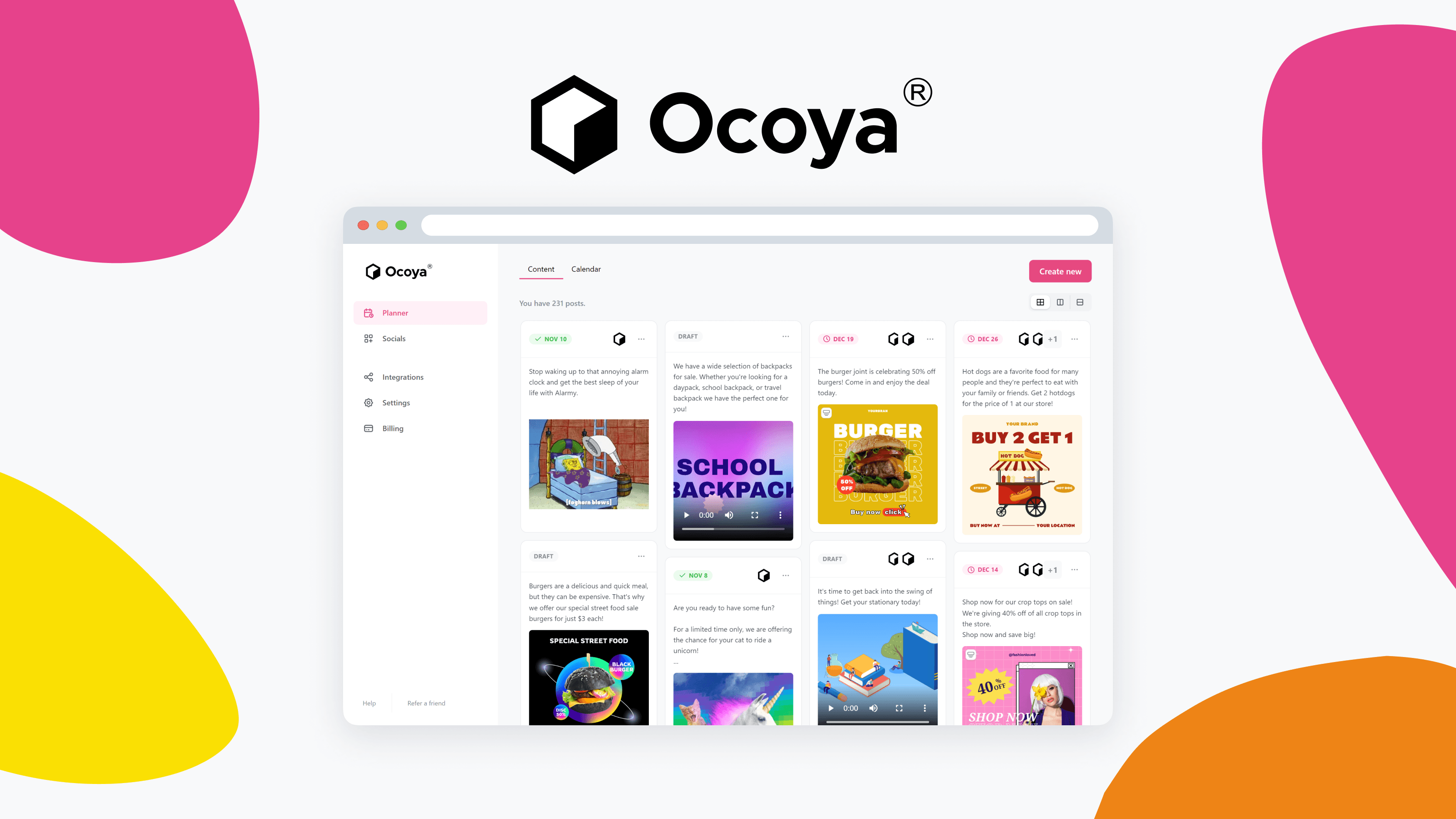
Ocoya is an AI-powered social media management platform that combines content generation, brand customization, and publishing.
It aims to simplify the process of moving from a campaign idea to a collection of social media posts.
Key Features
- AI-assisted caption generation.
- Image and video creation tools.
- Brand voice customization.
- Campaign generation.
- Social media scheduling.
- Visual content editor.
- Workflow automation.
- Multi-platform publishing.
- API and MCP integrations.
Ocoya can be useful for small brands preparing campaigns that need consistent messaging and multiple content formats.
Pricing
Ocoya offers:
- Starter: $29/month
- Team: $79/month
- Agency: $199/month
Its seven-day free trial requires a payment card.
Pros and Cons
Pros
- AI content and campaign generation.
- Brand customization.
- Multi-platform scheduling.
- Integrated creative and publishing tools.
- Automation integrations.
Cons
- Monthly AI credit allowances.
- Higher plans required for larger teams.
- Some advanced workflows may require additional configuration.
Best For: Small businesses and creators producing recurring brand campaigns.
- Placement: After the eight individual tool reviews.
- Visual: Clean comparison graphic showing eight tool logos with their main use cases.
- Alt text: Comparison of eight social media management tools for AI content creation, scheduling, and automation.
How to Choose the Right Social Media Management Platform
The best social media management software depends on what takes the most time in your daily workflow.
1. Identify Your Biggest Content Bottleneck
If you spend hours developing ideas, writing scripts, and producing visuals, prioritize AI content creation features.
If you already have finished content but struggle to publish consistently, scheduling features may be more important.
Creators who need both should examine the full process from ideation to publishing rather than comparing subscription prices alone.
2. Consider Your Primary Social Platforms
Different creators need different tools.
A TikTok creator may prioritize video production and hooks. An Instagram creator may need Reels, Stories, carousels, and visual consistency. A LinkedIn or X creator may prioritize writing, threads, and publishing queues.
Before subscribing, verify that the tool supports the specific posting formats and account types you use.
3. Compare AI Content Creation Capabilities
Not all AI features offer the same functionality.
Some tools primarily generate captions and hashtags. Others support image generation, video creation, source-based content repurposing, or multi-model AI workflows.
If you produce short-form content frequently, evaluate whether the platform helps with the actual creative production process.
4. Check Pricing and Usage Limits
A low monthly subscription does not always mean a lower total production cost.
Check for social profile limits, AI credits, video generation allowances, automation runs, paid integrations, and additional users.
For example, a scheduling plan may be affordable but still require separate subscriptions for AI images and videos.
5. Test the Complete Workflow
Instead of choosing a platform based only on its feature list, test one real content task.
Create a post from an existing brief, generate supporting visuals, prepare the caption, review the output, and schedule it where supported.
Measure how much manual effort remains and whether the final content matches your quality expectations.
How to Create Social Media Content With 1min.AI
If your main challenge is content creation, you can start experimenting with 1min.AI without committing to a complete social media management setup.
Here's a practical workflow for preparing short-form content.
Step 1. Start With a Content Idea or Existing Material
Open 1min.AI and choose an available AI chat or writing tool.
You can begin with a product description, campaign brief, article, or simple idea.
For example, imagine you want to create a series of Instagram Reels promoting a new coffee brand.
Step 2. Generate Short-Form Video Ideas
Use Multi AI Chat to brainstorm several creative directions.
Copy-ready prompt:
"Act as a short-form social media content strategist. Create five Instagram Reels ideas for a specialty coffee brand targeting young adults aged 18–35. Include a strong opening hook, video concept, 20-second script, caption, and call to action for each idea. Focus on authentic storytelling, relatable moments, and visually engaging scenes. Avoid generic promotional language."
Review the results and select ideas that fit your brand identity.
Step 3. Create Supporting Visuals
Use 1min.AI's image generation tools to produce visuals for your content concept.
For stronger consistency, describe the subject, environment, lighting, camera composition, and desired visual style.
For example:
"Create a realistic lifestyle photograph of an iced latte on a wooden café table, warm morning sunlight, natural reflections, subtle condensation, contemporary coffee shop background, editorial product photography, 9:16 vertical composition. Avoid artificial skin textures, distorted cups, extra objects, text, and watermarks."
If your content needs motion, explore the available AI video tools to create short visual clips.
Step 4. Refine the Caption and Video Hook
Return to AI Chat to refine the script and caption.
Ask for a more natural opening, a stronger emotional angle, or variations designed for different audiences.
You can also adapt the same concept into a TikTok caption, YouTube Shorts description, or Instagram carousel outline.
Step 5. Review and Prepare Your Content for Publishing
Check the accuracy, visual quality, brand voice, and platform requirements of your content.
You can explore the 1min.AI Instagram Agent workflow for supported scheduling and publishing actions.
If your account or content format does not support direct publishing, export the approved assets and use an existing scheduler.
- Placement: After Step 5.
- Visual: A sequence of genuine 1min.AI screenshots showing the input brief, AI-generated script, visual generation, and prepared content.
- Alt text: How to create short-form social media content using 1min.AI.
Which Social Media Management Platform Should You Choose?
Choosing between social media management platforms becomes easier when you focus on the work you need to accomplish.
Choose 1min.AI if you want to brainstorm content ideas, generate images and videos, create scripts, and experiment with multiple AI models.
Choose Buffer if you need straightforward scheduling and an accessible Free plan.
Choose Vista Social if analytics, social inbox management, and agency workflows are essential.
Choose Postiz if AI agent connectivity and social publishing automation are priorities.
Choose Blotato if you regularly repurpose existing articles, videos, and other source materials.
Choose SocialBee if you want recurring content categories and evergreen scheduling.
Choose FeedHive if your workflow depends on smart scheduling and automation rules.
Choose Ocoya if you need AI-assisted campaign creation and brand-focused publishing.
There is no universal winner for every type of creator. The right option depends on whether your biggest challenge is content production, publishing, engagement, or reporting.
Frequently Asked Questions
What are the best social media management platforms in 2026?
Popular options include 1min.AI, Buffer, Vista Social, Postiz, Blotato, SocialBee, FeedHive, and Ocoya. Each offers a different combination of AI content creation, scheduling, automation, and social media management capabilities.
What is the best social media management tool for content creators?
For creators focused on producing captions, images, videos, and short-form content ideas, 1min.AI is worth considering. Creators who mainly need post scheduling may prefer Buffer or another dedicated social media publishing platform.
Are there free social media management tools?
Yes. Buffer offers a permanent Free plan for up to three channels with scheduling limits. 1min.AI also offers a Free plan for exploring supported AI features, although its creative workspace is different from a dedicated social media scheduling service.
Can AI manage social media accounts automatically?
AI can assist with content generation, scheduling, publishing, reporting, and selected engagement tasks. The level of automation depends on the tool, the connected social platform, account permissions, and available integrations.
What is the difference between social media scheduling and AI content creation?
Social media scheduling determines when and where content is published. AI content creation helps users develop the captions, scripts, images, videos, and other assets needed for those posts.
Some platforms support both, but their strengths and limitations can differ significantly.
Which social media management software is best for Instagram Reels?
The best option depends on your needs. A creator focused on producing Reels may benefit from AI video and script generation tools, while someone managing a large Reels publishing calendar may need dedicated scheduling software.
Always verify direct Reels publishing support before subscribing.
Is an all-in-one AI workspace better than separate AI tools?
An all-in-one AI workspace can reduce switching between creative applications and provide access to multiple capabilities through one account. However, specialized tools may offer stronger features for particular tasks, such as advanced analytics or team-based publishing.
Final Thoughts
The best social media management platforms in 2026 do more than help users maintain a publishing schedule. Many now combine AI-assisted content creation, automation, social analytics, and multi-platform workflows.
For creators, the most important question is where they spend the most time.
If managing accounts, analyzing engagement, and scheduling finished content are your biggest priorities, a dedicated social media management platform may be the right choice.
But if you spend most of your time brainstorming ideas, writing hooks, producing visuals, and creating short-form videos, 1min.AI offers a flexible way to bring multiple AI creative tools into one workspace.
Start with one real content idea, test the outputs, and choose the workflow that makes content creation more manageable without sacrificing your creative style.
🚀 Try 1min.AI for Free and turn your next content idea into captions, images, and videos.
- #Commercial
Alternatyvos
Atraskite geriausias 1minAI alternatyvas ir palyginkite funkcijas, kainodarą bei naudojimo atvejus.

1min.AI prieš OpenRouter
1min.AI prieš OpenRouter: palyginkite paruoštą naudoti DI kūrimo produktą su techniniu API įrankiu. Sužinokite, ar jums reikia be kodo kūrybinės studijos, ar kodavimo infrastruktūros centro.
 Ngoc Hong

1min AI vs Buffer
Compare 1min.AI vs Buffer for Facebook content creation, AI writing, image generation, scheduling, pricing, and everyday marketing workflows.
Ngoc Hong
1min.AI vs. Hootsuite: Which Social Media Tool Fits Your Workflow?
Compare 1min.AI vs. Hootsuite to explore their AI content creation, social media publishing, analytics, pricing, and collaboration features. Find the right tool for your workflow.
DI įrankiai
Atraskite geriausius DI įrankius, skirtus padidinti produktyvumą, kūrybiškumą ir kasdienį darbą.

Top 4 įperkami AI įrankiai startupų įkūrėjams
Sužinokite 4 geriausius įperkamus AI įrankius startupų įkūrėjams, padedančius patikrinti idėjas, kurti produktus, rengti turinį ir startuoti greičiau neviršijant biudžeto.
 Tram Ta

POV: Turi sukurti daugiau nei 10 įrašų per dieną
Sužinok, kaip susikurti AI turinio darbo eigą, kuri padeda turinio kūrėjams greičiau kurti daugiau nei 10 socialinių tinklų įrašų per dieną pasitelkiant AI idėjų generavimą, vaizdų kūrimą ir turinio kūrimą.
 Lien Anh Vu

Paverskite „Padarykite geriau“ į geresnį turinį su AI
Naudokite AI, kad miglotą kliento grįžtamąjį ryšį paverstumėte aiškiais pataisymais, sumažintumėte nereikalingų redagavimų skaičių ir greičiau pateiktumėte geresnį turinį.
Lien Anh VuDirbtinio intelekto funkcijos
Visapusiškos dirbtinio intelekto funkcijos, kurios supaprastina darbo procesus, didina efektyvumą ir įgalina komandas pasiekti daugiau.

1minAI: Nemokamas dirbtinio intelekto gramatikos tikrintuvas
Tikrinkite gramatiką nemokamai su 1minAI dirbtinio intelekto gramatikos tikrintuvu. Raskite gramatikos, rašybos ir rašymo klaidas, pagerinkite aiškumą ir per kelias sekundes nušlifuokite savo turinį.
Tram Ta
Sukurkite portfolio svetainę greičiau su 1min.AI
Sužinokite, kaip laisvai samdomi kūrėjai gali naudoti 1min.AI planuoti, rašyti, kurti dizainą ir sugeneruoti profesionalią portfolio svetainę greičiau, net jei neturi tvirtų programavimo įgūdžių.
Lien Anh Vu
Nemokamas AI X Komentaras
Kurkite juokingus, sąmojingus ar įžvalgius komentarus X platformoje su mūsų AI valdomu X Komentarų Generatoriumi. Padidinkite savo įsitraukimą ir išsiskirkite iš minios!
 Trang Tran
DI panaudojimo atvejai
Atrinkta DI panaudojimų kolekcija verslui, produktyvumui ir pramonės šakų sprendimams.

Geriausias laikas skelbti Instagram: praktinis gidas geresniam įsitraukimui
Sužinokite geriausią laiką skelbti Instagram, įskaitant geriausias dienas ir valandas skirtingoms auditorijoms, bei patarimus, kaip rasti idealų publikavimo grafiką savo paskyrai.
Tram TaSukurkite portfolio svetainę greičiau su 1min.AI
Sužinokite, kaip laisvai samdomi kūrėjai gali naudoti 1min.AI planuoti, rašyti, kurti dizainą ir sugeneruoti profesionalią portfolio svetainę greičiau, net jei neturi tvirtų programavimo įgūdžių.
Lien Anh VuPaverskite „Padarykite geriau“ į geresnį turinį su AI
Naudokite AI, kad miglotą kliento grįžtamąjį ryšį paverstumėte aiškiais pataisymais, sumažintumėte nereikalingų redagavimų skaičių ir greičiau pateiktumėte geresnį turinį.
Lien Anh VuAI pamokos
Mokykitės naudotis dirbtiniu intelektu su praktinėmis, žingsnis po žingsnio pamokomis.

Juodojo penktadienio AI įrankių pasiūlymai 2026 m.
Sužinokite, ką siūlo 2026 m. Juodojo penktadienio AI įrankių pasiūlymai. Sužinokite, kaip įsigyti 1min.AI viso gyvenimo pasiūlymą per AppSumo, Dealify, Stack Social ir patvirtinti informaciją Trustpilot, Slashdot bei Software Advice.
 Hang Nguyen

Patirkite „Fashion Week“ už 0 USD su „1minAI Face Swap“
Patirkite „Fashion Week“ už 0 USD su „1minAI Face Swap“. Įkelkite savo nuotrauką, pasirinkite „Fashion Week“ vaizdo įrašą ir sukurkite savo dirbtinio intelekto mados akimirką.
Ngoc Hong
Viralūs Reels per minutes: kaip naudoti 1minAI teksto į kalbą įrankį satyriniams įgarsinimams
Sužinokite, kaip satyrinių puslapių administratoriai naudoja 1minAI teksto į kalbą funkciją, kad akimirksniu sugeneruotų naujienų vedėjo ir dramatiškus įgarsinimus TikTok, Shorts ir Instagram Reels įrašams.
DI vadovai
Greičiau išmokite DI su praktiniais vadovais, realaus pasaulio pavyzdžiais ir veiksmingomis geriausiomis praktikomis.

Saugiai pirkti AI įrankius internetu: 2026 m. Juodojo penktadienio gidas
Sužinokite, kaip rasti ir užsitikrinti geriausius Juodojo penktadienio AI pasiūlymus internetu. Išmokite ekspertų strategijas, kaip išvengti sukčių, kovoti su prenumeratų nuovargiu ir patikrinti programinę įrangą.
Hang Nguyen
Kaip pradėti AI verslą nebekuriant visko nuo nulio
Sužinokite, kaip pradėti AI verslą, patikrinti savo idėją ir greičiau paleisti produktą nekuriant brangios AI infrastruktūros nuo nulio.
Ngoc Hong
AI Fashion Video Generator With Seedance 2.5 and HeyGen
Learn how to create AI fashion videos with Seedance 2.5 and HeyGen. Turn outfit photos into cinematic videos featuring your own face with 1min.AI.
Lien Anh VuAI Sprendimai
Naršykite geriausius AI sprendimus automatizavimui, kodavimui, tyrimams, produktyvumui, klientų palaikymui, rinkodarai ir verslo darbo eigoms.

Nemokamas AI tatuiruočių generatorius: individualūs dizainai
Paverskite bet kokią idėją individualiu tatuiruotės dizainu su nemokamu 1min.AI AI tatuiruočių generatoriumi. Aprašykite idėją, pasirinkite stilių ir atsisiųskite per kelias sekundes.
Trang TranSaugiai pirkti AI įrankius internetu: 2026 m. Juodojo penktadienio gidas
Sužinokite, kaip rasti ir užsitikrinti geriausius Juodojo penktadienio AI pasiūlymus internetu. Išmokite ekspertų strategijas, kaip išvengti sukčių, kovoti su prenumeratų nuovargiu ir patikrinti programinę įrangą.
Hang NguyenPatirkite „Fashion Week“ už 0 USD su „1minAI Face Swap“
Patirkite „Fashion Week“ už 0 USD su „1minAI Face Swap“. Įkelkite savo nuotrauką, pasirinkite „Fashion Week“ vaizdo įrašą ir sukurkite savo dirbtinio intelekto mados akimirką.
Ngoc HongAI modeliai
Tyrinėkite pasaulio pirmaujančius AI modelius vienoje vietoje.

Free AI Chat With Claude Fable 5.2 On 1min.AI
Free AI chat with Claude Fable 5.2 on 1min.AI. Compare Fable 5.2 vs Opus 5.5, see Fable 5.2 benchmarks, and start chatting in minutes.
Trang Tran
GPT-6.2 Sol: Specs, Pricing & Free Access
Explore GPT-6.2 Sol specs, pricing, and how it compares with GPT-6.1 Sol and Claude Opus 5.5, then try it free in 1min.AI Multi AI Chat.
Trang Tran
GPT 6.2 Astra: Pricing, Benchmarks & Free Access
GPT 6.2 Astra release date, pricing, Reddit feedback and Opus 5.5 comparison. See what it does best and chat with it on 1min.AI for free.
Trang TranAI Palyginimai
Palyginkite AI įrankius, modelius ir platformas, kad rastumėte geriausią atitiktį jūsų poreikiams.

Gemini 4 Neon vs Hydrogen: Specs, Price & Picks
Gemini 4 Neon vs Hydrogen, Carbon and Argon: compare price, benchmarks and use cases to pick the right model, then test them side by side on 1min.AI.
Trang Tran
Kling AI vs Veo 3: kuris modelis laimi?
Kling AI vs Veo 3: palyginkite judesį, natyvų garsą, kainas ir nemokamus planus, kad pamatytumėte, kuris DI vaizdo generatorius laimi jūsų projektui – išbandykite abu 1min.AI.
Trang Tran
DeepSeek V4 Pro ir Flash palyginimas
Palyginkite DeepSeek V4 Pro ir DeepSeek V4 Flash metrikas. Optimizuokite savo agentines programėles ir pagerinkite DI faktų tikrinimą 1min.ai jau šiandien.
Ngoc HongDirbtinio intelekto integracijos
Sklandžiai integruokite dirbtinį intelektą su jau naudojamais įrankiais, kad automatizuotumėte darbus ir padidintumėte produktyvumą.
POV: Turi sukurti daugiau nei 10 įrašų per dieną
Sužinok, kaip susikurti AI turinio darbo eigą, kuri padeda turinio kūrėjams greičiau kurti daugiau nei 10 socialinių tinklų įrašų per dieną pasitelkiant AI idėjų generavimą, vaizdų kūrimą ir turinio kūrimą.
Lien Anh Vu
Nebeperjunkite tarp AI programėlių: kaip AI integracija keičia darbdavio įvaizdį
Sužinokite, kaip AI integracija padeda personalo komandoms supaprastinti darbdavio įvaizdžio kūrimą, sujungiant AI tekstus, dokumentus, vaizdus, vaizdo įrašus ir kelis AI modelius į vieną darbo erdvę.
Tram Ta
AI API agregatorius paaiškintas kūrėjams
AI API agregatorius suteikia kūrėjams vieną suvienodintą API keliems AI modeliams kviesti, taip sutrumpindamas integracijos laiką ir mažindamas priklausomybę nuo tiekėjo.
Trang TranDI pramonei
Raskite geriausius DI įrankius ir darbo eigas sveikatos priežiūrai, finansams, švietimui, teisei, gamybai, mažmeninei prekybai, nekilnojamajam turtui ir kt.

Voice Cloning AI Free: How to Clone Any Voice Online in Minutes
Try voice cloning AI free with 1min.AI. Upload a 5-second clip, pick an ElevenLabs model, choose from 32 languages, and turn text to speech in your own voice.
Trang Tran
Claude Personal Finance Setup and Safety Guide
Claude personal finance explained: how Personal Finance in Claude works and what Claude finance can see. Plus a safe CSV method for non-US users.
Trang Tran
Free AI Image Editor With Prompt No Restrictions
Looking for a free AI image editor with prompt no restrictions? Edit backgrounds, objects and text by typing, no watermark. Try 1min.AI’s flexible editor now.
Trang TranAI agentai
Atraskite ir naudokite AI agentus, kad automatizuotumėte užduotis savo darbe ir kasdieniame gyvenime.
1minAI: Nemokamas dirbtinio intelekto gramatikos tikrintuvas
Tikrinkite gramatiką nemokamai su 1minAI dirbtinio intelekto gramatikos tikrintuvu. Raskite gramatikos, rašybos ir rašymo klaidas, pagerinkite aiškumą ir per kelias sekundes nušlifuokite savo turinį.
Tram Ta
AI agentai „Facebook“
Naudokite AI agentą „Facebook“ turiniui kurti, vaizdams generuoti, įrašams planuoti ir publikuoti iš savo dokumentų bei pokalbių.
Ngoc Hong
AI agentas vs AI asistentas: kuris iš tikrųjų sutaupo dizaineriams daugiau laiko?
Sužinokite skirtumą tarp AI agento ir AI asistento ir atraskite, kuris sprendimas padeda dizaineriams automatizuoti pasikartojančius darbus, sumažinti pataisymų skaičių ir sutaupyti daugiau laiko.
Lien Anh VuAI darbo eigų sistemos
Išbandykite paruoštas AI darbo eigų sistemas produktyvumui, rinkodarai, pardavimams, palaikymui ir kt.
POV: Turi sukurti daugiau nei 10 įrašų per dieną
Sužinok, kaip susikurti AI turinio darbo eigą, kuri padeda turinio kūrėjams greičiau kurti daugiau nei 10 socialinių tinklų įrašų per dieną pasitelkiant AI idėjų generavimą, vaizdų kūrimą ir turinio kūrimą.
Lien Anh VuAI Fashion Video Generator With Seedance 2.5 and HeyGen
Learn how to create AI fashion videos with Seedance 2.5 and HeyGen. Turn outfit photos into cinematic videos featuring your own face with 1min.AI.
Lien Anh Vu
Is Seedance 2.5 the Best AI Video Generator of 2026?
Is Seedance 2.5 the best AI video generator in 2026? Explore its features, compare it with Kling and Veo, and learn how to create AI videos on 1min.AI.
Lien Anh VuNaujienlaiškis
Savaitinės AI naujovės su 1minAI

🔮 Weekly AI Innovations #145: X Content Agent & GPT 6.1 Terra on 1min.ai
Scale viral reach with the X Content Agent on 1min.ai. Discover an end-to-end 4-stage pipeline with zero token burn, plus the launch of GPT 6.1 Terra.
Hang Nguyen
🔮 Weekly AI Innovations #144: LinkedIn Content Agent: Complete B2B Publishing Pipeline
Scale B2B influence with the LinkedIn Content Agent on 1min.ai. Discover an end-to-end 4-stage pipeline with zero redundant token burn and 1-click publishing.
Hang Nguyen
🔮 Weekly AI Innovations #146: Mistral 3.5, Qwen Image & Cohere A+ are ready on 1min.ai
Deploy Mistral Large 3, Qwen Image 3.0, and Cohere Command A+ on 1min.ai. Boost RAG accuracy and cut visual generation latency in one unified AI workspace.
Hang Nguyen