
No Photoshoot? Create AI Fashion Videos With Seedance 2.5

Lien Anh Vu
2026년 11월 20일
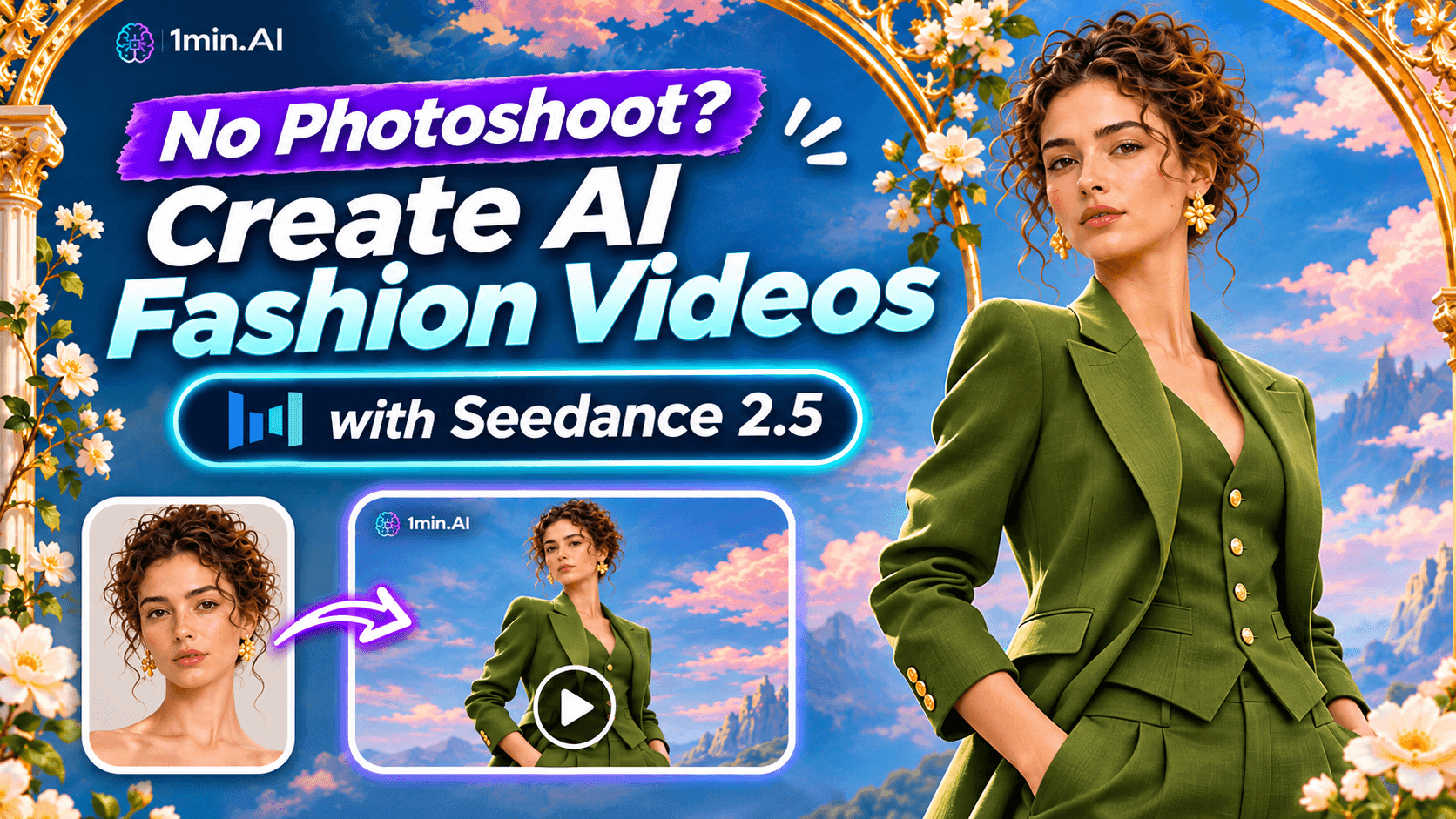
No photoshoot needed! Create stunning AI fashion videos with Seedance 2.5 on 1min.AI using outfit references, cinematic prompts, and surreal scenes.
What if you could create a high-fashion campaign without hiring a model, booking a studio, or even picking up a camera?
Imagine turning a simple outfit photo into a cinematic fashion video, complete with artistic backgrounds, elegant movement, and editorial lighting.
That's what an AI fashion video generator makes possible.
With Seedance 2.5 on 1min.AI, creators can experiment with fashion videos using clothing references and text prompts. From surreal fashion editorials to luxury-inspired campaigns, you can explore creative concepts without organizing a traditional photoshoot.
Here's how we turned an olive-green outfit into a dreamlike fashion video using Seedance 2.5.
Why Creators Are Using AI Fashion Video Generators
Creating fashion content takes more than finding a beautiful outfit.
You need a location, lighting, a model, a camera, and enough footage to create something engaging for Instagram Reels or TikTok.
For independent creators and small fashion brands, organizing a new shoot for every idea isn't always practical.
An AI fashion video generator offers another approach.
Instead of filming an entire scene, you can start with a clothing reference, describe your creative direction, and let AI generate a video concept.
This is especially useful when you want to experiment with different styles before investing in a full campaign.
For example, one outfit could inspire a minimalist studio commercial, a cinematic runway scene, or a surreal fashion editorial.
The creative possibilities are much wider than a traditional product photo.
Why Seedance 2.5?
Developed by ByteDance, Seedance 2.5 supports text-to-video generation alongside image, video, and audio references.
That means you can use a clothing image to guide the outfit while describing the environment and movement separately.
For fashion creators, this opens up a useful workflow: start with the outfit, then build the world around it.
How to Create AI Fashion Videos With Seedance 2.5
Let's walk through the process using a real creative concept.
Our goal was to transform an olive-green tailored suit into a surreal fashion editorial that looked like a living painting.
Step 1. Prepare Your Outfit Reference
Start with a clear image of the clothing you want to feature.
For our experiment, we used an olive-green tailored suit with dramatic puff sleeves, a structured waist, and flowing wide-leg trousers.
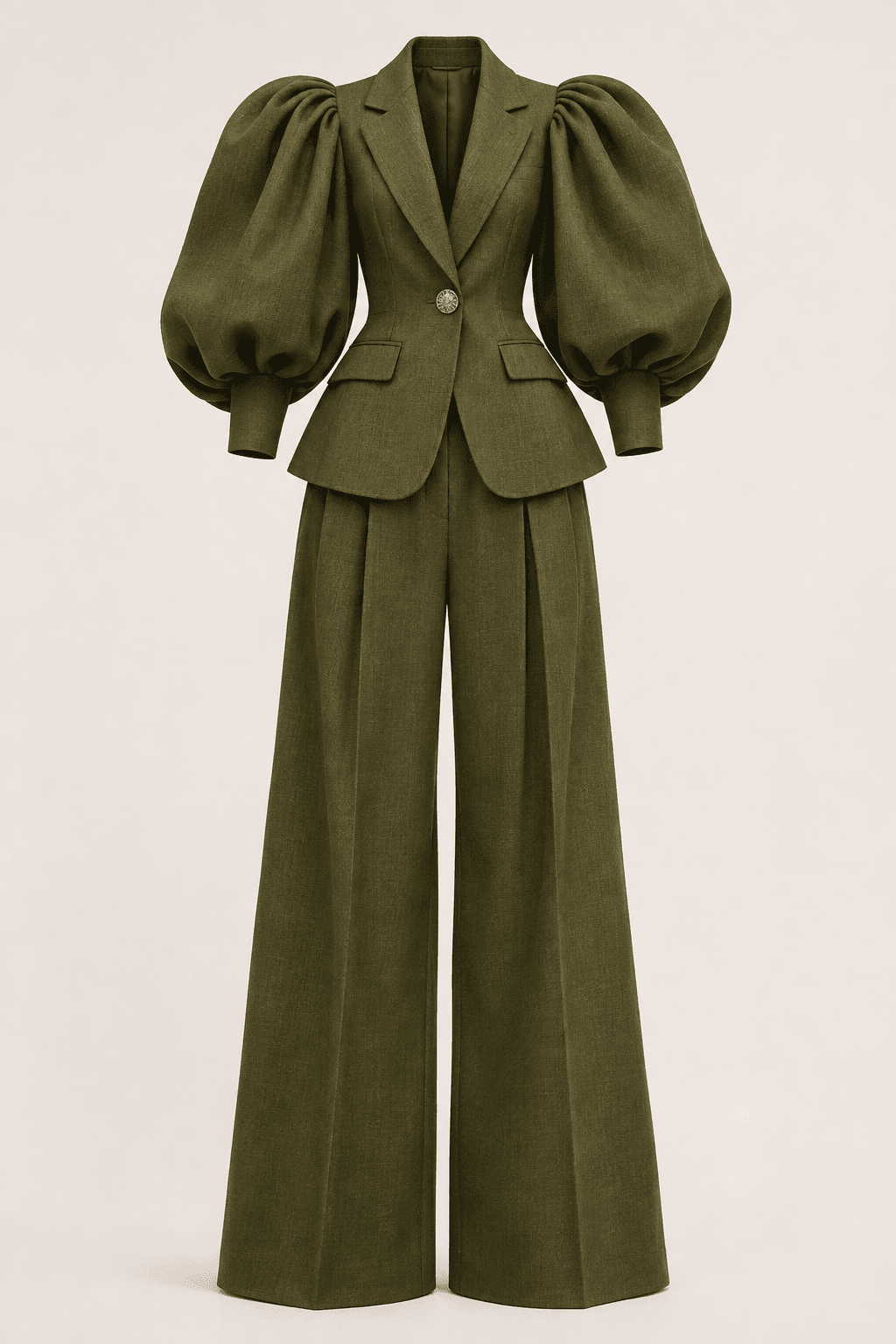
A clean product-only image works well because it allows you to focus on the garment without introducing an existing model's face or pose.
Make sure the clothing is fully visible, the background is simple, and distinctive design details are easy to recognize.
Step 2. Open Seedance 2.5 on 1min.AI
Go to 1min.AI and open AI for Video → Text to Video.
Select Seedance 2.5 from the available AI models.
Upload your outfit photo in the reference image section.
For Instagram Reels, TikTok, and YouTube Shorts, choose a vertical 9:16 format. Start with a short five-second video to test your creative direction before generating longer content.
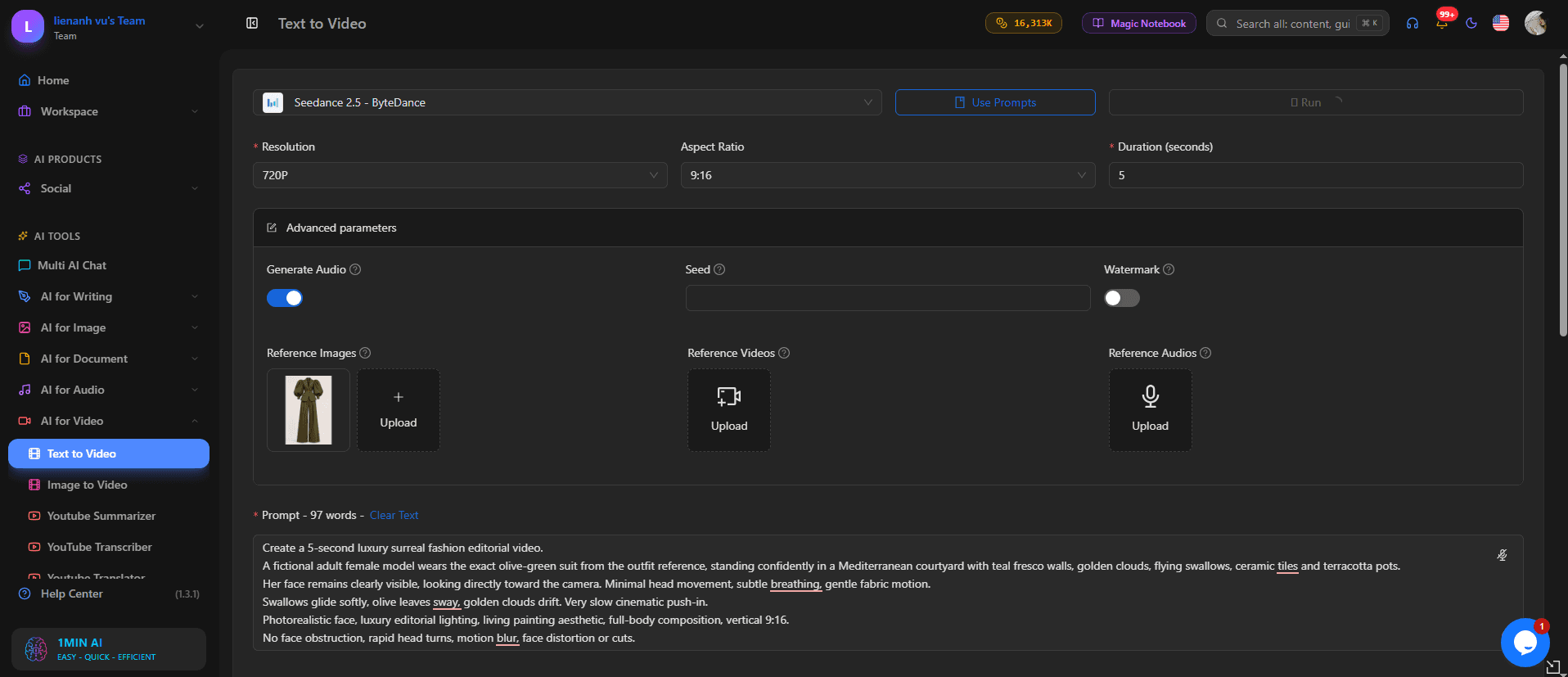
Step 3. Describe Your Fashion Scene
Here's where your creativity comes in.
Instead of placing the model in a regular photography studio, we chose a surreal Mediterranean setting with painted clouds, flying swallows, antique lanterns, and decorative ceramic tiles.
The idea was to combine realistic fashion photography with the atmosphere of a classical painting.
You don't need to describe every tiny detail. Focus on the outfit, subject, environment, camera movement, and overall visual style.
Step 4. Generate and Review Your Video
Once your prompt is ready, generate the video and check whether the result matches your concept.
Pay attention to the garment's silhouette, fabric movement, lighting, and consistency between frames.
If the clothing changes shape or the camera movement feels unnatural, simplify the instructions and try again.
For fashion content, a beautiful background isn't enough. The outfit should remain recognizable throughout the video.
The Seedance 2.5 Prompt Behind Our Surreal Fashion Video
What if fashion photography could become a living painting?
That's the visual idea behind our Seedance 2.5 fashion experiment.
We wanted a model wearing a sculptural olive-green suit, surrounded by an artistic Mediterranean environment.
The model would remain almost motionless while the world around her came to life.
Copy This AI Fashion Video Prompt
Model: Seedance 2.5
Mode: Text to Video with Outfit Reference
Aspect Ratio: 9:16
Suggested Duration: 5 seconds
Suggested Resolution: 720p
Prompt:
Create a five-second cinematic surreal luxury fashion editorial video using the uploaded outfit reference.
An original fictional adult female fashion model stands confidently in a beautiful Mediterranean-inspired courtyard, wearing the exact olive-green tailored suit shown in the reference image. Preserve the outfit's dramatic puff sleeves, structured silhouette, fitted waist, gold button details, and flowing wide-leg trousers.
The environment features teal fresco walls, hand-painted golden clouds, elegant swallows, antique bronze lanterns, olive trees, terracotta pots, and decorative blue-and-white ceramic tiles.
The model stands in a sophisticated full-body editorial pose, facing the camera with a natural expression.
Swallows glide gracefully across the scene, golden clouds drift slowly, and olive leaves sway gently in the breeze. The model remains almost still, with subtle breathing and natural fabric movement.
The camera performs an extremely slow cinematic push-in.
Visual style: luxury fashion photography blended with Renaissance-inspired fresco art, surreal Mediterranean atmosphere, realistic skin texture, natural fabric details, warm cinematic lighting, elegant editorial composition.
Vertical 9:16, single continuous shot.
Avoid facial distortion, changing clothing details, unnatural body proportions, flickering, sudden camera movements, extra limbs, text, and watermarks.
What Worked and What Needed Improvement?
Our experiment showed how Seedance 2.5 could transform an outfit reference into a visually striking fashion concept.
The olive-green suit and artistic Mediterranean setting came together to create the intended editorial atmosphere.
However, not everything was perfect.
The character's facial appearance and hairstyle didn't consistently match the separate portrait reference we wanted to use. This highlighted an important limitation when working with AI video references.
For this workflow, we found it more practical to create the fashion scene first and handle personal appearance separately using a supported video personalization tool.
It also reinforced another creative lesson: subtle movement can be more effective than complex animation.
The floating clouds, gentle bird movement, and restrained camera direction helped communicate the living painting effect without requiring the model to perform complicated actions.
How to Make AI Fashion Videos Worth Posting
An impressive AI-generated clip is a good start. But content creators need videos they can actually publish.
Here are a few ways to make your fashion videos more useful for social media.
Keep the Outfit as the Main Character
Your environment should complement the clothing, not distract from it.
If you're creating a fashion video for a brand, preserve recognizable colors, textures, and design details wherever possible.
Avoid adding too many moving objects or camera transitions that make the garment difficult to see.
Create Different Looks From One Outfit
You don't need an entirely new wardrobe to experiment with multiple video concepts.
Try using the same outfit reference in different settings, such as a minimalist fashion studio, a cinematic city street, or a dreamlike Mediterranean courtyard.
This can help you explore different creative directions for Reels, Shorts, and social media campaigns.
If you want more ideas, check out our Seedance 2.5 AI product video guide.
Want to Put Yourself in the Video?
Creating the fashion video is only the beginning.
You may also want to personalize it using your own appearance.
One possible workflow is to create the original fashion video with Seedance 2.5, then explore HeyGen Video or a dedicated Video Face Swap tool for supported personalization.
Use only photos you have permission to process, and remember that facial replacement doesn't necessarily reproduce the original hairstyle.
For creators who want to appear in imaginative fashion settings, this creates another direction to explore without filming the entire scene.
Create More Without Constantly Switching Tools
The real benefit of AI fashion video creation isn't simply generating one beautiful clip.
It's having the flexibility to test concepts, experiment with visual styles, and build a repeatable creative workflow.
On 1min.AI, you can explore Seedance 2.5 alongside other AI creative tools in one workspace.
Instead of committing to a full photoshoot for every visual idea, you can begin with a clothing reference, test your concept, and develop the results that best fit your content.
For regular creators, it's also worth reviewing how many credits each usable video requires. Our AI video generation cost guide explains how to evaluate production costs and reduce unnecessary retries.
Your next fashion Reel could start with a single outfit photo.
🚀 Create your AI fashion video with Seedance 2.5 on 1min.AI
- #Commercial
대안
1minAI의 최고의 대안을 찾아보고 기능, 가격 및 사용 사례를 비교하세요.
1min.AI 대 OpenRouter
1min.AI 대 OpenRouter: 즉시 사용 가능한 AI 생성 제품과 기술적인 API 도구를 비교합니다. 코드 없는 크리에이티브 스튜디오가 필요한지, 아니면 코딩 인프라 허브가 필요한지 알아보세요.
 Ngoc Hong

1min AI vs Buffer
Compare 1min.AI vs Buffer for Facebook content creation, AI writing, image generation, scheduling, pricing, and everyday marketing workflows.
Ngoc Hong
1min.AI vs. Hootsuite: Which Social Media Tool Fits Your Workflow?
Compare 1min.AI vs. Hootsuite to explore their AI content creation, social media publishing, analytics, pricing, and collaboration features. Find the right tool for your workflow.
AI 도구
생산성, 창의성 및 일상 업무를 향상시키는 최고의 AI 도구를 찾아보세요.
스타트업 창업자를 위한 합리적인 AI 도구 4가지
스타트업 창업자가 아이디어를 검증하고, 제품을 만들고, 콘텐츠를 제작하고, 과도한 지출 없이 더 빠르게 출시할 수 있도록 돕는 합리적인 AI 도구 4가지를 소개합니다.
 Tram Ta
관점: 매일 10개 이상의 게시물을 만들어야 한다면
콘텐츠 크리에이터가 AI 브레인스토밍, 이미지 생성, 콘텐츠 제작을 활용해 하루 10개 이상의 소셜 미디어 게시물을 더 빠르게 만드는 AI 콘텐츠 워크플로를 구축하는 방법을 알아보세요.
 Lien Anh Vu
“더 좋게 만들어줘”를 AI로 더 나은 콘텐츠로 바꾸기
AI를 사용해 모호한 클라이언트 피드백을 명확한 수정안으로 바꾸고, 불필요한 수정 횟수를 줄이며, 더 나은 콘텐츠를 더 빠르게 전달하세요.
Lien Anh VuAI 기능
워크플로우를 간소화하고 효율성을 개선하며 팀이 더 많은 것을 달성할 수 있도록 지원하는 포괄적인 AI 기능.
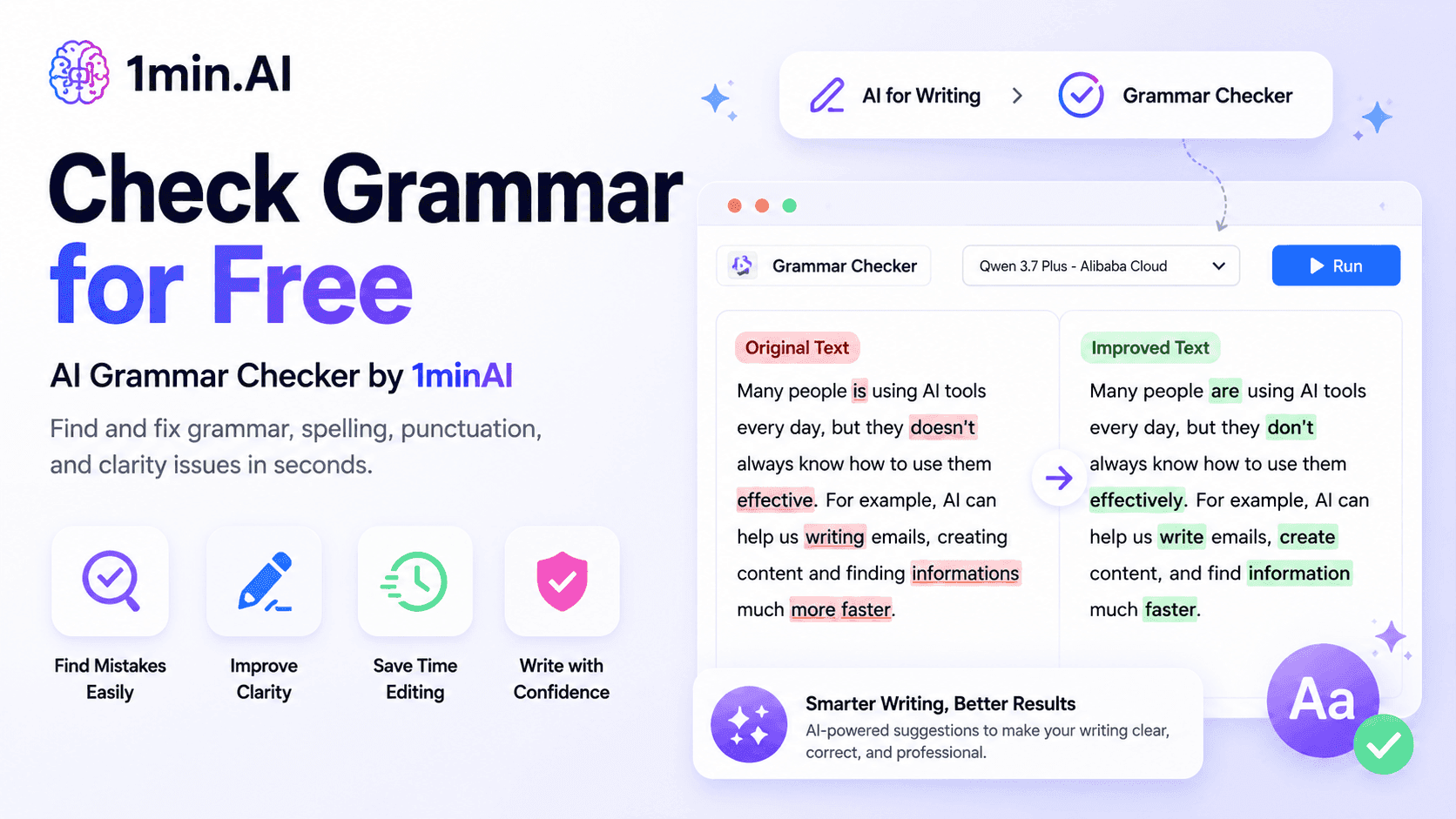
1minAI: 무료 AI 문법 검사기
1minAI의 AI 문법 검사기로 무료로 문법을 확인하세요. 문법, 맞춤법, 글쓰기 오류를 찾고, 명확성을 높이며, 몇 초 만에 콘텐츠를 다듬을 수 있습니다.
Tram Ta
1min.AI로 포트폴리오 웹사이트를 더 빠르게 구축하세요
프리랜서 크리에이터가 1min.AI를 사용하여 강력한 코딩 기술 없이도 전문 포트폴리오 웹사이트를 더 빠르게 계획, 작성, 디자인하고 생성하는 방법을 알아보세요.
Lien Anh Vu
무료 AI X 댓글
AI 기반의 트위터 댓글 생성기로 트위터에 대한 재미있고, 재치 있고, 통찰력 있는 댓글을 만드세요. 참여도를 높이고 사람들 속에서 돋보이세요!
AI 활용 사례
비즈니스, 생산성 및 산업별 응용 프로그램을 위한 AI 활용 사례 모음.
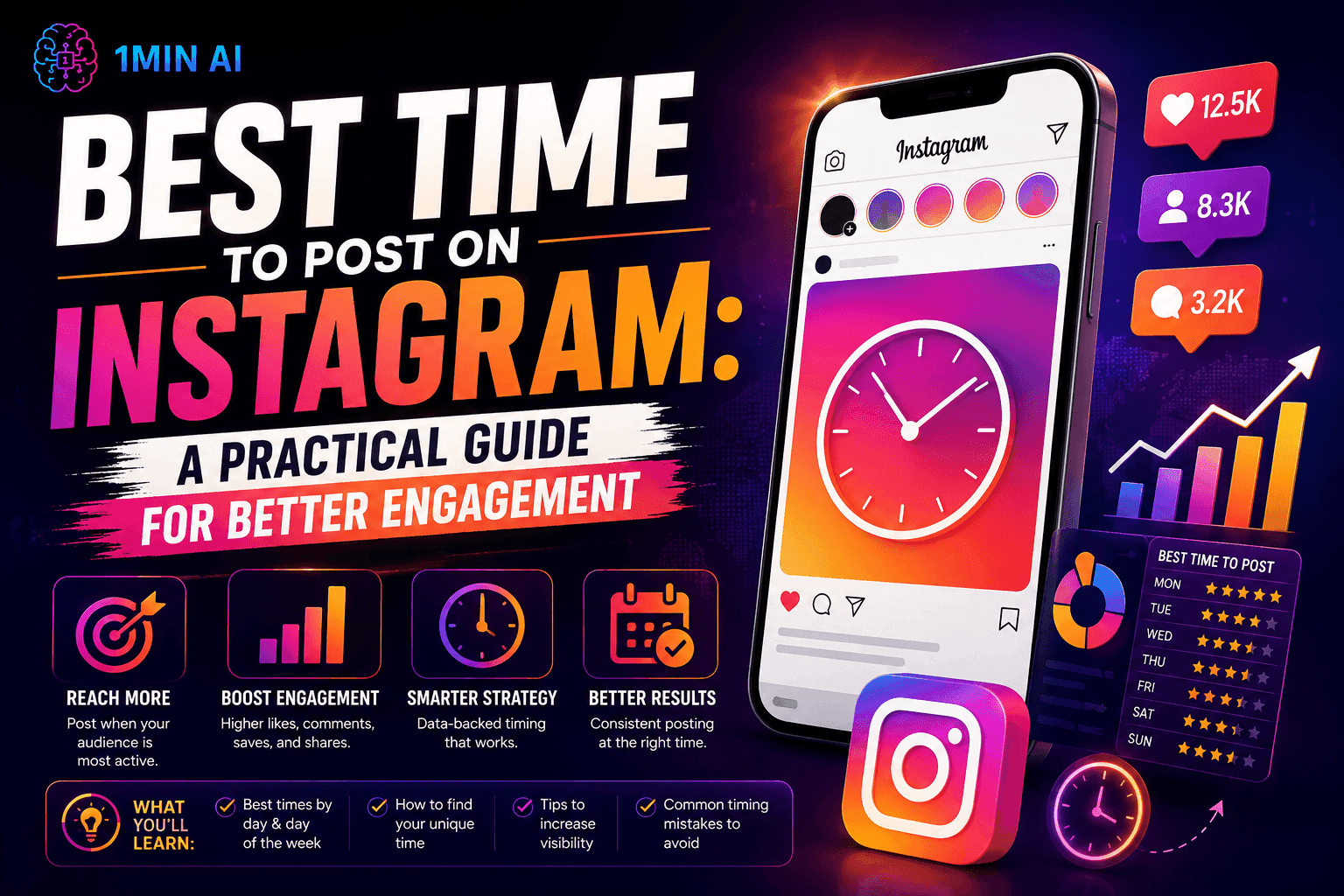
인스타그램에 게시하기 가장 좋은 시간: 더 나은 참여를 위한 실용 가이드
인스타그램에 게시하기 가장 좋은 시간을 알아보세요. 다양한 аудитория를 위한 최적의 요일과 시간, 그리고 계정에 맞는 이상적인 게시 일정을 찾는 팁까지 담았습니다.
Tram Ta1min.AI로 포트폴리오 웹사이트를 더 빠르게 구축하세요
프리랜서 크리에이터가 1min.AI를 사용하여 강력한 코딩 기술 없이도 전문 포트폴리오 웹사이트를 더 빠르게 계획, 작성, 디자인하고 생성하는 방법을 알아보세요.
Lien Anh Vu“더 좋게 만들어줘”를 AI로 더 나은 콘텐츠로 바꾸기
AI를 사용해 모호한 클라이언트 피드백을 명확한 수정안으로 바꾸고, 불필요한 수정 횟수를 줄이며, 더 나은 콘텐츠를 더 빠르게 전달하세요.
Lien Anh VuAI 튜토리얼
실용적인 단계별 튜토리얼을 통해 AI 사용법을 배우세요.

2026 블랙프라이데이 AI 도구 특가
2026 블랙프라이데이 AI 도구 특가에서 어떤 혜택을 만날 수 있는지 알아보세요. AppSumo, Dealify, Stack Social을 통해 1min.AI 평생 이용권을 확보하는 방법과 Trustpilot, Slashdot, Software Advice에서 검증하는 방법까지 확인하세요.
 Hang Nguyen
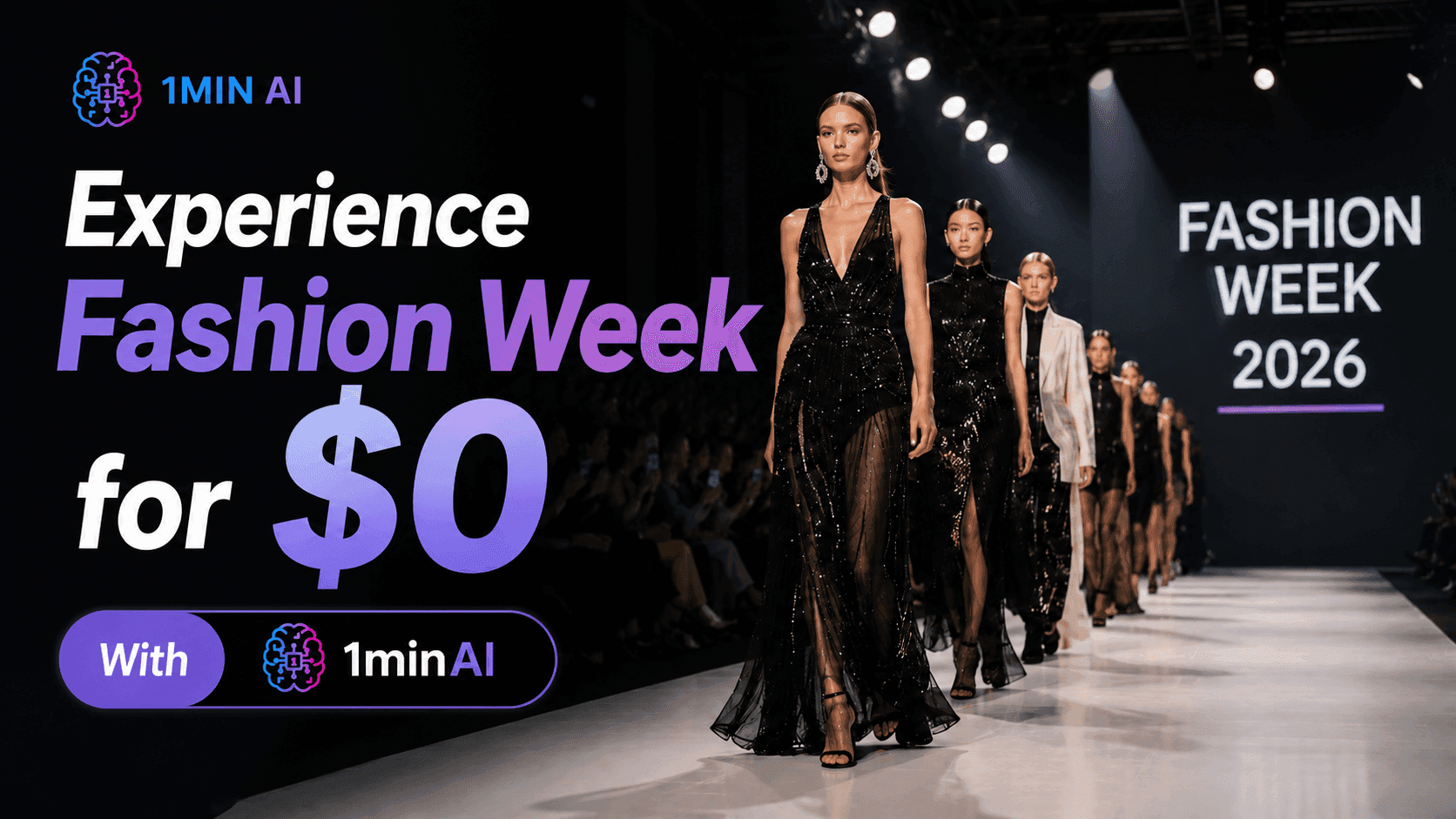
1minAI 얼굴 바꾸기로 $0에 패션위크를 경험하세요
1minAI 얼굴 바꾸기로 $0에 패션위크를 경험하세요. 사진을 업로드하고 패션위크 영상을 선택해 나만의 AI 패션 순간을 만들어보세요.
Ngoc Hong
몇 분 만에 바이럴 릴 만들기: 풍자 보이스오버를 위한 1minAI의 텍스트 음성 변환 사용법
풍자 페이지 관리자들이 1minAI의 텍스트 음성 변환 기능으로 틱톡, 쇼츠, 인스타그램 릴용 뉴스 앵커 및 드라마틱 보이스오버를 즉시 만드는 방법을 알아보세요.
AI 가이드
실용적인 가이드, 실제 사례, 실행 가능한 모범 사례를 통해 AI를 더 빠르게 배우세요.

AI 도구를 안전하게 온라인에서 구매하는 방법: 2026 블랙 프라이데이 가이드
온라인에서 최고의 블랙 프라이데이 AI 딜을 찾고 확보하는 방법을 알아보세요. 사기를 피하고, 구독 피로를 줄이며, 소프트웨어를 검증하는 전문가 전략을 배워보세요.
Hang Nguyen스타트업 창업자를 위한 합리적인 AI 도구 4가지
스타트업 창업자가 아이디어를 검증하고, 제품을 만들고, 콘텐츠를 제작하고, 과도한 지출 없이 더 빠르게 출시할 수 있도록 돕는 합리적인 AI 도구 4가지를 소개합니다.
Tram Ta
처음부터 만들지 않고 AI 비즈니스를 시작하는 방법
AI 비즈니스를 시작하는 방법, 아이디어를 검증하는 법, 그리고 값비싼 AI 인프라를 처음부터 구축하지 않고 더 빠르게 출시하는 방법을 알아보세요.
Ngoc HongAI 솔루션
자동화, 코딩, 연구, 생산성, 고객 지원, 마케팅 및 비즈니스 워크플로우를 위한 최고의 AI 솔루션을 찾아보세요.
무료 AI 타투 생성기: 맞춤 디자인
1min.AI의 무료 AI 타투 생성기로 어떤 아이디어든 맞춤 타투 디자인으로 바꿔보세요. 아이디어를 설명하고 스타일을 고른 뒤 몇 초 만에 다운로드하세요.
 Trang Tran
AI 도구를 안전하게 온라인에서 구매하는 방법: 2026 블랙 프라이데이 가이드
온라인에서 최고의 블랙 프라이데이 AI 딜을 찾고 확보하는 방법을 알아보세요. 사기를 피하고, 구독 피로를 줄이며, 소프트웨어를 검증하는 전문가 전략을 배워보세요.
Hang Nguyen스타트업 창업자를 위한 합리적인 AI 도구 4가지
스타트업 창업자가 아이디어를 검증하고, 제품을 만들고, 콘텐츠를 제작하고, 과도한 지출 없이 더 빠르게 출시할 수 있도록 돕는 합리적인 AI 도구 4가지를 소개합니다.
Tram TaAI 모델
세계 최고의 AI 모델을 한 곳에서 탐색하세요.
Free AI Chat With Claude Fable 5.2 On 1min.AI
Free AI chat with Claude Fable 5.2 on 1min.AI. Compare Fable 5.2 vs Opus 5.5, see Fable 5.2 benchmarks, and start chatting in minutes.
Trang Tran
GPT-6.2 Sol: Specs, Pricing & Free Access
Explore GPT-6.2 Sol specs, pricing, and how it compares with GPT-6.1 Sol and Claude Opus 5.5, then try it free in 1min.AI Multi AI Chat.
Trang Tran
GPT 6.2 Astra: Pricing, Benchmarks & Free Access
GPT 6.2 Astra release date, pricing, Reddit feedback and Opus 5.5 comparison. See what it does best and chat with it on 1min.AI for free.
Trang TranAI 비교
필요에 가장 적합한 AI 도구, 모델 및 플랫폼을 비교해보세요.
Gemini 4 Neon vs Hydrogen: Specs, Price & Picks
Gemini 4 Neon vs Hydrogen, Carbon and Argon: compare price, benchmarks and use cases to pick the right model, then test them side by side on 1min.AI.
Trang Tran
Kling AI vs Veo 3: 어떤 모델이 승자일까?
Kling AI와 Veo 3를 모션, 네이티브 오디오, 가격, 무료 요금제로 비교해 어떤 AI 비디오 생성기가 프로젝트에 더 적합한지 확인하고, 1min.AI에서 둘 다 체험해보세요.
Trang Tran
DeepSeek V4 Pro vs Flash 비교
DeepSeek V4 Pro와 DeepSeek V4 Flash의 메트릭을 비교해보세요. 1min.ai에서 오늘 에이전트 앱을 최적화하고 AI 사실 확인을 개선하세요.
AI 통합
이미 사용하는 도구에 AI를 원활하게 통합하여 작업을 자동화하고 생산성을 높이세요.
관점: 매일 10개 이상의 게시물을 만들어야 한다면
콘텐츠 크리에이터가 AI 브레인스토밍, 이미지 생성, 콘텐츠 제작을 활용해 하루 10개 이상의 소셜 미디어 게시물을 더 빠르게 만드는 AI 콘텐츠 워크플로를 구축하는 방법을 알아보세요.
Lien Anh Vu
AI 앱 간 전환 중단: AI 통합이 고용주 브랜딩을 혁신하는 방법
AI 통합이 AI 글쓰기, 문서, 이미지, 비디오 및 여러 AI 모델을 하나의 작업 공간으로 결합하여 HR 팀이 고용주 브랜딩을 간소화하는 방법을 알아보세요.
Tram Ta
개발자를 위한 AI API Aggregator 설명
AI API Aggregator는 개발자에게 여러 AI 모델을 호출할 수 있는 통합 API를 제공하여 통합 시간과 벤더 종속을 줄여줍니다.
Trang Tran산업용 AI
의료, 금융, 교육, 법률, 제조, 소매, 부동산 등 다양한 산업을 위한 최고의 AI 도구와 워크플로를 찾아보세요.
복사해서 붙여넣는 ChatGPT 트렌딩 사진 프롬프트
복사해서 붙여넣을 수 있는 ChatGPT 트렌딩 사진 프롬프트 아이디어를 살펴보세요. 바이럴 AI 인물사진, 콜라주, 감성 사진을 손쉽게 만들어보세요.
Trang Tran
Voice Cloning AI Free: How to Clone Any Voice Online in Minutes
Try voice cloning AI free with 1min.AI. Upload a 5-second clip, pick an ElevenLabs model, choose from 32 languages, and turn text to speech in your own voice.
Trang Tran
Claude Personal Finance Setup and Safety Guide
Claude personal finance explained: how Personal Finance in Claude works and what Claude finance can see. Plus a safe CSV method for non-US users.
Trang TranAI 에이전트
AI 에이전트를 발견하고 실행하여 업무와 일상 생활의 작업을 자동화하세요.
1minAI: 무료 AI 문법 검사기
1minAI의 AI 문법 검사기로 무료로 문법을 확인하세요. 문법, 맞춤법, 글쓰기 오류를 찾고, 명확성을 높이며, 몇 초 만에 콘텐츠를 다듬을 수 있습니다.
Tram Ta
Facebook용 AI 에이전트
Facebook용 AI 에이전트를 사용해 문서와 대화에서 콘텐츠를 만들고, 이미지를 생성하고, 게시물을 예약하고, 게시하세요.
Ngoc Hong
AI 에이전트 vs AI 어시스턴트: 디자이너의 시간을 더 많이 아껴주는 건 무엇일까?
AI 에이전트와 AI 어시스턴트의 차이를 알아보고, 디자이너가 반복 작업을 자동화하고 수정 횟수를 줄이며 더 많은 시간을 절약하는 데 어떤 솔루션이 도움이 되는지 확인해 보세요.
Lien Anh VuAI 워크플로우
생산성, 마케팅, 영업, 지원 등을 위한 즉시 사용 가능한 AI 워크플로우를 탐색하세요.
관점: 매일 10개 이상의 게시물을 만들어야 한다면
콘텐츠 크리에이터가 AI 브레인스토밍, 이미지 생성, 콘텐츠 제작을 활용해 하루 10개 이상의 소셜 미디어 게시물을 더 빠르게 만드는 AI 콘텐츠 워크플로를 구축하는 방법을 알아보세요.
Lien Anh Vu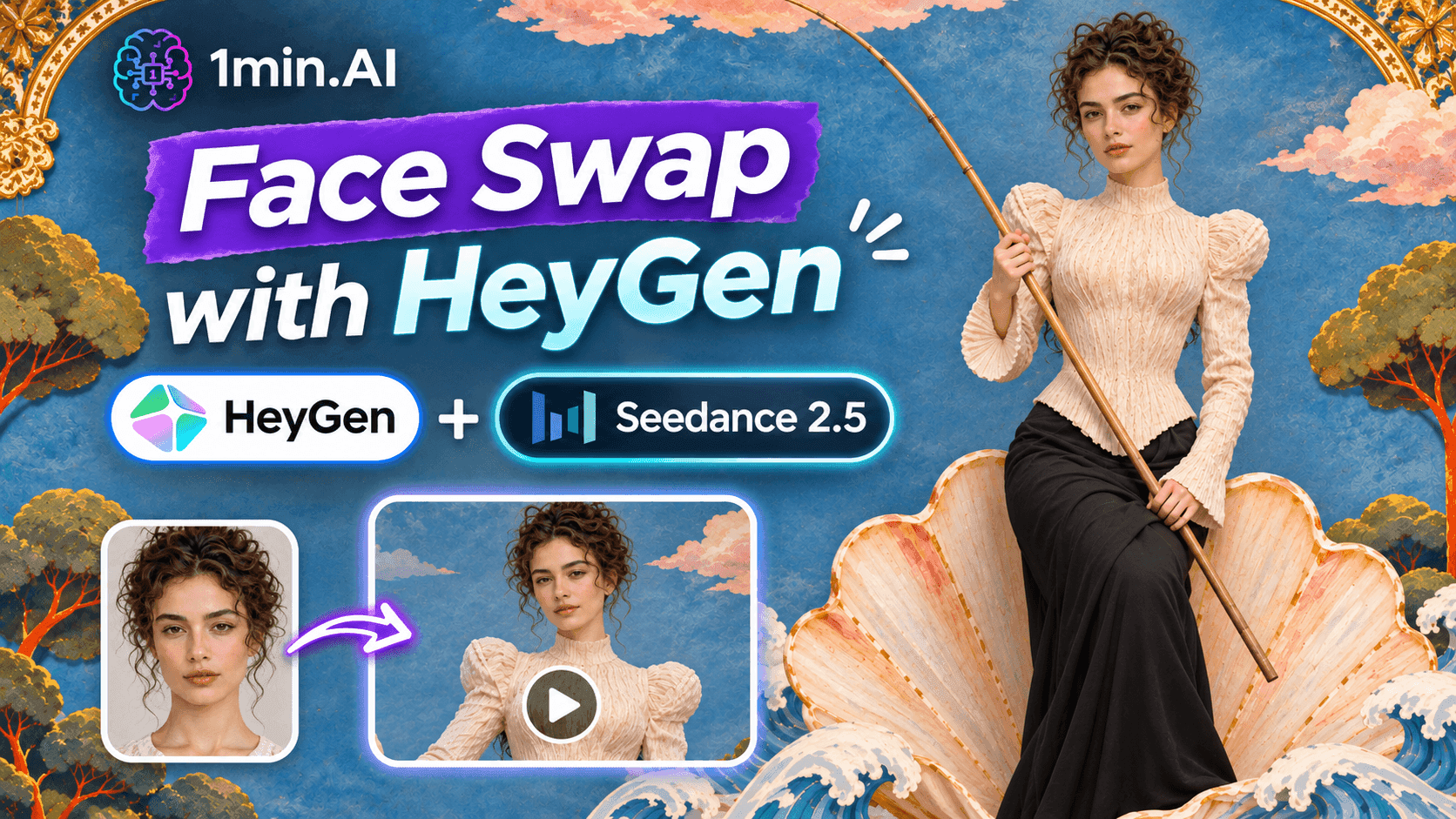
AI Fashion Video Generator With Seedance 2.5 and HeyGen
Learn how to create AI fashion videos with Seedance 2.5 and HeyGen. Turn outfit photos into cinematic videos featuring your own face with 1min.AI.
Lien Anh Vu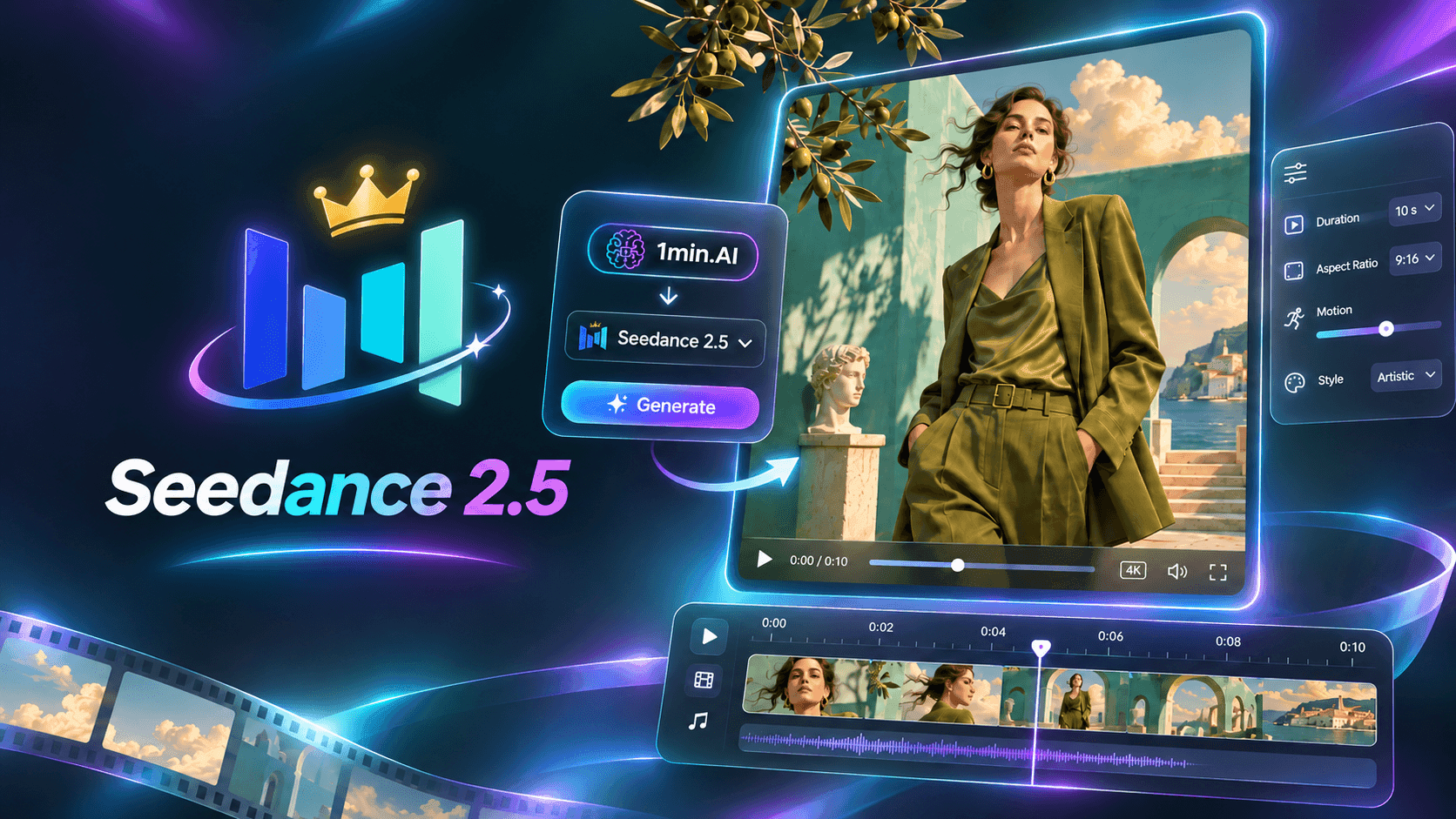
Is Seedance 2.5 the Best AI Video Generator of 2026?
Is Seedance 2.5 the best AI video generator in 2026? Explore its features, compare it with Kling and Veo, and learn how to create AI videos on 1min.AI.
Lien Anh Vu뉴스레터
1minAI와 함께하는 주간 AI 혁신

🔮 Weekly AI Innovations #145: X Content Agent & GPT 6.1 Terra on 1min.ai
Scale viral reach with the X Content Agent on 1min.ai. Discover an end-to-end 4-stage pipeline with zero token burn, plus the launch of GPT 6.1 Terra.
Hang Nguyen
🔮 Weekly AI Innovations #144: LinkedIn Content Agent: Complete B2B Publishing Pipeline
Scale B2B influence with the LinkedIn Content Agent on 1min.ai. Discover an end-to-end 4-stage pipeline with zero redundant token burn and 1-click publishing.
Hang Nguyen
🔮 Weekly AI Innovations #146: Mistral 3.5, Qwen Image & Cohere A+ are ready on 1min.ai
Deploy Mistral Large 3, Qwen Image 3.0, and Cohere Command A+ on 1min.ai. Boost RAG accuracy and cut visual generation latency in one unified AI workspace.
Hang Nguyen