
DeepSeek API: A Complete Guide to Getting Started and Building AI Applications

Tram Ta
2026년 11월 20일
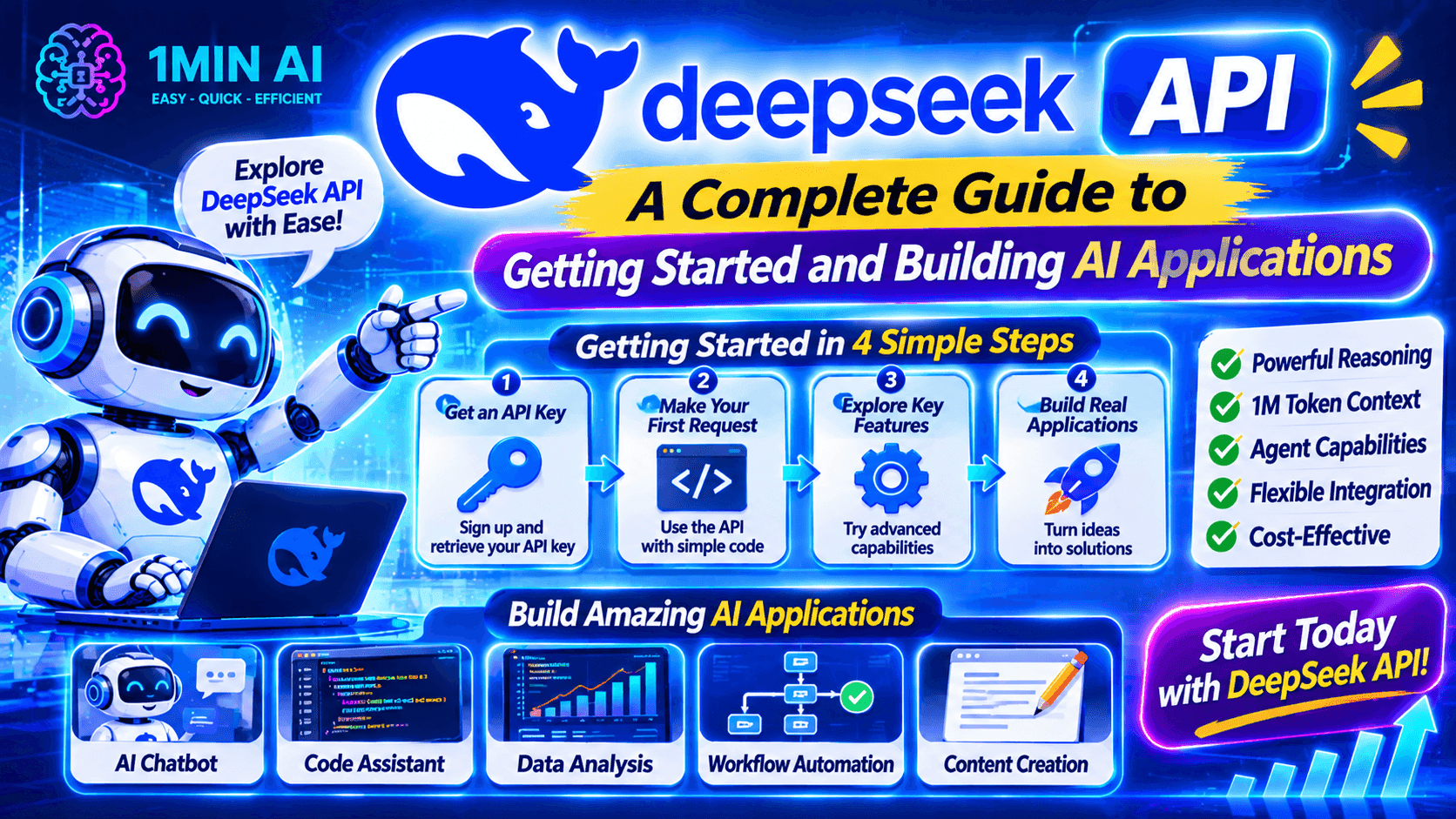
Learn how to use the DeepSeek API, get your API key, make your first request, and build AI applications. Explore DeepSeek models and developer tools with 1minAI.
AI APIs make it possible for developers to add powerful language models to their own applications without building an AI model from scratch.
One option worth exploring is the DeepSeek API. It gives developers programmatic access to DeepSeek models for tasks such as text generation, reasoning, coding assistance, structured output, and tool calling.
Whether you're building a chatbot, developing an AI coding assistant, or experimenting with autonomous agent workflows, the DeepSeek API provides a way to connect AI capabilities to your software.
But how do you get started? Which model should you choose? How do you create an API key and send your first request?
This guide walks through the essential steps, with practical examples and tips for developers. We'll also explore how 1minAI can help you discover AI APIs and build AI-powered workflows.
What Is the DeepSeek API?
The DeepSeek API is a developer interface that allows applications to communicate with DeepSeek AI models through programmatic requests.
Instead of opening a chatbot and manually entering prompts, developers can send requests from their own applications and receive model-generated responses.
For example, you could integrate the DeepSeek API into:
- A customer support chatbot.
- An AI writing assistant.
- A code-generation application.
- A document summarization tool.
- A research assistant.
- An AI agent that uses external tools.
The API supports an OpenAI-compatible format, making it easier for developers familiar with the OpenAI SDK to adapt their existing code.
DeepSeek also provides an Anthropic-compatible API format, giving developers additional integration options.
Key Features of the DeepSeek API
1. Access to DeepSeek models
Developers can access DeepSeek's supported models through API requests. The current model identifiers include:
deepseek-flash: Serves the latest DeepSeek Flash release.deepseek-v4-pro: Provides access to the current V4 Pro model.
These identifiers point to model versions documented by DeepSeek. Check the official model documentation before selecting one for a new project.
2. OpenAI-compatible API format
The DeepSeek API uses an OpenAI-compatible interface for common chat-completion requests.
This means developers can often reuse familiar SDKs and request structures by changing the API base URL and model identifier.
3. Thinking and non-thinking modes
Supported models provide thinking and non-thinking modes.
- Non-thinking mode is useful for straightforward tasks where you want a direct response.
- Thinking mode is useful for tasks that benefit from additional reasoning.
Developers can configure reasoning effort where supported.
4. Tool calling
The API supports function-based tool calling.
This allows a model to request an external function, such as searching a database or retrieving information from another service. Your application executes the function and sends the result back to the model.
5. Structured output
DeepSeek supports JSON output, which is useful when an application needs predictable data rather than free-form text.
For example, you can ask a model to return product information, task lists, or categorized results in JSON format.
6. Streaming responses
Streaming allows an application to receive generated content progressively rather than waiting for the entire response.
This can make chat interfaces feel more responsive, especially when generating longer answers.
DeepSeek API Models: Which One Should You Use?
Choosing the right model is one of the first decisions when integrating an API.
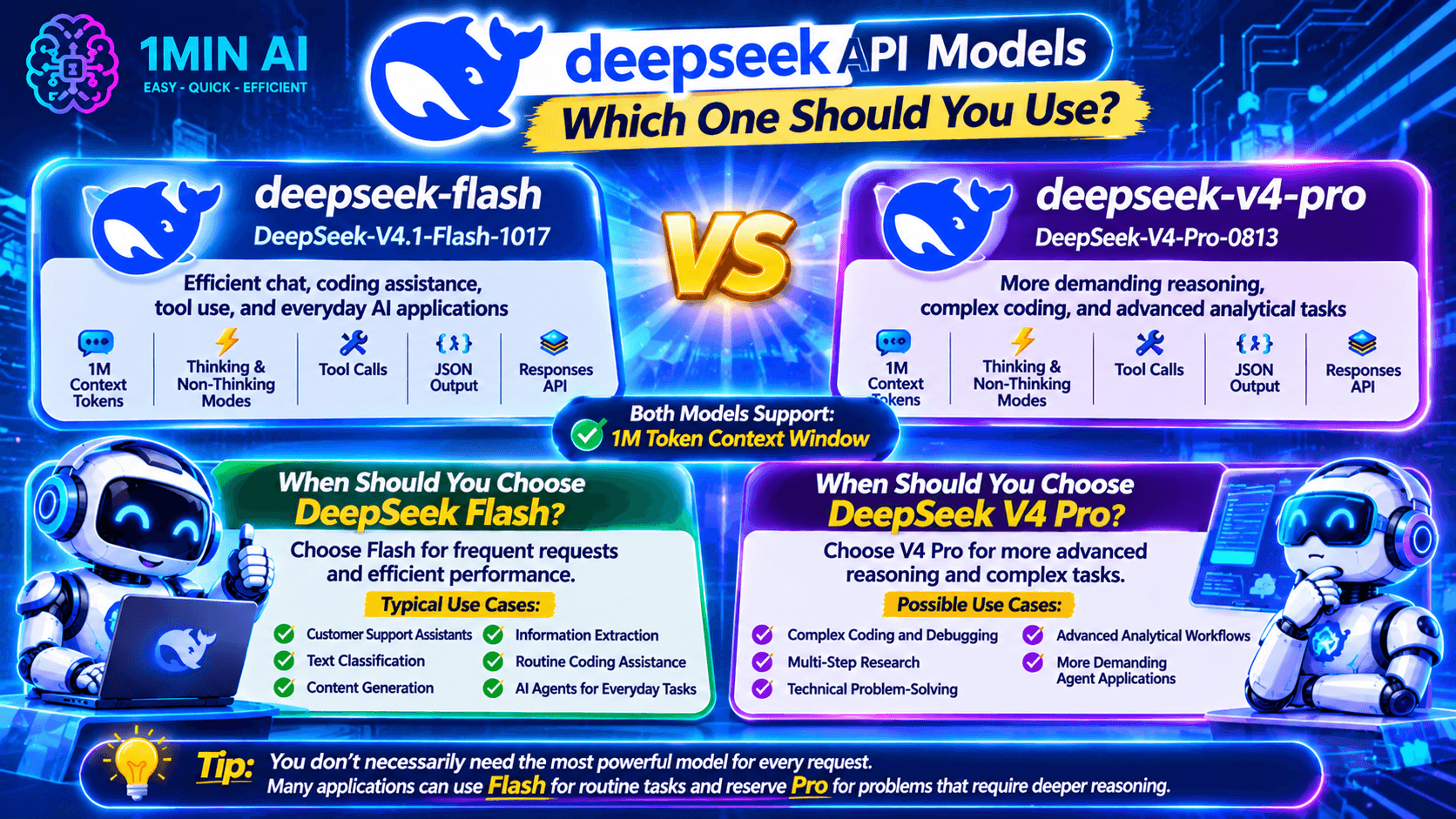
DeepSeek's current API documentation lists two main model identifiers.
| Model identifier | Model version | Best suited for |
|---|---|---|
deepseek-flash | DeepSeek-V4.1-Flash-1017 | Efficient chat, coding assistance, tool use, and everyday AI applications |
deepseek-v4-pro | DeepSeek-V4-Pro-0813 | More demanding reasoning, complex coding, and advanced analytical tasks |
Both models support a 1-million-token context window, thinking and non-thinking modes, tool calls, JSON output, and the Responses API.
When Should You Choose DeepSeek Flash?
Choose Flash when your application needs frequent AI requests and efficient performance.
Typical use cases include:
- Customer support assistants.
- Text classification.
- Content generation.
- Information extraction.
- Routine coding assistance.
- AI agents handling everyday tasks.
When Should You Choose DeepSeek V4 Pro?
Choose V4 Pro when your application needs more advanced reasoning for difficult tasks.
It may be suitable for:
- Complex coding and debugging.
- Multi-step research.
- Technical problem-solving.
- Advanced analytical workflows.
- More demanding agent applications.
Tip: You don't necessarily need to use the most capable model for every request. Many applications can use Flash for routine tasks and reserve Pro for problems that require deeper reasoning.
How to Get a DeepSeek API Key
Before making API requests, you need an API key.
An API key is a credential that identifies and authorizes your application when communicating with the DeepSeek API.
Follow these steps to get started.
Step 1: Create a DeepSeek Platform Account
Visit the official DeepSeek platform and sign in or create an account.
Go to the API platform:
https://platform.deepseek.com/
Step 2: Open the API Keys Section
After signing in, navigate to the API key management section.
This is where you can create and manage the credentials used by your applications.
Step 3: Generate a New API Key
Select the option to create a new API key.
Give it a recognizable name so you can identify which project uses it.
Step 4: Copy and Secure Your API Key
Copy the generated key and store it securely.
Important security practices:
- Never publish your API key in public code repositories.
- Avoid placing secret keys directly in frontend JavaScript.
- Use environment variables or a secure secrets manager.
- Rotate keys if you suspect they have been exposed.
- Use separate keys for different applications when appropriate.
Once you have your key, you're ready to make your first API request.
How to Use DeepSeek API for AI Agent Development
One of the most interesting applications of the DeepSeek API is building AI agents.
An ordinary chatbot generates responses based on user input. An AI agent can use connected tools to perform additional steps, retrieve information, and work toward completing a task.
DeepSeek supports function-based tool calling, allowing developers to connect models to external functions.
DeepSeek API Pricing: How Much Does It Cost?
DeepSeek uses token-based API pricing. Your cost depends on the model, the number of input and output tokens, and whether input tokens are served from the cache.
The current published pricing for the main V4 API models is:
| Model | Input – cache miss | Input – cache hit | Output |
|---|---|---|---|
| DeepSeek V4.1 Flash | $0.15 / 1M tokens off-peak | $0.003 / 1M tokens off-peak | $0.60 / 1M tokens off-peak |
| DeepSeek V4 Pro | $0.66 / 1M tokens off-peak | $0.022 / 1M tokens off-peak | $1.98 / 1M tokens off-peak |
Peak-period rates are higher. DeepSeek publishes separate peak and off-peak pricing, so check its official pricing page before estimating your application budget.
What Is a Token?
A token is a unit of text processed by an AI model. It can represent a word, part of a word, a number, or punctuation.
API usage generally includes:
- Input tokens: Instructions, conversation history, and other information sent to the model.
- Output tokens: The text or structured response generated by the model.
- Cached input tokens: Previously processed input that can qualify for a reduced rate when caching applies.
For example, a chatbot that receives long conversation histories may consume more input tokens than a simple question-and-answer application.
How to Reduce DeepSeek API Costs
Here are several practical ways to manage your API spending:
- Choose the right model: Use Flash for routine tasks and reserve Pro for more demanding requests.
- Keep prompts focused: Remove unnecessary instructions and repeated context.
- Manage conversation history: Send only the relevant information needed for the current request.
- Use caching where appropriate: Take advantage of supported prompt caching for repeated prefixes.
- Set output limits: Configure maximum output tokens based on your application's needs.
- Monitor usage: Track token consumption and API spending as your application grows.
For current model identifiers and rates, refer to the official DeepSeek Models & Pricing documentation.
DeepSeek API vs. 1minAI API: What's the Difference?
If you're exploring AI development, you may come across both DeepSeek's API and 1minAI's developer API resources.
They serve related but different purposes.
| Comparison | DeepSeek API | 1minAI API |
|---|---|---|
| Provider | DeepSeek | 1minAI |
| Main purpose | Programmatic access to DeepSeek models | Access to AI capabilities available through the 1minAI ecosystem |
| Model access | DeepSeek-supported models | Models and tools supported by 1minAI |
| Integration | Direct API integration | Integration through 1minAI's developer services |
| Best for | Developers building directly with DeepSeek | Developers exploring multiple AI capabilities through one platform |
If you want to work directly with DeepSeek models, its official API is the natural starting point.
If you want to explore a broader set of AI capabilities, 1minAI also provides developer-focused resources.
For example, explore:
Check each service's current documentation for supported models, API access conditions, pricing, and usage limits.
Explore More AI Agent Workflows with 1minAI
The DeepSeek API gives developers a way to connect AI models to software. But building a complete agent workflow can require more than an API connection.
You may also need a model interface, connected tools, workflow instructions, and a way to organize tasks.
1minAI offers several AI agent-related experiences worth exploring.
1. Try 1minAI DeepSeek Super Agent
Visit 1minAI DeepSeek Super Agent to explore a DeepSeek-focused agent experience.
This is a useful starting point if you want to experiment with AI-powered task workflows without building an entire agent application from scratch.
Check the page for its current capabilities and usage conditions.
2. Explore Multi AI Chat and AI Agents
Visit 1minAI Multi AI Chat & AI Agent to discover broader AI assistant and agent workflows.
Comparing different models can help you evaluate their responses and find an approach that works for your task.
3. Automate Social Media Workflows
AI agents can also support recurring marketing activities.
Explore 1minAI AI Agent for Social Media Management to see how AI can assist with content planning and social media workflows.
This is particularly relevant for marketers, creators, and small business owners.
4. Discover More AI Agents
You can also explore the 1minAI AI Agents page to discover other agent-related applications.
Think about repetitive work in your daily routine. Research, writing, planning, and organizing information are all potential areas where AI assistance may help.
Frequently Asked Questions
1. What is the DeepSeek API used for?
The DeepSeek API allows developers to integrate DeepSeek AI models into their own applications. Common use cases include chatbots, coding assistants, content generators, document analysis tools, and AI agents.
2. Is the DeepSeek API free?
DeepSeek API access uses token-based pricing. It is not the same as using a free chat interface. Check DeepSeek's official pricing page for current rates and any available credits or promotions.
3. How do I get a DeepSeek API key?
Create an account on the official DeepSeek platform, navigate to API key management, generate a key, and store it securely. You can then use it to authenticate your API requests.
4. Is the DeepSeek API compatible with OpenAI?
Yes. DeepSeek provides an OpenAI-compatible API format. Developers can use familiar OpenAI SDKs by configuring the DeepSeek base URL and selecting a supported DeepSeek model.
5. Can I use DeepSeek API with Python?
Yes. You can use the OpenAI Python SDK with the DeepSeek API by configuring the API key and base URL. The example in this guide demonstrates a basic chat-completion request.
Final: Start Building with the DeepSeek API
The DeepSeek API gives developers a practical way to integrate advanced AI capabilities into their applications.
From chatbots and coding assistants to document analysis and tool-powered agents, it provides building blocks for a wide range of AI projects.
To get started, create your API key, choose a supported model, and make a simple request. Once the basic integration works, you can explore streaming, structured output, and tool calling to build more advanced workflows.
If you want to explore more AI development possibilities, check out the 1minAI AI API Aggregator for Developers, the Free AI API for Developers, and the available 1minAI AI Agents.
Start with one useful application, test it carefully, and build from there.
- #Commerce
대안
1minAI의 최고의 대안을 찾아보고 기능, 가격 및 사용 사례를 비교하세요.

1min.AI 대 OpenRouter
1min.AI 대 OpenRouter: 즉시 사용 가능한 AI 생성 제품과 기술적인 API 도구를 비교합니다. 코드 없는 크리에이티브 스튜디오가 필요한지, 아니면 코딩 인프라 허브가 필요한지 알아보세요.
 Ngoc Hong

1min AI vs Buffer
Compare 1min.AI vs Buffer for Facebook content creation, AI writing, image generation, scheduling, pricing, and everyday marketing workflows.
Ngoc Hong
1min.AI vs. Hootsuite: Which Social Media Tool Fits Your Workflow?
Compare 1min.AI vs. Hootsuite to explore their AI content creation, social media publishing, analytics, pricing, and collaboration features. Find the right tool for your workflow.
AI 도구
생산성, 창의성 및 일상 업무를 향상시키는 최고의 AI 도구를 찾아보세요.

하나의 제품, 10개의 UGC 크리에이티브: AI가 콘텐츠 테스트를 더 쉽게 만드는 방법
AI UGC 비디오 생성기로 더 진정성 있는 UGC를 만들고, 더 다양한 크리에이티브 각도를 테스트하며, 모든 버전을 직접 촬영하지 않고도 제휴 콘텐츠를 확장하세요.
 Lien Anh Vu

단 몇 단계로 일관된 만화 콘텐츠 만들기
1min.AI로 아이디어 조사부터 캐릭터와 애니메이션 영상까지, 3단계로 TikTok과 Reels용 만화 영상을 만들어보세요.
Lien Anh Vu
스타트업 창업자를 위한 합리적인 AI 도구 4가지
스타트업 창업자가 아이디어를 검증하고, 제품을 만들고, 콘텐츠를 제작하고, 과도한 지출 없이 더 빠르게 출시할 수 있도록 돕는 합리적인 AI 도구 4가지를 소개합니다.
 Tram Ta
AI 기능
워크플로우를 간소화하고 효율성을 개선하며 팀이 더 많은 것을 달성할 수 있도록 지원하는 포괄적인 AI 기능.
하나의 제품, 10개의 UGC 크리에이티브: AI가 콘텐츠 테스트를 더 쉽게 만드는 방법
AI UGC 비디오 생성기로 더 진정성 있는 UGC를 만들고, 더 다양한 크리에이티브 각도를 테스트하며, 모든 버전을 직접 촬영하지 않고도 제휴 콘텐츠를 확장하세요.
Lien Anh Vu단 몇 단계로 일관된 만화 콘텐츠 만들기
1min.AI로 아이디어 조사부터 캐릭터와 애니메이션 영상까지, 3단계로 TikTok과 Reels용 만화 영상을 만들어보세요.
Lien Anh Vu
1minAI: 무료 AI 문법 검사기
1minAI의 AI 문법 검사기로 무료로 문법을 확인하세요. 문법, 맞춤법, 글쓰기 오류를 찾고, 명확성을 높이며, 몇 초 만에 콘텐츠를 다듬을 수 있습니다.
Tram TaAI 활용 사례
비즈니스, 생산성 및 산업별 응용 프로그램을 위한 AI 활용 사례 모음.
하나의 제품, 10개의 UGC 크리에이티브: AI가 콘텐츠 테스트를 더 쉽게 만드는 방법
AI UGC 비디오 생성기로 더 진정성 있는 UGC를 만들고, 더 다양한 크리에이티브 각도를 테스트하며, 모든 버전을 직접 촬영하지 않고도 제휴 콘텐츠를 확장하세요.
Lien Anh Vu단 몇 단계로 일관된 만화 콘텐츠 만들기
1min.AI로 아이디어 조사부터 캐릭터와 애니메이션 영상까지, 3단계로 TikTok과 Reels용 만화 영상을 만들어보세요.
Lien Anh Vu
인스타그램에 게시하기 가장 좋은 시간: 더 나은 참여를 위한 실용 가이드
인스타그램에 게시하기 가장 좋은 시간을 알아보세요. 다양한 аудитория를 위한 최적의 요일과 시간, 그리고 계정에 맞는 이상적인 게시 일정을 찾는 팁까지 담았습니다.
Tram TaAI 튜토리얼
실용적인 단계별 튜토리얼을 통해 AI 사용법을 배우세요.
단 몇 단계로 일관된 만화 콘텐츠 만들기
1min.AI로 아이디어 조사부터 캐릭터와 애니메이션 영상까지, 3단계로 TikTok과 Reels용 만화 영상을 만들어보세요.
Lien Anh Vu
2026 블랙프라이데이 AI 도구 특가
2026 블랙프라이데이 AI 도구 특가에서 어떤 혜택을 만날 수 있는지 알아보세요. AppSumo, Dealify, Stack Social을 통해 1min.AI 평생 이용권을 확보하는 방법과 Trustpilot, Slashdot, Software Advice에서 검증하는 방법까지 확인하세요.
 Hang Nguyen

Seedance로 제품 일관성을 유지하는 AI 이미지-to-비디오로 왜곡을 막고 제품 리뷰를 масштаб화
AI 이미지-to-비디오 제품 일관성으로 로고 왜곡을 막고, 오늘 1min.AI에서 스튜디오급 리뷰 영상을 생성하세요.
Lien Anh VuAI 가이드
실용적인 가이드, 실제 사례, 실행 가능한 모범 사례를 통해 AI를 더 빠르게 배우세요.
단 몇 단계로 일관된 만화 콘텐츠 만들기
1min.AI로 아이디어 조사부터 캐릭터와 애니메이션 영상까지, 3단계로 TikTok과 Reels용 만화 영상을 만들어보세요.
Lien Anh Vu
AI 도구를 안전하게 온라인에서 구매하는 방법: 2026 블랙 프라이데이 가이드
온라인에서 최고의 블랙 프라이데이 AI 딜을 찾고 확보하는 방법을 알아보세요. 사기를 피하고, 구독 피로를 줄이며, 소프트웨어를 검증하는 전문가 전략을 배워보세요.
Hang Nguyen스타트업 창업자를 위한 합리적인 AI 도구 4가지
스타트업 창업자가 아이디어를 검증하고, 제품을 만들고, 콘텐츠를 제작하고, 과도한 지출 없이 더 빠르게 출시할 수 있도록 돕는 합리적인 AI 도구 4가지를 소개합니다.
Tram TaAI 솔루션
자동화, 코딩, 연구, 생산성, 고객 지원, 마케팅 및 비즈니스 워크플로우를 위한 최고의 AI 솔루션을 찾아보세요.
하나의 제품, 10개의 UGC 크리에이티브: AI가 콘텐츠 테스트를 더 쉽게 만드는 방법
AI UGC 비디오 생성기로 더 진정성 있는 UGC를 만들고, 더 다양한 크리에이티브 각도를 테스트하며, 모든 버전을 직접 촬영하지 않고도 제휴 콘텐츠를 확장하세요.
Lien Anh Vu단 몇 단계로 일관된 만화 콘텐츠 만들기
1min.AI로 아이디어 조사부터 캐릭터와 애니메이션 영상까지, 3단계로 TikTok과 Reels용 만화 영상을 만들어보세요.
Lien Anh Vu
무료 AI 타투 생성기: 맞춤 디자인
1min.AI의 무료 AI 타투 생성기로 어떤 아이디어든 맞춤 타투 디자인으로 바꿔보세요. 아이디어를 설명하고 스타일을 고른 뒤 몇 초 만에 다운로드하세요.
 Trang Tran
AI 모델
세계 최고의 AI 모델을 한 곳에서 탐색하세요.
하나의 제품, 10개의 UGC 크리에이티브: AI가 콘텐츠 테스트를 더 쉽게 만드는 방법
AI UGC 비디오 생성기로 더 진정성 있는 UGC를 만들고, 더 다양한 크리에이티브 각도를 테스트하며, 모든 버전을 직접 촬영하지 않고도 제휴 콘텐츠를 확장하세요.
Lien Anh Vu단 몇 단계로 일관된 만화 콘텐츠 만들기
1min.AI로 아이디어 조사부터 캐릭터와 애니메이션 영상까지, 3단계로 TikTok과 Reels용 만화 영상을 만들어보세요.
Lien Anh VuSeedance로 제품 일관성을 유지하는 AI 이미지-to-비디오로 왜곡을 막고 제품 리뷰를 масштаб화
AI 이미지-to-비디오 제품 일관성으로 로고 왜곡을 막고, 오늘 1min.AI에서 스튜디오급 리뷰 영상을 생성하세요.
Lien Anh VuAI 비교
필요에 가장 적합한 AI 도구, 모델 및 플랫폼을 비교해보세요.

Kling AI vs Veo 3: 어떤 모델이 승자일까?
Kling AI와 Veo 3를 모션, 네이티브 오디오, 가격, 무료 요금제로 비교해 어떤 AI 비디오 생성기가 프로젝트에 더 적합한지 확인하고, 1min.AI에서 둘 다 체험해보세요.
Trang TranSeedance로 제품 일관성을 유지하는 AI 이미지-to-비디오로 왜곡을 막고 제품 리뷰를 масштаб화
AI 이미지-to-비디오 제품 일관성으로 로고 왜곡을 막고, 오늘 1min.AI에서 스튜디오급 리뷰 영상을 생성하세요.
Lien Anh Vu
DeepSeek V4 Pro vs Flash 비교
DeepSeek V4 Pro와 DeepSeek V4 Flash의 메트릭을 비교해보세요. 1min.ai에서 오늘 에이전트 앱을 최적화하고 AI 사실 확인을 개선하세요.
AI 통합
이미 사용하는 도구에 AI를 원활하게 통합하여 작업을 자동화하고 생산성을 높이세요.

패션 위크 2026을 위한 AI 패션 비디오 생성기 사용법
AI로 패션 위크 2026 아이디어를 멋진 패션 비디오로 만들어 보세요. 하나의 간단한 워크플로로 브레인스토밍하고, 비주얼을 만들고, 이미지를 영상으로 전환하는 방법을 알아보세요.
Lien Anh Vu
관점: 매일 10개 이상의 게시물을 만들어야 한다면
콘텐츠 크리에이터가 AI 브레인스토밍, 이미지 생성, 콘텐츠 제작을 활용해 하루 10개 이상의 소셜 미디어 게시물을 더 빠르게 만드는 AI 콘텐츠 워크플로를 구축하는 방법을 알아보세요.
Lien Anh Vu
AI 앱 간 전환 중단: AI 통합이 고용주 브랜딩을 혁신하는 방법
AI 통합이 AI 글쓰기, 문서, 이미지, 비디오 및 여러 AI 모델을 하나의 작업 공간으로 결합하여 HR 팀이 고용주 브랜딩을 간소화하는 방법을 알아보세요.
Tram Ta산업용 AI
의료, 금융, 교육, 법률, 제조, 소매, 부동산 등 다양한 산업을 위한 최고의 AI 도구와 워크플로를 찾아보세요.

Voice Cloning AI Free: How to Clone Any Voice Online in Minutes
Try voice cloning AI free with 1min.AI. Upload a 5-second clip, pick an ElevenLabs model, choose from 32 languages, and turn text to speech in your own voice.
Trang Tran
Claude Personal Finance Setup and Safety Guide
Claude personal finance explained: how Personal Finance in Claude works and what Claude finance can see. Plus a safe CSV method for non-US users.
Trang Tran
Free AI Image Editor With Prompt No Restrictions
Looking for a free AI image editor with prompt no restrictions? Edit backgrounds, objects and text by typing, no watermark. Try 1min.AI’s flexible editor now.
Trang TranAI 에이전트
AI 에이전트를 발견하고 실행하여 업무와 일상 생활의 작업을 자동화하세요.
1minAI: 무료 AI 문법 검사기
1minAI의 AI 문법 검사기로 무료로 문법을 확인하세요. 문법, 맞춤법, 글쓰기 오류를 찾고, 명확성을 높이며, 몇 초 만에 콘텐츠를 다듬을 수 있습니다.
Tram Ta
Facebook용 AI 에이전트
Facebook용 AI 에이전트를 사용해 문서와 대화에서 콘텐츠를 만들고, 이미지를 생성하고, 게시물을 예약하고, 게시하세요.
Ngoc Hong
AI 에이전트 vs AI 어시스턴트: 디자이너의 시간을 더 많이 아껴주는 건 무엇일까?
AI 에이전트와 AI 어시스턴트의 차이를 알아보고, 디자이너가 반복 작업을 자동화하고 수정 횟수를 줄이며 더 많은 시간을 절약하는 데 어떤 솔루션이 도움이 되는지 확인해 보세요.
Lien Anh VuAI 워크플로우
생산성, 마케팅, 영업, 지원 등을 위한 즉시 사용 가능한 AI 워크플로우를 탐색하세요.
하나의 제품, 10개의 UGC 크리에이티브: AI가 콘텐츠 테스트를 더 쉽게 만드는 방법
AI UGC 비디오 생성기로 더 진정성 있는 UGC를 만들고, 더 다양한 크리에이티브 각도를 테스트하며, 모든 버전을 직접 촬영하지 않고도 제휴 콘텐츠를 확장하세요.
Lien Anh Vu단 몇 단계로 일관된 만화 콘텐츠 만들기
1min.AI로 아이디어 조사부터 캐릭터와 애니메이션 영상까지, 3단계로 TikTok과 Reels용 만화 영상을 만들어보세요.
Lien Anh Vu패션 위크 2026을 위한 AI 패션 비디오 생성기 사용법
AI로 패션 위크 2026 아이디어를 멋진 패션 비디오로 만들어 보세요. 하나의 간단한 워크플로로 브레인스토밍하고, 비주얼을 만들고, 이미지를 영상으로 전환하는 방법을 알아보세요.
Lien Anh Vu뉴스레터
1minAI와 함께하는 주간 AI 혁신

🔮 Weekly AI Innovations #145: X Content Agent & GPT 6.1 Terra on 1min.ai
Scale viral reach with the X Content Agent on 1min.ai. Discover an end-to-end 4-stage pipeline with zero token burn, plus the launch of GPT 6.1 Terra.
Hang Nguyen
🔮 Weekly AI Innovations #144: LinkedIn Content Agent: Complete B2B Publishing Pipeline
Scale B2B influence with the LinkedIn Content Agent on 1min.ai. Discover an end-to-end 4-stage pipeline with zero redundant token burn and 1-click publishing.
Hang Nguyen
🔮 Weekly AI Innovations #146: Mistral 3.5, Qwen Image & Cohere A+ are ready on 1min.ai
Deploy Mistral Large 3, Qwen Image 3.0, and Cohere Command A+ on 1min.ai. Boost RAG accuracy and cut visual generation latency in one unified AI workspace.
Hang Nguyen