
Free AI Web App Generator: Build Without Code

Trang Tran
9 October 2026
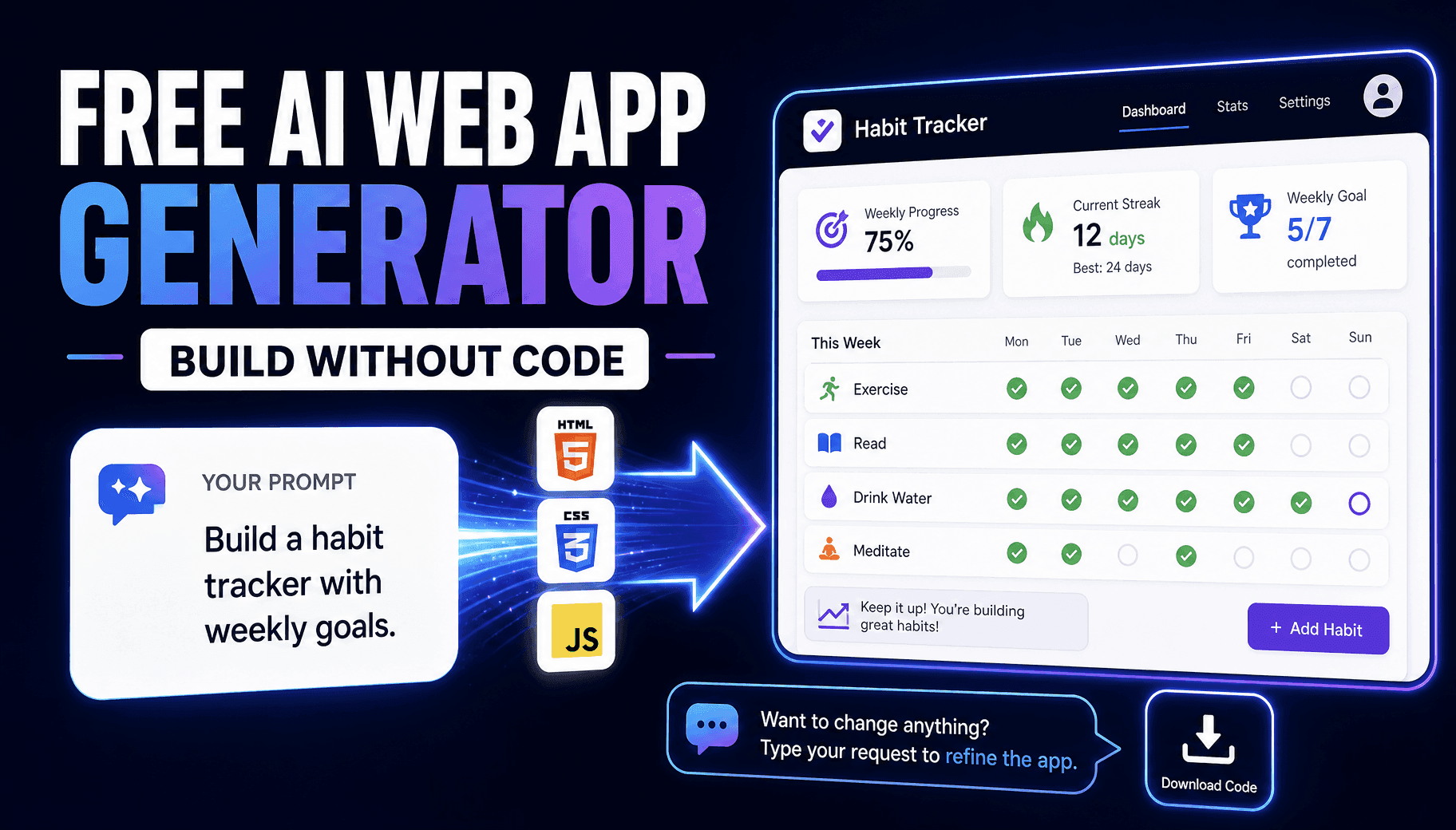
Build a working web app from a prompt with this free AI web app generator. No coding needed. Preview live, refine by chat, and export code with 1min.AI.
An AI web app generator turns a plain-English description into a working web app with a live preview. You type what you want, the AI writes the HTML, CSS, and JavaScript, and you refine the result by chatting. No coding skills are needed. With the 1min.AI Code Generator, you can pick from dozens of AI models, test your first prompt in minutes, and download the code when you are done.
This guide shows you how to build your first app, what you can create, and which limits to know before you start.
Quick Answer: What Can You Do with 1min.AI?
| Question | Answer |
|---|---|
| Do I need to code? | No. Describe the app in plain language. |
| Do I see the result right away? | Yes. A live preview renders next to the chat. |
| Can I change the app afterward? | Yes. Follow-up messages edit the existing app and keep earlier code. |
| Can I choose the AI model? | Yes. Claude, Qwen, GPT, Gemini, Kimi, and more. |
| Can I keep the code? | Yes. Copy it or download it as a file. |
| Does it include a database or login system? | No. It builds front-end web apps. |
What Is an AI Web App Generator?
An AI web app generator is a tool that creates web applications from natural-language prompts. Instead of writing code by hand, you explain the outcome and the AI builds it.
How Vibe Coding Turns a Prompt into a Working App
Vibe coding means building software by describing what you want and improving it through conversation. The loop is short:
- Describe the app in plain language.
- The AI generates code and renders a preview.
- You request changes, such as a new color, a new feature, or a layout fix.
- The AI updates the app without starting over.
This is why beginners, solopreneurs, marketers, teachers, and indie makers use it to turn ideas into working prototypes without hiring a developer.
How to Build a Web App Without Code in 5 Steps
In our testing at 1min.AI, we built landing pages, browser games with sound effects, and interactive tools using this exact workflow. You can open the Code Generator and start prompting with no sign-up needed.
Step 1: Choose Your AI Model
Different models write different code, so the model you pick shapes the result.
| Your need | Models to try |
|---|---|
| Highest quality and complex logic | Claude 5.5 Sonnet, Claude 5.5 Opus |
| Code-focused models | Qwen3 Coder Plus, Kimi K2.7 Code, GPT-5.3 Codex |
| Fast drafts and quick ideas | Claude 5.5 Haiku, Qwen 3.7 Flash, Gemini 3.8 Flash |
Step 2: Write a Clear Prompt
A good prompt states what the app does, who uses it, and how it looks.
Example Prompt for a Habit Tracker
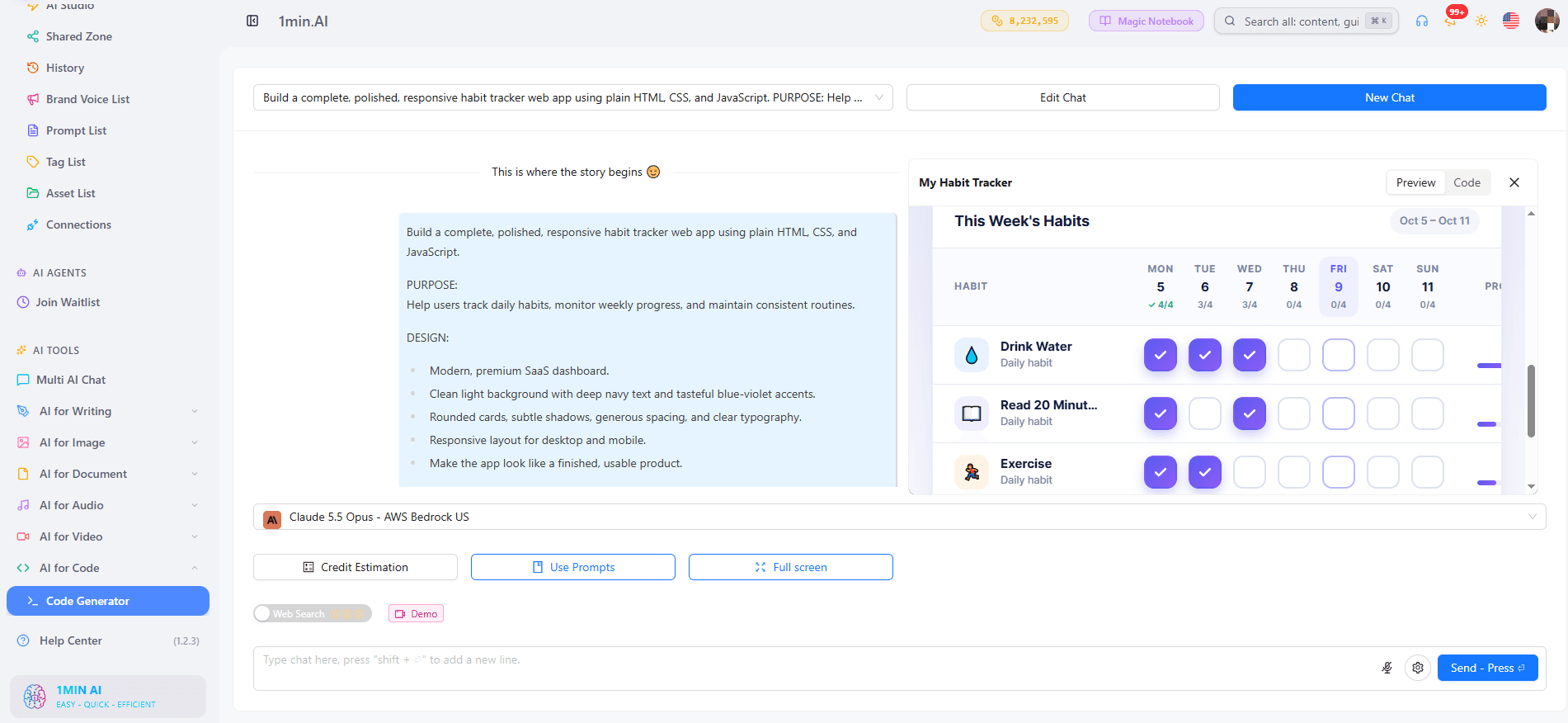
Build a one-page habit tracker web app. Dark theme, a weekly grid with checkboxes, a streak counter, and a success sound when a habit is completed. Use plain HTML, CSS, and JavaScript.
Step 3: Check the Live Preview
The app appears beside the chat. Click buttons, test interactions, and listen to sound effects before you read a single line of code.
Step 4: Refine with Follow-Up Messages
Ask in everyday language: “Make the buttons rounded,” “Add a reset button,” or “Switch to a light theme.” The AI edits the current app and keeps your earlier work.
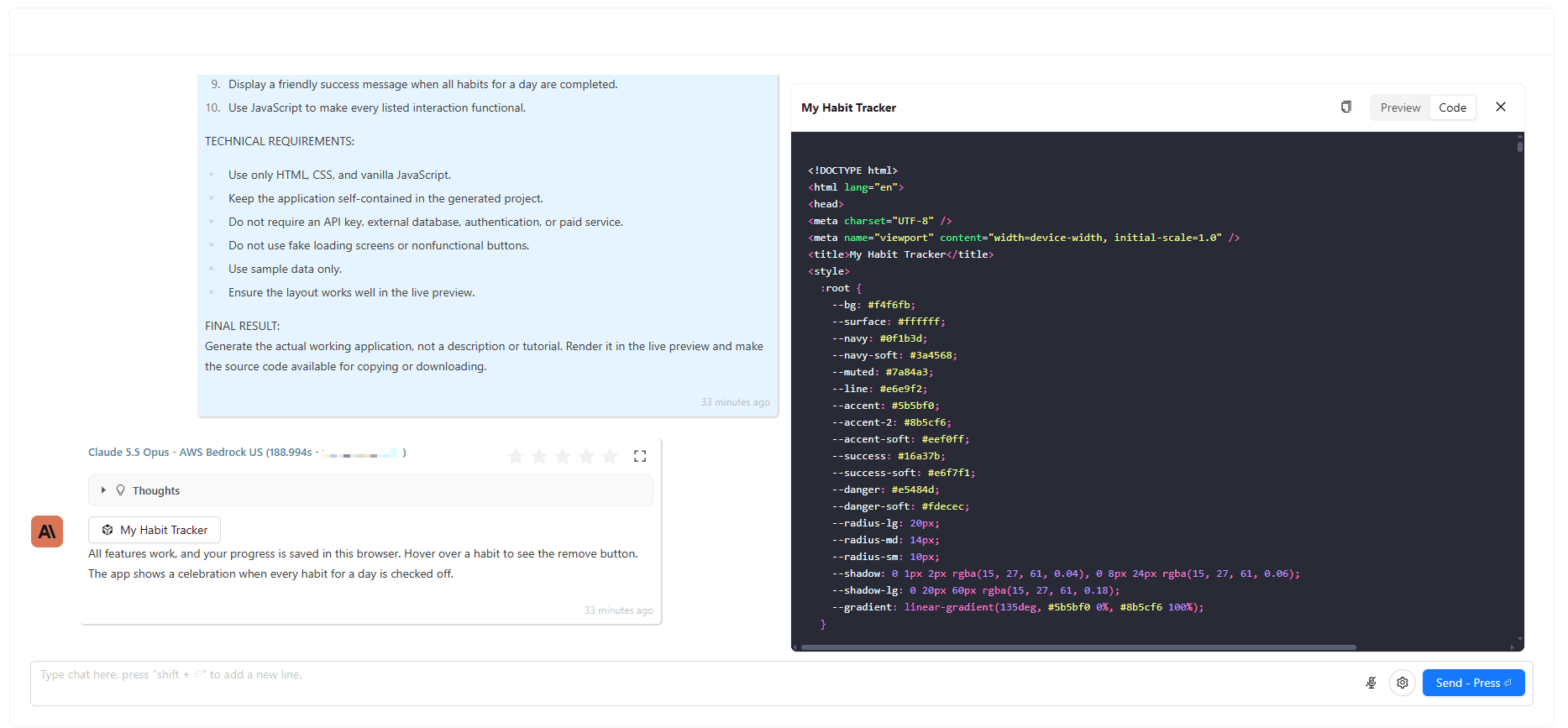
Step 5: Copy or Download Your Code
When you are happy, copy the code or download it as a file. Create an account if you want your projects saved in History, so you can return to any build later. If you need the same logic in another programming language, an AI code translator can convert it.
What Can You Build with an AI Web App Generator?
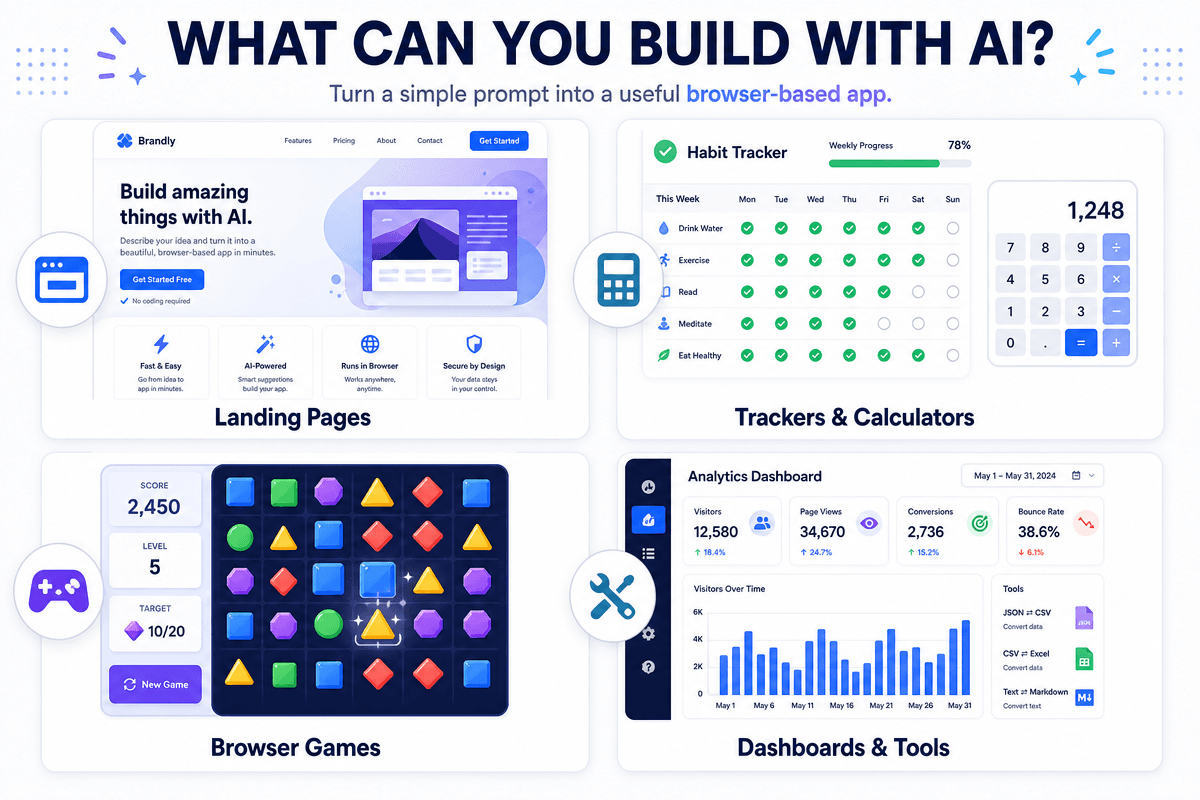
Prompt-to-code generators work best for browser-based projects:
- Landing pages: hero sections, feature grids, sign-up forms
- Browser games: puzzles, quizzes, and arcade games with sound
- Calculators and converters: mortgage, tip, unit, and currency tools
- Dashboards: chart displays for sample or pasted data
- Portfolios and resumes: responsive personal sites
- UI prototypes: clickable concepts to show a client or teammate
1min.AI also includes tools for images, writing, audio, and video, so you can create visuals and copy first, then place them into your app.
Can You Use an AI Web App Generator on Android?
Yes, in the browser. Web apps run in any modern mobile browser on Android and iOS, so a responsive app you generate works on phones and tablets.
Does It Create an APK or a Downloadable App?
No. The generator produces web code, not installers or app-store packages. If you need an APK, treat your web app as a working prototype and convert it later. The only download involved is your own code file, and the generator itself runs in your browser with nothing to install.
How to Choose an AI Web App Builder
Whichever tool you try, check these four things.
Does It Show a Live Preview?
Seeing the result instantly saves hours of trial and error, especially for beginners who cannot read code yet.
Can You Edit by Chat?
A good builder remembers the current code. Without that, every small tweak forces a restart.
Do You Own the Code?
Exportable code means you can host it anywhere, edit it later, or hand it to a developer.
Can You Compare AI Models?
Running the same prompt on two models often reveals a clearly better layout or cleaner logic. A multi-model generator gives you that choice instead of one default.
Limits to Know Before You Start
Clear expectations lead to better projects. The Code Generator is designed for front-end apps:
- No built-in database or login system. Apps that store user records need a separate backend service.
- No public share link. You get a preview inside 1min.AI. To publish, upload your downloaded files to a static host such as GitHub Pages, Netlify, Vercel, or Cloudflare Pages.
- Best for browser-based projects. Landing pages, tools, games, and prototypes fit well. Complex multi-user platforms do not.
For most prototypes and small tools, these limits keep the workflow fast and the code fully yours.
Prompt Tips for Better Web Apps
- State the stack: “plain HTML, CSS, and JavaScript” or “React with Tailwind” removes guesswork.
- Describe the design: name colors, mood, and layout.
- List features as bullets: AI follows structured requests well.
- Build in layers: start with the core screen, then add one feature per message.
- Compare models: run one prompt on two models and keep the better result.
FAQ
What is the best free AI web app generator for beginners?
Look for a live preview, chat-based editing, and code export. The 1min.AI Code Generator offers all three, plus a choice of many AI models, so you can test your first prompt and judge the quality yourself.
Can I build a web app without coding?
Yes. Describe your app in plain English, review the preview, and request changes in follow-up messages. No programming knowledge is required.
Can an AI web app generator build apps with a database?
Some full-stack platforms can. The 1min.AI Code Generator focuses on front-end apps, so database features require connecting an external service.
Do I need to download anything?
No. The generator runs in your browser. You download only your finished code if you want to host or edit it elsewhere.
Can I use it on my phone?
Yes. You can open it from a mobile browser, and the apps you generate work on Android and iOS browsers when they use a responsive layout.
Start Building Your First Web App
The fastest way to judge an AI web app generator is to give it a real prompt. Pick a model, describe your idea, and watch it appear in the preview. Then run the same prompt on a second model and keep the version you like best.
Alternatives
Discover the best alternatives to 1minAI and compare features, pricing, and use cases.

1min.AI vs OpenRouter
1min.AI vs. OpenRouter: Compare the ready-to-use AI creation product against the technical API tool. Find out if you need a zero-code creative studio or a coding infrastructure hub.
 Ngoc Hong
1min.AI vs Easy Peasy AI
Looking for an Easy Peasy AI alternative? Compare pricing, free plan, features and reviews of Easy-Peasy.AI vs 1min.AI before you choose.
Ngoc Hong
1min.AI vs Lovart
Compare 1min.AI vs Lovart across features, pricing, credits, brand tools, and use cases to find the right AI platform for your workflow.
Ngoc HongAI Tools
Discover the best AI tools to boost productivity, creativity, and everyday work.

Create Consistent Cartoon Content in Just a Few Steps
Create engaging cartoon videos for TikTok and Reels with 1min.AI. Research ideas, create characters, and turn images into animated videos in 3 simple steps.
 Lien Anh Vu
One Product, 10 UGC Creatives: How AI Makes Content Testing Easier
Create more authentic UGC with an AI UGC video generator, test more creative angles and scale affiliate content without filming every version.
Lien Anh Vu
Top 4 Affordable AI Tools for Startup Founders
Discover the top 4 affordable AI tools for startup founders to validate ideas, build products, create content, and launch faster without overspending.
 Tram Ta
AI Features
Comprehensive AI features that streamline workflows, improve efficiency, and empower teams to achieve more.
Create Consistent Cartoon Content in Just a Few Steps
Create engaging cartoon videos for TikTok and Reels with 1min.AI. Research ideas, create characters, and turn images into animated videos in 3 simple steps.
Lien Anh VuOne Product, 10 UGC Creatives: How AI Makes Content Testing Easier
Create more authentic UGC with an AI UGC video generator, test more creative angles and scale affiliate content without filming every version.
Lien Anh Vu
1minAI: Free AI Grammar Checker
Check grammar for free with 1minAI’s AI grammar checker. Find grammar, spelling, and writing mistakes, improve clarity, and polish your content in seconds.
Tram TaAI Use Cases
A curated collection of AI use cases for business, productivity, and industry-specific applications.
Create Consistent Cartoon Content in Just a Few Steps
Create engaging cartoon videos for TikTok and Reels with 1min.AI. Research ideas, create characters, and turn images into animated videos in 3 simple steps.
Lien Anh VuOne Product, 10 UGC Creatives: How AI Makes Content Testing Easier
Create more authentic UGC with an AI UGC video generator, test more creative angles and scale affiliate content without filming every version.
Lien Anh Vu
Best Time to Post on Instagram: A Practical Guide for Better Engagement
Discover the best time to post on Instagram, including the best days and times for different audiences, plus tips to find the ideal posting schedule for your account.
Tram TaAI Tutorials
Learn how to use AI with practical, step-by-step tutorials.

Black Friday AI Tool Deals in 2026
Discover what Black Friday AI tool deals 2026 has to offer. Find out how to secure the 1min.AI lifetime deal via AppSumo, Dealify, Stack Social, and verify on Trustpilot, Slashdot, and Software Advice.
 Hang Nguyen
Create Consistent Cartoon Content in Just a Few Steps
Create engaging cartoon videos for TikTok and Reels with 1min.AI. Research ideas, create characters, and turn images into animated videos in 3 simple steps.
Lien Anh Vu
[Seedance 2.5 New] Better AI Product Videos, Less Rework in 1min.AI
Use Seedance 2.5 image to video on 1min.AI to create more consistent AI product videos, reduce failed generations, save credits, and improve UGC workflows.
Lien Anh VuAI Guides
Learn AI faster with practical guides, real-world examples, and actionable best practices.

Safely Buy AI Tools Online: 2026 Black Friday Guide
Discover how to find and secure the best Black Friday AI deals online. Learn expert strategies to avoid scams, combat subscription fatigue, and verify software.
Hang NguyenCreate Consistent Cartoon Content in Just a Few Steps
Create engaging cartoon videos for TikTok and Reels with 1min.AI. Research ideas, create characters, and turn images into animated videos in 3 simple steps.
Lien Anh Vu[Seedance 2.5 New] Better AI Product Videos, Less Rework in 1min.AI
Use Seedance 2.5 image to video on 1min.AI to create more consistent AI product videos, reduce failed generations, save credits, and improve UGC workflows.
Lien Anh VuAI Solutions
Browse the best AI solutions for automation, coding, research, productivity, customer support, marketing, and business workflows.
Safely Buy AI Tools Online: 2026 Black Friday Guide
Discover how to find and secure the best Black Friday AI deals online. Learn expert strategies to avoid scams, combat subscription fatigue, and verify software.
Hang NguyenCreate Consistent Cartoon Content in Just a Few Steps
Create engaging cartoon videos for TikTok and Reels with 1min.AI. Research ideas, create characters, and turn images into animated videos in 3 simple steps.
Lien Anh VuOne Product, 10 UGC Creatives: How AI Makes Content Testing Easier
Create more authentic UGC with an AI UGC video generator, test more creative angles and scale affiliate content without filming every version.
Lien Anh VuAI Models
Explore the world's leading AI models in one place.
Create Consistent Cartoon Content in Just a Few Steps
Create engaging cartoon videos for TikTok and Reels with 1min.AI. Research ideas, create characters, and turn images into animated videos in 3 simple steps.
Lien Anh VuOne Product, 10 UGC Creatives: How AI Makes Content Testing Easier
Create more authentic UGC with an AI UGC video generator, test more creative angles and scale affiliate content without filming every version.
Lien Anh Vu[Seedance 2.5 New] Better AI Product Videos, Less Rework in 1min.AI
Use Seedance 2.5 image to video on 1min.AI to create more consistent AI product videos, reduce failed generations, save credits, and improve UGC workflows.
Lien Anh VuAI Comparisons
Compare AI tools, models, and platforms to find the best fit for your needs.

Kling AI Vs Veo 3: Which Model Wins?
Kling AI vs Veo 3: compare motion, native audio, pricing & free tiers to see which AI video generator wins for your project - try both on 1min.AI.
 Trang Tran
[Seedance 2.5 New] Better AI Product Videos, Less Rework in 1min.AI
Use Seedance 2.5 image to video on 1min.AI to create more consistent AI product videos, reduce failed generations, save credits, and improve UGC workflows.
Lien Anh Vu
DeepSeek V4 Pro vs Flash Comparison
Compare DeepSeek V4 Pro vs DeepSeek V4 Flash metrics. Optimize your agentic apps and improve AI fact checking on 1min.ai today.
Ngoc HongAI Integrations
Seamlessly integrate AI with the tools you already use to automate work and boost productivity.

POV: You Have 10+ Posts to Make Every Day
Learn how to build an AI content workflow that helps content creators produce 10+ social media posts a day faster with AI brainstorming, image generation, and content creation.
Lien Anh Vu
How to Use an AI Fashion Video Generator for Fashion Week 2026
Turn Fashion Week 2026 ideas into stunning fashion videos with AI. Learn how to brainstorm, create visuals, and transform images into videos with one simple workflow.
Lien Anh Vu
Stop Switching Between AI Apps: How AI Integration Transforms Employer Branding
Discover how AI integration helps HR teams streamline employer branding by combining AI writing, documents, images, video, and multiple AI models into one workspace.
Tram TaAI for Industries
Find the best AI tools and workflows for healthcare, finance, education, legal, manufacturing, retail, real estate, and more

Best AI Tool for Content Marketing |1minAI
Looking for the best AI tool for content marketing? See how 1minAI helps marketers research, write, repurpose, create visuals, and scale content from one AI workspace.
Tram Ta
7 Low-Cost AI Business Ideas for Your Startup
Explore 7 low-cost AI business ideas you can start with a small budget, from content and video services to AI consulting, reselling, and automation.
Tram Ta
How to Start a One-Person AI Business: 7 Models You Can Run Solo
Learn how to start a one-person AI business with 7 practical models, from AI consulting and content services to automation and software reselling.
Tram TaAI Agents
Discover and run AI agents to automate tasks across your work and daily life.
1minAI: Free AI Grammar Checker
Check grammar for free with 1minAI’s AI grammar checker. Find grammar, spelling, and writing mistakes, improve clarity, and polish your content in seconds.
Tram Ta
AI Agents for Facebook
Use an AI Agent for Facebook to create content, generate images, schedule posts, and publish from your documents and conversations.
Ngoc Hong
AI Agent vs AI Assistant: Which One Actually Saves Designers More Time?
Learn the difference between AI Agent vs AI Assistant and discover which solution helps designers automate repetitive work, reduce revisions, and save more time.
Lien Anh VuAI Workflows
Explore ready-to-use AI workflows for productivity, marketing, sales, support, and more.
Create Consistent Cartoon Content in Just a Few Steps
Create engaging cartoon videos for TikTok and Reels with 1min.AI. Research ideas, create characters, and turn images into animated videos in 3 simple steps.
Lien Anh VuOne Product, 10 UGC Creatives: How AI Makes Content Testing Easier
Create more authentic UGC with an AI UGC video generator, test more creative angles and scale affiliate content without filming every version.
Lien Anh VuPOV: You Have 10+ Posts to Make Every Day
Learn how to build an AI content workflow that helps content creators produce 10+ social media posts a day faster with AI brainstorming, image generation, and content creation.
Lien Anh VuNewsletter
Weekly AI Innovations with 1minAI

🔮 Weekly AI Innovations #140: Deepseek 4.1 Flash & Gemini Upgrades
Explore Deepseek 4.1 Flash and new Gemini models on 1min.ai. Plus, check our update on your Billing - Usage page for better clarity.
Hang Nguyen
🔮 Weekly AI Innovations #136: Grok 4.6 and Smart Data Retention
Discover the latest 1min.ai updates! Upgrade to Grok 4.6 for blazing-fast AI, and check our new Data Retention policies to secure your files today.
Hang Nguyen
🔮 Weekly AI Innovations #139: Dawn of the next-gen AI
Discover the immense power of GPT-6 Astra and Claude Fable 5.1. Unlock next-generation AI models on 1min.ai to solve complex tasks effortlessly.
Hang Nguyen