
[Seedance 2.5 New] Better AI Product Videos, Less Rework in 1min.AI

Lien Anh Vu
21 November 2026
Use Seedance 2.5 image to video on 1min.AI to create more consistent AI product videos, reduce failed generations, save credits, and improve UGC workflows.
AI image-to-video has made product content dramatically easier to produce. Instead of organizing a full shoot with cameras, lighting, models, and multiple takes, creators can start with a single product image and turn it into a dynamic video within minutes. For ecommerce teams, affiliate creators, social media marketers, and UGC producers, that speed can open the door to more creative testing without the cost of repeatedly filming new footage.
However, faster generation does not always mean faster production. A video can be created in minutes and still be unusable if the product changes once motion begins. Logos may warp, packaging text can become unreadable, product proportions may shift between frames, and hands can interact with objects in unnatural ways. When those problems appear, the creator has to regenerate the video, review another output, and hope the next version solves one problem without creating another. That is why product consistency is more than a visual-quality issue. It is a production-efficiency issue. A more reliable image-to-video workflow does not simply make a clip look better; it can reduce unnecessary generations, preserve AI credits, shorten review cycles, and help creators produce more content they can actually use.
With Seedance 2.5 image to video on 1min.AI, creators can build that workflow around a straightforward principle: let the reference image establish what the product should look like, then use the prompt to control what happens around it.
What Is Seedance 2.5 Image to Video?
Seedance 2.5 image to video is a reference-driven video generation workflow in which an existing image provides the visual foundation for the generated scene. For commercial content, this distinction matters because the product already has an established appearance. Its shape, packaging, color, logo placement, proportions, and materials are not creative suggestions; they are details that should remain recognizable throughout the video.
This makes image-to-video particularly useful for creators working with ecommerce products, affiliate content, sponsored campaigns, social ads, or UGC-style videos. Rather than describing an imaginary product through text and hoping the model generates something similar, creators can begin with a real product image and focus their prompt on movement, interaction, camera behavior, environment, and visual style.
For example, the reference image can establish how a skincare bottle looks, while the prompt describes a slow camera push-in, a hand picking up the bottle, or a creator turning the product slightly toward the camera. Separating visual identity from motion instructions creates a clearer generation workflow and reduces unnecessary ambiguity.

Why Product Consistency Matters in AI Image-to-Video
In cinematic or experimental AI content, small visual changes can sometimes pass unnoticed. Product videos are different because the object itself is often the reason the viewer is watching. Whether the video promotes skincare, fashion, electronics, packaged goods, accessories, or another commercial product, the item shown on screen needs to remain recognizable throughout the clip.
When the product changes during generation, the problem goes beyond aesthetics. A distorted logo can weaken brand recognition, altered packaging can make the video inaccurate, and an unrealistic product-human interaction can immediately make UGC content feel artificial. For affiliate creators or sponsored campaigns, those inconsistencies can also create additional review and revision work before a video is ready to publish.
Common Product Consistency Problems in AI Video
Several types of errors tend to matter most in commercial image-to-video content. Logo distortion can cause brand marks to bend, disappear, or transform during motion, while packaging text errors can make labels unreadable or change words between frames. Products may also experience shape and proportion changes, becoming wider, thinner, taller, or visibly different from the original reference.
Material consistency matters as well. Glass, metal, fabric, plastic, and other surfaces can lose their original appearance as the scene evolves, making the object feel less realistic. Human interaction introduces another challenge: fingers can overlap the product incorrectly, hands may appear disconnected from the object, or the product itself may deform when picked up or rotated.
These errors illustrate an important point: a commercially useful AI video is not simply one that looks visually impressive. It needs to preserve the defining characteristics of the product while generating believable movement around it.
Why These Errors Matter for Commercial Content
Commercial video has a different standard from purely creative AI content because visual accuracy influences how useful the final asset actually is. A beautiful scene may still fail as an advertisement if the product no longer resembles the item being sold. Likewise, a highly cinematic UGC clip can lose credibility if a bottle changes shape the moment a creator touches it.
For brands, this can create more internal review and correction. For independent creators, it means more time spent regenerating clips instead of developing new hooks or publishing content. In both cases, poor consistency introduces friction into a workflow that is supposed to make production faster.
The practical goal is therefore not perfect visual sameness in every pixel. It is to preserve the product details that matter commercially: its recognizable shape, branding, packaging, proportions, materials, and relationship to the surrounding action.
How Seedance 2.5 Image to Video Works
Seedance 2.5 image to video starts from an existing visual reference rather than relying on text alone to establish the product. This distinction is particularly useful for commercial content because the creator already knows what the product should look like. The challenge is not to invent a similar object; it is to animate the existing visual while keeping its identity recognizable.
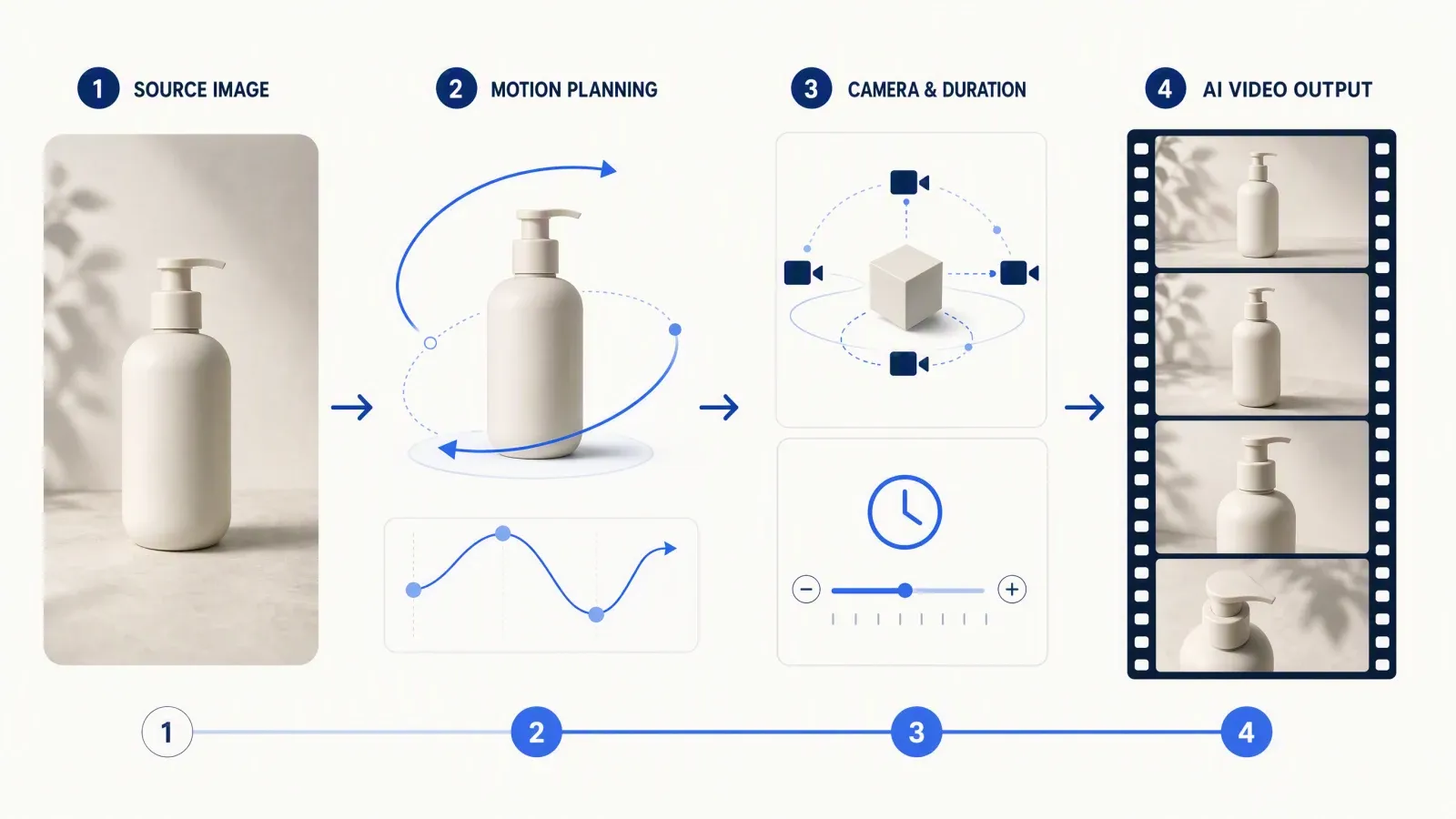
A well-structured workflow separates two responsibilities. The reference image establishes visual identity, while the prompt establishes motion and scene behavior. When those roles are clear, the creator can spend less time redescribing the product and more time controlling what actually changes during the video.
Use the Reference Image to Define the Product
A strong product reference should clearly establish the characteristics that need to remain stable. These can include the object's shape, packaging, logo placement, color, proportions, materials, and visible labels. The clearer those elements are in the source image, the easier it becomes to evaluate whether the generated result stays faithful to the original. This is why reference quality matters. If the product is heavily obstructed, poorly lit, blurred, or too small in the frame, the model has less reliable visual information to work from. By contrast, a clean product image gives the image-to-video process a stronger visual foundation.
Use the Prompt to Control Motion
Once the product is already defined visually, the prompt should focus on what happens next. This includes the subject's action, the way a person interacts with the product, camera movement, pacing, environment, lighting, and overall style. For example, if the reference already shows a skincare bottle, there is little need to rewrite a long description of the bottle's shape and packaging. The prompt can instead specify that a creator picks it up slowly, keeps the front label facing the camera, and holds it steadily while the camera makes a subtle push-in. This approach keeps the instruction focused and reduces unnecessary competition between the visual reference and the written prompt.
Better Product Consistency Means Less Rework
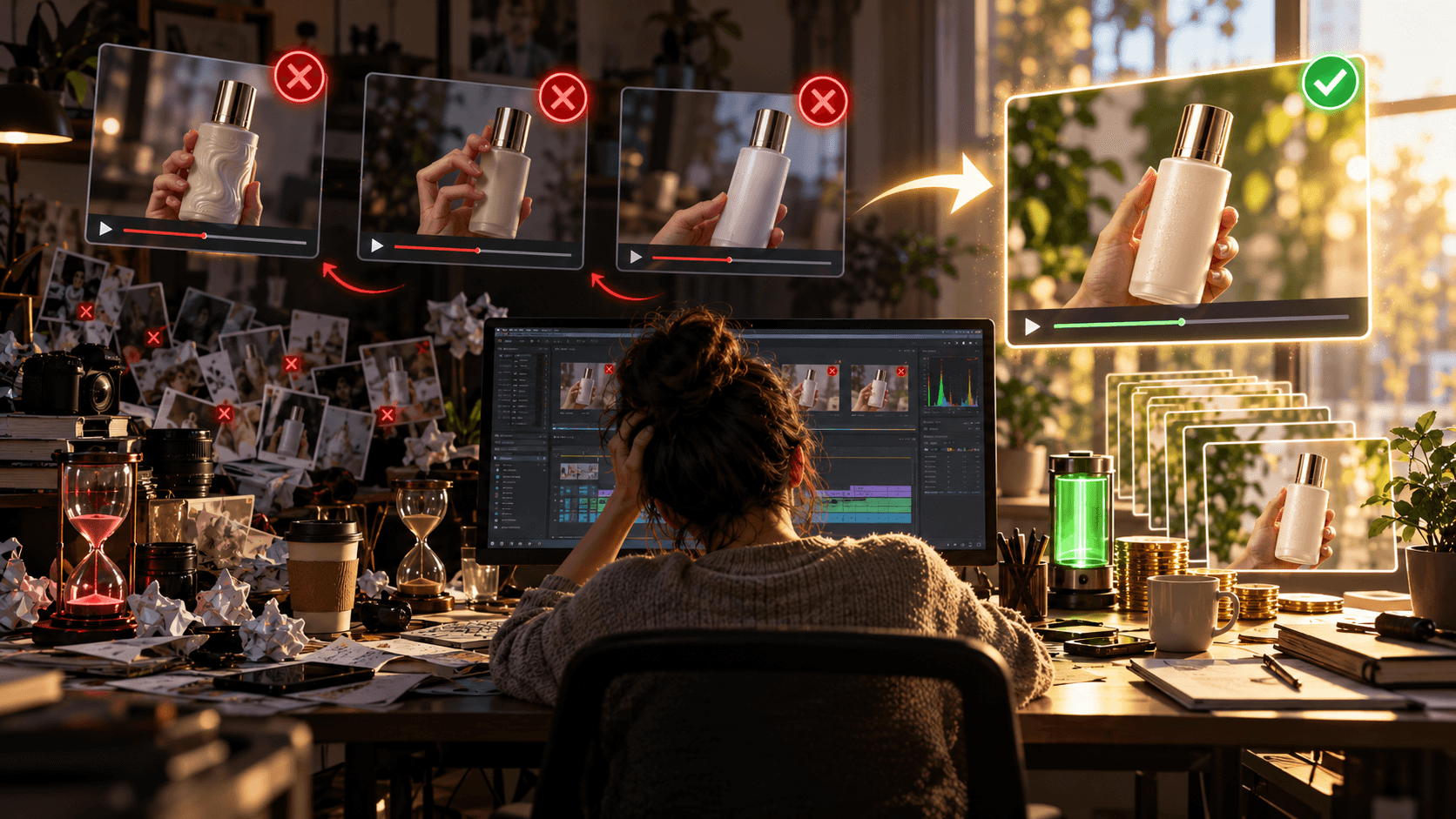
The biggest advantage of better product consistency is not simply that the final video looks cleaner. It is that fewer generations become unusable. Imagine a typical workflow. The first generation has attractive camera movement, but the logo becomes distorted halfway through the clip. The second version fixes the logo but produces awkward hand movement. A third attempt improves the interaction, yet the product changes shape near the final frame. By the time one usable video is produced, several generations may already have been discarded. Each failed attempt consumes more than AI credits. It also costs generation time, review time, revision time, and creative attention.
The Real Cost of a Failed AI Video Generation
When creators evaluate AI video costs, credits are often the most visible metric, but they are only part of the picture. Every failed generation has to be watched, checked, compared with the original product, and either approved or rejected. If the output is unusable, the creator then has to adjust the prompt, generate again, and repeat the review process. Across a single video, that may not seem significant. Across dozens of product clips, however, small inefficiencies accumulate quickly. A workflow that consistently produces more usable outputs can therefore create meaningful savings in both time and generation resources. The production logic is simple:
Better product consistency → fewer failed outputs → fewer regenerations → less credit waste → less waiting → more usable content.
Focus on Usable Videos, Not More Videos
AI video platforms make it easy to focus on generation volume, but volume alone is not a useful production metric. Ten generated clips have little value if only one is publishable. A more useful question is: how many usable videos are you getting from each generation cycle?
That shift matters because it changes how creators approach prompting. Instead of chasing complexity, cinematic effects, or multiple actions in every clip, the priority becomes creating a controlled scene in which the product remains recognizable and the motion serves a clear purpose.
How to Use Seedance 2.5 Image to Video on 1min.AI
A practical Seedance 2.5 workflow does not need to be complicated. The key is to establish a clear creative objective before generation and keep each part of the scene working toward that objective.
Step 1: Choose Your Product Video Goal
Before writing the prompt, decide what the video is actually supposed to accomplish. A product reveal, creator testimonial, lifestyle scene, close-up detail shot, and product demonstration all require different movement.
For short-form content, one clear objective is often stronger than several competing actions. A five-second product reveal does not need to include a pickup, rotation, unboxing, demonstration, camera orbit, and scene transition at the same time. Every additional action introduces another variable the model needs to handle.
Keeping the concept focused makes the result easier to control and easier to evaluate.
Step 2: Select the Right Aspect Ratio
Choose the aspect ratio according to where the finished content will appear. 9:16 works naturally for TikTok, Instagram Reels, and YouTube Shorts, while 16:9 is better suited to YouTube and other landscape formats. 1:1 remains useful for square social placements.
Selecting the final format before generation also reduces the amount of cropping and reframing required later.
Step 3: Match the Duration to the Action
Video duration should match the complexity of the scene. Short clips are well suited to product reveals, UGC hooks, close-ups, and simple interactions, while longer clips can accommodate more detailed demonstrations.
However, longer is not automatically better. Every additional second creates more frames in which the product, hands, camera, or background may change. For consistency-focused product videos, a concise and controlled motion sequence can often be more valuable than a longer clip with unnecessary movement.
Step 4: Upload a Clear Product Reference Image
Use a product image that is sharp, well lit, clearly framed, and not heavily obstructed. Important branding, packaging details, and labels should be visible whenever they matter to the final video.
A weak source image forces the model to infer details that were never clearly present. A strong source reduces that ambiguity and makes it easier to judge whether the generated result remains faithful to the product.
How to Write Better Seedance 2.5 Prompts for Product Videos
A strong prompt does not need to be long. It needs to be specific about the parts of the scene that are supposed to change.
When a product reference is already present, the prompt should concentrate on six elements: the subject, the action, the physical interaction with the product, camera movement, motion quality, and the environment or visual style.
Focus Your Prompt on Motion, Not Product Description
One of the easiest ways to overload an image-to-video prompt is to redescribe every detail that is already visible in the reference image. If the source clearly establishes the bottle, shoe, device, or package, repeating a long visual description can add unnecessary instructions without improving the motion.
Instead, describe what the subject does, how the product is handled, where it should face, how quickly the movement happens, and what the camera should do. The more precisely these actions are defined, the easier it becomes to judge whether the model followed the intended sequence.
Use This Seedance 2.5 Product Prompt Formula
A useful structure is:
[Subject] + [Action] + [Product Interaction] + [Camera Movement] + [Motion Quality] + [Environment/Lighting] + [Style]
This formula works because each component answers a different production question. Who is in the scene? What happens? How is the product handled? What does the camera do? How should the motion feel? Where does the action take place, and what visual style should the output follow?
The result is a prompt that defines the scene without burying the model in unnecessary detail.
Seedance 2.5 Product Video Prompt Example
A female creator naturally picks up the skincare bottle from the table and holds it steadily toward the camera with the front label visible. Her hand moves slowly and naturally while the product remains facing forward. Subtle camera push-in, soft daylight, realistic product interaction, clean premium UGC style.
The strength of this prompt comes from its clarity rather than its length. The action is specific, the product orientation is defined, the motion is controlled, and the camera has a clear role. The same structure can be adapted for other products without rewriting the entire prompting strategy.
6 Tips for More Consistent AI Product Videos
Better consistency often comes from reducing ambiguity rather than adding more instructions. The following adjustments can make a product-focused image-to-video workflow easier to control.
1. Let the Reference Image Define the Product
If the product is already clearly visible, avoid unnecessarily redefining its entire appearance through text. Let the visual reference establish its identity while the prompt explains what needs to move. This keeps the prompt focused on the information the model does not already have.
2. Keep the Main Action Simple
Simple action sequences are generally easier to control than complex combinations of movements. A sequence such as pick up → hold → show to camera gives the scene a clear progression without introducing too many variables. By contrast, asking the subject to pick up, rotate, open, demonstrate, throw, catch, and reposition a product within a short clip creates more opportunities for visual inconsistency.
3. Describe Product Interaction Precisely
Vague instructions such as “the woman uses the product” leave too much open to interpretation. A more useful instruction might be: “The woman picks up the bottle with her right hand, turns the front label toward the camera, and holds it steadily at chest level.” Concrete physical actions make it clearer how the subject and product should relate to each other.
4. Use Intentional Camera Movement
“Make it cinematic” describes a desired feeling, but it does not explain what the camera should actually do. Instructions such as slow camera push-in, gentle pull-back, static close-up, smooth side tracking, or subtle product orbit provide more actionable direction. Camera motion should support the purpose of the shot. If the goal is to keep packaging clearly visible, a restrained close-up may be more useful than an aggressive moving shot.
5. Avoid Conflicting Prompt Instructions
Prompts become harder to interpret when they ask for incompatible actions. A “completely static camera” and a “fast dynamic tracking shot” cannot happen simultaneously unless the sequence is clearly defined. The same problem appears when motion is described as both “slow and controlled” and “rapid and aggressive.” A stronger prompt establishes one coherent visual hierarchy rather than combining every desirable filmmaking term into a single instruction.
6. Review the Product From Start to Finish
A product may look correct in the opening frame and still change later in the video. Before publishing, review the logo, packaging text, product shape, proportions, color, material, orientation, hand contact, and final frame. Product consistency should be judged across the entire clip, not from a thumbnail or first-frame preview.
Using Seedance 2.5 for UGC and Affiliate Product Videos
One of the most practical advantages of image-to-video is the ability to build multiple creative concepts around the same product reference. Instead of filming a new clip every time the hook or setting changes, creators can use one strong product image as the foundation for several variations. This makes Seedance 2.5 useful not only as a video-generation tool but also as part of a broader creative-testing workflow.
Turn One Product Image Into Multiple Creative Concepts
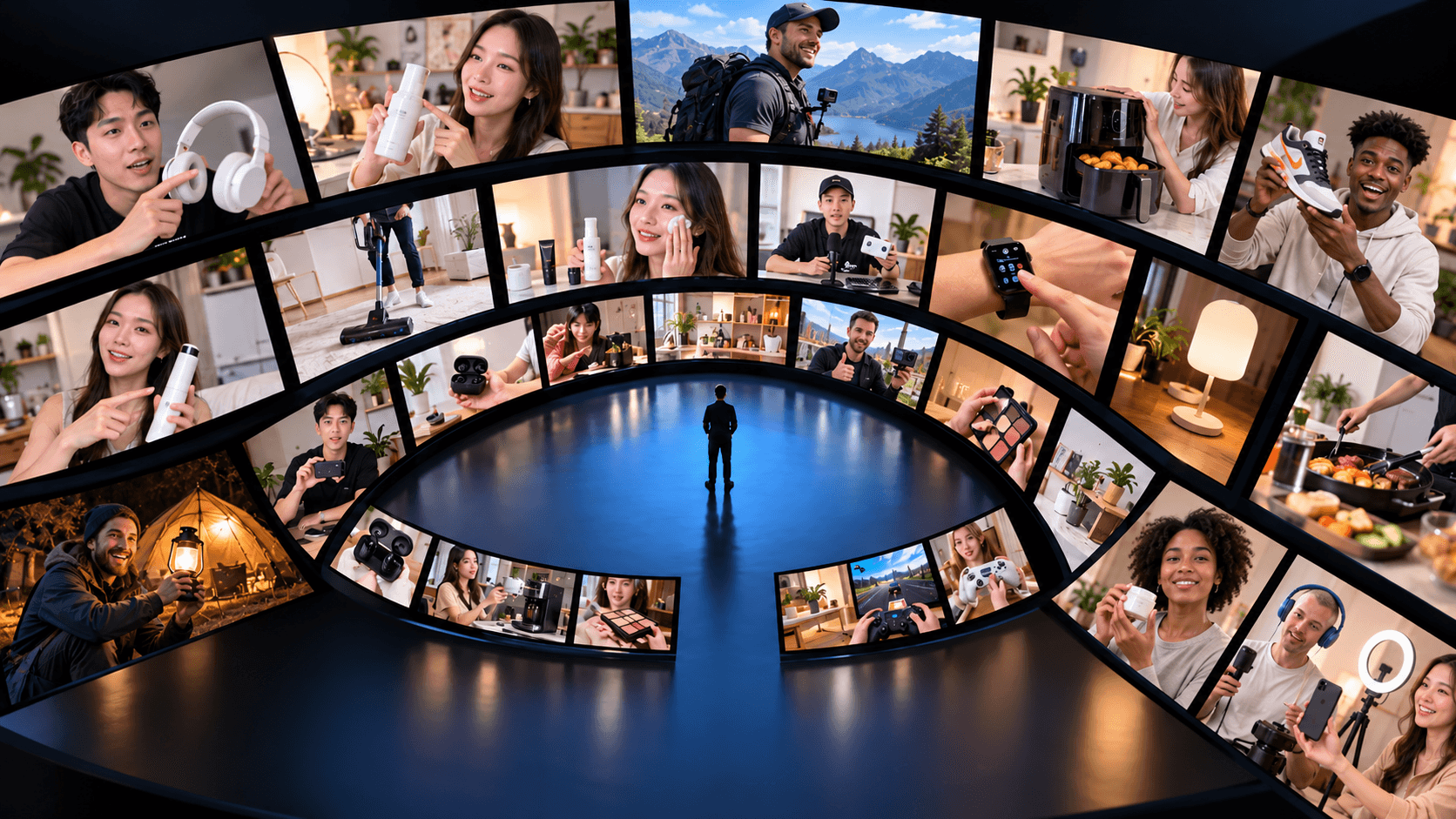
The same product reference can support different types of content, including product reveals, problem-and-solution hooks, testimonial-style scenes, lifestyle content, product demonstrations, benefit-focused ads, and objection-handling UGC concepts. What changes from one version to another is not necessarily the product. The creator can experiment with the hook, action, environment, framing, camera movement, or presentation style while keeping the core product visual consistent. This approach is particularly useful when a campaign needs several creative directions rather than one polished hero video.
Use AI Image-to-Video for Creative Testing
Creative testing works best when each variation changes something meaningful. Instead of generating ten nearly identical clips, creators can test different opening actions, different framing, or different ways of presenting the product. For example, one version might begin with a close-up reveal, another with a creator picking up the product, and another with the product already positioned in a lifestyle setting. The reference remains stable while the creative treatment changes. This is also a natural place to connect related content through internal linking. Anchor text such as AI UGC video generator, create multiple UGC videos from one product, or AI content testing can guide readers toward additional workflows without interrupting the article.
When Should You Regenerate an AI Product Video?
Not every visual difference deserves another generation. A more efficient workflow distinguishes between errors that affect the commercial usefulness of the clip and minor variations that viewers are unlikely to notice. The deciding question should be whether the change affects the identity, accuracy, credibility, or usability of the product.
Product Errors Worth Regenerating
Another generation may be worthwhile when the logo becomes visibly incorrect, important packaging text changes, the product shape shifts noticeably, a hand intersects with the product unnaturally, the item becomes difficult to recognize, or an unwanted object appears in the scene. These errors directly affect what the viewer sees and may change how accurately the video represents the product.
Minor Variations You May Not Need to Fix
Small changes in a nonessential background, subtle differences in lighting, or minor environmental variation may have little effect on the commercial purpose of the clip. Treating every small difference as a failure can lead to unnecessary regeneration. Prioritize the elements that affect product identity and viewer perception first.
Frequently Asked Questions About Seedance 2.5 Image to Video
Can Seedance 2.5 Create AI Product Videos?
Seedance 2.5 can be used to turn product reference images into moving scenes for product reveals, UGC-style content, close-ups, lifestyle concepts, and other commercial video ideas. The usefulness of the output depends on factors such as reference quality, action complexity, and prompt clarity.
How Do I Keep a Product More Consistent in AI Video?
Start with a clear reference image, keep the main action relatively simple, describe physical interaction precisely, avoid conflicting instructions, and inspect the product across the entire generated clip. The goal is to reduce unnecessary ambiguity while keeping the product's defining characteristics visible.
How Should I Prompt Seedance 2.5 for Product Videos?
Focus the prompt on the parts of the scene that need to move. Describe the subject, action, product interaction, camera behavior, motion quality, lighting, environment, and style. If the product is already clearly represented in the reference image, avoid unnecessarily describing its appearance again in excessive detail.
Why Does My Product Change During Image-to-Video Generation?
Image-to-video generation creates new frames and has to infer how the scene develops over time. During that process, fine details such as logos, text, proportions, textures, and physical contact can become inconsistent. A clearer reference and a simpler motion structure can reduce the amount of ambiguity the model needs to resolve.
Is AI Image-to-Video Useful for UGC Content?
Yes. Image-to-video can be particularly useful when creators want to test several hooks, actions, settings, or presentation styles around the same product. Instead of rebuilding every idea from the beginning, one reference image can serve as the foundation for multiple UGC concepts.
🚀 Navigate to 1min.AI now to unlock Seedance 2.5 and turn static product photos into distortion-free, high-converting UGC videos instantly!
Alternatives
Discover the best alternatives to 1minAI and compare features, pricing, and use cases.

1min.AI vs OpenRouter
1min.AI vs. OpenRouter: Compare the ready-to-use AI creation product against the technical API tool. Find out if you need a zero-code creative studio or a coding infrastructure hub.
 Ngoc Hong

1min.AI vs. Metricool: Which Platform Does More for Your Marketing Workflow?
Compare 1min.AI vs. Metricool across content creation, visual production, scheduling, analytics, MCP, and pricing to find the right platform for your marketing workflow.

1min.AI vs. Hootsuite: Which Social Media Tool Fits Your Workflow?
Compare 1min.AI vs. Hootsuite to explore their AI content creation, social media publishing, analytics, pricing, and collaboration features. Find the right tool for your workflow.
AI Tools
Discover the best AI tools to boost productivity, creativity, and everyday work.

Top 4 Affordable AI Tools for Startup Founders
Discover the top 4 affordable AI tools for startup founders to validate ideas, build products, create content, and launch faster without overspending.
 Tram Ta

Turn “Make It Better” Into Better Content With AI
Use AI to turn vague client feedback into clear revisions, reduce unnecessary edits, and deliver better content faster.
 Lien Anh Vu

Free AI X Comment
Create funny, witty, or insightful comments for Twitter with our AI-powered Twitter Comment Generator. Boost your engagement and stand out in the crowd!
 Trang Tran
AI Features
Comprehensive AI features that streamline workflows, improve efficiency, and empower teams to achieve more.

1minAI: Free AI Grammar Checker
Check grammar for free with 1minAI’s AI grammar checker. Find grammar, spelling, and writing mistakes, improve clarity, and polish your content in seconds.
Tram Ta
Build a Portfolio Website Faster with 1min.AI
Learn how freelance creatives can use 1min.AI to plan, write, design, and generate a professional portfolio website faster, even without strong coding skills.
Lien Anh VuFree AI X Comment
Create funny, witty, or insightful comments for Twitter with our AI-powered Twitter Comment Generator. Boost your engagement and stand out in the crowd!
Trang TranAI Use Cases
A curated collection of AI use cases for business, productivity, and industry-specific applications.

Best Time to Post on Instagram: A Practical Guide for Better Engagement
Discover the best time to post on Instagram, including the best days and times for different audiences, plus tips to find the ideal posting schedule for your account.
Tram TaTurn “Make It Better” Into Better Content With AI
Use AI to turn vague client feedback into clear revisions, reduce unnecessary edits, and deliver better content faster.
Lien Anh VuBuild a Portfolio Website Faster with 1min.AI
Learn how freelance creatives can use 1min.AI to plan, write, design, and generate a professional portfolio website faster, even without strong coding skills.
Lien Anh VuAI Tutorials
Learn how to use AI with practical, step-by-step tutorials.

Black Friday AI Tool Deals in 2026
Discover what Black Friday AI tool deals 2026 has to offer. Find out how to secure the 1min.AI lifetime deal via AppSumo, Dealify, Stack Social, and verify on Trustpilot, Slashdot, and Software Advice.
 Hang Nguyen
Turn “Make It Better” Into Better Content With AI
Use AI to turn vague client feedback into clear revisions, reduce unnecessary edits, and deliver better content faster.
Lien Anh Vu
Viral Reels in Minutes: How to Use 1minAI’s Text-to-Speech for Satirical Voiceovers
Learn how satirical page admins use 1minAI’s Text-to-Speech feature to generate instant news anchor and dramatic voiceovers for TikToks, Shorts, and Instagram Reels.
AI Guides
Learn AI faster with practical guides, real-world examples, and actionable best practices.

Safely Buy AI Tools Online: 2026 Black Friday Guide
Discover how to find and secure the best Black Friday AI deals online. Learn expert strategies to avoid scams, combat subscription fatigue, and verify software.
Hang Nguyen
How to start an AI business without building from scratch
Learn how to start an AI business, validate your idea, and launch faster without building costly AI infrastructure from scratch.
Ngoc Hong
How to Use an AI Fashion Video Generator for Fashion Week 2026
Turn Fashion Week 2026 ideas into stunning fashion videos with AI. Learn how to brainstorm, create visuals, and transform images into videos with one simple workflow.
Lien Anh VuAI Solutions
Browse the best AI solutions for automation, coding, research, productivity, customer support, marketing, and business workflows.
Safely Buy AI Tools Online: 2026 Black Friday Guide
Discover how to find and secure the best Black Friday AI deals online. Learn expert strategies to avoid scams, combat subscription fatigue, and verify software.
Hang Nguyen
Free AI Tattoo Generator: Custom Designs
Turn any idea into a custom tattoo design with 1min.AI's free AI tattoo generator. Describe your idea, pick a style, and download in seconds.
Trang TranTurn “Make It Better” Into Better Content With AI
Use AI to turn vague client feedback into clear revisions, reduce unnecessary edits, and deliver better content faster.
Lien Anh VuAI Models
Explore the world's leading AI models in one place.

Free AI Chat With Claude Fable 5.2 On 1min.AI
Free AI chat with Claude Fable 5.2 on 1min.AI. Compare Fable 5.2 vs Opus 5.5, see Fable 5.2 benchmarks, and start chatting in minutes.
Trang Tran
GPT-6.2 Sol: Specs, Pricing & Free Access
Explore GPT-6.2 Sol specs, pricing, and how it compares with GPT-6.1 Sol and Claude Opus 5.5, then try it free in 1min.AI Multi AI Chat.
Trang Tran
GPT 6.2 Astra: Pricing, Benchmarks & Free Access
GPT 6.2 Astra release date, pricing, Reddit feedback and Opus 5.5 comparison. See what it does best and chat with it on 1min.AI for free.
Trang TranAI Comparisons
Compare AI tools, models, and platforms to find the best fit for your needs.

Gemini 4 Neon vs Hydrogen: Specs, Price & Picks
Gemini 4 Neon vs Hydrogen, Carbon and Argon: compare price, benchmarks and use cases to pick the right model, then test them side by side on 1min.AI.
Trang Tran
Kling AI Vs Veo 3: Which Model Wins?
Kling AI vs Veo 3: compare motion, native audio, pricing & free tiers to see which AI video generator wins for your project - try both on 1min.AI.
Trang Tran
DeepSeek V4 Pro vs Flash Comparison
Compare DeepSeek V4 Pro vs DeepSeek V4 Flash metrics. Optimize your agentic apps and improve AI fact checking on 1min.ai today.
Ngoc HongAI Integrations
Seamlessly integrate AI with the tools you already use to automate work and boost productivity.

POV: You Have 10+ Posts to Make Every Day
Learn how to build an AI content workflow that helps content creators produce 10+ social media posts a day faster with AI brainstorming, image generation, and content creation.
Lien Anh Vu
Stop Switching Between AI Apps: How AI Integration Transforms Employer Branding
Discover how AI integration helps HR teams streamline employer branding by combining AI writing, documents, images, video, and multiple AI models into one workspace.
Tram Ta
AI API Aggregator Explained For Developers
An AI API aggregator gives developers one unified API to call multiple AI models, cutting integration time and vendor lock in.
Trang TranAI for Industries
Find the best AI tools and workflows for healthcare, finance, education, legal, manufacturing, retail, real estate, and more
ChatGPT Trending Photo Prompts to Copy and Paste
Explore chatgpt trending photo prompt ideas you can copy and paste. Create viral AI portraits, collages, and aesthetic photos with ease.
Trang TranTry Image To Video AI With Prompt Online Free
Try image to video AI with prompt online free, no login and no watermark. Upload a photo, type the motion you want, and get a short video in minutes.
Trang Tran
No Photoshoot? Create AI Fashion Videos With Seedance 2.5
No photoshoot needed! Create stunning AI fashion videos with Seedance 2.5 on 1min.AI using outfit references, cinematic prompts, and surreal scenes.
Lien Anh VuAI Agents
Discover and run AI agents to automate tasks across your work and daily life.
1minAI: Free AI Grammar Checker
Check grammar for free with 1minAI’s AI grammar checker. Find grammar, spelling, and writing mistakes, improve clarity, and polish your content in seconds.
Tram Ta
AI Agents for Facebook
Use an AI Agent for Facebook to create content, generate images, schedule posts, and publish from your documents and conversations.
Ngoc Hong
AI Agent vs AI Assistant: Which One Actually Saves Designers More Time?
Learn the difference between AI Agent vs AI Assistant and discover which solution helps designers automate repetitive work, reduce revisions, and save more time.
Lien Anh VuAI Workflows
Explore ready-to-use AI workflows for productivity, marketing, sales, support, and more.
POV: You Have 10+ Posts to Make Every Day
Learn how to build an AI content workflow that helps content creators produce 10+ social media posts a day faster with AI brainstorming, image generation, and content creation.
Lien Anh VuHow to Use an AI Fashion Video Generator for Fashion Week 2026
Turn Fashion Week 2026 ideas into stunning fashion videos with AI. Learn how to brainstorm, create visuals, and transform images into videos with one simple workflow.
Lien Anh Vu
One Product, 10 UGC Creatives: How AI Makes Content Testing Easier
Create more authentic UGC with an AI UGC video generator, test more creative angles and scale affiliate content without filming every version.
Lien Anh VuNewsletter
Weekly AI Innovations with 1minAI

🔮 Weekly AI Innovations #146: Mistral 3.5, Qwen Image & Cohere A+ are ready on 1min.ai
Deploy Mistral Large 3, Qwen Image 3.0, and Cohere Command A+ on 1min.ai. Boost RAG accuracy and cut visual generation latency in one unified AI workspace.
Hang Nguyen
🔮 Weekly AI Innovations #145: X Content Agent & GPT 6.1 Terra on 1min.ai
Scale viral reach with the X Content Agent on 1min.ai. Discover an end-to-end 4-stage pipeline with zero token burn, plus the launch of GPT 6.1 Terra.
Hang Nguyen
🔮 Weekly AI Innovations #144: LinkedIn Content Agent: Complete B2B Publishing Pipeline
Scale B2B influence with the LinkedIn Content Agent on 1min.ai. Discover an end-to-end 4-stage pipeline with zero redundant token burn and 1-click publishing.
Hang Nguyen