AI Video Face Swap - Multiple Faces

Trang Tran
July 30, 2026
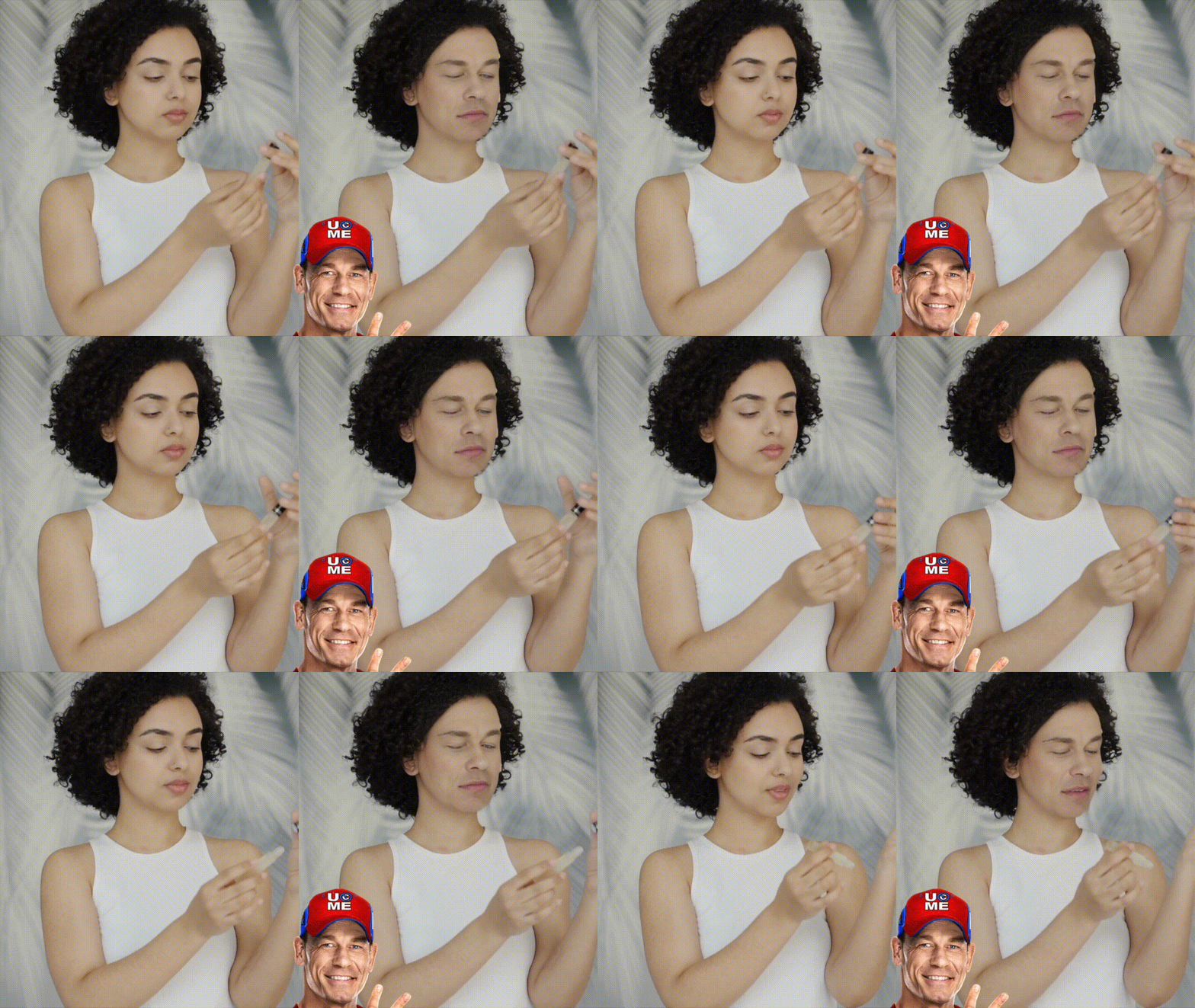
Swap faces in any video, even ones with multiple people. Upload a swap image and a target video, map the faces, and run.
Swapping a face into a photo is one thing. Doing it accurately across a moving video, especially one with more than one person in the frame, is a different challenge entirely. Our Video Face Swap handles both. Upload a Swap Image and a Target Video, then set up Face Swap Pairs to map each video face to an image face. Faces are indexed left to right, so the leftmost face is 1, the next is 2, and so on. A pair like 1 to 2 means video face 1 gets replaced with image face 2. Add as many pairs as the video needs, choosing an image face index and a video face index from 1 to 10 for each one, then hit run.
🎯 Benefits of AI Video Face Swap
- Handle Multiple Faces Accurately: Instead of guessing which face gets swapped in a busy scene, map each video face to a specific image face directly, so the result matches exactly what was intended.
- Skip Frame-by-Frame Editing: Manually editing faces across every frame of a video is impractical. This feature processes the entire video in one run based on the pairs set up beforehand.
- Get a Believable, Consistent Result: The swap holds up across motion, angle changes, and lighting shifts throughout the video, rather than working for a single still frame only.
- No Video Editing Skills Required: There's no timeline, no keyframes, and no compositing software to learn. Upload the two files, set the pairs, and run.
💡 Who Should Use AI Video Face Swap
- Anyone Creating Fun or Shareable Video Content: Turn a clip into something entertaining and shareable by placing a different face into the scene.
- Creators Working With Group Footage: When a video has more than one person in frame, precise face-to-face mapping matters more than a simple one-face swap ever could.
- Marketing and Creative Teams: Test visual concepts or build creative mockups for a video campaign without scheduling a reshoot for every version.
- Anyone Prototyping Video Ideas: Preview how a concept looks before committing to a full production, using face swap as a fast way to visualize the idea.
🔮 Features of AI Video Face Swap
- Two-File Simple Input: Just upload a Swap Image and a Target Video. No manual tracking or frame-by-frame markup needed.
- Face Swap Pairs Mapping: Assign each video face an image face using indexed positions from 1 to 10, with support for adding as many pairs as the video requires.
- Left-to-Right Face Indexing: Faces in both the image and the video are indexed left to right, making it straightforward to identify which face is which before mapping.
- One-Click Video Processing: Once the pairs are set, a single run applies the swap across the entire video automatically.
Video Face Swap sits inside 1min.AI's AI for Video tools, alongside Text to Video and Image to Video, so a swapped clip can move straight into further edits in the same workspace.
If you have any questions, please chat with our AI Live Chat on the bottom right corner or reach out to us at support@1min.ai.