
LinkedIn AI Agent: From Brief to Schedule in One Workflow

Ngoc Hong
20. november 2026
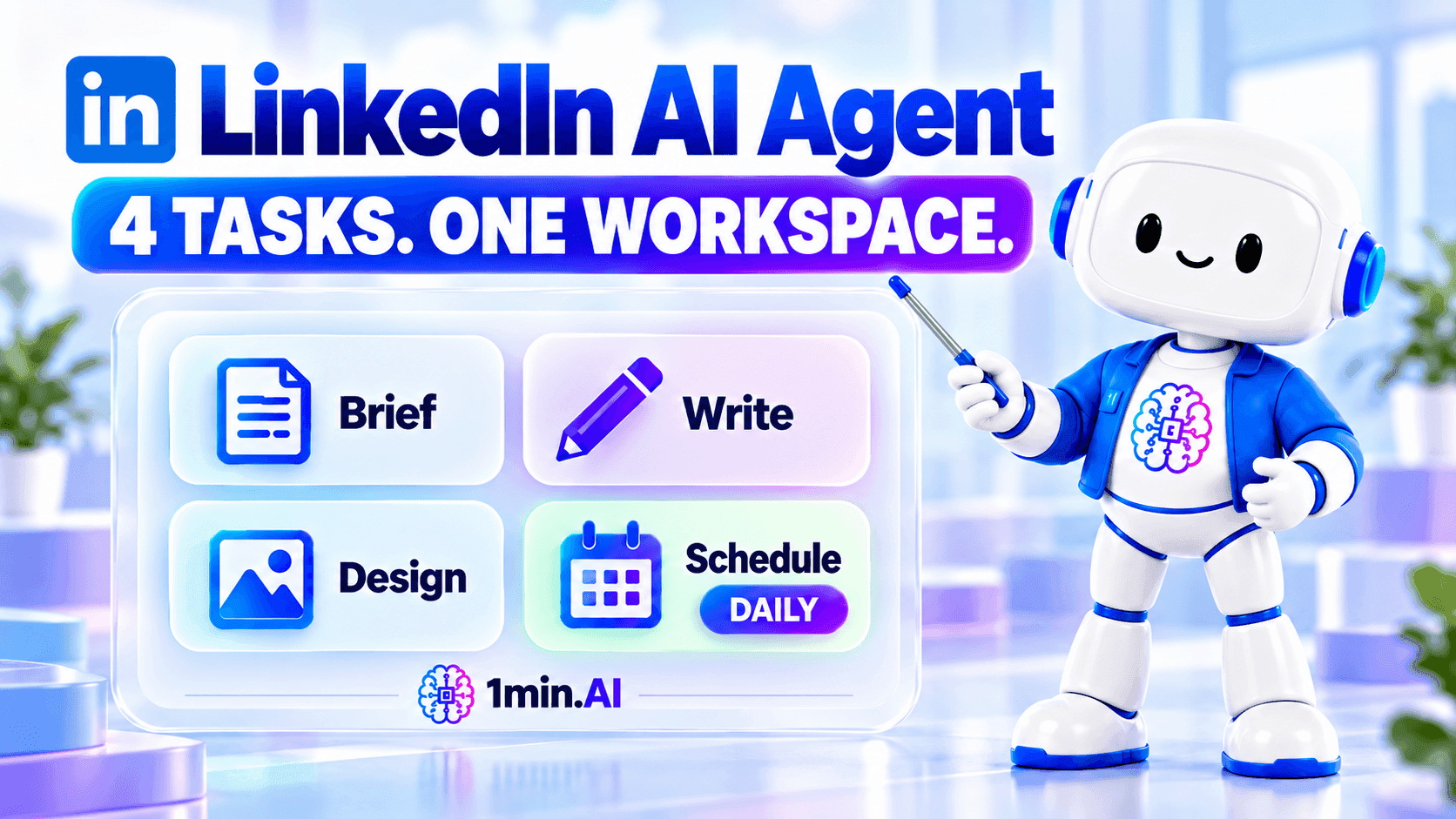
Turn brand information into LinkedIn posts and images, then set a daily schedule - all in one connected workflow with 1min.AI.
LinkedIn AI Agent: From Brief to Schedule in One Workflow
1min.AI’s LinkedIn AI Agent connects brand information, post writing, image creation, and scheduling in one workflow. Marketers can select saved assets, customize generation settings, and set a daily schedule.
Another day, another LinkedIn post. Behind each update sit the brief, copy, visual, and publishing arrangements. When those tasks return every morning, a connected workflow helps you reuse brand context and organize production. Here is how the LinkedIn Content Agent brings those steps together.
Why use a LinkedIn AI agent for daily content?
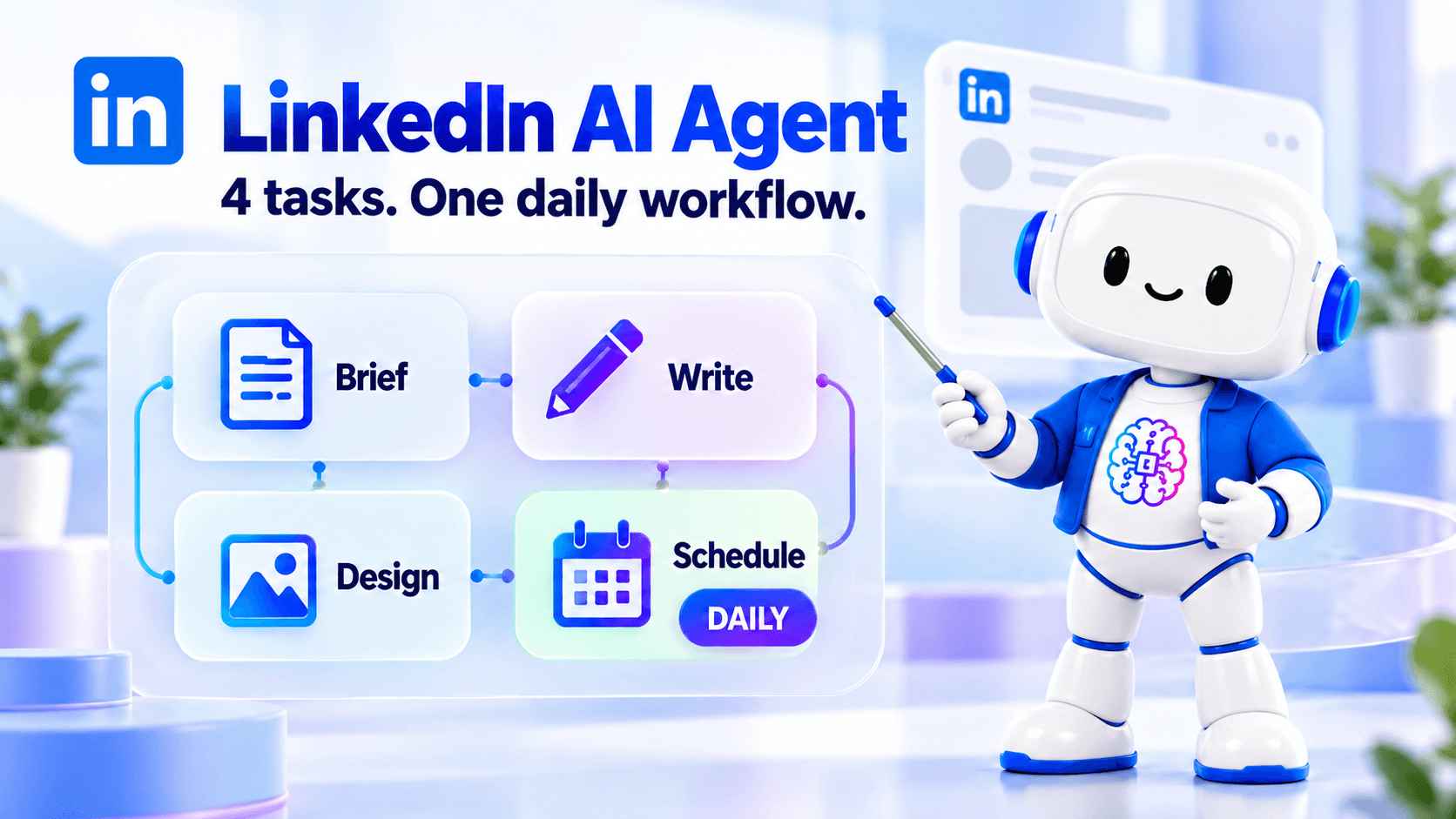
Daily content involves more than writing a caption. You need accurate product information, a relevant angle, a suitable visual, and a publishing plan. Repeating that preparation across separate tools adds work before the post is ready. A LinkedIn AI agent connects these activities around the information and settings you provide, while you remain responsible for checking the results.
Reuse your brand information
Save company, product, or service information as an Asset instead of rebuilding the same background for every request. Include the audience, approved benefits, positioning, and key messages. The agent can then use that context when generating content. Keeping the source information current also gives you a clearer reference for checking claims before a post reaches your audience.
Bring copy and visuals into one workflow
A standalone LinkedIn post generator addresses the writing task. The workflow demonstrated here also includes Design Image, connecting the draft with a visual-generation step. You can review both outputs together and check whether they communicate the same idea. For separate visual experiments, explore the AI image generator.
Organize recurring work with a daily schedule
The Daily option lets you set a recurring workflow rather than manually starting the same sequence each morning. Choose a time that fits your content process and confirm the destination settings. Scheduling provides a production rhythm; useful posts still depend on fresh inputs, relevant topics, and regular checks for repetitive content.
Who is this workflow for?
This workflow suits marketers who regularly turn business information into LinkedIn updates. An in-house marketer can reuse product details, while a small business team can organize service information before generating posts. Content specialists can also maintain a consistent starting point across recurring assignments. For a broader view of connected social workflows, see AI agents for social media management.
How to create and schedule LinkedIn content with 1min.AI
The demo follows one practical sequence: prepare your information, choose an Asset, configure generation, review the output, and set the schedule. Open the 1min.AI workspace to follow along.
Prepare your company or product Asset
Start by saving the information the agent should use. A useful Asset explains what you offer, who it serves, and which messages are approved.
| Asset element | What to include |
|---|---|
| Company overview | Business description and positioning |
| Product or service | Name, purpose, and confirmed details |
| Audience | Customer needs and relevant situations |
| Messaging | Approved benefits and key talking points |
| Boundaries | Claims or details the agent should avoid |
The demo uses DEWON Seoul, a fictional skincare brand. Its Asset contains product information, audience details, and brand messaging. Apply the same structure to your own business using verified information.
Step 1: Choose your Asset
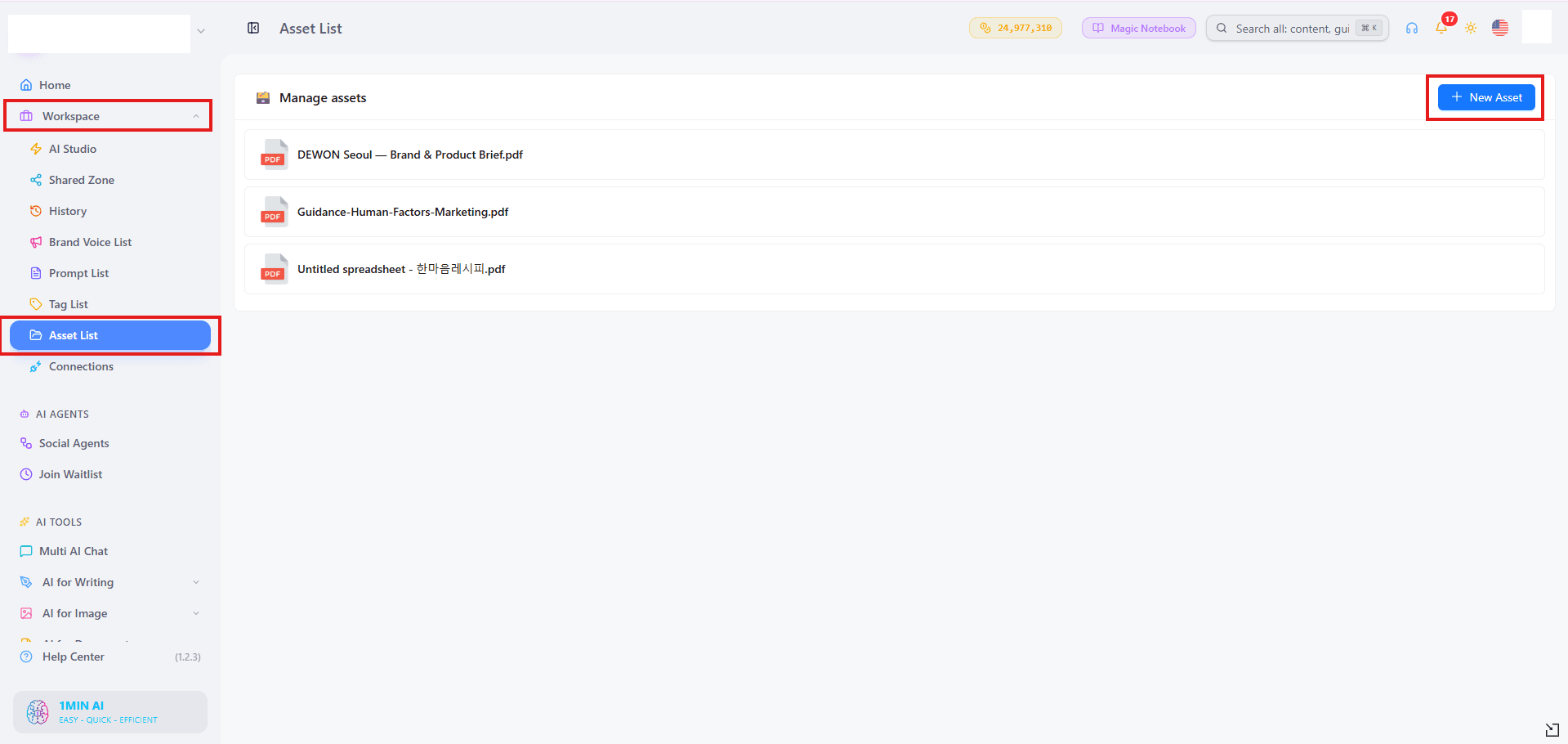
Go to Social Agents → LinkedIn Content Agent. Open Gather Information, select Asset as the source, and choose the company, product, or service information you want to use.
Save your selection before continuing. Choose an Asset relevant to the intended post so the agent receives focused context rather than unrelated background.
Step 2: Customize the advanced fields
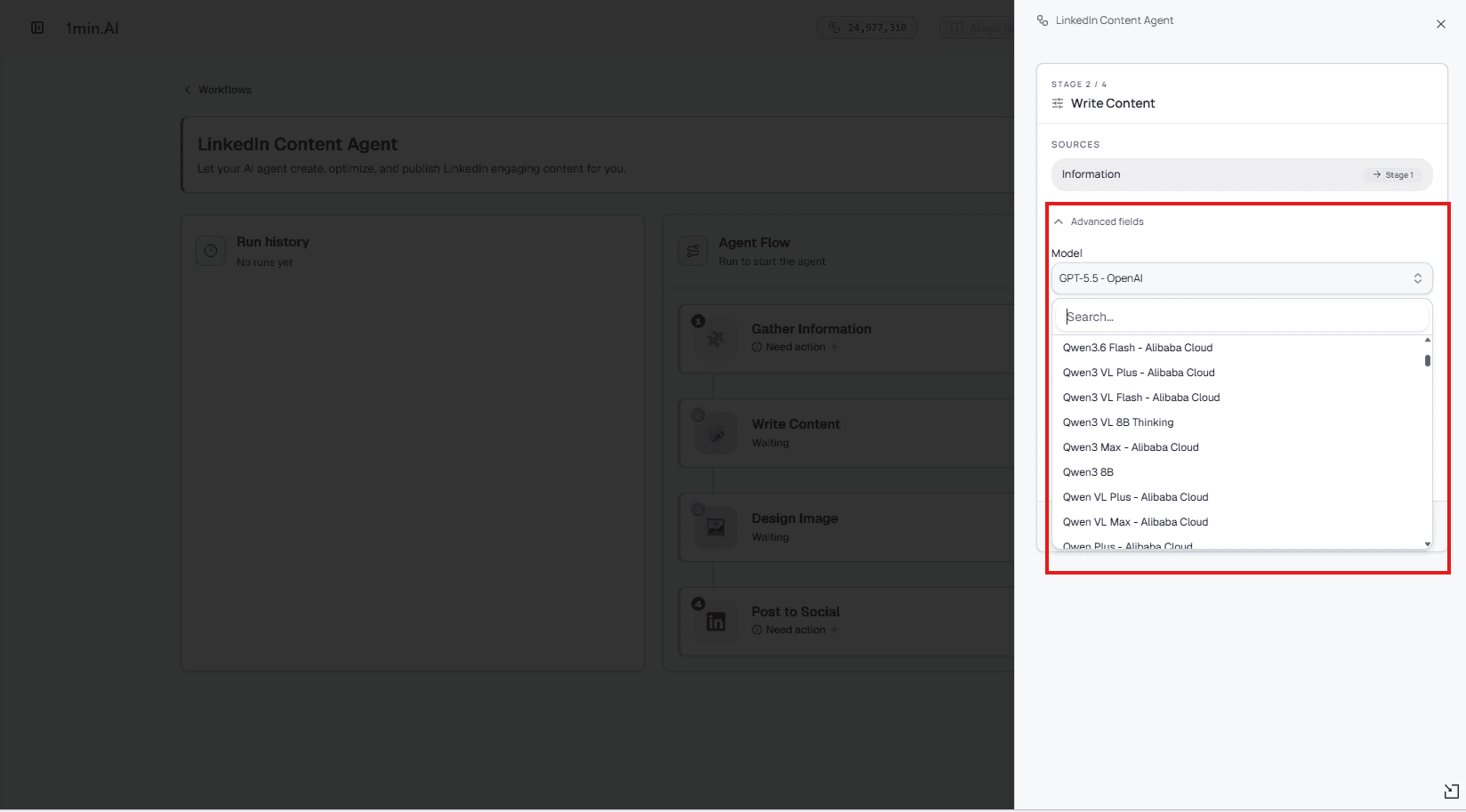
Open the advanced fields to review the available writing and image-generation settings. Choose models appropriate to each task from the options shown in your workspace.
Where available, apply your saved Brand Voice to guide tone and wording. Use the AI models overview to explore model options, then confirm the selections available inside the Agent.
Step 3: Generate and review the content
Run the generation process to produce the LinkedIn copy and accompanying image. Review the opening, product details, visual relevance, and call to action together.
Check that every claim matches your Asset. Remove invented statistics, unsupported promises, or inaccurate details. If the output misses the intended message, refine the source information or settings before using it.
Step 4: Confirm the final settings
The demo keeps the default settings in the final Post to Social step. Before adopting the same setup, review the settings shown in your workspace and confirm your LinkedIn connection and destination.
This check matters when moving from a sample brand to real business content, particularly if you manage more than one account or publishing destination.
Set the schedule to Daily
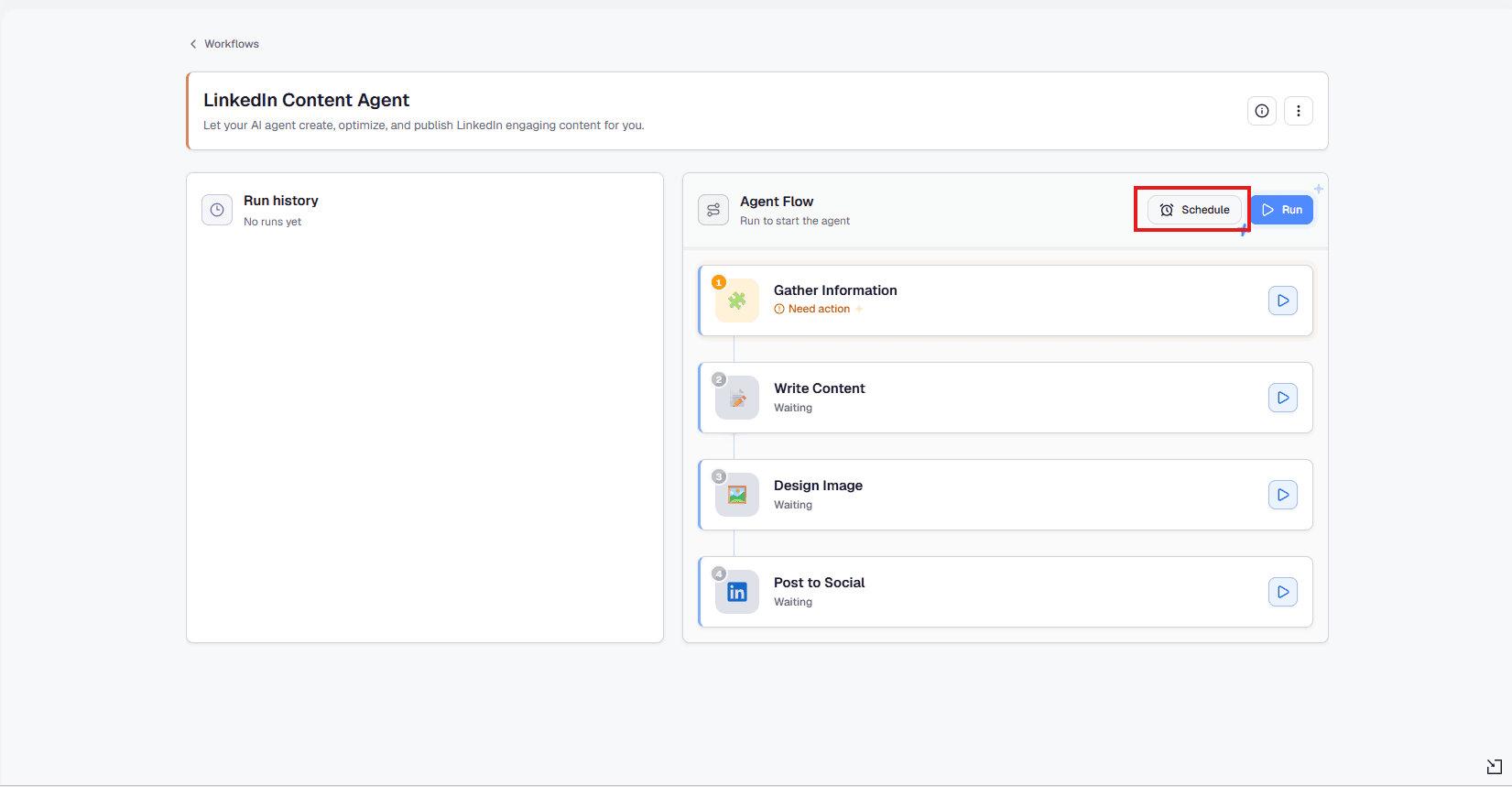
Click Schedule, choose Daily, and set your preferred time. Check the time zone shown, then save the schedule.
Treat this as scheduling the configured workflow, rather than assuming one reviewed draft represents every future output. Update Assets when products or campaigns change, and monitor generated content as part of your ongoing editorial process.
Frequently asked questions
These answers clarify how the workflow relates to post generation, model selection, and recurring scheduling.
Is this just a LinkedIn post generator?
It includes post writing, but the demonstrated workflow also connects Gather Information, Write Content, Design Image, and Post to Social, with a scheduling option.
Can I use my own brand information?
Yes. Select a saved Asset containing your company, product, or service details. Provide accurate, focused information and update it when your messaging changes.
Can I choose different AI models?
Review the advanced fields for the model options available to your account. Writing and image tasks may offer different selections.
Does Daily mean I must publish every day?
No. Daily is a scheduling choice. Use a frequency that matches your editorial capacity, audience needs, and ability to maintain useful content.
Build your LinkedIn AI Agent workflow in 1min.AI: prepare your brand information, generate and review your content, then configure the schedule that fits your team.
Alternativer
Oppdag de beste alternativene til 1minAI og sammenlign funksjoner, priser og bruksområder.

1min.AI vs OpenRouter
1min.AI vs. OpenRouter: Sammenlign det ferdige AI-verktøyet for innholdsskaping med det tekniske API-verktøyet. Finn ut om du trenger et kreativt studio uten koding eller et infrastrukturknutepunkt for utvikling.
 Ngoc Hong

1min AI vs Buffer
Compare 1min.AI vs Buffer for Facebook content creation, AI writing, image generation, scheduling, pricing, and everyday marketing workflows.
Ngoc Hong
1min.AI vs. Hootsuite: Which Social Media Tool Fits Your Workflow?
Compare 1min.AI vs. Hootsuite to explore their AI content creation, social media publishing, analytics, pricing, and collaboration features. Find the right tool for your workflow.
AI-verktøy
Oppdag de beste AI-verktøyene for å øke produktiviteten, kreativiteten og det daglige arbeidet.

Topp 4 rimelige AI-verktøy for oppstartsgründere
Oppdag de 4 beste rimelige AI-verktøyene for oppstartsgründere for å validere ideer, bygge produkter, lage innhold og lansere raskere uten å overskride budsjettet.
 Tram Ta

POV: Du har 10+ innlegg å lage hver dag
Lær hvordan du bygger en AI-innholdsarbeidsflyt som hjelper innholdsskapere å produsere 10+ innlegg i sosiale medier om dagen raskere med AI-brainstorming, bildegenerering og innholdsproduksjon.
 Lien Anh Vu

Gjør “Gjør det bedre” om til bedre innhold med AI
Bruk AI til å gjøre vag tilbakemelding fra kunder om til klare revisjoner, redusere unødvendige endringer og levere bedre innhold raskere.
Lien Anh VuAI-funksjoner
Omfattende AI-funksjoner som effektiviserer arbeidsflyter, øker produktiviteten og gjør det mulig for team å oppnå mer.

1minAI: Gratis AI-grammatikkontroll
Sjekk grammatikk gratis med 1minAIs AI-grammatikkontroll. Finn grammatikk-, stave- og skrivefeil, forbedre klarheten og finslip innholdet ditt på sekunder.
Tram Ta
Bygg en portefølje-nettside raskere med 1min.AI
Lær hvordan frilansere og kreative kan bruke 1min.AI til å planlegge, skrive, designe og generere en profesjonell portefølje-nettside raskere, selv uten sterke kodeferdigheter.
Lien Anh Vu
Gratis AI X-kommentar
Lag morsomme, vittige eller innsiktsfulle kommentarer for Twitter med vår AI-drevne Twitter-kommentargenerator. Øk engasjementet ditt og skil deg ut i mengden!
 Trang Tran
AI-bruksområder
En kuratert samling av AI-bruksområder for bedrifter, produktivitet og bransjespesifikke anvendelser.

Beste tidspunkt å poste på Instagram: En praktisk guide for bedre engasjement
Oppdag det beste tidspunktet å poste på Instagram, inkludert de beste dagene og tidene for ulike målgrupper, pluss tips for å finne den ideelle publiseringsplanen for kontoen din.
Tram TaBygg en portefølje-nettside raskere med 1min.AI
Lær hvordan frilansere og kreative kan bruke 1min.AI til å planlegge, skrive, designe og generere en profesjonell portefølje-nettside raskere, selv uten sterke kodeferdigheter.
Lien Anh VuGjør “Gjør det bedre” om til bedre innhold med AI
Bruk AI til å gjøre vag tilbakemelding fra kunder om til klare revisjoner, redusere unødvendige endringer og levere bedre innhold raskere.
Lien Anh VuAI-veiledninger
Lær hvordan du bruker AI med praktiske, trinnvise veiledninger.

Black Friday AI-verktøytilbud i 2026
Oppdag hva Black Friday AI-verktøytilbudene i 2026 har å by på. Finn ut hvordan du sikrer deg 1min.AI lifetime deal via AppSumo, Dealify og Stack Social, og verifiser på Trustpilot, Slashdot og Software Advice.
 Hang Nguyen

Opplev Fashion Week for $0 med 1minAI Face Swap
Opplev Fashion Week for $0 med 1minAI Face Swap. Last opp bildet ditt, velg en Fashion Week-video, og lag ditt eget AI-motemoment.
Ngoc Hong
Viral Reels på minutter: Slik bruker du 1minAI sin tekst-til-tale for satiriske voiceovers
Lær hvordan administratorer av satiriske sider bruker 1minAI sin tekst-til-tale-funksjon til å lage umiddelbare nyhetsanker- og dramatiske voiceovers for TikTok, Shorts og Instagram Reels.
AI-guider
Lær AI raskere med praktiske guider, eksempler fra den virkelige verden og handlingsrettede beste praksiser.

Kjøp AI-verktøy trygt på nett: Black Friday-guiden 2026
Oppdag hvordan du finner og sikrer de beste AI-tilbudene på Black Friday på nett. Lær ekspertstrategier for å unngå svindel, bekjempe abonnementstretthet og verifisere programvare.
Hang Nguyen
Hvordan starte en AI-bedrift uten å bygge fra bunnen av
Lær hvordan du starter en AI-bedrift, validerer ideen din og lanserer raskere uten å bygge kostbar AI-infrastruktur fra bunnen av.
Ngoc Hong
AI Fashion Video Generator With Seedance 2.5 and HeyGen
Learn how to create AI fashion videos with Seedance 2.5 and HeyGen. Turn outfit photos into cinematic videos featuring your own face with 1min.AI.
Lien Anh VuAI-løsninger
Utforsk de beste AI-løsningene for automatisering, koding, forskning, produktivitet, kundestøtte, markedsføring og arbeidsflyter i bedriften.

Gratis AI tatoveringsgenerator: Tilpassede design
Gjør enhver idé om til et tilpasset tatoveringsdesign med 1min.AI sin gratis AI tatoveringsgenerator. Beskriv ideen din, velg en stil, og last ned på sekunder.
Trang TranKjøp AI-verktøy trygt på nett: Black Friday-guiden 2026
Oppdag hvordan du finner og sikrer de beste AI-tilbudene på Black Friday på nett. Lær ekspertstrategier for å unngå svindel, bekjempe abonnementstretthet og verifisere programvare.
Hang NguyenOpplev Fashion Week for $0 med 1minAI Face Swap
Opplev Fashion Week for $0 med 1minAI Face Swap. Last opp bildet ditt, velg en Fashion Week-video, og lag ditt eget AI-motemoment.
Ngoc HongAI-modeller
Utforsk verdens ledende AI-modeller på ett sted.

Free AI Chat With Claude Fable 5.2 On 1min.AI
Free AI chat with Claude Fable 5.2 on 1min.AI. Compare Fable 5.2 vs Opus 5.5, see Fable 5.2 benchmarks, and start chatting in minutes.
Trang Tran
GPT-6.2 Sol: Specs, Pricing & Free Access
Explore GPT-6.2 Sol specs, pricing, and how it compares with GPT-6.1 Sol and Claude Opus 5.5, then try it free in 1min.AI Multi AI Chat.
Trang Tran
GPT 6.2 Astra: Pricing, Benchmarks & Free Access
GPT 6.2 Astra release date, pricing, Reddit feedback and Opus 5.5 comparison. See what it does best and chat with it on 1min.AI for free.
Trang TranAI-sammenligninger
Sammenlign AI-verktøy, modeller og plattformer for å finne det som passer best for dine behov.

Gemini 4 Neon vs Hydrogen: Specs, Price & Picks
Gemini 4 Neon vs Hydrogen, Carbon and Argon: compare price, benchmarks and use cases to pick the right model, then test them side by side on 1min.AI.
Trang Tran
Kling AI vs Veo 3: Hvilken modell vinner?
Kling AI vs Veo 3: sammenlign bevegelse, native lyd, pris og gratisnivåer for å se hvilken AI-videogenerator som passer best for prosjektet ditt - prøv begge på 1min.AI.
Trang Tran
Sammenligning av DeepSeek V4 Pro vs Flash
Sammenlign beregningene for DeepSeek V4 Pro vs DeepSeek V4 Flash. Optimaliser agentiske apper og forbedre AI-faktasjekking på 1min.ai i dag.
Ngoc HongAI-integrasjoner
Integrer AI sømløst med verktøyene du allerede bruker for å automatisere arbeid og øke produktiviteten.
POV: Du har 10+ innlegg å lage hver dag
Lær hvordan du bygger en AI-innholdsarbeidsflyt som hjelper innholdsskapere å produsere 10+ innlegg i sosiale medier om dagen raskere med AI-brainstorming, bildegenerering og innholdsproduksjon.
Lien Anh Vu
Slutt å bytte mellom AI-apper: Slik forvandler AI-integrasjon employer branding
Oppdag hvordan AI-integrasjon hjelper HR-team med å effektivisere employer branding ved å samle AI-skriving, dokumenter, bilder, видео og flere AI-modeller i ett arbeidsområde.
Tram Ta
AI API-aggregator forklart for utviklere
En AI API-aggregator gir utviklere én samlet API for å kalle flere AI-modeller, noe som kutter integrasjonstid og leverandørlåsing.
Trang TranAI for industrier
Finn de beste AI-verktøyene og arbeidsflytene for helsevesen, finans, utdanning, juss, produksjon, detaljhandel, eiendom og mer.

Voice Cloning AI Free: How to Clone Any Voice Online in Minutes
Try voice cloning AI free with 1min.AI. Upload a 5-second clip, pick an ElevenLabs model, choose from 32 languages, and turn text to speech in your own voice.
Trang Tran
Free AI Image Editor With Prompt No Restrictions
Looking for a free AI image editor with prompt no restrictions? Edit backgrounds, objects and text by typing, no watermark. Try 1min.AI’s flexible editor now.
Trang Tran
Claude Personal Finance Setup and Safety Guide
Claude personal finance explained: how Personal Finance in Claude works and what Claude finance can see. Plus a safe CSV method for non-US users.
Trang TranAI-agenter
Oppdag og kjør AI-agenter for å automatisere oppgaver i ditt arbeid og daglige liv.
1minAI: Gratis AI-grammatikkontroll
Sjekk grammatikk gratis med 1minAIs AI-grammatikkontroll. Finn grammatikk-, stave- og skrivefeil, forbedre klarheten og finslip innholdet ditt på sekunder.
Tram Ta
AI-agenter for Facebook
Bruk en AI-agent for Facebook til å lage innhold, generere bilder, planlegge innlegg og publisere fra dokumentene og samtalene dine.
Ngoc Hong
AI Agent vs AI Assistant: Hvilken sparer egentlig designere mest tid?
Lær forskjellen mellom AI Agent og AI Assistant, og oppdag hvilken løsning som hjelper designere med å automatisere repetitive oppgaver, redusere revisjoner og spare mer tid.
Lien Anh VuAI-arbeidsflyter
Utforsk ferdige AI-arbeidsflyter for produktivitet, markedsføring, salg, support og mer.
POV: Du har 10+ innlegg å lage hver dag
Lær hvordan du bygger en AI-innholdsarbeidsflyt som hjelper innholdsskapere å produsere 10+ innlegg i sosiale medier om dagen raskere med AI-brainstorming, bildegenerering og innholdsproduksjon.
Lien Anh VuAI Fashion Video Generator With Seedance 2.5 and HeyGen
Learn how to create AI fashion videos with Seedance 2.5 and HeyGen. Turn outfit photos into cinematic videos featuring your own face with 1min.AI.
Lien Anh Vu
Is Seedance 2.5 the Best AI Video Generator of 2026?
Is Seedance 2.5 the best AI video generator in 2026? Explore its features, compare it with Kling and Veo, and learn how to create AI videos on 1min.AI.
Lien Anh VuNyhetsbrev
Ukentlige AI-nyvinninger med 1minAI

🔮 Weekly AI Innovations #145: X Content Agent & GPT 6.1 Terra on 1min.ai
Scale viral reach with the X Content Agent on 1min.ai. Discover an end-to-end 4-stage pipeline with zero token burn, plus the launch of GPT 6.1 Terra.
Hang Nguyen
🔮 Weekly AI Innovations #144: LinkedIn Content Agent: Complete B2B Publishing Pipeline
Scale B2B influence with the LinkedIn Content Agent on 1min.ai. Discover an end-to-end 4-stage pipeline with zero redundant token burn and 1-click publishing.
Hang Nguyen
🔮 Weekly AI Innovations #146: Mistral 3.5, Qwen Image & Cohere A+ are ready on 1min.ai
Deploy Mistral Large 3, Qwen Image 3.0, and Cohere Command A+ on 1min.ai. Boost RAG accuracy and cut visual generation latency in one unified AI workspace.
Hang Nguyen