
1minAI vs Postbeam for LinkedIn Content

Tram Ta
20 November 2026
Looking for a Postbeam alternative? Compare 1minAI vs Postbeam for AI LinkedIn content creation, research, image generation, scheduling, and B2B workflows.
LinkedIn has become more than a place to share professional updates. For B2B founders, sales teams, and marketing agencies, it can also support brand awareness, relationship building, and lead generation.
But maintaining a consistent LinkedIn presence takes more than writing a few posts. You need relevant topics, a recognizable brand voice, engaging content, and a process for publishing regularly.
That's where tools like Postbeam and 1minAI come in. So, which platform is the better choice?
This guide compares 1minAI vs Postbeam across features, pricing, workflows, and target audiences to help you find the right Postbeam alternative.
What Is Postbeam?
Postbeam is a LinkedIn-focused social selling platform designed primarily for B2B companies, founders, GTM teams, and agencies.
Its central idea is that LinkedIn content should do more than generate impressions and reactions. It should help businesses identify people who may be interested in their products or services.
Postbeam combines AI-assisted writing, publishing, team collaboration, engagement tracking, and warm-lead identification in one platform.
Key Postbeam Features
1. AI-Assisted LinkedIn Content Creation
Postbeam includes an AI assistant called Marv, which helps users draft LinkedIn posts based on their personal voice and business context.
It can use information such as weekly updates, meeting notes, product information, and previous LinkedIn posts to help create relevant content.
This is useful for founders and team members who want to publish consistently without writing every post from scratch.
2. Personal Brand Voice
Postbeam focuses on maintaining a recognizable voice across individual LinkedIn accounts.
Its AI can learn from users' previous posts and business information to help generate content that reflects their communication style.
For companies with several founders or employees posting on LinkedIn, this can help maintain individual voices rather than making every account sound identical.
3. LinkedIn Scheduling and Approval Workflows
Postbeam supports content scheduling for individuals, teams, and agencies.
Its collaboration features include shared workspaces and approval workflows, allowing content managers to coordinate drafts and publishing across connected accounts.
This is particularly relevant for agencies managing LinkedIn content for multiple clients.
4. Warm-Lead Detection
This is one of Postbeam's most distinctive features.
Postbeam tracks engagement signals such as likes, comments, and profile views, then helps users identify people who match their Ideal Customer Profile (ICP).
Users can filter potential leads using information such as job title, seniority, company size, and industry.
The platform also provides suggested follow-up messages and supports exporting leads to tools such as HubSpot, Salesforce, or CSV.
This turns LinkedIn engagement into a more actionable sales workflow.
5. Analytics and Team Insights
Postbeam provides analytics to help teams understand how their LinkedIn content performs.
Users can review engagement patterns, identify successful content formats, and see which posts attract relevant prospects.
For GTM teams, this connects content performance with potential business opportunities.
6. Official LinkedIn API-Based Publishing
Postbeam states that it publishes through official LinkedIn partner APIs and uses OAuth connections.
It also emphasizes that it does not rely on browser extensions, automated likes, or automated comments and messages.
This is an important part of its positioning for teams that want a LinkedIn-focused workflow without using risky engagement automation.
What Is 1minAI?
1minAI is an AI workspace that brings together multiple AI capabilities, including writing, image generation, document processing, audio, video, and AI Agents.
For LinkedIn content creators, its LinkedIn Content Agent is particularly relevant.
Available through 1minAI Social Agents, the Agent connects four main stages:
Gather Information → Write Content → Design Image → Post to Social
Rather than focusing on identifying prospects after a post receives engagement, 1minAI focuses on helping users prepare the content before it is published.
Key 1minAI LinkedIn Content Agent Features
1. Gather Information from Topics and Business Assets
The content workflow begins with information gathering.
Users can start with a topic or select saved Assets containing company, product, or service information.
For example, a SaaS founder could use an Asset containing:
- Company background and positioning.
- Product features and benefits.
- Target audience.
- Common customer problems.
- Key product messages.
- Relevant campaign information.
This provides context for generating more relevant LinkedIn content.
2. Generate LinkedIn Posts with AI
After gathering information, the Agent moves to the writing stage.
Users can configure available writing settings and AI model options to generate content based on the selected topic or business context.
This is useful for creating different types of LinkedIn content, including:
- Industry insights.
- Educational posts.
- Product announcements.
- Thought leadership.
- Business lessons.
- Personal branding content.
Instead of starting with a blank text box, users can build a post around information they already have.
3. Generate Supporting Images
The Agent also includes a Design Image stage.
This allows users to create a visual to accompany the generated LinkedIn post, helping connect the written message with a relevant image or graphic.
For example, a post explaining a new business framework could include an AI-generated infographic-style visual.
This is useful for marketers who want to create both text and visuals without moving between multiple separate tools.
4. Schedule and Publish LinkedIn Content
Once the content is ready, users can connect their LinkedIn account and configure the publishing workflow.
The Agent supports manual runs, one-time scheduling, and recurring scheduling options.
This makes it possible to build a repeatable process for preparing and publishing LinkedIn content.
Users should still review the generated copy and image before relying on a recurring workflow, particularly when posts include product claims, statistics, or time-sensitive information.
5. Reuse Business Information and Brand Context
Saved Assets can provide reusable information for future content generation.
Where available, Brand Voice settings can also help guide the tone and wording of generated content.
This is useful for founders and marketers who want to create multiple posts without repeatedly explaining their business background.
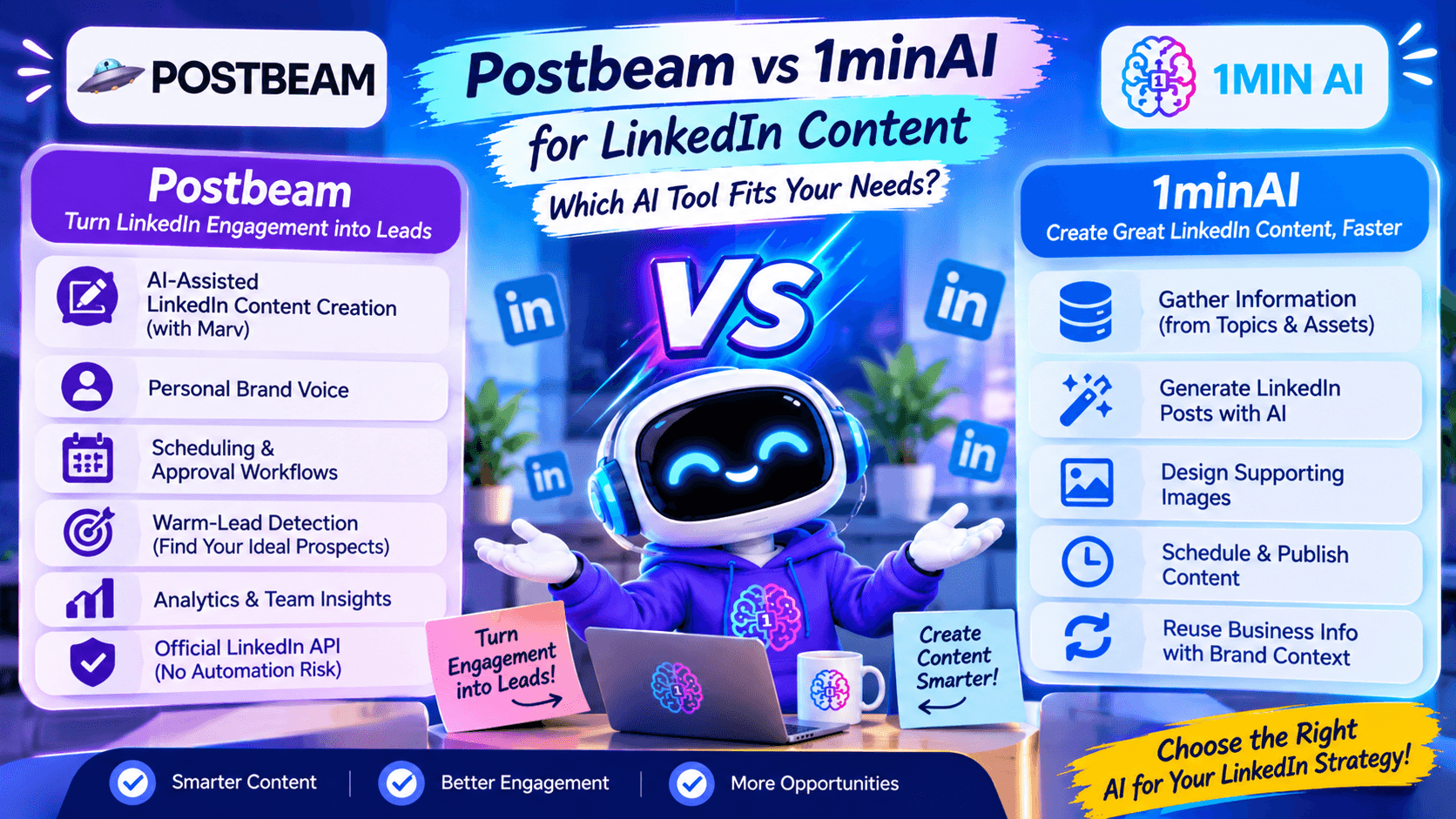
1minAI vs Postbeam: Feature-by-Feature Comparison
| Feature | Postbeam | 1minAI |
|---|---|---|
| Main purpose | LinkedIn content, social selling, and pipeline intelligence | AI-powered content creation and publishing workflow |
| Target audience | B2B companies, GTM teams, founders, and agencies | Creators, founders, marketers, and business teams |
| AI content generation | Yes, with Marv | Yes, with LinkedIn Content Agent |
| Brand voice | Personal voice training for connected accounts | Brand context and available Brand Voice settings |
| Information gathering | Uses business context, calls, documents, and connected sources | Gather Information stage using topics and saved Assets |
| AI image generation | Supports content visuals | Design Image stage |
| LinkedIn scheduling | Yes | Yes, through the Agent workflow |
| Team collaboration | Team workspace and approval workflows | Agent workflow and reusable content context |
| Warm-lead detection | Yes, with ICP filters | Not a core feature of the LinkedIn Content Agent |
| Sales pipeline insights | Yes | Not a dedicated pipeline intelligence feature |
| Analytics | Content performance and lead-focused analytics | Focus on AI content workflow rather than a dedicated sales analytics suite |
| Free access | 7-day free trial | Free daily credits are available |
Why Consider 1minAI as a Postbeam Alternative?
Postbeam is a strong option for B2B social selling. However, not everyone needs a platform that connects LinkedIn content to pipeline intelligence.
If your main challenge is creating useful content consistently, 1minAI may be a more suitable starting point.
Here are several reasons to consider it.
Create Content Without Building a Complex Sales Workflow
Not every LinkedIn user needs ICP filters, lead rankings, or sales follow-up suggestions.
A solo founder might simply want to share product updates, explain industry trends, and publish useful insights.
A consultant might want to turn professional experience into educational posts.
A content marketer might need to produce several posts around a campaign topic.
For these use cases, an AI content workflow can be more relevant than a platform built around sales pipeline tracking.
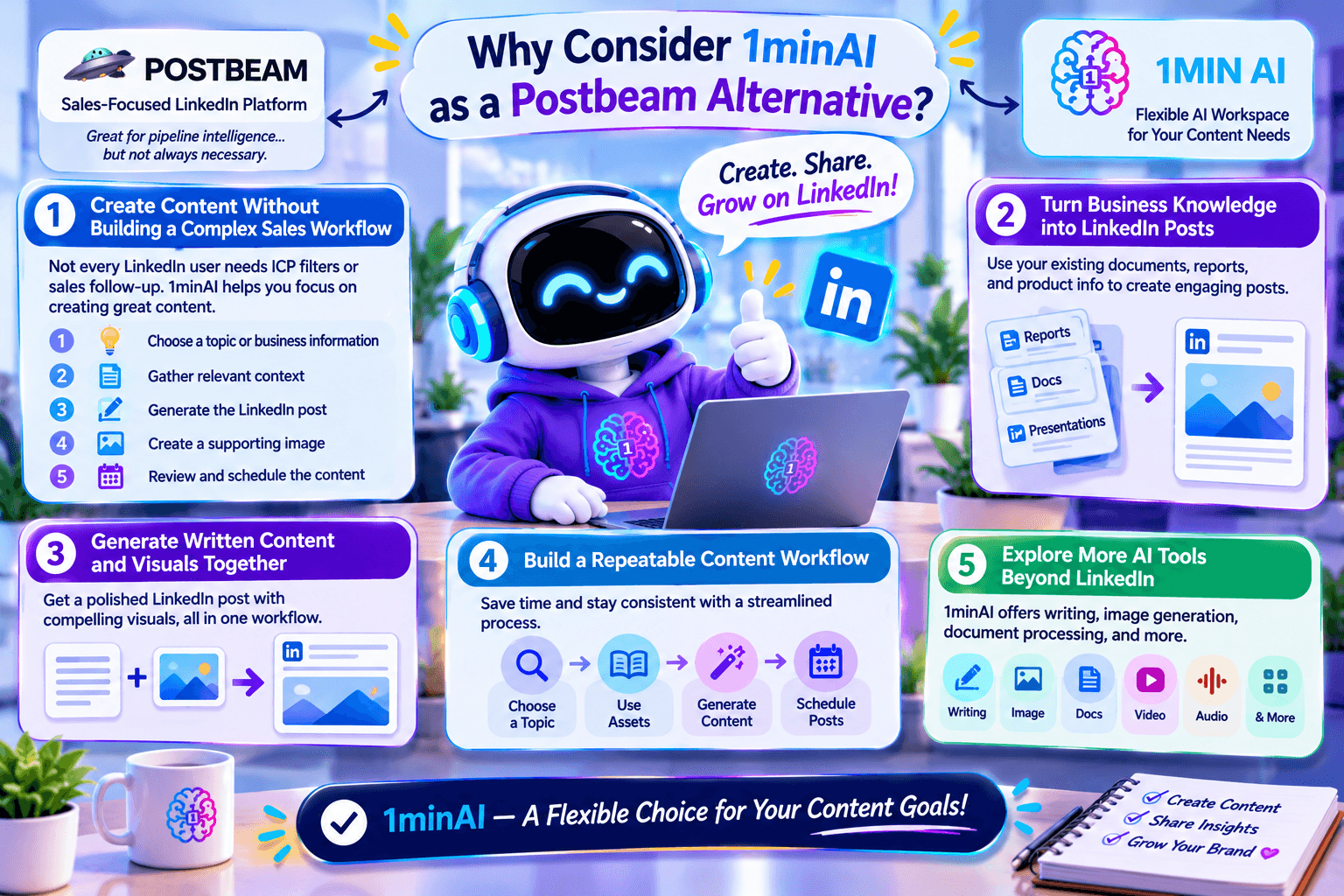
With 1minAI, you can focus on the content production process:
- Choose a topic or business information.
- Gather relevant context.
- Generate the LinkedIn post.
- Create a supporting image.
- Review and schedule the content.
Turn Business Knowledge into LinkedIn Posts
Many businesses already have useful information in product documents, reports, presentations, and internal resources.
The challenge is turning that information into content people want to read.
1minAI's saved Assets can provide reusable business context for the LinkedIn Content Agent.
For example, a software company could turn product documentation into a series of posts about:
- Common customer problems.
- Practical product use cases.
- Industry education.
- Product updates.
- Lessons learned from building the business.
This helps create content from existing knowledge instead of relying entirely on new ideas every day.
Generate Written Content and Visuals Together
A good LinkedIn post often needs more than a strong opening paragraph.
Visuals can help explain a concept, summarize information, or make an educational post easier to understand.
With 1minAI, writing and image generation are connected within the Agent workflow.
For example, you could create a post about five common mistakes in SaaS onboarding and generate an accompanying visual that summarizes the five points.
This makes it easier to prepare a more complete post before publishing.
Build a Repeatable Content Workflow
Consistency is difficult when every post requires a different process.
One day, you research a topic in a browser. The next day, you write in an AI chatbot, generate an image in another tool, and manually prepare the final post.
1minAI brings these activities into a connected workflow.
You can reuse saved business information, configure the available generation settings, and set a publishing schedule that matches your content strategy.
This is especially useful for founders and small marketing teams that want to maintain a LinkedIn presence without creating a complicated content operation.
Explore More AI Tools Beyond LinkedIn
1minAI is not limited to LinkedIn content creation.
Its broader AI workspace includes writing, image generation, document processing, video, audio, and other AI-powered capabilities.
This can be useful when your content workflow extends beyond social media.
For example, you could summarize a research report, turn its main findings into LinkedIn content, and generate a supporting visual using different AI capabilities within the same workspace.
How to Create LinkedIn Content with 1minAI
If you want to try an AI-first LinkedIn workflow, follow these steps.
Step 1: Open 1minAI Social Agents
Visit 1minAI Social Agents and select the LinkedIn Content Agent.
This is where you can configure the workflow for gathering information, writing content, creating images, and publishing.
Step 2: Choose Your Topic or Business Information
Open the Gather Information stage.
You can start with a topic or select a saved Asset containing information about your company, product, or service.
For example, a B2B SaaS founder could choose:
"How AI automation helps small sales teams reduce repetitive work."
You can also use relevant documents or other supporting information where the workflow allows.
Step 3: Generate Your LinkedIn Post
Move to the Write Content stage and configure the available AI model and writing settings.
Here is a sample prompt you can use as a starting point:
Create a LinkedIn post for B2B founders about how AI automation can help small sales teams reduce repetitive work.
Start with a specific, relatable hook. Explain three practical applications, include one actionable takeaway, and finish with a question that encourages meaningful discussion.
Use a professional but conversational tone. Avoid generic AI phrases, exaggerated claims, and unnecessary jargon.
Review the result and make sure the post reflects your actual experience and business message.
Step 4: Generate a Supporting Image
Move to the Design Image stage.
Choose the available image-generation settings and create a visual that supports the main idea of your post.
For the example above, you could generate a clean business infographic showing three ways AI automation supports a small sales team.
Make sure the image communicates the same message as the written content.
Step 5: Connect LinkedIn and Configure Publishing
Open the Post to Social stage and select your connected LinkedIn destination.
Review the publishing settings before continuing.
Depending on your needs, you can run the workflow manually, schedule a one-time post, or configure a recurring schedule.
Step 6: Review the Final Content
Before publishing, check:
- Is the information accurate?
- Does the opening capture the intended audience's attention?
- Does the post sound appropriate for your brand?
- Does the image support the main message?
- Is the call to action relevant?
- Is the publishing schedule suitable?
AI can help prepare content, but human review remains important for accuracy, originality, and brand consistency.
Frequently Asked Questions
Is 1minAI a good Postbeam alternative?
1minAI is worth considering if your priority is AI-assisted LinkedIn content creation, including information gathering, writing, image generation, and publishing.
Postbeam is more suitable if you need warm-lead identification, ICP filters, team collaboration, and sales-focused LinkedIn analytics.
Can 1minAI generate LinkedIn posts?
Yes. The 1minAI LinkedIn Content Agent includes a Write Content stage that helps generate LinkedIn posts using selected topics and relevant business information.
Does 1minAI offer warm-lead detection like Postbeam?
Warm-lead detection and ICP-based prospect identification are not core features of the 1minAI LinkedIn Content Agent.
Postbeam is the more specialized choice if you need to identify people engaging with your content and prioritize potential buyers.
Which is better for solo founders: Postbeam or 1minAI?
It depends on the founder's goals.
Postbeam may be useful if LinkedIn is an important source of B2B leads and you want to track engagement from potential buyers.
1minAI may be more suitable if you want to turn product knowledge, business ideas, and industry topics into LinkedIn content with AI assistance.
Conclusion: Choose the Right LinkedIn Workflow for Your Goals
Postbeam and 1minAI both help users build a more consistent LinkedIn presence, but they solve different problems.
If your main goal is to connect LinkedIn engagement with potential sales opportunities, Postbeam is a specialized solution. But if you want to spend less time moving between research, writing, and design tools, 1minAI is a Postbeam alternative worth exploring.
Ready to turn your business knowledge into LinkedIn content?
Explore 1minAI Social Agents and try an AI-assisted workflow for your next LinkedIn post.
You can also explore 1minAI's AI features to discover more ways to use AI in your marketing workflow.
- #Commerce
- #Information
Alternatif
Temukan alternatif terbaik untuk 1minAI dan bandingkan fitur, harga, serta kasus penggunaannya.

1min.AI vs OpenRouter
1min.AI vs. OpenRouter: Bandingkan produk kreasi AI siap pakai dengan alat API teknis. Cari tahu apakah Anda membutuhkan studio kreatif tanpa kode atau pusat infrastruktur pengodean.
 Ngoc Hong

1min AI vs Buffer
Compare 1min.AI vs Buffer for Facebook content creation, AI writing, image generation, scheduling, pricing, and everyday marketing workflows.
Ngoc Hong
1min.AI vs. Hootsuite: Which Social Media Tool Fits Your Workflow?
Compare 1min.AI vs. Hootsuite to explore their AI content creation, social media publishing, analytics, pricing, and collaboration features. Find the right tool for your workflow.
Alat AI
Temukan alat AI terbaik untuk meningkatkan produktivitas, kreativitas, dan pekerjaan sehari-hari.

4 Alat AI Terjangkau Teratas untuk Pendiri Startup
Temukan 4 alat AI terjangkau teratas untuk pendiri startup guna memvalidasi ide, membangun produk, membuat konten, dan meluncurkan lebih cepat tanpa pengeluaran berlebihan.
 Tram Ta

POV: Anda Punya 10+ Post untuk Dibuat Setiap Hari
Pelajari cara membangun alur kerja konten AI yang membantu kreator konten menghasilkan 10+ postingan media sosial per hari lebih cepat dengan brainstorming AI, pembuatan gambar, dan pembuatan konten.
 Lien Anh Vu

Ubah “Make It Better” Menjadi Konten yang Lebih Baik dengan AI
Gunakan AI untuk mengubah masukan klien yang samar menjadi revisi yang jelas, mengurangi edit yang tidak perlu, dan mengirimkan konten yang lebih baik lebih cepat.
Lien Anh VuFitur AI
Fitur AI komprehensif yang merampingkan alur kerja, meningkatkan efisiensi, dan memberdayakan tim untuk mencapai lebih banyak.

1minAI: Pemeriksa Tata Bahasa AI Gratis
Periksa tata bahasa gratis dengan pemeriksa tata bahasa AI 1minAI. Temukan kesalahan tata bahasa, ejaan, dan penulisan, tingkatkan kejelasan, dan poles konten Anda dalam hitungan detik.
Tram Ta
Bangun Situs Web Portofolio Lebih Cepat dengan 1min.AI
Pelajari bagaimana pekerja kreatif lepas dapat menggunakan 1min.AI untuk merencanakan, menulis, mendesain, dan menghasilkan situs web portofolio profesional lebih cepat, bahkan tanpa keterampilan coding yang kuat.
Lien Anh Vu
Komentar AI X Gratis
Buat komentar lucu, cerdas, atau berwawasan untuk Twitter dengan Generator Komentar Twitter bertenaga AI kami. Tingkatkan engagement Anda dan menonjol di keramaian!
Kasus Penggunaan AI
Kumpulan kasus penggunaan AI yang dikurasi untuk bisnis, produktivitas, dan aplikasi spesifik industri.

Waktu Terbaik Posting di Instagram: Panduan Praktis untuk Engagement yang Lebih Baik
Temukan waktu terbaik posting di Instagram, termasuk hari dan jam terbaik untuk berbagai audiens, plus tips untuk menemukan jadwal posting ideal untuk akun Anda.
Tram TaBangun Situs Web Portofolio Lebih Cepat dengan 1min.AI
Pelajari bagaimana pekerja kreatif lepas dapat menggunakan 1min.AI untuk merencanakan, menulis, mendesain, dan menghasilkan situs web portofolio profesional lebih cepat, bahkan tanpa keterampilan coding yang kuat.
Lien Anh VuUbah “Make It Better” Menjadi Konten yang Lebih Baik dengan AI
Gunakan AI untuk mengubah masukan klien yang samar menjadi revisi yang jelas, mengurangi edit yang tidak perlu, dan mengirimkan konten yang lebih baik lebih cepat.
Lien Anh VuTutorial AI
Pelajari cara menggunakan AI dengan tutorial praktis langkah demi langkah.

Penawaran Alat AI Black Friday di 2026
Temukan apa saja yang ditawarkan oleh penawaran alat AI Black Friday 2026. Cari tahu cara mendapatkan penawaran seumur hidup 1min.AI lewat AppSumo, Dealify, Stack Social, dan verifikasi di Trustpilot, Slashdot, dan Software Advice.
 Hang Nguyen

Rasakan Fashion Week seharga $0 dengan 1minAI Face Swap
Rasakan Fashion Week seharga $0 dengan 1minAI Face Swap. Unggah foto Anda, pilih video Fashion Week, dan buat momen fashion AI Anda sendiri.
Ngoc Hong
Reels Viral dalam Hitungan Menit: Cara Menggunakan Text-to-Speech 1minAI untuk Voiceover Satir
Pelajari cara admin halaman satir menggunakan fitur Text-to-Speech 1minAI untuk membuat voiceover ala pembawa berita dan dramatis secara instan untuk TikTok, Shorts, dan Instagram Reels.
Panduan AI
Pelajari AI lebih cepat dengan panduan praktis, contoh dunia nyata, dan praktik terbaik yang dapat ditindaklanjuti.

Beli Alat AI Secara Aman Online: Panduan Black Friday 2026
Temukan cara menemukan dan mengamankan penawaran Black Friday AI terbaik secara online. Pelajari strategi ahli untuk menghindari penipuan, mengatasi kelelahan langganan, dan memverifikasi perangkat lunak.
Hang Nguyen4 Alat AI Terjangkau Teratas untuk Pendiri Startup
Temukan 4 alat AI terjangkau teratas untuk pendiri startup guna memvalidasi ide, membangun produk, membuat konten, dan meluncurkan lebih cepat tanpa pengeluaran berlebihan.
Tram Ta
Cara memulai bisnis AI tanpa membangunnya dari nol
Pelajari cara memulai bisnis AI, memvalidasi ide Anda, dan meluncur lebih cepat tanpa membangun infrastruktur AI yang mahal dari nol.
Ngoc HongSolusi AI
Jelajahi solusi AI terbaik untuk otomatisasi, coding, penelitian, produktivitas, dukungan pelanggan, pemasaran, dan alur kerja bisnis.

Generator Tato AI Gratis: Desain Kustom
Ubah ide apa pun menjadi desain tato kustom dengan generator tato AI gratis 1min.AI. Jelaskan ide Anda, pilih gaya, dan unduh dalam hitungan detik.
 Trang Tran
Beli Alat AI Secara Aman Online: Panduan Black Friday 2026
Temukan cara menemukan dan mengamankan penawaran Black Friday AI terbaik secara online. Pelajari strategi ahli untuk menghindari penipuan, mengatasi kelelahan langganan, dan memverifikasi perangkat lunak.
Hang Nguyen4 Alat AI Terjangkau Teratas untuk Pendiri Startup
Temukan 4 alat AI terjangkau teratas untuk pendiri startup guna memvalidasi ide, membangun produk, membuat konten, dan meluncurkan lebih cepat tanpa pengeluaran berlebihan.
Tram TaModel AI
Jelajahi model AI terkemuka di dunia di satu tempat.

Free AI Chat With Claude Fable 5.2 On 1min.AI
Free AI chat with Claude Fable 5.2 on 1min.AI. Compare Fable 5.2 vs Opus 5.5, see Fable 5.2 benchmarks, and start chatting in minutes.
Trang Tran
GPT-6.2 Sol: Specs, Pricing & Free Access
Explore GPT-6.2 Sol specs, pricing, and how it compares with GPT-6.1 Sol and Claude Opus 5.5, then try it free in 1min.AI Multi AI Chat.
Trang Tran
GPT 6.2 Astra: Pricing, Benchmarks & Free Access
GPT 6.2 Astra release date, pricing, Reddit feedback and Opus 5.5 comparison. See what it does best and chat with it on 1min.AI for free.
Trang TranPerbandingan AI
Bandingkan alat, model, dan platform AI untuk menemukan yang paling sesuai dengan kebutuhan Anda.

Gemini 4 Neon vs Hydrogen: Specs, Price & Picks
Gemini 4 Neon vs Hydrogen, Carbon and Argon: compare price, benchmarks and use cases to pick the right model, then test them side by side on 1min.AI.
Trang Tran
Kling AI Vs Veo 3: Model Mana yang Menang?
Kling AI vs Veo 3: bandingkan gerakan, audio native, harga, dan tier gratis untuk melihat generator video AI mana yang unggul untuk proyek Anda - coba keduanya di 1min.AI.
Trang Tran
Perbandingan DeepSeek V4 Pro vs Flash
Bandingkan metrik DeepSeek V4 Pro vs DeepSeek V4 Flash. Optimalkan aplikasi agen Anda dan tingkatkan pemeriksaan fakta AI di 1min.ai hari ini.
Integrasi AI
Integrasikan AI dengan mulus ke dalam alat yang sudah Anda gunakan untuk mengotomatiskan pekerjaan dan meningkatkan produktivitas.
POV: Anda Punya 10+ Post untuk Dibuat Setiap Hari
Pelajari cara membangun alur kerja konten AI yang membantu kreator konten menghasilkan 10+ postingan media sosial per hari lebih cepat dengan brainstorming AI, pembuatan gambar, dan pembuatan konten.
Lien Anh Vu
Berhenti Berganti Aplikasi AI: Bagaimana Integrasi AI Mengubah Employer Branding
Temukan bagaimana integrasi AI membantu tim HR merampingkan employer branding dengan menggabungkan penulisan AI, dokumen, gambar, video, dan berbagai model AI ke dalam satu ruang kerja.
Tram Ta
Penjelasan AI API Aggregator untuk Developer
Agregator API AI memberikan developer satu API terpadu untuk memanggil berbagai model AI, memangkas waktu integrasi dan keterikatan vendor.
Trang TranAI untuk Industri
Temukan alat dan alur kerja AI terbaik untuk layanan kesehatan, keuangan, pendidikan, hukum, manufaktur, ritel, real estat, dan lainnya.

Voice Cloning AI Free: How to Clone Any Voice Online in Minutes
Try voice cloning AI free with 1min.AI. Upload a 5-second clip, pick an ElevenLabs model, choose from 32 languages, and turn text to speech in your own voice.
Trang Tran
Claude Personal Finance Setup and Safety Guide
Claude personal finance explained: how Personal Finance in Claude works and what Claude finance can see. Plus a safe CSV method for non-US users.
Trang Tran
Free AI Image Editor With Prompt No Restrictions
Looking for a free AI image editor with prompt no restrictions? Edit backgrounds, objects and text by typing, no watermark. Try 1min.AI’s flexible editor now.
Trang TranAgen AI
Temukan dan jalankan agen AI untuk mengotomatiskan tugas di seluruh pekerjaan dan kehidupan sehari-hari Anda.
1minAI: Pemeriksa Tata Bahasa AI Gratis
Periksa tata bahasa gratis dengan pemeriksa tata bahasa AI 1minAI. Temukan kesalahan tata bahasa, ejaan, dan penulisan, tingkatkan kejelasan, dan poles konten Anda dalam hitungan detik.
Tram Ta
AI Agent untuk Facebook
Gunakan AI Agent untuk Facebook untuk membuat konten, menghasilkan gambar, menjadwalkan posting, dan menerbitkan dari dokumen dan percakapan Anda.
Ngoc Hong
AI Agent vs AI Assistant: Mana yang Benar-Benar Menghemat Waktu Designer Lebih Banyak?
Pelajari perbedaan antara AI Agent vs AI Assistant dan temukan solusi mana yang membantu designer mengotomatiskan pekerjaan berulang, mengurangi revisi, dan menghemat lebih banyak waktu.
Lien Anh VuAlur Kerja AI
Jelajahi alur kerja AI siap pakai untuk produktivitas, pemasaran, penjualan, dukungan, dan lainnya.
POV: Anda Punya 10+ Post untuk Dibuat Setiap Hari
Pelajari cara membangun alur kerja konten AI yang membantu kreator konten menghasilkan 10+ postingan media sosial per hari lebih cepat dengan brainstorming AI, pembuatan gambar, dan pembuatan konten.
Lien Anh Vu
AI Fashion Video Generator With Seedance 2.5 and HeyGen
Learn how to create AI fashion videos with Seedance 2.5 and HeyGen. Turn outfit photos into cinematic videos featuring your own face with 1min.AI.
Lien Anh Vu
Is Seedance 2.5 the Best AI Video Generator of 2026?
Is Seedance 2.5 the best AI video generator in 2026? Explore its features, compare it with Kling and Veo, and learn how to create AI videos on 1min.AI.
Lien Anh VuBuletin
Inovasi AI Mingguan dengan 1minAI

🔮 Weekly AI Innovations #145: X Content Agent & GPT 6.1 Terra on 1min.ai
Scale viral reach with the X Content Agent on 1min.ai. Discover an end-to-end 4-stage pipeline with zero token burn, plus the launch of GPT 6.1 Terra.
Hang Nguyen
🔮 Weekly AI Innovations #144: LinkedIn Content Agent: Complete B2B Publishing Pipeline
Scale B2B influence with the LinkedIn Content Agent on 1min.ai. Discover an end-to-end 4-stage pipeline with zero redundant token burn and 1-click publishing.
Hang Nguyen
🔮 Weekly AI Innovations #146: Mistral 3.5, Qwen Image & Cohere A+ are ready on 1min.ai
Deploy Mistral Large 3, Qwen Image 3.0, and Cohere Command A+ on 1min.ai. Boost RAG accuracy and cut visual generation latency in one unified AI workspace.
Hang Nguyen