
DeepSeek API: A Complete Guide to Getting Started and Building AI Applications

Tram Ta
Nobyembre 20, 2026
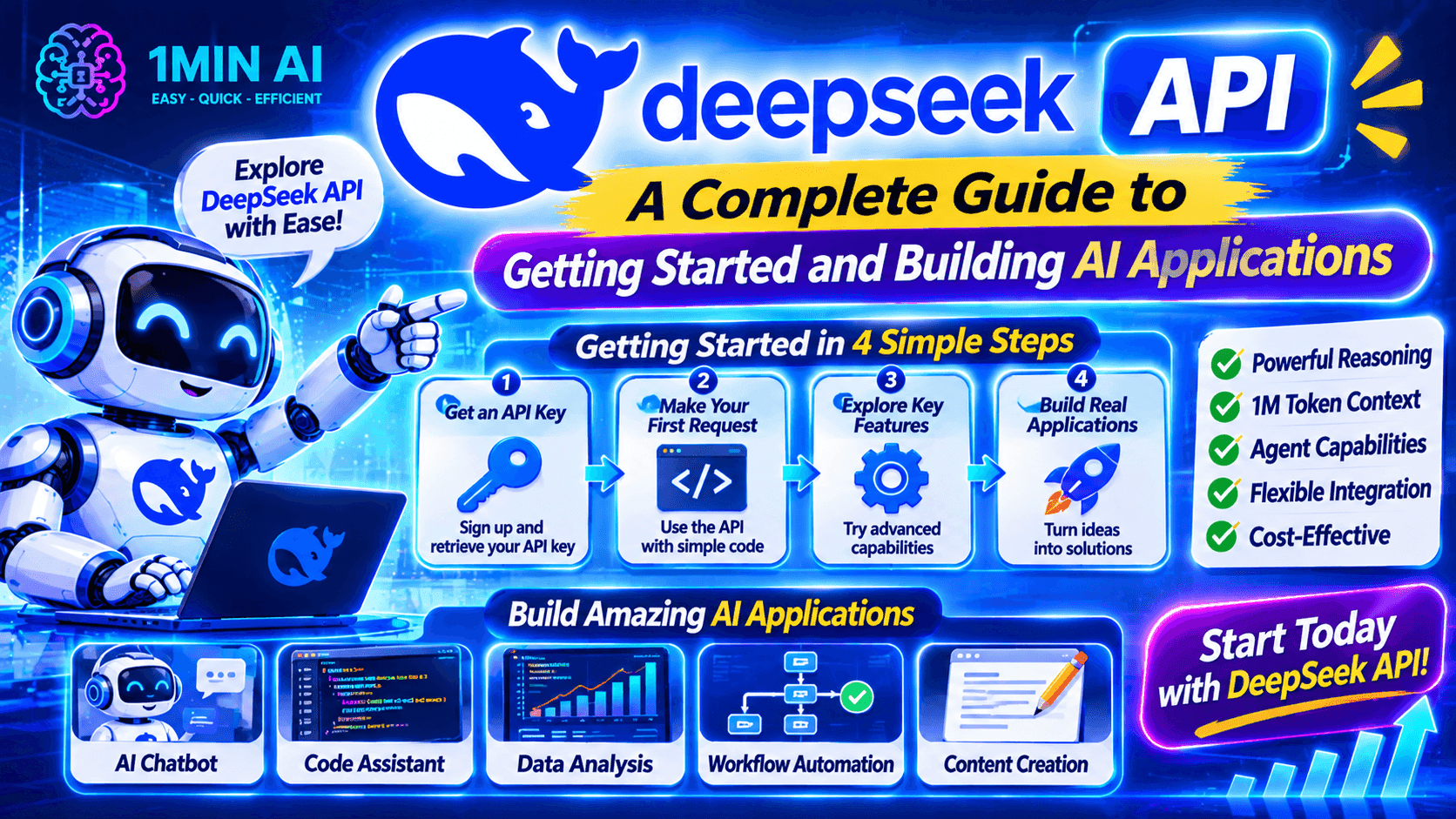
Learn how to use the DeepSeek API, get your API key, make your first request, and build AI applications. Explore DeepSeek models and developer tools with 1minAI.
AI APIs make it possible for developers to add powerful language models to their own applications without building an AI model from scratch.
One option worth exploring is the DeepSeek API. It gives developers programmatic access to DeepSeek models for tasks such as text generation, reasoning, coding assistance, structured output, and tool calling.
Whether you're building a chatbot, developing an AI coding assistant, or experimenting with autonomous agent workflows, the DeepSeek API provides a way to connect AI capabilities to your software.
But how do you get started? Which model should you choose? How do you create an API key and send your first request?
This guide walks through the essential steps, with practical examples and tips for developers. We'll also explore how 1minAI can help you discover AI APIs and build AI-powered workflows.
What Is the DeepSeek API?
The DeepSeek API is a developer interface that allows applications to communicate with DeepSeek AI models through programmatic requests.
Instead of opening a chatbot and manually entering prompts, developers can send requests from their own applications and receive model-generated responses.
For example, you could integrate the DeepSeek API into:
- A customer support chatbot.
- An AI writing assistant.
- A code-generation application.
- A document summarization tool.
- A research assistant.
- An AI agent that uses external tools.
The API supports an OpenAI-compatible format, making it easier for developers familiar with the OpenAI SDK to adapt their existing code.
DeepSeek also provides an Anthropic-compatible API format, giving developers additional integration options.
Key Features of the DeepSeek API
1. Access to DeepSeek models
Developers can access DeepSeek's supported models through API requests. The current model identifiers include:
deepseek-flash: Serves the latest DeepSeek Flash release.deepseek-v4-pro: Provides access to the current V4 Pro model.
These identifiers point to model versions documented by DeepSeek. Check the official model documentation before selecting one for a new project.
2. OpenAI-compatible API format
The DeepSeek API uses an OpenAI-compatible interface for common chat-completion requests.
This means developers can often reuse familiar SDKs and request structures by changing the API base URL and model identifier.
3. Thinking and non-thinking modes
Supported models provide thinking and non-thinking modes.
- Non-thinking mode is useful for straightforward tasks where you want a direct response.
- Thinking mode is useful for tasks that benefit from additional reasoning.
Developers can configure reasoning effort where supported.
4. Tool calling
The API supports function-based tool calling.
This allows a model to request an external function, such as searching a database or retrieving information from another service. Your application executes the function and sends the result back to the model.
5. Structured output
DeepSeek supports JSON output, which is useful when an application needs predictable data rather than free-form text.
For example, you can ask a model to return product information, task lists, or categorized results in JSON format.
6. Streaming responses
Streaming allows an application to receive generated content progressively rather than waiting for the entire response.
This can make chat interfaces feel more responsive, especially when generating longer answers.
DeepSeek API Models: Which One Should You Use?
Choosing the right model is one of the first decisions when integrating an API.
DeepSeek's current API documentation lists two main model identifiers.
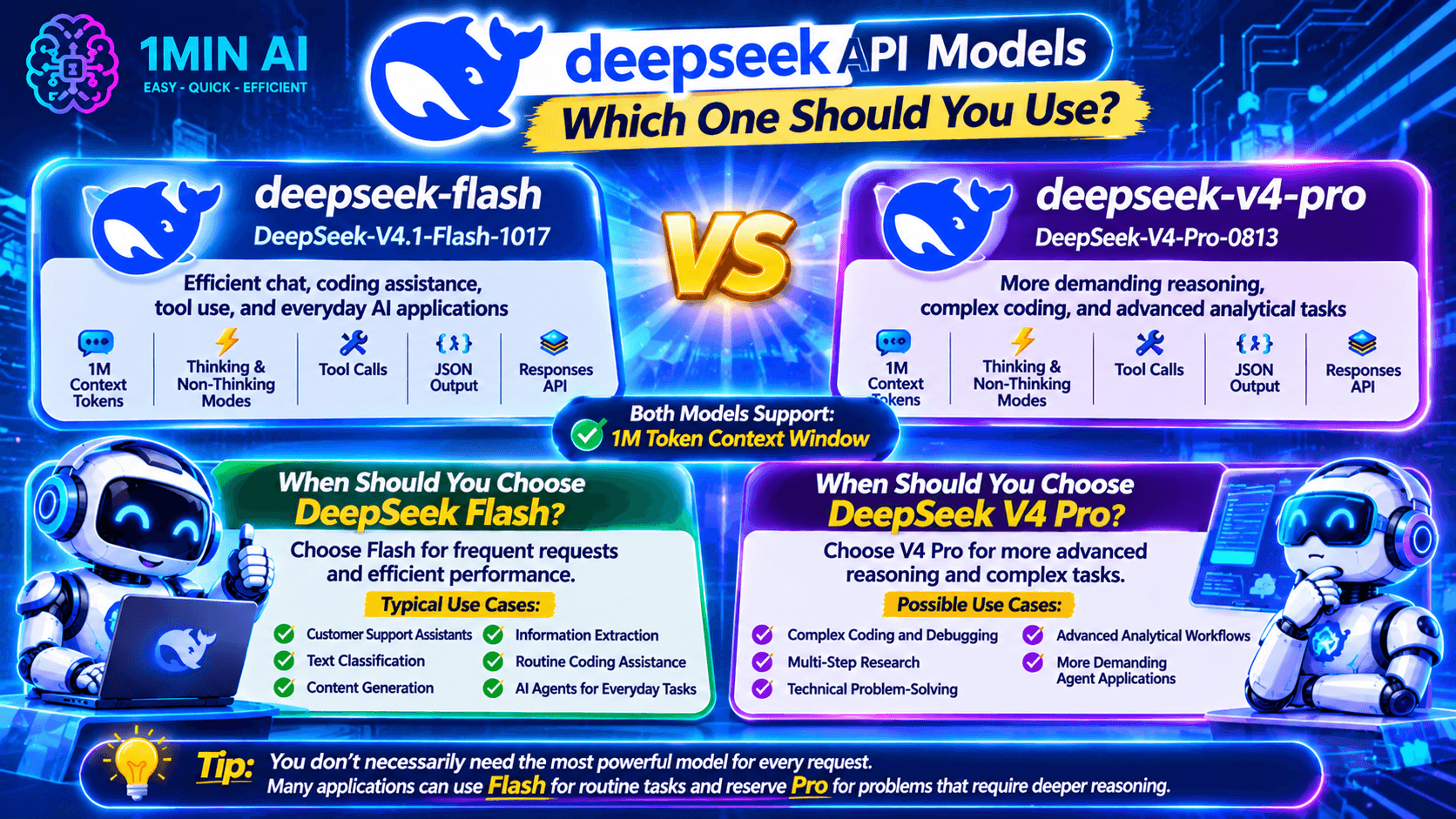
| Model identifier | Model version | Best suited for |
|---|---|---|
deepseek-flash | DeepSeek-V4.1-Flash-1017 | Efficient chat, coding assistance, tool use, and everyday AI applications |
deepseek-v4-pro | DeepSeek-V4-Pro-0813 | More demanding reasoning, complex coding, and advanced analytical tasks |
Both models support a 1-million-token context window, thinking and non-thinking modes, tool calls, JSON output, and the Responses API.
When Should You Choose DeepSeek Flash?
Choose Flash when your application needs frequent AI requests and efficient performance.
Typical use cases include:
- Customer support assistants.
- Text classification.
- Content generation.
- Information extraction.
- Routine coding assistance.
- AI agents handling everyday tasks.
When Should You Choose DeepSeek V4 Pro?
Choose V4 Pro when your application needs more advanced reasoning for difficult tasks.
It may be suitable for:
- Complex coding and debugging.
- Multi-step research.
- Technical problem-solving.
- Advanced analytical workflows.
- More demanding agent applications.
Tip: You don't necessarily need to use the most capable model for every request. Many applications can use Flash for routine tasks and reserve Pro for problems that require deeper reasoning.
How to Get a DeepSeek API Key
Before making API requests, you need an API key.
An API key is a credential that identifies and authorizes your application when communicating with the DeepSeek API.
Follow these steps to get started.
Step 1: Create a DeepSeek Platform Account
Visit the official DeepSeek platform and sign in or create an account.
Go to the API platform:
https://platform.deepseek.com/
Step 2: Open the API Keys Section
After signing in, navigate to the API key management section.
This is where you can create and manage the credentials used by your applications.
Step 3: Generate a New API Key
Select the option to create a new API key.
Give it a recognizable name so you can identify which project uses it.
Step 4: Copy and Secure Your API Key
Copy the generated key and store it securely.
Important security practices:
- Never publish your API key in public code repositories.
- Avoid placing secret keys directly in frontend JavaScript.
- Use environment variables or a secure secrets manager.
- Rotate keys if you suspect they have been exposed.
- Use separate keys for different applications when appropriate.
Once you have your key, you're ready to make your first API request.
How to Use DeepSeek API for AI Agent Development
One of the most interesting applications of the DeepSeek API is building AI agents.
An ordinary chatbot generates responses based on user input. An AI agent can use connected tools to perform additional steps, retrieve information, and work toward completing a task.
DeepSeek supports function-based tool calling, allowing developers to connect models to external functions.
DeepSeek API Pricing: How Much Does It Cost?
DeepSeek uses token-based API pricing. Your cost depends on the model, the number of input and output tokens, and whether input tokens are served from the cache.
The current published pricing for the main V4 API models is:
| Model | Input – cache miss | Input – cache hit | Output |
|---|---|---|---|
| DeepSeek V4.1 Flash | $0.15 / 1M tokens off-peak | $0.003 / 1M tokens off-peak | $0.60 / 1M tokens off-peak |
| DeepSeek V4 Pro | $0.66 / 1M tokens off-peak | $0.022 / 1M tokens off-peak | $1.98 / 1M tokens off-peak |
Peak-period rates are higher. DeepSeek publishes separate peak and off-peak pricing, so check its official pricing page before estimating your application budget.
What Is a Token?
A token is a unit of text processed by an AI model. It can represent a word, part of a word, a number, or punctuation.
API usage generally includes:
- Input tokens: Instructions, conversation history, and other information sent to the model.
- Output tokens: The text or structured response generated by the model.
- Cached input tokens: Previously processed input that can qualify for a reduced rate when caching applies.
For example, a chatbot that receives long conversation histories may consume more input tokens than a simple question-and-answer application.
How to Reduce DeepSeek API Costs
Here are several practical ways to manage your API spending:
- Choose the right model: Use Flash for routine tasks and reserve Pro for more demanding requests.
- Keep prompts focused: Remove unnecessary instructions and repeated context.
- Manage conversation history: Send only the relevant information needed for the current request.
- Use caching where appropriate: Take advantage of supported prompt caching for repeated prefixes.
- Set output limits: Configure maximum output tokens based on your application's needs.
- Monitor usage: Track token consumption and API spending as your application grows.
For current model identifiers and rates, refer to the official DeepSeek Models & Pricing documentation.
DeepSeek API vs. 1minAI API: What's the Difference?
If you're exploring AI development, you may come across both DeepSeek's API and 1minAI's developer API resources.
They serve related but different purposes.
| Comparison | DeepSeek API | 1minAI API |
|---|---|---|
| Provider | DeepSeek | 1minAI |
| Main purpose | Programmatic access to DeepSeek models | Access to AI capabilities available through the 1minAI ecosystem |
| Model access | DeepSeek-supported models | Models and tools supported by 1minAI |
| Integration | Direct API integration | Integration through 1minAI's developer services |
| Best for | Developers building directly with DeepSeek | Developers exploring multiple AI capabilities through one platform |
If you want to work directly with DeepSeek models, its official API is the natural starting point.
If you want to explore a broader set of AI capabilities, 1minAI also provides developer-focused resources.
For example, explore:
Check each service's current documentation for supported models, API access conditions, pricing, and usage limits.
Explore More AI Agent Workflows with 1minAI
The DeepSeek API gives developers a way to connect AI models to software. But building a complete agent workflow can require more than an API connection.
You may also need a model interface, connected tools, workflow instructions, and a way to organize tasks.
1minAI offers several AI agent-related experiences worth exploring.
1. Try 1minAI DeepSeek Super Agent
Visit 1minAI DeepSeek Super Agent to explore a DeepSeek-focused agent experience.
This is a useful starting point if you want to experiment with AI-powered task workflows without building an entire agent application from scratch.
Check the page for its current capabilities and usage conditions.
2. Explore Multi AI Chat and AI Agents
Visit 1minAI Multi AI Chat & AI Agent to discover broader AI assistant and agent workflows.
Comparing different models can help you evaluate their responses and find an approach that works for your task.
3. Automate Social Media Workflows
AI agents can also support recurring marketing activities.
Explore 1minAI AI Agent for Social Media Management to see how AI can assist with content planning and social media workflows.
This is particularly relevant for marketers, creators, and small business owners.
4. Discover More AI Agents
You can also explore the 1minAI AI Agents page to discover other agent-related applications.
Think about repetitive work in your daily routine. Research, writing, planning, and organizing information are all potential areas where AI assistance may help.
Frequently Asked Questions
1. What is the DeepSeek API used for?
The DeepSeek API allows developers to integrate DeepSeek AI models into their own applications. Common use cases include chatbots, coding assistants, content generators, document analysis tools, and AI agents.
2. Is the DeepSeek API free?
DeepSeek API access uses token-based pricing. It is not the same as using a free chat interface. Check DeepSeek's official pricing page for current rates and any available credits or promotions.
3. How do I get a DeepSeek API key?
Create an account on the official DeepSeek platform, navigate to API key management, generate a key, and store it securely. You can then use it to authenticate your API requests.
4. Is the DeepSeek API compatible with OpenAI?
Yes. DeepSeek provides an OpenAI-compatible API format. Developers can use familiar OpenAI SDKs by configuring the DeepSeek base URL and selecting a supported DeepSeek model.
5. Can I use DeepSeek API with Python?
Yes. You can use the OpenAI Python SDK with the DeepSeek API by configuring the API key and base URL. The example in this guide demonstrates a basic chat-completion request.
Final: Start Building with the DeepSeek API
The DeepSeek API gives developers a practical way to integrate advanced AI capabilities into their applications.
From chatbots and coding assistants to document analysis and tool-powered agents, it provides building blocks for a wide range of AI projects.
To get started, create your API key, choose a supported model, and make a simple request. Once the basic integration works, you can explore streaming, structured output, and tool calling to build more advanced workflows.
If you want to explore more AI development possibilities, check out the 1minAI AI API Aggregator for Developers, the Free AI API for Developers, and the available 1minAI AI Agents.
Start with one useful application, test it carefully, and build from there.
- #Commerce
Mga Alternatibo
Tuklasin ang pinakamahusay na mga alternatibo sa 1minAI at ihambing ang mga feature, pagpepresyo, at mga kaso ng paggamit.

1min.AI vs OpenRouter
1min.AI vs. OpenRouter: Ikumpara ang ready-to-use na AI creation product laban sa technical API tool. Alamin kung kailangan mo ng zero-code creative studio o coding infrastructure hub.
 Ngoc Hong

1min AI vs Buffer
Compare 1min.AI vs Buffer for Facebook content creation, AI writing, image generation, scheduling, pricing, and everyday marketing workflows.
Ngoc Hong
1min.AI vs. Hootsuite: Which Social Media Tool Fits Your Workflow?
Compare 1min.AI vs. Hootsuite to explore their AI content creation, social media publishing, analytics, pricing, and collaboration features. Find the right tool for your workflow.
Mga Tool ng AI
Tuklasin ang pinakamahusay na mga tool ng AI upang mapalakas ang pagiging produktibo, pagkamalikhain, at pang-araw-araw na gawain.

Nangungunang 4 Abot-kayang AI Tool para sa mga Startup Founder
Tuklasin ang nangungunang 4 abot-kayang AI tool para sa mga startup founder para ma-validate ang mga ideya, bumuo ng produkto, gumawa ng content, at maglunsad nang mas mabilis nang hindi sosobra sa gastos.
 Tram Ta

POV: May 10+ Post Ka na Kailangang Gawin Araw-araw
Alamin kung paano bumuo ng AI content workflow na tumutulong sa mga content creator na makagawa ng 10+ social media post bawat araw nang mas mabilis gamit ang AI brainstorming, image generation, at content creation.
 Lien Anh Vu

Gawing Mas Mahusay na Content ang “Make It Better” Gamit ang AI
Gamitin ang AI para gawing malinaw na revisions ang malabong feedback ng kliyente, bawasan ang hindi kailangang edits, at maghatid ng mas mahusay na content nang mas mabilis.
Lien Anh VuMga Tampok ng AI
Komprehensibong tampok ng AI na nagpapadali ng daloy ng trabaho, nagpapahusay ng kahusayan, at nagpapalakas sa mga koponan na makamit ang higit pa.

1minAI: Libreng AI Grammar Checker
Suriin ang grammar nang libre gamit ang AI grammar checker ng 1minAI. Hanapin ang mga mali sa grammar, spelling, at pagsusulat, pagandahin ang linaw, at pulihin ang content mo sa loob ng ilang segundo.
Tram Ta
Bumuo ng Portfolio Website nang Mas Mabilis gamit ang 1min.AI
Alamin kung paano magagamit ng mga freelance creative ang 1min.AI para planuhin, magsulat, magdisenyo, at bumuo ng propesyonal na portfolio website nang mas mabilis, kahit hindi ka magaling mag-code.
Lien Anh Vu
Libreng AI X Comment
Gumawa ng nakakatawa, matalino, o insightful na mga komento para sa Twitter gamit ang aming AI-powered Twitter Comment Generator. Palakasin ang iyong engagement at maging kakaiba sa karamihan!
 Trang Tran
Mga Paggamit ng AI
Isang piniling koleksyon ng mga paggamit ng AI para sa negosyo, produktibidad, at mga aplikasyon na partikular sa industriya.

Pinakamagandang Oras para Mag-post sa Instagram: Praktikal na Gabay para sa Mas Mahusay na Engagement
Alamin ang pinakamagandang oras para mag-post sa Instagram, kabilang ang pinakamagagandang araw at oras para sa iba't ibang audience, plus mga tip para mahanap ang ideal na iskedyul ng pagpo-post para sa iyong account.
Tram TaBumuo ng Portfolio Website nang Mas Mabilis gamit ang 1min.AI
Alamin kung paano magagamit ng mga freelance creative ang 1min.AI para planuhin, magsulat, magdisenyo, at bumuo ng propesyonal na portfolio website nang mas mabilis, kahit hindi ka magaling mag-code.
Lien Anh VuGawing Mas Mahusay na Content ang “Make It Better” Gamit ang AI
Gamitin ang AI para gawing malinaw na revisions ang malabong feedback ng kliyente, bawasan ang hindi kailangang edits, at maghatid ng mas mahusay na content nang mas mabilis.
Lien Anh VuMga Tutorial sa AI
Matutunan kung paano gamitin ang AI gamit ang praktikal, sunud-sunod na mga tutorial.

Mga Deal sa AI Tool tuwing Black Friday sa 2026
Tuklasin kung ano ang iniaalok ng mga deal sa AI tool tuwing Black Friday 2026. Alamin kung paano makuha ang 1min.AI lifetime deal sa pamamagitan ng AppSumo, Dealify, Stack Social, at mag-verify sa Trustpilot, Slashdot, at Software Advice.
 Hang Nguyen

Maranasan ang Fashion Week nang $0 gamit ang 1minAI Face Swap
Maranasan ang Fashion Week nang $0 gamit ang 1minAI Face Swap. I-upload ang iyong larawan, pumili ng video ng Fashion Week, at gumawa ng sarili mong AI fashion moment.
Ngoc Hong
Viral na Reels sa Ilang Minuto: Paano Gamitin ang Text-to-Speech ng 1minAI para sa Mga Satirical na Voiceover
Alamin kung paano ginagamit ng mga admin ng satirical page ang Text-to-Speech feature ng 1minAI para gumawa agad ng news anchor at dramatic na voiceover para sa TikToks, Shorts, at Instagram Reels.
Mga Gabay sa AI
Matuto ng AI nang mas mabilis gamit ang mga praktikal na gabay, mga halimbawa sa totoong mundo, at mga pinakamahusay na kasanayan na magagamit.

Ligtas na Bumili ng AI Tools Online: Gabay sa Black Friday 2026
Tuklasin kung paano hanapin at makuha ang pinakamagagandang AI deal ngayong Black Friday online. Alamin ang mga estratehiya ng eksperto para iwas-scam, labanan ang subscription fatigue, at beripikahin ang software.
Hang Nguyen
Paano magsimula ng isang AI na negosyo nang hindi nagsisimula sa wala
Alamin kung paano magsimula ng isang AI na negosyo, i-validate ang iyong ideya, at maglunsad nang mas mabilis nang hindi bumubuo ng mamahaling AI infrastructure mula sa simula.
Ngoc Hong
AI Fashion Video Generator With Seedance 2.5 and HeyGen
Learn how to create AI fashion videos with Seedance 2.5 and HeyGen. Turn outfit photos into cinematic videos featuring your own face with 1min.AI.
Lien Anh VuMga Solusyon sa AI
I-browse ang pinakamahusay na solusyon sa AI para sa automation, coding, pananaliksik, pagiging produktibo, suporta sa customer, marketing, at mga daloy ng trabaho sa negosyo.

Libreng AI Tattoo Generator: Mga Custom na Disenyo
Gawing custom na disenyo ng tattoo ang anumang ideya gamit ang libreng AI tattoo generator ng 1min.AI. Ilarawan ang ideya mo, pumili ng style, at i-download sa ilang segundo.
Trang TranLigtas na Bumili ng AI Tools Online: Gabay sa Black Friday 2026
Tuklasin kung paano hanapin at makuha ang pinakamagagandang AI deal ngayong Black Friday online. Alamin ang mga estratehiya ng eksperto para iwas-scam, labanan ang subscription fatigue, at beripikahin ang software.
Hang NguyenMaranasan ang Fashion Week nang $0 gamit ang 1minAI Face Swap
Maranasan ang Fashion Week nang $0 gamit ang 1minAI Face Swap. I-upload ang iyong larawan, pumili ng video ng Fashion Week, at gumawa ng sarili mong AI fashion moment.
Ngoc HongMga Modelo ng AI
Galugarin ang mga nangungunang modelo ng AI sa mundo sa isang lugar.

Free AI Chat With Claude Fable 5.2 On 1min.AI
Free AI chat with Claude Fable 5.2 on 1min.AI. Compare Fable 5.2 vs Opus 5.5, see Fable 5.2 benchmarks, and start chatting in minutes.
Trang Tran
GPT-6.2 Sol: Specs, Pricing & Free Access
Explore GPT-6.2 Sol specs, pricing, and how it compares with GPT-6.1 Sol and Claude Opus 5.5, then try it free in 1min.AI Multi AI Chat.
Trang Tran
GPT 6.2 Astra: Pricing, Benchmarks & Free Access
GPT 6.2 Astra release date, pricing, Reddit feedback and Opus 5.5 comparison. See what it does best and chat with it on 1min.AI for free.
Trang TranMga Paghahambing ng AI
Paghambingin ang mga tool, modelo, at platform ng AI upang mahanap ang pinakaangkop para sa iyong mga pangangailangan.

Gemini 4 Neon vs Hydrogen: Specs, Price & Picks
Gemini 4 Neon vs Hydrogen, Carbon and Argon: compare price, benchmarks and use cases to pick the right model, then test them side by side on 1min.AI.
Trang Tran
Kling AI Vs Veo 3: Aling Modelo ang Panalo?
Kling AI vs Veo 3: ikumpara ang galaw, native audio, presyo, at free tiers para makita kung aling AI video generator ang mas babagay sa proyekto mo — subukan pareho sa 1min.AI.
Trang Tran
Paghahambing ng DeepSeek V4 Pro vs Flash
Ihambing ang mga metric ng DeepSeek V4 Pro vs DeepSeek V4 Flash. I-optimize ang iyong mga agentic app at pagandahin ang AI fact checking sa 1min.ai ngayon.
Ngoc HongIntegrasyon ng AI
Isama nang walang putol ang AI sa mga tool na ginagamit mo upang i-automate ang trabaho at pataasin ang produktibidad.
POV: May 10+ Post Ka na Kailangang Gawin Araw-araw
Alamin kung paano bumuo ng AI content workflow na tumutulong sa mga content creator na makagawa ng 10+ social media post bawat araw nang mas mabilis gamit ang AI brainstorming, image generation, at content creation.
Lien Anh Vu
Itigil ang Paglipat-lipat sa mga AI App: Paano Binabago ng AI Integration ang Employer Branding
Tuklasin kung paano tinutulungan ng AI integration ang mga HR team na pahusayin ang employer branding sa pamamagitan ng pagsasama ng AI writing, mga dokumento, mga larawan, video, at maraming AI model sa iisang workspace.
Tram Ta
Paliwanag sa AI API Aggregator Para sa mga Developer
Ang AI API aggregator ay nagbibigay sa mga developer ng iisang API para tawagan ang maraming AI model, kaya mas maiksi ang integration time at nababawasan ang vendor lock in.
Trang TranAI para sa mga Industriya
Hanapin ang pinakamahusay na AI tools at workflows para sa pangangalaga sa kalusugan, pananalapi, edukasyon, legal, pagmamanupaktura, tingi, real estate, at marami pa.

Voice Cloning AI Free: How to Clone Any Voice Online in Minutes
Try voice cloning AI free with 1min.AI. Upload a 5-second clip, pick an ElevenLabs model, choose from 32 languages, and turn text to speech in your own voice.
Trang Tran
Claude Personal Finance Setup and Safety Guide
Claude personal finance explained: how Personal Finance in Claude works and what Claude finance can see. Plus a safe CSV method for non-US users.
Trang Tran
Free AI Image Editor With Prompt No Restrictions
Looking for a free AI image editor with prompt no restrictions? Edit backgrounds, objects and text by typing, no watermark. Try 1min.AI’s flexible editor now.
Trang TranMga Ahente ng AI
Tuklasin at patakbuhin ang mga ahente ng AI upang awtomatiko ang mga gawain sa iyong trabaho at pang-araw-araw na buhay.
1minAI: Libreng AI Grammar Checker
Suriin ang grammar nang libre gamit ang AI grammar checker ng 1minAI. Hanapin ang mga mali sa grammar, spelling, at pagsusulat, pagandahin ang linaw, at pulihin ang content mo sa loob ng ilang segundo.
Tram Ta
Mga AI Agent para sa Facebook
Gumamit ng AI Agent para sa Facebook para gumawa ng content, bumuo ng mga image, mag-schedule ng mga post, at mag-publish mula sa iyong mga dokumento at usapan.
Ngoc Hong
AI Agent vs AI Assistant: Alin ang Talagang Nakakatipid ng Mas Maraming Oras para sa mga Designer?
Alamin ang pagkakaiba ng AI Agent vs AI Assistant at tuklasin kung aling solusyon ang tumutulong sa mga designer na i-automate ang paulit-ulit na gawain, bawasan ang revisions, at makatipid ng mas maraming oras.
Lien Anh VuMga Daloy ng Trabaho ng AI
Galugarin ang mga handa nang gamiting daloy ng trabaho ng AI para sa pagiging produktibo, marketing, benta, suporta, at marami pa.
POV: May 10+ Post Ka na Kailangang Gawin Araw-araw
Alamin kung paano bumuo ng AI content workflow na tumutulong sa mga content creator na makagawa ng 10+ social media post bawat araw nang mas mabilis gamit ang AI brainstorming, image generation, at content creation.
Lien Anh VuAI Fashion Video Generator With Seedance 2.5 and HeyGen
Learn how to create AI fashion videos with Seedance 2.5 and HeyGen. Turn outfit photos into cinematic videos featuring your own face with 1min.AI.
Lien Anh Vu
Is Seedance 2.5 the Best AI Video Generator of 2026?
Is Seedance 2.5 the best AI video generator in 2026? Explore its features, compare it with Kling and Veo, and learn how to create AI videos on 1min.AI.
Lien Anh VuLiham-balita
Lingguhang inobasyon sa AI kasama ang 1minAI

🔮 Weekly AI Innovations #145: X Content Agent & GPT 6.1 Terra on 1min.ai
Scale viral reach with the X Content Agent on 1min.ai. Discover an end-to-end 4-stage pipeline with zero token burn, plus the launch of GPT 6.1 Terra.
Hang Nguyen
🔮 Weekly AI Innovations #144: LinkedIn Content Agent: Complete B2B Publishing Pipeline
Scale B2B influence with the LinkedIn Content Agent on 1min.ai. Discover an end-to-end 4-stage pipeline with zero redundant token burn and 1-click publishing.
Hang Nguyen
🔮 Weekly AI Innovations #146: Mistral 3.5, Qwen Image & Cohere A+ are ready on 1min.ai
Deploy Mistral Large 3, Qwen Image 3.0, and Cohere Command A+ on 1min.ai. Boost RAG accuracy and cut visual generation latency in one unified AI workspace.
Hang Nguyen