
10+ AI Prompts for Students to Study, Research & Write Better

Tram Ta
23 September 2026
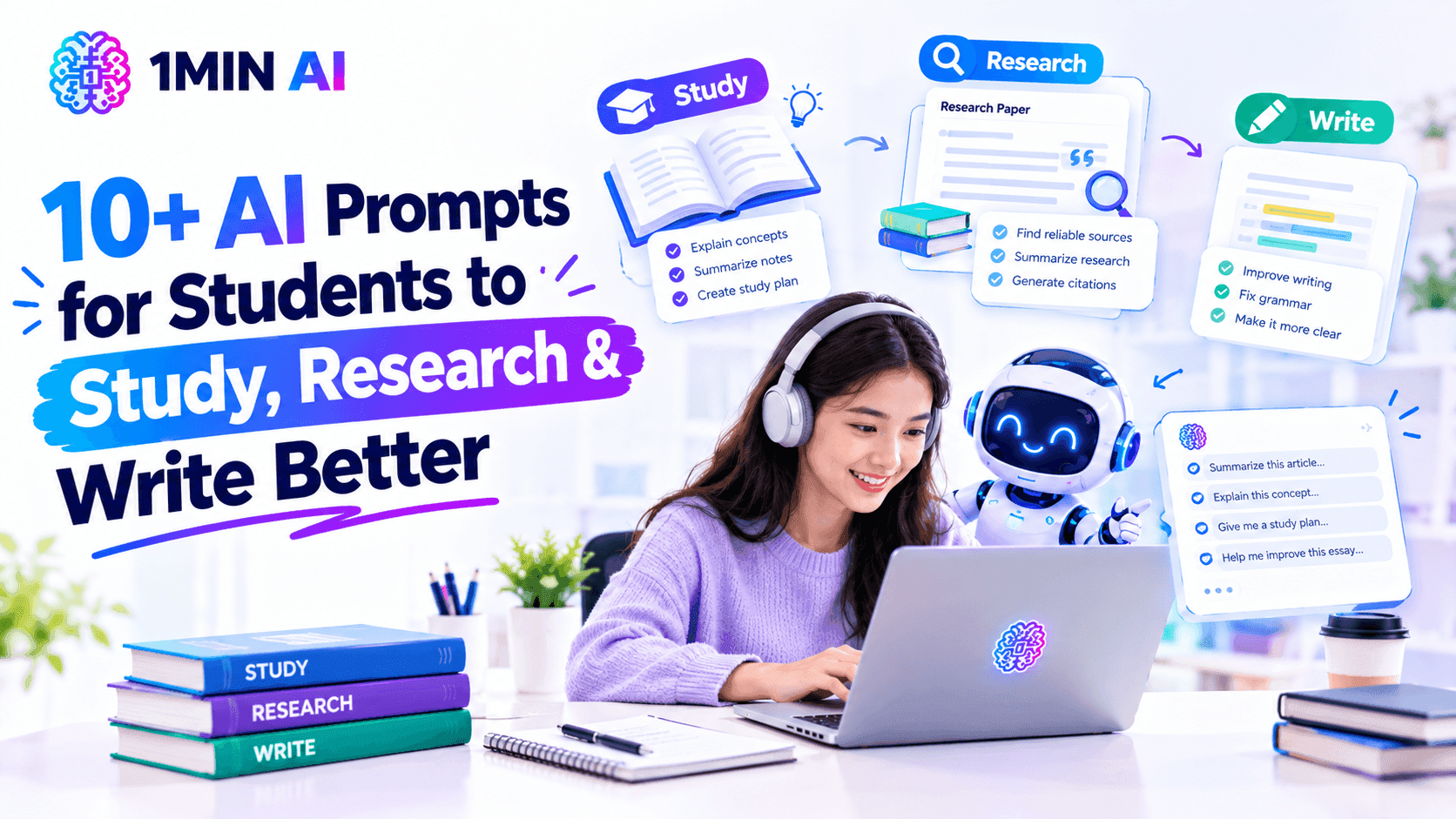
Discover 10+ AI prompts for students to study, research, write, summarize papers, compare sources, create quizzes, and organize academic work more effectively.
AI can be useful for much more than getting quick answers to homework questions. Students can use it as a study partner, research assistant, brainstorming tool, writing editor, and source-analysis helper.
The difference often comes down to how you prompt it.
A vague request such as “Help me study biology” can produce a generic answer. A better prompt gives the AI your course level, topic, learning goal, source material, and the format you want. This makes the response more relevant and gives you something you can actually work with.
In this guide, you'll find 12 practical AI prompts for students covering studying, research, academic writing, exam preparation, and learning from your own materials.
How to Write Better AI Prompts as a Student
Before using the examples below, use this simple structure:
Context + Task + Source Material + Requirements + Output Format
For example, instead of:
Prompt: Explain photosynthesis.
Try:
Prompt: I'm a first-year biology student preparing for an exam. Explain photosynthesis in simple terms using the lecture notes below. Focus on the light-dependent reactions and Calvin cycle. First give me a short explanation, then create 5 questions to test my understanding. Do not introduce concepts that are not covered in my notes.
This approach gives the AI information about who you are, what you're learning, what you want, and how you want the answer structured.
You can also improve a response through follow-up prompts instead of trying to create the perfect prompt in one attempt.
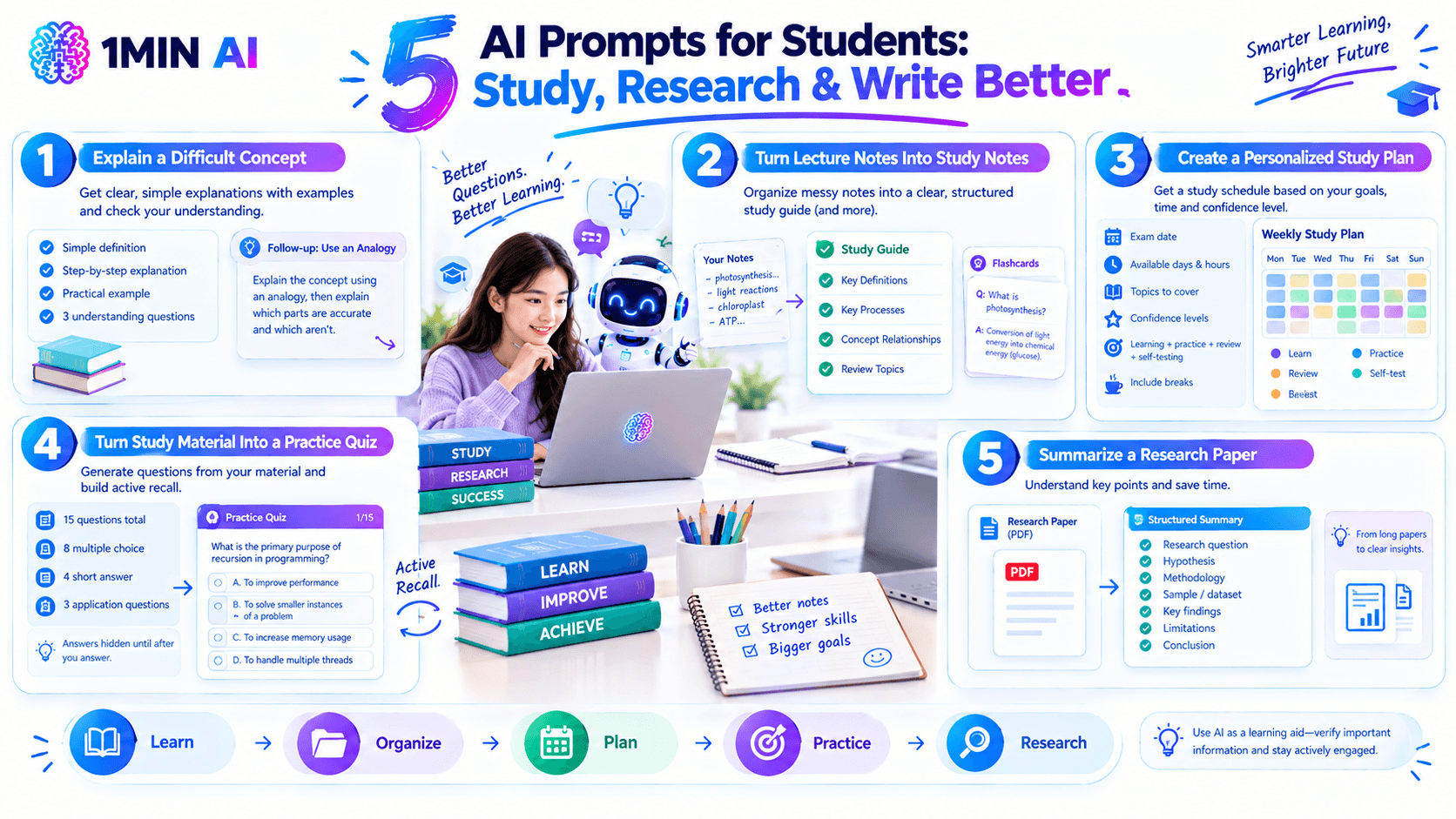
1. Use AI to Explain a Difficult Concept
When a textbook explanation feels too technical, ask AI to explain the concept at the level you're currently studying.
Prompt: I'm a [YEAR/LEVEL] student studying [SUBJECT]. Explain [CONCEPT] in simple terms without removing the important academic details. Start with a short definition, then explain how it works step by step. Give me one practical example and finish with 3 questions I can answer to check whether I understand it.
You can also ask for different explanations if the first one doesn't make sense.
Follow-up prompt: Explain the same concept using an analogy, then explain which parts of the analogy do and do not accurately represent the real concept.
This turns AI into a learning aid rather than simply an answer generator.
2. Turn Lecture Notes Into Study Notes
If you have messy lecture notes, AI can help organize them into a clearer study structure.
Prompt: Organize the following lecture notes into a structured study guide. Group related concepts together, identify the most important definitions, list key processes in order, and highlight relationships between concepts. Do not add information that is not supported by my notes. At the end, give me a short list of topics I should review more carefully.
This is especially useful when notes were taken quickly during a lecture and need to be reorganized before an exam.
You can then ask AI to turn the same notes into flashcards, questions, or a revision checklist.
3. Create a Personalized Study Plan
Instead of asking AI for a generic study schedule, provide your actual deadline and available time.
Prompt: Create a study plan for my [SUBJECT] exam on [DATE]. I have [NUMBER] days available and can study approximately [NUMBER] hours per day. The topics I need to cover are [TOPICS]. I am most confident with [TOPICS] and least confident with [TOPICS]. Divide the plan into learning, practice, review, and self-testing sessions. Include short breaks and leave the final day for review rather than introducing new material.
You can make the plan more useful by updating AI after each study session.
Follow-up prompt: I completed today's study session but struggled with [TOPIC]. Adjust the remaining plan to give this topic more practice without removing the other essential topics.
4. Turn Study Material Into a Practice Quiz
One of the most useful applications of AI is generating questions from material you already have.
Prompt: Create a 15-question practice quiz based only on the study material below. Include 8 multiple-choice questions, 4 short-answer questions, and 3 application questions. Do not show the answers yet. Make the questions similar in difficulty to a university-level exam. After I answer, grade my responses and explain the concepts behind any mistakes.
This creates an active-recall workflow instead of simply rereading your notes.
You can also ask AI to increase the difficulty once you're comfortable with the basic questions.
5. Summarize a Research Paper
Long academic papers can be difficult to process quickly. If you have access to the paper, provide it to an AI tool that supports document analysis.
Prompt: Analyze the research paper below. Give me: 1) the research question, 2) the main hypothesis, 3) the methodology, 4) the sample or dataset, 5) the key findings, 6) the main limitations, and 7) the authors' conclusion. Separate what the authors explicitly state from your own interpretation. Do not invent information that is not present in the paper.
This is especially useful during the early stages of literature review work.
1minAI's AI Document workflow, for example, is designed to let users interact with uploaded research papers, summarize articles, extract methodologies, locate findings, and ask questions about documents.
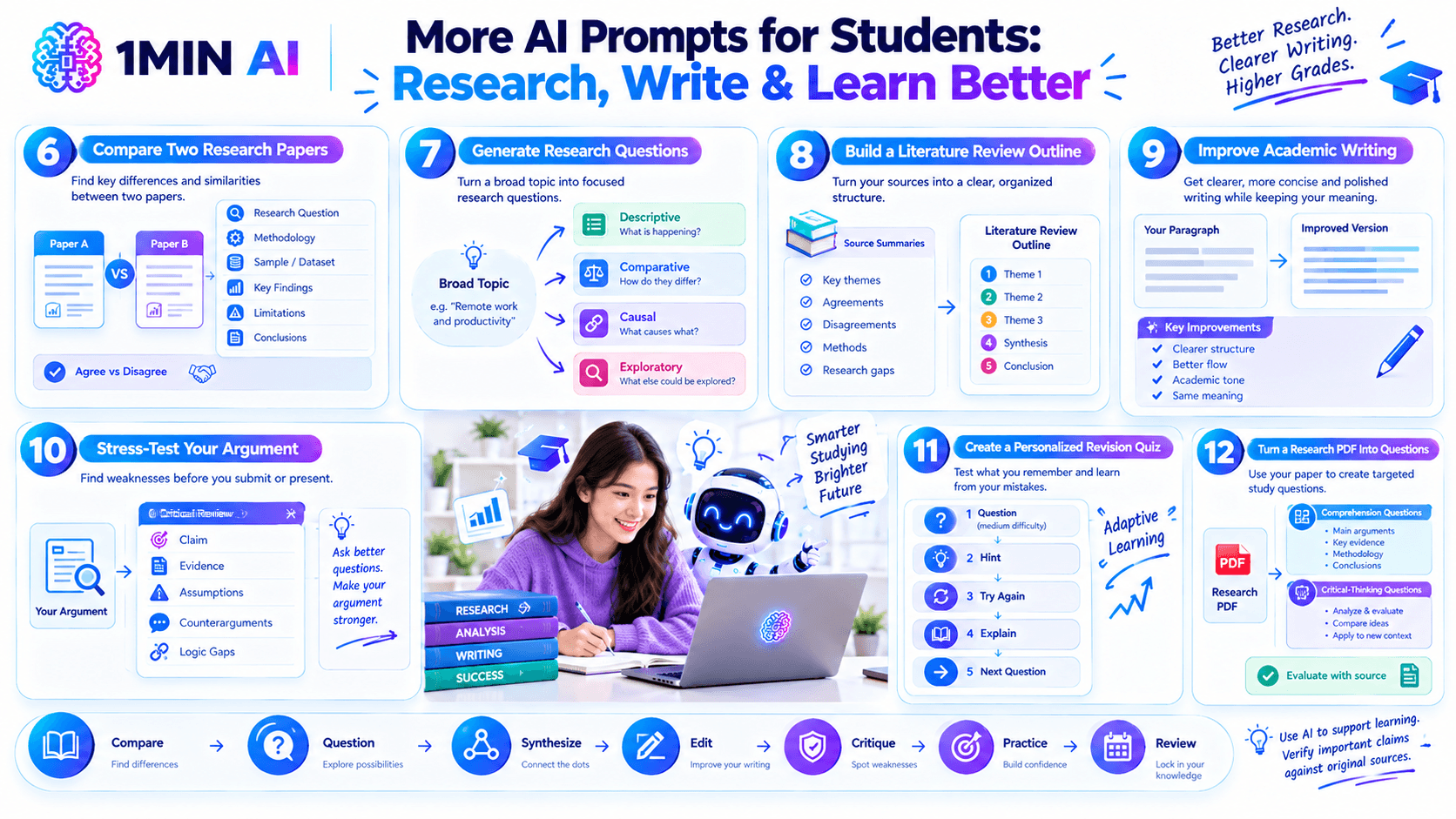
6. Compare Two Research Papers
Reading papers individually is useful, but comparing them side by side can reveal important differences.
Prompt: Compare the two research papers below. Create a table covering their research questions, methodology, sample or dataset, key findings, limitations, and conclusions. Identify where the papers agree, where they disagree, and what methodological differences might explain those differences. Base your comparison only on the information provided in the papers.
This can help you identify patterns before writing a literature review.
For more advanced work, you can ask AI to identify gaps or unanswered questions, but verify those observations against the original literature.
7. Generate Research Questions
If you have a broad topic but don't know how to turn it into a focused research question, use AI for brainstorming.
Prompt: I'm researching [BROAD TOPIC] for a [COURSE/DEGREE LEVEL] project. Generate 10 possible research questions. Group them into descriptive, comparative, causal, and exploratory questions. For each question, explain what kind of evidence would be needed to investigate it. Avoid questions that are too broad to answer within a [WORD COUNT/TIMEFRAME] project.
The important part is to use AI to explore possibilities, then choose and refine the research question yourself.
8. Build a Literature Review Outline
Once you've collected relevant sources, AI can help organize the themes you've identified.
Prompt: I'm preparing a literature review on [TOPIC]. Based on the source summaries I provide below, identify the major themes, areas of agreement, areas of disagreement, methodological differences, and research gaps. Then create a logical literature review outline organized around those themes rather than simply summarizing one paper at a time. Do not invent studies or citations.
This can be particularly useful because a literature review generally benefits from synthesis rather than a series of disconnected paper summaries.
The target 1minAI research guide similarly highlights literature reviews, paper comparison, evidence synthesis, and research organization as important academic AI use cases.
9. Improve Your Academic Writing
AI can be more useful as an editor than as a ghostwriter.
Give it a paragraph you've already written and ask it to improve clarity while preserving your ideas.
Prompt: Act as an academic writing editor. Review the paragraph below for grammar, clarity, sentence structure, repetition, and academic tone. Preserve my original meaning and argument. Do not introduce new claims or evidence. First show the revised version, then briefly explain the most important changes you made.
You can then decide which suggestions to accept.
For example, if you're writing a research paper, ask AI to improve readability without changing your argument or making the language unnecessarily complicated.
10. Stress-Test Your Argument
Instead of asking AI to write an argument for you, ask it to challenge the argument you've already developed.
Prompt: Review my argument below as a critical academic reader. Identify the main claim, supporting assumptions, strongest evidence, weakest evidence, possible counterarguments, and logical gaps. Do not rewrite the argument for me. Instead, give me questions I should answer to make the reasoning stronger.
This can help you notice weaknesses before submitting a paper or presenting your work.
You can follow up with:
Follow-up prompt: Based on your critique, give me 5 questions I should investigate further using academic sources.
11. Create a Personalized Revision Quiz
Once you've studied a topic, use AI to test what you actually remember.
Prompt: Test my knowledge of [TOPIC] one question at a time. Start with medium-difficulty questions and adapt the difficulty based on my answers. Do not give me the answer immediately if I make a mistake. First give me a hint, then let me try again. After I answer correctly, briefly explain why the answer is correct and move to the next question.
This creates a more interactive study session than simply reading an AI-generated summary.
You can also tell AI to focus specifically on the topics you repeatedly get wrong.
12. Turn a Research PDF Into Questions
If you're preparing for an exam or trying to understand a difficult academic paper, turn the document itself into a study tool.
Prompt: Based on the PDF I uploaded, create 10 questions that test whether I understand the author's main arguments, evidence, methodology, and conclusions. Include a mixture of comprehension and critical-thinking questions. Do not ask questions about information that is not contained in the document. After I answer, evaluate my responses against the source.
This workflow can be particularly useful for courses where students need to read a large number of papers.
Use AI as a Study Partner, Not a Shortcut
The most useful student prompts don't simply ask AI to produce an answer. They ask it to explain, question, organize, compare, critique, and give feedback.
That distinction matters. AI-generated information can contain errors, and students should verify important claims against their course materials and original sources. For academic research, never assume that an AI-generated citation, quotation, statistic, or reference is correct without checking the original source. Recent academic prompting guidance also recommends checking institutional and instructor policies before using AI for coursework.
A good workflow is:
Your material → AI assistance → Your analysis → Source verification → Final work
This keeps you involved in the learning process while using AI to reduce repetitive work.
Explore the Best AI Tools for Students and Researchers
Different AI tools can be useful at different stages of academic work. Some are particularly useful for brainstorming and explanations, while others focus on long documents, academic search, literature reviews, or writing.
1minAI's current research guide compares ChatGPT, Claude, Perplexity, Elicit, and 1minAI across these use cases. It also highlights 1minAI's multi-model chat, AI Writing Assistant, AI Document, and Workspace for bringing several parts of a research workflow together.
For further information, read here: Top 5 Best AI Tools for Researchers and Students in 2026
Discover more AI features: https://1min.ai/features
Try 1minAI agent now: https://app.1min.ai/ai-agent-demo
Alternatives
Discover the best alternatives to 1minAI and compare features, pricing, and use cases.

1min.AI vs OpenRouter
1min.AI vs. OpenRouter: Compare the ready-to-use AI creation product against the technical API tool. Find out if you need a zero-code creative studio or a coding infrastructure hub.
 Ngoc Hong
1min.AI vs Easy Peasy AI
Looking for an Easy Peasy AI alternative? Compare Easy Peasy AI and 1min.AI for content workflows, AI models, and professional teams.
Ngoc Hong
1min.AI vs Taskade
Compare 1min.AI vs Taskade for AI content creation, automation, agents, and creative workflows to find the right workspace.
Ngoc HongAI Tools
Discover the best AI tools to boost productivity, creativity, and everyday work.

One Product, 10 UGC Creatives: How AI Makes Content Testing Easier
Create more authentic UGC with an AI UGC video generator, test more creative angles and scale affiliate content without filming every version.
 Lien Anh Vu
Top 4 Affordable AI Tools for Startup Founders
Discover the top 4 affordable AI tools for startup founders to validate ideas, build products, create content, and launch faster without overspending.
 Tram Ta
[Seedance 2.5 New] Better AI Product Videos, Less Rework in 1min.AI
Discover how AI image-to-video product consistency helps creators reduce failed generations, save AI credits, and produce more usable commercial and UGC content.
Lien Anh VuAI Features
Comprehensive AI features that streamline workflows, improve efficiency, and empower teams to achieve more.

Create Consistent Cartoon Content in Just a Few Steps
Create engaging cartoon videos for TikTok and Reels with 1min.AI. Research ideas, create characters, and turn images into animated videos in 3 simple steps.
Lien Anh VuOne Product, 10 UGC Creatives: How AI Makes Content Testing Easier
Create more authentic UGC with an AI UGC video generator, test more creative angles and scale affiliate content without filming every version.
Lien Anh Vu
1minAI: Free AI Grammar Checker
Check grammar for free with 1minAI’s AI grammar checker. Find grammar, spelling, and writing mistakes, improve clarity, and polish your content in seconds.
Tram TaAI Use Cases
A curated collection of AI use cases for business, productivity, and industry-specific applications.
One Product, 10 UGC Creatives: How AI Makes Content Testing Easier
Create more authentic UGC with an AI UGC video generator, test more creative angles and scale affiliate content without filming every version.
Lien Anh Vu
Best Time to Post on Instagram: A Practical Guide for Better Engagement
Discover the best time to post on Instagram, including the best days and times for different audiences, plus tips to find the ideal posting schedule for your account.
Tram Ta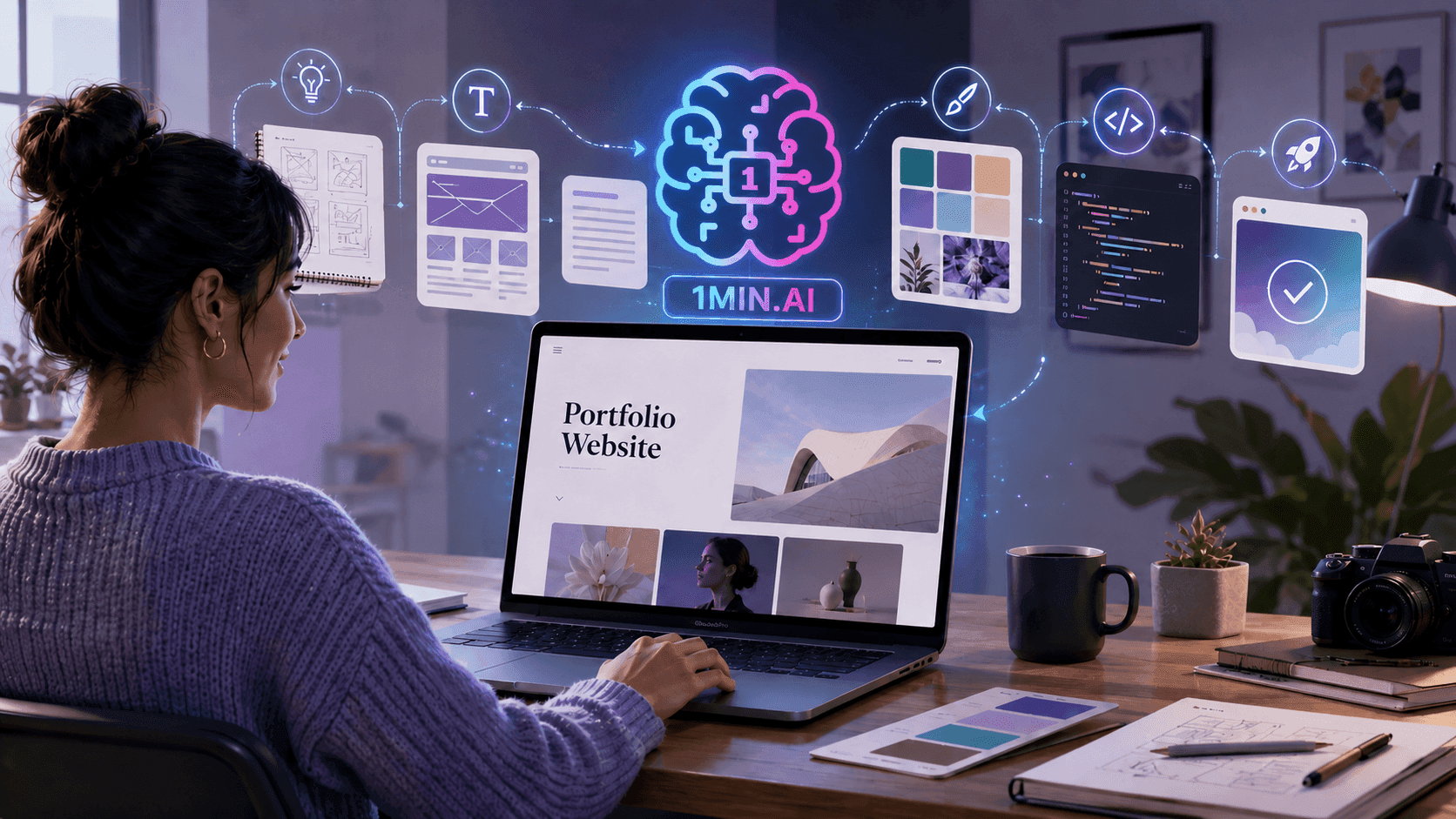
Build a Portfolio Website Faster with 1min.AI
Learn how freelance creatives can use 1min.AI to plan, write, design, and generate a professional portfolio website faster, even without strong coding skills.
Lien Anh VuAI Tutorials
Learn how to use AI with practical, step-by-step tutorials.
Create Consistent Cartoon Content in Just a Few Steps
Create engaging cartoon videos for TikTok and Reels with 1min.AI. Research ideas, create characters, and turn images into animated videos in 3 simple steps.
Lien Anh Vu
Black Friday AI Tool Deals in 2026
Discover what Black Friday AI tool deals 2026 has to offer. Find out how to secure the 1min.AI lifetime deal via AppSumo, Dealify, Stack Social, and verify on Trustpilot, Slashdot, and Software Advice.
 Hang Nguyen
[Seedance 2.5 New] Better AI Product Videos, Less Rework in 1min.AI
Discover how AI image-to-video product consistency helps creators reduce failed generations, save AI credits, and produce more usable commercial and UGC content.
Lien Anh VuAI Guides
Learn AI faster with practical guides, real-world examples, and actionable best practices.
Create Consistent Cartoon Content in Just a Few Steps
Create engaging cartoon videos for TikTok and Reels with 1min.AI. Research ideas, create characters, and turn images into animated videos in 3 simple steps.
Lien Anh Vu
Safely Buy AI Tools Online: 2026 Black Friday Guide
Discover how to find and secure the best Black Friday AI deals online. Learn expert strategies to avoid scams, combat subscription fatigue, and verify software.
Hang Nguyen[Seedance 2.5 New] Better AI Product Videos, Less Rework in 1min.AI
Discover how AI image-to-video product consistency helps creators reduce failed generations, save AI credits, and produce more usable commercial and UGC content.
Lien Anh VuAI Solutions
Browse the best AI solutions for automation, coding, research, productivity, customer support, marketing, and business workflows.
One Product, 10 UGC Creatives: How AI Makes Content Testing Easier
Create more authentic UGC with an AI UGC video generator, test more creative angles and scale affiliate content without filming every version.
Lien Anh Vu
Free AI Tattoo Generator: Custom Designs
Turn any idea into a custom tattoo design with 1min.AI's free AI tattoo generator. Describe your idea, pick a style, and download in seconds.
 Trang Tran
Safely Buy AI Tools Online: 2026 Black Friday Guide
Discover how to find and secure the best Black Friday AI deals online. Learn expert strategies to avoid scams, combat subscription fatigue, and verify software.
Hang NguyenAI Models
Explore the world's leading AI models in one place.
Create Consistent Cartoon Content in Just a Few Steps
Create engaging cartoon videos for TikTok and Reels with 1min.AI. Research ideas, create characters, and turn images into animated videos in 3 simple steps.
Lien Anh VuOne Product, 10 UGC Creatives: How AI Makes Content Testing Easier
Create more authentic UGC with an AI UGC video generator, test more creative angles and scale affiliate content without filming every version.
Lien Anh Vu[Seedance 2.5 New] Better AI Product Videos, Less Rework in 1min.AI
Discover how AI image-to-video product consistency helps creators reduce failed generations, save AI credits, and produce more usable commercial and UGC content.
Lien Anh VuAI Comparisons
Compare AI tools, models, and platforms to find the best fit for your needs.

Kling AI Vs Veo 3: Which Model Wins?
Kling AI vs Veo 3: compare motion, native audio, pricing & free tiers to see which AI video generator wins for your project - try both on 1min.AI.
Trang Tran[Seedance 2.5 New] Better AI Product Videos, Less Rework in 1min.AI
Discover how AI image-to-video product consistency helps creators reduce failed generations, save AI credits, and produce more usable commercial and UGC content.
Lien Anh Vu
DeepSeek V4 Pro vs Flash Comparison
Compare DeepSeek V4 Pro vs DeepSeek V4 Flash metrics. Optimize your agentic apps and improve AI fact checking on 1min.ai today.
Ngoc HongAI Integrations
Seamlessly integrate AI with the tools you already use to automate work and boost productivity.

POV: You Have 10+ Posts to Make Every Day
Learn how to build an AI content workflow that helps content creators produce 10+ social media posts a day faster with AI brainstorming, image generation, and content creation.
Lien Anh Vu
How to Use an AI Fashion Video Generator for Fashion Week 2026
Turn Fashion Week 2026 ideas into stunning fashion videos with AI. Learn how to brainstorm, create visuals, and transform images into videos with one simple workflow.
Lien Anh Vu
Stop Switching Between AI Apps: How AI Integration Transforms Employer Branding
Discover how AI integration helps HR teams streamline employer branding by combining AI writing, documents, images, video, and multiple AI models into one workspace.
Tram TaAI for Industries
Find the best AI tools and workflows for healthcare, finance, education, legal, manufacturing, retail, real estate, and more

Free AI Real Estate Video Generator
Turn listing photos into narrated property videos with AI real estate video tools. See how 1min.AI creates walkthroughs, voiceovers & captions in minutes.
Trang Tran
Free AI Virtual Staging: Furnish Any Room
Stage any real estate listing with AI virtual staging: upload a photo, pick a style, and get a photorealistic furnished room in seconds, free to try.
Trang Tran
The Problem With AI Design? It Looks Too AI
AI-generated designs can look polished but still feel artificial. Here are 5 prompt techniques designers can use to create more realistic, intentional visuals.
Lien Anh VuAI Agents
Discover and run AI agents to automate tasks across your work and daily life.
1minAI: Free AI Grammar Checker
Check grammar for free with 1minAI’s AI grammar checker. Find grammar, spelling, and writing mistakes, improve clarity, and polish your content in seconds.
Tram Ta
AI Agents for Facebook
Use an AI Agent for Facebook to create content, generate images, schedule posts, and publish from your documents and conversations.
Ngoc Hong
AI Agent vs AI Assistant: Which One Actually Saves Designers More Time?
Learn the difference between AI Agent vs AI Assistant and discover which solution helps designers automate repetitive work, reduce revisions, and save more time.
Lien Anh VuAI Workflows
Explore ready-to-use AI workflows for productivity, marketing, sales, support, and more.
Create Consistent Cartoon Content in Just a Few Steps
Create engaging cartoon videos for TikTok and Reels with 1min.AI. Research ideas, create characters, and turn images into animated videos in 3 simple steps.
Lien Anh VuOne Product, 10 UGC Creatives: How AI Makes Content Testing Easier
Create more authentic UGC with an AI UGC video generator, test more creative angles and scale affiliate content without filming every version.
Lien Anh VuPOV: You Have 10+ Posts to Make Every Day
Learn how to build an AI content workflow that helps content creators produce 10+ social media posts a day faster with AI brainstorming, image generation, and content creation.
Lien Anh VuNewsletter
Weekly AI Innovations with 1minAI

🔮 Weekly AI Innovations #138: Claude Sonnet 5, Fable 5 & Wan 2.7
Explode your creative potential with massive 1min.ai updates! Access Claude Sonnet 5, Fable 5, and Alibaba Wan 2.7 for unmatched multi-modal generation today.
Hang Nguyen
🔮 Weekly AI Innovations #137: ElevenLabs Music & AI social Profile Control
The newest 1min.ai updates deliver professional music generation and highly requested privacy tools. Dive into a seamless workflow today!
Hang Nguyen
🔮 Weekly AI Innovations #136: Grok 4.6 and Smart Data Retention
Discover the latest 1min.ai updates! Upgrade to Grok 4.6 for blazing-fast AI, and check our new Data Retention policies to secure your files today.
Hang Nguyen