
Free AI Image Editor No Restrictions with 1minAI

Tram Ta
20-noyabr, 2026
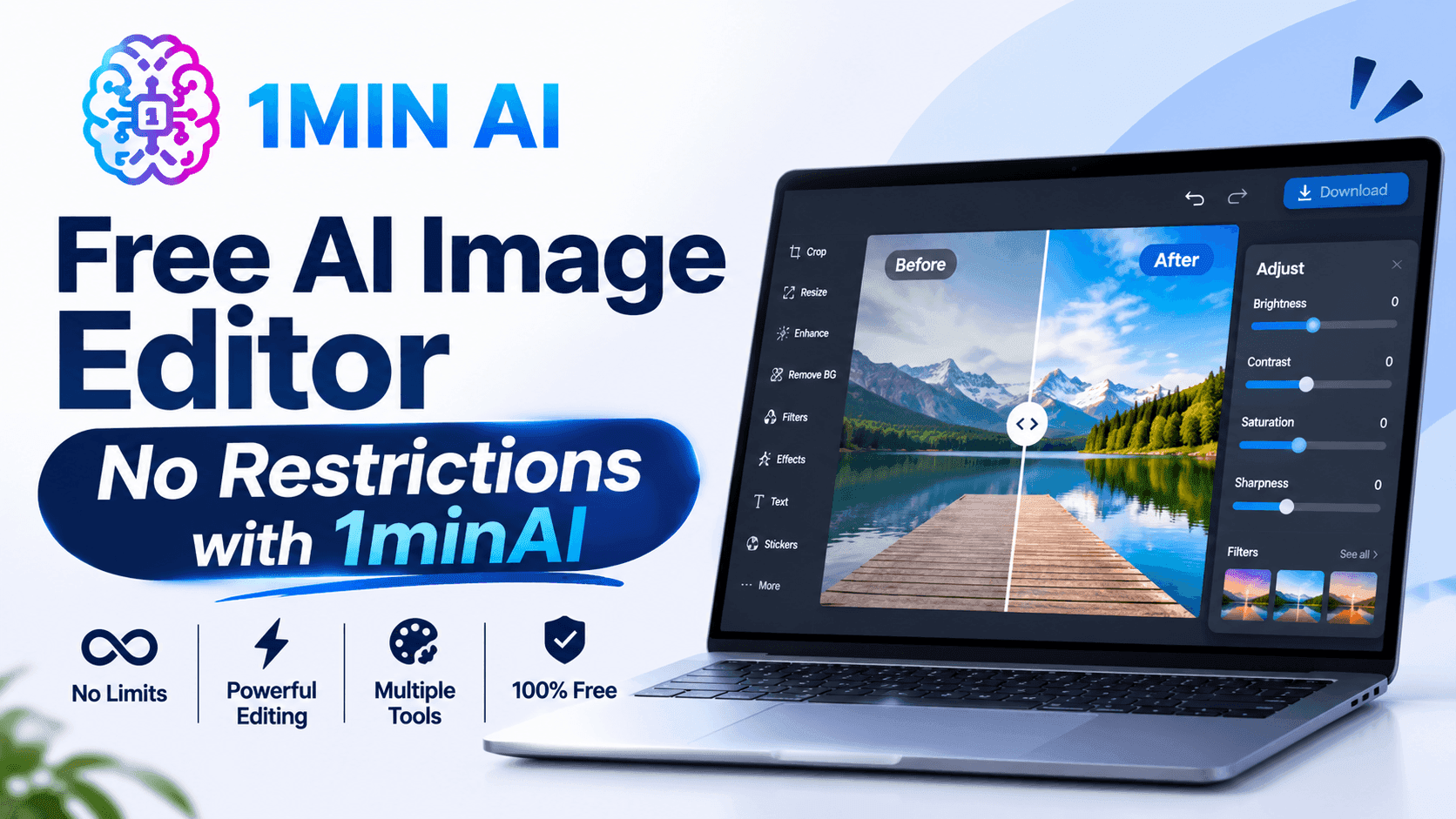
Looking for a free AI image editor with no restrictions? Edit photos with prompts, replace objects, remove text, change backgrounds, and transform images with 1minAI.
You have a photo that is almost perfect, but something needs to change. Maybe the background does not match your campaign, an unwanted object distracts from the subject, or the image needs a different size for social media.
Traditional photo editing can require multiple tools, complicated selections, and time-consuming manual adjustments. A free AI image editor offers a simpler approach: upload an image, describe the change you want, and let AI help transform it.
But what does "no restrictions" really mean? Does it mean unlimited editing, no watermarks, or the freedom to create any image?
With 1minAI, the focus is on giving creators more flexibility over how they edit. You can use natural-language prompts to replace objects, change backgrounds, modify selected areas, remove text, extend images, and explore creative variations in one workspace.
This guide explains how to use a free AI image editor, which tools to choose for different editing tasks, and how to write better prompts to get the results you want.
What Can You Do With 1minAI's Free AI Image Editor?
1minAI brings multiple AI image capabilities into one workspace. Instead of relying on one editor for every task, you can choose a tool based on the specific change you want to make.
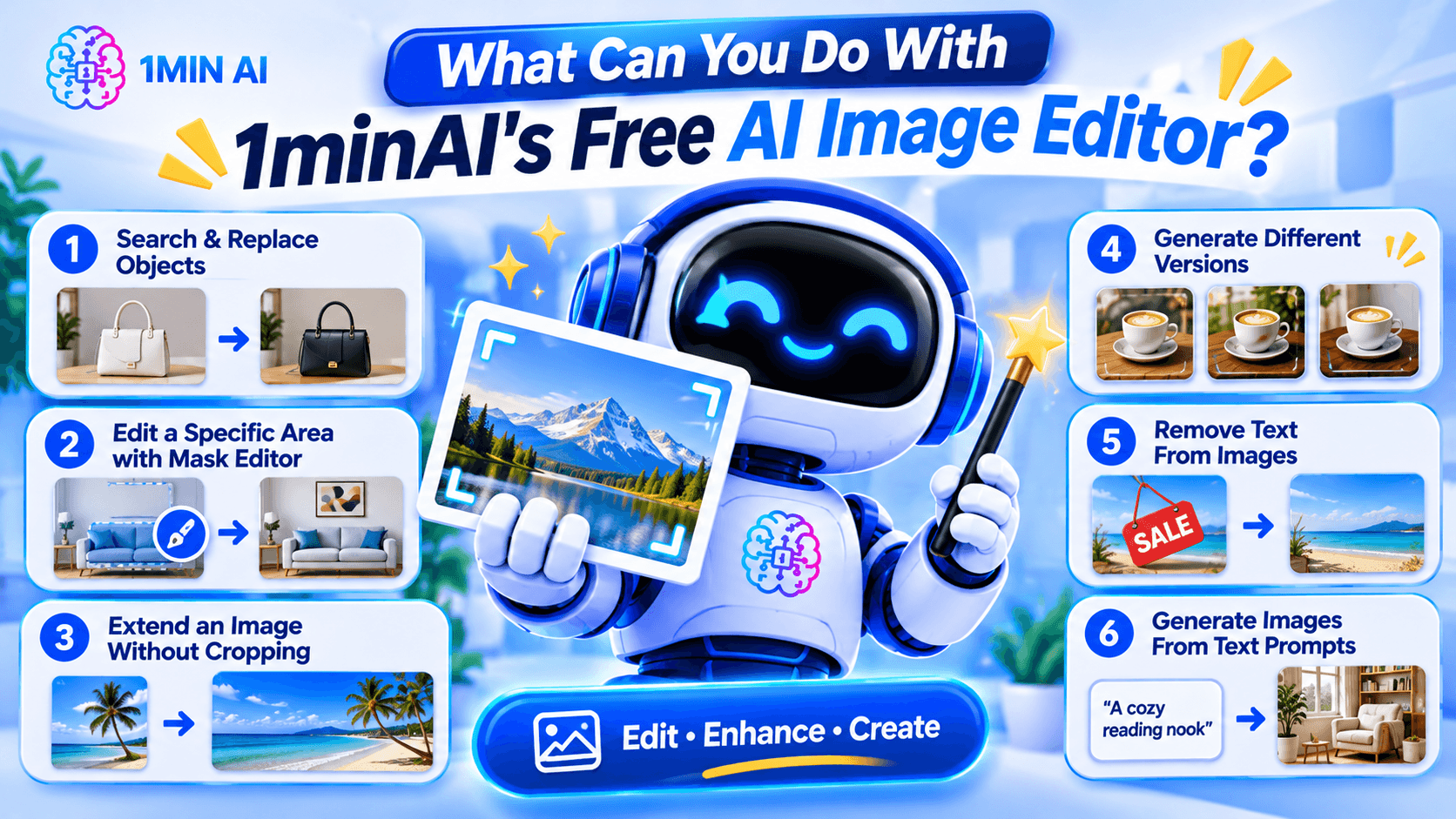
Here are some of the main editing workflows.
1. Search and Replace Objects in an Image
AI photo editing before after product image object replacement example replacing handbag color or furniture with new object realistic seamless edit" aspectRatio="16:9" width="100%" />
Sometimes an image is good except for one object.
For example, you may like a product photo but want to change the packaging color, replace a piece of furniture, or swap an accessory.
1minAI's AI Image Object Search and Replace lets you identify an object and describe what should replace it.
Example prompt:
"Replace the white ceramic vase on the table with a matte black vase. Keep the flowers, table, wall, and lighting unchanged."
This can be useful for:
- E-commerce product photography.
- Marketing and advertising creatives.
- Interior design concepts.
- Social media content.
- Creative experimentation.
The main advantage is that you can focus on the object you want to change instead of manually rebuilding the whole image.
2. Edit a Specific Area With the Image Mask Editor
Sometimes you want to modify only one part of an image while preserving everything else.
The 1minAI Image Mask Editor lets you select the area you want to edit, then describe what should appear in that region.
For example, you could:
- Change an object in the background.
- Add a decorative element.
- Fix an unwanted detail.
- Change the color of a selected item.
- Refresh part of an older image.
Example prompt:
"Replace the selected empty wall area with a framed abstract painting in warm neutral colors. Keep the furniture and room lighting unchanged."
This is especially useful when a full-image transformation would change details you want to preserve.
3. Extend an Image Without Cropping the Original Subject
Have you ever created a square image but later needed a wide banner?
Cropping may remove important details, while stretching can distort the subject.
The 1minAI Image Extender expands the canvas by generating additional background around the original image.
You can use it to:
- Turn square images into landscape banners.
- Adapt product photos for website headers.
- Create more space for advertising text.
- Reformat social media visuals.
- Expand portraits or landscapes.
Example instruction:
"Extend this image to a wide landscape composition. Continue the existing studio background naturally and keep the product centered at its original size."
This helps you adapt existing visuals to different layouts without starting over.
4. Generate Different Versions With AI Image Variator
If you like the original image but want to explore alternative styles, use the 1minAI AI Image Variator.
It creates alternative versions of an existing image while maintaining its core subject.
You can experiment with:
- Different color palettes.
- New backgrounds.
- Alternative lighting.
- Different artistic styles.
- Fresh compositions.
- Different visual moods.
Example prompt:
"Create three visual variations of this coffee product photo. Version one should have a warm minimalist kitchen background, version two should use a modern dark studio, and version three should feature a bright outdoor café setting. Keep the product design recognizable."
This can help marketers and creators explore different creative directions before choosing a final visual.
5. Remove Text From Images
Sometimes an image contains text that you no longer need.
For example, you may have an old promotional graphic with an expired discount, an outdated date, or a caption that no longer fits your campaign.
1minAI provides a Stable Diffusion XL Text Remover API for removing text elements from images through an API workflow.
The documented endpoint uses the TEXT_REMOVER feature type and stable-diffusion-xl model identifier. It accepts an image path and supports PNG, JPEG, and WebP output formats.
This is particularly useful for developers who want to integrate text removal into an image-processing application.
Example use case:
A marketing team has an old promotional image with a previous campaign date. They can use text removal to clear the outdated text and prepare the image for a new design.
Always review the result carefully, especially when text overlaps detailed textures, logos, or important visual elements.
6. Generate Images From Text Prompts
You do not always need an existing photo to start editing.
With the 1minAI AI Image Generator, you can create a new visual from a written description.
Describe:
- The main subject.
- The environment.
- The visual style.
- The lighting.
- The composition.
- The mood and color palette.
Example prompt:
"A premium skincare serum bottle on a natural stone surface, surrounded by soft green leaves, bright morning sunlight, minimalist luxury product photography, neutral beige background, realistic texture, professional commercial advertising style."
Once you have a base image, you can continue refining it with the other editing tools.
How to Edit an Image With AI in 1minAI
You do not need to master complicated editing software to get started. A simple workflow can take you from an existing photo to a refined visual.
Step 1: Open the Image Editing Workspace
Visit 1minAI's Create, Edit, and Transform Images page to explore the available image tools.
Choose the tool that matches your goal:
- Object replacement.
- Mask-based editing.
- Image extension.
- Image variation.
- Text removal.
- Image generation.
If you already have a photo, upload it to the relevant editing tool.
Step 2: Describe the Change You Want
Write a prompt explaining what should change.
A useful prompt should be specific enough for the AI to understand the subject, action, and desired result.
Try this formula:
Object + Action + Style or Setting + Details to Preserve
For example:
"Replace the wooden chair with a modern cream-colored armchair, use a Scandinavian interior style, and keep the original room layout, lighting, and camera angle unchanged."
The more clearly you describe the desired edit, the easier it is to evaluate the result.
Step 3: Generate and Review the Result
Run the edit and inspect the generated image.
Pay attention to:
- Object shapes and proportions.
- Lighting and shadows.
- Edges around edited areas.
- Text and logos.
- Background consistency.
- Unwanted changes to the original subject.
AI editing may not produce a perfect result on the first attempt. If something looks wrong, refine the prompt or make a smaller edit.
Step 4: Download and Use Your Image
Once the result looks right, download it and prepare it for your intended project.
Before using an image commercially, check the applicable tool terms, model licenses, and rights associated with any source images, logos, or people shown in the visual.
How to Choose the Right AI Image Editing Tool
Not every editing task needs the same tool.
Choosing the right workflow can save time and reduce unnecessary edits.
| Your goal | Recommended 1minAI tool |
|---|---|
| Create an image from a text description | AI Image Generator |
| Find and replace an object | AI Image Object Search and Replace |
| Change one specific area | Image Mask Editor |
| Expand the image canvas | Image Extender |
| Generate alternative versions | AI Image Variator |
| Remove text through an API | Stable Diffusion XL Text Remover |
| Explore several image tools in one place | Create, Edit, and Transform Images |
What If You Do Not Know How to Write an Image Prompt?
You can use 1minAI Image to Prompt to analyze an existing image and turn its visual details into a written prompt.
This can help you understand how to describe:
- Main subjects.
- Colors and lighting.
- Composition.
- Camera perspective.
- Artistic style.
- Background details.
For example, if you find a product image with a style you like, you can use Image to Prompt to generate a description that helps you create a similar visual direction.
Remember to use reference images you have the right to use, and avoid copying protected designs or branding without permission.
Who Can Benefit From a Free AI Image Editor?
AI image editing is useful for more than professional designers. Different types of users can apply it to everyday creative work.
E-commerce Sellers
Online sellers need product visuals for listings, advertisements, and social media.
An AI image editor can help them:
- Change product backgrounds.
- Create lifestyle product scenes.
- Explore packaging variations.
- Remove distracting objects.
- Adapt photos for different platforms.
For example, a seller could start with one product photo and create several campaign concepts for seasonal promotions.
Digital Marketers
Marketing teams often need multiple creative assets for different campaigns.
They can use AI editing to test different backgrounds, colors, product placements, and visual styles without rebuilding every design from scratch.
Content Creators
Creators may need images for blog posts, thumbnails, social media, and presentations.
AI tools can help them turn a basic photo into a more polished visual, extend the canvas, or create alternative styles.
Small Business Owners
Small businesses may not have an in-house designer.
A prompt-based editor gives owners a way to make straightforward visual adjustments, prepare promotional materials, and explore design ideas without mastering professional editing software.
Designers and Creative Professionals
AI does not replace professional creative judgment. However, it can help designers explore concepts, generate alternatives, and handle repetitive editing tasks.
Professionals can use it as an additional tool in their creative process while retaining control over the final design.
Conclusion
A free AI image editor can make visual editing easier by turning written instructions into practical image transformations.
Whether you want to replace an object, remove text, extend a photo, create alternative versions, or generate a new visual, the right AI tool can reduce repetitive manual work and help you explore more creative ideas.
With 1minAI, you can move between image generation and editing tools in one workspace. Start with an existing photo or a text prompt, describe the change you want, review the result, and refine it until it fits your project.
More creative control starts with a clearer prompt. Try 1minAI's AI image tools and turn your next image-editing idea into reality.
- #Commerce
- #Information
Muqobillar
1minAI uchun eng yaxshi muqobillarni kashf eting va xususiyatlari, narxlari va foydalanish holatlarini solishtiring.

1min.AI va OpenRouter
1min.AI va OpenRouter: Tayyor foydalanishga mo‘ljallangan AI yaratish mahsulotini texnik API vositasi bilan solishtiring. Sizga kod yozmasdan ishlaydigan ijodiy studiyami yoki dasturlash infratuzilmasi markazimi kerakligini bilib oling.
 Ngoc Hong

1min AI vs Buffer
Compare 1min.AI vs Buffer for Facebook content creation, AI writing, image generation, scheduling, pricing, and everyday marketing workflows.
Ngoc Hong
1min.AI vs. Hootsuite: Which Social Media Tool Fits Your Workflow?
Compare 1min.AI vs. Hootsuite to explore their AI content creation, social media publishing, analytics, pricing, and collaboration features. Find the right tool for your workflow.
Sun'iy intellekt vositalari
Ish unumdorligi, ijodkorlik va kundalik ishlarni oshirish uchun eng yaxshi sun'iy intellekt vositalarini kashf eting.

Startap asoschilari uchun eng maqbul 4 ta AI vositasi
Startap asoschilari uchun g‘oyalarni tekshirish, mahsulot yaratish, kontent tayyorlash va ortiqcha xarajatsiz tezroq ishga tushirishga yordam beradigan eng maqbul 4 ta AI vositasi bilan tanishing.
 Tram Ta

POV: Sizda Har Kuni 10+ Ta Post Tayyorlash Kerak
AI bilan brainstorming, rasm yaratish va kontent tayyorlashni birlashtirib, kontent yaratuvchilarga kuniga 10+ ta ijtimoiy tarmoq posti tezroq yaratishga yordam beradigan AI kontent ish jarayonini qanday qurishni o‘rganing.
 Lien Anh Vu

“Yaxshiroq Qil”ni AI bilan Yaxshiroq Kontentga Aylantiring
AI yordamida mijozning noaniq fikr-mulohazalarini aniq tahrirlarga aylantiring, keraksiz o‘zgartirishlarni kamaytiring va yaxshiroq kontentni tezroq topshiring.
Lien Anh VuSun'iy intellekt imkoniyatlari
Ish jarayonlarini soddalashtiruvchi, samaradorlikni oshiruvchi va jamoalarga ko'proq natijalarga erishishda yordam beruvchi keng qamrovli sun'iy intellekt imkoniyatlari.

1minAI: Bepul AI grammatika tekshiruvchisi
1minAI’ning AI grammatika tekshiruvchisi bilan grammatikani bepul tekshiring. Grammatik, imlo va yozuv xatolarini toping, aniqlikni oshiring va kontentingizni bir necha soniyada sayqallang.
Tram Ta
1min.AI bilan portfel saytini tezroq yarating
Freelance ijodkorlar 1min.AI yordamida kuchli kodlash ko‘nikmalarisiz ham professional portfel saytini rejalash, yozish, dizayn qilish va tezroq yaratishni qanday amalga oshirishini bilib oling.
Lien Anh Vu
Bepul AI X Izoh
AI-quvvatli Twitter Izoh Generatorimiz yordamida Twitter uchun kulgili, topqir yoki chuqur izohlar yarating. Faolligingizni oshiring va olomon orasida ajralib turing!
 Trang Tran
Sun'iy intellektdan foydalanish misollari
Biznes, samaradorlik va sanoatga xos ilovalar uchun saralangan sun'iy intellektdan foydalanish misollari.

Instagramda post joylash uchun eng yaxshi vaqt: yaxshiroq jalb etish uchun amaliy qo‘llanma
Instagramda post joylash uchun eng yaxshi vaqtni, turli auditoriyalar uchun eng yaxshi kunlar va soatlarni, shuningdek, akkauntingiz uchun ideal joylash jadvalini topish bo‘yicha maslahatlarni bilib oling.
Tram Ta1min.AI bilan portfel saytini tezroq yarating
Freelance ijodkorlar 1min.AI yordamida kuchli kodlash ko‘nikmalarisiz ham professional portfel saytini rejalash, yozish, dizayn qilish va tezroq yaratishni qanday amalga oshirishini bilib oling.
Lien Anh Vu“Yaxshiroq Qil”ni AI bilan Yaxshiroq Kontentga Aylantiring
AI yordamida mijozning noaniq fikr-mulohazalarini aniq tahrirlarga aylantiring, keraksiz o‘zgartirishlarni kamaytiring va yaxshiroq kontentni tezroq topshiring.
Lien Anh VuAI Darsliklari
AI’dan qanday foydalanishni amaliy, bosqichma-bosqich darsliklar bilan o‘rganing.

2026-yilda Black Friday AI vositalari chegirmalari
2026-yil Black Friday AI vositalari chegirmalari nimani taklif qilishini bilib oling. 1min.AI lifetime deal’ini AppSumo, Dealify va Stack Social orqali qanday olishni va Trustpilot, Slashdot hamda Software Advice’da qanday tekshirishni bilib oling.
 Hang Nguyen

1minAI Face Swap bilan Fashion Week’ni $0 ga boshdan kechiring
1minAI Face Swap bilan Fashion Week’ni $0 ga boshdan kechiring. Fotosuratingizni yuklang, Fashion Week videosini tanlang va o‘zingizning AI moda lahzangizni yarating.
Ngoc Hong
Viral Reels bir necha daqiqada: Satirik ovozli dublyajlar uchun 1minAI Text-to-Speech’dan qanday foydalanish
Satirik sahifa adminlari 1minAI’ning Text-to-Speech funksiyasi yordamida TikTok, Shorts va Instagram Reels uchun tezkor yangiliklar boshlovchisi va dramatik ovozli dublyajlarni qanday yaratishini o‘rganing.
AI Qo'llanmalari
Amaliy qo'llanmalar, real hayotiy misollar va amalga oshiriladigan eng yaxshi amaliyotlar bilan AI ni tezroq o'rganing.

AI vositalarini onlayn xavfsiz xarid qiling: 2026 Black Friday qo‘llanmasi
Eng yaxshi Black Friday AI takliflarini onlayn topish va xavfsiz xarid qilishni bilib oling. Firibgarlikdan saqlanish, obuna charchog‘ini yengish va dasturiy ta’minotni tekshirish bo‘yicha ekspert usullarini o‘rganing.
Hang Nguyen
Noldan qurmasdan AI biznesini qanday boshlash mumkin
AI biznesini qanday boshlash, g‘oyangizni tekshirish va qimmat AI infratuzilmasini noldan qurmasdan tezroq ishga tushirishni o‘rganing.
Ngoc Hong
AI Fashion Video Generator With Seedance 2.5 and HeyGen
Learn how to create AI fashion videos with Seedance 2.5 and HeyGen. Turn outfit photos into cinematic videos featuring your own face with 1min.AI.
Lien Anh VuAI Yechimlari
Avtomatlashtirish, kodlash, tadqiqot, samaradorlik, mijozlarni qo'llab-quvvatlash, marketing va biznes ish oqimlari uchun eng yaxshi AI yechimlarini ko'rib chiqing.

Bepul AI tatuirovka generatori: moslashtirilgan dizaynlar
1min.AI’ning bepul AI tatuirovka generatori bilan istalgan g‘oyani moslashtirilgan tatuirovka dizayniga aylantiring. G‘oyangizni yozing, uslubni tanlang va soniyalar ichida yuklab oling.
Trang TranAI vositalarini onlayn xavfsiz xarid qiling: 2026 Black Friday qo‘llanmasi
Eng yaxshi Black Friday AI takliflarini onlayn topish va xavfsiz xarid qilishni bilib oling. Firibgarlikdan saqlanish, obuna charchog‘ini yengish va dasturiy ta’minotni tekshirish bo‘yicha ekspert usullarini o‘rganing.
Hang Nguyen1minAI Face Swap bilan Fashion Week’ni $0 ga boshdan kechiring
1minAI Face Swap bilan Fashion Week’ni $0 ga boshdan kechiring. Fotosuratingizni yuklang, Fashion Week videosini tanlang va o‘zingizning AI moda lahzangizni yarating.
Ngoc HongAI Modellar
Dunyoning yetakchi AI modellarini bir joyda o'rganing.

Free AI Chat With Claude Fable 5.2 On 1min.AI
Free AI chat with Claude Fable 5.2 on 1min.AI. Compare Fable 5.2 vs Opus 5.5, see Fable 5.2 benchmarks, and start chatting in minutes.
Trang Tran
GPT-6.2 Sol: Specs, Pricing & Free Access
Explore GPT-6.2 Sol specs, pricing, and how it compares with GPT-6.1 Sol and Claude Opus 5.5, then try it free in 1min.AI Multi AI Chat.
Trang Tran
GPT 6.2 Astra: Pricing, Benchmarks & Free Access
GPT 6.2 Astra release date, pricing, Reddit feedback and Opus 5.5 comparison. See what it does best and chat with it on 1min.AI for free.
Trang TranAI Taqqoslashlar
Ehtiyojlaringizga mos keladigan eng yaxshi AI vositalarini, modellarini va platformalarini solishtiring.

Gemini 4 Neon vs Hydrogen: Specs, Price & Picks
Gemini 4 Neon vs Hydrogen, Carbon and Argon: compare price, benchmarks and use cases to pick the right model, then test them side by side on 1min.AI.
Trang Tran
Kling AI Vs Veo 3: Qaysi model g‘olib?
Kling AI vs Veo 3: harakat, ichki audio, narx va bepul tariflarni solishtiring va qaysi AI video generator loyihangiz uchun yaxshiroq ekanini ko‘ring - ikkalasini ham 1min.AI’da sinab ko‘ring.
Trang Tran
DeepSeek V4 Pro va Flash taqqoslanishi
DeepSeek V4 Pro va DeepSeek V4 Flash metrikalarini taqqoslang. Agentik ilovalaringizni optimallashtiring va bugunoq 1min.ai’da AI faktlarni tekshirishni yaxshilang.
Ngoc HongSun'iy intellekt integratsiyalari
Ishni avtomatlashtirish va samaradorlikni oshirish uchun sun'iy intellektni allaqachon ishlatayotgan vositalaringizga muammosiz integratsiya qiling.
POV: Sizda Har Kuni 10+ Ta Post Tayyorlash Kerak
AI bilan brainstorming, rasm yaratish va kontent tayyorlashni birlashtirib, kontent yaratuvchilarga kuniga 10+ ta ijtimoiy tarmoq posti tezroq yaratishga yordam beradigan AI kontent ish jarayonini qanday qurishni o‘rganing.
Lien Anh Vu
AI ilovalar orasida almashishni to‘xtating: AI integratsiyasi employer brandingni qanday o‘zgartiradi
AI integratsiyasi HR jamoalariga AI yozuv, hujjatlar, rasmlar, video va bir nechta AI modellari bir ish maydonida birlashtirib, employer brandingni soddalashtirishga qanday yordam berishini bilib oling.
Tram Ta
Dasturchilar uchun AI API Aggregatori Izohi
AI API aggregatori dasturchilarga bir nechta AI modellarini chaqirish uchun yagona API beradi, integratsiya vaqtini va vendor lock-inni kamaytiradi.
Trang TranSanoat uchun AI
Sog'liqni saqlash, moliya, ta'lim, huquq, ishlab chiqarish, chakana savdo, ko'chmas mulk va boshqalar uchun eng yaxshi AI vositalari va ish oqimlarini toping.

Voice Cloning AI Free: How to Clone Any Voice Online in Minutes
Try voice cloning AI free with 1min.AI. Upload a 5-second clip, pick an ElevenLabs model, choose from 32 languages, and turn text to speech in your own voice.
Trang Tran
Claude Personal Finance Setup and Safety Guide
Claude personal finance explained: how Personal Finance in Claude works and what Claude finance can see. Plus a safe CSV method for non-US users.
Trang Tran
Free AI Image Editor With Prompt No Restrictions
Looking for a free AI image editor with prompt no restrictions? Edit backgrounds, objects and text by typing, no watermark. Try 1min.AI’s flexible editor now.
Trang TranSun'iy intellekt agentlari
Ishingiz va kundalik hayotingizdagi vazifalarni avtomatlashtirish uchun AI agentlarini kashf eting va ishga tushiring.
1minAI: Bepul AI grammatika tekshiruvchisi
1minAI’ning AI grammatika tekshiruvchisi bilan grammatikani bepul tekshiring. Grammatik, imlo va yozuv xatolarini toping, aniqlikni oshiring va kontentingizni bir necha soniyada sayqallang.
Tram Ta
Facebook uchun AI agentlar
Facebook uchun AI Agent’dan kontent yaratish, rasm generatsiya qilish, postlarni rejalashtirish va hujjatlar hamda suhbatlaringizdan foydalanib nashr qilish uchun foydalaning.
Ngoc Hong
AI Agent va AI Assistant: Qaysi biri dizaynerlarga haqiqatan ham ko‘proq vaqt tejaydi?
AI Agent va AI Assistant o‘rtasidagi farqni bilib oling va qaysi yechim dizaynerlarga takroriy ishlarni avtomatlashtirish, qayta ishlashlarni kamaytirish va ko‘proq vaqt tejashga yordam berishini aniqlang.
Lien Anh VuAI ish jarayonlari
Mahsuldorlik, marketing, savdo, qoʻllab-quvvatlash va boshqalar uchun tayyor AI ish jarayonlarini oʻrganing.
POV: Sizda Har Kuni 10+ Ta Post Tayyorlash Kerak
AI bilan brainstorming, rasm yaratish va kontent tayyorlashni birlashtirib, kontent yaratuvchilarga kuniga 10+ ta ijtimoiy tarmoq posti tezroq yaratishga yordam beradigan AI kontent ish jarayonini qanday qurishni o‘rganing.
Lien Anh VuAI Fashion Video Generator With Seedance 2.5 and HeyGen
Learn how to create AI fashion videos with Seedance 2.5 and HeyGen. Turn outfit photos into cinematic videos featuring your own face with 1min.AI.
Lien Anh Vu
Is Seedance 2.5 the Best AI Video Generator of 2026?
Is Seedance 2.5 the best AI video generator in 2026? Explore its features, compare it with Kling and Veo, and learn how to create AI videos on 1min.AI.
Lien Anh VuYangiliklar xabarnomasi
1minAI bilan haftalik sun'iy intellekt yangiliklari

🔮 Weekly AI Innovations #145: X Content Agent & GPT 6.1 Terra on 1min.ai
Scale viral reach with the X Content Agent on 1min.ai. Discover an end-to-end 4-stage pipeline with zero token burn, plus the launch of GPT 6.1 Terra.
Hang Nguyen
🔮 Weekly AI Innovations #144: LinkedIn Content Agent: Complete B2B Publishing Pipeline
Scale B2B influence with the LinkedIn Content Agent on 1min.ai. Discover an end-to-end 4-stage pipeline with zero redundant token burn and 1-click publishing.
Hang Nguyen
🔮 Weekly AI Innovations #146: Mistral 3.5, Qwen Image & Cohere A+ are ready on 1min.ai
Deploy Mistral Large 3, Qwen Image 3.0, and Cohere Command A+ on 1min.ai. Boost RAG accuracy and cut visual generation latency in one unified AI workspace.
Hang Nguyen