
How to Create Facebook Content More Efficiently with 1minAI
Uyen Hoang
20-noyabr, 2026
Discover how 1minAI Facebook Content Agent helps businesses research topics, create Facebook posts, design visuals, and streamline social media publishing.
Facebook remains an important platform for businesses to connect with customers, build brand awareness, share updates, and promote their products or services. According to DataReportal's Digital 2026 Mid-Year Update, 56.3% of internet users aged 16 and above worldwide said they had used Facebook in the past month. In Vietnam, Meta's advertising resources indicated a potential Facebook advertising audience of approximately 79 million in late 2025. Although advertising reach is not the same as the number of monthly active users, these figures demonstrate why Facebook continues to be a relevant channel for businesses looking to reach a broad audience.
However, having access to a large audience does not automatically translate into an effective Facebook presence. Businesses need to publish content consistently, understand what their audiences are interested in, and create posts that encourage meaningful interactions. From product updates and promotional campaigns to educational content and community discussions, maintaining an active Facebook Page requires ongoing planning and content production.
This process can become time-consuming when businesses rely on multiple tools to manage different activities. Marketers may use one AI tool to research content ideas, another to write Facebook captions, a separate design platform to create images, and yet another tool to manage social media publishing. Switching between these platforms adds unnecessary steps, makes content management more complicated, and can interrupt the creative workflow.
AI tools have made content creation faster, but speed alone does not solve every problem. According to a June 2026 Gartner survey, 49% of surveyed U.S. consumers said generative AI had made the quality of available content worse. Another Gartner survey found that 65% of consumers believed brands were producing too much AI-generated content in their marketing materials, while 57% said this made them less trusting of brand messaging. These findings highlight an important challenge for businesses: using AI to create more content is not enough if the results lack originality, relevance, or a recognizable brand voice.
A more connected workflow can help address this challenge. Instead of managing research, writing, image creation, and publishing separately, businesses can use an AI agent that brings these activities into one process. This allows marketers to spend less time coordinating different tools and more time reviewing whether their Facebook content is useful, engaging, and aligned with their brand.
Meet the Facebook Content Agent on 1minAI
1minAI brings AI tools and workflows together in one workspace. Within this environment, Social Agents offers a selection of AI agents designed to support social media content creation for different platforms.
The Facebook Content Agent is designed to help users create, optimize, and publish Facebook content through a structured workflow. It connects four essential stages: gathering information, writing content, designing an image, and posting to social media.
For businesses, this provides a more organized starting point for creating Facebook posts, promotional content, product announcements, educational posts, and brand updates. Rather than coordinating every task independently, users can follow a predefined Agent Flow and work through the content creation process step by step.
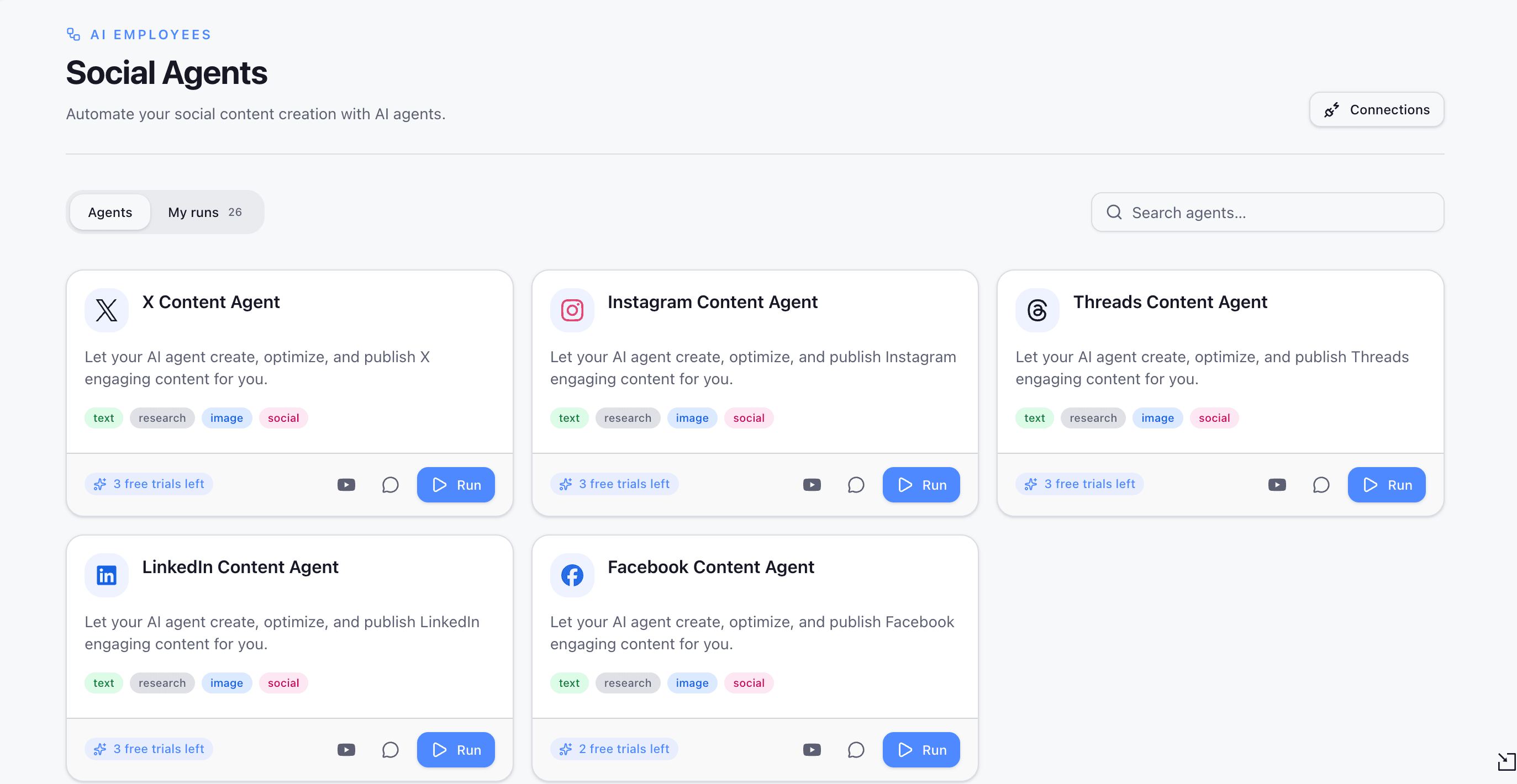
The Facebook Content Agent on 1minAI brings information gathering, content writing, image design, and social publishing together in one workflow.
What Businesses Can Gain from Using the Agent
The main advantage of the Facebook Content Agent is its connected workflow. Instead of treating research, writing, visual creation, and publishing as unrelated activities, the agent organizes them into sequential steps. This makes it easier for marketers and business owners to understand how each stage contributes to the final Facebook post.
| Facebook Content Challenge | How the Facebook Content Agent Helps |
|---|---|
| Finding relevant content ideas | The Gather Information step starts the process with information gathering. |
| Spending too much time writing captions | The Write Content step supports the development of Facebook posts. |
| Creating visuals separately | The Design Image step brings image creation into the workflow. |
| Managing publishing tasks | The Post to Social step connects content creation with social publishing. |
| Keeping content activities organized | Agent Flow organizes the process into four visible stages. |
| Revising content without repeating everything | Users can run a selected step or continue from that step to the end. |
For marketers, small business owners, and social media managers, this structured approach can reduce the effort involved in coordinating separate content creation tools. It also provides a practical way to incorporate AI into an existing Facebook marketing workflow without relying entirely on disconnected applications.
How to Use the Facebook Content Agent on 1minAI
The Facebook Content Agent follows a four-stage workflow. Each stage has a specific role, helping users understand how information moves through the content creation process. The following steps explain how to access the agent and work through its content creation stages.
Step 1. Select Facebook Content Agent from Social Agents
Log in to your 1minAI account and open Social Agents from the main sidebar. Browse the available agents and select Facebook Content Agent to access its overview.
The agent card displays its supported capabilities, including text, research, image, and social. These labels indicate the types of activities associated with the agent.
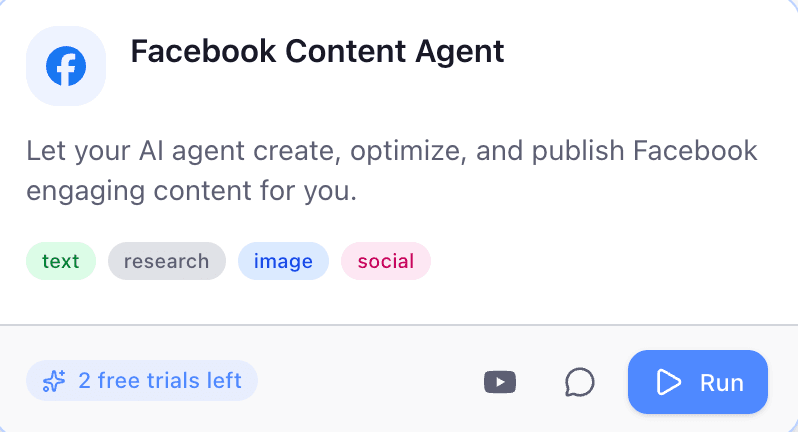
Open Social Agents, select Facebook Content Agent, and click Run to begin creating Facebook content.
Click Run to enter the Agent Flow interface. This opens the workflow where you can review the four stages and start working through the content creation process.
Step 2. Understand the Four-Stage Agent Flow
The Agent Flow interface organizes the workflow into four stages:
- Gather Information
- Write Content
- Design Image
- Post to Social
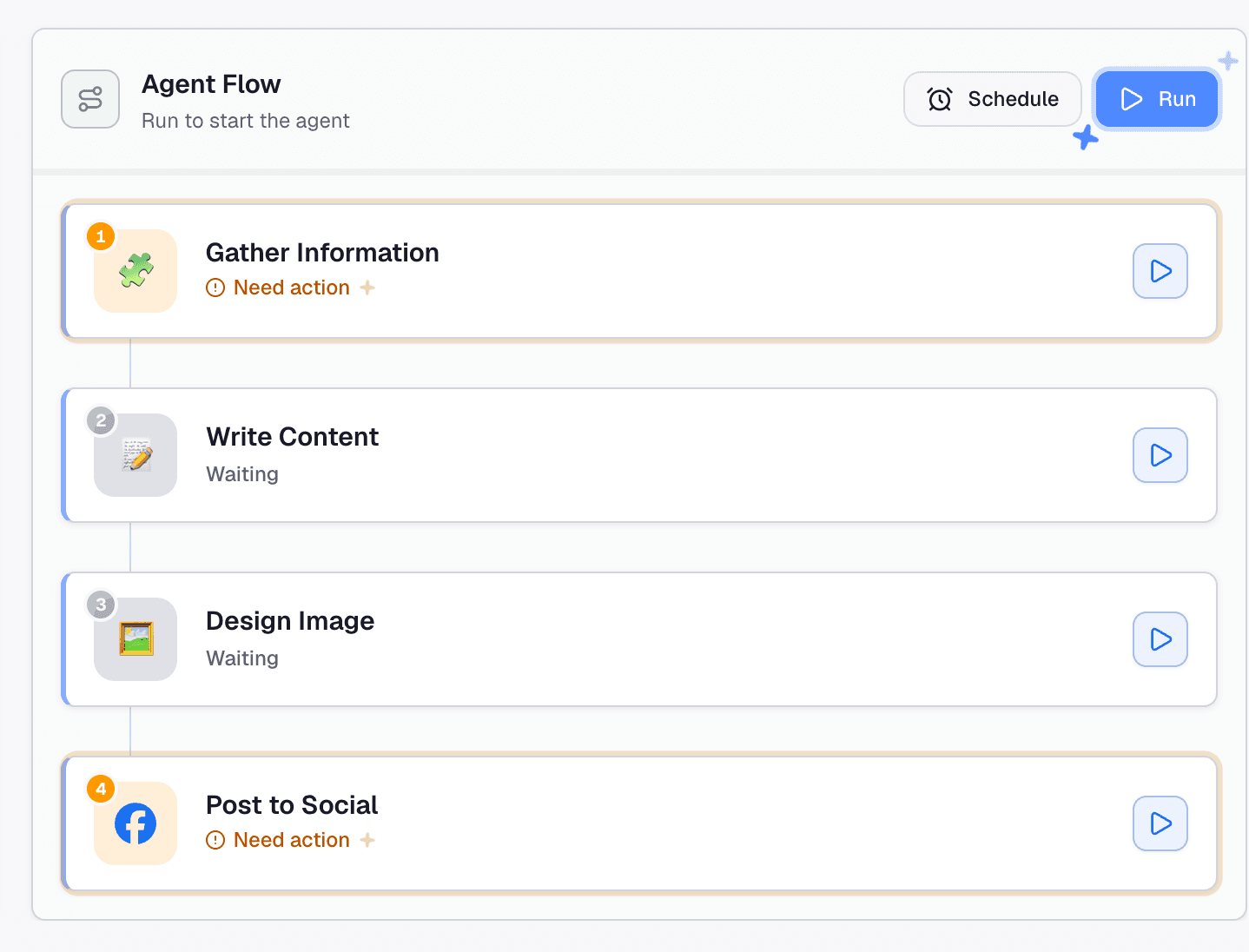
The Facebook Content Agent uses a four-stage workflow to move from information gathering to social publishing.
Each stage represents a different part of the process. This structure makes it easier to identify what needs to be completed, review individual stages, and understand how one stage leads into the next.
The workflow also provides individual run buttons for each stage. This means users can interact with a specific step rather than always treating the process as one single action. For example, if the written content is ready but the visual needs improvement, users can focus on the relevant stage instead of repeating the entire workflow.
Step 3. Gather Information for Your Facebook Post
The first stage, Gather Information, focuses on collecting information before the content is written. For businesses, this is an important starting point because effective Facebook content should reflect the audience's interests, the brand's communication goals, and the purpose of each post.
Possible content directions include:
- Product announcements and new launches.
- Promotional campaigns and special offers.
- Educational posts and industry insights.
- Customer stories and user-generated content ideas.
- Brand updates and behind-the-scenes content.
- Community discussions and audience engagement topics.
For example: a small business owner who wants to introduce a new product can begin by gathering relevant information about its features, benefits, and target audience. This provides a clearer direction for the next stage and helps the resulting Facebook post communicate the product's value more effectively.
If the step displays Need action, click it to open its configuration. Review the fields and instructions presented in the interface, provide the required information, and run the step to generate its output.
The available inputs depend on the agent's configuration. Review the generated information before continuing, especially when the post includes product specifications, promotional details, industry statistics, or claims that need reliable sources.
Step 4. Write Engaging Facebook Content
Once the information-gathering stage is complete, the workflow moves to Write Content. This stage supports the creation of written content for the Facebook post.
Writing for Facebook requires more than simply presenting information. Businesses need to communicate their message clearly, capture attention, and give readers a reason to interact with the post. A promotional post may focus on a product's key benefits and offer details, while an educational post may introduce a useful tip or answer a common customer question.
Businesses can use this stage as a starting point for different types of Facebook content:
- Product introductions and promotional announcements.
- Brand storytelling and company updates.
- Educational posts and practical tips.
- Customer testimonials and community stories.
- Seasonal campaigns and event announcements.
- Questions and discussion-based posts.
The content should match the brand's tone of voice and the expectations of its target audience. For example, a local business may prefer a friendly and conversational tone, while a professional service provider may need a more informative approach.
AI-generated text should still be reviewed before publication. Check product names, prices, promotional conditions, links, contact information, and factual claims to ensure the post accurately represents the business. This review also helps prevent generic AI-generated wording from weakening the brand's identity.
Step 5. Design an Image for Your Facebook Post
Visual content plays an important role in Facebook communication. A well-designed image can help explain a product, reinforce a campaign message, and make a post more recognizable as part of a brand's social media presence.
The third stage, Design Image, brings visual content into the same workflow. This helps connect the written message with an accompanying image without requiring users to treat visual creation as an entirely separate task.
For businesses, visuals can support different marketing objectives. Product promotions may need images that highlight key features or special offers, while educational posts may benefit from infographics or simple illustrations. Brand updates and community-focused content can use visuals that reflect the organization's identity and communication style.
For example: a Facebook post introducing a new product could use an image that highlights the product and its main selling points. A post sharing practical tips could use a visual that organizes the information into an easy-to-follow format.
Review the generated image before publication to make sure it supports the written content, follows the brand's visual guidelines, and does not introduce misleading information. Pay particular attention to text included in the image, such as product names, prices, and promotional details.
Step 6. Post Your Content to Social Media
The final stage, Post to Social, connects the content creation workflow with social publishing. This stage is designed to move the completed content toward publication rather than leaving users to manage the publishing task entirely outside the workflow.
Click the step to review its configuration and complete any required actions. If the interface displays Need action, follow the instructions shown and check the available social account or publishing settings.
Before confirming a publishing action, review the post text, accompanying image, destination account, and other details presented in the interface. For businesses running promotional campaigns or communicating important product information, a final review is especially important to ensure that customers receive accurate and consistent information.
Note: Not sure which option to choose? The Agent Flow offers two ways to run an individual stage, giving you more flexibility to manage the workflow:
| Option | How It Works | When to Use It |
|---|---|---|
| Run this step | Runs only the selected step and leaves the other steps unchanged. | Use it when you want to retry or update one stage without running the entire workflow. |
| Run from this step | Runs the selected step and continues through the remaining stages until the end, leaving earlier steps unchanged. | Use it when you want to continue the workflow from a particular point. |
For example, if you are satisfied with the research and written content but want to revise the visual, you can run the Design Image step independently. If you want to continue the workflow from a selected stage through the remaining steps, Run from this step allows you to do so.
This flexibility can be useful when refining content, correcting an output, or repeating part of the process without unnecessarily revisiting earlier stages.
Plan Your Facebook Content Workflow with Schedule
Consistency is an important part of maintaining an active Facebook Page. Businesses may need to prepare product announcements, promotional campaigns, educational posts, and brand updates around specific marketing activities. Planning these topics in advance can make social media management more organized and reduce the pressure of creating content at the last minute.
The Agent Flow interface also displays a Schedule option. Users can explore the available scheduling settings to determine how the workflow can be scheduled based on their needs.
For marketers and business owners managing recurring content activities, this option may help organize when an agent workflow runs. For example, a business could prepare content around an upcoming product launch or plan a series of posts for a seasonal campaign.
It is important to distinguish between scheduling an agent workflow and scheduling a finished Facebook post for publication. The Schedule option shown in the interface relates to the agent flow; users should check the available settings before relying on it for a specific publishing timetable.
A practical approach is to plan content topics in advance, provide the necessary information, review the generated text and visuals, and confirm the publishing arrangements before content goes live.
Create Better Facebook Content with 1minAI
Maintaining an effective Facebook presence involves more than publishing posts regularly. Businesses need to identify relevant topics, create useful content, prepare visuals, and manage publishing while keeping their brand voice consistent. When these activities are scattered across different platforms, even a simple Facebook post can require more time and coordination than expected.
The Facebook Content Agent on 1minAI brings these activities into a structured four-stage workflow. It helps users move from information gathering to content writing, image design, and social publishing within one connected process.
Whether you are a small business owner promoting products, a marketer managing Facebook campaigns, or a social media manager handling multiple content activities, the agent offers a practical way to organize Facebook content creation with AI.
Spend less time switching between tools and more time creating relevant content for your audience. Explore 1minAI Social Agents and try Facebook Content Agent for your next Facebook post.
Muqobillar
1minAI uchun eng yaxshi muqobillarni kashf eting va xususiyatlari, narxlari va foydalanish holatlarini solishtiring.

1min.AI va OpenRouter
1min.AI va OpenRouter: Tayyor foydalanishga mo‘ljallangan AI yaratish mahsulotini texnik API vositasi bilan solishtiring. Sizga kod yozmasdan ishlaydigan ijodiy studiyami yoki dasturlash infratuzilmasi markazimi kerakligini bilib oling.
 Ngoc Hong

1min AI vs Buffer
Compare 1min.AI vs Buffer for Facebook content creation, AI writing, image generation, scheduling, pricing, and everyday marketing workflows.
Ngoc Hong
1min.AI vs. Hootsuite: Which Social Media Tool Fits Your Workflow?
Compare 1min.AI vs. Hootsuite to explore their AI content creation, social media publishing, analytics, pricing, and collaboration features. Find the right tool for your workflow.
Sun'iy intellekt vositalari
Ish unumdorligi, ijodkorlik va kundalik ishlarni oshirish uchun eng yaxshi sun'iy intellekt vositalarini kashf eting.

Startap asoschilari uchun eng maqbul 4 ta AI vositasi
Startap asoschilari uchun g‘oyalarni tekshirish, mahsulot yaratish, kontent tayyorlash va ortiqcha xarajatsiz tezroq ishga tushirishga yordam beradigan eng maqbul 4 ta AI vositasi bilan tanishing.
 Tram Ta

POV: Sizda Har Kuni 10+ Ta Post Tayyorlash Kerak
AI bilan brainstorming, rasm yaratish va kontent tayyorlashni birlashtirib, kontent yaratuvchilarga kuniga 10+ ta ijtimoiy tarmoq posti tezroq yaratishga yordam beradigan AI kontent ish jarayonini qanday qurishni o‘rganing.
 Lien Anh Vu

“Yaxshiroq Qil”ni AI bilan Yaxshiroq Kontentga Aylantiring
AI yordamida mijozning noaniq fikr-mulohazalarini aniq tahrirlarga aylantiring, keraksiz o‘zgartirishlarni kamaytiring va yaxshiroq kontentni tezroq topshiring.
Lien Anh VuSun'iy intellekt imkoniyatlari
Ish jarayonlarini soddalashtiruvchi, samaradorlikni oshiruvchi va jamoalarga ko'proq natijalarga erishishda yordam beruvchi keng qamrovli sun'iy intellekt imkoniyatlari.

1minAI: Bepul AI grammatika tekshiruvchisi
1minAI’ning AI grammatika tekshiruvchisi bilan grammatikani bepul tekshiring. Grammatik, imlo va yozuv xatolarini toping, aniqlikni oshiring va kontentingizni bir necha soniyada sayqallang.
Tram Ta
1min.AI bilan portfel saytini tezroq yarating
Freelance ijodkorlar 1min.AI yordamida kuchli kodlash ko‘nikmalarisiz ham professional portfel saytini rejalash, yozish, dizayn qilish va tezroq yaratishni qanday amalga oshirishini bilib oling.
Lien Anh Vu
Bepul AI X Izoh
AI-quvvatli Twitter Izoh Generatorimiz yordamida Twitter uchun kulgili, topqir yoki chuqur izohlar yarating. Faolligingizni oshiring va olomon orasida ajralib turing!
 Trang Tran
Sun'iy intellektdan foydalanish misollari
Biznes, samaradorlik va sanoatga xos ilovalar uchun saralangan sun'iy intellektdan foydalanish misollari.

Instagramda post joylash uchun eng yaxshi vaqt: yaxshiroq jalb etish uchun amaliy qo‘llanma
Instagramda post joylash uchun eng yaxshi vaqtni, turli auditoriyalar uchun eng yaxshi kunlar va soatlarni, shuningdek, akkauntingiz uchun ideal joylash jadvalini topish bo‘yicha maslahatlarni bilib oling.
Tram Ta1min.AI bilan portfel saytini tezroq yarating
Freelance ijodkorlar 1min.AI yordamida kuchli kodlash ko‘nikmalarisiz ham professional portfel saytini rejalash, yozish, dizayn qilish va tezroq yaratishni qanday amalga oshirishini bilib oling.
Lien Anh Vu“Yaxshiroq Qil”ni AI bilan Yaxshiroq Kontentga Aylantiring
AI yordamida mijozning noaniq fikr-mulohazalarini aniq tahrirlarga aylantiring, keraksiz o‘zgartirishlarni kamaytiring va yaxshiroq kontentni tezroq topshiring.
Lien Anh VuAI Darsliklari
AI’dan qanday foydalanishni amaliy, bosqichma-bosqich darsliklar bilan o‘rganing.

2026-yilda Black Friday AI vositalari chegirmalari
2026-yil Black Friday AI vositalari chegirmalari nimani taklif qilishini bilib oling. 1min.AI lifetime deal’ini AppSumo, Dealify va Stack Social orqali qanday olishni va Trustpilot, Slashdot hamda Software Advice’da qanday tekshirishni bilib oling.
 Hang Nguyen

1minAI Face Swap bilan Fashion Week’ni $0 ga boshdan kechiring
1minAI Face Swap bilan Fashion Week’ni $0 ga boshdan kechiring. Fotosuratingizni yuklang, Fashion Week videosini tanlang va o‘zingizning AI moda lahzangizni yarating.
Ngoc Hong
Viral Reels bir necha daqiqada: Satirik ovozli dublyajlar uchun 1minAI Text-to-Speech’dan qanday foydalanish
Satirik sahifa adminlari 1minAI’ning Text-to-Speech funksiyasi yordamida TikTok, Shorts va Instagram Reels uchun tezkor yangiliklar boshlovchisi va dramatik ovozli dublyajlarni qanday yaratishini o‘rganing.
AI Qo'llanmalari
Amaliy qo'llanmalar, real hayotiy misollar va amalga oshiriladigan eng yaxshi amaliyotlar bilan AI ni tezroq o'rganing.

AI vositalarini onlayn xavfsiz xarid qiling: 2026 Black Friday qo‘llanmasi
Eng yaxshi Black Friday AI takliflarini onlayn topish va xavfsiz xarid qilishni bilib oling. Firibgarlikdan saqlanish, obuna charchog‘ini yengish va dasturiy ta’minotni tekshirish bo‘yicha ekspert usullarini o‘rganing.
Hang Nguyen
Noldan qurmasdan AI biznesini qanday boshlash mumkin
AI biznesini qanday boshlash, g‘oyangizni tekshirish va qimmat AI infratuzilmasini noldan qurmasdan tezroq ishga tushirishni o‘rganing.
Ngoc Hong
AI Fashion Video Generator With Seedance 2.5 and HeyGen
Learn how to create AI fashion videos with Seedance 2.5 and HeyGen. Turn outfit photos into cinematic videos featuring your own face with 1min.AI.
Lien Anh VuAI Yechimlari
Avtomatlashtirish, kodlash, tadqiqot, samaradorlik, mijozlarni qo'llab-quvvatlash, marketing va biznes ish oqimlari uchun eng yaxshi AI yechimlarini ko'rib chiqing.

Bepul AI tatuirovka generatori: moslashtirilgan dizaynlar
1min.AI’ning bepul AI tatuirovka generatori bilan istalgan g‘oyani moslashtirilgan tatuirovka dizayniga aylantiring. G‘oyangizni yozing, uslubni tanlang va soniyalar ichida yuklab oling.
Trang TranAI vositalarini onlayn xavfsiz xarid qiling: 2026 Black Friday qo‘llanmasi
Eng yaxshi Black Friday AI takliflarini onlayn topish va xavfsiz xarid qilishni bilib oling. Firibgarlikdan saqlanish, obuna charchog‘ini yengish va dasturiy ta’minotni tekshirish bo‘yicha ekspert usullarini o‘rganing.
Hang Nguyen1minAI Face Swap bilan Fashion Week’ni $0 ga boshdan kechiring
1minAI Face Swap bilan Fashion Week’ni $0 ga boshdan kechiring. Fotosuratingizni yuklang, Fashion Week videosini tanlang va o‘zingizning AI moda lahzangizni yarating.
Ngoc HongAI Modellar
Dunyoning yetakchi AI modellarini bir joyda o'rganing.

Free AI Chat With Claude Fable 5.2 On 1min.AI
Free AI chat with Claude Fable 5.2 on 1min.AI. Compare Fable 5.2 vs Opus 5.5, see Fable 5.2 benchmarks, and start chatting in minutes.
Trang Tran
GPT-6.2 Sol: Specs, Pricing & Free Access
Explore GPT-6.2 Sol specs, pricing, and how it compares with GPT-6.1 Sol and Claude Opus 5.5, then try it free in 1min.AI Multi AI Chat.
Trang Tran
GPT 6.2 Astra: Pricing, Benchmarks & Free Access
GPT 6.2 Astra release date, pricing, Reddit feedback and Opus 5.5 comparison. See what it does best and chat with it on 1min.AI for free.
Trang TranAI Taqqoslashlar
Ehtiyojlaringizga mos keladigan eng yaxshi AI vositalarini, modellarini va platformalarini solishtiring.

Gemini 4 Neon vs Hydrogen: Specs, Price & Picks
Gemini 4 Neon vs Hydrogen, Carbon and Argon: compare price, benchmarks and use cases to pick the right model, then test them side by side on 1min.AI.
Trang Tran
Kling AI Vs Veo 3: Qaysi model g‘olib?
Kling AI vs Veo 3: harakat, ichki audio, narx va bepul tariflarni solishtiring va qaysi AI video generator loyihangiz uchun yaxshiroq ekanini ko‘ring - ikkalasini ham 1min.AI’da sinab ko‘ring.
Trang Tran
DeepSeek V4 Pro va Flash taqqoslanishi
DeepSeek V4 Pro va DeepSeek V4 Flash metrikalarini taqqoslang. Agentik ilovalaringizni optimallashtiring va bugunoq 1min.ai’da AI faktlarni tekshirishni yaxshilang.
Ngoc HongSun'iy intellekt integratsiyalari
Ishni avtomatlashtirish va samaradorlikni oshirish uchun sun'iy intellektni allaqachon ishlatayotgan vositalaringizga muammosiz integratsiya qiling.
POV: Sizda Har Kuni 10+ Ta Post Tayyorlash Kerak
AI bilan brainstorming, rasm yaratish va kontent tayyorlashni birlashtirib, kontent yaratuvchilarga kuniga 10+ ta ijtimoiy tarmoq posti tezroq yaratishga yordam beradigan AI kontent ish jarayonini qanday qurishni o‘rganing.
Lien Anh Vu
AI ilovalar orasida almashishni to‘xtating: AI integratsiyasi employer brandingni qanday o‘zgartiradi
AI integratsiyasi HR jamoalariga AI yozuv, hujjatlar, rasmlar, video va bir nechta AI modellari bir ish maydonida birlashtirib, employer brandingni soddalashtirishga qanday yordam berishini bilib oling.
Tram Ta
Dasturchilar uchun AI API Aggregatori Izohi
AI API aggregatori dasturchilarga bir nechta AI modellarini chaqirish uchun yagona API beradi, integratsiya vaqtini va vendor lock-inni kamaytiradi.
Trang TranSanoat uchun AI
Sog'liqni saqlash, moliya, ta'lim, huquq, ishlab chiqarish, chakana savdo, ko'chmas mulk va boshqalar uchun eng yaxshi AI vositalari va ish oqimlarini toping.

Voice Cloning AI Free: How to Clone Any Voice Online in Minutes
Try voice cloning AI free with 1min.AI. Upload a 5-second clip, pick an ElevenLabs model, choose from 32 languages, and turn text to speech in your own voice.
Trang Tran
Claude Personal Finance Setup and Safety Guide
Claude personal finance explained: how Personal Finance in Claude works and what Claude finance can see. Plus a safe CSV method for non-US users.
Trang Tran
Free AI Image Editor With Prompt No Restrictions
Looking for a free AI image editor with prompt no restrictions? Edit backgrounds, objects and text by typing, no watermark. Try 1min.AI’s flexible editor now.
Trang TranSun'iy intellekt agentlari
Ishingiz va kundalik hayotingizdagi vazifalarni avtomatlashtirish uchun AI agentlarini kashf eting va ishga tushiring.
1minAI: Bepul AI grammatika tekshiruvchisi
1minAI’ning AI grammatika tekshiruvchisi bilan grammatikani bepul tekshiring. Grammatik, imlo va yozuv xatolarini toping, aniqlikni oshiring va kontentingizni bir necha soniyada sayqallang.
Tram Ta
Facebook uchun AI agentlar
Facebook uchun AI Agent’dan kontent yaratish, rasm generatsiya qilish, postlarni rejalashtirish va hujjatlar hamda suhbatlaringizdan foydalanib nashr qilish uchun foydalaning.
Ngoc Hong
AI Agent va AI Assistant: Qaysi biri dizaynerlarga haqiqatan ham ko‘proq vaqt tejaydi?
AI Agent va AI Assistant o‘rtasidagi farqni bilib oling va qaysi yechim dizaynerlarga takroriy ishlarni avtomatlashtirish, qayta ishlashlarni kamaytirish va ko‘proq vaqt tejashga yordam berishini aniqlang.
Lien Anh VuAI ish jarayonlari
Mahsuldorlik, marketing, savdo, qoʻllab-quvvatlash va boshqalar uchun tayyor AI ish jarayonlarini oʻrganing.
POV: Sizda Har Kuni 10+ Ta Post Tayyorlash Kerak
AI bilan brainstorming, rasm yaratish va kontent tayyorlashni birlashtirib, kontent yaratuvchilarga kuniga 10+ ta ijtimoiy tarmoq posti tezroq yaratishga yordam beradigan AI kontent ish jarayonini qanday qurishni o‘rganing.
Lien Anh VuAI Fashion Video Generator With Seedance 2.5 and HeyGen
Learn how to create AI fashion videos with Seedance 2.5 and HeyGen. Turn outfit photos into cinematic videos featuring your own face with 1min.AI.
Lien Anh Vu
Is Seedance 2.5 the Best AI Video Generator of 2026?
Is Seedance 2.5 the best AI video generator in 2026? Explore its features, compare it with Kling and Veo, and learn how to create AI videos on 1min.AI.
Lien Anh VuYangiliklar xabarnomasi
1minAI bilan haftalik sun'iy intellekt yangiliklari

🔮 Weekly AI Innovations #145: X Content Agent & GPT 6.1 Terra on 1min.ai
Scale viral reach with the X Content Agent on 1min.ai. Discover an end-to-end 4-stage pipeline with zero token burn, plus the launch of GPT 6.1 Terra.
Hang Nguyen
🔮 Weekly AI Innovations #144: LinkedIn Content Agent: Complete B2B Publishing Pipeline
Scale B2B influence with the LinkedIn Content Agent on 1min.ai. Discover an end-to-end 4-stage pipeline with zero redundant token burn and 1-click publishing.
Hang Nguyen
🔮 Weekly AI Innovations #146: Mistral 3.5, Qwen Image & Cohere A+ are ready on 1min.ai
Deploy Mistral Large 3, Qwen Image 3.0, and Cohere Command A+ on 1min.ai. Boost RAG accuracy and cut visual generation latency in one unified AI workspace.
Hang Nguyen