
How to Write Clearer Social Media Briefs for Your Team
Uyen Hoang
2026年11月20日
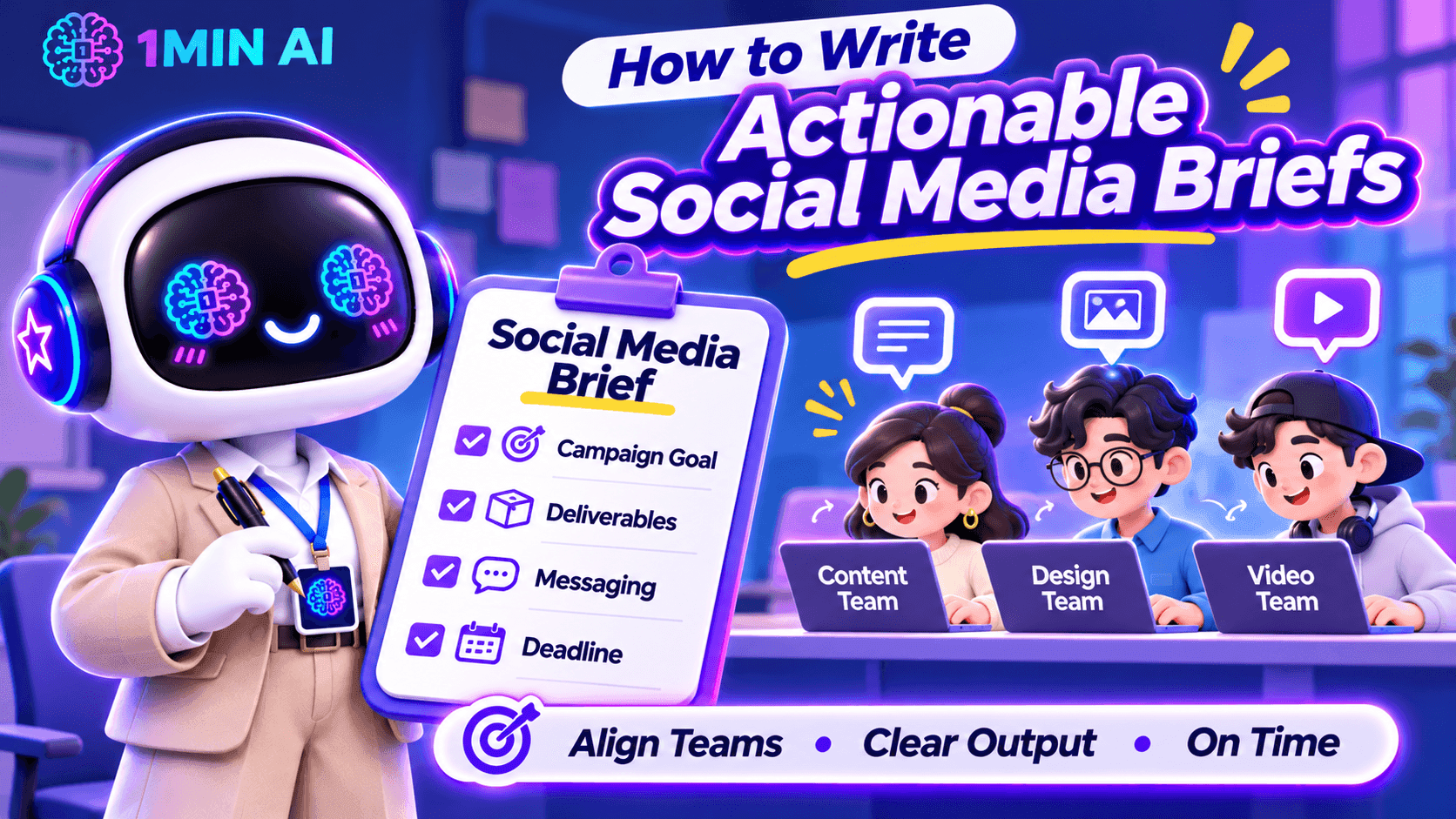
Learn how to write actionable social media briefs that align your content, design, and video teams on campaign goals, deliverables, messaging, and deadlines.
A social media brief can look complete on paper and still leave your team with more questions than answers.
You might tell a designer to create an Instagram carousel, ask a copywriter to write a LinkedIn post, and assign a video editor to produce a short-form video. But when the work comes back, the visuals do not match the campaign direction, the caption misses the intended message, or the video opens with a hook that does not fit the audience.
As a Social Media Manager, this often means spending more time clarifying instructions and requesting revisions than actually managing the campaign. The problem is not necessarily your team's execution. It may be that the brief does not translate your expectations into clear, actionable instructions.
Here is how to write social media briefs that help your team understand not only what to create, but also why it matters and what a successful result should look like.
Start with the Content Objective, Not Just the Deliverable
One common mistake is starting a brief with a list of tasks:
- Create three Instagram posts.
- Write two LinkedIn captions.
- Edit one TikTok video.
- Design a promotional banner.
These instructions explain what needs to be produced, but not what the content is expected to achieve. Without that context, team members may complete the deliverables while missing the actual campaign objective.
Before assigning tasks, define the purpose of each content piece. Is it designed to introduce a new product, increase awareness, drive website traffic, encourage comments, or generate sign-ups?
For example, compare these two instructions:
Vague brief: Create an Instagram carousel about our new AI writing tool.
Clearer brief: Create a five-slide Instagram carousel introducing our new AI writing tool to small business owners. Focus on the time they spend rewriting marketing content and show how the tool can support their workflow. The primary objective is to increase product awareness and encourage users to explore the feature.
The second version gives the team a reason behind the deliverable. The copywriter knows which problem to address, while the designer understands what information the visual needs to communicate.
What to include in your brief:
- Campaign or content objective
- Primary audience
- Main problem or opportunity being addressed
- Desired audience action
- Key message the audience should remember
Define the Target Audience Beyond Basic Demographics
Saying that a post targets people aged 18–35 is rarely enough to guide content creation. Your designer and copywriter need to understand what the audience cares about, what problems they experience, and why they would pay attention to the content.
As a Social Media Manager, you should translate audience research into practical creative direction.
For example, if your audience is small business owners, do not simply write:
“Target audience: Small business owners.”
Give the team more context:
“Target audience: Small business owners who manage their own social media accounts and struggle to produce consistent content while handling daily operations. They value practical tips, affordable tools, and solutions that save time.”
This additional information changes how the team approaches the content. Instead of creating a generic product promotion, the copywriter can focus on time constraints, while the designer can use familiar business scenarios to make the message more relatable.
A useful audience section should answer:
| Question | What the Team Needs to Know |
|---|---|
| Who are we targeting? | Their role, experience level, or relevant audience segment |
| What problem do they face? | A specific frustration, need, or challenge |
| What do they care about? | Their priorities, motivations, and interests |
| What would make them engage? | Useful information, relatable situations, entertainment, or a clear benefit |
Give Each Platform Its Own Content Direction
One campaign does not mean every social platform should receive the same post.
A common challenge for Social Media Managers is adapting one campaign idea across multiple channels without making every piece of content feel like a copy-and-paste version.
For example, a product announcement may require different approaches:
| Platform | Content Direction | What to Prioritize |
|---|---|---|
| Visual-first carousel or Reel | Strong opening visual, concise messaging, and shareability | |
| TikTok | Short-form video | Immediate hook, engaging demonstrations, and natural pacing |
| Professional insight or product use case | Business relevance, practical value, and credibility | |
| Community-oriented post or visual update | Clear information and audience interaction | |
| X | Short, focused post or thread | A strong opening statement and concise messaging |
| Threads | Conversational post | Relatable observations and natural discussion |
These are starting points, not fixed rules. The actual direction should depend on your audience, campaign objective, and the way your brand communicates on each platform.
Your brief should also clarify whether the team is expected to adapt an existing asset or create platform-specific content from scratch.
For example:
“Use the same core campaign message across Instagram and LinkedIn, but do not reuse the exact caption. Instagram should focus on a visual product demonstration, while LinkedIn should explain the business problem and practical application.”
This prevents the team from treating cross-platform distribution as simply resizing a graphic and changing the caption.
Turn Creative Expectations into Specific Instructions
Words such as engaging, eye-catching, modern, and professional appear frequently in social media briefs. However, they are subjective. A designer may interpret “modern” as minimal and clean, while the Social Media Manager expects bold typography, bright colors, and dynamic layouts.
Instead of relying on adjectives, describe what the team should actually produce.
For a design brief, specify:
- Format: Instagram carousel, static post, Story, Reel cover, or other deliverable.
- Dimensions: Required aspect ratio or platform specifications.
- Visual direction: Reference images, layout preferences, color palette, and typography.
- Content hierarchy: Which headline, statistic, product feature, or CTA should receive the most attention.
- Brand requirements: Logo placement, brand colors, fonts, and visual elements that must remain consistent.
For a video brief, include:
- Opening hook: What viewers should see or hear in the first few seconds.
- Scene structure: The main message or action in each scene.
- Pacing: Fast-paced, educational, conversational, or storytelling.
- On-screen text: Key phrases, subtitles, and information that must appear.
- Audio direction: Voiceover, music, sound effects, or dialogue requirements.
- Final CTA: What viewers should do after watching.
You do not need to control every creative decision. The goal is to provide enough direction for the team to make informed decisions without having to guess what you expect.
Include References That Explain What You Want
A reference link can save several rounds of revisions, but simply attaching an example is not enough. Your team needs to know which part of the reference they should follow.
For example, if you share a competitor's Instagram carousel, explain whether you like its storytelling structure, information hierarchy, illustration style, or opening slide.
A useful reference section can look like this:
| Reference | What to Take From It | What to Avoid |
|---|---|---|
| Competitor carousel | Clear slide progression and concise headlines | Copying its exact layout |
| Previous campaign | Consistent brand colors and typography | Reusing outdated messaging |
| TikTok video | Strong opening hook and quick transitions | Its unrelated visual style |
Also distinguish between inspiration and mandatory brand requirements. A reference should guide the creative direction, not automatically become a template that your team must reproduce.
Clarify Deliverables, Deadlines, and Approval Requirements
Even a well-written creative direction can fall apart if the team does not know exactly what needs to be submitted or when.
Instead of writing “Prepare social media content for next week,” break the assignment into specific deliverables.
| Deliverable | Owner | Deadline | Output |
|---|---|---|---|
| Instagram carousel | Designer | Monday, 3 PM | 1 editable design file + exported images |
| Instagram caption | Copywriter | Monday, 3 PM | Final caption with CTA and hashtags |
| TikTok video | Video Editor | Tuesday, 12 PM | Final video with subtitles |
| Content review | Social Media Manager | Tuesday, 4 PM | Consolidated feedback |
| Final approval | Marketing Lead | Wednesday, 10 AM | Approved assets |
You should also define the review process. Who gives the first round of feedback? Who has final approval? Where should team members submit their work? How many revision rounds are expected?
One particularly useful practice is to consolidate feedback before sending it back to the team. When the Social Media Manager, marketing lead, and product team provide separate or conflicting comments, creators can end up revising the same asset multiple times.
A clear approval process helps prevent that situation.
Use AI to Prepare More Actionable Social Media Briefs
Writing a good brief requires more than filling in a template. You need to understand the audience, develop a content angle, communicate the message, and translate campaign goals into instructions different team members can execute.
This is where 1min.AI can support your planning process.
Brainstorm Content Angles with Multi AI Chat
Before writing the brief, you may need to explore different approaches to the same campaign. Multi AI Chat lets you submit a prompt to multiple available AI models and compare their suggestions.
For example, you can compare responses from GPT-4.1, o3, Claude, Gemini, and DeepSeek, depending on model availability in your workspace.
Try this prompt:
“Act as a Social Media Strategist. We are launching a new AI writing tool for small business owners who manage their own social media. Suggest five distinct campaign content angles. For each angle, include the audience pain point, key message, recommended content format, and desired audience action. Avoid generic promotional ideas.”
Comparing the responses can help you identify stronger angles before assigning content to your team.
Turn Campaign Ideas into Clear Instructions with AI for Writing
Once you have selected a direction, use Content Generator in AI for Writing to develop an initial brief structure. You can provide the campaign objective, audience, platform, and key message as input, then refine the output into instructions for your team.
You can also use:
- Rewriter to make unclear instructions more direct and specific.
- Content Expander to add missing context, examples, or creative requirements.
- Content Shortener to remove unnecessary wording and make the brief easier to scan.
For example, you can ask AI to turn a vague instruction such as “Create an engaging product launch post” into a more actionable direction that includes the target audience, content angle, key message, and CTA.
Remember to review the output against your actual campaign strategy. AI can help structure and refine your brief, but it should not invent product claims, campaign objectives, or audience insights.
[GIF 1 – Using Multi AI Chat to brainstorm campaign angles and AI for Writing to refine a social media brief]
A Practical Social Media Brief Template for Your Team
You do not need a complicated document for every social media post. A useful brief should contain enough information for the assigned team member to start working without repeatedly asking for clarification.
Here is a practical structure you can adapt for your next campaign.
| Brief Section | Information to Include |
|---|---|
| Campaign Name | Campaign title and relevant dates |
| Objective | Awareness, engagement, traffic, leads, or conversions |
| Target Audience | Audience segment, pain points, and motivations |
| Key Message | The one takeaway the audience should remember |
| Platform | Instagram, TikTok, LinkedIn, Facebook, X, Threads, etc. |
| Content Format | Carousel, static post, Reel, short-form video, thread, etc. |
| Creative Direction | Tone of voice, visual style, hook, and content structure |
| References | Examples and an explanation of what to take from them |
| CTA | Desired action from the audience |
| Deliverables | Number of assets, formats, copy, and editable files |
| Deadline | Submission and publishing dates |
| Approval | Reviewer, final approver, and feedback process |
Example of a Completed Social Media Brief
Campaign: Introducing an AI Writing Tool
Objective: Increase awareness and encourage small business owners to explore the product.
Target Audience: Small business owners who manage their own social media and struggle to produce consistent marketing content.
Key Message: Create and refine marketing content more efficiently with AI writing tools.
Platform: Instagram and LinkedIn.
Instagram Direction:
- Format: Five-slide carousel.
- Hook: “Still spending hours writing social media captions?”
- Structure: Introduce the problem, show common content challenges, demonstrate relevant product capabilities, and end with a CTA.
- Visual direction: Clean, modern layout with short headlines and clear product screenshots.
- CTA: Explore the AI writing tools.
LinkedIn Direction:
- Format: Single-image post with supporting copy.
- Angle: Explain how small business owners can use AI to support their content workflow.
- Tone: Professional, practical, and informative.
- CTA: Learn more about the product.
Deliverables: Two platform-specific posts, captions, and exported visual assets.
Deadline: First draft by Monday, final approval by Wednesday.
This example gives the team a clear starting point while leaving room for the copywriter and designer to contribute their own creative decisions.
Make Every Social Media Brief Easier to Execute
A good social media brief should reduce uncertainty, not simply document what the Social Media Manager wants. Your team should be able to understand the campaign objective, identify the audience, follow the creative direction, and know exactly what needs to be delivered.
Before sending a brief, ask yourself three questions:
- Can the creator explain why this content is being produced?
- Does the team know what the final deliverable should look like?
- Can someone start working without having to ask basic clarification questions?
If the answer to any of these is no, your brief probably needs more context.
With a clear briefing process and tools like 1min.AI to support brainstorming and content refinement, you can spend less time clarifying instructions and more time focusing on campaign strategy, creative quality, and social media performance.
替代方案
探索 1minAI 的最佳替代方案,並比較其功能、定價和使用案例。

1min.AI 對比 OpenRouter
1min.AI 對比 OpenRouter:比較即用型 AI 創作產品同技術 API 工具。睇下你需要零程式碼創意工作室,定係編碼基礎設施中樞。
 Ngoc Hong

1min. AI vs Dola AI
想搵 Dola AI 替代方案?比較 1min.AI vs Dola AI 嘅影片生成、免費方案、收費同私隱,揀啱適合你嘅 AI 應用。
Ngoc Hong
1minAI vs Hix AI
比較 5 個 HIX AI 替代方案,涵蓋 AI 聊天、研究、寫作、圖片、影片、定價同靈活 AI 工作流程。
Ngoc HongAI 工具
探索最佳 AI 工具,提升生產力、創造力及日常工作效率。

一個產品,10 個 UGC 創意:AI 點樣令內容測試更輕鬆
用 AI UGC 影片生成器製作更真實嘅 UGC,測試更多創意角度,並喺唔使逐條拍攝嘅情況下擴大聯盟內容規模。
 Lien Anh Vu

只需幾個步驟,即可製作一致的卡通內容
用 1min.AI 透過 3 個簡單步驟製作 TikTok 同 Reels 卡通影片,由研究點子到角色再到動畫影片,一次完成。
Lien Anh Vu
為初創創辦人而設的 4 款最抵用 AI 工具
發掘 4 款最抵用嘅 AI 工具,幫初創創辦人驗證概念、建立產品、製作內容,同埋更快推出市場,而唔使超支。
 Tram Ta
AI 功能
全面的 AI 功能,可簡化工作流程、提升效率,讓團隊達成更多目標。

AI 應用案例
精選 AI 應用案例,涵蓋商業、生產力及各行業專用應用。
一個產品,10 個 UGC 創意:AI 點樣令內容測試更輕鬆
用 AI UGC 影片生成器製作更真實嘅 UGC,測試更多創意角度,並喺唔使逐條拍攝嘅情況下擴大聯盟內容規模。
Lien Anh Vu只需幾個步驟,即可製作一致的卡通內容
用 1min.AI 透過 3 個簡單步驟製作 TikTok 同 Reels 卡通影片,由研究點子到角色再到動畫影片,一次完成。
Lien Anh Vu
Instagram 最佳發帖時間:提升互動的實用指南
了解 Instagram 最佳發帖時間,包括不同受眾的最佳日子和時段,以及如何為你的帳戶找出理想的發帖時間表。
Tram TaAI 教學
透過實用的逐步教學,學習如何使用人工智能。
只需幾個步驟,即可製作一致的卡通內容
用 1min.AI 透過 3 個簡單步驟製作 TikTok 同 Reels 卡通影片,由研究點子到角色再到動畫影片,一次完成。
Lien Anh Vu
2026 黑色星期五 AI 工具優惠
探索 2026 黑色星期五 AI 工具優惠有咩選擇。了解點樣透過 AppSumo、Dealify、Stack Social 搶到 1min.AI 終身方案,並可喺 Trustpilot、Slashdot 同 Software Advice 核實。
 Hang Nguyen

使用 Seedance 的 AI 圖像轉影片產品一致性,停止變形並 масштаб化產品評測
以 AI 圖像轉影片產品一致性停止 logo 變形,立即在 1min.AI 製作 studio 級評測影片。
Lien Anh VuAI 指南
透過實用指南、真實案例和可操作嘅最佳實踐,更快咁學習 AI。
只需幾個步驟,即可製作一致的卡通內容
用 1min.AI 透過 3 個簡單步驟製作 TikTok 同 Reels 卡通影片,由研究點子到角色再到動畫影片,一次完成。
Lien Anh Vu
安全網上購買 AI 工具:2026 黑色星期五指南
了解如何在網上搵到同鎖定最佳黑色星期五 AI 優惠。學習專家策略,避開騙局、應對訂閱疲勞,並驗證軟件。
Hang Nguyen使用 Seedance 的 AI 圖像轉影片產品一致性,停止變形並 масштаб化產品評測
以 AI 圖像轉影片產品一致性停止 logo 變形,立即在 1min.AI 製作 studio 級評測影片。
Lien Anh VuAI 解決方案
瀏覽適用於自動化、編碼、研究、生產力、客戶支援、市場推廣及業務流程的最佳AI解決方案。
一個產品,10 個 UGC 創意:AI 點樣令內容測試更輕鬆
用 AI UGC 影片生成器製作更真實嘅 UGC,測試更多創意角度,並喺唔使逐條拍攝嘅情況下擴大聯盟內容規模。
Lien Anh Vu只需幾個步驟,即可製作一致的卡通內容
用 1min.AI 透過 3 個簡單步驟製作 TikTok 同 Reels 卡通影片,由研究點子到角色再到動畫影片,一次完成。
Lien Anh Vu
免費 AI 紋身生成器:自訂設計
用 1min.AI 的免費 AI 紋身生成器,將任何靈感變成自訂紋身設計。描述你的想法、選擇風格,幾秒內即可下載。
 Trang Tran
AI 模型
於一處探索全球頂尖嘅 AI 模型。
一個產品,10 個 UGC 創意:AI 點樣令內容測試更輕鬆
用 AI UGC 影片生成器製作更真實嘅 UGC,測試更多創意角度,並喺唔使逐條拍攝嘅情況下擴大聯盟內容規模。
Lien Anh Vu只需幾個步驟,即可製作一致的卡通內容
用 1min.AI 透過 3 個簡單步驟製作 TikTok 同 Reels 卡通影片,由研究點子到角色再到動畫影片,一次完成。
Lien Anh Vu使用 Seedance 的 AI 圖像轉影片產品一致性,停止變形並 масштаб化產品評測
以 AI 圖像轉影片產品一致性停止 logo 變形,立即在 1min.AI 製作 studio 級評測影片。
Lien Anh VuAI 比較
比較AI工具、模型及平台,尋找最適合您需求的選擇。

Kling AI 對 Veo 3:邊個模型勝出?
Kling AI 對 Veo 3:比較動態、原生音訊、定價同免費方案,睇下邊個 AI 影片生成器更適合你嘅項目——即刻喺 1min.AI 試晒兩個。
Trang Tran使用 Seedance 的 AI 圖像轉影片產品一致性,停止變形並 масштаб化產品評測
以 AI 圖像轉影片產品一致性停止 logo 變形,立即在 1min.AI 製作 studio 級評測影片。
Lien Anh Vu
DeepSeek V4 Pro 與 Flash 比較
比較 DeepSeek V4 Pro 與 DeepSeek V4 Flash 的指標。立即喺 1min.ai 優化你嘅 agentic apps,同提升 AI fact checking。
Ngoc HongAI 整合
將 AI 無縫整合到你現有的工具中,自動化工作並提升生產力。

如何使用 AI 時尚影片生成器製作 2026 時裝週內容
用 AI 將 2026 時裝週靈感變成驚艷時尚影片。學習如何發想、創作視覺,並以一個簡單流程將圖片轉成影片。
Lien Anh Vu
POV:你每日要製作 10+ 篇貼文
了解如何建立 AI 內容工作流程,幫助內容創作者透過 AI 發想、圖片生成同內容製作,更快每日產出 10+ 則社交媒體貼文。
Lien Anh Vu
停止在 AI 應用程式之間切換:AI 整合如何重塑僱主品牌
了解 AI 整合如何透過將 AI 寫作、文件、圖像、影片及多個 AI 模型整合到同一工作空間,幫助 HR 團隊簡化僱主品牌工作。
Tram Ta行業AI
為醫療保健、金融、教育、法律、製造、零售、房地產等行業尋找最佳AI工具和工作流程。

免費 AI 產品描述生成器
幾分鐘內寫出能帶來銷售的產品描述。使用這個免費 AI 產品描述生成器,將產品資料或相片轉成符合品牌的文案。試用 1min.AI。
Trang Tran
助初創企業提升利潤的最佳商業生產力工具 | 1minAI
探索最適合初創企業的商業生產力工具,節省時間、簡化工作流程、減少重複工作,並透過 AI 支援有利可圖的增長。
Tram Ta
最佳內容行銷 AI 工具|1minAI
搵緊最佳內容行銷 AI 工具?睇吓 1minAI 點樣幫市場人員喺同一個 AI 工作空間內做資料研究、寫作、重製內容、製作視覺素材同擴大產出。
Tram TaAI 代理
探索並運行 AI 代理,自動化您的工作和日常生活中的任務。


AI 工作流程
探索現成可用的 AI 工作流程,適用於生產力、營銷、銷售、支援等。
一個產品,10 個 UGC 創意:AI 點樣令內容測試更輕鬆
用 AI UGC 影片生成器製作更真實嘅 UGC,測試更多創意角度,並喺唔使逐條拍攝嘅情況下擴大聯盟內容規模。
Lien Anh Vu只需幾個步驟,即可製作一致的卡通內容
用 1min.AI 透過 3 個簡單步驟製作 TikTok 同 Reels 卡通影片,由研究點子到角色再到動畫影片,一次完成。
Lien Anh Vu如何使用 AI 時尚影片生成器製作 2026 時裝週內容
用 AI 將 2026 時裝週靈感變成驚艷時尚影片。學習如何發想、創作視覺,並以一個簡單流程將圖片轉成影片。
Lien Anh Vu電子報
1minAI 每週 AI 創新

🔮 每週 AI 創新 #143:更新 更新 GPT-6、GPT-6.1 與 Ideogram 4.0 與 Ideogram 4.0
在 1min.ai 取得 GPT-6 Sol、Luna、GPT-6.1 Sol 及 Ideogram 4.0。於同一平台將排版準確度提升至 98.4%,並把推理延遲降低 45%。
Hang Nguyen
🔮 每週 AI 創新 #142:Grok 4.7、Opus 5.5 與 Sonnet 5.5 登陸 1min.ai
在 1min.ai 存取 Grok 4.7、Claude Opus 5.5 及 Sonnet 5.5。透過單一整合工作區,最多可節省 70% 訂閱成本,並處理數以百萬計的 token。
Hang Nguyen
🔮 每週 AI 創新 #141:Seedance 2.5 與 Stable Audio 3:新一代 AI
在 1min.ai 探索 Seedance 2.0、2.5 以及 StabilityAI 的 Stable Audio 3。運用新一代生成式 AI 生成錄音室級音訊與同步動作。
Hang Nguyen